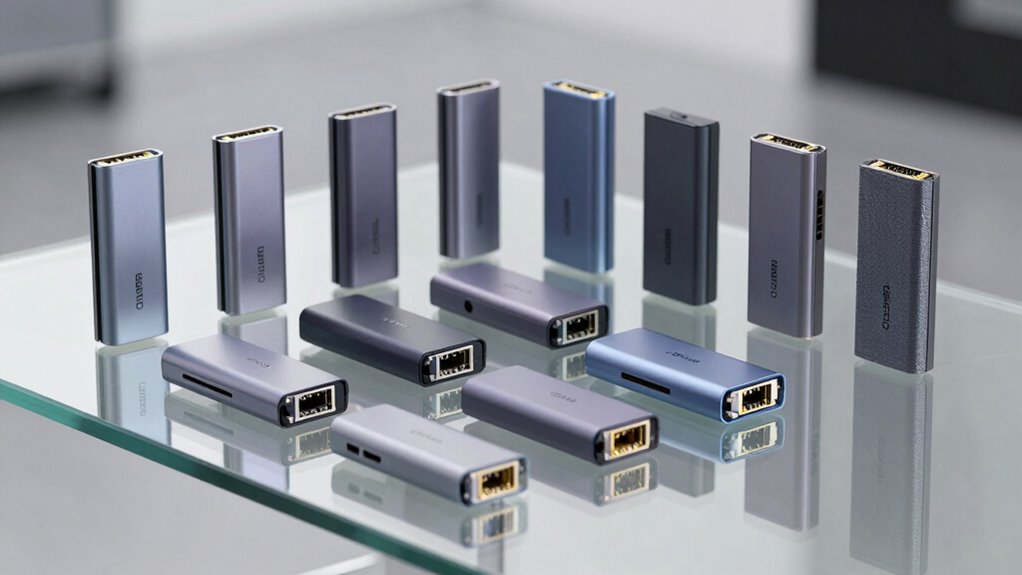

If you’re searching for a thunderbolt ethernet adapter, you’re likely looking for fast, reliable wired internet connectivity for your MacBook, PC, or ultrabook. The best options combine high-speed Ethernet support with a compact, durable design. The CalDigit Connect 10G stands out for blazing 10Gbps speeds, while the Apple Thunderbolt to Gigabit Ethernet Adapter offers seamless compatibility for Apple devices. However, tradeoffs often include higher cost or limited port options. Keep reading to see a detailed comparison of the top models, helping you choose the best for your needs.

Get privacy and security gear delivered free with Prime
- Fast, free delivery on millions of items
- Prime Video, Amazon Music and more included
- Member-only deals all year
Key Takeaways
- Top models differ mainly in Ethernet speed, with 1Gbps, 2.5Gbps, and 10Gbps options available, affecting future-proofing and data transfer rates.
- Build quality and compatibility vary, with premium aluminum enclosures offering durability, but sometimes at a higher price point.
- Some adapters, like the Cable Matters and UGREEN models, provide excellent value without sacrificing performance for most users.
- Compatibility with Thunderbolt 3 and 4, along with USB-C, influences ease of use across different devices and operating systems.
- High-speed adapters like the Sonnet and CalDigit are better suited for professionals needing fast data transfers, but they come at a premium.
| Cable Matters USB C to 5Gb Ethernet Adapter, 5 Gigabit Ethernet to USB C |  | Best Overall for Versatile High-Speed Connectivity | Network Speed: 5000 Mbps | Compatibility: USB-C, USB4, Thunderbolt 5/4, MacBook, Windows, Linux, Chrome OS, iOS | Material: Aluminum housing | VIEW ON AMAZON | See Our Full Breakdown |
| UGREEN USB C to Ethernet Adapter 2.5G, Aluminum Ethernet Adapter for Laptop, MacBook, XPS, iPhone 17 Pro/Max |  | Best for Upgrading to Faster Network Speeds | Network Speed: Up to 2.5Gbps | Chipset: RTL8156BG | Material: Aluminum | VIEW ON AMAZON | See Our Full Breakdown |
| Sonnet Technologies Solo 10G Thunderbolt 3 to 10GBASE-T Ethernet Fanless Adapter |  | Best for High-Performance 10G Ethernet in Noise-Sensitive Environments | Interface: Thunderbolt 3 | Ethernet Speed: 10GBASE-T | Performance: Up to 40Gbps | VIEW ON AMAZON | See Our Full Breakdown |
| TP-Link USB C to Ethernet Adapter (UE300C), Gigabit LAN Network Adapter for MacBook, Surface, Dell XPS, and More |  | Best Budget-Friendly Gigabit Ethernet Solution | Interface: USB-C | Ethernet Speed: 1 Gbps | Dimensions: 2.8 x 1.0 x 0.6 inches | VIEW ON AMAZON | See Our Full Breakdown |
| Cable Matters USB C to 10Gb Ethernet Adapter, Low-Heat and Silent |  | Best for Silent, High-Speed 10Gbps Networking | Ethernet Speed: 10Gbps | Compatibility: USB4, Thunderbolt 3/4/5, macOS, Windows | Controller: Realtek RTL8159 | VIEW ON AMAZON | See Our Full Breakdown |
| Thunderbolt Gigabit Ethernet Adapter |  | Best for Reliability in Thunderbolt Ecosystems | Connectivity: Thunderbolt | Ethernet Speed: Gigabit Ethernet (10/100/1000BASE-T) | Compatibility: Thunderbolt devices | VIEW ON AMAZON | See Our Full Breakdown |
| UGREEN USB-C to Ethernet Adapter, 1Gbps Aluminum Network Dongle, Compatible with MacBook Pro/Air, iPhone 17 Pro/Max, iPad, XPS |  | Best for Versatile Compatibility and Portability | Speed: 1000Mbps | Compatibility: USB-C, Thunderbolt 3/4, Windows, macOS, Chrome OS, Android | Material: Aluminum alloy | VIEW ON AMAZON | See Our Full Breakdown |
| CalDigit Connect 10G Thunderbolt Type-C to 10Gb Ethernet Adapter for Mac and PC |  | Best for High-Speed Data Transfer and Professional Use | Ethernet Speed: 10Gbps | Compatibility: Thunderbolt 3, 4 & 5, USB4 | Power: Bus-powered | VIEW ON AMAZON | See Our Full Breakdown |
| Apple Thunderbolt to Gigabit Ethernet Adapter |  | Best for Apple Users with Thunderbolt Macs | Connectivity: Thunderbolt | Ethernet Speed: Gigabit (10/100/1000BASE-T) | System Requirement: OS X v10.7.4 or later | VIEW ON AMAZON | See Our Full Breakdown |
| Anker USB C to Ethernet Adapter, 1-Gigabit Network Hub, Compact Aluminum Design |  | Best for Portability and Compatibility with a Wide Range of Devices | Connection Type: USB-C | Network Speed: 1 Gbps | Compatibility: MacBook Pro, iPad Pro, ChromeBook, XPS, Galaxy S9/S8 | VIEW ON AMAZON | See Our Full Breakdown |
| TP-Link USB C to Ethernet Adapter, 2.5 G, Plug & Play, Aluminum Alloy Case, Thunderbolt 3/4 Compatible |  | Best Overall Thunderbolt Ethernet Adapter | Connection Speed: 2.5 Gbps | Compatibility: Thunderbolt 3/4, USB-C, MacBook Pro/Air, iPad, iPhone 16 Pro/Max, Windows, macOS, Chrome OS, Linux, iOS | Material: Aluminum alloy | VIEW ON AMAZON | See Our Full Breakdown |
| uni USB-C to Ethernet Adapter 1Gbps, Driver-Free RJ45 to USB-C for Laptop, MacBook, iPhone, Dell XPS, Galaxy |  | Best Value for Basic Gigabit Ethernet Needs | Hardware Interface: Ethernet | Compatible Devices: iPhone 15/16 Pro/Max, MacBook Pro 2015-2023, MacBook Air 2018-2022, iPad Pro 2018-2022, Samsung S8-S24, Dell XPS, Chromebook | Data Link Protocol: Ethernet, USB-C, Gigabit Ethernet | VIEW ON AMAZON | See Our Full Breakdown |
| UGREEN USB-C to Ethernet Adapter 5Gb, Aluminum Thermal Design, Compatible with MacBook Air/Pro, XPS |  | Best for High-Speed Data Transfer and Content Creation | Hardware Interface: USB Type C | Compatible Devices: Desktop, Laptop | Data Link Protocol: Ethernet | VIEW ON AMAZON | See Our Full Breakdown |
| Anker USB-C Hub with Ethernet, 6-in-1 Multiport USB-C to Ethernet Adapter |  | Best Versatile Multiport Thunderbolt Adapter | Number of Ports: 6 | HDMI Resolution: 4K@30Hz | Power Delivery: 65W | VIEW ON AMAZON | See Our Full Breakdown |
| BENFEI USB-C to Ethernet Adapter, USB Type-C (Thunderbolt 3/4) to RJ45 Gigabit Ethernet LAN Network Adapter | 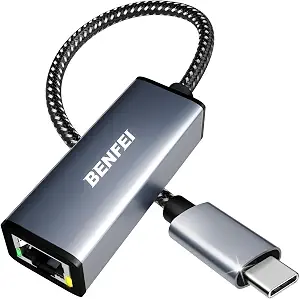 | Best Compact Gigabit Ethernet Adapter | Hardware Interface: USB Type C | Compatible Devices: Laptops, tablets, smartphones | Data Link Protocol: IEEE 802.3 | VIEW ON AMAZON | See Our Full Breakdown |
| thunderbolt ethernet adapter | Compatibility |
|---|---|
| Cable Matters USB C to 5Gb Eth | USB-C, USB4, Thunderbolt 5/4, MacBook, Windows, Linux, Chrome OS, iOS |
| UGREEN USB C to Ethernet Adapt | USB-C, Thunderbolt 4/3, MacBook Air/Pro, XPS, iPhone 17 Pro/Max |
| Sonnet Technologies Solo 10G T | Mac & Windows |
| TP-Link USB C to Ethernet Adap | Windows, macOS, Chrome OS, Linux |
| Cable Matters USB C to 10Gb Et | USB4, Thunderbolt 3/4/5, macOS, Windows |
| Thunderbolt Gigabit Ethernet A | Thunderbolt devices |
| UGREEN USB-C to Ethernet Adapt | USB-C, Thunderbolt 3/4, Windows, macOS, Chrome OS, Android |
| CalDigit Connect 10G Thunderbo | Thunderbolt 3, 4 & 5, USB4 |
| Apple Thunderbolt to Gigabit E | Thunderbolt-enabled Macs |
| Anker USB C to Ethernet Adapte | MacBook Pro, iPad Pro, ChromeBook, XPS, Galaxy S9/S8 |
| TP-Link USB C to Ethernet Adap | Thunderbolt 3/4, USB-C, MacBook Pro/Air, iPad, iPhone 16 Pro/Max, Windows, macOS, Chrome OS, Linux, iOS |
| uni USB-C to Ethernet Adapter | — |
| UGREEN USB-C to Ethernet Adapt | — |
| Anker USB-C Hub with Ethernet | — |
| BENFEI USB-C to Ethernet Adapt | — |
More Details on Our Top Picks
Cable Matters USB C to 5Gb Ethernet Adapter, 5 Gigabit Ethernet to USB C
This adapter stands out for delivering ultra-fast 5Gbps speeds, making it ideal for gaming, streaming, and large file transfers. Its durable aluminum housing and braided cable enhance long-term reliability, while broad device compatibility ensures seamless setup across MacBook, Windows, Linux, and Chrome OS devices. Compared with the UGREEN 2.5G adapter, it offers higher maximum speed but requires a compatible USB-C port supporting USB 3.2 Gen 2 or higher, which might limit performance on older hardware. The plug-and-play nature simplifies use, but some Windows or Linux users may need to update drivers for optimal performance. Its main tradeoff is the reliance on compatible ports for full 5Gbps speeds, which might not be available on all devices. Overall, this makes the most sense for users who want maximum speed and durability without extra features.
Pros:- Supports ultra-fast 5Gbps Ethernet speeds for smooth streaming and gaming
- Durable, premium aluminum design with flexible braided cable
- Broad device compatibility across multiple OS and platforms
Cons:- Full 5Gbps performance depends on compatible USB-C ports supporting USB 3.2 Gen 2
- May require driver updates on Windows or Linux for best performance
- Limited to Ethernet connectivity without additional ports
Best for: Power users who need fast, reliable Ethernet for streaming, gaming, or large data transfers on modern USB-C devices
Not ideal for: Users with older computers or Android devices lacking USB-C or full USB 3.2 Gen 2 support
- Network Speed:5000 Mbps
- Compatibility:USB-C, USB4, Thunderbolt 5/4, MacBook, Windows, Linux, Chrome OS, iOS
- Material:Aluminum housing
- Cable Type:Braided pigtail cable
Our verdict“Ideal for users seeking high-speed, durable Ethernet connections on modern USB-C laptops and desktops.”
UGREEN USB C to Ethernet Adapter 2.5G, Aluminum Ethernet Adapter for Laptop, MacBook, XPS, iPhone 17 Pro/Max
Compared with the Cable Matters 5Gbps adapter, the UGREEN model offers a support for 2.5Gbps speeds, making it a solid choice for users who don’t need full 5Gbps but want a noticeable upgrade from standard Gigabit Ethernet. Its sturdy aluminum build and compatibility with a wide range of devices—including MacBook Air, Pro, XPS, and even iPhones—add to its appeal. However, achieving full 2.5Gbps speeds depends on having a compatible router or switch, which may not be commonplace in all setups. It lacks extra features like additional ports or advanced management, focusing solely on Ethernet. This is a great pick for those who want faster wired internet without a hefty investment, but it’s less suitable if your network equipment isn’t 2.5Gbps-ready. Overall, this is best for users seeking a simple upgrade without overpaying for higher speeds than their infrastructure supports.
Pros:- Supports fast 2.5Gbps Ethernet for quicker data transfer
- Robust aluminum construction with reinforced ports
- Wide device compatibility including modern laptops and smartphones
Cons:- Full speed requires compatible 2.5Gbps network infrastructure
- No additional ports or advanced features
- Performance depends on overall network setup
Best for: Professionals or streamers who want a noticeable upgrade from 1Gbps Ethernet without the need for 5Gbps speeds
Not ideal for: Users with no 2.5Gbps-capable router or network switch, as they won’t see full speed benefits
- Network Speed:Up to 2.5Gbps
- Chipset:RTL8156BG
- Material:Aluminum
- Compatibility:USB-C, Thunderbolt 4/3, MacBook Air/Pro, XPS, iPhone 17 Pro/Max
Our verdict“A smart choice for those upgrading from Gigabit Ethernet seeking faster speeds on compatible networks.”
Sonnet Technologies Solo 10G Thunderbolt 3 to 10GBASE-T Ethernet Fanless Adapter
This adapter excels for demanding professional environments, offering 10G Ethernet speeds up to 40Gbps transfer rates. Its fanless, compact design guarantees silent operation, making it ideal for audio or video editing setups where noise matters. Unlike the Cable Matters or UGREEN options, it requires a Thunderbolt 3 port, which limits compatibility to newer machines, but it guarantees high throughput with minimal latency. Its single Ethernet focus means no extras—just reliable 10G connection—so it’s less versatile for users needing additional ports or features. Compared to the Cable Matters 5Gbps adapter, it delivers significantly higher speeds but at a higher cost and with stricter hardware requirements. This makes it perfect for professionals who need maximum Ethernet performance in a quiet, portable package, but not suited for casual or general use.
Pros:- High-speed 10G Ethernet with up to 40Gbps throughput
- Fanless design ensures silent operation
- Compact and portable for professional use
Cons:- Requires Thunderbolt 3 port, limiting compatibility
- Limited to Ethernet connectivity only
- Higher price point compared to lower-speed adapters
Best for: Creative professionals or data centers needing ultra-fast, noise-free 10G Ethernet connections on Thunderbolt 3 or newer devices
Not ideal for: Casual users or those with Thunderbolt 2 or older ports, as upgrade costs and hardware needs are higher
- Interface:Thunderbolt 3
- Ethernet Speed:10GBASE-T
- Performance:Up to 40Gbps
- Fanless:Yes
- Compatibility:Mac & Windows
- Warranty:2 years
Our verdict“Best suited for professionals needing ultra-fast, silent Ethernet connections on Thunderbolt 3 systems.”
TP-Link USB C to Ethernet Adapter (UE300C), Gigabit LAN Network Adapter for MacBook, Surface, Dell XPS, and More
Compared with higher-speed options, the TP-Link UE300C offers a reliable Gigabit Ethernet connection at a very accessible price point. Its simple plug-and-play setup supports most operating systems, making it ideal for users who need stable internet on the go. However, it’s limited to 1Gbps speeds, which might be insufficient for heavy data transfers or advanced streaming needs. Unlike the Cable Matters and UGREEN adapters, it doesn’t support higher speeds, but it compensates with affordability and broad compatibility. The absence of additional ports or advanced features keeps it straightforward but less future-proof for those with faster network infrastructure. This pick makes the most sense for casual users, remote workers, or travelers who prioritize reliability and affordability over maximum speed.
Pros:- Compact, lightweight design for portability
- Plug-and-play setup with broad OS support
- Reliable gigabit Ethernet speeds for stable internet
Cons:- Limited to 1Gbps speeds, not suitable for high-bandwidth tasks
- Requires Ethernet cable for full gigabit performance
- No extra ports or advanced features
Best for: Remote workers or travelers needing dependable, basic Ethernet connectivity on a budget
Not ideal for: Power users or gamers who require higher-than-gigabit speeds for large data or streaming
- Interface:USB-C
- Ethernet Speed:1 Gbps
- Dimensions:2.8 x 1.0 x 0.6 inches
- Compatibility:Windows, macOS, Chrome OS, Linux
- Cable Requirement:CAT6 or higher for full 1Gbps
Our verdict“A solid, affordable choice for users needing dependable gigabit Ethernet on the move.”
Cable Matters USB C to 10Gb Ethernet Adapter, Low-Heat and Silent
This adapter offers a compelling option for demanding environments, supporting up to 10Gbps Ethernet speeds—though real-world speeds typically reach 7Gbps on Windows and around 5Gbps on macOS. Its aluminum housing and thermal management system keep operation cool and quiet, ideal for extended use in noise-sensitive settings. Compared to the Sonnet 10G adapter, it’s more affordable but still delivers impressive high-speed performance. However, achieving maximum speeds requires a USB 3.2 Gen 2×2 or higher port, which isn’t available on all systems, and actual data transfer can vary depending on the setup. Its focus on silence and thermal efficiency makes it best for professional workflows where heat and noise are concerns. It’s less suited for casual users or those with older USB ports.
Pros:- High-speed 10Gbps Ethernet performance
- Low heat generation with advanced thermal management
- Durable aluminum design with braided cable
Cons:- Real-world speeds depend heavily on setup and port capabilities
- Requires high-speed USB port for maximum performance
- Limited to Ethernet connectivity only
Best for: Tech professionals or content creators needing fast, silent Ethernet on modern USB4 or Thunderbolt 3/4 devices
Not ideal for: Users with older USB ports or those not equipped with USB3.2 Gen 2×2 or higher
- Ethernet Speed:10Gbps
- Compatibility:USB4, Thunderbolt 3/4/5, macOS, Windows
- Controller:Realtek RTL8159
- Material:Aluminum housing
- Cable Type:Braided USB-C pigtail
Our verdict“Best for users needing rapid, silent Ethernet connections on latest USB and Thunderbolt devices with thermal considerations.”
Thunderbolt Gigabit Ethernet Adapter
This Thunderbolt Gigabit Ethernet Adapter stands out for providing a straightforward, high-speed wired connection specifically for Thunderbolt-compatible devices. Compared with the Apple Thunderbolt to Gigabit Ethernet Adapter, it offers similar basic Ethernet speeds but lacks detailed compatibility info, which could cause some uncertainty. Its simplicity makes it ideal for users who primarily rely on Thunderbolt ports and want a no-fuss Ethernet link without extra features. However, the limited info on compatibility means it might not support all Thunderbolt devices seamlessly. Tradeoffs include a lack of advanced features and minimal compatibility details, but the plug-and-play setup ensures easy use for supported devices.
Pros:- Simple, reliable wired Ethernet connection for Thunderbolt devices
- Plug-and-play setup minimizes fuss
- Designed specifically for high-speed data transfer over Thunderbolt
Cons:- Limited compatibility details may cause uncertainty
- No additional features like USB ports or Wi-Fi
Best for: Mac users who need a reliable wired connection without extra frills and primarily use Thunderbolt ports.
Not ideal for: Users with a variety of ports or those seeking multi-function adapters, since it offers only Ethernet connectivity and limited info on compatibility.
- Connectivity:Thunderbolt
- Ethernet Speed:Gigabit Ethernet (10/100/1000BASE-T)
- Compatibility:Thunderbolt devices
- System Requirement:Compatible with Thunderbolt-enabled Macs
- Power:Bus-powered
- Design:Compact and minimal
Our verdict“This adapter is best suited for dedicated Thunderbolt users who prioritize a straightforward Ethernet connection over extra features.”
UGREEN USB-C to Ethernet Adapter, 1Gbps Aluminum Network Dongle, Compatible with MacBook Pro/Air, iPhone 17 Pro/Max, iPad, XPS
This UGREEN USB-C to Ethernet Adapter excels for users who need a reliable 1Gbps wired connection across multiple devices, including laptops, tablets, and smartphones. Compared with the Anker USB C to Ethernet Adapter, it supports a broader range of operating systems and device types, making it more versatile. The aluminum alloy case ensures durability and heat dissipation, which is beneficial during prolonged use. Its plug-and-play setup simplifies connection to Windows, macOS, Chrome OS, and Android, making it ideal for those who switch between devices. However, it requires drivers for older Windows and Linux systems, which could be a hurdle for some. This model is perfect for multi-device users who prioritize durability and broad compatibility, but it’s limited to wired Ethernet without Wi-Fi features.
Pros:- Supports up to 1Gbps Ethernet speeds across many devices
- Durable aluminum case for heat dissipation
- Broad compatibility including macOS, Windows, Chrome OS, and Android
Cons:- Requires drivers for some older OS versions
- Limited to wired Ethernet, no Wi-Fi or additional ports
Best for: Professionals and power users who switch devices frequently and need a dependable, portable Ethernet solution.
Not ideal for: Users seeking integrated Wi-Fi or expecting a simple plug-and-play experience on legacy systems without driver downloads.
- Speed:1000Mbps
- Compatibility:USB-C, Thunderbolt 3/4, Windows, macOS, Chrome OS, Android
- Material:Aluminum alloy
- LED Indicator:Yes
- Form Factor:Compact
- Power:Plug-and-play
Our verdict“This adapter is ideal for those who need a resilient, multi-device Ethernet connection with broad OS support and portability.”
CalDigit Connect 10G Thunderbolt Type-C to 10Gb Ethernet Adapter for Mac and PC
The CalDigit Connect 10G stands out for delivering blazing-fast 10Gb Ethernet speeds, making it suitable for users working with large data files or NAS systems. Compared with the UGREEN 1Gbps adapter, it offers a significant leap in speed, which is crucial for demanding workflows. Its portability, being bus-powered and equipped with passive cooling, suits professionals who need reliable high-speed connections on the go. This adapter supports a wide range of network speeds, including 5Gb and 2.5Gb, providing flexibility. However, it’s not compatible with Apple Thunderbolt 3 to Thunderbolt 2 adapters and requires Thunderbolt or USB4 ports capable of PCIe, limiting its use with some older or limited systems. This is best for power users who need maximum speed and flexibility, but it may be overkill for general browsing or casual use.
Pros:- Supports 10Gb Ethernet speeds for rapid data transfer
- Bus-powered and portable design
- Supports multiple network speeds including 5Gb and 2.5Gb
Cons:- Not compatible with some older Thunderbolt 3 to Thunderbolt 2 adapters
- Requires Thunderbolt or USB4 with PCIe support
Best for: Creative professionals or IT specialists needing ultra-fast network connectivity for data-intensive tasks.
Not ideal for: Casual users or those with older systems lacking Thunderbolt 3, 4, or USB4 ports, due to compatibility constraints.
- Ethernet Speed:10Gbps
- Compatibility:Thunderbolt 3, 4 & 5, USB4
- Power:Bus-powered
- Cooling:Passive aluminum enclosure
- Supported Network Speeds:10Gb, 5Gb, 2.5Gb, 1Gb, 100Mb
- Port Type:Type-C
Our verdict“Ideal for professionals needing maximum network speed and flexibility on compatible systems.”
Apple Thunderbolt to Gigabit Ethernet Adapter
This Apple Thunderbolt to Gigabit Ethernet Adapter offers seamless connection for Thunderbolt-equipped Macs needing a reliable Gigabit Ethernet link. Compared with the CalDigit 10G, it supports only 1Gbps speeds, which may be limiting for data-heavy workflows but is sufficient for everyday network use. Its simplicity and dedicated design ensure a straightforward experience for Mac users, especially those running OS X v10.7.4 or later. The main tradeoff is its limited speed and lack of additional features, making it less versatile for users requiring faster connections or multi-port options. This adapter makes sense for Mac owners who want a plug-and-play Ethernet solution without extra features, but it falls short for high-speed or multi-device setups.
Pros:- Easy, reliable connection to Gigabit Ethernet networks
- Designed specifically for Thunderbolt Macs
- Supports full Gigabit Ethernet speeds
Cons:- Limited to 1Gbps speeds, less future-proof
- Requires specific OS version for compatibility
Best for: Mac users needing a straightforward Ethernet upgrade for their Thunderbolt Macs.
Not ideal for: Users with Windows systems or those requiring faster Ethernet speeds or additional ports.
- Connectivity:Thunderbolt
- Ethernet Speed:Gigabit (10/100/1000BASE-T)
- System Requirement:OS X v10.7.4 or later
- Compatibility:Thunderbolt-enabled Macs
- Power:Passive
- Design:Compact, minimal
Our verdict“This adapter suits Mac users who prioritize simplicity and reliable Gigabit Ethernet over speed and extra features.”
Anker USB C to Ethernet Adapter, 1-Gigabit Network Hub, Compact Aluminum Design
The Anker USB C to Ethernet Adapter offers a dependable 1Gbps wired connection, making it suitable for users who value a lightweight, portable setup. Compared with the UGREEN 1Gbps adapter, it emphasizes a sleek aluminum design and compatibility with a diverse array of devices like MacBook Pro, iPad Pro, and ChromeBook. Its braided nylon cable adds durability, ideal for frequent travelers or mobile professionals. Since it’s limited to Ethernet only, it doesn’t provide additional ports or Wi-Fi, which might be a drawback for those seeking more versatile hubs. Its main strength lies in its portability and broad device support, but it’s not designed for high-end data transfer needs beyond 1Gbps.
Pros:- Reliable 1Gbps wired Ethernet connection
- Compact, lightweight, and portable design
- Premium aluminum build with durable braided cable
Cons:- Limited to Ethernet connectivity only
- Requires USB-C port for connection
Best for: Mobile professionals or students who need a compact, durable Ethernet solution compatible with many devices.
Not ideal for: Power users needing multi-port hubs or faster Ethernet speeds for large data transfers.
- Connection Type:USB-C
- Network Speed:1 Gbps
- Compatibility:MacBook Pro, iPad Pro, ChromeBook, XPS, Galaxy S9/S8
- Material:Aluminum and braided nylon
- Dimensions:Just over half an inch thick
- Design:Compact and durable
Our verdict“This adapter is perfect for users seeking a portable, reliable Ethernet connection with broad device compatibility.”
TP-Link USB C to Ethernet Adapter, 2.5 G, Plug & Play, Aluminum Alloy Case, Thunderbolt 3/4 Compatible
This TP-Link adapter stands out for offering 2.5 Gbps Ethernet speeds, which surpass standard gigabit options like the uni adapter. Its durable aluminum alloy case not only provides a sleek look but also enhances longevity, making it ideal for frequent travelers. Compared with the uni adapter, this model supports faster data transfer, but it requires a compatible 2.5G-capable router to reach its full potential. Its broad compatibility across Thunderbolt 3/4, USB-C, and multiple OSes makes it versatile for varied setups. The plug-and-play design simplifies setup, though its focus on Ethernet connectivity means it lacks additional ports, limiting its multifunctionality. Overall, this pick makes the most sense for users needing speedy, stable wired connections, especially on the go.
Pros:- Supports high-speed 2.5 Gbps Ethernet for faster data transfer and streaming
- Durable aluminum alloy case with reinforced connector prolongs lifespan
- Broad device compatibility and simple plug-and-play setup
Cons:- Requires compatible 2.5G routers to utilize maximum speed
- Limited to Ethernet connectivity without additional ports
Best for: Power users and professionals who need fast, reliable Ethernet connections on a variety of devices and travel frequently.
Not ideal for: Casual users seeking multiport hubs or those with routers that do not support 2.5G speeds, as they won’t see the full benefit.
- Connection Speed:2.5 Gbps
- Compatibility:Thunderbolt 3/4, USB-C, MacBook Pro/Air, iPad, iPhone 16 Pro/Max, Windows, macOS, Chrome OS, Linux, iOS
- Material:Aluminum alloy
- Supported OS:Windows 11/10/8.1/8/7, macOS, iPadOS, Chrome OS, Linux, iOS
- Design:Foldable, portable
- Indicators:Built-in status lights
Our verdict“This adapter is perfect for professionals who need fast, stable wired connections while traveling or working remotely.”
uni USB-C to Ethernet Adapter 1Gbps, Driver-Free RJ45 to USB-C for Laptop, MacBook, iPhone, Dell XPS, Galaxy
Compared with higher-speed options like the UGREEN 5Gb adapter, this uni model focuses on providing a reliable 1Gbps connection at a more accessible price point. Its plug-and-play nature means no drivers are needed, simplifying setup across many devices, including MacBooks, iPhones, and Samsung Galaxy phones. The braided nylon cable and aluminum casing add durability, making it suitable for daily use. However, its 1Gbps limit makes it less future-proof as more networks move toward higher speeds, and it won’t support Nintendo Switch users who need a different type of connection. This adapter is a practical choice for those who prioritize straightforward, stable wired connections without extra frills or high-speed demands.
Pros:- Reliable gigabit Ethernet connection up to 1Gbps
- Plug-and-play, driver-free setup for quick use
- Durable braided nylon cable and aluminum casing
Cons:- Limited to 1Gbps speeds, which may be insufficient for future needs
- Not compatible with Nintendo Switch or higher-speed networks
Best for: Everyday users who need a dependable Ethernet connection for work or browsing on compatible devices.
Not ideal for: Heavy data transfer or future-proofing, as it doesn’t support speeds beyond 1Gbps or gaming consoles like Nintendo Switch.
- Hardware Interface:Ethernet
- Compatible Devices:iPhone 15/16 Pro/Max, MacBook Pro 2015-2023, MacBook Air 2018-2022, iPad Pro 2018-2022, Samsung S8-S24, Dell XPS, Chromebook
- Data Link Protocol:Ethernet, USB-C, Gigabit Ethernet
- Data Transfer Rate:1 Gbps
- Compatible OS:ChromeOS
- Dimensions:5.92″L x 2.36″W x 0.67″H
Our verdict“This adapter suits users seeking a straightforward, durable Ethernet connection for everyday use on multiple devices.”
UGREEN USB-C to Ethernet Adapter 5Gb, Aluminum Thermal Design, Compatible with MacBook Air/Pro, XPS
This UGREEN adapter excels in delivering 5Gbps speeds, making it a strong choice for content creators and those needing quick file transfers. Its aluminum thermal design helps manage heat during intensive use, which is an advantage over basic adapters like the Anker 1Gb model. While it offers impressive speeds, achieving the full 5Gbps requires specific network hardware and cables, and it lacks indicator lights to confirm connection status, which could be inconvenient. Also, it’s incompatible with Apple M1 and M2 chips, limiting compatibility with the latest Macs. Compared to the TP-Link 2.5G adapter, this model is better suited for users who prioritize transfer speeds over broader compatibility and multiport features. This makes it ideal for professional workflows involving large data sets.
Pros:- Fast 5Gbps data transfer speeds for efficient file sharing
- Effective heat dissipation through aluminum thermal design
- Broad compatibility with Windows and Linux systems
Cons:- Requires specific cables and network hardware for full speed
- No connection status indicator lights
- Incompatible with Apple M1 and M2 chips
Best for: Content creators and professionals who need rapid data transfer on compatible systems and hardware.
Not ideal for: Casual users or MacBook owners with M1/M2 chips, due to compatibility issues and no status indicators.
- Hardware Interface:USB Type C
- Compatible Devices:Desktop, Laptop
- Data Link Protocol:Ethernet
- Data Transfer Rate:5 Gbps
- Compatible OS:Linux, Windows
- Minimum OS Version:Windows 11
- Weight:82 g
Our verdict“This adapter is well-suited for users needing rapid data transfers within compatible systems, especially for content creation.”
Anker USB-C Hub with Ethernet, 6-in-1 Multiport USB-C to Ethernet Adapter
This Anker hub combines Ethernet with HDMI, USB-C, and USB-A ports, making it a flexible choice for those needing multiple connections from a single device. Its support for 4K@30Hz HDMI output provides decent display quality, though it falls short of 4K@60Hz offered by some competitors like the UGREEN 6Gbps hub. The 65W pass-through charging supports most laptop workflows, but the bulkiness of the chassis may make it less ideal for frequent travelers who prefer ultra-compact solutions. Compared to a dedicated Ethernet adapter, it sacrifices some speed and simplicity for multiport convenience, which can be a plus or a minus depending on your priorities. This pick suits users who want a single device to expand their connectivity options at home or in the office.
Pros:- Supports 4K@30Hz HDMI output for decent display quality
- Provides 65W pass-through charging for laptops
- Multiple ports for versatile connectivity
Cons:- HDMI maxes out at 4K@30Hz, not 60Hz
- Bulkier design may hinder portability
Best for: Remote workers and students seeking a multiport hub that supports high-quality displays and charging alongside Ethernet.
Not ideal for: Travelers needing ultra-lightweight solutions or users who require high-refresh-rate gaming over HDMI.
- Number of Ports:6
- HDMI Resolution:4K@30Hz
- Power Delivery:65W
- Ports:Ethernet, HDMI, USB-C, 2 USB-A
Our verdict“This hub is ideal for users wanting comprehensive connectivity options, including display and charging, in a single device.”
BENFEI USB-C to Ethernet Adapter, USB Type-C (Thunderbolt 3/4) to RJ45 Gigabit Ethernet LAN Network Adapter
This BENFEI adapter emphasizes portability and durability, offering gigabit Ethernet speeds in a tiny form factor. Its braided nylon cable and aluminum casing ensure long-term resilience, making it a good choice for those who need a reliable, on-the-go Ethernet connection. Compared with bulkier multiport adapters, this one’s small size is a significant advantage, especially for minimal setups. However, it requires CAT6 or higher Ethernet cables to reach full 1Gbps speeds, and it’s incompatible with Nintendo Switch, which limits its versatility for gamers. For users who mainly need a straightforward, durable Ethernet connection without extra features, this model provides a balanced combination of size and performance.
Pros:- Provides stable gigabit Ethernet connectivity
- Compact, lightweight, and durable design
- Easy plug-and-play setup with wide device compatibility
Cons:- Limited to 1Gbps speeds, not suitable for future bandwidth needs
- Requires higher-category Ethernet cables for full speed
Best for: Travelers and mobile professionals who require a compact, reliable Ethernet connection for laptops and tablets.
Not ideal for: Gamer or users with Nintendo Switch who need a different interface or higher bandwidth beyond 1Gbps.
- Hardware Interface:USB Type C
- Compatible Devices:Laptops, tablets, smartphones
- Data Link Protocol:IEEE 802.3
- Data Transfer Rate:1 Gbps
- Compatible OS:ChromeOS, MacOS
- Dimensions:0.39″L x 0.39″W x 0.39″H
- Weight:1 g
Our verdict“This adapter is a solid choice for users needing a small, durable Ethernet solution for travel and mobile use.”

How We Picked
The products in this roundup were chosen based on a mix of performance, build quality, compatibility, and value. Priority was given to adapters that support the latest Thunderbolt standards for broad device compatibility. We evaluated data transfer speeds, thermal management, and driver requirements, favoring models that offer a good balance between speed and ease of use. Durability and user reviews also played a role in ranking, ensuring each pick is reliable for everyday use. Our goal was to identify options that serve a range of needs—from casual users to demanding professionals—while clearly highlighting their tradeoffs.Factors to Consider When Choosing Thunderbolt Ethernet Adapter
When selecting a thunderbolt ethernet adapter, understanding your specific needs helps narrow down the best choice. The key considerations include Ethernet speed, device compatibility, build quality, and whether additional features justify higher prices. Buyers should also beware of common pitfalls, like choosing an adapter that doesn’t support the latest Thunderbolt standards or one that lacks driver support for their operating system. Balancing performance with budget and future-proofing ensures you get an adapter that works seamlessly now and later.Ethernet Speed and Future-Proofing
Adapters support a range of speeds from 1Gbps up to 10Gbps. If you handle large files or need fast network backups, investing in a 2.5Gbps or 10Gbps model makes sense. However, many users won’t benefit from speeds beyond 1Gbps unless their network infrastructure supports it. Consider future needs—buying a higher-speed adapter now can save upgrades later, but be aware that higher speeds usually come with a higher price and potential compatibility issues.
Compatibility and Device Support
Ensure the adapter explicitly supports your device’s Thunderbolt version—Thunderbolt 3 or 4—and your operating system. Some models are optimized for Mac, while others work universally with Windows and Linux. Also, check if the adapter needs special drivers or if it’s driver-free, which can simplify setup. Compatibility issues can cause frustration, so verifying supported ports and OS support before purchase is essential.
Build Quality and Design
A solid aluminum enclosure not only looks sleek but also enhances durability, especially if you travel frequently. Cheaper plastic models might be more prone to damage or overheating. Port placement and size also matter—compact adapters fit better into crowded setups, but sometimes they sacrifice port flexibility. Consider your workspace and whether a multiport hub might better serve your connectivity needs.
Price vs. Features
Higher-priced adapters often include faster Ethernet speeds, better build quality, and additional features like multiple ports or enhanced thermal management. However, for casual use, a basic gigabit adapter can suffice. Evaluate whether the extra cost aligns with your actual needs—overpaying for capabilities you won’t utilize can be a waste, but under-investing might limit your network performance.
Thermal Management and Power
Adapters generating significant heat may throttle performance or fail prematurely. Look for models with good thermal design, such as heat sinks or ventilated enclosures, especially if you plan to run data-intensive tasks. Some high-speed adapters also draw more power, so verify if your device’s port supplies enough power to support operation without external power sources.
Frequently Asked Questions
Will a thunderbolt ethernet adapter work with my Windows laptop?
Most thunderbolt ethernet adapters are compatible with Windows, provided they support Thunderbolt 3 or 4 standards. Compatibility also depends on whether your device’s port supports Thunderbolt and if the necessary drivers are available. Many adapters are plug-and-play on Windows, but it’s wise to verify the manufacturer’s specifications to ensure seamless operation. Keep in mind that some models optimized for Mac may have limited functionality on Windows without additional driver support.
Is it worth paying extra for a 10Gbps thunderbolt ethernet adapter?
Opting for a 10Gbps adapter makes sense if your workflow involves transferring large files frequently or running network-intensive applications. For most home users or standard office tasks, 1Gbps or 2.5Gbps adapters are sufficient. The premium price for 10Gbps models reflects their advanced hardware and thermal design, but if your current network infrastructure doesn’t support 10Gbps speeds, the investment might offer limited immediate benefits.
Can I use a thunderbolt ethernet adapter with my iPhone or iPad?
While some thunderbolt adapters are compatible with iPhones or iPads that support USB-C, connectivity depends on the device’s support for external Ethernet adapters. Apple’s devices often require adapters certified for iOS or iPadOS, and driver support varies. For casual browsing or light use, a simple plug-and-play adapter might work, but for consistent reliable Ethernet connection, check for compatibility specifics or consider a model explicitly designed for mobile devices.
Do I need an external power supply for my thunderbolt ethernet adapter?
Most modern thunderbolt ethernet adapters are powered directly through the Thunderbolt port, so external power isn’t necessary for typical use. However, high-performance adapters supporting 10Gbps speeds or multiple ports may draw more power, and some might require an external power source or a powered hub. Always review the product specifications to confirm whether additional power is needed to avoid connectivity issues during intensive data transfers.
How important is build quality for my thunderbolt Ethernet adapter?
Build quality directly impacts durability, heat dissipation, and overall lifespan. A well-constructed aluminum enclosure can better withstand travel and daily wear, while cheaper plastic options might break or overheat more easily. If you plan to move your adapter frequently or use it in demanding environments, investing in a robust, heat-managed model will likely save you money and frustration in the long run.
Conclusion
For general users seeking reliable wired internet, the Cable Matters USB C to 5Gb Ethernet Adapter offers excellent value. Professionals who need the fastest transfers should consider the CalDigit Connect 10G, while Apple users benefit from the seamless compatibility of the Apple Thunderbolt to Gigabit Ethernet Adapter. Beginners or casual users might prefer plug-and-play models like the Anker USB C to Ethernet Adapter. For those with demanding network needs, investing in higher-speed, durable options like the Sonnet Solo 10G or CalDigit provides future-proof performance. Choosing the right adapter depends on balancing speed, compatibility, and budget.