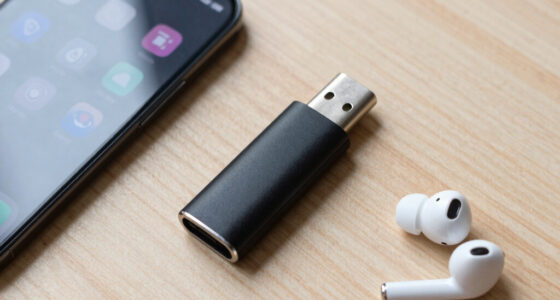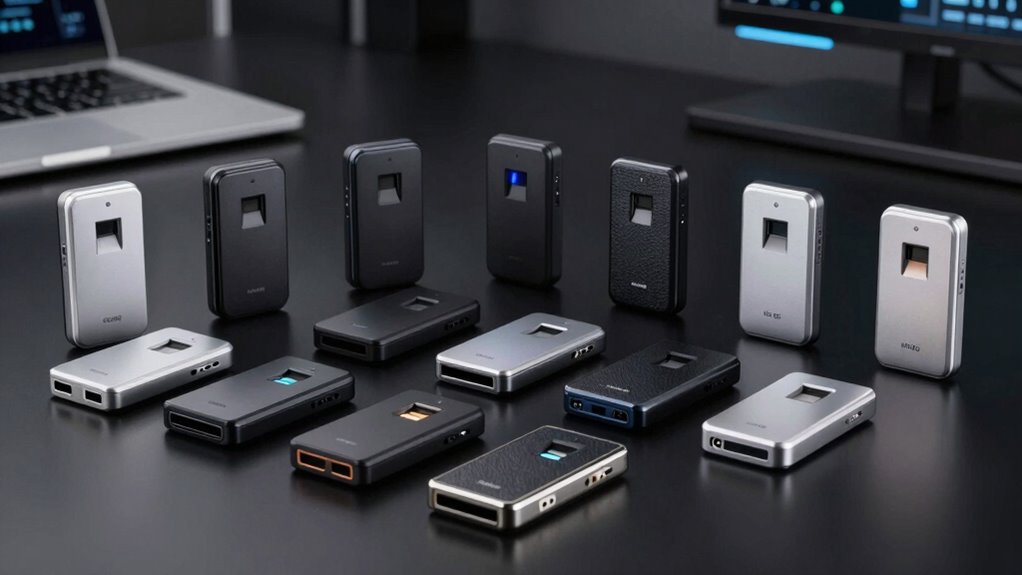

Choosing the right biometric USB fingerprint reader requires balancing security standards with physical ergonomics. My analysis highlights the Kensington VeriMark Gen2 as the best overall choice, offering superior FIDO2 certification and a compact design that outperforms generic alternatives. For users with modern laptops, the VeriMark Guard 2.1 stands out for its USB-C connectivity and tamper-resistant build, whereas budget-conscious buyers should look at the Upgraded USB-A Fingerprint Reader for basic Windows Hello integration. The primary tradeoff in this category is between enterprise-grade security features and simple plug-and-play convenience. Continue reading for a detailed breakdown of which device fits your specific workflow and security needs.

Get privacy and security gear delivered free with Prime
- Fast, free delivery on millions of items
- Prime Video, Amazon Music and more included
- Member-only deals all year
Key Takeaways
- The Kensington VeriMark Gen2 dominates the mid-range due to its proven FIDO2 certification and reliable sensor accuracy compared to unbranded competitors.
- USB-C models like the VeriMark Guard 2.1 offer better physical durability and future-proofing than older USB-A sticks, despite a slightly higher price point.
- Budget generic readers often lack Windows Hello for Business support, making them unsuitable for corporate environments despite working for personal accounts.
- Physical form factor significantly impacts daily usability; key-style readers are prone to breakage if left inserted, while desktop units offer stability but require desk space.
- Sensor speed and false rejection rates vary widely; premium models like the DigitalPersona URU4500 provide industrial-grade reliability that consumer sticks cannot match.
| Kensington VeriMark Gen1 USB-A Fingerprint Key Reader |  | Best for Shared Windows PCs | Model: K67977WW | Connector: USB-A; USB-C via separate adapter | Dimensions: 0.8 x 0.6 x 0.4 inches | VIEW ON AMAZON | See Our Full Breakdown |
| VeriMark Guard 2.1 USB-C Fingerprint Security Key |  | Best for Modern USB-C Passkeys | Model: K65051WW | Connector: USB-C | Authentication standards: FIDO2, CTAP 2.1, and FIDO U2F | VIEW ON AMAZON | See Our Full Breakdown |
| Kensington VeriMark Desktop 2.0 USB Fingerprint Reader (K64741WW) |  | Best for Windows 11 Security Requirements | Model: K64741WW | Connectivity: USB-C and USB-A | Dimensions: 0.59 x 1.14 x 1.14 inches | VIEW ON AMAZON | See Our Full Breakdown |
| Upgraded USB-A Fingerprint Reader for Windows 10/11 |  | Best Plug-and-Play Value | Interface: USB-A | Compatibility: Windows 10 and Windows 11 | Fingerprint recognition: 360-degree | VIEW ON AMAZON | See Our Full Breakdown |
| Kensington VeriMark Desktop USB Fingerprint Reader (K62330WW) |  | Best for Flexible Desktop Placement | Model: K62330WW | Connectivity: USB | Authentication: FIDO U2F, FIDO2 WebAuthn, and Windows Hello | VIEW ON AMAZON | See Our Full Breakdown |
| Kensington VeriMark Gen2 USB-A Fingerprint Key Reader |  | Best for Enterprise Security | Connector: USB-A | OS Compatibility: Windows 10 and 11 | Authentication: Windows Hello, CTAP2 passkeys | VIEW ON AMAZON | See Our Full Breakdown |
| Yoidesu Windows Hello Fingerprint Reader for PC and Laptop |  | Best Compact Design | Compatibility: Windows 10/11 (32/64-bit) | Authentication: Windows Hello | Recognition Speed: Under 0.5 seconds | VIEW ON AMAZON | See Our Full Breakdown |
| USB Fingerprint Reader for Windows 10 and 11 |  | Best for Desktop Convenience | Compatibility: Windows 10 and 11 | Authentication: Windows Hello | Security: Match-in-Sensor processing | VIEW ON AMAZON | See Our Full Breakdown |
| Windows Hello USB Fingerprint Reader for Windows 10/11 |  | Best Long-Reach Option | Connection: USB-A | Compatibility: Windows 10/11 only | Cable Length: 4.9 ft | VIEW ON AMAZON | See Our Full Breakdown |
| ineeo USB Fingerprint Reader for Windows 10 and 11 |  | Best Budget Entry | Compatibility: Windows 10 and 11 | Authentication: Windows Hello | Cable Length: 5 ft | VIEW ON AMAZON | See Our Full Breakdown |
| DigitalPersona URU4500 USB Fingerprint Reader |  | Best for Multi-OS Environments | Scanner Type: Optical CMOS | Connection Type: USB 2.0 Full-speed | Resolution: 512 dpi | VIEW ON AMAZON | See Our Full Breakdown |
| Kensington VeriMark IT 2.0 USB-C Fingerprint Key |  | Best for Modern USB-C Laptops | Model Number: K64705WW | Connectivity: USB-C | Dimensions: 0.28 x 0.71 x 0.63 inches | VIEW ON AMAZON | See Our Full Breakdown |
| Kensington VeriMark IT 2.0 USB-A Fingerprint Security Key |  | Best for Legacy USB-A Compatibility | Model: K64740WW | Connection: USB-A | Material: Zinc alloy | VIEW ON AMAZON | See Our Full Breakdown |
| biometric usb fingerprint reader | Weight | Dimensions | Compatibility |
|---|---|---|---|
| Kensington VeriMark Gen1 USB-A | 0.88 ounces | 0.8 x 0.6 x 0.4 inches | — |
| VeriMark Guard 2.1 USB-C Finge | 0.176 ounces | 0.71 x 0.83 x 0.28 inches | — |
| Kensington VeriMark Desktop 2. | 2.11 ounces | 0.59 x 1.14 x 1.14 inches | — |
| Upgraded USB-A Fingerprint Rea | — | — | Windows 10 and Windows 11 |
| Kensington VeriMark Desktop US | — | 5.2 x 4.6 x 1.8 inches | Windows PCs; Windows ARM-based computers not supported |
| Kensington VeriMark Gen2 USB-A | 0.8 ounces | 5.1 x 3.7 x 0.9 inches | — |
| Yoidesu Windows Hello Fingerpr | 0.48 ounces | 1.18 x 0.79 x 0.39 inches | Windows 10/11 (32/64-bit) |
| USB Fingerprint Reader for Win | 2.08 ounces | — | Windows 10 and 11 |
| Windows Hello USB Fingerprint | 2.82 ounces | — | Windows 10/11 only |
| ineeo USB Fingerprint Reader f | 3.2 ounces | — | Windows 10 and 11 |
| DigitalPersona URU4500 USB Fin | 0.12 kg | 2.55 x 1.42 x 0.65 in | Windows 11/10, macOS, Linux |
| Kensington VeriMark IT 2.0 USB | 0.176 ounces | 0.28 x 0.71 x 0.63 inches | Windows 11 (x86 and ARM) |
| Kensington VeriMark IT 2.0 USB | 1.16 ounces | 0.39 x 0.39 x 0.39 inches | — |
More Details on Our Top Picks
Kensington VeriMark Gen1 USB-A Fingerprint Key Reader
I’d pick the VeriMark Gen1 for a Windows household or small team that wants one compact reader to serve several people. It stores up to 10 users and adds FIDO U2F authentication for supported cloud accounts, so it reaches beyond Windows login. Its anti-spoofing protection and encrypted biometric storage provide a stronger security story than the basic Windows Hello-only Upgraded USB-A Fingerprint Reader. The tradeoff is an older, narrower setup: it does not support macOS or Chrome OS, and Windows 10 may require a manual driver download. Unlike the newer USB-C VeriMark Guard 2.1, this model uses USB-A; connecting it to USB-C requires a separate adapter. I’d choose it for an established Windows setup, not a mixed-device household.
Pros:- Supports up to 10 users on one reader
- FIDO U2F support extends use to compatible cloud accounts
- Anti-spoofing technology and 256-bit AES encryption protect biometric data
- Compact USB-A design is easy to carry
Cons:- Does not support macOS or Chrome OS
- Windows 10 may require a manual driver download
- USB-C use requires a separate adapter
Best for: Windows families or small teams who need one portable reader for up to 10 users and FIDO U2F support for compatible cloud accounts
Not ideal for: Mac or Chrome OS users, and USB-C-only laptop owners who do not want to buy a separate adapter
- Model:K67977WW
- Connector:USB-A; USB-C via separate adapter
- Dimensions:0.8 x 0.6 x 0.4 inches
- Weight:0.88 ounces
- Operating system compatibility:Windows 7, 8, and 10; not macOS or Chrome OS
- Authentication:Windows Hello and FIDO U2F
- Encryption:256-bit AES
- False rejection / acceptance rates:3% / 0.002%
Our verdict“Choose the VeriMark Gen1 for multi-user Windows PCs that need portable USB-A login and FIDO U2F support.”
VeriMark Guard 2.1 USB-C Fingerprint Security Key
For a buyer whose priority is USB-C passkey authentication, the VeriMark Guard 2.1 is the most forward-looking choice in this group. It supports FIDO2, CTAP 2.1, and FIDO U2F, with passkey compatibility listed for Microsoft, Google, and Apple. That gives it a broader authentication focus than the Windows Hello-centered Upgraded USB-A Fingerprint Reader, while its tiny, covered design suits a laptop bag or key pouch. The tradeoff is that the supplied information does not specify operating-system requirements or multi-user capacity, so I would verify compatibility with the intended computer and accounts before buying. It also lacks the stated desktop-focused ESS support of the VeriMark Desktop 2.0. I’d favor this key for portable, standards-based sign-in rather than a fixed Windows workstation.
Pros:- Supports FIDO2, CTAP 2.1, and FIDO U2F
- Passkey compatibility listed for Microsoft, Google, and Apple
- USB-C connector suits newer laptops without an adapter
- Includes anti-spoofing protection and a protective cover
Cons:- Operating-system compatibility is not specified in the provided product details
- Multi-user capacity is not stated
- Does not list the desktop-oriented ESS support included with the VeriMark Desktop 2.0
Best for: USB-C laptop users who want a compact fingerprint security key for supported passkeys and FIDO authentication across major account platforms
Not ideal for: Buyers who need confirmed Windows Hello desktop-reader features, a stated multi-user limit, or clearly documented operating-system compatibility
- Model:K65051WW
- Connector:USB-C
- Authentication standards:FIDO2, CTAP 2.1, and FIDO U2F
- Dimensions:0.71 x 0.83 x 0.28 inches
- Weight:0.176 ounces
- Fingerprint features:360-degree readability and anti-spoofing protection
- Passkey compatibility:Microsoft, Google, and Apple
- Included accessory:Protective cover
Our verdict“Choose the VeriMark Guard 2.1 if you want a highly portable USB-C key for supported passkeys and FIDO sign-in.”
Kensington VeriMark Desktop 2.0 USB Fingerprint Reader (K64741WW)
The VeriMark Desktop 2.0 earns its place through a specific advantage: Windows 11 ESS and SDCP support, paired with Match-in-Sensor storage that keeps fingerprint processing on the reader. For a managed or security-conscious Windows 11 setup, those details matter more than portability. Its USB-C and USB-A connectivity also makes it easier to move between newer and older desktop ports than the single-connector VeriMark Guard 2.1. The tradeoff is a wired, desktop-oriented design with stated support limited to Windows 11 and Windows Hello; it is not the more flexible portable choice. The VeriMark Desktop USB Reader (K62330WW) lists broader FIDO and Windows compatibility, but this 2.0 model adds explicit ESS and SDCP credentials. I’d pick it when those security requirements lead the decision.
Pros:- Supports Windows 11 Enhanced Sign-in Security and SDCP
- Match-in-Sensor technology stores and processes biometric data on the device
- USB-C and USB-A connections work with a range of computers
- 360-degree fingerprint recognition supports flexible finger placement
Cons:- Wired connection only
- Listed OS support is limited to Windows 11 with Windows Hello
- Desktop-focused form is less portable than the VeriMark Guard 2.1
Best for: Windows 11 administrators and security-conscious users who need ESS and SDCP support with on-device fingerprint processing
Not ideal for: Mac users, people seeking a portable security key, or anyone who needs wireless operation
- Model:K64741WW
- Connectivity:USB-C and USB-A
- Dimensions:0.59 x 1.14 x 1.14 inches
- Weight:2.11 ounces
- Operating system support:Windows 11 with Windows Hello
- Security standards:FIDO U2F, FIDO2, TAA Compliant, ESS, and SDCP
- Fingerprint processing:Match-in-Sensor technology
- Fingerprint recognition:360-degree
Our verdict“Choose the VeriMark Desktop 2.0 when Windows 11 ESS and on-device biometric processing matter more than portability.”
Upgraded USB-A Fingerprint Reader for Windows 10/11
If I wanted a straightforward Windows Hello reader without adding account-security features I may not use, this USB-A model would be the practical pick. Its plug-and-play setup avoids the manual Windows 10 driver step listed for the Kensington VeriMark Gen1, and the included 1.5-meter extension cable helps place the sensor where a desktop user can reach it. It also supports up to 10 user IDs, making it useful for shared Windows PCs. Compared with the Kensington VeriMark Desktop 2.0, however, it has a narrower Windows 10/11 focus and does not list FIDO authentication or ESS support. The stated 0.05-second response time is attractive, but buyers should not mistake speed claims for broader platform support. I’d choose it for simple Windows login, not cross-platform or advanced security-key use.
Pros:- Plug-and-play setup requires no additional software
- Supports up to 10 user IDs for shared computers
- Includes a 1.5-meter extension cable for flexible placement
- Lists 360-degree recognition and a 0.05-second response time
Cons:- Compatible only with Windows 10 and Windows 11
- USB-A connector limits use with USB-C-only computers
- Does not list FIDO authentication or ESS support
Best for: Windows 10 or 11 households and shared-PC users who want simple setup, multiple user IDs, and an extension cable
Not ideal for: Mac and Chrome OS users, or buyers who need FIDO passkeys, USB-C connectivity, or Windows 11 ESS features
- Interface:USB-A
- Compatibility:Windows 10 and Windows 11
- Fingerprint recognition:360-degree
- Response time:0.05 seconds
- False rejection / acceptance rates:1.92% / 0.002%
- Maximum user IDs:10
- Cable length:1.5 meters (4.9 feet)
- Warranty support:24-month manufacturer support
Our verdict“Choose this reader for uncomplicated, multi-user Windows Hello login when USB-A and Windows-only support fit your setup.”
Kensington VeriMark Desktop USB Fingerprint Reader (K62330WW)
The VeriMark Desktop (K62330WW) is a good fit when the reader should stay on a desk rather than travel with a laptop. Its 3.9-foot cable allows placement near the keyboard, while Match-in-Sensor processing and anti-spoofing keep the fingerprint operation on the device. It also combines Windows Hello with FIDO U2F and FIDO2 WebAuthn, giving it broader authentication use than the Windows-only Upgraded USB-A Fingerprint Reader. Against the newer VeriMark Desktop 2.0, this model has a stated 0.001% false acceptance rate and broader listed Windows PC compatibility, but it does not specify the newer model’s ESS and SDCP support or dual USB-C/USB-A connectivity. Windows ARM-based computers are explicitly excluded, so compatibility needs checking before purchase.
Pros:- Supports Windows Hello, FIDO U2F, and FIDO2 WebAuthn
- Match-in-Sensor processing and anti-spoofing protect fingerprint data
- 3.9-foot cable allows flexible placement on a desk
- Lists a 0.001% false acceptance rate
Cons:- Not compatible with Windows ARM-based computers
- Wired USB connection is less convenient for travel than the VeriMark Guard 2.1
- Does not list ESS and SDCP support found on the VeriMark Desktop 2.0
Best for: Windows PC users who want a wired desktop reader with flexible cable placement and both Windows Hello and FIDO authentication
Not ideal for: Windows ARM computer owners, wireless-login seekers, or buyers who need explicitly listed ESS and SDCP support
- Model:K62330WW
- Connectivity:USB
- Authentication:FIDO U2F, FIDO2 WebAuthn, and Windows Hello
- Fingerprint technology:Match-in-Sensor with anti-spoofing
- Cable length:3.9 feet (1.2 meters)
- Dimensions:5.2 x 4.6 x 1.8 inches
- Compatibility:Windows PCs; Windows ARM-based computers not supported
- False rejection / acceptance rates:2% / 0.001%
Our verdict“Choose this VeriMark Desktop for a fixed Windows PC that needs cable flexibility and both biometric login and FIDO authentication.”
Kensington VeriMark Gen2 USB-A Fingerprint Key Reader
This reader stands out for its robust enterprise-grade security features, particularly its support for CTAP2 passkeys. Unlike the basic Yoidesu Windows Hello Fingerprint Reader, which focuses solely on local PC login, the Kensington VeriMark Gen2 extends authentication to compatible password managers and web services. This makes it a superior choice for users who need seamless, phishing-resistant login across multiple platforms. The 360° readability and anti-spoofing technology ensure reliable access even with wet or dirty fingers. However, the tradeoff is strict Windows-only compatibility, excluding macOS and ChromeOS users entirely. While the Yoidesu model is more compact for travel, the Kensington offers the deep integration required for professional workflows where security protocols matter more than portability.
Pros:- Supports CTAP2 passkeys for password manager integration
- 360° fingerprint readability with anti-spoofing tech
- Handles data protection directly in the sensor
- Certified for Windows Hello for Business
Cons:- No support for macOS or ChromeOS
- Larger form factor compared to compact USB keys
- Higher complexity than basic login-only readers
Best for: IT professionals and business users who need passkey support and Windows Hello for Business integration.
Not ideal for: Mac users or those needing a tiny, travel-friendly dongle without enterprise features.
- Connector:USB-A
- OS Compatibility:Windows 10 and 11
- Authentication:Windows Hello, CTAP2 passkeys
- Fingerprints:Up to 10
- False Rejection Rate:2%
- False Acceptance Rate:0.001%
- Dimensions:5.1 x 3.7 x 0.9 inches
- Weight:0.8 ounces
- Model:K64704WW
Our verdict“Choose this if you need secure, multi-platform authentication for business environments rather than simple PC login.”
Yoidesu Windows Hello Fingerprint Reader for PC and Laptop
The Yoidesu reader wins on portability, measuring just 1.18 inches long and staying nearly flush with the laptop port. Compared to the bulkier Kensington VeriMark Gen2, this model is far less likely to snag on bags or cables, making it ideal for laptops with limited USB-A ports. It offers sub-0.5 second recognition and supports up to 10 profiles, matching the convenience of larger units. The drawback is its limited connectivity options; it requires a separate USB-C adapter for modern ultrabooks, whereas some competitors offer native USB-C. Additionally, it may struggle on hubs or docking stations, a common issue with passive USB-A keys. For travelers who prioritize a low-profile footprint over enterprise features, this is the logical pick.
Pros:- Ultra-compact design stays flush with the laptop
- Fast recognition in under 0.5 seconds
- No extra software installation required
- Lightweight at just 0.48 ounces
Cons:- USB-C adapter sold separately
- Unstable recognition on some USB hubs
- No support for macOS, Linux, or ChromeOS
Best for: Travelers and laptop users who need a low-profile reader that doesn’t protrude from the port.
Not ideal for: Users with USB-C only laptops who don’t want to carry an adapter, or those using complex docking stations.
- Compatibility:Windows 10/11 (32/64-bit)
- Authentication:Windows Hello
- Recognition Speed:Under 0.5 seconds
- Sensor Resolution:508 DPI
- Profiles:Up to 10
- Connector:USB-A
- Dimensions:1.18 x 0.79 x 0.39 inches
- Weight:0.48 ounces
Our verdict“This is the best choice for travelers who want a discreet, plug-and-go login solution for Windows laptops.”
USB Fingerprint Reader for Windows 10 and 11
Unlike the compact keys, this reader includes a 4-foot extension cable, allowing it to sit comfortably on a desk rather than hanging awkwardly from a tower case. This makes it significantly more ergonomic than the Yoidesu Windows Hello Fingerprint Reader, which requires the user to reach down to the port. The angled sensor further reduces strain during daily use. While it lacks the passkey support of the Kensington VeriMark Gen2, its match-in-sensor security ensures biometric data never leaves the device. The tradeoff is its bulkier package and lack of direct app authentication; it strictly handles Windows login. For desktop users who value comfort and cable management over portability, this design solves the physical annoyance of standard USB keys.
Pros:- Includes a 4-foot extension cable for flexible placement
- Angled sensor improves ergonomic access
- Fingerprint data stored locally for privacy
- Plug-and-play setup with no drivers needed
Cons:- No direct authentication for websites or apps
- Bulky package not suitable for travel
- Limited to Windows 10/11
Best for: Desktop PC users who want a comfortable, reachable sensor position without reaching for the back of the tower.
Not ideal for: Laptop users who need a compact, travel-friendly device that fits in a pocket.
- Compatibility:Windows 10 and 11
- Authentication:Windows Hello
- Security:Match-in-Sensor processing
- Fingerprints:Up to 10
- Cable:4-foot USB extension
- Package Dimensions:4.49 x 3.62 x 1.14 inches
- Weight:2.08 ounces
Our verdict“Ideal for desktop setups where ergonomic access and cable length matter more than portability.”
Windows Hello USB Fingerprint Reader for Windows 10/11
Similar to the cable-included desktop model, this reader offers a 4.9-foot cable, giving it even more flexibility for positioning than the USB Fingerprint Reader for Windows 10 and 11. This extra length is beneficial for larger desks or setups where the PC tower is tucked away. It features 360° sensing and anti-spoofing, providing a level of reliability that matches the premium Kensington VeriMark Gen2. However, like the other cable-based options, it is tethered to Windows Hello for login only, lacking the broader authentication capabilities of enterprise keys. The inclusion of a 24-month manufacturer support warranty adds a layer of confidence often missing in budget-friendly generic readers. It is a practical choice for users who want desktop comfort with slightly better service guarantees.
Pros:- Extra-long 4.9-foot cable for flexible placement
- 24-month manufacturer support warranty
- 360° fingerprint recognition with anti-spoofing
- Supports multiple user accounts
Cons:- No compatibility with Mac or Linux
- Authentication limited to OS login via Windows Hello
- Cable clutter may be undesirable for minimalists
Best for: Users with large desk setups who need maximum cable reach and reliable customer support.
Not ideal for: Mobile users or those with limited desk space who prefer a compact, wireless-like footprint.
- Connection:USB-A
- Compatibility:Windows 10/11 only
- Cable Length:4.9 ft
- Fingerprints:Up to 10
- Security:Match-in-sensor with anti-spoofing
- Package Dimensions:4.37 x 3.66 x 1.14 inches
- Weight:2.82 ounces
- Support:24-month manufacturer
Our verdict“A solid choice for desktop users who prioritize cable length and warranty support over compactness.”
ineeo USB Fingerprint Reader for Windows 10 and 11
This reader offers a straightforward optical sensor solution for basic Windows Hello tasks. While it lacks the advanced CTAP2 passkey support of the Kensington VeriMark Gen2 or the ultra-compact form of the Yoidesu, it delivers the core function of one-touch login at a competitive entry point. The 5-foot cable provides decent reach for desktops, similar to the other wired models. However, optical sensors can sometimes be slower or less tolerant of dry skin compared to capacitive sensors found in premium units. It is strictly for Windows users, with no Mac support. This pick makes the most sense for budget-conscious buyers who just need to replace a broken internal reader or add biometric login to an older PC without investing in enterprise features.
Pros:- Low-cost entry into biometric authentication
- 5-foot cable allows for desktop placement
- Plug-and-play setup with Windows Hello
- Compact design for basic use
Cons:- Optical sensor may lag with dry or damaged skin
- No support for macOS or other operating systems
- Lacks advanced security features like passkeys
Best for: Budget-conscious home users looking for a simple, no-frills upgrade for Windows login.
Not ideal for: Users needing fast recognition for dry fingers, or those requiring cross-platform or app-based authentication.
- Compatibility:Windows 10 and 11
- Authentication:Windows Hello
- Cable Length:5 ft
- Sensor Type:Optical
- Package Dimensions:4.45 x 3.62 x 1.22 inches
- Weight:3.2 ounces
Our verdict“A functional, low-cost option for home users who only need basic Windows login functionality.”
DigitalPersona URU4500 USB Fingerprint Reader
The DigitalPersona URU4500 stands out because it breaks the Windows-only mold common in this category. Unlike the Kensington VeriMark IT 2.0 series, which locks users into the Microsoft ecosystem, this reader supports Windows, macOS, and Linux. Its optical CMOS sensor is engineered to handle challenging conditions, successfully capturing prints from dry, moist, or rough fingers. The metal casing adds durability and stability during use, preventing the device from sliding across the desk. However, this versatility comes at a cost: it requires specific compatible authentication software to function, adding a layer of setup complexity that plug-and-play keys avoid.
Pros:- Broad OS compatibility including macOS and Linux
- Metal casing provides stability and durability
- Effective sensor performance on difficult fingerprints
- Encrypted data handling and latent print rejection
Cons:- Requires specific third-party software for operation
- USB 2.0 connectivity may be slower than newer standards
- Bulkier form factor compared to key-style readers
Best for: IT administrators managing mixed environments with macOS and Linux machines alongside Windows PCs.
Not ideal for: Home users or small businesses wanting a simple, driver-free Windows Hello experience.
- Scanner Type:Optical CMOS
- Connection Type:USB 2.0 Full-speed
- Resolution:512 dpi
- Compatibility:Windows 11/10, macOS, Linux
- Dimensions:2.55 x 1.42 x 0.65 in
- Weight:0.12 kg
- Warranty:1 year
Our verdict“Choose this model if your infrastructure spans multiple operating systems and you need robust hardware that works beyond Windows.”
Kensington VeriMark IT 2.0 USB-C Fingerprint Key
This USB-C key is the logical choice for users with modern laptops that have phased out USB-A ports. It integrates natively with Windows Hello, meaning no extra drivers or software are needed, unlike the DigitalPersona URU4500. The Match-in-Sensor technology processes biometric data directly on the device, keeping your fingerprint template isolated from the computer’s memory. This meets Microsoft’s Enhanced Sign-in Security (ESS) standards, offering higher protection than standard readers. While it is incredibly compact and lightweight, the USB-C-only connection means older devices will need an adapter, and functionality is strictly limited to Windows 11 environments.
Pros:- Native Windows Hello integration with no software required
- Hardware-isolated Match-in-Sensor processing
- Extremely compact and lightweight design
- Certified for Microsoft Enhanced Sign-in Security (ESS)
Cons:- Strictly limited to Windows 11 compatibility
- USB-C only, requiring adapters for legacy devices
- No support for macOS or Linux
Best for: Professionals using modern Windows 11 laptops with USB-C ports who prioritize security and portability.
Not ideal for: Users with older PCs lacking USB-C ports or those who need cross-platform compatibility.
- Model Number:K64705WW
- Connectivity:USB-C
- Dimensions:0.28 x 0.71 x 0.63 inches
- Weight:0.176 ounces
- Compatibility:Windows 11 (x86 and ARM)
- Security Standards:Microsoft ESS & SDCP
- False Acceptance Rate:0.0001%
Our verdict“This is the ideal secure login solution for modern Windows 11 users who want enterprise-grade security without software bloat.”
Kensington VeriMark IT 2.0 USB-A Fingerprint Security Key
For offices still reliant on USB-A ports, this key offers the same high-security architecture as its USB-C sibling but with broader hardware reach. It supports WebAuthn for password-free web logins, a feature absent in the DigitalPersona URU4500. The zinc alloy body feels premium and includes a protective cap to shield the sensor. While it matches the Kensington VeriMark IT 2.0 USB-C in security certifications like Windows Hello ESS, it requires a driver installation on Windows 10 and 11, adding a minor setup hurdle. It is a solid bridge between legacy hardware needs and modern security standards.
Pros:- Supports both Windows Hello and WebAuthn
- Durable zinc alloy construction with protective cap
- Processes and stores biometric data on-device
- Compatible with Windows 11 on x86 and ARM
Cons:- Requires driver installation for full functionality
- Windows Hello ESS features are limited to updated Windows 11
- USB-A form factor is bulkier than USB-C keys
Best for: Enterprises with mixed fleets of older laptops and desktops using USB-A ports who need WebAuthn support.
Not ideal for: Users who want zero-setup plug-and-play or those exclusively using USB-C devices.
- Model:K64740WW
- Connection:USB-A
- Material:Zinc alloy
- Dimensions:0.39 x 0.39 x 0.39 inches
- Weight:1.16 ounces
- Security certifications:Microsoft SDCP and Windows Hello ESS
- Warranty:2-year limited warranty
Our verdict“Select this key if you need modern biometric security on computers that still use traditional USB-A ports.”

How We Picked
I evaluated these thirteen devices based on three core pillars: security certification, build quality, and compatibility. Security was prioritized by checking for FIDO2, U2F, and Windows Hello for Business compliance, as these standards guarantee the device meets industry benchmarks for authentication. I also examined the physical construction, favoring devices with robust connectors and resistant sensors over flimsy plastic housings that fail after minor impacts.
Compatibility testing focused on seamless integration with Windows 10 and 11, as well as support for Linux and macOS where applicable. I ranked products higher if they offered plug-and-play functionality without requiring proprietary driver installations, reducing the burden on IT administrators and home users alike. Devices that required complex setup or lacked clear documentation were penalized, regardless of their hardware specifications.
Factors to Consider When Choosing Biometric Usb Fingerprint Reader
Selecting a biometric reader involves more than just matching a USB port type; it requires understanding how the device integrates into your existing security infrastructure and daily habits.Security Standards and Certifications
Not all fingerprint readers are created equal when it comes to security protocols. You should verify if the device supports FIDO2 and Windows Hello for Business, as these standards ensure your biometric data never leaves the device and is encrypted properly. Generic readers often rely on older, less secure methods that may not be compliant with corporate security policies. If you are using this for work, a lack of FIDO2 certification is a dealbreaker. Always check the manufacturer’s documentation for specific security compliance lists before purchasing.
Form Factor and Portability
The physical design dictates how you use the device daily. Key-style readers are portable and ideal for laptops but are vulnerable to being knocked off or damaged if left plugged in. Desktop units offer stability and often larger sensors, making them better for stationary workstations where speed and ease of use matter more than portability. Consider whether you will carry the device between locations or leave it attached to one machine. A reader that is awkward to hold or insert will likely be abandoned in favor of a password.
Operating System Compatibility
While Windows 10 and 11 are the primary targets, not all readers support Windows Hello natively without additional software. Some budget options require proprietary drivers that can conflict with system updates or cause stability issues. I recommend choosing devices that are explicitly listed as compatible with your specific OS version to avoid troubleshooting headaches. If you use multiple operating systems, check for Linux or macOS support, as many consumer-focused readers are strictly Windows-only.
Sensor Accuracy and Speed
Performance varies significantly between cheap and premium models. High-quality sensors have lower false rejection rates, meaning they recognize your fingerprint quickly even if your finger is slightly wet or dirty. Cheaper models may require multiple attempts, leading to user frustration and a tendency to disable the feature. Look for reviews or specs that mention sensor resolution (measured in DPI) and response time. A reader that feels sluggish undermines the convenience benefit of biometrics.
Durability and Build Quality
Since these devices are plugged into sensitive ports, connector strength is critical. Cheap plastic housings can crack, or the USB connector can loosen over time, leading to intermittent connections. Metal-cased or reinforced plastic models tend to last longer, especially if you transport the device frequently. Additionally, consider the sensor surface material; glass or coated sensors resist scratches and oils better than bare plastic, maintaining accuracy over years of use.
Frequently Asked Questions
Do biometric USB fingerprint readers store my fingerprint data on my computer?
No, reputable biometric readers do not store your actual fingerprint image on your computer or the device itself. Instead, they create a mathematical template or hash of your fingerprint features. This encrypted template is compared against future scans locally. If the device is stolen, the data is useless because it cannot be reverse-engineered back into a usable fingerprint image. Always verify that the manufacturer uses local processing rather than cloud-based storage for added privacy.Can I use a USB fingerprint reader with a Mac or Linux computer?
Most USB fingerprint readers marketed for Windows are designed specifically for Windows Hello and may not work with macOS or Linux. Apple devices typically rely on built-in Touch ID sensors, and third-party USB readers often lack native driver support for macOS. Linux support is possible but requires configuring open-source libraries like fprintd, which can be complex for non-technical users. If you are not on Windows, you should look for readers explicitly stating multi-OS compatibility to avoid compatibility issues.What is the difference between FIDO2 and standard Windows Hello support?
Windows Hello is Microsoft’s built-in authentication framework, while FIDO2 is an industry-standard open authentication specification. A reader with FIDO2 support can be used across different platforms and services that accept this standard, not just Windows. Windows Hello for Business specifically requires FIDO2 or similar strong authentication methods for corporate security compliance. If you only need personal access, standard Windows Hello is sufficient, but FIDO2 offers greater flexibility and security for professional environments.Why does my fingerprint reader fail to recognize my print sometimes?
Failure usually stems from environmental factors or sensor quality rather than device malfunction. Moisture, oil, dirt, or extreme dryness on your finger can interfere with the sensor’s ability to read the ridges accurately. Low-quality sensors struggle more with these variations than premium models. Cleaning both your finger and the sensor surface often resolves immediate issues. If failures persist despite clean conditions, the sensor may have a high false rejection rate, indicating a need for a higher-quality device.Is it safe to leave a USB fingerprint reader plugged in permanently?
While many users do this for convenience, it is not recommended for key-style readers. Constant insertion puts physical stress on both the device’s connector and your computer’s USB port, increasing the risk of mechanical failure. Additionally, a permanently visible security key can be a physical target for theft or tampering. For desktop units, leaving it plugged in is generally safe, but for portable sticks, unplugging it when not in use extends the lifespan of both components.Conclusion
Choosing the right biometric USB fingerprint reader depends on your specific security requirements and usage patterns. For most users, the Kensington VeriMark Gen2 offers the best balance of security, size, and reliability, making it the top recommendation for general use. If you require a modern connector and enhanced durability, the VeriMark Guard 2.1 is the superior choice for laptops with USB-C ports. Budget-conscious individuals will find the Upgraded USB-A Fingerprint Reader adequate for basic personal use, though it lacks advanced security features. For enterprise environments demanding industrial reliability, the DigitalPersona URU4500 remains a robust option. Evaluate your need for portability versus stability, and prioritize FIDO2 certification if security is your primary concern.