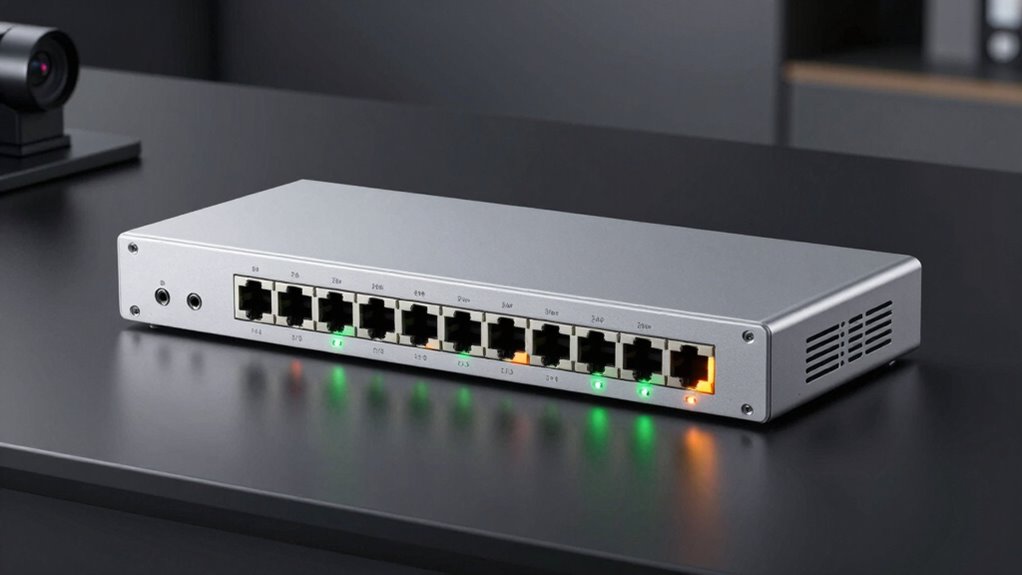

For an ethernet switch with PoE and 24 ports, my best overall pick is the TP-Link Omada SG2428LP for buyers who want managed network controls alongside PoE+. The TP-Link TL-SG1428PE offers a practical middle ground with easy smart management, while the NETGEAR GS324P suits buyers who prefer straightforward plug-and-play operation. The main tradeoffs are managed features versus simplicity, PoE power capacity versus the number of devices you can run, and extra uplink options versus cost and complexity. Port counts can also include uplinks, so check which ports deliver PoE before choosing. Continue reading for the full comparison and advice on matching a switch to your devices.

Get privacy and security gear delivered free with Prime
- Fast, free delivery on millions of items
- Prime Video, Amazon Music and more included
- Member-only deals all year
Key Takeaways
- The Omada SG2428LP stands out for managed-network buyers; its fit depends on whether you will use management features and confirm its PoE budget meets your device load.
- The TL-SG1428PE and NETGEAR GS324TPv2 occupy the smart-managed middle ground, adding controls beyond unmanaged switches without requiring a fully managed setup.
- Unmanaged models such as the GS324P and GS524PP favor simple installation, but they offer less control over traffic, VLANs, and troubleshooting.
- The 400W listed power budget on the full-gigabit unmanaged model and 320W on the VIMIN make power planning visible; compare total PoE capacity, not just the number of PoE ports.
- Several listings include 26 or 28 total ports, so buyers seeking exactly 24 PoE-connected devices should verify how many ports supply PoE and which are reserved for uplinks.
| 24-Port Unmanaged PoE+ Ethernet Switch with 2 Gigabit Uplink Ports |  | Best for Long-Run Installs | PoE ports: 24 | Uplink ports: 2 Gigabit Ethernet | Switch type: Unmanaged | VIEW ON AMAZON | See Our Full Breakdown |
| 24-Port Full Gigabit PoE+ Switch with 2 Uplink Gigabit Ports, 2 SFP Ports, 400W Power Budget, Unmanaged Plug-and-Play, Rack-Mountable |  | Best for High PoE Capacity | PoE ports: 24 x 10/100/1000 Mbps | Additional uplinks: 2 Gigabit RJ45 and 2 Gigabit SFP | PoE standard: IEEE 802.3af/at | VIEW ON AMAZON | See Our Full Breakdown |
| Omada SG2428LP 24-Port Gigabit PoE+ Managed Switch |  | Best for Managed Office Security | Ports: 24 Gigabit PoE+ | Management type: Managed | Management interfaces: Web GUI, CLI (Telnet/SSH), SNMP, RMON | VIEW ON AMAZON | See Our Full Breakdown |
| NETGEAR 24-Port PoE Gigabit Ethernet Unmanaged Network Switch (GS324P) |  | Best for Mixed PoE and Non-PoE Devices | Total ports: 24 | PoE ports: 16 PoE+ | PoE power budget: 190W | VIEW ON AMAZON | See Our Full Breakdown |
| TP-Link TL-SG1428PE 28-Port Gigabit Easy Smart Managed PoE+ Switch |  | Best for Basic VLAN Management | Ports: 24 PoE+ RJ45, 2 Gigabit non-PoE, 2 SFP | PoE standard: IEEE 802.3af/at | Total PoE power budget: 250W | VIEW ON AMAZON | See Our Full Breakdown |
| NETGEAR GS324TPv2 26-Port Gigabit Ethernet PoE Smart Managed Switch |  | Best for Managed Office Networks | Ports: 24 x 1GbE RJ45 + 2 x 1Gbps SFP | PoE power budget: 190W | Maximum power capacity: 208.7W | VIEW ON AMAZON | See Our Full Breakdown |
| Yuanley 26-Port Unmanaged PoE+ Network Switch with 2 Gigabit Uplinks |  | Best for Long-Run Camera Installations | Ports: 24 PoE/PoE+ 10/100Mbps + 2 Gigabit uplinks | Power budget: 400W | PoE standards: IEEE 802.3af/at | VIEW ON AMAZON | See Our Full Breakdown |
| VIMIN 26-Port Gigabit Unmanaged PoE+ Switch with 320W Power Budget |  | Best Value for Gigabit PoE Coverage | Ports: 24 Gigabit PoE+ RJ45 + 2 Gigabit uplinks | Total PoE power budget: 320W | Maximum power per port: 30W | VIEW ON AMAZON | See Our Full Breakdown |
| NICGIGA 24-Port Gigabit PoE+ Unmanaged Switch |  | Best for Adding a Fiber Uplink | Total ports: 27 | PoE+ ports: 24 Gigabit | Uplink ports: 2 Gigabit | VIEW ON AMAZON | See Our Full Breakdown |
| NETGEAR 24-Port PoE Gigabit Ethernet Unmanaged Network Switch (GS524PP) |  | Best for Quiet, Simple Deployments | Ports: 24 Gigabit Ethernet with PoE+ | Power budget: 300W | Switch type: Unmanaged | VIEW ON AMAZON | See Our Full Breakdown |
| Trendnet 24-Port Gigabit PoE+ Switch (TPE-TG240g) |  | Best for Long-Range PoE | PoE ports: 24 x Gigabit PoE+ | PoE budget: 370 W total; up to 30 W per port | Switching capacity: 48 Gbps | VIEW ON AMAZON | See Our Full Breakdown |
| NETGEAR GS724TP 26-Port Gigabit Smart Managed PoE+ Switch |  | Best for Fiber Uplinks and Smart Management | Model: GS724TP | Ports: 26 total: 24 x 1Gbps Ethernet and 2 x 1G SFP | PoE+ ports: 24 | VIEW ON AMAZON | See Our Full Breakdown |
| ethernet switch with poe 24port | Switch type | Ports | Mounting |
|---|---|---|---|
| 24-Port Unmanaged PoE+ Etherne | Unmanaged | — | — |
| 24-Port Full Gigabit PoE+ Swit | — | — | — |
| Omada SG2428LP 24-Port Gigabit | — | 24 Gigabit PoE+ | — |
| NETGEAR 24-Port PoE Gigabit Et | Unmanaged | — | Desktop or rack-mount |
| TP-Link TL-SG1428PE 28-Port Gi | — | 24 PoE+ RJ45, 2 Gigabit non-PoE, 2 SFP | — |
| NETGEAR GS324TPv2 26-Port Giga | — | 24 x 1GbE RJ45 + 2 x 1Gbps SFP | Desktop or rack-mount |
| Yuanley 26-Port Unmanaged PoE+ | Unmanaged | 24 PoE/PoE+ 10/100Mbps + 2 Gigabit uplinks | — |
| VIMIN 26-Port Gigabit Unmanage | Unmanaged, fixed PoE | 24 Gigabit PoE+ RJ45 + 2 Gigabit uplinks | — |
| NICGIGA 24-Port Gigabit PoE+ U | Unmanaged | — | Desktop or rack |
| NETGEAR 24-Port PoE Gigabit Et | Unmanaged | 24 Gigabit Ethernet with PoE+ | Desktop or rack-mount |
| Trendnet 24-Port Gigabit PoE+ | — | — | Rack-mountable; rack mount kit and brackets included |
| NETGEAR GS724TP 26-Port Gigabi | Smart managed | 26 total: 24 x 1Gbps Ethernet and 2 x 1G SFP | Desktop or rack mount |
More Details on Our Top Picks
24-Port Unmanaged PoE+ Ethernet Switch with 2 Gigabit Uplink Ports
I’d shortlist this switch when a simple 24-port PoE+ setup needs to reach devices far from the wiring closet. Its 280W budget and support for up to 30W per port suit a mix of access points, cameras, and phones, while the two Gigabit uplinks leave room for connections to the wider network. The standout is extend mode: ports 9–24 can reach up to 250m, though throughput drops to 10Mbps, so it fits distant low-bandwidth cameras better than fast access points. Compared with the 24-Port Full Gigabit PoE+ Switch with 2 Uplink Gigabit Ports, 2 SFP Ports, it has less total PoE capacity and no SFP slots. I’d choose it for straightforward cabling reach, but skip it if every link needs full speed or devices use passive 24V PoE.
Pros:- 24 PoE+ ports support up to 30W per port
- 280W total PoE budget
- Extend mode reaches up to 250m on ports 9–24
- Plug-and-play operation in a metal, fanless housing
Cons:- Extend mode limits affected links to 10Mbps
- Does not support passive 24V PoE devices
- Two uplink ports and no listed SFP connectivity
Best for: Small offices and camera installers who need to power standards-compliant PoE devices over long cable runs and can accept 10Mbps on extended links
Not ideal for: Networks with passive 24V equipment or distant devices that need Gigabit throughput
- PoE ports:24
- Uplink ports:2 Gigabit Ethernet
- Switch type:Unmanaged
- PoE standards:IEEE 802.3af/at
- Maximum power per PoE port:30W
- Total PoE power budget:280W
- Extend mode:Ports 9–24; up to 250m at 10Mbps
- Housing:Metal
Our verdict“Choose this unmanaged switch for long-reach PoE camera runs where simple setup matters more than full-speed extended links.”
24-Port Full Gigabit PoE+ Switch with 2 Uplink Gigabit Ports, 2 SFP Ports, 400W Power Budget, Unmanaged Plug-and-Play, Rack-Mountable
This is the strongest fit in this batch when many powered devices need to run at once: the 400W PoE budget gives it more headroom than the 280W model with extend mode and the 250W TP-Link TL-SG1428PE. All 24 access ports are Gigabit PoE+, and two RJ45 uplinks plus two SFP slots make fiber uplinks possible without giving up the copper connections. The tradeoff is that it is still unmanaged, so it cannot provide the VLAN and monitoring controls of the TP-Link, nor the security tools of the Omada SG2428LP. I’d favor it for a plug-and-play rack with power-hungry cameras or access points; buyers who need traffic segmentation or per-device policy should choose a managed option instead. Passive 24V devices are not supported.
Pros:- 400W total PoE budget with up to 30W per port
- 24 Gigabit PoE+ access ports
- Two RJ45 uplinks and two Gigabit SFP slots
- Metal housing supports rack, desktop, or wall mounting
Cons:- Unmanaged design has no web interface or advanced network controls
- Does not support passive 24V PoE devices
- PoE extension mode reduces speed to 10Mbps over long distances
Best for: Installers building an unmanaged rack network with many standards-compliant PoE cameras, access points, or phones and a fiber uplink
Not ideal for: Administrators who need VLAN configuration, device monitoring, or support for passive 24V PoE
- PoE ports:24 x 10/100/1000 Mbps
- Additional uplinks:2 Gigabit RJ45 and 2 Gigabit SFP
- PoE standard:IEEE 802.3af/at
- Maximum PoE power per port:30W
- Total PoE power budget:400W
- Bandwidth:56Gbps
- Management type:Unmanaged
- Mounting options:Rack, desktop, or wall mount
Our verdict“Pick this model when the priority is high PoE capacity and flexible uplinks in a simple unmanaged installation.”
Omada SG2428LP 24-Port Gigabit PoE+ Managed Switch
I’d place the Omada SG2428LP ahead of the unmanaged models for offices where access control and network oversight matter as much as powering devices. Its 802.1X, DHCP snooping, and ACL support give administrators tools to restrict access and manage traffic, while Web GUI, CLI, and SNMP provide several ways to operate the switch. Zero Touch Provisioning and centralized cloud management can also simplify repeat deployments. That added control calls for more networking knowledge than the plug-and-play 24-Port Full Gigabit PoE+ model, and the supplied details do not state its total PoE budget or per-port power, making capacity comparison difficult. The fanless design suits quiet offices and clinical spaces. I’d skip it for a small setup that only needs basic connectivity and has no one to manage the added features.
Pros:- Managed operation through Web GUI, CLI, and SNMP
- Security features include 802.1X, DHCP snooping, and ACL
- Fanless passive cooling suits quiet workspaces
- Zero Touch Provisioning supports repeat deployments
Cons:- Managed features require networking knowledge to configure well
- Full centralized management depends on Omada platform integration
- Provided product data does not state the PoE budget or per-port power
Best for: Office and healthcare IT teams that need managed access controls, remote administration, and silent operation
Not ideal for: Home users or small teams seeking a basic plug-and-play switch, or buyers who need a clearly specified PoE power budget
- Ports:24 Gigabit PoE+
- Management type:Managed
- Management interfaces:Web GUI, CLI (Telnet/SSH), SNMP, RMON
- Security features:802.1X, IP-MAC-Port binding, DHCP snooping, ACL, DoS/DDoS protection, STP, SSHv2
- Cooling:Fanless passive
- Provisioning:Zero Touch Provisioning
- Warranty:5 years
- Brand:Omada (TP-Link)
Our verdict“Choose the Omada SG2428LP when managed security and quiet operation matter more than plug-and-play simplicity.”
NETGEAR 24-Port PoE Gigabit Ethernet Unmanaged Network Switch (GS324P)
The GS324P makes sense when a site has a full 24-device network but only some devices need power through Ethernet. Sixteen PoE+ ports handle cameras, phones, or access points, while the other eight remain available for ordinary wired devices. Its 190W budget is lower than the 400W offered by the 24-Port Full Gigabit PoE+ switch, but the GS324P avoids dedicating PoE hardware to every connection. It is also fanless, with desktop or rack mounting for a quiet office or wiring area. The tradeoff is clear: someone planning to power all 24 endpoints will run out of PoE ports, and the unmanaged design lacks the controls available on the TP-Link TL-SG1428PE. I’d choose it for a mixed-device network that values simple installation over configuration options.
Pros:- Eight non-PoE ports remain available for wired devices
- 190W budget supports a range of PoE+ endpoints
- Fanless design runs silently
- Desktop and rack mounting options
Cons:- Only 16 of the 24 ports provide PoE+
- 190W budget is lower than the 400W model in this batch
- Unmanaged operation lacks VLAN and advanced configuration features
Best for: Small offices with a mix of PoE cameras or phones and non-PoE computers, printers, or servers
Not ideal for: Installers who need PoE on all 24 ports, higher power capacity, or managed network controls
- Total ports:24
- PoE ports:16 PoE+
- PoE power budget:190W
- Switch type:Unmanaged
- Data transfer rate:1Gbps per port
- Cooling:Fanless
- Mounting:Desktop or rack-mount
- Case material:Metal
Our verdict“Choose the GS324P for a quiet, simple network where PoE is needed on only part of the 24-port switch.”
TP-Link TL-SG1428PE 28-Port Gigabit Easy Smart Managed PoE+ Switch
The TL-SG1428PE is a useful middle ground for a buyer who wants more oversight than an unmanaged switch but does not need the Omada SG2428LP’s broad security toolkit. It supplies 24 PoE+ ports and a 250W budget, with two additional non-PoE Gigabit ports and two SFP slots for expansion. Its web interface, VLAN, and QoS features help separate traffic and prioritize services, while automatic PoE recovery can restart an unresponsive powered device after it is configured. Compared with the 400W unmanaged model, it sacrifices power headroom but adds management tools; compared with Omada, its listed feature set is simpler. The 250W budget may constrain a rack full of higher-draw devices, and the metal chassis weighs 3.1kg. I’d choose it for a small office that wants practical control without full enterprise management.
Pros:- 24 PoE+ ports with up to 30W per port
- Web-based management includes VLAN and QoS
- Automatic PoE recovery can restart unresponsive devices
- Two non-PoE Gigabit ports and two SFP slots add connectivity options
Cons:- 250W total PoE budget is below the 400W unmanaged model
- PoE auto-recovery requires manual configuration
- 3.1kg metal chassis calls for sturdy mounting
Best for: Small office administrators who need VLAN and QoS controls, automatic PoE recovery, and SFP expansion
Not ideal for: Installations with many high-draw PoE devices that need more than a 250W budget or buyers seeking advanced enterprise security
- Ports:24 PoE+ RJ45, 2 Gigabit non-PoE, 2 SFP
- PoE standard:IEEE 802.3af/at
- Total PoE power budget:250W
- Maximum power per port:30W
- Data transfer rate:1Gbps
- Management type:Easy Smart Managed
- Case material:Metal
- Weight:3.1kg
Our verdict“Pick the TL-SG1428PE for a small office that needs basic managed controls and 24 PoE+ ports without enterprise-level complexity.”
NETGEAR GS324TPv2 26-Port Gigabit Ethernet PoE Smart Managed Switch
The GS324TPv2 is the strongest fit here for a small office that needs 24 Gigabit PoE+ ports alongside basic network controls. Its VLAN, QoS, ACL, STP, and LACP features let an administrator separate device groups and prioritize traffic, while the two SFP uplinks offer a fiber path for linking another switch or a distant network. Compared with the plug-and-play NETGEAR GS524PP, this model gives up some PoE capacity but adds management tools and fiber uplinks. The tradeoff is that its 190W PoE budget can constrain a dense deployment of power-hungry cameras or access points, and L2/L3 Lite does not provide full Layer 3 routing. Choose it for controlled growth and segmentation, not advanced routing.
Pros:- 24 Gigabit PoE+ ports suit modern cameras, phones, and access points.
- Two SFP ports provide fiber uplink options.
- VLAN, QoS, ACL, STP, and LACP support basic network segmentation and traffic control.
- Desktop or rack mounting gives installation flexibility.
Cons:- The 190W PoE budget is lower than the 300W NETGEAR GS524PP.
- L2/L3 Lite features do not provide full Layer 3 routing.
Best for: Small and medium offices that need VLAN and QoS controls, Gigabit PoE+ access, and fiber uplinks for network expansion.
Not ideal for: Sites powering many high-draw cameras or access points, or networks that require full Layer 3 routing.
- Ports:24 x 1GbE RJ45 + 2 x 1Gbps SFP
- PoE power budget:190W
- Maximum power capacity:208.7W
- Data transfer rate:26Gbps total
- Management:Smart Managed Essentials; L2/L3 Lite with VLAN, QoS, ACL, STP, and LACP
- Mounting:Desktop or rack-mount
- Dimensions:440 x 257 x 43mm (17.3 x 10.2 x 1.7in)
- Warranty:3 years
Our verdict“Choose the GS324TPv2 when managed controls and SFP uplinks matter more than maximizing PoE capacity.”
Yuanley 26-Port Unmanaged PoE+ Network Switch with 2 Gigabit Uplinks
The Yuanley stands apart for installations where cameras sit far from the network closet: its 250m extend mode can reduce the need for intermediate switches on supported links. It also offers a substantial 400W PoE budget, more total power than the 320W VIMIN, though that headroom comes with an important speed compromise: the 24 PoE ports are 10/100Mbps, while only the two uplinks are Gigabit. That may be adequate for many cameras and basic phones, but it limits faster endpoints and traffic within the access ports. Its unmanaged design keeps setup simple, and the VLAN isolation mode helps separate connected devices, but there are few controls for tailoring network behavior. I’d shortlist it for camera-focused layouts, not a general-purpose Gigabit office network.
Pros:- 400W PoE budget can power a large camera deployment.
- Extend mode supports transmission distances up to 250m.
- Plug-and-play operation avoids switch configuration.
- Metal rackmount design suits fixed installations.
Cons:- The 24 PoE ports are limited to 10/100Mbps.
- Unmanaged operation limits network configuration and monitoring.
- Does not support passive PoE devices.
Best for: Installers connecting many IP cameras over long cable runs where 100Mbps access ports meet device needs.
Not ideal for: Offices with Gigabit computers, access points, or other high-throughput devices connected to the PoE ports.
- Ports:24 PoE/PoE+ 10/100Mbps + 2 Gigabit uplinks
- Power budget:400W
- PoE standards:IEEE 802.3af/at
- Maximum power per port:30W
- Transmission range:Up to 250m in extend mode
- Switch type:Unmanaged
- Case material:Metal
- Maximum temperature:55°C
Our verdict“Pick the Yuanley for long-run camera systems that value PoE capacity over Gigabit speed at each device port.”
VIMIN 26-Port Gigabit Unmanaged PoE+ Switch with 320W Power Budget
For a buyer who wants every endpoint on Gigabit without moving to a managed switch, the VIMIN offers a straightforward balance: 24 Gigabit PoE+ ports, two Gigabit uplinks, and a 320W power budget. That is more PoE capacity than the 300W NETGEAR GS524PP, while keeping installation simple through plug-and-play operation and desktop or rack mounting. Its one-key VLAN mode isolates ports 1–24 from one another while preserving uplink communication, which can help contain device traffic; it does not provide the detailed controls of the managed NETGEAR GS324TPv2. The tradeoff is a fixed, unmanaged feature set and a one-year warranty. This is a practical fit for a small camera or access point deployment that needs plenty of Gigabit PoE, but not close network oversight.
Pros:- 320W PoE budget exceeds the 300W NETGEAR GS524PP.
- All 24 PoE ports support Gigabit Ethernet.
- One-key VLAN isolation separates connected ports from one another.
- Desktop and 19-inch rack mounting options.
Cons:- Unmanaged operation limits configuration and network visibility.
- One-key isolation offers less control than configurable VLAN management.
- The listed warranty is one year.
Best for: Small businesses and installers who need 24 Gigabit PoE+ connections, higher power capacity, and simple deployment.
Not ideal for: IT teams that need per-port monitoring, configurable VLANs, or a longer stated warranty.
- Ports:24 Gigabit PoE+ RJ45 + 2 Gigabit uplinks
- Total PoE power budget:320W
- Maximum power per port:30W
- PoE standards:IEEE 802.3af/at
- Switch type:Unmanaged, fixed PoE
- VLAN mode:One-key isolation for ports 1–24 with uplink communication
- Protection:4KV lightning protection
- Installation:Desktop or 19-inch rack-mount
- Warranty:One year
Our verdict“Choose the VIMIN when Gigabit access and a 320W PoE budget matter more than detailed management features.”
NICGIGA 24-Port Gigabit PoE+ Unmanaged Switch
The NICGIGA combines 24 Gigabit PoE+ ports with an SFP port, giving a small deployment an extra route for fiber connectivity alongside its two Gigabit uplinks. That makes it more flexible for a longer-distance connection than the VIMIN, which lists copper uplinks only. Its 300W PoE budget supports a substantial collection of standard PoE devices, although the VIMIN provides 20W more total power. Setup is plug-and-play, and the metal enclosure supports desktop or rack placement. The tradeoff is its unmanaged design: the extra SFP connection does not add VLAN configuration or traffic controls, and the supplied data does not specify a warranty. I’d choose it when a fiber handoff is useful and basic PoE distribution is the goal; choose the managed NETGEAR GS324TPv2 for configurable segmentation.
Pros:- 24 Gigabit PoE+ ports provide fast access for connected devices.
- An SFP port adds fiber connectivity alongside two Gigabit uplinks.
- 300W PoE budget supports multiple powered devices.
- Metal case and desktop or rack mounting support flexible placement.
Cons:- Unmanaged design lacks configuration and traffic-control features.
- Its 300W budget is lower than the VIMIN’s 320W.
- The supplied product data does not state a warranty.
Best for: Small offices or camera installations that need Gigabit PoE ports and an SFP connection for a fiber link.
Not ideal for: Networks requiring configurable VLANs, QoS, or more PoE capacity than 300W.
- Total ports:27
- PoE+ ports:24 Gigabit
- Uplink ports:2 Gigabit
- SFP ports:1
- PoE power budget:300W
- Maximum power per PoE port:30W
- Backplane bandwidth:54Gbps
- Switch type:Unmanaged
- Mounting:Desktop or rack
Our verdict“Pick the NICGIGA when you need 24 Gigabit PoE+ ports and an SFP option in a simple unmanaged switch.”
NETGEAR 24-Port PoE Gigabit Ethernet Unmanaged Network Switch (GS524PP)
The GS524PP makes sense when the priority is a quiet, low-effort installation: its fanless metal design suits offices where switch noise would be distracting, and plug-and-play setup avoids management overhead. It supplies 24 Gigabit PoE+ ports with a 300W budget, enough for a broad mix of phones, cameras, and IoT devices. Compared with the VIMIN, it offers less total PoE power but includes a stated limited lifetime hardware warranty; unlike the managed GS324TPv2, it has no VLAN or QoS controls. That simplicity is also its main limitation: there is no listed SFP port, and administrators cannot customize traffic handling. I’d choose it for quiet offices that want a familiar, straightforward PoE switch, while buyers planning fiber uplinks or detailed segmentation should look elsewhere.
Pros:- Fanless design supports silent operation in occupied work areas.
- 24 Gigabit PoE+ ports with a 300W budget.
- Plug-and-play setup requires no network configuration.
- Limited lifetime hardware warranty is stated.
Cons:- Unmanaged operation provides no VLAN or QoS customization.
- No SFP fiber port is listed.
- The VIMIN offers a higher 320W PoE budget.
Best for: Small offices, clinics, or studios needing quiet Gigabit PoE for phones and cameras without switch configuration.
Not ideal for: Installations that require SFP fiber uplinks, configurable VLANs or QoS, or a PoE budget above 300W.
- Ports:24 Gigabit Ethernet with PoE+
- Power budget:300W
- Switch type:Unmanaged
- Mounting:Desktop or rack-mount
- Case material:Metal
- Dimensions:15.4in W x 1.7in H
- Weight:3.7kg
- Operating temperature:32°F to 50°C
- Warranty:Limited lifetime hardware warranty
Our verdict“Choose the GS524PP for quiet, straightforward Gigabit PoE service when advanced management and fiber uplinks are unnecessary.”
Trendnet 24-Port Gigabit PoE+ Switch (TPE-TG240g)
The Trendnet TPE-TG240g suits installations where powered devices sit beyond standard Ethernet distances. Its DIP switch can extend PoE to 250 m on ports 1–8, giving it an advantage over the NETGEAR GS724TP, whose listed strengths are smart management and SFP fiber ports rather than long-range PoE. A 370 W budget also gives this unmanaged model more total power headroom than the GS724TP’s 190 W, useful when many cameras or access points draw power at once. The tradeoff is limited control: it lacks advanced configuration and monitoring, while its extended-reach mode runs at 10 Mbps. Choose it for straightforward, high-power deployments or qualifying government projects; skip it if you need detailed network management or faster links at extended distances.
Pros:- 370 W total PoE budget with up to 30 W per port
- DIP-switch long-range PoE support up to 250 m on ports 1–8
- Rack-mountable metal enclosure with included mounting hardware
- NDAA and TAA compliance for applicable government installations
Cons:- Unmanaged design lacks advanced configuration and monitoring
- Long-range mode is limited to 10 Mbps and ports 1–8
Best for: Installers powering multiple cameras or access points across long cable runs, especially on NDAA/TAA-compliant projects
Not ideal for: Network teams that need managed monitoring or more than 10 Mbps on extended PoE runs
- PoE ports:24 x Gigabit PoE+
- PoE budget:370 W total; up to 30 W per port
- Switching capacity:48 Gbps
- Long-range PoE:Up to 250 m (820 ft.) at 10 Mbps on ports 1–8
- Jumbo frames:Up to 10 KB
- Port isolation:Available on ports 1–23 via DIP switch
- Mounting:Rack-mountable; rack mount kit and brackets included
- Compliance:NDAA and TAA
Our verdict“Choose the Trendnet for high-power PoE deployments with distant devices; choose a managed alternative if network visibility matters more.”
NETGEAR GS724TP 26-Port Gigabit Smart Managed PoE+ Switch
The NETGEAR GS724TP is a better fit when a 24-port PoE access switch needs smart management and fiber uplinks. Its two 1G SFP ports provide a path to connect over fiber, while its management software and included year of NETGEAR Insight offer more oversight than the unmanaged Trendnet TPE-TG240g. That control comes with a smaller 190 W PoE budget, so it may be a poor match for a dense set of high-draw devices; the Trendnet’s 370 W budget leaves more power headroom. Desktop or rack mounting helps the GS724TP fit different workspaces, though the listed plastic case may be less reassuring in a demanding installation than the Trendnet’s metal enclosure. Pick it for a managed small-office network with fiber needs, not for maximum PoE capacity.
Pros:- Smart managed switching with management software
- Two 1G SFP ports for fiber connections
- 24 Gigabit PoE+ ports in a 26-port layout
- Supports desktop or rack mounting
Cons:- 190 W total PoE budget is lower than the Trendnet TPE-TG240g’s 370 W
- Listed plastic case may be less suited to buyers seeking a metal enclosure
Best for: Small-office IT administrators who need smart management, 24 PoE+ ports, and fiber connectivity through SFP uplinks
Not ideal for: Installers powering many high-draw devices or those who prioritize a metal enclosure and a larger PoE budget
- Model:GS724TP
- Ports:26 total: 24 x 1Gbps Ethernet and 2 x 1G SFP
- PoE+ ports:24
- PoE budget:190 W
- Switch type:Smart managed
- Mounting:Desktop or rack mount
- Management:Management software with one year of NETGEAR Insight
- Case material:Plastic
Our verdict“Choose the GS724TP for smart management and fiber uplinks when a 190 W PoE budget is sufficient.”

How We Picked
I compared these switches around the decisions that matter in a 24-port PoE installation: how many ports supply power, total PoE budget, gigabit connectivity, uplink options, management features, and the effort needed to configure and maintain the network. A larger port count or power budget only helps when it matches the planned devices; management is valuable when a buyer needs segmentation or monitoring, but adds setup work. I gave weight to clearly stated specifications and to whether the product’s design suits a specific buyer, from plug-and-play camera installations to managed office networks.
The order reflects those tradeoffs. The Omada SG2428LP leads for buyers who want a managed foundation, while the TL-SG1428PE and NETGEAR smart-managed models follow for simpler control needs. Unmanaged options rank well for straightforward deployments, but their limited configuration makes them a weaker fit for networks that need VLANs or traffic oversight. Where the supplied product details do not state a power budget or specific management features, I avoid assuming them; buyers should verify those details against their device list before purchase.
| ethernet switch with poe 24port | Switch type | Mounting |
|---|---|---|
| 24-Port Unmanaged PoE+ Etherne | Unmanaged | — |
| 24-Port Full Gigabit PoE+ Swit | — | — |
| Omada SG2428LP 24-Port Gigabit | — | — |
| NETGEAR 24-Port PoE Gigabit Et | Unmanaged | Desktop or rack-mount |
| TP-Link TL-SG1428PE 28-Port Gi | — | — |
| NETGEAR GS324TPv2 26-Port Giga | — | Desktop or rack-mount |
| Yuanley 26-Port Unmanaged PoE+ | Unmanaged | — |
| VIMIN 26-Port Gigabit Unmanage | Unmanaged, fixed PoE | — |
| NICGIGA 24-Port Gigabit PoE+ U | Unmanaged | Desktop or rack |
| NETGEAR 24-Port PoE Gigabit Et | Unmanaged | Desktop or rack-mount |
| Trendnet 24-Port Gigabit PoE+ | — | Rack-mountable; rack mount kit and brackets included |
| NETGEAR GS724TP 26-Port Gigabi | Smart managed | Desktop or rack mount |
Factors to Consider When Choosing Ethernet Switch With Poe 24port
Before choosing a 24-port PoE switch, I would map the devices and network layout first. That prevents common mismatches, such as buying enough ports but too little power, or paying for management tools the installer will never use.
Count PoE Devices, Not Just Switch Ports
Write down every camera, access point, phone, and other powered device that will connect now, then leave room for likely additions. A switch advertised with 24 or more ports may reserve some ports for uplinks, and not every port on every model necessarily supplies power. Check the product specification for both the count of PoE-capable ports and the total power budget. A full port count does not mean the switch can run every device at its maximum draw at once. Also check each device’s PoE standard and wattage needs. This quick inventory helps avoid buying a switch that fits the cabling plan but cannot power the endpoints.
Size the Power Budget for Peak Demand
Add the stated power draw of the devices you expect to run simultaneously, then compare that total with the switch’s PoE budget. Leave headroom for devices with higher startup or peak demand, and check how the switch allocates power across ports. Do not treat a large headline budget as a guarantee that every port can deliver that amount at once. If the product listing omits the budget, look up the manufacturer’s specification before committing. Buyers adding outdoor cameras or wireless access points later should plan for that growth now. A small amount of spare capacity is usually easier to manage than replacing the switch when the network expands.
Choose Management Features Around Your Network Tasks
An unmanaged switch is suited to a network where devices simply need a wired connection and PoE, with configuration handled elsewhere. Smart-managed and managed models can add tools such as VLANs, traffic prioritization, and monitoring, which help separate guest, camera, voice, or business traffic. Those features can make fault-finding and network changes more precise, but they also require someone to configure and maintain them. Before paying for management, list the specific tasks you want it to perform. If you need network segmentation but do not want a complex setup, an easy smart-managed design may be a useful middle path. Check whether the controls you need are actually supported rather than relying on the management label alone.
Plan Uplinks and Network Growth
Uplinks connect the switch to a router, another switch, or a fiber run, so their type can shape the installation. Gigabit uplinks may suit a compact office or camera network, while SFP ports can offer a path to compatible fiber modules for longer runs or links between buildings. Confirm module compatibility and whether uplink ports reduce the number of ports available for endpoints. Think about where the switch will sit and how the cable will reach the rest of the network. If a second switch is likely later, check that the uplink capacity and topology will support the added traffic. Avoid paying for interfaces that your cabling and network equipment cannot use.
Check Noise, Heat, and Placement
A PoE switch can produce heat as it powers cameras and access points, and cooling design can affect where it belongs. A rack-mounted switch may suit a wiring closet, while a fan’s noise can be a concern in a home office or shared room. Check the manufacturer’s noise and operating-temperature information if the switch will be near people or installed in a warm cabinet. Leave clearance for airflow and avoid enclosing equipment without checking its cooling requirements. Consider whether the chosen location has a suitable power source and room for cable access. Placement decisions can matter as much as port specifications for a stable installation.
Compare Warranty and Support Before Deployment
For a network that supports work, security cameras, or phones, downtime can matter more than a feature difference. Review the manufacturer’s warranty length, replacement process, firmware availability, and support options before choosing. A managed model may receive software updates or provide diagnostic information, but those benefits vary by vendor and product line. Keep a record of the switch configuration and connected devices so recovery is less disruptive if hardware fails. For a small home installation, simple replacement may be enough; for a business, support access and warranty terms deserve more weight. Treat these policies as part of the ownership cost, even when the hardware specifications look similar.
Frequently Asked Questions
Will a 24-port PoE switch power 24 cameras at the same time?
It can only do so if at least 24 ports supply PoE and the switch’s total power budget covers the cameras’ combined demand. Check each camera’s stated draw, including any infrared lighting, heaters, or other features that raise consumption. Compare that sum with the switch’s available PoE budget and leave capacity for peak use. Also confirm the cameras’ PoE standards match what the switch supports. A product name that says 24-port does not by itself confirm 24 powered ports or enough total wattage.
Should I choose managed or unmanaged for a small office?
Choose unmanaged if the network only needs basic connections and another device already handles routing and network policies. A managed or smart-managed switch makes more sense when you need to separate staff, guest, camera, or voice traffic with VLANs, or want better visibility into the network. These controls can help with troubleshooting, though they take time to configure. Consider who will maintain the settings after installation. If nobody will use the advanced controls, a simpler model may be easier to own.
How much PoE power budget should I leave unused?
There is no single reserve that suits every installation, because device draw and future plans vary. Add the maximum stated draw for devices that may operate at the same time, then compare the result with the switch budget. Leave additional capacity for devices you may add and for endpoints whose draw rises under certain conditions. For cameras, include power-hungry features such as heaters or illumination where applicable. If the switch’s allocation rules or per-port limits are unclear, check the manual before treating the total budget as fully usable.
Do I need SFP uplink ports for a 24-port PoE switch?
SFP ports are useful when your network plan calls for compatible fiber connections, such as a longer run or a link between buildings. They are not required for a typical installation using copper Ethernet to connect the switch to a router or another switch. Verify supported SFP modules and link speeds before buying, since compatibility can vary. Also check whether using an uplink port affects endpoint port availability. If your existing network has no fiber equipment and no planned fiber link, gigabit copper uplinks may be enough.
Is a 26-port or 28-port model a good substitute for an exact 24-port switch?
It may be, but check the port layout and PoE capability rather than relying on the total count. Some extra ports may serve as uplinks or may not supply power, which changes how many cameras, phones, or access points can connect. Confirm that the switch has enough PoE ports for the endpoint count and enough total power for those devices. Consider whether the extra ports provide useful expansion or simply add unused capacity. The listed models with 26 or 28 ports can offer flexibility, but the specification sheet should settle whether they match a 24-device installation.
Conclusion
For most buyers who want network controls with PoE, I would start with the TP-Link Omada SG2428LP as the best overall choice, after confirming its power budget fits the planned devices. The full-gigabit unmanaged switch with a listed 400W budget is my value-oriented pick for buyers prioritizing substantial stated power capacity and plug-and-play use; verify its port layout and support details before ordering. For a premium managed setup, compare the NETGEAR GS324TPv2 and GS724TP against the management features your network actually needs. Beginners who want a straightforward installation should look first at the NETGEAR GS324P or another unmanaged option. If your priority is PoE headroom, the VIMIN 320W model is a specific alternative worth checking against your device load. Match powered-port count, total wattage, and uplink needs to your installation, and the right choice should become clear.