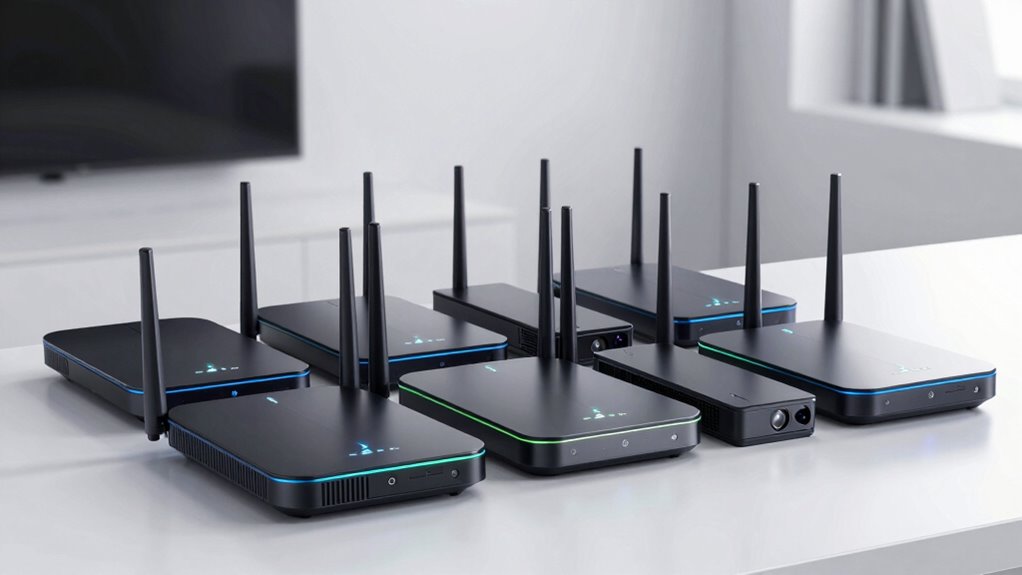
A Wi-Fi 6E router adds access to the 6 GHz band, which can provide a less congested connection for compatible devices nearby. My best overall pick is the TP-Link Archer AXE75, a balanced standalone router; the Deco XE75 2-Pack is a stronger fit for spreading coverage across a larger home, while the Archer AXE300 targets buyers who want more wired capacity and advanced hardware. The main tradeoffs are single-router range versus mesh coverage, ease of setup versus customization, and paying for gaming or premium features you may not use. A 6E router also helps only when your devices support 6 GHz and sit within its practical range. Read on for the full comparison and guidance on choosing the right setup.

Get privacy and security gear delivered free with Prime
- Fast, free delivery on millions of items
- Prime Video, Amazon Music and more included
- Member-only deals all year
Key Takeaways
- The Archer AXE75 is the balanced standalone pick: it brings tri-band Wi-Fi 6E to a conventional router format without the specialized focus of the gaming models.
- The Deco XE75 2-Pack and 3-Pack solve coverage problems: choose between them based on home layout and dead zones, since extra nodes matter more than peak router specs when a signal must cross multiple rooms or floors.
- The Archer AXE300 is the premium capacity choice: its quad-band design and broad wired connectivity suit demanding networks, but many households will not use enough simultaneous traffic to justify its complexity.
- The Archer GXE75 and MSI RadiX AXE6600 put gaming features first: they make more sense for households that value gaming controls and wired setups than for buyers seeking the simplest general-purpose network.
- Mesh and standalone models serve different homes: amazon.com/dp/B0H3W7JGP2?tag=cipherdot-20&ascsubtag=dc-461626″ target=”_blank” rel=”nofollow sponsored noopener”>Google Nest Wifi Pro, eero Pro 6E, and Deco systems emphasize managed whole-home coverage, while Archer models offer a traditional router setup and more direct control.
| TP-Link Archer AXE75 AXE5400 Tri-Band Wi-Fi 6E Router |  | Best Overall | Wi-Fi standard: Wi-Fi 6E | Bands: Tri-band: 6 GHz, 5 GHz, and 2.4 GHz | Maximum combined speed: Up to 5400 Mbps | VIEW ON AMAZON | See Our Full Breakdown |
| TP-Link Archer GXE75 Tri-Band Wi-Fi 6E Gaming Router (AXE5400) |  | Best for Gaming | Wi-Fi standard: Wi-Fi 6E | Bands: Tri-band, including 6 GHz | Maximum wireless speed: Up to 5.4 Gbps | VIEW ON AMAZON | See Our Full Breakdown |
| Google Nest Wifi Pro Wi-Fi 6E Mesh Router, Fog |  | Best for Simple Mesh Setup | Wi-Fi standard: Wi-Fi 6E | Bands: 2.4 GHz, 5 GHz, and 6 GHz | Coverage per router: Up to 2,200 sq ft | VIEW ON AMAZON | See Our Full Breakdown |
| TP-Link Deco XE70 Pro AXE4900 Tri-Band Wi-Fi 6E Mesh Router, 1-Pack |  | Best for Wired Mesh Expansion | Wi-Fi standard: Wi-Fi 6E | Bands: Tri-band, including 6 GHz | Maximum wireless speed: 4.9 Gbps | VIEW ON AMAZON | See Our Full Breakdown |
| Amazon eero Pro 6E Wi-Fi 6E Mesh Router, 1-Pack |  | Best for App-Based Management | Wi-Fi standard: Wi-Fi 6E | Maximum network speed: Up to 2.3 Gbps | Maximum wireless speed: Up to 1.6 Gbps | VIEW ON AMAZON | See Our Full Breakdown |
| TP-Link Deco XE75 AXE5400 Tri-Band Wi-Fi 6E Mesh System, 2-Pack |  | Best for Mid-Size Homes | Wi-Fi standard: Wi-Fi 6E | Bands: Tri-band: 6 GHz, 5 GHz, and 2.4 GHz | Maximum combined speed: Up to 5,400 Mbps | VIEW ON AMAZON | See Our Full Breakdown |
| TP-Link Archer AXE300 AXE16000 Quad-Band Wi-Fi 6E Router |  | Best for High-Speed Wired Setups | Wi-Fi standard: Wi-Fi 6E | Bands: Quad-band: 6 GHz, two 5 GHz bands, and 2.4 GHz | Maximum combined speed: Up to 15.6 Gbps | VIEW ON AMAZON | See Our Full Breakdown |
| TP-Link Deco XE75 AXE5400 Tri-Band Wi-Fi 6E Mesh System, 3-Pack |  | Best for Large Homes | Wi-Fi standard: Wi-Fi 6E | Bands: Tri-band: 6 GHz, 5 GHz, and 2.4 GHz | Maximum combined speed: Up to 5,400 Mbps | VIEW ON AMAZON | See Our Full Breakdown |
| MSI RadiX AXE6600 Tri-Band WiFi 6E Gaming Router |  | Best for Gaming Traffic Prioritization | Wi-Fi generation: Wi-Fi 6E | Frequency bands: 2.4 GHz, 5 GHz, and 6 GHz | Maximum data transfer rate: Up to 6.6 Gbps | VIEW ON AMAZON | See Our Full Breakdown |
| wi fi 6e router | Wi-Fi standard | Bands |
|---|---|---|
| TP-Link Archer AXE75 AXE5400 T | Wi-Fi 6E | Tri-band: 6 GHz, 5 GHz, and 2.4 GHz |
| TP-Link Archer GXE75 Tri-Band | Wi-Fi 6E | Tri-band, including 6 GHz |
| Google Nest Wifi Pro Wi-Fi 6E | Wi-Fi 6E | 2.4 GHz, 5 GHz, and 6 GHz |
| TP-Link Deco XE70 Pro AXE4900 | Wi-Fi 6E | Tri-band, including 6 GHz |
| Amazon eero Pro 6E Wi-Fi 6E Me | Wi-Fi 6E | — |
| TP-Link Deco XE75 AXE5400 Tri- | Wi-Fi 6E | Tri-band: 6 GHz, 5 GHz, and 2.4 GHz |
| TP-Link Archer AXE300 AXE16000 | Wi-Fi 6E | Quad-band: 6 GHz, two 5 GHz bands, and 2.4 GHz |
| TP-Link Deco XE75 AXE5400 Tri- | Wi-Fi 6E | Tri-band: 6 GHz, 5 GHz, and 2.4 GHz |
| MSI RadiX AXE6600 Tri-Band WiF | — | — |
More Details on Our Top Picks
TP-Link Archer AXE75 AXE5400 Tri-Band Wi-Fi 6E Router
The Archer AXE75 is my balanced Wi-Fi 6E pick for a home that needs a conventional router with a dedicated 6 GHz band. Its combined speed rating reaches 5400 Mbps, with 2402 Mbps on both 6 GHz and 5 GHz, giving newer compatible devices another band to use. Compared with the Archer GXE75, it gives up gaming tools and a 2.5G WAN port, but adds VPN server and client support alongside EasyMesh. That makes it a better fit for households valuing flexible network access and room to expand coverage than for gamers prioritizing traffic controls. Keep in mind that most internet providers require a separate modem, and the 6 GHz band benefits only compatible devices.
Pros:- Tri-band Wi-Fi 6E includes a dedicated 6 GHz band
- EasyMesh support allows compatible coverage expansion
- VPN server and client support includes OpenVPN, PPTP, and L2TP
- HomeShield includes network security and parental control features
Cons:- Most internet providers require a separate modem
- Its listed speed is a combined band rating, not a single-device connection speed
- 6 GHz access requires compatible devices
Best for: Households with Wi-Fi 6E devices that want VPN options and the ability to extend coverage with EasyMesh
Not ideal for: Buyers seeking gaming-focused controls or a 2.5G WAN port, or anyone who expects a router to replace a required modem
- Wi-Fi standard:Wi-Fi 6E
- Bands:Tri-band: 6 GHz, 5 GHz, and 2.4 GHz
- Maximum combined speed:Up to 5400 Mbps
- 6 GHz speed:2402 Mbps
- Processor:1.0 GHz dual-core
- Memory:512 MB
- Mesh compatibility:EasyMesh
- VPN support:OpenVPN, PPTP, and L2TP server and client
- Warranty:2 years
Our verdict“Choose the Archer AXE75 if you want a versatile Wi-Fi 6E router with VPN support and EasyMesh, and do not need the GXE75’s gaming features or 2.5G WAN port.”
TP-Link Archer GXE75 Tri-Band Wi-Fi 6E Gaming Router (AXE5400)
The Archer GXE75 makes the most sense for a gaming setup with wired gear and Wi-Fi 6E clients. Its gaming acceleration tools and real-time panel give network activity a more gaming-focused presentation than the general-purpose Archer AXE75, while the 2.5G WAN port gives a compatible internet connection room beyond gigabit. The four LAN ports, however, are all 1G, so wired devices on the local network do not get multi-gig ports here. That makes the Deco XE70 Pro a more flexible choice if you want a 2.5 Gbps port for wired backhaul, while the GXE75 is better suited to a single-router gaming setup. Its 6 GHz band is useful only for compatible devices.
Pros:- Tri-band Wi-Fi 6E adds a dedicated 6 GHz band
- 2.5G WAN port supports a compatible multi-gig internet connection
- Gaming acceleration tools and real-time network panel
- EasyMesh support and app or web management
Cons:- All four listed LAN ports are 1G
- The 6 GHz band requires Wi-Fi 6E-compatible devices
- A single router may not suit homes that need mesh coverage
Best for: Gamers with Wi-Fi 6E devices and a multi-gig internet connection who want gaming tools and a wired router layout
Not ideal for: Buyers needing multi-gig LAN connections for several wired devices or broad mesh coverage from the outset
- Wi-Fi standard:Wi-Fi 6E
- Bands:Tri-band, including 6 GHz
- Maximum wireless speed:Up to 5.4 Gbps
- WAN ports:1 × 2.5G
- LAN ports:4 × 1G
- Mesh compatibility:EasyMesh
- Setup and management:TP-Link Tether app or web interface
- Security:HomeShield antivirus protection
Our verdict“Pick the Archer GXE75 for gaming-focused controls and a 2.5G WAN connection, provided its 1G LAN ports meet your wired needs.”
Google Nest Wifi Pro Wi-Fi 6E Mesh Router, Fog
Nest Wifi Pro is my pick for buyers who want to build a mesh network around video calls without managing a conventional router feature set. One unit is specified to cover up to 2,200 square feet, and additional routers can extend the mesh; the system also prioritizes video calls and monitors network health. Compared with the Deco XE70 Pro, the supplied details emphasize call prioritization and network monitoring rather than wired backhaul or port flexibility. Its key drawback is compatibility: it does not work with earlier Google Wifi or Nest Wifi generations, so owners of those systems cannot simply add this model. A single unit may also leave larger homes needing more hardware for whole-home coverage.
Pros:- Tri-band Wi-Fi 6E includes a 6 GHz band
- One router is specified to cover up to 2,200 square feet
- Automatically prioritizes video calls and monitors network health
- Includes guest network and device access controls
Cons:- Not compatible with previous Google Wifi or Nest Wifi generations
- Larger coverage areas require additional routers
- The listed details do not specify wired backhaul or port speeds
Best for: Households who prioritize video calls and want to extend Wi-Fi 6E coverage by adding matching mesh routers
Not ideal for: Owners of earlier Google Wifi or Nest Wifi systems, and buyers who want a single unit to cover a larger home
- Wi-Fi standard:Wi-Fi 6E
- Bands:2.4 GHz, 5 GHz, and 6 GHz
- Coverage per router:Up to 2,200 sq ft
- Network type:Mesh-capable
- Color:Fog
- Call handling:Automatically prioritizes video calls
- Network monitoring:Monitors network health
- Compatibility:Not compatible with previous Google Wifi or Nest Wifi generations
Our verdict“Choose Nest Wifi Pro if call prioritization and an expandable mesh matter more to you than legacy Google Wifi compatibility or specified wired options.”
TP-Link Deco XE70 Pro AXE4900 Tri-Band Wi-Fi 6E Mesh Router, 1-Pack
The Deco XE70 Pro stands out for buyers planning a mesh system with wired backhaul or a faster wired connection. Its 2.5 Gbps port, support for wired and wireless backhaul, and stated coverage of up to 2,900 square feet give it a more expansion-oriented profile than the single-unit eero Pro 6E. The XE70 Pro also lists support for up to 200 devices, which may suit a busy connected home. Its 4.9 Gbps combined wireless rating is below the AXE5400 Archer models, and the supplied coverage figure belongs to this one-pack unit; one device may not cover every home as a mesh system would. Some security features also require TP-Link’s premium HomeShield service.
Pros:- Tri-band Wi-Fi 6E includes a 6 GHz band
- One 2.5 Gbps port and support for wired or wireless backhaul
- Stated coverage up to 2,900 square feet and capacity up to 200 devices
- App-based setup and network management
Cons:- One-pack configuration may not provide whole-home mesh coverage
- Combined wireless speed rating is lower than the AXE5400 Archer models
- Some security features require premium HomeShield service
Best for: Households planning a Deco mesh with wired backhaul, a 2.5 Gbps connection, and many connected devices
Not ideal for: Buyers who need a complete multi-unit mesh in the box or want every security feature without a premium service
- Wi-Fi standard:Wi-Fi 6E
- Bands:Tri-band, including 6 GHz
- Maximum wireless speed:4.9 Gbps
- Coverage:Up to 2,900 sq. ft.
- Device capacity:Up to 200 devices
- Ethernet ports:1 × 2.5 Gbps, 2 × Gigabit
- Backhaul:Wireless and wired
- Pack size:1
Our verdict“Choose the Deco XE70 Pro if you plan to expand a mesh and value wired backhaul and a 2.5 Gbps port over the Archer AXE5400 models’ higher combined speed rating.”
Amazon eero Pro 6E Wi-Fi 6E Mesh Router, 1-Pack
The eero Pro 6E is a single-unit mesh starting point for buyers who want app-based setup and a system designed to help reduce dead spots. Its TrueMesh technology, coverage claim of up to 2,000 square feet, and support for 100+ devices make it a practical match for connected homes that may later add mesh hardware. Compared with the Deco XE70 Pro, eero has a lower stated coverage figure and capacity, but its product details specify one 2.5 Gb and one 1 Gb Ethernet port. The tradeoffs are the lower listed wireless speed of up to 1.6 Gbps and the need for a supported iOS or Android device and internet service to set up. Some security and management features require a subscription.
Pros:- Wi-Fi 6E support includes the 6 GHz band
- TrueMesh technology is designed to help reduce dead spots
- One 2.5 Gb and one 1 Gb Ethernet port
- Specified for up to 2,000 square feet and 100+ connected devices
Cons:- Maximum wireless speed is listed at up to 1.6 Gbps
- Some security and management features require a subscription
- Setup requires a supported iOS or Android device and internet service
Best for: App-oriented households starting with one Wi-Fi 6E mesh router and expecting to add compatible units if needed
Not ideal for: Buyers who need higher listed wireless throughput, subscription-free access to all management features, or setup without a mobile device
- Wi-Fi standard:Wi-Fi 6E
- Maximum network speed:Up to 2.3 Gbps
- Maximum wireless speed:Up to 1.6 Gbps
- Coverage:Up to 2,000 sq. ft.
- Connected devices:100+
- Ethernet ports:One 2.5 Gb and one 1 Gb
- Processor and memory:1 GHz dual-core; 1024 MB RAM
- Dimensions:5.6 × 5.4 × 2.0 in
- Warranty:1-year limited
Our verdict“Choose the eero Pro 6E for app-managed mesh and TrueMesh coverage help, while the Deco XE70 Pro offers higher stated coverage and device capacity.”
TP-Link Deco XE75 AXE5400 Tri-Band Wi-Fi 6E Mesh System, 2-Pack
The two-unit Deco XE75 brings Wi-Fi 6E mesh coverage to homes where a single router may leave weak spots. Its advertised reach of up to 5,500 square feet and 6 GHz band give the pair room to serve as a dedicated link between nodes or connect newer devices. Compared with the three-pack XE75, this set covers less area but uses fewer units, making it a better fit for a moderately sized home. The Deco app keeps setup and management approachable, and Alexa compatibility adds voice control. The tradeoff is that the 6 GHz band benefits only compatible devices, and most providers require a separate modem. Choose this over the Archer AXE75 if whole-home coverage matters more than a traditional single-router setup.
Pros:- Advertised coverage up to 5,500 square feet from two mesh nodes
- Tri-band Wi-Fi 6E includes a 6 GHz band for backhaul or compatible devices
- Supports up to 200 devices
- Deco app setup and management with Alexa compatibility
Cons:- Most internet providers require a separate modem
- Wi-Fi 6E devices are needed to connect directly to the 6 GHz band
- Two nodes offer less reach than the three-pack Deco XE75
Best for: Households seeking Wi-Fi 6E coverage across a mid-size, multi-room home with compatible devices or mesh backhaul needs
Not ideal for: People in smaller homes who need only one router, or buyers whose devices cannot use 6 GHz and who do not need mesh coverage
- Wi-Fi standard:Wi-Fi 6E
- Bands:Tri-band: 6 GHz, 5 GHz, and 2.4 GHz
- Maximum combined speed:Up to 5,400 Mbps
- Coverage:Up to 5,500 sq. ft.
- Device capacity:Up to 200 devices
- Package contents:2-pack
- Management:Deco app; Alexa compatible
- Security:TP-Link HomeShield basic features
Our verdict“Pick the two-pack Deco XE75 if you want mesh coverage and Wi-Fi 6E across a mid-size home without adding a third node.”
TP-Link Archer AXE300 AXE16000 Quad-Band Wi-Fi 6E Router
The Archer AXE300 is the most connectivity-focused pick here: its quad-band design separates traffic across 6 GHz, two 5 GHz bands, and 2.4 GHz, while two 10 Gbps ports give fast internet and wired transfers room to breathe. That makes it a different proposition from the mesh-based Deco XE75 three-pack, which prioritizes coverage across a larger footprint rather than multi-gig wired connections. The advertised combined speed reaches 15.6 Gbps, but that figure is shared across bands and does not mean a single device will see that rate. Eight antennas, a quad-core CPU, VPN options, and HomeShield add flexibility. Its tradeoffs are the need for a separate modem with most providers and a port setup that cannot make every high-speed port a WAN connection at once.
Pros:- Quad-band Wi-Fi 6E with advertised combined speeds up to 15.6 Gbps
- Two 10 Gbps ports support high-speed internet or LAN transfers
- Eight antennas and a quad-core CPU
- VPN server and client support plus HomeShield security features
Cons:- Most providers require a separate modem
- The 10 Gbps and 2.5 Gbps ports cannot all serve as WAN ports simultaneously
- Its single-router design does not offer the multi-node coverage of Deco XE75
Best for: Multi-gig internet households with wired NAS, workstation, or gaming connections and several active Wi-Fi bands
Not ideal for: Buyers who need broad mesh coverage, lack multi-gig wired equipment, or want a simple all-in-one modem-router
- Wi-Fi standard:Wi-Fi 6E
- Bands:Quad-band: 6 GHz, two 5 GHz bands, and 2.4 GHz
- Maximum combined speed:Up to 15.6 Gbps
- 6 GHz speed:4,804 Mbps
- Ports:One 10 Gbps WAN/LAN; one 10 Gbps SFP+/RJ45 combo WAN/LAN; one 2.5 Gbps WAN/LAN
- Processor:Quad-core CPU
- Antennas:8
- VPN support:VPN server and client: OpenVPN, PPTP, and L2TP
- Security:TP-Link HomeShield
Our verdict“Choose the Archer AXE300 if multi-gig wired connectivity and separate high-capacity bands matter more than mesh coverage.”
TP-Link Deco XE75 AXE5400 Tri-Band Wi-Fi 6E Mesh System, 3-Pack
When coverage across a larger home is the priority, the three-pack Deco XE75 has a clear advantage over its two-pack sibling: it is rated for up to 7,200 square feet rather than 5,500. All three nodes use tri-band Wi-Fi 6E, and the 6 GHz band can carry mesh backhaul traffic or serve compatible devices, helping the network spread beyond the room where the main unit sits. The Deco app and AI-driven mesh features make it a more coverage-oriented choice than the single-unit Deco XE70 Pro, which has no multi-node coverage claim in the supplied details. Its AXE5400 combined speed rating is shared across bands, not a per-device guarantee. Most providers also require a modem, and devices need Wi-Fi 6E support to connect on 6 GHz.
Pros:- Three nodes are rated to cover up to 7,200 square feet
- Tri-band Wi-Fi 6E includes a 6 GHz backhaul or device band
- Supports up to 200 devices
- Deco app management with AI-driven mesh features and Alexa compatibility
Cons:- Most internet providers require a separate modem
- Direct 6 GHz connections require compatible Wi-Fi 6E devices
- The three-node setup may be more than smaller homes need
Best for: Families in large or multi-level homes who need several mesh nodes and have Wi-Fi 6E devices or want 6 GHz backhaul
Not ideal for: Apartment dwellers or smaller households who do not need three nodes, or buyers expecting every device to use 6 GHz
- Wi-Fi standard:Wi-Fi 6E
- Bands:Tri-band: 6 GHz, 5 GHz, and 2.4 GHz
- Maximum combined speed:Up to 5,400 Mbps
- Band speeds:6 GHz: 2,402 Mbps; 5 GHz: 2,402 Mbps; 2.4 GHz: 574 Mbps
- Coverage:Up to 7,200 sq. ft.
- Device capacity:Up to 200 devices
- Package quantity:3-pack
- Management:Deco app; AI-driven mesh features
- Voice assistant compatibility:Amazon Alexa
Our verdict“Pick the three-pack Deco XE75 for broad mesh coverage across a large home where one or two nodes may fall short.”
MSI RadiX AXE6600 Tri-Band WiFi 6E Gaming Router
The MSI RadiX AXE6600 takes the gaming-focused route in this group, pairing tri-band Wi-Fi 6E with AI QoS intended to prioritize gaming, streaming, and work traffic. Its advertised 6.6 Gbps capacity and 1.8 GHz quad-core processor make it a more specialized single-router option than the coverage-first Deco XE75 systems. That distinction matters for players who want traffic controls on one network, while a household with dead zones may be better served by the XE75’s multiple nodes. Six fixed antennas and a 2.5 Gbps LAN port add useful hardware flexibility, and the RGB lighting is a cosmetic extra. The supplied details do not specify coverage or VPN features, so this is harder to match confidently to a large home or a remote-access setup.
Pros:- Tri-band Wi-Fi 6E supports 2.4 GHz, 5 GHz, and 6 GHz
- AI QoS is designed to prioritize gaming, streaming, and work traffic
- Advertised data rates reach up to 6.6 Gbps
- Includes a 2.5 Gbps LAN port and six fixed antennas
Cons:- Coverage area is not specified in the supplied product details
- Six antennas are fixed, limiting physical adjustment
- The supplied details do not describe VPN support or a mesh system
Best for: Gamers who want Wi-Fi 6E bands, traffic prioritization, and a 2.5 Gbps LAN connection in a single-router setup
Not ideal for: People who need documented large-home coverage, mesh expansion details, or VPN support before choosing a router
- Wi-Fi generation:Wi-Fi 6E
- Frequency bands:2.4 GHz, 5 GHz, and 6 GHz
- Maximum data transfer rate:Up to 6.6 Gbps
- Processor:1.8 GHz quad-core
- RAM:512 MB
- Antennas:6 fixed
- LAN port bandwidth:2,500 Mbps
- Security protocols:WPA-PSK, WPA2-PSK, WPA3-PSK
- Connectivity:Ethernet, USB, and Wi-Fi
Our verdict“Choose the RadiX AXE6600 if gaming traffic controls matter more to you than the documented whole-home mesh reach of Deco XE75.”

How We Picked
I compared these nine models by how well their design matches common home networking needs: usable 6 GHz access, coverage approach, wired connectivity, and the practical role of their extra features. I gave weight to whether a product is a standalone router or a mesh system, because one powerful access point cannot solve every multiroom coverage problem. Setup and management also mattered: simpler guided systems can suit households that want minimal network administration, while gaming and premium routers are better fits when buyers value more controls or capacity.
The ranking reflects those differences rather than treating every Wi-Fi 6E label as equivalent. The Archer AXE75 leads as a broadly suitable standalone option; the Deco XE75 bundles rank strongly for larger coverage needs; and the AXE300 sits in the premium tier for buyers who can use its added capacity. Gaming-focused picks rank for their narrower audience, while the Google and eero mesh options are most compelling when ease of management is a priority. I also weighed the tradeoffs of buying a single mesh node, a multi-node pack, or a more feature-rich conventional router.
Factors to Consider When Choosing Wi Fi 6e Router
Choosing a Wi-Fi 6E router starts with the home and devices you need to connect, not the largest number printed on the box. These decisions help distinguish a useful upgrade from features that will sit idle.
Check Whether Your Devices Can Use 6 GHz
The 6 GHz band is available only to devices with Wi-Fi 6E support, so an older phone or laptop will continue using its supported bands. Make a short list of the devices that handle demanding tasks, such as video calls, large downloads, or local media transfers. If most of your equipment lacks 6E, a new router may still help through newer hardware, but the headline 6 GHz benefit will be limited. Device support can also vary by model and region, so check the exact specifications rather than assuming a recent device qualifies. Newer compatible devices can use 6 GHz while older ones remain connected to 2.4 or 5 GHz. The upgrade makes the most sense when you have several 6E clients or plan to keep the router through your next device refresh.
Match Router Type to Your Floor Plan
A standalone router is often a sensible starting point for an apartment or compact home where one central location can reach the rooms that matter. Thick walls, multiple floors, and distant workspaces can make mesh a better fit, even when its individual nodes have less specialized hardware. A common mistake is buying a more powerful single router to solve a dead zone caused by the building layout; placement and an additional access point may matter more. Mesh nodes need a good connection to one another, so placing them too far apart can reduce the benefit. Think about where wired backhaul is possible, since Ethernet between nodes can help maintain reliable links. Choose the smallest mesh bundle that covers the home with sensible node placement, then add coverage only if the layout calls for it.
Treat 6 GHz as a Nearby, High-Capacity Band
Higher-frequency 6 GHz signals generally have less reach through walls than lower-frequency Wi-Fi bands. That makes the band useful for compatible devices near a router or mesh node, especially when the 2.4 and 5 GHz bands are busy. Do not plan a home network around uninterrupted 6 GHz coverage from one end of a large house to the other. For a distant room, stable 5 GHz coverage or a nearby mesh node may be more valuable than a stronger specification on the main router. Placement in an open, central location can help, though it cannot remove every obstacle. Buyers who want 6 GHz for a desk or media room should prioritize putting an access point close to that area.
Count Ethernet Ports and Wired Needs
Wi-Fi upgrades do not replace the value of Ethernet for stationary devices. Gaming consoles, desktop PCs, network storage, and some mesh backhaul links can benefit from a wired connection that avoids wireless congestion. Count the devices you want to wire and check the router’s port layout, speed, and whether a separate switch will be needed. A premium router with extensive wired options can simplify a dense setup, but it is wasted capability if nearly everything connects wirelessly. Mesh buyers should also check how many ports are available on each node, since a single nearby port can make a room easier to equip. Plan for internet service speed as well as local network needs; a fast wireless link cannot make a slower broadband plan faster.
Decide How Much Network Management You Want
Guided mesh apps can make setup and basic troubleshooting easier for households that do not want to manage many network settings. Traditional routers may provide more direct controls, which can matter for gaming priorities, guest access, or a more customized home network. Before choosing, check whether the features you care about require an account, an ongoing service, or a specific app workflow. A simple interface is useful only if it exposes the controls your household needs. Conversely, a long list of settings has little value if nobody will maintain them. Choose based on who will manage the network and how often you expect to change its configuration.
Pay for Capacity You Can Actually Use
Extra bands, faster wired ports, and gaming tools can help in a home with many active clients or demanding local traffic. They do not automatically improve every internet connection, especially when the broadband plan or device is the limiting factor. Estimate how many people stream, play games, work on video calls, and transfer files at the same time. Then separate needs that benefit from bandwidth from needs that depend on consistent coverage or low delay. The mistake is treating a router’s combined theoretical speed as a promise to one device in an ordinary room. Spend more when a specific feature solves a known bottleneck; otherwise, a balanced router or appropriately sized mesh kit is easier to justify.
Frequently Asked Questions
Will a Wi-Fi 6E router improve Wi-Fi on devices that do not support 6 GHz?
Those devices cannot connect to the 6 GHz band, so they will use the bands they already support. They may still benefit from a newer router’s overall capacity or coverage, depending on the model and your home network. The clearest 6E advantage goes to compatible phones, computers, and other clients within useful range. Check device specifications before upgrading if 6 GHz is the main reason for the purchase. If few of your devices support it, compare the router’s coverage and wired features as well.
Should I buy one powerful router or a multi-node mesh system?
Choose one router when a central location can reach your important rooms without major barriers. Mesh is usually a better starting point when the home has several floors, distant rooms, or persistent weak spots. More nodes do not guarantee better performance: each node needs a reliable link, and poor placement can undermine the system. Consider Ethernet backhaul if you can wire nodes together. For a home with one isolated dead zone, adding a well-placed node may be more useful than replacing a working router with a much more expensive single unit.
Does a 6 GHz connection reach as far as 5 GHz?
In many homes, 6 GHz is less effective through walls and over distance than lower-frequency Wi-Fi bands. It is best treated as a high-capacity connection for compatible devices relatively close to a router or mesh point. Your device may switch to another band as you move farther away, which is normal. If a distant room needs better service, focus on access point placement or mesh coverage rather than expecting 6 GHz alone to solve it. A floor plan and building materials can affect results substantially.
Is a gaming Wi-Fi 6E router worthwhile if I play online games?
It can be worthwhile when you want gaming-specific traffic controls, a convenient wired setup, or one router serving a busy household. Those features cannot remove latency from a distant game server or fix a weak broadband connection. For a stationary console or PC, Ethernet is often the simplest way to improve consistency. Compare gaming models with a general router plus wired connection before paying for features you may not use. If your main issue is poor coverage, a mesh arrangement may address it more directly.
When should I choose a mesh pack with more nodes?
Choose additional nodes when the layout requires coverage in rooms a smaller pack cannot reach with a dependable link. A 3-pack can suit a larger or more divided home, while a 2-pack may be enough for a smaller footprint or a straightforward dead-zone fix. Avoid placing nodes in the weakest part of the home; each should receive a usable signal from the router or another node. If possible, use wired backhaul to reduce dependence on wireless links between nodes. Start from the home layout and node placement, not from a desire to fill every room with hardware.
Conclusion
For most buyers who want a conventional router with a balanced feature set, I recommend the TP-Link Archer AXE75 as best overall. The Deco XE75 2-Pack is my value-oriented coverage pick for homes that need mesh, while the 3-Pack suits larger layouts where an additional node has a clear job. Choose the Archer AXE300 as the premium option if your network can use its extra band and wired capacity. Beginners who want app-guided whole-home setup should look at Google Nest Wifi Pro or eero Pro 6E; gamers can compare the Archer GXE75 and MSI RadiX AXE6600 by the controls and connections they need. The right choice is the one that fits your device support, floor plan, and appetite for network management.
Columbus Day / Indigenous Peoples' Day Picks
long weekend sales
As an affiliate, we earn on qualifying purchases.