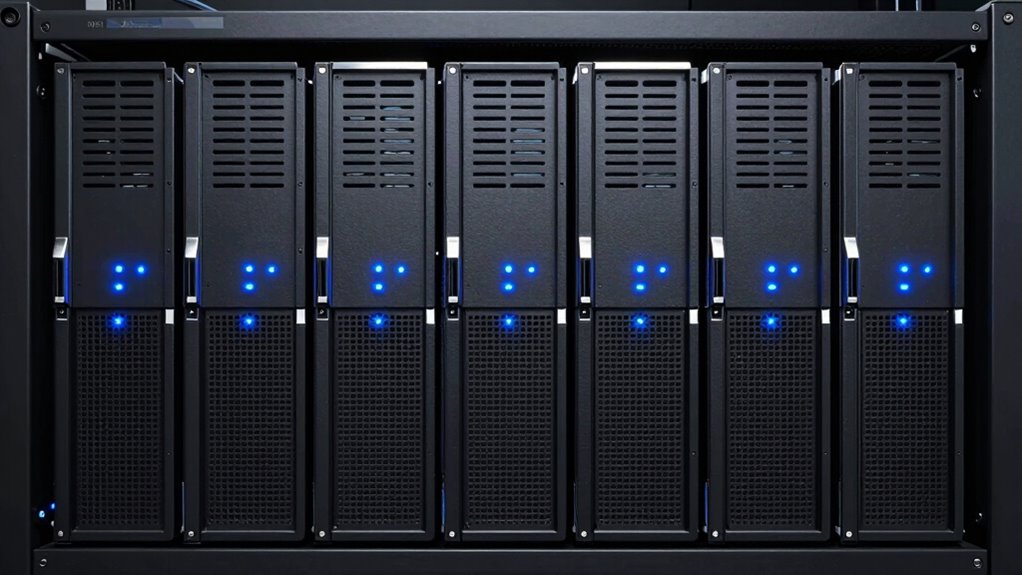
Buying a refurbished Dell PowerEdge is one of the cheapest ways to get serious enterprise hardware, but the lineup spans three hardware generations and two form factors, and the wrong pick wastes both rack space and money. My best overall choice is the Dell PowerEdge R640 with dual Xeon Gold 6150, because it blends modern 14th-generation architecture, plentiful RAM, and hybrid SSD/SAS storage in a compact 1U chassis. For pure storage density, the PowerEdge R730xd 24-bay is the standout value, while the T140 mini tower is the easiest entry point for beginners with no rack at all. The main tradeoff you’ll face is older 12G/13G platforms offering more raw cores per dollar versus newer 14G machines offering better efficiency, iDRAC9 management, and DDR4 scalability. Read on for the full breakdown of which PowerEdge fits your workload.

Get privacy and security gear delivered free with Prime
- Fast, free delivery on millions of items
- Prime Video, Amazon Music and more included
- Member-only deals all year
Key Takeaways
- Generation gap matters more than spec sheets: the 14G R640 models support iDRAC9 and faster memory pathways, while the 12G R620 and 13G R830/R730xd trade modernity for cheaper cores and drive bays.
- Storage configuration, not CPU count, drove most of the price and use-case separation — the R730xd’s 24 SFF bays make it the only sensible pick for large-capacity file or backup serving.
- Tower models (T140, T340) only make sense if you have no rack; they’re quieter and office-friendly but sacrifice expandability and dual-socket scalability.
- The two R640 listings differ sharply: the 36-core hybrid-drive unit is the balanced all-rounder, while the 7.7TB all-SSD build targets virtualization hosts willing to pay more for I/O speed.
- Refurb condition and seller warranty varied more than hardware differences in some cases — rails, caddies, and iDRAC licensing were the hidden differentiators between otherwise similar listings.
| Dell PowerEdge R830 Server |  | Best for Maximum Core Density | Model: PowerEdge R830 | Processor speed: 2.20 GHz | Cores: 56 | VIEW ON AMAZON | See Our Full Breakdown |
| Dell PowerEdge R730xd Server 24-Bay SFF 2U (Renewed) |  | Best for Storage Expansion | Form Factor: 2U Rack Server | Drive Bays: 24x 2.5″ SFF | CPU: 2x Intel Xeon E5-2690 v4 2.6GHz (28 cores total) | VIEW ON AMAZON | See Our Full Breakdown |
| Dell PowerEdge R620 Server 2.20GHz 16-Core 128GB 4x 600GB (Renewed) |  | Best Budget Rack Server | Processor: 2x Intel Xeon E5-2660 2.20GHz (16 cores / 32 threads) | RAM: 128 GB DDR3 | Storage: 4x 600GB 10K 2.5″ SAS | VIEW ON AMAZON | See Our Full Breakdown |
| Dell PowerEdge R640 1U Rack Server, 2x Xeon Gold 6150 36-Core, 256GB RAM, 2x 480GB SSD, 6x 1.2TB SAS HDD (Renewed) |  | Best Overall | Processors: 2x Intel Xeon Gold 6150 18-Core 2.70GHz (36 cores total) | Memory: 256GB (8x 32GB DDR4-2666) | Storage: 2x 480GB SATA SSD + 6x 1.2TB SAS HDD (8.2TB total) | VIEW ON AMAZON | See Our Full Breakdown |
| Dell PowerEdge R640 Server, 32-Core, 256 GB RAM, 7.7 TB SSD Storage, with Rails (Renewed) |  | Best All-Flash Configuration | Model: Dell PowerEdge R640 | Processor speed: 2.10 GHz | Cores: 32 | VIEW ON AMAZON | See Our Full Breakdown |
| Dell PowerEdge T140 Mini Tower Server (Renewed) – Intel Xeon E-2124, 32GB DDR4, 8TB HDD, RAID |  | Best for Small Offices and Branch Locations | Form Factor: Mini Tower | Processor: Intel Xeon E-2124 Quad-Core 3.3GHz (up to 4.3GHz Turbo) | Memory: 32GB DDR4 PC4-21300 2666MHz Unbuffered | VIEW ON AMAZON | See Our Full Breakdown |
| Dell PowerEdge T340 Tower Server (Renewed) |  | Best Turnkey Pick — OS Pre-Installed | Form Factor: Tower | Processor: Intel Xeon E-2124 Quad-Core 3.3GHz (up to 4.3GHz Turbo), 8MB cache | Memory: 32GB (2 x 16GB) DDR4 PC4-21300 2666MHz Unbuffered | VIEW ON AMAZON | See Our Full Breakdown |
| refurbished dell poweredge | Storage | Condition | Memory | RAID Controller |
|---|---|---|---|---|
| Dell PowerEdge R830 Server | 16 × 300 GB 15K SAS drives | Renewed | 128 GB | Dell H730P |
| Dell PowerEdge R730xd Server 2 | 4x 1.2TB 10K SAS 2.5" 12Gb/s HDD | Renewed | — | Dell H730P mini 2GB 12Gb/s |
| Dell PowerEdge R620 Server 2.2 | 4x 600GB 10K 2.5" SAS | Renewed | — | PERC H710 |
| Dell PowerEdge R640 1U Rack Se | 2x 480GB SATA SSD + 6x 1.2TB SAS HDD (8.2TB total) | Renewed | 256GB (8x 32GB DDR4-2666) | H730P Integrated 2GB Cache |
| Dell PowerEdge R640 Server | 7.7 TB SSD | Renewed | 256 GB RAM | — |
| Dell PowerEdge T140 Mini Tower | 8TB (4 x 2TB) 7.2K SATA 3.5" HDDs | Renewed | 32GB DDR4 PC4-21300 2666MHz Unbuffered | PERC S140 software RAID |
| Dell PowerEdge T340 Tower Serv | 8TB (4 x 2TB) 7.2K SATA 3.5" HDDs, RAID | Renewed | 32GB (2 x 16GB) DDR4 PC4-21300 2666MHz Unbuffered | — |
More Details on Our Top Picks
Dell PowerEdge R830 Server
The R830 is the brute-force pick of this lineup, packing 56 cores and 128 GB of RAM into a 2U chassis. Where the PowerEdge R620 offers 16 cores for modest virtualization loads, this machine handles dense multi-VM environments, database clusters, and compute-heavy batch work without breaking a sweat. The inclusion of sixteen 300 GB 15K drives means you get spindles for days — though that’s also its weakness, since 15K SAS spinning disks are slower and hotter than the SSD options in the R640 configs. The H730P controller with cache does help compensate. Buyers should also plan for real power draw and rack noise; this is a data-center machine, not a closet homelab box. Rails are included, which saves a real headache at install time.
Pros:- 56 cores for dense virtualization and compute workloads
- Sixteen-drive storage array with 15K SAS spindles included
- H730P RAID controller with hardware cache
- Rails included for straightforward rack installation
Cons:- All-spinning-disk storage is slower and less efficient than the SSD-based R640 configurations
- High power consumption and noise make it unsuitable for home or office environments
Best for: Virtualization admins and compute-heavy workloads needing maximum cores in a single 2U node
Not ideal for: Homelab users or quiet-office settings — sixteen 15K drives make it loud, hot, and power-hungry
- Model:PowerEdge R830
- Processor speed:2.20 GHz
- Cores:56
- Memory:128 GB
- Storage:16 × 300 GB 15K SAS drives
- RAID Controller:Dell H730P
- Included accessories:Rails
- Condition:Renewed
Our verdict“This pick makes the most sense for buyers who need raw core count and drive density in one chassis and already have a proper server room.”
Dell PowerEdge R730xd Server 24-Bay SFF 2U (Renewed)
What separates the R730xd from everything else here is the 24-bay SFF chassis — it’s the only option in this lineup built to scale storage dramatically over time. The R830 arrives full of drives, but the R730xd gives you twenty empty bays to grow into, which matters more for a storage server or backup target. Connectivity is the other standout: dual 10Gb SFP+ ports mean it can actually push data at the speeds those extra drives enable, something the 1GbE-only R620 cannot match. Dual 750W supplies cover redundancy. The tradeoff is age — this is a 13th-generation platform, so per-core performance trails the newer R640, and only four drives are included out of the box.
Pros:- 24 drive bays leave huge room for storage growth
- 10Gb SFP+ networking included for fast throughput
- Dual 750W power supplies for redundancy
- 28 total cores handle virtualization alongside storage duties
Cons:- Only 4 of 24 bays populated, so real capacity costs extra later
- Older 13th-gen platform with dated per-core performance
- Noisy and power-hungry for non-server-room placement
Best for: Homelab builders and small businesses planning a scalable NAS, backup target, or media server
Not ideal for: Buyers wanting modern single-threaded performance — the E5-2690 v4 platform lags well behind the R640’s Xeon Gold chips
- Form Factor:2U Rack Server
- Drive Bays:24x 2.5″ SFF
- CPU:2x Intel Xeon E5-2690 v4 2.6GHz (28 cores total)
- RAM:128GB DDR4
- Storage:4x 1.2TB 10K SAS 2.5″ 12Gb/s HDD
- RAID Controller:Dell H730P mini 2GB 12Gb/s
- Power Supply:2x 750W PSU
- Network:2x 10Gb SFP+ / 2x 1Gb RJ45
- Condition:Renewed
Our verdict“Choose this one when future storage capacity matters more than cutting-edge CPU performance.”
Dell PowerEdge R620 Server 2.20GHz 16-Core 128GB 4x 600GB (Renewed)
The R620 is the entry point of this roundup — an older 1U box that still delivers 16 cores, 32 threads, and 128 GB of RAM for buyers who need a first real rack server without enterprise pricing. Compared with the R730xd, you lose DDR4, 10Gb networking, and expansion headroom, but the included four 600 GB SAS drives on a PERC H710 controller give you a working 2.4 TB RAID array from day one. The Amazon Renewed Guarantee is a genuine safety net for a machine this age. The real costs come later: DDR3 memory is inefficient by modern standards, 1GbE networking bottlenecks storage-heavy workloads, and it weighs nearly 43 pounds, so budget for proper rails and a real rack rather than a shelf.
Pros:- Complete working config with 128GB RAM and 2.4TB SAS RAID storage included
- Dual 750W redundant power supplies improve uptime
- 4-port 1GbE NIC supports NIC teaming and segmentation
- Amazon Renewed Guarantee covers replacement or refund
Cons:- DDR3-era platform is power-hungry and slow per core compared with the R640
- 1GbE-only networking limits storage throughput
- No operating system included, so plan setup time
Best for: Homelab beginners and small offices wanting a complete, working rack server with redundancy at low cost
Not ideal for: Anyone needing 10Gb networking or modern per-core speed — the E5-2660 CPUs and 1GbE NIC will bottleneck fast workloads
- Processor:2x Intel Xeon E5-2660 2.20GHz (16 cores / 32 threads)
- RAM:128 GB DDR3
- Storage:4x 600GB 10K 2.5″ SAS
- RAID Controller:PERC H710
- Management:iDRAC7 Express
- Network:4-Port 1GbE NIC
- Power Supplies:2x 750W Redundant
- Drive Bays:8x 2.5″
- Condition:Renewed
Our verdict“A sensible first rack server for cost-conscious buyers who value included storage over modern performance.”
Dell PowerEdge R640 1U Rack Server, 2x Xeon Gold 6150 36-Core, 256GB RAM, 2x 480GB SSD, 6x 1.2TB SAS HDD (Renewed)
This R640 configuration is the strongest all-around pick because it balances modern compute with sensible tiered storage. The dual Xeon Gold 6150 chips deliver 36 cores with per-core performance the older R830 and R620 simply can’t match, and 256 GB of DDR4 doubles the memory of the budget options here. The 2x 480 GB SSD plus 6x 1.2 TB SAS split gives you fast boot/VM storage and bulk capacity in one box — a smarter layout than the R830’s all-spindle array. iDRAC9 with an Enterprise license and included rails, bezel, and a 1-year warranty round out a genuinely deployment-ready package. The main tradeoff is 1U density: limited internal expansion and more aggressive cooling noise than a 2U chassis, and it still draws serious power under load.
Pros:- Modern Xeon Gold platform with strong per-core and multi-core performance
- 256GB DDR4 RAM and 8.2TB tiered SSD/SAS storage included
- iDRAC9 Enterprise licensing for full remote management
- 1-year warranty plus rails, bezel, and power cords included
Cons:- 1U chassis limits future drive and PCIe expansion
- Noisy under load due to dense 1U cooling
- No operating system or additional software included
Best for: IT teams and serious homelabbers who want a modern, warranty-backed virtualization host with tiered SSD/SAS storage
Not ideal for: Buyers planning major future storage expansion — the 1U 8-bay chassis fills up fast compared with the 24-bay R730xd
- Processors:2x Intel Xeon Gold 6150 18-Core 2.70GHz (36 cores total)
- Memory:256GB (8x 32GB DDR4-2666)
- Storage:2x 480GB SATA SSD + 6x 1.2TB SAS HDD (8.2TB total)
- RAID Controller:H730P Integrated 2GB Cache
- Power Supplies:2x 1100W Platinum
- Network:Dual 10GB SFP+ / Dual 1GB RJ-45 + 10GB RJ-45
- Remote Management:iDRAC9 Express + Enterprise
- Warranty:1-Year Standard
- Condition:Renewed
Our verdict“If you want one renewed PowerEdge that handles modern workloads today and holds up for years, this is the one to buy.”
Dell PowerEdge R640 Server, 32-Core, 256 GB RAM, 7.7 TB SSD Storage, with Rails (Renewed)
Where the dual-Xeon-Gold R640 above splits storage between SSD and SAS, this variant goes all-flash with 7.7 TB of SSD capacity, making it the right choice when IOPS matter more than raw capacity — think databases, virtual desktop infrastructure, or fast ZFS/NVMe-adjacent workloads. The 256 GB of RAM matches its sibling, and with 32 cores it still out-classes everything from the R620 to the R730xd in responsiveness. Two cautions temper the appeal: the listed 2.10 GHz clock and core count don’t fully identify the CPUs, so buyers should confirm the exact processor model before purchase, and the listing itself notes that included components depend on the full product description — verify drive counts and NIC details carefully. The option for custom configurations is a plus for buyers with specific needs.
Pros:- All-flash 7.7TB storage delivers far better IOPS than the SAS-based configurations
- 256GB RAM supports memory-hungry virtualization
- Rails and power cords included for immediate deployment
- Custom configurations available on request
Cons:- Exact CPU model and included components are not clearly specified in the listing
- All-flash capacity of 7.7TB is lower than the mixed R640’s usable bulk storage
Best for: Buyers running I/O-hungry workloads like databases or VDI who want all-flash speed in a familiar R640 chassis
Not ideal for: Buyers who need guaranteed, fully specified hardware — vague CPU and component details require verification before ordering
- Model:Dell PowerEdge R640
- Processor speed:2.10 GHz
- Cores:32
- Memory:256 GB RAM
- Storage:7.7 TB SSD
- Included accessories:Rails and power cords
- Configuration:Custom configurations available upon request
- Condition:Renewed
Our verdict“A strong pick for speed-first workloads, provided you confirm the exact configuration before buying.”
Dell PowerEdge T140 Mini Tower Server (Renewed) – Intel Xeon E-2124, 32GB DDR4, 8TB HDD, RAID
Most of the servers in this roundup are rack-mounted machines built for data centers, which makes the T140 mini tower a different animal entirely. It sits on a desk or under one, runs quieter than a 1U unit like the PowerEdge R620, and still delivers the same Xeon E-2124 quad-core processor and 32GB of DDR4 memory. The 8TB of SATA storage spread across four drives gives small teams file sharing and backup capacity without a server closet. iDRAC9 Basic remote management is a genuine advantage over older refurbished rack units, letting an off-site admin power cycle and monitor the box remotely. The tradeoffs are real, though: the PERC S140 is a software RAID controller with limited capability compared to hardware PERC cards, and a single expansion slot constrains future upgrades.
Pros:- Tower form factor fits offices without rack infrastructure and runs quieter than 1U servers
- iDRAC9 Basic remote management, newer than what older refurb units like the R620 offer
- 8TB across four drives with RAID support for file-server and backup duty
- Ten USB ports, dual 1Gb LAN, and VGA/DisplayPort/HDMI output for flexible connectivity
Cons:- PERC S140 is a software RAID controller with limited features and no hardware cache
- Single power supply means no redundancy if the PSU fails
- Only one expansion slot restricts future upgrades
Best for: Small businesses, branch offices, and home-lab owners who need a quiet, desk-side server without a rack or server room
Not ideal for: Buyers planning to virtualize heavily or expand with multiple add-in cards — the software RAID and single expansion slot will bottleneck growth
- Form Factor:Mini Tower
- Processor:Intel Xeon E-2124 Quad-Core 3.3GHz (up to 4.3GHz Turbo)
- Memory:32GB DDR4 PC4-21300 2666MHz Unbuffered
- Storage:8TB (4 x 2TB) 7.2K SATA 3.5″ HDDs
- RAID Controller:PERC S140 software RAID
- Remote Management:iDRAC9 Basic
- Network:Dual-port 1Gb LOM
- Condition:Renewed
Our verdict“If you need a server that lives in the office rather than in a rack, the T140 is the pick — just accept its software RAID limits.”
Dell PowerEdge T340 Tower Server (Renewed)
What sets the T340 apart from everything else here, including its sibling the T140, is that it arrives with Windows Server 2019 Standard already installed. For a small office without an IT staff, that removes the biggest friction point in buying refurbished hardware — licensing and setup. Under the hood it matches the T140 with the same Xeon E-2124 and 32GB of RAM, but adds hot-plug drive bays, so a failed disk can be swapped without powering down or re-cabling. Compared to the rack-dense R640 configs in this roundup, the T340 sacrifices raw compute and SSD speed for simplicity and desk-side convenience. The honest tradeoffs: 7.2K SATA drives are slow next to SSD or SAS options, and the single power supply offers no failover for a machine that might become your business’s only server.
Pros:- Windows Server 2019 Standard pre-installed, saving licensing cost and setup time
- Hot-plug drive bays allow drive replacement without downtime
- RAID across four drives provides data redundancy out of the box
- Tower design needs no rack, cooling, or dedicated server room
Cons:- 7.2K RPM SATA drives are notably slower than SSD or SAS storage
- Single power supply provides no redundancy for critical uptime
- Renewed condition means variable wear on drives and chassis
Best for: Small businesses that want a plug-in-and-go server with Windows Server already licensed and loaded, no IT department required
Not ideal for: Performance-focused buyers — spinning 7.2K SATA drives and a single PSU can’t keep pace with SSD-equipped refurb units like the R640
- Form Factor:Tower
- Processor:Intel Xeon E-2124 Quad-Core 3.3GHz (up to 4.3GHz Turbo), 8MB cache
- Memory:32GB (2 x 16GB) DDR4 PC4-21300 2666MHz Unbuffered
- Storage:8TB (4 x 2TB) 7.2K SATA 3.5″ HDDs, RAID
- Drive Type:3.5-inch Hot Plug
- Operating System:Microsoft Windows Server 2019 Standard
- Power Supply:Single PSU
- Condition:Renewed
Our verdict“The T340 is the fastest path from box to running server for a small office — pick it when convenience matters more than raw speed.”

How We Picked
I ranked these seven refurbished PowerEdge listings against four buyer-facing criteria: workload fit (does the CPU, RAM, and storage balance suit a real job like virtualization, NAS, or general compute), platform longevity (hardware generation, spare-parts availability, and how far the platform can be upgraded later), operational practicality (noise, power draw, rack requirements, and management features like iDRAC), and value retention (what you get per dollar relative to the rest of the lineup, not versus new hardware).
The ranking logic favors the 14G systems at the top because their scalability ceiling and iDRAC9 management keep them useful for years, while the older platforms earn their places through raw capacity — the R730xd’s 24 bays and the R830’s four-socket compute simply have no modern equivalent at comparable pricing. Tower units slot lower not because they’re weaker for their size, but because they serve a narrower audience without racks.
| refurbished dell poweredge | RAID Controller |
|---|---|
| Dell PowerEdge R830 Server | Dell H730P |
| Dell PowerEdge R730xd Server 2 | Dell H730P mini 2GB 12Gb/s |
| Dell PowerEdge R620 Server 2.2 | PERC H710 |
| Dell PowerEdge R640 1U Rack Se | H730P Integrated 2GB Cache |
| Dell PowerEdge R640 Server | — |
| Dell PowerEdge T140 Mini Tower | PERC S140 software RAID |
| Dell PowerEdge T340 Tower Serv | — |
Factors to Consider When Choosing Refurbished Dell Poweredge
Refurbished enterprise servers reward buyers who know exactly what they’re getting into. Before committing to any of the seven models above, weigh these broader factors that shape whether a refurb PowerEdge is a bargain or a headache.Hardware Generation and Parts Availability
Dell’s 12th through 14th generations all appear in the refurb market, and the gap between them is bigger than the spec sheets suggest. 13G and older platforms are dropping off support timelines, which means firmware updates are slowing and replacement parts increasingly come from other refurbs rather than stock. 14G machines like the R640 benefit from iDRAC9, a far better remote-management interface than the iDRAC7 on the R620 or R830. My advice: buy the newest generation your budget allows, and only go older when a specific trait — like the R730xd’s bay count — has no modern substitute.
Power and Cooling Costs Over Time
A common mistake is comparing purchase prices while ignoring the electricity bill. A quad-socket R830 or a fully populated R730xd can draw several hundred watts idle, which adds real monthly cost to a home lab or small office. Older E5-series Xeons are far less efficient per watt than the Skylake-SP chips in the R640, so a cheaper older server can cost more over two years of continuous running. Check whether your circuit and cooling can handle the load — 2U and 4U refurb units with high fan speeds are loud enough that a shared office is usually a non-starter.
What the Listing Includes (and What It Doesn’t)
Refurb listings vary wildly in completeness, and missing accessories are where buyers get burned. Rails, drive caddies, and power supplies are the three usual omissions — buying Dell caddies separately often costs more than the drives themselves, and mismatched PSUs can limit redundancy. Check whether the listing specifies the exact CPU, RAM configuration (number of DIMMs, not just capacity), and drive interfaces, because vague listings usually hide mixed or minimal configurations. A seller who lists precise components is signaling a more careful refurbishment process.
Rack vs. Tower: Match the Chassis to Your Space
Rack servers assume you have a rack, and that assumption changes everything about noise, mounting, and airflow. The R620 and R640 are 1U machines with small, loud fans that expect controlled airflow — putting one on a desk sounds like a hairdryer. Tower units like the T140 and T340 use larger, slower fans and sit comfortably in an office or closet, but cap out at a single socket and limited drive bays. If you’re rack-less today but might expand later, know that tower-to-rack conversions are rarely worth it; buy the chassis that matches your next two years, not just this month.
Storage Strategy: Bays Now vs. SSDs Later
Decide your storage architecture before choosing a model, because it’s the least flexible thing to change later. The R730xd’s 24 SFF bays give you cheap bulk capacity but cap individual drive performance, while the all-SSD R640 build delivers fast I/O for virtual machines at a much higher cost per terabyte. A sensible middle path many buyers miss: buy the high-bay chassis and populate it gradually, since empty bays are the cheapest upgrade path a refurb server offers. Also verify the backplane and RAID controller support the drive types you plan to add — HBA passthrough and RAID modes aren’t interchangeable.
Seller Warranty and Refurbishment Quality
The refurb market has no single quality standard, so the seller matters as much as the hardware. Look for at least a 90-day warranty with a return window, and prefer sellers who state that drives have been wiped, tested, and have their SMART data checked. Enterprise drives with high power-on hours are usually fine, but a listing that won’t disclose usage history is a fair reason to walk away. Since replacement parts flow from the same secondary market, a seller who actually tests full systems will save you the diagnostic misery that a bolted-together unit brings.
Frequently Asked Questions
Is a refurbished PowerEdge reliable enough for production use, or just for home labs?
Both, provided you match the platform to the stakes. Refurbished 14G machines like the R640 were built for five-to-seven-year enterprise duty cycles, so a unit at mid-life still has substantial runway, and features like dual power supplies and ECC memory keep failure modes graceful. For production, insist on a warranty, redundant PSUs, and a seller with tested-system policies rather than surplus flips. Older 12G/13G gear is better treated as lab, backup, or non-critical infrastructure where a spontaneous failure costs convenience rather than revenue.
Which refurbished PowerEdge is best if I want to run Proxmox or ESXi with several virtual machines?
Virtualization lives and dies on memory and storage I/O, so prioritize RAM headroom and SSD speed over raw core count. The R640 with 256GB of RAM and SSD storage is the natural fit here — its 14G platform also handles modern hypervisor versions that older boards may not. The R730xd works if your VMs need attached bulk storage, but spinning SAS drives will bottleneck heavily concurrent workloads. The R620 can host a small VM count cheaply, though its 12G platform limits how far you can scale memory and may constrain current hypervisor support.
How loud are these servers, and can any of them go in a living space or office?
Rack servers are genuinely loud — 1U models like the R620 and R640 use small fans running at high RPM, and they’re disruptive anywhere people work or sleep. The 2U units are somewhat quieter but still clearly audible, especially under load when fan curves ramp. If the server must live near people, the T140 and T340 towers are the only realistic options in this lineup, since their large slow fans produce office-tolerable noise. Many refurb buyers end up placing rack units in a basement, garage, or closet with ventilation; plan for that before the delivery arrives.
Is it smarter to buy a cheaper older PowerEdge with more cores or a newer one with fewer?
It depends on whether your workload scales across cores or benefits from per-core performance. The R830’s four sockets offer enormous aggregate core counts cheaply, which suits batch processing, rendering, or heavily parallel tasks. But most real-world workloads — databases, VMs, web services — run faster on the newer, higher-clocked cores in the R640, which also draw less power and support faster memory. A practical rule: if your software is licensed per socket or per core, the older many-core box gets expensive fast, while the newer platform usually wins on efficiency and software compatibility.
What should I check immediately when a refurbished PowerEdge arrives?
Run through a deliberate validation before the return window closes. Power it on and enter the Lifecycle Controller or iDRAC to confirm the installed CPUs, RAM configuration, and drive inventory match the listing exactly. Check drive health via SMART or the RAID controller’s diagnostics, since refurb drives with heavy power-on hours are the most common weak point. Verify both power supplies (if dual) by pulling one while running, confirm fans spin without bearing noise, and update BIOS and iDRAC firmware to current versions. Documenting all this in the first week gives you leverage with the seller if anything was misrepresented.
Conclusion
The right refurbished PowerEdge depends less on the hardware itself and more on where it will live and what it must do. For the best overall balance of modern platform, memory, and storage, the dual Xeon Gold R640 is the pick I’d point most buyers toward — it’s efficient, manageable through iDRAC9, and has years of upgrade headroom. The best value is the R620, which puts a functional virtualization host within reach of almost any budget, while the 7.7TB all-SSD R640 serves as the premium choice for I/O-hungry workloads where storage speed justifies the outlay. Buyers chasing raw compute density should look at the R830, and those needing bulk storage capacity will find the R730xd’s 24 bays unmatched here. For beginners and anyone without a rack, the T140 is the friendliest on-ramp, with the T340 as its step-up sibling when you need a second socket-class tower. Match the chassis to your space, the generation to your workload, and the seller to your risk tolerance — do those three things and any of these seven will serve you well.
Halloween Picks

Thuodo 8 FT Tall Halloween Inflatable Three-Headed Dragon with LEDs

6-Foot Jason Voorhees Animatronic Halloween Decoration

Govee Outdoor Halloween Projector Light
As an affiliate, we earn on qualifying purchases.