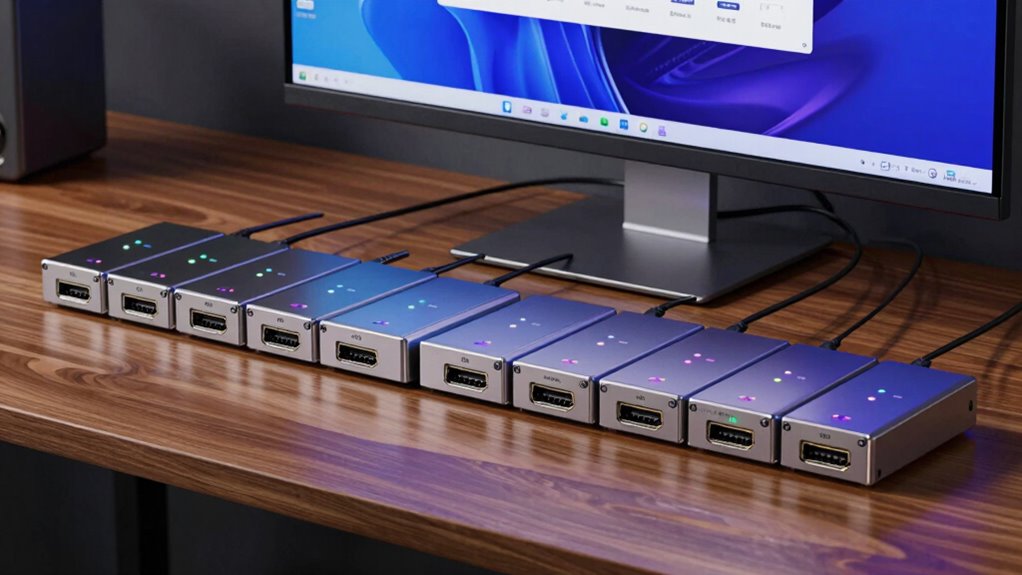

An HDMI KVM extender sends video and USB control to a remote screen and keyboard, so you can operate a computer from another room. My best overall pick is the AV Access 4K HDMI KVM Extender over TCP/IP, which combines 4K support with a stated reach of up to 390 feet. The OREI 4K HDBaseT model with PoC is a strong fit when long reach and power over cable matter, while the VPFET 1080p extender with loop-out suits setups that need a local display too. The main tradeoffs are resolution versus distance, network-style flexibility versus a dedicated point-to-point link, and the USB features needed for your peripherals. Read on for the full comparison, selection criteria, and buying advice.

Get privacy and security gear delivered free with Prime
- Fast, free delivery on millions of items
- Prime Video, Amazon Music and more included
- Member-only deals all year
Key Takeaways
- Resolution and distance vary together: the list includes 4K models rated for roughly 196 to 393 feet, while several 1080p choices claim reaches up to 394 feet.
- HDBaseT and TCP/IP serve different setups: the OREI HDBaseT model emphasizes a dedicated long link and PoC, while AV Access’s TCP/IP option uses a network-oriented approach.
- Loop-out is a practical differentiator: VPFET, OREI‘s 230-foot model, and two 1080p listings include it, which can preserve a local monitor connection alongside the remote one.
- Not every 4K listing promises the same experience: AV Access has separate models labeled HDR10 and 4K60, so buyers should match the exact signal format to their source and display.
- USB support deserves its own check: an extender’s video reach does not by itself establish compatibility with every keyboard, mouse, storage device, or specialty peripheral.
| AV Access 4K HDMI USB KVM Extender over TCP/IP, Single Cat5e/6/6a/7 Cable up to 390ft |  | Best for Networked Long Runs | Maximum range: 120 m / 390 ft | Video support: 4K at 30Hz; 1080p at 120Hz | Cable: Single Cat5e/6/6a/7 Ethernet cable | VIEW ON AMAZON | See Our Full Breakdown |
| VPFET HDMI KVM USB Extender with Loop-Out, 1080p, 120 m |  | Best for a Simple 1080p Setup | Model: CMST-US-EX709 | Maximum range: 120 m / 400 ft | Maximum resolution: 1080p at 60Hz | VIEW ON AMAZON | See Our Full Breakdown |
| 4K HDMI KVM USB Extender over Cat6, up to 393 ft |  | Best for Remote AV Control | Maximum range: 393 ft / 120 m | Maximum resolution: 4K at 30Hz | Cable: Cat6, Cat6a, or Cat7 | VIEW ON AMAZON | See Our Full Breakdown |
| OREI 4K HDMI over Ethernet Extender with USB KVM, 230 ft |  | Best for 4K at 60Hz | Model: EX-230PRO-KVM | Maximum range: 230 ft / 70 m | Maximum resolution: 4K at 60Hz | VIEW ON AMAZON | See Our Full Breakdown |
| HDMI KVM USB Extender, 1080p Video over Cat5e/Cat6/Cat7, up to 50 m |  | Best for Short, Basic Runs | Maximum resolution: 1080p at 60Hz | HDMI version: HDMI 1.3 | Maximum range: 50 m / 164 ft over Cat6/7; 40 m / 130 ft over Cat5e | VIEW ON AMAZON | See Our Full Breakdown |
| OREI 4K KVM HDMI Extender Over Ethernet with PoC, Single HDBaseT 400ft, 2-Way IR |  | Best for Long-Range 4K | Model: UHD-EXB400-KVM | Maximum range: 400 ft | HDMI standard: 2.0b | VIEW ON AMAZON | See Our Full Breakdown |
| HDMI KVM USB Extender, Transmitter + Receiver |  | Best for Simple 1080p Setups | Maximum distance: 164 ft | Maximum resolution: 1080p at 60 Hz | Additional video support: 3D | VIEW ON AMAZON | See Our Full Breakdown |
| AV Access HDMI KVM USB Extender over Cat5e/6/6a/7, 260 ft (80 m) |  | Best for USB 2.0 Reach | Maximum distance: 260 ft (80 m) | Video resolution: 1080p at 60 Hz | USB standard: USB 2.0 | VIEW ON AMAZON | See Our Full Breakdown |
| HDMI KVM Extender over Ethernet, 164 ft, 1080p at 60 Hz, with USB 2.0 |  | Best for Flexible Cat Cabling | Maximum distance: 164 ft (50 m) | Maximum resolution: 1080p at 60 Hz | 3D support: Yes | VIEW ON AMAZON | See Our Full Breakdown |
| BolAAzuL HDMI USB KVM Extender Kit 60M 1080P |  | Best for Local Loop-Out | Maximum resolution: 1080p | Maximum distance: 60 meters | Cable type: Cat5e/Cat6 with RJ45 | VIEW ON AMAZON | See Our Full Breakdown |
| AV Access 4K HDMI & USB KVM Extender Over Cat6/6A/7 Up to 230ft with HDR10 |  | Best for Workstations with Local Monitoring | Maximum distance: 230 ft (70 m) | Cable compatibility: Cat6/6A/7 | Video: 4K at 30 Hz, 4:4:4; HDMI 1.4 | VIEW ON AMAZON | See Our Full Breakdown |
| AV Access 4K60 HDMI and USB KVM Extender over Cat6/6A/7, up to 230 ft | 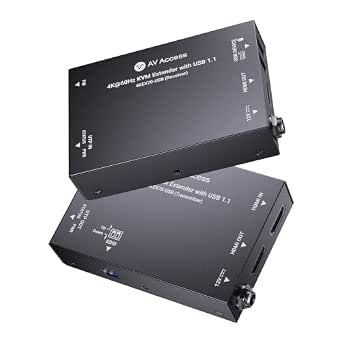 | Best Overall for 4K60 at 230 Feet | Maximum distance: 230 ft | Cable compatibility: Cat6/6A/7 | Video: 4K at 60 Hz, 4:4:4 | VIEW ON AMAZON | See Our Full Breakdown |
| HDMI KVM USB Extender Over Cat5e/6/7 Ethernet, 1080P Up to 394ft/120m with Loop Out |  | Best for Long 1080p Runs | Maximum resolution: 1080p | Maximum distance: 394 ft (120 m) | Cable compatibility: Cat5e/6/7 Ethernet | VIEW ON AMAZON | See Our Full Breakdown |
| 4K 60Hz HDMI KVM Extender over Cat6/Cat7, 196 ft, with HDMI Loop Out | 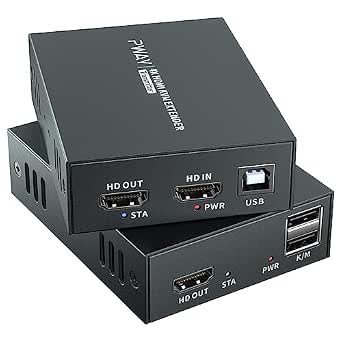 | Best Compact Reach for 4K60 | Maximum resolution: 4K at 60 Hz | Maximum distance: 196 ft (60 m) | Cable compatibility: Cat6/Cat7 Ethernet | VIEW ON AMAZON | See Our Full Breakdown |
| hdmi kvm extender | Maximum resolution | Maximum distance |
|---|---|---|
| AV Access 4K HDMI USB KVM Exte | — | — |
| VPFET HDMI KVM USB Extender wi | 1080p at 60Hz | — |
| 4K HDMI KVM USB Extender over | 4K at 30Hz | — |
| OREI 4K HDMI over Ethernet Ext | 4K at 60Hz | — |
| HDMI KVM USB Extender | 1080p at 60Hz | — |
| OREI 4K KVM HDMI Extender Over | — | — |
| HDMI KVM USB Extender | 1080p at 60 Hz | 164 ft |
| AV Access HDMI KVM USB Extende | — | 260 ft (80 m) |
| HDMI KVM Extender over Etherne | 1080p at 60 Hz | 164 ft (50 m) |
| BolAAzuL HDMI USB KVM Extender | 1080p | 60 meters |
| AV Access 4K HDMI & USB KVM Ex | — | 230 ft (70 m) |
| AV Access 4K60 HDMI and USB KV | — | 230 ft |
| HDMI KVM USB Extender Over Cat | 1080p | 394 ft (120 m) |
| 4K 60Hz HDMI KVM Extender over | 4K at 60 Hz | 196 ft (60 m) |
More Details on Our Top Picks
AV Access 4K HDMI USB KVM Extender over TCP/IP, Single Cat5e/6/6a/7 Cable up to 390ft
For a remote workstation nearly 390 feet away, this AV Access kit pairs long reach with keyboard, mouse, and peripheral control over one Ethernet cable. Its support for 4K at 30Hz or 1080p at 120Hz gives buyers a choice between sharper detail and smoother motion, while 7.1-channel audio carries more than basic stereo. Compared with the VPFET HDMI KVM USB Extender, it offers broader USB connectivity and higher-resolution support, though the VPFET also reaches 120 meters and may suit a simpler keyboard-and-mouse setup. The AV Access unit can pair up to 16 extender sets on a network, a practical fit for multi-room installations. The tradeoff is that 4K is limited to 30Hz, and stable long-distance operation calls for a Gigabit network switch.
Pros:- Reaches up to 390 feet over one Cat5e/6/6a/7 cable
- Offers 4K at 30Hz or 1080p at 120Hz with 7.1-channel audio
- Three USB 2.0 ports support more than a basic keyboard-and-mouse pair
- DIP switches allow up to 16 extender sets on one network
Cons:- 4K output is limited to 30Hz
- Stable long-distance transmission requires a Gigabit network switch
Best for: IT teams extending a PC or server to a remote room over existing Ethernet, with peripherals or multiple extender pairs to support
Not ideal for: Buyers who need 4K at 60Hz for high-refresh gaming or who cannot provide a Gigabit network switch for a long run
- Maximum range:120 m / 390 ft
- Video support:4K at 30Hz; 1080p at 120Hz
- Cable:Single Cat5e/6/6a/7 Ethernet cable
- Audio:7.1-channel
- USB:3 USB 2.0 ports, 480Mbps
- Network capacity:Up to 16 extender sets via 4-pin DIP switch
- Compatibility:Windows, macOS, Linux; PCs, servers, and game consoles
Our verdict“Choose this AV Access extender for long networked runs and flexible USB control if 4K at 30Hz meets your display needs.”
VPFET HDMI KVM USB Extender with Loop-Out, 1080p, 120 m
For a straightforward 1080p workstation link, the VPFET keeps the job focused on HDMI video and standard keyboard-and-mouse control. Its local HDMI loop-out lets the source feed a nearby display as well as the remote screen, and status indicators provide a quick view of the connection. Compared with the AV Access 4K HDMI USB KVM Extender, VPFET gives up 4K, higher refresh options, and support for extra USB peripherals; in return, its feature set may be easier to match to a basic office or signage installation. Both list a reach of about 120 meters, so cable quality and installation matter for either. The main constraint here is USB 1.1 support for standard keyboards and mice, plus the need to power both ends.
Pros:- Extends 1080p at 60Hz over a long Ethernet run
- Local HDMI loop-out supports a nearby display alongside the remote one
- Status indicators and a reset button aid connection checks
- Works with Cat5e, Cat6, or Cat7 UTP cable
Cons:- USB 1.1 is limited to standard keyboards and mice
- Requires power at both transmitter and receiver
- Does not support 4K video
Best for: Office installers connecting a 1080p computer to a remote display while keeping a local monitor attached
Not ideal for: Users who need 4K, fast-refresh video, USB peripherals beyond standard keyboards and mice, or a single-end power setup
- Model:CMST-US-EX709
- Maximum range:120 m / 400 ft
- Maximum resolution:1080p at 60Hz
- Cable:Cat5e, Cat6, or Cat7 UTP, IEEE-568B wiring
- USB:USB 1.1 for standard keyboards and mice
- Video features:HDMI loop-out, reset button, status indicators
- Power:Required at transmitter and receiver
Our verdict“Pick the VPFET for a basic 1080p dual-display arrangement when standard keyboard-and-mouse control is all you need.”
4K HDMI KVM USB Extender over Cat6, up to 393 ft
Remote AV control is the reason to pick this extender: alongside USB KVM, it includes independent 3.5 mm audio outputs and IR transmitter and receiver cables, letting a remote setup handle more than screen and keyboard duties. Its 393-foot reach and transmitter loop-out also support a distant display while preserving a local one. Compared with the VPFET HDMI KVM USB Extender, it adds 4K support and audio and IR connections, but both cap out at 30Hz when carrying 4K. The OREI 4K HDMI over Ethernet Extender is the stronger fit when 4K at 60Hz matters, though its listed range is shorter at 230 feet. This model’s long reach comes with that lower 4K refresh ceiling, so it fits AV control and monitoring better than high-motion viewing.
Pros:- Extends video and KVM control up to 393 feet
- Transmitter HDMI loop-out can feed a local display
- Independent 3.5 mm audio outputs are available at either end
- Included IR transmitter and receiver cables support remote device control
Cons:- 4K video is limited to 30Hz
- Requires Cat6, Cat6a, or Cat7 cable for the stated compatibility
Best for: Installers extending a PC, DVR, or game console to a distant room who need remote USB, IR, and separate audio connections
Not ideal for: Buyers seeking 4K at 60Hz or a simpler setup with no need for IR or independent audio outputs
- Maximum range:393 ft / 120 m
- Maximum resolution:4K at 30Hz
- Cable:Cat6, Cat6a, or Cat7
- KVM:USB keyboard and mouse control
- HDMI feature:Transmitter loop-out
- Audio:Independent 3.5 mm outputs at either end
- IR:IR transmitter and receiver cables included
Our verdict“Choose this model for long-range installations where IR and separate audio connections matter more than 4K refresh rate.”
OREI 4K HDMI over Ethernet Extender with USB KVM, 230 ft
Among these five, this OREI is the clear choice for smoother 4K video: it supports 4K at 60Hz, HDR formats, and HDCP 2.2 over a run of up to 230 feet. USB KVM brings keyboard and mouse control to the receiver, while the transmitter’s loop-out keeps a local display in play. Compared with the AV Access 4K HDMI USB KVM Extender, OREI trades nearly twice the listed distance for a higher 4K refresh rate and HDR support. The AV Access model is a better match for long networked runs; OREI suits a shorter link where picture fluidity matters more. It also offers stereo audio out and EDID pass-through. Buyers need quality Cat6 or Cat7 cable, and the supplied North American power plug may require an adapter elsewhere.
Pros:- Supports 4K at 60Hz with HDR formats and HDCP 2.2
- Extends USB keyboard and mouse control to the receiver
- Transmitter HDMI loop-out and EDID pass-through support flexible display setups
- Receiver provides 3.5 mm stereo audio output
Cons:- Maximum range is shorter than the 390-foot AV Access and 393-foot Cat6 extenders
- Requires high-quality Cat6 or Cat7 cable
- Supplied power plug is North American; international use requires an adapter
Best for: Buyers connecting a 4K60 or HDR-capable PC to a remote display within 230 feet who also need keyboard-and-mouse control
Not ideal for: Installers needing a run beyond 230 feet or buyers without high-quality Cat6/Cat7 cable and a compatible power arrangement
- Model:EX-230PRO-KVM
- Maximum range:230 ft / 70 m
- Maximum resolution:4K at 60Hz
- HDMI standard:HDMI 2.0b
- Copy protection:HDCP 2.2
- Cable:Cat6 or Cat7
- Audio output:3.5 mm stereo
Our verdict“Choose the OREI when 4K at 60Hz and HDR matter more than reaching a room nearly 400 feet away.”
HDMI KVM USB Extender, 1080p Video over Cat5e/Cat6/Cat7, up to 50 m
This is the simplest fit for a nearby 1080p screen and remote keyboard and mouse. It supports 1080p at 60Hz and works over Cat5e, Cat6, or Cat7, with the longest stated reach—50 meters—reserved for Cat6 or Cat7; Cat5e is limited to 40 meters. Compared with the VPFET HDMI KVM USB Extender, this model gives up long-distance reach and a loop-out, but its use of several common cable types and compatibility with Windows, Mac OS, and Linux suit a basic computer setup. It also avoids the 4K-at-30Hz ceiling of several long-range options simply because it is a 1080p product. That limits its usefulness for newer high-resolution displays, and the transmitter still needs its own power adapter.
Pros:- Supports 1080p at 60Hz with remote USB keyboard and mouse control
- Compatible with Cat5e, Cat6, and Cat7 cable
- Works with Windows, Mac OS, and Linux
- Cat6 and Cat7 runs can reach up to 50 meters
Cons:- Maximum range is much shorter than the VPFET and long-range AV Access models
- Cat5e range is limited to 40 meters
- Transmitter requires a power adapter
Best for: Home-office users with an existing Ethernet run of 50 meters or less who need 1080p video and remote keyboard-and-mouse control
Not ideal for: Buyers extending a signal across a large building, keeping a local display through loop-out, or using a 4K monitor
- Maximum resolution:1080p at 60Hz
- HDMI version:HDMI 1.3
- Maximum range:50 m / 164 ft over Cat6/7; 40 m / 130 ft over Cat5e
- Cable:Cat5e, Cat6, or Cat7
- KVM control:USB keyboard and mouse
- Operating systems:Windows, Mac OS 9.1 or later, Linux 2.4 or later
- Power:Transmitter power adapter required
Our verdict“Choose this extender for a modest 1080p link on an existing cable run when you do not need loop-out or 4K.”
OREI 4K KVM HDMI Extender Over Ethernet with PoC, Single HDBaseT 400ft, 2-Way IR
The OREI UHD-EXB400-KVM stands apart from the 1080p extenders in this group by carrying 4K at 60 Hz with 4:4:4 color as far as 400 feet over one Cat cable. That makes it the stronger fit for remote workstations or control rooms where detailed desktop text and high dynamic range video both matter. PoC can simplify power at the receiver, while two-way IR adds remote control for connected equipment. Compared with the AV Access HDMI KVM USB Extender over Cat5e/6/6a/7, OREI offers 4K and HDR support, though AV Access specifies USB 2.0 while this model’s KVM is USB 1.1. That slower USB link is a meaningful limit for peripherals beyond basic keyboard and mouse control, and the one-year warranty is worth factoring into a permanent installation.
Pros:- Supports 4K at 60 Hz with 4:4:4 color over a stated 400-foot run
- HDR10+, Dolby Vision, and HLG support suit compatible high dynamic range displays
- PoC can reduce the need for a separate receiver power supply
- Two-way IR supports remote control of connected equipment
Cons:- USB KVM is limited to USB 1.1
- HDBaseT installation is a more specialized fit than a basic 1080p extender
- Warranty is one year
Best for: Buyers extending a 4K display and basic keyboard and mouse control across a long, single-cable run
Not ideal for: Users who need USB 2.0 data speeds for storage or other bandwidth-heavy peripherals
- Model:UHD-EXB400-KVM
- Maximum range:400 ft
- HDMI standard:2.0b
- Bandwidth:18 Gbps
- Video support:4K60 4:4:4, HDR10+, Dolby Vision, HLG
- Audio support:LPCM 7.1, Dolby TrueHD, DTS-HD
- KVM and control:USB 1.1, two-way IR
- Technology:HDBaseT with PoC
- Warranty:1 year
Our verdict“Choose the OREI for long-distance 4K video and basic remote control, provided USB 1.1 meets your peripheral needs.”
HDMI KVM USB Extender, Transmitter + Receiver
This extender keeps the setup straightforward: it carries 1080p at 60 Hz and keyboard and mouse signals up to 164 feet over Cat5e or Cat6, with no software installation. Its two USB 2.0 ports give it a practical advantage over the OREI UHD-EXB400-KVM for everyday peripheral connectivity, while OREI is the clear choice for 4K video and longer reach. The included USB cable and power adapter help get a basic PC or media-device setup connected without extra parts. The tradeoff is the firm 1080p ceiling; buyers with a 4K screen cannot use this to preserve that resolution. The product information also flags possible reliability issues with 5.8 GHz wireless keyboards and mice, and notes that HDMI connections may fit loosely, so cable placement may need attention.
Pros:- Extends 1080p at 60 Hz up to 164 feet over Cat5e or Cat6
- Two USB 2.0 ports support keyboard and mouse connections
- Plug-and-play setup requires no software
- USB cable and power adapter are included
Cons:- Does not support 4K video
- 5.8 GHz wireless keyboards and mice may not work reliably
- HDMI ports may fit loosely
Best for: PC or media-device users who need a simple 1080p keyboard-and-mouse link across a room or small office
Not ideal for: 4K display owners or users relying on 5.8 GHz wireless keyboard and mouse sets
- Maximum distance:164 ft
- Maximum resolution:1080p at 60 Hz
- Additional video support:3D
- USB ports:2 × USB 2.0
- Cable type:Cat5e or Cat6
- Setup:Plug and play; no software required
- Compatibility:Windows, macOS, Linux, Xbox, Apple TV, Blu-ray players, PCs
- Included accessories:6.6 ft USB-to-USB cable and power adapter
Our verdict“Pick this for a basic 1080p remote workstation when simple setup and USB 2.0 matter more than 4K.”
AV Access HDMI KVM USB Extender over Cat5e/6/6a/7, 260 ft (80 m)
The AV Access extender pairs 1080p at 60 Hz video with USB 2.0 over a stated 260-foot run, making it a useful middle ground between the 164-foot basic models and the longer-range OREI 4K unit. Its 480 Mbps USB link is a better fit when remote peripherals need more than the USB 1.1 connection on the OREI, though this AV Access model gives up 4K video. Support for Cat5e through Cat7 offers flexibility when matching the extender to existing cabling. Two-way PoE can simplify power, and the metal enclosure adds surge and ESD protection for installations where the hardware will stay in place. The supplied guidance recommends receiver-side power, so I would not plan an installation around PoE alone without checking the specific setup.
Pros:- Extends 1080p video and USB 2.0 up to 260 feet
- USB bandwidth is specified at up to 480 Mbps
- Two-way PoE can reduce power-supply needs
- Metal enclosure includes surge and ESD protection
Cons:- Video is limited to 1080p at 60 Hz
- Receiver-side power is recommended
- Requires suitable Cat cabling and a point-to-point installation
Best for: Office and control-room users who need USB 2.0 across a longer 1080p connection and have compatible Cat cabling
Not ideal for: Buyers who need 4K video or want to rely on a receiver installation with no local power provision
- Maximum distance:260 ft (80 m)
- Video resolution:1080p at 60 Hz
- USB standard:USB 2.0
- USB speed:Up to 480 Mbps
- Supported cable types:Cat5e, Cat6, Cat6a, Cat7
- Power:Two-way PoE; one power supply required
- Enclosure:Metal, with surge and ESD protection
- Compatibility:Windows 10/8/7/XP, Mac OS, Linux
Our verdict“Choose this AV Access model for longer 1080p runs where USB 2.0 and a durable enclosure matter more than 4K.”
HDMI KVM Extender over Ethernet, 164 ft, 1080p at 60 Hz, with USB 2.0
This model is a straightforward option for a 164-foot 1080p KVM run, with support for Cat5e, Cat6, or Cat7 and dual USB 2.0 ports. Its feature set resembles the HDMI KVM USB Extender, Transmitter + Receiver, including 3D support and plug-and-play setup, so the choice between them is less about headline performance and more about installation details. Here, the stated cable range includes Cat7, and the product notes that long runs may need power at both transmitter and receiver. That extra power planning can complicate an otherwise simple setup. It also advises against 5.8 GHz wireless keyboards and mice, narrowing peripheral choices. For buyers who need more reach, the AV Access HDMI KVM USB Extender over Cat5e/6/6a/7 extends farther, though it remains 1080p as well.
Pros:- Supports 1080p at 60 Hz and 3D
- Dual USB 2.0 ports provide keyboard and mouse connectivity
- Works over Cat5e, Cat6, or Cat7 cable
- Plug-and-play operation needs no software installation
Cons:- Maximum stated range is 164 feet
- Long runs may require power at both units
- 5.8 GHz wireless keyboards and mice are not recommended
Best for: Users with existing Cat5e, Cat6, or Cat7 cabling who need a 1080p remote PC connection with USB 2.0
Not ideal for: Buyers needing 4K video, longer-than-164-foot runs, or dependable use of 5.8 GHz wireless peripherals
- Maximum distance:164 ft (50 m)
- Maximum resolution:1080p at 60 Hz
- 3D support:Yes
- Supported cable types:Cat5e, Cat6, Cat7
- USB ports:Dual USB 2.0
- Compatibility:Windows, macOS, Linux
- Power:Single adapter; dual power may be recommended for long runs
- Included cable:6.6 ft USB-to-USB cable
Our verdict“This is a sensible 1080p KVM choice for existing Cat cabling if you can accommodate possible power at both ends.”
BolAAzuL HDMI USB KVM Extender Kit 60M 1080P
The BolAAzuL combines 1080p HDMI and USB extension up to 60 meters with loop-out and power over cable, which can suit a setup that needs a local display alongside a remote one. Compared with the AV Access HDMI KVM USB Extender over Cat5e/6/6a/7, it lists loop-out but does not specify USB 2.0 speed or detailed operating-system compatibility. That makes its fit clearer for basic keyboard, mouse, or camera control than for buyers who need documented peripheral bandwidth. The plug-and-play design avoids driver setup, while PoC can simplify power placement. Its stated range is shorter than AV Access’s 260 feet, and the point-to-point connection cannot be treated like a network-switchable system. Suitable Cat5e or Cat6 cabling is also part of the installation, so existing cable quality matters.
Pros:- Extends 1080p HDMI video and USB up to 60 meters
- Loop-out supports a local display connection
- PoC can simplify power placement
- Plug-and-play installation requires no drivers
Cons:- Point-to-point connection is not network switchable
- USB standard and speed are not specified
- Requires qualified Cat5e or Cat6 cabling for reliable operation
Best for: Installers who want a 1080p remote display with local loop-out and basic USB control over a dedicated Cat5e or Cat6 run
Not ideal for: Buyers who need network-switchable connections, documented USB 2.0 performance, or a longer run than 60 meters
- Maximum resolution:1080p
- Maximum distance:60 meters
- Cable type:Cat5e/Cat6 with RJ45
- Features:Loop-out, PoC
- Installation:Plug and play; no driver required
- Control devices:USB keyboard, mouse, camera
- Connection mode:Point-to-point
- Protocol:Ethernet
Our verdict“Choose BolAAzuL when local loop-out and PoC suit a dedicated 1080p point-to-point setup.”
AV Access 4K HDMI & USB KVM Extender Over Cat6/6A/7 Up to 230ft with HDR10
This model pairs zero-latency 4K at 30 Hz with USB keyboard and mouse control, making it a fit for workstations where responsive input matters more than a high refresh rate. Its HDMI loop-out lets you keep a display beside the source while extending another, and bi-directional PoC powers both units from one adapter. Compared with the newer AV Access 4K60 model in this roundup, this version has the same 230-foot reach and local monitoring but tops out at 30 Hz and HDCP 1.4. That limits its suitability for newer protected 4K sources and smooth gaming. I’d choose it for control rooms or office setups that need reliable remote operation and broad OS support; buyers with newer 4K content or fast peripherals should look elsewhere.
Pros:- Zero-latency video transmission supports responsive workstation control
- HDMI loop-out supports a local display without a separate splitter
- Bi-directional PoC powers both units from one adapter
- Plug-and-play operation supports Windows, macOS, and Linux
Cons:- 4K is limited to 30 Hz, making it a poor match for high-refresh gaming
- USB 1.1 supports keyboard and mouse but not high-speed peripherals
- HDCP 1.4 may not support newer protected 4K sources
Best for: Office and control-room operators who need responsive keyboard and mouse control, a local source display, and a 230-foot link.
Not ideal for: 4K gamers or users with newer HDCP-protected sources, since it is limited to 30 Hz and HDCP 1.4.
- Maximum distance:230 ft (70 m)
- Cable compatibility:Cat6/6A/7
- Video:4K at 30 Hz, 4:4:4; HDMI 1.4
- HDR:HDR10
- HDCP:1.4
- USB:USB 1.1 keyboard and mouse
- Power:Bi-directional Power over Cable
- EDID:DIP switch control
Our verdict“Choose this for a responsive 230-foot workstation link with local monitoring, provided 4K at 30 Hz and USB 1.1 meet your needs.”
AV Access 4K60 HDMI and USB KVM Extender over Cat6/6A/7, up to 230 ft
Among these four, this is the strongest fit for a buyer who wants 4K at 60 Hz over a 230-foot run. It keeps the practical features of the other AV Access 230-foot unit, including HDMI loop-out and one-adapter PoC, while raising the refresh rate from 30 Hz and upgrading to HDCP 2.3. That makes it a more flexible choice for current 4K sources. The tradeoff is its USB 1.1 connection: it covers keyboard and mouse control, but not fast storage or other bandwidth-heavy devices. Compared with the 196-foot 4K60 model in this roundup, it offers more stated reach and includes mounting brackets, though both target straightforward KVM extension. I’d pick this for a fixed office or AV installation that values 4K60 and long reach over broader USB support.
Pros:- Extends 4K at 60 Hz up to 230 feet
- HDCP 2.3 supports newer protected 4K sources
- HDMI loop-out supports a local display at the source
- Bi-directional PoC and included mounting brackets simplify installation
Cons:- USB 1.1 is limited to keyboard and mouse use
- Requires a Cat6, Cat6A, or Cat7 cable for the link
Best for: IT and AV installers extending a 4K60 workstation or media source up to 230 feet with local monitoring.
Not ideal for: Users who need USB 2.0 peripherals, high-speed data transfer, or a cable-free installation.
- Maximum distance:230 ft
- Cable compatibility:Cat6/6A/7
- Video:4K at 60 Hz, 4:4:4
- HDR:HDR10
- HDCP:2.3
- USB:USB 1.1
- Power:Bi-directional PoC; 12 V DC, 1 A adapter included
- Additional features:HDMI loop-out, EDID switch, mounting brackets
Our verdict“Choose this AV Access model when 4K60, HDCP 2.3, and 230-foot reach matter more than high-speed USB.”
HDMI KVM USB Extender Over Cat5e/6/7 Ethernet, 1080P Up to 394ft/120m with Loop Out
When distance matters more than 4K, this unit’s 394-foot reach gives it a clear role in the lineup. It sends 1080p video and USB control over Cat5e, Cat6, or Cat7, and the loop-out supports two displays for a source-side and remote viewing arrangement. Compared with the AV Access 4K60 model, it sacrifices resolution and refresh-rate detail but extends substantially farther on the stated specifications. That trade works for a remote workstation, signage point, or monitoring station where Full HD is enough. The installation is plug-and-play and needs no drivers, but separate power supplies for the transmitter and receiver add setup clutter, while buyers with 4K displays will need another option. I’d favor it for long indoor links built around 1080p equipment.
Pros:- Stated transmission distance reaches 394 feet
- Works with Cat5e, Cat6, or Cat7 Ethernet cable
- Loop-out supports up to two displays
- Plug-and-play setup requires no drivers
Cons:- Limited to 1080p resolution
- Transmitter and receiver require separate power supplies
Best for: Facilities teams connecting a 1080p computer to a distant operator station or two-display setup over a long cable run.
Not ideal for: Buyers with 4K displays or installations where powering both transmitter and receiver separately is inconvenient.
- Maximum resolution:1080p
- Maximum distance:394 ft (120 m)
- Cable compatibility:Cat5e/6/7 Ethernet
- Connector:RJ45
- Loop-out:Supports up to two displays
- Setup:Plug and play; no drivers required
Our verdict“Choose this for long indoor KVM runs where 1080p is sufficient and the extended reach outweighs the two-power-supply setup.”
4K 60Hz HDMI KVM Extender over Cat6/Cat7, 196 ft, with HDMI Loop Out
This extender suits installations where 4K at 60 Hz is needed but a 230-foot link would be unnecessary. It carries HDMI and USB keyboard and mouse control up to 196 feet, with a source-side HDMI loop-out and PoC for powering the set from one adapter. Its metal housing and LED indicators give installers useful status and mounting cues, while EDID support helps manage display negotiation. Compared with the AV Access 4K60 model, it trades 34 feet of stated reach and HDCP 2.3 details for a simpler, shorter-range option with metal construction called out in the product data. The product information does not specify USB version or HDCP support, so buyers with particular peripheral or content requirements should verify compatibility. It makes the most sense for a fixed room-to-room link within its range.
Pros:- Supports video up to 4K at 60 Hz
- HDMI loop-out allows a local source display
- PoC lets one adapter power both units
- Metal housing and LED indicators support installation and status checks
Cons:- Maximum stated distance is shorter than the AV Access 4K60 model
- Product data does not specify USB version or HDCP support
Best for: Installers linking a 4K60 source to a nearby remote display and keyboard/mouse station within 196 feet.
Not ideal for: Users who need more than 196 feet of reach or need confirmed USB-version and HDCP specifications before purchase.
- Maximum resolution:4K at 60 Hz
- Maximum distance:196 ft (60 m)
- Cable compatibility:Cat6/Cat7 Ethernet
- Connections:HDMI, USB, RJ45 Ethernet
- Features:KVM control, HDMI loop-out, PoC, EDID, LED indicators
- Housing:Metal
- Operating voltage:12 V
- Compatible devices:PCs, laptops, media players, DVRs, NVRs, projectors, monitors
Our verdict“Choose this for a straightforward 4K60 KVM link within 196 feet when local monitoring and one-adapter power are useful.”

How We Picked
I compared the listed products against the decisions that shape an HDMI KVM installation: supported resolution, stated cable distance, signal transport, USB functionality, and connection features such as loop-out or PoC. I ranked options higher when their named capabilities address a clear use case and when their descriptions give buyers useful information for matching the extender to a setup. The lineup includes models with different resolution and distance claims, so I treated reach figures as product specifications rather than guarantees for every cable and environment.
Distinct roles reflect those tradeoffs: the AV Access TCP/IP model leads for a balance of 4K and long stated reach; OREI’s HDBaseT unit stands out for a dedicated long-distance installation; and loop-out models fit installations that need local and remote screens. Simpler 1080p listings may suit buyers who prioritize basic remote control over 4K formats. Product names alone do not establish details such as exact refresh-rate support, USB device limits, or cable quality, so I recommend verifying those against the manufacturer’s documentation before purchase.
Factors to Consider When Choosing Hdmi Kvm Extender
Start with the complete signal path, from the computer and its USB devices to the remote display and controls. The headline distance or resolution only answers part of the fit question; cable type, transport method, and peripheral behavior can shape the result just as much.
Match Resolution and Refresh Rate to the Whole Setup
Check the computer output, extender, and display together rather than choosing by a 4K label alone. A listing that specifies 4K60 gives a clearer signal target than one that only says 4K, while HDR10 support matters only if the source and screen also support the desired HDR format. Higher resolution and refresh rates can place more demands on the link, so the longest advertised distance may not apply to every format. If your work is mostly office applications, a 1080p model may be sufficient and can avoid paying for unused video capability. For detailed graphics or high-refresh use, confirm the exact supported modes in the product documentation before running cable.
Plan Cable Distance With Installation Conditions in Mind
Measure the actual route, including detours through walls, racks, and ceiling spaces, rather than estimating the straight-line room distance. Product distance claims describe stated limits; cable category, construction, connectors, interference, and video mode can affect what a particular installation supports. Leave some route slack where possible, since a run that barely reaches on paper leaves little room to reroute or replace equipment. Check whether the product calls for a direct point-to-point cable or supports a network switch, since those are different wiring plans. Avoid assuming that any spare Ethernet cable will deliver the listed maximum.
Choose a Transport Method That Fits Your Network
TCP/IP models may suit sites where the existing network is part of the design, while HDBaseT products typically target a dedicated link between transmitter and receiver. Before buying a network-oriented extender, check whether it requires a direct link, dedicated network equipment, or specific switch features. Shared network traffic and configuration can affect deployment, so confirm how the manufacturer expects the units to connect. A dedicated link can make the wiring plan easier to reason about, but it still needs compatible cable and endpoints. Pick based on the infrastructure you can support, not on the transport label alone.
Check USB Needs Before Relying on KVM Control
Make a list of every device you intend to use remotely, including keyboard, mouse, touch devices, storage, printers, or specialty controllers. KVM in a product name signals keyboard and mouse control, but it does not promise that every USB device type or bandwidth need will work. Look for the stated USB version, port count, and any compatibility notes for the exact model. High-bandwidth devices may behave differently from basic input devices, particularly over a long extension link. If your setup needs more than keyboard and mouse, confirm that use case with the manufacturer before installing the cable.
Decide Whether You Need a Local Display or Remote Features
A loop-out connection can feed a nearby monitor while the remote display remains connected, which helps in control rooms or equipment closets where local service access matters. Without loop-out, a local screen may require a separate splitter or another output, adding hardware and another point to troubleshoot. PoC can reduce the need for a separate power supply at one endpoint, but confirm which unit receives power and what adapters remain necessary. IR support may help when remote control of source equipment is part of the setup, though it is separate from USB keyboard and mouse control. Choose these features for a real installation need, since each adds a compatibility detail to verify.
Account for Setup, Troubleshooting, and Future Changes
For a first installation, favor clear transmitter and receiver labeling, included power supplies, and documentation that describes connection order and supported cable. Long cable runs can be difficult to replace after walls close, so verify the cable category and route before committing to an installation. Test the intended resolution and every USB device before mounting equipment or securing the final cable path. If the computer or display may be upgraded, select a model with supported formats that match the likely next configuration rather than the current minimum. Keep the model number and cable details available for troubleshooting, since similarly named products can have different limits.
Frequently Asked Questions
Can I use an HDMI KVM extender through my office network?
Only if the specific extender supports the network arrangement you plan to use. The AV Access TCP/IP model is described as using TCP/IP, but buyers should still check whether it expects a direct connection, a dedicated switch, or particular network settings. A product that uses Cat6 cable is not automatically designed to connect through a shared Ethernet network. Confirm the manufacturer’s topology and bandwidth guidance before connecting it to workplace infrastructure. If network configuration is unwelcome, a dedicated point-to-point design may be easier to manage.
Will a 4K extender carry 4K at 60 Hz over its maximum stated distance?
Do not infer that from a 4K label alone. One model in this roundup explicitly names 4K60, while other listings provide a 4K claim without the same refresh-rate detail in the product name. The supported distance can also depend on the resolution, refresh rate, cable, and installation conditions. Check the specification table for the exact combination you need, including any HDR requirement. If the manufacturer does not state that combination clearly, ask before buying.
Can I extend USB storage or other devices as well as a keyboard and mouse?
Possibly, but a KVM label does not guarantee support for every USB device. Keyboard and mouse control is the common use case; storage, webcams, audio interfaces, and specialty equipment can need different bandwidth or compatibility support. Check the extender’s USB version, port details, and supported device types. Also consider whether the remote USB connection is intended for low-bandwidth control or broader peripheral use. Verify your exact devices before routing cable through a wall or ceiling.
When is loop-out worth prioritizing?
Loop-out is useful when someone may need to view or service the source computer locally while another person uses the remote display. It can simplify a control-room or equipment-closet arrangement by providing a local screen connection from the extender. If the computer already has enough independent video outputs, a separate local connection may meet the same need. Check whether loop-out mirrors the remote image and whether its supported resolution matches your display plan. The VPFET and several other listings include loop-out, but confirm the behavior on the exact model.
Should I choose the longest advertised cable reach?
Choose enough reach for your actual route, with room for routing and installation changes. A higher distance figure does not make a product a better fit if it lacks the resolution, refresh rate, USB support, or connection method your setup requires. Maximum reach can depend on cable quality and signal format, so verify the conditions behind the claim. For an especially long run, compare models that explicitly identify their transport method and supported formats at that distance. A shorter unit that matches your real route and display may be easier to deploy.
Conclusion
For a balanced combination of 4K support and long stated reach, I’d start with the AV Access TCP/IP extender as the best overall fit. Buyers wanting a dedicated long link with PoC should look first at OREI’s 400-foot HDBaseT model, my premium pick for that installation style. For a simpler 1080p setup, compare the VPFET loop-out model and the other 1080p options; their stated distances and local-display needs can separate value from convenience. Beginners should favor the model whose cable plan, power setup, and USB requirements are easiest to verify before installation. If you need a local screen, prioritize loop-out; if you need 4K60 or HDR10, match those exact format labels to your source and display before choosing.
Fall Picks
fall essentials
As an affiliate, we earn on qualifying purchases.