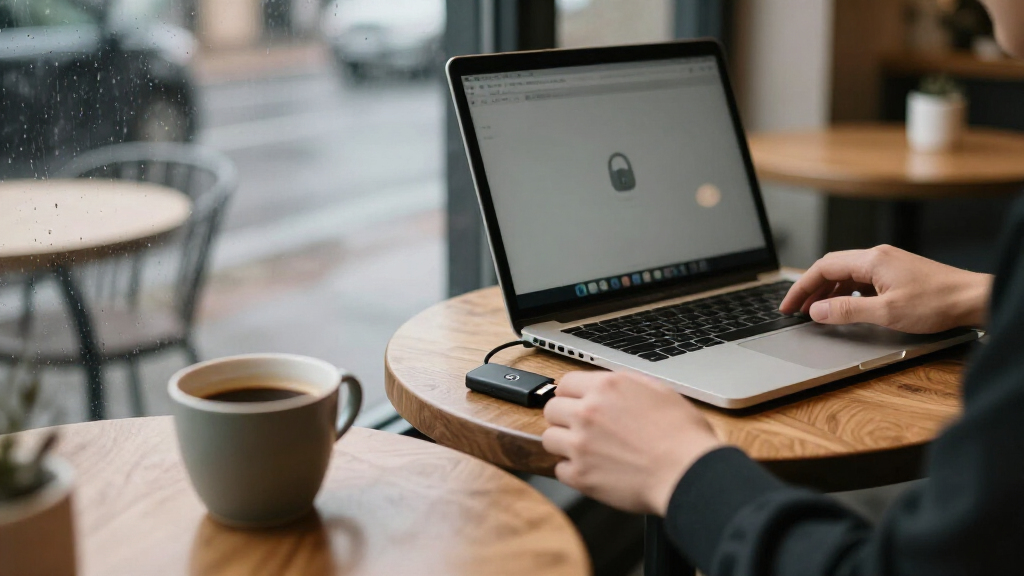

Encrypted USB flash drives fall into two camps: hardware-encrypted drives with a keypad or on-device authentication, and software-encrypted drives that rely on a password prompt on your computer. The Apricorn Aegis Secure Key 3 NX earns my best overall pick because its wear-resistant keypad, FIPS-validated encryption and rugged shell make it the most complete security package here. If budget matters more than certifications, the Integral Crypto-197 16GB delivers genuine hardware encryption at a fraction of the price, while the Kingston IronKey Vault Privacy 50 256GB is the standout for large-capacity storage. The main tradeoffs you’ll face are capacity versus cost, keypad convenience versus software logins, and whether you need third-party certifications for compliance. Keep reading for the full breakdown.

Get privacy and security gear delivered free with Prime
- Fast, free delivery on millions of items
- Prime Video, Amazon Music and more included
- Member-only deals all year
Key Takeaways
- Keypad drives like the Apricorn Aegis Secure Key 3 NX and iStorage datAshur PRO unlock on the device itself, which means they work across any OS without installing software — a decisive advantage over software-based options.
- The Integral Crypto-197 lineup dominates the value tier; its only real sacrifice is a slower controller and no physical keypad, not weaker AES-256 encryption.
- The Kingston IronKey Vault Privacy 50 series is the only group here offering a 256GB capacity, making it the clear choice when volume matters.
- Small-capacity premium drives (4GB datAshur PRO, 8GB Aegis) exist for compliance-driven buyers who need certified security for documents, not media libraries.
- The Integral Secure 360 32GB and 64GB split the difference with decent speed and moderate pricing, but neither matches Apricorn or iStorage on physical security features.
| Integral Crypto-197 16GB Hardware-Encrypted USB 3.0 Flash Drives, 2-Pack |  | Best Multi-Drive Value | Pack Size: 2 drives | Storage Capacity: 16 GB per drive | Encryption: 256-bit AES hardware encryption | VIEW LATEST PRICE | See Our Full Breakdown |
| Integral Crypto-197 4GB USB 3.0 Encrypted Flash Drive |  | Best Budget Starter Pick | Storage Capacity: 4 GB | Encryption: 256-bit AES hardware encryption | Certification: FIPS 197 | VIEW LATEST PRICE | See Our Full Breakdown |
| Kingston IronKey Locker+ 50 G2 128GB Encrypted USB Drive |  | Best Overall | Storage Capacity: 128 GB | Encryption: 256-bit XTS-AES hardware encryption | Certification: FIPS 197 | VIEW LATEST PRICE | See Our Full Breakdown |
| Integral Crypto-197 16GB USB 3.0 Hardware-Encrypted Flash Drive | | Best for Everyday Document Security | Storage Capacity: 16 GB | Encryption: AES 256-bit hardware encryption | Certification: FIPS 197 | VIEW LATEST PRICE | See Our Full Breakdown |
| Kingston IronKey Vault Privacy 50 256GB Encrypted USB Drive |  | Best Premium High-Capacity Pick | Storage Capacity: 256 GB | Encryption: FIPS 197-certified AES 256-bit XTS hardware encryption | Interface: USB 3.2 Gen 1 | VIEW LATEST PRICE | See Our Full Breakdown |
| Integral Secure 360 32GB Encrypted USB 3.0 Flash Drive |  | Best for Mixed Personal and Encrypted Storage | Storage capacity: 32 GB | Interface: USB 3.0 (USB 3.2 Gen 1) | Encryption: 256-bit AES Secure Lock II | VIEW LATEST PRICE | See Our Full Breakdown |
| Integral Secure 360 64GB Encrypted USB 3.0 Flash Drive |  | Best Budget Capacity Pick | Storage capacity: 64 GB | Interface: USB 3.0 | Connector: USB Type-A | VIEW LATEST PRICE | See Our Full Breakdown |
| INNÔPLUS 32GB Encrypted USB 3.0 Flash Drive |  | Best Cross-Platform Pick | Capacity: 32GB | Interface: USB 3.0 | Encryption: 256-bit AES XTS hardware encryption | VIEW LATEST PRICE | See Our Full Breakdown |
| iStorage datAshur PRO 4GB Encrypted USB Flash Drive |  | Best for Regulated and High-Security Work | Storage capacity: 4 GB | Encryption: 256-bit AES-XTS hardware encryption | Authentication: 7–15 digit PIN | VIEW LATEST PRICE | See Our Full Breakdown |
| Kingston IronKey Vault Privacy 50 16GB Encrypted USB Drive |  | Best Threat-Protection Pick | Storage capacity: 16 GB | Encryption: FIPS 197 certified 256-bit AES, XTS mode | Interface: USB 3.2 Gen 1 | VIEW LATEST PRICE | See Our Full Breakdown |
| Apricorn Aegis Secure Key 3 NX 8GB Encrypted USB 3.0 Flash Drive |  | Best for Government-Grade Security Compliance | Storage Capacity: 8GB | Encryption: 256-bit AES hardware encryption | Validation: FIPS 140-2 Level 3 | VIEW LATEST PRICE | See Our Full Breakdown |
| encrypted usb flash drife | Encryption | Interface | Storage Capacity |
|---|---|---|---|
| Integral Crypto-197 16GB Hardw | 256-bit AES hardware encryption | USB 3.0 | 16 GB per drive |
| Integral Crypto-197 4GB USB 3. | 256-bit AES hardware encryption | USB 3.0 | 4 GB |
| Kingston IronKey Locker+ 50 G2 | 256-bit XTS-AES hardware encryption | USB 3.2 Gen 1 | 128 GB |
| Integral Crypto-197 16GB USB 3 | AES 256-bit hardware encryption | USB 3.0 | 16 GB |
| Kingston IronKey Vault Privacy | FIPS 197-certified AES 256-bit XTS hardware encryption | USB 3.2 Gen 1 | 256 GB |
| Integral Secure 360 32GB Encry | 256-bit AES Secure Lock II | USB 3.0 (USB 3.2 Gen 1) | 32 GB |
| Integral Secure 360 64GB Encry | 256-bit AES | USB 3.0 | 64 GB |
| INNÔPLUS 32GB Encrypted USB 3. | 256-bit AES XTS hardware encryption | USB 3.0 | — |
| iStorage datAshur PRO 4GB Encr | 256-bit AES-XTS hardware encryption | USB 3.2, backward compatible | 4 GB |
| Kingston IronKey Vault Privacy | FIPS 197 certified 256-bit AES, XTS mode | USB 3.2 Gen 1 | 16 GB |
| Apricorn Aegis Secure Key 3 NX | 256-bit AES hardware encryption | USB 3.0 | 8GB |
More Details on Our Top Picks
Integral Crypto-197 16GB Hardware-Encrypted USB 3.0 Flash Drives, 2-Pack
Buying encryption one drive at a time gets expensive fast, and this two-pack of 16GB drives solves that by pairing FIPS 197-certified 256-bit AES hardware encryption with a sensible per-drive cost. Each drive behaves exactly like the single-pack Integral Crypto-197 16GB elsewhere in this roundup — same auto-lock on disconnect, same data wipe after six failed password attempts, same double-layer waterproof casing — so the only real decision is whether you need two units. Compared with the Kingston IronKey Locker+ 50 G2, you trade away large capacity and fast transfer speeds, but you gain redundancy: keep one drive on your keychain and one in a safe, or issue one to a colleague. The destructive six-attempt limit is a genuine double-edged sword — a forgotten password means gone data, permanently.
Pros:- Two matched drives in one purchase for redundancy or sharing
- FIPS 197-certified 256-bit AES hardware encryption
- Auto-locks when disconnected or when the host device locks
- Double-layer waterproof casing survives drops and submersion
Cons:- Data and encryption key are destroyed after six failed password attempts
- 16GB capacity is tight for large file sets
Best for: Small teams or professionals who need identical encrypted drives for primary use plus a backup or second user
Not ideal for: Anyone transporting large media files — 16GB fills up quickly if you move video or heavy archives
- Pack Size:2 drives
- Storage Capacity:16 GB per drive
- Encryption:256-bit AES hardware encryption
- Certification:FIPS 197
- Interface:USB 3.0
- Password Length:8–16 characters
- Brute-Force Protection:Data erased after 6 failed attempts
- Design:Double-layer waterproof casing
Our verdict“This pick makes the most sense for buyers who want two fully-featured encrypted drives for less than buying separately, as long as 16GB covers their file sizes.”
Integral Crypto-197 4GB USB 3.0 Encrypted Flash Drive
Not everyone needs to encrypt hundreds of gigabytes — sometimes it’s one folder of tax documents or client contracts — and this 4GB Crypto-197 covers that job without paying for space you’ll never touch. It carries the same FIPS 197 certification and 256-bit AES hardware encryption as its 16GB siblings, and it works on both PC and Mac with no software installation or subscription, which keeps things simple for first-time buyers of encrypted storage. Compared with the iStorage datAshur PRO 4GB in this lineup, the security fundamentals are similar but this model asks less of your wallet. The tradeoff is obvious: 4GB disappears fast, and the same six-attempt data wipe rule applies, so the 8–16 character alphanumeric password needs to be one you can reliably remember.
Pros:- FIPS 197-certified hardware encryption at an entry-level price
- No software installation or subscription required
- Dual-layer waterproof and impact-protective housing
- Cross-platform compatibility with PC and Mac
Cons:- 4GB capacity fits only modest document sets
- Data is permanently erased after six unsuccessful password attempts
Best for: Users who only need to secure a small set of sensitive documents and want proven hardware encryption at minimal cost
Not ideal for: Anyone moving large files, backups, or media — 4GB is genuinely limiting
- Storage Capacity:4 GB
- Encryption:256-bit AES hardware encryption
- Certification:FIPS 197
- Interface:USB 3.0
- Password Length:8–16 alphanumeric characters
- Brute-Force Protection:Data erased after 6 unsuccessful attempts
- Software Required:No
- Compatibility:PC and Mac
Our verdict“A sensible low-cost entry point for securing a handful of sensitive files, provided 4GB matches your actual needs.”
Kingston IronKey Locker+ 50 G2 128GB Encrypted USB Drive
This model stands out as the most balanced option in the lineup, combining 128GB of capacity with 256-bit XTS-AES hardware encryption and transfer speeds up to 145 MB/s read — fast enough that backing up a full project folder doesn’t become a coffee break. Where the Integral Crypto-197 drives treat you as a single user, the Locker+ 50 G2 adds separate administrator and user passwords with complex or passphrase modes, which matters if an IT manager needs to reset a forgotten user password without wiping the drive. That alone makes it far more forgiving than the Integral drives, which destroy data after six failed attempts. The main compromise is the USB Type-A connector — on a modern laptop with only USB-C ports, you’ll be carrying an adapter.
Pros:- FIPS 197-certified 256-bit XTS-AES hardware encryption
- Separate admin and user passwords allow recovery without data loss
- Read speeds up to 145 MB/s for quicker large transfers
- 128GB capacity handles substantial encrypted archives
Cons:- USB Type-A connector needs an adapter on USB-C-only devices
- More capacity than casual users need, so budget-conscious buyers may prefer the Integral options
Best for: Professionals and IT-managed deployments needing serious capacity, fast transfers, and recoverable password administration
Not ideal for: USB-C-only laptop owners who don’t want to carry a dongle everywhere
- Storage Capacity:128 GB
- Encryption:256-bit XTS-AES hardware encryption
- Certification:FIPS 197
- Interface:USB 3.2 Gen 1
- Connector:USB Type-A
- Read Speed:Up to 145 MB/s
- Write Speed:Up to 115 MB/s
- Password Options:Admin and user passwords; complex or passphrase modes
Our verdict“The best all-round choice for buyers who want big capacity, speed, and admin-friendly password management in one encrypted drive.”
Integral Crypto-197 16GB USB 3.0 Hardware-Encrypted Flash Drive
This single 16GB Crypto-197 hits a sweet spot between the cramped 4GB model and the pricier Kingston IronKey options: enough room for a work portfolio of documents, spreadsheets, and presentations, with the same FIPS 197-certified AES 256-bit hardware encryption across the whole family. It auto-locks when unplugged or when the host computer locks, so a drive left in a meeting room stays locked even if your laptop doesn’t. Compared with the two-pack version, this makes sense when you only need one unit; compared with the Locker+ 50 G2, you give up admin password recovery — six wrong entries and the data is gone for good. The rugged, double-layer waterproof build means a spin through the washing machine isn’t automatically a data disaster, though the strict password rules demand discipline.
Pros:- AES 256-bit hardware encryption with FIPS 197 certification
- Auto-lock on disconnect or host computer lock
- Rugged double-layer waterproof design
- 16GB balances capacity and affordability for document workloads
Cons:- Data is permanently erased after six failed password attempts
- Requires a high-strength alphanumeric password that must be remembered exactly
Best for: Office workers and students who carry a moderate volume of sensitive documents and want set-and-forget security
Not ideal for: Forgetful password habits — the six-attempt wipe leaves no second chances
- Storage Capacity:16 GB
- Encryption:AES 256-bit hardware encryption
- Certification:FIPS 197
- Interface:USB 3.0
- Password Length:8–16 characters
- Brute-Force Protection:Data erased after 6 failed attempts
- Compatibility:PC and Mac
- Water Protection:Double-layer waterproof design
Our verdict“A dependable single-drive choice for everyday encrypted document transport when 16GB is enough and you trust your memory.”
Kingston IronKey Vault Privacy 50 256GB Encrypted USB Drive
When encrypted backups need to hold entire drive images, photo libraries, or video projects, the Vault Privacy 50’s 256GB capacity puts it in a different league from the 16GB Integral drives. It’s also the most hardened option here: beyond FIPS 197-certified AES 256-bit XTS hardware encryption, it adds BadUSB attack protection and brute-force defenses, plus write-protect settings that stop a compromised machine from tampering with your files. With read and write speeds both listed at 230 MB/s, it outruns the Locker+ 50 G2’s 145 MB/s reads, which shows up directly when moving multi-gigabyte archives. TAA compliance opens the door for government and regulated-industry procurement. The costs beyond price: it demands a password on every access, and the USB Type-A connector means adapter juggling on USB-C hardware.
Pros:- 256GB capacity for full encrypted backups and large media
- BadUSB and brute-force attack protection beyond basic encryption
- Fast 230 MB/s read and write transfer speeds
- Write-protect mode and TAA compliance for regulated environments
Cons:- USB Type-A connector requires an adapter on USB-C-only devices
- Password entry required on every use adds friction for frequent small transfers
Best for: Security-conscious professionals and regulated organizations needing maximum capacity, speed, and attack protection
Not ideal for: Casual users with small document sets — the capacity and features would go largely unused
- Storage Capacity:256 GB
- Encryption:FIPS 197-certified AES 256-bit XTS hardware encryption
- Interface:USB 3.2 Gen 1
- Connector:USB Type-A
- Read Speed:230 MB/s
- Write Speed:230 MB/s
- Security Features:Brute-force and BadUSB protection, write protection
- Compliance:TAA compliant
Our verdict“The premium choice for buyers who need serious capacity and enterprise-grade attack protections in a pocket-sized encrypted drive.”
Integral Secure 360 32GB Encrypted USB 3.0 Flash Drive
This option stands out for its dual-partition design: one side holds everyday files in the clear, the other keeps sensitive documents behind 256-bit AES encryption. Compared with the INNÔPLUS 32GB, which locks everything behind a password, the Secure 360 makes more sense for people who shuttle between public and private files on one stick. The capless rotating housing removes the most commonly lost part of any flash drive, and no software installation means it works straight out of the box. The tradeoff is a strict one — after 10 failed password attempts, everything on the encrypted partition is wiped — so forgetful users face real consequences. It is also the only drive here limited to USB 3.0-era speeds.
Pros:- Separate encrypted and regular partitions on one drive
- No software installation or subscription required
- Capless rotating design eliminates a lost or broken cap
- Drive can be reset and reused after a failed-access wipe
Cons:- Data is automatically erased after 10 failed access attempts
- USB 3.0 speeds lag behind newer USB 3.2 drives like the IronKey VP50
Best for: Students and office workers who want one drive for both public files and encrypted documents
Not ideal for: Anyone who struggles to remember passwords — the 10-attempt wipe policy is unforgiving
- Storage capacity:32 GB
- Interface:USB 3.0 (USB 3.2 Gen 1)
- Encryption:256-bit AES Secure Lock II
- Data transfer speed:Up to 5 Gbps
- Failed access limit:10 attempts
- Compatibility:Windows and macOS
- Design:Black, capless rotating housing
- Warranty:2 years
Our verdict“Pick this if you want the flexibility of an unencrypted partition alongside genuine AES protection without installing anything.”
Integral Secure 360 64GB Encrypted USB 3.0 Flash Drive
This 64GB sibling of the Integral Secure 360 32GB doubles the room for encrypted backups without moving you into pricier territory. That makes it the most sensible choice in this lineup for someone whose document archive outgrows 32GB — think scanned records, tax folders, or photo libraries — but who still wants 256-bit AES protection rather than a plain drive. It shares the same USB Type-A connector and lightweight body, and its 64MB/s write speed beats the read-only leanings of cheaper encrypted sticks. The weakness is compatibility: it is documented around USB 3.0 ports, whereas the INNÔPLUS explicitly covers Windows, Mac, and Linux out of the box. Cross-platform users should read the fine print before committing.
Pros:- 256-bit AES encryption on a roomy 64GB capacity
- Lightweight and simple to carry daily
- USB 3.0 connectivity for reasonable transfer times
- Higher capacity per pound than the 32GB Secure 360
Cons:- Compatibility details are limited to devices with USB 3.0 ports
- 60 MB/s write speed trails the INNÔPLUS by a wide margin
Best for: Budget-conscious users who need to encrypt a large personal archive of documents and photos
Not ideal for: Linux users or anyone working across mixed operating systems — compatibility documentation is thin
- Storage capacity:64 GB
- Interface:USB 3.0
- Connector:USB Type-A
- Encryption:256-bit AES
- Read speed:625 MB/s
- Write speed:60 MB/s
- Color:Black
Our verdict“The value play if storage volume matters more than cross-platform polish or raw speed.”
INNÔPLUS 32GB Encrypted USB 3.0 Flash Drive
Where the Integral Secure 360 locks itself to Windows and macOS, this INNÔPLUS model works across Windows, Mac, Linux, and embedded systems with no extra software — the widest native reach in this batch short of the iStorage datAshur PRO. Its AES XTS hardware encryption is also a step up from software-based schemes, since the key never touches your computer’s memory. Stated speeds of 480MB/s read and 160MB/s write make it the quickest 32GB option here, and the zinc alloy shell feels like it belongs in a bag that gets thrown around. The catch is familiar: 10 wrong passwords and everything is erased. It is a fair policy for security, but a harsh one if multiple people share the drive.
Pros:- 256-bit AES XTS hardware encryption with password lock
- Fast stated read (480MB/s) and write (160MB/s) speeds
- Works across Windows, Mac, Linux, and embedded systems without software
- Durable compact zinc alloy shell
Cons:- Ten incorrect password entries erase all stored data
- Capacity is fixed at 32GB with no larger sibling in this lineup
Best for: IT staff and developers working across Windows, Mac, and Linux who need fast hardware encryption on one stick
Not ideal for: Shared or family use — a stray wrong password from a relative can wipe the whole drive
- Capacity:32GB
- Interface:USB 3.0
- Encryption:256-bit AES XTS hardware encryption
- Maximum read speed:480MB/s
- Maximum write speed:160MB/s
- Compatibility:Windows, Mac, Linux, embedded systems
- Shell material:Zinc alloy
Our verdict“The best all-platform encrypted drive here for technical users who value speed and hardware-level security.”
iStorage datAshur PRO 4GB Encrypted USB Flash Drive
This is the security heavyweight of the batch. Unlike the password-based Kingston IronKey VP50, the datAshur PRO authenticates with an onboard 7–15 digit PIN keypad, meaning the drive stays locked even on an untrusted computer — no software, no host dependency. Its FIPS 140-2 Level 3 certification plus NATO Restricted and NLNCSA approvals put it in a different compliance class than every other drive here, and the IP57 dust and water resistance suits field work that would kill an ordinary stick. The obvious cost of all this is capacity: 4GB is enough for documents and keys, not backups. Compared with the Apricorn Aegis Secure Key 3 NX, it holds its own as the certified PIN-pad choice for government-adjacent buyers.
Pros:- FIPS 140-2 Level 3, NLNCSA DEP-V, and NATO Restricted certifications
- Onboard PIN authentication works without host software
- IP57-rated dust and water resistance
- Compatible across Windows, macOS, Linux, Android, Citrix, and VMware
Cons:- PIN entry adds a step every single time you unlock it
- 4 GB capacity is severely limiting for modern file sizes
Best for: Government contractors, military, and healthcare staff bound by data-handling compliance requirements
Not ideal for: Anyone moving large media or full backups — 4GB fills up almost immediately
- Storage capacity:4 GB
- Encryption:256-bit AES-XTS hardware encryption
- Authentication:7–15 digit PIN
- Certifications:FIPS 140-2 Level 3, NLNCSA DEP-V, NATO Restricted
- Ingress protection:IP57 dust and water resistant
- Interface:USB 3.2, backward compatible
- Maximum read speed:169 MB/s
- Maximum write speed:135 MB/s
Our verdict“Buy it when compliance paperwork or field conditions demand it; skip it if you just want encrypted everyday storage.”
Kingston IronKey Vault Privacy 50 16GB Encrypted USB Drive
This model is better suited to buyers worried about how drives get attacked, not just whether files are encrypted. Beyond its FIPS 197 certified AES-XTS encryption, it defends against brute-force password attacks and BadUSB exploits — a threat none of the Integral or INNÔPLUS models address. The configurable password options, including passphrase mode, let security teams enforce stronger policies than a short PIN allows, and dual write-protect settings guard against accidental or malicious overwrites when plugged into unknown machines. It sits a tier below the iStorage datAshur PRO in certification level, but at 16GB with 250MB/s reads it is far more practical for daily corporate use than that drive’s 4GB. The capacity is still modest next to the IronKey VP50 256GB sibling.
Pros:- FIPS 197 certified 256-bit AES XTS hardware encryption
- Protection against brute-force and BadUSB attacks
- Configurable passwords including passphrase mode
- Dual write-protect settings prevent accidental or malicious changes
Cons:- 16 GB capacity is limiting for backups or large files
- Password management adds friction for casual users
Best for: Corporate users and security-conscious professionals who plug drives into untrusted computers
Not ideal for: Media-heavy users — 16GB disappears fast if you store video or large archives
- Storage capacity:16 GB
- Encryption:FIPS 197 certified 256-bit AES, XTS mode
- Interface:USB 3.2 Gen 1
- Connector:USB Type-A
- Read speed:250 MB/s
- Write speed:180 MB/s
- Color:Blue
- Compliance:TAA compliant
Our verdict“The smart pick if attack resistance and policy control matter more to you than raw storage space.”
Apricorn Aegis Secure Key 3 NX 8GB Encrypted USB 3.0 Flash Drive
Where most drives in this roundup stop at hardware encryption, the Aegis Secure Key 3 NX goes further with FIPS 140-2 Level 3 validation — the certification many government agencies, defense contractors, and healthcare organizations actually mandate before a drive can touch sensitive data. The onboard keypad means the PIN is entered on the device itself, so keyloggers on a compromised computer never see your code. Compared with the iStorage datAshur PRO, its closest FIPS-validated rival here, the Apricorn pulls ahead on manageability: Aegis Configurator support lets IT teams provision fleets of drives centrally, and the separate admin and user modes make delegation practical without handing over master credentials.
The tradeoff is capacity and price per gigabyte. At 8GB, it holds documents and databases, not media archives — buyers who need volume storage will prefer the Kingston IronKey Vault Privacy 50 256GB at a friendlier cost, even without the Level 3 certification. Two read-only modes and data recovery PINs round out a feature set aimed at auditors, not casual users.
Pros:- FIPS 140-2 Level 3 validated — meets strict government and enterprise compliance requirements
- Onboard keypad PIN entry protects against keyloggers and host-side attacks
- Aegis Configurator support enables centralized fleet management for IT departments
- Data recovery PINs and two read-only modes add resilience and malware protection
Cons:- Only 8GB of storage, with a high cost per gigabyte compared to drives like the Kingston Vault Privacy 50
- Physical keypad adds bulk and requires PIN entry at every unlock, which frustrates frequent access
- Feature depth (admin modes, recovery PINs) is overkill and confusing for personal use
Best for: Compliance-driven professionals — government contractors, healthcare IT, and financial firms — whose security policies require FIPS 140-2 Level 3 validated storage for documents and sensitive files
Not ideal for: Anyone moving large media libraries or backups, since 8GB fills quickly, and casual users who would pay a premium for certifications they don’t need
- Storage Capacity:8GB
- Encryption:256-bit AES hardware encryption
- Validation:FIPS 140-2 Level 3
- Interface:USB 3.0
- Access Control:Onboard keypad with separate admin and user modes
- Management:Aegis Configurator compatible
- Additional Features:Two read-only modes; data recovery PINs
- Color:Black
- Model:ASK3-NX-8GB
Our verdict“If your organization requires certified Level 3 protection and centralized device management rather than raw storage, this is the drive to buy — otherwise a cheaper high-capacity alternative will serve you better.”

How We Picked
I ranked these encrypted USB flash drives on four factors, in order of weight. Security architecture came first: hardware encryption with on-device authentication beats software-only protection because it resists keyloggers and works across operating systems. Encryption validation mattered too — drives with FIPS 140-2 Level 3 certification (like the Aegis and datAshur PRO) earned preference for buyers with regulatory obligations, even at higher cost and lower capacity.
From there, I weighed real-world usability — read/write speeds, keypad feel, admin-mode flexibility, and auto-lock behavior — and finally value per gigabyte and per security feature. That’s why the ranking runs from compliance-grade keypad drives at the top, through the balanced Kingston middle tier, down to the budget-friendly Integral software-adjacent options that still offer legitimate hardware encryption for everyday users. Every drive here uses AES-256 or better; what separates them is how you authenticate, how fast they run, and how much certified protection you’re paying for.
| encrypted usb flash drife | Interface |
|---|---|
| Integral Crypto-197 16GB Hardw | USB 3.0 |
| Integral Crypto-197 4GB USB 3. | USB 3.0 |
| Kingston IronKey Locker+ 50 G2 | USB 3.2 Gen 1 |
| Integral Crypto-197 16GB USB 3 | USB 3.0 |
| Kingston IronKey Vault Privacy | USB 3.2 Gen 1 |
| Integral Secure 360 32GB Encry | USB 3.0 (USB 3.2 Gen 1) |
| Integral Secure 360 64GB Encry | USB 3.0 |
| INNÔPLUS 32GB Encrypted USB 3. | USB 3.0 |
| iStorage datAshur PRO 4GB Encr | USB 3.2, backward compatible |
| Kingston IronKey Vault Privacy | USB 3.2 Gen 1 |
| Apricorn Aegis Secure Key 3 NX | USB 3.0 |
Factors to Consider When Choosing Encrypted Usb Flash Drives
Before picking a specific drive, it helps to understand what actually separates secure USB drives from ordinary ones — and where buyers commonly overspend or under-protect themselves.Hardware vs. Software Encryption
This is the single biggest decision, and it explains most of the price differences in this roundup. Hardware encryption means the AES-256 engine lives on the drive itself, so the password never touches your computer’s memory and can’t be captured by malware or a keylogger. Software encryption typically costs less but exposes your password to whatever is running on the host machine. The most common mistake I see is buyers assuming any ‘encrypted’ label means the same thing — it doesn’t. If you handle client data, medical records, or anything covered by GDPR or similar rules, hardware encryption isn’t optional. For personal documents like tax files, a reputable software-encrypted drive is a reasonable compromise.
Keypad Authentication and Auto-Lock Behavior
Drives with onboard keypads (the Apricorn and iStorage models here) let you unlock the drive physically before plugging it in, which means they function on any device with a USB port — smart TVs, lab equipment, locked-down workstations. Pay attention to auto-lock timing and incorrect-attempt lockouts: quality drives wipe their encryption keys after a set number of wrong PINs, rendering the data unreadable. Also check whether the keypad is wear-resistant, meaning it doesn’t show which buttons you press. Cheaper keypads develop shiny, worn buttons that quietly leak your PIN to anyone who handles the drive. This is a detail spec sheets rarely advertise, so read carefully.
Capacity: Don’t Overbuy Security You Won’t Fill
Encrypted drives cost far more per gigabyte than standard flash drives, so capacity discipline matters. An 8GB or 16GB drive holds thousands of documents and is often all a compliance-driven buyer needs — paying for 256GB you’ll never fill is wasted budget. Conversely, if you’re transporting design files, video, or encrypted backups, the premium capacities in Kingston’s Vault Privacy line justify themselves. A useful exercise: audit what you’d actually carry on the drive, double it for growth, and buy that size. Also note that encrypted drives often run slower than their standard counterparts because every write passes through the encryption engine — larger files make this difference obvious.
Certifications and Compliance Requirements
If your organization is subject to regulations — HIPAA, PCI-DSS, government or defense contracts — you may be contractually required to use FIPS 140-2 or 140-3 validated drives, which is exactly why 4GB and 8GB certified drives still exist at premium prices. The certification, not the storage, is what you’re buying. Buyers without these obligations sometimes pay triple for certification they don’t need; that money is better spent on capacity or speed. Check whether your IT policy specifies a validation level, because ‘military-grade encryption’ marketing language is not the same as a validated certificate. When in doubt, ask your compliance officer before purchasing rather than after an audit.
Durability and Physical Attack Resistance
A well-encrypted drive that breaks or gets lost is still a data-loss event. Look for epoxy-filled or tamper-evident enclosures on premium drives, which prevent attackers from physically extracting the flash chips to bypass the controller. Water and dust resistance (IP67 ratings on some models) protects against accidents, and a sturdy connector housing survives the pocket-and-bag abuse these drives inevitably endure. Budget drives like the Integral series skip most of this, which is a fair tradeoff for low-risk personal use but a real vulnerability for sensitive professional data. Match the physical protection level to the consequence of loss, not to the price tag you like.
Multi-Pack and Fleet Considerations
Buying for a team changes the math entirely. The 2-pack Crypto-197 option exists precisely for this scenario — issuing matched drives to staff costs less than buying singles. Think about admin PINs and recovery: enterprise-grade drives let an administrator reset a forgotten user PIN without wiping the data, while cheaper drives force a full reset that destroys everything. If your team shares drives or people forget PINs regularly, admin mode is worth paying for. Also consider whether everyone needs the same model; a mix of certified drives for sensitive roles and budget drives for routine files often beats a one-size-fits-all purchase.
Frequently Asked Questions
Do hardware-encrypted USB drives work on any computer without installing software?
Keypad-authenticated drives like the Apricorn Aegis Secure Key 3 NX and iStorage datAshur PRO do — you enter the PIN on the device itself, then plug it in, and the operating system treats it as a normal USB drive. This makes them ideal for locked-down corporate machines, public computers, or equipment that can’t run software. Software-encrypted drives such as the Integral Crypto-197 and Secure 360 series require their companion application or password utility to run on the host, which usually means admin rights on Windows or compatibility checks on macOS and Linux. If cross-platform freedom is a priority, a keypad drive is worth the extra cost. Always confirm the drive supports your specific OS version before buying.
Is AES-256 encryption the same quality across all these drives?
The algorithm is the same, but the implementation is not. All drives in this roundup use AES-256, yet how the key is generated, stored, and protected varies enormously. On certified drives like the Aegis and datAshur PRO, the encryption engine and key storage are physically isolated and independently validated against attack scenarios. On budget drives, the encryption may still be genuine hardware AES-256 but lacks third-party validation, so you’re trusting the manufacturer’s implementation. For most personal and small-business use, that trust is reasonable. For regulated data, validation is the difference between passing and failing an audit regardless of the underlying cipher.
What happens if I forget my PIN or password?
It depends entirely on the drive’s design, and this is a question worth answering before purchase rather than after. Most hardware-encrypted drives have no backdoor — after a set number of wrong attempts (often ten), the drive either locks permanently or crypto-erases itself by destroying the encryption keys. Drives with an admin PIN mode, like the iStorage datAshur PRO, allow an administrator to unlock the drive and reset the user PIN without data loss, which is why they’re popular in organizations. Software-encrypted drives typically offer a recovery mechanism, but that convenience is also a potential attack surface. My advice: keep an offline backup of anything stored on an encrypted drive, because these devices are designed to fail closed, not open.
Are the cheap 4GB and 8GB encrypted drives actually worth buying?
Yes, if you match them to the right job. A 4GB iStorage datAshur PRO holds tens of thousands of text documents, spreadsheets, and PDFs — the buyer paying a premium for it is buying FIPS certification, not gigabytes, typically for compliance reasons. The 4GB Integral Crypto-197 makes sense as a low-cost way to carry a small set of sensitive files without risking your main drive. Where small drives disappoint is media: a single video project or photo library will overwhelm them immediately. The honest test is file type, not price — if your data is documents, small encrypted drives are excellent tools; if it’s media, look at the 64GB to 256GB options instead.
How much slower are encrypted drives compared to regular flash drives?
Expect a noticeable but manageable gap, mostly on writes. Every byte written to a hardware-encrypted drive passes through the onboard encryption engine, which adds latency — USB 3.0 encrypted drives commonly write at 60–120 MB/s where standard drives might double that. Reads are usually closer to unencrypted speeds, so opening and viewing files feels similar. Keypad drives add one more delay: most auto-lock after a short idle period (often 30 seconds to a few minutes), so you may need to re-enter your PIN during long working sessions, and you can often configure that timeout. For document work, none of this matters day to day; for moving large backups regularly, the Kingston Vault Privacy 50 256GB is the fastest option in this lineup.
Conclusion
The right pick here depends less on specs and more on what you’re protecting. Best overall goes to the Apricorn Aegis Secure Key 3 NX, which combines keypad authentication, tamper-resistant construction, and certified encryption in one package — nothing else in this lineup covers all three as well. Best value is the Integral Crypto-197 16GB (or the 2-pack if you’re outfitting a small team), delivering real hardware encryption at a budget-friendly price point. Best premium pick is the Kingston IronKey Vault Privacy 50 256GB for buyers who need certified-class protection with serious storage headroom.
For beginners who want security without learning curves, the Integral Secure 360 32GB offers approachable password-based protection with a simple setup. Compliance-driven buyers with modest capacity needs should look at the iStorage datAshur PRO 4GB, where the certification is the product. And if you just need to carry a handful of sensitive documents, the Integral Crypto-197 4GB gets the job done for very little money. Whatever you choose, pair it with an offline backup — the best encrypted drive is the one whose failure costs you nothing.