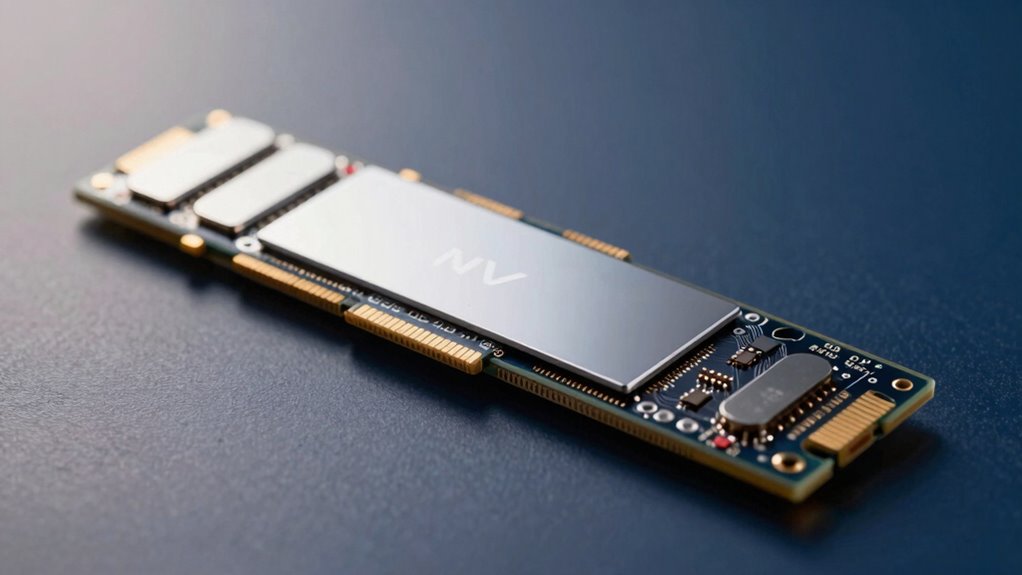

For most desktop upgrades, the PCIe NVMe M.2 Adapter Card with Heat Sink is my best overall pick because its x16 connector fits x4, x8, and x16 slots while serving a single NVMe drive. The GLOTRENDS PA09-X1 suits a spare x1 slot when modest bandwidth is enough, and the RIITOP Quad NVMe is aimed at builders who need several drives on one card. The main tradeoffs are lane bandwidth, motherboard support for multiple drives, physical clearance, and whether the adapter includes useful cooling. A wide connector does not mean an adapter uses all those lanes, and a multi-drive card may need motherboard bifurcation support. Read on for the full comparison and guidance on matching an adapter to your system.

Get privacy and security gear delivered free with Prime
- Fast, free delivery on millions of items
- Prime Video, Amazon Music and more included
- Member-only deals all year
Key Takeaways
- The single-drive x4 cards are the simplest fit for most upgrades: models such as the GLOTRENDS x4 and StarTech.com PEX4M2E1 provide a more direct path to NVMe bandwidth than x1 adapters.
- Connector size can mislead: an x16-shaped card may operate at x4, while an x1 adapter is constrained by its narrower link even if the SSD itself is fast.
- Multi-drive cards add compatibility work: the RIITOP quad card and dual-drive models depend on the card design and motherboard support, including lane bifurcation in some configurations.
- Cooling varies with workload and airflow: heatsinks on the single-drive cards can help manage SSD heat, but a heatsink alone cannot compensate for poor case ventilation.
- Special-purpose adapters serve narrow needs: the 25 cm riser cable helps with placement, while the Gen5 Sabrent and JEYI cards target newer platforms that can supply matching PCIe generations and lanes.
| PCIe NVMe M.2 Adapter Card with Heat Sink (x16 Interface, Fits x4/x8 Slots) |  | Best Overall for a Single NVMe Drive | Interface: PCIe x16 card; fits x4, x8, and x16 slots | SSD type: M.2 NVMe | PCIe generations: 2.0, 3.0, and 4.0 | VIEW ON AMAZON | See Our Full Breakdown |
| GLOTRENDS PA09-X1 M.2 NVMe to PCIe 4.0 x1 Adapter |  | Best for Preserving the Graphics Slot | Model: PA09-X1 | Slot conversion: PCIe x1 to M.2 Key M | SSD type: M.2 NVMe only | VIEW ON AMAZON | See Our Full Breakdown |
| ELUTENG Dual M.2 PCIe Adapter Card for NVMe and SATA SSDs | 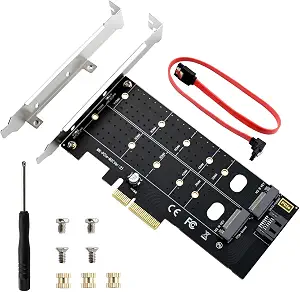 | Best for Mixed NVMe and SATA Drives | SSD types: M.2 NVMe and SATA | Supported key types: B-Key, M-Key, B&M Key | Supported M.2 sizes: 2230, 2242, 2260, 2280, 22110 | VIEW ON AMAZON | See Our Full Breakdown |
| RIITOP Quad NVMe PCIe x16 Adapter with Heatsink |  | Best for Four-Drive Expansion | Connector: PCIe 3.0/4.0 x16 | Drive capacity: Up to four M.2 NVMe SSDs | Supported M.2 sizes: 2230, 2242, 2260, 2280 | VIEW ON AMAZON | See Our Full Breakdown |
| 10Gtek Dual M.2 NVMe SSD Adapter Card, PCIe 3.0 x8 |  | Best for Two-Drive NVMe Setups | Interface: PCIe 3.0 x8 | M.2 key: M-Key | Supported drives: NVMe and AHCI | VIEW ON AMAZON | See Our Full Breakdown |
| Dual M.2 PCIe Adapter for SATA and NVMe SSDs with Heatsinks |  | Best for Mixed NVMe and SATA Drives | NVMe interface: M.2 M Key to PCIe 3.0 x4; compatible with PCIe 2.0 | SATA interface: M.2 B Key or B+M Key to SATA 6Gbps; cable required | Supported SSD sizes: 2230, 2242, 2260, 2280, 22110 | VIEW ON AMAZON | See Our Full Breakdown |
| ELUTENG M.2 NVMe PCIe Adapter with Aluminum Heatsink |  | Best for Flexible Slot Fit | Interface: PCIe 1.0, 2.0, 3.0, and 4.0 | Supported slots: PCIe x1, x4, x8, and x16 | SSD compatibility: M.2 NVMe M-key | VIEW ON AMAZON | See Our Full Breakdown |
| M.2 NGFF NVMe Key M to PCIe x16 Graphics Card Riser Adapter Cable, 25 cm |  | Best for M.2-Based GPU Riser Builds | Connector type: M.2 NGFF NVMe Key M to PCIe x16 | Cable length: 25 cm | Supported standard: PCIe 3.0 | VIEW ON AMAZON | See Our Full Breakdown |
| M.2 NVMe SSD to PCIe x1 Expansion Card |  | Best for Preserving the x16 Slot | Interface: PCIe x1 | SSD connector: M.2 Key M | Maximum SSD capacity: 4TB | VIEW ON AMAZON | See Our Full Breakdown |
| SABRENT M.2 NVMe SSD to PCIe x16 Adapter Card (Gen5, with Heatsink) |  | Best Premium Gen5 Pick | Model number: EC-TFPE | Connector: PCIe x16 physical, x4 link | Supported drives: M.2 M-key NVMe (2230/2242/2260/2280), B+M key PCIe AHCI/NVMe | VIEW ON AMAZON | See Our Full Breakdown |
| StarTech.com M.2 PCIe SSD Adapter, PCIe 3.0 x4, NVMe/AHCI, M-Key (PEX4M2E1) |  | Best for Legacy and Older Systems | Brand: StarTech.com | Model: PEX4M2E1 | Interface: PCIe 3.0 x4 | VIEW ON AMAZON | See Our Full Breakdown |
| M.2 NVMe to PCIe 4.0 x4 Adapter with Aluminum Heatsink |  | Best Budget Heatsink Option | Interface: PCIe 4.0 x4 | SSD Type: M.2 NVMe, M-key | Supported SSD Sizes: 2230, 2242, 2260, 2280 | VIEW ON AMAZON | See Our Full Breakdown |
| GLOTRENDS M.2 NVMe to PCIe 4.0 x4 Adapter with Heatsink |  | Best All-Rounder | Interface: PCIe 4.0 x4 (backward compatible with PCIe 3.0) | Slot: M.2 Key M | Supported SSD Sizes: 2230/2242/2260/2280 | VIEW ON AMAZON | See Our Full Breakdown |
| JEYI PCIe 5.0 x4 to M.2 NVMe Adapter Card with Aluminum Heatsink |  | Best Premium for Gen5 Speeds | Brand: JEYI | Interface: PCIe 5.0 x4 (backward compatible; fits x4/x8/x16) | Max Speed: 128Gbps (16GB/s) | VIEW ON AMAZON | See Our Full Breakdown |
| M.2 NVMe to PCIe x4 Adapter with Heatsink |  | Best Value Bundle | Supported SSD Sizes: 2230, 2242, 2260, 2280 | SSD Types: M.2 NVMe and AHCI | PCIe Interface: x4; fits x4, x8, and x16 slots | VIEW ON AMAZON | See Our Full Breakdown |
| nvme to pcie adapter | Interface |
|---|---|
| PCIe NVMe M.2 Adapter Card wit | PCIe x16 card; fits x4, x8, and x16 slots |
| GLOTRENDS PA09-X1 M.2 NVMe to | — |
| ELUTENG Dual M.2 PCIe Adapter | — |
| RIITOP Quad NVMe PCIe x16 Adap | — |
| 10Gtek Dual M.2 NVMe SSD Adapt | PCIe 3.0 x8 |
| Dual M.2 PCIe Adapter for SATA | — |
| ELUTENG M.2 NVMe PCIe Adapter | PCIe 1.0, 2.0, 3.0, and 4.0 |
| M.2 NGFF NVMe Key M to PCIe x1 | — |
| M.2 NVMe SSD to PCIe x1 Expans | PCIe x1 |
| SABRENT M.2 NVMe SSD to PCIe x | — |
| StarTech.com M.2 PCIe SSD Adap | PCIe 3.0 x4 |
| M.2 NVMe to PCIe 4.0 x4 Adapte | PCIe 4.0 x4 |
| GLOTRENDS M.2 NVMe to PCIe 4.0 | PCIe 4.0 x4 (backward compatible with PCIe 3.0) |
| JEYI PCIe 5.0 x4 to M.2 NVMe A | PCIe 5.0 x4 (backward compatible; fits x4/x8/x16) |
| M.2 NVMe to PCIe x4 Adapter wi | — |
More Details on Our Top Picks
PCIe NVMe M.2 Adapter Card with Heat Sink (x16 Interface, Fits x4/x8 Slots)
This is my most straightforward pick for adding one NVMe drive to a desktop that lacks an M.2 slot. Its x4-compatible connection fits x4, x8, or x16 slots, and support for PCIe 2.0 through 4.0 makes it flexible across older and newer systems. The included heat sink and mounting hardware also make the basic installation more complete than the 10Gtek dual-drive card, which lacks a mounting screw. Unlike the ELUTENG Dual M.2 adapter, this card accepts NVMe drives only, so it cannot reuse an M.2 SATA SSD. It also cannot exceed the bandwidth of the motherboard slot. I’d choose it for a simple one-drive upgrade; buyers seeking multiple drives or SATA compatibility should look elsewhere.
Pros:- Fits PCIe x4, x8, and x16 slots
- Supports NVMe SSDs across PCIe 2.0, 3.0, and 4.0 generations
- Accommodates M.2 sizes from 2230 to 2280
- Includes a heat sink and mounting screws
Cons:- Does not support M.2 SATA SSDs
- Drive speed is limited by the motherboard’s PCIe slot generation and bandwidth
Best for: Desktop owners with a free x4, x8, or x16 slot who want to add one NVMe SSD to a motherboard without an M.2 connector.
Not ideal for: People with an M.2 SATA drive to reuse, or buyers who need multiple drives on one card.
- Interface:PCIe x16 card; fits x4, x8, and x16 slots
- SSD type:M.2 NVMe
- PCIe generations:2.0, 3.0, and 4.0
- Supported M.2 sizes:2230, 2242, 2260, 2280
- Heat sink:Included
- Driver:Not required
- Connector:Gold-plated
Our verdict“Choose this card for a simple, cooled single-NVMe upgrade when your motherboard has a free x4 or wider slot.”
GLOTRENDS PA09-X1 M.2 NVMe to PCIe 4.0 x1 Adapter
The PA09-X1 is the niche choice for a build where the main x16 slot is occupied and a free PCIe x1 slot is the only practical route to NVMe storage. That makes it more useful for adding a modest-capacity drive than the single-drive x4-compatible card, but the narrow x1 link also limits bandwidth well below a typical x4 NVMe connection. It supports common 2230–2280 drive lengths, and its full-height and low-profile brackets suit more case layouts. GLOTRENDS lists Windows, Linux, and Mac OS compatibility, plus an 18-month warranty and lifetime technical support. Like the 10Gtek dual-drive adapter, it trades full NVMe bandwidth for a particular slot-use case; choose it only if keeping the x16 slot free matters more than peak transfer speed.
Pros:- Uses a PCIe x1 slot and leaves the x16 slot available
- Supports M.2 NVMe SSD sizes 2230, 2242, 2260, and 2280
- Includes full-height and low-profile brackets
- Lists Windows, Linux, and Mac OS compatibility
Cons:- PCIe x1 bandwidth limits performance compared with x4 adapters
- Does not support M.2 SATA drives
- Boot support may depend on the motherboard, especially on older systems
Best for: Desktop builders with a spare PCIe x1 slot who want to add one NVMe drive without using their graphics card’s x16 slot.
Not ideal for: Users who need full x4 NVMe bandwidth, M.2 SATA support, or reliable booting on an older motherboard.
- Model:PA09-X1
- Slot conversion:PCIe x1 to M.2 Key M
- SSD type:M.2 NVMe only
- Supported M.2 sizes:2230, 2242, 2260, 2280
- Operating systems:Windows 11/10/8, Linux, Mac OS
- Brackets:Full-height and low-profile included
- Warranty:18 months
- Certification:FCC and CE
Our verdict“Pick the PA09-X1 when preserving your x16 slot matters more than getting the bandwidth of a wider PCIe connection.”
ELUTENG Dual M.2 PCIe Adapter Card for NVMe and SATA SSDs
Among these picks, the ELUTENG card is the one to choose when an existing M.2 SATA drive needs to share an adapter with an NVMe drive. That flexibility sets it apart from the PCIe NVMe M.2 Adapter Card with Heat Sink and the GLOTRENDS PA09-X1, both of which accept NVMe only. It also covers longer modules up to 22110 and works in x4, x8, or x16 slots, giving it broader drive fit than cards limited to 2280. The stated 32 Gbps maximum is theoretical, so actual throughput depends on the drive and host system. Copper strips and perforations aid heat dissipation, though there is no listed dedicated heat sink. Windows 7 and earlier require a driver, and this card will not work in x1 or legacy PCI slots.
Pros:- Supports both M.2 NVMe and SATA SSDs
- Fits M.2 sizes from 2230 through 22110
- Works in PCIe x4, x8, and x16 slots
- Copper strips and a perforated design help dissipate heat
Cons:- Does not fit PCIe x1 or legacy PCI slots
- Windows 7 and earlier require a driver
- PCIe boot support depends on the motherboard BIOS
Best for: PC owners with a free x4-or-wider slot who need one adapter to support both M.2 NVMe and SATA drives, including longer 22110 modules.
Not ideal for: Users limited to a PCIe x1 slot, or Windows 7 and earlier users who want a driver-free setup.
- SSD types:M.2 NVMe and SATA
- Supported key types:B-Key, M-Key, B&M Key
- Supported M.2 sizes:2230, 2242, 2260, 2280, 22110
- PCIe slots:x4, x8, and x16
- Unsupported slots:PCIe x1 and legacy PCI
- Maximum theoretical speed:32 Gbps
- Operating systems:Windows 7/10/11; Windows 7 and earlier require a driver
- Cooling design:Copper strips and perforated card
Our verdict“Choose ELUTENG when SATA compatibility and support for long M.2 modules matter more than x1-slot flexibility or a listed dedicated heat sink.”
RIITOP Quad NVMe PCIe x16 Adapter with Heatsink
The RIITOP is the clear high-capacity pick here: one PCIe x16 card can host up to four NVMe SSDs, while the 10Gtek adapter tops out at two. The payoff is less slot use for a multi-drive storage build, with individual LEDs that help identify drive activity and an included heatsink. Its biggest constraint is motherboard support: the x16 slot must provide PCIe bifurcation for the drives to be recognized. This is a poor plug-in-and-forget choice for an unknown or older system, and it offers software RAID only rather than hardware RAID. Compared with the single-drive adapter in this roundup, it asks for more planning and a suitable board, but can consolidate several NVMe drives on one card.
Pros:- Holds up to four M.2 NVMe SSDs
- Includes a heatsink for drive cooling
- Individual status LEDs help identify drive activity
- Supports PCIe 3.0 and 4.0 x16 slots
Cons:- Requires motherboard PCIe x16 bifurcation support
- Does not support M.2 SATA SSDs
- RAID is software-only; hardware RAID is not supported
Best for: Workstation builders with a bifurcation-capable x16 slot who want to add up to four NVMe drives on one card.
Not ideal for: Owners of motherboards without PCIe x16 bifurcation support, or buyers who need M.2 SATA or hardware RAID.
- Connector:PCIe 3.0/4.0 x16
- Drive capacity:Up to four M.2 NVMe SSDs
- Supported M.2 sizes:2230, 2242, 2260, 2280
- Motherboard requirement:PCIe x16 bifurcation support
- Heatsink thickness:0.32 inches
- RAID:Software RAID only
- Warranty:1 year
Our verdict“Choose the RIITOP when you have confirmed x16 bifurcation support and want four NVMe drives on a single adapter.”
10Gtek Dual M.2 NVMe SSD Adapter Card, PCIe 3.0 x8
The 10Gtek makes sense for adding two NVMe or AHCI M.2 drives when a system has a suitable PCIe 3.0 x8 slot. It is a more modest multi-drive option than RIITOP’s four-drive card, but does not require planning for four modules; both 10Gtek drives still depend on motherboard and BIOS bifurcation support. That dependency matters: without it, the system may recognize only the first drive. Support for AHCI as well as NVMe gives it a different compatibility angle from the NVMe-only GLOTRENDS x1 adapter. Full-height and low-profile brackets are included, but there is no hot swapping, and the mounting screw is not supplied. Check the board’s bifurcation options and have the correct screw before installation.
Pros:- Supports two M.2 drives on one PCIe card
- Accepts both NVMe and AHCI drives
- Fits M.2 sizes 2230, 2242, 2260, and 2280
- Includes full-height and low-profile brackets
Cons:- Motherboard and BIOS bifurcation support are required to recognize both drives
- Hot swapping is not supported
- Mounting screw is not included
Best for: Desktop users with a PCIe x8 slot and confirmed bifurcation support who want two NVMe or AHCI M.2 drives on one card.
Not ideal for: People who need hot swapping, want to install without sourcing a mounting screw, or cannot confirm motherboard bifurcation support.
- Interface:PCIe 3.0 x8
- M.2 key:M-Key
- Supported drives:NVMe and AHCI
- Supported M.2 sizes:2230, 2242, 2260, 2280
- Bifurcation:Required to recognize both drives
- Backward compatibility:PCIe 2.0 and PCIe 1.0
- Brackets:Full-height and low-profile included
- Hot swapping:Not supported
- Mounting screw:Not included; compatible with #6-32, 5 mm length
Our verdict“Pick the 10Gtek for a two-drive NVMe or AHCI setup only after confirming x8 bifurcation support and arranging a compatible mounting screw.”
Dual M.2 PCIe Adapter for SATA and NVMe SSDs with Heatsinks
Two different M.2 drive types on one card give this adapter a distinct role: it can connect one NVMe SSD through PCIe and one SATA SSD through a separate SATA cable. That flexibility suits a desktop upgrade where you want to reuse both kinds of drive, while the included standard and low-profile brackets help with case fit. Compared with the ELUTENG M.2 NVMe PCIe Adapter with Aluminum Heatsink, this card handles SATA as well as NVMe, but its SATA connection adds a cable and depends on an available motherboard SATA connection. The two heatsinks and activity LEDs are useful extras for a card that may hold two drives. I would skip it if you need a simple, fast NVMe-only adapter or expect both drives to connect without extra cabling.
Pros:- Connects one M.2 NVMe SSD and one M.2 SATA SSD simultaneously
- Includes two heatsinks for the installed drives
- Standard and low-profile brackets support different case layouts
- Power and data activity LEDs make drive status visible
Cons:- The SATA SSD requires a separate SATA cable
- SATA operation depends on an available SATA connection
- Supports only one NVMe drive, unlike multi-NVMe cards
Best for: Desktop builders reusing one M.2 NVMe drive and one M.2 SATA drive who have an available SATA connection
Not ideal for: Buyers adding only a high-speed NVMe drive who want a simpler card without a separate SATA cable
- NVMe interface:M.2 M Key to PCIe 3.0 x4; compatible with PCIe 2.0
- SATA interface:M.2 B Key or B+M Key to SATA 6Gbps; cable required
- Supported SSD sizes:2230, 2242, 2260, 2280, 22110
- Cooling:Two included heatsinks
- Included brackets:Standard and low-profile
- Indicators:Power and data transfer LEDs
- Driver installation:Not required
Our verdict“Choose this card if you want one adapter to accommodate both an NVMe drive and a SATA M.2 drive and can provide the extra SATA cable.”
ELUTENG M.2 NVMe PCIe Adapter with Aluminum Heatsink
Broad PCIe slot compatibility is the reason to choose this ELUTENG card: it accepts x1, x4, x8, and x16 slots and supports several PCIe generations. That gives desktop owners more placement options than the SABRENT M.2 NVMe SSD to PCIe x16 Adapter Card, whose card uses a full-length x16 connector. The aluminum heatsink helps manage drive heat, and the card supports common M.2 NVMe lengths through 2280. Its advertised 16Gb/s ceiling is still shaped by the host slot and system, so fitting the card into a slot does not guarantee that speed. This is an NVMe-only choice; unlike the Dual M.2 PCIe Adapter for SATA and NVMe SSDs with Heatsinks, it cannot reuse an M.2 SATA drive. Booting also depends on motherboard BIOS support.
Pros:- Fits PCIe x1, x4, x8, and x16 slots
- Supports PCIe 1.0 through 4.0
- Aluminum heatsink helps manage SSD temperatures
- Supports NVMe SSDs up to 4TB in four common lengths
Cons:- Does not support M.2 SATA SSDs
- Actual transfer speed depends on the host slot and system
- Booting from the drive requires motherboard BIOS support
Best for: Desktop owners with an open x1, x4, x8, or x16 slot who need to add a single M.2 NVMe drive
Not ideal for: Buyers looking to install an M.2 SATA drive or rely on the adapter as a boot drive without checking BIOS support
- Interface:PCIe 1.0, 2.0, 3.0, and 4.0
- Supported slots:PCIe x1, x4, x8, and x16
- SSD compatibility:M.2 NVMe M-key
- Supported SSD sizes:2230, 2242, 2260, and 2280
- Maximum SSD capacity:4TB
- Maximum theoretical transfer speed:16Gb/s
- Heatsink:Aluminum
- Warranty:2 years
Our verdict“Pick this adapter when flexible slot placement matters for a single NVMe drive and your motherboard supports booting from it if needed.”
M.2 NGFF NVMe Key M to PCIe x16 Graphics Card Riser Adapter Cable, 25 cm
This is a graphics card riser cable, not a storage adapter: it links an M.2 Key M slot to a PCIe x16 graphics card. The 25 cm cable can help position a GPU where a motherboard slot cannot, giving it a very different use from the M.2 NVMe SSD to PCIe x1 Expansion Card, which adds storage through a PCIe slot. Its PCIe 3.0 support and Lotes connectors are relevant to a compatible desktop build, but the product data does not establish universal graphics-card compatibility. It also does not support external graphics for notebooks, which rules out a common workaround for laptop owners. I would choose it only when a system has the right M.2 connection and a specific internal GPU riser setup; buyers seeking an NVMe-to-PCIe SSD card should pick another option in this roundup.
Pros:- Provides a 25 cm cable for flexible GPU placement
- Supports PCIe 3.0
- Uses Lotes connectors
- Supports several listed M.2 sizes
Cons:- Does not support external graphics for notebooks
- Graphics card compatibility can vary by card and system setup
- Does not serve as an M.2 SSD-to-PCIe storage adapter
Best for: PC builders adapting a compatible M.2 Key M slot to connect a PCIe x16 graphics card inside a desktop
Not ideal for: Laptop owners seeking external graphics or buyers who need a PCIe adapter for an NVMe SSD
- Connector type:M.2 NGFF NVMe Key M to PCIe x16
- Cable length:25 cm
- Supported standard:PCIe 3.0
- Supported M.2 sizes:2230, 2242, 2260, and 2280
- Connector brand:Lotes
- Notebook external graphics support:Not supported
Our verdict“Choose this cable only for a compatible internal GPU riser build; it is not the right pick for adding NVMe storage.”
M.2 NVMe SSD to PCIe x1 Expansion Card
A PCIe x1 connection leaves the x16 slot free, which makes this expansion card useful when a graphics card already occupies the main slot and the system has a spare x1 slot. It supports NVMe drives up to 4TB across four common lengths, but the narrow link constrains transfer speed compared with the ELUTENG M.2 NVMe PCIe Adapter with Aluminum Heatsink, which can use wider slots. This tradeoff suits secondary storage better than a build intended to get the most from a fast SSD. M.2 SATA drives are not supported, and using it as a boot drive may call for BIOS or UEFI changes; older motherboards might detect it only as secondary storage. I would pick it for slot economy and capacity, not for maximum NVMe performance or uncomplicated boot setup.
Pros:- Adds NVMe storage without occupying the x16 slot
- Supports SSDs up to 4TB
- Works with Windows, Linux, and Mac OS
- Supports several common SSD lengths
Cons:- PCIe x1 bandwidth limits transfer speed
- Does not support M.2 SATA drives
- Boot support may require BIOS or UEFI configuration and varies by motherboard
Best for: Desktop owners with a spare PCIe x1 slot who want to add NVMe storage while keeping the x16 slot for a graphics card
Not ideal for: Buyers seeking full NVMe throughput, SATA M.2 support, or straightforward boot-drive support on an older motherboard
- Interface:PCIe x1
- SSD connector:M.2 Key M
- Maximum SSD capacity:4TB
- Supported SSD lengths:2230, 2242, 2260, and 2280
- Compatibility:PCIe 4.0/3.0/2.0/1.0 NVMe/AHCI
- Operating systems:Windows 11/10/8, Linux, Mac OS
- M.2 SATA support:Not supported
- Boot drive support:Requires OS reinstall and BIOS/UEFI configuration; older motherboards may recognize it only as secondary storage
Our verdict“Choose this card when keeping the x16 slot available matters more than reaching the transfer speeds of a wider PCIe connection.”
SABRENT M.2 NVMe SSD to PCIe x16 Adapter Card (Gen5, with Heatsink)
Gen5 bandwidth and a tool-free drive mount set this SABRENT card apart for newer desktop systems. Although it uses a full-length x16 connector, the card links at x4 and does not require motherboard bifurcation, so installation avoids a configuration step that can complicate some multi-drive adapters. Its passive aluminum heatsink keeps cooling fanless. Compared with the ELUTENG M.2 NVMe PCIe Adapter with Aluminum Heatsink, this card is built for a higher PCIe generation and makes drive installation easier, but the host slot sets the speed ceiling and a nearby GPU or tall cooler can block the card. It accepts NVMe drives and listed PCIe AHCI variants, but not SATA M.2 drives. I would choose it for a compatible Gen5 system where access and cooling matter more than SATA flexibility.
Pros:- Supports PCIe Gen5 speeds up to 16GBps bidirectional
- Does not require motherboard bifurcation
- Tool-free, screwless SSD installation
- Fanless aluminum heatsink includes thermal padding
Cons:- Actual speed cannot exceed the host slot’s PCIe generation
- Does not support SATA M.2 drives
- May not fit when tall coolers or graphics cards obstruct the slot
Best for: Desktop builders with a PCIe 5.0 capable slot who want an easy-to-install NVMe drive and passive cooling
Not ideal for: Owners of systems limited to older PCIe generations, buyers needing M.2 SATA support, or builds with obstructed full-length slots
- Model number:EC-TFPE
- Connector:PCIe x16 physical, x4 link
- Supported drives:M.2 M-key NVMe (2230/2242/2260/2280), B+M key PCIe AHCI/NVMe
- Maximum speed:Up to 16GBps bidirectional (PCIe 5.0)
- Cooling:Passive aluminum heatsink with thermal padding
- Number of ports:1
- Bifurcation required:No
- Warranty:2 years manufacturer limited
Our verdict“Choose this adapter for a compatible Gen5 desktop when simple drive installation and passive cooling matter more than SATA support or compact clearance.”
StarTech.com M.2 PCIe SSD Adapter, PCIe 3.0 x4, NVMe/AHCI, M-Key (PEX4M2E1)
Where most adapters in this lineup chase PCIe 4.0 or 5.0 speeds, the StarTech PEX4M2E1 takes the opposite approach: it is built to slot into older motherboards running PCIe 2.0 or even 1.0, where newer cards like the JEYI PCIe 5.0 adapter would be wasted. It also handles both NVMe and AHCI-era M.2 drives, including the long 22110 form factor that gaming-focused adapters such as the GLOTRENDS card ignore. The tradeoff is bandwidth — you top out at PCIe 3.0 x4, and there is no heatsink, so a hot-running modern drive will throttle. StarTech backs it with a two-year warranty, which is more reassuring than the unbranded alternatives for mission-critical old hardware.
Pros:- Broad compatibility with PCIe 3.0, 2.0, and 1.0 slots
- Supports both NVMe and AHCI M.2 drives
- Four drive lengths including 22110
- Full-profile and low-profile brackets plus a 2-year warranty
Cons:- Limited to a single SSD
- No heatsink included
- PCIe 3.0 x4 caps modern drive performance
Best for: Owners of aging desktops or workstations who want to add an NVMe or AHCI drive to a PCIe 2.0/1.0 slot
Not ideal for: Buyers with modern Gen4 or Gen5 SSDs who need full drive speed and active cooling
- Brand:StarTech.com
- Model:PEX4M2E1
- Interface:PCIe 3.0 x4
- SSD Compatibility:M.2 PCIe NVMe and AHCI, M-Key
- Supported Drive Lengths:2242, 2260, 2280, 22110
- PCIe Slot Compatibility:x4, x8, x16; PCIe 3.0, 2.0, and 1.0
- Included Brackets:Full-profile and low-profile
- Warranty:2 years
Our verdict“This pick makes the most sense for reviving an older machine with a fast SSD rather than chasing maximum throughput.”
M.2 NVMe to PCIe 4.0 x4 Adapter with Aluminum Heatsink
This adapter covers the basics without frills: a PCIe 4.0 x4 link, four common SSD sizes, and an aluminum heatsink claimed to knock 5–20°C off drive temperatures. Compared with the GLOTRENDS card, you give up the low-profile bracket, the lifetime support, and the marketing polish — but you keep the same core thermal benefit at a lower cost. It is also stricter about drive support, handling NVMe M-key drives only, so anyone with an older AHCI or SATA M.2 SSD should look at the StarTech PEX4M2E1 instead. What you get is a no-nonsense single-drive solution for a standard tower where the drive runs warm but the budget is tight.
Pros:- Aluminum heatsink included for cooler drive operation
- Supports 2230 through 2280 SSD sizes
- Fits PCIe x4, x8, and x16 slots
- PCIe 4.0 interface for modern drives
Cons:- NVMe M-key drives only — no AHCI or SATA support
- No low-profile bracket for slim cases
- Only one SSD per card
Best for: Budget-conscious builders adding one warm-running NVMe drive to a standard ATX tower
Not ideal for: Slim or small-form-factor cases that need a low-profile bracket, and owners of AHCI or SATA M.2 drives
- Interface:PCIe 4.0 x4
- SSD Type:M.2 NVMe, M-key
- Supported SSD Sizes:2230, 2242, 2260, 2280
- Compatible PCIe Slots:x4, x8, x16
- Heatsink:Aluminum
- Claimed Cooling Effect:5–20°C
Our verdict“A straightforward pick for anyone who wants heatsink cooling on a single NVMe drive without paying for extras they will not use.”
GLOTRENDS M.2 NVMe to PCIe 4.0 x4 Adapter with Heatsink
The GLOTRENDS adapter hits the sweet spot most buyers actually need: full PCIe 4.0 x4 bandwidth (up to 64 Gbps), a heatsink good for 5–20°C of cooling, both standard and low-profile brackets, and lifetime tech support. Compared with the cheaper no-name PCIe 4.0 heatsink card, the bracket flexibility and support channel justify the step up for anyone building into a slim case or a server chassis. Unlike the JEYI PCIe 5.0 card, it does not demand a brand-new platform — but it also will not hit Gen5 speeds, so owners of a Crucial T700 should keep reading. Be aware that Intel CPUs before 11th gen lack Gen4 lanes, and booting from NVMe on some legacy boards may not work.
Pros:- Full PCIe 4.0 x4 speeds with no SSD capacity limit
- Heatsink reduces SSD temperatures by 5–20°C
- Includes both standard and low-profile brackets
- Lifetime tech support with FCC/CE certification
Cons:- No PCIe x1 or M.2 SATA support
- Full Gen4 speed requires CPU, slot, and SSD support
- OS boot from NVMe may fail on some older motherboards
Best for: Mainstream builders who want reliable Gen4 speeds, cooling, and case flexibility without overspending
Not ideal for: Owners of pre-11th-gen Intel platforms or anyone hoping to boot from NVMe on an old motherboard
- Interface:PCIe 4.0 x4 (backward compatible with PCIe 3.0)
- Slot:M.2 Key M
- Supported SSD Sizes:2230/2242/2260/2280
- Cooling:Included heatsink, 5–20°C reduction
- Compatible OS:Windows 11/10/8, Linux, macOS
- Data Transfer Rate:64 Gbps
- Included Brackets:12cm standard and 8cm low-profile
- Certifications:FCC, CE
- Support:Lifetime tech support
Our verdict“The safest default choice in this lineup — Gen4 speed, cooling, and broad case compatibility at a sensible price.”
JEYI PCIe 5.0 x4 to M.2 NVMe Adapter Card with Aluminum Heatsink
If you own a Gen5 drive like a Crucial T700 or Samsung 990 Pro, a PCIe 4.0 card such as the GLOTRENDS adapter will silently halve your drive’s potential. The JEYI PCIe 5.0 card preserves the full 128Gbps (16GB/s) pipeline, and its integrated aluminum heatsink with thermal pads matters more here than on any other pick — Gen5 drives throttle hard without serious cooling, especially during sustained workloads like 8K video editing. The screwless, tool-free design is a genuine quality-of-life upgrade over the screw-mounted GLOTRENDS and budget cards. The cost is real, though: you pay a premium for bandwidth that only the newest platforms can feed, and a single M.2 slot per card limits expansion versus dual-slot rivals like the 10Gtek.
Pros:- Full PCIe 5.0 speeds up to 16GB/s for Gen5 drives
- Integrated aluminum heatsink with thermal pads prevents throttling under sustained loads
- Screwless tool-free installation across four M.2 lengths
- Driver-free plug-and-play on Windows, Linux, and macOS
Cons:- Higher price than PCIe 4.0 alternatives
- Single M.2 slot limits expansion capacity
- Only worthwhile with a Gen5-capable CPU and slot
Best for: Enthusiasts and professionals on current-gen platforms who need full Gen5 SSD speeds without thermal throttling
Not ideal for: Anyone on a PCIe 4.0-or-older motherboard, where the extra cost buys nothing over cheaper adapters
- Brand:JEYI
- Interface:PCIe 5.0 x4 (backward compatible; fits x4/x8/x16)
- Max Speed:128Gbps (16GB/s)
- SSD Support:M-key 2280/2260/2242/2230 NVMe SSDs
- Cooling:Integrated aluminum heatsink with thermal pads
- Driver Requirement:None (plug and play)
- OS Compatibility:Windows 10/11, Linux, macOS
Our verdict“Buy this only if you already own a Gen5 SSD and platform — otherwise the GLOTRENDS card delivers 95% of the value for less.”
M.2 NVMe to PCIe x4 Adapter with Heatsink
This card wins on what comes in the box: heatsink, two thermal pads, both bracket heights, a screwdriver, mounting screws, and spring nails — everything needed for a clean install, where the barebones budget PCIe 4.0 heatsink card ships with less. It also matches the GLOTRENDS on PCIe 4.0 bandwidth and goes further on drive support, accepting AHCI as well as NVMe drives — something the GLOTRENDS and JEYI both refuse. The catch is compatibility friction: Windows 7 and Server 2008 R2 need an extra NVMe driver, and some systems simply will not recognize the drive until you manually install one. For a modern Windows 10/11 or Linux box, that friction mostly disappears, leaving a well-equipped all-rounder at a value price.
Pros:- Supports both NVMe and AHCI M.2 drives in four sizes
- PCIe 4.0 with backward compatibility to Gen1
- Aluminum heatsink plus two thermal pads
- Full accessory bundle including both brackets and tools
Cons:- Windows 7 and Server 2008 R2 require an additional NVMe driver
- May need a manual driver download if the drive is not recognized
- Single drive slot only
Best for: DIY builders who want a complete installation kit and broad NVMe/AHCI drive support without paying premium prices
Not ideal for: Owners of very old Windows systems who lack the patience to track down NVMe drivers
- Supported SSD Sizes:2230, 2242, 2260, 2280
- SSD Types:M.2 NVMe and AHCI
- PCIe Interface:x4; fits x4, x8, and x16 slots
- PCIe Generation:PCIe 4.0, backward compatible with 1.0, 2.0, and 3.0
- Maximum Bandwidth:Up to 64 Gbps
- OS Support:Windows 11/10/8, Windows Server 2012 R2, Linux (Fedora, SUSE, Ubuntu, Red Hat)
- Cooling:Aluminum heatsink and two thermal pads
- Included Accessories:Low-profile and regular brackets, screwdriver, mounting screws, spring nails
Our verdict“The most complete package for the money — pick it when included accessories and AHCI support matter more than brand-name support.”

How We Picked
I ranked these adapters by how directly they solve the common job: adding an M.2 NVMe SSD to a desktop PCIe slot with predictable fit and usable bandwidth. I gave priority to clear lane configurations, practical cooling, and a straightforward single-drive installation. Multi-drive cards earn a place for capacity, but their ranking reflects the extra questions they raise about bifurcation, SATA support, and motherboard compatibility. I also weighed specialty designs by their intended use: x1 models trade speed for slot flexibility, and the riser cable trades a rigid card for placement freedom.
Product names and listed specifications do not establish that every motherboard supports every configuration, so I treated compatibility claims conservatively. A Gen5 label matters only on a system with a matching slot and drive; otherwise the link runs at the platform’s supported rate. Likewise, an x16 connector is not proof of x16 electrical lanes. This order favors broadly useful adapters first, then models that make sense for a narrower build or require more checking before purchase.
Factors to Consider When Choosing Nvme To Pcie Adapter
Before choosing a card, check how your motherboard routes its PCIe slots and which M.2 sockets or SATA ports are already in use. The adapter is only one part of the link: the slot, SSD, firmware, operating system, and physical layout all shape the result. These checks help avoid buying a card that fits physically but cannot deliver the intended setup.
Match the Adapter’s Lane Width to the Workload
A PCIe slot’s physical length and its electrical lane count are different things, so check the motherboard manual for the slot’s actual wiring. An x1 adapter can be useful in a spare short slot, but its link limits transfer rates and may bottleneck a fast SSD during large sequential jobs. For everyday boot and application use, the real-world difference may be less noticeable than benchmark figures suggest. An x4 card is a better fit when sustained transfers matter and the board has an available x4-or-wider connection. A card with an x16 edge connector may still use only four lanes. Choose based on the slot’s electrical capacity, not the connector’s appearance.
Check Multi-Drive Support Before Buying
Dual- and quad-drive adapters can reduce slot use, but they do not automatically make every installed SSD visible. Some cards rely on motherboard PCIe bifurcation, which splits one slot’s lanes among several devices. Other cards include a controller that handles drive sharing, so their requirements differ. Check the adapter documentation and motherboard manual for the exact slot and drive count you plan to use. Also confirm whether SATA M.2 drives are supported; an NVMe-only card will not make a SATA SSD work. If the system cannot support the intended arrangement, a single-drive card or separate M.2 sockets may be the safer choice.
Treat PCIe Generation as a Platform Match
PCIe 4.0 and 5.0 adapters can work in older systems in many cases, but the connection generally operates at the slowest generation supported by the slot, adapter, and SSD. Paying for a newer generation cannot speed up a Gen3 motherboard slot. Check whether the SSD’s expected transfer rate matters for your tasks, since routine desktop use often benefits less than large file transfers or scratch-disk workloads. A future-facing card may make sense if you plan a platform upgrade soon and the adapter itself remains suitable. Confirm that the system’s slot has enough lanes and is enabled with the intended processor configuration.
Plan for SSD Cooling and Case Airflow
NVMe drives can slow down when they run hot, especially during long transfers or sustained workloads. An adapter heatsink can help move heat away from the controller, but it needs contact with the drive and airflow around the card. Check SSD length and component placement against the heatsink and retaining hardware before installation. A card installed beneath a large graphics card may receive little airflow, even if its heatsink looks substantial. For a drive used mainly for brief reads and ordinary desktop tasks, a basic heatsink may be enough. For sustained writes, consider where warm air can escape and whether the SSD’s own thermal pad is required.
Verify Physical Clearance and Slot Access
A card can be electrically compatible yet blocked by a graphics card, case divider, or neighboring expansion card. Measure the available space and check which slot remains accessible once the rest of the build is installed. A rigid card is usually tidier, while a riser cable can place an SSD or adapter away from a crowded slot; the cable adds routing and mounting decisions. Make sure the case can secure the card or drive so movement does not strain the connector. Also check whether the heatsink height conflicts with nearby components. This is especially useful to resolve before choosing a multi-drive card with a wide or tall layout.
Confirm Boot and Operating System Compatibility
Adding an NVMe drive as storage is a different task from booting an operating system from it. Boot support depends on the motherboard firmware, operating system, and how the drive is installed, not just on the adapter. If you are migrating a boot drive, check the board’s manual and firmware options before moving the existing installation. Older systems may need a firmware update or may not offer native NVMe boot from an add-in card. For storage-only use, verify that your operating system supports the drive and that the slot is enabled in firmware. Keep a backup before changing boot settings or reinstalling an operating system.
Frequently Asked Questions
Will an NVMe drive run at full speed in an x1 PCIe slot?
No. The slot’s lane width limits the connection, so an x1 adapter cannot give a fast SSD the bandwidth of an x4 link. It can still be a practical way to add storage when the drive will handle ordinary files or applications and no wider slot is available. For sustained large transfers, choose an x4 connection if the motherboard provides one. Check the slot’s generation too, since that also affects the maximum link rate.
Can I install two or four NVMe drives on one adapter card?
That depends on the adapter’s design and the motherboard. Passive multi-drive cards often need PCIe bifurcation, which lets the motherboard divide a slot’s lanes across several SSDs. Cards with a PCIe switch may handle drive sharing differently, but they still have an aggregate bandwidth limit. Confirm the exact card requirements, motherboard support, and operating system visibility before purchasing. A single-drive card avoids much of this configuration uncertainty.
Does an x16 connector mean the adapter gives my SSD sixteen PCIe lanes?
No. The x16 label may describe the connector’s physical shape, while the adapter itself can be wired for x4 or fewer lanes. The motherboard slot may also be electrically narrower than its full-length connector suggests. Look for the card’s specified lane width and compare it with the slot wiring in your motherboard manual. For one NVMe SSD, an x4 link is the common target; extra connector length does not add bandwidth by itself.
Can I boot Windows or Linux from an NVMe drive on a PCIe adapter?
Often, but the adapter alone cannot guarantee boot support. The motherboard firmware must recognize the NVMe drive as a boot device, and older boards may need an update or may lack that feature. Linux and Windows support NVMe, but firmware and installation details still affect whether startup works. Check the motherboard documentation for booting from an add-in NVMe drive before replacing your current system drive. If the drive is for storage only, boot support is not required.
Should I choose a PCIe 5.0 adapter for a Gen3 or Gen4 motherboard?
Only if its features or a planned platform upgrade justify it. The connection generally runs at the generation supported by the adapter, SSD, and motherboard slot, so a Gen5 card will not turn a Gen3 slot into a faster one. For an existing Gen4 system, a Gen4 adapter is usually the more direct match unless the Gen5 model has another useful advantage, such as its layout or cooling. Check the SSD’s generation and the slot’s lane count as well. Those details matter more than the newest generation printed on the box.
Conclusion
For a straightforward desktop upgrade, I would start with the PCIe NVMe M.2 Adapter Card with Heat Sink as the best overall choice, since its stated x16 interface fits x4 and x8 slots too. The GLOTRENDS PA09-X1 is my value pick when a spare x1 slot is the main constraint and the bandwidth limit suits the workload; beginners may prefer the single-drive GLOTRENDS PCIe 4.0 x4 for a more direct slot match. For a premium, newer-platform build, consider the SABRENT Gen5 card, provided the motherboard and SSD can use that generation. Builders adding several drives should look at the RIITOP Quad or dual-drive options only after checking bifurcation and SATA requirements. Choose the riser cable when placement flexibility matters more than a tidy, fixed card installation.
Halloween Picks

Halloween Inflatable Haunted House Maze – 20×20 ft with Removable Roof and Blower

Govee Outdoor Halloween Projector Light, 3D Dynamic Visual Holiday Decor

Kalolary 11 ft Halloween Inflatable Archway Ghost House Tunnel
As an affiliate, we earn on qualifying purchases.