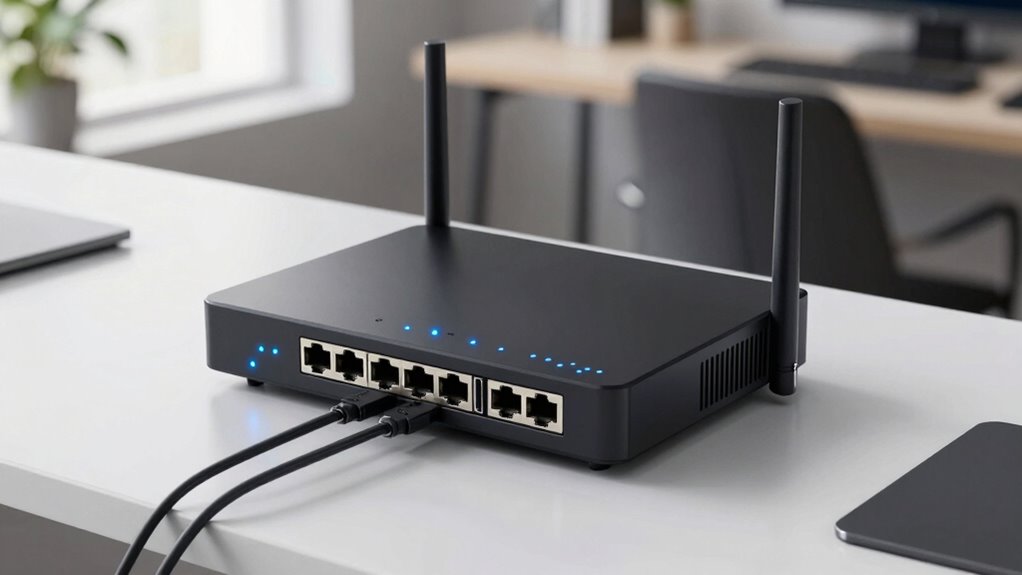
When selecting a fiber gateway router, you’re choosing the device that bridges your fiber internet service with your home or office network. The best models offer high-speed multi-gigabit ports, reliable Wi-Fi, and robust security features. The main tradeoffs often involve balancing raw speed, ease of setup, and price. For example, top-tier premium routers deliver lightning-fast connections but come with a higher cost, while more affordable options might lack advanced features. Keep reading for a detailed breakdown of the best fiber gateway routers in 2026 and how to pick the right one for your needs.

Get privacy and security gear delivered free with Prime
- Fast, free delivery on millions of items
- Prime Video, Amazon Music and more included
- Member-only deals all year
Key Takeaways
- High port counts and multi-gigabit support are common among the best models, ensuring future-proofing for growing networks.
- The top picks often include integrated VPN and security features, catering to security-conscious users.
- Wi-Fi 7 compatibility is becoming standard in premium options, offering faster wireless speeds and lower latency.
- Build quality and ease of setup vary, with some models favoring simple plug-and-play designs, while others are more complex but customizable.
- Tradeoffs between price and features mean budget models may lack multi-gig ports or advanced management tools, but still provide solid performance.
| Omada ER707-M2 Multi-Gigabit VPN Router with Dual 2.5G WAN Ports |  | Best Overall for Advanced Small Business Networks | WAN Ports: 1x 2.5Gbps, 1x 2.5Gbps WAN/LAN, 4x Gigabit WAN/LAN, 1x SFP WAN/LAN, 1x USB 2.0 | Maximum concurrent sessions: 500,000 | Maximum clients: 1000+ | VIEW ON AMAZON | See Our Full Breakdown |
| NETGEAR Nighthawk Dual-Band WiFi 7 Router (RS90) |  | Best for High-Speed Wireless Entertainment | WiFi Speed: up to 3.6 Gbps | Frequency Bands: 2.4 GHz + 5 GHz | Coverage: up to 2,000 sq. ft. | VIEW ON AMAZON | See Our Full Breakdown |
| Omada Fusion 2.5G Multi-WAN Wired VPN Router with 5×2.5Gb Ports and Built-in Omada Controller |  | Best for Business with Advanced Wired Connectivity | Number of Ports: 5 | Data Transfer Rate: 2.1 Gbps | LAN Port Bandwidth: 2.5 Gbps | VIEW ON AMAZON | See Our Full Breakdown |
| Ubiquiti Cloud Gateway Fiber |  | Best for High-Performance Business Wired Networks | Connectivity: 10 Gigabit Ethernet | Installation: Desktop | Use case: Business networks | VIEW ON AMAZON | See Our Full Breakdown |
| NETGEAR Nighthawk Dual-Band WiFi 7 Router (RS140) |  | Best for High-Performance Home WiFi with Large Coverage | WiFi Speed: up to 5.0 Gbps | Coverage: up to 2,250 sq. ft. | Device Capacity: 80 | VIEW ON AMAZON | See Our Full Breakdown |
| TP-Link ER605 V2 Wired Gigabit VPN Router with Multiple WAN Ports and Omada SDN |  | Best for Small to Medium Businesses Needing Reliable Security and Flexibility | Number of Gigabit Ports: 5 (1 WAN, 2 WAN/LAN, 2 LAN) | USB WAN Port: Yes | VPN Support: Up to 20 LAN-to-LAN IPsec, 16 OpenVPN, 16 L2TP, 16 PPTP | VIEW ON AMAZON | See Our Full Breakdown |
| NETGEAR WiFi 6 Router (R6700AX) – AX1800 Wireless Speed, Dual-Band, Covers Up to 1500 sq ft, Supports 20 Devices |  | Best for Home Users and Small Offices Needing Fast WiFi 6 Speeds | WiFi Standard: WiFi 6 (AX1800) | Speed: Up to 1.8 Gbps | Coverage: Up to 1500 sq ft | VIEW ON AMAZON | See Our Full Breakdown |
| Ubiquiti Cloud Gateway Fiber (UCG-Fiber) |  | Best for Enterprise or Home Users Needing Reliable Fiber Connectivity and Cloud Management | Connectivity: Fiber-optic | Management: Cloud-based | Use Case: Enterprise or high-demand home | VIEW ON AMAZON | See Our Full Breakdown |
| ZYXEL C3510XZ 6 Gigabit Ethernet Gateway Modem/Router for Fiber Internet |  | Best for Fiber-Only Users Who Need Fast WiFi 6 and Network Segmentation | Technology: WiFi 6 | Bands: Dual-band 2.4GHz and 5GHz | SSIDs: Up to 4 | VIEW ON AMAZON | See Our Full Breakdown |
| TP-Link BE6500 Dual-Band WiFi 7 Router (BE400) |  | Best for Large Homes and Smart Setups Needing Latest WiFi Technology | WiFi Technology: WiFi 7 | Total Bandwidth: 6.5 Gbps | Coverage Area: 2400 sq. ft. | VIEW ON AMAZON | See Our Full Breakdown |
More Details on Our Top Picks
Omada ER707-M2 Multi-Gigabit VPN Router with Dual 2.5G WAN Ports
The Omada ER707-M2 stands out for its impressive capacity to handle extensive VPN sessions and multiple clients, making it ideal for small to medium-sized business environments. Compared with the NETGEAR Nighthawk RS90, it offers superior VPN support and a more flexible port configuration, though it sacrifices Wi-Fi capabilities for wired performance. Its cloud management simplifies remote control, but setup can be complex for those unfamiliar with advanced networking. The router’s high session count and multi-WAN support make it a strong choice for users prioritizing secure, scalable wired connectivity, but it lacks integrated Wi-Fi, limiting its use for wireless applications.
Pros:- High network capacity with support for 500,000 sessions and 1,000+ clients
- Flexible port options including USB and SFP for diverse network setups
- Cloud management for remote control and monitoring
Cons:- Setup complexity may challenge less experienced users
- No built-in Wi-Fi limits its versatility for wireless needs
Best for: IT professionals managing small business networks requiring robust VPN and multi-WAN support
Not ideal for: Home users or small offices seeking integrated Wi-Fi — it focuses solely on wired connections and advanced configuration
- WAN Ports:1x 2.5Gbps, 1x 2.5Gbps WAN/LAN, 4x Gigabit WAN/LAN, 1x SFP WAN/LAN, 1x USB 2.0
- Maximum concurrent sessions:500,000
- Maximum clients:1000+
- VPN support:LAN-to-LAN IPsec, OpenVPN, L2TP, PPTP
- Warranty:5 years
Our verdict“This router is best suited for network professionals needing high-capacity, wired VPN solutions with remote management capabilities.”
NETGEAR Nighthawk Dual-Band WiFi 7 Router (RS90)
The NETGEAR Nighthawk RS90 excels at delivering blazing-fast WiFi 7 speeds up to 3.6 Gbps, making it perfect for streaming, gaming, and large households with many devices. Unlike the wired-focused Ubiquiti Cloud Gateway Fiber, it offers extensive wireless coverage up to 2,000 sq. ft. and supports up to 50 devices simultaneously. Its WPA3 and Armor security provide peace of mind, but it requires a separate modem, adding to setup complexity. For users needing fast, reliable wireless connectivity in a home or small office, this router offers a straightforward, high-performance solution, though it’s less suitable if wired network control or enterprise features are a priority.
Pros:- Supports WiFi 7 with speeds up to 3.6 Gbps for smooth streaming and gaming
- Wide coverage up to 2,000 sq. ft. and support for 50 devices
- Enhanced security with WPA3 and NETGEAR Armor
Cons:- Requires a separate modem, adding to setup effort
- Coverage can vary based on home layout and obstacles
Best for: Home users or gamers seeking high-speed, reliable WiFi for multiple devices
Not ideal for: Businesses that require advanced wired network management or VPN capabilities, where wired routers like the Omada ER707-M2 are more suitable
- WiFi Speed:up to 3.6 Gbps
- Frequency Bands:2.4 GHz + 5 GHz
- Coverage:up to 2,000 sq. ft.
- Devices Supported:50
- WAN Port:2.5 Gigabit
- LAN Ports:4 Gigabit
Our verdict“This router is ideal for households demanding fast, high-capacity WiFi in a simple, easy-to-set-up package.”
Omada Fusion 2.5G Multi-WAN Wired VPN Router with 5×2.5Gb Ports and Built-in Omada Controller
The Omada Fusion shines in environments where high-speed wired connections and management simplicity are priorities. With five 2.5Gb ports, it supports multiple WAN links and automatic load balancing, making it a strong choice for office networks. Its built-in Omada Controller and 2.5-inch touchscreen enable real-time monitoring and quick troubleshooting, setting it apart from less integrated solutions like the NETGEAR RS90. However, its focus on wired connectivity and advanced features makes it less suitable for those needing Wi-Fi, or for home users without complex network demands. The price and availability may also be limiting factors for smaller setups.
Pros:- Supports 2.5Gbps data transfer on all ports for fast wired performance
- Built-in Omada Controller simplifies network management
- Touchscreen offers real-time insights and troubleshooting
Cons:- Limited Wi-Fi capabilities restrict its use in wireless environments
- Potential complexity for users unfamiliar with enterprise features
Best for: Small to medium-sized businesses needing high-speed wired connections with easy management
Not ideal for: Home users or environments where wireless connectivity is a primary concern, as it lacks integrated Wi-Fi
- Number of Ports:5
- Data Transfer Rate:2.1 Gbps
- LAN Port Bandwidth:2.5 Gbps
- Maximum Upstream Data Transfer Rate:2500 Mbps
- Features:ACL, QoS, IPS/IDS, Touch Screen
- Management:Cloud, Built-in Controller
Our verdict“This router suits businesses prioritizing high-speed wired networking with integrated management tools over wireless features.”
Ubiquiti Cloud Gateway Fiber
The Ubiquiti Cloud Gateway Fiber provides a robust wired solution with 10 Gigabit Ethernet ports, designed for enterprise or business deployments where high throughput is critical. Unlike the NETGEAR RS90, which emphasizes Wi-Fi, this device is optimized for wired connections, making it ideal for data centers, server farms, or high-performance office networks. Its management capabilities facilitate setup and control, but it requires a certain level of technical knowledge to configure optimally. If wireless connectivity isn’t needed, this device offers unparalleled wired speed and reliability, although it’s less flexible for mixed-use environments.
Pros:- High-speed 10 Gigabit Ethernet ports for demanding data transfer
- Designed for enterprise-level deployments with management features
- Robust, reliable wired connectivity for critical business operations
Cons:- Limited to wired connections, no wireless capabilities
- Requires technical expertise for optimal setup and management
Best for: Large businesses or data centers needing high-speed wired backbone connections
Not ideal for: Home or small office users seeking wireless or all-in-one solutions, as it lacks Wi-Fi and user-friendly setup options
- Connectivity:10 Gigabit Ethernet
- Installation:Desktop
- Use case:Business networks
Our verdict“This device is best for enterprise environments focusing solely on wired high-speed network infrastructure.”
NETGEAR Nighthawk Dual-Band WiFi 7 Router (RS140)
The NETGEAR Nighthawk RS140 offers remarkable WiFi 7 speeds up to 5.0 Gbps, making it an excellent choice for demanding streaming, gaming, and video conferencing. Its coverage of up to 2,250 sq. ft. and support for 80 devices make it well-suited for large households or small offices that need reliable, high-capacity wireless coverage. Unlike the Omada ER707-M2, which emphasizes wired VPN and enterprise features, the RS140 simplifies wireless setup and use, but it requires a compatible modem, adding extra setup steps. Its speed and coverage make it a prime choice for wireless-centric environments, though limited wired management features may not suffice for complex networks.
Pros:- WiFi 7 speeds up to 5.0 Gbps for seamless streaming and gaming
- Supports up to 80 devices simultaneously with wide coverage
- High-speed 2.5GbE port for fast wired internet
Cons:- Requires a separate cable modem, complicating setup
- No integrated VPN or advanced wired features
Best for: Home users and gamers wanting maximum wireless speed and extensive device support
Not ideal for: Businesses needing advanced wired network management or VPN features, where wired routers like the Omada ER707-M2 are better suited
- WiFi Speed:up to 5.0 Gbps
- Coverage:up to 2,250 sq. ft.
- Device Capacity:80
- Ethernet Port:2.5 Gbps
Our verdict“This router is ideal for households demanding high-speed wireless performance with extensive coverage and device support.”
TP-Link ER605 V2 Wired Gigabit VPN Router with Multiple WAN Ports and Omada SDN
This router stands out for its multiple WAN ports and advanced security features, making it ideal for SMBs that prioritize stability and security. Compared with the Ubiquiti Cloud Gateway Fiber, it offers more comprehensive VPN options and load balancing, but its setup can be complex for less technical users. The USB WAN port adds flexibility for mobile backups, a feature not available on many competitors. However, it’s primarily designed for SMB use, so large enterprise networks might find it lacking in scalability. The Omada SDN integration simplifies network management for small teams, yet the configuration process can be daunting without prior network experience.Pros:- Multiple WAN ports enable load balancing and redundancy
- Supports mobile broadband backup via USB for added flexibility
- Advanced security features including VPN support and filtering
Cons:- Setup complexity demands some technical knowledge
- Limited details on compatible 4G/3G modems, which could hinder deployment
Best for: Small to medium-sized business owners who need secure, load-balanced internet connectivity with VPN support
Not ideal for: Home users or large enterprises that require a plug-and-play setup or extensive scalability
- Number of Gigabit Ports:5 (1 WAN, 2 WAN/LAN, 2 LAN)
- USB WAN Port:Yes
- VPN Support:Up to 20 LAN-to-LAN IPsec, 16 OpenVPN, 16 L2TP, 16 PPTP
- Security Features:SPI Firewall, DoS Defense, IP/MAC/URL filtering
- Standards and Protocols:IEEE 802.3, 802.3u, 802.3ab, IEEE 802.3x, IEEE 802.1q
Our verdict“This router is suited for SMBs needing robust security and multiple WAN options but requires some technical skill to configure properly.”
NETGEAR WiFi 6 Router (R6700AX) – AX1800 Wireless Speed, Dual-Band, Covers Up to 1500 sq ft, Supports 20 Devices
The NETGEAR R6700AX makes a compelling choice for households or small offices that want reliable WiFi 6 performance. Unlike the TP-Link ER605, it focuses solely on wireless connectivity without VPN or multi-WAN features, which limits its use for business-critical applications. Support for up to 20 devices and WPA3 security ensures modern, secure wireless access, but it requires a separate modem or ISP gateway to connect to the internet, adding complexity for some users. Its coverage of roughly 1500 sq ft makes it suitable for small homes, though larger multi-story spaces might see dead zones. Its setup via the Nighthawk app is straightforward, but advanced network management options are limited compared to enterprise-grade solutions.Pros:- Supports WiFi 6 for faster wireless speeds and efficiency
- Supports up to 20 devices simultaneously, ideal for busy households
- Includes four Gigabit Ethernet ports for wired devices
- Enhanced security with WPA3 encryption
Cons:- Requires a separate modem or gateway to connect to internet service
- Coverage may be limited in larger or multi-story homes
Best for: Homeowners or small office users seeking fast, secure WiFi 6 with support for multiple devices
Not ideal for: Businesses requiring multi-WAN, VPN, or advanced security features beyond WiFi security
- WiFi Standard:WiFi 6 (AX1800)
- Speed:Up to 1.8 Gbps
- Coverage:Up to 1500 sq ft
- Device Support:Supports up to 20 devices
- Ethernet Ports:4 Gigabit LAN ports
- Security:WPA3 encryption
Our verdict“This router is perfect for users prioritizing fast, secure WiFi 6, but it falls short for those seeking integrated multi-WAN or VPN features.”
Ubiquiti Cloud Gateway Fiber (UCG-Fiber)
Best for Enterprise or Home Users Needing Reliable Fiber Connectivity and Cloud Management
View on AmazonThe Ubiquiti Cloud Gateway Fiber offers high-speed fiber internet with seamless cloud-based management, making it suitable for both enterprise environments and tech-savvy home setups. Compared to the other options here, it’s less detailed on specs but emphasizes high throughput and cloud control. It’s a straightforward device for fiber connections, but the limited information and lack of user reviews make assessing its real-world performance challenging. This pick is ideal for users comfortable with Ubiquiti’s ecosystem or those needing a dedicated fiber gateway with cloud oversight, yet it might feel opaque for users seeking a plug-and-play experience.Pros:- High-speed fiber internet support
- Reliable cloud management for remote oversight
- Suitable for enterprise or high-demand home use
Cons:- Limited detailed specifications available
- No user reviews available for real-world insights
Best for: Enterprises or advanced home users who prioritize fiber connectivity and cloud management
Not ideal for: Basic home users or those unfamiliar with Ubiquiti’s management platform
- Connectivity:Fiber-optic
- Management:Cloud-based
- Use Case:Enterprise or high-demand home
Our verdict“This device is designed for users needing high-speed fiber and cloud control, but the lack of detailed specs may deter less experienced buyers.”
ZYXEL C3510XZ 6 Gigabit Ethernet Gateway Modem/Router for Fiber Internet
The ZYXEL C3510XZ targets fiber internet users seeking dual-band WiFi 6 with multiple SSIDs and solid security. Compared to the NETGEAR R6700AX, it emphasizes fiber compatibility and network segmentation, making it suitable for households with multiple networks or small offices. It supports IPv4 and IPv6, ensuring future-proofing, but lacks mention of built-in modem features for DSL, limiting its use to fiber providers like CenturyLink. Its WPA2-PSK security is standard, yet more advanced security features are absent. This router offers reliable speeds and segmentation, but its exclusive fiber compatibility could limit flexibility for some users.Pros:- Supports WiFi 6 for fast wireless speeds
- Dual-band with multiple SSIDs for network segmentation
- Compatible with IPv4 and IPv6
Cons:- Only compatible with fiber internet, not DSL or cable
- Limited security features compared to premium routers
Best for: Fiber internet subscribers needing dual-band WiFi 6 with multiple networks and good security
Not ideal for: Users with DSL or cable internet, or those seeking integrated modem/router capabilities
- Technology:WiFi 6
- Bands:Dual-band 2.4GHz and 5GHz
- SSIDs:Up to 4
- Security:WPA2-PSK
- Compatibility:Fiber internet only
Our verdict“This router is best suited for fiber users wanting fast WiFi 6 and network segmentation but isn’t flexible for other internet types.”
TP-Link BE6500 Dual-Band WiFi 7 Router (BE400)
The TP-Link BE6500 leverages WiFi 7 to deliver blazing speeds and broad coverage, making it suitable for large homes with many smart devices. Compared with the NETGEAR R6700AX, it offers much higher bandwidth and device capacity, but at a premium price. Its Multi-Link Operation and multi-gig ports support complex setups, although the advanced features may be overwhelming for basic users. The six high-performance antennas help extend coverage, yet the limited detailed specifications can leave some questions about actual performance and security features. This router makes sense for tech enthusiasts or large households willing to invest in cutting-edge wireless technology.Pros:- Supports WiFi 7 for the fastest wireless speeds available
- Wide coverage area up to 2400 sq. ft.
- Supports up to 90 devices simultaneously
- Multi-gig ports for versatile wired connections
Cons:- High price point may be prohibitive for some
- Features could be too complex for casual users
Best for: Large households or smart home enthusiasts needing high-speed, high-capacity WiFi 7 coverage
Not ideal for: Budget-conscious users or those seeking simple, straightforward WiFi solutions
- WiFi Technology:WiFi 7
- Total Bandwidth:6.5 Gbps
- Coverage Area:2400 sq. ft.
- Device Capacity:90 devices
- Ports:1x 2.5 Gbps WAN/LAN, 1x 2.5 Gbps LAN, 3x 1 Gbps LAN
- Antennas:6 high-performance antennas
Our verdict“This premium WiFi 7 router is ideal for large homes and tech-savvy users seeking top-tier wireless performance and coverage.”

How We Picked
Our selection process focused on performance, build quality, ease of use, and value. We prioritized routers with multi-gigabit ports and high-speed wireless standards like Wi-Fi 6 and Wi-Fi 7, since these are essential for future-proofing fiber connections. Security features, such as VPN support and integrated firewalls, played a critical role. We also considered user interface design and setup simplicity, as a complicated setup can hinder everyday use. Price-to-performance ratios were a key factor, ensuring each pick offers good value for its feature set. Products were ranked based on these criteria to help buyers find the best fit for their specific needs.
Factors to Consider When Choosing Fiber Gateway Router
Choosing the right fiber gateway router involves understanding several key factors that can impact your network performance and usability. Beyond basic speed specifications, considering port options, Wi-Fi standards, security features, and management tools can significantly influence your experience. Making the wrong choice might mean sacrificing future scalability or security, so it’s worth evaluating these aspects carefully before purchasing.
Port Speed and Number
Look for routers with multi-gigabit Ethernet ports, especially if you have multiple wired devices or plan to upgrade your internet plan. A single Gigabit port may suffice for basic needs, but multi-gig ports (2.5G, 5G, or 10G) provide better scalability. Consider how many wired devices you need to connect simultaneously; models with more ports reduce the need for additional switches and simplify cable management.
Wireless Standards and Coverage
Wi-Fi 6 and Wi-Fi 7 are the latest standards offering faster speeds, lower latency, and better capacity. If you have many devices or stream high-resolution content, choosing a router with Wi-Fi 6 or Wi-Fi 7 support makes a difference. Also, check the coverage area; larger homes require routers with multiple antennas or mesh capabilities to ensure consistent signal throughout.
Security and Management Features
Robust security options, such as built-in VPN, firewalls, and automatic updates, are essential for protecting sensitive data. Management features like user-friendly apps, remote management, and QoS (Quality of Service) settings help optimize your network performance. Avoid models with overly complex interfaces if you prefer straightforward setup and maintenance.
Price and Future-Proofing
Higher-priced models often include advanced features like multi-gig ports, Wi-Fi 7, and enhanced security. However, assess whether these features match your current needs and future plans. Investing in a slightly more expensive router can extend its relevance as your internet speed and device count grow, saving you from frequent upgrades.
Ease of Setup and Use
Intuitive setup processes and clear documentation matter, especially for less tech-savvy users. Consider whether the router supports app-based configuration or requires complex manual setup. A straightforward interface reduces frustration and helps you get your network running quickly and smoothly.
Frequently Asked Questions
Do I need a router with Wi-Fi 7 support for my fiber internet?
While Wi-Fi 7 offers faster wireless speeds and lower latency, it is not strictly necessary for fiber internet, especially if your plan’s speed is below Wi-Fi 6 capabilities. However, if you want to future-proof your network and ensure compatibility with the latest devices, choosing a Wi-Fi 7 router makes sense. Keep in mind that your wired connection will always be faster and more stable than wireless, so prioritize multi-gig ports if wired speed is a priority.
Is a multi-gigabit port necessary for most homes?
For most users, a Gigabit port is sufficient, especially if your internet plan is under 1 Gbps. However, with fiber plans increasingly offering multi-gig speeds, having ports supporting 2.5G or higher can prevent bottlenecks and allow you to maximize your internet speed. If you have multiple wired devices or plan to upgrade your internet, investing in a router with multi-gig ports can be a wise choice.
What security features should I look for in a fiber gateway router?
Look for routers with built-in VPN support, automatic firmware updates, and advanced firewalls. Features like WPA3 encryption and guest network options add extra layers of security. Some models also include parental controls and device management tools, which help protect your network while providing control over connected devices. Prioritizing security features is essential if you handle sensitive data or have multiple users on your network.
How important is ease of setup for a fiber gateway router?
Ease of setup can significantly influence your experience, especially if you’re not highly technical. Many modern routers offer app-based setup that guides you through the process with minimal fuss. Complex interfaces or manual configurations can be frustrating and lead to suboptimal performance. Choosing a model known for straightforward installation helps ensure you get your network operational quickly and correctly.
Should I prioritize Wi-Fi coverage over wired speed?
It depends on your household’s needs. If most devices are wireless, prioritizing Wi-Fi coverage and standards like Wi-Fi 6 or Wi-Fi 7 makes sense. However, for devices that require stable, high-speed connections—like gaming PCs or home servers—wired Ethernet ports and multi-gig support are more important. A balanced approach that considers both wireless coverage and wired speed provides the best overall experience.
Conclusion
For general home use with typical internet needs, the Omada ER707-M2 offers reliable multi-gigabit performance and security at a reasonable price, making it the best overall pick. Users seeking the latest in wireless tech and maximum speed should consider the NETGEAR Nighthawk WiFi 7 RS90 for premium wireless capabilities. Budget-conscious buyers will find the TP-Link ER605 V2 provides solid security and multi-WAN support without breaking the bank. Beginners or those upgrading an existing fiber connection might prefer models with simple setup like the NETGEAR WiFi 6 R6700AX. Finally, for those with high-speed fiber plans and future-proofing in mind, the Ubiquiti Cloud Gateway Fiber is a strong contender. Your choice should align with your current needs and aspirations for network growth.