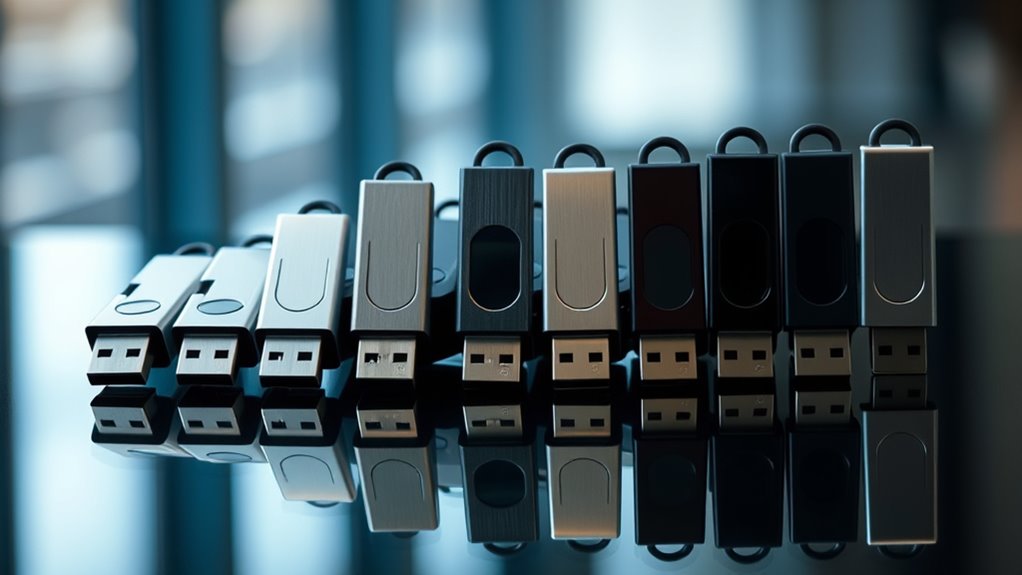

When choosing a secure flash drive, the goal is to balance strong encryption with ease of use and durability. The Apricorn Aegis Secure Key 3 NX stands out as the best overall for its robust hardware encryption and versatile connectivity. The Kingston IronKey Vault Privacy 50 offers a compact design with high-grade security, ideal for on-the-go professionals. However, these drives often involve tradeoffs: higher security features can mean increased cost or complexity, and not all drives are equally user-friendly. Continue reading for a detailed breakdown of the top options and what makes each suitable for different needs.

Get privacy and security gear delivered free with Prime
- Fast, free delivery on millions of items
- Prime Video, Amazon Music and more included
- Member-only deals all year
Key Takeaways
- Hardware encryption levels vary significantly; the most secure drives use FIPS-validated hardware for maximum protection.
- USB type and connectivity influence compatibility; Type-C drives offer better future-proofing but may be less common in older devices.
- Price often correlates with security features—more advanced encryption and physical security measures tend to cost more.
- Ease of use and setup differ widely; some drives require dedicated software, while others operate with hardware buttons or keypad entry.
- Durability and build quality are essential for portable drives, especially if they will be used in rough environments or on the go.
| Apricorn 8GB Aegis Secure Key 3 NX Encrypted USB 3.0 Flash Drive |  | Best Overall for High-Security Needs | Capacity: 8GB | Encryption: 256-bit | Validation: FIPS 140-2 Level 3 | VIEW ON AMAZON | See Our Full Breakdown |
| InnoPlus Secure Flash Drive 256-bit, 32GB Encrypted USB 3.0 Drive |  | Best Value for Military-Grade Security | Memory Storage Capacity: 32 GB | Hardware Interface: USB 3.0 | Write Speed: 160 MB/s | VIEW ON AMAZON | See Our Full Breakdown |
| Apricorn 128GB Aegis Secure Key 3 NXC Hardware-Encrypted USB 3.2 Type C Flash Drive, Black |  | Best for Versatile, High-Speed Secure Storage | Memory Storage Capacity: 128 GB | Connectivity Technology: USB Type C | Write Speed: 625 MB/s | VIEW ON AMAZON | See Our Full Breakdown |
| Integral 32GB Secure 360 Encrypted USB 3.0 Flash Drive |  | Best for Easy, Stylish Data Security | Memory Storage Capacity: 32 GB | Hardware Interface: USB 3.0 | Encryption: 256-bit AES | VIEW ON AMAZON | See Our Full Breakdown |
| Lexar D40E 128GB Dual USB 3.2 Gen 1 Type-C Jump Drive, Champagne Silver |  | Best for Versatile Device Compatibility | Memory Storage Capacity: 128 GB | Hardware Interface: USB 3.2 Gen 1 | Write Speed: 80 MB/s | VIEW ON AMAZON | See Our Full Breakdown |
| Kingston IronKey Vault Privacy 50 16GB Encrypted USB |  | Best for Business and Government Security | Memory Storage Capacity: 16 GB | Hardware Interface: USB 3.2 Gen 1 | Additional Features: Encrypted | VIEW ON AMAZON | See Our Full Breakdown |
| INNÔPlus Secure Flash Drive 256-bit, 64GB Encrypted USB Drive Gray |  | Best for Portable Data Security with High Speed | Memory Storage Capacity: 64 GB | Hardware Interface: USB 3.0 | Write Speed: 160 MB/s | VIEW ON AMAZON | See Our Full Breakdown |
| Kingston Ironkey Keypad 200 128GB Encrypted USB |  | Best for High-Capacity, User-Managed Security | Capacity: 128GB | Encryption: XTS-AES 256-bit | Security Certification: FIPS 140-3 Level 3 (Pending) | VIEW ON AMAZON | See Our Full Breakdown |
| Apricorn Aegis Secure Key 3 NX 64GB Encrypted USB 3.0 Flash Drive | | Best for Advanced User Control and Flexible Security | Capacity: 64GB | Encryption: 256-bit | Validation: FIPS 140-2 Level 3 (pending) | VIEW ON AMAZON | See Our Full Breakdown |
| secure flash drive | Memory Storage Capacity | Hardware Interface | Write Speed | Read Speed |
|---|---|---|---|---|
| Apricorn 8GB Aegis Secure Key | — | — | — | — |
| InnoPlus Secure Flash Drive 25 | 32 GB | USB 3.0 | 160 MB/s | 480 MB/s |
| Apricorn 128GB Aegis Secure Ke | 128 GB | — | 625 MB/s | 171 MB/s |
| Integral 32GB Secure 360 Encry | 32 GB | USB 3.0 | — | — |
| Lexar D40E 128GB Dual USB 3.2 | 128 GB | USB 3.2 Gen 1 | 80 MB/s | 100 MB/s |
| Kingston IronKey Vault Privacy | 16 GB | USB 3.2 Gen 1 | 180 MB/s | 250 MB/s |
| INNÔPlus Secure Flash Drive 2 | 64 GB | USB 3.0 | 160 MB/s | 480 MB/s |
| Kingston Ironkey Keypad 200 12 | — | — | — | — |
| Apricorn Aegis Secure Key 3 NX | — | — | — | — |
More Details on Our Top Picks
Apricorn 8GB Aegis Secure Key 3 NX Encrypted USB 3.0 Flash Drive
This option stands out for its FIPS 140-2 Level 3 validation, making it an excellent choice for users who prioritize compliance and security. Compared with the InnoPlus 32GB drive, it offers a higher level of government-grade encryption but sacrifices storage capacity. Its separate admin and user modes provide flexible access controls, ideal for organizational use. However, the limited 8GB capacity means it’s less suited for storing large files or multimedia. Its main tradeoff is that it lacks details on hardware durability, which could be important for portable security.
Pros:- High-level encryption with FIPS 140-2 Level 3 validation
- Multiple user modes for access control
- Data recovery PINs enhance data safety
Cons:- Limited storage capacity for large files
- No durability or waterproof features specified
Best for: Security-conscious professionals needing portable, encrypted storage for sensitive data with strict compliance requirements.
Not ideal for: Users requiring large capacity or multimedia storage, as 8GB is insufficient for high-volume files.
- Capacity:8GB
- Encryption:256-bit
- Validation:FIPS 140-2 Level 3
- Connectivity:USB 3.0
Our verdict“This drive is ideal for users demanding top-tier security in portable form, but not for those with large storage needs.”
InnoPlus Secure Flash Drive 256-bit, 32GB Encrypted USB 3.0 Drive
The InnoPlus drive offers 256-bit AES XTS hardware encryption, making it suitable for users requiring robust security without the complexity of software management. It surpasses the Apricorn 8GB in storage capacity and transfer speeds, with read speeds up to 480MB/s and write speeds around 160MB/s, supporting fast, secure data transfers. Its compatibility across Windows, Mac, Linux, and embedded systems broadens its utility. Yet, the 32GB capacity can be limiting, especially compared to larger drives like the Apricorn 128GB model, and the need for a password may be less convenient for quick access. The absence of encryption management software means less flexibility but also fewer attack vectors.
Pros:- Military-grade 256-bit AES hardware encryption
- Fast transfer speeds up to 480MB/s read
- Compatible with multiple platforms without extra software
- Sturdy zinc alloy and ABS shell resist damage
Cons:- Limited 32GB storage capacity
- Requires password for access, which may be inconvenient
Best for: Security-focused users needing portable, fast encryption with broad device compatibility on a budget.
Not ideal for: Those with large data storage needs or who prefer software-based encryption management.
- Memory Storage Capacity:32 GB
- Hardware Interface:USB 3.0
- Write Speed:160 MB/s
- Read Speed:480 MB/s
Our verdict“This drive suits security-conscious users needing fast, hardware-encrypted portability, but isn’t ideal for large data volumes.”
Apricorn 128GB Aegis Secure Key 3 NXC Hardware-Encrypted USB 3.2 Type C Flash Drive, Black
This model excels in providing 128GB of hardware-encrypted storage with USB 3.2 Type C connectivity, facilitating fast data transfer and broad device compatibility. Compared to the InnoPlus 32GB, it offers significantly more capacity and faster speeds, especially with write speeds reaching 625MB/s. Its FIPS 140-2 Level 3 validation and support for secure authentication make it suitable for professionals needing portable security across laptops, tablets, and smartphones supporting USB-C and OTG. The main tradeoff is the higher price point and the absence of included software for management. Its sleek, durable design makes it a portable choice, but users needing larger storage might look elsewhere.
Pros:- High-level hardware encryption with FIPS 140-2 Level 3
- Fast read/write speeds for secure transfers
- Compatible with a wide range of USB Type C devices
- Durable, compact design
Cons:- Limited 128GB capacity for large data needs
- No included management software
Best for: Mobile professionals requiring fast, secure, high-capacity data transfer on USB Type C devices.
Not ideal for: Users who need larger storage than 128GB or prefer software-based management features.
- Memory Storage Capacity:128 GB
- Connectivity Technology:USB Type C
- Write Speed:625 MB/s
- Read Speed:171 MB/s
Our verdict“This drive is best suited for mobile professionals who prioritize speed and security in a portable package.”
Integral 32GB Secure 360 Encrypted USB 3.0 Flash Drive
The Integral Secure 360 combines 256-bit AES encryption with a rotating capless design, making it a user-friendly choice for those seeking secure storage with a stylish, practical form factor. Its 32GB capacity is comparable to the Apricorn 8GB but offers faster transfer speeds up to 5Gbps. The rotating housing prevents cap loss and simplifies handling, ideal for everyday use. However, the 32GB limit restricts storing large files, and the automatic data erasure after 10 failed login attempts could be inconvenient for frequent access. Its straightforward, no-software approach makes it suitable for casual users who want safety with simplicity.
Pros:- Strong 256-bit AES encryption
- Fast USB 3.0 transfer speeds
- Capless rotating design prevents cap loss
- Compatible with Windows and Mac
Cons:- Limited 32GB storage capacity
- Automatic erasure after 10 failed attempts may be inconvenient
Best for: Casual users needing secure, stylish storage for smaller files on Windows and Mac.
Not ideal for: Power users or those with large data needs, due to limited capacity and potential data loss from failed login attempts.
- Memory Storage Capacity:32 GB
- Hardware Interface:USB 3.0
- Encryption:256-bit AES
- Additional Features:Rotating capless design
Our verdict“This drive offers an attractive, secure option for casual users with smaller data sets who value style and simplicity.”
Lexar D40E 128GB Dual USB 3.2 Gen 1 Type-C Jump Drive, Champagne Silver
The Lexar D40E stands out for its dual USB Type-A and Type-C connectors, offering unmatched versatility for users switching between laptops, smartphones, and tablets. Compared with the Apricorn 128GB drive, it offers slightly slower speeds—up to 100MB/s read and 80MB/s write—but compensates with its convenience for on-the-go users who need quick transfers across different device types. Its metal enclosure provides durability, but the 128GB capacity might be insufficient for users with large storage demands. It lacks integrated encryption features, relying instead on device-level security, which can be a tradeoff for those seeking hardware-encrypted protection.
Pros:- Dual USB Type-A and Type-C connectors
- Compact, durable metal enclosure
- Fast transfer speeds for its class
Cons:- Limited to 128GB capacity
- No built-in encryption or security features
Best for: Mobile users needing a durable, versatile drive compatible with a range of devices and quick transfers.
Not ideal for: Those requiring hardware encryption or large storage capacity for extensive files.
- Memory Storage Capacity:128 GB
- Hardware Interface:USB 3.2 Gen 1
- Write Speed:80 MB/s
- Read Speed:100 MB/s
Our verdict“This drive is best for users seeking convenience and device compatibility over high security or large storage capacity.”
Kingston IronKey Vault Privacy 50 16GB Encrypted USB
The Kingston IronKey Vault Privacy 50 stands out for its hardware-based AES 256-bit encryption, making it ideal for organizations handling sensitive data. Compared with the INNÔPlus Secure Flash Drive, it offers a higher level of security tailored specifically for enterprise use, including protection against BadUSB and brute-force attacks. However, its limited 16GB capacity may be restrictive for users needing to store larger files, and its higher cost reflects its premium security features. This drive’s TAA compliance and multiple password options make it a reliable choice for government and corporate environments, but it requires a physical USB port and is not wireless. The drive’s speed, with read/write up to 250/180 MB/s, supports quick data transfer within security constraints.
Pros:- High-level hardware encryption with AES 256-bit
- Protection against BadUSB and brute-force attacks
- TAA compliance suitable for government use
- Multiple password and passphrase options
Cons:- Limited storage capacity for large files
- Potentially higher cost due to security features
- Requires physical USB port, no wireless option
Best for: Large organizations or government agencies needing highly secure, hardware-encrypted USBs for sensitive data.
Not ideal for: Individual users or small teams who require more storage or wireless convenience.
- Memory Storage Capacity:16 GB
- Hardware Interface:USB 3.2 Gen 1
- Additional Features:Encrypted
- Write Speed:180 MB/s
- Read Speed:250 MB/s
- Connectivity Technology:USB
Our verdict“This drive is best suited for security-conscious organizations with strict compliance needs and limited storage demands.”
INNÔPlus Secure Flash Drive 256-bit, 64GB Encrypted USB Drive Gray
The INNÔPlus Secure Flash Drive offers a compelling blend of military-grade 256-bit AES XTS encryption and fast transfer speeds, reaching up to 480MB/s read and 160MB/s write. This makes it a strong choice for users who need quick backups and secure data transport, especially compared to the Kingston IronKey Vault Privacy 50, which focuses more on hardware security for enterprise environments. Its durable zinc alloy shell enhances portability and durability, ideal for travel or remote work. A key tradeoff is the limited capacity of 64GB, which might be insufficient for users with larger data needs, and it lacks advanced security certifications like FIPS 140-3. Still, the broad compatibility across Windows, Mac, and Linux makes it versatile for various users.
Pros:- Military-grade 256-bit AES XTS encryption
- Fast transfer speeds up to 480MB/s read
- Durable zinc alloy shell
- Compatible with multiple operating systems
Cons:- Limited to 64GB capacity
- Lacks advanced security certifications like FIPS 140-3
- No included accessories or additional features
Best for: Travelers and remote workers needing fast, secure data transfer with rugged durability.
Not ideal for: Users requiring large storage capacity or enterprise-grade compliance features.
- Memory Storage Capacity:64 GB
- Hardware Interface:USB 3.0
- Write Speed:160 MB/s
- Read Speed:480 MB/s
- Connectivity Technology:USB
- Compatible Devices:Windows, Mac, Linux
Our verdict“This drive is ideal for mobile professionals prioritizing speed, durability, and high-level encryption in a compact form.”
Kingston Ironkey Keypad 200 128GB Encrypted USB
The Kingston Ironkey Keypad 200 provides 128GB of encrypted storage, making it a versatile option for users needing more space than the 64GB INNÔPlus or Apricorn drives. Its multi-pin keypad and multi-PIN access deliver a layer of security that surpasses basic password protection, with military-grade encryption ensuring data remains protected against sophisticated threats. Compared to the Apricorn Aegis Secure Key 3 NX, the Keypad 200’s focus on physical PIN entry adds an extra security layer but does not specify transfer speeds, which may be a limiting factor for those needing quick data movement. The pending FIPS 140-3 certification indicates a high security standard, but it isn’t finalized yet, which could impact compliance-dependent users.
Pros:- 128GB capacity for larger data needs
- Multi-PIN access and keypad for multi-factor security
- Military-grade encryption
- High security certification pending
Cons:- Certification still pending (not yet finalized)
- Lack of specified transfer speeds
- Limited to security features, no additional functionalities
Best for: Security-conscious professionals managing large amounts of sensitive data requiring multi-factor PIN protection.
Not ideal for: Users seeking fast data transfer speeds or a drive with certification fully finalized and certified.
- Capacity:128GB
- Encryption:XTS-AES 256-bit
- Security Certification:FIPS 140-3 Level 3 (Pending)
- Features:Alphanumeric keypad, Multi-PIN
Our verdict“This drive suits those needing substantial encrypted storage with multi-factor PIN security, pending final certification.”
Apricorn Aegis Secure Key 3 NX 64GB Encrypted USB 3.0 Flash Drive
The Apricorn Aegis Secure Key 3 NX offers 256-bit encryption and multiple modes including admin and user access, making it well suited for environments requiring strict access controls. Its read-only mode adds an extra layer of protection against accidental data modification or deletion, a feature not present in the other drives like the Kingston IronKey Keypad 200. Still, its validation is pending, which could be a concern for users needing certified security standards. The 64GB capacity may be limiting for those with larger files, but for sensitive data requiring granular access controls, this drive provides a strong security framework, though at a potentially higher cost.
Pros:- High-level 256-bit encryption
- Multiple user and admin modes
- Read-only mode for added protection
- Data recovery PINs
Cons:- Validation still pending (not yet certified)
- Limited to 64GB capacity
- Potentially higher cost due to advanced features
Best for: Organizations or individuals needing secure, multi-user access with read-only options and detailed control over data permissions.
Not ideal for: Users with large storage needs or those requiring a fully certified security solution immediately.
- Capacity:64GB
- Encryption:256-bit
- Validation:FIPS 140-2 Level 3 (pending)
- Features:Admin/User modes, Read-only, Data recovery PINs
Our verdict“This drive is best for users who need detailed access control and secure multi-user management in a portable format.”

How We Picked
The products in this roundup were selected based on a combination of security features, build quality, ease of use, and overall value. Priority was given to drives with hardware encryption validated by independent standards like FIPS, as this provides the most reliable protection for sensitive data. Compatibility with different devices and ease of setup were also key factors, along with physical durability for portable units. The ranking reflects a balance between high-security features and practical usability, ensuring options suit different user needs—from casual users to security professionals.| secure flash drive | Hardware Interface |
|---|---|
| Apricorn 8GB Aegis Secure Key | — |
| InnoPlus Secure Flash Drive 25 | USB 3.0 |
| Apricorn 128GB Aegis Secure Ke | — |
| Integral 32GB Secure 360 Encry | USB 3.0 |
| Lexar D40E 128GB Dual USB 3.2 | USB 3.2 Gen 1 |
| Kingston IronKey Vault Privacy | USB 3.2 Gen 1 |
| INNÔPlus Secure Flash Drive 2 | USB 3.0 |
| Kingston Ironkey Keypad 200 12 | — |
| Apricorn Aegis Secure Key 3 NX | — |
Factors to Consider When Choosing Secure Flash Drive
Choosing a secure flash drive involves understanding several key factors that impact security, usability, and value. Beyond reading specs, it’s important to consider how the drive fits your specific needs—whether for professional data protection, personal use, or handling highly sensitive information. Careful evaluation of these factors can prevent costly mistakes and ensure you get a device that offers both peace of mind and convenience.Security Level and Encryption Standards
Look for drives with hardware encryption validated by standards like FIPS 140-2 or FIPS 140-3, which ensure the encryption is tested and trustworthy. Software-based encryption, while easier to set up, is generally less secure because it depends on the operating system and software updates. The most secure drives incorporate physical security measures such as keypad PIN entry or biometric authentication and resist tampering and physical attacks. Matching the security level to your threat model helps avoid paying for features you don’t need or risking data exposure with lower-grade protection.
Connectivity and Compatibility
Consider whether the drive offers USB Type-A, Type-C, or dual connectors, depending on your device ecosystem. Type-C connectivity provides better compatibility with newer devices and faster transfer speeds, but if you work primarily with older computers, a Type-A port might be necessary. Some drives include adapters, but built-in dual connectors streamline usability. Compatibility issues can cause frustration or limit your options, so check device requirements carefully before purchasing.
Ease of Use and Setup
Secure drives vary in setup complexity. Some require dedicated software for encryption management, which may need installation and updates, while others operate as hardware-only with physical keypad or fingerprint sensors. Consider your technical comfort level: drives with simple keypad PIN entry tend to be more straightforward for quick access, but less flexible for managing multiple users. Ease of access is key for daily use, but sacrificing some security features for simplicity can be a mistake if you’re handling sensitive data.
Build Quality and Durability
If portability is a priority, opt for drives with rugged casing, water and dust resistance, and shock-proof design. Physical security features like tamper-evident seals or reinforced enclosures add extra protection. Cheaper plastic drives may save money initially but tend to wear out faster, risking data loss or physical damage. For critical or mobile use, investing in a durable model can extend lifespan and ensure your data remains safe in transit.
Price and Overall Value
While high security often comes at a higher cost, not all premium drives are necessary for every user. For casual or occasional use, a less expensive model with basic encryption might suffice. Business or professional users handling sensitive information should consider investing more in hardware-validated encryption and physical security features. Balance your budget with your security needs to avoid overspending on features that won’t be used or underinvesting in critical protection.
Frequently Asked Questions
Can I use a secure flash drive on multiple operating systems?
Most modern secure flash drives are compatible across multiple operating systems like Windows, macOS, and Linux, especially if they support standard USB interfaces. However, some drives rely on dedicated software or encryption schemes that may be limited to specific platforms. Check whether the drive includes cross-platform support or requires special software, and verify if it can be formatted or reconfigured for different OS environments without compromising security.
How do I reset or change the security settings on my encrypted flash drive?
Resetting or modifying security settings usually involves using the drive’s dedicated management software or hardware interface, such as a keypad or biometric reader. Many drives allow you to change PINs, set up multiple user profiles, or erase all data for a fresh start. Always follow the manufacturer’s instructions carefully, especially if the drive contains sensitive data, to avoid accidental data loss or compromising security during the process.
Are hardware-encrypted drives truly more secure than software options?
Yes, hardware-encrypted drives typically provide a higher level of security because the encryption process occurs within a dedicated chip, isolating it from the host device. This hardware-based approach reduces the risk of malware or software vulnerabilities compromising your data. Software encryption depends on the operating system, which can be more vulnerable to attacks, especially if the software isn’t regularly updated or properly configured.
What should I do if I forget the PIN or password on my secure drive?
If you forget your PIN or password, most secure drives do not allow data recovery without the correct authentication. This is a deliberate security feature to prevent unauthorized access. Some drives include a reset option, but this typically erases all stored data. To avoid losing critical information, consider backing up data securely elsewhere or setting a memorable but secure PIN, and always keep recovery instructions provided by the manufacturer.
Is it worth paying extra for biometric or fingerprint security on a flash drive?
Adding biometric or fingerprint security can enhance convenience and reduce reliance on PINs, which might be forgotten or guessed. These features provide an extra layer of security by tying access to your unique biometric data. However, they also add complexity and cost, and biometric sensors can sometimes malfunction or be less reliable in certain conditions. Consider whether the added security and convenience align with your risk level and usage patterns.
Conclusion
For general professional use where security is paramount, the Apricorn Aegis Secure Key 3 NX offers a balanced mix of hardware encryption, durability, and ease of use, making it the best overall choice. Users seeking the best value might find the InnoPlus Secure Flash Drive sufficient if they don’t need the highest encryption standards. For those new to secure storage, a drive with simple keypad access like the Kingston IronKey Vault Privacy 50 provides straightforward protection. Power users and security professionals should consider premium options with FIPS validation and physical tamper resistance, such as the Apricorn Aegis Secure Key 3 NXC. Ultimately, your choice depends on your specific security needs, portability preferences, and budget constraints.