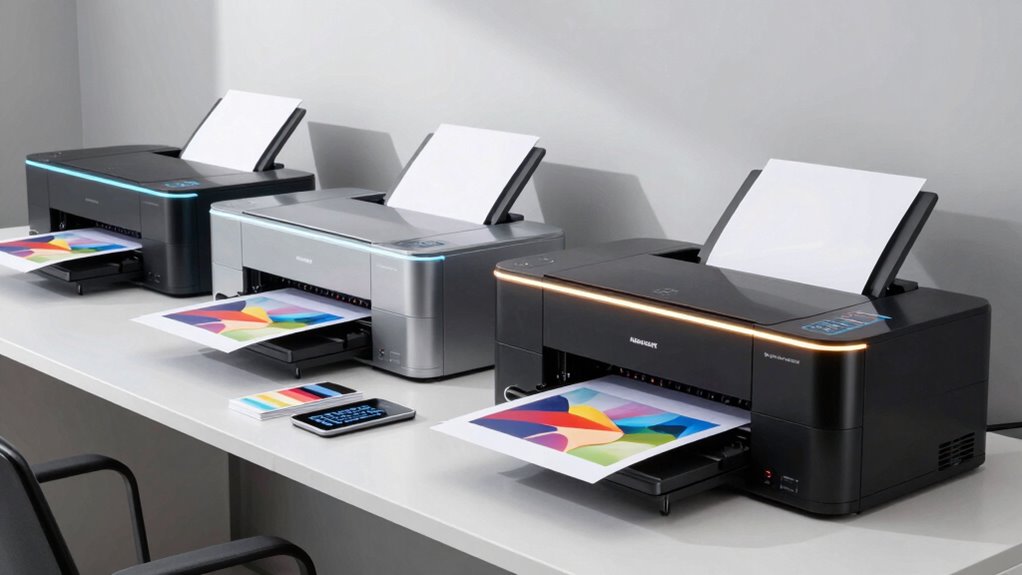
A wide format printer can handle oversized office documents, posters, plans, or photos, but the right choice depends on what you print most. I’d make the Brother INKvestment MFC-J6960DW my best overall pick for its mix of wide paper support and all-in-one office functions. The HP DesignJet T210 is a more focused choice for CAD drawings and posters, while the Epson EcoTank Photo ET-8550 better suits photo printing. The main tradeoffs are print width, ink economy, image quality, and whether you need scanning, copying, or faxing. Read on for how the 14 options compare and which one fits your workload.

Get privacy and security gear delivered free with Prime
- Fast, free delivery on millions of items
- Prime Video, Amazon Music and more included
- Member-only deals all year
Key Takeaways
- Office versatility sets the Brother MFC-J6960DW apart: it pairs wide format printing with all-in-one features, making it a stronger fit for mixed office work than print-only plotters.
- Plotters serve a different job from wide-format office printers: the HP DesignJet T210 and T630 are aimed at plans and posters, while many other picks handle tabloid or similar office media.
- Ink systems shape long-run convenience: Epson’s EcoTank ET-15000 and ET-8550 use refillable tanks, while cartridge-based models may suit buyers with less frequent or more varied printing.
- Photo needs change the ranking: the Epson ET-8550 and XP-15000 prioritize photo output, whereas office-focused models emphasize document handling and multifunction features.
- Wide format does not always mean a large plotter: compact models such as the Canon Pixma iX6820 provide an oversized page option without the footprint and plan-printing focus of a 24-inch DesignJet.
| Brother INKvestment MFC-J6960DW Wireless Color Inkjet All-in-One Printer |  | Best Office All-in-One | Printer type: Wireless color inkjet all-in-one | Functions: Print, copy, scan, fax | Maximum paper size: 11 × 17 inches | VIEW ON AMAZON | See Our Full Breakdown |
| HP DesignJet T210 Large Format 24-inch Plotter Printer, for Easy CAD & Poster Prints (8AG32D) |  | Best for CAD and Roll Media | Printer type: 24-inch large-format plotter | Maximum roll width: 24 inches | Maximum sheet size: 13 × 19 inches with optional automatic sheet feeder | VIEW ON AMAZON | See Our Full Breakdown |
| Epson WorkForce Pro WF-7310 Wireless Wide-Format Inkjet Printer |  | Best for High-Volume Tabloid Printing | Printer type: Wide-format inkjet | Maximum print size: 13 × 19 inches | Borderless print size: Up to 11 × 17 inches | VIEW ON AMAZON | See Our Full Breakdown |
| HP OfficeJet Pro 9730 Wide-Format Wireless All-in-One Color Inkjet Printer |  | Best for Easy Office Operation | Print technology: Color inkjet | Functions: Print, copy, scan, fax | Maximum print size: 11 × 17 inches | VIEW ON AMAZON | See Our Full Breakdown |
| Canon Pixma iX6820 Wireless Business Printer with AirPrint and Cloud Compatible, Black,23.0” (W) x 12.3” (D) x 6.3” (H) |  | Best Compact Wide-Sheet Printer | Printer type: Wireless business inkjet printer | Maximum print size: 13 × 19 inches | Paper feeder: 150-sheet automatic sheet feeder | VIEW ON AMAZON | See Our Full Breakdown |
| Brother INKvestment MFC-J6560DW Wireless Color Inkjet All-in-One Printer |  | Best for Office Documents | Printer type: Color inkjet all-in-one | Functions: Print, copy, scan, fax | Maximum media size: 11 × 17 inches | VIEW ON AMAZON | See Our Full Breakdown |
| Canon imagePROGRAF TC-21M 24-Inch Multifunction Large-Format Printer |  | Best for Wide Roll Media | Printer type: Color inkjet multifunction printer | Maximum media width: 24 inches | Scanner type: Flatbed | VIEW ON AMAZON | See Our Full Breakdown |
| Epson EcoTank Photo ET-8550 Wireless Wide-Format All-in-One Printer |  | Best for Photo Printing | Printer type: Wireless wide-format all-in-one | Functions: Print, scan, copy | Ink system: Cartridge-free, high-yield ink bottles | VIEW ON AMAZON | See Our Full Breakdown |
| Epson Expression Photo HD XP-15000 Wireless Wide-Format Inkjet Printer |  | Best Compact Photo Pick | Print technology: Inkjet | Maximum print size: 13 × 19 inches | Ink system: Six-color Claria Photo HD | VIEW ON AMAZON | See Our Full Breakdown |
| Epson EcoTank ET-15000 Wireless All-in-One Wide-Format Supertank Printer |  | Best for High-Volume Mixed Work | Printer type: Wireless inkjet all-in-one with refillable ink tanks | Functions: Print, copy, scan, fax | Maximum print size: 13 × 19 inches through rear feed | VIEW ON AMAZON | See Our Full Breakdown |
| HP OfficeJet Pro 9720 Wide-Format Wireless All-in-One Color Inkjet Printer |  | Best for Color-Accurate Office Documents | Maximum print size: 11 × 17 inches | Print speeds: Up to 22 ppm black; 18 ppm color | Input capacity: 250 sheets | VIEW ON AMAZON | See Our Full Breakdown |
| Epson WorkForce Pro WF-7840 Wireless All-in-One Wide-Format Inkjet Printer |  | Best for High-Volume, Larger Office Prints | Maximum print size: 13 × 19 inches | Paper capacity: 500 sheets | Functions: Print, copy, scan, fax | VIEW ON AMAZON | See Our Full Breakdown |
| HP DesignJet T630 24-Inch Large-Format Plotter Printer with Auto Sheet Feeder, Media Bin, and Stand |  | Best for CAD Plans and Roll Media | Printer type: Large-format plotter | Maximum roll width: 24 inches | Maximum sheet size: 13 × 19 inches | VIEW ON AMAZON | See Our Full Breakdown |
| Epson WorkForce Pro WF-7820 Wireless Wide-Format All-in-One Inkjet Printer |  | Best for a Connected Small Office | Maximum print size: 13 × 19 inches | Print speeds: Up to 25 ppm black and 12 ppm color (ISO) | Functions: Print, copy, scan, fax | VIEW ON AMAZON | See Our Full Breakdown |
| wide format printer | Connectivity | Printer type | Functions | Maximum print size |
|---|---|---|---|---|
| Brother INKvestment MFC-J6960D | Wi-Fi, Wi-Fi Direct, Ethernet, USB | Wireless color inkjet all-in-one | Print, copy, scan, fax | — |
| HP DesignJet T210 Large Format | Gigabit Ethernet, Hi-Speed USB 2.0, Wi-Fi 802.11 b/g/n | 24-inch large-format plotter | — | — |
| Epson WorkForce Pro WF-7310 Wi | Wi-Fi 5 and Wi-Fi Direct | Wide-format inkjet | — | 13 × 19 inches |
| HP OfficeJet Pro 9730 Wide-For | Dual-band Wi-Fi; HP app | — | Print, copy, scan, fax | 11 × 17 inches |
| Canon Pixma iX6820 Wireless Bu | — | Wireless business inkjet printer | — | 13 × 19 inches |
| Brother INKvestment MFC-J6560D | Wi-Fi, Wi-Fi Direct, Ethernet, USB | Color inkjet all-in-one | Print, copy, scan, fax | — |
| Canon imagePROGRAF TC-21M 24-I | — | Color inkjet multifunction printer | — | — |
| Epson EcoTank Photo ET-8550 Wi | — | Wireless wide-format all-in-one | Print, scan, copy | — |
| Epson Expression Photo HD XP-1 | Wireless | — | — | 13 × 19 inches |
| Epson EcoTank ET-15000 Wireles | USB 2.0, LAN, Wi-Fi | Wireless inkjet all-in-one with refillable ink tanks | Print, copy, scan, fax | 13 × 19 inches through rear feed |
| HP OfficeJet Pro 9720 Wide-For | Dual-band Wi-Fi; HP app | — | Print, scan, copy, fax | 11 × 17 inches |
| Epson WorkForce Pro WF-7840 Wi | Wireless 802.11a/b/g/n/ac | — | Print, copy, scan, fax | 13 × 19 inches |
| HP DesignJet T630 24-Inch Larg | Gigabit Ethernet, Hi-Speed USB 2.0, Wi-Fi Direct, Wi-Fi 802.11 b/g/n | Large-format plotter | — | — |
| Epson WorkForce Pro WF-7820 Wi | Wireless, Wi-Fi Direct, Bluetooth Low Energy, Ethernet | — | Print, copy, scan, fax | 13 × 19 inches |
More Details on Our Top Picks
Brother INKvestment MFC-J6960DW Wireless Color Inkjet All-in-One Printer
For a small office that regularly handles tabloid documents, the MFC-J6960DW pairs 11 × 17-inch printing with copying, scanning, and faxing. Its 500-sheet capacity plus a 100-sheet multipurpose tray lets me keep common paper sizes loaded, while the 50-page single-pass duplex feeder can scan both sides without manually flipping a stack. Compared with the HP OfficeJet Pro 9730, it adds Ethernet and USB alongside Wi-Fi and offers faster stated print speeds; HP counters with a larger touchscreen. The Brother’s tradeoff is that it stops at 11 × 17 inches, so it cannot handle the 24-inch roll media supported by the HP DesignJet T210. I’d choose it for a shared office that needs broad document functions, rather than oversized plans or posters.
Pros:- Prints, copies, scans, and faxes up to 11 × 17 inches
- 500-sheet capacity across two trays, plus a 100-sheet multipurpose tray
- 50-page single-pass duplex automatic document feeder
- Wi-Fi, Wi-Fi Direct, Ethernet, and USB connectivity
Cons:- Maximum paper size is smaller than 24-inch roll printers such as the HP DesignJet T210
- The listed 2.7-inch touchscreen is relatively small for managing office jobs
- Color cartridges are rated for fewer pages than the included black cartridge
Best for: Small offices that need tabloid printing, duplex scanning, faxing, and multiple paper sources in one machine
Not ideal for: Architects and print shops producing posters or plans wider than 11 × 17 inches
- Printer type:Wireless color inkjet all-in-one
- Functions:Print, copy, scan, fax
- Maximum paper size:11 × 17 inches
- Paper capacity:500 sheets across two trays; 100-sheet multipurpose tray
- Automatic document feeder:Up to 50 pages; single-pass duplex
- Print speed:Up to 31 ppm black; up to 30 ppm color
- Connectivity:Wi-Fi, Wi-Fi Direct, Ethernet, USB
- Ink compatibility:Brother Genuine LC506
Our verdict“Choose the MFC-J6960DW if your office needs an 11 × 17-inch all-in-one with strong paper handling and duplex scanning.”
HP DesignJet T210 Large Format 24-inch Plotter Printer, for Easy CAD & Poster Prints (8AG32D)
The DesignJet T210 is the clearest fit here for technical drawings, maps, and posters that need to print wider than tabloid paper. It accepts 24-inch media rolls, includes an automatic horizontal cutter, and supports HP/GL-2—capabilities the Brother MFC-J6960DW and other 11 × 17-inch office all-in-ones cannot match. HP Click software adds PDF checks and auto-nesting, which can help arrange jobs on a sheet or roll with less manual setup. The listed rate is up to 59 A1/D prints per hour, but this is a plotter built around large-format output, not a multifunction office hub: the supplied details do not list scanning, copying, or faxing. Sheet printing up to 13 × 19 inches requires an optional feeder, so buyers who mainly print standard office documents may find its roll-media strengths unnecessary.
Pros:- Supports media rolls up to 24 inches wide
- Automatic horizontal cutter handles finished roll prints
- HP Click includes PDF error checking and auto-nesting
- Wi-Fi, Gigabit Ethernet, USB, and HP/GL-2 support
Cons:- Automatic sheet feeding for 13 × 19-inch sheets requires an optional accessory
- The supplied product details do not list scanning, copying, or fax functions
- Large-format roll workflows may be unnecessary for buyers who mainly print office documents
Best for: CAD users, map makers, and sewing-pattern designers who need precise line output on media up to 24 inches wide
Not ideal for: Home offices that need scanning, copying, faxing, or primarily standard-size document printing
- Printer type:24-inch large-format plotter
- Maximum roll width:24 inches
- Maximum sheet size:13 × 19 inches with optional automatic sheet feeder
- Media handling:Sheet feed, roll feed, automatic horizontal cutter
- Print rate:Up to 59 A1/D-size prints per hour
- Memory:500 MB
- Connectivity:Gigabit Ethernet, Hi-Speed USB 2.0, Wi-Fi 802.11 b/g/n
- Supported file formats:PDF, JPEG, TIFF, DWF, HP-GL/2, PNG
Our verdict“Pick the DesignJet T210 when your work calls for 24-inch roll prints and CAD-oriented controls rather than an office all-in-one.”
Epson WorkForce Pro WF-7310 Wireless Wide-Format Inkjet Printer
The WF-7310 focuses on printing rather than trying to double as an office scanner. Its 13 × 19-inch maximum size gives it more sheet-format reach than the 11 × 17-inch Brother MFC-J6960DW and HP OfficeJet Pro 9730, while two 250-sheet trays reduce interruptions on longer runs. Epson lists ISO speeds up to 25 black and 12 color pages per minute, and a rear feed adds another route for paper handling. That makes this a practical choice for offices producing spreadsheets, proofs, or graphics on larger sheets. The tradeoff is a narrower job description: the supplied specs list no copying or scanning, unlike the Brother and HP all-in-ones. It also requires genuine Epson cartridges, which limits ink choice, and its 11 × 17-inch borderless limit is smaller than its maximum printable sheet size.
Pros:- Prints on sheets up to 13 × 19 inches
- Two 250-sheet trays and a rear feed support varied print jobs
- Rated speeds reach 25 ppm black and 12 ppm color ISO
- Wi-Fi 5 and Wi-Fi Direct support wireless printing
Cons:- No scanning or copying functions are listed
- Borderless printing is limited to 11 × 17 inches
- Requires genuine Epson-brand cartridges
Best for: Workgroups that print frequent 13 × 19-inch documents and want multiple paper sources without all-in-one functions
Not ideal for: Buyers who need a scanner, copier, fax, or borderless output at the full 13 × 19-inch size
- Printer type:Wide-format inkjet
- Maximum print size:13 × 19 inches
- Borderless print size:Up to 11 × 17 inches
- Print speed:Up to 25 black / 12 color ISO ppm
- Paper capacity:Two 250-sheet trays and a rear feed
- Connectivity:Wi-Fi 5 and Wi-Fi Direct
- Display:2.4-inch color display
- Ink:Epson DURABrite Ultra pigment ink; genuine Epson cartridges required
Our verdict“Choose the WF-7310 for high-volume wide-sheet printing when you do not need the extra functions of the Brother or HP all-in-ones.”
HP OfficeJet Pro 9730 Wide-Format Wireless All-in-One Color Inkjet Printer
The OfficeJet Pro 9730 combines 11 × 17-inch printing with copy, scan, and fax functions, making it a sensible choice when several office tasks need to share one machine. Its 4.3-inch color touchscreen is larger than the listed display on the Brother MFC-J6960DW and Epson WF-7310, and the dual 250-sheet trays keep two paper types ready. Single-pass duplex scanning handles both sides of a document in one pass, a useful distinction from printers that only offer automatic two-sided printing. The Brother lists faster peak print speeds and adds Ethernet and USB connectivity in its supplied specs, while HP’s listed connection details focus on dual-band Wi-Fi and the HP app. Like the Brother, the HP tops out at 11 × 17 inches, so it is not a substitute for the 24-inch HP DesignJet T210 when roll media is required.
Pros:- Prints, copies, scans, and faxes up to 11 × 17 inches
- Single-pass duplex scanning and automatic two-sided printing
- 500-sheet capacity across two trays
- Large 4.3-inch color touchscreen
Cons:- Maximum print size is smaller than the 24-inch HP DesignJet T210
- Listed print speeds are lower than the Brother MFC-J6960DW
- Instant Ink trial converts to a monthly fee unless cancelled
Best for: Small teams that want an easy-to-operate 11 × 17-inch all-in-one with duplex scanning and two loaded paper trays
Not ideal for: CAD studios or print rooms that need 24-inch roll media, or users who want listed Ethernet and USB connections
- Print technology:Color inkjet
- Functions:Print, copy, scan, fax
- Maximum print size:11 × 17 inches
- Print speed:Up to 22 ppm black; 18 ppm color
- Paper capacity:500 sheets across two 250-sheet trays
- Duplex:Automatic two-sided printing and single-pass two-sided scanning
- Display:4.3-inch color touchscreen
- Connectivity:Dual-band Wi-Fi; HP app
Our verdict“Choose the OfficeJet Pro 9730 if a large touchscreen and duplex all-in-one workflow matter more than roll media or the Brother’s listed peak speed.”
Canon Pixma iX6820 Wireless Business Printer with AirPrint and Cloud Compatible, Black,23.0” (W) x 12.3” (D) x 6.3” (H)
The Pixma iX6820 is the lineup’s simpler wide-sheet option: it prints up to 13 × 19 inches and measures just 6.3 inches high, but skips the copy, scan, and fax functions found on the Brother MFC-J6960DW and HP OfficeJet Pro 9730. That makes it a better fit for a desk where large spreadsheets, proofs, or graphics are the main job and a separate scanner is already available. Its five individual ink tanks let a user replace a depleted color separately, and the listed 150-sheet feeder is suited to lighter workloads than the Epson WF-7310’s two 250-sheet trays. Wireless printing options include AirPrint and Canon’s Pixma Printing Solutions. The supplied information does not list print speed or borderless sizes, so buyers who need those details should compare carefully before choosing it.
Pros:- Supports wide-sheet printing up to 13 × 19 inches
- Five individual ink tanks allow separate color replacement
- 150-sheet automatic feeder for everyday print jobs
- Supports AirPrint and Canon Pixma Printing Solutions
Cons:- No scanning, copying, or faxing functions are listed
- 150-sheet feeder holds less than the Epson WF-7310’s two 250-sheet trays
- Supplied product data does not state print speed or borderless capability
Best for: Home offices and designers who need occasional 13 × 19-inch prints from a relatively low-profile printer
Not ideal for: Busy teams that need high paper capacity, duplexing, or built-in scanning and copying
- Printer type:Wireless business inkjet printer
- Maximum print size:13 × 19 inches
- Paper feeder:150-sheet automatic sheet feeder
- Ink system:Five individual ink tanks
- Maximum resolution:9600 × 2400 dpi
- Connectivity and services:AirPrint, Google Cloud Print, Pixma Printing Solutions
- Dimensions:23.0 inches wide × 12.3 inches deep × 6.3 inches high
- Operating system compatibility:Windows and Mac OS X; listed Windows versions include Windows XP through Windows 8.1
Our verdict“Pick the Pixma iX6820 for occasional 13 × 19-inch printing in a low-profile device when you can manage scanning separately.”
Brother INKvestment MFC-J6560DW Wireless Color Inkjet All-in-One Printer
The MFC-J6560DW suits small offices that need 11 × 17-inch printing alongside everyday copy, scan, and fax tasks. Its 250-sheet tray, automatic duplex printing, and 50-page feeder help keep routine paperwork moving, while Wi-Fi, Ethernet, and USB offer practical setup choices. Compared with the Canon imagePROGRAF TC-21M, it is narrower in maximum media size, but adds faxing and a faster stated color print rate. The tradeoff is that its feeder scans single-sided originals, so double-sided batches need extra handling. Its office-focused all-in-one functions make more sense for forms, spreadsheets, and occasional ledger-size output than for long posters or wide roll media.
Pros:- Prints, copies, scans, and faxes
- Supports media up to 11 × 17 inches
- Automatic duplex printing and a 50-page document feeder
- Wi-Fi, Wi-Fi Direct, Ethernet, and USB connectivity
Cons:- Automatic document feeder is single-sided
- Maximum media size is smaller than the 24-inch Canon imagePROGRAF TC-21M
- Cloud printing and scanning may depend on compatible apps or services
Best for: Small offices that print ledger-size spreadsheets and need copy, scan, and fax functions in one machine
Not ideal for: Poster makers and CAD users who need roll media wider than 11 × 17 inches or automatic two-sided scanning
- Printer type:Color inkjet all-in-one
- Functions:Print, copy, scan, fax
- Maximum media size:11 × 17 inches
- Paper tray capacity:250 sheets
- Automatic document feeder:50 pages, single-sided
- Print speed:Up to 31 ppm black; up to 30 ppm color
- Connectivity:Wi-Fi, Wi-Fi Direct, Ethernet, USB
Our verdict“Choose the MFC-J6560DW for an office that needs 11 × 17-inch output and full document handling in one printer.”
Canon imagePROGRAF TC-21M 24-Inch Multifunction Large-Format Printer
The TC-21M is the clear fit when 24-inch roll printing matters more than a compact footprint. It handles posters, banners, CAD drawings, and labels, while its flatbed scanner can enlarge and copy originals directly. USB drive printing and cloud functions give it useful ways to take in files, and the automatic sheet feeder adds flexibility for standard sheets. Against the Epson EcoTank ET-8550, the Canon accepts substantially wider media; the Epson is a more home-friendly photo and graphics choice. The TC-21M’s tradeoffs are its large 21 × 38-inch footprint, modest sheet feeder capacity, and stated color speed of 8 pages per minute. Pick it for oversized work, not brisk everyday office batches.
Pros:- Supports compatible roll media up to 24 inches wide
- Flatbed scanner supports direct enlargement and copying
- USB drive and cloud printing and scanning options
- Includes 280 ml of ink across four colors
Cons:- Large footprint may be difficult to place in a home office
- Automatic sheet feeder holds up to 100 letter-size or 50 11 × 17-inch sheets
- Stated color print speed is 8 pages per minute
Best for: Architects, school staff, and small print rooms producing posters, banners, labels, or CAD drawings up to 24 inches wide
Not ideal for: Home users with limited desk space or offices whose main need is fast, high-volume letter-size printing
- Printer type:Color inkjet multifunction printer
- Maximum media width:24 inches
- Scanner type:Flatbed
- Auto sheet feeder:Up to 100 letter-size or 50 11 × 17-inch sheets
- Ink colors:Black, cyan, magenta, yellow
- Included ink:280 ml total; 70 ml per bottle
- Print resolution:2400 × 1200 dpi
- Dimensions:21 × 38 × 10 inches (D × W × H)
Our verdict“Choose the TC-21M when 24-inch roll media and direct scanning outweigh its size and slower color output.”
Epson EcoTank Photo ET-8550 Wireless Wide-Format All-in-One Printer
The ET-8550 is the photo-minded choice in this group, pairing a six-color Claria ET Premium ink system with print, scan, and copy functions. Its bottle-based design and stated yield of up to 6,200 color pages suit households or creative studios that print photos and graphics regularly and want fewer cartridge changes. Compared with the Epson Expression Photo HD XP-15000, the ET-8550 adds scanning and copying and uses high-yield bottles; the XP-15000 instead specifies borderless output up to 13 × 19 inches and specialty-media trays. The ET-8550’s wide-format credentials are less fully specified here, so buyers needing a confirmed maximum sheet size should check that detail before choosing. Bottles still require periodic replacement.
Pros:- Six-color Claria ET Premium ink system
- Cartridge-free design uses high-yield ink bottles
- Prints photos, graphics, and text
- Includes scanner and copier
Cons:- Ink bottles still need periodic replacement
- Maximum media size is not specified in the supplied product data
- Unlike the Canon imagePROGRAF TC-21M, it has no stated support for 24-inch roll media
Best for: Photo enthusiasts and creative households who want wide-format photo and graphics printing plus scanning and copying
Not ideal for: Buyers who need a stated maximum media size, roll printing, or a compact printer for occasional documents
- Printer type:Wireless wide-format all-in-one
- Functions:Print, scan, copy
- Ink system:Cartridge-free, high-yield ink bottles
- Ink colors:Six-color Claria ET Premium
- Maximum color page yield:Up to 6,200 pages
- Included ink:Up to two years
Our verdict“Choose the ET-8550 for bottle-based photo and graphics printing with scanning and copying, after confirming the media size fits your work.”
Epson Expression Photo HD XP-15000 Wireless Wide-Format Inkjet Printer
The XP-15000 focuses on borderless prints up to 13 × 19 inches in a relatively compact wide-format design. Its six-color Claria Photo HD system includes red and gray inks, while a 50-sheet rear tray accommodates specialty media such as cardstock. Automatic two-sided printing and a 200-sheet front tray make it more useful for mixed home and creative work than a photo-only machine. Compared with the Epson EcoTank ET-8550, this model specifies its maximum print size and gives specialty media a dedicated rear feed; the ET-8550 adds a scanner and copier and uses refillable bottles. The XP-15000 is print-only, and its genuine-cartridge requirement narrows ink choices. It suits photo output better than office document workflows.
Pros:- Borderless printing up to 13 × 19 inches
- Six-color ink system includes red and gray
- Rear tray handles specialty media such as cardstock
- Automatic two-sided printing and 200-sheet front tray
Cons:- Print-only design lacks scanning and copying
- Designed for use with Epson genuine cartridges
- No stated roll-media support like the Canon imagePROGRAF TC-21M
Best for: Photographers and craft makers who want borderless 13 × 19-inch prints and a tray for specialty media
Not ideal for: Small offices needing scanning, copying, faxing, or refillable-tank ink handling
- Print technology:Inkjet
- Maximum print size:13 × 19 inches
- Ink system:Six-color Claria Photo HD
- Front tray capacity:200 sheets
- Rear tray capacity:50 sheets
- Automatic two-sided printing:Yes
- Connectivity:Wireless
Our verdict“Choose the XP-15000 for borderless large photo prints and specialty sheets when you do not need an all-in-one.”
Epson EcoTank ET-15000 Wireless All-in-One Wide-Format Supertank Printer
The ET-15000 combines refillable ink tanks with print, scan, copy, and fax functions, making it a flexible fit for a small office that prints often across several task types. Product details specify prints up to 13 × 19 inches through the rear feed, a 250-sheet front tray, and scanning up to 8.5 × 14 inches through the feeder. That gives it a broader document workflow than the print-only Epson XP-15000, while offering wider stated sheet output than the Brother MFC-J6560DW. The tradeoff is that 13 × 19-inch media uses the rear feed rather than the main tray, and its maximum sheet size is below the Canon TC-21M’s 24-inch roll width. Its sizable body also needs dedicated space.
Pros:- Prints, scans, copies, and faxes
- Supports prints up to 13 × 19 inches through rear feed
- Refillable ink tanks with included ink stated for up to two years
- 250-sheet front tray and rear specialty-paper feed
Cons:- 13 × 19-inch media uses the rear feed
- Maximum sheet size is smaller than the Canon imagePROGRAF TC-21M’s 24-inch media width
- Large dimensions require substantial placement space
Best for: Small offices with steady mixed document and occasional 13 × 19-inch printing, plus scanning, copying, and fax needs
Not ideal for: Print shops and CAD users who need 24-inch rolls, or buyers without room for a larger all-in-one
- Printer type:Wireless inkjet all-in-one with refillable ink tanks
- Functions:Print, copy, scan, fax
- Maximum print size:13 × 19 inches through rear feed
- Scanner capacity:Up to 8.5 × 14 inches via ADF
- Front tray capacity:250 sheets
- Print speed:Up to 17 ppm black; up to 9 ppm color
- Connectivity:USB 2.0, LAN, Wi-Fi
- Dimensions:29.6 × 19.6 × 14.3 inches (D × W × H)
Our verdict“Choose the ET-15000 for a small office that needs refillable-tank printing and full document functions with occasional 13 × 19-inch output.”
HP OfficeJet Pro 9720 Wide-Format Wireless All-in-One Color Inkjet Printer
The OfficeJet Pro 9720 is a strong fit for teams that need tabloid-size office documents plus everyday scanning, copying, and faxing. Its stated P3 color gamut is aimed at keeping charts, mood boards, and other color-heavy work closer to what appears on screen; the Epson WorkForce Pro WF-7840, by comparison, handles larger prints up to 13 × 19 inches and holds more paper. HP counters with a 250-sheet tray, an ADF, automatic two-sided printing, and listed black and color speeds of up to 22 and 18 pages per minute. The legal-size flatbed also helps with oversized originals. Its tradeoffs are the smaller maximum print size and a single tray, while the included Instant Ink trial becomes a paid subscription unless cancelled. I’d choose it for office workflows where color and multifunction features matter more than poster-size output.
Pros:- Prints color documents up to 11 × 17 inches with a stated P3 gamut wider than sRGB
- Combines printing, scanning, copying, and faxing with an automatic document feeder
- Automatic two-sided printing and a 250-sheet input tray suit routine office jobs
- Legal-size flatbed scanner accommodates originals larger than letter size
Cons:- Maximum print size is smaller than the 13 × 19-inch Epson WorkForce Pro WF-7840
- One input tray offers less paper flexibility than the WF-7840’s 500-sheet capacity
- The included Instant Ink trial incurs a monthly fee after three months unless cancelled
Best for: Small office teams printing color spreadsheets, floor plans, and mood boards up to 11 × 17 inches, with scanning and copying in the same device
Not ideal for: Architects, designers, and print shops that need 13 × 19-inch sheets or continuous roll media
- Maximum print size:11 × 17 inches
- Print speeds:Up to 22 ppm black; 18 ppm color
- Input capacity:250 sheets
- Functions:Print, scan, copy, fax
- Automatic document feeder:Included
- Duplex printing:Automatic
- Scanner:Legal-size flatbed
- Connectivity:Dual-band Wi-Fi; HP app
- Dimensions:17.5 × 22.9 × 12.1 inches (D × W × H)
Our verdict“Choose the HP 9720 for color-focused office documents and all-in-one tasks, but pick a 13 × 19-inch model for larger layouts.”
Epson WorkForce Pro WF-7840 Wireless All-in-One Wide-Format Inkjet Printer
Among these office all-in-ones, the WorkForce Pro WF-7840 is the pick when both print size and paper capacity matter. It reaches 13 × 19 inches, beyond the HP OfficeJet Pro 9720’s 11 × 17-inch limit, and its 500-sheet capacity reduces reloads during busy stretches. PrecisionCore Heat-Free printing is designed for fast output, while DURABrite Ultra ink dries quickly to help limit smudging on handled documents. Copying, scanning, faxing, and wireless printing keep it useful as a shared office machine. The tradeoff is its larger paper supply capacity doesn’t make it a roll-fed plotter: for continuous 24-inch plans or maps, the HP DesignJet T630 is a better fit. This Epson also asks for more space and paper management than a simpler wide-format printer, so its advantages matter most in an office with varied, frequent jobs.
Pros:- Prints sheets up to 13 × 19 inches, larger than the HP OfficeJet Pro 9720’s 11 × 17-inch maximum
- 500-sheet capacity helps reduce interruptions during high-volume office work
- All-in-one functions include printing, copying, scanning, and faxing
- Quick-drying DURABrite Ultra ink helps keep handled pages from smudging
Cons:- Does not offer the roll feed or 24-inch media width of the HP DesignJet T630
- Its larger capacity and multifunction setup call for more workspace than a print-only device
- The product information does not specify a print speed, so speed comparisons are limited
Best for: Busy small and midsize offices that print up to 13 × 19 inches, handle frequent multipage jobs, and need faxing alongside scanning and copying
Not ideal for: CAD and mapping teams that need roll-fed media or prints wider than 13 inches
- Maximum print size:13 × 19 inches
- Paper capacity:500 sheets
- Functions:Print, copy, scan, fax
- Print technology:PrecisionCore Heat-Free
- Ink:DURABrite Ultra
- Connectivity:Wireless 802.11a/b/g/n/ac
- Mobile printing:Epson Connect, AirPrint, Android printing, and Mopria
Our verdict“Choose the WF-7840 for a high-capacity office all-in-one with 13 × 19-inch sheet output; choose a plotter for roll-fed plans.”
HP DesignJet T630 24-Inch Large-Format Plotter Printer with Auto Sheet Feeder, Media Bin, and Stand
The DesignJet T630 serves a different wide-format job from office all-in-ones: it prints 24-inch rolls for technical drawings, maps, and posters, then can switch to sheets up to 13 × 19 inches. Automatic switching and a horizontal cutter help move between roll and sheet work without manual trimming, a practical advantage over the Epson WorkForce Pro WF-7840, which tops out at 13 × 19-inch sheets. The included stand, media bin, and sheet feeder make it a more complete plotting setup. HP lists an A1/D page time of up to 30 seconds and Ethernet, USB, and Wi-Fi connections. The compromise is specialization: it is a plotter rather than a multifunction office machine, and its sheet limit is modest beside its roll width. Some listed software is also limited to Windows.
Pros:- Supports roll media up to 24 inches wide as well as sheets up to 13 × 19 inches
- Automatic switching between roll and sheet feeding reduces manual media changes
- Horizontal cutter, stand, media bin, and automatic sheet feeder are included
- Offers Ethernet, USB, Wi-Fi Direct, and Wi-Fi connectivity
Cons:- Does not include the scan, copy, or fax functions found on the Epson WorkForce Pro WF-7840
- Maximum sheet size is 13 × 19 inches despite its wider roll capability
- Some listed software is limited to Windows
Best for: Architecture, engineering, and mapping teams that print technical drawings or posters on rolls up to 24 inches wide
Not ideal for: Home offices seeking one device for wide-format printing, scanning, copying, and faxing, or buyers who mainly print sheets larger than 13 × 19 inches
- Printer type:Large-format plotter
- Maximum roll width:24 inches
- Maximum sheet size:13 × 19 inches
- Print speed:Up to 30 seconds per A1/D page; up to 76 A1/D prints per hour
- Memory:1 GB
- Media handling:Sheet feed, roll feed, automatic switching, media bin, horizontal cutter
- Connectivity:Gigabit Ethernet, Hi-Speed USB 2.0, Wi-Fi Direct, Wi-Fi 802.11 b/g/n
- Included accessories:Automatic sheet feeder, media bin, stand, printhead, introductory ink cartridges, spindle
Our verdict“Pick the T630 when roll-fed technical drawings up to 24 inches wide are the priority, and use an all-in-one for routine office tasks.”
Epson WorkForce Pro WF-7820 Wireless Wide-Format All-in-One Inkjet Printer
The WorkForce Pro WF-7820 offers a broad set of office functions in a 13 × 19-inch sheet printer: it prints, copies, scans, and faxes, with automatic two-sided operation listed across those functions. Its 4.3-inch touchscreen and Wi-Fi, Wi-Fi Direct, Bluetooth Low Energy, and Ethernet give small teams several ways to connect and manage jobs. Compared with the larger-capacity WF-7840, the WF-7820 holds 250 sheets rather than 500, making it better suited to a shared but moderate workload than a heavily used print room. The 50-sheet ADF can also need refilling during long scan or copy runs. Like the other sheet-based office models here, it cannot match the HP DesignJet T630’s 24-inch roll handling. Choose it for connected office versatility and 13 × 19-inch output, not continuous plotter work.
Pros:- Prints up to 13 × 19 inches, larger than the HP OfficeJet Pro 9720’s 11 × 17-inch limit
- Supports printing, copying, scanning, and faxing with automatic duplex operation
- Includes a 50-sheet ADF and 250-sheet paper capacity
- Provides Wi-Fi, Wi-Fi Direct, Bluetooth Low Energy, and Ethernet
Cons:- Its 250-sheet capacity is half the WF-7840’s stated 500-sheet capacity
- The 50-sheet ADF may need reloading during large scan and copy jobs
- Cannot handle roll media like the HP DesignJet T630
Best for: Small offices that need 13 × 19-inch documents, duplex office functions, and both wired and wireless network options
Not ideal for: High-volume departments that would benefit from 500-sheet capacity, or design teams that need 24-inch roll printing
- Maximum print size:13 × 19 inches
- Print speeds:Up to 25 ppm black and 12 ppm color (ISO)
- Functions:Print, copy, scan, fax
- Duplex:Automatic two-sided printing, copying, scanning, and faxing
- Automatic document feeder:50 sheets
- Paper capacity:250 sheets
- Display:4.3-inch color touchscreen
- Connectivity:Wireless, Wi-Fi Direct, Bluetooth Low Energy, Ethernet
- Ink:Epson DURABrite Ultra pigment ink; designed for Epson Genuine Cartridges
Our verdict“Choose the WF-7820 for connected small-office work on sheets up to 13 × 19 inches, and the WF-7840 for greater paper capacity.”

How We Picked
I compared these printers by the work they are designed to do: office documents, occasional oversized pages, CAD plans, posters, or photo output. I weighed supported media size and the practical role of each machine alongside multifunction features, connectivity, ink approach, and the likely space and maintenance commitment. Those factors matter because a 24-inch plotter and an 11-by-17-inch office all-in-one solve different printing problems, even though both qualify as wide format options.
The ranking favors useful breadth for the broadest audience, then gives specialized models credit when their purpose is clear. The Brother MFC-J6960DW leads for mixed office needs; the DesignJet models rank well for larger technical prints; and Epson’s tank and photo models rise for buyers who prioritize those workflows. Models with narrower use cases or fewer multifunction capabilities rank lower for a general roundup, even when they may be the better choice for a particular buyer.
| wide format printer | Functions |
|---|---|
| Brother INKvestment MFC-J6960D | Print, copy, scan, fax |
| HP DesignJet T210 Large Format | — |
| Epson WorkForce Pro WF-7310 Wi | — |
| HP OfficeJet Pro 9730 Wide-For | Print, copy, scan, fax |
| Canon Pixma iX6820 Wireless Bu | — |
| Brother INKvestment MFC-J6560D | Print, copy, scan, fax |
| Canon imagePROGRAF TC-21M 24-I | — |
| Epson EcoTank Photo ET-8550 Wi | Print, scan, copy |
| Epson Expression Photo HD XP-1 | — |
| Epson EcoTank ET-15000 Wireles | Print, copy, scan, fax |
| HP OfficeJet Pro 9720 Wide-For | Print, scan, copy, fax |
| Epson WorkForce Pro WF-7840 Wi | Print, copy, scan, fax |
| HP DesignJet T630 24-Inch Larg | — |
| Epson WorkForce Pro WF-7820 Wi | Print, copy, scan, fax |
Factors to Consider When Choosing Wide Format Printer
Before choosing a wide format printer, match its media size and workflow to the pages you actually need to produce. A printer that handles tabloid sheets is a different purchase from a 24-inch plotter, and ink costs, desk space, and scanning needs can shift the best fit.
Match the maximum media size to your real output
Start with the largest page you expect to print regularly, rather than choosing by the phrase “wide format” alone. Office models in this roundup are built around oversized business pages, while the DesignJet T210 and T630 support a plotter-style workflow for broader plans and posters. A larger supported roll or sheet width can prevent tiled prints, but it also brings a larger machine and more specific media needs. If you only print a few tabloid spreadsheets each month, a plotter may take up space without improving your day-to-day work. Check both the maximum sheet size and whether the printer accepts rolls, since those are separate capabilities. Also confirm that your software can send files at the dimensions you plan to use.
Choose a print engine for the kind of detail you need
Text-heavy reports, engineering lines, promotional posters, and photographs put different demands on a printer. For CAD plans, line definition and a consistent full-width output path matter more than photo-oriented color features. Photo-focused options such as the Epson ET-8550 and XP-15000 cater to image output, while office models concentrate on documents and everyday workflow. A common mistake is to assume that a larger maximum page guarantees better results for every kind of content. Consider the surfaces and colors in your files, and look for media compatibility that matches your intended paper. If you routinely print both photos and forms, decide which task deserves priority before paying for capabilities you may rarely use.
Estimate ink use from your printing pattern
The right ink setup depends on volume and how often you print. Refillable tank printers can reduce cartridge changes for steady workloads, but they still need regular use and sensible storage practices. Cartridge systems can be a straightforward fit when output is occasional, especially if you want to avoid keeping a tank printer busy just to prevent long idle periods. Estimate how many color pages you print in a typical month and whether they are dense posters or mostly text. Large, saturated graphics can consume ink much faster than simple office pages. Compare the refill or replacement process and availability of the ink type before committing to a model.
Decide whether scanning and paper handling belong in the same machine
An all-in-one can simplify a small office by putting printing, scanning, copying, and sometimes faxing in one footprint. That convenience comes with more moving parts and a larger machine than a print-focused device. Consider how often you digitize multi-page documents, copy oversized originals, or need automatic two-sided output. An automatic document feeder is useful for stacks of standard pages, but it may not accommodate wide originals. If you only need to print posters or plans, a dedicated plotter may give you a more direct workflow. Check the dimensions of the device with trays open, not just its closed-body measurements.
Plan for space, media, and ongoing handling
Measure the spot where the printer will live, allowing room for paper loading, output, and access to cartridges or tanks. Plotters can require a stand or floor space, and roll media needs storage that keeps it clean and flat. Compact wide-format printers are easier to place, though their supported media range may be narrower. Think about whether you will use specialty photo paper, plain office stock, or rolls, and how you will store each type. Paper that curls, gathers dust, or does not suit the printer can undermine output quality. A realistic setup plan helps avoid buying a printer that technically fits but proves awkward to use.
Frequently Asked Questions
Do I need a 24-inch plotter if I only print occasional oversized office pages?
Usually, a wide-format office printer is a closer match if your largest routine pages are around tabloid size. A 24-inch plotter is built for broader plans and poster workflows, so its width may go unused in a typical office. It can make sense if you need full-size drawings without tiling or expect that work to become regular. Account for the machine’s footprint and media handling as well as its maximum width. Decide based on the largest page you need in one piece, not on the widest capability available.
Should I choose a refillable ink tank printer for low-volume printing?
A tank printer is most compelling when you print enough to benefit from refilling rather than frequently replacing cartridges. If you print only a handful of pages every few weeks, the convenience of a tank system may matter less than the printer’s fit, features, and idle-use requirements. Low-volume buyers should think about periods when the printer may sit unused and follow the manufacturer’s care guidance. For regular color pages, especially larger documents, tanks can be a practical direction. Compare your actual monthly output and the types of pages you print before deciding.
Can a wide-format office printer replace a plotter for CAD drawings?
It depends on the drawing size and how often you need a full-width output. Office printers that handle oversized sheets can be adequate for smaller plans or occasional technical documents. A plotter is better aligned with larger drawings and poster-style jobs, particularly when you need to avoid dividing a design across pages. Check the software workflow, media dimensions, and line detail needed for your plans. If your work relies on consistent full-size drawings, choose around that requirement rather than multifunction extras.
Is a photo-focused wide-format printer a good choice for business documents?
It can print business documents, but a photo-focused model may prioritize image media and color output over office paper handling. If you routinely scan, copy, fax, or process stacks of forms, an office all-in-one is likely a better fit. For a creative studio that prints photos and occasional documents, the photo model may cover both jobs well enough. Consider how much desk space and ink you can devote to features that serve your secondary task. Choose based on the work you do most often.
What should I verify before ordering paper or rolls for a wide-format printer?
Confirm the printer accepts the media width, feed type, and thickness you plan to use. Roll support is not universal across wide-format models, and maximum sheet width does not automatically indicate roll compatibility. Check whether the paper is intended for inkjet printing and whether its finish suits documents, plans, or photos. Make sure you have a place to store larger media without bending or exposing it to moisture. These checks help prevent loading problems and output that does not match the purpose of the print.
Conclusion
For a broad mix of office printing, scanning, and oversized pages, I’d start with the Brother INKvestment MFC-J6960DW as the best overall option. The Canon Pixma iX6820 is a simpler value-minded pick for buyers who mainly need wide printing without an all-in-one, while the Epson EcoTank Photo ET-8550 is the premium choice for photo-led work. Beginners who want a familiar office setup may prefer the HP OfficeJet Pro 9720 or 9730, depending on their required features. For CAD plans and larger posters, look to the HP DesignJet T210; for a stand-equipped plotter setup, the T630 is the more specialized fit. Choose by your largest recurring job and the tasks you need one machine to handle.
Halloween Picks

JOYIN 5-Foot Halloween Animatronic Drinking Skeleton

Thuodo 8 FT Tall Halloween Inflatable Three-Headed Dragon with Built-in LEDs

10ft Halloween Inflatable Archway – Pumpkin Skeleton Yard Décor
As an affiliate, we earn on qualifying purchases.