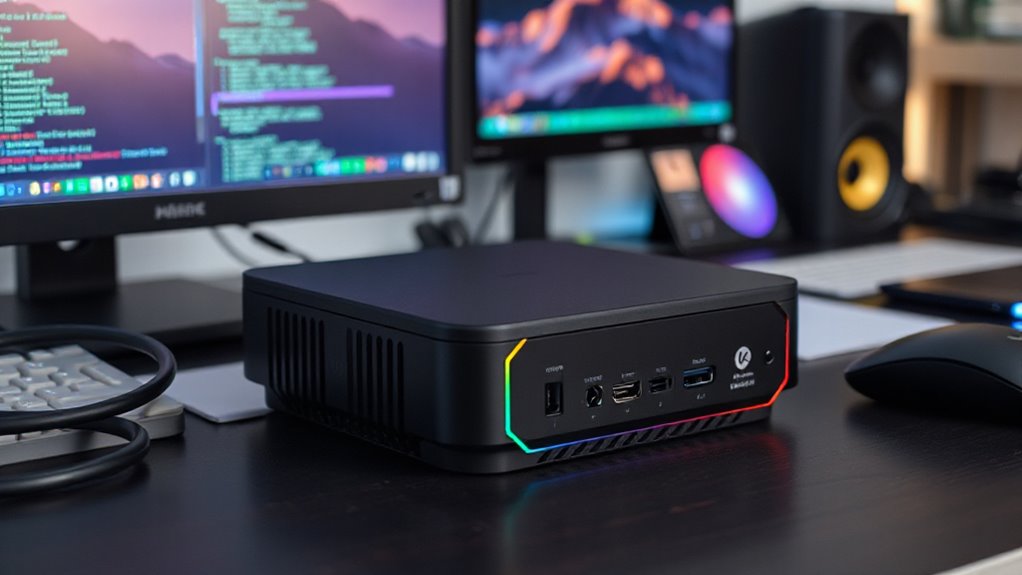

For most Docker homelabs, I’d start with the BOSGAME E7: its Core 3 100U, 16GB of RAM, and 512GB SSD give a useful balance for running several services. The AOOSTAR WTR PRO suits storage-heavy setups with its four drive bays, while the GEEKOM IT11 offers more CPU headroom for compute-focused workloads. The main tradeoffs are processing capacity, memory and storage expansion, noise and cooling, and whether you need a compact computer or a small server with room for drives. Older low-power models can handle a few light containers, but their limited memory and slower storage leave less room to grow. Read on for the full comparison and recommendations by workload.

Get privacy and security gear delivered free with Prime
- Fast, free delivery on millions of items
- Prime Video, Amazon Music and more included
- Member-only deals all year
Key Takeaways
- The BOSGAME E7 is the strongest general-purpose balance in this lineup, pairing a newer Core 3 100U with 16GB RAM and a 512GB SSD.
- The AOOSTAR WTR PRO is the storage-first choice; its four drive bays make it better suited to a Docker server that also holds a media library or backups.
- The GEEKOM IT11 prioritizes compute headroom with its Core i7-1195G7, though its 16GB RAM and 512GB SSD still set limits for memory-heavy stacks.
- Several Ryzen 3 7330U options share a practical middle ground; the ACEMAGIC K1 and KAMRUI Pinova P2 are similar starting points, so compare their exact configuration and service support.
- Low-memory and eMMC models are for modest workloads: the Pentium N3700, Celeron J3355 Bmax, and fanless MeLE stick need tighter workload expectations than the 16GB systems.
| Mini PC with Intel Pentium N3700, 8GB RAM, 128GB SSD, 4K Dual Display, WiFi & Bluetooth |  | Best for a Low-Power Starter Lab | Processor: Intel Pentium N3700, 4 cores/4 threads, up to 2.4GHz | Memory: 8GB RAM | Storage: 128GB SSD, supports expansion up to 2TB | VIEW ON AMAZON | See Our Full Breakdown |
| ACEMAGIC K1 Mini PC Windows 11 Pro AMD Ryzen 3 7330U 16GB RAM 256GB SSD |  | Best for a Windows-Based Docker Setup | Processor: AMD Ryzen 3 7330U, 4 cores/8 threads, up to 4.3GHz | Memory: 16GB LPDDR4 3200MT/s, non-expandable | Storage: 256GB M.2 2280 SSD, expandable up to 2TB | VIEW ON AMAZON | See Our Full Breakdown |
| BOSGAME E7 Mini PC with Intel Core 3 100U, 16GB DDR4 RAM, 512GB SSD |  | Best Overall for a Growing Docker Lab | Processor: Intel Core 3 100U, 6 cores/8 threads, up to 4.7GHz | Memory: 16GB DDR4, expandable to 64GB | Storage: 512GB M.2 PCIe SSD, expandable to 4TB | VIEW ON AMAZON | See Our Full Breakdown |
| KAMRUI Pinova P2 Mini PC, AMD Ryzen 7330U, 16GB RAM, 256GB SSD |  | Best for a Compact Desktop and Light Containers | Processor: AMD Ryzen 7330U, 4 cores/8 threads, up to 4.3GHz | Graphics: Integrated Radeon Graphics, 6 CUs, up to 1.8GHz | Memory: 16GB LPDDR4X | VIEW ON AMAZON | See Our Full Breakdown |
| GMKtec G10 Mini PC with Ryzen 5 3500U, 16GB RAM, 512GB SSD, Triple 4K Display, WiFi 5, BT 5.0, USB-C PD, HDMI 2.1 |  | Best for Expandable Memory and Storage | Processor: AMD Ryzen 5 3500U, quad-core Zen+ | Graphics: AMD Radeon Vega 8 | Memory: 16GB dual-channel DDR4 (2x8GB), expandable to 64GB | VIEW ON AMAZON | See Our Full Breakdown |
| HP EliteDesk 800 G2 Mini Business Desktop |  | Best Refurbished Business Pick | Processor: Intel Core i5-6500T, quad-core, up to 3.1 GHz | Memory: 16GB DDR4; 2 slots, supports up to 32GB | Storage: 240GB SSD | VIEW ON AMAZON | See Our Full Breakdown |
| Bmax B1 Plus Mini PC |  | Best for a Tiny, Low-Demand Docker Node | Processor: Intel Celeron J3355, up to 2.5 GHz | Memory: 6GB LPDDR3, 1600 MHz; not upgradeable | Storage: 128GB eMMC; dual M.2 slots for expansion | VIEW ON AMAZON | See Our Full Breakdown |
| GEEKOM IT11 Mini PC |  | Best Premium Compact Docker Host | Processor: Intel Core i7-1195G7, 4 cores/8 threads, up to 5.0 GHz | Memory: 16GB dual-channel DDR4; supports up to 64GB | Storage: 512GB M.2 2280 PCIe SSD; expandable up to 2TB | VIEW ON AMAZON | See Our Full Breakdown |
| C4 Plus Mini PC |  | Best for a Network-Focused Homelab | Processor: AMD Ryzen 5 3501U, 4 cores/8 threads, 2.1 GHz base, 3.7 GHz boost | Memory: 8GB DDR4 SODIMM; upgradeable to 32GB | Storage: 256GB M.2 2280 SATA SSD | VIEW ON AMAZON | See Our Full Breakdown |
| BOSGAME E2 Air Mini PC |  | Best for an Ubuntu Starter Build | Processor: AMD Ryzen 5 3501U, 4 cores/8 threads, up to 3.7 GHz | Graphics: Integrated Radeon Vega 8 | Memory: 8GB DDR4; expandable to 32GB | VIEW ON AMAZON | See Our Full Breakdown |
| BOSGAME E5 Mini PC with AMD Ryzen 3 5300U |  | Best for a Compact Docker Network Lab | Processor: AMD Ryzen 3 5300U, 4 cores / 8 threads, up to 3.8 GHz | Memory: 16 GB DDR4 | Storage: 512 GB M.2 2280 NVMe SSD | VIEW ON AMAZON | See Our Full Breakdown |
| MeLE PCG02 Pro Fanless Mini PC Stick (Celeron N5100, 8GB RAM, 256GB eMMC) |  | Best for Silent, Lightweight Docker Services | Processor: Intel Celeron N5100, quad-core, up to 2.8 GHz | Memory: 8 GB DDR4 2933 MHz | Storage: 256 GB eMMC; Micro SD expansion up to 2 TB | VIEW ON AMAZON | See Our Full Breakdown |
| AOOSTAR WTR PRO AMD R7 5825U 4+2 Bay NAS Mini PC |  | Best for a Docker NAS and Virtualization Host | Processor: AMD Ryzen 7 5825U, 8 cores / 16 threads, up to 4.5 GHz | Memory support: Up to 64 GB DDR4 (2x 32 GB); memory not included | Storage bays: 4x 2.5-inch / 3.5-inch HDD bays and 2x M.2 NVMe slots | VIEW ON AMAZON | See Our Full Breakdown |
| mini pc for docker | Processor | Memory | Storage | Networking |
|---|---|---|---|---|
| Mini PC with Intel Pentium N37 | Intel Pentium N3700, 4 cores/4 threads, up to 2.4GHz | 8GB RAM | 128GB SSD, supports expansion up to 2TB | — |
| ACEMAGIC K1 Mini PC Windows 11 | AMD Ryzen 3 7330U, 4 cores/8 threads, up to 4.3GHz | 16GB LPDDR4 3200MT/s, non-expandable | 256GB M.2 2280 SSD, expandable up to 2TB | — |
| BOSGAME E7 Mini PC with Intel | Intel Core 3 100U, 6 cores/8 threads, up to 4.7GHz | 16GB DDR4, expandable to 64GB | 512GB M.2 PCIe SSD, expandable to 4TB | — |
| KAMRUI Pinova P2 Mini PC | AMD Ryzen 7330U, 4 cores/8 threads, up to 4.3GHz | 16GB LPDDR4X | 256GB M.2 SSD | — |
| GMKtec G10 Mini PC with Ryzen | AMD Ryzen 5 3500U, quad-core Zen+ | 16GB dual-channel DDR4 (2x8GB), expandable to 64GB | 512GB SSD; two M.2 slots support expansion up to 16TB | — |
| HP EliteDesk 800 G2 Mini Busin | Intel Core i5-6500T, quad-core, up to 3.1 GHz | 16GB DDR4; 2 slots, supports up to 32GB | 240GB SSD | RJ-45 |
| Bmax B1 Plus Mini PC | Intel Celeron J3355, up to 2.5 GHz | 6GB LPDDR3, 1600 MHz; not upgradeable | 128GB eMMC; dual M.2 slots for expansion | Gigabit Ethernet, Wi-Fi 5, Bluetooth 5.0 |
| GEEKOM IT11 Mini PC | Intel Core i7-1195G7, 4 cores/8 threads, up to 5.0 GHz | 16GB dual-channel DDR4; supports up to 64GB | 512GB M.2 2280 PCIe SSD; expandable up to 2TB | Wi-Fi 6, Bluetooth 5.2 |
| C4 Plus Mini PC | AMD Ryzen 5 3501U, 4 cores/8 threads, 2.1 GHz base, 3.7 GHz boost | 8GB DDR4 SODIMM; upgradeable to 32GB | 256GB M.2 2280 SATA SSD | Dual RJ45 Gigabit Ethernet, Wi-Fi 5, Bluetooth 5.0 |
| BOSGAME E2 Air Mini PC | AMD Ryzen 5 3501U, 4 cores/8 threads, up to 3.7 GHz | 8GB DDR4; expandable to 32GB | 256GB SSD | Gigabit Ethernet, Wi-Fi 5, Bluetooth 5.0 |
| BOSGAME E5 Mini PC with AMD Ry | AMD Ryzen 3 5300U, 4 cores / 8 threads, up to 3.8 GHz | 16 GB DDR4 | 512 GB M.2 2280 NVMe SSD | Dual 2.5G Ethernet, Wi-Fi 5, Bluetooth 5.0 |
| MeLE PCG02 Pro Fanless Mini PC | Intel Celeron N5100, quad-core, up to 2.8 GHz | 8 GB DDR4 2933 MHz | 256 GB eMMC; Micro SD expansion up to 2 TB | — |
| AOOSTAR WTR PRO AMD R7 5825U 4 | AMD Ryzen 7 5825U, 8 cores / 16 threads, up to 4.5 GHz | — | — | 2x 2.5G LAN (Intel I226V) |
More Details on Our Top Picks
Mini PC with Intel Pentium N3700, 8GB RAM, 128GB SSD, 4K Dual Display, WiFi & Bluetooth
The Pentium N3700’s 6W TDP and nearly silent operation suit a small Docker lab for learning, lightweight services, or a few low-demand containers. Its Gigabit Ethernet connection gives it a wired network option, and the included VESA mount keeps it tucked behind a display. Compared with the newer Ryzen 3 7330U in the ACEMAGIC K1, though, this older four-core chip and 8GB of RAM leave less room for concurrent containers or heavier workloads. The 128GB SSD is also a tight starting point, even with expansion support. I’d choose it when low power, small size, and basic services matter more than headroom; users planning databases, media processing, or a growing stack should pick a stronger system.
Pros:- Low 6W TDP suits an always-on, low-demand lab
- Small, lightweight chassis includes a VESA mount
- Gigabit Ethernet supports a wired network connection
- Two HDMI outputs support dual displays
Cons:- Older Pentium processor has limited capacity for demanding or concurrent containers
- 8GB RAM and 128GB SSD constrain growth without upgrades
Best for: First-time homelab users running a few lightweight Docker services and prioritizing low power and a tiny footprint
Not ideal for: Users running many containers, memory-heavy services, or local databases that need more RAM and storage
- Processor:Intel Pentium N3700, 4 cores/4 threads, up to 2.4GHz
- Memory:8GB RAM
- Storage:128GB SSD, supports expansion up to 2TB
- Network:Gigabit Ethernet, 802.11ac dual-band Wi-Fi
- Ports:2x HDMI, 2x USB 3.1, 2x USB 2.0, 2x USB-C
- Operating system:Windows 10
- Power:6W TDP, 15W maximum
- Dimensions and weight:4.42 x 4.42 x 1.46 inches; 0.28 kg
Our verdict“Choose this for a quiet, low-power starter lab with a few simple containers; pick a newer, higher-memory mini PC for a larger stack.”
ACEMAGIC K1 Mini PC Windows 11 Pro AMD Ryzen 3 7330U 16GB RAM 256GB SSD
The ACEMAGIC K1 makes sense for someone who wants Docker alongside a familiar Windows 11 Pro desktop. Its Ryzen 3 7330U has 4 cores and 8 threads, and 16GB of memory gives a modest container stack more breathing room than the Pentium N3700 system. Six USB-A ports and a USB-C port also help when the machine needs attached peripherals. The tradeoff is that the LPDDR4 RAM is non-expandable, so the starting capacity is the ceiling; its 256GB SSD may also fill quickly as images and volumes accumulate. Compared with the BOSGAME E7, this is less adaptable for a Linux-first homelab, with fewer listed storage expansion options and no dual Ethernet. I’d favor it for Windows-first users with a defined, moderate workload.
Pros:- Ryzen 3 7330U provides 4 cores and 8 threads for multitasking
- 16GB RAM is suitable for a moderate starting container stack
- Six USB-A ports simplify connecting peripherals and external storage
- HDMI, DisplayPort, and USB-C support three display outputs
Cons:- Soldered, non-expandable RAM caps future memory capacity
- 256GB SSD may leave limited room for container images and persistent data
- Wi-Fi 5 and Bluetooth 4.2 are older wireless standards
Best for: Windows users who want to run a moderate Docker workload on a compact desktop without building a Linux-first server
Not ideal for: Homelab builders who expect to increase memory substantially or want dual Ethernet for network experiments
- Processor:AMD Ryzen 3 7330U, 4 cores/8 threads, up to 4.3GHz
- Memory:16GB LPDDR4 3200MT/s, non-expandable
- Storage:256GB M.2 2280 SSD, expandable up to 2TB
- Operating system:Windows 11 Pro
- Network:Gigabit Ethernet, Wi-Fi 5, Bluetooth 4.2
- Ports:6x USB 3.2 Type-A, USB 3.2 Gen 2 Type-C, HDMI 2.0, DisplayPort 1.4
- Display output:Up to three 4K displays
- Dimensions and weight:5.04 x 5.04 x 1.61 inches; 500 g
Our verdict“Pick the K1 for a Windows-centered desktop that also runs a moderate Docker stack, provided its fixed memory capacity fits your plans.”
BOSGAME E7 Mini PC with Intel Core 3 100U, 16GB DDR4 RAM, 512GB SSD
The BOSGAME E7 earns my top spot for a growing Docker lab because it combines a 6-core/8-thread processor with expandable DDR4 memory and a 512GB PCIe SSD. That gives a home server more room to run several services and retain container data than the ACEMAGIC K1, whose memory is fixed at 16GB and storage starts at 256GB. The dual Gigabit Ethernet ports are useful for networked setups, while Wi-Fi 6 and listed Ubuntu/Linux support suit buyers who want a choice of deployment environment. Its passive or low-noise cooling is appealing for a quiet workspace, but the 15W processor is efficiency-focused; it is not the pick for sustained heavy compute. I’d choose it for flexibility and upgrade room, while buyers with a small, settled workload can avoid paying for capacity they may not use.
Pros:- Six-core processor supports a broader container workload than the N3700
- DDR4 memory can be expanded up to 64GB
- 512GB PCIe SSD and expansion up to 4TB provide room for container data
- Dual Gigabit Ethernet and listed Ubuntu/Linux support suit homelab use
Cons:- 15W processor prioritizes efficiency over high-end sustained performance
- Integrated graphics are a poor fit for demanding 3D workloads
Best for: Homelab builders who want Linux support, dual wired network ports, and room to expand memory and storage
Not ideal for: Users who need strong sustained compute performance for intensive builds, transcoding, or other processor-heavy jobs
- Processor:Intel Core 3 100U, 6 cores/8 threads, up to 4.7GHz
- Memory:16GB DDR4, expandable to 64GB
- Storage:512GB M.2 PCIe SSD, expandable to 4TB
- Network:Dual Gigabit Ethernet, Wi-Fi 6
- Wireless:Bluetooth 5.2
- Video outputs:HDMI, DisplayPort, USB-C; supports triple 4K displays
- Operating systems:Windows 11, Ubuntu, Linux
- Cooling:Passive/low-noise
Our verdict“Choose the E7 for a quiet, upgradeable Linux-capable Docker host with dual Ethernet and space to grow.”
KAMRUI Pinova P2 Mini PC, AMD Ryzen 7330U, 16GB RAM, 256GB SSD
The Pinova P2 pairs a compact footprint with a Ryzen 3 7330U, making it a better fit for light Docker services alongside everyday desktop use than the older Pentium N3700. It has 16GB of LPDDR4X memory and outputs for three 4K displays, but Docker buyers should look past the display feature: the key limitation is that the listed memory has no expansion path. Storage is more flexible, with two M.2 2280 slots and support for up to 4TB total, giving users a way to add space for images and persistent data. Compared with the BOSGAME E7, the Pinova offers a compact Ryzen option but fewer listed homelab-focused details, such as dual Ethernet and explicit Linux support. I’d pick it for a tidy desktop with a small container workload, not as the foundation for a lab expected to expand.
Pros:- Ryzen 3 7330U offers 4 cores and 8 threads
- Two M.2 slots allow storage expansion up to 4TB total
- Compact chassis includes a VESA mount
- HDMI, DisplayPort, and USB-C support three 4K displays at 60Hz
Cons:- 16GB LPDDR4X memory has no stated upgrade path
- 256GB included SSD may be restrictive for a growing container library
- Product data does not specify the Wi-Fi generation or operating system
Best for: Desktop users who want a small Ryzen mini PC for a few Docker services and value adding storage later
Not ideal for: Homelab users who need expandable RAM, dual Ethernet, or a clearly specified Linux-ready configuration
- Processor:AMD Ryzen 7330U, 4 cores/8 threads, up to 4.3GHz
- Graphics:Integrated Radeon Graphics, 6 CUs, up to 1.8GHz
- Memory:16GB LPDDR4X
- Storage:256GB M.2 SSD
- Storage expansion:Two M.2 2280 slots; up to 4TB total
- Display output:HDMI 2.0, DisplayPort 1.4, USB-C with DisplayPort Alt Mode; three 4K displays at 60Hz
- Network:Gigabit Ethernet, Wi-Fi, Bluetooth
- Dimensions:5.05 x 5.05 x 1.73 inches
Our verdict“Choose the Pinova P2 for light container use in a compact desktop when storage expansion matters more than adding RAM.”
GMKtec G10 Mini PC with Ryzen 5 3500U, 16GB RAM, 512GB SSD, Triple 4K Display, WiFi 5, BT 5.0, USB-C PD, HDMI 2.1
The GMKtec G10 is a flexible option for a Docker host that may grow: its 16GB dual-channel DDR4 can expand to 64GB, and two M.2 slots support substantial added storage. The 512GB SSD gives a larger starting workspace than the 256GB drives in the ACEMAGIC K1 and KAMRUI Pinova P2. For networking, 2.5GbE offers more wired bandwidth than their listed Gigabit Ethernet, which may help when the host moves data to compatible network storage. Its Ryzen 5 3500U is an older quad-core Zen+ processor, however, so the newer six-core Core 3 100U in the BOSGAME E7 is a stronger fit on paper for a wider concurrent workload. The listed BIOS adjustment for full 25W performance adds setup friction. I’d choose the G10 when upgrade flexibility and faster wired networking outweigh processor age.
Pros:- Dual-channel RAM can expand from 16GB to 64GB
- Two M.2 slots support storage expansion up to 16TB
- 2.5GbE offers faster wired networking than the Gigabit ports listed for the Ryzen 3 options
- 512GB SSD provides more starting capacity than the K1 or Pinova P2
Cons:- Older Ryzen 5 3500U has four cores and trails the E7’s six-core processor on paper
- BIOS adjustment is required to unlock the listed full 25W performance mode
- Wi-Fi 5 is an older wireless standard
Best for: Homelab users who want upgradeable RAM, room for multiple drives, and 2.5GbE for a compatible wired network
Not ideal for: Users who prefer newer processor architecture, simple out-of-box setup, or a clearly specified Linux configuration
- Processor:AMD Ryzen 5 3500U, quad-core Zen+
- Graphics:AMD Radeon Vega 8
- Memory:16GB dual-channel DDR4 (2x8GB), expandable to 64GB
- Storage:512GB SSD; two M.2 slots support expansion up to 16TB
- Network:2.5GbE Ethernet, Wi-Fi 5
- Wireless:Bluetooth 5.0
- Video outputs:HDMI 2.1, DisplayPort 1.4, USB-C; triple 4K display support
- Power:USB-C PD charging, 65–70W; BIOS adjustment needed for full 25W performance mode
Our verdict“Choose the G10 if you value upgradeable memory, ample drive expansion, and 2.5GbE more than having the newest processor.”
HP EliteDesk 800 G2 Mini Business Desktop
The EliteDesk 800 G2 Mini offers a more practical Docker starting point than the Bmax B1 Plus: its quad-core i5-6500T and 16GB of RAM give you room for several modest containers, while the Bmax’s fixed 6GB is a tighter ceiling. The small business desktop also has four rear USB 3.0 ports, handy for attaching external storage or peripherals. Its age matters, though: this is a refurbished platform, and the listing gives conflicting Windows versions, so I would check the installed OS before planning a Windows-based setup. The included 240GB SSD is a workable start, but Docker images and persistent data can fill it quickly. Compared with newer Ryzen options such as the C4 Plus, this HP has less upgrade headroom and a shorter stated warranty.
Pros:- Quad-core processor and 16GB RAM provide a more capable Docker base than entry-level mini PCs with fixed low memory
- Compact desktop form factor fits a home lab shelf or desk
- Four rear USB 3.0 ports support external drives and other peripherals
- Keyboard and mouse are included
Cons:- Refurbished condition and minimum 90-day warranty offer less assurance than the GEEKOM IT11’s three-year warranty
- 240GB SSD may constrain container images and persistent data
- Windows version is inconsistent between the title and description
Best for: Homelab beginners seeking an inexpensive refurbished x86 desktop for a few lightweight containers and who can verify its OS before setup
Not ideal for: Buyers planning a growing container stack, large local datasets, or long-term service without budgeting for storage and possible maintenance
- Processor:Intel Core i5-6500T, quad-core, up to 3.1 GHz
- Memory:16GB DDR4; 2 slots, supports up to 32GB
- Storage:240GB SSD
- Form factor:Desktop Mini
- USB:2 front USB 3.0, 1 front USB Type-C, 4 rear USB 3.0
- Networking:RJ-45
- Condition and warranty:Certified refurbished; minimum 90-day warranty
- Operating system:Windows 10 Pro in description; title says Windows 11 Pro
Our verdict“Choose this refurbished HP for a modest Docker lab on a tight hardware budget if you are comfortable checking the OS and planning for limited storage.”
Bmax B1 Plus Mini PC
The Bmax B1 Plus is the lineup’s most space-conscious choice, but its 6GB fixed RAM and Celeron J3355 make it suitable only for a small, light Docker experiment. Its tiny, VESA-mountable body can disappear behind a monitor, and its dual M.2 slots give storage more room to grow than the HP EliteDesk 800 G2’s listed 240GB SSD. Storage expansion does not solve the memory ceiling, however, and the low-power entry-level processor limits how many services it can handle comfortably. For a more capable home lab, the C4 Plus has an upgradable 8GB starting point, dual Gigabit Ethernet, and a four-core Ryzen processor. I would pick the Bmax for a single-purpose node or learning setup, not as the foundation for a busy stack.
Pros:- Very compact, lightweight design with included VESA mounting support
- Dual M.2 slots allow storage expansion
- Gigabit Ethernet is available for a wired network connection
- Low stated power consumption of 15 watts
Cons:- 6GB LPDDR3 memory is fixed and cannot be upgraded
- Celeron J3355 is a weak fit for concurrent or demanding container workloads
- 128GB eMMC is a limited starting point for container images and data
Best for: Learners who want a very small, VESA-mounted machine for a few lightweight containers or a single dedicated service
Not ideal for: Homelab builders expecting multiple active services, memory-heavy containers, or room to upgrade RAM
- Processor:Intel Celeron J3355, up to 2.5 GHz
- Memory:6GB LPDDR3, 1600 MHz; not upgradeable
- Storage:128GB eMMC; dual M.2 slots for expansion
- Networking:Gigabit Ethernet, Wi-Fi 5, Bluetooth 5.0
- USB:USB 2.0 and USB 3.0
- Dimensions:4.2 x 4.1 x 1.4 inches
- Power consumption:15 watts
- Warranty:12 months
Our verdict“Pick the Bmax only for a tiny, low-demand Docker node where its size matters more than processing power or memory headroom.”
GEEKOM IT11 Mini PC
For a buyer who wants a compact host with stronger upgrade room, the GEEKOM IT11 has a better starting balance than the 8GB C4 Plus or BOSGAME E2 Air. Its Core i7-1195G7, 16GB dual-channel RAM, and 512GB PCIe SSD provide room for more containers and images before the first upgrade. The memory can grow to 64GB, and the listed 2.5-inch SATA bay offers another route for keeping persistent data separate from the system drive. Those features make it the most expandable of these three, while the C4 Plus counters with dual Gigabit Ethernet for network-focused labs. The IT11’s four-core processor still sets a ceiling for heavier workloads, and its display and graphics features matter less to a headless Docker host. Its three-year warranty is the strongest listed here.
Pros:- 16GB dual-channel RAM with capacity to upgrade to 64GB
- 512GB PCIe SSD plus a 2.5-inch SATA drive bay support container and data growth
- Three-year warranty is longer than the other reviewed mini PCs’ stated coverage
- USB4 and Wi-Fi 6 provide modern connectivity options
Cons:- Four-core CPU can limit heavily parallel or compute-intensive container workloads
- Premium display and graphics capabilities add little value to a headless Docker setup
- Storage description contains a capacity typo, though the title lists 512GB
Best for: Homelab users who want a compact, ready-to-configure Docker host with substantial RAM and storage upgrade options
Not ideal for: Buyers who prioritize dual Ethernet, or whose Docker workloads need more CPU cores than this four-core processor provides
- Processor:Intel Core i7-1195G7, 4 cores/8 threads, up to 5.0 GHz
- Memory:16GB dual-channel DDR4; supports up to 64GB
- Storage:512GB M.2 2280 PCIe SSD; expandable up to 2TB
- Additional storage:7mm 2.5-inch SATA drive bay
- Networking:Wi-Fi 6, Bluetooth 5.2
- USB:2 USB4 ports, up to 20 Gbps
- Frame:Metal mid-frame and baseplate
- Warranty:3 years
Our verdict“Choose the IT11 for a compact Docker host with generous upgrade paths and longer warranty coverage, provided four CPU cores suit your workload.”
C4 Plus Mini PC
The C4 Plus earns its place through dual Gigabit Ethernet, a useful distinction for Docker users separating lab traffic or connecting to two network segments. Its Ryzen 5 3501U has four cores and eight threads, giving it a more flexible workload base than the Bmax B1 Plus, while its 8GB of RAM is upgradable to 32GB. That memory ceiling is lower than the GEEKOM IT11’s 64GB, so the GEEKOM is the stronger choice for a larger collection of services. Storage is also adaptable: the included 256GB SATA SSD is joined by a separate NVMe slot. The tradeoff is that a buyer should plan a RAM upgrade if containers will run together, and the USB-C video output is limited to 1080p. Those display limits do not affect its appeal as a headless host.
Pros:- Dual Gigabit Ethernet supports network separation and flexible homelab setups
- Four-core, eight-thread Ryzen processor is more capable than the Bmax’s dual-core Celeron
- RAM is upgradeable to 32GB
- Separate M.2 NVMe slot allows storage expansion beyond the included SATA SSD
Cons:- 8GB RAM may constrain several simultaneous containers until upgraded
- USB-C video output is limited to 1080p
- Wi-Fi 5 is an older wireless standard than the GEEKOM IT11’s Wi-Fi 6
Best for: Homelab builders who need two wired network connections and plan to expand RAM and storage as their Docker setup grows
Not ideal for: Users who need a large memory ceiling out of the box or want USB-C video above 1080p
- Processor:AMD Ryzen 5 3501U, 4 cores/8 threads, 2.1 GHz base, 3.7 GHz boost
- Memory:8GB DDR4 SODIMM; upgradeable to 32GB
- Storage:256GB M.2 2280 SATA SSD
- Expansion:Additional M.2 2280 NVMe PCIe 3.0 x4 slot
- Networking:Dual RJ45 Gigabit Ethernet, Wi-Fi 5, Bluetooth 5.0
- Video outputs:HDMI 2.0, DisplayPort, USB-C
- USB:3 USB 3.2 Gen 2 Type-A ports, 1 USB 2.0 port
- Operating system:Windows 11 Pro; supports Ubuntu/Linux
Our verdict“Choose the C4 Plus for a wired-network-focused Docker homelab that can benefit from its dual Ethernet and planned memory upgrades.”
BOSGAME E2 Air Mini PC
The BOSGAME E2 Air makes sense for a first Docker host because the listing names Ubuntu compatibility alongside Windows 11 Pro, and its Ryzen 5 3501U offers four cores and eight threads. That gives it a more credible base for a handful of services than the Bmax B1 Plus, whose fixed 6GB memory and entry-level Celeron are much tighter constraints. The E2 Air starts with just 8GB RAM, though, so I would treat an upgrade as part of the plan for running several containers at once. Like the C4 Plus, it supports up to three displays and expands to 32GB RAM; the C4 Plus is the better fit when dual Ethernet or a dedicated NVMe slot matters. The E2 Air’s listing does not specify USB port details, which makes peripheral planning less certain.
Pros:- Four-core, eight-thread Ryzen processor offers a capable starter base for modest services
- Ubuntu is listed as a supported operating system
- Dual SODIMM memory can expand from 8GB to 32GB
- Gigabit Ethernet provides a wired network connection
Cons:- 8GB RAM may limit concurrent containers until upgraded
- USB port count and types are not specified in the product data
- Single listed Gigabit Ethernet connection lacks the C4 Plus’s dual-network flexibility
Best for: New Docker users who want a Ryzen-based mini PC with Ubuntu listed as compatible and intend to expand its memory
Not ideal for: Users who need dual Ethernet, detailed port information before purchase, or enough RAM for a broader stack without upgrading
- Processor:AMD Ryzen 5 3501U, 4 cores/8 threads, up to 3.7 GHz
- Graphics:Integrated Radeon Vega 8
- Memory:8GB DDR4; expandable to 32GB
- Memory slots:Dual SODIMM
- Storage:256GB SSD
- Networking:Gigabit Ethernet, Wi-Fi 5, Bluetooth 5.0
- Display support:Up to three displays; dual HDMI 2.0 up to 4K UHD at 60Hz and USB-C display output
- Operating systems:Windows 11 Pro and Ubuntu
Our verdict“Choose the E2 Air as an Ubuntu-friendly starter Docker host if you can upgrade its 8GB memory and do not need dual Ethernet.”
BOSGAME E5 Mini PC with AMD Ryzen 3 5300U
The BOSGAME E5 is a practical fit for a small Docker host that also needs to connect directly to more than one network. Its four-core, eight-thread Ryzen 3 5300U and included 16 GB of memory give it more room for several light services than the MeLE PCG02 Pro, whose Celeron processor and 8 GB RAM suit simpler jobs. Dual 2.5G Ethernet is the E5’s clearest distinction for a router, firewall, or segmented home lab, while the second M.2 slot offers a path to more local storage.
The tradeoff is less headroom than the eight-core AOOSTAR WTR PRO for heavier container stacks, and the E5’s stated memory expansion limit is inconsistent: the description says 64 GB, while the specifications say 16 GB maximum. I’d choose it for a tidy, network-focused setup, but verify memory support before planning an upgrade.
Pros:- Dual 2.5G Ethernet supports separate lab, router, or firewall connections
- 16 GB DDR4 and a 512 GB NVMe SSD are included
- Second M.2 slot allows additional internal storage
- VESA mount and three-display support suit compact desk setups
Cons:- Four CPU cores offer less capacity for heavy workloads than the AOOSTAR WTR PRO’s eight-core processor
- Memory maximum is inconsistent across the supplied product details
Best for: Home lab builders who want a compact Docker host with dual 2.5G Ethernet and included memory and storage.
Not ideal for: People planning a large container stack or a future memory upgrade without first confirming the supported maximum.
- Processor:AMD Ryzen 3 5300U, 4 cores / 8 threads, up to 3.8 GHz
- Memory:16 GB DDR4
- Storage:512 GB M.2 2280 NVMe SSD
- Expandable storage:Second M.2 slot supports up to 2 TB
- Networking:Dual 2.5G Ethernet, Wi-Fi 5, Bluetooth 5.0
- Video output:HDMI, DisplayPort, USB-C; supports up to three displays and 4K output
- Operating system:Windows 11 Pro
- Mounting:VESA mount included
Our verdict“Choose the E5 for a compact Docker and networking lab with useful included hardware, provided its memory limit meets your plans.”
MeLE PCG02 Pro Fanless Mini PC Stick (Celeron N5100, 8GB RAM, 256GB eMMC)
The MeLE PCG02 Pro makes the most sense when a Docker host needs to disappear behind a display and run quietly. Its fanless stick design avoids moving parts, and USB PD 3.0 lets it draw power from compatible sources. That portability sets it apart from the BOSGAME E5, which has a stronger processor, more memory, and upgradeable M.2 storage but takes the shape of a conventional mini PC.
For Docker, the MeLE is best kept to a small number of light services: the Celeron N5100, 8 GB RAM, and eMMC storage leave less room for busy workloads or growing datasets than the E5 or AOOSTAR WTR PRO. There’s no SSD slot, and the stated operating temperature can reach 55°C to 70°C. I’d pick it for quiet signage or a modest always-on utility host, not a growing home lab.
Pros:- Fanless cooling supports silent operation
- USB PD 3.0 allows power from compatible power banks or adapters
- Compact 182 g stick design keeps desk clutter low
- Dual HDMI 2.0 outputs support two displays
Cons:- Celeron N5100 and 8 GB RAM limit heavier or growing container workloads
- 256 GB eMMC is slower and less expandable than NVMe storage
- No SSD expansion slot, and the case can reach 55°C to 70°C
Best for: Users running a few lightweight Docker services behind a monitor, in a quiet room, or from a compatible USB PD power source.
Not ideal for: Home lab builders who need multiple network ports, fast expandable storage, or capacity for many concurrent containers.
- Processor:Intel Celeron N5100, quad-core, up to 2.8 GHz
- Memory:8 GB DDR4 2933 MHz
- Storage:256 GB eMMC; Micro SD expansion up to 2 TB
- Graphics:Integrated Intel UHD Graphics
- Video output:2x HDMI 2.0
- Cooling:Fanless passive cooling
- Power:USB PD 3.0, 12V / 24W minimum
- Dimensions and weight:5.7 x 2.4 x 0.78 inches; 182 g
Our verdict“Choose the MeLE for a quiet, portable host running a few light Docker services, and skip it if you expect your lab to grow.”
AOOSTAR WTR PRO AMD R7 5825U 4+2 Bay NAS Mini PC
For a Docker setup that doubles as a large local storage server, the AOOSTAR WTR PRO is the most capable fit in this batch. Its Ryzen 7 5825U with 8 cores and 16 threads, support for up to 64 GB RAM, and four drive bays let it handle a broader mix of containers, file services, and virtual machines than the four-core BOSGAME E5. Two M.2 slots add fast storage options alongside the HDD bays, while dual 2.5G LAN suits a NAS or home lab connected to a faster network.
That capacity comes with setup work: RAM, SSD, and an operating system are not included, and configuring storage or virtualization calls for technical knowledge. The MeLE PCG02 Pro is easier to place and power, but it cannot match this system’s drive capacity or workload headroom. I’d choose the WTR PRO when consolidation matters more than a ready-to-run setup.
Pros:- Eight-core, 16-thread processor supports heavier container and virtualization workloads
- Four HDD bays and two M.2 slots provide flexible storage options
- Dual Intel 2.5G LAN ports suit NAS and home lab networking
- Supports up to 64 GB RAM and RAID 0, 1, and 5
Cons:- RAM, SSD, and operating system are not included
- NAS and virtualization setup requires technical knowledge
- A 12 cm rear fan means it is not fanless like the MeLE PCG02 Pro
Best for: Experienced home lab builders who want one machine for Docker, virtualization, and a multi-drive NAS.
Not ideal for: Buyers seeking a ready-to-run mini PC or a simple, silent host, since this model requires separate memory, storage, and OS setup.
- Processor:AMD Ryzen 7 5825U, 8 cores / 16 threads, up to 4.5 GHz
- Memory support:Up to 64 GB DDR4 (2x 32 GB); memory not included
- Storage bays:4x 2.5-inch / 3.5-inch HDD bays and 2x M.2 NVMe slots
- Maximum storage capacity:Up to 96 TB
- Networking:2x 2.5G LAN (Intel I226V)
- Video output:HDMI and DisplayPort; supports three 4K displays
- Cooling:12 cm rear fan with through-ventilation structure
- RAID:RAID 0, RAID 1, RAID 5
- Power supply:120 W DC adapter
Our verdict“Choose the WTR PRO if you can configure a system yourself and want Docker, virtualization, and substantial NAS storage in one box.”

How We Picked
I ranked these mini PCs by how well their listed hardware supports real Docker workloads: CPU capability for concurrent services, memory capacity, SSD speed and capacity, and room to add or replace storage. I gave additional weight to configurations that can host several everyday containers without immediately forcing a memory or disk upgrade. Network and display features matter less for a headless Docker server, though connectivity, power delivery, and physical expansion can matter for a flexible homelab.
The order favors balanced systems with current-enough processors, 16GB of RAM, and SSD storage, then models that serve narrower goals such as compute, compactness, or multi-drive storage. Older processors, 8GB or less of memory, and eMMC storage rank lower because they restrict concurrency and growth. Product listings do not establish upgrade paths, drive-bay wiring, cooling behavior, or Linux compatibility, so buyers should verify those details for the exact configuration before building a long-running server.
Factors to Consider When Choosing Mini Pc For Docker
I’d choose a Docker mini PC around the workload and maintenance plan, not the desktop features that matter little to a headless server. These broader checks can help prevent a machine that boots containers today but becomes awkward to run or expand.
Estimate memory for the whole stack
Docker itself is light; the services inside each container determine how much memory you need. Add the expected needs of databases, search tools, media services, and monitoring before choosing a configuration. Leave room for the host operating system and short-lived spikes, since memory pressure can make several containers slow at once. A common mistake is treating 8GB as enough because each container looks small in isolation. If the memory is soldered or difficult to replace, choose more capacity at purchase. For a few simple services, a smaller system can still make sense when you accept a fixed workload.
Match CPU capability to parallel work
Container count alone does not tell you how much CPU power you need: idle services use little, while builds, transcoding, and databases can compete for cores. Think about which jobs will run at the same time and whether slow completion is acceptable. Newer processors can shorten bursts of work, but a high processor label does not compensate for a tight memory limit. For a quiet home server, sustained cooling can matter more than brief peak speed. Check whether the workload depends on hardware video encoding or a particular CPU instruction set. This is a good reason to pick by actual services rather than by the number of containers you hope to run.
Plan storage around writes and backups
Images and container layers take space, but databases, logs, and media can consume it faster over time. An SSD is generally a more practical Docker boot and working drive than eMMC, especially when services write frequently. Separate data storage can make backups and reinstalls easier, but only if the machine supports the drive size and connection you need. Avoid filling the boot disk to its limit; updates and image pulls need working space too. A drive bay is not a backup plan by itself, since a disk failure or accidental deletion can affect local copies. Keep a second copy of important data elsewhere.
Check upgrades before buying
Small PCs vary in whether their RAM is replaceable, how many storage devices they accept, and how difficult it is to reach those parts. Confirm the exact model’s memory type, maximum capacity, drive dimensions, and port sharing before relying on an advertised expansion option. A spare M.2 slot is useful only if it supports a drive that fits your intended use. Some buyers pay for ports or display support they will never use while overlooking replaceable RAM or a second storage connection. If the system will stay in service for years, access to common replacement parts can save hassle. Treat configuration-specific documentation as more reliable than assumptions based on a product family name.
Account for power, cooling, and uptime
A home server may run all day, so power draw and heat shape its long-term fit. A fanless design can avoid fan noise, though it may trade cooling headroom for silence under sustained load. A fan-cooled mini PC can handle more heat, but dust, fan wear, and placement become part of maintenance. Keep vents clear and leave space around the case rather than hiding it in a closed cabinet. If uptime matters, consider how you will handle automatic restarts, power interruptions, and remote access. A compact PC is not automatically a server-grade system with redundant power or remote management.
Choose the operating system before the hardware
Decide whether you plan to run Docker on Linux, Windows, or a virtualization host, because that choice affects setup and hardware support. Check network adapters, Wi-Fi behavior, sleep settings, and any required storage controller against the operating system you intend to install. A Windows license in the listing does not prove that every component has convenient Linux support. For a headless server, wired Ethernet usually simplifies reliability and remote administration. If you want separate environments for testing, leave enough memory and storage for a hypervisor as well as the containers. Confirm compatibility against the exact machine configuration before moving important services onto it.
Frequently Asked Questions
Is 8GB of RAM enough for a Docker mini PC?
It can be enough for a small set of light services, such as a DNS blocker, a simple dashboard, or a basic home automation setup. It leaves little margin for databases, media tools, monitoring, or a virtualization host running beside Docker. The 8GB Ryzen systems in this roundup therefore suit constrained workloads better than the 16GB models. Check whether the RAM can be upgraded before buying, since some compact PCs do not offer an easy path. If you expect to add services over time, starting at 16GB is the less restrictive choice.
Should I pick the AOOSTAR WTR PRO or a faster single-drive mini PC?
Choose around the job that will limit your setup. The WTR PRO’s four drive bays make it a better fit when the Docker host also needs to store media, backups, or other large files. A compute-oriented system such as the GEEKOM IT11 may make more sense for builds or CPU-heavy services when storage capacity is modest. Multiple bays add flexibility, but they do not by themselves provide data protection or faster container processing. Check the exact drive connections and your backup plan before treating the WTR PRO as a small NAS.
Can I run Docker on the mini PCs listed with Windows?
Windows systems can run Docker through supported Windows tooling, but many homelab owners prefer a Linux installation for a headless server. The listed Windows edition does not establish how easily a machine supports a different operating system. Before switching, check the network, graphics, and storage hardware against the Linux distribution you plan to use. Also confirm whether the Windows license matters to your setup and whether reinstalling affects it. If you rely on a specific container stack, check its operating system requirements first.
When does a fanless mini PC stick make sense for Docker?
A fanless stick such as the MeLE PCG02 Pro can suit a quiet, low-load role where its compact size is more valuable than expansion. Its 8GB RAM and eMMC storage call for a modest set of services and careful management of write-heavy workloads. It is a poor fit for a growing database stack or tasks that keep the processor busy for long periods. Check its cooling behavior and supported operating system for the exact configuration. If you need room for more memory or drives, a conventional mini PC is a better starting point.
Is an older business mini PC a safer Docker choice than a low-end new model?
It depends on the condition and configuration, not just the business label. The HP EliteDesk 800 G2 Mini brings a Core i5-6500T and 16GB of RAM, which can make it more capable for concurrent containers than newer low-memory systems. An older refurbished unit may have more wear, less efficient hardware, or limited support for future upgrades. Verify its drive health, cooling, power supply, and firmware before assigning it important services. Compare those risks with a newer system’s warranty and the precise expansion options it provides.
Conclusion
I’d choose the BOSGAME E7 as the best overall for a balanced Docker host with 16GB of RAM and a 512GB SSD. For a storage-centered homelab, the AOOSTAR WTR PRO is the best fit, while the GEEKOM IT11 is my premium pick for buyers who want a stronger compute-focused processor. The ACEMAGIC K1 or KAMRUI Pinova P2 make approachable choices for beginners starting with a few services, subject to confirming the exact upgrade options. For a minimal, quiet setup, the MeLE PCG02 Pro fits only light workloads; the Bmax B1 Plus and Pentium N3700 system are similarly best kept to basic tasks. Match the machine to your planned services, then leave headroom for the data and containers you may add later.
Halloween Picks
halloween
As an affiliate, we earn on qualifying purchases.