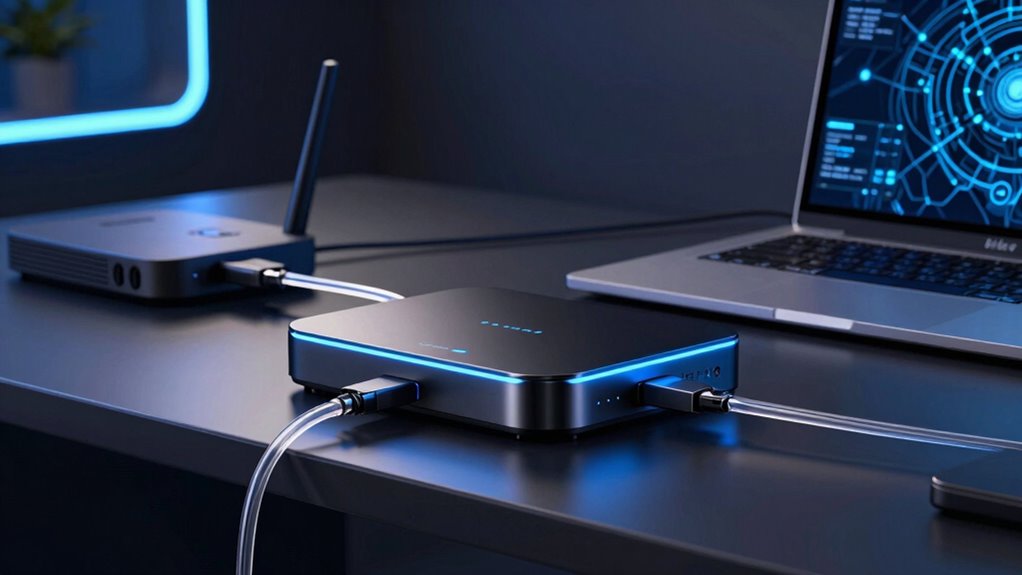

When searching for a Wi Fi 7 access point, the main decision revolves around balancing speed, coverage, and price. The Ubiquiti U7 Pro stands out as the best overall choice for its high capacity and enterprise features, while the Omada EAP773 offers powerful tri-band performance with 10G ports for demanding setups. A key tradeoff is that more advanced models tend to be more expensive and complex to set up, which might not suit every user. Continue reading for a detailed comparison to help you find the right fit for your network needs.

Get privacy and security gear delivered free with Prime
- Fast, free delivery on millions of items
- Prime Video, Amazon Music and more included
- Member-only deals all year
Key Takeaways
- Top picks like the Ubiquiti U7 Pro offer exceptional capacity but come at a premium price, making them ideal for business or high-demand environments.
- Tri-band models such as the Omada EAP773 provide better performance for large networks that need multiple devices to connect simultaneously.
- Affordable options like the Cudy BE3600 deliver decent performance for smaller setups, but may lack advanced features or future-proofing.
- Power over Ethernet (PoE+) support is a critical feature for simplifying installation and reducing clutter, especially in professional environments.
- Build quality and warranty length vary significantly, influencing long-term reliability and total cost of ownership.


More Details on Our Top Picks
Ubiquiti U7 Pro Wi-Fi 7 5-Pack Access Point
The Ubiquiti U7 Pro stands out for its ability to deliver ultra-fast Wi-Fi 7 speeds over extensive coverage areas, making it ideal for large offices and complexes. Compared with the U7-LR, it supports more concurrent clients and offers versatile mounting options, but it requires PoE+ infrastructure, which could increase setup complexity. This bundle simplifies deploying multiple access points, ensuring seamless coverage and high capacity. However, its overkill nature for small setups makes it less suitable for residential use. The combination of high throughput, broad coverage, and centralized management makes it a top choice for high-density environments.
Pros:- Supports ultra-fast Wi-Fi 7 with minimal latency
- Extended coverage up to 140 meters (1500 feet)
- Supports over 300 simultaneous clients
- Versatile mounting options and easy management
Cons:- Requires PoE+ compatible network infrastructure
- May be excessive for small-scale environments
Best for: Large enterprise environments, campuses, or residential complexes needing broad, high-capacity Wi-Fi 7 coverage
Not ideal for: Small offices or home setups where extensive infrastructure and high client volume are unnecessary
- Wireless Standard:WiFi 7
- Number of Spatial Streams:6
- Range Coverage:140 meters (1500 feet)
- Maximum Client Capacity:300+
- Network Uplink:2.5 GbE
- Mounting Options:Ceiling and wall mounting, includes Pro Mount
- Power Supply:PoE+
- Management:UniFi network app
Our verdict“This option is perfect for large-scale deployments where coverage and high capacity are critical.”
U7-PRO-Wall – UniFi High Capacity Wall-Mount WiFi 7 Access Point, White
The U7-PRO-Wall is tailored for installations where space-saving wall mounting is essential, offering reliable WiFi 7 performance in a compact form. While it promises high capacity, it lacks detailed specifications and user reviews, making it harder to gauge real-world performance compared to the U7 Pro bundle. This model is better suited for environments needing discreet, high-capacity wireless access without extensive infrastructure. Its wall-mount design provides flexibility, but the absence of comprehensive specs might concern those requiring precise deployment details. For enterprise settings with dedicated wall slots, it offers a neat, high-performance solution.
Pros:- High capacity WiFi 7 technology
- Wall-mount design for flexible installation
- Suitable for enterprise environments
Cons:- Limited detailed specifications available
- No user reviews to verify performance
Best for: Businesses or buildings needing high-capacity Wi-Fi 7 with discreet wall-mounted installation
Not ideal for: Home users or small offices without detailed product info or support infrastructure
Our verdict“This is a good choice for enterprise deployments seeking discreet, high-speed Wi-Fi 7 coverage on walls.”
Omada EAP772 WiFi 7 Tri-Band Wireless Access Point, 2.5G Port, PoE+ or DC Power, 5-Year Warranty, Mesh, WPA3, Roaming
The Omada EAP772 combines tri-band WiFi 7 speeds up to 5760 Mbps with security features like WPA3 and seamless roaming, making it well-suited for busy offices or hospitality venues. Its support for both PoE+ and DC power offers installation flexibility, and the 5-year warranty underscores reliability. Compared with the U7 Pro, the EAP772 prioritizes security and roaming features, but the larger size and need for additional power adapters could complicate setup. It’s ideal for organizations that need high-performance, secure, and flexible Wi-Fi 7 infrastructure, though it may be less appealing for small or residential environments.
Pros:- High-speed tri-band WiFi 7 performance
- Supports WPA3 and seamless roaming
- Flexible power options with PoE+ and DC
- 5-year warranty for peace of mind
Cons:- Adapter not included, additional purchase required
- Relatively large size may limit placement options
Best for: Business environments requiring high-speed, secure, and flexible Wi-Fi 7 coverage with roaming capabilities
Not ideal for: Home or small office users who don’t need advanced security or multi-band performance
- Wireless Standards:WiFi 7 (802.11ax)
- Bands:Tri-Band (6 GHz, 5 GHz, 2.4 GHz)
- Max Speed:5760 Mbps (6 GHz), 4320 Mbps (5 GHz), 574 Mbps (2.4 GHz)
- Port:2.5G Ethernet
- Power Options:PoE+ or DC Power
- Security:WPA3, roaming
Our verdict“This device suits enterprise or busy office setups that need fast, secure, and flexible Wi-Fi 7 connectivity.”
Ubiquiti UniFi Access Point U7 Long-Range (U7-LR)
The Ubiquiti U7-LR is designed specifically to extend Wi-Fi coverage in large, high-density environments, making it suitable for sprawling campuses or warehouses. Its long-range capabilities outperform many indoor models like the U7 Pro in coverage area, but with limited detailed specs available, it’s less clear how it handles high client density or latency. This pick is ideal for situations where broad coverage outweighs ultra-high-speed needs, though it may require technical expertise to optimize. For indoor high-capacity environments, other models like the U7 Pro might be more appropriate, but for outdoor or expansive indoor coverage, the U7-LR excels.
Pros:- Long-range Wi-Fi coverage
- Reliable and stable connection
- Suitable for enterprise or outdoor use
Cons:- Limited detailed specifications
- May require technical setup for optimal performance
Best for: Large outdoor or indoor spaces requiring broad, reliable Wi-Fi coverage with long-range capabilities
Not ideal for: Small offices or residential setups where extensive coverage is unnecessary
Our verdict“This access point is best suited for large outdoor or indoor spaces needing extensive coverage rather than high client density.”
Omada EAP725-Outdoor WiFi 7 Dual Band Access Point with Switchable Antennas
The Omada EAP725-Outdoor provides robust outdoor Wi-Fi 7 performance, supporting speeds up to 5 Gbps with switchable directional and omnidirectional antennas. Its automatic antenna detection and PoE port make outdoor deployment more straightforward, ideal for wide-area outdoor coverage such as parks, campuses, or large industrial sites. Compared with indoor units like the U7 Pro, it’s built to withstand weather conditions and offer flexible coverage patterns. However, its outdoor design limits indoor utility, and it requires compatible PoE infrastructure to function optimally. This model is a solid choice for outdoor environments but unnecessary for indoor applications where aesthetic or compactness matters more.
Pros:- Supports WiFi 7 speeds up to 5 Gbps
- Switchable directional and omnidirectional antennas
- Automatic external antenna detection
- Weatherproof outdoor design
Cons:- Limited indoor applicability
- Requires compatible PoE infrastructure
Best for: Outdoor venues, campuses, or industrial sites needing high-speed outdoor Wi-Fi with flexible antenna options
Not ideal for: Indoor residential or small commercial spaces where weatherproofing isn’t needed
Our verdict“This outdoor Wi-Fi 7 access point is ideal for wide-area outdoor coverage requiring high-speed and flexible antenna configurations.”
Omada EAP720 WiFi 7 Dual Band Wireless Access Point with 2.5G Port
The Omada EAP720 stands out for its high-speed WiFi 7 support and enterprise-level features, including a 2.5G Ethernet port and mesh capabilities. Compared to the Ubiquiti UniFi U7-Lite, it offers more advanced network management tools via Omada Cloud, making it ideal for business environments that need centralized control. However, its setup and configuration can be complex, especially for those unfamiliar with enterprise networking. The EAP720’s support for up to 250 clients and seamless roaming makes it suitable for large offices or campuses, but it requires compatible infrastructure to perform at its best.
Pros:- Supports WiFi 7 with speeds up to 5 Gbps
- Flexible deployment with PoE+ and DC power options
- Advanced network management through Omada Cloud
Cons:- Requires compatible network infrastructure to maximize performance
- Setup may be challenging for non-technical users
Best for: Large businesses or institutions needing scalable, managed WiFi 7 networks
Not ideal for: Small home users or hobbyists seeking plug-and-play simplicity
- Wi-Fi Technology:WiFi 7
- Max Speed:5 Gbps
- Dual Band:Yes
- 2.5G Port:Yes
- Power Options:PoE+ or DC
- Concurrent Clients:250+
Our verdict“This pick suits organizations seeking robust, manageable WiFi 7 for large-scale deployments.”
Ubiquiti UniFi U7-Lite WiFi 7 Access Point
The Ubiquiti UniFi U7-Lite offers a compact, ceiling-mountable design that supports WiFi 7 speeds up to 4.3 Gbps, making it ideal for high-density environments like cafes or small offices. It’s a step down from the Omada EAP720 in enterprise features but excels in simplicity and coverage area, reaching up to 1,250 sq ft. Its smart features like band steering and guest mode improve user experience, though it relies on PoE power and offers limited detailed configuration options. Its small form factor and wide coverage make it perfect for spaces where aesthetics and ease of installation matter most.
Pros:- Supports WiFi 7 with speeds up to 4.3 Gbps
- Compact, ceiling/wall mountable design
- Wide coverage area for many clients
Cons:- Requires PoE power source
- Limited detailed management features
Best for: Small to medium-sized venues or offices needing high-speed WiFi in a discreet form factor
Not ideal for: Large enterprises requiring extensive management tools and advanced features
- Speed:Up to 4.3 Gbps
- Coverage Area:Up to 1,250 sq ft
- Bands:Dual 2.4 GHz & 5 GHz
- MU-MIMO:Yes
- Ethernet Port:2.5 GbE
- Power:PoE
Our verdict“This device fits environments where high-speed WiFi and discreet installation are priorities over extensive management features.”
Omada EAP723 WiFi 7 Dual Band Wireless Access Point | 2.5G PoE+ or DC Power, 5-Year Warranty, Mesh, WPA3, Roaming
The Omada EAP723 offers a robust WiFi 7 experience with up to 4324 Mbps on 5 GHz, supporting mesh and seamless roaming. It’s comparable to the Omada EAP720 but introduces additional management options with advanced security protocols like WPA3. Its flexible power options, including PoE+ and DC, add versatility, although the setup can be complex for casual users. With a 5-year warranty and internal antennas, it suits environments needing reliable, high-speed connectivity with manageable complexity, but it’s less suitable for those seeking plug-and-play solutions.
Pros:- High WiFi 7 speeds up to 4324 Mbps
- Supports mesh, roaming, and WPA3 security
- Flexible power options with PoE+ or DC
Cons:- Power adapter not included
- Setup complexity may deter casual users
Best for: Tech-savvy users or small businesses requiring high-speed, secure WiFi with advanced features
Not ideal for: Users with limited technical skills or needing a simple, quick setup
- Speed:Up to 4324 Mbps
- Frequency Band:Dual-Band
- Ports:1 x 2.5G Ethernet
- Power Options:PoE+ or DC
- Security:WPA3
- Warranty:5 years
Our verdict“This access point suits users who prioritize high performance and security in a manageable, enterprise-like setup.”
Omada EAP773 WiFi 7 Tri-Band Wireless Access Point with 10G Port, Business Standard, Seamless Roaming, Easy Setup, 5-Year Warranty
The Omada EAP773 is engineered for demanding environments, offering tri-band WiFi 7 with speeds up to 5 Gbps and a 10G Ethernet port. It extends the capabilities of the Omada EAP720 by adding a third band and higher throughput, making it perfect for large-scale, high-traffic networks. Its support for features like VLANs, bandwidth control, and cloud management ensures scalability, but its setup is more complex and its price premium reflects its business-grade design. For organizations needing a reliable, future-ready access point, it delivers impressive capacity and flexibility.
Pros:- Supports tri-band WiFi 7 with up to 5 Gbps total
- Includes 10G port for future-proof wired connectivity
- Supports advanced features like VLANs and bandwidth control
Cons:- Higher cost compared to dual-band models
- Setup complexity may challenge less technical users
Best for: Enterprises or advanced small businesses needing scalable, high-speed, multi-gigabit WiFi
Not ideal for: Home users or small offices with simple needs and limited technical resources
- Max Speed:5 Gbps
- Bands:Tri-Band
- Ports:10G Ethernet
- Power:PoE+ and DC
- Client Capacity:250+
- Warranty:5 years
Our verdict“This model is ideal for organizations seeking maximum scalability and throughput in a secure, managed environment.”
Zyxel WiFi 7 Wireless Access Point BE5100, 2.5G, PoE+, Dual-Radio, NebulaFlex, Internal Antenna, Smart Mesh, MLO, MU-MIMO, WPA3, TAA Compliant
The Zyxel BE5100 delivers WiFi 7 speeds up to 5.1 Gbps with dual-radio MLO mesh, making it suitable for small offices or tech-savvy homes. Its support for NebulaFlex allows management via cloud or local interface, offering flexibility. Compared to the Omada EAP720, it emphasizes mesh and MU-MIMO technology for reliable coverage and low latency, but it may require a compatible network setup to fully benefit from its features. The internal antenna design keeps it discreet, although setup and configuration could be complex for casual users.
Pros:- Supports WiFi 7 with speeds up to 5.1 Gbps
- Flexible management via NebulaFlex
- Supports advanced mesh and MU-MIMO
Cons:- Requires compatible infrastructure for full features
- Setup and management might be complex for beginners
Best for: Small office environments or advanced home networks requiring high performance and flexible management
Not ideal for: Users seeking plug-and-play simplicity or basic WiFi needs
- Speed:Up to 5.1 Gbps
- Radio:Dual-Radio
- Ethernet Port:2.5G
- Management:NebulaFlex
- Features:MLO, MU-MIMO, Smart Mesh
- Security:WPA3
Our verdict“This device suits users who need high-speed, manageable WiFi 7 in a compact, versatile package.”
Zyxel WiFi 7 Wireless Access Point BE11000, 2.5G, PoE+, 2x 2.5G Ethernet, Triple Radio, MLO, MU-MIMO, NebulaFlex, Internal Antenna
The Zyxel BE11000 stands out for its impressive tri-band speeds reaching up to 11 Gbps across 2.4 GHz, 5 GHz, and 6 GHz bands, surpassing many competitors like the Ubiquiti U7 Pro in raw throughput. Its dual 2.5G Ethernet ports support high-speed wired connections essential for demanding networks. However, the setup can be complex, often requiring some technical knowledge, and the higher cost might deter small-scale users. Compared with simpler options, Zyxel offers more advanced features like MLO and MU-MIMO, but those benefits come with a steeper learning curve and infrastructure needs. This model is ideal for enterprise environments or tech-savvy users seeking maximum performance and flexibility, provided they can handle its setup complexity.
Pros:- High-speed tri-band WiFi 7 with up to 11 Gbps throughput
- Dual 2.5G Ethernet ports for fast wired connectivity
- Flexible cloud management with NebulaFlex
Cons:- Complex setup requiring technical expertise
- Higher cost compared to simpler access points
- Requires compatible PoE+ switches for optimal power
Best for: Large offices or tech-forward environments needing maximum tri-band throughput and cloud management.
Not ideal for: Home users or small businesses without dedicated IT staff, due to its complex setup and higher price point.
- Wireless Standard:WiFi 7
- Bands:2.4 GHz, 5 GHz, 6 GHz
- Max Speed:11 Gbps
- Ethernet Ports:2x 2.5G
- PoE+:Yes
- MIMO:3×3
Our verdict“Best suited for advanced users and large networks prioritizing speed and feature set over simplicity.”
Omada EAP770 WiFi 7 Tri-Band Wireless Access Point
The Omada EAP770 is designed with high-demand networks in mind, offering tri-band speeds up to 11 Gbps and supporting over 380 devices simultaneously, making it ideal for busy enterprise environments. Its support for both PoE+ and DC power adds deployment flexibility, and its 5-year warranty provides reassurance for long-term use. While setup is straightforward for experienced administrators, non-technical users might find the configuration challenging. Compared to the Zyxel BE11000, the Omada emphasizes device capacity and management features suitable for larger networks, but it lacks some of Zyxel’s advanced RF design elements. This access point is perfect for organizations needing reliable, high-capacity wireless coverage and advanced network control, not for casual or small-scale setups.
Pros:- Supports over 380 devices simultaneously for busy networks
- High-speed tri-band WiFi 7 performance up to 11 Gbps
- Flexible power options with PoE+ and external power supply
Cons:- Setup may be complex for non-technical users
- Premium price may be prohibitive for small businesses
- Requires compatible network infrastructure for best results
Best for: Medium to large businesses or schools requiring robust device capacity and enterprise management features.
Not ideal for: Home users or small offices, due to its higher price and complexity of deployment.
- Wi-Fi Technology:WiFi 7 Tri-Band
- Max Speed:11.0 Gbps
- Max Concurrent Devices:380+
- Coverage:1500 sq.ft
- Ports:1x 2.5G Ethernet
- Power Options:PoE+ or DC Power
Our verdict“Ideal for organizations seeking high-capacity, future-proof wireless with enterprise management features.”
Cudy BE3600 Dual-Band Wi-Fi 7 Ceiling Mount Access Point, AP3600
The Cudy BE3600 offers a compelling mix of high throughput, low latency, and flexible deployment options, making it well-suited for modern office environments. Its support for Wi-Fi 7 with speeds over 2.8 Gbps and ultra-wide 320 MHz channels enables robust performance for multiple users, outperforming many dual-band options in throughput. PoE passthrough extends wired connectivity options, and its open-source ecosystem appeals to technically inclined users who want customization and secure VPN integration. However, the need for a compatible PoE power supply and the somewhat technical setup process may pose hurdles for less experienced installers. Compared with the Zyxel or Omada models, the Cudy’s open ecosystem approach provides more deployment flexibility but requires more effort to configure correctly. This pick is best for organizations with existing PoE infrastructure and a desire for customizable, secure Wi-Fi 7 access points.
Pros:- Supports Wi-Fi 7 with high throughput and ultra-wide channels
- PoE passthrough for extended wired coverage
- Open-source ecosystem for customization and secure VPN options
Cons:- Power adapter not included, requiring existing PoE infrastructure
- Setup may be complex for users unfamiliar with network configuration
- No included power supply increases initial costs
Best for: Tech-savvy IT teams or organizations needing flexible, open-source compatible Wi-Fi 7 access points with high throughput.
Not ideal for: Small offices or non-technical users who prefer plug-and-play solutions, since setup can be complex and power supplies are not included.
- Wi-Fi Standard:Wi-Fi 7
- Speed:2882+688 Mbps
- Coverage:1400 sq ft
- Clients:200+
- PoE:2.5GbE PoE In, GbE Out
- Management:Cloud Managed
Our verdict“Best suited for organizations with technical expertise seeking a flexible, high-performance Wi-Fi 7 access point with open-source capabilities.”
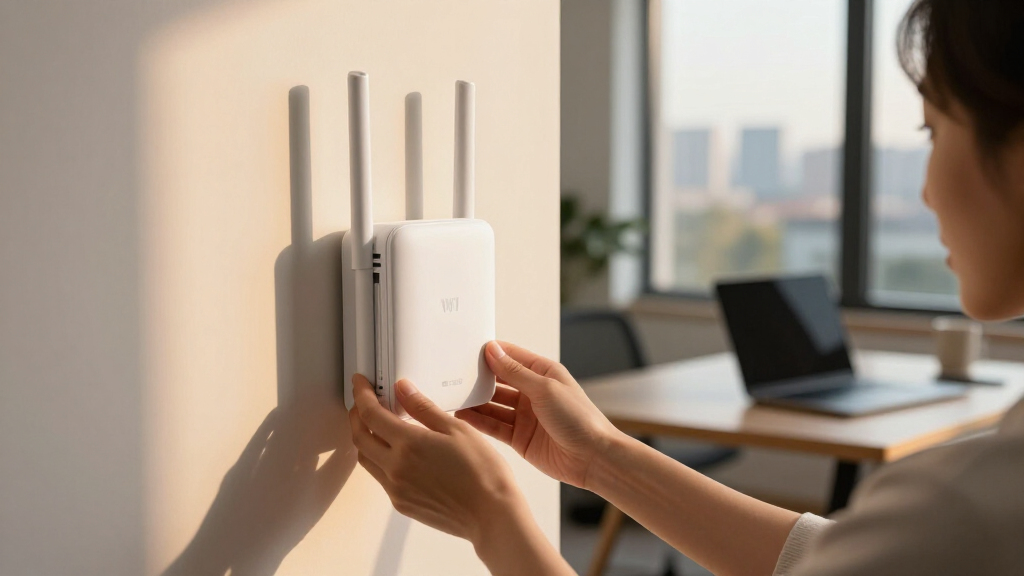
How We Picked
Our evaluation focused on performance metrics such as maximum throughput, multi-device capacity, and compatibility with Wi Fi 7 standards. We also prioritized usability factors like setup complexity, management features, and support for advanced security protocols like WPA3. Build quality, warranty, and value for money were critical in distinguishing premium from budget options. The ranking reflects a balance between cutting-edge features and practical deployment considerations, ensuring each product serves a clear user need—from home users to enterprise networks.Factors to Consider When Choosing Wi Fi 7 Access Point
Choosing a Wi Fi 7 access point involves more than just looking at speed ratings. You need to consider your network environment, device density, and future scalability. Features like multi-band support, PoE+ compatibility, and management options can significantly impact performance and ease of use. Understanding these factors helps prevent overspending on features you don’t need or missing critical capabilities for your setup.Performance and Speed
While Wi Fi 7 offers impressive theoretical speeds, real-world performance depends on your device compatibility and network load. Look for models that support high throughput and multi-user MIMO technology to ensure your network can handle multiple devices without bottlenecks. Avoid over-investing in top-tier speeds if your devices or plan can’t fully utilize them, as this can lead to unnecessary expenses.
Coverage and Deployment
Coverage needs vary widely. For large homes or offices, look for access points with high transmit power, beamforming, or mesh support. Consider whether you need ceiling mounts, wall-mounts, or outdoor models. Remember, placement and placement accessories can often make a bigger difference than raw specifications, so plan your deployment carefully to maximize coverage.
Management and Usability
Ease of setup and ongoing management are often overlooked. Professional-grade models tend to offer centralized management platforms, which simplify deploying and monitoring multiple access points. For home users, user-friendly apps or web interfaces are preferable. Make sure the management tools support firmware updates, security settings, and troubleshooting features to keep your network secure and reliable.
Power and Installation
PoE+ support simplifies wiring and can reduce clutter, especially in larger or professional setups. Check if the access point comes with PoE injectors or switches, or if additional hardware is needed. Consider your existing network infrastructure to avoid costly upgrades solely for compatibility, and prioritize models with robust power options if you plan extensive or outdoor installations.
Security and Futureproofing
Security features like WPA3 are standard on modern access points, but additional protections such as VPN support or advanced firewalls can be valuable for sensitive environments. Futureproofing also involves compatibility with upcoming standards and firmware updates. Investing in a model with strong security and upgrade paths can save you money and headaches down the line.
Frequently Asked Questions
Will my current devices benefit from Wi Fi 7 features?
Most current devices do not support Wi Fi 7 yet, as the standard is still emerging. However, upgrading to a Wi Fi 7 access point can future-proof your network, allowing compatibility with newer devices as they become available. The improvements in latency, efficiency, and capacity will benefit your entire network, even if your older devices don’t fully utilize Wi Fi 7’s maximum speeds now.
Is a tri-band Wi Fi 7 access point necessary for my home setup?
For most homes with moderate device counts, dual-band Wi Fi 7 access points are sufficient. Tri-band models provide extra capacity and better performance in dense environments, but they come at a higher cost. If you have a large smart home or plan to support multiple high-bandwidth devices simultaneously, a tri-band model can help prevent congestion and provide a smoother experience.
How important is PoE+ for my deployment?
PoE+ support is a significant convenience, especially for professional or large-scale setups where running power cables is inconvenient. It allows you to power the access point through the Ethernet cable, reducing clutter and simplifying placement. If your infrastructure supports PoE+, choosing a compatible access point can save installation time and costs, although it’s less critical for small or indoor home networks.
Should I prioritize security features over speed?
Security should be a primary consideration, especially in business environments. Features like WPA3, network segmentation, and management controls help protect your data and devices. While high speed is appealing, it’s useless if your network security is compromised. The best approach is to balance both, selecting a model that offers robust security without sacrificing the core performance needed for your setup.
Is investing in a high-end Wi Fi 7 access point worth it?
If you operate a large or demanding network, or require seamless coverage and future scalability, investing in premium models can pay off. These often feature advanced multi-band support, high throughput, and enterprise management tools. For typical home users, more affordable options may suffice, but understanding your current and future needs will guide whether a high-end device makes sense financially.
Conclusion
For most users, the Ubiquiti U7 Pro represents the best overall choice, combining high capacity with reliable performance. Budget-conscious buyers or small setups will find the Cudy BE3600 offers a capable entry point without overspending. Those seeking premium features and scalability should consider the Omada EAP773 or Zyxel BE11000. New users or simpler networks benefit from models with straightforward management, while large enterprises need the advanced security and management tools offered by premium options. Carefully matching your environment and future plans will ensure your Wi Fi 7 investment delivers the best long-term value.