
A 4×4 HDMI matrix switch routes any of four sources to any of four displays, making it useful when a simple splitter cannot serve different rooms or screens independently. I’d put the OREI 4K@60Hz Seamless Matrix with Video Wall and Web Control first for installations that need flexible control and display layouts. The PORTTA 4K 60Hz 4:4:4 stands out for its EDID options and audio extraction, while the OREI HDMI Extender Matrix suits longer cable runs with its included receivers. The main tradeoffs are video format support, audio handling, control options, and whether you need signal extension or advanced viewing modes. Read on for the full breakdown and guidance on matching a matrix to your setup.

Get privacy and security gear delivered free with Prime
- Fast, free delivery on millions of items
- Prime Video, Amazon Music and more included
- Member-only deals all year
Key Takeaways
- Video support changes the shortlist: the lineup ranges from Groza’s 4K@30Hz model to 4K@60Hz options and OREI’s 8K HDMI 2.1 switch, so match the device to the formats your sources and displays actually use.
- Audio needs separate attention: MT-VIKI, PORTTA, and several OREI models add audio extraction or ARC features, which can simplify connecting a receiver or sound system but vary in routing flexibility.
- Control options point to different installations: IR remotes suit straightforward rooms, while RS-232 or web control on select models better serves installed systems with centralized control.
- Long cable runs call for a different kind of matrix: OREI’s extender model includes receivers and supports transmission over CAT cable, unlike the standard HDMI-only switches in this roundup.
- Special viewing needs affect the ranking: OREI’s seamless video wall and quad multi-viewer models add display modes that ordinary source-to-screen routing does not provide.
| OREI 4×4 HDMI Matrix Switch with 4K@60Hz Downscaling |  | Best Overall for Mixed-Resolution Displays | Inputs / outputs: 4 HDMI in / 4 HDMI out | Maximum resolution: 4K@60Hz | Downscaling: 4K to 1080p | VIEW ON AMAZON | See Our Full Breakdown |
| MT-VIKI 4×4 HDMI Matrix Switch with Audio Extraction |  | Best for Rack Installations and Remote Control | Inputs / outputs: 4 HDMI in / 4 HDMI out | Maximum resolution: 4K x 2K at 30Hz | Additional video support: 1080p Full HD, 3D video, deep color | VIEW ON AMAZON | See Our Full Breakdown |
| Enbuer 4×4 HDMI Matrix Switch, 4K@60Hz Switcher/Splitter with EDID Management and IR Remote |  | Best for EDID Control at 4K@60Hz | Configuration: 4 HDMI in / 4 HDMI out | Maximum resolution: 3840×2160 @ 60Hz (4K HDR) | HDMI / HDCP: HDMI 2.0b / HDCP 2.2 | VIEW ON AMAZON | See Our Full Breakdown |
| Yinker 4K HDMI Matrix Switch 4×4 (Switcher/Splitter) with IR Remote & RS232 Control |  | Best for Saved Display Setups | Inputs / outputs: 4 HDMI in / 4 HDMI out | Maximum resolution: 4Kx2K@30Hz | Downscaling: 1080p@60Hz | VIEW ON AMAZON | See Our Full Breakdown |
| Groza 4×4 HDMI Matrix Switch, 4K@30Hz with IR Remote Control |  | Best for Straightforward 4K/30Hz Routing | Inputs / outputs: 4 HDMI in / 4 HDMI out | Maximum resolution: 3840×2160@30Hz | HDMI / HDCP: HDMI 1.4 / HDCP 1.4 | VIEW ON AMAZON | See Our Full Breakdown |
| OREI 4×4 HDMI Matrix Switch with 4K Downscaling, ARC, and Audio Extraction |  | Best for ARC and Audio Extraction | Inputs / outputs: 4 HDMI inputs / 4 HDMI outputs | Maximum resolution: 4K at 60 Hz | Bandwidth: 18 Gbps | VIEW ON AMAZON | See Our Full Breakdown |
| OREI 4K@60Hz 4×4 Seamless HDMI Matrix with Video Wall and Web Control |  | Best for 2×2 Video Walls | Inputs / outputs: 4 HDMI inputs / 4 HDMI outputs | Video wall: 2×2 mode | Maximum resolution: Listed as 4K at 60 Hz | VIEW ON AMAZON | See Our Full Breakdown |
| PORTTA 4×4 HDMI Matrix Switch Splitter with Audio Extractor, 4K 60Hz 4:4:4, 16 EDID Modes, Remote Control |  | Best for EDID Flexibility | Model: N2MX44AX | Inputs / outputs: 4 HDMI inputs / 4 HDMI outputs | Maximum resolution: 4K at 60 Hz 4:4:4 | VIEW ON AMAZON | See Our Full Breakdown |
| gofanco 4K60Hz 4×4 HDMI Matrix Switch (Matrix44HD2-BSC) |  | Best for RS-232 Installations | Model: Matrix44HD2-BSC | Inputs / outputs: 4 HDMI inputs / 4 HDMI outputs | Maximum resolution: 4K at 60 Hz YUV 4:4:4, 8-bit | VIEW ON AMAZON | See Our Full Breakdown |
| OREI 4×4 HDMI Matrix Switch with Quad Multi-Viewer |  | Best for Multi-Source Monitoring | Inputs / outputs: 4 HDMI inputs / 4 HDMI outputs | Maximum resolution: 4K at 30 Hz | Display modes: 5 modes, including quad view and picture-in-picture | VIEW ON AMAZON | See Our Full Breakdown |
| OREI 4K 4×4 HDMI Extender Matrix – UltraHD 4K @ 60Hz 4:4:4 over CAT5e/6/7 with HDR, IR Control & RS-232, Up to 230 Ft, 1080p Downscale, 4 Loop Outs, 4 Receivers Included |  | Best for Long-Distance Installs | Inputs: 4 HDMI | Outputs: 4 CAT outputs and 4 HDMI loop outs | Maximum resolution: 4K at 60Hz, 12-bit, 4:4:4 | VIEW ON AMAZON | See Our Full Breakdown |
| OREI 4×4 8K HDMI 2.1 Matrix Switcher with Audio Extraction |  | Best for HDMI 2.1 and High-Refresh Displays | Inputs and outputs: 4 HDMI inputs and 4 HDMI outputs | Maximum resolution: Up to 8K | Supported refresh rates: 4K at 120Hz; 2K at 60Hz | VIEW ON AMAZON | See Our Full Breakdown |
| hdmi matrix switch 4×4 | Maximum resolution | Inputs / outputs | Warranty | Control |
|---|---|---|---|---|
| OREI 4×4 HDMI Matrix Switch wi | 4K@60Hz | 4 HDMI in / 4 HDMI out | 1 year | — |
| MT-VIKI 4×4 HDMI Matrix Switch | 4K x 2K at 30Hz | 4 HDMI in / 4 HDMI out | 2 years | — |
| Enbuer 4×4 HDMI Matrix Switch | 3840×2160 @ 60Hz (4K HDR) | — | 1 year | IR remote |
| Yinker 4K HDMI Matrix Switch 4 | 4Kx2K@30Hz | 4 HDMI in / 4 HDMI out | — | — |
| Groza 4×4 HDMI Matrix Switch | 3840×2160@30Hz | 4 HDMI in / 4 HDMI out | — | IR remote and local button |
| OREI 4×4 HDMI Matrix Switch wi | 4K at 60 Hz | 4 HDMI inputs / 4 HDMI outputs | — | — |
| OREI 4K@60Hz 4×4 Seamless HDMI | Listed as 4K at 60 Hz | 4 HDMI inputs / 4 HDMI outputs | — | Web control |
| PORTTA 4×4 HDMI Matrix Switch | 4K at 60 Hz 4:4:4 | 4 HDMI inputs / 4 HDMI outputs | 2 years | — |
| gofanco 4K60Hz 4×4 HDMI Matrix | 4K at 60 Hz YUV 4:4:4, 8-bit | 4 HDMI inputs / 4 HDMI outputs | — | Push buttons, IR remote, RS-232 |
| OREI 4×4 HDMI Matrix Switch wi | 4K at 30 Hz | 4 HDMI inputs / 4 HDMI outputs | 1 year | IR remote, front-panel buttons, RS-232 |
| OREI 4K 4×4 HDMI Extender Matr | 4K at 60Hz, 12-bit, 4:4:4 | — | — | IR, RS-232, CEC, and EDID management |
| OREI 4×4 8K HDMI 2.1 Matrix Sw | Up to 8K | — | 1 year | — |
More Details on Our Top Picks
OREI 4×4 HDMI Matrix Switch with 4K@60Hz Downscaling
The OREI earns my lead pick for a common 4×4 setup: newer 4K sources feeding a mix of 4K and 1080p screens. Its 4K@60Hz support and 4K-to-1080p downscaling let each display keep a usable signal without forcing the whole system to match the oldest screen. It also routes independent or shared content, with HDR and up to 7.1-channel audio support. Compared with the Enbuer EOZJ4, it makes the mixed-resolution use case more explicit through downscaling; the Enbuer instead emphasizes EDID management and 4K HDR. The OREI’s tradeoff is a relatively focused feature set: there’s no listed web or RS232 control like the MT-VIKI MT-HD44L-DE, and its one-year warranty is shorter than MT-VIKI’s two years. Choose it for flexible home or presentation systems; skip it if network control is a priority.
Pros:- Routes four sources independently or as shared content to four displays
- Downscales 4K to 1080p for compatibility with older screens
- Supports 4K@60Hz, HDR, and HDCP 2.2
- Supports up to 7.1-channel audio
Cons:- No web GUI, LAN, or RS232 control is listed
- One-year warranty is shorter than the MT-VIKI’s two-year coverage
- Uses a US plug; international installations may need the included adapter
Best for: Home theater owners or small venues routing 4K sources to a mix of 4K and 1080p displays
Not ideal for: Installers who need web GUI, LAN, or RS232 control, or buyers who require a longer listed warranty
- Inputs / outputs:4 HDMI in / 4 HDMI out
- Maximum resolution:4K@60Hz
- Downscaling:4K to 1080p
- Bandwidth:18Gbps
- Video support:HDR, HDMI 2.0a, HDCP 2.2
- Audio support:Up to 7.1-channel; Dolby Digital and DTS-HD Master Audio
- Warranty:1 year
Our verdict“Choose the OREI if your four-display system mixes 4K and 1080p screens and needs 4K@60Hz routing.”
MT-VIKI 4×4 HDMI Matrix Switch with Audio Extraction
For a rack-based system where control options matter more than high refresh rates, the MT-VIKI is the most installation-oriented choice here. Its 1U rack compatibility and front-panel, IR, web GUI, RS232, and LAN control give installers several ways to route four sources across four displays. The included rack hardware saves a separate mounting step, while stereo audio extraction can feed an amplifier from output 4. That extraction limit is a real constraint: unlike a matrix with broader audio routing, it only applies to output 4. The MT-VIKI also tops out at 4K/30Hz, so the OREI UHD-404 and Enbuer EOZJ4 are better fits for 4K/60Hz viewing or gaming. Its 2–3 second switching delay also makes it less suited to rapid source changes.
Pros:- Offers front-panel, IR remote, web GUI, RS232, and LAN control
- Includes rack ears and screws for standard 1U 19-inch mounting
- Routes four sources independently or simultaneously to four displays
- Includes a two-year warranty
Cons:- Maximum resolution is 4K at 30Hz
- 3.5 mm audio extraction is available through output 4 only
- Switching takes 2–3 seconds
Best for: AV installers and small control rooms that need rack mounting, network control, and 4K/30Hz distribution
Not ideal for: Gamers or home theater buyers who need 4K@60Hz, or systems needing audio extraction from multiple outputs
- Inputs / outputs:4 HDMI in / 4 HDMI out
- Maximum resolution:4K x 2K at 30Hz
- Additional video support:1080p Full HD, 3D video, deep color
- Audio extraction:3.5 mm stereo through output 4 only
- Control methods:Front panel, IR remote, web GUI, RS232, LAN
- Switching delay:2–3 seconds
- Rack compatibility:Standard 1U 19-inch rack
- Warranty:2 years
Our verdict“Pick the MT-VIKI for a rack system that benefits from network and serial control and does not need 4K@60Hz.”
Enbuer 4×4 HDMI Matrix Switch, 4K@60Hz Switcher/Splitter with EDID Management and IR Remote
The Enbuer is a strong fit when a 4×4 setup needs 4K@60Hz HDR and the displays do not agree on signal capabilities. Its EDID management gives the system a way to handle those differences, while HDMI 2.0b, HDCP 2.2, and 18Gbps bandwidth suit current consoles, PCs, and streaming gear. That makes it a more capable high-refresh option than the MT-VIKI MT-HD44L-DE, which is limited to 4K/30Hz. The OREI UHD-404 is the closer alternative: it also supports 4K@60Hz and specifically lists downscaling for 1080p screens, while Enbuer foregrounds EDID management. One operational catch is that changing EDID settings requires a restart, so it is less convenient when formats need frequent adjustment. A one-year warranty is also listed.
Pros:- Supports 4K@60Hz HDR at 18Gbps
- Includes EDID management for differing display capabilities
- Supports HDMI 2.0b and HDCP 2.2
- IR remote is included for source and display switching
Cons:- Requires a restart after changing EDID settings
- Downscaling to 1080p is not specified in the provided product data
- One-year warranty is shorter than the MT-VIKI’s listed two years
Best for: AV hobbyists with 4K@60Hz sources and displays that need deliberate EDID handling
Not ideal for: Users who frequently change display formats or need 4K downscaling explicitly specified
- Configuration:4 HDMI in / 4 HDMI out
- Maximum resolution:3840×2160 @ 60Hz (4K HDR)
- HDMI / HDCP:HDMI 2.0b / HDCP 2.2
- Data rate:18Gbps
- Deep color:8-, 10-, 12-, and 24-bit
- EDID management:Supported; restart required after changing settings
- Control:IR remote
- Warranty:1 year
Our verdict“Choose the Enbuer when 4K@60Hz and EDID control matter more than quick, restart-free configuration changes.”
Yinker 4K HDMI Matrix Switch 4×4 (Switcher/Splitter) with IR Remote & RS232 Control
The Yinker stands out for installations that move among several recurring display layouts. Its 16 savable scenes, power-off memory, and panel, IR, or RS232 control can make repeat routing simpler than starting from scratch each time. It also supports 4K/30Hz and 1080p/60Hz downscaling, which can help when a system combines newer sources with older displays. The OREI UHD-404 is the better fit for 4K@60Hz content, while Yinker’s advantage is its saved scenes and control choices. That distinction matters because the Yinker uses HDMI 1.4B and HDCP 1.2, and its 30Hz 4K ceiling is a poor match for high-frame-rate gaming. It is not a video wall controller, either, so buyers planning a 2×2 TV wall should look elsewhere.
Pros:- Stores 16 display scenes and remembers settings after power-off
- Offers backlit panel buttons, IR remote, and RS232 control
- Can downscale 4K to 1080p for mixed-resolution outputs
- Supports Dolby TrueHD and DTS-HD audio formats
Cons:- 4K output is limited to 30Hz
- HDMI 1.4B and HDCP 1.2 are older specifications than the OREI UHD-404’s listed HDMI 2.0a and HDCP 2.2
- Cannot create a 2×2 video wall
Best for: Conference rooms or classrooms that reuse saved source-to-display layouts and use RS232 control
Not ideal for: High-frame-rate gamers or buyers building a 2×2 video wall
- Inputs / outputs:4 HDMI in / 4 HDMI out
- Maximum resolution:4Kx2K@30Hz
- Downscaling:1080p@60Hz
- HDMI / HDCP:HDMI 1.4B / HDCP 1.2
- Audio support:PCM, DSD, Dolby, TrueHD, DTS-HD
- Control methods:Panel buttons, IR remote, RS232
- Saved scenes:16
- Signal range:Up to 50 ft with HDMI cable; 65 ft with HDMI fiber cable
Our verdict“Choose the Yinker for repeatable room layouts and serial control when 4K/30Hz is enough.”
Groza 4×4 HDMI Matrix Switch, 4K@30Hz with IR Remote Control
Groza keeps the 4×4 job simple: route up to four sources among four displays, then use the included remote or local button to switch. Its automatic EDID handling avoids a manual setup step, which may suit a basic media room better than the Yinker’s scene controls and RS232 options. That simplicity comes with a system-wide limitation: all outputs match the lowest connected display resolution. If even one screen is 1080p, the others may not receive a higher-resolution signal. Groza also tops out at 4K/30Hz over HDMI 1.4, unlike the OREI UHD-404 and Enbuer EOZJ4, which support 4K@60Hz. With no listed HDR passthrough and a roughly five-second switching delay, this is best for modest installations that value uncomplicated routing over speed or format flexibility.
Pros:- Routes four HDMI sources to four displays
- Automatic EDID handling requires no manual configuration
- Includes IR remote and local button controls
- Supports 3D video
Cons:- Limited to 4K@30Hz with no listed HDR passthrough
- All outputs are limited to the lowest connected display resolution
- Switching takes about five seconds
Best for: Owners of a basic 4K/30Hz media setup who want automatic configuration and remote switching
Not ideal for: 4K@60Hz gamers or mixed-resolution systems where each display needs its own resolution
- Inputs / outputs:4 HDMI in / 4 HDMI out
- Maximum resolution:3840×2160@30Hz
- HDMI / HDCP:HDMI 1.4 / HDCP 1.4
- Data rate:10.2Gbps
- Video support:3D; 8- and 10-bit deep color
- Control:IR remote and local button
- EDID management:Automatic; outputs match the lowest connected display resolution
- Switching delay:About 5 seconds
Our verdict“Pick the Groza for simple 4K/30Hz routing if a lowest-common-resolution limit works for all four displays.”
OREI 4×4 HDMI Matrix Switch with 4K Downscaling, ARC, and Audio Extraction
The OREI earns its place for setups that need audio extraction and ARC alongside independent routing from four sources to four displays. Its 4K at 60 Hz support and 18 Gbps bandwidth suit compatible modern displays, while downscaling can help when a 4K source also feeds a 1080p screen. Compared with the PORTTA 4×4 HDMI Matrix, it lists a narrower set of standout configuration features; the PORTTA specifies 16 EDID modes and HDR10. This OREI instead makes a straightforward case for users who need optical or 3.5 mm audio connections and ARC. The limits matter: extraction works only on Outputs A and B, and ARC is confined to Output A, so it may not fit systems needing audio access on every display.
Pros:- Routes four HDMI sources independently to four displays
- Supports 4K at 60 Hz, HDR, and up to 18 Gbps bandwidth
- Provides optical and 3.5 mm audio extraction
- Metal enclosure and included IR remote
Cons:- Audio extraction is limited to Outputs A and B
- ARC is available only on Output A
Best for: Home theater owners routing several HDMI sources while connecting an ARC sound system and optical or analog audio gear
Not ideal for: Installers who need ARC or extracted audio on all four outputs, or who need more explicit EDID controls
- Inputs / outputs:4 HDMI inputs / 4 HDMI outputs
- Maximum resolution:4K at 60 Hz
- Bandwidth:18 Gbps
- Standards:HDMI 2.0, HDCP 2.2
- Color formats:YCbCr 4:4:4, 4:2:2, 4:2:0 and RGB; up to 12-bit
- Audio extraction:Optical S/PDIF and 3.5 mm analog on Outputs A and B
- ARC:Output A only
- Audio formats:LPCM, DTS, Dolby Digital, DTS-HD Master Audio, Dolby TrueHD
Our verdict“Choose this OREI if ARC and optical or analog audio extraction matter more than extensive EDID controls.”
OREI 4K@60Hz 4×4 Seamless HDMI Matrix with Video Wall and Web Control
This OREI is the lineup’s clearest choice for a four-screen 2×2 video wall: it can split one source across four displays while retaining the usual four-input, four-output routing. That makes it more suited to a control room, lobby, or presentation display than the OREI quad multi-viewer, which combines sources into layouts rather than emphasizing a wall mode. The listed 4K at 60 Hz headline is useful, though its supported-resolution details specifically list 4K at 24, 25, and 30 Hz, so buyers should confirm the exact signal and mode they plan to use. The product data also names web control but gives few details about its implementation. Its focus is display arrangement; buyers seeking audio extraction, ARC, or extensive signal-management details may prefer the PORTTA.
Pros:- Offers a dedicated 2×2 video wall mode
- Routes four sources among four displays
- Lists support for 4K at 60 Hz
- Supports PCM, Dolby TrueHD, and DTS-HD audio formats
Cons:- Detailed supported-resolution list names 4K only through 30 Hz
- Product data does not specify audio extraction or ARC
- Web control details are limited in the supplied specifications
Best for: Small venues and control rooms that need to show one source across a four-display 2×2 wall
Not ideal for: Home theater users prioritizing documented audio extraction, ARC, or clearly specified EDID options
- Inputs / outputs:4 HDMI inputs / 4 HDMI outputs
- Video wall:2×2 mode
- Maximum resolution:Listed as 4K at 60 Hz
- Supported resolutions:480p/i, 576p/i, 720p, 1080p/i, 4K at 24/25/30 Hz
- Audio formats:PCM, DD, DD+, DTS, Dolby TrueHD, DTS-HD
- Control:Web control
Our verdict“Pick this OREI for a four-screen wall installation, after confirming its supported 4K mode matches your sources.”
PORTTA 4×4 HDMI Matrix Switch Splitter with Audio Extractor, 4K 60Hz 4:4:4, 16 EDID Modes, Remote Control
The PORTTA stands out for buyers facing mixed display capabilities: 16 EDID modes and 4K-to-1080p downscaling give more ways to manage a system where screens do not share the same limits. It also combines 4K at 60 Hz 4:4:4, HDR10, ARC, and Toslink or 3.5 mm extraction, making it a feature-rich option beside the more straightforward OREI model with audio extraction. Those features come with boundaries: audio extraction is on Outputs A and B, ARC is on A, and this unit does not support MST mode for PCs and laptops. The supplied data lists HDCP 2.3, 2.2, and 1.4 compatibility, useful across varied sources. Buyers with a standard SST computer setup and mismatched displays have a strong fit; MST users should look elsewhere.
Pros:- Provides 16 EDID modes for adapting to different source and display combinations
- Supports 4K at 60 Hz 4:4:4, HDR10, and 18 Gbps
- Downscales 4K to 1080p for mixed-resolution displays
- Includes Toslink and 3.5 mm extraction, a remote, and a two-year warranty
Cons:- Does not support MST mode; PCs and laptops must use SST
- ARC is limited to Output A
- Audio extraction is limited to Outputs A and B
Best for: AV installers and home theater owners combining 4K and 1080p displays who want multiple EDID choices
Not ideal for: Laptop or PC users who require MST output, or systems needing ARC and extracted audio on every display
- Model:N2MX44AX
- Inputs / outputs:4 HDMI inputs / 4 HDMI outputs
- Maximum resolution:4K at 60 Hz 4:4:4
- Bandwidth:18 Gbps
- HDMI / HDCP:HDMI 2.0b; HDCP 2.3, 2.2, 1.4
- HDR:HDR10
- Audio extraction and ARC:Toslink and 3.5 mm on Outputs A and B; ARC on Output A
- EDID modes:16
- Warranty:2 years
Our verdict“Choose the PORTTA when mixed-resolution displays and EDID flexibility matter, provided your computer source uses SST.”
gofanco 4K60Hz 4×4 HDMI Matrix Switch (Matrix44HD2-BSC)
For a fixed AV installation, the gofanco’s RS-232 control and EDID learning give it a practical edge over the OREI models centered on audio features or multi-screen layouts. It routes any of four sources to any of four displays and can downscale 4K to 1080p on two outputs, which helps when a system mixes newer and older screens. Its 18 Gbps link supports 4K at 60 Hz 4:4:4 and HDR, with 7.1-channel HDMI audio including Atmos. The tradeoff is a leaner home-theater feature set: unlike the OREI audio-extraction model and the PORTTA, gofanco lists no ARC or CEC. HDR10+ and Dolby Vision are also unsupported, so this is a stronger control-room or rack choice than a match for advanced HDR formats.
Pros:- Supports 4K at 60 Hz 4:4:4 with 18 Gbps bandwidth
- Offers push-button, IR remote, and RS-232 control
- Downscales to 1080p on any two outputs
- Includes EDID learning and pre-programmed EDID settings
Cons:- Does not support ARC or CEC
- HDR10+ and Dolby Vision are not supported
- One-year limited warranty
Best for: AV integrators and control-room operators who need RS-232, EDID management, and downscaling on two displays
Not ideal for: Home theater owners who need ARC, CEC, Dolby Vision, or HDR10+ support
- Model:Matrix44HD2-BSC
- Inputs / outputs:4 HDMI inputs / 4 HDMI outputs
- Maximum resolution:4K at 60 Hz YUV 4:4:4, 8-bit
- Bandwidth:18 Gbps
- HDR:Supported; HDR10+ and Dolby Vision not supported
- Audio:Up to 7.1-channel digital HDMI audio, including Atmos
- Downscaling:4K to 1080p on any two outputs
- Control:Push buttons, IR remote, RS-232
- ARC / CEC:Not supported
Our verdict“Choose gofanco for an install that benefits from RS-232 control and EDID management, not ARC or the latest HDR formats.”
OREI 4×4 HDMI Matrix Switch with Quad Multi-Viewer
This OREI is built around seeing several feeds at once: quad view and picture-in-picture make it more useful for monitoring cameras or presenting multiple sources than the OREI 2×2 video-wall model, which spreads one source across four screens. It can connect four sources to four displays, and offers IR, front-panel, and RS-232 control. The key compromise is video performance: the maximum is 4K at 30 Hz, below the 4K-at-60-Hz capability listed for the PORTTA and gofanco. Seamless switching is also limited to Output A, so the remaining outputs may not suit installations where uninterrupted changes matter everywhere. Choose it for flexible source layouts; skip it if smooth 4K motion or seamless switching across all outputs is a priority.
Pros:- Supports quad view and picture-in-picture layouts
- Connects four HDMI sources to four displays
- Offers IR, front-panel, and RS-232 control
- Provides optical and stereo audio extraction
Cons:- Maximum resolution is 4K at 30 Hz
- Seamless switching is limited to Output A
- One-year warranty
Best for: Security operators and presenters who need to view multiple HDMI sources together in quad or picture-in-picture layouts
Not ideal for: Gamers, sports viewers, or multi-display installations that need 4K at 60 Hz or seamless switching on every output
- Inputs / outputs:4 HDMI inputs / 4 HDMI outputs
- Maximum resolution:4K at 30 Hz
- Display modes:5 modes, including quad view and picture-in-picture
- Audio formats:LPCM, AC3, DTS
- Audio outputs:Optical S/PDIF and L/R stereo
- Control:IR remote, front-panel buttons, RS-232
- Seamless switching:Output A only
- Warranty:1 year
Our verdict“Pick this OREI for multi-source monitoring layouts, and choose a 4K-at-60-Hz matrix for motion-sensitive viewing.”
OREI 4K 4×4 HDMI Extender Matrix – UltraHD 4K @ 60Hz 4:4:4 over CAT5e/6/7 with HDR, IR Control & RS-232, Up to 230 Ft, 1080p Downscale, 4 Loop Outs, 4 Receivers Included
The OREI extender matrix suits a room or building where displays sit far from the source rack. It sends four sources to four included receivers over CAT cable for runs up to 230 feet, while 4K at 60Hz with 4:4:4 and HDR preserves detailed video at that distance. Four local loop outs also let an installer monitor the sources beside the matrix. Compared with OREI’s 8K HDMI 2.1 switcher, this model gives up newer HDMI formats in exchange for remote CAT distribution and receiver power over cable. The tradeoff is a more involved installation: EDID and routing options suit a technician more than a plug-and-play setup, and the IR output follows the selected input, which can complicate device-control wiring.
Pros:- Carries 4K at 60Hz, 4:4:4, and HDR over CAT cable for runs up to 230 feet
- Includes four receivers and powers them over the CAT connections
- Four local HDMI loop outs support source monitoring at the rack
- Offers IR, RS-232, CEC, and EDID management for installation flexibility
Cons:- IR output follows the HDMI input, which can make control wiring less intuitive
- EDID setup and matrix routing may require professional AV knowledge
- Uses HDMI 2.0, so it lacks the newer 8K and 4K at 120Hz capabilities of OREI’s HDMI 2.1 model
Best for: Installers and AV teams routing several 4K sources from a rack to displays in distant rooms over existing or planned CAT cabling
Not ideal for: Buyers who need 8K or 4K at 120Hz, or anyone seeking a simple HDMI-only setup without receiver cabling and EDID configuration
- Inputs:4 HDMI
- Outputs:4 CAT outputs and 4 HDMI loop outs
- Maximum resolution:4K at 60Hz, 12-bit, 4:4:4
- Transmission distance:Up to 230 ft over CAT5e/6/7
- HDMI and HDCP:HDMI 2.0; HDCP 2.2/1.4
- Audio:Up to 7.1-channel HD audio pass-through
- Control:IR, RS-232, CEC, and EDID management
- Receiver power:12V PoC on all CAT ports
Our verdict“Choose this OREI when you need four 4K sources distributed to remote displays over CAT cable and can manage a more technical installation.”
OREI 4×4 8K HDMI 2.1 Matrix Switcher with Audio Extraction
For a four-display system built around current gaming or high-resolution sources, this OREI’s main advantage is HDMI 2.1 support: it handles up to 8K and 4K at 120Hz, with per-output downscaling from 8K to 4K. That makes it a stronger fit for newer displays than the OREI CAT extender, which focuses on sending 4K video over long cable runs. This model instead connects through four direct HDMI outputs and adds optical or analog audio extraction, plus front-panel, IR, and web GUI control. Its audio routing has a clear boundary: extraction does not pass through HDMI, and Sonos ARC/eARC soundbars are unsupported for extracted audio. Buyers should also plan for direct HDMI cabling rather than remote CAT receivers.
Pros:- Supports up to 8K and 4K at 120Hz for compatible sources and displays
- Downscales 8K to 4K independently per output
- Extracts audio through optical or analog connections
- Can be controlled by IR remote, front panel, or web GUI
Cons:- Does not extract audio through HDMI
- Extracted audio is incompatible with Sonos ARC/eARC soundbars
- Direct HDMI outputs do not provide the remote CAT receiver setup offered by the OREI extender matrix
Best for: Home theater and gaming system owners routing newer 8K or 4K-at-120Hz sources among four nearby HDMI displays, with optical or analog audio needs
Not ideal for: Owners of Sonos ARC/eARC soundbars or installers who need long-distance CAT distribution to remote displays
- Inputs and outputs:4 HDMI inputs and 4 HDMI outputs
- Maximum resolution:Up to 8K
- Supported refresh rates:4K at 120Hz; 2K at 60Hz
- Downscaling:8K to 4K per output
- Video features:HDR, HDR10, HDR10+, Dolby Vision, VRR, ALLM, QFT, QMS, SBTM, and HLG passthrough
- Audio extraction:Optical or analog; no HDMI audio extraction
- Controls:IR remote, front panel, and web GUI
- Warranty:1 year
Our verdict“Pick this model for a direct-cabled system that needs HDMI 2.1 formats and optical or analog audio extraction, provided its soundbar limitation fits your setup.”
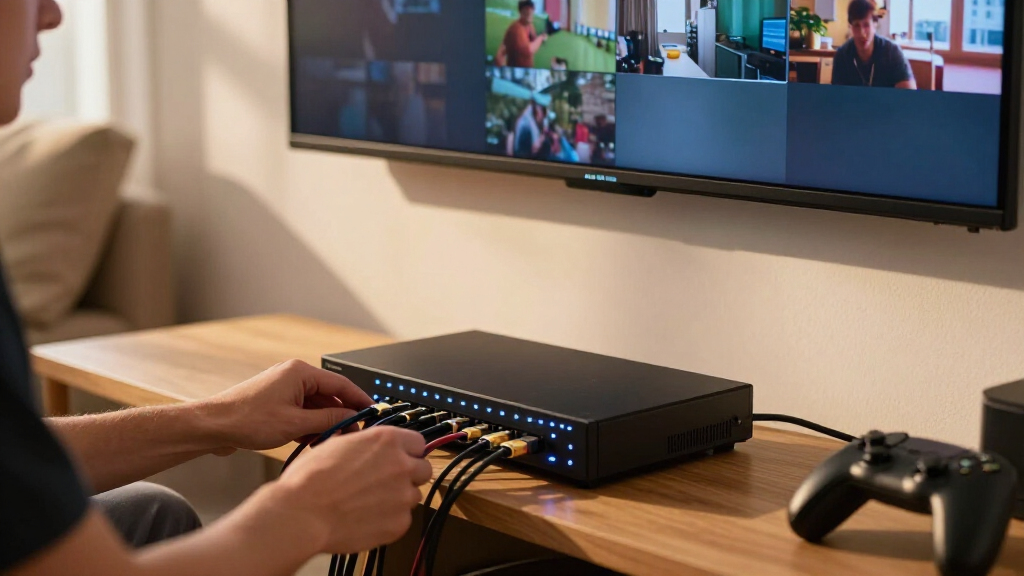
How We Picked
I ranked these switches by how well their stated capabilities answer common 4×4 routing needs: independently sending sources to displays, maintaining the video formats a buyer expects, and handling audio without awkward workarounds. I also weighed setup and control, including EDID options, IR remotes, RS-232, and web control, plus installation features such as downscaling, video wall modes, multi-view, and CAT cable extension. These details matter because a matrix can have four inputs and four outputs yet still be a poor fit if its format limits, audio path, or control method conflict with the rest of the system.
The order favors versatility for a broad range of installations, then rewards products with a clear advantage for a particular use. The OREI seamless model leads for its mix of 4K@60Hz routing, video wall capability, and web control. PORTTA follows for its 4:4:4 support, audio extraction, and broad EDID selection; specialized extender, multi-view, and 8K options rank for buyers who need those features, while simpler or lower-bandwidth models suit narrower requirements. Product claims alone do not establish compatibility with every source, display, cable, or protected-content setup, so I recommend checking the exact format and connection requirements before choosing.
| hdmi matrix switch 4×4 | Control |
|---|---|
| OREI 4×4 HDMI Matrix Switch wi | — |
| MT-VIKI 4×4 HDMI Matrix Switch | — |
| Enbuer 4×4 HDMI Matrix Switch | IR remote |
| Yinker 4K HDMI Matrix Switch 4 | — |
| Groza 4×4 HDMI Matrix Switch | IR remote and local button |
| OREI 4×4 HDMI Matrix Switch wi | — |
| OREI 4K@60Hz 4×4 Seamless HDMI | Web control |
| PORTTA 4×4 HDMI Matrix Switch | — |
| gofanco 4K60Hz 4×4 HDMI Matrix | Push buttons, IR remote, RS-232 |
| OREI 4×4 HDMI Matrix Switch wi | IR remote, front-panel buttons, RS-232 |
| OREI 4K 4×4 HDMI Extender Matr | IR, RS-232, CEC, and EDID management |
| OREI 4×4 8K HDMI 2.1 Matrix Sw | — |
Factors to Consider When Choosing Hdmi Matrix Switch 4×4
Before choosing a 4×4 matrix, map the entire signal path from each source to each display and audio device. The matrix has to work with the weakest link in that path, and its control features need to fit how the system will be operated after installation.
Match Resolution and Refresh Rate Across the Whole Chain
Start with the video mode you want to use, not just the highest number printed on the switch. Check the output formats of your sources, the capabilities of every display, and the bandwidth supported by the cables between them. A 4K@60Hz source routed to an older display may require a lower output mode, while a 4K@30Hz matrix can limit a setup even if one screen supports faster refresh. Chroma format and HDR support can also affect whether a device meets your needs. Read the supported modes for each input and output path, since mixed displays may behave differently from identical ones. Leave room for future sources only if those formats are likely to matter during the system’s useful life.
Plan for Mixed Displays and EDID Behavior
EDID is how displays tell sources which video and audio formats they accept. With several displays connected, a matrix may use a shared mode that every screen can handle, or offer controls that let you manage those capabilities more directly. This matters when one television supports a newer format than another: the source may otherwise choose a format that works on only part of the system. Before buying, check whether you need a fixed common format, per-output settings, or selectable EDID presets. A feature-rich EDID menu can help with unusual combinations, but it also adds setup choices that may take time to tune. If all four displays are similar, simpler EDID handling may be easier to live with.
Decide How Audio Should Reach Your Sound System
Draw the audio route separately from the video route. Some installations send sound through each display, while others need an extracted audio output for a receiver, amplifier, or soundbar. ARC support can help return audio from a compatible display, but its usefulness depends on the devices and connections in the chain. Check whether the matrix routes extracted audio alongside each selected source or handles it in a shared way; that difference can affect multiroom use. Also confirm the audio formats your receiver accepts, especially if your sources use surround sound. Buying around an assumed audio feature without checking its routing behavior can leave you with a working picture and an inconvenient sound setup.
Choose Control That Fits Daily Use
An IR remote is often enough when the switch sits in view and one person changes routes occasionally. For an equipment rack or a system operated from a central controller, RS-232 or web control can make source selection easier to automate and manage. Think about who will use the system, whether they can reach the unit, and whether switching should be available from a wall panel or control system. Confirm the control connection and command support with any controller already in place. More control options do not automatically make setup simpler; they are most useful when the installation has a clear plan for them. If the switch will be tucked away, account for IR placement or select a control method that does not depend on line of sight.
Check Cable Distance Before Choosing an Extender
Standard HDMI connections are convenient for nearby sources and displays, but long routes can make cable choice and signal reliability more demanding. Measure the actual path, including the route through walls or conduit, and leave slack for installation rather than relying on the straight-line distance between devices. An extender matrix that uses CAT cable and included receivers can suit distant screens, though it adds receiver boxes and another type of cable to install. Check the supported distance for the video mode you plan to send, since maximum range can depend on resolution and cable quality. Also plan power and access at each receiver location. If every display is close to the switch, an extender adds hardware without solving a real problem.
Pay for Special Display Modes Only When You Need Them
Video wall and multi-view functions change how sources appear on screens; they are different from basic routing. A video wall can combine displays into one larger image, while a quad multi-view mode can show several sources at once on one display. These features can be valuable for signage, monitoring, or presentations, but they introduce configuration decisions around layout, scaling, and viewing needs. If each screen only needs to show one independently selected source, standard matrix routing may be a better match. Likewise, an 8K HDMI 2.1 model makes sense when compatible sources and displays are part of the plan, not simply because 8K is a higher specification. Prioritize a feature only when it solves a specific job in your installation.
Frequently Asked Questions
Can a 4×4 HDMI matrix send four different sources to four different TVs?
That is the core purpose of a 4×4 matrix: each of its four outputs can be assigned a source, subject to the unit’s routing modes. Check whether the model allows independent selection on all outputs and whether it supports the source and display formats in your setup. Some matrix modes also let multiple screens show the same source, which is useful for shared viewing. If you need picture-in-picture or several sources on one screen at once, look for a multi-view feature rather than assuming ordinary routing provides it. Confirm how audio follows those routes if the rooms use separate sound systems.
Will a 4×4 matrix work when my TVs support different resolutions?
It can, but the result depends on how the matrix handles EDID and whether it can downscale or set output formats independently. A shared EDID setting may cause sources to use a format all connected screens accept, which can reduce the output mode available to newer displays. Downscaling can help serve an older screen, but confirm which outputs are affected and what formats remain available on the others. Check the matrix’s supported modes against every display rather than relying on the best screen’s specification. If the TVs have very different capabilities, flexible EDID or per-output format control deserves extra weight.
Do I need audio extraction if my sources already connect to a receiver?
Not always. If your receiver can switch all the sources and send video onward to the matrix, it may already handle the audio path you need. Audio extraction is more useful when the matrix selects sources for displays while a separate sound system needs audio from those same sources. Before choosing, draw the connections and check whether extracted audio follows each output’s selected source or uses a fixed route. Verify format compatibility with the receiver or soundbar, since an audio output is only useful if it supports the formats your system can decode. ARC matters when you want audio to return from a compatible display, but it does not replace checking the whole signal path.
When is an HDMI extender matrix a better fit than a standard 4×4 switch?
An extender matrix is worth considering when displays are far enough away that direct HDMI cabling becomes difficult to route or unreliable for the formats you need. CAT cable can be easier to install over longer paths, and a model with receivers can simplify the display end of each run. Compare the stated range with your intended resolution and refresh rate, since the maximum distance may depend on the signal mode and cable quality. Account for power, receiver placement, and access to equipment at each display. For short runs in one room, a conventional HDMI matrix is usually the simpler installation.
Should I choose an 8K matrix if I only have 4K devices today?
Choose an 8K model when you have a realistic plan to connect compatible HDMI 2.1 sources and displays, or when other stated features suit your installation. The higher format ceiling alone does not improve the picture from 4K equipment. Check that the exact 8K and 4K modes you need are supported across the intended inputs and outputs, along with audio and control requirements. Cable quality and length also matter as bandwidth rises. If your system will remain 4K and prioritizes features such as audio extraction, web control, or long-distance extension, one of the other models may fit better.
Conclusion
For a versatile installed system, I’d choose the OREI 4K@60Hz Seamless Matrix with Video Wall and Web Control as the best overall option in this lineup. The PORTTA 4K 60Hz 4:4:4 is my best value pick for buyers who want strong format support, audio extraction, and multiple EDID modes without a specialized extender setup. Beginners with a straightforward four-source, four-screen arrangement should favor a model whose supported formats and IR control match their devices, such as the simpler Enbuer, after checking compatibility. For premium format headroom, the OREI 8K HDMI 2.1 matrix is the standout for a system built around compatible 8K gear. Choose the OREI extender matrix for distant displays, the quad multi-viewer for monitoring several sources on one screen, or the OREI ARC model when its audio features suit your system. The best choice is the one whose routing, signal format, audio path, and installation features solve your actual setup’s constraints.
Halloween Picks
halloween
As an affiliate, we earn on qualifying purchases.