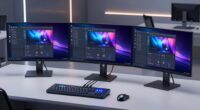
If you’re searching for a Thunderbolt dock for MacBook, you’re likely looking to expand your laptop’s connectivity with high-speed data, multiple displays, and reliable charging. The Satechi Thunderbolt 4 Slim Hub Pro stands out as the best overall choice thanks to its sleek design and 100W power delivery. For users needing dual 4K support, the Plugable 16-in-1 Thunderbolt 4 Dock offers extensive ports and robust performance. However, these docks come with tradeoffs—higher cost for premium features or increased complexity with many ports. Keep reading to see how these options compare and which might suit your specific needs.

Get privacy and security gear delivered free with Prime
- Fast, free delivery on millions of items
- Prime Video, Amazon Music and more included
- Member-only deals all year
Key Takeaways
- Top-performing docks generally offer at least 85W to 100W charging, essential for powering MacBooks under load.
- Dual 4K monitor support is common but varies in smoothness and port variety, impacting productivity setups.
- Build quality and compatibility with the latest MacBook models are decisive factors for longevity and seamless use.
- Price ranges reflect differences in ports, charging power, and build; premium docks tend to have more features but higher costs.
- Many docks include extra features like SD card readers and Ethernet, but these can add to size and complexity.
| Satechi Thunderbolt 4 Slim Hub Pro Docking Station with 100W USB-C Charging |  | Best Overall for Versatile Professional Use | Display Support: Dual 4K/60Hz or single 8K/30Hz | Thunderbolt Ports: 3x Thunderbolt 4 | USB Ports: USB 3.2 Gen2, USB-A | VIEW ON AMAZON | See Our Full Breakdown |
| UGREEN 8-in-1 Thunderbolt 4 Docking Station, Dual 4K@60Hz, 3xTBT4, 40Gbps, 85W Charging, Gigabit Ethernet, 3xUSB A 10Gbps, for Mac M1/M2/M3/M4 Pro/Max |  | Best Value for High-Speed Connectivity | Number of Ports: 8 | Thunderbolt 4 Ports: 3 | USB A Ports: 3 | VIEW ON AMAZON | See Our Full Breakdown |
| Plugable 16-in-1 Thunderbolt 4 Dock – Dual 4K Monitors, 100W Charging, USB, Ethernet, SD Card Reader |  | Best for Extensive Connectivity and Professional Workflows | Hardware Interface: Thunderbolt | Compatible Devices: Windows 11 Thunderbolt 4, macOS 11+ | Total USB Ports: 7 | VIEW ON AMAZON | See Our Full Breakdown |
| Plugable Thunderbolt 4 Dock for MacBook Air & Pro, 13-in-1 with 4K HDMI, Dual Monitors, 100W Charging |  | Best for MacBook Users Seeking Simplicity and Power | Ports: 13 | Display Support: Dual 4K HDMI or single 6K | Power Delivery: 100W | VIEW ON AMAZON | See Our Full Breakdown |
| UGREEN 13-in-1 Thunderbolt 4 Docking Station with Dual 4K@60Hz Support |  | Best for Quiet, Professional Multitasking | Number of Ports: 13 | Display Support: Dual 4K@60Hz | Max Power: 180W | VIEW ON AMAZON | See Our Full Breakdown |
| Amazon Basics Thunderbolt 4 Pro Docking Station with Dual 4K Support |  | Best Overall for Versatile High-Resolution Setup | Display Support: Dual 4K@60Hz, 8K30Hz | Ports: 2xThunderbolt 4, 1xHDMI 2.1, 3xUSB A 3.1, RJ45 Ethernet | Power Delivery: Up to 96W | VIEW ON AMAZON | See Our Full Breakdown |
| Thunderbolt 4 MacBook Docking Station with DisplayLink – 21-in-1 USB-C Dock, 150W Power Delivery, Supports 8K or Dual 4K Displays, Thunderbolt 4, USB-C/A Ports, Compatible with MacBook and Windows |  | Best for High-Power, High-Resolution Demands | Compatibility: MacBook and Windows with 8th Gen Intel or newer | Display Support: Single 8K or dual 4K@60Hz | Power Delivery: 150W | VIEW ON AMAZON | See Our Full Breakdown |
| Anker Dual Monitor USB-C Docking Station 8-in-1 with 4K HDMI, Ethernet, SD/TF Card Reader |  | Best Compact Dock for Dual 4K Monitors and Everyday Use | Hardware Interface: Ethernet, HDMI, MicroSD, USB 3.0 | Additional Features: HDMI™, Powered | Total USB Ports: 3 | VIEW ON AMAZON | See Our Full Breakdown |
| UGREEN Maxidok Thunderbolt 5 Docking Station, 10-in-1 with Triple 4K@144Hz Support |  | Best for High-Performance Multi-Display Setups | Ports: 3× USB-A 10Gbps, SD/TF 3.0, Gigabit Ethernet, DP 2.1, 2× TBT5 | Max Transfer Speed: 120Gbps | Display Support: Triple 4K@144Hz or Dual 8K | VIEW ON AMAZON | See Our Full Breakdown |
| UGREEN Revodok NVMe 10-in-1 Docking Station with 4K HDMI, USB-C/A, 100W PD, Ethernet, SD/TF |  | Best for Storage-Intensive and Versatile Connectivity | Ports: 4K@60Hz HDMI, 2×USB-A 5Gbps, 1×USB-A 10Gbps, 1×USB-C 10Gbps, Gigabit Ethernet, SD/TF card readers, M.2 NVMe SSD slot | Data Transfer Speed: Up to 10Gbps | Video Output: 4K@60Hz HDMI | VIEW ON AMAZON | See Our Full Breakdown |
| Plugable Thunderbolt 4 Dock, 100W Charging, Dual HDMI, 13 Ports, Ethernet, SD/microSD |  | Best Overall Thunderbolt Dock for MacBook | Hardware Interface: Thunderbolt | Compatible Devices: Windows 11 Thunderbolt 4 hosts and Thunderbolt 4 Macs with macOS 11+ including M5 / M4 MacBook Pro and MacBook Air, M1 Pro/Max, M2 Pro/Max, M3 Pro/Max, or base M3 | Total Usb Ports: 13 | VIEW ON AMAZON | See Our Full Breakdown |
| thunderbolt dock for macbook | Display Support | Power Delivery |
|---|---|---|
| Satechi Thunderbolt 4 Slim Hub | Dual 4K/60Hz or single 8K/30Hz | — |
| UGREEN 8-in-1 Thunderbolt 4 Do | Dual 4K@60Hz or single 8K | 85W |
| Plugable 16-in-1 Thunderbolt 4 | Dual 4K@60Hz | — |
| Plugable Thunderbolt 4 Dock fo | Dual 4K HDMI or single 6K | 100W |
| UGREEN 13-in-1 Thunderbolt 4 D | Dual 4K@60Hz | 96W |
| Amazon Basics Thunderbolt 4 Pr | Dual 4K@60Hz, 8K30Hz | Up to 96W |
| Thunderbolt 4 MacBook Docking | Single 8K or dual 4K@60Hz | 150W |
| Anker Dual Monitor USB-C Docki | — | — |
| UGREEN Maxidok Thunderbolt 5 D | Triple 4K@144Hz or Dual 8K | 140W |
| UGREEN Revodok NVMe 10-in-1 Do | — | 100W |
| Plugable Thunderbolt 4 Dock | — | — |
More Details on Our Top Picks
Satechi Thunderbolt 4 Slim Hub Pro Docking Station with 100W USB-C Charging
The Satechi Thunderbolt 4 Slim Hub Pro stands out for its combination of high-end display support, powerful charging, and multiple port options, making it ideal for users who need a complete professional setup. Compared with the Plugable Thunderbolt 4 Dock for MacBook, it offers slightly more versatility with daisy-chaining and a more durable aluminum build. The tradeoff is a premium price that may be less appealing for casual users or those on a tight budget. Its support for dual 4K or single 8K displays ensures excellent resolution options, while the 100W charging keeps a MacBook powered during intensive tasks. The inclusion of a Thunderbolt 4 cable and a 150W GaN power supply simplifies setup. However, full utilization requires compatible Thunderbolt 4 or USB4 devices, which might limit some older systems.
Pros:- Supports dual 4K or single 8K display output for high-resolution work
- Provides up to 100W charging to keep MacBooks powered
- Durable aluminum design with efficient heat dissipation
- Multiple high-speed ports including Thunderbolt 4 and USB-A
Cons:- Premium price may be prohibitive for casual or infrequent users
- Requires compatible Thunderbolt 4 or USB4 devices for full feature access
Best for: Professionals who need a compact, high-performance dock with support for multiple high-resolution displays and fast charging.
Not ideal for: Casual users or budget-conscious buyers who won’t need dual 4K displays or extensive port options, as the premium price may be hard to justify.
- Display Support:Dual 4K/60Hz or single 8K/30Hz
- Thunderbolt Ports:3x Thunderbolt 4
- USB Ports:USB 3.2 Gen2, USB-A
- Charging Power:Up to 100W
- Data Transfer Speed:40Gbps
- Compatibility:MacBook Air/Pro, Windows laptops, Thunderbolt 4, USB4
Our verdict“This dock is best suited for professionals needing reliable, high-resolution display support and fast charging in a compact form.”
UGREEN 8-in-1 Thunderbolt 4 Docking Station, Dual 4K@60Hz, 3xTBT4, 40Gbps, 85W Charging, Gigabit Ethernet, 3xUSB A 10Gbps, for Mac M1/M2/M3/M4 Pro/Max
The UGREEN 8-in-1 Thunderbolt 4 Docking Station offers a compelling mix of high data transfer speeds, multiple display options, and robust charging at a more accessible price point. While it supports dual 4K@60Hz displays—similar to the Satechi model—it is more affordable, making it attractive for users seeking performance without a hefty price tag. The dock’s 85W charging supports most MacBook models, but some high-end configurations may prefer the 100W option offered by other docks like the Plugable 16-in-1. Its multiple Thunderbolt 4 and USB-A ports ensure broad compatibility and extensive connectivity, although full performance depends on connecting to the included 140W GaN charger. Compatibility issues may arise with older Macs or non-USB4 systems, limiting plug-and-play ease for some users.
Pros:- Supports dual 4K@60Hz displays for crisp visuals
- High-speed data transfer up to 40Gbps
- Affordable compared to premium docks with similar features
- Includes a 140W GaN charger for reliable power delivery
Cons:- Requires connection to the included charger to operate at full capacity
- Full display support may be limited on some older or non-USB4 Macs
- Lower 85W power delivery may be insufficient for power-hungry laptops
Best for: Power users who need dual 4K displays and fast data transfer, but want a more budget-friendly option with reliable performance.
Not ideal for: Users with very high power demands or those who require more than 85W charging, especially on high-end Macs or Windows laptops that support 100W+.
- Number of Ports:8
- Thunderbolt 4 Ports:3
- USB A Ports:3
- Display Support:Dual 4K@60Hz or single 8K
- Power Delivery:85W
- Ethernet:Gigabit Ethernet
Our verdict“This dock offers excellent value for users needing dual high-resolution displays and fast data transfer without overspending.”
Plugable 16-in-1 Thunderbolt 4 Dock – Dual 4K Monitors, 100W Charging, USB, Ethernet, SD Card Reader
The Plugable 16-in-1 Thunderbolt 4 Dock excels at providing a wide array of ports, making it perfect for users who need multiple peripherals and dual 4K monitors. Its support for dual 4K 60Hz displays via HDMI and DisplayPort rivals the Satechi and UGREEN options but adds a more comprehensive port selection, including 7 USB ports, Ethernet, and SD card readers. Its 100W power delivery ensures all-day charging for MacBooks, but the setup can be complex for those unfamiliar with multi-port docks. Compatibility is broad but requires macOS 11+ or Windows 10+. Compared to other docks, its extensive port array makes it ideal for creative professionals, though the larger size and complexity may be overkill for casual users.
Pros:- Supports dual 4K 60Hz monitors via HDMI and DisplayPort
- Provides 100W charging for all-day power
- Extensive connectivity with 7 USB ports, SD/microSD, Ethernet
- Plug-and-play with compatible Mac and Windows devices
Cons:- Setup can be complex due to numerous ports
- Requires compatible Thunderbolt 4 or USB4 laptops
- Larger footprint may not suit small desks
Best for: Creative professionals and power users needing a versatile, multi-peripheral dock with dual 4K display support.
Not ideal for: Users who prefer minimal setups or have limited desk space, as this dock is relatively bulky and complex to configure.
- Hardware Interface:Thunderbolt
- Compatible Devices:Windows 11 Thunderbolt 4, macOS 11+
- Total USB Ports:7
- Display Support:Dual 4K@60Hz
- Wattage:100W
- Item Dimensions:4.1″L x 1.4″W x 7.7″H
Our verdict“This dock is ideal for users who need maximum connectivity and dual high-resolution displays in a professional environment.”
Plugable Thunderbolt 4 Dock for MacBook Air & Pro, 13-in-1 with 4K HDMI, Dual Monitors, 100W Charging
The Plugable Thunderbolt 4 Dock for MacBook offers a streamlined setup with 13 ports, supporting dual 4K displays and 100W charging, tailored for MacBook Air and Pro users who want a straightforward, driverless solution. It’s comparable to the Satechi but with fewer ports and a simpler design, making it perfect for users who prioritize ease of use over extensive connectivity. The dock’s support for dual 4K displays on MacBook Air models with M1/M2 chips is limited, often requiring a single external monitor, which is less capable than the Satechi or UGREEN. It excels in plug-and-play simplicity with broad compatibility, but some advanced features or multi-display support may be restricted on certain MacBook models.
Pros:- Supports dual 4K displays without drivers
- Provides 100W power delivery for MacBooks
- Easy to set up and highly compatible across Mac models
- Multiple ports including USB-A, Ethernet, SD
Cons:- Dual monitor support may be limited on M1 MacBooks
- Fewer ports than larger, more complex docks
- Some features may need specific Mac models for full functionality
Best for: MacBook users who want a reliable, all-in-one dock with minimal fuss and solid performance for dual 4K display setup.
Not ideal for: Power users needing complex port configurations or those requiring more than two external displays, especially on M1 MacBooks with display limitations.
- Ports:13
- Display Support:Dual 4K HDMI or single 6K
- Power Delivery:100W
- Connectivity:Thunderbolt 4, USB-A, Ethernet, SD
- Compatibility:MacBook Air/Pro, M1/M2/M3
Our verdict“This dock is perfect for MacBook users who want a simple, reliable dual-display solution with minimal setup effort.”
UGREEN 13-in-1 Thunderbolt 4 Docking Station with Dual 4K@60Hz Support
The UGREEN 13-in-1 Thunderbolt 4 Docking Station combines extensive port selection with a fanless design, making it well-suited for professional environments requiring quiet operation. Its support for dual 4K@60Hz displays and 180W power supply with 96W charging covers most professional and creative needs. Compared to the Satechi and Plugable docks, it emphasizes quiet, noise-free operation, which is ideal for studios or shared workspaces. The dock’s complex port array offers versatility, but the lack of a DisplayPort may require active adapters for certain setups. Compatibility is broad but limited to Thunderbolt 4 and USB4 systems, and the complex setup might challenge less tech-savvy users.
Pros:- Supports dual 4K@60Hz displays for multitasking
- Fanless design ensures silent operation
- Powerful 180W adapter with 96W charging
- Extensive ports including SD/TF card slots and Ethernet
Cons:- Requires active adapters for HDMI output
- Setup may be complex for non-technical users
- Limited compatibility outside Thunderbolt 4/USB4 systems
Best for: Professionals working in noise-sensitive environments who need multiple high-resolution displays and extensive peripheral support.
Not ideal for: Users who prioritize plug-and-play simplicity or have limited desk space, as this dock’s complexity can be overwhelming.
- Number of Ports:13
- Display Support:Dual 4K@60Hz
- Max Power:180W
- Power Delivery:96W
- Dimensions:3.7″L x 1.96″ W x 5.78″H
Our verdict“This dock offers a quiet, multi-connection solution ideal for professional environments that demand extensive peripherals and high-res displays.”
Amazon Basics Thunderbolt 4 Pro Docking Station with Dual 4K Support
This dock stands out for supporting dual 4K displays and an impressive 8K output, making it ideal for professionals who need crisp visuals. Compared with the UGREEN Maxidok, it offers broader display support but requires high-quality cables that aren’t included, which can be a hassle. Its fast data transfer and Ethernet connectivity make it suitable for demanding workflows, though multiple high-bandwidth connections can slightly reduce display resolution. The compact size enhances portability, but limited compatibility with Linux or older MacBooks means some users might face restrictions.
Pros:- Supports dual 4K displays and 8K output for crisp visuals
- Fast data transfer and wired Ethernet support
- Travel-friendly with compact design
Cons:- Requires high-quality Thunderbolt 4 or USB4 cables (not included)
- Limited compatibility with Linux and older MacBooks
- Display resolution may decrease with multiple high-bandwidth connections
Best for: Creative professionals or remote workers needing multiple high-res displays and reliable wired connections
Not ideal for: Linux users or those with older MacBooks, as compatibility is limited and display performance may drop under heavy loads
- Display Support:Dual 4K@60Hz, 8K30Hz
- Ports:2xThunderbolt 4, 1xHDMI 2.1, 3xUSB A 3.1, RJ45 Ethernet
- Power Delivery:Up to 96W
- Dimensions:7.86 x 2.95 x 1.23 inches
- Compatibility:Windows 10 or later, macOS 11 or later, Thunderbolt 3 (limited)
Our verdict“This dock is best suited for users who prioritize high-resolution display support and portability, willing to handle cable requirements.”
Thunderbolt 4 MacBook Docking Station with DisplayLink – 21-in-1 USB-C Dock, 150W Power Delivery, Supports 8K or Dual 4K Displays, Thunderbolt 4, USB-C/A Ports, Compatible with MacBook and Windows
This docking station’s standout feature is its 150W power delivery and support for either 8K or dual 4K displays, making it a top choice for power users and professionals. Unlike the Amazon Basics dock, it offers more ports and higher wattage, but it excludes M1 Macs from dual 4K support—limiting some Mac users. Its compatibility with both MacBook and Windows laptops broadens its appeal, yet the plastic build may feel less premium. It’s ideal for those who need maximum connectivity and charging power, though it demands compatible hardware to realize its full potential.
Pros:- Supports 8K or dual 4K displays at 60Hz
- Powerful 150W charging for laptops
- Multiple ports including Thunderbolt 4, USB-C, and USB-A
Cons:- Excludes M1 Macs from dual 4K display support
- Limited compatibility with older Intel processors
- Plastic build may feel less durable
Best for: Professional users needing high power delivery and comprehensive connectivity for demanding workflows
Not ideal for: Casual users or M1 MacBook owners who want dual 4K support, as it excludes their hardware from full capabilities
- Compatibility:MacBook and Windows with 8th Gen Intel or newer
- Display Support:Single 8K or dual 4K@60Hz
- Power Delivery:150W
- Ports:Thunderbolt 4, USB-C, USB-A, Ethernet, HDMI
- Total USB Ports:6
- Data Transfer Rate:40 Gbps
Our verdict“This dock suits power users who need maximum display resolution and charging capacity, accepting some hardware limitations.”
Anker Dual Monitor USB-C Docking Station 8-in-1 with 4K HDMI, Ethernet, SD/TF Card Reader
This dock balances portability with functionality, supporting dual 4K HDMI displays and a range of connectivity options like Ethernet and card readers. Compared to larger docks like the UGREEN Maxidok, it’s smaller and lighter, making it ideal for mobile setups. However, it requires a 100W PD charger and a USB-C to C cable for full operation, and the mirrored display mode on macOS can limit multi-monitor setups. It’s a solid choice for those who need a compact device for daily tasks but not for complex multi-display workflows.
Pros:- Supports dual 4K HDMI displays with high resolution
- Includes Ethernet and SD/TF card readers
- Compact, lightweight aluminum design
Cons:- Requires a 100W PD charger and USB-C to C cable for full functionality
- Displays are mirrored on macOS, limiting multi-monitor options
- Not compatible with Linux operating systems
Best for: Travelers and remote workers needing reliable dual 4K display support in a small form factor
Not ideal for: Power users or those with complex multi-monitor needs, as the display mirroring limits productivity
- Hardware Interface:Ethernet, HDMI, MicroSD, USB 3.0
- Additional Features:HDMI™, Powered
- Total USB Ports:3
- Dimensions:4.65″L x 2.01″W x 0.69″H
- Warranty:18 months
Our verdict“This dock is ideal for users who prioritize portability and dual 4K display support for everyday tasks, accepting some limitations in display flexibility.”
UGREEN Maxidok Thunderbolt 5 Docking Station, 10-in-1 with Triple 4K@144Hz Support
This Thunderbolt 5 dock offers exceptional versatility with support for triple 4K@144Hz or dual 8K displays, making it perfect for gamers and high-end creative workflows. Its Thunderbolt 5 ports deliver blazing-fast data transfer, surpassing the UGREEN Maxidok’s capabilities, while its 140W power delivery ensures quick charging for demanding laptops. Unlike the Anker or Amazon Basics options, it supports triple display setups without breaking a sweat, but the complex setup and need for compatible cables can be intimidating for some users. It’s best suited for those who need maximum resolution and speed in demanding tasks.
Pros:- Supports triple 4K@144Hz or dual 8K displays
- Fast data transfer with Thunderbolt 5 at 120Gbps
- High 140W charging capacity for laptops
Cons:- Requires compatible cables and adapters for full HDMI support
- Complex setup may be challenging for less technical users
- Limited detailed compatibility info
Best for: Creative professionals, gamers, and power users who demand multiple high-refresh-rate displays and fast data transfer
Not ideal for: Casual users or those who prefer simple plug-and-play solutions, as setup complexity may be a barrier
- Ports:3× USB-A 10Gbps, SD/TF 3.0, Gigabit Ethernet, DP 2.1, 2× TBT5
- Max Transfer Speed:120Gbps
- Display Support:Triple 4K@144Hz or Dual 8K
- Power Delivery:140W
- Material:Aluminum alloy
- Operation:Fanless, silent
Our verdict“This dock is best for users needing extreme multi-display performance and rapid data transfer, ready to handle complex setup requirements.”
UGREEN Revodok NVMe 10-in-1 Docking Station with 4K HDMI, USB-C/A, 100W PD, Ethernet, SD/TF
This comprehensive dock combines a wide array of ports with the unique feature of an M.2 NVMe SSD slot, offering both expansion and high-speed data transfer. Compared with the Anker dock, it provides additional storage options, making it appealing for power users needing external SSDs. Its 4K HDMI output supports smooth video, and 100W power delivery ensures quick charging. However, its bulkier design and reliance on external power may reduce portability, and it only supports NVMe SSDs, not SATA drives. It’s ideal for professionals who need both extensive port options and extra storage capacity.
Pros:- Includes an M.2 NVMe SSD slot for storage expansion
- Supports 4K@60Hz HDMI and high-speed data transfer
- Multiple ports including Ethernet and card readers
Cons:- Bulky design reduces portability
- Requires external power source for full operation
- Limited to NVMe SSDs, excluding SATA SSDs
Best for: Power users and professionals needing versatile connectivity with storage expansion for creative or data-heavy workflows
Not ideal for: Users prioritizing portability or those with SATA SSDs, as this dock isn’t designed for lightweight travel or SATA drives
- Ports:4K@60Hz HDMI, 2×USB-A 5Gbps, 1×USB-A 10Gbps, 1×USB-C 10Gbps, Gigabit Ethernet, SD/TF card readers, M.2 NVMe SSD slot
- Data Transfer Speed:Up to 10Gbps
- Video Output:4K@60Hz HDMI
- Power Delivery:100W
- Compatibility:MacBook, Windows laptops, iPad Pro, Steam Deck, ROG Ally
Our verdict“This dock is tailored for professionals needing extensive port options and storage expansion in a semi-permanent setup.”
Plugable Thunderbolt 4 Dock, 100W Charging, Dual HDMI, 13 Ports, Ethernet, SD/microSD
The Plugable Thunderbolt 4 Dock stands out for offering a comprehensive set of features, combining high-speed 40Gbps data transfer, 100W power delivery, and support for dual 4K displays or an 8K option. Compared to the Satechi Thunderbolt 4 Slim Hub Pro, it provides more ports and versatility, making it ideal for users who need a fully equipped workstation in a single device. However, its compatibility can vary depending on the Mac model and OS, especially for dual display setups, which might require specific configurations. The 13 ports include HDMI, USB, Ethernet, and SD card slots, covering most connectivity needs for professional or creative workflows. Its size at under 9 inches long makes it manageable, but the range of features comes with some setup complexity for certain Macs. Overall, this dock offers a strong mix of performance and expandability, though it’s best suited for users with Thunderbolt 4-compatible Macs who prioritize maximum port options.
Pros:- High-speed 40Gbps Thunderbolt 4 performance for fast data transfer
- Supports dual 4K 60Hz displays or an 8K display for demanding visual workflows
- 13 versatile ports including HDMI, Ethernet, USB, and SD card slots for comprehensive connectivity
- Power delivery up to 100W to charge MacBook and peripherals efficiently
Cons:- Compatibility for dual displays can vary depending on Mac model and OS version
- Limited to Thunderbolt 4 and compatible systems, not universally compatible with all USB-C devices
- Some features may require specific Mac configurations or software updates
Best for: MacBook users who demand high-speed performance, multiple monitor support, and extensive port options in a single dock.
Not ideal for: Users with older Macs or systems without Thunderbolt 4, as compatibility and performance may be limited or inconsistent.
- Hardware Interface:Thunderbolt
- Compatible Devices:Windows 11 Thunderbolt 4 hosts and Thunderbolt 4 Macs with macOS 11+ including M5 / M4 MacBook Pro and MacBook Air, M1 Pro/Max, M2 Pro/Max, M3 Pro/Max, or base M3
- Total Usb Ports:13
- Number of HDMI Ports:2
- Wattage:96W
- Input Voltage:21 volts
- Item Dimensions:8.9″L x 3.3″W x 0.9″H
- Item Weight:2.4 pounds
- Color:Black
Our verdict“This dock is best suited for MacBook users who need maximum performance, multiple display support, and extensive port options, provided their system is fully compatible.”

How We Picked
The products in this roundup were evaluated based on performance, build quality, compatibility with the latest MacBook models, port selection, and value for money. Priority was given to docks that deliver reliable Thunderbolt 4 or Thunderbolt 5 connectivity, with sufficient power delivery to charge a MacBook during intensive use. Ease of setup, user reviews, and brand reputation also played a role in ranking. Devices with a broad selection of ports for peripherals and displays were favored, while those with poor build quality or limited compatibility were ranked lower. This approach ensures the list caters to different user needs—from casual users to professionals—while emphasizing durability and real-world usefulness.Factors to Consider When Choosing Thunderbolt Dock For Macbook
Choosing a Thunderbolt dock for MacBook involves balancing several factors beyond just port count. Understanding your primary use case—whether for professional workflows, creative work, or general productivity—can influence which features matter most. Considering future compatibility, build quality, and ease of use can help avoid costly upgrades or replacements. Here are key factors to guide your decision-making process.Power Delivery and Charging
Ensuring the dock provides enough wattage—typically 85W or higher—is vital for maintaining full charge during intensive tasks. Lower wattage docks may charge slower or struggle under heavy load, which can impact workflow. While some docks offer 100W or more, this often comes with increased price and size. Matching the dock’s power output to your MacBook’s requirements prevents performance bottlenecks and keeps your laptop charged effortlessly.
Display Support and Video Output
Most MacBook users want dual 4K displays, but not all docks handle this smoothly or at high refresh rates. Docks that support dual 4K at 60Hz without lag or artifacts are preferable for professional work and media tasks. Some docks support up to 8K or offer DisplayLink technology, which can add flexibility but sometimes introduces compatibility or stability issues. Choosing a dock with proven display support helps avoid frustrating setup problems.
Port Selection and Compatibility
Assess your peripheral needs—USB-C, USB-A, Ethernet, SD card readers, audio, etc.—and ensure the dock offers enough ports of each type. More ports mean greater versatility, but also potential size and complexity. Compatibility with your MacBook’s model and the latest macOS updates is crucial; some docks may require firmware updates or have limited driver support. Prioritize docks that clearly specify Mac compatibility and support future macOS versions.
Build Quality and Design
A sturdy, well-built dock reduces risk of damage and ensures reliable long-term use. Slim, lightweight designs are appealing for portability but may sacrifice some ports or cooling. External docks with a premium finish often last longer and look better on your desk. Consider the dock’s size and weight in your workflow—if you frequently move your MacBook, a compact, durable model can be more practical.
Price and Value
While premium docks with extensive features cost more, they often provide better durability and performance. Cheaper models may lack sufficient power delivery or reliable display support, leading to frustrations. Evaluate whether the extra ports or higher wattage match your actual needs, avoiding paying for features you won’t use. A balanced approach—getting good performance at a reasonable price—generally yields the best value.
Frequently Asked Questions
Can a Thunderbolt dock charge my MacBook while using multiple monitors?
Yes, most modern Thunderbolt docks designed for MacBooks can deliver sufficient power (usually 85W or more) to charge your laptop while running multiple displays. However, the actual charging speed and performance depend on the dock’s wattage output and the number of connected monitors. Docks with 100W or higher power delivery are better suited for heavy workloads, especially if you’re using high-resolution displays or peripherals simultaneously.
Will all Thunderbolt docks work with my M1 or M2 MacBook?
Most Thunderbolt docks are compatible with M1 and M2 MacBooks, but some features may vary depending on the specific model and macOS version. Apple has made improvements in native Thunderbolt support, but certain docks that rely on DisplayLink technology or require firmware updates might face compatibility issues. Always check for compatibility notes from the manufacturer and ensure your macOS is up to date to avoid surprises.
Is it better to get a dock with Thunderbolt 4 or Thunderbolt 5?
Thunderbolt 5 offers higher data transfer speeds and increased bandwidth, which can benefit future-proofing and demanding workflows. However, Thunderbolt 4 remains more common and is fully compatible with current MacBooks. If you want the latest tech and are willing to pay a premium, a Thunderbolt 5 dock can provide extra headroom. For most users, a well-designed Thunderbolt 4 dock offers excellent performance and value.
How many monitors can a Thunderbolt dock support simultaneously?
This depends on the dock’s specifications. Many Thunderbolt docks support dual 4K monitors at 60Hz, while some can handle triple displays or 8K output via DisplayLink technology. Be cautious with docks claiming to support multiple monitors—ensure they specify resolution and refresh rate support for your setup. Compatibility with MacBook graphics capabilities is also a factor, so check the manufacturer’s details carefully.
Are docks with many ports really necessary for everyday use?
Not necessarily, but they can significantly improve productivity if you connect multiple peripherals regularly. For casual users, a dock with a few essential ports (USB-C, HDMI, Ethernet) might suffice. However, professionals or content creators often benefit from additional SD card readers, multiple USB ports, and Ethernet, which streamline workflows and reduce clutter. Consider your typical peripheral needs before investing in a feature-heavy dock.
Conclusion
The ideal Thunderbolt dock for MacBook varies based on your specific needs. For comprehensive performance with excellent build quality and future-proof features, the Satechi Thunderbolt 4 Slim Hub Pro is a solid choice for most users. Those requiring extensive port options and dual 4K support at a balanced price should consider the Plugable 16-in-1 Thunderbolt 4 Dock. If you prioritize premium features and maximum display support, a higher-end dock like the Thunderbolt 4 MacBook Docking Station with DisplayLink fits well. Beginners or casual users can start with simpler, more affordable models, while professionals needing maximum reliability should look at premium options with higher wattage and port versatility.