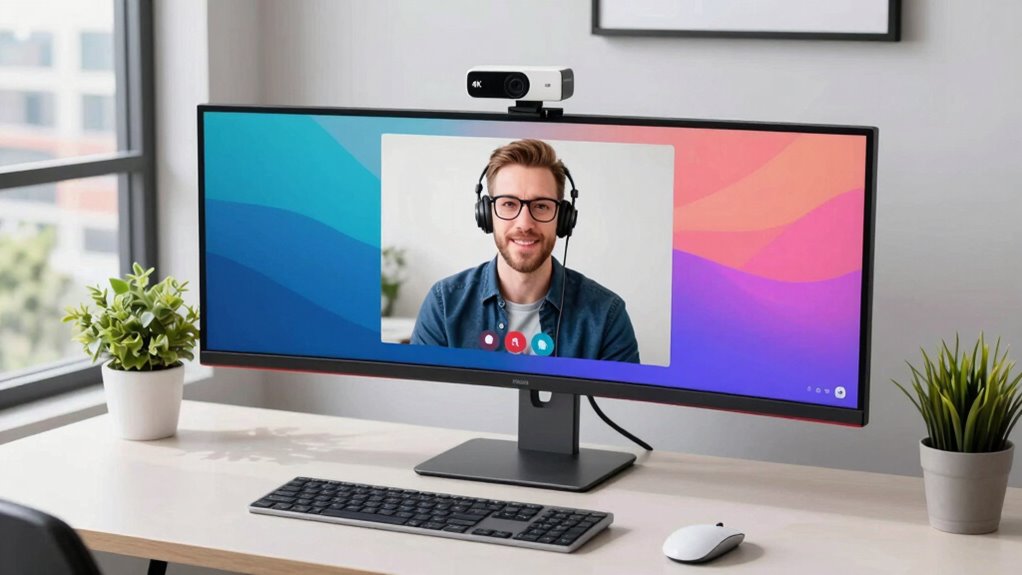

When searching for a 4k webcam for Windows, you’re likely balancing image quality, ease of use, and price. The Logitech Brio stands out as the best overall for its reliable performance and advanced features. Meanwhile, the Philips 4K Webcam offers a solid budget-friendly option, and the Insta360 Link 2 impresses with AI tracking and HDR. Buyers face tradeoffs between resolution, autofocus, built-in mic quality, and price. Continue reading for a detailed breakdown of these options to find the best fit for your needs.

Get privacy and security gear delivered free with Prime
- Fast, free delivery on millions of items
- Prime Video, Amazon Music and more included
- Member-only deals all year
Complete the kit



Key Takeaways
- Top-tier webcams like the Logitech Brio deliver consistent 4K quality with excellent autofocus and low-light performance, justifying their higher price.
- Budget options, such as the Philips 4K Webcam, often lack advanced features but still provide solid 4K resolution for basic streaming and conferencing.
- Features like AI tracking and HDR are mostly found in premium models, which are ideal for content creators but add to cost.
- Build quality and privacy features, such as physical covers and sturdy mounts, vary significantly and impact long-term usability.
- The inclusion of versatile connectivity options (USB-C, USB-A) and compatibility with multiple platforms enhances overall value.


More Details on Our Top Picks
Philips 4K Webcam for PC with Microphone, Privacy Cover, Plug & Play USB Web Cam for Laptop and Desktop
This webcam stands out for delivering consistently sharp, detailed 4K video that meets the needs of professionals and streamers alike. Compared with the Logitech Brio, it offers a straightforward plug-and-play experience without the need for additional software, making it more accessible for users who want high-quality visuals immediately. However, it lacks advanced adjustable features like field of view or auto focus, which the Logitech Brio provides at a higher cost. The built-in microphone and physical privacy shutter add security and convenience, but the camera’s fixed angle limits versatility for dynamic camera setups. Overall, this pick makes the most sense for users seeking reliable, high-resolution video without complicated setup or customization requirements.
Pros:- Sharp, vivid 4K ultra HD video quality for professional clarity
- Built-in microphone for seamless audio communication
- Physical privacy shutter enhances security and privacy
- Easy plug-and-play setup compatible with multiple platforms
Cons:- May require a high-speed USB port for optimal performance
- Limited information on adjustable camera angles
- No included software for advanced features
Best for: Professionals who need a simple, high-quality 4K webcam for meetings and presentations.
Not ideal for: Content creators or streamers who require flexible angles and auto focus for dynamic shots.
- Sensor Type:CMOS
- Connectivity Technology:USB
- Video Resolution:4K
- Maximum Focal Length:100 mm
- Effective Video Resolution:3840 pixels
- Display Screen Size:3.5 inches
Our verdict“This webcam is perfect for professionals prioritizing straightforward, high-quality video with reliable security features.”
NexiGo N680E Pro 4K Webcam with Ring Light, PDAF Autofocus, 1080p 60FPS, Dual Noise-Canceling Mics, Privacy Shutter, USB Plug-and-Play
The NexiGo N680E Pro offers impressive 4K streaming quality with a Sony CMOS sensor, making it ideal for creators who want vibrant visuals and crisp audio. Its built-in ring light and PDAF autofocus set it apart from the Philips webcam, providing versatile lighting and stable focus, essential for high-quality streaming. Unlike the Logitech Brio, which emphasizes adjustable viewing angles, the NexiGo’s compact design and ring light make it more suited for creators working in variable lighting conditions. The output resolution depends on software settings, which could be a drawback for those seeking plug-and-play simplicity. Overall, this model is best for streamers and remote workers who need reliable auto focus and lighting control in a compact package.
Pros:- Vivid 4K streaming with sharp detail
- Effective PDAF autofocus for stable images
- Built-in adjustable ring light for optimal illumination
- Dual noise-canceling microphones for clear audio
Cons:- Output resolution can depend on software settings
- Requires USB-A port, may need adapters for some devices
- Not water resistant, unsuitable for outdoor use
Best for: Streamers, online educators, or content creators needing flexible lighting and autofocus.
Not ideal for: Users who prefer a simple webcam without additional features or who need outdoor water resistance.
- Sensor Type:CMOS
- Video Resolution:4K, 1080p
- Auto Focus:Yes
- Special Features:Ring Light, PDAF
- Weight:0.22 kg
- Supported Image Format:JPEG
Our verdict“This webcam suits creators seeking professional lighting and autofocus features for high-quality streams and recordings.”
Logitech Brio Ultra 4K HD Webcam for Streaming and Meetings – Black
The Logitech Brio excels with highly adjustable 4K video quality, offering three field of view options (65°, 78°, 90°) that give it a flexibility edge over the Philips model, which has a fixed focal length. Its auto light correction and dual microphones support clear images and audio in various environments, but the need for compatible software for full feature access can be a barrier for some users. While its price is higher than the Philips, it’s a better choice for those who want customizable angles and integration with Windows Hello for secure login. Compared to the NexiGo, the Brio leans more toward security and versatility than streaming-specific features, making it suitable for business and high-end personal use.
Pros:- High-quality 4K video with multiple FOV options
- Auto light correction for diverse lighting conditions
- Supports Windows Hello facial recognition
- Built-in privacy shutter for security
Cons:- Requires compatible software for advanced features
- Higher price point for casual users
- Some learning curve with customization
Best for: Users seeking a versatile webcam with adjustable viewing angles and integrated security features.
Not ideal for: Casual users or those on a tight budget who don’t need extensive customization.
- Resolution:4K at 30 fps
- Field of View:65°, 78°, 90°
- Auto Light Correction:Yes
- Microphones:Dual omnidirectional
- Privacy Shutter:Yes
- Compatibility:Windows, Mac, ChromeOS
Our verdict“Ideal for professionals who want a flexible, secure webcam with high-quality visuals and adjustable angles.”
Insta360 Link 2 – 4K Webcam with AI Tracking, HDR, Noise-Canceling Mic, Gesture Control for Streaming & Video Calls
The Insta360 Link 2 pushes beyond typical webcams with its AI tracking, HDR, and gesture controls, making it perfect for creative professionals and streamers who want engaging, professional-quality visuals. Its 1/2-inch sensor and low-light performance outshine the Philips and NexiGo models in terms of image quality, especially in challenging lighting. Unlike the Logitech Brio and Philips, which focus on straightforward video clarity, the Link 2 adds intelligent features like DeskView and Whiteboard modes, ideal for interactive presentations. However, its reliance on software and limited compatibility with ARM-based Windows systems can be limiting. This camera targets users who prioritize cinematic features and advanced automation over simple plug-and-play functionality.
Pros:- High-quality 4K video with HDR and low-light capability
- AI tracking and auto focus for dynamic shots
- Gesture control and remote smartphone operation
- Unique modes like DeskView and Whiteboard for interactive presentations
Cons:- Limited compatibility with ARM Windows systems
- Requires software setup and updates
- Not water resistant
Best for: Content creators, educators, and streamers who want AI-driven features and versatile modes.
Not ideal for: Users with basic needs or those using ARM-based Windows devices that aren’t compatible.
- Sensor Type:CMOS
- Sensor Size:1/2-inch
- Resolution:4K
- Special Features:AI Tracking, HDR, Gesture Control
- Dimensions:2.06″D x 2.72″W x 1.62″H
- Compatibility:Laptop, Mini PCs, Personal Computer
Our verdict“Best suited for creative professionals seeking cinematic features and automation in a webcam.”
Logitech MX Brio Ultra HD 4K Webcam – Graphite
The Logitech MX Brio offers a blend of high-end features with a focus on professional collaboration, including AI-enhanced image quality, multiple adjustable controls, and noise-canceling microphones. Its support for show mode and white balance adjustments make it suitable for varied lighting environments. Compared to the Philips and NexiGo, it stands out with its extensive platform compatibility, including Linux, and its support for advanced privacy controls like a built-in cover. The complexity of its controls and higher price can be off-putting for casual users, but it’s a worthwhile investment for those who need a versatile, secure, and high-quality webcam for meetings and streaming.
Pros:- High-resolution 4K images with AI enhancements
- Multiple adjustable viewing angles and white balance controls
- Supports platform diversity including Linux
- Privacy cover and security features
Cons:- Requires USB-C connection, possibly needing adapters
- Complex controls may be overwhelming for casual users
- Price is higher than basic webcams
Best for: Business professionals and remote teams who need a highly customizable, high-quality webcam.
Not ideal for: Casual users or budget-conscious buyers who don’t need advanced features or multiple platform support.
- Resolution:4K at 30 fps
- Microphones:Dual beamforming noise-reducing
- Compatibility:Windows, macOS, Chrome OS, Linux
- Features:Show Mode, AI image enhancements
- Privacy:Built-in cover
- Sensor:Advanced webcam sensor
Our verdict“Perfect for professionals needing a flexible, high-performance webcam with extensive security and control options.”
Logitech 4K Webcam
The Logitech 4K Webcam stands out for delivering ultra-high-definition 4K video combined with HDR auto light adjustment, making it suitable for both professional video calls and content creation. Its multiple field of view options offer flexible framing, and the noise-canceling microphones ensure clear audio. Compared to the Acer 4K Webcam, this model provides better software integration and more customizable preset views, but it comes at a higher price point. The potential tradeoff is that some features, like Windows Hello, require additional setup and compatible software. This webcam is ideal for users who prioritize top-tier video quality and advanced features, but less so for those on a tight budget or seeking simple plug-and-play solutions.
Pros:- Ultra-high-definition 4K video quality ensures sharp, detailed images
- HDR auto light adjustment adapts to varying lighting conditions
- Noise-canceling microphones enhance audio clarity
- Multiple field of view presets for versatile framing
Cons:- Higher price due to advanced features
- Requires compatible software for full functionality
- May need additional mounting accessories for certain setups
Best for: Professionals and streamers who need high-resolution, feature-rich video quality with flexible setup options
Not ideal for: Casual users or those seeking a budget-friendly, straightforward webcam without advanced features
- Resolution:4K HD
- Frame Rate:Up to 90 fps
- Field of View:90°, 78°, 65°
- Auto Light Adjustment:Yes
- Noise-Canceling Microphones:Yes
- Compatibility:Windows, Mac, ChromeOS
Our verdict“This webcam is perfect for users demanding professional-grade video and audio, willing to invest in advanced features.”
AOC 4K Webcam for PC, Streaming Computer Camera with Noise-Canceling Mic, 90° FOV, Privacy Cover, Plug & Play, Compatible with Zoom/Skype/FaceTime, Works with Mac, Laptop, Switch
The AOC 4K Webcam offers a broad 90° field of view, making it ideal for capturing larger groups or environments during professional calls or streaming. Its plug-and-play design and universal compatibility with USB-C and USB-A make setup straightforward, especially compared with the Acer model, which may require adapters. However, it lacks built-in lighting, so users might need external lights in low-light situations. The autofocus can hunt for sharpness sometimes, which could be distracting in fast-paced scenarios. This webcam makes the most sense for users who prioritize a wide shot and ease of use but are willing to add lighting accessories for better image quality.
Pros:- High-resolution 4K video for sharp, professional visuals
- Wide 90° field of view captures more of the scene
- Physical privacy cover enhances security
- Plug & Play with broad compatibility
Cons:- No built-in lighting, requiring additional illumination
- Auto focus may hunt for sharpness at times
- Limited to USB connectivity, no wireless option
Best for: Remote workers and streamers who want a wide-angle view with simple setup and reliable performance
Not ideal for: Users needing built-in lighting or outdoor use, where environmental control is limited
- Resolution:4K Ultra HD
- Field of View:90°
- Connectivity:USB-C & USB-A
- Focus Type:Auto Focus
- Special Features:Privacy Cover, Plug & Play
- Weight:0.16 kg
Our verdict“This webcam is well-suited for those seeking a wide-angle, easy-to-use camera for professional meetings and streaming on a budget.”
Acer 4K Webcam for PC/Mac with All-Metal Unibody, Sony 1/2″ Sensor, PDAF, Dual Mics, Privacy Cover
The Acer 4K Webcam distinguishes itself with a sleek all-metal unibody and a Sony 1/2″ CMOS sensor that delivers excellent low-light performance and HDR quality. Its durable construction offers a premium feel, making it suitable for professional content creators and frequent travelers. The phase detection autofocus (PDAF) ensures sharp, stable focus, outperforming many competitors like the UGREEN in terms of responsiveness. The dual digital microphones add to the clarity, especially in conference calls. The main tradeoff is its reliance on USB-C, which might require adapters for some setups, and it lacks built-in lighting or adjustable mounting options. Overall, this webcam makes the most sense for users who want a durable, high-quality camera with a premium aesthetic.
Pros:- Excellent low-light performance with HDR
- Premium all-metal unibody design for durability
- Responsive PDAF autofocus for crisp images
- Dual high-sensitivity microphones for clear audio
Cons:- USB-C connection may require adapters
- Limited information on adjustable mounting options
- No built-in lighting or additional features
Best for: Content creators and professionals needing a durable, high-performance webcam with excellent low-light capabilities
Not ideal for: Users who require wireless connectivity or flexible mounting options without adapters
- Resolution:UHD 4K
- Sensor:Sony 1/2″ CMOS
- Autofocus:PDAF
- Microphones:Dual digital
- Material:All-metal unibody
- Connectivity:USB-C (adapter included)
Our verdict“This webcam is best for users seeking a durable, high-end model with superior low-light and autofocus performance.”
UGREEN 4K@30fps Webcam for PC with Noise-Canceling Mics, Autofocus, Privacy Cover, 70° FoV, Plug & Play, USB A & USB C
The UGREEN 4K@30fps Webcam offers a solid balance of 4K resolution with a 70° field of view, making it suitable for a variety of professional and casual uses. Its autofocus and dual microphones contribute to clear video and audio, comparable to the UOCN model but with a narrower field of view. The broad compatibility with USB A and C, along with plug-and-play ease, makes it a flexible choice for users who need a reliable camera across different devices. The main tradeoff is that it supports only 30fps in 4K, which might be less smooth for fast-moving streams compared to models like the Logitech Brio. Overall, this pick is good for those who want a dependable, versatile webcam without the premium price tag.
Pros:- Decent 4K resolution with broad device compatibility
- Autofocus and dual microphones improve video and audio quality
- Plug & Play setup with USB A & C
- Compact, lightweight design
Cons:- Limited to 30fps in 4K, affecting motion smoothness
- No built-in lighting, potential need for external lights
- Focus hunting can occur in certain environments
Best for: Frequent remote workers and educators who need compatibility across multiple devices with reliable 4K video
Not ideal for: Fast-paced streamers or gamers who require higher frame rates for smooth motion
- Resolution:4K@30fps
- Field of View:70°
- Connectivity:USB A & USB C
- Focus Type:Auto Focus
- Special Features:Privacy Cover, Microphones
- Weight:96.3 g
Our verdict“This webcam is well-suited for versatile, reliable 4K video across multiple systems, especially for professional environments that don’t prioritize high frame rates.”
Logitech Brio 4K Webcam, Ultra HD Video Calling (Renewed)
The Logitech Brio 4K Webcam offers outstanding 4K video quality with 5x zoom and HDR auto light adjustment, making it a prime choice for professional use. Its compatibility with Windows Hello provides secure login, a feature not found in most other models like the UGREEN or AOC. The multiple field of view presets enhance framing flexibility, and noise-canceling microphones improve audio clarity. The lightweight design and USB connection make it portable, but this can also make it feel less sturdy compared to the Acer model’s all-metal build. Its higher price reflects its premium features, making it better suited for users prioritizing security and high-end video quality than casual users.
Pros:- High-quality 4K video with 5x digital zoom
- Multiple FOV presets for flexible framing
- Supports Windows Hello for secure login
- Auto light adjustment and noise-canceling mics
Cons:- Relatively lightweight and less durable feeling
- Premium price for 4K quality
- Requires USB connection—less portable without additional accessories
Best for: Business professionals and high-end streamers needing top-tier image quality and integrated security features
Not ideal for: Budget-conscious users or those seeking a more rugged, portable design without extra security features
- Sensor Type:CMOS
- Connectivity Technology:USB
- Color:Black
- Special Feature:Windows Hello, 5x Zoom
- Display Screen Size:3 inches
- Video Speed Class:V60
Our verdict“This webcam is best for users who need a combination of professional-grade video, security, and versatile framing options in a premium package.”
Acer A640 4K Webcam with Sony Sensor, Autofocus, AI Noise Canceling Mic, USB-C Adapter, for Gaming, Streaming, Meetings
The Acer A640 stands out for its use of a Sony 1/2.8-inch sensor, delivering crisp 4K video with a level of clarity that surpasses many competitors like the EMEET C960. Its fast PDAF autofocus ensures sharp images even when moving, making it ideal for professional streaming or meetings requiring consistent focus. The inclusion of AI noise cancellation on the mic enhances audio quality, a step above basic webcams. Compared with the EMEET NOVA, it offers better low-light handling but is heavier at 4.64 ounces, which could be a concern for portable setups. The physical privacy shutter adds security, but the requirement of a USB-C adapter for some devices may pose compatibility challenges. Overall, this webcam is best suited for users who prioritize image quality and security in a fixed setup, accepting some portability tradeoffs.
Pros:- High-quality 4K video with professional clarity
- Fast PDAF autofocus for sharp images during movement
- AI noise cancellation microphone improves audio clarity
- Physical privacy shutter enhances security
Cons:- Relatively heavy at 4.64 ounces, less portable
- Requires USB-C adapter for some devices
- Limited info on low-light performance in very dim environments
Best for: Streamers and professionals who need high-quality 4K video with superior autofocus and noise cancellation.
Not ideal for: Travelers or those with ultrabook laptops lacking USB-C ports, as it may require adapters and is relatively heavy.
- Sensor Type:CMOS
- Video Resolution:4K
- Focus Type:Auto Focus
- Connectivity Technology:USB
- Special Feature:Low Light Photo
- Item Weight:4.64 ounces
Our verdict“This webcam is best for users who prioritize top-tier image quality and security in a fixed, professional setup.”
EMEET C960 4K Webcam for PC with Auto Focus and Dual Mics
The EMEET C960 offers true 4K resolution with auto focus and auto light correction, making it well-suited for video calls in varying lighting conditions. Its dual omnidirectional microphones deliver clear audio from multiple directions, a feature that surpasses the single mic setup of the NexaGo N680E. However, while it defaults to 1080P, users can switch to 4K with compatible software, which might not be as seamless as plug-and-play solutions. It’s lightweight at 4.8 ounces, ideal for portable use, but the absence of built-in Wi-Fi or Bluetooth limits wireless flexibility. Compared to the EMEET S600, it offers a broader FOV at 73°, but requires software adjustments for full 4K functionality. This model is best for remote workers seeking high-res video with flexible lighting, but not for outdoor or wireless setups.
Pros:- True 4K resolution with auto focus
- Auto light correction for improved image quality
- Dual omnidirectional microphones for clear audio
- Lightweight and portable at 4.8 ounces
Cons:- Defaults to 1080P; requires software for 4K
- Limited water resistance, not suitable outdoors
- No built-in wireless connectivity
Best for: Remote professionals and educators who need reliable, high-resolution video with flexible lighting correction.
Not ideal for: Outdoor streamers or users expecting plug-and-play 4K without software setup, due to the need for software to enable full resolution.
- Sensor Type:CMOS
- Video Resolution:4K@30fps
- Focus Type:Auto Focus
- Connectivity Technology:USB
- Special Features:Auto Light Correction
- Item Weight:4.8 ounces
Our verdict“Ideal for remote workers needing crisp 4K video with adaptable lighting, accepting some setup complexity.”
EMEET S600 4K Webcam for Streaming with Sony Sensor, Autofocus, Noise Reduction Mics, Privacy Cover
The EMEET S600 features a Sony 1/2.55” sensor, delivering sharp 4K video at 30FPS with excellent color and detail. Its PDAF autofocus ensures consistent focus, while the noise reduction microphones improve audio clarity, making it a strong choice for live streaming and content creation. The adjustable FOV from 40° to 73° provides flexibility that the fixed FOV on the NexaGo N680E lacks, catering to different shooting styles. The built-in privacy cover adds security, but the video resolution can depend on software settings, which may complicate quick adjustments. Its compatibility across major OS makes it versatile, but it does not support advanced zoom or facial tracking. This webcam is best for creators who want adaptable framing and top-tier image quality, with some software setup required.
Pros:- High-quality 4K video with crisp detail
- Adjustable FOV from 40° to 73° for creative flexibility
- PDAF autofocus for sharp focus
- Built-in privacy cover for security
Cons:- Video resolution depends on software settings
- Limited to indoor use, not water resistant
- No advanced zoom or facial tracking features
Best for: Streamers and content creators who need adjustable FOV and high-resolution video for versatile content production.
Not ideal for: Users seeking a plug-and-play, fixed-FOV webcam without software tweaks, or outdoor use due to limited water resistance.
- Sensor:Sony 1/2.55”
- Video Resolution:4K at 30FPS
- Autofocus:PDAF
- Connectivity:USB
- FOV:40°-73°
- Privacy Cover:Built-in
Our verdict“Best suited for creators needing flexible framing and crisp 4K quality, with some setup involved.”
EMEET NOVA 4K Webcam for PC, Ultra HD, PDAF Autofocus, Dual Omni Mics, 73° FOV, Auto Light Correction, Privacy Cover, USB-A
The EMEET NOVA delivers reliable 4K video at 30FPS, with PDAF autofocus and auto light correction that ensure clear visuals in varied environments. Its dual omnidirectional microphones provide balanced audio, making it suitable for meetings or online classes. The 73° FOV offers a broader perspective than narrower models like the Philips 4K Webcam, ideal for group calls. The webcam’s plug-and-play setup simplifies installation, but it defaults to 1080P and requires software to access full 4K resolution, which could be inconvenient for quick meetings. It lacks wireless features, and some advanced features like facial tracking are absent. This webcam is a good fit for professionals wanting high-res, wide-angle video with minimal setup, but not for outdoor or wireless needs.
Pros:- Reliable 4K video with crisp clarity
- Wide 73° FOV for group calls
- Auto light correction for varied lighting
- Dual omnidirectional microphones for clear audio
Cons:- Defaults to 1080P; needs software for 4K
- No wireless or Bluetooth connectivity
- Limited advanced features like facial tracking
Best for: Business users and educators needing high-res wide-angle video with straightforward setup.
Not ideal for: Outdoor streamers or mobile users who need wireless or rugged outdoor cameras, due to lack of water resistance and portability features.
- Sensor Type:CMOS
- Video Resolution:4K@30fps
- Focus Type:PDAF
- Connectivity Technology:USB-A
- FOV:73°
- Privacy Cover:Yes
Our verdict“Great for professionals and educators seeking high-resolution, wide-angle video with simple setup, accepting some resolution limitations without software adjustments.”
EMEET C60E Dual-Camera 4K Webcam for Streaming, Wide-Angle & Telephoto, Max 11X Hybrid Zoom, PDAF Autofocus, Remote Control, RGB Lighting, 2 Mics
The EMEET C60E combines a dual-camera system with 4K resolution and up to 11X hybrid zoom, making it uniquely versatile for streaming and detailed close-ups. Its wide-angle and telephoto lenses provide creative framing options, unlike single-lens webcams such as the NexaGo N680E. The inclusion of remote control and RGB lighting adds a level of customization, perfect for content creators who want dynamic visuals. However, zoom functionality is limited in 4K mode, and some features require specific software, which might complicate quick setups. It’s relatively compact but not designed for outdoor use, lacking water resistance. If you need high-res, multi-angle shooting with zoom capabilities, this webcam offers undeniable flexibility at the expense of some complexity.
Pros:- Dual 4K cameras for versatile angles
- Hybrid 11X zoom for close-ups
- Remote control and RGB lighting for customization
- PDAF autofocus ensures sharp images
Cons:- Zoom not supported in 4K 60FPS or YUY2 modes
- Some features require specific software
- Limited water resistance, unsuitable for outdoor use
Best for: Content creators and streamers who value multi-angle views, remote control, and high-res versatility for professional-style streams.
Not ideal for: Casual users or those seeking simple, plug-and-play webcams without the need for software management or outdoor use.
- Sensor Type:CMOS
- Video Resolution:4K
- Zoom:Up to 11X Hybrid
- Focus Type:PDAF
- Special Features:RGB Lighting, Remote Control
- Item Dimensions:2.09″D x 2.87″W x 2.09″H
Our verdict“Best suited for advanced streamers and content creators wanting multi-angle, high-res video with flexible controls, aware of some software dependency.”

How We Picked
I evaluated each webcam based on a combination of performance, usability, build quality, and value. Key factors included video resolution, autofocus capabilities, low-light performance, microphone quality, and ease of setup. I also considered features like privacy covers, physical durability, and compatibility with Windows. The ranking reflects a balance between premium features and affordability, emphasizing how well each model meets the specific demands of Windows users seeking 4K quality, whether for streaming, meetings, or content creation.Factors to Consider When Choosing 4k Webcam For Windows
Choosing the right 4K webcam for Windows involves more than just resolution. Consider how the camera’s autofocus, low-light performance, and microphone quality will impact your experience. Privacy features, connectivity options, and build quality also play crucial roles in long-term satisfaction. Being aware of common misconceptions, such as equating higher resolution with better performance in all scenarios, can help you avoid costly mistakes. Understanding these factors can ensure you pick a webcam that genuinely meets your needs without overspending on unnecessary features.Resolution and Video Quality
While 4K resolution guarantees sharp images, it’s essential to consider whether your PC and internet connection support such high data transfer rates without lag. Higher resolution is most beneficial for professional streaming or content creation, but for casual meetings, 1080p or 1440p may suffice. Beware of models that advertise 4K but lack true hardware support or efficient compression, leading to inconsistent quality. Balance resolution with other features like autofocus and HDR to get the best overall picture quality.
Autofocus and Low-Light Performance
Reliable autofocus ensures your image stays sharp as you move, which is critical for dynamic presentations or streaming. Look for models with PDAF (phase detection autofocus) or AI tracking, especially if you plan to record or stream while moving. Low-light performance determines whether your image remains clear in dim environments—an overlooked factor that can make or break your video quality. Investing in a webcam with good autofocus and HDR capabilities can improve your experience significantly.
Microphone Quality and Audio Features
Built-in microphones vary widely in quality. High-end models often include noise-canceling tech that filters out background noise, making your voice clearer. Some webcams offer dual mics or AI-enhanced audio for better pickup, which is vital if you rely on sound as much as video. Cheaper options may save money but often deliver muffled or echo-prone audio. Consider your environment and whether you need external mics for optimal sound clarity.
Build Quality, Privacy, and Compatibility
Durability and privacy features, like physical covers, are vital for long-term use—especially if you travel or switch devices often. A sturdy mount or tripod compatibility enhances versatility. Ensure the webcam supports your system’s ports (USB-C vs. USB-A) and is compatible with the Windows platform and conferencing apps you use frequently. Overlooking these details can lead to frustration or the need for additional accessories.
Price and Value Considerations
Premium webcams with advanced features command higher prices, but they often deliver better autofocus, HDR, and build quality. Budget models can suffice if your needs are basic, such as occasional video calls or streaming. Be wary of extremely cheap webcams that promise 4K but deliver poor image processing or low frame rates. Investing in a slightly more expensive model with proven performance can save you from frustration and upgrades later.
Frequently Asked Questions
Is 4K resolution necessary for professional video calls?
While 4K can provide sharper images and more detail, most standard video conferencing platforms optimize at 1080p or 720p. If your primary goal is professional meetings, a high-quality 1080p or 1440p webcam may be more cost-effective and perform just as well in typical conditions. However, if you do content creation or want maximum future-proofing, investing in a 4K webcam makes sense, especially if you have a powerful PC and fast internet connection.
How important is autofocus in a 4K webcam?
Autofocus is vital if you plan to move around while streaming or recording, as it keeps your image sharp without manual adjustments. In 4K webcams, autofocus technology like PDAF ensures quick, accurate focusing even in varying lighting conditions. Without reliable autofocus, your video can appear blurry when you shift position, which diminishes professionalism and viewer engagement, especially in live streams or presentations.
Can I use a 4K webcam with my existing Windows setup?
Most 4K webcams are designed to be plug-and-play on Windows, supporting standard USB interfaces like USB-C and USB-A. However, ensure your PC has the necessary ports, and check the system requirements for your conferencing or streaming software. Some webcams might require specific drivers or software updates to utilize full 4K capabilities, so verifying compatibility beforehand can prevent potential headaches.
Are built-in microphones sufficient for professional use?
Many webcams include built-in mics that are suitable for casual use, but professional-quality audio often requires external microphones. High-end webcams with noise-canceling dual mics or AI-enhanced audio improve clarity in noisy environments. Consider your environment and whether you need to invest in an external mic for the best sound quality, especially in scenarios where voice clarity is critical.
Is HDR necessary in a 4K webcam?
HDR enhances color accuracy and contrast, especially in scenes with challenging lighting. If you work in variable lighting conditions or want richer, more vibrant images, a webcam with HDR support is beneficial. However, HDR can add to the cost and complexity, and for many standard uses, good lighting combined with a high-quality sensor can suffice. Decide based on your content quality expectations and environment.
Conclusion
For most users, the Logitech Brio remains the best overall choice due to its reliable 4K performance, autofocus, and compatibility. Those on a tighter budget can lean toward the Philips 4K Webcam for solid quality at a lower price. Content creators or streamers seeking advanced features like AI tracking and HDR should consider the Insta360 Link 2 or premium Logitech models. Beginners or casual users will find value in simpler, more affordable options, while professionals requiring durability and top-tier image quality should prioritize high-end models with robust build and advanced features.
As an affiliate, we earn on qualifying purchases.Evergreen bestsellers Picks

Hisense 40-Inch Class QD4SR Series Hi-QLED FHD Smart Roku TV (2026 Model)

Apple AirPods Pro 3 Wireless Earbuds with Active Noise Cancellation

Dyson V15 Detect Cordless Vacuum