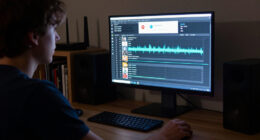
A stream deck controller can simplify a busy setup, but the right layout depends on what you need at your fingertips. I rank the Elgato Stream Deck XL first for its 32 visual keys and room for complex production workflows. The Elgato Stream Deck + is my pick for audio focused control, with four dials alongside its LCD keys, while the Stream Deck MK.2 is a more compact choice for straightforward shortcuts. The tradeoff is clear: more controls take more desk space, while smaller layouts ask you to rely on profiles or fewer simultaneous actions.

Get privacy and security gear delivered free with Prime
- Fast, free delivery on millions of items
- Prime Video, Amazon Music and more included
- Member-only deals all year
Key Takeaways
- The Elgato Stream Deck XL has 32 LCD keys, making it the strongest fit here for users who want many visible commands without switching profiles.
- The Elgato Stream Deck + trades the XL’s key capacity for four push dials and a touch strip, which suit audio and adjustment tasks.
- The Stream Deck MK.2 offers 15 LCD keys in a simpler layout, while the VSD M18 combines 15 LCD keys with three physical buttons and built-in utility plugins.
- The ActionRing has only six LCD keys, but three dials give it a distinct role for people who adjust volume or playback more often than they trigger commands.
- Compatibility can narrow the choice: the VSD M18 does not offer Linux plug-and-play, and the listed Elgato models require compatible macOS or Windows versions.
| Elgato Stream Deck XL Advanced Studio Controller, 32 Keys |  | Best Overall for Large Streaming Setups | Keys: 32 customizable LCD keys | Connectivity: USB 3.0 | Dimensions: 182 x 112 x 34 mm | VIEW ON AMAZON | See Our Full Breakdown |
| Elgato Stream Deck + Audio Mixer and Studio Controller |  | Best for Audio and Frequent Adjustments | LCD keys: 8 customizable keys | Dials: 4 multifunction 360° encoders with push function | Touch panel: 108 x 14 mm LCD touch strip | VIEW ON AMAZON | See Our Full Breakdown |
| Elgato Stream Deck MK.2 Studio Controller with 15 Customizable LCD Keys |  | Best Compact Mainstream Choice | Keys: 15 customizable LCD keys | Connectivity: USB 2.0 | Dimensions: 118 x 84 x 25 mm without stand | VIEW ON AMAZON | See Our Full Breakdown |
| VSD M18 Programmable Macro Pad with 18 Keys |  | Best for Mixed Shortcuts and Utilities | Programmable controls: 18 total: 15 LCD keys and 3 physical buttons | LCD formats: JPG, PNG, GIF | Connectivity: USB-C | VIEW ON AMAZON | See Our Full Breakdown |
| ActionRing Stream Controller Deck with Customizable Keys and Dials |  | Best Compact Dial Controller | Customizable keys: 6 LCD keys | Dials: 3 | Compatibility: Windows and macOS | VIEW ON AMAZON | See Our Full Breakdown |
| stream deck controller | Connectivity | Dimensions | Weight | Operating systems |
|---|---|---|---|---|
| Elgato Stream Deck XL Advanced | USB 3.0 | 182 x 112 x 34 mm | 410 g without stand | macOS 10.15 or newer; Windows 10 (64-bit) |
| Elgato Stream Deck + Audio Mix | USB-C | 140 x 138 x 110 mm | 465 g | — |
| Elgato Stream Deck MK.2 Studio | USB 2.0 | 118 x 84 x 25 mm without stand | 145 g without stand; 270 g with stand | macOS 10.15 or newer; Windows 10 (64-bit) |
| VSD M18 Programmable Macro Pad | USB-C | — | — | Windows 11 or newer; macOS 11 or newer |
| ActionRing Stream Controller D | Not specified | — | — | — |
More Details on Our Top Picks
Elgato Stream Deck XL Advanced Studio Controller, 32 Keys
The Stream Deck XL is the most capable pick here when a stream involves many scenes, media cues, production tools, and recurring app commands. Its 32 customizable LCD keys keep a broad set of labeled actions visible at once, reducing the need to page through layouts. That capacity gives it an advantage over the 15-key MK.2 and the eight-key Stream Deck + when a user values command density more than a compact footprint or adjustment dials.
Elgato lists integrations for popular streaming and production apps, along with support for custom actions through its SDK. Those options make the XL adaptable, though custom workflows can take setup time. The tradeoff is a larger 182 x 112 mm body, and its plastic enclosure may feel less premium than a metal control surface. It also requires a compatible Windows or macOS computer. I’d choose it for a fixed production desk; buyers who mainly need volume adjustments should compare it with the dial-equipped Stream Deck +.
Pros:- 32 customizable LCD keys keep numerous commands visible.
- Integrates with popular streaming and production apps.
- Visual feedback shows when commands execute.
- SDK support allows custom actions.
Cons:- Larger footprint than the other Elgato keypads here.
- Custom actions and some integrations may need additional setup.
- Plastic enclosure and computer dependent operation.
Best for: Streamers and production operators who want many visible one-touch commands on a dedicated desk.
Not ideal for: People with limited desk space, dial centered workflows, or a computer outside the listed Windows and macOS support.
- Keys:32 customizable LCD keys
- Connectivity:USB 3.0
- Dimensions:182 x 112 x 34 mm
- Weight:410 g without stand
- Operating systems:macOS 10.15 or newer; Windows 10 (64-bit)
- Power:USB powered
- Enclosure:Plastic
Our verdict“For a command heavy streaming desk, I’d pick the XL because its 32 labeled keys make the broadest workflow easiest to see and trigger.”
Elgato Stream Deck + Audio Mixer and Studio Controller
The Stream Deck + suits a different kind of control than the XL. It has eight LCD keys, four multifunction dials, and a touch strip, so a user can trigger scenes or actions while also making frequent adjustments. For audio mixing or control of lighting and video settings, the dials offer a more direct interaction than the XL’s keys alone. Its app specific profiles and multi action commands can also adapt controls to different tasks.
That mixed layout makes the Stream Deck + a better fit for a creator who adjusts settings throughout a session, but it cannot show as many distinct commands as the 32-key XL or 15-key MK.2. It connects over USB-C and measures 140 x 138 x 110 mm, so buyers should account for its height and desk presence. It requires a compatible Windows or macOS computer, and the supplied information does not specify software update support. Choose it for hands-on adjustment; choose the XL if visible command capacity matters more.
Pros:- Four push dials add tactile control for frequent adjustments.
- Touch strip complements the keys and encoders.
- Supports multi action commands and app specific profiles.
- USB-C connection and broad plugin support.
Cons:- Eight LCD keys show fewer commands than the XL or MK.2.
- Its taller body needs room on the desk.
- Software update support is listed as unknown.
Best for: Streamers, podcasters, and creators who regularly adjust audio, video, or lighting settings while triggering commands.
Not ideal for: Buyers who want the largest number of visible keys or need confirmed long term software update details before choosing.
- LCD keys:8 customizable keys
- Dials:4 multifunction 360° encoders with push function
- Touch panel:108 x 14 mm LCD touch strip
- Connectivity:USB-C
- Dimensions:140 x 138 x 110 mm
- Weight:465 g
- System requirements:Windows 10 (64-bit) or macOS 10.13 or newer
Our verdict“I’d choose the Stream Deck + over the XL when adjustments are part of nearly every task and tactile dials matter more than maximum key count.”
Elgato Stream Deck MK.2 Studio Controller with 15 Customizable LCD Keys
The Stream Deck MK.2 is the straightforward choice for someone who wants a dedicated bank of labeled controls without the XL’s broad footprint. Its 15 LCD keys can launch apps, trigger workflows, manage audio, or control compatible devices such as Philips Hue lights. Compared with the eight-key Stream Deck +, it presents more separate commands at once; compared with the XL, it occupies a smaller space and asks the buyer to curate a tighter set of actions.
Plugin support gives the MK.2 range beyond streaming, including productivity and smart lighting workflows. Visual feedback helps confirm a command, but there are no dials or touch strip for continuous adjustments. USB 2.0 is listed, and the controller needs macOS 10.15 or newer or Windows 10 (64-bit). I’d favor it when the main job is launching clearly labeled actions. A frequent mixer will get more direct adjustment controls from the Stream Deck +.
Pros:- 15 customizable LCD keys provide a balanced command set.
- Plugins cover streaming, audio, productivity, and smart lighting.
- Visual feedback helps confirm executed commands.
- Smaller key layout than the XL.
Cons:- No dials or touch strip for direct continuous adjustment.
- USB 2.0 connectivity.
- Requires compatible Windows or macOS software.
Best for: Users who want a compact keypad for a focused group of streaming, productivity, or smart home commands.
Not ideal for: Users who need many simultaneous commands, hardware style audio adjustment, or an operating system outside the listed requirements.
- Keys:15 customizable LCD keys
- Connectivity:USB 2.0
- Dimensions:118 x 84 x 25 mm without stand
- Weight:145 g without stand; 270 g with stand
- Operating systems:macOS 10.15 or newer; Windows 10 (64-bit)
- Power:USB powered
- Enclosure:Plastic
Our verdict“I’d recommend the MK.2 to buyers who want more visible shortcuts than the Stream Deck + provides, without dedicating as much space as the XL.”
VSD M18 Programmable Macro Pad with 18 Keys
The VSD M18 takes a hybrid approach: its 18 controls comprise 15 customizable LCD keys and three physical buttons. That resembles the MK.2 in visible key count, but the additional physical buttons give this model a distinct place for repeatable shortcuts or actions a user prefers to trigger without relying on an LCD label. It supports single actions and multi step macros, and the keys can display custom images or animations.
Built in clock, calendar, weather, and reminder plugins add desktop utility beyond streaming, making the M18 appealing for a mixed work and broadcast setup. Its USB-C connection is current, but operating system support is narrower than the Elgato options listed: Windows 11 or newer and macOS 11 or newer, with no Linux plug-and-play. Custom RGB tones require a firmware upgrade. Compared with the MK.2, the M18 brings physical buttons and more bundled utilities, while the Elgato has a clearer stated fit for established streaming integrations.
Pros:- Combines 15 LCD keys with three physical buttons.
- Supports single actions and multi step macros.
- LCD keys accept images and animations.
- Built in clock, calendar, weather, and reminder plugins.
Cons:- Linux plug-and-play is not supported.
- Requires Windows 11 or newer or macOS 11 or newer.
- Custom RGB tones require a firmware upgrade.
Best for: PC and Mac users who want a mix of labeled macro keys, physical buttons, and desktop utility plugins.
Not ideal for: Linux users, owners of older supported operating systems, or buyers who want RGB customization without a firmware upgrade.
- Programmable controls:18 total: 15 LCD keys and 3 physical buttons
- LCD formats:JPG, PNG, GIF
- Connectivity:USB-C
- Operating systems:Windows 11 or newer; macOS 11 or newer
- Linux support:Plug-and-play not available
- Lighting:RGB surround light ring
- Power:USB
- Water resistance:Water repellent
Our verdict“The M18 is a flexible alternative to the MK.2 for buyers who value physical buttons and built in desktop tools, provided their operating system is supported.”
ActionRing Stream Controller Deck with Customizable Keys and Dials
The ActionRing Stream Controller is the most specialized layout in this group. It pairs six customizable LCD keys with three dials, favoring quick volume and playback adjustments alongside a small set of commands. Compared with the Stream Deck +, it offers fewer keys and one fewer dial; compared with the MK.2, it gives up nine labeled keys in exchange for controls that can adjust settings directly.
Its listed software support spans OBS, PowerPoint, YouTube, Discord, office apps, Photoshop, and Premiere Pro, so its appeal reaches beyond live streaming. The listing also specifies a 24 month warranty. However, the product details provide less information about connectivity, dimensions, operating system versions, and the dials’ exact behavior than the other models here. I would shortlist it for a compact, adjustment focused setup, but buyers who need a larger visible command bank should choose the MK.2 or XL.
Pros:- Three dials support quick adjustments.
- Six LCD keys can trigger shortcuts, macros, and app launches.
- Listed support includes streaming, office, and creative software.
- Includes a 24 month warranty.
Cons:- Six keys provide the fewest visible commands in this lineup.
- Connectivity and detailed system requirements are not specified.
- Dial functions may depend on software configuration.
Best for: Users who want a small set of custom commands plus dials for volume, playback, or other frequent adjustments.
Not ideal for: People who need many labeled actions, detailed compatibility information, or a layout with extensive published specifications.
- Customizable keys:6 LCD keys
- Dials:3
- Compatibility:Windows and macOS
- Supported software:OBS, PowerPoint, YouTube, Twitter, Discord, Excel, Word, Photoshop, and Adobe Premiere Pro
- Warranty:24 months
- Connectivity:Not specified
Our verdict“I’d select ActionRing when a compact dial based layout matters more than having a large number of labeled keys.”

How We Picked
I ranked these controllers by how well their physical layout helps someone manage a stream or related desktop workflow. Key count matters when a buyer wants many labeled, visible commands; dials matter when frequent adjustments such as volume are central. I also weighed the stated operating system support, connectivity, software integrations, and the setup demands described for each product.
The order reflects distinct use cases rather than a claim that one design suits every desk. The XL leads for broad control capacity, followed by the Stream Deck + for its combination of keys, dials, and touch controls. The MK.2 earns its place as a direct, compact option. The VSD M18 has an appealing mix of keys and physical buttons, though its Linux limitation and firmware note temper its flexibility. ActionRing rounds out the lineup as a specialized dial first layout with fewer labeled keys. I use the supplied product details to compare fit and tradeoffs; I do not imply hands-on testing.
| stream deck controller | Connectivity | Operating systems | Power |
|---|---|---|---|
| Elgato Stream Deck XL Advanced | USB 3.0 | macOS 10.15 or newer; Windows 10 (64-bit) | USB powered |
| Elgato Stream Deck + Audio Mix | USB-C | — | — |
| Elgato Stream Deck MK.2 Studio | USB 2.0 | macOS 10.15 or newer; Windows 10 (64-bit) | USB powered |
| VSD M18 Programmable Macro Pad | USB-C | Windows 11 or newer; macOS 11 or newer | USB |
| ActionRing Stream Controller D | Not specified | — | — |
Factors to Consider When Choosing Stream Deck Controller
I’d start with the kind of interaction you repeat during a stream, then match the control layout to it. The highest key count is useful only if you have enough commands to fill it; dials are most useful when you adjust values often.Choose key count around your visible workflow
The XL’s 32 keys make sense when scene switching, media, production controls, and app shortcuts all need to stay visible. For a smaller set of recurring commands, the MK.2’s 15 keys offer a simpler footprint. The Stream Deck + has eight keys, so its case rests on the dials and touch strip rather than key capacity. Think about whether you want to see many actions at once or are comfortable organizing commands into profiles.
Decide whether dials are central to the job
Keys work well for discrete commands such as changing a scene or launching a tool. Dials suit adjustments such as volume and playback, where turning a control can feel more direct than pressing repeated buttons. The Stream Deck + offers four dials and a touch strip; ActionRing has three dials with only six keys. If adjusting audio is a minor task, the MK.2’s larger key bank may be more useful.
Check software and operating system fit
Plugin support and integrations determine whether a controller can trigger the apps in your workflow. Elgato lists support for popular streaming tools, and the Stream Deck + adds app specific profiles. The VSD M18 supports popular streaming and productivity software, but Linux plug-and-play is unavailable. Its listed Windows and macOS versions are also newer than those specified for the MK.2 and XL. Confirm the specific software and operating system you rely on before choosing.
Account for desk space and setup effort
The XL is the largest stated option, while the MK.2 has a notably compact body without its stand. The Stream Deck + is taller and includes a touch surface and dials, so allow room for its control layout. Custom actions and macros can make any of these more useful, but setup takes time. I’d favor a simpler layout if you want a short path to a few dependable shortcuts, and a customizable model if you are willing to build profiles around different tasks.
Frequently Asked Questions
Which stream deck controller has the most keys?
The Elgato Stream Deck XL leads this lineup with 32 customizable LCD keys. That makes it the clearest fit for users who want a large set of commands visible at once. Its larger footprint is the tradeoff, and it does not include the adjustment dials found on the Stream Deck + and ActionRing.
Which option is best for adjusting audio while streaming?
I’d start with the Elgato Stream Deck + because its four multifunction dials and touch strip complement its eight keys for adjustment focused work. ActionRing also has three dials, but its product details specify less about connectivity and system requirements. The XL has many more keys, though its listed control set is centered on one touch actions.
Is the VSD M18 suitable for Linux?
The supplied product information says Linux plug-and-play is not supported. The M18 is listed for Windows 11 or newer and macOS 11 or newer. Linux users should confirm that a supported configuration exists before buying; the other product descriptions here also focus on Windows and macOS compatibility.
Should I choose the MK.2 or the Stream Deck XL?
Choose the MK.2 if 15 visible keys cover your main commands and you prefer a smaller controller. Choose the XL if your streaming or production workflow needs many scenes, media cues, and app actions ready at once. Both offer customizable LCD keys and visual feedback, but the XL’s extra capacity takes more desk space.
Do these controllers work without a computer?
The listed Elgato models are USB powered and require compatible Windows or macOS computers, while the VSD M18 is also a USB device specified for Windows and Mac. ActionRing lists Windows and macOS compatibility. These details describe computer connected controllers, so buyers seeking standalone operation should look for a product that explicitly supports it.
Conclusion
For a production desk with many commands, I recommend the Elgato Stream Deck XL. If you adjust audio and other settings throughout a session, choose the Stream Deck + for its dials and touch strip. The MK.2 fits buyers who want a compact bank of clear shortcuts, while the VSD M18 makes sense for supported Windows and Mac users who want physical buttons and utility plugins. Pick ActionRing if a few commands and three dials match your routine. Before deciding, compare your operating system, app integrations, and desk space with the layout you will actually use.
Fall Picks
fall essentials
As an affiliate, we earn on qualifying purchases.