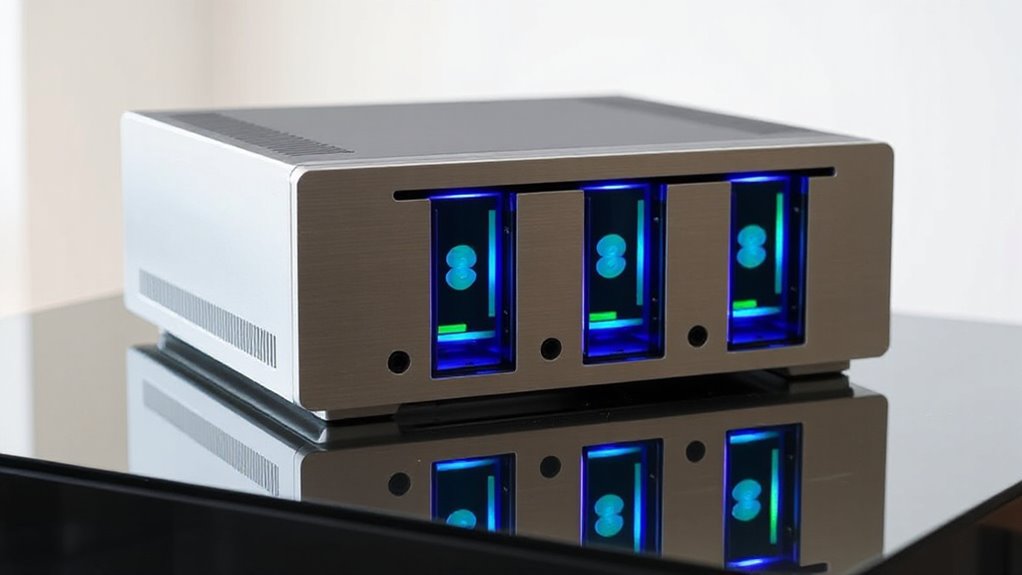

A 4-bay RAID enclosure can combine several drives into one larger volume, add redundancy, or simplify storage expansion, but the right choice depends on how you connect and manage it. My best overall pick is the QNAP TR-004 for its hardware RAID and focused direct-attached design; the TerraMaster D4-320 is a straightforward alternative for users who want four drive bays without making RAID the main requirement. For faster host connections, the OWC ThunderBay 4 stands apart with Thunderbolt, while the 20Gbps ORICO model targets compatible USB setups. The main tradeoffs are RAID flexibility, host compatibility, drive cooling, and whether extra features justify a more specialized enclosure. Read on for the full breakdown and guidance on matching the enclosure to your drives and workflow.

Get privacy and security gear delivered free with Prime
- Fast, free delivery on millions of items
- Prime Video, Amazon Music and more included
- Member-only deals all year
Key Takeaways
- QNAP TR-004 is the most focused RAID pick here: hardware RAID makes array control less dependent on host software, though it is a diskless, direct-attached unit.
- TerraMaster D4-320 suits buyers who mainly need four-bay expansion; its appeal is simplicity, not an extensive hardware RAID feature set.
- OWC ThunderBay 4 is the premium connectivity choice for Thunderbolt-equipped systems, but that connection is only useful when the host supports it.
- The two high-bandwidth ORICO options show that a 20Gbps label alone does not guarantee a faster workflow; the computer, cable, drives, and enclosure all need to support the connection.
- The WAVLINK enclosure adds HDMI alongside storage, while the Sabrent DS-SC4B adds docking functions; both make most sense when those extras solve a real setup need.
| UGREEN 5-Bay USB-C DAS Enclosure with 8 RAID Modes |  | Best for Maximum Capacity | Drive bays: 5 | Drive compatibility: 2.5-inch and 3.5-inch SATA HDDs and SSDs | Maximum capacity: 160TB total; up to 32TB per drive | VIEW ON AMAZON | See Our Full Breakdown |
| TerraMaster D4-320 4-Bay External Hard Drive Enclosure |  | Best for Fast, Simple Expansion | Drive bays: 4 | Drive compatibility: 3.5-inch SATA HDDs, 2.5-inch SATA HDDs, and 2.5-inch SATA SSDs | Maximum capacity: 120TB total; up to 30TB per drive | VIEW ON AMAZON | See Our Full Breakdown |
| MAIWO 4-Bay RAID Enclosure for 3.5-Inch SATA Drives |  | Best for Flexible RAID on a Standard USB Link | Drive bays: 4 | Drive compatibility: 3.5-inch SATA I/II/III | Maximum capacity: 96TB total; up to 24TB per drive | VIEW ON AMAZON | See Our Full Breakdown |
| ORICO 4-Bay RAID Hard Drive Enclosure, 88TB Maximum Capacity |  | Best for Trayless 3.5-Inch RAID Storage | Drive bays: 4 | Drive compatibility: 3.5-inch SATA | Maximum capacity: 88TB total; up to 22TB per disk | VIEW ON AMAZON | See Our Full Breakdown |
| ORICO 4-Bay RAID Hard Drive Enclosure |  | Best for Mixed-Size SATA Drives | Drive bays: 4 | Drive compatibility: 2.5-inch and 3.5-inch SATA HDDs and SSDs | Maximum capacity: 88TB total; up to 22TB per drive | VIEW ON AMAZON | See Our Full Breakdown |
| OWC ThunderBay 4 Four-Bay Thunderbolt Storage Enclosure, 0TB |  | Best for Thunderbolt Workflows | Drive bays: 4 | Thunderbolt ports: 2 | Thunderbolt speed: 40 Gb/s | VIEW ON AMAZON | See Our Full Breakdown |
| QNAP TR-004 4-Bay USB Type-C Direct-Attached Storage with Hardware RAID (Diskless) |  | Best for QNAP NAS Expansion | Drive bays: 4 | Drive compatibility: 3.5-inch SATA 3 Gb/s | Included drives: None; diskless | VIEW ON AMAZON | See Our Full Breakdown |
| CENMATE 4-Bay Aluminum RAID Enclosure for 2.5/3.5-Inch SATA HDDs and SSDs |  | Best for RAID Mode Flexibility | Drive bays: 4 | Supported drives: 2.5-inch and 3.5-inch SATA HDDs and SSDs | Maximum capacity: 80TB total; up to 20TB per drive | VIEW ON AMAZON | See Our Full Breakdown |
| Sabrent 4-Bay USB-C 10Gbps Hard Drive Enclosure and Docking Station (DS-SC4B) |  | Best for Individual Drive Access | Bays: 4 | Drive compatibility: 3.5-inch SATA HDDs and SSDs | Maximum capacity: 80TB (4 × 20TB) | VIEW ON AMAZON | See Our Full Breakdown |
| WAVLINK 4-Bay SATA HDD/SSD Enclosure with USB-C 10Gbps and 4K HDMI |  | Best for a Storage-and-Display Setup | Drive bays: 4 | Compatible drives: 3.5-inch and 2.5-inch SATA HDDs and SSDs | Maximum capacity: 88TB (4 × 22TB) | VIEW ON AMAZON | See Our Full Breakdown |
| ORICO 4-Bay RAID Hard Drive Enclosure, 20Gbps USB 3.2 Gen 2×2 |  | Best for High-Capacity USB Setups | Drive bays: 4 | Supported drives: 2.5-inch and 3.5-inch SATA | Maximum capacity: 104 TB total; up to 26 TB per drive | VIEW ON AMAZON | See Our Full Breakdown |
| bay raid enclosure | Drive bays | Maximum capacity | Drive compatibility | Interface |
|---|---|---|---|---|
| UGREEN 5-Bay USB-C DAS Enclosu | 5 | 160TB total; up to 32TB per drive | 2.5-inch and 3.5-inch SATA HDDs and SSDs | USB Type-C, USB 3.2 Gen 1 |
| TerraMaster D4-320 4-Bay Exter | 4 | 120TB total; up to 30TB per drive | 3.5-inch SATA HDDs, 2.5-inch SATA HDDs, and 2.5-inch SATA SSDs | USB Type-C, USB 3.2 Gen 2 |
| MAIWO 4-Bay RAID Enclosure for | 4 | 96TB total; up to 24TB per drive | 3.5-inch SATA I/II/III | USB 3.1 USB-A/C |
| ORICO 4-Bay RAID Hard Drive En | 4 | 88TB total; up to 22TB per disk | 3.5-inch SATA | USB 3.0; SATA 6Gbps |
| ORICO 4-Bay RAID Hard Drive En | 4 | 88TB total; up to 22TB per drive | 2.5-inch and 3.5-inch SATA HDDs and SSDs | USB 3.0 |
| OWC ThunderBay 4 Four-Bay Thun | 4 | — | 2.5-inch or 3.5-inch drives | — |
| QNAP TR-004 4-Bay USB Type-C D | 4 | — | 3.5-inch SATA 3 Gb/s | — |
| CENMATE 4-Bay Aluminum RAID En | 4 | 80TB total; up to 20TB per drive | — | — |
| Sabrent 4-Bay USB-C 10Gbps Har | — | 80TB (4 × 20TB) | 3.5-inch SATA HDDs and SSDs | USB-C, USB 3.1 Gen 2, up to 10 Gb/s |
| WAVLINK 4-Bay SATA HDD/SSD Enc | 4 | 88TB (4 × 22TB) | — | — |
| ORICO 4-Bay RAID Hard Drive En | 4 | 104 TB total; up to 26 TB per drive | — | USB 3.2 Gen 2×2 |
More Details on Our Top Picks
UGREEN 5-Bay USB-C DAS Enclosure with 8 RAID Modes
The extra bay is the UGREEN’s main advantage in a roundup focused on four-bay enclosures: it can hold five SATA drives and up to 160TB total, giving large media libraries more room before another enclosure is needed. Its eight modes include RAID 5 and RAID 10, so it offers more ways to balance capacity and redundancy than the TerraMaster D4-320, which has no RAID. The tradeoff is a 5Gbps USB connection, slower on paper than TerraMaster’s 10Gbps interface, and changing RAID modes requires reformatting. It also works as external storage for a NAS, but cannot add its drives to the NAS storage pool. I’d choose it when the fifth bay matters more than a faster interface or seamless NAS expansion.
Pros:- Five bays provide more expansion room than the four-bay options
- Supports up to 160TB total and eight storage modes
- Automatic fan control and drive sleep in PM mode
- Compatible with Windows, macOS, and Linux
Cons:- USB 3.2 Gen 1 is limited to up to 5Gbps
- Changing RAID modes requires reformatting
- Cannot add its drives to a NAS storage pool
Best for: Video editors and home archivists who need more than four bays, RAID options, and cross-platform direct-attached storage
Not ideal for: NAS owners who want enclosure drives to join their existing storage pool, or users prioritizing a 10Gbps interface
- Drive bays:5
- Drive compatibility:2.5-inch and 3.5-inch SATA HDDs and SSDs
- Maximum capacity:160TB total; up to 32TB per drive
- RAID and storage modes:PM, RAID 0, 1, 3, 5, 10, Large, Clone
- Interface:USB Type-C, USB 3.2 Gen 1
- Maximum transfer rate:Up to 5Gbps
- Operating systems:Windows, macOS, Linux
- Dimensions:9.06 x 5.37 x 7.09 inches
Our verdict“Choose the UGREEN if you need five bays and flexible RAID modes in a direct-attached enclosure and can accept its 5Gbps link.”
TerraMaster D4-320 4-Bay External Hard Drive Enclosure
The TerraMaster D4-320 is the straightforward pick for adding four drives to a computer when hardware RAID is not part of the plan. Its 10Gbps USB 3.2 Gen 2 connection is twice the stated interface speed of the MAIWO 4-Bay RAID Enclosure, and its tool-free trays make drive swaps less of a project. Hot swapping is useful for replacing or rotating drives, while the temperature-controlled fan and vibration damping help keep a desktop setup quieter. The central tradeoff is that RAID is not supported; buyers who want the enclosure itself to manage RAID should look at MAIWO or either ORICO RAID model. It is also diskless, so the total setup requires separately sourced drives. I’d favor this model for simple, fast, individually managed storage.
Pros:- 10Gbps USB 3.2 Gen 2 interface
- Tool-free trays and hot swapping simplify drive changes
- Supports 3.5-inch SATA HDDs and 2.5-inch SATA HDDs or SSDs
- Temperature-controlled fan, vibration damping, and low stated standby noise
Cons:- Does not support RAID
- Drives are not included
- Maximum capacity is 120TB total, below the five-bay UGREEN’s stated capacity
Best for: Desktop users who want quick four-drive expansion, tool-free drive changes, and a 10Gbps connection without enclosure-based RAID
Not ideal for: Buyers who need hardware RAID modes such as RAID 1 or RAID 5 managed by the enclosure
- Drive bays:4
- Drive compatibility:3.5-inch SATA HDDs, 2.5-inch SATA HDDs, and 2.5-inch SATA SSDs
- Maximum capacity:120TB total; up to 30TB per drive
- RAID:Not supported
- Interface:USB Type-C, USB 3.2 Gen 2
- Maximum interface speed:10Gbps
- Drive management:Tool-free trays; hot swapping
- Operating systems:macOS, Windows, Linux
Our verdict“Pick the TerraMaster if you want fast, convenient four-drive expansion and are comfortable managing drives without enclosure RAID.”
MAIWO 4-Bay RAID Enclosure for 3.5-Inch SATA Drives
MAIWO suits buyers who want a broad selection of RAID layouts for four 3.5-inch SATA drives without needing a faster-than-5Gbps connection. Its modes span RAID 0, 1/10, 3, and 5, plus Clone and JBOD, giving it a wider set of listed choices than the TerraMaster D4-320, which has no RAID at all. Two switch-controlled fans and drive-status LEDs make cooling and drive activity easier to manage, though the fan switches put more control in the user’s hands than the UGREEN’s automatic fan control. The key limitation is drive fit: 2.5-inch drives are not supported, unlike both the TerraMaster and the ORICO B0DGD1X36L. Its 96TB ceiling also trails the TerraMaster’s 120TB and UGREEN’s 160TB figures. This is a practical match for a 3.5-inch drive collection where RAID choice matters more than maximum capacity.
Pros:- Supports RAID 0, 1/10, 3, and 5, plus Clone and JBOD
- Two switch-controlled cooling fans
- Drive-status LEDs show activity at a glance
- Supports up to 96TB across four drives
Cons:- Compatible only with 3.5-inch SATA drives
- Maximum transfer speed is 5Gbps
- Capacity ceiling is lower than the TerraMaster D4-320 and UGREEN five-bay model
Best for: PC and workstation owners with four 3.5-inch SATA drives who want multiple RAID layouts and visible drive status
Not ideal for: Users with 2.5-inch SSDs or HDDs, or those seeking the highest stated capacity or a 10Gbps interface
- Drive bays:4
- Drive compatibility:3.5-inch SATA I/II/III
- Maximum capacity:96TB total; up to 24TB per drive
- RAID and storage modes:Normal, RAID 0, 3, 5, 1/10, Clone, Large (JBOD)
- Interface:USB 3.1 USB-A/C
- Maximum transfer speed:5Gbps
- Cooling:Two switch-controlled fans
- Indicators:Drive-status LEDs
Our verdict“Choose MAIWO if your drives are all 3.5-inch SATA and you want several RAID choices with manual fan control.”
ORICO 4-Bay RAID Hard Drive Enclosure, 88TB Maximum Capacity
This ORICO is aimed at buyers building a four-drive array from 3.5-inch SATA disks who prefer a trayless enclosure with a safety lock. It lists eight modes, including RAID 5 and RAID 10, giving it more array choices than the TerraMaster D4-320, which does not offer RAID. The built-in 150W supply and 80mm fan are part of the design, while front and rear vents give heat a path out of the aluminum enclosure. Capacity is capped at 88TB total, below MAIWO’s 96TB and far below UGREEN’s 160TB, and its USB 3.0 connection tops out at 5Gbps. It also accepts only 3.5-inch drives, so the ORICO B0DGD1X36L is a better fit for buyers who want to use 2.5-inch SATA SSDs or HDDs. The trayless access and lock make this a focused choice for a fixed 3.5-inch array.
Pros:- Eight listed RAID and storage modes, including RAID 5 and RAID 10
- Trayless design with an independent safety lock
- Built-in 150W power supply and 80mm cooling fan
- Compatible with Windows, macOS, and Linux
Cons:- Supports only 3.5-inch SATA drives
- USB 3.0 interface is limited to up to 5Gbps
- 88TB total capacity is lower than MAIWO’s 96TB and UGREEN’s 160TB
Best for: Users assembling a 3.5-inch SATA RAID array who value trayless drive access and an independent safety lock
Not ideal for: Buyers who need 2.5-inch drive support, a 10Gbps connection, or a higher capacity ceiling
- Drive bays:4
- Drive compatibility:3.5-inch SATA
- Maximum capacity:88TB total; up to 22TB per disk
- RAID modes:RAID 0, 1, 3, 5, 10, JBOD, Clone, Clear
- Interface:USB 3.0; SATA 6Gbps
- Maximum transfer rate:Up to 5Gbps; up to 235MB/s
- Power supply:Built-in 150W
- Cooling:80mm silent fan; front and rear vents
Our verdict“Pick this ORICO for a trayless four-disk 3.5-inch RAID setup, provided 5Gbps and 88TB meet your needs.”
ORICO 4-Bay RAID Hard Drive Enclosure
Among the four-bay RAID picks here, this ORICO stands out for accepting both 2.5-inch and 3.5-inch SATA drives. That gives owners of SSDs or laptop-size HDDs more flexibility than the 3.5-inch-only ORICO B0F4QJZL6X and MAIWO enclosure. It also lists eight modes, including RAID 5 and RAID 10, and pairs its 5Gbps USB 3.0 connection with an aluminum case, an 80mm fan, and front and rear vents. The tradeoff is that its headline capacity is 88TB total, below the 96TB MAIWO and 120TB TerraMaster figures, while the TerraMaster’s 10Gbps link is a better match for interface speed. RAID mode changes call for a data backup first, and actual transfer rates depend on the drives and setup. I’d choose this model when drive-size flexibility and RAID matter more than throughput or maximum capacity.
Pros:- Supports both 2.5-inch and 3.5-inch SATA HDDs and SSDs
- Eight RAID and storage modes, including RAID 5 and RAID 10
- Aluminum enclosure with an 80mm fan and front and rear vents
- Compatible with Windows, macOS, and Linux
Cons:- USB 3.0 tops out at a stated 5Gbps
- 88TB total capacity is below the TerraMaster and MAIWO figures
- Back up data before changing RAID modes
Best for: Home media users and desktop owners combining 2.5-inch SATA SSDs or HDDs with 3.5-inch drives in a RAID-capable enclosure
Not ideal for: Buyers seeking a 10Gbps interface or more than 88TB of stated total capacity
- Drive bays:4
- Drive compatibility:2.5-inch and 3.5-inch SATA HDDs and SSDs
- Maximum capacity:88TB total; up to 22TB per drive
- RAID modes:RAID 0, 1, 3, 5, 10, JBOD, Clone, Clear
- Interface:USB 3.0
- Maximum transfer speed:5Gbps
- Cooling:80mm fan; front and rear vents
- Enclosure and power:Aluminum; 150W power supply
Our verdict“Choose this ORICO if you need four-bay RAID and the freedom to mix 2.5-inch and 3.5-inch SATA drives.”
OWC ThunderBay 4 Four-Bay Thunderbolt Storage Enclosure, 0TB
The OWC ThunderBay 4 is the strongest fit here for buyers whose 4 bay raid enclosure needs to keep up with demanding creative work. Its 40 Gb/s Thunderbolt 3 connection and stated sustained performance of up to 1527 MB/s set it apart from the USB 5 Gb/s QNAP TR-004, while several RAID modes let buyers choose between speed, redundancy, and capacity. The aluminum chassis is designed to dissipate heat quietly, a useful trait when the unit sits near a workstation. That performance comes with a narrower audience: it needs a Thunderbolt workflow to make the most of its connection, and the enclosure ships with no drives. Compared with the CENMATE, it offers faster connectivity but fewer listed RAID modes and no stated capacity ceiling.
Pros:- 40 Gb/s Thunderbolt 3 connection supports high-bandwidth workflows
- Supports RAID 0, 1, 4, 5, and 1+0
- Accepts 2.5-inch and 3.5-inch drives without an adapter
- Aluminum chassis is designed for quiet heat dissipation
Cons:- Ships diskless, so drives must be sourced separately
- Thunderbolt connection may be unnecessary for basic backup storage
- Lists fewer RAID modes than the eight-mode CENMATE enclosure
Best for: Mac or PC creative professionals with Thunderbolt 3 who want a configurable four-drive array for large project files
Not ideal for: Buyers building a low-cost USB storage setup or anyone who needs a ready-to-use enclosure with drives included
- Drive bays:4
- Thunderbolt ports:2
- Thunderbolt speed:40 Gb/s
- Maximum sustained performance:Up to 1527 MB/s
- Drive compatibility:2.5-inch or 3.5-inch drives
- RAID modes:0, 1, 4, 5, 1+0 (10)
- Chassis:Aluminum
- Included capacity:0TB; drives not included
Our verdict“Choose the ThunderBay 4 if your workstation supports Thunderbolt 3 and you value fast, configurable storage over a simple USB setup.”
QNAP TR-004 4-Bay USB Type-C Direct-Attached Storage with Hardware RAID (Diskless)
The QNAP TR-004 earns its place for buyers who want a four-bay USB enclosure that can also expand a compatible QNAP NAS. It supports hardware RAID 0, 1, and 5, plus JBOD and individual-disk modes, giving it more array choices than the Sabrent DS-SC4B, which exposes drives individually without hardware RAID. Its 5 Gb/s connection is a practical match for backups and general file storage, though it cannot match the Thunderbolt speed offered by the OWC ThunderBay 4. The tradeoff is that NAS expansion has limits: support depends on the QNAP model, and the enclosure cannot run NAS applications or merge its storage pool with the connected NAS. It is also diskless and its listed drive compatibility is limited to 3.5-inch SATA drives.
Pros:- Hardware RAID includes RAID 0, 1, and 5
- Works with Windows, macOS, and Linux
- Can provide external storage or expand compatible QNAP NAS capacity
- Lockable drive bays
Cons:- Diskless unit requires separate drive purchases
- Some QNAP NAS models are unsupported
- NAS applications and a combined NAS storage pool are not supported
Best for: QNAP NAS owners checking model compatibility who want extra direct-attached capacity with hardware RAID options
Not ideal for: Buyers who need 2.5-inch drive support, NAS application hosting, or a storage pool merged with their QNAP NAS
- Drive bays:4
- Drive compatibility:3.5-inch SATA 3 Gb/s
- Included drives:None; diskless
- RAID modes:RAID 0, RAID 1, RAID 5, JBOD, individual disks
- Connectivity:USB Type-C; USB 3.0
- Data transfer rate:5 Gb/s
- Compatible platforms:Windows, macOS, Linux
- Item weight:4.1 lb
Our verdict“Pick the TR-004 if you own a compatible QNAP NAS and want a four-bay expansion unit that also works as direct-attached storage.”
CENMATE 4-Bay Aluminum RAID Enclosure for 2.5/3.5-Inch SATA HDDs and SSDs
The CENMATE 4-Bay suits buyers who want a broad choice of array layouts across mixed-size SATA drives. Its eight modes, including RAID 3, Clone, Large, and Normal, go beyond the simpler RAID choices on the QNAP TR-004 and offer more flexibility for different storage tasks. It accepts both 2.5-inch and 3.5-inch drives, with a stated maximum of 80TB, and provides USB 3.0 and eSATA connections. That flexibility has practical limits: its 5 Gb/s transfer ceiling is modest beside the Sabrent DS-SC4B’s 10 Gb/s USB-C link, hot-swapping is unsupported, and the fan may be noticeable at the listed 40–50 dB. Buyers using eSATA to access multiple bays also need RAID support on their computer.
Pros:- Eight RAID modes include RAID 3, Clone, Large, and Normal
- Supports 2.5-inch and 3.5-inch SATA HDDs and SSDs
- Offers both USB 3.0 and eSATA connections
- Aluminum enclosure includes a built-in cooling fan
Cons:- Hot-swapping is not supported
- Fan noise is listed at approximately 40–50 dB
- Multi-bay eSATA access depends on RAID support from the computer
Best for: Hands-on storage builders who want several RAID layouts and support for both 2.5-inch and 3.5-inch SATA drives
Not ideal for: Users who frequently swap drives, need fast USB-C throughput, or plan to keep the enclosure in a quiet room
- Drive bays:4
- Supported drives:2.5-inch and 3.5-inch SATA HDDs and SSDs
- Maximum capacity:80TB total; up to 20TB per drive
- RAID modes:RAID 0, 1, 3, 5, 10, Clone, Large, Normal
- Interfaces:USB 3.0, eSATA
- Maximum data transfer rate:5 Gbps
- Cooling and noise:Built-in 2-inch fan; approximately 40–50 dB
- Hot-swapping:Not supported
Our verdict“Choose the CENMATE if RAID layout choice matters more to you than hot-swapping or faster USB-C connectivity.”
Sabrent 4-Bay USB-C 10Gbps Hard Drive Enclosure and Docking Station (DS-SC4B)
The Sabrent DS-SC4B is the straightforward pick for people who want four drives available as separate volumes, rather than managed as a RAID array. Its 10 Gb/s USB-C connection is twice the listed transfer rate of the QNAP TR-004, and tool-free, tray-less insertion makes swapping drives less involved than on the CENMATE, which does not support hot-swapping. Each bay has its own power switch and activity light, so it is easier to manage a rotating set of disks. That convenience has a clear boundary: this enclosure provides no hardware RAID, unlike the QNAP, CENMATE, or OWC options. It supports 3.5-inch SATA drives and up to 80TB total, but it ships empty, so the drives remain a separate purchase.
Pros:- 10 Gb/s USB-C connection
- Tray-less drive insertion and hot-swapping
- Individual bay power switches and activity LEDs
- Compatible with Windows, macOS, and Linux
Cons:- No hardware RAID; drives are presented individually
- Supports 3.5-inch SATA drives only
- Drives are not included
Best for: Technicians and home users who need to connect, swap, and access up to four 3.5-inch SATA drives individually
Not ideal for: Buyers who need hardware RAID protection, a combined array, or native support for 2.5-inch drives
- Bays:4
- Drive compatibility:3.5-inch SATA HDDs and SSDs
- Maximum capacity:80TB (4 × 20TB)
- Interface:USB-C, USB 3.1 Gen 2, up to 10 Gb/s
- Drive configuration:Individual drives; no hardware RAID
- Cooling:92mm fan
- Compatibility:Windows, macOS, Linux
- Included drives:None
Our verdict“Pick the Sabrent if you need quick access to separate 3.5-inch drives and do not need the RAID modes offered by the QNAP or CENMATE.”
WAVLINK 4-Bay SATA HDD/SSD Enclosure with USB-C 10Gbps and 4K HDMI
The WAVLINK 4-Bay stands out by pairing storage with 4K 60Hz HDMI output, which can reduce desk clutter for buyers whose host USB-C port supports video output. Its 10 Gb/s USB-C link matches the Sabrent DS-SC4B on paper, while WAVLINK adds 2.5-inch drive support, hot-swappable bays, and a stated 88TB capacity. Dual fans activate at 48°C, giving the aluminum enclosure active cooling for a populated set of drives. It is the most specialized pick here: HDMI depends on host support, and the 2.5-inch mounting brackets are required but not included. Unlike the OWC ThunderBay 4, the supplied information does not list RAID modes, so buyers seeking a configurable RAID enclosure should check that point before choosing it.
Pros:- Four bays support 3.5-inch and 2.5-inch SATA HDDs and SSDs
- USB-C data transfer up to 10 Gb/s
- HDMI output supports up to 4K at 60Hz with DP 1.4
- Hot-swappable bays have independent power switches and dual temperature-controlled fans
Cons:- 2.5-inch drives require mounting brackets that are not included
- HDMI video requires a host USB-C port with video output support
- RAID modes are not specified in the provided product data
Best for: Desk-based users who want four hot-swappable drives and a 4K display connection from a compatible USB-C host
Not ideal for: Buyers who need confirmed RAID modes, included 2.5-inch mounting brackets, or HDMI from a host without USB-C video support
- Drive bays:4
- Compatible drives:3.5-inch and 2.5-inch SATA HDDs and SSDs
- Maximum capacity:88TB (4 × 22TB)
- Data transfer rate:Up to 10 Gb/s
- Interfaces:USB 3.2 Type-C, HDMI
- HDMI output:Up to 4K at 60Hz (DP 1.4)
- Cooling:Dual fans activate at 48°C
- Drive swapping:Hot-swappable; independent power switches
- 2.5-inch drive mounting:Brackets required; not included
Our verdict“Choose the WAVLINK if HDMI and hot-swappable drive access both fit your setup, and confirm RAID support first if you need an array.”
ORICO 4-Bay RAID Hard Drive Enclosure, 20Gbps USB 3.2 Gen 2×2
For a four-bay RAID enclosure built around fast, high-capacity USB storage, this ORICO stands out with support for up to 104 TB and six modes, including RAID 5 and RAID 10. That flexibility lets buyers choose between capacity, redundancy, or a balance of both. Its 20Gbps USB 3.2 Gen 2×2 connection can outpace the 10Gbps Sabrent DS-SC4B, provided the host has a compatible USB port; Thunderbolt connections limit this model to about 10Gbps, too. The aluminum alloy body, fan, and hot swapping suit a drive array that may see regular maintenance, though the stated fan noise is 45 dB. There is a significant setup caveat: changing RAID modes erases drive contents, so the array needs a backup and a planned configuration before use.
Pros:- Supports up to 104 TB across four SATA drives
- Six RAID and drive presentation modes, including RAID 5 and RAID 10
- Hot swapping supports drive replacement without removing the enclosure from the setup
- Works with Windows, macOS, and Linux
Cons:- Thunderbolt connections limit bandwidth to about 10Gbps
- Changing RAID modes erases drive contents
- The built-in fan is specified at 45 dB
Best for: Video editors and small teams building a high-capacity RAID array with a compatible USB 3.2 Gen 2×2 or USB4 host
Not ideal for: Thunderbolt-only users seeking the full 20Gbps, or buyers who want to change RAID modes without wiping their data
- Drive bays:4
- Supported drives:2.5-inch and 3.5-inch SATA
- Maximum capacity:104 TB total; up to 26 TB per drive
- RAID modes:RAID 0, RAID 1, RAID 5, RAID 10, JBOD, Normal
- Interface:USB 3.2 Gen 2×2
- Maximum data transfer rate:20 Gbps
- Cooling fan noise:45 dB
- Hot swapping:Supported
- Compatible operating systems:Windows, macOS, Linux
Our verdict“Choose this ORICO for a high-capacity, configurable array if your host supports its faster USB mode and you can plan around destructive RAID changes.”

How We Picked
I compared these enclosures by how well their four-bay design serves practical storage tasks: RAID availability and control, host connection, drive-size support, cooling and construction, and the usefulness of extra functions. I gave priority to clear fits for common buyers, including people who need hardware RAID, simple multi-drive expansion, faster workstation links, or mixed HDD and SSD support. Drive capacity claims and interface speeds matter only when the installed drives and connected computer can use them.
The ranking reflects those distinctions rather than treating every feature as equally useful. The QNAP leads for a clear hardware RAID purpose; TerraMaster follows as a simpler four-bay expansion option, and OWC earns a place for buyers whose workflow calls for Thunderbolt. The remaining picks rank by more specialized benefits, such as 20Gbps USB, docking, HDMI, broad drive compatibility, or additional RAID modes. A specialized feature can make a lower-ranked enclosure the better choice for a buyer whose setup needs it.
Factors to Consider When Choosing 4 Bay Raid Enclosure
Before choosing a four-bay enclosure, decide what job the array must do and how it will connect to your computer. A RAID enclosure can simplify storage, but RAID mode, host support, and drive behavior affect the result just as much as the number of bays.
Choose RAID for the job, not the label
RAID modes solve different problems: some combine drive capacity, some add redundancy, and some balance both. Redundancy can help a volume stay available after a drive failure, but it does not replace a separate backup of important files. Before buying, check which modes the enclosure supports and whether changing modes requires reformatting or erasing the array. Hardware RAID can keep array management within the enclosure, while software RAID relies more on the host operating system. If you only need several independent drives, a multi-bay enclosure without RAID complexity may be a better match.
Match the connection to the whole system
Connection speed depends on the enclosure, cable, computer port, and drives working together. A 20Gbps USB enclosure cannot provide that link to a computer limited to a slower USB port, and spinning hard drives may not reach the interface ceiling. Thunderbolt can suit demanding workstation storage, but only if the host has a compatible port and the workflow benefits from it. Check the exact port type and generation rather than relying on a connector shape such as USB-C. A suitable cable matters too, particularly when a faster connection is part of the reason for buying.
Plan drive capacity and compatibility
Four bays do not guarantee support for every drive size or configuration. Check whether the enclosure accepts 2.5-inch drives, 3.5-inch drives, or both, and confirm any stated per-drive or total capacity limits. Mixing drive capacities can waste space or constrain which RAID layouts are available. Reusing drives also calls for a compatibility check: older disks may have different health, noise, or performance characteristics. If you expect to expand later, find out whether adding a drive changes the array or requires rebuilding it.
Treat cooling and noise as part of the setup
Four drives packed into one enclosure can create heat and fan noise, especially during long transfers or rebuilds. Aluminum construction can help manage heat, but it does not tell you how loud a fan will be or how airflow behaves in a cabinet. Place the enclosure where its vents stay clear and where operating noise will not disrupt your workspace. Buyers using high-capacity drives for continuous access should pay closer attention to active cooling and manufacturer guidance. A compact design may save desk space while making ventilation and drive access more important.
Decide whether extra ports earn their place
Docking features and HDMI can reduce cable clutter or combine devices on a desk, but they add little value if you already have a dock or do not need video output. Check which functions work together and whether the host connection supports the advertised feature set. A storage enclosure should remain easy to use for its main job: managing drives and connecting reliably. Extra functions can also make troubleshooting less direct when a display or peripheral is involved. Choose a feature-rich model when it replaces equipment you already need, not just because its specification list is longer.
Consider what happens when a drive fails
Think through how you will identify a failing disk, replace it, and restore access to your data before an alert appears. Check whether the enclosure provides drive-status indicators or management software and whether replacement requires powering down the unit. RAID rebuilds can take a long time, and the array may be more vulnerable to another failure while rebuilding. Keep a current backup somewhere outside the enclosure, ideally on a separate device or service. This recovery plan matters more than a small difference in advertised interface speed for many home and office users.
Frequently Asked Questions
Does a 4-bay RAID enclosure protect my files if a drive fails?
It can, if the enclosure supports a redundant RAID mode and you configure it that way. Redundancy can keep an array accessible after a limited drive failure, but it does not protect against accidental deletion, malware, theft, or enclosure failure. A rebuild may also take time and place extra stress on the remaining drives. Keep a separate backup of files you cannot replace, and confirm how the enclosure reports drive problems before relying on it.
Can I move a RAID array from one enclosure to another?
Do not assume that an array created by one enclosure will import cleanly into another. Hardware RAID implementations can differ, even when both units advertise familiar RAID modes. Check the manufacturer’s migration guidance for the specific models and keep a separate copy of the data before changing hardware. If you need to move between computers often, verify that the host operating systems and connection type are supported. A migration plan is especially useful before replacing an enclosure that manages the array.
Will a 20Gbps USB enclosure make my hard drives much faster?
Usually, the interface is only one part of the speed limit. Mechanical hard drives may be slower than the enclosure’s USB link, and the computer port or cable can also cap throughput. A faster link can still help when several drives work together or when the enclosure is used with SSDs, but the gain depends on the workload and RAID configuration. Check the USB generation supported by your computer before paying for bandwidth it cannot use. For ordinary single-drive transfers, cooling, noise, and reliability may matter more.
Should I buy an enclosure with hardware RAID or use software RAID?
Hardware RAID can make the enclosure manage the array independently of the host’s RAID software, which may suit a dedicated workstation or a simple direct-attached setup. Software RAID can offer more control within a supported operating system and may make the array easier to manage alongside other storage. The tradeoff is that software arrays depend on host compatibility, while hardware arrays can be tied to the enclosure’s controller. Compare supported RAID modes, recovery steps, and migration options before deciding. In either case, RAID is not a substitute for a backup.
Can I use different drive sizes or mix HDDs and SSDs in one four-bay enclosure?
The physical bays may accept different drive types, but that does not mean every mixed configuration will work well in every RAID mode. Mixed capacities can leave part of a larger drive unused, while a slower disk can limit performance in an array. Some enclosures support both 2.5-inch and 3.5-inch drives, but buyers should confirm the exact model’s compatibility and configuration rules. For a new RAID array, matching drive capacities and similar performance usually makes planning simpler. If you want mixed drives, independent disks may be more practical than one shared array.
Conclusion
For most buyers who specifically want RAID in a four-bay direct-attached enclosure, I recommend the QNAP TR-004 as the best overall fit because its hardware RAID gives the product a clear purpose. The TerraMaster D4-320 is my value-oriented choice for straightforward four-drive expansion, while the OWC ThunderBay 4 is the premium pick for a compatible Thunderbolt workstation. Beginners who want RAID without building a software-managed setup should start with the QNAP and read its mode and migration guidance before loading data. Choose the WAVLINK if HDMI is useful in your desk setup, or the Sabrent DS-SC4B if its docking role replaces equipment you already need. For every option, confirm host compatibility, drive support, cooling, and your backup plan before committing important files.