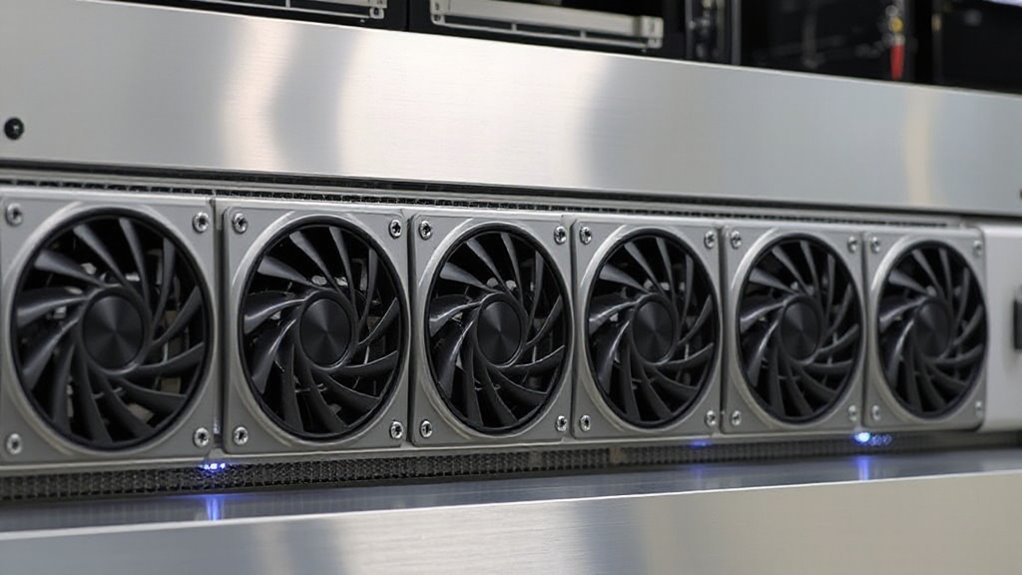
For most 19-inch equipment racks, the AC Infinity CLOUDPLATE T2 is my best overall rack exhaust fan pick because its 1U top-exhaust design suits focused heat removal without taking much rack space. The Tupavco TP1731 adds temperature control in a 1U panel, while the AC Infinity CLOUDPLATE T7 gives buyers a larger 2U exhaust option. The main tradeoffs are rack space, airflow direction, fan noise, and whether automatic temperature control is worth prioritizing. A roof-mounted kit or cabinet fan kit may fit better when panel space is scarce or the rack’s layout calls for a different installation. Read on for how these options compare and which setup best matches your rack.

Get privacy and security gear delivered free with Prime
- Fast, free delivery on millions of items
- Prime Video, Amazon Music and more included
- Member-only deals all year
Key Takeaways
- The CLOUDPLATE T2 leads this exhaust-focused roundup because its 1U top-exhaust format gives heat an upward path while preserving more rack space than 2U panels.
- The Tupavco TP1731 and the four-fan digital-display panels put temperature monitoring and control at the center of their designs, which can suit equipment with changing heat loads.
- The CLOUDPLATE T7 and generic 2U and 3U panels trade more rack units for a larger panel format; check both available space and the actual airflow path before choosing one.
- The CLOUDPLATE T1-N and T7-N are intake models, so they serve a different airflow role from the exhaust picks and make the most sense when a planned front-to-back cooling path needs incoming air.
- The Tupavco cabinet kit and AC Infinity roof kit avoid using a standard front rack unit, which can help when the rack face is full but requires checking cabinet or roof compatibility.


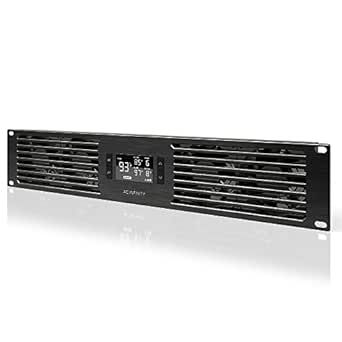


| rack exhaust fan | Airflow | Rack size | Noise level |
|---|---|---|---|
| AC Infinity CLOUDPLATE T2 1U R | 60–300 CFM | 1U | 12–38 dBA |
| Tupavco TP1731 1U Rack Mount F | Up to 225 CFM | 1U, 19 inches | — |
| 1U 19-Inch Rack Mount Fan with | — | 19-inch rack | — |
| AC Infinity CLOUDPLATE T7 2U R | 50–220 CFM | 2U | 10–36 dBA |
| Rack Mount Fan Panel 2U | 104 CFM combined | 2U | 28 dB per fan |
| Rockville RRF4 19-Inch Rack Mo | — | 19 inches | — |
| AC Infinity CLOUDPLATE T1-N Ra | 20 to 60 CFM | — | 8 to 28 dBA |
| Rack Mount Fan Panel 3U | 92 CFM per fan; up to 276 CFM combined | 19 inches | 41 dB |
| Tupavco TP1511 Network Cabinet | 95–110 CFM | — | 45 dBA |
| Tecmojo 1U Rack-Mount Cooling | — | Standard 19-inch rack | — |
| Rack Mount Fan | 150 CFM | — | — |
| AC Infinity Rack Roof Fan Kit | 200 CFM | — | 26 dBA |
| AC Infinity CLOUDPLATE T7-N 2U | 50–220 CFM | — | 10–36 dBA |
More Details on Our Top Picks
AC Infinity CLOUDPLATE T2 1U Rack Mount Fan with Top Exhaust Airflow
The CLOUDPLATE T2 is my strongest all-around pick for a rack that needs controlled top exhaust without giving up more than 1U. Its programmable thermostat adjusts fan speed as temperatures change, while alarm warnings and backup memory add useful safeguards for equipment that runs unattended. Airflow ranges from 60 to 300 CFM, giving it more stated headroom than the Tupavco TP1731, whose listed maximum is 225 CFM. The anodized aluminum panel and low-speed noise rating also make the T2 a better fit for a studio or home theater than a purely utilitarian rack cooler. Its tradeoff is physical: a single rack unit may not provide enough cooling for a densely packed, high-heat rack, and the mounting screws and cage nuts require manual installation.
Pros:- Programmable thermostat with automated speed control and SMART mode
- Airflow range reaches 300 CFM
- Quiet operation rated from 12 to 38 dBA
- Anodized aluminum construction with dual-ball-bearing fans
Cons:- Uses only 1U, which may limit cooling capacity for high-density racks
- Rack screws and cage nuts need to be installed manually
Best for: Studio, home theater, or small server rack owners who want automatic temperature-based exhaust in a single rack unit
Not ideal for: Operators cooling a densely packed rack with sustained high heat who need more rack space dedicated to exhaust
- Rack size:1U
- Airflow:60–300 CFM
- Noise level:12–38 dBA
- Design:Top exhaust
- Fan bearings:Dual ball
- Material:Anodized aluminum
- Dimensions:19 × 1.75 × 13.5 in
- Power:12 W, 12 V DC
Our verdict“Choose the CLOUDPLATE T2 for quiet, automated top exhaust with more stated airflow range than the Tupavco TP1731 in the same 1U footprint.”
Tupavco TP1731 1U Rack Mount Fan with 3 Fans and Temperature Control
The Tupavco TP1731 suits buyers who want a compact rack exhaust unit with a temperature controller and a clearly specified three-fan layout. Its listed 225 CFM is below the CLOUDPLATE T2’s upper limit, but still gives this 1U panel a defined airflow target for typical network, AV, and music racks. A programmable thermostat can run the fans when heat calls for it, avoiding the need to manage them constantly. Compared with the T2, the TP1731 provides fewer stated control and alarm details, and its source data does not list a noise figure or exhaust orientation. That makes it a simpler choice when those specifics are not central to the installation. The one-year limited warranty is also a constraint for buyers planning long-term continuous operation.
Pros:- Three ball-bearing fans in a 1U panel
- Programmable thermostat controls fan operation by temperature
- Specified airflow output of up to 225 CFM
- Fits a standard 19-inch rack
Cons:- Lower stated maximum airflow than the AC Infinity CLOUDPLATE T2
- No noise rating or airflow direction is provided in the product data
- Limited one-year warranty
Best for: Small rack owners who want thermostat-controlled cooling in a standard 19-inch, 1U panel and have a moderate heat load
Not ideal for: Noise-sensitive studio users or buyers who require published sound levels, alarm features, or a specified exhaust direction
- Rack size:1U, 19 inches
- Fan count:3
- Airflow:Up to 225 CFM
- Maximum fan speed:1800 rpm
- Voltage:12 V
- Power:5.64 W
- Material:Aluminum
- Warranty:1-year limited
Our verdict“Pick the TP1731 for thermostat-controlled cooling in a standard 1U rack when its specified 225 CFM is sufficient and detailed noise data is not a requirement.”
1U 19-Inch Rack Mount Fan with 4 Fans, Adjustable Temperature, and Digital Display
This four-fan panel is aimed at rack owners who want adjustable temperature control and an LCD readout in a compact 1U slot. That display gives it a practical distinction from the Tupavco TP1731, whose listed features include a thermostat but no digital display. The four noise-controlled fans and top-exhaust design fit the basic job of moving heated air out of a standard 19-inch cabinet. Still, the product data leaves major performance questions unanswered: it gives no CFM, decibel rating, or fan speed. By comparison, both the CLOUDPLATE T2 and TP1731 publish airflow figures, so they are easier to match to a known heat load. This panel makes more sense when visible temperature feedback matters more than documented cooling capacity.
Pros:- Four fans in a 1U rack panel
- Adjustable temperature control
- LCD digital display provides at-a-glance feedback
- Top-exhaust airflow for rack-mounted cabinets
Cons:- No airflow capacity or fan-speed figures are provided
- No noise measurement is listed
- Designed for rack-mounted cabinets rather than general-purpose placement
Best for: AV and network rack owners who want a built-in temperature display and adjustable control in a standard 1U space
Not ideal for: Buyers sizing exhaust for a demanding or noise-sensitive rack who need documented airflow and sound measurements
- Rack size:19-inch rack
- Rack units:1U
- Fan count:4
- Temperature control:Adjustable
- Display:LCD digital display
- Airflow direction:Top exhaust
Our verdict“Choose this panel when a visible temperature display is the priority, but choose the CLOUDPLATE T2 or TP1731 when published airflow figures matter.”
AC Infinity CLOUDPLATE T7 2U Rack Mount Fan Panel
The CLOUDPLATE T7 earns its place for buyers willing to spend 2U of rack space on controlled exhaust. Its three fans move between 50 and 220 CFM, and the programmable thermostat varies speed automatically; alarm warnings and backup memory add control features similar to the 1U CLOUDPLATE T2. The T2 reaches a higher listed maximum airflow while using half the rack height, so it is a tighter fit where space is scarce. The T7’s larger panel is the more natural option when a rack needs a dedicated exhaust section and quieter low-speed operation—the stated range starts at 10 dBA. It still needs to sit near the top of the rack to remove rising hot air, and buyers must reserve two rack units for it.
Pros:- Programmable thermostat with automated speed control
- Airflow range of 50–220 CFM
- Low-speed noise rating starts at 10 dBA
- Includes thermal probe, rack screws, cage nuts, and power supply
Cons:- Occupies 2U, compared with the 1U CLOUDPLATE T2
- Requires placement near the top of the rack for exhaust
- Maximum listed airflow is lower than the CLOUDPLATE T2
Best for: Server and AV rack owners with a hotter equipment stack who can dedicate 2U near the top of the rack to exhaust
Not ideal for: Compact racks where every rack unit is needed, or installations that cannot place an exhaust panel near the top
- Rack size:2U
- Airflow:50–220 CFM
- Noise level:10–36 dBA
- Fan count:3
- Bearings:Dual ball
- Fan lifespan:67,000 hours
- Certifications:CE, RoHS
- Included accessories:Thermal probe, rack mount screws, cage nuts, power supply
Our verdict“Choose the CLOUDPLATE T7 when you can spare 2U for quiet, automated exhaust near the top of a rack with a substantial heat load.”
Rack Mount Fan Panel 2U, Exhaust Airflow, for Cooling AV, Home Theater, Network 19″ Racks
This 2U panel is the straightforward pick for buyers who want four always-on exhaust fans and a physical on/off switch. Its combined 104 CFM is well below the CLOUDPLATE T7’s maximum 220 CFM, so I would reserve it for moderate heat loads rather than a demanding server rack. The listing gives a 28 dB noise figure per fan and dual-ball bearings, which supports its stated fit for studios and offices, though it does not offer the T7’s thermostat-based speed control or temperature alarms. The metal frames and aluminum alloy impellers are aimed at sustained use, and the included mounting screws simplify fitting. The tradeoff is less automation and a lower total airflow figure: cooling depends on the fans running when the rack needs them.
Pros:- Four axial fans provide a stated combined 104 CFM
- Dual-ball bearings are specified for continuous operation
- On/off switch allows simple manual control
- Includes 10-32 × 3/4-inch mounting screws
Cons:- No thermostat or automatic speed control is listed, unlike the CLOUDPLATE T7
- Stated total airflow is lower than the CLOUDPLATE T7
- 28 dB figure is specified per fan rather than as a combined panel rating
Best for: Home theater, office, or studio rack owners who want a simple switched exhaust panel for moderate heat output
Not ideal for: Server operators who need temperature-triggered fan control, alarm warnings, or more than 104 CFM of stated airflow
- Rack size:2U
- Airflow:104 CFM combined
- Fan count:4
- Noise level:28 dB per fan
- Bearings:Dual ball
- Dimensions:1.5 × 19 × 3.5 in
- Power connection:5 ft AC cord
- Control:Manual on/off switch
Our verdict“Pick this panel for simple, manually switched 2U exhaust in a moderate-heat rack, and choose the CLOUDPLATE T7 when automatic temperature control or greater airflow is needed.”
Rockville RRF4 19-Inch Rack Mount 4-Fan Cooling System with LED Temperature Display
The Rockville RRF4 combines four 80 mm fans with a blue LED temperature display in a 1U panel, giving rack owners a quick read on conditions without a separate monitor. Its steel construction and included mounting hardware suit standard 19-inch racks holding AV receivers, amplifiers, or servers. Compared with the Tecmojo 1U Rack-Mount Cooling System, Rockville lists its fan bearing type but does not specify an alarm or adjustable temperature control, so it is the more basic monitoring choice. Four fans spread airflow across the panel, though the supplied details give no airflow or noise rating to help buyers judge capacity or sound. It also requires 110V/60Hz power, which may not match every installation. Choose it for straightforward rack cooling and a visible temperature readout; skip it if you need documented airflow or automatic controls.
Pros:- Four 80 mm fans provide distributed airflow in a 1U panel
- Blue LED display makes rack temperature visible at a glance
- Steel construction suits rack-mounted equipment
- Mounting hardware is included
Cons:- No airflow or noise rating is provided
- No thermostat control or overheat alarm is specified
- Requires 110V/60Hz power
Best for: AV and home-server rack owners who want a built-in temperature readout in a standard 1U space
Not ideal for: Buyers who need specified airflow, noise figures, automated speed control, or an overheat alarm
- Rack size:19 inches
- Rack height:1U
- Number of fans:4
- Fan size:80 mm
- Fan type:Ball bearing
- Power:110V/60Hz
- Construction:Steel
- Display:Blue LED temperature display
- Mounting hardware:Included
Our verdict“Pick the Rockville RRF4 for a compact four-fan panel with visible temperature monitoring, provided you do not need documented airflow or automatic control.”
AC Infinity CLOUDPLATE T1-N Rack Mount Fan Panel 1U Intake Airflow
The CLOUDPLATE T1-N is the lineup’s quiet, control-focused intake option: its programmable thermostat adjusts fan speed automatically and can issue alarm warnings as rack temperatures change. The listed range of 8 to 28 dBA helps make it a better fit for studios and listening rooms than the higher-capacity 3U exhaust panel, which is specified at 41 dB. Its anodized aluminum housing also gives it a different feel from steel-bodied alternatives such as the Rockville RRF4. The tradeoff is airflow: 20 to 60 CFM is modest for a densely packed or heat-heavy rack, and this 1U unit is designed for intake. Buyers may need additional units for a larger system. Choose it when controlled, quiet air intake matters more than maximum exhaust volume.
Pros:- Programmable thermostat automates fan speed
- Alarm warnings help flag rising rack temperatures
- Listed noise range starts at 8 dBA
- Anodized aluminum housing
Cons:- Maximum listed airflow is 60 CFM
- Intake design may not suit racks that specifically need exhaust
- Larger setups may need multiple 1U units
Best for: Studio, DJ, and home-theater owners who want quiet, thermostat-controlled intake in one rack unit
Not ideal for: Operators cooling dense server racks who need high exhaust airflow from a single panel
- Rack height:1U
- Airflow direction:Intake
- Airflow:20 to 60 CFM
- Noise level:8 to 28 dBA
- Bearings:Dual ball
- Material:Anodized aluminum
- Controller:Programmable thermostat
Our verdict“Choose the CLOUDPLATE T1-N when quiet, automated intake matters more than the higher airflow of the 3U exhaust panel.”
Rack Mount Fan Panel 3U, Exhaust Airflow, for Cooling AV, Home Theater, Network 19″ Racks
This 3U exhaust panel is the lineup’s high-airflow choice: three fans are specified at 92 CFM each, for combined airflow up to 276 CFM. That makes it a stronger fit for heat-heavy racks than the 1U AC Infinity CLOUDPLATE T1-N, whose listed ceiling is 60 CFM and whose airflow is intake. The larger footprint is the main tradeoff: 3U takes more rack space than either 1U panel, so a shallow or crowded cabinet may not have room. The supplied description says the airflow can be reversed, which adds flexibility, and all three fans share one AC outlet to reduce power connections. At 41 dB, it is specified for quieter settings, though its listed noise is higher than the T1-N’s range. Choose it when exhaust capacity matters more than conserving rack units.
Pros:- Three fans provide up to 276 CFM combined airflow
- Airflow can be switched between intake and exhaust
- A single AC outlet powers all three fans
- Metal frame and magnesium alloy impellers are specified
Cons:- Uses 3U of rack space
- Listed noise level is 41 dB, above the CLOUDPLATE T1-N’s 8 to 28 dBA range
- The product data does not specify a thermostat or temperature display
Best for: AV, home-theater, or network rack owners with substantial heat loads and three rack units available
Not ideal for: Owners of compact racks or quiet listening spaces who cannot spare 3U or want the lowest listed noise
- Rack size:19 inches
- Rack height:3U (5.25 inches)
- Airflow direction:Reversible intake or exhaust
- Number of fans:3
- Airflow:92 CFM per fan; up to 276 CFM combined
- Noise level:41 dB
- Frame:Metal
- Impellers:Magnesium alloy
Our verdict“Pick this panel when your rack needs substantial exhaust airflow and you can give up 3U of space.”
Tupavco TP1511 Network Cabinet Fan Kit (2-Pack) – 120mm 110V Axial Fans
The Tupavco TP1511 takes a different route from rack panels: it supplies two separate 120 mm axial fans rather than a finished 1U or 3U faceplate. Each is listed at 95–110 CFM, so the pair can suit cabinet openings or DIY placements where a fixed rack panel is awkward. Metal finger guards and silicone rubber mounting pieces are included, while the Rockville RRF4 arrives as a single rack-ready unit with temperature display. That flexibility comes with extra fitting work: the fan dimensions are listed as 4.75 by 4.75 inches, and the supplied hardware may not match nonstandard holes. At 45 dBA and 2600–2800 RPM, these fans may be more noticeable than the quiet CLOUDPLATE T1-N. They also use 110V AC. Pick this kit for adaptable cabinet cooling, not for an integrated rack control panel.
Pros:- Two 120 mm fans can be placed to suit cabinet openings
- Listed airflow is 95–110 CFM per fan
- Metal finger guards are included
- Silicone rubber mounting hardware is supplied
Cons:- Requires 110V AC power
- Mounting pieces may not fit nonstandard holes
- Listed noise level is 45 dBA
Best for: DIY network-cabinet owners who need two separately mountable AC fans with guards and mounting hardware
Not ideal for: Buyers wanting a rack-ready panel, built-in temperature control, or especially quiet operation
- Quantity:2-pack
- Fan size:120 mm
- Voltage:AC 110V
- Airflow:95–110 CFM
- Speed:2600–2800 RPM
- Noise level:45 dBA
- Material:Steel frame
- Mounting:Silicone rubber screws/rivets
- Outer dimensions:4.75 × 4.75 inches
Our verdict“Choose the TP1511 when flexible placement in a network cabinet matters more than a finished rack panel or automatic controls.”
Tecmojo 1U Rack-Mount Cooling System with Four Fans, Thermostat, Temperature Display, and Overheat Alarm
The Tecmojo 1U system adds temperature adjustment, an LCD display, and an overheat alarm to a four-fan rack panel. Those controls make it more suited to operators who want a warning when conditions rise than the Rockville RRF4, which lists an LED temperature display but no alarm or adjustable thermostat. Tecmojo also specifies compatibility with rack depths from 15.8 to 29.5 inches, useful when checking fit across different cabinets. Its four fans provide forced-air cooling with upward exhaust, but the product data gives no airflow or noise rating; buyers cannot compare its capacity or sound directly with the 3U panel’s 276 CFM and 41 dB figures. At 13.3 pounds, it is also a substantial component to mount. Choose it for control and alerts when its rack fit and unspecified fan performance are acceptable.
Pros:- Adjustable temperature control with LCD display
- Overheat alarm provides a warning when temperatures rise
- Fits racks with listed depths from 15.8 to 29.5 inches
- Four fans provide upward exhaust airflow
Cons:- No airflow rating is provided
- No noise figure is provided
- Listed weight is 13.3 pounds
Best for: Server, network, and AV rack owners who want adjustable temperature control and an overheat alert in 1U
Not ideal for: Buyers who need rated airflow or noise data to plan cooling capacity and sound levels
- Rack size:Standard 19-inch rack
- Rack height:1U
- Compatible rack depth:15.8 to 29.5 inches
- Number of fans:4
- Cooling method:Forced air
- Airflow direction:Upward exhaust
- Power connector:NEMA 5-15P
- Material:Alloy steel
- Item weight:13.3 pounds
Our verdict“Choose Tecmojo for 1U temperature adjustment and alerts, but opt for the 3U panel if a stated airflow rating is your priority.”
Rack Mount Fan – 2 Fans 1U 19″ w/Adjustable Temperature & Digital Display
This 1U panel suits rack owners who want cooling to respond to a chosen temperature instead of running at one fixed speed. Its programmable thermostat can trigger the two fans when the rack reaches a set point, while the digital display makes temperature monitoring more direct. The listed 150 CFM is less than the AC Infinity Rack Roof Fan Kit’s 200 CFM, but this panel puts temperature control at the center of its setup and uses one rack unit. Its top-exhaust airflow is a practical match for moving heat out of a cabinet. The tradeoff is less airflow headroom than the roof kit, and the product details do not specify noise level or a steel construction. Choose it when automated temperature response matters more than maximum stated airflow.
Pros:- Programmable thermostat triggers cooling at a chosen temperature
- Digital display supports direct temperature monitoring
- Two 120 mm ball-bearing fans provide a stated 150 CFM
- Top-exhaust design fits heat removal from a 19-inch rack in 1U
Cons:- Lower stated airflow than the AC Infinity Rack Roof Fan Kit’s 200 CFM
- Product details do not provide a noise rating
- Temperature control requires configuration to the rack’s needs
Best for: Network, server, or AV rack owners who want a 1U exhaust panel with programmable temperature-triggered fans and a display
Not ideal for: Buyers prioritizing higher stated airflow or documented noise performance; the AC Infinity Rack Roof Fan Kit lists 200 CFM and 26 dBA
- Rack compatibility:19-inch rack or cabinet
- Rack height:1U
- Fan count:2
- Fan size:120 mm (4 in)
- Airflow:150 CFM
- Fan bearings:Ball bearing
- Airflow direction:Top exhaust
- Temperature control:Programmable thermostat sensor controller
Our verdict“Pick this 1U panel if you want temperature-triggered exhaust and a display, and can work with 150 CFM of stated airflow.”
AC Infinity Rack Roof Fan Kit, Quiet Dual-Fans with Speed Controller
For a rack that needs cooling at the roof, this kit offers two 120 mm fans and a stated 200 CFM, with a PWM speed controller for adjusting fan speed. The control is useful when a rack needs more cooling at busy times and less fan noise when equipment is idle. Its listed 26 dBA gives buyers a noise figure to compare, unlike the Rack Mount Fan panel with digital display, whose details do not state a noise level. The kit can mount on a standard 19-inch rack roof or replace existing fans, and its steel construction and spiral guards suit a permanent installation. It does not list a programmable thermostat, though it can link with CLOUDPLATE fans to share programming. Pick it for adaptable roof airflow; skip it if you need a standalone temperature-triggered panel.
Pros:- Two 120 mm fans provide a stated 200 CFM
- PWM controller adjusts fan speed
- Listed noise level of 26 dBA aids planning for quiet spaces
- Steel construction, spiral guards, mounting hardware, and power adapter are included
Cons:- Roof mounting may not suit racks without a compatible roof opening
- No standalone programmable thermostat is specified
- Fan speed adjustment may require manual tuning unless linked with compatible CLOUDPLATE equipment
Best for: Owners of standard 19-inch racks who need a roof-mounted or replacement fan kit with adjustable speed and a stated noise level
Not ideal for: Buyers who want a self-contained programmable thermostat; the Rack Mount Fan panel with digital display explicitly lists one
- Rack compatibility:Standard 19-inch racks
- Mounting:Roof mount or replacement for existing fans
- Fan count:2
- Fan size:120 mm
- Airflow:200 CFM
- Noise level:26 dBA
- Fan bearings:Dual ball
- Speed control:PWM
- Construction:Heavy-duty steel
Our verdict“Choose this kit for adjustable, roof-mounted rack airflow when you value a documented 200 CFM and can set speed without a built-in thermostat.”
AC Infinity CLOUDPLATE T7-N 2U Rack Mount Fan Panel (Intake)
The CLOUDPLATE T7-N takes a different role from exhaust-focused panels: its intake design draws cooler air into the rack, so it can support a deliberate airflow path when paired with exhaust elsewhere. Its programmable thermostat and automated speed control let fan speed respond to temperature, while the 50–220 CFM range gives it more airflow flexibility than the 150 CFM Rack Mount Fan panel with digital display. At its lowest listed setting, 10 dBA may suit audio or home-theater racks where fan noise matters; output can rise to 36 dBA as airflow increases. The main costs are physical and functional: it occupies 2U, and intake alone does not expel hot air. Choose it for controlled intake, not as a standalone exhaust solution.
Pros:- Programmable thermostat with automated speed control and backup memory
- Airflow adjusts from 50 to 220 CFM
- Listed noise range starts at 10 dBA
- Anodized aluminum construction with CNC-machined detailing
Cons:- Intake-only design needs a separate exhaust unit for complete airflow management
- Uses 2U of rack space, compared with the 1U thermostat-controlled panel
- Noise can reach 36 dBA at higher output
Best for: Audio, video, DJ, or IT rack owners building a quiet, thermostat-controlled intake path alongside a separate exhaust fan
Not ideal for: Buyers with only 1U of rack space or those seeking an exhaust-only panel without a separate intake or airflow plan
- Model:CLOUDPLATE T7-N
- Rack height:2U
- Design:Intake
- Airflow:50–220 CFM
- Noise level:10–36 dBA
- Fan bearings:Dual ball
- Power:10 W
- Voltage:12V DC
- Dimensions:19.0 × 3.5 × 1.5 in
Our verdict“Choose the T7-N when quiet, temperature-responsive intake is part of a planned airflow system and you have 2U available.”

How We Picked
I compared these 13 options on factors that affect rack cooling decisions: airflow direction and mounting style, rack-unit use, fan count and control features, and the information available for fitting them into a 19-inch rack or cabinet. I gave more weight to clear exhaust use and practical space efficiency because the roundup is specifically about rack exhaust fans. Temperature sensors, displays, alarms, and speed controls can make a fan easier to manage, but they do not replace checking airflow needs or installation fit.
The ranking favors options that make their exhaust role and rack fit clear, then weighs added controls and alternative mounting styles for buyers with specific needs. Intake-only panels rank as specialized choices rather than direct exhaust substitutes. Roof and cabinet kits remain useful alternatives when a rack-panel fan does not match the installation. Where the product name alone does not establish airflow capacity, noise, or compatibility, buyers should confirm those details with the manufacturer before purchase.
Factors to Consider When Choosing Rack Exhaust Fan
Choosing a rack exhaust fan starts with the rack’s airflow plan, not the fan count. I would map where cool air enters, where hot air collects, and which rack spaces are actually available before comparing controls or displays. These broader checks can help prevent a fan from moving air in the wrong direction or solving a symptom while leaving hot spots in place.
Plan the airflow path before choosing exhaust
Hot air needs a clear route out of the rack, and replacement cool air needs a route in. Check equipment vents and the direction of any built-in fans, then decide where an exhaust fan can pull heat without fighting that flow. A top exhaust can make sense when warm air gathers high in the enclosure, while a panel location may suit another rack layout. Avoid placing intake and exhaust fans so close that air circulates between them without cooling equipment. If the rack has blank panels or sealed sides, account for how outside air will reach the devices. A fan can only remove the air that the rack allows to move.
Measure rack space and mounting access
Measure the usable opening and confirm whether you can give up one, two, or three rack units. A multi-unit panel may offer a larger fan arrangement, but it also displaces equipment, shelves, or cable management. Roof kits and cabinet-mounted fans can preserve front-panel space, though they depend on suitable mounting points and clearance above the rack. Check the rack’s depth, door clearance, and nearby cables before ordering. Also consider whether you can reach the fan for cleaning or replacement after the rack is installed. A nominally compatible size does not guarantee an easy fit in a crowded enclosure.
Match control features to the heat load
A temperature controller can reduce the need to adjust fan speed by hand as equipment warms and cools. It is most useful when heat varies with workload or room conditions; a steady, predictable load may need simpler control. Displays and alarms can make temperature changes easier to notice, but verify what the sensor measures and where it should be placed. A reading near the fan may not represent the temperature around the hottest device. Look for a control range and sensor arrangement that suit your equipment, rather than treating a digital display as proof of better cooling. Keep a separate way to check device temperatures if overheating would disrupt service.
Treat noise and speed as installation requirements
Fan noise matters more in a home theater, office, or living space than in a dedicated equipment room. Higher fan speed may move more air, but it can also raise noise and increase the chance of vibration against a rack panel. Look for manufacturer noise and airflow figures when available, and compare them at the speeds you expect to use. A speed controller can help balance cooling and sound, but lowering speed too far may leave heat trapped. Mounting quality and contact with surrounding panels can also affect vibration. Plan where the rack sits before deciding which performance tradeoff is acceptable.
Check electrical and cabinet compatibility
Confirm the fan’s voltage, plug type, cable reach, and available outlet before buying, especially for cabinet fan kits with line-voltage fans. Make sure the rack or cabinet has a safe way to support the unit and route its power cord. For a roof kit, check the roof panel dimensions and whether the rack has the required opening or mounting surface. For a rack panel, confirm rail spacing and clearance behind the panel. A fan that fits the nominal rack width can still conflict with rails, shelves, or rear cabling. Reading the installation requirements early can save a return and an improvised mounting job.
Choose a service plan, not just an initial fit
Rack fans collect dust, and dirty blades or filters can reduce airflow over time. Consider how easily you can remove the panel, reach the fan, and clean the surrounding intake path. If the rack is difficult to access, a simpler arrangement with fewer installation dependencies may be easier to maintain. Check whether replacement fans or control components are available and whether the manufacturer provides clear service instructions. Leave enough room to work without pulling sensitive equipment or disturbing cables. Good maintenance access helps preserve cooling after the initial installation.
Frequently Asked Questions
Should I choose an exhaust panel or an intake panel?
Choose based on the airflow path through your rack and the direction your equipment moves air. An exhaust fan removes warmed air, while an intake fan supplies air to the enclosure; either can work poorly if it opposes device fans or short-circuits airflow nearby. The CLOUDPLATE T1-N and T7-N are intake models, so they are not direct replacements for the exhaust options in this roundup. Check where the rack draws room air and where heat collects before deciding. If the path is unclear, start by mapping the equipment vents and monitoring temperatures at likely hot spots.
Is a 2U or 3U fan panel better than a 1U model?
More rack height gives a panel a larger installation footprint, but it does not automatically mean better cooling for your setup. A 1U fan preserves space for equipment and may be enough when heat is concentrated and the airflow path is clear. A 2U or 3U panel may suit a rack that can spare the room or needs a broader panel arrangement. Compare manufacturer airflow specifications and noise figures rather than relying on rack-unit size alone. Also count the space you may need for shelves, cable guides, and future equipment.
When is temperature control worth choosing?
Temperature control is most useful when your equipment load or room temperature changes enough that a fixed fan speed is inconvenient. A controller can let the fan respond to a sensor, while a display or alarm can make rising temperatures easier to spot. These features add little if the sensor sits far from the equipment that runs hottest or if you never check the readings. Confirm the controller’s behavior, sensor placement, and alarm details before treating it as protection against overheating. A controller also cannot compensate for blocked vents or inadequate replacement air.
Can a rack roof fan kit replace a rack-mounted exhaust panel?
A roof kit can serve as an exhaust route when warm air collects near the top of the rack and the roof supports the installation. It can preserve front rack units, which helps when the rack face is full. Its fit depends on the rack roof, mounting openings, clearance, and access to power, so check those details first. A panel fan may be simpler when standard rack rails are accessible and the enclosure has no suitable roof mount. Compare both locations against the actual hot-air path rather than assuming the roof is always the best exit.
What should I check before installing a rack fan in a home theater?
Start with noise, airflow direction, and the fan’s proximity to seats or quiet listening areas. Confirm the rack has an unobstructed intake path so the fan does not pull air through narrow gaps or recirculate its own exhaust. Check vibration and mounting contact, since a resonant panel can make a fan more noticeable. A speed controller may help reduce sound during low-heat periods, but the rack still needs enough airflow when equipment is active. Leave access for cleaning, since dust buildup can affect both cooling and noise over time.
Conclusion
For a general 19-inch rack that needs heat removed without giving up much space, I would start with the AC Infinity CLOUDPLATE T2 as the best overall pick. Buyers who want a 1U panel with temperature control should compare the Tupavco TP1731 and the digital-display 1U options as value-focused alternatives, checking their airflow and control details before choosing. For a larger premium-style panel, the CLOUDPLATE T7 is the 2U exhaust option to examine, while beginners may prefer a clearly sized rack panel with straightforward installation and controls they can understand. Choose the Tupavco cabinet kit or AC Infinity roof kit when cabinet or roof mounting better fits a crowded rack face. The intake CLOUDPLATE models suit buyers building a deliberate airflow path, but they should not be selected as exhaust replacements.