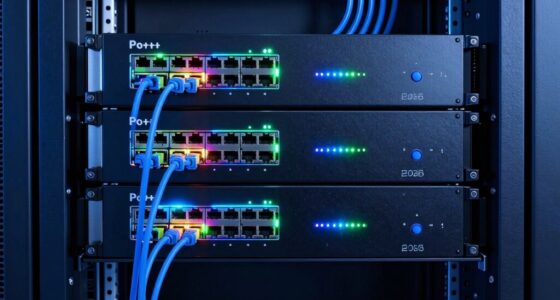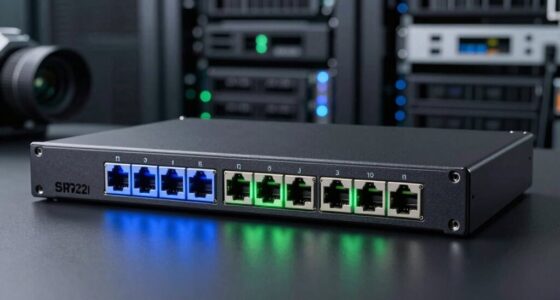
When selecting a network switch with PoE, the key is balancing power, performance, and ease of use. The NETGEAR GS305P stands out as the best overall for its simplicity and reliable power delivery, while the TP-Link TL-SG116P offers a larger port count for expanding networks. Buyers often face tradeoffs between unmanaged convenience and managed flexibility, as well as between price and scalability. Continue reading for a detailed breakdown of these options and how to pick the right switch for your needs.

Get privacy and security gear delivered free with Prime
- Fast, free delivery on millions of items
- Prime Video, Amazon Music and more included
- Member-only deals all year
Key Takeaways
- The best overall switch combines ease of use with reliable PoE power delivery, making the NETGEAR GS305P a top choice.
- For larger networks, switches like the TP-Link TL-SG116P offer more ports without sacrificing PoE performance.
- Managed switches provide greater control but come at a higher cost and complexity, ideal for business environments.
- Power budgets vary significantly; selecting a switch with sufficient wattage prevents device failures or insufficient power.
- Size and form factor matter—compact switches are perfect for small setups, whereas rackmount options suit enterprise needs.
| NETGEAR 5-Port Gigabit PoE Switch (GS305P) – Unmanaged Essentials Switch with 4 PoE+ Ports @ 63W |  | Best Overall for Small, No-Frills Setups | Number of Ports: 5 | PoE Ports: 4 | PoE Power Budget: 63W | VIEW ON AMAZON | See Our Full Breakdown |
| UGREEN Ethernet Switch, 10-Port PoE Switch with 8 PoE+ Ports and 2 Gigabit Uplink Ports |  | Best for High-Power, High-Device Environments | Number of Ports: 10 | PoE Ports: 8 PoE+ | Uplink Ports: 2 Gigabit | VIEW ON AMAZON | See Our Full Breakdown |
| TP-Link TL-SG1005P 5-Port Gigabit PoE Switch with 4 PoE+ Ports |  | Best for Quiet, Gigabit PoE Needs | Number of Ports: 5 | PoE Ports: 4 | PoE Power Budget: 65W | VIEW ON AMAZON | See Our Full Breakdown |
| TP-Link TL-SF1005P 5-Port Fast Ethernet PoE Switch |  | Best for Basic Power and Data Needs at 100 Mbps | Number of Ports: 5 | PoE Ports: 4 | PoE Power Budget: 67W | VIEW ON AMAZON | See Our Full Breakdown |
| 5-Port Ethernet PoE Switch with Extend Function, Managed, Fanless, VLAN, QoS, Wall/Mount |  | Best for Managed Networks with Advanced Features | Ports: 5 | PoE Ports: 4 | Uplink Port: 1 | VIEW ON AMAZON | See Our Full Breakdown |
| NETGEAR 8 Port PoE Gigabit Ethernet Easy Smart Managed Switch (GS308EP) |  | Best for Small Business Networks Needing Simple Management | Number of Ports: 8 | Compatible Devices: Computers, IP cameras, VoIP phones, network devices | Voltage: 2 Volts | VIEW ON AMAZON | See Our Full Breakdown |
| TP-Link TL-SG116P 16 Port Gigabit PoE Switch |  | Best for High-Power, Extended Network Expansion | Number of Ports: 16 | PoE Power Budget: 120W | PoE Ports: 16 PoE+ (802.3at/af) | VIEW ON AMAZON | See Our Full Breakdown |
| NETGEAR 16-Port PoE+ Gigabit Ethernet Unmanaged Switch (GS316P) |  | Best Unmanaged Choice for Plug-and-Play Small Networks | Number of Ports: 16 | Data Transfer Rate: 1000 Megabits Per Second | Switch Type: Metal | VIEW ON AMAZON | See Our Full Breakdown |
| NETGEAR 24 Port PoE Switch Unmanaged – 24 Port Gigabit Switch with 16 PoE+ Ports (190W), Desktop or Rackmount |  | Best for Larger, High-Power, No-Config Environments | Number of Ports: 24 | PoE+ Ports: 16 | Total PoE Power: 190W | VIEW ON AMAZON | See Our Full Breakdown |
| 8 Port Gigabit PoE Switch with 2 Gigabit Uplink, 120W Built-in Power, Managed, Fanless, Metal, Plug and Play |  | Best for Small, Power-Demanding, Managed Networks | Number of Ports: 8 | Port Speed: Gigabit | PoE Power: 120W total, 30W per port | VIEW ON AMAZON | See Our Full Breakdown |
| TP-Link LS108GP 8-Port PoE Gigabit Ethernet Switch |  | Best Compact and Silent PoE Switch for Small Environments | Number of Ports: 8 | PoE Power: 62W total, 30W per port | Switch Capacity: 16 Gbps | VIEW ON AMAZON | See Our Full Breakdown |
| network switch with poe | Number of Ports | PoE Ports |
|---|---|---|
| NETGEAR 5-Port Gigabit PoE Swi | 5 | 4 |
| UGREEN Ethernet Switch | 10 | 8 PoE+ |
| TP-Link TL-SG1005P 5-Port Giga | 5 | 4 |
| TP-Link TL-SF1005P 5-Port Fast | 5 | 4 |
| 5-Port Ethernet PoE Switch wit | — | 4 |
| NETGEAR 8 Port PoE Gigabit Eth | 8 | — |
| TP-Link TL-SG116P 16 Port Giga | 16 | 16 PoE+ (802.3at/af) |
| NETGEAR 16-Port PoE+ Gigabit E | 16 | — |
| NETGEAR 24 Port PoE Switch Unm | 24 | — |
| 8 Port Gigabit PoE Switch with | 8 | — |
| TP-Link LS108GP 8-Port PoE Gig | 8 | — |
More Details on Our Top Picks
NETGEAR 5-Port Gigabit PoE Switch (GS305P) – Unmanaged Essentials Switch with 4 PoE+ Ports @ 63W
This switch stands out for its simplicity and plug-and-play design, making it ideal for small networks that need reliable PoE without extra complexity. Compared with the TP-Link TL-SG1005P, it offers the same ease of use but slightly less PoE power overall—63W versus 65W—limiting the number of high-power devices. Its fanless, metal case ensures silent operation, but the limited PoE budget and lack of management features mean it can’t handle larger or more demanding setups. It’s perfect for environments where straightforward, reliable power delivery is needed without configuration fuss, but not suited for expanding networks or those requiring advanced management.
Pros:- Easy plug-and-play setup with no configuration needed
- Supports PoE+ for powering compatible devices
- Silent, energy-efficient operation
Cons:- Limited to U.S. & CA regional compatibility
- No advanced management features
- PoE power limited to 63W total
Best for: Home offices or small retail setups needing simple PoE power with minimal fuss
Not ideal for: Larger businesses or tech-savvy users requiring VLAN, QoS, or managed features
- Number of Ports:5
- PoE Ports:4
- PoE Power Budget:63W
- Ethernet Speed:1.0Gbps
- Mounting Options:Desktop or Wall Mount
- Design:Fanless, Metal
Our verdict“A solid choice for small-scale, unmanaged PoE needs with plug-and-play simplicity.”
UGREEN Ethernet Switch, 10-Port PoE Switch with 8 PoE+ Ports and 2 Gigabit Uplink Ports
This UGREEN switch offers a higher PoE port count with 8 PoE+ ports, making it suitable for larger deployments like security camera networks. Compared to the TP-Link TL-SG1005P, it provides more PoE ports but slightly less total power capacity at 60W, which might limit powering many high-demand devices simultaneously. Its durable metal case and multiple operation modes provide flexibility and reliability, although it remains unmanaged, lacking VLAN or QoS control. This model is best suited for users who need to power many PoE devices without complex network management but may fall short if advanced features are necessary.
Pros:- Supports high-power PoE+ for multiple devices
- Auto-detects and manages PoE power efficiently
- Durable metal construction for reliability
Cons:- Limited to unmanaged switch features
- Power budget may be insufficient for many high-power devices
- No advanced management features
Best for: Security installers or small business owners deploying multiple PoE devices
Not ideal for: Users needing managed switches with VLAN or QoS features for network segmentation
- Number of Ports:10
- PoE Ports:8 PoE+
- Uplink Ports:2 Gigabit
- Power Budget:60W
- Data Transfer Rate:1000 Mbps
- Case Material:Metal
Our verdict“Ideal for high-density PoE deployments where simplicity and power are priorities, not management.”
TP-Link TL-SG1005P 5-Port Gigabit PoE Switch with 4 PoE+ Ports
This pick makes the most sense for small environments that need gigabit speeds without management complexity. It offers a 65W PoE budget across 4 ports, suitable for IP cameras and VoIP phones, but its gigabit speeds are limited to the uplink port, with the other five ports operating at 10/100 Mbps. Compared with unmanaged switches like the NETGEAR GS305P, it provides gigabit on the uplink but sacrifices speed on the LAN ports, which could bottleneck data transfer in busy setups. Its fanless design keeps noise minimal, but the lack of managed features limits its flexibility for future upgrades or network segmentation.
Pros:- Easy plug-and-play setup
- Sturdy metal construction
- Silent operation with fanless design
Cons:- Limited to 10/100 Mbps speeds on LAN ports
- No managed features or VLAN support
- Ports at gigabit only on uplink
Best for: Small offices or home setups prioritizing gigabit uplink and silent operation
Not ideal for: Environments where full gigabit speeds on all ports are necessary or managed network features are required
- Number of Ports:5
- PoE Ports:4
- PoE Power Budget:65W
- Port Speed:10/100/1000 Mbps
- Design:Fanless, Metal
- Warranty:3 years
Our verdict“Best suited for small environments needing gigabit uplink but not full gigabit LAN speeds.”
TP-Link TL-SF1005P 5-Port Fast Ethernet PoE Switch
This switch is a compact, budget-friendly option designed for environments where 100 Mbps speeds suffice. Its 4 PoE+ ports support devices like cameras and phones, but its limited speed and extend mode reduce its appeal for bandwidth-intensive tasks. Compared with the other switches in this roundup, it falls short on speed, making it less suitable for data-heavy applications, though its simple setup and durable metal case make it a practical choice for basic deployments. Its lack of gigabit ports and managed features means it’s best for small, low-demand networks.
Pros:- Easy plug-and-play setup
- Durable metal casing
- Supports PoE+ for powering devices
Cons:- Limited to 10/100 Mbps speeds
- No managed features or VLAN support
- Reduced speed in extend mode to 10 Mbps
Best for: Small, low-bandwidth environments like basic security camera setups
Not ideal for: High-speed data transfer or networks needing managed features or gigabit LAN speeds
- Number of Ports:5
- PoE Ports:4
- PoE Power Budget:67W
- Port Speed:10/100 Mbps
- Extend Mode Range:250 meters
- Design:Metal, Fanless
Our verdict“A straightforward, affordable option for basic PoE-powered devices at lower speeds.”
5-Port Ethernet PoE Switch with Extend Function, Managed, Fanless, VLAN, QoS, Wall/Mount
This switch combines management capabilities with PoE, supporting VLAN, QoS, and cloud control, making it suitable for sophisticated networks. Compared with the unmanaged UGREEN or TP-Link options, it offers extensive control and security features, though it comes at a higher cost and complexity. Its 52W total PoE power and 30W per port limit its ability to power many high-demand devices simultaneously, but its versatility and lightning protection make it a strong choice for professional environments. This model is ideal for users who need detailed network management and reliability, though it might be overkill for simple setups.
Pros:- Supports VLAN, QoS, and cloud management
- Easy setup with versatile mounting options
- Fanless and durable metal design with lightning protection
Cons:- Limited to 4 PoE ports, restricting high-power device support
- Passive PoE devices require separate power sources
- Higher cost for basic small networks
Best for: Small to medium-sized offices requiring managed PoE with network segmentation
Not ideal for: Home users or small setups that do not need management or advanced features
- Ports:5
- PoE Ports:4
- Uplink Port:1
- PoE Standard:IEEE802.3af/at
- PoE Power per Port:30W
- Total PoE Power:52W
Our verdict“Ideal for professional environments needing managed PoE with advanced network controls.”
NETGEAR 8 Port PoE Gigabit Ethernet Easy Smart Managed Switch (GS308EP)
The NETGEAR GS308EP stands out for its compact, fanless design and straightforward management, making it ideal for small businesses that want reliable PoE without complexity. Compared to the TP-Link TL-SG116P, it offers fewer ports but includes smarter features like VLAN and QoS, which can help optimize network traffic. However, its 62W power budget limits the number of high-power PoE devices it can support simultaneously. This switch is perfect for offices with IP phones or cameras but falls short for larger deployments needing more power. Its silent operation and easy wall-mount options make it unobtrusive and flexible. The basic management interface is user-friendly but lacks advanced features, which might be a drawback for growing networks.
Pros:- Easy to set up with intuitive management interface
- Silent, fanless operation for quiet environments
- Supports versatile desktop or wall mounting
- Provides sufficient PoE power for small device sets
Cons:- Limited to U.S. & CA regional compatibility
- Maximum 62W PoE budget restricts larger device deployments
- Basic management features may not suffice for expanding networks
Best for: Small offices or retail setups needing simple, managed PoE for few devices
Not ideal for: Larger enterprises or networks with high PoE power demands that require more than 62W
- Number of Ports:8
- Compatible Devices:Computers, IP cameras, VoIP phones, network devices
- Voltage:2 Volts
- Maximum Power:62 Watts
- Interface:RJ45
- Data Transfer Rate:16 Gbps
- Switch Type:PoE Managed
- Color:Black
Our verdict“This switch is best suited for small businesses seeking simple, quiet, managed PoE connectivity with modest power needs.”
TP-Link TL-SG116P 16 Port Gigabit PoE Switch
The TP-Link TL-SG116P excels in supporting multiple PoE+ devices thanks to its generous 120W power budget and 16 ports. Compared with the NETGEAR GS316P, it offers more ports and higher PoE capacity, making it ideal for expanding surveillance or VoIP setups. Its extend mode allows connections up to 250 meters, which benefits larger physical layouts. However, it requires manual configuration for PoE auto recovery and can downgrade to 10 Mbps in extend mode, limiting speed in extended distances. This switch suits users who need high power and port density but are comfortable with basic setup adjustments. Its fanless operation ensures silent performance, but the lack of advanced management features might limit future network upgrades.
Pros:- Supports high power PoE+ for multiple devices
- Extend mode offers long-distance connectivity up to 250m
- Fanless design ensures silent operation
- Flexible modes for secure and extended networks
Cons:- Requires manual configuration for PoE auto recovery
- Speed reduction to 10 Mbps in extend mode can affect performance
- Limited to 16 ports without additional features
Best for: IT managers expanding network capacity with high-power PoE devices in large or distributed facilities
Not ideal for: Small offices or users seeking plug-and-play simplicity without configuration
- Number of Ports:16
- PoE Power Budget:120W
- PoE Ports:16 PoE+ (802.3at/af)
- Data Transmission Range:Up to 250m in Extend Mode
- Supported Modes:Extend, Priority, Isolation
- Warranty:3 years
Our verdict“Ideal for larger setups needing high PoE power and extended connectivity, provided users can handle configuration nuances.”
NETGEAR 16-Port PoE+ Gigabit Ethernet Unmanaged Switch (GS316P)
The NETGEAR GS316P offers a straightforward, unmanaged solution with 16 Gigabit ports and a 115W PoE+ budget, making it suitable for users who prefer simplicity. Compared with the STEAMEMO 8-Port Managed Switch, it lacks management features but shines in ease of setup—just plug and play. Its fanless, metal design ensures durability and silent operation, perfect for small offices or retail counters. The limited management capabilities mean less control over network traffic but reduce complexity for users with basic needs. It’s ideal for powering IP cameras or phones without needing advanced VLAN or QoS configurations, but regional restrictions for U.S. & CA could be a concern for international deployments.
Pros:- 16 high-speed Gigabit Ethernet ports
- Supports PoE+ with 115W total power
- Plug-and-play setup for quick deployment
- Durable, fanless metal case
Cons:- No management features for traffic control
- Designed primarily for U.S. & CA use
- Limited scalability for future expansion
Best for: Small business or retail environments requiring simple, reliable Gigabit PoE in a plug-and-play format
Not ideal for: Large networks or users needing advanced management and customization
- Number of Ports:16
- Data Transfer Rate:1000 Megabits Per Second
- Switch Type:Metal
- Color:Black
- Item Dimensions:11.3″L x 4″W x 1.1″H
- Power Budget:115W
Our verdict“Best suited for small-scale setups that prioritize simple, reliable Gigabit PoE connectivity without management complexity.”
NETGEAR 24 Port PoE Switch Unmanaged – 24 Port Gigabit Switch with 16 PoE+ Ports (190W), Desktop or Rackmount
The NETGEAR 24 Port PoE Switch delivers high capacity with 24 Gigabit ports and 16 PoE+ ports, supported by a robust 190W power budget. It makes a compelling choice compared to smaller unmanaged switches like the GS316P due to its greater port count and power, suitable for busy deployments. Its plug-and-play setup suits environments where simplicity is valued, though the lack of management features means less control over traffic prioritization. This switch is especially appropriate for expanding network setups requiring high PoE power for multiple devices simultaneously, but regional restrictions and the absence of advanced features could limit its flexibility for complex networks.
Pros:- 24 high-speed Gigabit Ethernet ports
- Supports 16 PoE+ ports with 190W budget
- Plug-and-play with simple setup
- Suitable for dense device environments
Cons:- No management features for traffic control
- Region-specific restrictions apply
- Limited to basic unmanaged operation
Best for: Small to medium-sized networks needing high PoE power and large port capacity with easy deployment
Not ideal for: Large enterprise networks requiring detailed management and security features
- Number of Ports:24
- PoE+ Ports:16
- Total PoE Power:190W
- Form Factor:Desktop or Rackmount
- Speed:Gigabit Ethernet
- Operation:Fanless, Silent
Our verdict“Best for expanding small to medium networks where high PoE power and port density matter most, and management is not a priority.”
8 Port Gigabit PoE Switch with 2 Gigabit Uplink, 120W Built-in Power, Managed, Fanless, Metal, Plug and Play
The STEAMEMO 8-Port Managed Gigabit PoE+ Switch offers a balanced mix of high power, management, and compact design. Its 120W budget and 8 ports make it suitable for small networks with demanding PoE devices, outperforming basic unmanaged options like the NETGEAR GS316P in functionality. The managed features—including VLAN, QoS, and security—provide greater control for small business or home office setups. Its durable, fanless metal case supports silent operation, while the included management options make it suitable for future network growth. The main tradeoff involves a limited number of ports and some network configuration knowledge needed—it’s not suited for large enterprise or plug-and-play environments without technical expertise.
Pros:- Supports high-power PoE+ for demanding devices
- Includes advanced management features like VLAN and QoS
- Fanless, durable metal case for silent operation
- Versatile mounting options for desktop or wall
Cons:- Limited to small-scale networks with 8 ports
- Requires some network configuration knowledge
- No included power supply complicates setup
Best for: Small businesses or advanced home networks requiring managed PoE with high power per port
Not ideal for: Large networks or users seeking simple, unmanaged plug-and-play solutions
- Number of Ports:8
- Port Speed:Gigabit
- PoE Power:120W total, 30W per port
- Uplink Ports:2 Gigabit
- Standards:802.3af/at, 802.1Q VLAN
- Management:Web, software, and app
Our verdict“Ideal for small-scale, managed PoE deployments where control and power are priorities over port quantity.”
TP-Link LS108GP 8-Port PoE Gigabit Ethernet Switch
The TP-Link LS108GP stands out for its sleek, fanless design that makes it ideal for noise-sensitive spaces like offices or retail counters. Compared with the NETGEAR GS308EP, it offers similar 8 ports but keeps things simpler without a managed interface, making it easier for users who need plug-and-play operation. Its extend mode allows for PoE transmission up to 820 feet, which is a huge advantage for distributed cameras or access points, though it might not be enough for very high-power devices like PTZ cameras. The 62W total PoE budget means it can power multiple lower-to-moderate devices but could fall short if you have high-demand equipment. Durable metal casing and flexible mounting options make it suitable for permanent or temporary setups. The tradeoff? Its unmanaged nature limits customization, and the power budget might restrict future expansion.
Pros:- Fanless, silent operation ideal for noise-sensitive environments
- Supports high power PoE+ for multiple devices simultaneously
- Extend mode allows long-distance PoE transmission up to 820 feet
- Compact, durable metal case with versatile mounting options
Cons:- Lacks management features for advanced network control
- Maximum PoE budget of 62W may be insufficient for high-power devices
- No dedicated management interface for monitoring or configuration
Best for: Small office setups needing silent operation and simple PoE device deployment
Not ideal for: Large enterprise networks or setups with high-power PoE devices that require extensive management
- Number of Ports:8
- PoE Power:62W total, 30W per port
- Switch Capacity:16 Gbps
- Transmission Distance:up to 820 ft with Extend Mode
- Power Supply:PoE+ (802.3at/af)
- Dimensions:7.72 x 4.76 x 5.16 inches
- Weight:1.5 lbs
- Interface:RJ45
- Mounting:Desktop/Wall mount
Our verdict“This switch is perfect for small offices or retail spaces that prioritize silent operation and straightforward PoE deployment without complex management needs.”

How We Picked
Our evaluation focused on performance, build quality, ease of setup, and value for money. We prioritized models that reliably deliver PoE power across ports, with options suitable for both small and large networks. Managed features were considered for users needing network control, but unmanaged switches were included for simplicity and affordability. We also considered power budgets, port counts, and the physical form factor to ensure a comprehensive overview of options fitting various use cases. The ranking reflects a blend of reliability, features, and price, highlighting the best choices for different types of buyers.
Factors to Consider When Choosing Network Switch With Poe
Choosing the right network switch with PoE involves understanding several key factors that influence performance, scalability, and future-proofing. Beyond basic port counts, buyers should consider power budgets, management features, physical size, and price. Making informed decisions helps avoid common pitfalls like underpowered switches or models that don’t scale with your needs. Here are the main factors to weigh before buying.
Power Budget and PoE Standards
Ensuring the switch provides enough wattage for your devices is vital. Some models deliver 60W, which suits small setups, while others offer over 200W for larger deployments. Pay attention to whether the switch supports PoE+ (802.3at) or PoE (802.3af), as PoE+ can power more demanding devices like PTZ cameras or high-power APs. Overestimating your needs can lead to unnecessary costs, but underestimating may cause devices to fail to power up properly.
Number of Ports and Scalability
Assess your current network size and consider future growth. Smaller setups might be fine with 5-8 ports, but expanding networks benefit from 16 or more ports. Managed switches typically offer more flexibility for future upgrades, though at a higher price point. Keep in mind that larger switches often come with increased physical size and power requirements, so choose a model that fits your space and power budget.
Managed vs Unmanaged
Unmanaged switches are plug-and-play and suitable for simple networks, but they lack control over VLANs, QoS, or monitoring. Managed switches give administrators granular control, ideal for business environments where security and traffic management matter. However, management features add complexity and cost. Consider your technical comfort level and network needs when choosing between these types.
Physical Size and Mounting Options
Size and form factor can influence installation ease. Compact switches are perfect for small desks or wall mounting, while rackmount models suit server rooms or data centers. Think about your available space and whether you need portability or permanence. Also, look for features like fanless operation for quiet environments or mounting brackets for secure installation.
Price vs Features Tradeoff
Higher-priced switches often include more features, higher power budgets, and better build quality, but may be unnecessary for small home setups. Budget options deliver core PoE functionality at a lower cost but may lack advanced management. Determine your priorities—if you need simple power delivery, a basic unmanaged switch might suffice; for complex networks, investing in managed options pays off in control and scalability.
Frequently Asked Questions
Can I power all my PoE devices with a switch that has a lower wattage budget?
Not necessarily. The total wattage budget limits the combined power available across all ports. If your devices require high power, such as PTZ cameras or multiple access points, a switch with a lower wattage may not support all simultaneously. It’s important to calculate the combined power needs of your devices and choose a switch with a sufficient budget to avoid power failures or device shutdowns.
Is a managed PoE switch worth the extra cost for a small office?
For small offices with straightforward networking needs, unmanaged switches often suffice, providing plug-and-play convenience at a lower price. However, if you require VLAN segmentation, traffic prioritization, or remote management, a managed switch can improve network performance and security. Evaluate your current needs and future plans—if you anticipate growth or security concerns, investing in managed hardware may be justified.
What’s the difference between PoE and PoE+ switches?
PoE (802.3af) delivers up to 15.4W per port, suitable for basic devices like VoIP phones or small cameras. PoE+ (802.3at) provides up to 30W per port, enabling higher-powered devices such as PTZ cameras or Wi-Fi access points. When selecting, consider your device requirements—using PoE+ provides greater flexibility for future device upgrades and ensures compatibility with more power-hungry equipment.
How do I determine the right port count for my network?
Start by listing all devices needing PoE, then add additional ports for future expansion. For small networks, 5-8 ports may suffice, but larger setups or those planning growth should consider 16 or more. Also, factor in space for switches that support stacking or daisy-chaining to simplify expanding your network without replacing hardware later. Choosing a switch with more ports than currently needed provides room for growth and reduces future upgrade costs.
Should I prioritize higher power budgets or more ports?
This depends on your primary needs. If you have multiple high-power devices, a switch with a larger wattage budget is more important to prevent power shortages. Conversely, if you need to connect many low-power devices, prioritizing more ports makes sense. Often, a balance is best; select a switch that offers sufficient power for your current devices while providing enough ports for future growth, ensuring both performance and scalability.
Conclusion
For most home or small office users, the NETGEAR GS305P offers excellent value with straightforward setup and reliable PoE. Larger networks or those requiring more control will benefit from the TP-Link TL-SG116P or managed options like the NETGEAR GS308EP. Budget-conscious buyers should consider basic unmanaged models, while enterprises with advanced needs should look toward managed switches with higher wattage budgets. Ultimately, matching your network size, device requirements, and future plans will lead to the best purchase decision.