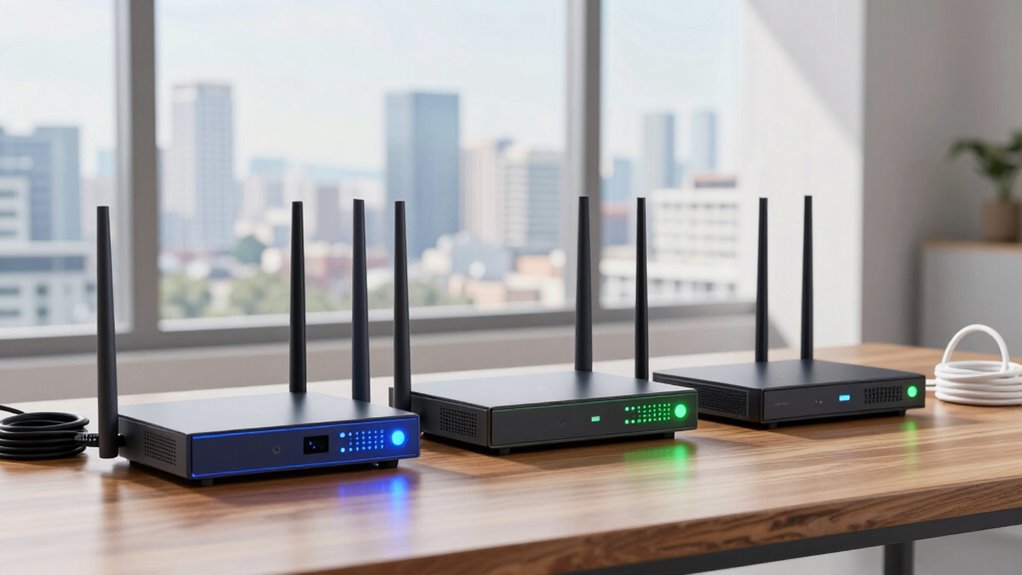

For most homes that need a dependable LTE fallback, I’d start with the TP-Link Omada ER706W-4G for its Wi-Fi 6, 4G+ connectivity, and VPN gateway features. The GL.iNet GL-X2000 Spitz Plus is a stronger fit when dual SIM flexibility and advanced cellular options matter, while the Cudy LT500 offers a simpler setup for basic home backup. The main tradeoff is between easy failover, stronger network controls, and portability; a mobile hotspot may travel well but serve a household differently from a wired router. Carrier compatibility and cellular coverage can matter more than advertised Wi-Fi speeds. Read on for how I’d match each option to a backup internet setup.

Get privacy and security gear delivered free with Prime
- Fast, free delivery on millions of items
- Prime Video, Amazon Music and more included
- Member-only deals all year
Key Takeaways
- The TP-Link Omada ER706W-4G is the strongest all-around fit here for users who want a wired gateway, Wi-Fi 6, 4G+ support, and VPN features in one device.
- Dual SIM support is a meaningful differentiator on the GL.iNet Spitz Plus and LINOVISION industrial router, but it only helps if the device and carrier configuration support the failover behavior you need.
- Ubiquiti’s UniFi LTE options are designed around an existing UniFi setup; their appeal is managed backup connectivity, while standalone flexibility is stronger elsewhere in the lineup.
- Portable hotspots and fixed routers solve different problems: the battery powered models suit travel and temporary outages, while routers with LAN/WAN ports fit a home or office network better.
- Industrial models such as Teltonika RUT241 and LINOVISION prioritize deployment controls and resilience over the straightforward setup that beginners may prefer from a basic SIM router.
| Unlocked 4G LTE Mobile WiFi Hotspot with 3000mAh Battery |  | Best Portable Backup | Cellular connectivity: 4G LTE | SIM slot: Standard SIM | Maximum Wi-Fi data rate: 300 Mbps | VIEW ON AMAZON | See Our Full Breakdown |
| Cudy LT500 4G Cat 4 AC1200 Wi-Fi 5 Router |  | Best for Automatic Failover | Cellular connectivity: 4G LTE Cat 4 | Maximum LTE download speed: 150 Mbps | Wi-Fi: Dual-band Wi-Fi 5, up to 867 + 300 Mbps | VIEW ON AMAZON | See Our Full Breakdown |
| N300 Unlocked 4G LTE Wi-Fi Modem Router with SIM Card Slot |  | Best for Larger Device Counts | Cellular standard: 4G LTE Cat 4 | Maximum cellular download speed: 150 Mbps | Wi-Fi: Dual-band N300, up to 300 Mbps | VIEW ON AMAZON | See Our Full Breakdown |
| Hitron D60 5G Cellular Router with Wi-Fi 6 |  | Best 5G Upgrade | Cellular networks: 5G SA/NSA and 4G LTE | Maximum 5G download speed: 3.4 Gbps | Wi-Fi generation: Wi-Fi 6 (802.11ax) | VIEW ON AMAZON | See Our Full Breakdown |
| TP-Link Omada ER706W-4G 4G+ Cat6 AX3000 Wi-Fi 6 VPN Gateway Router |  | Best for Wired Networks | Mobile connectivity: 4G+ Cat6, up to 300 Mbps | SIM slot: Nano SIM | Wi-Fi: Dual-band Wi-Fi 6 (AX3000) | VIEW ON AMAZON | See Our Full Breakdown |
| 4G LTE Wi-Fi Router with SIM Card Slot, Dual Antennas, and LAN/WAN Ports |  | Best for Simple Home Backup | Wireless speed: Up to 300 Mbps | LTE bands: FDD B1/3/5/40 | 3G band: WCDMA/UMTS B1 | VIEW ON AMAZON | See Our Full Breakdown |
| LINOVISION Industrial 4G LTE Wi-Fi Router with Dual SIM and RS485 |  | Best for Remote Industrial Sites | Cellular standard: 4G LTE Cat 4 | Maximum speeds: 150 Mbps download; 50 Mbps upload | Supported LTE bands: B2, B4, B5, B12, B13, B14, B66, B71 | VIEW ON AMAZON | See Our Full Breakdown |
| Ubiquiti UniFi LTE Backup Connection |  | Best for UniFi Network Owners | Model: U-LTE-US | Model number: U-LTE-PRO | LTE radio: Category 4 | VIEW ON AMAZON | See Our Full Breakdown |
| CSG m106 LTE Cellular Gateway for Home and Business |  | Best Battery-Powered Backup | Model: m106 | Network: 4G LTE; compatible with Verizon | Maximum connected devices: Up to 30 | VIEW ON AMAZON | See Our Full Breakdown |
| Unlocked 4G LTE Mobile WiFi Hotspot with Nano-SIM Slot |  | Best Compact Personal Backup | Network: 4G LTE | SIM slot: Nano-SIM | Maximum connected devices: 25 | VIEW ON AMAZON | See Our Full Breakdown |
| Portable 4G LTE WiFi Hotspot Router with SIM Card Slot |  | Best for Travel | Network: 3G/4G LTE | Maximum speed: 150 Mbps | Connected devices: Up to 10 | VIEW ON AMAZON | See Our Full Breakdown |
| GL.iNet GL-X2000 Spitz Plus 4G LTE Cat 12 Wi-Fi 6 Dual-SIM Router |  | Best for Flexible Failover | Cellular: 4G LTE Cat 12 with 3-carrier aggregation | SIM: Dual-SIM, single standby | Wi-Fi: Wi-Fi 6; up to 574 Mbps at 2.4 GHz and 2402 Mbps at 5 GHz | VIEW ON AMAZON | See Our Full Breakdown |
| Teltonika RUT241 Industrial 4G LTE Router |  | Best for Industrial Sites | Model: RUT241098000 | Cellular: 4G LTE Cat 4 | Ethernet: 1 LAN and 1 WAN; 10/100 Mbps | VIEW ON AMAZON | See Our Full Breakdown |
| Ubiquiti UniFi LTE Backup Pro |  | Best for UniFi Owners | Compatibility: UniFi Cloud Gateway or UniFi Gateway | SIM: Removable AT&T data-only nano-SIM | Ports: 1 GbE RJ45 PoE+ input and 1 GbE RJ45 PoE output | VIEW ON AMAZON | See Our Full Breakdown |
| GL.iNet Spitz GL-X750V2 4G LTE VPN Router | 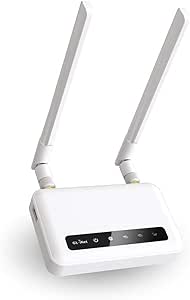 | Best for VPN and OpenWrt | Cellular module: Quectel EC25-AFFA Cat 4 | Carrier compatibility: AT&T and T-Mobile | Wi-Fi: Up to 300 Mbps at 2.4 GHz and 433 Mbps at 5 GHz | VIEW ON AMAZON | See Our Full Breakdown |
More Details on Our Top Picks
Unlocked 4G LTE Mobile WiFi Hotspot with 3000mAh Battery
For a backup connection that can travel with you, this hotspot is simpler to deploy than the Cudy LT500: insert a standard SIM, charge it over USB, and connect up to 15 devices. Its 3000mAh battery means it can keep a small group online during a local outage without relying on the home router’s power, and the unlocked design gives buyers flexibility to choose a compatible carrier. That convenience comes with limits. It is a battery-powered hotspot rather than a fixed home router with automatic WAN failover, so someone must switch devices to its Wi-Fi when the main connection drops. The product data also gives no specific battery runtime, and a single-band radio offers less flexibility than the dual-band Cudy. I’d choose it for mobile, occasional backup rather than hands-off household failover.
Pros:- Unlocked standard SIM slot supports compatible carrier plans
- Connects up to 15 devices
- 3000mAh rechargeable battery with USB charging
- WPA2-PSK protects access to the hotspot network
Cons:- No automatic WAN failover is listed, so users must switch connections themselves
- Battery runtime is unspecified
- Single-band Wi-Fi has less flexibility than dual-band alternatives
Best for: People who need a portable emergency connection for a laptop, phone, and a few other devices during outages or travel.
Not ideal for: Households that want a router to switch automatically from wired broadband to cellular without changing Wi-Fi networks.
- Cellular connectivity:4G LTE
- SIM slot:Standard SIM
- Maximum Wi-Fi data rate:300 Mbps
- Maximum connected devices:15
- Battery capacity:3000mAh
- Wireless standard:802.11ac
- Wi-Fi bands:Single-band
- Security:WPA2-PSK
Our verdict“Choose this hotspot for portable, small-group LTE backup, and choose the Cudy LT500 for automatic home-network failover.”
Cudy LT500 4G Cat 4 AC1200 Wi-Fi 5 Router
The LT500 earns its place by making cellular backup part of a home or small office network: when the primary WAN connection drops, it can fail over to a nano-SIM connection automatically. That is a more direct fit for unattended backup than the battery-powered Unlocked 4G LTE Mobile WiFi Hotspot, whose users must connect to its separate network. The Cudy also has dual-band Wi-Fi 5, four Ethernet ports, and VPN server and client support, giving wired devices and remote access options a place in the setup. Its cellular ceiling is 150 Mbps, and all four Ethernet ports are Fast Ethernet, so it is less suited to a fast wired LAN than the TP-Link Omada ER706W-4G with Gigabit ports. I’d pick it when dependable automatic switching matters more than faster local wired networking.
Pros:- Automatic WAN failover switches to cellular when the primary connection drops
- Dual-band Wi-Fi 5 with stated rates up to 867 + 300 Mbps
- Four Ethernet ports for wired devices
- Built-in WireGuard, OpenVPN, and IPsec support
Cons:- LTE download speed is limited to 150 Mbps
- Fast Ethernet ports can constrain wired throughput
- Requires a nano SIM and cellular data plan
Best for: Home workers and small offices that want cellular internet to take over automatically when their wired WAN fails.
Not ideal for: Users with a fast wired LAN or large file transfers who need Gigabit Ethernet ports.
- Cellular connectivity:4G LTE Cat 4
- Maximum LTE download speed:150 Mbps
- Wi-Fi:Dual-band Wi-Fi 5, up to 867 + 300 Mbps
- Ethernet ports:4 Fast Ethernet ports
- SIM slot:Nano SIM
- VPN protocols:WireGuard, OpenVPN, IPsec
- WAN failover:Automatic failover to cellular
Our verdict“Choose the LT500 for straightforward automatic LTE failover, especially if Gigabit wired speeds are not a requirement.”
N300 Unlocked 4G LTE Wi-Fi Modem Router with SIM Card Slot
With support for up to 32 devices and four Ethernet ports, this unlocked router suits a household or small workgroup that needs more connections than the portable hotspot’s 15-device limit. Its four high-gain antennas and dual-band N300 Wi-Fi give it a more fixed-router setup, while the listed LTE bands and standard SIM slot offer carrier flexibility. Compared with the Cudy LT500, it adds a higher stated device capacity and WPA3 security, but the Cudy explicitly lists automatic WAN failover and named VPN protocols. This product’s speeds still top out at 150 Mbps over LTE, and coverage and performance depend on the carrier signal and plan. Verizon users may also need to configure a TTL setting according to their plan. I’d favor it for a SIM-based network with many devices, not for the clearest hands-off failover setup.
Pros:- Supports up to 32 connected devices
- Four Ethernet ports and four high-gain antennas
- Unlocked standard SIM slot with multiple LTE bands listed
- Lists WPA3, VPN security features, and mesh capability
Cons:- LTE download speed is limited to 150 Mbps
- Performance depends on cellular coverage and the data plan
- Verizon users may need to adjust the TTL setting for their plan
Best for: Families or small teams that need an LTE router for several dozen devices and a mix of Wi-Fi and wired connections.
Not ideal for: Buyers who need documented automatic WAN failover or a setup with minimal carrier-specific configuration.
- Cellular standard:4G LTE Cat 4
- Maximum cellular download speed:150 Mbps
- Wi-Fi:Dual-band N300, up to 300 Mbps
- LTE bands:B2/B3/B4/B5/B7/B8/B12/B13/B17/B25/B26/B66/B41
- Antennas:Four high-gain antennas
- Ethernet ports:4
- Supported devices:Up to 32
- Security:L2TP, PPTP, OpenVPN, WPA3
- SIM slot:Standard SIM
Our verdict“Choose this router when device capacity and a broad listed LTE band set matter more than explicitly documented automatic failover.”
Hitron D60 5G Cellular Router with Wi-Fi 6
The Hitron D60 is the step-up choice for a backup line where 5G availability and headroom matter more than keeping the setup limited to LTE. It supports 5G standalone and non-standalone networks as well as 4G LTE, and its Wi-Fi 6 radios are rated up to 5.4 Gbps. Cellular failover is listed, so it can keep a connection available when primary internet is down. Compared with the LTE-only TP-Link Omada ER706W-4G, the D60 offers much higher stated cellular download speeds, but the Omada has six Gigabit Ethernet ports, two 2.5G ports, and a five-year warranty. The D60’s listed carrier certification is narrower, it requires a nano SIM from a certified carrier, and its three-month limited warranty is short. I’d choose it when 5G backup is available at the location and that warranty tradeoff is acceptable.
Pros:- Supports 5G SA/NSA and 4G LTE
- Cellular failover helps maintain access when primary internet is unavailable
- Wi-Fi 6 with stated maximum Wi-Fi speed of 5.4 Gbps
- Listed certification for T-Mobile, AT&T, and US Cellular
Cons:- Requires a nano SIM from a certified carrier
- Three-month limited warranty is short
- Fewer wired connection details are provided than for the TP-Link Omada ER706W-4G
Best for: Households or small offices in areas with strong 5G coverage that want a faster cellular backup option.
Not ideal for: Buyers who need a long warranty, broad carrier flexibility, or several high-speed wired connections.
- Cellular networks:5G SA/NSA and 4G LTE
- Maximum 5G download speed:3.4 Gbps
- Wi-Fi generation:Wi-Fi 6 (802.11ax)
- Maximum Wi-Fi speed:5.4 Gbps
- SIM:Nano SIM; eSIM support indicated in title
- Certified carriers:T-Mobile, AT&T, US Cellular
- Ethernet port bandwidth:1000 Mbps
- Security:WPA3
- Warranty:3-month limited warranty
Our verdict“Choose the D60 when 5G backup speed is the priority and its carrier and warranty limits fit your setup.”
TP-Link Omada ER706W-4G 4G+ Cat6 AX3000 Wi-Fi 6 VPN Gateway Router
The Omada ER706W-4G is the strongest fit here for a network with wired equipment: it pairs six Gigabit Ethernet ports with two 2.5G ports and a USB 3.0 port, giving a small office more ways to connect its router, switches, and other gear than the Cudy LT500’s four Fast Ethernet ports. Its 4G+ Cat6 modem is rated up to 300 Mbps, while dual-band Wi-Fi 6 can serve newer wireless devices and Omada Mesh can extend coverage within a compatible setup. VPN gateway features add options for remote access. Against the Hitron D60, the TP-Link gives up 5G support and higher potential cellular speeds, but it specifies richer wired connectivity and a five-year warranty. The main caveat is carrier compatibility: it is not compatible with AT&T Text & Data plans in the US. I’d select it for a wired-first network that can use a supported SIM plan.
Pros:- Six Gigabit Ethernet ports plus two 2.5G ports
- 4G+ Cat6 cellular connectivity rated up to 300 Mbps
- Dual-band Wi-Fi 6 and Omada Mesh support
- Five-year warranty
Cons:- Not compatible with AT&T Text & Data plans in the US
- 4G+ Cat6 lacks the 5G option offered by the Hitron D60
- At 3 pounds, it is less suited to portable backup use
Best for: Small offices or advanced home networks with wired devices, VPN needs, and a compatible 4G+ cellular plan.
Not ideal for: US buyers relying on AT&T Text & Data plans or anyone whose backup connection must use 5G.
- Mobile connectivity:4G+ Cat6, up to 300 Mbps
- SIM slot:Nano SIM
- Wi-Fi:Dual-band Wi-Fi 6 (AX3000)
- Wi-Fi data rates:2402 Mbps on 5 GHz; 574 Mbps on 2.4 GHz
- Ethernet ports:6 Gigabit Ethernet ports
- Additional ports:2 × 2.5G ports; 1 × USB 3.0 port
- Antennas:5 high-gain detachable antennas
- Features:VPN gateway, Omada Mesh
- Warranty:5 years
Our verdict“Choose the Omada ER706W-4G for a wired, VPN-capable network that needs robust LTE backup and can use a compatible carrier.”
4G LTE Wi-Fi Router with SIM Card Slot, Dual Antennas, and LAN/WAN Ports
I’d choose this router for a home that needs a straightforward LTE fallback and can verify carrier band compatibility before buying. Its support for up to 32 devices and WAN/LAN port make it more suitable as a small household’s shared connection than the battery-powered CSG m106, which is easier to move during an outage. The listed Wi-Fi speed is up to 300 Mbps, but real service depends on the carrier, signal, and plan. That makes this a practical fit for keeping everyday devices online where wired broadband is unavailable. The tradeoffs are its limited listed bands and lack of an included mobile power source. I’d check that the intended SIM and local bands match before relying on it as a backup.
Pros:- Supports up to 32 connected devices
- WAN/LAN port enables wired networking
- Can provide internet where fixed broadband is unavailable
Cons:- Listed LTE bands may not support the buyer’s carrier
- Mobile power source is not included
- Only 4G LTE and 3G network support are listed
Best for: Households needing a stationary LTE fallback for several devices, with a SIM that supports the router’s listed bands
Not ideal for: Buyers who need broad carrier compatibility or battery-powered backup without supplying their own power source
- Wireless speed:Up to 300 Mbps
- LTE bands:FDD B1/3/5/40
- 3G band:WCDMA/UMTS B1
- Antennas:2 listed in title; description mentions support for 4 external antennas
- Ports:WAN/LAN
- Maximum connected users:32
- Power input:100–240 V (US plug)
- Outdoor power:Mobile power supported; source not included
Our verdict“Choose it for a stationary, multi-device LTE fallback if your carrier bands match and you can provide power.”
LINOVISION Industrial 4G LTE Wi-Fi Router with Dual SIM and RS485
For a remote site that needs cellular backup alongside equipment monitoring, I’d put this ahead of the household-focused 4G LTE Wi-Fi Router with SIM Card Slot. Its dual SIM failover can help a site switch carriers when one connection drops, while RS485 and digital I/O connect it to industrial devices. The metal enclosure and operating range from -40°F to 158°F suit locations where ordinary home routers may be a poor fit. It also supports several VPN protocols and cloud management for remote administration. Those capabilities come with added setup complexity, and its 802.11b/g/n Wi-Fi is dated compared with newer Wi-Fi options in this roundup. I’d pick it for resilient infrastructure links, not for a home buyer seeking a simple plug-in fallback.
Pros:- Dual SIM with automatic failover
- RS485 and digital I/O support for connected equipment
- Die-cast aluminum enclosure and wide operating temperature range
- Multiple VPN protocols and cloud management
Cons:- Wi-Fi is limited to 802.11b/g/n
- SIM cards and data plans are separate
- Industrial features may add unnecessary setup complexity for home backup
Best for: Operators of remote sites or industrial equipment who need dual-SIM failover, RS485, and wide-temperature operation
Not ideal for: Households wanting a simple, modern Wi-Fi router without industrial interfaces or configuration needs
- Cellular standard:4G LTE Cat 4
- Maximum speeds:150 Mbps download; 50 Mbps upload
- Supported LTE bands:B2, B4, B5, B12, B13, B14, B66, B71
- SIM slots:2
- Wi-Fi:802.11b/g/n; access point and client modes
- Interfaces:RS485, digital input, digital output, LAN
- Operating temperature:-40°F to 158°F
- Power supply:9–48 V DC
- Enclosure:Die-cast aluminum
Our verdict“Choose it for remote infrastructure that needs cellular redundancy and equipment interfaces, rather than ordinary home Wi-Fi.”
Ubiquiti UniFi LTE Backup Connection
This is the most compelling fit here for someone who already manages a UniFi network and wants LTE as a managed backup connection. Its PoE in/out and app management can make it easier to place and administer alongside compatible network equipment than the standalone Unlocked 4G LTE Mobile WiFi Hotspot. The external LTE antenna interface also gives an installation more flexibility when the router itself cannot sit near a strong signal. The supplied details identify a Cat 4 radio, but don’t specify carrier bands, failover behavior, or battery backup, so I’d confirm those requirements before treating it as an outage solution. Its value is tied to the UniFi setup; buyers without that ecosystem may find the portable CSG m106 more self-contained.
Pros:- PoE input and output support
- External LTE antenna interface
- App-based management
- Gigabit LAN bandwidth is listed
Cons:- Cat 4 LTE radio rather than a newer cellular category
- Carrier bands and battery backup are not specified in the supplied data
- Most suited to buyers already using UniFi equipment
Best for: UniFi network owners seeking an app-managed LTE connection with PoE integration and external antenna support
Not ideal for: Buyers who need a self-contained hotspot, battery operation, or clearly specified carrier-band compatibility
- Model:U-LTE-US
- Model number:U-LTE-PRO
- LTE radio:Category 4
- External antenna interface:Yes
- PoE:In/out
- Number of ports:3
- Wi-Fi generation and band:Wi-Fi 5; 5 GHz
- LAN port bandwidth:1000 Mbps
- Antennas:2
Our verdict“Choose it to add LTE connectivity to a UniFi-managed network if its unspecified carrier support fits your service.”
CSG m106 LTE Cellular Gateway for Home and Business
The CSG m106 stands out when backup internet needs to keep working through a power cut or move between locations. Its 5,000 mAh battery is rated for up to about eight hours, giving it an advantage over the mains-powered 4G LTE router in this group, which requires a separate mobile power source for portable use. Ethernet, USB, and Wi-Fi offer several ways to connect devices, while IP Passthrough and Inline Failover are geared toward keeping an existing connection setup in service. It supports up to 30 devices and can be managed through a cloud portal. The limits are its 4G-only network and finite battery life; for a fixed industrial site needing dual SIM and RS485, the LINOVISION is better equipped.
Pros:- Built-in 5,000 mAh battery rated for up to approximately eight hours
- Ethernet, USB, and Wi-Fi connectivity
- IP Passthrough and Inline Failover features
- Remote management through a cloud portal
Cons:- Battery runtime is limited to approximately eight hours at most
- Cellular connectivity is limited to 4G LTE
- Listed compatibility is with Verizon
Best for: Small offices or households that want a portable LTE fallback with a built-in battery and multiple connection options
Not ideal for: Buyers needing 5G, longer battery runtime, or industrial interfaces and dual-SIM redundancy
- Model:m106
- Network:4G LTE; compatible with Verizon
- Maximum connected devices:Up to 30
- Connectivity:Ethernet, USB, Wi-Fi
- Battery capacity:5,000 mAh
- Battery life:Up to approximately 8 hours
- Failover features:IP Passthrough and Inline Failover
- Remote management:Cloud Portal
Our verdict“Choose it for portable, battery-backed 4G failover when an eight-hour power window and Verizon compatibility meet your needs.”
Unlocked 4G LTE Mobile WiFi Hotspot with Nano-SIM Slot
For a solo worker or traveler who needs a pocketable connection when home broadband fails, this hotspot is the simplest portable pick in this batch. At 3.2 ounces, with a status LCD and USB-C charging, it’s easier to carry and check at a glance than the larger CSG m106 gateway. It supports up to 25 devices, though that makes it a lighter-duty choice than the 32-device 4G LTE router listed here. WPA2 and WPA3 are specified, and the unlocked Nano-SIM slot gives buyers options among compatible 4G carriers. The tradeoffs are a smaller 2,100 mAh battery and no included SIM or data plan. I’d treat it as a personal connection or short-term fallback, not a long-running household failover system.
Pros:- Lightweight at 3.2 ounces
- LCD shows signal and battery information
- USB-C charging
- Supports WPA2 and WPA3 security
Cons:- 2,100 mAh battery may limit runtime
- SIM card and data plan are not included
- Requires a compatible 4G carrier
Best for: Travelers and remote workers who want a lightweight LTE hotspot for personal devices and brief outages
Not ideal for: Households seeking extended battery runtime, wired router integration, or a ready-to-use SIM and data plan
- Network:4G LTE
- SIM slot:Nano-SIM
- Maximum connected devices:25
- Peak bandwidth:300 Mbps
- Battery capacity:2,100 mAh
- Charging port:USB-C
- Wireless security:WPA2 and WPA3
- Weight and dimensions:3.2 ounces; 4 x 3.6 x 1.1 inches
- SIM and data plan:Not included
Our verdict“Choose it for portable personal backup if you have a compatible Nano-SIM and can work within its smaller battery capacity.”
Portable 4G LTE WiFi Hotspot Router with SIM Card Slot
For a backup connection that needs to move between a car, campsite, and hotel, this battery-powered hotspot is simpler to carry than the desktop routers in this group. It shares 4G LTE with up to 10 devices, while its 2,100 mAh battery offers up to 10 hours of standby time. The listed maximum of 150 Mbps describes the device’s capability, not a guarantee of cellular speed; coverage and carrier service still matter. Compared with the GL.iNet Spitz GL-X750V2, this model gives up dual-band Wi-Fi, VPN tools, and Ethernet ports in favor of a more straightforward portable format. That makes it a better fit for occasional travel backup than a home router expected to manage a full household connection. Buyers need a compatible micro SIM, which is not included, and it is not compatible with countries in the Americas.
Pros:- Portable design suits car trips and outdoor use
- Shares LTE with up to 10 devices
- 2,100 mAh battery with up to 10 hours of standby time
Cons:- Micro SIM card is not included
- Not compatible with countries in the Americas
- No Ethernet, dual-band Wi-Fi, or listed VPN features
Best for: Travelers outside the Americas who need to share a compatible LTE connection with several devices away from home.
Not ideal for: Households seeking a permanent home failover router, or buyers in the Americas, since the device is regionally incompatible and lacks the wired and network-management features of larger routers.
- Network:3G/4G LTE
- Maximum speed:150 Mbps
- Connected devices:Up to 10
- Battery:2,100 mAh
- Standby time:Up to 10 hours
- SIM:Micro SIM; not included
- Operating systems:Windows 7, 8, 10, and Linux
- Regional compatibility:Not compatible with countries in the Americas
Our verdict“Choose this hotspot for portable LTE backup outside the Americas when carrying a separate battery-powered router matters more than wired networking or advanced controls.”
GL.iNet GL-X2000 Spitz Plus 4G LTE Cat 12 Wi-Fi 6 Dual-SIM Router
The GL-X2000 Spitz Plus is the most adaptable standalone backup router in this set: it can take WAN from Ethernet, cellular, a repeater, or tethering, then use failover or load balancing to manage available links. Its LTE Cat 12 with three-carrier aggregation and Wi-Fi 6 suit homes or small offices that need more than a basic SIM-to-Wi-Fi bridge. Compared with the Ubiquiti UniFi LTE Backup Pro, it works across several WAN types rather than depending on a compatible UniFi gateway and AT&T service. That flexibility brings more setup choices and complexity. Dual-SIM is single-standby, so it selects between SIMs rather than using both at once. The included VPN options also have stated speed ceilings, and cellular use is restricted in several regions, so check location and carrier fit before choosing it.
Pros:- Combines LTE Cat 12 with Wi-Fi 6
- Supports Ethernet, repeater, cellular, and tethering WAN
- Provides failover and load balancing
- Includes OpenVPN, WireGuard, and four SMA antenna connectors
Cons:- Dual-SIM runs in single-standby mode
- VPN throughput has stated limits of up to 30 Mbps for OpenVPN and 190 Mbps for WireGuard
- Cellular service is restricted in listed regions
Best for: Small offices and technically confident households that want LTE failover alongside Ethernet, tethering, or repeater backup options.
Not ideal for: Buyers who want a simple plug-in cellular backup or simultaneous use of two SIMs; its single-standby SIM setup and broader configuration options may be a poor fit.
- Cellular:4G LTE Cat 12 with 3-carrier aggregation
- SIM:Dual-SIM, single standby
- Wi-Fi:Wi-Fi 6; up to 574 Mbps at 2.4 GHz and 2402 Mbps at 5 GHz
- WAN connections:Ethernet, repeater, cellular, and tethering
- VPN:OpenVPN up to 30 Mbps; WireGuard up to 190 Mbps
- Antenna connectors:4 SMA connectors
- Carrier certification:AT&T and T-Mobile
- Cellular restrictions:Limited in Russia, Belarus, Cuba, Iran, North Korea, Syria, and the Crimea Peninsula
Our verdict“Pick the GL-X2000 when you need several backup paths and configurable failover, and can work with its single-standby SIM arrangement.”
Teltonika RUT241 Industrial 4G LTE Router
Where backup internet has to serve equipment in a workshop, cabinet, or remote installation, the Teltonika RUT241 offers industrial-minded controls that the travel hotspot lacks. It has one LAN and one WAN port, auto failover, RMS remote management, a built-in firewall, VPN protocols, and digital I/O. Its 9–30 V power input gives integrators more options than a typical consumer router. Compared with the GL.iNet GL-X750V2, the RUT241 emphasizes remote administration and installation flexibility over dual-band Wi-Fi and expandable storage. Its LTE Cat 4 capability and 2.4 GHz 802.11n Wi-Fi are modest, and the Ethernet ports top out at 10/100 Mbps. For a home that mainly needs fast wireless service during an ISP outage, those limits may make a consumer-focused option a better fit; for connected equipment, its management features carry more weight.
Pros:- Auto failover supports continuity when the primary link drops
- RMS provides remote monitoring and configuration
- Wide 9–30 V power input and digital I/O suit industrial installations
- Built-in firewall and multiple VPN options
Cons:- Wi-Fi is limited to 2.4 GHz 802.11n
- Ethernet ports are limited to 10/100 Mbps
- LTE Cat 4 is less capable than the GL-X2000 Spitz Plus’s Cat 12 cellular modem
Best for: Installers and small businesses that need LTE failover, remote router management, and digital I/O for equipment at a fixed site.
Not ideal for: Households prioritizing fast dual-band Wi-Fi or gigabit wired connections; this model has 2.4 GHz Wi-Fi and 10/100 Mbps Ethernet.
- Model:RUT241098000
- Cellular:4G LTE Cat 4
- Ethernet:1 LAN and 1 WAN; 10/100 Mbps
- Wi-Fi:2.4 GHz, 802.11n
- Maximum data rate:150 Mbps; upstream up to 50 Mbps
- Power input:9–30 V
- Operating system:RutOS, OpenWrt-based Linux
- Management and I/O:RMS remote management, auto failover, and digital I/O
Our verdict“Choose the RUT241 for managed LTE backup at an equipment site, but look elsewhere if high-speed household Wi-Fi is the priority.”
Ubiquiti UniFi LTE Backup Pro
For someone already running a compatible UniFi gateway, the UniFi LTE Backup Pro is a focused way to add a cellular path for ISP outages. It connects through the UniFi system, supports PoE input and output, and has a status display, so installation can fit neatly into an existing UniFi setup. Compared with the GL.iNet GL-X2000 Spitz Plus, it offers fewer WAN choices and less general-purpose routing flexibility, but it avoids being a separate all-in-one router to configure. That tradeoff only works if the buyer has a compatible UniFi gateway and can use an AT&T data-only nano-SIM with an active plan. The internal antenna keeps the unit self-contained, while an RP-SMA connector allows an optional external antenna. Its 150 Mbps maximum upstream figure is a stated ceiling, not a promise of real-world carrier performance.
Pros:- Adds LTE redundancy for compatible UniFi gateways
- PoE input and output simplify placement in a UniFi setup
- Internal antenna with an RP-SMA connector for an optional external antenna
- Status display and app-based control
Cons:- Requires a compatible UniFi gateway
- Requires an AT&T data-only nano-SIM and LTE plan
- Less suitable as a standalone multi-WAN router than the GL-X2000 Spitz Plus
Best for: Existing UniFi Cloud Gateway or UniFi Gateway owners who want managed cellular failover during a fixed broadband outage.
Not ideal for: Buyers with non-UniFi routers or those who need carrier choice beyond AT&T data-only service; this device depends on UniFi compatibility and a suitable plan.
- Compatibility:UniFi Cloud Gateway or UniFi Gateway
- SIM:Removable AT&T data-only nano-SIM
- Ports:1 GbE RJ45 PoE+ input and 1 GbE RJ45 PoE output
- Antenna:Internal LTE antenna; RP-SMA connector for optional external antenna
- Display:1.54-inch status display
- Maximum upstream rate:150 Mbps
- Control:App
Our verdict“Choose this as a streamlined LTE failover add-on if your network already uses a compatible UniFi gateway and AT&T service suits your location.”
GL.iNet Spitz GL-X750V2 4G LTE VPN Router
The GL-X750V2 Spitz suits buyers who want an LTE router they can configure beyond basic failover. Its OpenWrt/LEDE base, OpenVPN and WireGuard support, dual-band Wi-Fi, two Ethernet ports, and expandable microSD storage give it more flexibility than the portable hotspot in this lineup. Compared with the GL-X2000 Spitz Plus, it is a more modest Cat 4 option with an average 4G speed listed at 15–20 Mbps, rather than a Cat 12 Wi-Fi 6 router with multi-WAN failover and load balancing. That makes the X750V2 a better match for configurable, lighter-duty backup than for a busy household seeking more cellular capacity. It supports compatible AT&T and T-Mobile SIMs, but actual speeds depend on carrier and location; its 10/100 Mbps Ethernet ports also limit wired throughput.
Pros:- OpenWrt/LEDE base supports configuration and programmability
- Includes OpenVPN and WireGuard
- Dual-band Wi-Fi and two Ethernet ports provide flexible connections
- MicroSD slot supports expandable storage up to 128 GB
Cons:- Listed average 4G speed is 15–20 Mbps and actual performance varies by carrier and location
- Ethernet ports are limited to 10/100 Mbps
- Cellular service is restricted in listed regions
Best for: OpenWrt users and technically confident remote workers who want LTE backup with VPN options and compatible AT&T or T-Mobile service.
Not ideal for: Households that need higher cellular capacity, built-in multi-WAN failover features, or gigabit Ethernet; the GL-X2000 Spitz Plus offers more capable cellular and Wi-Fi specifications.
- Cellular module:Quectel EC25-AFFA Cat 4
- Carrier compatibility:AT&T and T-Mobile
- Wi-Fi:Up to 300 Mbps at 2.4 GHz and 433 Mbps at 5 GHz
- Average 4G speed:15–20 Mbps
- Operating system:OpenWrt/LEDE
- VPN:OpenVPN and WireGuard
- Ports:USB 2.0 and two 10/100 Mbps Ethernet ports
- Expandable storage:Up to 128 GB TF/microSD card
- Regional limitation:Cellular feature restricted in Russia, Belarus, Cuba, Iran, North Korea, Syria, and the Crimean Peninsula
Our verdict“Pick the GL-X750V2 for configurable LTE backup with VPN support, provided its Cat 4 cellular and Fast Ethernet limits fit your connection needs.”

How We Picked
I ranked these devices for the job implied by the title: keeping a home or small business online when its primary connection fails. I weighed cellular flexibility, wired networking, Wi-Fi capability, failover suitability, management features, and how clearly each model fits a particular setup. A router with dual SIMs, VPN functions, or industrial controls can justify a higher place for a demanding network, but those features do not automatically make it the easiest choice for a typical household.
The order reflects useful backup behavior and breadth of fit, then more specialized needs. The Omada ER706W-4G leads for combining a capable gateway role with modern Wi-Fi and cellular connectivity; the GL.iNet Spitz Plus follows for flexible cellular use. Simpler routers and hotspots rank lower for fixed-network backup because their roles are narrower, while industrial gateways and UniFi backup products serve specific environments. I’d verify carrier bands, SIM requirements, failover behavior, and whether a model works with an existing network before choosing.
Factors to Consider When Choosing Lte Router For Backup Internet
Choosing LTE backup starts with the network failure you need to cover. I’d decide whether the router must take over automatically, whether several wired devices need to stay connected, and whether the unit also needs to travel. Those answers narrow the field faster than comparing headline wireless speeds.
Check Carrier Compatibility Before Router Features
A SIM slot does not mean a router will work with every carrier or plan. Check supported LTE bands against the networks available where the router will sit, and confirm whether the carrier allows the intended device and data use. Rural coverage can vary sharply between carriers even at the same address, so test cellular reception at the installation point when possible. An external antenna connection can help with placement options, but it cannot create coverage where none exists. If the connection must stay online, compare a second carrier’s local signal before paying for dual SIM hardware. This step prevents a feature rich router from becoming an incompatible spare.
Decide How Automatic Failover Must Be
Some buyers only need an LTE network they can switch to during an outage; others expect the router to detect a failed broadband link and move traffic automatically. These are different requirements, and product names alone do not establish how failover works. Check whether the router monitors the primary connection, how it decides service has failed, and whether returning to broadband is automatic. A short interruption may be acceptable for casual browsing but can disrupt calls, remote sessions, or payment systems. If uninterrupted service matters, read the failover documentation and check compatibility with the existing modem or gateway. Keep a manual recovery path in case the primary line fails in a way the router does not detect.
Match the Router to Your Existing Network
Replacing a home router and adding a cellular WAN connection to an existing network call for different hardware. Count the wired devices that need service, and check whether the LTE unit has the right LAN and WAN ports or can operate in the network role you need. A hotspot can share a connection over Wi-Fi, but it may not integrate cleanly with wired equipment or a mesh system. Business buyers should check VPN, VLAN, and remote management needs before settling for a basic consumer model. Avoid putting two routers into overlapping routing roles without a plan, since that can complicate device access and troubleshooting. Mapping the connection path first often matters more than selecting the newest Wi-Fi generation.
Choose Fixed Installation or Portable Backup
A battery powered hotspot is handy when the backup connection needs to move with you or cover a short outage without a power outlet. For a permanent home backup, a mains powered router with external antennas and wired ports is usually easier to integrate. Consider where the cellular signal is strongest, since the best placement may be near a window rather than beside the main router. Longer antenna cables and building materials can affect signal, so plan the physical setup before mounting equipment. A portable model may also have limits on the number of clients or continuous operation that make it a poor fit as a permanent gateway. Choose based on the location and duration of use, not just the word “portable.”
Set a Data Plan and Outage Strategy
LTE backup can consume data quickly when it carries video calls, cloud backups, software downloads, or streaming for a whole household. Estimate what must remain online during an outage and decide which devices can be paused or limited. Some routers offer traffic controls or usage monitoring, but the plan’s data allowance and carrier terms still set the practical ceiling. A low data allowance may work well for email, remote access, and point of sale traffic while failing as a full replacement for broadband. Decide whether backup should serve every device or only essential equipment. This choice affects both the cellular plan and how the router should be configured.
Frequently Asked Questions
Will an LTE router automatically take over when my broadband goes down?
Some routers support automatic WAN failover, while others provide a cellular connection that needs manual switching or additional setup. Check the product documentation for link monitoring, failover triggers, and behavior when the main connection returns. Also confirm how the LTE router connects to your current modem or gateway; the right settings depend on that layout. If you rely on work calls or remote access, test the changeover before an outage. A brief interruption may still occur even when failover is automatic.
Can I use my existing phone SIM in an LTE backup router?
Possibly, but compatibility depends on the router’s supported bands and the carrier’s device and plan rules. Some phone plans restrict hotspot or router use, and a SIM may connect while still violating the plan terms or triggering limits. Ask the carrier whether the specific plan permits use in a cellular router and whether a separate data plan is needed. Check coverage at the router’s installation location rather than relying only on phone reception elsewhere. Confirming these points before setup can save time when you need the backup most.
Is a 5G router worth choosing if I only need LTE backup?
A 5G model such as the Hitron D60 can make sense if 5G coverage is available at your location and you may use cellular as more than an emergency connection. For backup alone, the extra cellular capability may not improve reliability if the local 5G signal is weak or your plan is limited. Compare network availability, supported bands, and fallback behavior rather than assuming 5G means better service everywhere. A capable LTE router with good placement may be the more practical match for a location with reliable LTE coverage. Choose around the networks you can actually receive.
Do I need dual SIM for dependable backup internet?
Dual SIM can provide carrier flexibility or a path to fail over between cellular services, which is useful where one network has inconsistent coverage. It adds little if both SIMs use the same network or if the router does not switch in the way your setup requires. Check whether dual SIM means active failover, selectable profiles, or another arrangement, and review how the router handles data limits. A second carrier also means another plan to maintain. For many homes, confirming that one carrier works reliably at the installation point is the better first step.
Should I choose a UniFi LTE Backup device or a standalone cellular router?
The UniFi LTE Backup and LTE Backup Pro are most compelling when you already manage a UniFi network and want the cellular device to fit into that environment. If you need a router that works independently, offers broad network controls, or serves devices directly, models such as the Omada ER706W-4G or GL.iNet Spitz Plus may be a better fit. Check which UniFi equipment and software are required for the backup behavior you want. Also confirm whether the device provides the ports and coverage your layout needs. The better choice depends on the network you already own, not only the cellular feature list.
Conclusion
I’d choose the TP-Link Omada ER706W-4G as the best overall option for a home or small office seeking a capable gateway with LTE backup features. For a strong value focused on basic fixed internet sharing, the Cudy LT500 is the simpler pick, while the GL.iNet Spitz Plus is my premium choice for buyers who need advanced cellular flexibility and dual SIM support. Beginners who want a straightforward setup may prefer a basic SIM router or a portable hotspot if they do not need wired network integration. For industrial deployments, the Teltonika RUT241 or LINOVISION dual SIM router better match specialized control and installation needs; UniFi owners should look at the UniFi LTE Backup models. Before deciding, confirm carrier compatibility, failover behavior, and the data plan that will carry your essential devices.
Halloween Picks
halloween
As an affiliate, we earn on qualifying purchases.