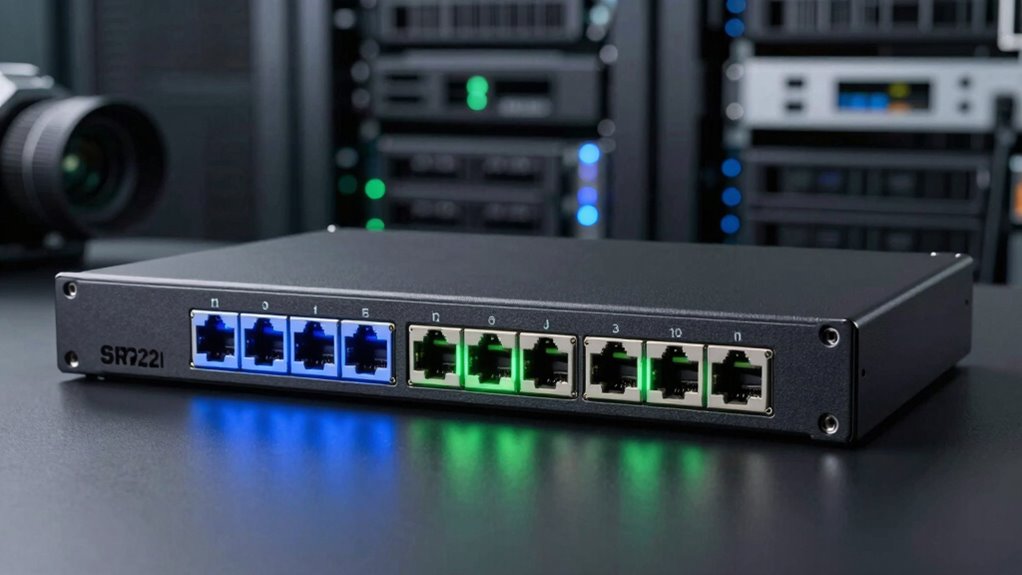

Choosing the right SFP28 switch for 25G networking depends on your environment and specific needs. The QNAP QSW-M7230-2X4F24T-US stands out for high-speed data center use with advanced Layer 3 Lite features, but it’s complex and expensive. The QNAP QSW-M7308R-4X-US offers a solid Layer 2 solution for demanding network setups, balancing performance and ease of use. For enterprise-grade routing, the MikroTik CRS812-8DS-2DQ-2DDQ-RM features hardware offloading and redundancy, but at a higher price point. Lastly, the Ubiquiti UniFi Aggregation Switch Pro delivers high port density and Layer 3 capabilities in a more accessible package, though it may challenge beginners to configure. Each option presents a different tradeoff between features, complexity, and price.

Get privacy and security gear delivered free with Prime
- Fast, free delivery on millions of items
- Prime Video, Amazon Music and more included
- Member-only deals all year
Key Takeaways
- The QNAP QSW-M7230-2X4F24T-US offers ultra-fast 100GbE and 25GbE for data centers but is complex and costly.
- The QNAP QSW-M7308R-4X-US provides high switching capacity with Layer 2 management suitable for advanced networks.
- MikroTik CRS812 excels in Layer 3 routing with redundancy, ideal for enterprise environments willing to invest.
- Ubiquiti UniFi Aggregation Switch Pro combines port density and Layer 3 features in a user-friendly form.
- Tradeoffs revolve around complexity, price, and intended environment, from enterprise to small business.
| QNAP QSW-M7230-2X4F24T-US 30-Port Layer 3 Lite Managed Network Switch |  | Best for High-Performance Data Centers | Ports: 2x 100GbE QSFP28, 4x 25GbE SFP28, 24x 10GbE RJ45 | Layer: Layer 3 Lite | Design: Top-Of-Rack (ToR) | VIEW ON AMAZON | See Our Full Breakdown |
| QNAP 12-Port 100GbE Half-Width Rackmount Layer 2 Managed Switch (QSW-M7308R-4X-US) |  | Best for Layer 2 High-Performance Networking | Ports: 4 x 100GbE QSFP28, 8 x 25GbE SFP28 | Switching Capacity: 1200Gbps | Throughput: 600Gbps | VIEW ON AMAZON | See Our Full Breakdown |
| MikroTik CRS812-8DS-2DQ-2DDQ-RM 100G Cloud Router Switch |  | Best for Advanced Routing & Redundancy | Ports: 8x 25G SFP28, 2x 40G QSFP+, 2x 100G QSFP28 | Form Factor: 1U rackmount | Hardware Offloading: Layer 3 | VIEW ON AMAZON | See Our Full Breakdown |
| Ubiquiti UniFi Aggregation Switch Pro, 28-Port 10G SFP+ & 4-Port 25G SFP28 |  | Best for High Port Density & Layer 3 Aggregation | Ports: 28 x 10G SFP+, 4 x 25G SFP28 | Switching Capacity: 760Gbps | Layer: Layer 3 | VIEW ON AMAZON | See Our Full Breakdown |
| sfp28 switch 25g | Ports | Layer | Switching Capacity | Form Factor |
|---|---|---|---|---|
| QNAP QSW-M7230-2X4F24T-US 30-P | 2x 100GbE QSFP28, 4x 25GbE SFP28, 24x 10GbE RJ45 | Layer 3 Lite | — | — |
| QNAP 12-Port 100GbE Half-Width | 4 x 100GbE QSFP28, 8 x 25GbE SFP28 | — | 1200Gbps | Half-Width Rackmount |
| MikroTik CRS812-8DS-2DQ-2DDQ-R | 8x 25G SFP28, 2x 40G QSFP+, 2x 100G QSFP28 | — | — | 1U rackmount |
| Ubiquiti UniFi Aggregation Swi | 28 x 10G SFP+, 4 x 25G SFP28 | Layer 3 | 760Gbps | — |
More Details on Our Top Picks
QNAP QSW-M7230-2X4F24T-US 30-Port Layer 3 Lite Managed Network Switch
This switch stands out for its combination of ultra-fast 100GbE and 25GbE ports, making it ideal for data centers and AI workloads. Its Layer 3 Lite management enables advanced routing and security features, surpassing typical Layer 2 switches. Compared with other options, this model offers scalability and future-proofing, but its complex setup and premium price make it less suitable for smaller or less technical environments. It’s designed for organizations that need top-tier performance and are prepared for a more involved configuration process.
Pros:- High-speed 100GbE and 25GbE ports for demanding applications
- Layer 3 Lite management with advanced routing
- Designed for scalability and future upgrades
Cons:- Complex setup requiring technical expertise
- High price point limits accessibility for small firms
Best for: Enterprise data centers and high-demand AI workloads
Not ideal for: Small businesses or users seeking simple plug-and-play solutions
- Ports:2x 100GbE QSFP28, 4x 25GbE SFP28, 24x 10GbE RJ45
- Layer:Layer 3 Lite
- Design:Top-Of-Rack (ToR)
- Features:IPv4/IPv6 static routing, VLAN, QoS, bandwidth control, PFC, ECN
- Use Cases:Data center, AI workloads, virtualization
- Scalability:Supports fiber and copper integration
Our verdict“Best suited for organizations needing top-tier, scalable data center connectivity and advanced routing features.”
QNAP 12-Port 100GbE Half-Width Rackmount Layer 2 Managed Switch (QSW-M7308R-4X-US)
This model offers a balanced mix of 4 x 100GbE and 8 x 25GbE ports, making it an excellent backbone switch for demanding server environments. Its Layer 2 management capabilities include VLAN, LACP, and ACL, which deliver security and bandwidth control with straightforward setup via a web GUI. Compared to the more advanced Layer 3 options, this switch simplifies configuration but sacrifices some routing flexibility. It’s well-suited for high-performance networks that don’t require full Layer 3 routing but still need substantial throughput and management features.
Pros:- High switching capacity of 1200Gbps
- Layer 2 management features like VLAN and ACL
- User-friendly web GUI simplifies setup
Cons:- Limited to Layer 2 management features
- Setup may still require networking knowledge
Best for: High-performance server rooms and enterprise LANs
Not ideal for: Users needing advanced Layer 3 routing or complex network segmentation
- Ports:4 x 100GbE QSFP28, 8 x 25GbE SFP28
- Switching Capacity:1200Gbps
- Throughput:600Gbps
- Form Factor:Half-Width Rackmount
- Management Features:Layer 2, VLAN, LACP, ACL
- Compatibility:High-performance NAS, network cards
Our verdict“Ideal for high-capacity Layer 2 networks where simplicity and performance are priorities.”
MikroTik CRS812-8DS-2DQ-2DDQ-RM 100G Cloud Router Switch
This switch offers an impressive array of high-speed ports—8 x 25G, 2 x 40G, and 2 x 100G—making it perfect for enterprise data centers requiring robust routing and redundancy. Its hardware offloading for Layer 3 routing, dual redundant power supplies, and RouterOS v7 management provide reliability and advanced network control. The higher price and complexity mean it’s best suited for advanced users and large organizations. It excels in environments where uptime and routing performance are critical, but it’s overkill for smaller setups or casual users.
Pros:- Multiple high-speed fiber ports for flexible connectivity
- Layer 3 hardware offloading enhances routing speed
- Redundant power supplies improve uptime
Cons:- Complex for non-technical users
- Higher price limits accessibility
Best for: Large enterprises and data centers needing high-speed routing
Not ideal for: Small businesses or casual network setups
- Ports:8x 25G SFP28, 2x 40G QSFP+, 2x 100G QSFP28
- Form Factor:1U rackmount
- Hardware Offloading:Layer 3
- Processor:ARM CPU
- RAM:2 GB
- Power:Dual redundant supplies
- Management:RouterOS v7
Our verdict“A top-tier choice for enterprise environments demanding fast, reliable Layer 3 routing with redundancy.”
Ubiquiti UniFi Aggregation Switch Pro, 28-Port 10G SFP+ & 4-Port 25G SFP28
This switch delivers a blend of 28 x 10G SFP+ ports and 4 x 25G SFP28 ports, making it ideal for enterprise aggregation tasks. Its Layer 3 routing capabilities extend beyond simple switching, providing flexible network management. The 760Gbps switching capacity supports high traffic loads, but its configuration can be challenging for newcomers. It makes the most sense for organizations that need a high number of ports and advanced routing, yet are comfortable with more complex setup procedures.
Pros:- High port density supports extensive connections
- Layer 3 routing features for complex networks
- Solid switching capacity for demanding environments
Cons:- Configuration complexity for less experienced users
- Limited software management details provided
Best for: Enterprise network aggregation and high-speed data transfer
Not ideal for: Beginners or small networks lacking routing complexity
- Ports:28 x 10G SFP+, 4 x 25G SFP28
- Switching Capacity:760Gbps
- Layer:Layer 3
Our verdict“Best suited for enterprise environments requiring large-scale aggregation with Layer 3 routing.”

How We Picked
Our selection process focused on compatibility with 25G SFP28 ports, performance metrics like switching capacity and throughput, and management features suitable for various environments. We prioritized options offering Layer 3 capabilities, scalability, and reliability, while also considering ease of setup and price. Each product was assessed against real-world requirements, balancing advanced features with user complexity and cost, to ensure diverse needs—from enterprise data centers to high-performance small networks—are well covered.
| sfp28 switch 25g | Layer |
|---|---|
| QNAP QSW-M7230-2X4F24T-US 30-P | Layer 3 Lite |
| QNAP 12-Port 100GbE Half-Width | — |
| MikroTik CRS812-8DS-2DQ-2DDQ-R | — |
| Ubiquiti UniFi Aggregation Swi | Layer 3 |
Factors to Consider When Choosing Sfp28 Switch 25g
When selecting an SFP28 switch for 25G networking, consider your environment’s scale, management needs, and future growth plans. The key factors include port density, Layer 2 vs Layer 3 features, performance metrics like switching capacity, and overall complexity. Smaller setups or those new to high-speed networking should lean toward simpler, Layer 2 solutions, while larger enterprises benefit from advanced Layer 3 capabilities and redundancy. Price sensitivity also plays a significant role, with premium models offering extensive features at a higher cost.
Understanding Your Network Needs
Identify whether your network requires simple high-speed switching or advanced routing and management. For small to medium setups, Layer 2 switches with sufficient port density might suffice, while data centers and enterprise networks often need Layer 3 features, redundancy, and scalability.
Performance and Capacity
Check the switching capacity and throughput. High demands, like AI workloads or large data transfers, benefit from switches with multi-gigabit capacities and hardware offloading. Ensure the port types (25G SFP28, 40G QSFP+) match your existing fiber infrastructure.
Management and Complexity
Layer 3 switches with advanced management require more expertise but offer greater control. Simpler Layer 2 models are easier to set up but limit routing options. Balance your technical skill level with your network’s future needs.
Budget and Scalability
Higher-end switches come with premium prices but provide scalability and reliability needed for critical workloads. Smaller budgets may favor mid-range or Layer 2 options that still deliver excellent performance for less demanding environments.
Frequently Asked Questions
What is SFP28 and why is it important for 25G networks?
SFP28 is a small form-factor pluggable module designed specifically for 25Gbps Ethernet connections. It allows high-speed data transfer over fiber or copper cables, enabling scalable network upgrades without replacing existing infrastructure. The widespread adoption of SFP28 modules makes it a key component for future-proofing networks demanding high bandwidth and low latency.
Should I choose Layer 2 or Layer 3 switches for 25G networking?
Layer 2 switches are suitable for straightforward, high-speed switching within a single subnet, making them ideal for smaller networks or edge deployments. Layer 3 switches, on the other hand, add routing capabilities, which are essential for larger, segmented networks requiring multiple subnets and advanced traffic management. Your choice depends on your current and future networking complexity.
What are the main tradeoffs between these switches?
Higher-performance switches like the QNAP QSW-M7230-2X4F24T-US and MikroTik CRS812 provide advanced features such as Layer 3 routing, redundancy, and scalability but come with increased complexity and cost. Simpler models like the Ubiquiti UniFi switch offer easier setup and good performance for less demanding environments, though they may lack some advanced management features. The decision hinges on balancing your technical expertise, budget, and network demands.
Is a 25G SFP28 switch suitable for small businesses?
Yes, but with caveats. Small businesses with high data transfer needs and future growth plans can benefit from 25G SFP28 switches, especially models that combine ease of use with sufficient port density. However, they should consider their technical capacity to manage more complex Layer 3 features if selecting premium options. For very small or less technical users, simpler Layer 2 switches may be more practical.
How do I determine the right switching capacity for my network?
Assess your current and anticipated traffic loads. For high-performance environments like data centers or AI workloads, look for switches with multi-gigabit capacities—over 600Gbps throughput. Consider future expansion plans to avoid bottlenecks. Matching your switch’s capacity with your network’s throughput needs ensures reliable performance and scalability.
Conclusion
For organizations focused on high-speed data center connectivity and advanced routing, the QNAP QSW-M7230-2X4F24T-US and MikroTik CRS812 are excellent choices, though they demand technical expertise and a higher budget. Small to medium businesses or those new to 25G networking will find the Ubiquiti UniFi Aggregation Switch Pro offers a balanced mix of performance and user-friendliness. Layer 2 options like the QNAP QSW-M7308R-4X-US serve as reliable, high-capacity solutions without the complexity of full Layer 3 management. Ultimately, your selection depends on your network size, management needs, and willingness to handle setup complexity.