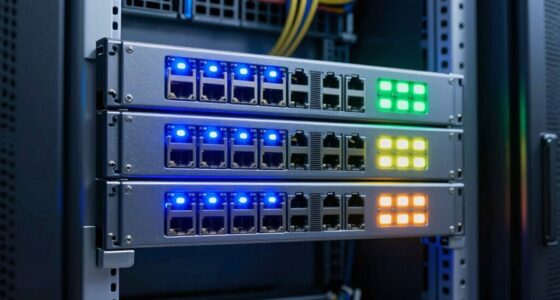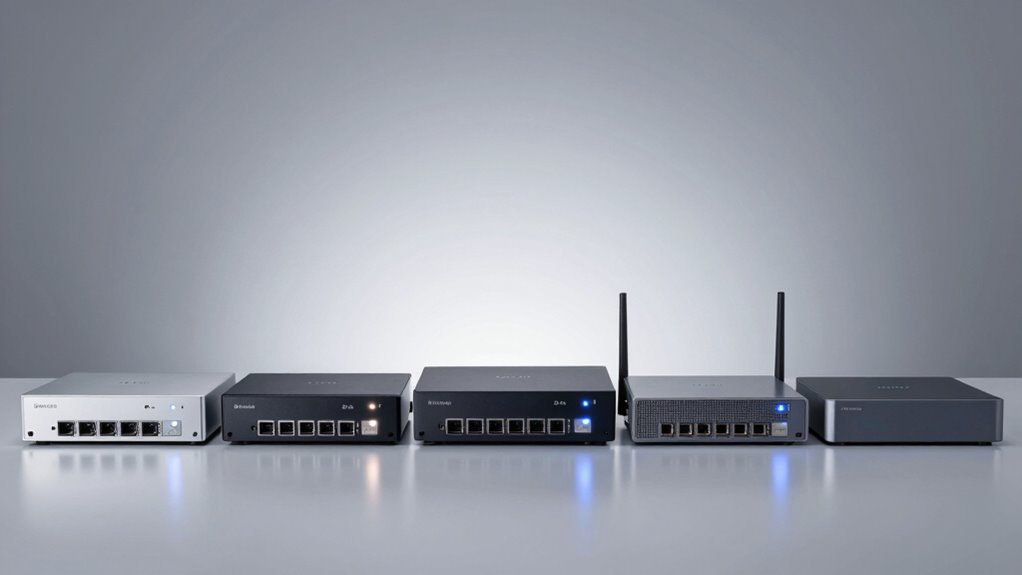
A multi-WAN load balancing router can share traffic across internet connections or fail over when one link goes down, but the right choice depends on your speed needs and management setup. My best overall pick is the TP-Link Omada ER707-M2, which pairs multi-gigabit connectivity with a flexible Omada management path. The NETGEAR PR60X stands out for 10G-class networks, while the TP-Link TL-R470T+ offers a simpler entry point for basic multi-WAN setups. The main tradeoffs are port speed, ease of configuration, Wi-Fi inclusion, and how much room you need for future growth. Read on for the full breakdown of all 14 options and the buyer factors that separate them.

Get privacy and security gear delivered free with Prime
- Fast, free delivery on millions of items
- Prime Video, Amazon Music and more included
- Member-only deals all year
Key Takeaways
- The ER707-M2 is the strongest all-round fit in this lineup for buyers who want multi-gigabit WAN capability and the option of centralized Omada management.
- The PR60X and ER8411 serve different high-capacity needs: the PR60X brings 10G and cloud management, while the ER8411 is geared toward enterprise routing and VPN demands.
- The TL-R470T+ and TL-R480T+ favor basic multi-WAN utility over multi-gigabit headroom, making them better fits for modest connections than fast fiber plans.
- The ER706W is the standout when a router with built-in Wi-Fi 6 is more useful than a separate wired gateway and access point setup.
- This group spans simple wired routers, Omada-managed systems, compact options, and PoE-equipped designs; the best fit depends as much on management and deployment as WAN count.
| TRENDnet Gigabit Multi-WAN VPN Business Router (TWG-431BR) |  | Best for Four-Connection Failover | WAN support: Up to 4 simultaneous WAN connections with load balancing | Configurable ports: 5 x Gigabit; configurable as 4 WAN/1 LAN or 1 WAN/4 LAN | VPN protocols: IPSec, PPTP, L2TP with IPsec, SSL VPN | VIEW ON AMAZON | See Our Full Breakdown |
| TP-Link Omada ER7412-M2 Multi-Gigabit VPN Router |  | Best for High-Density Multi-WAN | WAN load balancing: Up to 11 WAN ports | Ports: 2 x 2.5G RJ45 WAN/LAN, 8 x Gigabit RJ45, 2 x SFP | Maximum data transfer rate: 2500 Mbps | VIEW ON AMAZON | See Our Full Breakdown |
| TP-Link ER7206 Multi-WAN Professional Wired Gigabit VPN Router |  | Best for Omada Small Offices | WAN ports: 1 Gigabit SFP WAN, 1 Gigabit WAN, 2 Gigabit WAN/LAN; up to 4 WAN | LAN port: 1 Gigabit LAN | VPN connections: 100 LAN-to-LAN IPsec; 50 each OpenVPN, L2TP, and PPTP | VIEW ON AMAZON | See Our Full Breakdown |
| TP-Link Omada ER706W Gigabit AX3000 WiFi 6 VPN Router |  | Best for Built-In Wi-Fi | Wi-Fi standard: Wi-Fi 6 (AX3000) | Maximum 5 GHz speed: 2402 Mbps | Maximum 2.4 GHz speed: 574 Mbps | VIEW ON AMAZON | See Our Full Breakdown |
| NETGEAR PR60X 10G/Multi-Gigabit Dual WAN Cloud-Managed Pro Router |  | Best for 10G Business Backbones | WAN connections: Dual WAN with load balancing and failover | Ports: 1 x 10G Multi-Gig LAN/WAN, 1 x 2.5G WAN, 3 x 2.5G LAN, 1 x 10G SFP+ | VLANs: Up to 32 | VIEW ON AMAZON | See Our Full Breakdown |
| TP-Link Omada ER707-M2 Multi-Gigabit VPN Router |  | Best for VPN-Heavy Multi-Gigabit Networks | 2.5G ports: 1x 2.5G WAN, 1x 2.5G WAN/LAN | Configurable Gigabit ports: 4x Gigabit WAN/LAN | SFP: 1x Gigabit SFP WAN/LAN | VIEW ON AMAZON | See Our Full Breakdown |
| TP-Link TL-R470T+ Multi-WAN Load Balancing Router |  | Best for Basic Four-Line Balancing | WAN capacity: Supports up to 4 WAN connections | Fixed ports: 1 Ethernet WAN and 1 Ethernet LAN | Configurable ports: 3 Ethernet WAN/LAN | VIEW ON AMAZON | See Our Full Breakdown |
| TP-Link Omada Fusion 2.5G Multi-WAN Wired VPN Router |  | Best for On-Site Network Visibility | Ports: 5x 2.5G | WAN load balancing: Up to 4 WAN connections | Failover: Automatic WAN failover | VIEW ON AMAZON | See Our Full Breakdown |
| TP-Link TL-R480T+ 5-Port Load-Balance Broadband Router |  | Best for Legacy Fast-Ethernet Setups | Ports: 5 | Configurable WAN/LAN: Up to 4 WAN ports | Processor: 400 MHz | VIEW ON AMAZON | See Our Full Breakdown |
| ASUS ExpertWiFi EBG15 Gigabit VPN Wired Router |  | Best for Security-Minded Small Offices | WAN ports: 1x Gigabit WAN and 2x Gigabit WAN/LAN; up to 3 WAN | USB: 1x USB for backup WAN | Security: IPS, Layer 7 Firewall, AiProtection Pro, Safe Browsing, and VPN | VIEW ON AMAZON | See Our Full Breakdown |
| TP-Link ER605 Wired Gigabit VPN Router |  | Best Value for Small Omada Networks | Ports: 5 Gigabit: 1 WAN, 2 WAN/LAN, 2 LAN | Usable WAN ports: Up to 3 | USB WAN backup: Supports compatible 4G/3G modem | VIEW ON AMAZON | See Our Full Breakdown |
| TP-Link Omada ER8411 Enterprise 10G VPN Router |  | Best for High-Capacity Multi-WAN | Maximum WAN connections: Up to 10 | 10G ports: 2 × 10G SFP+ | Gigabit ports: 1 Gigabit SFP WAN/LAN and 8 Gigabit RJ45 WAN/LAN | VIEW ON AMAZON | See Our Full Breakdown |
| Cudy R700 Gigabit Multi-WAN Router |  | Best for Five ISP Connections on a Budget | Ports: 5 | Data transfer rate: 1 Gbps | WAN features: Up to 5 ISP connections, load balancing, automatic failover | VIEW ON AMAZON | See Our Full Breakdown |
| Alta Labs Route10 10 Gigabit Multi-WAN Router with PoE+ |  | Best for Multi-Gigabit Edge Networks | Processor: Quad-core Qualcomm | SFP+ ports: 2 × 10 Gbps | Ethernet ports: 4 × 2.5 Gbps | VIEW ON AMAZON | See Our Full Breakdown |
| multi wan load balancing router | Management |
|---|---|
| TRENDnet Gigabit Multi-WAN VPN | Web browser, CLI, SSH, Telnet |
| TP-Link Omada ER7412-M2 Multi- | Omada SDN centralized cloud management and app |
| TP-Link ER7206 Multi-WAN Profe | — |
| TP-Link Omada ER706W Gigabit A | — |
| NETGEAR PR60X 10G/Multi-Gigabi | NETGEAR Insight Cloud; one-year subscription included |
| TP-Link Omada ER707-M2 Multi-G | — |
| TP-Link TL-R470T+ Multi-WAN Lo | — |
| TP-Link Omada Fusion 2.5G Mult | License-free Omada Cloud portal and Omada App Bluetooth setup |
| TP-Link TL-R480T+ 5-Port Load- | — |
| ASUS ExpertWiFi EBG15 Gigabit | Web browser and ASUS ExpertWiFi mobile app with remote management |
| TP-Link ER605 Wired Gigabit VP | TP-Link Omada SDN |
| TP-Link Omada ER8411 Enterpris | Omada SDN, cloud access, and app |
| Cudy R700 Gigabit Multi-WAN Ro | Web GUI, Cudy App, TR-069 |
| Alta Labs Route10 10 Gigabit M | — |
More Details on Our Top Picks
TRENDnet Gigabit Multi-WAN VPN Business Router (TWG-431BR)
The TRENDnet TWG-431BR is a practical choice for a small office that wants to spread traffic across as many as four WAN connections and keep business devices wired. Its five configurable Gigabit ports let an administrator shift the WAN-to-LAN layout to fit the available connections, while the metal rack-mountable case suits a network closet. Compared with the TP-Link ER7206, it pairs a similar four-WAN ceiling with a broader set of listed VPN protocols, including SSL VPN; the ER7206 has clearer Omada SDN integration for centralized management. The tradeoff is a more hands-on business interface, with web, CLI, and remote shell management that may be a lot for a home user. Support is limited to normal business hours, too. Choose it for flexible wired WAN redundancy, not built-in Wi-Fi or multi-gig throughput.
Pros:- Balances traffic across up to four WAN connections
- Configurable ports adapt the WAN and LAN layout to the deployment
- Supports IPSec, PPTP, L2TP with IPsec, and SSL VPN
- Metal housing, rack brackets, and NDAA/TAA compliance suit managed business deployments
Cons:- Gigabit ports limit suitability for multi-gigabit internet service
- Business-oriented configuration can be complex for non-technical users
- Technical support is available only during normal business hours
Best for: Small offices and public-sector teams that need up to four configurable WAN links, VPN access, and rack mounting.
Not ideal for: Home users who want a simple setup or built-in Wi-Fi, and networks that need multi-gigabit ports.
- WAN support:Up to 4 simultaneous WAN connections with load balancing
- Configurable ports:5 x Gigabit; configurable as 4 WAN/1 LAN or 1 WAN/4 LAN
- VPN protocols:IPSec, PPTP, L2TP with IPsec, SSL VPN
- Management:Web browser, CLI, SSH, Telnet
- USB:1 x USB 3.0
- Compliance:NDAA and TAA compliant
- Housing:Metal housing with rack-mount brackets
- Warranty:3 years manufacturer protection
Our verdict“Pick the TWG-431BR if your office needs four-link WAN flexibility and rack-ready wired networking, and can manage its business-focused setup.”
TP-Link Omada ER7412-M2 Multi-Gigabit VPN Router
For a site that needs many internet paths and faster-than-Gigabit uplinks, the Omada ER7412-M2 offers the broadest stated WAN capacity in this batch: up to 11 WAN ports, alongside two 2.5G RJ45 ports and two SFP ports. That gives an IT team more room to combine providers and connect fiber or multi-gig equipment than the ER7206, which tops out at four WAN connections and Gigabit-class ports. Omada SDN cloud management can also make a multi-site setup easier to administer. The scale comes with a real cost in complexity: this is a wired router, so Wi-Fi needs separate access points, and its security and VPN options may be excessive for a basic home network. The listed 2500 Mbps maximum transfer rate also means the 10 Gigabit-capable ecosystem should not be mistaken for a 10 Gbps router.
Pros:- Supports load balancing across up to 11 WAN ports
- Two 2.5G RJ45 ports and two SFP ports add uplink flexibility
- Omada SDN centralizes management across compatible deployments
- Broad VPN support includes WireGuard and OpenVPN
Cons:- No built-in Wi-Fi; wireless access requires separate access points
- Advanced management and security features may be difficult to configure for home users
- Listed maximum transfer rate is 2500 Mbps, despite the multi-gig port mix
Best for: IT teams at growing offices that need numerous WAN paths, 2.5G links, SFP connectivity, and centralized Omada management.
Not ideal for: Basic home users who want built-in Wi-Fi or a straightforward router with only one or two internet connections.
- WAN load balancing:Up to 11 WAN ports
- Ports:2 x 2.5G RJ45 WAN/LAN, 8 x Gigabit RJ45, 2 x SFP
- Maximum data transfer rate:2500 Mbps
- Processor:Quad-core
- VPN protocols:SSL, IPSec, GRE, WireGuard, PPTP, L2TP, OpenVPN
- Security:DoS/DDoS protection, IP/MAC/URL filtering, DPI, IPS/IDS
- USB:USB 3.0 for network storage or backup
- Management:Omada SDN centralized cloud management and app
Our verdict“Choose the ER7412-M2 when a business needs unusually high WAN-port capacity and Omada management, and has staff to configure a wired network.”
TP-Link ER7206 Multi-WAN Professional Wired Gigabit VPN Router
The TP-Link ER7206 suits a small office that wants multi-WAN routing within the Omada SDN ecosystem. It can use up to four WAN connections, including an SFP WAN option, giving a business several ways to combine providers or match its fiber handoff. That makes it a more natural fit for Omada-managed sites than the TRENDnet TWG-431BR, while the TRENDnet lists a broader selection of VPN protocols. The ER7206 also supports substantial tunnel counts, which can help when connecting branches or remote staff. It is wired-only, however, so Wi-Fi requires separate access points. Its headline client capacity should not be read as a promise of real-world performance for that many active devices; buyers should size around actual traffic and VPN needs. Controller compatibility also matters if the rest of the network is not Omada-based.
Pros:- Offers up to four WAN connections, including a Gigabit SFP WAN
- Omada SDN supports centralized management with compatible devices
- Supports up to 100 LAN-to-LAN IPsec VPN connections
- Firewall, DoS defense, and IP/MAC/URL filtering provide business controls
Cons:- No built-in Wi-Fi; access points must be added separately
- Omada controller features depend on compatible network equipment
- Gigabit interfaces do not suit multi-gig internet plans
Best for: Small businesses already using Omada-compatible switches and access points that need up to four WAN options and centralized administration.
Not ideal for: All-in-one home users or offices committed to non-Omada equipment that do not want to manage separate controller ecosystems.
- WAN ports:1 Gigabit SFP WAN, 1 Gigabit WAN, 2 Gigabit WAN/LAN; up to 4 WAN
- LAN port:1 Gigabit LAN
- VPN connections:100 LAN-to-LAN IPsec; 50 each OpenVPN, L2TP, and PPTP
- SDN compatibility:Omada hardware, software, or cloud-based controller; standalone mode
- Security:Advanced firewall, DoS defense, IP/MAC/URL filtering
- Maximum associated client devices:150,000 (manufacturer-listed)
- Maximum clients:700 (manufacturer-listed)
Our verdict“The ER7206 is a sensible pick for an Omada small office seeking four-WAN flexibility and VPN capacity over multi-gig speeds or built-in wireless.”
TP-Link Omada ER706W Gigabit AX3000 WiFi 6 VPN Router
The Omada ER706W is the convenience pick for a small branch or home office that needs multi-WAN routing but does not want a separate wireless access point. Its built-in Wi-Fi 6 and support for up to five WAN ports bring wired routing and wireless access together; the wired ER7206 can handle up to four WAN links but needs additional hardware for Wi-Fi. The ER706W also lists WireGuard and OpenVPN among its VPN choices, with mesh compatibility for Omada access points if coverage needs to grow. Its limits are straightforward: every listed Ethernet port is Gigabit, and it lacks Wi-Fi 6E. That makes it a less suitable base for multi-gig broadband or high-throughput wired infrastructure than the ER7412-M2. Its richer business features may also take time to configure.
Pros:- Combines Wi-Fi 6 wireless access with load balancing for up to five WAN ports
- Supports WireGuard, OpenVPN, and other VPN protocols
- Mesh compatibility with Omada access points offers a route to broader coverage
- Gigabit SFP slot provides an additional uplink option
Cons:- No multi-gig Ethernet ports for faster broadband or LAN transfers
- Does not support Wi-Fi 6E
- Advanced VPN and network controls may be complex for basic home setups
Best for: Small offices and advanced home networks that want multi-WAN routing, Wi-Fi 6, and VPN access in one device.
Not ideal for: Businesses with multi-gig internet service or users who need Wi-Fi 6E and high-speed wired uplinks.
- Wi-Fi standard:Wi-Fi 6 (AX3000)
- Maximum 5 GHz speed:2402 Mbps
- Maximum 2.4 GHz speed:574 Mbps
- Ethernet ports:5 x Gigabit RJ45
- SFP:1 x Gigabit SFP slot
- WAN load balancing:Up to 5 WAN ports
- VPN protocols:SSL, IPSec, GRE, WireGuard, PPTP, L2TP, OpenVPN
- Mesh support:Compatible with Omada access points
Our verdict“Pick the ER706W if you want one device for multi-WAN routing and Wi-Fi 6, and Gigabit wired speeds meet your needs.”
NETGEAR PR60X 10G/Multi-Gigabit Dual WAN Cloud-Managed Pro Router
The NETGEAR PR60X prioritizes fast business links over a high WAN-port count: it has dual-WAN load balancing and failover, plus 10G and 2.5G interfaces for a faster LAN backbone. For a small or midsize business with two providers and multi-gig switches or storage, those ports can matter more than the four-link capacity of the TRENDnet TWG-431BR or TP-Link ER7206. The SFP+ connection also supports a fiber backhaul. In exchange, you get only two WAN links, and full remote management depends on NETGEAR Insight after the included first-year subscription. Its rack-mount design and VLAN support point to a managed office environment; the proprietary operating system is less appealing to buyers who want open firmware. It is also wired-only, so wireless access needs separate equipment.
Pros:- Dual WAN supports both load balancing and failover
- 10G Multi-Gig LAN/WAN and SFP+ ports suit fast business backbones
- Supports up to 32 VLANs for network segmentation
- VPN support includes IPSec, OpenVPN, and WireGuard
Cons:- Limited to two WAN connections, fewer than the four-link TRENDnet TWG-431BR
- NETGEAR Insight subscription is required for full management after the first year
- No built-in Wi-Fi, and the proprietary operating system limits firmware choice
Best for: Small and midsize businesses with two internet providers, 10G or 2.5G LAN equipment, and a need for cloud-based remote administration.
Not ideal for: Sites that need three or more WAN connections, built-in Wi-Fi, or open firmware options.
- WAN connections:Dual WAN with load balancing and failover
- Ports:1 x 10G Multi-Gig LAN/WAN, 1 x 2.5G WAN, 3 x 2.5G LAN, 1 x 10G SFP+
- VLANs:Up to 32
- VPN tunnels:Up to 30
- VPN protocols:IPSec, OpenVPN, WireGuard
- Maximum client connections:100
- Management:NETGEAR Insight Cloud; one-year subscription included
- Form factor:Rackmount
Our verdict“Choose the PR60X when two WAN links and fast 10G or multi-gig business connections matter more than adding extra providers.”
TP-Link Omada ER707-M2 Multi-Gigabit VPN Router
The ER707-M2 suits a small business that needs multi-WAN flexibility alongside substantial VPN capacity. Its two 2.5G ports, four configurable Gigabit WAN/LAN ports, and Gigabit SFP give an administrator several ways to combine internet links and wired devices. Compared with the TL-R470T+, it offers faster multi-gigabit connections, Omada cloud access, and much broader VPN support; the older model may suit simpler Ethernet setups better. The USB port can support an LTE dongle for backup connectivity, which adds a recovery path if a primary line drops. The tradeoff is that it has no built-in Wi-Fi, so wireless coverage requires separate access points. Its management and port options also make more sense for someone comfortable configuring a business network than for a plug-and-play home setup.
Pros:- Two 2.5G ports plus configurable Gigabit WAN/LAN and SFP ports
- Supports up to 500,000 concurrent sessions and 1000+ clients
- Broad IPsec, OpenVPN, L2TP, and PPTP support
- USB LTE backup option and Omada app cloud access
Cons:- No built-in Wi-Fi; wireless coverage requires separate access points
- Its flexible port setup and VPN features may take more network expertise to configure
- Technical support is limited to weekday business hours, 6am–6pm PST
Best for: Small offices that need multi-WAN routing, multi-gigabit links, extensive VPN options, and Omada cloud management
Not ideal for: Homes seeking a single router with built-in Wi-Fi, or buyers who want a very simple setup without separate access points
- 2.5G ports:1x 2.5G WAN, 1x 2.5G WAN/LAN
- Configurable Gigabit ports:4x Gigabit WAN/LAN
- SFP:1x Gigabit SFP WAN/LAN
- USB:1x USB 2.0 for storage or LTE backup with a compatible dongle
- Concurrent sessions:Up to 500,000
- Client capacity:1000+ clients
- VPN support:100x IPsec, 66x OpenVPN, 60x L2TP, 60x PPTP
- Cloud management:Omada app remote cloud access
- Warranty:5 years
Our verdict“Choose the ER707-M2 when multi-gigabit WAN flexibility and VPN capacity matter more than an all-in-one Wi-Fi design.”
TP-Link TL-R470T+ Multi-WAN Load Balancing Router
For a small office trying to combine several broadband lines on a wired network, the TL-R470T+ keeps the job focused: it supports up to four WAN connections and adds QoS, bandwidth controls, user access management, and firewall filtering. That makes it more useful for dividing limited connectivity among staff than a router with only basic failover. Compared with the newer Omada ER707-M2, it lacks multi-gigabit ports and Omada cloud management, but its web-based administration and configurable ports can cover a straightforward multi-line setup. The tradeoff is a more modest, older-style feature set, and the lightning protection depends on a properly grounded connection. It is a practical fit when wired WAN balancing and user controls are the priority, but buyers needing richer VPN tools or faster ports should look elsewhere.
Pros:- Supports up to four WAN connections using configurable ports
- QoS and bandwidth controls help manage shared office connectivity
- Includes DoS protection and IP, MAC, URL, and web filtering
- PPPoE server and account authentication support
Cons:- No built-in Wi-Fi; intended for wired network deployments
- Lacks the multi-gigabit ports and cloud management of the Omada ER707-M2
- Lightning protection depends on a well-grounded connection
Best for: Small offices with multiple Ethernet broadband lines that need basic load balancing, bandwidth controls, and access policies
Not ideal for: Businesses needing multi-gigabit WAN speeds, advanced cloud administration, or integrated Wi-Fi
- WAN capacity:Supports up to 4 WAN connections
- Fixed ports:1 Ethernet WAN and 1 Ethernet LAN
- Configurable ports:3 Ethernet WAN/LAN
- Network features:Load balancing, QoS, and bandwidth control
- Access management:PPPoE server and account authentication
- Security:DoS protection, IP/MAC/URL/web filtering, and IP/MAC binding
- Lightning protection:Up to 4 kV with a well-grounded connection
- Supported protocols:IEEE 802.3, 802.3u, 802.3x, TCP/IP, DHCP, ICMP, NAT, PPPoE
Our verdict“Pick the TL-R470T+ for a straightforward wired office network that needs several WAN lines and basic traffic controls.”
TP-Link Omada Fusion 2.5G Multi-WAN Wired VPN Router
The Omada Fusion makes multi-WAN status unusually easy to check at the router itself: its touchscreen offers health scores, speed tests, and live traffic information, so a technician can investigate a connection without first opening a laptop. Five 2.5G ports support up to four WAN connections with load balancing and automatic failover, giving it a more direct multi-gigabit focus than the Gigabit-only TL-R470T+. License-free Omada cloud management and Bluetooth setup add convenience for teams already using that ecosystem. The costs in flexibility are less about setup than fit: it is wired-only, and the strongest management benefits come with other Omada devices. Buyers who need wireless from the router or who prefer an open mix of management systems should look at a different design.
Pros:- Five 2.5G ports support up to four WAN connections
- Automatic failover helps maintain connectivity when a WAN link fails
- Touchscreen provides local health, speed test, and traffic information
- License-free cloud management and Bluetooth setup through Omada
Cons:- Wired-only design requires separate wireless access points
- Full centralized management benefits depend on the Omada ecosystem
- Five ports may require careful allocation between WAN links and wired LAN devices
Best for: Small business IT staff who manage multi-gigabit links and want quick status checks at the router plus Omada cloud access
Not ideal for: Home buyers needing built-in Wi-Fi, or organizations that do not want to manage their network through the Omada ecosystem
- Ports:5x 2.5G
- WAN load balancing:Up to 4 WAN connections
- Failover:Automatic WAN failover
- LAN port bandwidth:2.5 Gbps
- CPU:Quad-core
- Touchscreen:2.5-inch
- Management:License-free Omada Cloud portal and Omada App Bluetooth setup
- Weight:0.56 kg
Our verdict“Choose the Omada Fusion if multi-gigabit WAN balancing and at-a-glance local diagnostics are high priorities.”
TP-Link TL-R480T+ 5-Port Load-Balance Broadband Router
The TL-R480T+ is aimed at small or medium businesses that want multiple WAN connections, configurable ports, and basic traffic and firewall controls in a wired router. Its role is narrower than the TL-R470T+: the supplied specifications list only 100 Mbps LAN port bandwidth, so it is a better match for an existing Fast Ethernet network than for a modern office expecting higher local transfer speeds. Load balancing across up to four WAN ports can still help spread connections, while DDNS, UPnP, port mirroring, and VPN pass-through provide useful network-management options. That legacy bandwidth ceiling is the defining tradeoff; even if the internet links are combined, the listed LAN speed can constrain devices behind the router. I would reserve it for networks whose existing equipment and traffic needs fit those limits.
Pros:- Configurable ports allow up to four WAN connections
- Includes firewall security and port bandwidth controls
- Port mirroring can support network monitoring
- DDNS, UPnP, and VPN pass-through are supported
Cons:- Listed LAN port bandwidth is limited to 100 Mbps
- The 400 Mbps maximum upstream transfer specification does not remove the LAN speed constraint
- Wired router design does not provide a clear integrated Wi-Fi solution
Best for: Small businesses maintaining a wired Fast Ethernet network that need configurable WAN ports and basic monitoring controls
Not ideal for: Offices upgrading to Gigabit or multi-gigabit LANs, or buyers seeking an integrated Wi-Fi router
- Ports:5
- Configurable WAN/LAN:Up to 4 WAN ports
- Processor:400 MHz
- LAN port bandwidth:100 Mbps
- Maximum upstream data transfer:400 Mbps
- Installed RAM:128 MB
- Security:High firewall security level
- Weight:1.64 kg
Our verdict“Consider the TL-R480T+ only when its 100 Mbps LAN ports fit an existing network and multi-WAN routing is still needed.”
ASUS ExpertWiFi EBG15 Gigabit VPN Wired Router
The ASUS ExpertWiFi EBG15 is a sensible fit for a small office that wants up to three WAN connections and security tools managed through a familiar web interface or mobile app. Its USB port can provide backup WAN through a mobile hotspot, while per-port VLAN assignment helps separate devices or groups on the wired network. Compared with the Omada ER707-M2, the EBG15 offers a more compact Gigabit-focused port setup and ASUS AiProtection Pro with IPS and deep packet inspection; the Omada has a broader set of listed VPN capacities and multi-gigabit connections. The EBG15 remains wired-only, so wireless requires separate access points. Its standout security feature set may appeal to an office administrator, but buyers who need faster than Gigabit WAN ports should choose a multi-gigabit model.
Pros:- Supports load balancing across up to three Ethernet WAN connections
- USB port supports backup WAN through a mobile hotspot
- Includes IPS, Layer 7 firewall, AiProtection Pro, and Safe Browsing
- Per-port VLAN assignment helps separate network devices
Cons:- No built-in Wi-Fi; separate access points are needed
- Gigabit ports are less suited to multi-gigabit internet links than the Omada ER707-M2
- Product data does not establish real-world performance
Best for: Small offices that want up to three Gigabit WAN links, VLAN separation, threat inspection, and mobile-hotspot backup
Not ideal for: Businesses needing 2.5G or faster WAN ports, built-in Wi-Fi, or documented real-world performance evidence
- WAN ports:1x Gigabit WAN and 2x Gigabit WAN/LAN; up to 3 WAN
- USB:1x USB for backup WAN
- Security:IPS, Layer 7 Firewall, AiProtection Pro, Safe Browsing, and VPN
- VLAN:Per-port VLAN assignment
- Setup:Bluetooth setup through ASUS ExpertWiFi mobile app
- Management:Web browser and ASUS ExpertWiFi mobile app with remote management
Our verdict“Choose the EBG15 for a small wired office that values security controls and hotspot backup over multi-gigabit ports.”
TP-Link ER605 Wired Gigabit VPN Router
The ER605 is a practical entry point for a small office that needs wired multi-WAN failover, VPN access, and centralized management without 10G hardware. Its five Gigabit ports include up to three usable WAN ports, and the USB port can add a compatible 4G/3G modem as a backup connection. Compared with the Cudy R700, it offers fewer ISP connections but brings Omada SDN integration and a broad set of listed VPN connection capacities. That makes it a better fit for a modest Omada setup than for a site trying to combine many broadband lines. The tradeoffs are Gigabit-only routing, no built-in Wi-Fi, and USB modem compatibility limited to specific models; full SDN management also depends on an Omada controller.
Pros:- Up to three usable WAN ports support load balancing or failover.
- USB port allows a compatible 4G/3G modem for backup connectivity.
- Supports multiple VPN protocols with listed connection capacities.
- Omada SDN integration supports centralized network management.
Cons:- Gigabit ports limit multi-WAN throughput compared with the ER8411 and Route10.
- No built-in Wi-Fi, so wireless access points must be supplied separately.
- USB modem support is limited to specific compatible models.
Best for: Small offices already using Omada that need a few WAN links, VPN access, and optional cellular backup.
Not ideal for: Businesses needing 10G WAN throughput, more than three usable WAN ports, or an all-in-one router with Wi-Fi.
- Ports:5 Gigabit: 1 WAN, 2 WAN/LAN, 2 LAN
- Usable WAN ports:Up to 3
- USB WAN backup:Supports compatible 4G/3G modem
- Data transfer rate:1 Gbps
- VPN connections:20 IPsec, 16 OpenVPN, 16 L2TP, 16 PPTP
- Management:TP-Link Omada SDN
- Network type:Wired
Our verdict“Choose the ER605 for a small Omada network that needs affordable Gigabit multi-WAN and VPN features, and skip it if you need 10G capacity or built-in wireless.”
TP-Link Omada ER8411 Enterprise 10G VPN Router
For a business building around several internet circuits, the ER8411 offers the broadest WAN flexibility in this group: it supports up to 10 WAN connections and combines 10G SFP+ with Gigabit SFP and RJ45 ports. That headroom separates it from the Gigabit-focused ER605 and the Alta Labs Route10, which has 10G SFP+ and 2.5G Ethernet but fewer listed physical interfaces. The ER8411 is aimed at larger wired networks, with a stated capacity of 2.3 million concurrent sessions and Omada cloud and app management. Buyers should plan their port assignments carefully because many ports are shared WAN/LAN, and it has no built-in Wi-Fi. TP-Link’s cloud controller plan details also need confirmation before choosing a management setup.
Pros:- Supports load balancing across up to 10 WAN connections.
- Mixes 10G SFP+, Gigabit SFP, and Gigabit RJ45 ports.
- Omada SDN, cloud access, and app support offer remote management options.
- Listed capacity of 2.3 million concurrent sessions suits busy networks.
Cons:- No built-in Wi-Fi; wireless coverage requires separate access points.
- Shared WAN/LAN ports require deliberate planning for port assignments.
- Cloud-based controller plan details require confirmation with TP-Link.
Best for: IT teams at larger offices or multi-site businesses that need to balance many ISP circuits and manage a high number of wired clients.
Not ideal for: Home users or small offices that need simple setup, integrated Wi-Fi, or only one or two broadband connections.
- Maximum WAN connections:Up to 10
- 10G ports:2 × 10G SFP+
- Gigabit ports:1 Gigabit SFP WAN/LAN and 8 Gigabit RJ45 WAN/LAN
- USB:2 × USB 3.0
- Maximum upstream transfer rate:10,000 Mbps
- Concurrent sessions:Up to 2,300,000
- Maximum clients:1,000+
- Management:Omada SDN, cloud access, and app
- Security:Firewall policies, DoS defense, IP/MAC/URL filtering, IP-MAC binding
Our verdict“Pick the ER8411 when a business needs many WAN circuits and flexible 10G-capable port options, but choose a simpler model if your network is small or needs Wi-Fi built in.”
Cudy R700 Gigabit Multi-WAN Router
The Cudy R700 stands out for buyers who want to connect up to five ISP lines to one compact Gigabit router. Automatic failover and load balancing give it more WAN connection capacity than the TP-Link ER605, whose listed maximum is three usable WAN ports, while OpenWRT support adds room to configure VLANs, QoS, and firewall rules. Its lineup of VPN options, including WireGuard and OpenVPN, gives technically confident owners useful flexibility. That configurability is also the catch: buyers who want a managed enterprise platform may prefer the ER8411 and its Omada management ecosystem. The R700’s plastic case and Gigabit-only rate point to a compact, practical role rather than a rugged or high-throughput core router.
Pros:- Supports up to five ISP connections with load balancing and automatic failover.
- OpenWRT support enables VLAN, QoS, and firewall customization.
- Includes WireGuard, OpenVPN, IPsec, PPTP, and L2TP protocols.
- Compact dimensions suit desks or space-constrained network cabinets.
Cons:- Gigabit data rate is below the 10G capability of the ER8411 and Route10.
- Plastic case may be less durable than a metal-bodied router.
- Its customization options may require more hands-on network administration.
Best for: Technically confident home offices or small businesses connecting several ISP lines that want OpenWRT customization and VPN options.
Not ideal for: Large offices needing 10G routing, a metal enclosure, or a centralized enterprise management platform.
- Ports:5
- Data transfer rate:1 Gbps
- WAN features:Up to 5 ISP connections, load balancing, automatic failover
- VPN protocols:WireGuard, OpenVPN, IPsec, PPTP, L2TP
- Network features:VLAN and QoS
- Management:Web GUI, Cudy App, TR-069
- Dimensions:4.68 × 3.34 × 1.1 in
- Case material:Plastic
Our verdict“Choose the R700 for five-line Gigabit load balancing and customization in a small network, but look to the ER8411 or Route10 for higher throughput and larger deployments.”
Alta Labs Route10 10 Gigabit Multi-WAN Router with PoE+
The Route10 suits a multi-WAN setup where the links and local network have outgrown Gigabit Ethernet. It pairs two 10 Gbps SFP+ ports with four 2.5 Gbps Ethernet ports, plus PoE+ output on select ports, giving a wired network more capacity than the ER605 or Cudy R700. Multi-WAN failover and load balancing address the roundup’s core use case, while VPN, VLAN, firewall controls, and real-time monitoring support broader network administration. Compared with the ER8411, the Route10 lists fewer physical ports and no maximum WAN connection count, so buyers needing many ISP circuits should check that fit carefully. It also has no Wi-Fi; separate access points are required for wireless coverage.
Pros:- Two 10 Gbps SFP+ ports support high-speed WAN or network uplinks.
- Four 2.5 Gbps Ethernet ports offer more capacity than Gigabit routers.
- Multi-WAN load balancing and failover support connection resilience.
- PoE+ output on select ports and real-time statistics add network management flexibility.
Cons:- No built-in Wi-Fi; separate access points are needed for wireless coverage.
- Only six listed network ports, fewer than the ER8411’s port selection.
- The provided specifications do not state a maximum number of WAN connections.
Best for: Small businesses and advanced home networks with multi-gigabit internet or switching needs, separate access points, and a use for PoE+.
Not ideal for: Buyers who need built-in Wi-Fi, numerous WAN circuits, or a specified high WAN connection count.
- Processor:Quad-core Qualcomm
- SFP+ ports:2 × 10 Gbps
- Ethernet ports:4 × 2.5 Gbps
- PoE:PoE+ output on select ports
- WAN support:Multi-WAN, failover, and load balancing
- VPN protocols:IPsec and WireGuard
- Wireless:Wi-Fi not included
Our verdict“Choose the Route10 for a compact multi-WAN network that needs 10G and 2.5G wired capacity with PoE+, and favor the ER8411 if connecting many ISP circuits is the priority.”

How We Picked
I compared these routers by how well they address the job behind the search: combining multiple internet links, keeping service available during an outage, and matching WAN capacity to the rest of a network. I gave weight to port speeds and flexibility, practical management options, VPN and security capabilities, and whether the design fits a home, small office, or larger deployment. A router with Wi-Fi or PoE can reduce hardware needs in a specific setup, while a wired model may be a better foundation for a separate access point system.
The ranking favors balance over headline specifications alone. The ER707-M2 leads because its multi-gigabit capabilities and Omada path fit a broad range of growing networks; specialized 10G models rank highly for buyers who can use their capacity, but are less universal. Entry-level and older gigabit-focused options remain useful where simplicity and modest connection speeds matter, though they offer less room to grow. Product roles reflect those differences, so buyers can compare options by fit rather than treating every model as interchangeable.
Factors to Consider When Choosing Multi Wan Load Balancing Router
Choosing a multi-WAN router starts with the network you need to keep online, not the number of WAN ports on a spec sheet. These factors help match link capacity, failover behavior, and management effort to your setup.
Match WAN Port Speed to Your Internet Plans
List the speed of each internet service and check the router’s WAN ports against the fastest link you expect to use. A gigabit port can cap a faster fiber connection even when the router supports multiple WANs. Multi-gigabit and 10G ports provide headroom, but they only pay off if your modem, switch, clients, and service plan can also use those speeds. Avoid treating aggregate bandwidth as a promise that one download will run at the sum of all links; many balancing methods distribute separate sessions across connections. For a small office with modest plans, stable gigabit ports may be a more sensible fit than unused high-speed interfaces.
Decide Whether You Need Load Balancing, Failover, or Both
Load balancing spreads eligible traffic across connections, while failover moves traffic to a working link after a primary connection stops responding. These functions can coexist, but they solve different problems. If continuity matters most, check how the router detects a failed connection and whether it can distinguish an internet outage from a modem or cable issue. Some online sessions may still disconnect when a public IP changes during failover, so do not assume every call or remote session will continue seamlessly. Buyers who mainly want a backup link should prioritize dependable detection and clear policies over a long list of balancing modes.
Check Compatibility With Your Network and Services
Before buying, confirm that the router supports the connection types and addressing methods supplied by each ISP, including any required VLAN tagging, PPPoE credentials, or static addresses. Ask whether a modem or gateway must be placed in bridge mode, and check how that affects voice or television services bundled with internet access. A router’s VPN support can help remote staff connect, but VPN throughput may be lower than ordinary routing throughput. If you use multiple subnets, guest access, or site-to-site links, confirm the needed routing and policy features in the documentation. This check can prevent a capable router from becoming a poor fit for a particular provider or existing network.
Choose a Management Approach You Will Maintain
Some buyers want a web interface they configure once; others benefit from centralized tools for monitoring multiple network devices. A controller or cloud management system can simplify changes across a growing deployment, though it adds setup decisions and a management dependency. Check whether core routing keeps working if the controller or cloud connection is unavailable, and learn which tasks require an account or separate software. If the router will be maintained by a small team, clear status reporting and understandable failover rules may matter more than advanced controls. A feature set that nobody can confidently maintain is a poor fit, even if it looks powerful on paper.
Plan for Wi-Fi, Switching, and PoE Separately
A multi-WAN router does not automatically replace a wireless access point or a capable switch. Built-in Wi-Fi can simplify a small installation, but separate access points offer more freedom to position and expand coverage. PoE can power compatible devices over Ethernet and reduce the need for local power adapters, though you should verify the available power budget and supported standards. Also count LAN ports and consider whether wired devices will require an additional switch. Thinking through the whole network avoids paying for overlapping gear or discovering that the router lacks a port needed for the layout.
Buy Capacity for a Real Growth Plan
Paying for higher throughput makes sense when faster internet, more users, VPN traffic, or additional sites are likely to arrive during the router’s service life. It is less useful when the rest of the network will remain gigabit and the current connections are far below that ceiling. Factor in the effort of changing configuration and replacing supporting switches, not just the router’s port labels. Leave room for growth if a planned upgrade is concrete, but avoid selecting enterprise-scale capacity solely as insurance against an undefined future. A balanced system is easier to operate and less likely to leave expensive features idle.
Frequently Asked Questions
Will a multi-WAN router combine two internet plans into one faster connection?
Usually, load balancing assigns separate connections or sessions to different internet links rather than merging them into one faster pipe. A single download or application session may stay on one WAN, depending on the router and service. Multiple users or simultaneous tasks can make better use of the combined capacity. Some specialized bonding services can combine links for a single session, but that is different from ordinary load balancing and may require a provider or additional configuration. Check the router’s traffic behavior against the applications you care about.
Can I use a phone hotspot or 5G modem as the backup WAN?
That can work if the router accepts the modem’s Ethernet output or supports its connection method. Confirm whether the cellular device presents a usable network connection and whether its carrier settings allow the arrangement. Check data limits and whether the router can keep the cellular link idle until the primary connection fails. Some services use carrier-grade NAT, which can affect incoming connections and certain VPN or hosting setups. Test the full chain before relying on it for a critical site.
Will failover keep video calls and remote desktop sessions connected?
It can restore internet access quickly, but an active session may still drop when traffic moves to a WAN with a different public IP address. The result depends on the application, router behavior, and how quickly the alternate link becomes available. Failover is most dependable for reconnectable traffic such as web browsing, while real-time calls may need to reconnect. If uninterrupted sessions are a firm requirement, investigate bonding or application-level resilience rather than assuming basic dual-WAN failover will provide it. Test with the services your users rely on.
Do I need an Omada controller or cloud account to use an Omada router?
Omada models can offer standalone configuration as well as centralized management options, but the available features and setup can vary by model and firmware. A controller is most useful when you want coordinated oversight of multiple Omada devices. For a single router, standalone management may be enough if it covers your WAN policies and monitoring needs. Before purchase, confirm which functions require a controller or cloud access and what continues to work if that service is offline. That distinction helps set realistic expectations for ongoing maintenance.
Should I replace my Wi-Fi router with a multi-WAN wired router?
Only if you have a plan for wireless coverage afterward. Many multi-WAN models are wired gateways, so they need separate access points for Wi-Fi devices. A model with built-in Wi-Fi can keep a small network simpler, while a wired router plus dedicated access points gives more choice over placement and expansion. Check how your current router handles modem mode, routing, and wireless before changing equipment to avoid double NAT or losing coverage. For a larger home or office, treat routing and Wi-Fi as related but separate design decisions.
Conclusion
For most buyers seeking a capable balance of speed, WAN flexibility, and room to grow, I recommend the TP-Link Omada ER707-M2 as best overall. The TP-Link TL-R470T+ is my value pick for basic multi-WAN needs on more modest connections, while the NETGEAR PR60X is the premium choice for networks that can use its 10G and cloud-managed approach. Beginners who want a straightforward, affordable wired starting point can look at the TP-Link ER605; those who need Wi-Fi in the gateway should compare the Omada ER706W. For enterprise VPN demands, consider the ER8411, and for a PoE-focused 10G deployment, the Alta Labs Route10 has a distinct role. Choose based on the fastest WAN you can use, how you plan to manage the network, and whether wireless or PoE belongs in the same device.