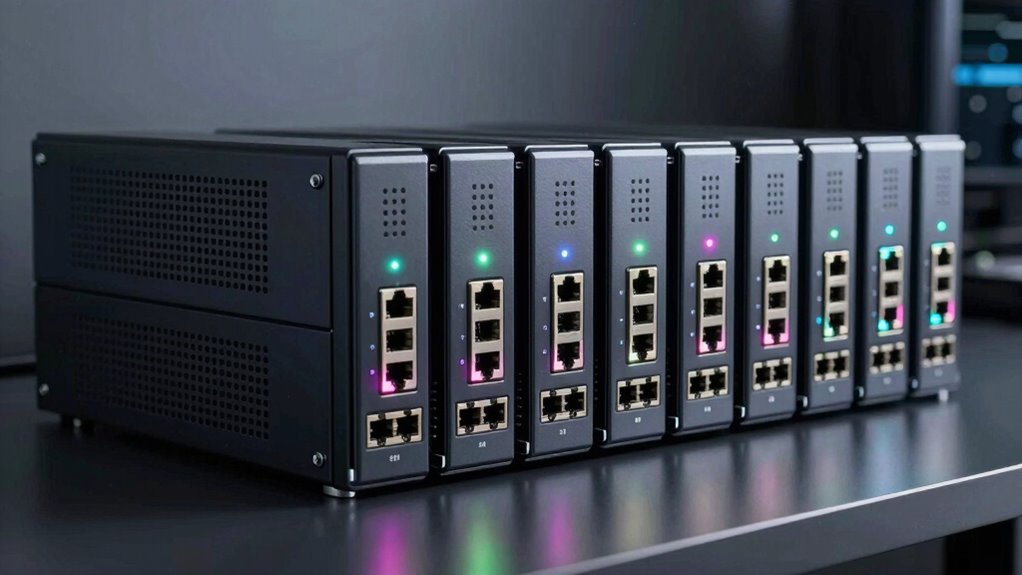

A rackmount network switch is the backbone of any growing wired network, and the right one depends on whether you need simple plug-and-play expansion, remote management, or PoE for cameras and access points. The TP-Link TL-SG1024DE stands out as my best overall pick because it adds smart management features — VLANs, QoS, and link aggregation — to a 24-port rackmount form factor at a reasonable cost. If you want zero configuration headaches, the NETGEAR GS324 and the UGREEN 24-Port deliver pure unmanaged simplicity, while the TP-Link TL-SG1218MP is the pick to beat for powering PoE devices. The core tradeoff in this category is between management flexibility and simplicity, and between port density and rack space. Keep reading for the full breakdown of all 13 switches and which one fits your setup.

Get privacy and security gear delivered free with Prime
- Fast, free delivery on millions of items
- Prime Video, Amazon Music and more included
- Member-only deals all year
Key Takeaways
- Only two switches in this lineup offer any management — the TP-Link TL-SG1024DE (smart managed) and the UGREEN 4-Mode — so buyers who need VLANs or QoS have a narrow choice here.
- PoE capability is the single biggest price differentiator: the NETGEAR GS324P and TP-Link TL-SG1218MP cost well above their non-PoE siblings, so only pay for it if you actually power devices from the switch.
- Fanless metal construction dominated this comparison, which makes nearly every pick here suitable for quiet offices, closets, and home labs — a real advantage over older rack gear.
- Port count clusters into 16, 24, and 48 tiers; the TP-Link TL-SG1048 is the only 48-port option, making it the default for high-density racks even though it lacks any management.
- Within the crowded 24-port unmanaged tier, differentiation came down to build quality, rack-mount hardware included, and energy efficiency — not raw performance, which is effectively identical at Gigabit speeds.
| TP-Link TL-SG1024DE 24-Port Gigabit Easy Smart Managed Ethernet Switch |  | Best Overall | Ports: 24 × 10/100/1000 Mbps RJ45 | Switch Type: Easy Smart Managed | Features: VLAN, QoS, IGMP Snooping, port mirroring, loop prevention, cable diagnostics | VIEW ON AMAZON | See Our Full Breakdown |
| NETGEAR 24-Port Gigabit Ethernet Unmanaged Network Switch (GS324) |  | Best Set-and-Forget Pick | Ports: 24 × RJ45 Gigabit | Switch Type: Unmanaged | Cables: Cat5e, Cat6 | VIEW ON AMAZON | See Our Full Breakdown |
| UGREEN 24-Port Gigabit Ethernet Switch |  | Best for Port Isolation | Ports: 24 × 10/100/1000 Mbps auto-negotiation | Modes: Standard, port isolation, link aggregation, flow control | Link Aggregation: Up to 2 Gbps | VIEW ON AMAZON | See Our Full Breakdown |
| TP-Link TL-SG1024S 24-Port Gigabit Ethernet Switch |  | Best Budget Rackmount | Ports: 24 × 10/100/1000 Mbps RJ45 (Auto MDI/MDIX) | Switch Type: Unmanaged | Switching Capacity: 48 Gbps | VIEW ON AMAZON | See Our Full Breakdown |
| TP-Link TL-SG1016 16-Port Gigabit Unmanaged Ethernet Switch |  | Best for Smaller Racks | Ports: 16 × Gigabit Ethernet | Switching Capacity: 32 Gbps | Architecture: Non-blocking, wire-speed forwarding | VIEW ON AMAZON | See Our Full Breakdown |
| NETGEAR GS524 24-Port Gigabit Ethernet Unmanaged Switch |  | Best Brand-Reliable Basic 24-Port | Number of ports: 24 | Port speed: 1 Gbps | Interface: RJ45 | VIEW ON AMAZON | See Our Full Breakdown |
| Tenda TEG1016D 16-Port Gigabit Ethernet Switch |  | Best Compact Rack Fill-In | Number of ports: 16 | Port type: RJ45, 10/100/1000 Mbps | Switching capacity: 32 Gbps | VIEW ON AMAZON | See Our Full Breakdown |
| NETGEAR GS324P 24-Port PoE+ Gigabit Ethernet Unmanaged Network Switch |  | Best for PoE on a Budget | Number of ports: 24 (8 x 1G, 16 x 1G PoE+) | PoE power budget: 190W | Switch type: Unmanaged PoE+ switch | VIEW ON AMAZON | See Our Full Breakdown |
| Tenda TEG1024D 24-Port Gigabit Ethernet Switch, Unmanaged Rackmount Network Switch |  | Best Value 24-Port Rack Switch | Ports: 24x 10/100/1000 Mbps RJ45 (Auto-MDI/MDIX) | Switching capacity: 48 Gbps | Buffer: 4 MB | VIEW ON AMAZON | See Our Full Breakdown |
| TP-Link TL-SG1048 48-Port Gigabit Unmanaged Ethernet Switch |  | Best High-Density Expansion | Ports: 48 × 10/100/1000 Mbps RJ45 | Switching capacity: 96 Gbps | MAC address table: 8K entries | VIEW ON AMAZON | See Our Full Breakdown |
| UGREEN 16-Port Gigabit Switch, Rackmount 4-Mode Plug & Play Ethernet Switch |  | Best for Mode Flexibility Without Management | Ports: 16 x 10/100/1000 Mbps RJ45 | Switch Type: Unmanaged plug-and-play | Working Modes: Standard, VLAN isolation, link aggregation (2Gbps), flow control | VIEW ON AMAZON | See Our Full Breakdown |
| TP-Link TL-SG1218MP 18-Port Gigabit PoE+ Switch |  | Best PoE Pick for Camera and AP Deployments | Ports: 18 total: 16 PoE+ and 2 non-PoE Gigabit | PoE Standard: 802.3at/af | Max PoE per Port: 30W | VIEW ON AMAZON | See Our Full Breakdown |
| TP-Link TL-SG1024 24-Port Gigabit Unmanaged Ethernet Switch |  | Best Basic Port-Density Workhorse | Ports: 24 x 10/100/1000 Mbps RJ45 | Switch Type: Unmanaged | MAC Address Handling: Self-learning | VIEW ON AMAZON | See Our Full Breakdown |
| rackmount network switch | Ports | Switch Type | Cooling |
|---|---|---|---|
| TP-Link TL-SG1024DE 24-Port Gi | 24 × 10/100/1000 Mbps RJ45 | Easy Smart Managed | — |
| NETGEAR 24-Port Gigabit Ethern | 24 × RJ45 Gigabit | Unmanaged | Fanless (silent) |
| UGREEN 24-Port Gigabit Etherne | 24 × 10/100/1000 Mbps auto-negotiation | — | Fanless with aluminum heatsinks and thermal pads |
| TP-Link TL-SG1024S 24-Port Gig | 24 × 10/100/1000 Mbps RJ45 (Auto MDI/MDIX) | Unmanaged | Fanless |
| TP-Link TL-SG1016 16-Port Giga | 16 × Gigabit Ethernet | — | — |
| NETGEAR GS524 24-Port Gigabit | — | Unmanaged | Fanless |
| Tenda TEG1016D 16-Port Gigabit | — | Unmanaged | Fanless |
| NETGEAR GS324P 24-Port PoE+ Gi | — | Unmanaged PoE+ switch | Fanless |
| Tenda TEG1024D 24-Port Gigabit | 24x 10/100/1000 Mbps RJ45 (Auto-MDI/MDIX) | Unmanaged, rackmount | — |
| TP-Link TL-SG1048 48-Port Giga | 48 × 10/100/1000 Mbps RJ45 | — | Fanless |
| UGREEN 16-Port Gigabit Switch | 16 x 10/100/1000 Mbps RJ45 | Unmanaged plug-and-play | Fanless with aluminum heatsinks and thermal pads |
| TP-Link TL-SG1218MP 18-Port Gi | 18 total: 16 PoE+ and 2 non-PoE Gigabit | Unmanaged plug-and-play | — |
| TP-Link TL-SG1024 24-Port Giga | 24 x 10/100/1000 Mbps RJ45 | Unmanaged | — |
More Details on Our Top Picks
TP-Link TL-SG1024DE 24-Port Gigabit Easy Smart Managed Ethernet Switch
Among 24-port rackmount switches at this tier, this stands out as the only one in the batch that lets you actually configure your network. VLANs, QoS, port mirroring, and cable diagnostics give a small business the tools to segment traffic and troubleshoot without buying full enterprise gear. Compared with the NETGEAR GS324, which is purely plug-and-play, this model trades a bit of simplicity for genuine control — the Easy Smart interface is browser-based but approachable. The tradeoff: it’s an entry-level managed switch, so expect a learning curve if you’ve never touched a VLAN, and there’s no PoE for cameras or phones. Support hours are limited to weekdays, which matters if your network acts up on a weekend. Still, for buyers who want room to grow into a real network, this pick makes the most sense.
Pros:- VLAN, QoS, and IGMP Snooping support for real traffic management
- Cable diagnostics and loop prevention simplify troubleshooting
- 48 Gbps of port capacity in a 1U rackmount metal chassis
- 3-year warranty backs long-term deployment
Cons:- No PoE support, so powered devices need separate injectors
- Configuration interface requires networking knowledge the unmanaged options skip entirely
- Technical support limited to weekday hours
Best for: Small businesses and home-lab owners who want VLAN and QoS control at 24 ports without enterprise pricing
Not ideal for: Buyers who need PoE for IP cameras or VoIP phones, or anyone wanting zero-configuration simplicity
- Ports:24 × 10/100/1000 Mbps RJ45
- Switch Type:Easy Smart Managed
- Features:VLAN, QoS, IGMP Snooping, port mirroring, loop prevention, cable diagnostics
- Setup:Plug-and-play with optional web management
- Mounting:Desktop or rackmount (1U)
- Case:Metal, 3.7 lb
- Warranty:3 years
Our verdict“The pick for anyone who wants managed features — VLANs, QoS, diagnostics — in a 24-port rack chassis without paying enterprise prices.”
NETGEAR 24-Port Gigabit Ethernet Unmanaged Network Switch (GS324)
This option wins on dependability without effort. There is no software, no login, no firmware updates to babysit — every port auto-negotiates and traffic simply flows. Compared with the TP-Link TL-SG1024S, the GS324 adds wall mounting as a third installation option and carries NETGEAR’s established SOHO track record, which explains why many offices standardize on it. The fanless design means it can sit in a shared workspace without a sound. The real tradeoff is the flip side of its simplicity: no VLANs, no QoS, no monitoring of any kind, so a growing network will eventually outgrow it — at that point the TL-SG1024DE is the better investment. Also note the U.S. and Canada only compatibility, which rules it out for international buyers.
Pros:- True plug-and-play with no configuration or software required
- Completely silent fanless operation suits shared spaces
- Desktop, wall, and rack mounting flexibility
- Energy Efficient Ethernet (802.3az) keeps power draw low
Cons:- Unmanaged design means no VLANs, QoS, or any configuration
- Region-locked to U.S. and Canada power and compliance
Best for: Small offices that want a proven, silent, zero-maintenance 24-port switch they can rack and forget about
Not ideal for: Networks that need traffic segmentation or monitoring, or buyers outside the U.S. and Canada
- Ports:24 × RJ45 Gigabit
- Switch Type:Unmanaged
- Cables:Cat5e, Cat6
- Mounting:Desktop, wall, rack
- Cooling:Fanless (silent)
- Energy Efficiency:IEEE 802.3az
- Compatibility:U.S. & Canada only
Our verdict“A buy-it-once unmanaged switch for offices that value silence and simplicity over control.”
UGREEN 24-Port Gigabit Ethernet Switch
This model occupies a smart middle ground: like the unmanaged switches it’s plug-and-play, but a physical mode switch adds port isolation (VLAN) and link aggregation without any software. That combination suits environments like small offices or rental workspaces where you want guest machines separated from the main LAN but nobody wants to learn a web interface. Compared with the TP-Link TL-SG1024S, you give up nothing on installation — rack ears are included — and gain surge protection rated at 6 kV, a meaningful safeguard in buildings with questionable wiring. The limitation versus the TL-SG1024DE is granularity: modes are all-or-nothing, with no per-port configuration, monitoring, or remote management. Aggregation tops out at 2 Gbps, fine for a NAS uplink but modest for heavier workloads.
Pros:- Four working modes including VLAN port isolation and link aggregation
- 6 kV surge protection adds resilience against dirty power
- Fanless metal housing with heatsinks and thermal pads stays silent
- Rack ears and screws included for true 1U installation
Cons:- No software interface means modes are coarse, all-or-nothing toggles
- Link aggregation limited to 2 Gbps
- No PoE support
Best for: Offices and workspaces that want basic VLAN isolation and NAS link aggregation without managing software
Not ideal for: Buyers who need per-port configuration, monitoring, or PoE — the hardware modes here can’t do either
- Ports:24 × 10/100/1000 Mbps auto-negotiation
- Modes:Standard, port isolation, link aggregation, flow control
- Link Aggregation:Up to 2 Gbps
- Surge Protection:6 kV
- Mounting:19-inch rack, wall, or desktop (ears included)
- Cooling:Fanless with aluminum heatsinks and thermal pads
- Setup:Plug and play
Our verdict“The right choice when you want VLAN-style isolation and aggregation through a mode switch rather than a management interface.”
TP-Link TL-SG1024S 24-Port Gigabit Ethernet Switch
When the goal is simply maximum ports per dollar in a rack, this is the pick. It does exactly what an unmanaged switch should — 24 auto-negotiating Gigabit ports, auto MDI/MDIX so crossover cables never matter, and a fanless metal chassis that sheds heat quietly in a 1U slot. Compared with the NETGEAR GS324, it ditches wall mounting but matches the core plug-and-play promise, and the 3-year warranty with free support softens the budget positioning. Against its sibling TL-SG1024DE, the tradeoff is stark: identical port count, but zero configuration — no VLANs, no diagnostics, no monitoring. For a wiring closet or a patch panel feeding dumb connectivity, that’s fine. For anything that might need traffic control later, spend the difference on the managed model.
Pros:- 24 auto-negotiating Gigabit ports with auto MDI/MDIX
- True 1U rackmount form factor with sturdy metal casing
- Fanless silent operation with good heat dissipation
- Energy-efficient design and 3-year warranty with free support
Cons:- Completely unmanaged — no VLANs, monitoring, or diagnostics
- No PoE support
- Desktop or rack mounting only, no wall option
Best for: Buyers adding raw port capacity to a rack or patch panel who don’t need any configuration
Not ideal for: Anyone anticipating VLANs, QoS, or diagnostics — the managed TL-SG1024DE covers the same port count with real features
- Ports:24 × 10/100/1000 Mbps RJ45 (Auto MDI/MDIX)
- Switch Type:Unmanaged
- Switching Capacity:48 Gbps
- Form Factor:Desktop / rackmount 1U
- Cooling:Fanless
- Case:Metal, 3.4 lb
- Warranty:3 years
Our verdict“A dependable, low-cost way to fill a 1U slot with 24 Gigabit ports, as long as you never need to configure them.”
TP-Link TL-SG1016 16-Port Gigabit Unmanaged Ethernet Switch
Not every rack needs 24 ports. This 16-port model is sized for the small office or home lab where eight ports are already full and a dozen more cover growth — without paying for capacity that sits empty. Its 32 Gbps non-blocking switching capacity means every port can run at wire speed simultaneously, which matters for large file transfers between a NAS and workstations. Auto MDI/MDIX and plug-and-play setup keep installation to minutes, mirroring the TL-SG1024S experience at a smaller scale. Compared with the Tenda TEG1016D at the same port count, TP-Link’s build quality and longevity are the differentiators. The honest drawback is headroom: if your network grows past 16 devices, you’re replacing rather than expanding, so dense environments should step up to a 24-port option from the start.
Pros:- 16 Gigabit ports with 32 Gbps switching capacity
- Non-blocking architecture delivers wire-speed forwarding on every port
- Auto MDI/MDIX eliminates crossover-cable headaches
- Plug-and-play setup works out of the box
Cons:- Unmanaged — no VLANs, QoS, or monitoring
- Port ceiling of 16 invites early replacement as networks grow
- No PoE support
Best for: Home labs and small offices that need 16 Gigabit ports today with modest growth ahead
Not ideal for: Expanding networks — 16 ports leaves no spare capacity, so a 24-port model avoids an early replacement
- Ports:16 × Gigabit Ethernet
- Switching Capacity:32 Gbps
- Architecture:Non-blocking, wire-speed forwarding
- Flow Control:IEEE 802.3x full duplex; backpressure half duplex
- Auto MDI/MDIX:Yes
- Setup:Plug and play
Our verdict“The right size when 24 ports is overkill — a compact, wire-speed unmanaged switch for smaller wired networks.”
NETGEAR GS524 24-Port Gigabit Ethernet Unmanaged Switch
Brand trust is the main reason the GS524 earns a slot here rather than a cheaper equivalent. Compared with the Tenda TEG1024D, you get the same core formula — 24 Gigabit ports, plug-and-play setup, a fanless metal chassis — but with NETGEAR’s longer track record for hardware longevity, which matters if this switch sits in a rack you rarely touch. The silent fanless design and flexible desktop, wall, or rack mounting make it easy to place anywhere noise is a concern. The tradeoff is that you pay a premium for the name while getting no management features at all, and the regional voltage limitation (United States and Canada only) rules it out for buyers elsewhere. For a no-frills, dependable port-expansion switch, this pick makes sense.
Pros:- 24 Gigabit Ethernet ports with true plug-and-play setup
- Fanless operation keeps racks and offices silent
- Flexible desktop, wall, or rack mounting options
- Established brand with strong hardware reputation
Cons:- Completely unmanaged — no configuration or monitoring at all
- Specified for United States and Canada use only
Best for: Small offices or home-lab owners in North America who want a dependable, silent 24-port switch from an established networking brand
Not ideal for: Buyers outside the US and Canada due to the regional compatibility restriction, or anyone needing VLANs or monitoring features
- Number of ports:24
- Port speed:1 Gbps
- Interface:RJ45
- Switch type:Unmanaged
- Cooling:Fanless
- Mounting options:Desktop, wall, or rack
- Operating temperature:32°F to 122°F
Our verdict“A safe, silent 24-port pick for North American buyers who value brand reliability over advanced features.”
Tenda TEG1016D 16-Port Gigabit Ethernet Switch
Not every rack needs 24 ports, and that’s where the TEG1016D carves out its niche. Sitting between the TP-Link TL-SG1016 and larger 24-port options like the TEG1024D, this switch targets setups where a handful of drops — a router, a few PCs, a printer, a smart TV — are all that’s needed. The 32 Gbps switching capacity and 10K jumbo frame support handle large file transfers without stutter, and the 6 kV lightning protection adds a layer of electrical resilience you don’t always find at this port count. Being unmanaged means zero network segmentation, and the modest 2 MB buffer can bottleneck under heavy simultaneous traffic compared with the TEG1024D’s 4 MB. This model suits buyers adding a compact, quiet second switch more than those building a primary backbone.
Pros:- 16 auto-negotiating Gigabit ports for everyday wired devices
- Quiet fanless metal housing
- 32 Gbps switching capacity with 10K jumbo frames
- 6 kV lightning protection on the circuitry
Cons:- Unmanaged — no configurable network features whatsoever
- Smaller 2 MB buffer limits performance under heavy simultaneous loads
Best for: Home users or small offices adding a secondary switch for a modest number of wired devices in a tight space
Not ideal for: Anyone planning to run near-saturation traffic across all 16 ports, or buyers who need VLANs or any configuration
- Number of ports:16
- Port type:RJ45, 10/100/1000 Mbps
- Switching capacity:32 Gbps
- Buffer:2 MB
- Jumbo frame support:10K
- Switch type:Unmanaged
- Lightning protection:6 kV
- Cooling:Fanless
Our verdict“A sensible compact fill-in switch when 24 ports would be overkill but jumbo frames and surge protection still matter.”
NETGEAR GS324P 24-Port PoE+ Gigabit Ethernet Unmanaged Network Switch
This is the pick that changes what your rack can do, not just how many ports it has. With 16 PoE+ ports and a 190W total budget, the GS324P powers IP cameras, access points, and VoIP phones directly over Cat5e/Cat6 — something none of the plain data switches in this lineup, like the GS524 or TEG1024D, can manage. Compared with the TP-Link TL-SG1218MP, it trades a slightly smaller PoE port count for a larger overall chassis and NETGEAR’s dynamic power allocation, which spreads the 190W across ports based on actual demand rather than fixed caps. The catch: only 16 of the 24 ports deliver power, so the last eight are data-only, and as an unmanaged switch there’s no way to prioritize camera traffic or isolate a VLAN. For pure plug-and-play PoE delivery, though, this stands out.
Pros:- 16 PoE+ ports with a generous 190W total power budget
- Dynamic PoE allocation matches power to actual device demand
- Silent fanless operation with Energy Efficient Ethernet
- Desktop or rack-mount metal chassis at a compact footprint
Cons:- Only 16 of 24 ports support PoE — the remaining 8 are data-only
- No VLANs, QoS, or any management features
Best for: Home or small-business owners who need to power IP cameras, wireless access points, or VoIP phones without touching switch configuration
Not ideal for: Buyers who need PoE on every port, or surveillance installs requiring VLANs and QoS for traffic isolation
- Number of ports:24 (8 x 1G, 16 x 1G PoE+)
- PoE power budget:190W
- Switch type:Unmanaged PoE+ switch
- Interface:Gigabit Ethernet, PoE+
- Compatible cables:Cat5e or Cat6
- Cooling:Fanless
- Mounting:Desktop or rack mount
Our verdict“The easiest way to add camera- and access-point power to a small rack, provided you don’t need management or full-port PoE.”
Tenda TEG1024D 24-Port Gigabit Ethernet Switch, Unmanaged Rackmount Network Switch
When the job is simply ‘fill a rack with 24 reliable Gigabit ports,’ the TEG1024D is hard to beat on substance-per-dollar. Against the NETGEAR GS524, it matches the port count and fanless quiet but pulls ahead on paper specs: a 4 MB buffer, 12K jumbo frames (versus typical 10K), and 6 kV lightning protection on both ports and the power supply. The full-steel housing is built for rack life, and the 3-year warranty with lifetime 24/7 support is a genuinely useful backstop for a budget unit. The tradeoff is familiar: no VLANs, no port monitoring, no link aggregation — this is a dumb switch in the best sense. Its 12W max power draw also means no room for PoE, so camera installs should look at the GS324P instead.
Pros:- 24 auto-negotiating Gigabit ports with Auto-MDI/MDIX
- 48 Gbps switching capacity and 12K jumbo frame support
- 6 kV lightning protection on ports and power supply
- 3-year warranty with lifetime 24/7 technical support
Cons:- No VLANs, port monitoring, or any advanced configuration options
- No PoE capability for powering cameras or access points
Best for: Budget-conscious buyers building a home lab or small-office rack who want maximum port density with a solid warranty
Not ideal for: Networks that need VLANs, port monitoring, or PoE — this switch delivers pure data switching only
- Ports:24x 10/100/1000 Mbps RJ45 (Auto-MDI/MDIX)
- Switching capacity:48 Gbps
- Buffer:4 MB
- Jumbo frames:12K
- Switch type:Unmanaged, rackmount
- Housing:Full steel, fanless
- Max power:12 W
- Warranty:3 years, lifetime 24/7 support
Our verdict“The best value pick for a straightforward 24-port rack build, as long as configuration and PoE aren’t on your list.”
TP-Link TL-SG1048 48-Port Gigabit Unmanaged Ethernet Switch
When 24 ports run out, the TL-SG1048 is the answer sitting ready in the rack. Doubling the port count of the TEG1024D or GS524, it offers 48 Gigabit ports backed by a 96 Gbps switching capacity and an 8K MAC address table large enough for dense device environments — think patch panels, labs, and growing office floors. Auto negotiation and auto MDI/MDIX on every port keep cabling mistakes from becoming troubleshooting sessions. The compromises are structural: this is purely a data switch with zero management (no VLANs, no link aggregation, no monitoring), and it carries no PoE, so access-point-heavy installs should pair it with — or choose — the GS324P instead. For raw, silent, dependable port density under a 3-year warranty, this model makes the most sense.
Pros:- 48 Gigabit Ethernet ports for maximum density
- 96 Gbps switching capacity handles heavy simultaneous traffic
- Quiet fanless design suitable for office placement
- Auto MDI/MDIX eliminates cabling orientation issues
Cons:- No configuration features of any kind — VLANs and QoS are off the table
- No PoE ports for powering cameras or access points
Best for: IT generalists and homelab builders who need maximum wired port density for patch panels or dense device rooms without management overhead
Not ideal for: Buyers with modest device counts (a 24-port model saves rack space and money) or anyone needing PoE and managed features
- Ports:48 × 10/100/1000 Mbps RJ45
- Switching capacity:96 Gbps
- MAC address table:8K entries
- Management:Unmanaged
- Setup:Plug and play
- Cooling:Fanless
- Warranty:3 years
Our verdict“The go-to choice when you’ve outgrown 24 ports and just need dependable, silent, high-density Gigabit switching.”
UGREEN 16-Port Gigabit Switch, Rackmount 4-Mode Plug & Play Ethernet Switch
Most unmanaged switches in this roundup, like the TP-Link TL-SG1016, give you exactly one behavior out of the box. The UGREEN 16-Port Gigabit Switch splits the difference between dumb and managed by offering four selectable modes: standard switching, VLAN port isolation, link aggregation up to 2Gbps, and flow control. That port-isolation mode alone makes this model better suited to surveillance installs or shared office drops than any purely plug-and-play alternative in this lineup, because camera traffic can be kept off the main LAN with a single switch toggle. Compared with the TL-SG1218MP, you trade away PoE entirely — so powered devices still need their own adapters. The fanless metal chassis with 6KV surge protection runs silently, and rack ears, wall, and desktop mounting all ship in the box. The tradeoff is that there is still no web interface or remote monitoring, so anyone wanting visibility into traffic should step up to the TL-SG1024DE instead.
Pros:- Four working modes including VLAN isolation and link aggregation, rare on an unmanaged switch
- Silent fanless operation with metal housing, heatsinks, and thermal pads
- 6KV surge protection for electrically noisy server rooms and cabinets
- Flexible installation with rack ears, wall mount, or desktop placement
Cons:- No web interface or remote management — mode changes require physical access
- No PoE ports, so IP cameras and access points still need separate power
Best for: Small offices and camera installs that want VLAN isolation or link aggregation without paying for a fully managed switch
Not ideal for: Buyers planning to power devices over Ethernet — there’s no PoE here, so the TL-SG1218MP or GS324P are better fits
- Ports:16 x 10/100/1000 Mbps RJ45
- Switch Type:Unmanaged plug-and-play
- Working Modes:Standard, VLAN isolation, link aggregation (2Gbps), flow control
- Cooling:Fanless with aluminum heatsinks and thermal pads
- Surge Protection:6KV
- Mounting:19″ rackmount, wall mount, desktop
- Case Material:Metal
Our verdict“This pick makes the most sense for anyone who wants smarter-than-basic switching behavior without the cost and learning curve of a managed switch.”
TP-Link TL-SG1218MP 18-Port Gigabit PoE+ Switch
If your rack is filling up with IP cameras, wireless access points, and VoIP phones, the TL-SG1218MP solves the power problem in one box: 16 PoE+ ports delivering up to 30W each, backed by a 250W total budget. That is enough headroom to run roughly a dozen cameras and a few APs simultaneously, something no other product in this batch can do — the NETGEAR GS324P offers similar capability but in a larger 24-port form factor for racks that need more copper. The combo SFP slots are the other quiet advantage here, letting you run fiber uplinks to a core switch without burning RJ45 ports, a feature the UGREEN 16-Port lacks entirely. QoS and IGMP Snooping keep voice and multicast video traffic prioritized without any configuration. The honest tradeoff: this is still unmanaged, so there is no per-port power monitoring or VLAN control — deployments that need that visibility should look at managed PoE alternatives instead.
Pros:- 16 PoE+ ports with a 250W total budget for dense powered-device deployments
- Two combo SFP slots plus two non-PoE Gigabit uplink ports for flexible backbone connections
- QoS and IGMP Snooping improve voice and video traffic without configuration
- Plug-and-play setup with a solid metal case and 3-year warranty
Cons:- Unmanaged design means no per-port power monitoring or PoE scheduling
- Larger and heavier (2.36 kg) than comparable 16-port non-PoE switches
Best for: Businesses and serious home labs powering dense clusters of PoE cameras, access points, or VoIP phones from a single rack unit
Not ideal for: Racks that only need plain connectivity — the PoE hardware adds cost and weight that non-PoE buyers won’t use
- Ports:18 total: 16 PoE+ and 2 non-PoE Gigabit
- PoE Standard:802.3at/af
- Max PoE per Port:30W
- Total PoE Budget:250W
- Uplinks:2 Gigabit ports + 2 combo SFP slots
- Switch Type:Unmanaged plug-and-play
- Case Material:Metal
- Warranty:3 years
Our verdict“This model is better suited than anything else in the lineup for buyers whose priority is delivering power and data to many PoE devices from one rack unit.”
TP-Link TL-SG1024 24-Port Gigabit Unmanaged Ethernet Switch
When the job is simply maximizing wired ports per rack unit, the TL-SG1024 does it with minimal fuss: 24 Gigabit RJ45 ports in a steel 19-inch chassis, no configuration, no firmware to babysit. Compared with its sibling TL-SG1024S, the difference is form factor — this model is built as a native rackmount unit rather than a desktop box with optional brackets, which matters if your rack space is already tight. Against the NETGEAR GS324, the feature sets are near identical, so the choice comes down to brand preference and warranty terms. The auto MDI/MDIX support means no crossover-cable headaches, and IEEE 802.3X flow control protects against packet loss during bursty transfers. The limitation is a familiar one for unmanaged gear: no VLANs, no link aggregation, no monitoring — buyers who grow into those needs will outgrow this switch and should start with the TL-SG1024DE instead.
Pros:- 24 Gigabit RJ45 ports for high port density in one rack unit
- Native 19-inch rackmount steel case built for permanent installs
- Auto MDI/MDIX eliminates crossover-cable concerns
- IEEE 802.3X flow control and MAC self-learning for stable, hands-off operation
Cons:- Completely unmanaged — no web interface, VLANs, or link aggregation
- No SFP or fiber uplink options for longer-distance backbone links
Best for: Rack owners who need 24 straightforward Gigabit ports for patch panels or server uplinks and nothing more
Not ideal for: Growing networks that will eventually need VLANs, link aggregation, or traffic monitoring — those features require a managed switch
- Ports:24 x 10/100/1000 Mbps RJ45
- Switch Type:Unmanaged
- MAC Address Handling:Self-learning
- Cabling:Auto MDI/MDIX
- Flow Control:IEEE 802.3X (full duplex), back pressure (half duplex)
- Mounting:19-inch rack-mountable steel case
- Duplex Modes:Full/half at 10/100 Mbps; full at 1000 Mbps
Our verdict“This option stands out for buyers who want the most reliable, zero-maintenance way to fill a rack with wired Gigabit ports.”

How We Picked
I evaluated every switch in this lineup against the criteria that actually drive a rackmount purchase: port density, management capability, Power over Ethernet, build and thermal design, and ease of deployment. Because all of these switches are Gigabit-rated, raw throughput was a level playing field — the separation came from what surrounds those ports. A switch that includes rack ears and screws, runs fanless, and offers a web interface for VLANs simply delivers more long-term value than an identical-count unmanaged box.
The ranking logic follows buyer intent. Managed-capable picks rank highest for versatility, since a smart switch grows with your network while an unmanaged one hits a ceiling. PoE models earn mid-tier positions reserved for specific use cases like IP cameras and wireless access points, because paying for PoE without PoE devices wastes budget. Unmanaged switches round out the list ordered by port count, build quality, and included rack hardware — the details that distinguish otherwise interchangeable options.
| rackmount network switch | Switch Type | Cooling |
|---|---|---|
| TP-Link TL-SG1024DE 24-Port Gi | Easy Smart Managed | — |
| NETGEAR 24-Port Gigabit Ethern | Unmanaged | Fanless (silent) |
| UGREEN 24-Port Gigabit Etherne | — | Fanless with aluminum heatsinks and thermal pads |
| TP-Link TL-SG1024S 24-Port Gig | Unmanaged | Fanless |
| TP-Link TL-SG1016 16-Port Giga | — | — |
| NETGEAR GS524 24-Port Gigabit | Unmanaged | Fanless |
| Tenda TEG1016D 16-Port Gigabit | Unmanaged | Fanless |
| NETGEAR GS324P 24-Port PoE+ Gi | Unmanaged PoE+ switch | Fanless |
| Tenda TEG1024D 24-Port Gigabit | Unmanaged, rackmount | — |
| TP-Link TL-SG1048 48-Port Giga | — | Fanless |
| UGREEN 16-Port Gigabit Switch | Unmanaged plug-and-play | Fanless with aluminum heatsinks and thermal pads |
| TP-Link TL-SG1218MP 18-Port Gi | Unmanaged plug-and-play | — |
| TP-Link TL-SG1024 24-Port Giga | Unmanaged | — |
Factors to Consider When Choosing Rackmount Network Switch
Before settling on a specific model, step back and think about how your rack will grow over the next three to five years. The most common mistake I see is buying exactly enough ports for today, then paying twice when the switch fills up six months later.Managed vs. Unmanaged: The Decision That Shapes Everything
An unmanaged switch forwards traffic the moment you plug it in, and for many small offices and home labs that is genuinely all that’s needed. The limitation appears when your network matures: without VLANs you cannot segment guest traffic from servers, without QoS you cannot prioritize voice or video, and without port monitoring you troubleshoot blind. A smart managed switch like the TL-SG1024DE costs only modestly more than its unmanaged siblings and removes that ceiling entirely. My advice: if there is even a moderate chance you’ll add a second subnet, security cameras, or a hypervisor, pay the small premium now. Buyers who will only ever connect PCs and printers to a single flat network can skip management without guilt.
Port Count: Buy One Tier Ahead
Port count is the least flexible decision you’ll make, because unlike almost every other feature it cannot be upgraded later. A practical rule is to size your switch at roughly 150% of your current device count — that accounts for growth plus the ‘just one more device’ connections that always appear. 16-port models suit small offices and home labs, 24 ports is the sweet spot for most businesses, and 48-port units like the TL-SG1048 only make sense once you’re filling a proper rack. Also count your uplinks: if you have two routers, a NAS, and a server, those consume four ports before any end devices connect. Overshooting on ports is cheap; undershooting means buying a second switch and burning more rack units.
PoE: Only Pay for Power You’ll Actually Use
Power over Ethernet is the most expensive line item on a switch spec sheet, often doubling the price of an equivalent non-PoE model. It earns that cost when you’re running IP cameras, wireless access points, or VoIP phones, because it eliminates separate power supplies and cabling runs to each device. The mistake to avoid is buying PoE ‘just in case’ — a fallback switch is far cheaper than a PoE budget you never use. Also check the total PoE budget, not just per-port wattage: a switch may support 30W per port but only 150W total, which limits how many high-draw cameras you can actually run. If only two or three devices need power, midspan injectors are often the smarter spend.
Cooling, Noise, and Where the Rack Lives
Almost every switch in this comparison is fanless, and that matters more than it sounds. A fanless metal chassis is silent, has no moving parts to fail, and can live in an office closet, under a desk, or in a bedroom-adjacent home lab without complaint. Older and higher-port-count enterprise switches often use active cooling that produces a constant whine — fine in a server room, miserable anywhere else. Check the operating temperature rating too: a switch squeezed into a sealed wall cabinet with no airflow can overheat even when fanless. Metal enclosures aren’t just about durability; they double as heatsinks, which is why the better-built units here run cooler at full load.
Rack Hardware and Physical Fit
Not every ‘rackmount’ switch ships with the ears and screws you need, and that’s a frustrating discovery on installation day. Verify what’s included before ordering, and confirm the switch depth fits your rack — shallow wall-mount racks often can’t accommodate longer chassis. Also plan your rack unit budget: most of these switches occupy 1U, but a crowded rack fills fast once you add patch panels, a UPS, and a shelf. Leaving a blank space above high-density switches improves airflow and gives you room for a future upgrade without re-cabling the whole rack. Finally, front-facing port orientation keeps your cabling clean and patching accessible; side-facing ports force awkward cable bends in narrow enclosures.
Warranty and Longevity: The Hidden Value Difference
A switch is infrastructure, and infrastructure should outlast its surroundings. Warranty length varies meaningfully across this category, with NETGEAR and TP-Link typically offering longer coverage on metal-enclosure models than budget brands. That difference reflects expected component quality as much as policy — power supplies are the most common failure point on cheap switches, and a failed PSU takes your entire network down with it. For business-critical deployments, consider buying two smaller switches rather than one large one, so a failure only takes half your ports offline. Lifetime or multi-year coverage also protects your resale path if you upgrade to 2.5G or 10G later.
Frequently Asked Questions
Do I need a managed switch, or is unmanaged fine for my setup?
If every device on your network lives on the same subnet and you never need to prioritize traffic, an unmanaged switch like the NETGEAR GS324 or TP-Link TL-SG1024S will serve you well for years. The moment you want guest network separation, VLANs for security cameras, link aggregation to a NAS, or the ability to see which port is flooding traffic, you need at least a smart managed switch. In this lineup, the TP-Link TL-SG1024DE is the standout smart option because it keeps the same 24-port rackmount footprint as its unmanaged siblings while adding a web interface. A useful heuristic: home users and flat small-office networks can go unmanaged, while anyone running servers, hypervisors, or surveillance gear should choose managed from day one.
Can I mix PoE and non-PoE switches in the same rack?
Absolutely, and it’s often the smartest architecture. A common setup is one PoE switch — like the TP-Link TL-SG1218MP or NETGEAR GS324P — dedicated to cameras and access points, connected via a short uplink to a larger unmanaged switch handling workstations and servers. This approach concentrates your expensive PoE budget where it’s needed and keeps the high-port-count switch affordable. One caution: never assume a port is PoE-safe in reverse; non-PoE devices connected to PoE ports are fine because the standard negotiates power, but a PoE device on a non-PoE port simply won’t power on. Labeling your switches clearly in the rack saves future confusion during patching.
Is 24 ports enough, or should I jump straight to 48?
Count your actual connections before answering — including uplinks, NAS units, printers, and access points, not just PCs. Most small and mid-sized offices discover that 24 ports with 30–40% headroom covers them comfortably, and 24-port switches like the TL-SG1024DE give you management options the 48-port TL-SG1048 lacks. The 48-port switch makes sense when you’re filling a proper server rack, running structured cabling to every desk in a larger office, or consolidating multiple smaller switches. Remember that a second 24-port switch later often costs less than a 48-port unit today and adds redundancy — one failure only takes half your ports down. Buy 48 when density is certain, not speculative.
Are these switches quiet enough for a home lab or office closet?
Nearly every switch in this roundup uses a fanless metal design, which means silent operation and no moving parts to wear out. That’s a deliberate feature of this tier of Gigabit rackmount hardware — fanless cooling works because these switches draw relatively little power compared to enterprise 10G gear. The main thermal consideration isn’t the switch itself but its environment: a sealed wall cabinet with no ventilation can still push temperatures past spec even for a fanless unit. Leave at least a half rack unit of clearance above high-density switches and avoid stacking them directly against other heat-producing gear. In an open office or home setting, all of these picks will go unnoticed acoustically.
What’s the real difference between the budget Tenda/UGREEN switches and TP-Link or NETGEAR?
On paper, Gigabit is Gigabit — data moves at the same speed regardless of brand, and budget options like the Tenda TEG1024D handle basic forwarding perfectly well. The differences live in the margins: enclosure rigidity, power supply quality, included rack hardware, warranty length, and long-term firmware support. NETGEAR and TP-Link generally back their metal-enclosure switches with longer warranties and better documentation, which matters when a failed unit takes your whole network offline. UGREEN’s 4-mode switch actually carves out its own niche with switching modes the big brands don’t offer at this price. My guidance: budget brands are fine for secondary or home racks, but for the single switch your business depends on, the established brands’ support infrastructure earns its premium.
Conclusion
The right rackmount switch comes down to what your network is doing today and where it’s heading. For best overall, the TP-Link TL-SG1024DE wins on versatility — 24 ports, smart management, and rackmount form in one package that outgrows a plug-and-play box. The NETGEAR GS324 and Tenda TEG1024D take best value for buyers who just need reliable unmanaged port expansion without paying for features they’ll never touch.
For best premium, the TP-Link TL-SG1218MP justifies its higher cost with a generous PoE+ budget and management, making it the surveillance-and-access-point workhorse of this lineup. Beginners should start with the TP-Link TL-SG1016 or UGREEN 4-Mode — simple, forgiving, and cheap enough to learn on. For specific needs: the TL-SG1048 for high-density racks, the NETGEAR GS324P for plug-and-play PoE, and the TL-SG1024S for a dependable secondary switch. Whatever you choose, size one port tier ahead of today’s needs — the cheapest upgrade is the one you don’t have to make twice.
Halloween Picks
halloween
As an affiliate, we earn on qualifying purchases.