
An LTE router with failover can keep a network online by switching to cellular service when its primary connection drops. My best overall pick is the Teltonika RUTM50, which stands out for buyers seeking a cellular-first industrial router with 5G capability. The GL.iNet GL-X3000 Spitz AX is a strong alternative for users who want 5G, Wi-Fi 6, and dual-SIM flexibility, while the CSG m106 with built-in battery suits portable use and short outages. The main tradeoffs are cellular speed and carrier flexibility versus cost, setup complexity, and whether the router includes battery backup. Read on for the full comparison and guidance on choosing the right failover setup.

Get privacy and security gear delivered free with Prime
- Fast, free delivery on millions of items
- Prime Video, Amazon Music and more included
- Member-only deals all year
Key Takeaways
- The Teltonika RUTM50 leads for cellular-first resilience: its industrial-router focus and 5G capability make it a stronger fit for demanding network continuity needs than basic SIM-slot routers.
- The GL-X3000 and GL-XE3000 bring 5G and dual-SIM flexibility: they are worth comparing when carrier redundancy matters, but their Wi-Fi and battery features serve different needs.
- Built-in battery backup is a separate advantage from LTE failover: the CSG m106 models and GL-XE3000 can keep the router powered during an outage, while many wired models need external power backup.
- Industrial models prioritize deployment and control over home convenience: the Teltonika, LINOVISION, and InHand options are better suited to equipment, remote sites, or specialized connections than plug-and-play household Wi-Fi.
- A SIM slot alone does not establish a complete failover plan: buyers still need to verify carrier compatibility, failover behavior, data allowance, and whether the primary internet connection can be connected to the router.
| Teltonika RUTM50 5G Industrial Router |  | Best Overall for Industrial 5G Failover | Model: RUTM50000000 | Cellular connectivity: 5G and 4G LTE | Failover: Dual SIM | VIEW ON AMAZON | See Our Full Breakdown |
| CSG m106 LTE Gateway Router with Verizon 4G LTE, Failover, and Backup Battery (Renewed) |  | Best for Verizon Backup During Power Interruptions | Model: m106 | Condition: Renewed | Cellular compatibility: Verizon 4G LTE | VIEW ON AMAZON | See Our Full Breakdown |
| Teltonika RUT241 Industrial Cellular Router |  | Best Compact Industrial LTE Failover Router | Cellular connectivity: 4G LTE Cat 4 and 3G | Maximum cellular speeds: LTE up to 150 Mbps; 3G up to 42 Mbps | Wi-Fi standard: IEEE 802.11b/g/n | VIEW ON AMAZON | See Our Full Breakdown |
| MOFINETWORK MOFI6500-5GXeLTE-RM520-HP 4G LTE 5G Dual SIM Cellular Router |  | Best for Wi-Fi 6 and Dual-SIM 5G | Cellular connectivity: 5G and 4G LTE | Cellular platform: Qualcomm X62 5G NR solution | SIM support: Dual SIM with automatic failover | VIEW ON AMAZON | See Our Full Breakdown |
| Dual-Band 4G LTE Router with SIM Card Slot |  | Best Value-Style Pick for Basic Home Failover | Cellular download speed: Up to 150 Mbps | Cellular upload speed: Up to 50 Mbps | Wi-Fi bands: 2.4 GHz and 5 GHz | VIEW ON AMAZON | See Our Full Breakdown |
| GL.iNet GL-X3000 Spitz AX 5G Cellular Wi-Fi 6 Router |  | Best Overall for Flexible Failover | Cellular: 5G NR, LTE, UMTS, WCDMA | Wi-Fi: Dual-band Wi-Fi 6 | Wi-Fi data rate: Up to 574 Mbps at 2.4 GHz and 2402 Mbps at 5 GHz | VIEW ON AMAZON | See Our Full Breakdown |
| LINOVISION Industrial 4G LTE WiFi Cellular Router with Dual SIM and RS485 |  | Best for Industrial IoT Failover | Cellular: 4G LTE Cat 4; up to 150 Mbps download and 50 Mbps upload | Listed LTE bands: B2, B4, B5, B12, B13, B14, B66, B71 | SIM slots: 2 | VIEW ON AMAZON | See Our Full Breakdown |
| LINOVISION Industrial 4G LTE Cellular Router with Upgraded 2-in-1 Antenna |  | Best for Harsh Outdoor Installations | Cellular: LTE Cat 4; up to 150 Mbps download and 50 Mbps upload | Failover: Wired, cellular, and Wi-Fi connections | LAN ports: 2, 10/100 Mbps | VIEW ON AMAZON | See Our Full Breakdown |
| GL.iNet GL-X2000 Spitz Plus 4G LTE Cat 12 Wi-Fi 6 Dual-SIM Router |  | Best 4G Wi-Fi 6 Value | Cellular: 4G LTE Cat 12 | Wi-Fi: Dual-band Wi-Fi 6; up to 574 Mbps at 2.4 GHz and 2402 Mbps at 5 GHz | SIM: Dual SIM, single standby | VIEW ON AMAZON | See Our Full Breakdown |
| Cradlepoint IBR600C-150M 4G LTE Cat 4 Router with 3G Fallback |  | Best for Compact Vehicle and IoT Deployments | Cellular: 4G LTE Cat 4 with 3G fallback | Data transfer rate: Up to 150 Mbps | Maximum upstream rate: Up to 50 Mbps | VIEW ON AMAZON | See Our Full Breakdown |
| Cudy 4G AC1200 4-Port Wi-Fi 5 Dual-Band Router with SIM Slot, LT500 | 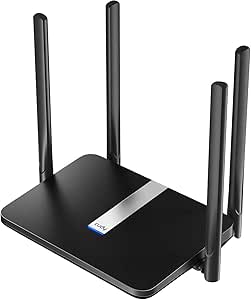 | Best Value for Fixed-Site LTE Failover | Cellular standard: 4G LTE Cat 4; 3G also listed | Advertised LTE download: Up to 150 Mbps | Wi-Fi: Dual-band Wi-Fi 5 (802.11ac), 867 + 300 Mbps advertised | VIEW ON AMAZON | See Our Full Breakdown |
| CSG m106 LTE Cellular Gateway Business or Home Router, Verizon 4G LTE Network Compatible, Built-in Failover, 5,000 mAh Backup Battery for Travel, Lightweight Portable Design, RV Internet | | Best for Portable Failover and Power Outages | Cellular compatibility: Verizon 4G LTE | Battery: 5,000 mAh; approximately 8 hours listed | Wi-Fi: Single-band 2.4 GHz, Wi-Fi 3 (802.11b/g/n) | VIEW ON AMAZON | See Our Full Breakdown |
| Hitron D60 5G Cellular Router with Wi-Fi 6 |  | Best for Faster 5G Backup | Cellular connectivity: 5G SA/NSA and 4G LTE | SIM support: Nano SIM and eSIM | Advertised cellular download: Up to 3.4 Gbps | VIEW ON AMAZON | See Our Full Breakdown |
| GL.iNet GL-XE3000 Puli AX 5G Wi-Fi 6 Router with Dual SIM and 6400mAh Battery | 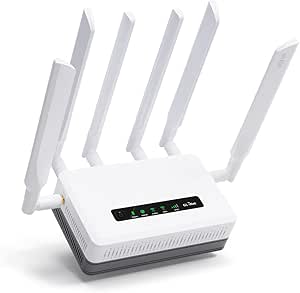 | Best Premium Portable Failover | Cellular connectivity: 5G NSA/SA and 4G LTE | SIM configuration: Dual SIM, single standby | Wi-Fi: Dual-band Wi-Fi 6; 574 Mbps (2.4 GHz) + 2402 Mbps (5 GHz) | VIEW ON AMAZON | See Our Full Breakdown |
| InHand Networks IR302 Industrial IoT 4G LTE VPN Cellular Router |  | Best for Industrial Always-On Connectivity | Cellular standard: LTE Cat 4 | SIM slots: 2; carrier service not included | Ethernet ports: 2 x 10/100 Mbps, WAN/LAN switchable | VIEW ON AMAZON | See Our Full Breakdown |
| lte router with failover | Wi-Fi |
|---|---|
| Teltonika RUTM50 5G Industrial | Dual-band 802.11ac |
| CSG m106 LTE Gateway Router wi | — |
| Teltonika RUT241 Industrial Ce | — |
| MOFINETWORK MOFI6500-5GXeLTE-R | Wi-Fi 6, dual-band 802.11ax |
| Dual-Band 4G LTE Router with S | — |
| GL.iNet GL-X3000 Spitz AX 5G C | Dual-band Wi-Fi 6 |
| LINOVISION Industrial 4G LTE W | 802.11b/g/n, 2.4 GHz; access point and client modes |
| LINOVISION Industrial 4G LTE C | 802.11b/g/n |
| GL.iNet GL-X2000 Spitz Plus 4G | Dual-band Wi-Fi 6; up to 574 Mbps at 2.4 GHz and 2402 Mbps at 5 GHz |
| Cradlepoint IBR600C-150M 4G LT | Wi-Fi; listed generation is Wi-Fi 1 |
| Cudy 4G AC1200 4-Port Wi-Fi 5 | Dual-band Wi-Fi 5 (802.11ac), 867 + 300 Mbps advertised |
| CSG m106 LTE Cellular Gateway | Single-band 2.4 GHz, Wi-Fi 3 (802.11b/g/n) |
| Hitron D60 5G Cellular Router | Wi-Fi 6 (802.11ax), up to 5.4 Gbps advertised |
| GL.iNet GL-XE3000 Puli AX 5G W | Dual-band Wi-Fi 6; 574 Mbps (2.4 GHz) + 2402 Mbps (5 GHz) |
| InHand Networks IR302 Industri | Single-band 2.4 GHz, 802.11b/g/n |
More Details on Our Top Picks
Teltonika RUTM50 5G Industrial Router
The RUTM50 is my strongest fit for sites that need more than a basic LTE backup: it combines 5G and 4G LTE with dual-SIM failover, five Gigabit Ethernet ports, and remote management through Teltonika RMS. That mix gives businesses room to connect wired equipment and manage the router off-site when a link needs attention. Compared with the Teltonika RUT241, it offers 5G and faster Gigabit networking, while the RUT241 is a smaller, simpler LTE choice. The tradeoff is that the RUTM50’s industrial feature set may be unnecessary for a home connection, and its Wi-Fi 5 is an older standard than the Wi-Fi 6 offered by the MOFI6500. I’d choose it for dependable, configurable failover over the newest wireless generation.
Pros:- Dual-SIM failover with both 5G and 4G LTE connectivity
- Five Gigabit Ethernet ports support multiple wired devices
- OpenVPN, IPsec, and WireGuard support gives buyers several VPN choices
- Teltonika RMS supports remote monitoring and configuration
Cons:- Wi-Fi is dual-band 802.11ac rather than Wi-Fi 6
- Industrial controls and management features may be more than a basic home network needs
Best for: Small businesses and industrial sites that need dual-SIM cellular backup, several wired connections, VPN options, and remote administration.
Not ideal for: Home users seeking a simple, low-complexity router or buyers who want Wi-Fi 6 as a priority.
- Model:RUTM50000000
- Cellular connectivity:5G and 4G LTE
- Failover:Dual SIM
- Wi-Fi:Dual-band 802.11ac
- Ethernet ports:5 Gigabit ports
- Maximum data transfer rate:3.4 Gbps
- VPN protocols:OpenVPN, IPsec, WireGuard
- Operating system:RutOS, OpenWrt-based Linux
- Warranty:2 years
Our verdict“Choose the RUTM50 if your priority is configurable 5G and LTE failover with strong wired and remote-management capabilities.”
CSG m106 LTE Gateway Router with Verizon 4G LTE, Failover, and Backup Battery (Renewed)
The renewed CSG m106 pairs automatic failover with a built-in backup battery, addressing two common causes of lost connectivity: an unavailable primary network and a power interruption. Its Verizon 4G LTE compatibility makes it a focused option for households or small offices already using that carrier. Unlike the Teltonika RUTM50, it does not list 5G, dual-SIM support, or a broad selection of VPN protocols; it is a more basic gateway rather than an industrial networking platform. The m106’s 802.11n Wi-Fi is also dated beside the Wi-Fi 6 on the MOFI6500, so I would not choose it for demanding wireless traffic. Renewed condition and a 90-day limited warranty add another tradeoff, but the battery-backed Verizon failover focus is distinctive.
Pros:- Automatic failover provides an LTE backup connection
- Built-in battery can keep the gateway operating during power interruptions
- Verizon 4G LTE compatibility suits customers on that network
- Ethernet, USB, and Wi-Fi provide several connection options
Cons:- 802.11n Wi-Fi is an older wireless standard
- Renewed condition comes with a 90-day limited warranty
- The listed specifications do not identify 5G or dual-SIM capability
Best for: Verizon customers who want a straightforward LTE failover gateway with battery backup for a home or small office.
Not ideal for: Buyers needing 5G, modern Wi-Fi performance, broad carrier choice, or a longer warranty on a new device.
- Model:m106
- Condition:Renewed
- Cellular compatibility:Verizon 4G LTE
- Failover:Automatic
- Backup power:Built-in battery
- Wireless standard:802.11n
- LAN ports:3
- Connections:Ethernet, LTE, USB, and Wi-Fi
- Warranty:90-day limited warranty
Our verdict“Pick the renewed m106 if Verizon LTE and battery-backed failover matter more than newer Wi-Fi or 5G.”
Teltonika RUT241 Industrial Cellular Router
The RUT241 takes a compact, industrial approach to LTE failover: it supports 4G LTE Cat 4 and 3G, with automatic WAN switching and a small aluminum enclosure. Its low-voltage input range makes it relevant to installations where a typical home router is not the right fit. Compared with the Teltonika RUTM50, it gives up 5G, Gigabit Ethernet, and multiple Ethernet ports, but it is physically smaller and its included power supply, antennas, cable, and SIM adapter kit help with deployment. The main constraint is its 10/100 Mbps Ethernet, which can limit wired throughput even when the cellular connection is capable of more. The listed North American cellular compatibility also narrows its audience. I’d favor it for compact, modest-bandwidth installations rather than a busy office network.
Pros:- Automatic WAN failover supports backup connectivity
- Compact aluminum enclosure suits space-constrained installations
- Accepts 9–30 VDC input for flexible deployment
- Includes antennas, power supply, Ethernet cable, and SIM adapter kit
Cons:- Ethernet ports are limited to 10/100 Mbps
- Only one WAN and one LAN port are specified
- Cellular compatibility is specified for North America
Best for: Installers and small operations needing a compact North American LTE router with WAN failover and low-voltage power support.
Not ideal for: Users requiring Gigabit wired speeds, 5G, multiple Ethernet connections, or cellular compatibility outside the stated North American scope.
- Cellular connectivity:4G LTE Cat 4 and 3G
- Maximum cellular speeds:LTE up to 150 Mbps; 3G up to 42 Mbps
- Wi-Fi standard:IEEE 802.11b/g/n
- Maximum Wi-Fi users:50 simultaneous connections
- Ethernet ports:1 WAN and 1 LAN, 10/100 Mbps
- Input voltage:9–30 VDC
- Memory:128 MB RAM; 16 MB flash
- Dimensions:3.26 × 0.98 × 2.91 inches
- Weight:0.27 pounds
Our verdict“Choose the RUT241 for compact industrial LTE failover where modest Ethernet speeds and a single LAN port are acceptable.”
MOFINETWORK MOFI6500-5GXeLTE-RM520-HP 4G LTE 5G Dual SIM Cellular Router
The MOFI6500 is aimed at buyers who want cellular failover and a capable local wireless network in the same router. It combines 5G and LTE, dual-SIM auto failover, and Wi-Fi 6, with five Gigabit ports and a rugged metal case. Compared with the Teltonika RUTM50, it also offers Wi-Fi 6 and lists support for a wider set of network and security features, including IP pass-through, band lock, VPN compatibility, and ZeroTier. Its specification lists nine antennas, while the product description also refers to five antennas; I would verify the exact antenna configuration before purchase. The listed carrier compatibility includes Verizon, AT&T, and T-Mobile, but the available details do not specify a warranty term. This is a feature-rich choice, though potentially excessive for users who only need basic LTE backup.
Pros:- 5G and 4G LTE with dual-SIM automatic failover
- Wi-Fi 6 and listed internal signal amplification support a modern wireless network
- Five Gigabit Ethernet ports accommodate wired devices
- Metal enclosure, band lock, VPN compatibility, and IP pass-through add flexibility
Cons:- Product details conflict on antenna count, listing nine in specifications and five in the description
- Warranty duration is not provided in the supplied product information
- The broad feature set may be unnecessary for basic home failover
Best for: Small businesses, RV users, and demanding home networks seeking dual-SIM 5G failover, Wi-Fi 6, and several wired connections.
Not ideal for: Buyers who need clearly documented warranty and antenna details, or who only need a simple LTE backup router.
- Cellular connectivity:5G and 4G LTE
- Cellular platform:Qualcomm X62 5G NR solution
- SIM support:Dual SIM with automatic failover
- Wi-Fi:Wi-Fi 6, dual-band 802.11ax
- Ethernet ports:5 Gigabit ports
- Maximum data transfer rate:3.4 Gbps
- Maximum upstream data transfer rate:900 Mbps
- RAM:1 GB
- Listed antenna count:9 in specifications; product description also states 5
Our verdict“Choose the MOFI6500 if you want Wi-Fi 6 and dual-SIM 5G failover together, after confirming the antenna details that matter to your setup.”
Dual-Band 4G LTE Router with SIM Card Slot
This dual-band LTE router is a practical choice for a home that needs cellular backup without stepping up to an industrial platform. It lists one WAN and four Ethernet ports, supports up to 32 devices, and can switch to 4G when broadband disconnects. Its 2.4 GHz and 5 GHz Wi-Fi bands give it a more current wireless setup than the CSG m106, whose listed standard is 802.11n. But the comparison is not all in its favor: the m106 includes a backup battery, while this router’s supplied details do not mention backup power. It is also limited to AT&T and T-Mobile, and a SIM card is not included. Cellular rates are capped at the listed 150 Mbps down and 50 Mbps up, so I’d treat it as a straightforward backup rather than a high-capacity business gateway.
Pros:- Can switch to 4G when the broadband connection drops
- Dual-band 2.4 GHz and 5 GHz Wi-Fi
- Four Ethernet ports plus a separate WAN port
- Supports up to 32 connected devices
Cons:- Compatible carriers are limited to AT&T and T-Mobile
- SIM card is not included
- Cellular speeds are listed at up to 150 Mbps down and 50 Mbps up
Best for: Households with AT&T or T-Mobile service that want wired ports, dual-band Wi-Fi, and 4G fallback when broadband drops.
Not ideal for: Verizon customers, buyers needing a supplied SIM or backup battery, and businesses seeking 5G or industrial management features.
- Cellular download speed:Up to 150 Mbps
- Cellular upload speed:Up to 50 Mbps
- Wi-Fi bands:2.4 GHz and 5 GHz
- Listed Wi-Fi speed:Up to 1200 Mbps
- Maximum connected devices:32
- Ethernet ports:1 WAN and 4 Ethernet
- Antennas:6
- Compatible carriers:AT&T and T-Mobile
- SIM card:Not included
Our verdict“Pick this router for uncomplicated AT&T or T-Mobile home broadband backup, but look elsewhere if you need a battery, broader carrier support, or 5G.”
GL.iNet GL-X3000 Spitz AX 5G Cellular Wi-Fi 6 Router
I rank the Spitz AX first for buyers who want failover flexibility without giving up modern Wi-Fi. It can switch among 5G, Ethernet, repeater, and tethering, while dual SIM support adds another cellular option when one network is unreliable. Compared with the GL.iNet GL-X2000 Spitz Plus, this model adds 5G capability and higher VPN throughput, making it the stronger fit where cellular performance matters as much as backup access.
The tradeoff is complexity: OpenWrt-based customization, load balancing, and multiple WAN paths suit hands-on users better than someone seeking a simple plug-and-play setup. Its six detachable antennas offer placement flexibility, but real cellular speeds still depend on local coverage, and a physical eSIM card is sold separately. I would skip it if 4G is sufficient and basic configuration is the priority.
Pros:- Failover and multi-WAN support across Ethernet, cellular, repeater, and tethering
- 5G connectivity with two SIM slots for additional cellular flexibility
- Wi-Fi 6 and six detachable antennas support newer local devices and adjustable antenna placement
- OpenVPN, WireGuard, and OpenWrt-based firmware offer broad network control
Cons:- Requires more configuration than a basic LTE backup router
- A physical eSIM card is sold separately
- Cellular availability and speed depend on region, carrier coverage, and network conditions
Best for: Home-office, RV, and small-business users who want 5G as one of several configurable WAN and failover paths.
Not ideal for: Buyers who only need basic 4G backup or prefer a minimal setup without OpenWrt configuration and cellular-region checks.
- Cellular:5G NR, LTE, UMTS, WCDMA
- Wi-Fi:Dual-band Wi-Fi 6
- Wi-Fi data rate:Up to 574 Mbps at 2.4 GHz and 2402 Mbps at 5 GHz
- SIM slots:2
- Antennas:6 detachable
- WAN options:Ethernet, repeater, cellular, and tethering
- VPN:OpenVPN up to 150 Mbps; WireGuard up to 300 Mbps
- Ethernet:2 ports; LAN bandwidth up to 1000 Mbps
Our verdict“Choose the Spitz AX if you want a configurable 5G router that can fail over across several WAN types, and skip it if simple 4G backup is enough.”
LINOVISION Industrial 4G LTE WiFi Cellular Router with Dual SIM and RS485
The LINOVISION Industrial router earns its place for installations where failover must serve equipment as well as people. Its automatic priority switching covers LAN, cellular, and Wi-Fi, while RS485, digital input/output, and DTU functions connect sensors, meters, and control equipment directly. Compared with the LINOVISION Industrial 4G LTE Cellular Router with Upgraded 2-in-1 Antenna, this model emphasizes serial-device integration and cloud monitoring rather than an IP66 outdoor antenna.
Its dual SIM slots and broad listed LTE band support help when a site needs carrier choice, and the aluminum enclosure and wide temperature range suit fixed or mobile deployments. The compromise is dated, single-band 802.11b/g/n Wi-Fi and 10/100 Ethernet, which limit local network throughput. It is an industrial connectivity tool, not my pick for a fast household Wi-Fi upgrade; the 150 Mbps LTE figure is a maximum, not a guarantee of field speeds.
Pros:- Automatic failover among LAN, cellular, and Wi-Fi with configurable priority
- RS485 DTU, digital inputs, and digital outputs support industrial and IoT equipment
- Dual SIM slots and listed LTE bands cover multiple carrier options
- Rugged aluminum enclosure, 9–48 V DC input, and broad operating-temperature range
Cons:- Wi-Fi is single-band 802.11b/g/n rather than Wi-Fi 5 or Wi-Fi 6
- 10/100 Mbps Ethernet and LTE Cat 4 limit throughput compared with newer routers
- Industrial setup and device-integration features may be unnecessary for ordinary home backup
Best for: Operators of remote monitoring, vehicle, solar CCTV, vending, or factory systems that need cellular failover plus RS485 and digital I/O.
Not ideal for: Households or offices prioritizing fast dual-band Wi-Fi, gigabit wired networking, or a straightforward consumer-router setup.
- Cellular:4G LTE Cat 4; up to 150 Mbps download and 50 Mbps upload
- Listed LTE bands:B2, B4, B5, B12, B13, B14, B66, B71
- SIM slots:2
- Wi-Fi:802.11b/g/n, 2.4 GHz; access point and client modes
- Failover paths:LAN, cellular, and Wi-Fi
- Industrial interfaces:RS485 DTU, digital input, and digital output
- Ethernet:3 ports; 10/100 Mbps
- Power and temperature:9–48 V DC; -40°F to +158°F
Our verdict“Pick this LINOVISION model when failover needs to keep industrial serial equipment online, but choose a newer Wi-Fi router for general home or office use.”
LINOVISION Industrial 4G LTE Cellular Router with Upgraded 2-in-1 Antenna
This LINOVISION model is the better fit when failover equipment must withstand exposed, demanding sites. Its automatic switching among wired, cellular, and Wi-Fi connections is paired with an IP66-rated outdoor combo antenna, a rugged aluminum housing, and a wide operating-temperature range. Compared with the other LINOVISION Industrial 4G LTE WiFi Cellular Router with Dual SIM and RS485, it foregrounds outdoor antenna protection and security features such as VLAN isolation and DDoS prevention rather than RS485 and digital I/O.
The tradeoff is speed and local wireless capability: LTE Cat 4 tops out at 150 Mbps down, while Wi-Fi is 2.4 GHz 802.11b/g/n and Ethernet is 10/100. That can be perfectly serviceable for remote telemetry or backup connectivity, but it is a poor match for high-throughput office traffic. I would choose it for rugged network continuity, not as a modern Wi-Fi replacement.
Pros:- Automatic failover across wired, cellular, and Wi-Fi connections
- IP66 waterproof 2-in-1 outdoor antenna and rugged construction
- Firewall, DDoS prevention, VLAN isolation, and VPN support
- 9–30 V DC input and a broad operating-temperature range for field deployments
Cons:- LTE Cat 4 throughput is limited compared with newer cellular categories and 5G
- 2.4 GHz 802.11b/g/n Wi-Fi lacks dual-band capability
- 10/100 Mbps Ethernet can constrain wired devices and local network transfers
Best for: Field technicians and businesses connecting remote equipment in weather-exposed locations that need wired, Wi-Fi, and cellular failover.
Not ideal for: Users needing high-speed cellular, dual-band Wi-Fi, or gigabit Ethernet for busy offices and homes.
- Cellular:LTE Cat 4; up to 150 Mbps download and 50 Mbps upload
- Failover:Wired, cellular, and Wi-Fi connections
- LAN ports:2, 10/100 Mbps
- WAN port:1, 10/100 Mbps
- Wi-Fi:802.11b/g/n
- Antenna:2-in-1 outdoor combo antenna, IP66 waterproof, magnetic
- VPN:OpenVPN, IPsec, and WireGuard
- Power and temperature:9–30 V DC; -40°F to 167°F
Our verdict“Choose this router for rugged outdoor failover and protected antenna placement, not for fast Wi-Fi or high-throughput cellular service.”
GL.iNet GL-X2000 Spitz Plus 4G LTE Cat 12 Wi-Fi 6 Dual-SIM Router
The GL-X2000 Spitz Plus makes the most sense for buyers who want capable 4G failover with Wi-Fi 6 but do not need the 5G modem in the Spitz AX. It supports WAN switching and load balancing across Ethernet, cellular, repeater, and tethering, so a wired connection can remain primary while LTE provides backup. Compared with the GL.iNet GL-X3000 Spitz AX, this is the 4G-focused alternative; the AX is the stronger choice when 5G coverage and faster VPN performance matter.
Four SMA antenna connectors give users room to fit external antennas for challenging reception, and dual-band Wi-Fi 6 can serve newer local devices well. The limits are single-standby dual SIM, North America-only cellular use, and modest listed VPN speeds—especially OpenVPN. I would favor this model for a feature-rich 4G setup, but not where simultaneous active SIM operation or unrestricted regional use is required.
Pros:- Multi-WAN failover and load balancing across Ethernet, cellular, repeater, and tethering
- Dual-band Wi-Fi 6 with a listed combined rate up to 3000 Mbps
- Four SMA connectors allow external antenna options
- OpenVPN and WireGuard support
Cons:- Dual SIM uses single-standby operation rather than simultaneous active cellular links
- Cellular function is listed for North America only
- VPN throughput is limited, particularly OpenVPN at up to 30 Mbps
Best for: North American home-office and RV users seeking Wi-Fi 6, external antenna flexibility, and multi-WAN failover on 4G LTE.
Not ideal for: Buyers who need 5G, simultaneous active SIM connections, broad international cellular compatibility, or high OpenVPN throughput.
- Cellular:4G LTE Cat 12
- Wi-Fi:Dual-band Wi-Fi 6; up to 574 Mbps at 2.4 GHz and 2402 Mbps at 5 GHz
- SIM:Dual SIM, single standby
- WAN options:Ethernet, repeater, cellular, and tethering
- Antenna connectors:4 SMA
- VPN:OpenVPN up to 30 Mbps; WireGuard up to 190 Mbps
- Ethernet:Gigabit port bandwidth
- Region and certification:North America; AT&T and T-Mobile certification
Our verdict“Choose the Spitz Plus for flexible 4G failover and Wi-Fi 6 at home or on the road, but pay attention to its regional limits and VPN speeds.”
Cradlepoint IBR600C-150M 4G LTE Cat 4 Router with 3G Fallback
The Cradlepoint IBR600C-150M is a compact, deployment-oriented pick for buyers who need LTE with 3G fallback and flexible mounting rather than a fast household wireless network. Wall, DIN rail, and vehicle installation options make it easier to fit into mobile or equipment-based setups. Compared with the LINOVISION Industrial 4G LTE WiFi Cellular Router with Dual SIM and RS485, the Cradlepoint emphasizes compact mounting and cloud-management options, while LINOVISION offers dual SIM and industrial serial-device features.
It includes VPN, firewall, and WAN failover, but the supplied data lists 100 Mbps LAN bandwidth and Wi-Fi generation 1, so I would not choose it for modern whole-home Wi-Fi or demanding local transfers. The LTE Cat 4 class also places it behind newer 5G and Wi-Fi 6 options such as the Spitz AX. This model is best judged as a modest connectivity appliance for vehicles or remote equipment, with carrier and management requirements checked before purchase.
Pros:- LTE Cat 4 connectivity with 3G fallback
- Wall, DIN rail, and vehicle installation options
- VPN, firewall, and WAN failover features
- Compact 16-ounce form factor for mobile or equipment-based use
Cons:- Listed Wi-Fi generation is Wi-Fi 1, limiting its appeal for modern wireless devices
- 100 Mbps LAN bandwidth is modest compared with gigabit routers
- Product data does not specify dual-SIM capability or detailed failover paths
Best for: Fleet operators and IoT installers who need a small router with LTE, 3G fallback, and wall, DIN rail, or vehicle mounting.
Not ideal for: Households seeking current-generation Wi-Fi, high-speed local networking, or buyers who need clearly specified dual-SIM failover.
- Cellular:4G LTE Cat 4 with 3G fallback
- Data transfer rate:Up to 150 Mbps
- Maximum upstream rate:Up to 50 Mbps
- Wi-Fi:Wi-Fi; listed generation is Wi-Fi 1
- Ports:3
- LAN bandwidth:100 Mbps
- Security:VPN, firewall, and WPS
- Mounting:Wall, DIN rail, and vehicle installation
Our verdict“Choose the IBR600C-150M for compact vehicle or IoT deployments that benefit from 3G fallback, but skip it for modern home Wi-Fi or high-throughput networking.”
Cudy 4G AC1200 4-Port Wi-Fi 5 Dual-Band Router with SIM Slot, LT500
I’d shortlist the Cudy LT500 for a home office or small shop that needs a wired WAN connection to fall back to LTE, without paying for 5G hardware. Its listed automatic WAN failover keeps the cellular link available when the primary connection drops, while four Ethernet ports suit devices such as desktops and cameras. Compared with the battery-powered CSG m106, the Cudy is better set up as a permanent router and offers dual-band Wi-Fi plus multiple VPN options; the CSG is the more practical choice when power independence and portability matter.
The tradeoff is a Cat 4 LTE modem with advertised download speeds up to 150 Mbps and 10/100 Mbps Ethernet ports, so it is not the pick for high-throughput service or gigabit wired networks. It also has no stated backup battery. I’d choose it for straightforward, fixed-site failover, not for travel or the faster cellular performance available from the Hitron D60.
Pros:- Automatic WAN failover can switch to cellular when the primary internet connection drops.
- Four 10/100 Mbps Ethernet ports support wired PCs, cameras, and other equipment.
- Dual-band Wi-Fi 5 provides more flexible home and small-office wireless use than single-band options.
- Built-in WireGuard, OpenVPN, and IPsec support adds VPN choices.
Cons:- Cat 4 LTE is limited to an advertised maximum download speed of 150 Mbps.
- 10/100 Mbps Ethernet ports limit wired throughput.
- No backup battery is listed, so the router depends on external power.
Best for: Home-office owners and small retailers who have wired broadband, want LTE as an automatic backup, and need several wired device connections.
Not ideal for: Travelers who need battery-powered connectivity, or users seeking 5G speeds and gigabit Ethernet.
- Cellular standard:4G LTE Cat 4; 3G also listed
- Advertised LTE download:Up to 150 Mbps
- Wi-Fi:Dual-band Wi-Fi 5 (802.11ac), 867 + 300 Mbps advertised
- Ethernet ports:4 x 10/100 Mbps
- SIM slot:Nano SIM
- Failover:Automatic WAN failover to cellular
- VPN protocols:WireGuard, OpenVPN, and IPsec
- Installed RAM:128 MB
Our verdict“Choose the LT500 for economical, fixed-location LTE failover with multiple wired ports, but skip it if you need battery backup or faster-than-Cat 4 cellular service.”
CSG m106 LTE Cellular Gateway Business or Home Router, Verizon 4G LTE Network Compatible, Built-in Failover, 5,000 mAh Backup Battery for Travel, Lightweight Portable Design, RV Internet
The CSG m106 is the clearest fit here for buyers who need LTE failover away from a fixed desk or want connectivity to continue through a short power interruption. Its 5,000 mAh battery is listed for approximately eight hours, and the gateway supports Ethernet, USB, and Wi-Fi connections for up to 30 devices. That makes it more travel-friendly than the mains-powered Cudy LT500, whose dual-band Wi-Fi and four wired ports are better suited to a stationary setup.
The m106’s appeal is practical rather than fast: it is single-band 2.4 GHz Wi-Fi 3, and its Ethernet ports are 10/100 Mbps. The product description lists IP Passthrough and Inline Failover, but buyers should confirm the failover arrangement fits their network and carrier. Compared with the 5G-capable GL.iNet GL-XE3000 Puli AX, this is a simpler LTE option with a built-in battery, not a high-speed or extensively customizable router.
Pros:- Built-in 5,000 mAh battery is listed for approximately eight hours of operation.
- Supports Ethernet, USB, and Wi-Fi connections for flexible device access.
- Cloud Portal offers remote management, alerts, and usage statistics.
- Listed failover features include IP Passthrough and Inline Failover.
Cons:- Wi-Fi is single-band 2.4 GHz using Wi-Fi 3, limiting wireless capability compared with the Cudy LT500 and GL.iNet GL-XE3000.
- 10/100 Mbps Ethernet ports are not suited to gigabit wired networks.
- Verizon compatibility makes it less flexible for buyers using other carriers.
Best for: Verizon LTE users who travel, work from an RV, or need a compact gateway that can maintain service during brief power outages.
Not ideal for: Households with demanding Wi-Fi needs, users requiring dual-band wireless or gigabit Ethernet, and buyers who need 5G.
- Cellular compatibility:Verizon 4G LTE
- Battery:5,000 mAh; approximately 8 hours listed
- Wi-Fi:Single-band 2.4 GHz, Wi-Fi 3 (802.11b/g/n)
- Connected devices:Up to 30
- Connectivity:Ethernet, USB, LTE, and Wi-Fi
- Ethernet:10/100 Mbps LAN bandwidth
- Failover features:IP Passthrough and Inline Failover
- Management:Cloud Portal with preset configurations, alerts, and statistics
Our verdict“Pick the m106 if portable LTE connectivity and battery operation matter more than modern Wi-Fi or gigabit wired performance.”
Hitron D60 5G Cellular Router with Wi-Fi 6
For buyers who want failover capacity without settling for LTE speeds, the Hitron D60 brings 5G SA/NSA alongside 4G LTE and supports both a Nano SIM and eSIM. That gives it a more flexible cellular backup path than the LTE-only Cudy LT500, while Wi-Fi 6 and advertised cellular downloads up to 3.4 Gbps point to a stronger fit for data-heavy homes or small businesses. It is listed as compatible with T-Mobile, AT&T, and US Cellular, though service still depends on coverage and an eligible carrier plan.
There are limits to the setup: the listed hardware has one Ethernet port, which is less convenient for wired networks than the Cudy’s four ports or the industrial InHand IR302 with two switchable WAN/LAN ports. The D60 also has a three-month limited warranty and requires a certified-carrier Nano SIM for cellular service. I’d favor it for faster wireless backup, not for extensive wired integration or buyers who prioritize a longer stated warranty.
Pros:- Supports both 5G SA/NSA and 4G LTE for cellular backup.
- Nano SIM and eSIM support provide two cellular provisioning options.
- Wi-Fi 6 with advertised speeds up to 5.4 Gbps supports newer wireless devices.
- Listed compatibility includes T-Mobile, AT&T, and US Cellular.
Cons:- Only one Ethernet port is listed, limiting direct wired connections.
- A Nano SIM from a certified carrier is required for cellular service.
- The listed warranty is limited to three months.
Best for: Households and small businesses within 5G coverage that want a fast cellular backup option and can work with a single Ethernet port.
Not ideal for: Wired offices needing several LAN connections, or buyers who want a longer stated warranty and broad carrier flexibility without certification requirements.
- Cellular connectivity:5G SA/NSA and 4G LTE
- SIM support:Nano SIM and eSIM
- Advertised cellular download:Up to 3.4 Gbps
- Wi-Fi:Wi-Fi 6 (802.11ax), up to 5.4 Gbps advertised
- Ethernet ports:1
- LAN bandwidth:1000 Mbps
- Security:WPA3
- Listed carrier compatibility:T-Mobile, AT&T, and US Cellular
- Warranty:3-month limited warranty
Our verdict“Choose the D60 for 5G-capable cellular failover and Wi-Fi 6, provided one Ethernet port and its carrier requirements suit your setup.”
GL.iNet GL-XE3000 Puli AX 5G Wi-Fi 6 Router with Dual SIM and 6400mAh Battery
The GL.iNet GL-XE3000 Puli AX stands out for buyers who want several WAN choices in one portable router. It supports cellular, Ethernet, repeater, and tethering connections, with automatic failover and load balancing; dual SIM adds another cellular option, although the SIMs are single-standby rather than simultaneous. A 6,400 mAh battery is listed for up to eight hours, making it more adaptable on the move than the fixed-site Cudy LT500. Its OpenWrt-based firmware and OpenVPN/WireGuard support also offer more room for network customization than the simpler CSG m106.
That flexibility brings setup and regional caveats. The listed VPN speeds top out at 150 Mbps for OpenVPN and 300 Mbps for WireGuard, which can constrain encrypted traffic relative to the router’s Wi-Fi capability. A physical eSIM card must be purchased separately, and cellular use is restricted in some listed regions. I’d choose it over the m106 for configurable multi-WAN failover, but not for a plug-and-forget setup or if local network eligibility is uncertain.
Pros:- Supports 5G, 4G LTE, Ethernet, repeater, and tethering WAN connections.
- Automatic failover and load balancing provide flexible backup routing.
- Built-in 6,400 mAh battery is listed for up to eight hours of operation.
- OpenWrt-based firmware and OpenVPN/WireGuard support enable network customization.
Cons:- Dual SIM is single-standby, not simultaneous cellular operation.
- Maximum listed VPN speeds are 150 Mbps for OpenVPN and 300 Mbps for WireGuard.
- A physical eSIM card is sold separately, and cellular availability is restricted in some regions.
Best for: Mobile professionals and technically confident users who need battery-backed 5G failover, multiple WAN sources, and configurable VPN networking.
Not ideal for: Buyers seeking the simplest setup, users in regions where cellular operation is restricted, or anyone expecting VPN throughput to match the router’s Wi-Fi speeds.
- Cellular connectivity:5G NSA/SA and 4G LTE
- SIM configuration:Dual SIM, single standby
- Wi-Fi:Dual-band Wi-Fi 6; 574 Mbps (2.4 GHz) + 2402 Mbps (5 GHz)
- Battery:6,400 mAh; up to 8 hours listed
- WAN options:Ethernet, repeater, cellular, and tethering
- VPN support:OpenVPN and WireGuard
- Maximum listed VPN speed:150 Mbps OpenVPN; 300 Mbps WireGuard
- Ethernet bandwidth:1000 Mbps LAN port
- Firmware:OpenWrt-based
Our verdict“Choose the Puli AX if you need portable, customizable 5G failover across several WAN types and are comfortable checking compatibility and configuration details.”
InHand Networks IR302 Industrial IoT 4G LTE VPN Cellular Router
The InHand Networks IR302 is aimed at equipment that must reconnect with little hands-on attention, rather than at homes seeking fast Wi-Fi. Its dual-SIM failover and embedded hardware watchdog target two common sources of downtime: loss of a cellular link and a router that needs recovery. The rugged operating range of -20°C to 70°C and DIN-rail mounting make it a better fit for cabinets, remote installations, and industrial IoT than the portable GL.iNet GL-XE3000, which emphasizes battery power and multiple WAN types.
The IR302 also offers SPI firewall protection, DoS defense, and several VPN protocols, including WireGuard and ZeroTier. Its compromises are clear: LTE Cat 4, 10/100 Mbps Ethernet, and single-band 2.4 GHz Wi-Fi do not match the speed or wireless flexibility of the 5G Hitron D60. SIM cards and data plans are not included, and configuration may require networking experience. I’d select it for rugged, managed installations, not for a high-speed household network.
Pros:- Dual-SIM failover can provide an alternate cellular connection when a SIM network is unavailable.
- Embedded hardware watchdog supports automatic recovery after link or device problems.
- DIN-rail mounting and a -20°C to 70°C operating range suit industrial installations.
- Supports OpenVPN, IPsec, WireGuard, and ZeroTier, with SPI firewall and DoS defense.
Cons:- LTE Cat 4 and 10/100 Mbps Ethernet offer less throughput than the 5G Hitron D60.
- Wi-Fi is limited to single-band 2.4 GHz 802.11b/g/n.
- SIM cards and data plans are not included, and advanced configuration may require networking expertise.
Best for: Industrial operators and IoT integrators who need dual-SIM LTE backup, watchdog recovery, and DIN-rail mounting in a wide-temperature installation.
Not ideal for: Home users prioritizing 5G, modern dual-band Wi-Fi, or simple setup, and anyone who needs gigabit Ethernet.
- Cellular standard:LTE Cat 4
- SIM slots:2; carrier service not included
- Ethernet ports:2 x 10/100 Mbps, WAN/LAN switchable
- Wi-Fi:Single-band 2.4 GHz, 802.11b/g/n
- Digital I/O:2 DIO ports
- Operating temperature:-20°C to 70°C
- VPN protocols:OpenVPN, IPsec, WireGuard, and ZeroTier
- Firewall:SPI firewall with DoS defense
- Mounting:DIN-rail compatible
Our verdict“Choose the IR302 for rugged industrial LTE failover with watchdog recovery and dual SIM, not for a fast or beginner-friendly home network.”

How We Picked
I ranked these routers by how well their listed features support a practical LTE failover setup, not by headline cellular speed alone. I gave greater weight to clear backup-network features, carrier or dual-SIM flexibility, and whether the design fits the intended setting. I also weighed Wi-Fi and wired connectivity, battery backup where specified, and the likely setup burden for home, travel, business, or industrial use.
The order reflects the tradeoffs visible in the product details. Cellular-first 5G and dual-SIM options rise for buyers who need more resilience or capacity; battery-equipped gateways rank well for portable continuity; and simpler LTE routers can be sensible when the goal is basic backup rather than advanced control. Industrial routers are not treated as universal home recommendations, and any model whose listing leaves key failover or carrier details unclear should be checked carefully before purchase.
Factors to Consider When Choosing Lte Router With Failover
Choosing a router for failover means planning the whole backup path, not just picking a device with a SIM slot. I would start with the connection that must stay online, then check how the router detects an outage, reaches the cellular network, and stays powered. These factors help distinguish an affordable backup from a setup that can support business-critical service.
Confirm What the Router Fails Over From
Some routers are built to use cellular as a backup to wired broadband, while others may be designed mainly as cellular gateways. Check whether the device has a suitable WAN port or another documented way to connect your primary internet service. A SIM slot does not by itself prove that the router can monitor a separate broadband connection and switch between them. Look for details on failover triggers, recovery behavior, and whether switching is automatic or requires manual action. A common mistake is buying a cellular router for a home broadband backup plan without confirming the primary-WAN connection method. If the product information is vague, get confirmation from the manufacturer or seller before relying on it.
Check Carrier Bands, SIM Options, and Data Rules
Carrier compatibility depends on more than a provider name in a listing: supported LTE or 5G bands and the exact network variant matter. Check the intended carrier, service area, SIM requirements, and whether the plan permits router or hotspot use. Dual-SIM support can add flexibility, but it may mean failover between two cellular providers rather than between wired broadband and cellular. Ask how the router chooses a SIM, whether switching is automatic, and if both SIMs can use different carriers. Also review data caps and throttling rules, since a backup connection can consume substantial data during a long outage. For a fixed site, signal quality and antenna placement may matter more than the nominal maximum speed.
Match Failover Speed to the Work That Must Continue
Not every outage requires a high-throughput 5G connection. For alerts, payment terminals, or remote monitoring, a stable LTE link may be enough; video calls, cloud applications, and multiple users put greater pressure on capacity and latency. Consider the busiest likely backup workload rather than your normal broadband speed. A router with Wi-Fi 6 can improve local wireless handling, but it cannot make a weak cellular signal faster. When comparing specifications, distinguish cellular modem capability from Wi-Fi performance and wired-port capacity. Paying for 5G makes more sense where coverage supports it and the applications can benefit from the added capacity.
Plan for Power Loss as Well as Internet Loss
Failover only works while the router and any connected networking equipment have power. Battery-equipped models can simplify travel or short outages, but check what the battery is intended to power and how long it can support the setup under your conditions. A router battery may not keep a separate modem, access point, switch, or other essential device running. For a fixed installation, a UPS may be a better fit, especially if several network components need backup power. Check whether the battery is replaceable or whether external power options are documented. Buyers often treat cellular backup and power backup as the same problem; they are separate parts of network resilience.
Choose Between Home Simplicity and Industrial Controls
Home and travel users often benefit from familiar Wi-Fi features and a straightforward setup, while industrial sites may need VPN functions, serial interfaces, or remote device management. Those specialized capabilities can be valuable when a router must connect equipment at an unattended site, but they may add configuration work for an ordinary household. Consider who will install and maintain the unit, and whether the interface and documentation match their skills. Also check the physical installation requirements, including antenna connections, mounting, and environmental conditions. Do not pay for industrial features unless the deployment needs them, but do not substitute a basic consumer router where remote monitoring or equipment connectivity is required. The right choice is the one that fits the network’s operating conditions, not the longest feature list.
Compare the Full Cost of Keeping Backup Service Ready
The router is only one part of the ongoing expense: a dedicated SIM plan, data allowance, antennas, and power backup can all affect the total. A low-use backup plan may be sufficient for occasional outages, while frequent cellular use calls for careful attention to data limits and throttling. Check whether the carrier allows automatic failover traffic and whether the router can restrict background updates or nonessential devices on the backup link. Decide how you will test the connection without disrupting normal service; an untested backup can fail when needed. If the network supports business operations, factor in setup and maintenance time as well as hardware capability. A simpler device can be the better value when it meets the required backup behavior without added complexity.
Frequently Asked Questions
Can any LTE router with a SIM slot automatically back up my home broadband?
No. A SIM slot confirms cellular access, not necessarily automatic failover from a separate broadband connection. Check for a WAN input or a documented method to connect the primary service, plus explicit information about outage detection and automatic switching. Some devices are intended to use cellular as their main connection, while others can support a wired primary link. If the listing does not spell out the failover path, confirm it before buying.
Should I choose dual SIM or a router with both wired WAN and LTE?
Choose based on which links need redundancy. Dual SIM can help when one cellular carrier has weak coverage or an outage, but it does not necessarily provide backup for a wired broadband connection. A router with wired WAN and LTE may cover the more common home or office arrangement of broadband as primary and cellular as backup. Some buyers need both forms of redundancy, but they should verify that the device supports the desired switching logic rather than assuming two SIMs mean complete failover.
Is 5G worth choosing over LTE for failover?
5G can offer more capacity where the network and signal support it, which may help when several users rely on backup service. It is less valuable if the local 5G signal is poor, the backup plan is tightly capped, or the connection only needs to carry light traffic. A well-placed LTE router can be a more dependable choice than a 5G model with weak reception at the installation site. Check local coverage and supported bands before paying for higher cellular capability.
Will a router’s built-in battery keep my whole network online?
Usually, a built-in battery powers the router itself, not every device in the network. A separate modem, switch, access point, or connected equipment may still need its own power backup. The CSG m106 models and GL-XE3000 list batteries, but buyers should confirm runtime expectations and which components remain powered. For a fixed office setup, a UPS may cover more equipment than a router battery alone. Map every device required for connectivity before deciding what backup power to buy.
What should I verify before relying on a router for a business-critical connection?
Confirm the failover trigger, recovery behavior, carrier compatibility, data-plan rules, and whether the router can connect to your primary service. Check signal strength at the installation location and test the backup link under realistic workloads. If remote access, VPN, or connected equipment is part of the setup, verify those functions and plan who will manage them. Keep a power backup for the router and any other essential network hardware. A written outage procedure and periodic testing can expose gaps that product specifications alone do not show.
Conclusion
For most buyers seeking a cellular-first router with failover potential, I would start with the Teltonika RUTM50 as the best overall pick, while confirming the exact WAN and failover behavior needed for the installation. The Cudy LT500 is the best value direction for buyers who want a more straightforward LTE router, provided its listed capabilities match their carrier and backup plan. For a premium 5G and dual-SIM setup, compare the GL.iNet GL-X3000 Spitz AX with the Teltonika RUTM50 based on Wi-Fi needs and deployment style. Beginners who want portable service and battery backup can look at the CSG m106, while travelers needing a battery-equipped 5G option should consider the GL-XE3000. For industrial connections, the LINOVISION RS485 model or InHand IR302 may fit specialized equipment needs better than consumer-focused routers. My final check would be carrier support, the actual failover path, data limits, and power backup before choosing any model.