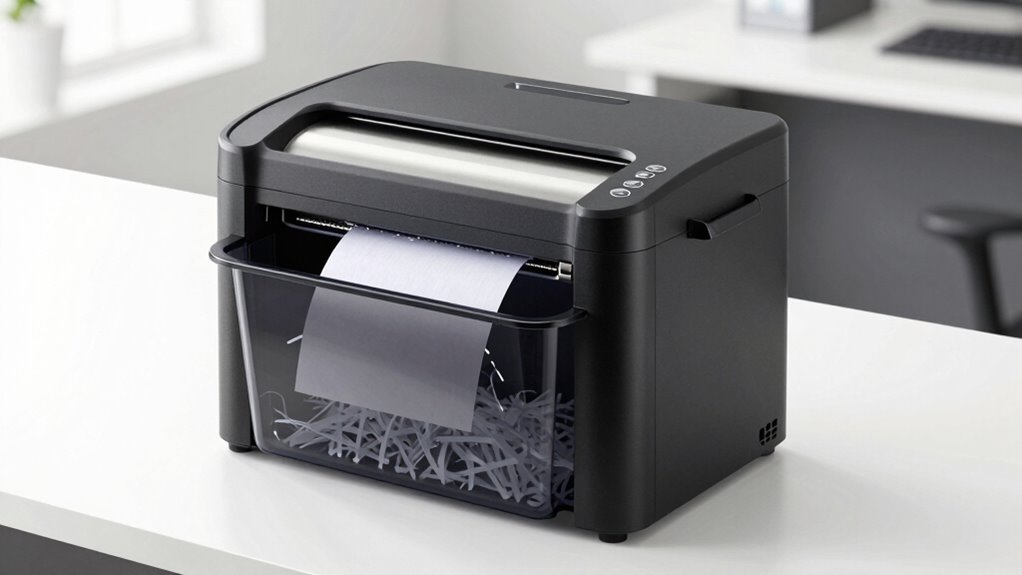

For a heavy duty paper shredder that can handle recurring paperwork, the BONSEN 300-Sheet Auto-Feed Micro-Cut is my best overall pick: its large automatic feed and micro-cut format suit substantial document batches. The Aurora 200-Sheet Auto-Feed Micro-Cut stands out for buyers prioritizing high-security shredding, while the Bonsaii 18-Sheet Cross-Cut fits hands-on users who want strong manual-feed capacity. The main tradeoff is between unattended batch processing and the more direct control of manual feeding, with security level, run time, and paper handling also shaping the choice. A higher sheet count alone does not tell you how well a shredder fits your workload. Read on for the full comparison and recommendations by buyer type.

Get privacy and security gear delivered free with Prime
- Fast, free delivery on millions of items
- Prime Video, Amazon Music and more included
- Member-only deals all year
Key Takeaways
- Auto-feed capacity separates the batch specialists: the amazon.com/dp/B0H1W2CFTM?tag=cipherdot-20&ascsubtag=dc-463612″ target=”_blank” rel=”nofollow sponsored noopener”>Kitnery 400-sheet model leads the list by stated feed volume, while the BONSEN 300-sheet, Bonsaii 200-sheet, Amazon Basics 200-sheet, and Aurora 200-sheet models offer other large-batch options.
- Micro-cut models dominate the high-volume security choices: Kitnery, BONSEN, Bonsaii, Locksworth, and Aurora offer micro-cut formats, while many high-sheet manual-feed picks use cross-cut shredding.
- Manual-feed capacity matters for active shredding: the BONSEN 24-sheet cross-cut and Bonsaii 18-sheet cross-cut are distinct choices for users who prefer feeding documents directly.
- There is no single workload profile across the range: the lineup spans compact 12-sheet models, mid-capacity 15-sheet options, and large auto-feed machines, so footprint and batch size should shape the shortlist.
- Security and throughput are separate decisions: a large auto-feed stack can reduce hands-on work, but buyers handling sensitive records should compare cut type and security specifications before choosing by capacity.
| Bonsaii 12-Sheet Cross-Cut Paper Shredder (C275-A) |  | Best for Small, Occasional Jobs | Cut type: Cross-cut | Sheet capacity: 12 sheets per pass | Security level: P-4 | VIEW ON AMAZON | See Our Full Breakdown |
| Kitnery 400-Sheet Auto-Feed P-5 Micro-Cut Paper Shredder |  | Best for Sensitive Batch Shredding | Cut type: Micro-cut | Security level: P-5 | Automatic feed capacity: 400 sheets | VIEW ON AMAZON | See Our Full Breakdown |
| Amazon Basics 200-Sheet Auto Feed Cross-Cut Paper Shredder |  | Best for Long Auto-Feed Sessions | Cut type: Cross-cut | Security level: P-4 | Auto-feed capacity: 200 sheets | VIEW ON AMAZON | See Our Full Breakdown |
| Bonsaii 200-Sheet Auto-Feed Micro-Cut Paper Shredder |  | Best for Mixed Auto and Manual Jobs | Auto-feed capacity: Up to 200 sheets | Manual-feed capacity: Up to 12 sheets | Auto-feed run time: Up to 60 minutes | VIEW ON AMAZON | See Our Full Breakdown |
| Bonsaii 12-Sheet Micro-Cut Paper Shredder |  | Best for Compact Micro-Cut Security | Cut type: Micro-cut | Sheet capacity: Up to 12 sheets | Security level: P-4 | VIEW ON AMAZON | See Our Full Breakdown |
| Bonsaii 15-Sheet Cross Cut Paper Shredder for Home Office |  | Best for Frequent Hand-Feeding | Cut type: Cross-cut | Sheet capacity: 15 sheets | Security level: P-4 | VIEW ON AMAZON | See Our Full Breakdown |
| BONSEN 300-Sheet Auto-Feed Micro-Cut Paper Shredder |  | Best for Large Paper Backlogs | Cut type: Micro-cut | Security level: P-4 | Automatic feed capacity: 300 sheets | VIEW ON AMAZON | See Our Full Breakdown |
| Locksworth 110-Sheet Micro-Cut Paper Shredder |  | Best for Rolling Between Work Areas | Cut type: Micro-cut | Security level: P-4 | Automatic sheet capacity: 110 sheets | VIEW ON AMAZON | See Our Full Breakdown |
| Bonsaii 120-Sheet Autofeed Micro-Cut Paper Shredder |  | Best for Smaller Auto-Feed Setups | Cut type: Micro-cut | Security level: P-4 | Automatic capacity: 120 sheets | VIEW ON AMAZON | See Our Full Breakdown |
| Bonsaii 18-Sheet Cross-Cut Heavy-Duty Paper Shredder |  | Best for Long Manual Shredding Sessions | Cut type: Cross-cut | Sheet capacity: 18 sheets per pass (20 lb letter-size paper) | Security level: P-4 | VIEW ON AMAZON | See Our Full Breakdown |
| Bonsaii 15-Sheet Cross-Cut Paper Shredder |  | Best for Extended Home Office Sessions | Sheet capacity: Up to 15 sheets | Cut type: Cross-cut | Shred size: 13/64 × 63/64 inches | VIEW ON AMAZON | See Our Full Breakdown |
| Bonsaii 12-Sheet Cross Cut Heavy Duty Paper Shredder |  | Best for Compact P-4 Batch Shredding | Sheet capacity: 12 sheets (Letter size, 20 lb) | Security level: P-4 | Cut type and particle size: Cross-cut; 5 × 25 mm | VIEW ON AMAZON | See Our Full Breakdown |
| BONSEN 24-Sheet Cross-Cut P-4 High Security Heavy Duty Paper Shredder |  | Best for High-Capacity Office Batches | Sheet capacity: 24 sheets | Security level: P-4 | Cut type and shred size: Cross-cut; 4 × 35 mm | VIEW ON AMAZON | See Our Full Breakdown |
| Aurora Commercial Grade 200-Sheet Auto-Feed High-Security Micro-Cut Paper Shredder |  | Best for Hands-Off High-Security Batches | Cut type: Micro-cut | Security level and particle size: P-5; 5/64 × 15/32 inches (2 × 12 mm) | Auto-feed capacity: 200 sheets | VIEW ON AMAZON | See Our Full Breakdown |
| BONSEN 20-Sheet Cross-Cut Paper Shredder, P-4 |  | Best for Long Manual Shredding Sessions | Sheet capacity: 20 sheets per pass | Security level: P-4 | Cut type and particle size: Cross-cut; 13/64 × 63/64 inches | VIEW ON AMAZON | See Our Full Breakdown |
| heavy duty paper shredder | Security level | Bin capacity | Cut type | Sheet capacity |
|---|---|---|---|---|
| Bonsaii 12-Sheet Cross-Cut Pap | P-4 | — | Cross-cut | 12 sheets per pass |
| Kitnery 400-Sheet Auto-Feed P- | P-5 | 13.2 gallons (50 L) | Micro-cut | — |
| Amazon Basics 200-Sheet Auto F | P-4 | 8.5 gallons | Cross-cut | — |
| Bonsaii 200-Sheet Auto-Feed Mi | P-4 | 8.1 gallons; holds roughly 700 sheets | — | — |
| Bonsaii 12-Sheet Micro-Cut Pap | P-4 | — | Micro-cut | Up to 12 sheets |
| Bonsaii 15-Sheet Cross Cut Pap | P-4 | 5.5 gallons (250 sheets) | Cross-cut | 15 sheets |
| BONSEN 300-Sheet Auto-Feed Mic | P-4 | 8.1 gallons | Micro-cut | — |
| Locksworth 110-Sheet Micro-Cut | P-4 | 6.9 gallons | Micro-cut | — |
| Bonsaii 120-Sheet Autofeed Mic | P-4 | 6 gallons | Micro-cut | — |
| Bonsaii 18-Sheet Cross-Cut Hea | P-4 | 6 gallons (23 liters) | Cross-cut | 18 sheets per pass (20 lb letter-size paper) |
| Bonsaii 15-Sheet Cross-Cut Pap | — | 5 gallons; about 350 sheets | Cross-cut | Up to 15 sheets |
| Bonsaii 12-Sheet Cross Cut Hea | P-4 | 5.5 gallons; approximately 350 A4 sheets | — | 12 sheets (Letter size, 20 lb) |
| BONSEN 24-Sheet Cross-Cut P-4 | P-4 | 9 gallons | — | 24 sheets |
| Aurora Commercial Grade 200-Sh | — | 8.5 gallons | Micro-cut | — |
| BONSEN 20-Sheet Cross-Cut Pape | P-4 | 6.6 gallons (25 liters) | — | 20 sheets per pass |
More Details on Our Top Picks
Bonsaii 12-Sheet Cross-Cut Paper Shredder (C275-A)
The Bonsaii C275-A suits buyers who need a compact shredder for regular household paperwork but rarely have a large backlog. Its 12-sheet feed and P-4 cuts handle everyday documents, staples, clips, and credit cards, while the 5.5-gallon basket’s window makes it easy to see when it needs emptying. Compared with the Bonsaii 12-Sheet Micro-Cut Paper Shredder, this model has a shorter six-minute run limit and cross-cut output; the micro-cut alternative runs longer and cuts smaller. In return, the C275-A offers a straightforward fit for basic home use without the larger auto-feed footprint of the Amazon Basics 200-Sheet Auto Feed Cross-Cut Paper Shredder. Its main constraint is downtime: six minutes of continuous shredding calls for small batches.
Pros:- Accepts up to 12 sheets per pass
- P-4 cross-cut handles routine confidential paperwork
- Shreds credit cards, staples, and clips
- Transparent wastebasket window helps track fill level
Cons:- Continuous run time is limited to six minutes
- The 5.5-gallon basket needs more frequent emptying than larger office models
Best for: Households that shred a few documents at a time and want P-4 security in a compact unit
Not ideal for: Home offices clearing accumulated paperwork, since its six-minute run limit interrupts longer sessions
- Cut type:Cross-cut
- Sheet capacity:12 sheets per pass
- Security level:P-4
- Particle size:5 × 20 mm
- Continuous run time:Up to 6 minutes
- Wastebasket capacity:5.5 gallons
- Dimensions:12.6 × 7.91 × 18.3 inches
- Shred materials:Paper, credit cards, staples, and clips
- Warranty:1-year limited
Our verdict“Choose the C275-A for compact, occasional household shredding; pick a longer-running model for steady office batches.”
Kitnery 400-Sheet Auto-Feed P-5 Micro-Cut Paper Shredder
The Kitnery 400-Sheet Auto-Feed is the strongest fit here for people who want to load a large stack and leave it to run, with P-5 micro-cut security for more sensitive records. Its 400-sheet automatic tray is double the capacity of the Amazon Basics 200-Sheet Auto Feed Cross-Cut Paper Shredder, and its 50 L pull-out bin reduces interruptions during batch jobs. The Kitnery also offers manual feeding for smaller tasks, though its eight-sheet limit trails the Bonsaii models that accept 12 sheets manually. Wheels with front brakes help position the substantial unit, and the stated noise level is below 56 dB. This is a capable heavy-duty choice, but its appeal depends on having enough room for a large shredder and needing batch automation often.
Pros:- 400-sheet automatic feed supports large unattended batches
- P-5 micro-cut offers finer document shredding than the P-4 cross-cut options
- Large 50 L pull-out bin limits emptying interruptions
- Wheels with front brakes aid placement and stability
Cons:- Manual feed is limited to eight sheets
- Large bin and wheeled design require dedicated floor space
- Provided product data does not specify its automatic run time
Best for: Small businesses and home offices that routinely destroy large stacks of sensitive paperwork
Not ideal for: People with limited floor space or mostly small jobs, who may not use its large auto-feed capacity
- Cut type:Micro-cut
- Security level:P-5
- Automatic feed capacity:400 sheets
- Manual feed capacity:8 sheets
- Shred size:2 × 12 mm
- Bin capacity:13.2 gallons (50 L)
- Noise level:Less than 56 dB
- Handles:Paper, credit cards, and stapled sheets
- Mobility:Caster wheels with front brakes
Our verdict“Pick the Kitnery when high-volume, P-5 batch shredding matters more than a compact footprint or generous manual-feed capacity.”
Amazon Basics 200-Sheet Auto Feed Cross-Cut Paper Shredder
For buyers who want automation without moving up to the Kitnery’s 400-sheet capacity, the Amazon Basics 200-Sheet Auto Feed offers a useful middle ground. Its auto-feed mode runs for up to 60 minutes, giving it a clear advantage over the six-minute Bonsaii C275-A for clearing a paperwork backlog. P-4 cross-cut output suits many everyday confidential records, and anti-jam technology with auto-reverse can reduce feed stoppages. The tradeoff is size and recovery time: at 32.9 pounds, this is not an easy unit to shift, and after extended use its stated cooldown is 45 minutes. Unlike the Bonsaii 200-Sheet Auto-Feed Micro-Cut, it has a larger 8.5-gallon bin and 10-sheet manual feed, but the cut is cross-cut rather than micro-cut.
Pros:- 200-sheet auto-feed tray handles substantial stacks
- Up to 60 minutes of automatic run time supports extended batches
- Anti-jam technology and auto-reverse help manage feed problems
- 8.5-gallon pull-out bin holds more than several compact models
Cons:- At 32.9 pounds, it is difficult to move
- The stated 45-minute cooldown can delay another long session
- Does not shred metallic credit cards
Best for: Home offices that process occasional large paper batches and can keep a full-size shredder in one place
Not ideal for: Buyers who need finer micro-cut output, frequent manual feeding, or a shredder they can move easily
- Cut type:Cross-cut
- Security level:P-4
- Auto-feed capacity:200 sheets
- Manual feed capacity:10 sheets
- Bin capacity:8.5 gallons
- Run time:60 minutes auto / 10 minutes manual
- Cooldown time:45 minutes
- Dimensions:18.35 × 14.02 × 22.83 inches
- Weight:32.9 lbs
Our verdict“Choose this Amazon Basics model for long P-4 paper batches when a stationary, full-size machine suits your workspace.”
Bonsaii 200-Sheet Auto-Feed Micro-Cut Paper Shredder
The Bonsaii 200-Sheet Auto-Feed Micro-Cut bridges batch shredding and hands-on office use. Its auto-feed tray takes up to 200 sheets and can run for as long as 60 minutes, while manual feed handles up to 12 sheets along with credit cards, staples, and paper clips. That makes it more versatile for mixed jobs than the Amazon Basics 200-Sheet Auto Feed Cross-Cut, whose manual capacity is lower and whose cut is cross-cut. Both models support long automatic sessions, but the Bonsaii’s P-4 micro-cut produces smaller 4 × 12 mm pieces. Four wheels ease movement, though an 8.1-gallon bin still occupies meaningful floor space. Its manual mode is capped at 30 minutes, so sustained hand feeding needs breaks.
Pros:- 200-sheet auto-feed capacity and up to 60 minutes of auto-feed operation
- 12-sheet manual feed accepts cards, staples, and paper clips
- P-4 micro-cut creates smaller pieces than cross-cut alternatives
- Four wheels make the unit easier to reposition
Cons:- The 8.1-gallon bin takes up considerable office space
- Manual-feed capacity is limited to 12 sheets
- Manual operation is limited to 30 minutes continuously
Best for: Small offices that alternate between unattended paper batches and manual shredding of mixed materials
Not ideal for: Very small workspaces or buyers who need P-5 security for especially sensitive documents
- Auto-feed capacity:Up to 200 sheets
- Manual-feed capacity:Up to 12 sheets
- Auto-feed run time:Up to 60 minutes
- Manual-feed run time:Up to 30 minutes
- Bin capacity:8.1 gallons; holds roughly 700 sheets
- Security level:P-4
- Shred size:4 × 12 mm
- Noise level:≤58 dB
- Mobility:Four wheels
Our verdict“Pick this Bonsaii for an office that needs long paper batches plus flexible manual shredding in one wheeled machine.”
Bonsaii 12-Sheet Micro-Cut Paper Shredder
The Bonsaii 12-Sheet Micro-Cut adds finer cuts and a longer duty cycle to a compact, manual-feed format. It shreds up to 12 sheets at once into P-4, 5 × 12 mm particles, and its 20-minute continuous run time is substantially longer than the C275-A’s six minutes. That makes it better suited to a moderate stack of paperwork, while remaining much simpler than the Bonsaii 200-Sheet Auto-Feed Micro-Cut for buyers who do not need batch automation. It also accepts CDs and has four casters, but the stated 70 dB operating noise may be noticeable in a quiet room. The wastebasket capacity is not provided, so buyers cannot judge how often it will need emptying from the listed data.
Pros:- 12-sheet manual capacity suits routine home paperwork
- P-4 micro-cut produces smaller pieces than the C275-A’s cross-cut
- Up to 20 minutes of continuous operation supports larger sessions
- Handles paper, cards, staples, clips, and CDs
Cons:- 70 dB operating noise may be noticeable nearby
- Wastebasket capacity is not specified
- Manual feeding requires more attention than an auto-feed model
Best for: Home users who want finer P-4 cuts and a longer manual shredding session without an auto-feed machine
Not ideal for: Quiet shared spaces or buyers who need a known large bin for frequent high-volume jobs
- Cut type:Micro-cut
- Sheet capacity:Up to 12 sheets
- Security level:P-4
- Particle size:5 × 12 mm
- Continuous run time:Up to 20 minutes
- Noise level:70 dB
- Shred materials:Paper, credit cards, staples, paper clips, and CDs
- Mobility:Four casters
- Warranty:1 year
Our verdict“Choose this Bonsaii for compact manual shredding when finer P-4 cuts and a longer run matter more than batch automation.”
Bonsaii 15-Sheet Cross Cut Paper Shredder for Home Office
15 sheets per pass and a 10-minute run time make this a good fit for people who regularly shred paper in batches but do not need an automatic feeder. Its 5.5-gallon bin also holds more than the Bonsaii 12-Sheet Cross-Cut Paper Shredder, so routine jobs mean fewer trips to empty it. It handles staples, clips, cards, and CDs, adding flexibility when sorting a mixed stack of household or office discards. The tradeoff is its 30-minute cooldown after heavy use, which can interrupt a larger cleanup. At 13.5 pounds, it is also less convenient to move around than a small home shredder. Choose it for higher-capacity manual shredding; skip it if hands-free batch processing matters more.
Pros:- Shreds up to 15 sheets per pass, more than the listed 12-sheet manual models.
- Runs for up to 10 minutes before cooling down.
- Accepts staples, clips, credit cards, and CDs/DVDs.
- 5.5-gallon bin reduces how often it needs emptying.
Cons:- Needs a 30-minute cooldown after heavy use.
- At 13.5 pounds, it is less portable than lighter home shredders.
Best for: Home office users who regularly shred paper stacks by hand and want a larger bin plus the ability to destroy cards and CDs.
Not ideal for: People clearing very large paper backlogs in one sitting or moving the shredder between rooms often; its cooldown and 13.5-pound weight work against those needs.
- Cut type:Cross-cut
- Sheet capacity:15 sheets
- Security level:P-4
- Bin capacity:5.5 gallons (250 sheets)
- Continuous run time:10 minutes
- Cooldown time:30 minutes
- Dimensions:8.31 × 16.85 × 12.6 inches
- Weight:13.5 pounds
Our verdict“Choose this for frequent hand-fed batches and mixed materials; look at an auto-feed model if you want to shred a paper stack unattended.”
BONSEN 300-Sheet Auto-Feed Micro-Cut Paper Shredder
For a large paper backlog, the 300-sheet automatic feeder is the clearest advantage here: load a stack and let the shredder work while you handle something else. It runs up to 60 minutes in auto mode, longer than the Locksworth 110-Sheet Micro-Cut Paper Shredder’s stated automatic capacity suggests for smaller batches. A P-4 micro-cut result and 8.1-gallon bin suit ongoing office use, while its 58 dB rating points to quieter operation than the Bonsaii 18-Sheet Cross-Cut Heavy-Duty Paper Shredder. The compromises are substantial: at 33.5 pounds it is better parked in one place, and auto mode accepts paper only. Manual feeding handles cards, staples, and clips, but requires more attention.
Pros:- Automatic feeder handles up to 300 sheets at once.
- Auto mode runs for up to 60 minutes; manual mode runs up to 30 minutes.
- P-4 micro-cut output and an 8.1-gallon bin suit larger shredding jobs.
- 58 dB operating noise is relatively low for a heavy-duty shredder.
Cons:- Weighs 33.5 pounds, making relocation difficult.
- Auto mode accepts paper only; cards, staples, and clips require manual feeding.
Best for: Small offices or home businesses that periodically need to destroy hundreds of paper sheets with minimal hands-on feeding.
Not ideal for: Buyers who need to auto-feed cards or other non-paper items, or who need a shredder they can easily carry between rooms.
- Cut type:Micro-cut
- Security level:P-4
- Automatic feed capacity:300 sheets
- Manual feed capacity:12 sheets
- Bin capacity:8.1 gallons
- Run time:Up to 60 minutes automatic; up to 30 minutes manual
- Noise level:58 dB
- Weight:33.5 pounds
Our verdict“Pick this for hands-off destruction of large paper stacks, provided you can keep it in one location and feed non-paper items manually.”
Locksworth 110-Sheet Micro-Cut Paper Shredder
Four casters and a 6.9-gallon bin with a viewing window make this a practical choice for a shared office where staff need to move the shredder and check fill level at a glance. Its 110-sheet auto-feed capacity is below the BONSEN 300-Sheet Auto-Feed Micro-Cut Paper Shredder, but still lets users process a document stack without feeding every sheet by hand. Manual mode handles letters, credit cards, staples, and clips. P-4 micro-cut output and a 60-minute automatic run time support extended batches. The main catch is the 60-minute cooldown after continuous operation; the BONSEN offers a longer auto-mode run and larger bin for heavier workloads. Auto mode also accepts paper only.
Pros:- Automatically feeds up to 110 sheets.
- P-4 micro-cut output helps protect sensitive information.
- Viewing window makes bin fill level easy to check.
- Four casters, reverse jam clearing, and auto-shutoff support shared use.
Cons:- Automatic mode is limited to paper.
- Requires a 60-minute cooldown after continuous operation.
Best for: Shared offices that want a mobile, wheeled shredder for recurring paper batches and occasional manual destruction of cards or fastened pages.
Not ideal for: Teams with hundreds of sheets to feed at once or a need for rapid repeat sessions; its 110-sheet limit and hour-long cooldown can slow that work.
- Cut type:Micro-cut
- Security level:P-4
- Automatic sheet capacity:110 sheets
- Manual sheet capacity:12 sheets
- Run time:60 minutes automatic; 30 minutes manual
- Cooling time:60 minutes
- Bin capacity:6.9 gallons
- Dimensions:15.4 × 12.6 × 19.7 inches
Our verdict“Choose it for a mobile shared-office shredder with a useful mid-sized auto feeder, but choose the BONSEN 300-sheet model for larger unattended batches.”
Bonsaii 120-Sheet Autofeed Micro-Cut Paper Shredder
The 120-sheet auto feeder offers a middle ground for buyers who want unattended batches but do not need the BONSEN 300-Sheet Auto-Feed Micro-Cut Paper Shredder’s much larger capacity. It also has a 12-sheet manual feed for mail, cards, and stapled pages, while its P-4 micro-cut output gives sensitive documents smaller particles than cross-cut models such as the Bonsaii 18-Sheet Cross-Cut Heavy-Duty Paper Shredder. A 6-gallon pullout bin and 360-degree casters make emptying and repositioning more manageable. Its run limits are the key tradeoff: auto mode stops after 30 minutes and manual mode after 10, with a 60-minute rest period for either. It also cannot handle metallic credit cards.
Pros:- Automatically shreds up to 120 sheets.
- P-4 micro-cut output produces 4 × 12 mm particles.
- Pullout 6-gallon bin and 360-degree casters ease emptying and movement.
- Manual feed accepts mail, staples, and eligible cards.
Cons:- Requires a 60-minute rest after its 30-minute auto or 10-minute manual run.
- Not suitable for metallic credit cards.
Best for: Home offices and small teams that want automatic feeding for moderate paper stacks, with manual handling for ordinary cards and stapled documents.
Not ideal for: Offices clearing very large archives or users who need to shred metallic credit cards; capacity, cooldown, and material limits may frustrate them.
- Cut type:Micro-cut
- Security level:P-4
- Automatic capacity:120 sheets
- Manual capacity:12 sheets
- Run time:30 minutes automatic; 10 minutes manual
- Rest time:60 minutes
- Bin capacity:6 gallons
- Mobility:360-degree universal casters
Our verdict“This suits moderate paper batches where P-4 micro-cut security and easy bin handling matter more than long run sessions or very high capacity.”
Bonsaii 18-Sheet Cross-Cut Heavy-Duty Paper Shredder
If you prefer to feed documents yourself, the standout is 18 sheets per pass paired with a run time of up to 60 minutes. That combination is better suited to sustained manual work than the Bonsaii 15-Sheet Cross Cut Paper Shredder for Home Office, whose stated run time is 10 minutes. Its 6-gallon pullout bin and four casters help contain the paper load and make emptying less awkward. P-4 cross-cut security covers routine confidential paperwork, though the Bonsaii 120-Sheet Autofeed Micro-Cut Paper Shredder produces smaller micro-cut pieces and can process a stack without continuous feeding. This model’s tradeoffs are audible operation at 62 dB and the need to load pages by hand. It handles paper, credit cards, and staples.
Pros:- Handles up to 18 sheets per pass.
- Runs continuously for up to 60 minutes.
- P-4 cross-cut security handles routine confidential paperwork.
- Wheeled 6-gallon pullout bin supports easier emptying.
Cons:- Requires continuous hand-feeding rather than automatic batch loading.
- 62 dB operation is audible in a quiet office.
Best for: Office users who prefer manual control and need to shred substantial quantities of paper over a long work session.
Not ideal for: Buyers seeking hands-free batch processing, micro-cut particles, or especially quiet operation.
- Cut type:Cross-cut
- Sheet capacity:18 sheets per pass (20 lb letter-size paper)
- Security level:P-4
- Shred size:5 × 25 mm
- Continuous run time:Up to 60 minutes
- Bin capacity:6 gallons (23 liters)
- Noise level:62 dB
- Materials:Paper, credit cards, and staples
Our verdict“Choose this for long, manually fed shredding sessions; choose an auto-feed micro-cut model when unattended operation or smaller particles matter more.”
Bonsaii 15-Sheet Cross-Cut Paper Shredder
The Bonsaii 15-Sheet stands out for pairing a 40-minute run time with a 15-sheet feed, making it a good fit for sorting a substantial stack in one session. Its 5-gallon pull-out bin and viewing window help limit interruptions, while casters make repositioning easier. Compared with the Bonsaii 12-Sheet Cross Cut Heavy Duty Paper Shredder, this model takes more sheets per pass and runs longer before cooling, though it does not list a P-4 security rating. It accepts CDs, cards, mail, and staples, adding flexibility for mixed household discards. The tradeoff is the 40-minute cooling period after extended use, and the blades and bin need regular cleaning. I’d choose it for throughput and convenience rather than the strongest stated security level.
Pros:- Handles up to 15 sheets per pass and accepts CDs, credit cards, mail, and staples.
- Runs continuously for up to 40 minutes.
- Five-gallon bin has a viewing window and pull-out design.
- Jam protection, status indicators, and swivel casters support easier day-to-day use.
Cons:- Needs 40 minutes to cool after extended continuous shredding.
- No security level is specified in the provided product data.
- Bin and cutting blades require regular cleaning and maintenance.
Best for: Home office users who regularly shred mixed paper and media in batches and want casters for moving the machine.
Not ideal for: Buyers who need a specified P-4 security level or want to resume shredding quickly after a long session.
- Sheet capacity:Up to 15 sheets
- Cut type:Cross-cut
- Shred size:13/64 × 63/64 inches
- Continuous run time:Up to 40 minutes
- Cooling time:40 minutes
- Bin capacity:5 gallons; about 350 sheets
- Accepted materials:Paper, CDs, credit cards, mail, and staples
- Noise level:60 dB
- Mobility and warranty:360° swivel casters; 1-year limited protection
Our verdict“Choose this Bonsaii for long home-office shredding sessions and mixed materials if a stated P-4 rating is not a requirement.”
Bonsaii 12-Sheet Cross Cut Heavy Duty Paper Shredder
For buyers who prioritize a stated security level over maximum throughput, this Bonsaii offers P-4 cross-cut shredding in a 12-sheet machine with a 5.5-gallon bin. Its 5 × 25 mm particles are specified, giving privacy-focused users clearer security information than the Bonsaii 15-Sheet Cross-Cut Paper Shredder provides. The larger bin also helps when working through routine household or office paperwork without stopping to empty it often. But the 15-minute run limit makes it less suited to sustained backlog clearing than that 15-sheet model or the BONSEN 20-Sheet Cross-Cut Paper Shredder. Auto-reverse can help with jams, and it handles staples, CDs, and cards; metallic credit cards are excluded. This is a practical middle ground for defined security needs and moderate batches, with cooling breaks built into the workflow.
Pros:- P-4 security rating with specified 5 × 25 mm particle size.
- Five-and-a-half-gallon pull-out bin with transparent window.
- Accepts paper, CDs, credit cards, and staples.
- Auto-reverse helps address paper jams.
Cons:- Continuous operation is limited to 15 minutes before a cooling break.
- Does not shred metallic credit cards.
- Twelve-sheet capacity is lower than the 15-sheet Bonsaii and 20-sheet BONSEN options.
Best for: Home-office users handling confidential letters and records in moderate batches who want a specified P-4 rating.
Not ideal for: Small businesses clearing large paper backlogs or users who need to shred metallic credit cards.
- Sheet capacity:12 sheets (Letter size, 20 lb)
- Security level:P-4
- Cut type and particle size:Cross-cut; 5 × 25 mm
- Continuous run time:15 minutes
- Bin capacity:5.5 gallons; approximately 350 A4 sheets
- Supported materials:Paper, CDs, credit cards, and staples; not metallic credit cards
- Jam feature:Auto-reverse
- Safety features:Auto start/stop, manual reverse, and bin-removal safety stop
- Warranty:1 year
Our verdict“Pick this model for specified P-4 protection and moderate batches, but choose a longer-running shredder for heavy daily workloads.”
BONSEN 24-Sheet Cross-Cut P-4 High Security Heavy Duty Paper Shredder
The BONSEN 24-Sheet is the lineup’s pick for feeding a thick stack at once: its 24-sheet capacity exceeds the BONSEN 20-Sheet and Bonsaii 15-Sheet models, and it pairs that throughput with a 9-gallon bin. That combination can reduce both feed cycles and trips to empty the wastebasket in a busy home office. It also specifies P-4 security and runs for up to 40 minutes, while its 55 dB rating is quieter than the 60 dB ratings listed for those alternatives. The tradeoff is a 60-minute cool-down after continuous operation, so it is not built for uninterrupted all-day use. Its operation is manual, without an automatic feed option. I’d favor it for people who want high per-pass capacity and a large bin, not hands-off batch processing.
Pros:- Handles up to 24 sheets per pass, the highest manual-feed capacity among these five models.
- P-4 cross-cut security with a stated 4 × 35 mm shred size.
- Nine-gallon bin reduces how often it needs emptying.
- Runs for up to 40 minutes and has a stated 55 dB noise level.
Cons:- Requires a 60-minute cool-down after continuous use.
- Manual operation means sheets must be fed by the user.
- Its 40-minute run time is shorter than the BONSEN 20-Sheet model’s stated 60 minutes.
Best for: Busy home-office users who regularly feed thick stacks of confidential paperwork and value a large bin.
Not ideal for: Users who want automatic batch feeding or need to restart quickly after a full continuous session.
- Sheet capacity:24 sheets
- Security level:P-4
- Cut type and shred size:Cross-cut; 4 × 35 mm
- Bin capacity:9 gallons
- Continuous run time:40 minutes
- Cooling time:60 minutes
- Noise level:55 dB
- Accepted materials:Paper, CDs, credit cards, and staples
- Power and material:Corded electric; ABS and alloy steel
Our verdict“Choose this BONSEN when high per-pass capacity and a large bin matter more than automatic feeding or short cooling breaks.”
Aurora Commercial Grade 200-Sheet Auto-Feed High-Security Micro-Cut Paper Shredder
The Aurora takes a different approach to heavy-duty shredding: its 200-sheet auto-feed tray can process a large stack without requiring the user to feed every pass. P-5 micro-cut particles provide the strongest stated security in this group, while the 60-minute continuous run time suits lengthy jobs. Compared with the BONSEN 24-Sheet, Aurora’s advantage is hands-off capacity and finer particle size; the BONSEN accepts up to 24 sheets manually and has a slightly larger 9-gallon bin. Aurora’s bin holds 8.5 gallons, and manual feeding tops out at only 10 sheets, so it is less compelling for rapid hand-fed stacks. At 38.1 pounds, it is also a substantial machine to reposition. I’d choose it for unattended confidential batch work when space and weight are manageable.
Pros:- Auto-feeds up to 200 sheets for less hands-on batch work.
- P-5 micro-cut security produces 2 × 12 mm particles.
- Runs continuously for up to 60 minutes.
- Anti-jam auto-reverse and an 8.5-gallon pull-out bin support longer sessions.
Cons:- Manual feed capacity is limited to 10 sheets.
- At 38.1 pounds, it is heavy to move between rooms.
- Its 8.5-gallon bin is smaller than the BONSEN 24-Sheet model’s 9-gallon bin.
Best for: Small offices and home-office users who need to shred large confidential batches with minimal hands-on feeding.
Not ideal for: Users who frequently hand-feed thick stacks, need easy portability, or prefer a larger waste bin.
- Cut type:Micro-cut
- Security level and particle size:P-5; 5/64 × 15/32 inches (2 × 12 mm)
- Auto-feed capacity:200 sheets
- Manual-feed capacity:10 sheets
- Continuous run time:60 minutes
- Bin capacity:8.5 gallons
- Dimensions:18.35 × 14.02 × 22.83 inches (D × W × H)
- Weight:38.1 pounds
- Model and power:AU200MA; corded electric, 120 V, 60 Hz
Our verdict“Choose the Aurora for hands-off P-5 batch shredding, provided its weight and limited manual-feed capacity fit your workspace.”
BONSEN 20-Sheet Cross-Cut Paper Shredder, P-4
This BONSEN is the manual-feed workhorse for buyers who want P-4 security and up to 60 minutes of operation. Its 20-sheet capacity sits between the Bonsaii 15-Sheet and BONSEN 24-Sheet models, while the longer stated run time gives it an edge for a drawn-out job over the 24-Sheet model’s 40 minutes. The 6.6-gallon pull-out bin is smaller than that BONSEN’s 9-gallon container, so expect more frequent emptying when shredding large stacks. It handles paper, cards, paper clips, and staples, and its anti-jam system helps keep feeding manageable. At 12.05 kg, it is not especially light, despite its more modest bin. I’d choose it for extended manual sessions where run time matters more than maximum stack capacity or a bigger wastebasket.
Pros:- Shreds up to 20 sheets per pass with P-4 cross-cut security.
- Runs continuously for up to 60 minutes.
- Anti-jam system and casters help with feeding and repositioning.
- Accepts paper, credit cards, paper clips, and staples.
Cons:- The 6.6-gallon bin is smaller than the BONSEN 24-Sheet’s 9-gallon bin.
- Weighs 12.05 kg, which may make frequent moving inconvenient.
- Plastic enclosure may feel less substantial than a metal-bodied machine.
Best for: Home-office users who want P-4 shredding for long manual sessions and regularly handle paper clips or staples.
Not ideal for: Teams that need the largest possible feed capacity, a very large bin, or a lightweight machine to move often.
- Sheet capacity:20 sheets per pass
- Security level:P-4
- Cut type and particle size:Cross-cut; 13/64 × 63/64 inches
- Bin capacity:6.6 gallons (25 liters)
- Continuous operation:Up to 60 minutes
- Noise level:≤60 dB
- Supported materials:Paper, credit cards, paper clips, and staples
- Dimensions:15.7 × 10.7 × 21.6 inches
- Weight and warranty:12.05 kg; 1 year
Our verdict“Pick this BONSEN for long P-4 manual sessions if you can trade a smaller bin and lower sheet capacity for a longer run time.”

How We Picked
I compared these 15 models through the demands implied by heavy duty use: how much paper they can process per feed, whether they support automatic batch feeding, and whether their cut style suits the sensitivity of the documents. I also considered the practical differences between a compact manual-feed machine and a larger auto-feed unit, since a high stated capacity is useful only when it matches the buyer’s space and routine.
The ranking gives more weight to workload fit, feed convenience, and document security than to sheet capacity alone. Large auto-feed micro-cut models rise for buyers with regular bulk jobs, while manual-feed cross-cut models remain compelling for active feeding and simpler batch control. I distinguish options by their stated features; run time, duty cycle, bin size, and accepted materials should be checked against the manufacturer’s specifications before purchase.
| heavy duty paper shredder | Cut type | Security level |
|---|---|---|
| Bonsaii 12-Sheet Cross-Cut Pap | Cross-cut | P-4 |
| Kitnery 400-Sheet Auto-Feed P- | Micro-cut | P-5 |
| Amazon Basics 200-Sheet Auto F | Cross-cut | P-4 |
| Bonsaii 200-Sheet Auto-Feed Mi | — | P-4 |
| Bonsaii 12-Sheet Micro-Cut Pap | Micro-cut | P-4 |
| Bonsaii 15-Sheet Cross Cut Pap | Cross-cut | P-4 |
| BONSEN 300-Sheet Auto-Feed Mic | Micro-cut | P-4 |
| Locksworth 110-Sheet Micro-Cut | Micro-cut | P-4 |
| Bonsaii 120-Sheet Autofeed Mic | Micro-cut | P-4 |
| Bonsaii 18-Sheet Cross-Cut Hea | Cross-cut | P-4 |
| Bonsaii 15-Sheet Cross-Cut Pap | Cross-cut | — |
| Bonsaii 12-Sheet Cross Cut Hea | — | P-4 |
| BONSEN 24-Sheet Cross-Cut P-4 | — | P-4 |
| Aurora Commercial Grade 200-Sh | Micro-cut | — |
| BONSEN 20-Sheet Cross-Cut Pape | — | P-4 |
Factors to Consider When Choosing Heavy Duty Paper Shredder
Choosing a heavy duty shredder starts with the shape of your paperwork routine, not the largest number on a product listing. These factors can help you avoid paying for capacity you will not use or choosing a machine that cannot keep up with regular work.
Match feed style to how you handle paperwork
Auto-feed shredders are useful when you regularly have a stack to process and want to do other work while it runs. They still require preparation: folded pages, staples, clips, or mixed paper sizes may need attention depending on the model’s accepted materials. Manual-feed machines keep each batch under your control and can suit a steady stream of pages better than a stack left unattended. A common mistake is to equate automatic feeding with completely hands-off operation. Check how the feeder handles imperfect documents and whether manual feeding is also supported before deciding.
Choose security for the documents you actually shred
Cut style affects how easily shredded material can be reconstructed, so match it to the sensitivity of the records. Micro-cut is a strong fit for confidential personal or business paperwork, while cross-cut may be adequate for ordinary household documents. Security labels and particle size specifications provide more useful comparisons than a broad “high security” claim. Buyers sometimes choose a more secure cut without accounting for the extra attention that fine shredding can require, such as emptying the bin or following lubrication guidance. If your work is governed by a retention or privacy policy, check that policy before selecting a shredder.
Read capacity alongside duty cycle and cooling time
Sheet capacity describes how many pages a machine accepts at once under specified conditions; it does not tell you how long it can run. For repeated office jobs, duty cycle and cooling intervals may matter more than the maximum sheet count. A shredder with a modest feed capacity but a longer continuous run may suit recurring daily work better than a model built around occasional large batches. Check whether the published capacity assumes a particular paper weight or single-sided sheets. Plan for the busiest day you expect, rather than buying around a one-time cleanout.
Measure the space and the whole paper path
Large auto-feed machines need a place to stand and room to open or access their feed trays and bins. Measure the machine’s footprint and its clearance while the lid or feeder is open, especially if it will sit under a desk or in a cabinet. Also check the bin capacity: frequent stops to empty a small bin can erase the time saved by automatic feeding. Compact shredders are easier to place, but their smaller capacity can mean more batches during a heavy workload. Consider where you will move full bins and dispose of shredded material, too.
Check maintenance and accepted materials before buying
Shredders need care to keep cutters moving smoothly, and maintenance requirements vary by model and use. Look for the manufacturer’s guidance on lubrication, jam clearing, and safe bin emptying before purchase. Do not assume that a machine accepts credit cards, staples, clips, or other materials just because a similar model does; verify its own specifications. Overfeeding can cause jams and add wear, even when a machine is marketed as heavy duty. If several people will share it, clear instructions and straightforward jam access can be as useful as extra sheet capacity.
Frequently Asked Questions
Is a 400-sheet auto-feed shredder a better choice than a 24-sheet manual-feed shredder?
That depends on whether your main need is unattended batch processing or direct control over each feed. A 400-sheet auto-feed model can save repeated loading for a large, prepared stack, while a 24-sheet manual-feed model suits users who shred smaller batches as they work. Compare duty cycle, bin capacity, and accepted paper conditions before treating either capacity figure as a full measure of performance. For occasional paperwork, the larger feeder may take up space without improving your routine. For recurring archive cleanouts, automatic feeding can reduce hands-on time.
Should I choose micro-cut if I mostly shred household bills and mail?
Micro-cut offers smaller shredded pieces and can make sense for bills containing account details or other personal information. Cross-cut may be enough for less sensitive papers and can be a simpler fit for routine disposal. Think about how sensitive the documents are, how frequently you shred, and whether you are willing to follow the machine’s maintenance guidance. Do not rely on the cut name alone: compare the model’s stated security level and particle details. If you also shred business or regulated records, check the applicable handling rules.
What should I check if I shred several batches in one session?
Look beyond maximum sheets per feed and find the duty cycle, continuous run time, and required cooling interval. A model that accepts a large stack may still need to pause between runs. Bin size also affects session length, since a full bin can stop work before the motor needs a break. Check jam-clearing instructions and whether the machine has overload or jam indicators. These details help estimate how long a real paperwork session will take.
Can I leave an auto-feed shredder working while I do something else?
Automatic feeding is designed to process a prepared stack with less hands-on feeding, but it does not remove the need to follow the manual. Confirm whether the manufacturer permits unattended operation and which paper conditions the feeder accepts. Remove folds or materials the model does not support, and keep the machine’s vents and bin accessible. Avoid assuming staples, clips, or mixed sizes are safe without checking the specifications. Stay close enough to respond if the machine signals a jam or full bin.
When is a compact 12-sheet shredder enough for a heavy duty buyer?
A compact 12-sheet model can work when “heavy duty” means frequent small jobs rather than large stacks or shared office use. Its smaller footprint may be more practical in a home workspace where papers are shredded as they arrive. For bulk cleanouts, the repeated loading can take more time than an auto-feed machine or a higher-capacity manual model. Check run time and bin capacity, since the 12-sheet figure alone does not describe session performance. If several people will use it, choose around their combined weekly volume.
Conclusion
For the broadest mix of batch capacity and sensitive-document handling, I recommend the BONSEN 300-Sheet Auto-Feed Micro-Cut as best overall. Buyers seeking the largest stated automatic feed can shortlist the Kitnery 400-Sheet P-5, while the Amazon Basics 200-Sheet Auto Feed Cross-Cut is a value-minded pick for bulk work where cross-cut security fits. For a premium high-security batch setup, consider the Aurora 200-Sheet Auto-Feed Micro-Cut. Beginners with modest workloads may find a Bonsaii 12-Sheet Cross-Cut easier to place and use, while hands-on office users can look to the BONSEN 24-Sheet Cross-Cut. Choose based on your normal batch size, document sensitivity, available space, and duty cycle.
Halloween Picks

Vexalify 11-Inch Halloween Pumpkin Fog Machine with 12-Color Lights

9 ft Halloween Inflatable Haunted Castle with Dragon and Ghost

Kalolary 12ft Halloween Witch Haunted House Inflatable Archway
As an affiliate, we earn on qualifying purchases.