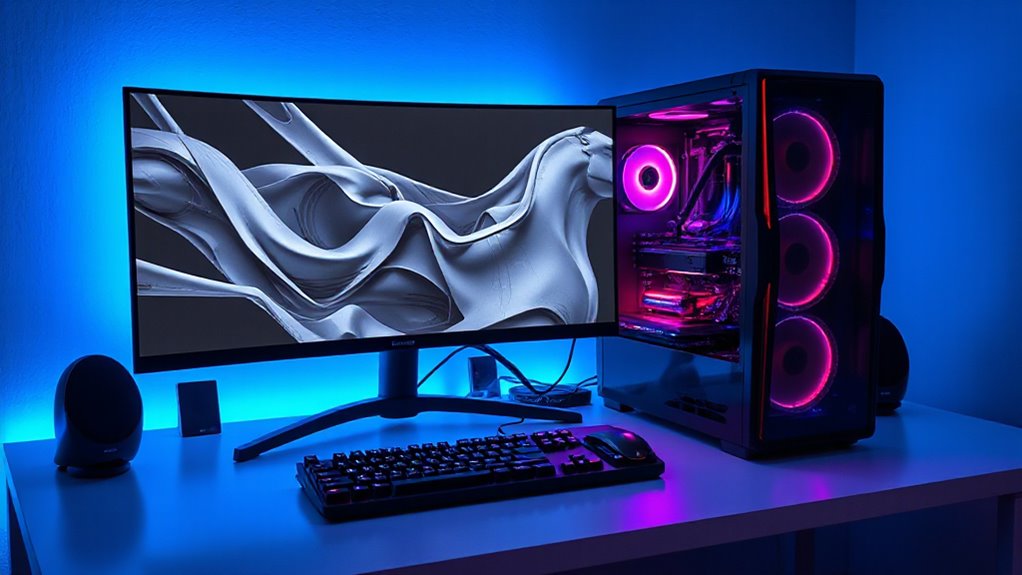

A Threadripper workstation can pair high core counts with substantial memory and graphics, but the right configuration depends on whether your work is CPU-bound, GPU-heavy, or both. My best overall pick is the Sentinel Threadripper PRO 9995WX with RTX 5090, which combines a 96-core processor, 384GB RAM, and varied storage for broad workstation use. The CLX Horus is a strong creator-focused alternative with a 9980X and RTX 5090, while the dual RTX Pro 6000 Sentinel targets projects that can use multiple professional GPUs. The tradeoffs range from extreme compute capacity to lower memory and graphics configurations that may need upgrades. Read on for the full breakdown, selection criteria, and buying advice.

Get privacy and security gear delivered free with Prime
- Fast, free delivery on millions of items
- Prime Video, Amazon Music and more included
- Member-only deals all year
Complete the kit



Key Takeaways
- The 96-core Sentinel with RTX 5090 is the most balanced high-end configuration here, pairing substantial CPU and GPU resources with 384GB RAM and both SSD and HDD storage.
- The dual RTX Pro 6000 Sentinel is the specialized pick for software that can use multiple professional GPUs; its graphics configuration brings less benefit to CPU-only or single-GPU workloads.
- CLX Horus offers a creator-oriented mix of a 9980X, RTX 5090, ECC memory, and NVMe storage, with less installed memory than either Sentinel.
- The two ThinkStation P8 configurations share a 7945WX platform but arrive with very different memory, storage, and graphics provisions, so the exact configuration matters more than the model name.
- The renewed ThinkStation P620 offers an older 3945WX platform and Quadro P2000; it suits modest or legacy workloads better than buyers seeking current-generation compute or graphics performance.
| Sentinel Threadripper PRO 9995WX 96-Core Workstation PC with RTX 5090, 384GB RAM, 4TB Gen5 SSD + 12TB HDD, Windows 11 Pro |  | Best Overall for Mixed Workloads | Processor: AMD Ryzen Threadripper PRO 9995WX, 96 cores / 192 threads | Graphics: NVIDIA GeForce RTX 5090, 32GB GDDR7 | Memory: 384GB ECC DDR5 RDIMM | VIEW ON AMAZON | See Our Full Breakdown |
| CLX Horus Creator Workstation – AMD Ryzen Threadripper 9980X, GeForce RTX 5090, 256GB DDR5 ECC, 4TB NVMe SSD |  | Best for Creator Connectivity | Processor: AMD Ryzen Threadripper 9980X, 64 cores / 128 threads, up to 5.4GHz | Graphics: NVIDIA GeForce RTX 5090, 32GB GDDR7 | Memory: 256GB DDR5 ECC, 5600MHz | VIEW ON AMAZON | See Our Full Breakdown |
| Lenovo ThinkStation P8 Workstation Tower (AMD Ryzen Threadripper PRO 7945WX, 32GB DDR5 RAM, 1TB SSD, NVIDIA RTX A400 4GB, Windows 11 Pro) |  | Best Entry Point for Certified Workstation Graphics | Processor: AMD Ryzen Threadripper PRO 7945WX, 12 cores / 24 threads | Memory: 32GB DDR5-4800 ECC SDRAM, expandable | Storage: 1TB M.2 NVMe PCIe 4.0 SSD | VIEW ON AMAZON | See Our Full Breakdown |
| Sentinel Threadripper PRO 9995WX 96-Core Workstation PC with Dual RTX Pro 6000, 384GB RAM, 3×4TB NVMe SSD, Windows 11 Pro |  | Best for Multi-GPU Compute | Processor: AMD Ryzen Threadripper PRO 9995WX, 96 cores / 192 threads | Base / boost clock: 2.5GHz / 5.4GHz | Graphics: 2 × NVIDIA RTX Pro 6000, 96GB GDDR7 total | VIEW ON AMAZON | See Our Full Breakdown |
| Lenovo ThinkStation P8 Workstation (AMD Ryzen Threadripper PRO 7945WX, 64GB RAM, 2TB SSD) |  | Best Lenovo Configuration for Everyday Professional Work | Processor: AMD Ryzen Threadripper PRO 7945WX, 12 cores / 24 threads, 4.7GHz | Memory: 64GB DDR5 ECC; expandable to 1TB across 8 slots | Storage: 2TB PCIe Gen4 NVMe SSD | VIEW ON AMAZON | See Our Full Breakdown |
| Lenovo ThinkStation P620 Workstation (Renewed) – AMD Ryzen Threadripper PRO 3945WX, 32GB RAM, 1TB SSD, Quadro P2000 |  | Best Renewed Threadripper Workstation | Processor: AMD Ryzen Threadripper PRO 3945WX, 12 cores, 4.0GHz | Memory: 32GB DDR4 RAM | Storage: 1TB SSD | VIEW ON AMAZON | See Our Full Breakdown |
| threadripper workstation | Processor | Graphics | Memory | Storage |
|---|---|---|---|---|
| Sentinel Threadripper PRO 9995 | AMD Ryzen Threadripper PRO 9995WX, 96 cores / 192 threads | NVIDIA GeForce RTX 5090, 32GB GDDR7 | 384GB ECC DDR5 RDIMM | 4TB PCIe Gen5 NVMe SSD + 12TB 7200rpm HDD |
| CLX Horus Creator Workstation | AMD Ryzen Threadripper 9980X, 64 cores / 128 threads, up to 5.4GHz | NVIDIA GeForce RTX 5090, 32GB GDDR7 | 256GB DDR5 ECC, 5600MHz | 4TB NVMe M.2 SSD |
| Lenovo ThinkStation P8 Worksta | AMD Ryzen Threadripper PRO 7945WX, 12 cores / 24 threads | NVIDIA RTX A400, 4GB GDDR6 ECC VRAM | 32GB DDR5-4800 ECC SDRAM, expandable | 1TB M.2 NVMe PCIe 4.0 SSD |
| Sentinel Threadripper PRO 9995 | AMD Ryzen Threadripper PRO 9995WX, 96 cores / 192 threads | 2 × NVIDIA RTX Pro 6000, 96GB GDDR7 total | 384GB DDR5 ECC RDIMM, 3200MHz | 3 × 4TB PCIe NVMe SSDs: 1 Gen5 and 2 Gen4 |
| Lenovo ThinkStation P8 Worksta | AMD Ryzen Threadripper PRO 7945WX, 12 cores / 24 threads, 4.7GHz | NVIDIA T1000, 8GB | 64GB DDR5 ECC; expandable to 1TB across 8 slots | 2TB PCIe Gen4 NVMe SSD |
| Lenovo ThinkStation P620 Works | AMD Ryzen Threadripper PRO 3945WX, 12 cores, 4.0GHz | NVIDIA Quadro P2000, 5GB GDDR5 | 32GB DDR4 RAM | 1TB SSD |
More Details on Our Top Picks
Sentinel Threadripper PRO 9995WX 96-Core Workstation PC with RTX 5090, 384GB RAM, 4TB Gen5 SSD + 12TB HDD, Windows 11 Pro
The 96-core Threadripper PRO 9995WX and RTX 5090 make this Sentinel a strong fit for teams that need CPU rendering, GPU compute, and large working sets in one tower. Its 384GB of ECC memory gives demanding projects more room than the CLX Horus Creator’s 256GB, while the 4TB Gen5 SSD and 12TB hard drive pair fast project access with space for archives. That storage split is more practical for mixed production work than the all-SSD layout of the dual-GPU Sentinel, though that other model has far more graphics capacity for parallel GPU workloads. The tradeoffs are its substantial 49.8-pound weight and the need to confirm that one RTX 5090 meets your software’s GPU memory and professional certification requirements. I’d rank it first for broad, high-end workstation use, rather than specialized multi-GPU pipelines.
Pros:- 96-core Threadripper PRO 9995WX supports heavily parallel CPU workloads.
- RTX 5090 with 32GB GDDR7 provides substantial GPU acceleration.
- 384GB ECC memory supports large datasets and multitasking.
- Combines a 4TB Gen5 SSD with a 12TB hard drive for active projects and bulk storage.
Cons:- At 49.8 pounds, placement and relocation take planning.
- A single RTX 5090 offers less GPU capacity than the dual RTX Pro 6000 Sentinel.
- The product data does not specify power draw or detailed expansion options.
Best for: 3D, AI, and engineering teams that need a high-core-count CPU, a powerful single GPU, ECC memory, and both fast and bulk storage.
Not ideal for: Studios whose GPU workloads need two professional accelerators or who require a compact, frequently moved workstation.
- Processor:AMD Ryzen Threadripper PRO 9995WX, 96 cores / 192 threads
- Graphics:NVIDIA GeForce RTX 5090, 32GB GDDR7
- Memory:384GB ECC DDR5 RDIMM
- Storage:4TB PCIe Gen5 NVMe SSD + 12TB 7200rpm HDD
- Operating system:Windows 11 Pro x64
- Weight:49.8 lb
- Warranty:3-year limited hardware warranty
Our verdict“Choose this Sentinel for a versatile, high-end Threadripper PRO workstation with ample memory and useful mixed storage.”
CLX Horus Creator Workstation – AMD Ryzen Threadripper 9980X, GeForce RTX 5090, 256GB DDR5 ECC, 4TB NVMe SSD
The CLX Horus combines a 64-core Threadripper 9980X and RTX 5090 for demanding editing, VFX, and AI work, with dual 10G/2.5G LAN options that suit studios moving large files across fast networks. Compared with the Sentinel 9995WX system, it has fewer CPU cores and 128GB less ECC memory, so it is a more restrained choice for jobs that lean heavily on CPU throughput or huge in-memory datasets. Its 360mm liquid cooler and 37-pound listed weight distinguish it from the heavier Sentinel towers, though the system remains a full-size machine. The 4TB NVMe SSD is a capable project drive, but there is no bulk HDD listed; teams with deep local archives may prefer the Sentinel’s added 12TB hard drive. I’d pick the Horus when network workflow and creator workloads matter more than maximum core and memory capacity.
Pros:- 64-core Threadripper 9980X and RTX 5090 cover demanding CPU and GPU creative work.
- 256GB DDR5 ECC memory supports large production projects.
- Dual 10G/2.5G LAN, Wi-Fi 6E, and Bluetooth 5.2 offer flexible connectivity.
- 360mm liquid cooler is specified for the processor.
Cons:- Has fewer CPU cores and less memory than the Sentinel 9995WX workstation.
- Only a 4TB SSD is listed, with no separate bulk storage drive.
- At 37 pounds, it is still a substantial tower to move.
Best for: Video, VFX, and AI creators who use fast wired networking and want a high-end single-GPU system with ECC memory.
Not ideal for: CPU-bound studios needing 96 cores, more than 256GB of memory, or substantial built-in archive storage.
- Processor:AMD Ryzen Threadripper 9980X, 64 cores / 128 threads, up to 5.4GHz
- Graphics:NVIDIA GeForce RTX 5090, 32GB GDDR7
- Memory:256GB DDR5 ECC, 5600MHz
- Storage:4TB NVMe M.2 SSD
- Cooling:360mm AIO liquid cooler
- Connectivity:Dual 10G/2.5G LAN, Wi-Fi 6E, Bluetooth 5.2
- Weight:37 lb
- Operating system:Windows 11 Pro
Our verdict“Choose the CLX Horus for creator workloads that benefit from fast networking and RTX 5090 acceleration without needing the Sentinel’s 96-core CPU.”
Lenovo ThinkStation P8 Workstation Tower (AMD Ryzen Threadripper PRO 7945WX, 32GB DDR5 RAM, 1TB SSD, NVIDIA RTX A400 4GB, Windows 11 Pro)
The ThinkStation P8 is the lineup’s more restrained Threadripper PRO option: its 12-core 7945WX, 32GB ECC memory, and RTX A400 suit professional workflows that value workstation graphics and managed deployment over raw rendering speed. Compared with the 64-core CLX Horus or either 96-core Sentinel, it has far fewer CPU resources, and the 1TB SSD leaves less room for active projects. The 4GB RTX A400 is also a tight fit for large scenes or GPU-heavy tasks, so buyers should match it to their application requirements. In return, Lenovo lists Wi-Fi 6E, 10 Gigabit Ethernet, extensive USB connectivity, and three years of Premier Support. This is the clearer choice for an organization standardizing on Lenovo support and a professional GPU, but the 27-inch-deep tower needs dedicated space.
Pros:- Threadripper PRO 7945WX provides 12 cores and 24 threads for workstation applications.
- ECC memory supports data integrity in professional workloads.
- RTX A400 provides 4GB of ECC graphics memory for supported professional applications.
- Includes Wi-Fi 6E, 10 Gigabit Ethernet, and three years of Lenovo Premier Support.
Cons:- 32GB memory and 1TB storage are modest beside the higher-capacity systems in this roundup.
- The RTX A400’s 4GB VRAM limits headroom for large scenes and GPU compute.
- The listed 27-inch depth requires substantial placement space.
Best for: IT-managed engineering or design teams needing a Lenovo-supported Threadripper PRO tower for lighter professional graphics workloads.
Not ideal for: Artists, AI practitioners, or render teams working with large GPU scenes, datasets, or heavily parallel CPU tasks.
- Processor:AMD Ryzen Threadripper PRO 7945WX, 12 cores / 24 threads
- Memory:32GB DDR5-4800 ECC SDRAM, expandable
- Storage:1TB M.2 NVMe PCIe 4.0 SSD
- Graphics:NVIDIA RTX A400, 4GB GDDR6 ECC VRAM
- Connectivity:Wi-Fi 6E, Bluetooth, Gigabit Ethernet, 10 Gigabit Ethernet, USB-C 3.2 Gen 2×2
- Video output:4 × Mini DisplayPort
- Form factor:Tower; 27 × 12.5 × 24.6 inches
- Support:3 years Lenovo Premier Support
Our verdict“Choose this P8 for Lenovo-supported professional workflows that do not demand high core counts, large memory capacity, or powerful GPU rendering.”
Sentinel Threadripper PRO 9995WX 96-Core Workstation PC with Dual RTX Pro 6000, 384GB RAM, 3×4TB NVMe SSD, Windows 11 Pro
This Sentinel is the specialist pick for workflows that can use two RTX Pro 6000 GPUs alongside the 96-core Threadripper PRO 9995WX. Its 384GB ECC memory and 12TB across three NVMe SSDs create a strong base for large AI, ML, CAD, and rendering projects. Compared with the single-RTX 5090 Sentinel, it devotes far more of its listed configuration to professional GPU capacity, while giving up the other model’s 12TB hard drive for a fully solid-state setup. That favors fast project storage but may leave archive needs to external or network storage. The 49.8-pound weight and likely demanding power and cooling requirements call for a suitable workstation environment. I’d rank it above the single-GPU options only for software and workloads that benefit from multiple professional GPUs; otherwise, its specialized hardware may go underused.
Pros:- 96-core Threadripper PRO 9995WX supports highly parallel workloads.
- Two RTX Pro 6000 GPUs provide professional multi-GPU acceleration.
- 384GB DDR5 ECC RDIMM memory supports large working sets.
- Three NVMe drives provide 12TB of listed solid-state storage.
Cons:- Multi-GPU capability is less useful when applications cannot scale across both cards.
- At 49.8 pounds, the workstation is difficult to relocate.
- No HDD archive drive is listed, unlike the single-GPU Sentinel configuration.
Best for: AI and rendering teams whose software can scale across two professional GPUs and who need substantial ECC memory and fast local storage.
Not ideal for: Buyers running mostly single-GPU applications, or anyone prioritizing lighter placement and built-in HDD archive capacity.
- Processor:AMD Ryzen Threadripper PRO 9995WX, 96 cores / 192 threads
- Base / boost clock:2.5GHz / 5.4GHz
- Graphics:2 × NVIDIA RTX Pro 6000, 96GB GDDR7 total
- Memory:384GB DDR5 ECC RDIMM, 3200MHz
- Storage:3 × 4TB PCIe NVMe SSDs: 1 Gen5 and 2 Gen4
- Operating system:Windows 11 Pro
- Weight:49.8 lb
- Warranty:3-year limited hardware warranty
Our verdict“Choose this Sentinel when your professional software can use two RTX Pro 6000 GPUs and your work benefits from fast, high-capacity NVMe storage.”
Lenovo ThinkStation P8 Workstation (AMD Ryzen Threadripper PRO 7945WX, 64GB RAM, 2TB SSD)
This ThinkStation P8 keeps the same 12-core Threadripper PRO 7945WX and tower platform as the 32GB Lenovo model, but its 64GB of ECC memory and 2TB SSD offer more breathing room for active projects. That makes it a better starting point for multitasking and local files than its lower-capacity sibling, while remaining far below the CLX Horus and Sentinel systems for core count, GPU resources, and memory ceiling as configured. The NVIDIA T1000 with 8GB gives it more listed VRAM than the RTX A400 in the other P8, though neither is aimed at the heavy GPU workloads of an RTX 5090 or dual RTX Pro 6000 system. Its expandable memory and Lenovo Premier next-business-day support suit managed offices. The large tower remains a space commitment, and the listing does not include a monitor.
Pros:- 64GB DDR5 ECC memory provides more room for multitasking than the 32GB Lenovo P8.
- 2TB PCIe Gen4 NVMe SSD offers more local project capacity than the other Lenovo configuration.
- NVIDIA T1000 includes 8GB graphics memory.
- Memory is expandable to 1TB across eight slots, with three-year Premier NBD support.
Cons:- The 12-core processor is far below the 64- and 96-core options for parallel workloads.
- The T1000 is a lower-tier GPU for demanding rendering and AI compared with the RTX 5090 systems.
- Large tower dimensions need significant space, and no monitor is included.
Best for: Professional office users and engineering teams who need ECC memory, a larger SSD, expandable capacity, and Lenovo support for moderate workloads.
Not ideal for: GPU renderers, AI teams, or users seeking a compact workstation with high core counts and premium graphics acceleration.
- Processor:AMD Ryzen Threadripper PRO 7945WX, 12 cores / 24 threads, 4.7GHz
- Memory:64GB DDR5 ECC; expandable to 1TB across 8 slots
- Storage:2TB PCIe Gen4 NVMe SSD
- Graphics:NVIDIA T1000, 8GB
- Operating system:Windows 11 Pro
- Dimensions:27 × 12.75 × 24.25 inches
- Ports:13 USB ports, 1 HDMI
- Warranty:3-year Premier NBD
Our verdict“Choose this P8 for moderate professional workloads that benefit from ECC memory, a 2TB SSD, and Lenovo support without needing high-end GPU acceleration.”
Lenovo ThinkStation P620 Workstation (Renewed) – AMD Ryzen Threadripper PRO 3945WX, 32GB RAM, 1TB SSD, Quadro P2000
The renewed ThinkStation P620 is the entry point in this roundup for buyers who need a Threadripper PRO tower without the enormous core counts and graphics hardware of the Sentinel systems. Its 12-core Ryzen Threadripper PRO 3945WX, 32GB of memory, and Quadro P2000 suit business workloads, photo editing, and moderate video projects; the 1TB SSD also gives working files room without relying on an external drive immediately. Compared with the newer ThinkStation P8 with the 7945WX, this P620 has an older processor platform and less memory bandwidth, so it is a weaker choice for expanding workloads. Its appeal is a professional workstation configuration with Windows 11 Pro already installed. The tradeoffs are the renewed condition, a 90-day limited warranty, and a GPU that is less suited to demanding modern rendering than the RTX options elsewhere in the lineup.
Pros:- 12-core Threadripper PRO processor for sustained workstation workloads
- Quadro P2000 provides dedicated professional graphics
- 1TB SSD and 32GB DDR4 memory are ready for everyday editing tasks
- Windows 11 Pro comes pre-installed
Cons:- Older processor and DDR4 platform trail the newer ThinkStation P8 configurations
- Renewed condition may include cosmetic wear, with only a 90-day limited warranty
- Quadro P2000 is less capable for demanding current-generation rendering than the roundup’s RTX-equipped systems
Best for: Small studios and business users seeking a Threadripper PRO tower for photo editing, office workloads, and moderate video work.
Not ideal for: 3D artists and compute-heavy teams who need current-generation graphics, more than 12 CPU cores, or a longer warranty.
- Processor:AMD Ryzen Threadripper PRO 3945WX, 12 cores, 4.0GHz
- Memory:32GB DDR4 RAM
- Storage:1TB SSD
- Graphics:NVIDIA Quadro P2000, 5GB GDDR5
- Operating system:Windows 11 Pro
- Power supply:1000W
- Form factor:Tower
- Condition and warranty:Renewed; 90-day limited warranty
Our verdict“Choose this renewed P620 for a business or editing workstation with Threadripper PRO, but pick a newer P8 or RTX-equipped system for heavier production work.”

How We Picked
I ranked these systems by how well their listed components fit demanding workstation workloads: processor capacity, graphics capability, installed memory, storage, and the balance among them. I gave more weight to complete, ready-to-use configurations for broad professional work, while recognizing systems that serve a narrower GPU or entry-level role. Features such as ECC memory, professional graphics, and multiple drives matter when they address a specific workload, but they do not automatically make a system faster for every buyer.
The order reflects those differences. The 96-core RTX 5090 Sentinel earns the broadest recommendation through its high core count and substantial memory, while the CLX and dual-GPU Sentinel follow for distinct creator and multi-GPU needs. The P8 systems rank as more modest starting points, with the 64GB and 2TB version better equipped out of the box than the listed 32GB and 1TB version. The renewed P620 sits last because its older processor and Quadro P2000 make it the least capable fit for new, demanding workloads, though it can still suit limited or legacy use.
| threadripper workstation | Processor | Operating system |
|---|---|---|
| Sentinel Threadripper PRO 9995 | AMD Ryzen Threadripper PRO 9995WX, 96 cores / 192 threads | Windows 11 Pro x64 |
| CLX Horus Creator Workstation | AMD Ryzen Threadripper 9980X, 64 cores / 128 threads, up to 5.4GHz | Windows 11 Pro |
| Lenovo ThinkStation P8 Worksta | AMD Ryzen Threadripper PRO 7945WX, 12 cores / 24 threads | — |
| Sentinel Threadripper PRO 9995 | AMD Ryzen Threadripper PRO 9995WX, 96 cores / 192 threads | Windows 11 Pro |
| Lenovo ThinkStation P8 Worksta | AMD Ryzen Threadripper PRO 7945WX, 12 cores / 24 threads, 4.7GHz | Windows 11 Pro |
| Lenovo ThinkStation P620 Works | AMD Ryzen Threadripper PRO 3945WX, 12 cores, 4.0GHz | Windows 11 Pro |
Factors to Consider When Choosing Threadripper Workstation
Choosing a Threadripper workstation starts with matching the configuration to the software and projects you actually run. These broader checks can help prevent paying for unused hardware or buying a system that needs immediate upgrades.
Match Core Count to Your Software
A high core count helps when applications can keep many CPU threads busy, such as CPU rendering, simulation, and some compilation tasks. It may do little for software that relies on a small number of fast cores or shifts most work to the GPU. Check the application’s scaling guidance and your project’s typical workload before prioritizing core count. Also account for memory bandwidth and cooling, since sustained workloads can expose limits that short benchmark bursts do not. A workstation with fewer cores can be the better fit if it leaves room for more memory or the GPU your workflow needs.
Choose GPUs for the Work You Run
GPU selection depends on supported software, memory needs, and whether the application can use multiple cards. A powerful gaming-class GPU can suit many rendering and creative tasks, while professional GPUs may be preferable when certified drivers or specific pro features matter. Two GPUs do not automatically double performance: applications need to support multi-GPU operation, and some workloads gain little or nothing. Check both the application requirements and GPU memory needs for your largest projects. If your work is mostly CPU-based, spending on a second GPU may be less useful than adding RAM or faster storage.
Plan Memory Around Real Project Size
Memory limits often appear as slowdowns, failed renders, or an inability to keep large datasets in memory. Estimate the needs of your largest routine project, then leave capacity for the operating system and other applications running at the same time. ECC memory can detect and correct certain memory errors, which may matter for long compute runs or professional reliability requirements. Confirm the system’s supported capacity and whether its memory slots are accessible for expansion. Starting with too little RAM can make an otherwise powerful workstation feel constrained, while unused excess capacity ties up resources that could serve another part of the build.
Separate Fast Working Storage From Archive Space
Fast NVMe storage helps with active projects, large source files, scratch data, and applications that make frequent disk access. A high-capacity hard drive can hold archives and less frequently used media, though it will not behave like an NVMe drive. Consider how much space current projects consume and whether you need a separate drive for scratch files or backups. RAID configurations can affect speed or redundancy, but they do not replace an independent backup. Check how many drive bays and expansion connections remain available if your storage needs are likely to grow.
Check Expansion, Power, and Cooling
Large workstation components need room, power, and airflow, especially when a system has multiple high-end GPUs. Before choosing a configuration, verify that the chassis, power supply, and cooling solution support the installed hardware under sustained load. Look for open PCIe slots and accessible storage connections if future upgrades are part of the plan. A dual-GPU setup can occupy space that might otherwise serve capture cards, network adapters, or storage controllers. Also check serviceability and warranty terms, since a workstation that is difficult to maintain can cost time during a busy project cycle.
Compare the Complete Configuration
Workstation names can hide major differences in memory, graphics, and storage, as the two listed ThinkStation P8 configurations show. Compare the exact CPU, GPU, RAM, drive capacity, operating system, and warranty rather than assuming every system in a product family is equipped alike. A lower starting configuration may be a sensible foundation if its platform supports the upgrades you need and you can install them confidently. Account for compatibility and downtime before treating upgrades as simple add-ons. For a renewed system, pay particular attention to its condition, included support, and whether its older components still meet your software requirements.
Frequently Asked Questions
Should I choose the 96-core Sentinel or the CLX Horus for rendering?
Start by checking whether your renderer is CPU-based, GPU-based, or offers both paths. The 96-core Sentinel is the stronger match when CPU rendering can use many cores, and its 384GB RAM suits large scenes and concurrent tasks. CLX Horus pairs a 9980X with an RTX 5090 and 256GB ECC memory, making it a compelling fit when the GPU is central to the workflow. Compare actual project memory use and renderer support before deciding. The Sentinel’s higher core count does not guarantee shorter GPU renders, and the CLX’s GPU does not replace CPU capacity in CPU-bound work.
Does the Sentinel with dual RTX Pro 6000 cards make sense for every professional?
No; its value depends on software that can use both GPUs and on workloads that benefit from professional graphics features. It is aimed at specialized rendering, visualization, or compute tasks where multiple pro GPUs are supported. A single-GPU workflow may get more practical benefit from the RTX 5090 Sentinel’s broad configuration or from investing in memory and storage. Check VRAM behavior carefully, since two cards do not always combine their memory into one larger pool. Also confirm the workstation’s power and cooling provisions for sustained dual-card operation.
Which ThinkStation P8 configuration is the better starting point?
The listed 64GB RAM and 2TB SSD P8 is the more capable starting configuration for buyers who want more room for active projects out of the box. The 32GB version includes an RTX A400, which may be appropriate for light professional graphics or display-oriented work, but its memory and storage are more limited. Neither listing provides enough detail to assume upgrade ease or identical components beyond the stated processor family. Check exact GPU, memory layout, expansion capacity, and support before choosing. For large datasets or rendering, plan for additional memory or graphics if the current configuration falls short.
Is the renewed ThinkStation P620 a sensible workstation for new projects?
It can be sensible for modest workloads, legacy software, or a secondary workstation when the 3945WX and Quadro P2000 meet the task requirements. Its older processor and graphics make it a weaker choice for buyers who need current high-end rendering, complex simulations, or substantial GPU compute. Renewed condition also makes the specific warranty, included accessories, and return terms relevant to the decision. Check operating system and application support for the software you plan to run. If a project’s demands are expected to grow, a newer platform may provide a longer useful life.
How much RAM should I choose for a Threadripper workstation?
Use the largest project you routinely expect to run as your baseline, then add room for the operating system, collaboration tools, and other open applications. The 32GB P8 and P620 listings are better suited to lighter workloads than large simulations or complex scenes. The 256GB CLX and 384GB Sentinel systems are aimed at much larger memory demands, though not every buyer will use that capacity. Check whether the listed memory is ECC and how the system can be expanded. If the workload regularly exceeds available RAM, adding capacity can matter more than choosing a higher core count.
Conclusion
For the broadest high-end fit, I recommend the Sentinel 96-core workstation with RTX 5090; its CPU, memory, and mixed storage make it the best overall pick in this lineup. The CLX Horus is my creator-focused alternative for buyers who want an RTX 5090, ECC memory, and a substantial NVMe drive, while the dual RTX Pro 6000 Sentinel is the premium specialist choice for software that can use both professional GPUs. For a more approachable workstation platform, consider the ThinkStation P8 with 64GB RAM and 2TB SSD; the 32GB configuration fits lighter needs if its RTX A400 suits your applications. The renewed P620 is best reserved for constrained, legacy, or secondary use where its older hardware is still sufficient. Match the processor and graphics to your software, then choose memory and storage around your largest projects.