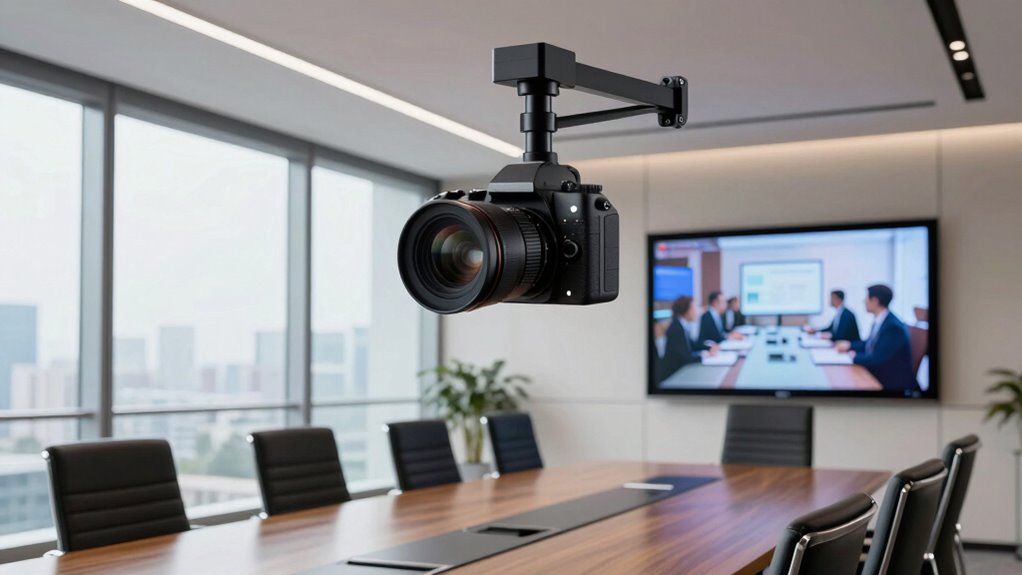

A conference room camera should frame everyone clearly and make meetings easy to join, but the right setup depends on room size and how people speak. My best overall pick is the Yealink UVC40 E2, whose 4K camera and eight-microphone array suit huddle rooms that need more than a basic webcam. The Logitech MeetUp is a straightforward fit for small rooms, while the TONGVEO 4K AI Auto-Tracking PTZ System suits teams that want a camera to follow active speakers. The main tradeoffs are between 360-degree coverage, controlled PTZ framing, built-in audio, and the simplicity of a USB bar. Read on for the full comparison, including who each option suits and where its compromises matter.

Get privacy and security gear delivered free with Prime
- Fast, free delivery on millions of items
- Prime Video, Amazon Music and more included
- Member-only deals all year
Complete the kit



Key Takeaways
- The Yealink UVC40 E2 stands out for small rooms where a built-in 4K camera and eight-microphone array can reduce the need for separate equipment.
- Logitech MeetUp is a more familiar, focused room-camera setup than the 360-degree models, while its optional expansion mic can help in rooms where the built-in pickup is not enough.
- 360-degree cameras such as the TOUCAN, COOLPO AI Huddle Pana, and j5create are designed to show people around a table; they trade conventional front-of-room framing for shared coverage.
- TONGVEO’s PTZ and auto-tracking systems suit rooms that need adjustable framing or speaker tracking, but their added controls and components call for more setup than a basic webcam.
- Yealink MeetingBar A10 pairs a room system with a touch panel, while the BCC950 and 4K webcam-style models are more suited to simpler or desktop-centered meetings.
| 4K AI-Powered Conference Webcam with Dual Microphones, 120° FOV, Zoom Certified |  | Best for Simple Huddle Room Setup | Resolution: 4K | Field of view: 120° | Microphones: Dual AI noise-canceling; up to 5 m pickup | VIEW ON AMAZON | See Our Full Breakdown |
| Yealink UVC40 E2 4K Conference Room Camera System with 8-Microphone Array for Huddle Rooms |  | Best for Huddle Room Audio | Camera resolution: 4K UHD | Sensor: 1/1.8-inch CMOS | Field of view: 120° | VIEW ON AMAZON | See Our Full Breakdown |
| Yealink UVC40 E2 4K USB Video Conferencing Bar |  | Best for Managed Small Meeting Rooms | Video resolution: 4K | Field of view: 120° | Camera sensor: 8 MP CMOS | VIEW ON AMAZON | See Our Full Breakdown |
| TONGVEO All-in-One Conference Room Video Camera System – AI Auto-Tracking HD 1080P 60fps, 3X Optical Zoom USB3.0 HDMI PTZ Camera with Bluetooth Speakerphone |  | Best for Flexible Camera Positioning | Resolution and frame rate: 1920 × 1080 at 60fps | Optical zoom: 3x | Image sensor: 1/2.8-inch HD CMOS, 2.38 MP | VIEW ON AMAZON | See Our Full Breakdown |
| TOUCAN 360-Degree Video Conference Camera with 1080p HD Video, 4 Noise-Reduction Mics, Speaker, and AI Tracking |  | Best for 360-Degree Room Coverage | Resolution: 1080p HD listed; description also mentions 4K | Field of view: 360° | Microphones: 4 noise-reduction microphones | VIEW ON AMAZON | See Our Full Breakdown |
| COOLPO AI Huddle Pana 360° Conference Camera |  | Best for Round-Table Rooms | Camera view: 360 degrees | Maximum display resolution: UHD | Sensor: 1/1.7-inch CMOS | VIEW ON AMAZON | See Our Full Breakdown |
| Logitech MeetUp ConferenceCam with Expansion Mic – Black |  | Best for Huddle Rooms | Field of view: 120 degrees | Video resolutions: 4K Ultra HD, 1080p, 720p | Microphones: 3 with expansion mic | VIEW ON AMAZON | See Our Full Breakdown |
| TONGVEO 4K AI Auto-Tracking PTZ Conference Camera System with Bluetooth Speakerphone |  | Best for Larger Rooms | Camera resolution: UHD 4K at 30 fps (HDMI); 1080p over USB 3.0 | Sensor: 1/2.8-inch CMOS, 8.29 MP | Field of view: 93° | VIEW ON AMAZON | See Our Full Breakdown |
| Yealink UVC34 4K Video Conference Camera System |  | Best Overall | Resolution: 4K UHD, 8 MP sensor | Field of view: 120° | Microphones: 8-microphone array, 5 m pickup | VIEW ON AMAZON | See Our Full Breakdown |
| TONGVEO 3-in-1 4K Webcam with AI Tracking, Microphones, Speaker, and Remote |  | Best Budget All-in-One | Video resolution: Up to 3840 × 2160 at 30 fps | Sensor: 1/2.8-inch CMOS, 8.29 MP | Field of view: 118° / 100° / 88° adjustable | VIEW ON AMAZON | See Our Full Breakdown |
| Logitech MeetUp 4K Video Conferencing System with 3 Microphones, Black |  | Best for Small Huddle Rooms | Resolution: Ultra HD 4K | Field of view: 120° | Zoom: 5x HD | VIEW ON AMAZON | See Our Full Breakdown |
| j5create 360 Degree All Around Meeting Webcam |  | Best for 360° Room Coverage | Video resolution: 1080p Full HD at 30 Hz | Field of view: 360° | Microphone: Built-in omnidirectional | VIEW ON AMAZON | See Our Full Breakdown |
| Yealink MeetingBar A10 Video Conferencing System with CTP18 Touch Panel |  | Best Integrated Room System | Camera resolution: 4K | Camera field of view: 120 degrees | Microphones: 8 MEMS microphones | VIEW ON AMAZON | See Our Full Breakdown |
| Logitech BCC950 Desktop Video Conferencing Webcam and Speakerphone |  | Best for Desktop Meetings | Video resolution: 1080p HD | Frame rate: 30 fps | Lens: Carl Zeiss | VIEW ON AMAZON | See Our Full Breakdown |
| TONGVEO 4K Conference Room Camera System with Gesture Control, AI Auto-Tracking PTZ Camera 5X Digital Zoom with Speakerphone, 120° Wide-Angle, USB 3.0 |  | Best for Flexible PTZ Tracking | Resolution: 4K UHD at 30 fps | Sensor: 1/2.8-inch CMOS, 8.29 megapixels | Zoom: 5x digital | VIEW ON AMAZON | See Our Full Breakdown |
| conference room camera | Field of view | Microphones | Connectivity |
|---|---|---|---|
| 4K AI-Powered Conference Webca | 120° | Dual AI noise-canceling; up to 5 m pickup | USB plug and play |
| Yealink UVC40 E2 4K Conference | 120° | 8-element beamforming array | UAC/UVC standard and wired network |
| Yealink UVC40 E2 4K USB Video | 120° | 8-microphone array | USB-A; Wi-Fi 802.11a/b/g/n/ac |
| TONGVEO All-in-One Conference | 114° | — | — |
| TOUCAN 360-Degree Video Confer | 360° | 4 noise-reduction microphones | — |
| COOLPO AI Huddle Pana 360° Con | — | 8 | USB |
| Logitech MeetUp ConferenceCam | 120 degrees | 3 with expansion mic | Bluetooth, USB |
| TONGVEO 4K AI Auto-Tracking PT | 93° | 4 omnidirectional, 16.4 ft pickup | — |
| Yealink UVC34 4K Video Confere | 120° | 8-microphone array, 5 m pickup | USB-B to USB-A, 7 m cable |
| TONGVEO 3-in-1 4K Webcam with | 118° / 100° / 88° adjustable | Dual omnidirectional with noise cancellation, 16.4 ft pickup | USB 2.0/3.0 |
| Logitech MeetUp 4K Video Confe | 120° | 3 beamforming microphones | USB plug-and-play |
| j5create 360 Degree All Around | 360° | — | USB UVC/UAC plug-and-play |
| Yealink MeetingBar A10 Video C | — | 8 MEMS microphones | HDMI, Wi-Fi, Bluetooth, Ethernet |
| Logitech BCC950 Desktop Video | — | — | USB |
| TONGVEO 4K Conference Room Cam | 120° wide-angle | — | — |
More Details on Our Top Picks
4K AI-Powered Conference Webcam with Dual Microphones, 120° FOV, Zoom Certified
For a small room that needs a straightforward USB camera, this model pairs 4K video and a 120° view with AI auto-framing and presenter tracking. That combination can keep participants in view without someone adjusting the camera between speakers. Its dual noise-canceling microphones are specified for pickup up to 5 meters, and the physical lens cover gives shared rooms a visible privacy safeguard. Compared with the Yealink UVC40 E2, it has a simpler audio setup: Yealink’s eight-microphone array and beamforming are better suited to rooms where voice pickup is a priority. In return, this webcam offers a plug-and-play USB connection and a clear small-room focus. Skip it for larger spaces, where its intended coverage and dual-mic design may be limiting.
Pros:- 4K resolution with a 120° field of view
- AI auto-framing and presenter tracking
- Dual noise-canceling microphones specified for pickup up to 5 meters
- Physical lens cover and plug-and-play USB connectivity
Cons:- Designed for small conference rooms, limiting its fit for larger spaces
- Two microphones offer a simpler audio setup than the Yealink UVC40 E2’s eight-microphone array
Best for: Small teams that want a USB-connected camera with automatic framing and a physical privacy cover.
Not ideal for: Larger conference rooms or teams that need an advanced multi-microphone pickup system.
- Resolution:4K
- Field of view:120°
- Microphones:Dual AI noise-canceling; up to 5 m pickup
- Connectivity:USB plug and play
- Compatible platforms:Zoom, Microsoft Teams, Webex
- Certification:Zoom Certified
- Privacy:Physical lens cover
- Intended room:Small conference rooms
Our verdict“Choose it for hands-free 4K coverage and simple setup in a small meeting room.”
Yealink UVC40 E2 4K Conference Room Camera System with 8-Microphone Array for Huddle Rooms
The UVC40 E2 makes the strongest case when voice pickup matters as much as the picture. Its eight-element beamforming array, noise cancellation, and echo reduction are designed to help conversation stay intelligible across a huddle room, while speaker tracking and auto-framing follow the discussion. The 120° 4K camera matches the wide coverage of the 4K AI-Powered Conference Webcam, but Yealink adds an electric privacy cap and included wall and TV mounts. That all-in-one setup is less convenient if the camera needs to sit on a desk: the desktop stand is optional. Its room focus also makes it excessive for a solo workstation. For teams that value simple USB setup over richer room audio, the 4K AI-Powered Conference Webcam is a more pared-back choice.
Pros:- 4K UHD camera with a 120° field of view
- Eight-microphone beamforming array with noise cancellation and echo reduction
- AI auto-framing and speaker tracking
- Electric privacy cap and included wall and TV mounts
Cons:- Desktop stand is optional
- Huddle-room design is more than a solo user needs
Best for: Small teams outfitting a fixed huddle room that need broad voice pickup, speaker tracking, and mounted installation.
Not ideal for: Solo callers or buyers who need a desktop stand included in the box.
- Camera resolution:4K UHD
- Sensor:1/1.8-inch CMOS
- Field of view:120°
- Microphones:8-element beamforming array
- AI features:Auto framing, speaker tracking, smart area exposure
- Audio processing:Full-duplex, noise cancellation, echo reduction
- Privacy:Electric lens cap
- Mounting:Wall and TV mounts included; optional desktop stand
- Connectivity:UAC/UVC standard and wired network
Our verdict“Pick the UVC40 E2 when room-wide audio and mounted huddle-room deployment matter more than a basic USB setup.”
Yealink UVC40 E2 4K USB Video Conferencing Bar
This Yealink video bar suits a small meeting room where a team wants camera, microphones, and speaker in one unit, plus remote management. Its 4K, 120° camera combines automatic framing and speaker tracking, while low-light optimization can help keep faces visible when room lighting is less controlled. The built-in 5 W speaker removes the need for a separate desktop speakerphone, and the electric privacy cover gives the room a clear camera-off state. Compared with the Yealink UVC40 E2 with 8-Microphone Array, this listing spells out USB-A, Wi-Fi, dimensions, and a two-year limited warranty, but provides less detail about audio processing. Its USB-A requirement may also constrain newer setups, and a 3 kg bar is better suited to a fixed room than frequent relocation.
Pros:- 4K camera with 120° field of view and 5x ePTZ
- Automatic framing, speaker tracking, and low-light optimization
- Eight-microphone array and built-in 5 W speaker
- Electric privacy cover and remote management
Cons:- Requires a USB-A connection
- At 3 kg, it is less suited to frequent room-to-room moves
- Audio processing details are less specific than for the other Yealink UVC40 E2 listing
Best for: IT teams equipping a fixed small meeting room that want an integrated speaker and remote management.
Not ideal for: Users who need USB-C connectivity or a lightweight camera to move between rooms.
- Video resolution:4K
- Field of view:120°
- Camera sensor:8 MP CMOS
- Zoom:5x ePTZ
- Microphones:8-microphone array
- Speaker:Built-in 5 W
- Connectivity:USB-A; Wi-Fi 802.11a/b/g/n/ac
- Dimensions and weight:2.67 × 23.61 × 3.22 in; 3 kg
- Warranty:2-year limited hardware warranty
Our verdict“Choose this video bar for a fixed small room that benefits from integrated audio and remote management.”
TONGVEO All-in-One Conference Room Video Camera System – AI Auto-Tracking HD 1080P 60fps, 3X Optical Zoom USB3.0 HDMI PTZ Camera with Bluetooth Speakerphone
The TONGVEO is the flexible choice for small-to-medium rooms that need a camera to follow a presenter across a wider area. Its 350° pan and 180° tilt, AI auto-tracking, and 3x optical zoom offer physical camera movement that the fixed 120° 4K AI-Powered Conference Webcam does not. The package also combines a 1080p, 60fps PTZ camera with a Bluetooth speakerphone rated for voice pickup within 5 meters, so it can cover both video and room audio needs. That flexibility comes with a lower listed resolution than the Yealink UVC40 E2 and more setup components. The camera itself is wired; only the speakerphone is wireless. Its modest optical zoom may also leave distant participants small in a room near the stated 40-square-meter limit.
Pros:- AI auto-tracking with 350° horizontal and 180° vertical movement
- 3x optical zoom and 114° field of view
- Includes a Bluetooth speakerphone with up to 5 m pickup
- USB 3.0 and HDMI outputs with broad platform compatibility
Cons:- 1080p resolution is lower than the Yealink UVC40 E2’s 4K
- The camera is wired; only the speakerphone is wireless
- 3x optical zoom may not be enough for distant participants in larger rooms
Best for: Small-to-medium meeting rooms that need a tracking PTZ camera, optical zoom, and a separate wireless speakerphone.
Not ideal for: Teams prioritizing 4K detail or a fully wireless camera installation.
- Resolution and frame rate:1920 × 1080 at 60fps
- Optical zoom:3x
- Image sensor:1/2.8-inch HD CMOS, 2.38 MP
- Pan and tilt:350° horizontal; 180° vertical
- Field of view:114°
- Outputs:HDMI 2.0, USB 3.0
- Speakerphone pickup:Up to 5 m
- Speakerphone battery:2400 mAh; 6–8 hours
- Recommended room:Up to 40 square meters; 8–12 people
Our verdict“Choose the TONGVEO when camera movement and presenter tracking matter more than 4K resolution or a wireless camera.”
TOUCAN 360-Degree Video Conference Camera with 1080p HD Video, 4 Noise-Reduction Mics, Speaker, and AI Tracking
The TOUCAN takes a different approach from the directional cameras in this roundup: its 360° coverage is meant to keep participants around the room visible without panning a lens toward each speaker. Four noise-reduction microphones and a built-in speaker make it a compact all-in-one option, and plug-and-play support for PC, Mac, and tablets keeps deployment simple. Compared with the TONGVEO All-in-One Conference Room Video Camera System, it gives up PTZ movement and optical zoom in favor of seeing the whole room at once. The listing specifies 1080p HD, although its description also mentions 4K, so resolution is unclear. It also does not specify a hardware mute control or remote, details that matter when a shared room needs simple meeting controls.
Pros:- 360° field of view captures participants around the room
- Four noise-reduction microphones and built-in speaker
- AI tracking
- Plug-and-play compatibility with PC, Mac, tablets, and major meeting platforms
Cons:- Listing is inconsistent about whether resolution is 1080p or 4K
- No remote control or hardware mute feature is specified
- No optical zoom or PTZ range is listed
Best for: Teams that sit around a table and want all-direction coverage from a single plug-and-play device.
Not ideal for: Rooms that need optical zoom, presenter-directed PTZ movement, or clearly specified video resolution.
- Resolution:1080p HD listed; description also mentions 4K
- Field of view:360°
- Microphones:4 noise-reduction microphones
- Speaker:Built-in
- Features:AI tracking
- Setup:Plug and play
- Compatibility:Zoom, Google Voice, Microsoft Teams
- Supported devices:PC, Mac, tablet
Our verdict“Pick the TOUCAN for all-direction table coverage when a fixed 360° view matters more than zoom or precise camera movement.”
COOLPO AI Huddle Pana 360° Conference Camera
Most conference cameras frame the room from one wall, which means people seated at the far ends of a table end up distorted at the edges. The COOLPO AI Huddle Pana solves this with a 360° lens placed at the center of the table, letting remote participants see every face naturally. Its eight-microphone array with 15 ft pickup handles larger groups than the Logitech MeetUp’s three-mic system, and on-device AI tracking keeps the active speaker framed without any software subscription. Compared with the Yealink UVC34, it trades away fixed 4K camera detail for omnidirectional coverage — video quality per person is lower, but nobody in the room is cropped out. Setup is genuinely simple: one USB cable and you’re running. The tradeoff is that the center-of-table placement requires cable management across the room, and the 3x digital zoom can’t match the optical reach of a PTZ like the TONGVEO.
Pros:- True 360° view captures every seat without edge distortion
- Eight microphones pick up voices up to 15 feet away
- AI speaker tracking runs locally on the device
- Single-cable USB plug-and-play setup
Cons:- Per-person image detail falls short of dedicated 4K conference bars
- Center-of-table placement means running a cable across the room
- Digital zoom only — no optical reach for distant participants
Best for: Teams that meet around a table and want every seat visible without edge distortion
Not ideal for: Presenter-style rooms where the action happens at one end — a wide-angle bar like the MeetUp fits better
- Camera view:360 degrees
- Maximum display resolution:UHD
- Sensor:1/1.7-inch CMOS
- Microphones:8
- Microphone pickup range:Up to 15 ft
- Digital zoom:3x
- Connectivity:USB
- Compatibility:Windows 10+, macOS 10.10+
Our verdict“This pick makes the most sense for round-table meeting rooms where seeing every face matters more than razor-sharp detail.”
Logitech MeetUp ConferenceCam with Expansion Mic – Black
The Logitech MeetUp remains the reference point for small-room video because it gets the fundamentals right: a 120° field of view wide enough to seat five people close to the display without fisheye, 4K capture that downgrades gracefully to 1080p or 720p depending on bandwidth, and the included expansion mic that stretches audio pickup from 8 to 14 feet — enough for a long table’s worth of participants. Compared with the TONGVEO 3-in-1 webcam, its audio system is far more refined, with three custom-tuned mics and a speaker loud enough to fill the room. The Bluetooth speakerphone mode is a genuine bonus for impromptu calls from a phone. The honest limitation is scale: in a mid-size conference room, both the lens and the mic range run out of coverage, and the TONGVEO PTZ system with its 16.4 ft pickup does that job better. There’s no AI framing here either — framing is fixed.
Pros:- 120° field of view fits everyone in tight huddle-room seating
- Expansion mic extends audio range from 8 to 14 feet
- 4K video support with flexible resolution fallback
- Doubles as a Bluetooth speakerphone for mobile calls
Cons:- Coverage and mic range are inadequate for larger rooms
- No AI auto-framing or speaker tracking — framing is static
Best for: Businesses outfitting huddle rooms that want proven, polished hardware with room-filling audio
Not ideal for: Medium or large conference rooms — both the camera coverage and mic range max out quickly
- Field of view:120 degrees
- Video resolutions:4K Ultra HD, 1080p, 720p
- Microphones:3 with expansion mic
- Audio range:8 to 14 feet with expansion mic
- Connectivity:Bluetooth, USB
- Intended use:Huddle rooms and small conference rooms
Our verdict“This model is better suited to small huddle rooms than anything else in the lineup, and it’s the safest choice there.”
TONGVEO 4K AI Auto-Tracking PTZ Conference Camera System with Bluetooth Speakerphone
When a room outgrows what a fixed bar can cover, a PTZ camera is the answer, and this TONGVEO system moves with 350° pan and 180° tilt plus 3× optical zoom — actual glass magnification rather than the digital crop you get on the COOLPO Pana or the TONGVEO 3-in-1 webcam. The AI speaker tracking keeps whoever is talking centered, which matters in training rooms and classrooms where presenters walk around. Its companion speakerphone pairs over Bluetooth 5.0 with four omnidirectional mics and a 16.4 ft pickup, comfortably beating the MeetUp’s 14-foot ceiling. Two things hold it back: the USB output is capped at 1080p, so full 4K only reaches displays via HDMI, and the speakerphone’s 6–8 hour battery means mid-week recharging in busy rooms. Flexibility is a strong point, though — desk, wall, tripod, or ceiling mounting all work.
Pros:- 3× optical zoom with 350° pan and 180° tilt coverage
- AI tracking keeps moving speakers centered
- Wireless speakerphone with four mics and 16.4 ft pickup
- Multiple mounting options including wall and ceiling
Cons:- USB camera output is limited to 1080p; 4K requires HDMI
- Speakerphone needs recharging after 6–8 hours
- Two-device setup is more involved than a single all-in-one bar
Best for: Training rooms and mid-size spaces where presenters move and a fixed camera can’t follow
Not ideal for: Users who need 4K over USB — the camera’s USB output stops at 1080p
- Camera resolution:UHD 4K at 30 fps (HDMI); 1080p over USB 3.0
- Sensor:1/2.8-inch CMOS, 8.29 MP
- Field of view:93°
- Optical zoom:3×
- Pan / tilt:350° horizontal / 180° vertical
- Microphones:4 omnidirectional, 16.4 ft pickup
- Speakerphone battery:2400 mAh, 6–8 hours
- Mounting:Desk, wall, tripod, or ceiling
Our verdict“This pick makes the most sense for larger, active rooms where optical zoom and physical movement matter more than single-cable simplicity.”
Yealink UVC34 4K Video Conference Camera System
The Yealink UVC34 earns the top spot because it balances everything a typical conference room needs without a weak link. Its 8-microphone array with 5 m pickup matches the TONGVEO PTZ system’s reach but delivers it in a single clean bar, and its 120° field of view covers small-to-mid rooms as well as the Logitech MeetUp while adding AI auto framing and speaker tracking the MeetUp lacks. The Microsoft Teams and Zoom certifications mean IT departments can deploy it without compatibility surprises — a real advantage over the TONGVEO and COOLVO-style alternatives. I also rate the automatic privacy shutter, which physically closes the lens between meetings and answers a concern buyers increasingly care about. The 7 m USB cable gives useful placement flexibility. Against the COOLPO Pana, it gives up the 360° table view but gains noticeably better per-person image quality and platform polish. It’s wired-only, and it isn’t built for rooms beyond mid-size.
Pros:- Certified for Microsoft Teams and Zoom
- Eight-microphone array with 5 m (16.4 ft) pickup
- AI auto framing and speaker tracking included
- Automatic privacy shutter and 7 m USB cable
Cons:- Wired USB connection only — no wireless option
- Fixed lens can’t serve very large or 360° rooms
Best for: Companies standardizing on Teams or Zoom that want certified, all-in-one hardware for small-to-mid rooms
Not ideal for: Large boardrooms or round-table setups — its fixed 120° view can’t cover a 360° space like the COOLPO Pana
- Resolution:4K UHD, 8 MP sensor
- Field of view:120°
- Microphones:8-microphone array, 5 m pickup
- Connectivity:USB-B to USB-A, 7 m cable
- Certifications:Microsoft Teams, Zoom
- Features:AI auto framing, speaker tracking, privacy shutter, autofocus
- Compatibility:Windows, macOS, leading conferencing platforms
Our verdict“This option stands out for teams that want a certified, fuss-free all-in-one that does everything well — it’s the default recommendation unless your room has an unusual shape.”
TONGVEO 3-in-1 4K Webcam with AI Tracking, Microphones, Speaker, and Remote
Not every meeting room justifies enterprise hardware, and this TONGVEO 3-in-1 webcam bundles camera, dual noise-canceling mics, and a 3W speaker into one USB device that costs a fraction of a certified system. The three adjustable field-of-view settings (118°, 100°, 88°) are genuinely useful — wide for group huddles, narrow to cut out distracting backgrounds — and the included remote control plus privacy cover are extras you don’t always get at this level. Its 4K/30fps capture matches the Yealink UVC34 on paper, though without platform certifications, and the AI voice tracking handles basic speaker following. The compromises are clear: the 5x zoom is digital, so it softens detail fast, and the small speaker struggles in rooms beyond a small office. Compared with the Logitech MeetUp, audio reach is similar on paper but lacks the tuning and volume. It’s the sensible pick when budget, not polish, drives the decision.
Pros:- Camera, microphones, and speaker in one USB device
- Three switchable field-of-view settings for different room sizes
- 4K at 30fps capture with AI auto-framing and voice tracking
- Remote control and privacy cover included
Cons:- 5x digital zoom degrades image quality at full magnification
- Built-in 3W speaker is underpowered for group rooms
- No platform certifications for Teams or Zoom deployments
Best for: Small offices and home-based teams wanting camera, mic, and speaker in one affordable device
Not ideal for: Larger meeting rooms — the 3W speaker and digital zoom won’t keep up with group demands
- Video resolution:Up to 3840 × 2160 at 30 fps
- Sensor:1/2.8-inch CMOS, 8.29 MP
- Field of view:118° / 100° / 88° adjustable
- Digital zoom:5x
- Microphones:Dual omnidirectional with noise cancellation, 16.4 ft pickup
- Speaker:3W
- Connectivity:USB 2.0/3.0
Our verdict“This pick makes the most sense for budget-conscious small rooms where one cable and one device need to do everything adequately rather than exceptionally.”
Logitech MeetUp 4K Video Conferencing System with 3 Microphones, Black
The Logitech MeetUp is a strong fit for small rooms where one camera needs to cover a group without a separate microphone or speaker setup. Its 120° view keeps more seated participants in frame, while 5x HD zoom and motorized pan and tilt let hosts adjust the view when people sit off center. Compared with the Logitech BCC950, MeetUp offers 4K capture and a wider field of view, making it better suited to a room table than a desktop meeting. Its beamforming microphones pick up voices from up to 4 m, though larger rooms may need the separately sold expansion microphone. This is a practical, USB plug-and-play choice for huddle spaces; buyers needing room-wide 360° coverage should look at the j5create 360 Degree All Around Meeting Webcam instead.
Pros:- 120° field of view helps include participants across a small meeting table
- 5x HD zoom and motorized pan and tilt allow flexible framing
- Three beamforming microphones capture voices up to 4 m away
- USB plug-and-play setup works with room systems for major conferencing platforms
Cons:- Expansion microphone is sold separately for pickup beyond 4 m
- Its 120° view does not capture an entire room the way a 360° camera can
Best for: Small teams that need a USB-connected camera and microphones to cover a huddle room from one device
Not ideal for: Larger rooms or teams needing 360° coverage or longer microphone pickup without buying an expansion mic
- Resolution:Ultra HD 4K
- Field of view:120°
- Zoom:5x HD
- Microphones:3 beamforming microphones
- Microphone pickup range:Up to 4 m; up to 5 m with optional Expansion Mic
- Pan and tilt field of view:Up to 170°
- Connectivity:USB plug-and-play
- Color:Black
Our verdict“Choose MeetUp for a compact huddle room that needs wide 4K framing and built-in audio in one USB system.”
j5create 360 Degree All Around Meeting Webcam
The j5create 360 Degree All Around Meeting Webcam suits meetings where participants sit around a table and no single forward-facing angle works for everyone. Its 360° capture and six display modes let a team choose how the room appears on screen, while the built-in omnidirectional microphone avoids adding a separate audio unit. Compared with the forward-facing Logitech MeetUp, it favors seeing the whole group over detailed framing of people at the front. The tradeoff is Full HD 1080p video rather than 4K, and the supplied information notes that a firmware upgrade may be needed for expected functionality and resolution. USB UVC/UAC plug-and-play and broad app compatibility simplify setup, though users must authorize app permissions before use.
Pros:- 360° field of view covers participants around the camera
- Six display modes offer different ways to present the room
- Built-in omnidirectional microphone keeps the setup self-contained
- USB UVC/UAC plug-and-play supports a wide range of conferencing apps
Cons:- 1080p video offers less detail than the 4K Logitech MeetUp
- A firmware upgrade may be needed for optimal functionality and resolution
- App permissions must be authorized before use
Best for: Teams seated around a shared table who want one camera to show participants across the full room
Not ideal for: Buyers who prioritize 4K detail or want close, adjustable framing of a presenter
- Video resolution:1080p Full HD at 30 Hz
- Field of view:360°
- Microphone:Built-in omnidirectional
- Display modes:Six
- Connectivity:USB UVC/UAC plug-and-play
- Compatible apps:Skype, Microsoft Teams, Google Meet, Cisco, Zoom, BlueJeans, Amazon Chime, GoToMeeting, Slack
Our verdict“Pick the j5create when showing everyone around the table matters more than 4K detail or presenter-focused framing.”
Yealink MeetingBar A10 Video Conferencing System with CTP18 Touch Panel
The Yealink MeetingBar A10 is for small rooms where buyers want the camera, audio, computing unit, and meeting controls bundled into a single system. Its 4K camera, eight microphones, speaker, and Android-based unit reduce the number of separate devices to arrange, while AI auto framing and speaker tracking can keep active participants in view. The included 8-inch CTP18 touch panel gives hosts a dedicated way to control meetings. Compared with the USB-connected Logitech MeetUp, the A10 is a more self-contained room solution, with HDMI, Wi-Fi, Bluetooth, and Ethernet listed for connectivity. That integration comes with a narrower target: it is designed for small rooms, and the provided compatibility is limited to Microsoft Teams and Zoom. Its 4.42 kg weight also makes it less of a casual desktop webcam.
Pros:- Combines camera, eight microphones, speaker, and computing unit
- AI auto framing and speaker tracking can keep active participants in view
- Included 8-inch touch panel provides meeting controls
- Certified for Microsoft Teams and Zoom
Cons:- Designed for small rooms, limiting suitability for larger spaces
- Compatibility listed for Microsoft Teams and Zoom only
- At 4.42 kg, it is less convenient to move between rooms than a compact webcam
Best for: Small offices that want a dedicated Teams or Zoom room system with camera, audio, computing, and touch control included
Not ideal for: Larger conference rooms or organizations that need broad platform compatibility and a simple USB webcam
- Camera resolution:4K
- Camera field of view:120 degrees
- Microphones:8 MEMS microphones
- Touch panel:CTP18, 8-inch
- Operating system:Android
- Connectivity:HDMI, Wi-Fi, Bluetooth, Ethernet
- Weight:4.42 kg
- Compatibility:Microsoft Teams and Zoom
Our verdict“Choose the MeetingBar A10 for a small Teams or Zoom room that benefits from an integrated system and dedicated touch panel.”
Logitech BCC950 Desktop Video Conferencing Webcam and Speakerphone
The Logitech BCC950 is aimed at small business meetings held close to a desk or compact conference table. It pairs 1080p video with a full-duplex speakerphone, echo cancellation, and a noise-cancelling microphone, so a small team can join a call without assembling separate camera and audio gear. Remote and base controls handle camera movement, volume, mute, and calls. Against the Logitech MeetUp, the BCC950 is a more desktop-oriented option with lower video resolution and a shorter stated microphone range: up to 8 feet from the base. That range makes room placement matter, especially if participants sit farther away. Its listed services include older business platforms such as Microsoft Lync 2013 and Skype for Business, so buyers should check that their preferred conferencing setup is supported.
Pros:- Combines a webcam and full-duplex speakerphone in one device
- 1080p video runs at 30 fps
- Echo cancellation and a noise-cancelling microphone support clearer conversation
- Remote and base controls handle camera movement and call functions
Cons:- Microphone pickup is limited to up to 8 feet from the base
- 1080p resolution is lower than the 4K Logitech MeetUp
- Listed compatible services include older business platforms
Best for: Small businesses holding calls at a desk or compact table that want an all-in-one USB webcam and speakerphone
Not ideal for: Teams spread across a larger meeting room or buyers who need 4K capture and broad room coverage
- Video resolution:1080p HD
- Frame rate:30 fps
- Lens:Carl Zeiss
- Microphone:Noise-cancelling
- Audio:Full-duplex speakerphone with echo cancellation
- Pickup range:Up to 8 feet from the base
- Connectivity:USB
- Compatible services:Microsoft Lync 2013, Skype for Business, Cisco Jabber, WebEx
Our verdict“Choose the BCC950 for close-range desktop meetings where integrated speakerphone audio matters more than 4K or wider room coverage.”
TONGVEO 4K Conference Room Camera System with Gesture Control, AI Auto-Tracking PTZ Camera 5X Digital Zoom with Speakerphone, 120° Wide-Angle, USB 3.0
The TONGVEO 4K Conference Room Camera System is the most adjustable camera in this group for rooms where speakers move or the host needs to reposition the view. Its 350° pan and 180° tilt, AI auto-tracking, and gesture controls give it more movement range than the fixed wide-view Logitech MeetUp. The kit also includes a portable speakerphone with two noise-reducing microphones and pickup up to 5 m, which can be placed closer to participants. That flexibility brings setup tradeoffs: the camera and speakerphone connect through different interfaces, and some camera controls have stated limitations. In particular, the FAR, NEAR, MANUAL, and AUTO remote focus buttons do not function on this version. Buyers also need compatible 4K equipment and software to benefit fully from the image resolution.
Pros:- 4K UHD video at 30 fps with a 120° wide-angle lens
- AI tracking, gesture controls, and wide pan and tilt range help follow active presenters
- Included portable speakerphone has two noise-reducing microphones and 5 m pickup
- Camera supports desk, wall, tripod, and ceiling mounting
Cons:- Remote FAR, NEAR, MANUAL, and AUTO focus buttons do not function on this version
- Compatible 4K equipment and software are needed to take full advantage of resolution
- Mirror settings may need adjustment in conferencing software to avoid a flipped menu
Best for: Teams with a moving presenter that want a remotely steerable 4K camera and portable speakerphone
Not ideal for: Small groups seeking a simple plug-and-play all-in-one camera, or buyers relying on the remote focus buttons
- Resolution:4K UHD at 30 fps
- Sensor:1/2.8-inch CMOS, 8.29 megapixels
- Zoom:5x digital
- Field of view:120° wide-angle
- Pan and tilt:350° horizontal; 180° vertical
- Preset positions:0–9 via remote
- Audio pickup range:16.4 ft / 5 m
- Speakerphone battery:2400 mAh; 6–8 hours standby
- Compatibility:Zoom, Skype for Business, Polycom, Microsoft Lync, WebEx, BlueJeans, Facebook Messenger; Windows, Mac OS, Chrome OS
Our verdict“Pick this TONGVEO kit when presenter tracking and flexible camera placement outweigh the added setup and control limitations.”

How We Picked
I compared these 15 conference room cameras by how well their stated design and features fit common meeting-room needs: showing all participants, framing speakers, capturing room audio, and connecting to a conferencing setup. I gave weight to practical distinctions such as 360-degree coverage versus a front-facing view, 4K versus 1080p video, built-in microphones and speakers, tracking, zoom, and touch control. A feature matters here only when it answers a buyer need: for example, optical zoom can help adjust a PTZ view, while a microphone array can reduce the need for add-on audio gear.
The order favors room-ready versatility and clear role fit. The Yealink UVC40 E2 leads for combining a 4K camera with a broad microphone array in a huddle-room system; MeetUp follows as a simpler, established small-room format. Tracking systems, 360-degree cameras, desktop units, and touch-panel setups rank according to the rooms and workflows they serve, not by feature count alone. Product names and supplied descriptions do not establish every compatibility detail or real-world result, so buyers should check platform support, room dimensions, and connection requirements before choosing.
Factors to Consider When Choosing Conference Room Camera
Before choosing a conference room camera, map the room and meeting habits to the kind of view and audio the system provides. These broader checks can prevent a mismatch that a feature list alone may not reveal.
Match the camera view to the seating plan
Start with where people sit and where the display is placed. A front-facing bar or PTZ camera gives remote attendees a conventional view of the table, while a 360-degree camera can represent people seated around it more evenly. A wide field of view may help include a broad table, but it can also make people appear smaller when the camera sits far away. Measure the distance from the camera to the farthest seat and check the field of view against that angle. A common mistake is choosing a camera by resolution alone and discovering that the room layout leaves participants at the edges. For long tables or larger rooms, check whether zoom or more than one camera is needed before buying.
Treat room audio as part of the camera decision
Remote participants need to hear speech clearly, so evaluate microphone placement and coverage alongside video. An integrated microphone array keeps the setup compact, while an expansion microphone or separate speakerphone can make more sense when people sit farther from the camera. Room acoustics matter too: glass, hard walls, and HVAC noise can undermine pickup even when a product lists several microphones. Ask whether the camera will sit near the people speaking or at the end of a long table. Avoid assuming that a built-in speaker and microphone will serve every room equally well. If meetings regularly include remote callers, prioritize a plan for both pickup and playback rather than adding audio equipment after the camera is installed.
Choose tracking only when movement calls for it
AI tracking and PTZ controls can keep a moving presenter in frame or let an operator adjust the view, but they add decisions to installation and use. They are most useful when people present from different parts of the room or when the camera is farther from the speakers. For a seated huddle, a fixed wide view may be easier for everyone to understand and manage. Check how tracking behaves when several people speak, when someone walks through the room, and when participants are seated close together. Confirm whether a remote, gesture control, or software settings are required for the functions you want. Paying for tracking makes little sense if meetings rarely involve movement.
Confirm how the system joins your meetings
A USB camera, a complete video bar, and a room system with a touch panel can have different setup and operation needs. Before purchase, check the conferencing platform, computer or room appliance, ports, and control method used at your site. A camera described as certified for one service does not by itself confirm support for every room workflow or accessory. If meetings start from a shared room account, think about who will launch calls and whether they need a touch panel or a connected laptop. Check cable length and where power and USB connections will be available. A feature-rich system can become inconvenient if it does not match the way staff already book and start meetings.
Plan for setup, placement, and future changes
Look beyond the camera body to the mount, cable route, table position, and any speakerphone or expansion microphone. A compact all-in-one unit can reduce loose components, while a modular setup may give a team more choices as its room changes. A device placed too close to participants can create awkward framing; one placed too far away may need zoom or a different camera layout. Consider whether the room is permanent or shared, since portable desktop-style equipment may suit flexible spaces better than a mounted bar. Check what is included and what must be sourced separately. This planning is especially useful when replacing an older system, because existing cabling and displays can limit the practical options.
Frequently Asked Questions
Is a 360-degree conference camera better than a front-facing room camera?
It depends on seating and the kind of conversation. A 360-degree model can show people around a central table without choosing one end as the front, which can help in collaborative huddles. A front-facing camera usually gives remote attendees a more familiar shared view and can better suit presentations directed toward a display. Check how the 360-degree system arranges people in its video output, since coverage alone does not tell you how natural the remote view will look. Match the camera type to how people actually sit and speak.
Do I need a 4K camera for a small meeting room?
Not always. 4K can provide more image detail and flexibility for cropping or adjusting a view, but it cannot compensate for poor lighting, distant seating, or weak audio. For a small room with a fixed camera position, a well-framed 1080p camera may meet the need. Check what resolution your conferencing service and connected computer support in practice. Choose 4K when its detail or framing flexibility solves a real room problem, rather than treating the resolution label as a complete quality measure.
When is an expansion microphone worth adding?
An expansion microphone is worth considering when the built-in pickup does not comfortably reach the people at the far end of the table. Room shape, background noise, and speaker distance all affect intelligibility, so headcount alone is a poor guide. First map where participants usually sit and where the camera will be placed. Check compatibility with the camera system and whether the extra microphone changes cable or table arrangements. For a compact huddle with nearby speakers, the add-on may add clutter without solving a noticeable problem.
Should I choose AI auto-tracking or manual PTZ controls?
Auto-tracking is useful when presenters move around and nobody can operate the camera during a meeting. Manual PTZ gives a person more direct control over framing, which can be preferable when meetings follow a predictable format or require a deliberate view. Both features can be unnecessary in a small room where a fixed wide angle already covers everyone. Check whether the camera offers the controls your team will actually use and how it handles multiple speakers. If no one will manage camera settings, favor a view that works well without intervention.
What should I verify before buying a conference room camera for my existing setup?
Confirm platform compatibility, connection type, available ports, power, mounting options, and support for any existing microphones or speakers. Then check whether the room uses a laptop connected for each call or a dedicated room system, since that affects which camera style fits. Review the camera’s field of view against the room and consider whether a display blocks or competes with the intended placement. If a touch panel or expansion mic is part of the plan, verify that it works with the chosen system. These checks can expose a workflow or installation mismatch before equipment arrives.
Conclusion
For an all-around huddle-room system, I recommend the Yealink UVC40 E2 as the best overall pick for its combination of 4K video and an eight-microphone array. The Logitech MeetUp is my best value-style choice for teams that want a straightforward small-room camera, while the TONGVEO 4K AI Auto-Tracking PTZ System is the best fit for rooms where speakers move and adjustable framing matters. Beginners should look first at a simple integrated setup such as the Yealink UVC34 or MeetUp, then confirm platform and connection fit. For shared-table visibility, compare the TOUCAN, COOLPO AI Huddle Pana, and j5create 360 Degree; for touch-panel room control, consider the Yealink MeetingBar A10. Choose by seating, audio reach, and call workflow, then narrow the list to the system that fits those needs.