
A firewall appliance for small business has to balance three things that rarely line up: real threat-protection throughput, subscription costs, and whether someone on your team can actually manage it. The FortiGate 60F earns my best overall pick because it delivers enterprise-grade inspection at a price and port count a 20-to-50-person office can use, with a management interface that doesn’t require a dedicated security team. If budget leads your decision, the TP-Link ER7206 and Protectli Vault FW4B cover the basics without recurring license fees, while the Firewalla Purple SE is the standout for anyone who wants set-it-and-forget-it protection from a phone app. The biggest tradeoff in this category is that purpose-built NGFWs from SonicWall and Fortinet hit hardest at threat prevention but often gate their best features behind annual subscriptions, whereas the DIY route costs less upfront and demands more of you long-term. Read on for the full breakdown of all 14 appliances.

Get privacy and security gear delivered free with Prime
- Fast, free delivery on millions of items
- Prime Video, Amazon Music and more included
- Member-only deals all year
Key Takeaways
- Subscription licensing is the hidden differentiator: the SonicWall TZ line (TZ270W, TZ280, TZ380) and both FortiGates gate advanced threat prevention behind recurring fees, while the Protectli, UDPTCP, and TP-Link options run license-free with open or built-in software.
- The FortiGate 60F beat the 60E and 40F on raw inspection throughput, making it the strongest pick if you have gigabit internet and want deep packet inspection to actually keep up.
- Several listings here are legacy hardware — the SonicWall TZ 200 and the base TZ80 lack current-gen features and should only appeal to buyers with very narrow, non-internet-facing use cases.
- The Firewalla Purple SE and Aruba Instant On Secure Gateway are the only two genuinely beginner-friendly options; everything else assumes comfort with networking concepts like VLANs and NAT.
- Multi-WAN support on the TP-Link ER7206 and the fanless designs from Protectli and UDPTCP solve problems the big-brand NGFWs don’t address at comparable cost — failover redundancy and silent, dust-free operation.
- Wireless is inconsistent across the lineup: only the SonicWall TZ270W includes built-in Wi-Fi, so offices without a separate access point need to factor that in.
| UDPTCP G30-N2840 Fanless Mini PC Firewall |  | Best for DIY Firewall Builds | Processor: Intel Celeron N2840, 2 cores, up to 2.58 GHz | Memory: 4GB DDR3L, expandable to 8GB | Storage: 64GB mSATA SSD; supports one mSATA and one 2.5-inch SATA drive | VIEW ON AMAZON | See Our Full Breakdown |
| Ubiquiti UniFi Security Gateway (USG) |  | Best for Existing UniFi Networks | Ethernet: 10/100/1000 Mbps | Ports: Listed as 4; product data also notes conflicting port counts | Data transfer rate: 3 Gbps | VIEW ON AMAZON | See Our Full Breakdown |
| SonicWall TZ80 Firewall with 5-Year Secure Connect Lite Subscription |  | Best for Managed Threat Protection | Firewall throughput: 750 Mbps | Threat prevention throughput: 750 Mbps | IPSec VPN throughput: 750 Mbps | VIEW ON AMAZON | See Our Full Breakdown |
| TP-Link ER7206 Multi-WAN Professional Wired Gigabit VPN Router |  | Best for Multi-WAN and VPN Capacity | WAN ports: 1 Gigabit SFP WAN, 1 Gigabit WAN, and 2 Gigabit WAN/LAN | LAN ports: 1 Gigabit LAN plus 2 switchable WAN/LAN ports | VPN support: Up to 100 IPsec, 50 OpenVPN, 50 L2TP, and 50 PPTP connections | VIEW ON AMAZON | See Our Full Breakdown |
| Firewalla Purple SE Cybersecurity Firewall |  | Best for App-Based Simplicity | Model: Purple SE | Data transfer rate: 500 Mbps | IPS limit: 500 Mbps | VIEW ON AMAZON | See Our Full Breakdown |
| SonicWall TZ270W Wireless Gen7 Firewall (02-SSC-2823) |  | Best All-in-One Security Hub | Firewall Throughput: 2 Gbps | Wi-Fi: 802.11ac Wave 2 (Wi-Fi 5), dual-band | Ports: 8 x Gigabit Ethernet | VIEW ON AMAZON | See Our Full Breakdown |
| Fortinet FortiGate 60F Firewall Appliance, 10 GE RJ45 Ports |  | Best for Growing Networks | Model: FG-60F | Ethernet Ports: 10 x GE RJ45 (2 WAN, 1 DMZ, 7 internal) | IPS Throughput: 1.4 Gbps | VIEW ON AMAZON | See Our Full Breakdown |
| SonicWall TZ 200 Firewall Security VPN Appliance (APL22-06F) |  | Best Budget Entry Point | Model: TZ 200 (APL22-06F) | Operating System: SonicOS | LAN Ports: 5 | VIEW ON AMAZON | See Our Full Breakdown |
| Aruba Networking Instant On Secure Gateway |  | Best for Easy Cloud Management | Management: Cloud-based (Instant On Cloud Portal and mobile app) | Security: Zero Trust architecture, hardware-accelerated firewall | WAN Features: Redundancy, load balancing, multi-gigabit (SG2505P) | VIEW ON AMAZON | See Our Full Breakdown |
| Fortinet FortiGate-60E / FG-60E Next Generation Firewall (NGFW) Appliance, 10 x GE RJ45 Ports |  | Best Value Fortinet Alternative | Model: FG-60E | Ports: 10 x GE RJ45 | Form Factor: Compact desktop appliance | VIEW ON AMAZON | See Our Full Breakdown |
| Fortinet FortiGate-40F Firewall Appliance (FG-40F) |  | Best Enterprise-Grade Compact Pick | Ports: 5x GE RJ45 (1 WAN, 4 internal) | IPS Throughput: 1 Gbps | Threat Protection Throughput: 600 Mbps | VIEW ON AMAZON | See Our Full Breakdown |
| SonicWall TZ280 2.5 Gbps Next-Gen Firewall Appliance (Hardware Only) |  | Best for Growing Networks | Firewall Throughput: 2.5 Gbps | Threat Prevention Throughput: 1 Gbps | IPSec VPN Throughput: 1.2 Gbps | VIEW ON AMAZON | See Our Full Breakdown |
| SonicWall TZ380 Next-Generation Firewall Appliance | 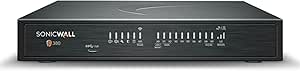 | Best Premium Performance | Firewall Inspection Throughput: Up to 3.5 Gbps | Threat Prevention Throughput: Up to 1.5 Gbps | IPSec VPN Throughput: Up to 1.6 Gbps | VIEW ON AMAZON | See Our Full Breakdown |
| Protectli Vault FW4B – 4 Port Firewall Micro Appliance / Mini PC |  | Best for Subscription-Free Open-Source Control | CPU: Intel Quad Core Celeron J3160, up to 2.2GHz | Hardware Encryption: AES-NI support | RAM: 8GB DDR3L | VIEW ON AMAZON | See Our Full Breakdown |
| firewall appliance for small business | Ports |
|---|---|
| UDPTCP G30-N2840 Fanless Mini | 2 x USB 3.0, 4 x USB 2.0, HDMI, VGA, and audio |
| Ubiquiti UniFi Security Gatewa | Listed as 4; product data also notes conflicting port counts |
| SonicWall TZ80 Firewall with 5 | 4 x 1GbE and 1 x SFP |
| TP-Link ER7206 Multi-WAN Profe | — |
| Firewalla Purple SE Cybersecur | — |
| SonicWall TZ270W Wireless Gen7 | 8 x Gigabit Ethernet |
| Fortinet FortiGate 60F Firewal | — |
| SonicWall TZ 200 Firewall Secu | — |
| Aruba Networking Instant On Se | — |
| Fortinet FortiGate-60E / FG-60 | 10 x GE RJ45 |
| Fortinet FortiGate-40F Firewal | 5x GE RJ45 (1 WAN, 4 internal) |
| SonicWall TZ280 2.5 Gbps Next- | 8x1GbE + 2x1G SFP |
| SonicWall TZ380 Next-Generatio | 8 x 1GbE, 2 x 1G SFP |
| Protectli Vault FW4B | — |
More Details on Our Top Picks
UDPTCP G30-N2840 Fanless Mini PC Firewall
The G30-N2840 suits a small business owner who wants to choose and configure the firewall software themselves. Its support for OPNsense and OpenWrt offers more control than the app-led Firewalla Purple SE, while the fanless case avoids a moving part in a quiet office. Two Gigabit Ethernet ports provide a basic path for separating network connections, but they leave less room to grow than the TP-Link ER7206’s multi-WAN setup. The tradeoff is the aging dual-core Celeron and just 4GB of RAM with 64GB storage out of the box. That makes this a modest appliance for light traffic and hands-on administration, not a ready-made security platform with bundled managed threat services.
Pros:- Supports OPNsense, OpenWrt, Linux, Windows, and ESXi
- Fanless design for quiet office placement
- Expandable memory and support for a 2.5-inch SATA drive
- HDMI and VGA outputs simplify local setup and troubleshooting
Cons:- Older dual-core processor may constrain demanding firewall workloads
- Only two Gigabit Ethernet ports
- Ships with 4GB RAM and 64GB storage
Best for: Small offices with a technically confident owner who wants to install and maintain OPNsense or OpenWrt on a quiet appliance.
Not ideal for: Businesses that need turnkey threat management, several network interfaces, or performance headroom for growing traffic.
- Processor:Intel Celeron N2840, 2 cores, up to 2.58 GHz
- Memory:4GB DDR3L, expandable to 8GB
- Storage:64GB mSATA SSD; supports one mSATA and one 2.5-inch SATA drive
- Ethernet:2 x Gigabit Ethernet, Realtek RTL8111H
- Operating system support:OPNsense, Linux, Windows, ESXi, and OpenWrt
- Cooling:Fanless
- Ports:2 x USB 3.0, 4 x USB 2.0, HDMI, VGA, and audio
- Warranty:One year
Our verdict“Choose the G30-N2840 if you want a quiet, configurable base for a self-managed firewall and can work within its modest hardware.”
Ubiquiti UniFi Security Gateway (USG)
The USG makes the most sense for a small business already using UniFi, where the UniFi Controller can bring routing and firewall policies into the same management view as the rest of the network. VLAN, QoS, and VPN support give it more business networking flexibility than the simpler Firewalla Purple SE, particularly for separating staff traffic or prioritizing VoIP. Its desktop or wall-mount form also fits neatly into a small network closet. The compromise is that this is a wired-only gateway, and the listed port counts conflict, so buyers should confirm the exact hardware layout before planning connections. Compared with the TP-Link ER7206, the USG offers less emphasis on multi-WAN flexibility and broad VPN capacity. It is most compelling when UniFi management is already part of the office routine.
Pros:- Centralized administration through the UniFi Controller
- Supports VLANs, QoS for VoIP, and VPN connections
- Gigabit Ethernet connectivity
- Desktop or wall-mount installation
Cons:- No built-in wireless networking
- Product data lists conflicting port counts
- Less multi-WAN and VPN capacity detail than the TP-Link ER7206
Best for: Small offices already managing UniFi access points or switches that want routing, VLANs, VPN, and firewall controls in one controller.
Not ideal for: Businesses seeking built-in Wi-Fi, clearly documented port capacity, or extensive multi-WAN and VPN scaling.
- Ethernet:10/100/1000 Mbps
- Ports:Listed as 4; product data also notes conflicting port counts
- Data transfer rate:3 Gbps
- RAM:512 MB
- Management:UniFi Controller
- Firewall and network features:Advanced firewall policies, VLANs, QoS, and VPN
- Mounting:Desktop or wall mount
- Network type:Wired
Our verdict“Pick the USG if your office already relies on UniFi management and a wired gateway fits your network plan.”
SonicWall TZ80 Firewall with 5-Year Secure Connect Lite Subscription
The TZ80 is the strongest fit here for a small office that wants a purpose-built next-generation firewall with intrusion prevention, content filtering, malware controls, and VPN features in one compact device. Its stated 750 Mbps firewall, threat prevention, and IPSec VPN throughput give buyers a clearer performance target than the UDPTCP mini PC, which depends on the software and configuration chosen. Zero-touch provisioning and cloud management can also reduce setup work across a small team. The included five-year Secure Connect Lite supports SD-WAN and remote access, but it does not remove the licensing tradeoff: full threat prevention requires an additional Protection Service Suite license. With four LAN ports, offices adding many wired devices may also need a switch. Choose it over the TP-Link ER7206 when security services matter more than flexible port and VPN counts.
Pros:- Intrusion prevention, content filtering, anti-malware, and application control
- Stated 750 Mbps firewall, threat prevention, and IPSec VPN throughput
- Cloud Network Security Manager and zero-touch provisioning
- Five-year Secure Connect Lite subscription includes SD-WAN and remote access
Cons:- Full threat prevention requires an additional Protection Service Suite license
- Subscription-based licensing adds ongoing cost
- Four LAN ports may require a separate switch
Best for: Small offices that want centrally managed threat controls, VPN access, and guided deployment in a dedicated firewall appliance.
Not ideal for: Businesses seeking a low-maintenance appliance without additional security licensing, or those needing many built-in LAN ports.
- Firewall throughput:750 Mbps
- Threat prevention throughput:750 Mbps
- IPSec VPN throughput:750 Mbps
- Ports:4 x 1GbE and 1 x SFP
- Security features:Intrusion prevention, content filtering, anti-malware, Capture ATP sandboxing, application control, SSL VPN, and site-to-site VPN
- Subscription:Five-year Secure Connect Lite
- Management:On-box or cloud Network Security Manager; zero-touch provisioning
- Form factor:Compact desktop
Our verdict“Choose the TZ80 if your small office values managed security services and remote connectivity enough to account for added licensing.”
TP-Link ER7206 Multi-WAN Professional Wired Gigabit VPN Router
The ER7206 is built for a small business where keeping multiple internet links and remote connections manageable matters more than built-in wireless or bundled threat subscriptions. Its up to four WAN ports, including SFP, give it a practical advantage over the four-LAN-port SonicWall TZ80 for businesses balancing or aggregating connections. VPN capacity is another strength: the listed support includes up to 100 IPsec connections, which is more explicit than the Ubiquiti USG’s general VPN support. Omada SDN can centralize management, though using those controls depends on an Omada controller; standalone mode is also available. Its advanced firewall, DoS defense, and filtering cover useful network controls, but the product data does not specify throughput or managed threat prevention levels. This is a wired router, so access points are a separate part of the network plan.
Pros:- Flexible WAN configuration includes SFP and switchable WAN/LAN ports
- Supports up to 100 IPsec VPN connections
- Omada SDN offers centralized management, with standalone mode available
- Includes DoS defense and IP, MAC, and URL filtering
Cons:- No built-in wireless access point
- Omada SDN functions require compatible controller hardware, software, or cloud management
- Throughput figures are not provided in the listed product data
Best for: Small businesses with multiple internet connections, remote staff, or site links that need substantial VPN capacity and centralized Omada management.
Not ideal for: Offices wanting an all-in-one Wi-Fi gateway or a firewall with clearly stated threat-prevention throughput and managed security subscriptions.
- WAN ports:1 Gigabit SFP WAN, 1 Gigabit WAN, and 2 Gigabit WAN/LAN
- LAN ports:1 Gigabit LAN plus 2 switchable WAN/LAN ports
- VPN support:Up to 100 IPsec, 50 OpenVPN, 50 L2TP, and 50 PPTP connections
- Management:Omada SDN hardware, software, or cloud controller; standalone mode
- Security features:Advanced firewall, DoS defense, IP/MAC/URL filtering
- Maximum associated client devices:150,000
- Maximum clients:700
- Connectivity:Wired Ethernet
Our verdict“Choose the ER7206 when multi-WAN flexibility and VPN capacity are more useful to your office than built-in Wi-Fi or bundled threat services.”
Firewalla Purple SE Cybersecurity Firewall
The Purple SE suits a very small office that wants to see network activity and apply common protections through an app rather than build its own firewall platform. Malware and phishing blocking, intrusion prevention, and content controls make it more approachable than the self-managed UDPTCP G30-N2840, while router and transparent bridge modes offer options for fitting it into an existing setup. Its 500 Mbps IPS limit gives a clear ceiling for protected traffic, and the listed 100 Mbps LAN port bandwidth deserves attention when planning connections. Compared with the SonicWall TZ80, it offers a simpler app-led approach but fewer enterprise-style management and security details. Router mode also calls for a modem and separate Wi-Fi access points, so it is not a one-box wireless solution.
Pros:- App-based setup and network activity monitoring
- Intrusion prevention plus malware and phishing blocking
- Can run as a router or in transparent bridge mode
- Includes parental controls and content filtering
Cons:- IPS functionality is limited to 500 Mbps
- Listed LAN port bandwidth is 100 Mbps
- Router mode requires a modem and separate Wi-Fi access points
Best for: A microbusiness owner who wants app-based monitoring, basic network protections, and parental or content controls without configuring a DIY firewall OS.
Not ideal for: Offices with internet or protected traffic above 500 Mbps, multiple wired devices needing faster LAN links, or a requirement for built-in Wi-Fi in router mode.
- Model:Purple SE
- Data transfer rate:500 Mbps
- IPS limit:500 Mbps
- LAN port bandwidth:100 Mbps
- Installed RAM:3 GB
- Operating system:Linux
- Wi-Fi generation:Wi-Fi 5
- Setup:Firewalla app required
Our verdict“Choose Purple SE if app-led monitoring and straightforward protections suit a small office with modest traffic and separate Wi-Fi equipment.”
SonicWall TZ270W Wireless Gen7 Firewall (02-SSC-2823)
For small offices that want firewall and Wi-Fi in a single box, this is the most complete package in the lineup. The integrated 802.11ac Wave 2 radio means one less device to buy, cable, and manage — something the FortiGate 60F simply cannot do without adding access points. Capture ATP sandboxing with RTDMI puts zero-day and ransomware detection on par with appliances costing far more, and 750,000 concurrent connections is generous headroom for a small business network.
The catch is real, though: this listing is appliance only. Without a service subscription, the advanced threat features are dormant, so budget for licensing before checkout. And the Wi-Fi is Wave 2 rather than Wi-Fi 6, so if you have modern wireless clients, a separate Wi-Fi 6 access point may still tempt you.
Pros:- Integrated dual-band Wi-Fi eliminates the need for separate access points
- Capture ATP with RTDMI sandboxing blocks zero-day threats and ransomware
- 750,000 concurrent connections provide serious headroom for growing networks
- VPN, SD-WAN, and TLS 1.3 decryption support remote work and hybrid cloud setups
Cons:- Security services require a separately purchased subscription
- Only Wi-Fi 5, not Wi-Fi 6, which limits wireless future-proofing
- Overkill in cost and capability for very small or home setups
Best for: Small businesses wanting one appliance to handle firewalling, VPN, and office Wi-Fi without separate access points
Not ideal for: Buyers unwilling to pay ongoing subscription costs — without a license, the advanced threat protection doesn’t function
- Firewall Throughput:2 Gbps
- Wi-Fi:802.11ac Wave 2 (Wi-Fi 5), dual-band
- Ports:8 x Gigabit Ethernet
- Concurrent Connections:750,000
- Security Features:Capture ATP with RTDMI, IPS, anti-malware, TLS 1.3 decryption
- VPN / SD-WAN:Supported
- Subscription:Not included (appliance only)
Our verdict“Buy this if you want enterprise-grade threat prevention and office Wi-Fi from a single appliance — just factor in the subscription.”
Fortinet FortiGate 60F Firewall Appliance, 10 GE RJ45 Ports
The 60F earns its place through port flexibility: with 2 WAN, 1 DMZ, and 7 internal Gigabit ports, it handles multi-ISP setups and network segmentation without a switch. That topology freedom is where it clearly beats the TP-Link ER7206, which offers multi-WAN but lacks FortiGuard’s threat intelligence and SSL inspection. At 1.4 Gbps IPS throughput, it comfortably protects a saturated gigabit connection — though threat protection throughput drops to 700 Mbps, so full-rate inspection will throttle faster lines.
As with the SonicWall TZ270W, this is appliance-only. FortiGuard services are the real engine behind the security features, so the true cost of ownership only becomes clear after licensing. Still, for an IT-minded buyer building a segmented, multi-ISP network, the 60F is the strongest wired foundation here.
Pros:- 10 Gigabit ports with dedicated WAN, DMZ, and internal roles enable flexible network design
- 1.4 Gbps IPS throughput keeps up with fast connections
- SD-WAN and SSL inspection included at the platform level
- Centralized management and FortiGuard threat intelligence
Cons:- No subscription included — FortiGuard services must be licensed separately
- Threat protection throughput of 700 Mbps limits inspected speeds on faster lines
- Steeper learning curve than app-managed options like the Aruba Instant On
Best for: IT-savvy small businesses or MSPs building segmented networks with multiple ISPs and a DMZ
Not ideal for: Plug-and-play buyers — setup and ongoing FortiGuard licensing demand real networking knowledge and budget
- Model:FG-60F
- Ethernet Ports:10 x GE RJ45 (2 WAN, 1 DMZ, 7 internal)
- IPS Throughput:1.4 Gbps
- Threat Protection Throughput:700 Mbps
- Features:SSL inspection, SD-WAN, network automation, Zero Touch Integration
- Subscription:Not included
Our verdict“The right pick if your priority is a wired, multi-ISP network with serious inspection power and you’re prepared to license it properly.”
SonicWall TZ 200 Firewall Security VPN Appliance (APL22-06F)
The TZ 200 is the cheapest way into the SonicWall ecosystem, and that’s its entire value proposition. Five Gigabit LAN ports and SonicOS give a small branch office or retail location basic intrusion, malware, and VPN protection without the licensing complexity of newer models. Compared with the TZ270W, the difference is generational — no Capture ATP sandboxing, no modern throughput figures, no SD-WAN — but the price gap reflects that.
Buyers should be honest about what they’re getting. The listing specifies no performance or throughput numbers, and a legacy appliance like this carries end-of-life risk on firmware updates. If your security needs go beyond basic perimeter defense — say, ransomware sandboxing — the Firewalla Purple SE or a newer TZ model is the smarter spend.
Pros:- Lowest-cost entry into the SonicWall and SonicOS ecosystem
- Combines firewall and VPN security in one appliance
- Five Gigabit LAN ports cover a small office’s wired needs
- Familiar SonicOS interface for shops already running SonicWall gear
Cons:- No published throughput or performance specifications
- Older generation hardware risks limited or ended firmware support
- Lacks modern zero-day and ransomware sandboxing found in Gen7 models
Best for: Budget-constrained branch offices or homelab users who need basic SonicOS firewall and VPN functions at minimal cost
Not ideal for: Businesses needing current threat protection — aging hardware may lack firmware support for modern attacks
- Model:TZ 200 (APL22-06F)
- Operating System:SonicOS
- LAN Ports:5
- LAN Port Bandwidth:1000 Mbps
- Security Features:Intrusion prevention, malware and ransomware protection, VPN
Our verdict“An acceptable budget pick for basic perimeter defense only — skip it if current threat protection matters to your business.”
Aruba Networking Instant On Secure Gateway
Where the FortiGate 60F rewards networking expertise, this gateway rewards people who’d rather manage security from a phone. The Instant On Cloud Portal and app deliver centralized monitoring and automated firmware updates out of the box — no controller, no CLI, no consultant. Its Zero Trust architecture is a genuinely modern approach for this price class, and WAN redundancy with load balancing across multiple ISPs is a resilience feature small businesses rarely get this easily.
The tradeoff is stratification: the headline features buyers actually want — PoE+ up to 60W and multi-gigabit WAN — belong to the SG2505P variant, so check which model you’re actually ordering. Compared with the Ubiquiti USG, Aruba’s cloud management is simpler to adopt, but the ecosystem is smaller if you plan to expand into switches and access points later.
Pros:- Cloud-based management via portal or app with automated firmware updates
- Zero Trust architecture with hardware-accelerated firewall
- WAN redundancy and load balancing across multiple ISP connections
- PoE+ budget up to 60W powers access points or cameras directly (SG2505P)
Cons:- Desirable features like PoE+ and multi-gigabit WAN are limited to the SG2505P variant
- Cloud dependency means management suffers if your internet or Aruba’s portal is down
Best for: Small business owners without dedicated IT staff who want set-and-forget cloud management and automatic updates
Not ideal for: Tinkerers and homelab builders who want local control and CLI access rather than cloud-dependent management
- Management:Cloud-based (Instant On Cloud Portal and mobile app)
- Security:Zero Trust architecture, hardware-accelerated firewall
- WAN Features:Redundancy, load balancing, multi-gigabit (SG2505P)
- PoE Budget:Up to 60W (SG2505P)
- Firmware Updates:Automated via cloud
Our verdict“The easiest path to serious, cloud-managed security for non-technical owners — just confirm you’re buying the SG2505P if you need PoE.”
Fortinet FortiGate-60E / FG-60E Next Generation Firewall (NGFW) Appliance, 10 x GE RJ45 Ports
Sitting one tier below the FortiGate 60F, the 60E offers the same 10-port Gigabit layout and the same FortiOS platform at a lower entry cost, making it a sensible pick for businesses that want Fortinet’s ecosystem without paying for the 60F’s newer hardware. Compared with the older SonicWall TZ 200, it’s a clear step up: genuine NGFW capabilities, a still-supported software family, and a compact chassis suited to a wiring closet or shelf.
Be realistic about the generational gap, though. Lower inspection throughput than the 60F means it’s better matched to sub-gigabit connections, and it’s an older SoC that will reach end-of-support sooner. One listing oddity worth flagging: the Bluetooth connectivity listed in the product data appears to be an error, so don’t count on wireless features.
Pros:- Full FortiOS next-generation firewall platform at a lower price than the 60F
- 10 Gigabit Ethernet ports support flexible network layouts
- Compact form factor fits small racks, closets, and shelves
- Trusted Fortinet brand with a mature management ecosystem
Cons:- Older generation hardware with lower threat inspection throughput than the 60F
- Approaching end of support lifecycle, limiting long-term firmware updates
- Listing data contains an apparent Bluetooth error, so verify specs before buying
Best for: Small businesses already invested in Fortinet that want a second site or spare unit on a tight budget
Not ideal for: Offices with gigabit-plus internet — older hardware limits inspection throughput and long-term support life
- Model:FG-60E
- Ports:10 x GE RJ45
- Form Factor:Compact desktop appliance
- Package Weight:1.996 kg
- Platform:FortiOS next-generation firewall
- Subscription:Not included
Our verdict“A budget-friendly way into Fortinet’s platform for modest connections — pay up for the 60F if your internet is fast or your horizon is long.”
Fortinet FortiGate-40F Firewall Appliance (FG-40F)
The FortiGate-40F brings genuine enterprise security muscle into a fanless desktop chassis that fits on a shelf. Its purpose-built security processor is the standout differentiator: dedicated silicon means 1 Gbps IPS throughput without leaning on a general-purpose CPU, which is something the Protectli Vault FW4B simply cannot match at this threat-protection level. Compared with the similarly sized SonicWall TZ280, the 40F trades raw firewall throughput for a stronger integrated threat stack via FortiGuard Labs and Zero Touch deployment through Security Fabric — a real advantage for offices without a dedicated IT person on site. The tradeoff is steep, though: this is appliance only, so FortiGuard subscriptions cost extra, and the 5-port layout is tight for growing networks.
Pros:- Purpose-built security processor sustains real-world IPS throughput
- Fanless, silent design suits offices and retail counters
- AI-powered FortiGuard threat intelligence with Zero Touch deployment
- Backed by Fortinet’s mature Security Fabric ecosystem
Cons:- No subscription included — security services require separate purchase
- Only 5 ports limits network segmentation as the business grows
Best for: Small businesses and branch offices that want enterprise-grade threat protection from dedicated hardware in a silent, compact unit
Not ideal for: Buyers expecting a working security stack out of the box — without a FortiGuard subscription the advanced threat features stay locked
- Ports:5x GE RJ45 (1 WAN, 4 internal)
- IPS Throughput:1 Gbps
- Threat Protection Throughput:600 Mbps
- LAN Port Bandwidth:1 Gbps
- Operating System:FortiOS
- Form Factor:Compact fanless desktop
- Subscription:Not included (appliance only)
Our verdict“This pick makes the most sense for small offices that want big-brand threat protection hardware now and are budgeting for subscriptions later.”
SonicWall TZ280 2.5 Gbps Next-Gen Firewall Appliance (Hardware Only)
The TZ280 sits in the sweet spot between the port-starved FortiGate-40F and the pricier TZ380. With 8x1GbE plus 2 SFP ports, it gives a small business room to segment networks, add fiber uplinks, or connect a second ISP — flexibility the 40F’s five ports can’t offer. Its 2.5 Gbps firewall inspection and Reassembly-Free Deep Packet Inspection keep traffic flowing without the inspection bottleneck cheaper routers suffer from. The feature list is deep once subscribed: Capture ATP sandboxing, TLS/SSL decryption, DNS filtering, and cloud management through NSM with zero-touch deployment. The honest catch is that this is hardware only — out of the box it routes packets, but nearly every protection layer sits inactive until a subscription is activated.
Pros:- 10 ports including 2 SFP slots allow fiber uplinks and network segmentation
- 2.5 Gbps inspection and 1.2 Gbps IPSec VPN handle multi-user loads
- Zero-touch deployment plus cloud management via NSM
- Deep feature set including sandboxing, app control, and DNS filtering once subscribed
Cons:- Security services, firmware updates, and support all require a separate paid subscription
- Protection features are inactive until that subscription is purchased
Best for: Small businesses planning to expand their network and willing to buy SonicWall security services to unlock full protection
Not ideal for: Buyers on a tight budget who can’t add a subscription — the appliance’s core value stays dormant without one
- Firewall Throughput:2.5 Gbps
- Threat Prevention Throughput:1 Gbps
- IPSec VPN Throughput:1.2 Gbps
- Ports:8x1GbE + 2x1G SFP
- Operating System:SonicOS 8
- VPN Support:IPSec, SSL VPN, Zero-Trust Network Access via Cloud Secure Edge
- Management:On-box or cloud Network Security Manager, zero-touch deployment
- Form Factor:Desktop
Our verdict“The TZ280 is the right call for businesses that need port density and headroom today and are ready to pay for the security stack that makes it sing.”
SonicWall TZ380 Next-Generation Firewall Appliance
The TZ380 is the powerhouse of this trio of desktop SonicWalls, pushing 3.5 Gbps firewall inspection and 1.5 Gbps threat prevention — figures that matter if the business runs VPN-heavy remote workloads or expects to keep this box relevant for years. Compared with the TZ280, the extra headroom is the entire story: same 8x1GbE plus 2 SFP port layout, but enough throughput ceiling to handle a growing office without an early replacement. Support for Secure SD-WAN and zero-trust access rounds out a forward-looking package with on-box or cloud management. As with its sibling, the sting is the subscription model — this appliance arrives as bare hardware, and firmware updates alone require a service plan, which pushes the true cost well past the sticker.
Pros:- 3.5 Gbps inspection and 1.5 Gbps threat prevention provide long-term headroom
- 1.6 Gbps IPSec VPN throughput suits remote-work-heavy teams
- Secure SD-WAN and zero-trust access support
- Same flexible 8x1GbE + 2 SFP port layout as the TZ280
Cons:- Security services, firmware, and support require a separate subscription
- Overkill and overpriced for shops with modest bandwidth needs
Best for: Businesses with faster internet plans, heavy VPN traffic, or multi-year growth plans that justify maximum throughput headroom
Not ideal for: Very small offices with sub-gigabit internet — the TZ280 or FortiGate-40F delivers the same real-world protection for less
- Firewall Inspection Throughput:Up to 3.5 Gbps
- Threat Prevention Throughput:Up to 1.5 Gbps
- IPSec VPN Throughput:Up to 1.6 Gbps
- Ports:8 x 1GbE, 2 x 1G SFP
- Form Factor:Desktop
- Dimensions:5.1 x 7.5 x 1.4 inches
- Weight:1.81 lbs
- Included:Hardware only; subscription not included
Our verdict“Buy the TZ380 if throughput headroom and SD-WAN ambitions are real; skip it if a TZ280 already covers your bandwidth twice over.”
Protectli Vault FW4B – 4 Port Firewall Micro Appliance / Mini PC
The Protectli Vault FW4B takes the opposite approach from the FortiGate-40F and SonicWall TZ series: no licensing treadmill, ever. You install pfSense, OPNsense, or Untangle yourself and own the entire stack outright, which means no annual renewal shock and complete control over rules and reporting. The AES-NI hardware encryption keeps VPN throughput respectable despite the humble Celeron J3160, and the fanless chassis is genuinely silent for closet or desk placement. That aging CPU is the honest weakness — heavier workloads like deep packet inspection across many users will bog down where dedicated appliances like the 40F cruise through. And with no OS pre-installed, this is strictly for someone comfortable doing the install and configuration themselves.
Pros:- No subscription costs — run pfSense, OPNsense, or Untangle free forever
- Fanless, silent operation with a genuinely compact footprint
- AES-NI support keeps VPN and encryption efficient
- Four Intel Gigabit NICs enable real network segmentation
Cons:- No operating system pre-installed — setup requires technical skill
- Aging Celeron J3160 limits performance under heavy inspection loads
Best for: Tech-savvy owners and IT generalists who want a one-time-cost firewall running pfSense or OPNsense with no recurring fees
Not ideal for: Non-technical buyers who want plug-and-play protection — the OS install, setup, and ongoing maintenance all fall on you
- CPU:Intel Quad Core Celeron J3160, up to 2.2GHz
- Hardware Encryption:AES-NI support
- RAM:8GB DDR3L
- Storage:120GB mSATA SSD
- Network Ports:4x Intel Gigabit Ethernet
- Cooling:Fanless, silent
- Operating System:None pre-installed
- Compatibility:Tested with pfSense, OPNsense, Untangle
Our verdict“The FW4B is the clear choice for hands-on buyers who’d rather invest setup time than pay subscriptions every year.”

How We Picked
I judged each appliance against what actually breaks small business deployments: throughput with inspection enabled (not the marketing number), total cost of ownership including subscriptions, management complexity, port count and expansion, and whether the hardware is current enough to receive firmware updates for years to come. An appliance that looks cheap but loses half its rated speed the moment you enable intrusion prevention is a bad deal, and a powerful NGFW nobody on staff can configure is a liability dressed as an asset.
The ranking favors appliances that hit the sweet spot for roughly 10-to-100-user networks. That’s why the FortiGate 60F leads over the cheaper 40F and older 60E, why the Firewalla Purple SE ranks high despite modest specs, and why legacy units like the SonicWall TZ 200 sit at the bottom — they may still function, but unsupported firmware on a perimeter device is a risk I can’t recommend for most buyers.
Factors to Consider When Choosing Firewall Appliance For Small Business
Before comparing specs any further, it helps to understand what actually separates a good small business firewall decision from an expensive mistake. These are the factors that mattered most across all 14 products, and the tradeoffs most buyers underestimate.Throughput Numbers Lie — Look at Inspection Speed
Every firewall box advertises a headline throughput, but that figure usually measures raw packet forwarding with every security feature turned off. What determines whether your internet feels fast is throughput with intrusion prevention and antivirus enabled, which on many appliances is a fraction of the rated speed. If your office has a 1 Gbps connection and you buy a device that inspects at 300 Mbps, you’ve quietly throttled your entire business. Match the inspected throughput to your actual internet speed, then leave 30 to 40 percent headroom for growth. A common mistake is buying for today’s headcount rather than tomorrow’s bandwidth.
Subscriptions Can Cost More Than the Hardware
The enterprise brands in this roundup — Fortinet and SonicWall especially — follow a razor-and-blades model where the appliance is just the entry ticket. Threat prevention, content filtering, and support are renewed annually, and those fees can exceed the hardware cost within two to three years. This isn’t automatically bad: the subscription buys constantly updated threat intelligence that a static firewall can’t replicate. But a five-person office with modest risk may be better served by a license-free platform like pfSense on Protectli hardware or a TP-Link router, accepting that you become responsible for keeping rules current. Ask which specific protections the subscription unlocks before assuming you need it.
Who Will Actually Manage This Thing?
Be honest about the human operating the firewall. Purpose-built NGFWs assume familiarity with zones, address objects, and policy ordering — powerful, but unintuitive for an office manager wearing the IT hat. App-driven options like the Firewalla and cloud-managed units like the Aruba gateway trade some granularity for an interface a non-specialist can navigate. If you plan to hire an MSP later, the enterprise brands become more attractive because most providers already know FortiOS and SonicOS. If you’ll never have dedicated IT help, manageability should outweigh raw specs. A misconfigured powerful firewall is less safe than a correctly configured simple one.
Ports, Wi-Fi, and Multi-WAN: Get the Physical Layout Right
Port count and physical features are permanent — you can add a subscription later, but you can’t add Ethernet ports. Count what you need: WAN connections, a VLAN-separated LAN, a DMZ for a guest network or public-facing server. Businesses that depend on uptime should prioritize multi-WAN failover, which lets a backup internet connection take over automatically; the TP-Link ER7206 offers this cheaply. Only a handful of appliances here include built-in wireless, so if you’re expecting Wi-Fi and don’t have access points, verify before buying. Also consider a fanless design if the firewall will live in a quiet office or dusty environment.
Hardware Age and Firmware Support Windows
A firewall is only as good as its last firmware update, and vendors sunset products on predictable schedules. Several appliances in this category are past or near end-of-support, which means newly discovered vulnerabilities will never be patched — the single worst state for a perimeter device. Before buying any discounted enterprise unit, check the vendor’s support end-date for that exact model and hardware revision. Newer-generation hardware also tends to be dramatically more efficient: a current-generation entry unit often out-inspects a premium model from five years ago while drawing less power. Buying yesterday’s flagship at a discount is usually a worse deal than today’s entry-level model.
DIY Platforms Versus Turnkey Appliances
Half of this lineup consists of bare appliances (Protectli, UDPTCP) meant to run open-source firewall software like pfSense, OPNsense, or OpenWrt. The tradeoff is control versus convenience: DIY platforms are free, endlessly customizable, and carry no licensing, but setup, troubleshooting, and updates fall entirely on you. Turnkey appliances work out of the box and come with vendor support, at the cost of recurring fees and less flexibility. The DIY route makes sense when you or a contractor has the skills; the turnkey route makes sense when downtime is more expensive than licenses. Neither approach is inherently more secure — what matters is whether the person maintaining it keeps up with updates.
Frequently Asked Questions
Do I need a paid subscription for a small business firewall to actually protect my network?
Not always, but subscriptions and built-in protection work differently. A basic firewall — even a free pfSense install on a Protectli Vault — blocks unsolicited inbound traffic and lets you control traffic by port and protocol, which covers the fundamental perimeter job. What subscriptions add is actively updated threat intelligence: signature databases for malware, intrusion prevention rules, and URL filtering that respond to new attacks daily. If your business handles payments, client data, or regulated information, that live protection justifies the recurring cost. If you’re a five-person workshop with cloud-hosted everything, a well-configured license-free firewall plus disciplined endpoint antivirus is a defensible position.
Can I just use the firewall feature built into my existing router instead of buying an appliance?
Consumer and ISP-provided routers do include basic NAT firewalls, and NAT alone blocks a surprising amount of inbound noise. The gap opens up with outbound control and inspection — if a laptop on your network gets infected, a basic router happily lets it phone home, while a proper appliance with intrusion prevention can flag and block that traffic. Purpose-built appliances also give you VLANs for separating guest Wi-Fi from business systems, VPN access for remote staff, and logging that lets you investigate incidents after the fact. For a sole proprietor, a good router may genuinely suffice. Once you have employees, shared drives, or anything worth targeting, a dedicated appliance earns its place.
Is it risky to buy an older or discontinued firewall model like the SonicWall TZ 200 to save money?
It’s risky in a specific and serious way: discontinued models stop receiving firmware updates, and unpatched firewalls are a favorite target because attackers know exactly what’s sitting at the network edge. Some vulnerabilities discovered in older firewall firmware allow complete device takeover, which means full visibility into your traffic. There are narrow exceptions — an isolated lab network, an internal segmentation device with no internet exposure, or a learning platform for studying firewall administration. As a production perimeter device protecting a real business, though, unsupported hardware is a false economy. A current entry-level unit with active updates protects you better than a retired enterprise model ever will.
How much RAM and storage does a firewall appliance actually need for a small office?
It depends on whether you’re running open-source software or vendor firmware. For pfSense or OPNsense on something like the Protectli or UDPTCP boxes, 4 GB of RAM handles a small office comfortably, and the traffic-shaping and VPN packages rarely demand more until you exceed roughly 50 concurrent users. Storage size mostly matters for logging and reporting — a 64 GB drive stores far more history than an 8 GB one, which helps when investigating an incident that happened weeks ago. The enterprise appliances manage their own resources, so their specs matter less to you than inspected throughput does. What you shouldn’t do is buy the absolute minimum configuration and expect to add packages, VPN users, and extensive logging later without pain.
Should a small business choose a firewall with built-in Wi-Fi or keep the firewall and wireless separate?
Separate devices are usually the better architecture, and most of the serious appliances here skip built-in Wi-Fi for that reason. Separating them lets you position access points where coverage is actually good instead of wherever the internet enters the building, and it lets you upgrade wireless technology — which changes far faster than firewall technology — without touching your security perimeter. Built-in Wi-Fi, as on the SonicWall TZ270W, makes sense in a compact single-office space where one device covering everything reduces cost and cabling. The main risk of the all-in-one approach is that a wireless performance problem becomes a reason to replace your entire security device, or vice versa. If you already own decent access points, choose a wired-only appliance without hesitation.
Conclusion
Matching the right firewall to your situation matters more than any single spec sheet. For best overall, the Fortinet FortiGate 60F pairs current-generation inspection throughput with room to grow, making it the safest bet for a 20-to-100-user business that will pay for a subscription. The best value pick is the TP-Link ER7206 for wired offices that need multi-WAN reliability without licensing costs, with the Protectli Vault FW4B as the value choice for anyone comfortable running pfSense or OPNsense. On the premium end, the SonicWall TZ380 and FortiGate 60F with full licensing suit businesses with compliance requirements, multiple sites, or an MSP handling administration. For beginners, the Firewalla Purple SE is unmatched — its app-based setup means a non-technical owner can deploy genuine protection in an afternoon, and the Aruba Instant On Secure Gateway plays the same role for cloud-managed deployments. Specific needs round out the list: the SonicWall TZ270W for built-in wireless, the fanless UDPTCP G30 for silent or dusty installations, and the FortiGate 40F for small branch offices on a budget. Whatever you choose, verify current firmware support and budget for the subscription or the time you’ll spend maintaining it — those two factors, not the box itself, determine whether your firewall actually protects you in 2026.
Halloween Picks
halloween
As an affiliate, we earn on qualifying purchases.