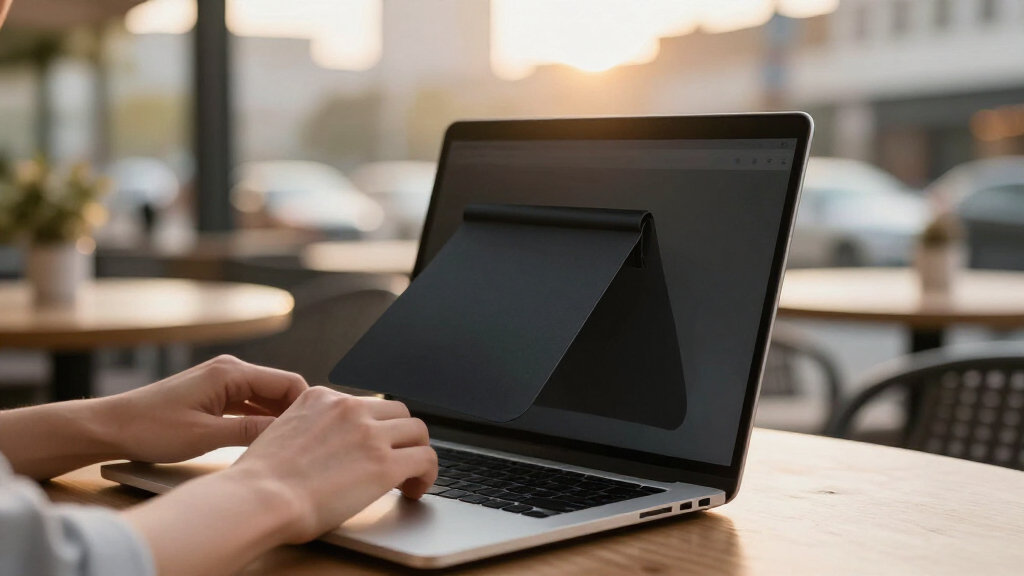

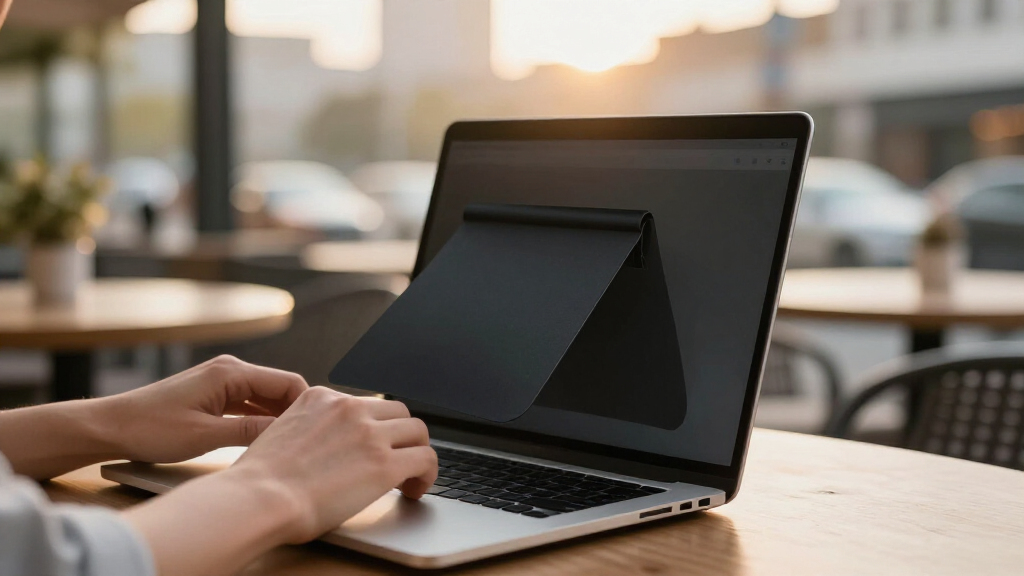
Discreet laptop privacy filters narrow unwanted viewing angles without making a notebook look bulky or requiring a permanent setup. My best overall pick is the PYS Magnetic Laptop Privacy Screen Filter 15.6 Inch because its removable magnetic design and common 16:9 format offer the strongest balance of subtle styling and daily convenience. The Kensington MagPro 14 Inch is my premium choice for a more polished installation, while the ZOEGAA 4-Way 14-Inch Filter suits people who also need protection from viewers above or below the screen. The main tradeoffs are mounting neatness, exact aspect-ratio compatibility, image darkening, and the choice between two-way and four-way coverage. Continue reading for the full breakdown and guidance on matching each filter to a laptop and working environment.

Get privacy and security gear delivered free with Prime
- Fast, free delivery on millions of items
- Prime Video, Amazon Music and more included
- Member-only deals all year
Key Takeaways
- The PYS Magnetic 15.6 Inch filter ranks first because its removable attachment is less conspicuous and easier to manage than tab-mounted alternatives, provided the laptop has a 16:9 display.
- Kensington MagPro is the premium pick, offering a cleaner 14-inch presentation than generic magnetic options but making less sense for occasional users who do not need a refined daily setup.
- Four-way privacy is a specialized advantage: ZOEGAA targets 14-inch 16:10 laptops, while Halooive serves larger 15.6-inch 16:9 screens, and both may darken the display more than a conventional side-view filter.
- Aspect ratio separates this lineup more sharply than diagonal size; the Nano and ZOEGAA models address 16:10 screens, while many 13-, 14-, and 15.6-inch alternatives are built around 16:9 panels.
- Anti-glare, blue-light, and UV claims did not drive the top ranking; I gave more weight to fit accuracy, unobtrusive attachment, removability, and the direction of privacy coverage.
| 15.6 Inch Laptop Privacy Screen Filter – Anti-Glare and UV Protection |  | Best Overall | Screen Size: 15.6 inches | Filter Width: 13 9/16 inches (345 mm) | Filter Height: 7 5/8 inches (194 mm) | VIEW LATEST PRICE | See Our Full Breakdown |
| Halooive 4-Way Laptop Privacy Screen Shield 15.6 Inch |  | Best 4-Way Privacy | Screen Size: 15.6 inches | Aspect Ratio: 16:9 | Privacy Design: Four-way 360-degree micro-louver | VIEW LATEST PRICE | See Our Full Breakdown |
| Kensington MagPro™ Magnetic Laptop Privacy Screen 14 Inch |  | Best Premium 14-Inch Pick | Screen Size: 14 inches | Aspect Ratio: 16:9 | Width: 12.2 inches | VIEW LATEST PRICE | See Our Full Breakdown |
| Nano Laptop Privacy Screen 13.3 Inch 16:10 |  | Best for Compact 16:10 Laptops | Screen Size: 13.3 inches | Aspect Ratio: 16:10 | Compatible Brands: Lenovo, HP, Dell, Acer, Asus, Samsung, and others | VIEW LATEST PRICE | See Our Full Breakdown |
| PYS Magnetic Laptop Privacy Screen Filter 15.6 Inch |  | Best Removable 15.6-Inch Pick | Screen Size: 15.6 inches | Aspect Ratio: 16:9 | Dimensions: 13.6 inches long × 7.6 inches wide | VIEW LATEST PRICE | See Our Full Breakdown |
| 15.6 Inch Laptop Privacy Screen Filter – Removable, Anti-Spy, Blue Light & UV Block, Anti-Glare |  | Best Reversible 15.6-Inch Pick | Size: 15.6 inches | Aspect Ratio: 16:9 | Dimensions: 13.57 x 7.64 inches | VIEW LATEST PRICE | See Our Full Breakdown |
| ZOEGAA 4-Way 360° Laptop Privacy Screen for 14-inch 16:10 Screens |  | Best for Four-Way Privacy | Screen Size: 14 inches | Aspect Ratio: 16:10 | Dimensions: 11.9 x 7.4 inches | VIEW LATEST PRICE | See Our Full Breakdown |
| 14 Inch Laptop Privacy Screen Compatible with HP, Dell, Acer, Samsung, Asus, Lenovo, Toshiba |  | Best for Maximum UV Reduction | Size: 14 inches | Aspect Ratio: 16:10 | Width: 11.89 inches / 302 mm | VIEW LATEST PRICE | See Our Full Breakdown |
| 13 Inch 16:9 Laptop Privacy Screen Filter, Anti-Scratch, Anti-Spy, Anti-Glare Blue Light Screen Guard, Removable, Matte/Glossy Double-Sided |  | Best Compact Scratch-Resistant Pick | Compatible Size: 13.3 inches | Aspect Ratio: 16:9 | Dimensions: 11 9/16 x 6 1/2 inches / 294 x 165 mm | VIEW LATEST PRICE | See Our Full Breakdown |
| Laptop Privacy Screen 14 Inch Magnetic Removable Anti-Spy Blue Light Glare Matte for Dell, HP, Acer, Lenovo, Samsung, Asus, ThinkPad |  | Best for Frequent Removal | Device Compatibility: 14-inch laptops | Aspect Ratio: 16:9 | Dimensions: 12.2 x 6.9 inches / 310 x 175 mm | VIEW LATEST PRICE | See Our Full Breakdown |
| Magicmoon 15.6-Inch Privacy Screen Protector |  | Best Low-Profile 15.6-Inch Film | Compatible screen size: 15.6 inches | Aspect ratio: 16:9 | Filter dimensions: 344 x 194 mm | VIEW LATEST PRICE | See Our Full Breakdown |
| Magnetic Laptop Privacy Screen 14-Inch 16:9 |  | Best Magnetic Travel Kit | Screen diagonal: 14 inches (355.6 mm) | Aspect ratio: 16:9 | Width: 12 3/16 inches (310 mm) | VIEW LATEST PRICE | See Our Full Breakdown |
| 13.3-Inch Laptop Privacy Screen |  | Best for Strong Blue-Light Filtering | Screen size: 13.3 inches | Aspect ratio: 16:9 | Surface options: Reversible matte and glossy | VIEW LATEST PRICE | See Our Full Breakdown |
| discreet laptop privacy filter | Aspect Ratio | Screen Size |
|---|---|---|
| 15.6 Inch Laptop Privacy Scree | — | 15.6 inches |
| Halooive 4-Way Laptop Privacy | 16:9 | 15.6 inches |
| Kensington MagPro™ Magnetic La | 16:9 | 14 inches |
| Nano Laptop Privacy Screen 13. | 16:10 | 13.3 inches |
| PYS Magnetic Laptop Privacy Sc | 16:9 | 15.6 inches |
| 15.6 Inch Laptop Privacy Scree | 16:9 | — |
| ZOEGAA 4-Way 360° Laptop Priva | 16:10 | 14 inches |
| 14 Inch Laptop Privacy Screen | 16:10 | — |
| 13 Inch 16:9 Laptop Privacy Sc | 16:9 | — |
| Laptop Privacy Screen 14 Inch | 16:9 | — |
| Magicmoon 15.6-Inch Privacy Sc | 16:9 | — |
| Magnetic Laptop Privacy Screen | 16:9 | — |
| 13.3-Inch Laptop Privacy Scree | 16:9 | 13.3 inches |
More Details on Our Top Picks
15.6 Inch Laptop Privacy Screen Filter – Anti-Glare and UV Protection
I rank this filter first because it offers the best balance of discretion, clarity, and attachment flexibility for mainstream 15.6-inch laptops. Adhesive strips suit buyers who rarely remove the filter, while slide-mount tabs make it practical for travel or occasional screen sharing. Compared with the Halooive 4-Way Privacy Screen, it provides less coverage against someone positioned behind the user, but it should preserve more usable brightness for head-on work. Its anti-glare, UV, and blue-light filtering also makes bright offices more comfortable. The main limitation is fit: buyers must check the physical width and height, not merely the diagonal measurement. I would also skip it for touch-heavy workflows because it is not optimized for touchscreens.
Pros:- Two attachment methods support both semi-permanent and removable use
- Maintains clearer head-on viewing than more aggressive four-way filters
- Reduces glare, UV exposure, and blue-light exposure
- Well suited to travel, shared offices, and public workspaces
Cons:- Side-focused privacy may leave the screen visible from directly behind
- Not optimized for touchscreen interaction
- Diagonal size alone does not guarantee a correct fit
Best for: Office commuters using a standard 15.6-inch non-touch laptop who want removable privacy without excessive screen darkening
Not ideal for: Touchscreen users or workers who need protection from people standing directly behind them
- Screen Size:15.6 inches
- Filter Width:13 9/16 inches (345 mm)
- Filter Height:7 5/8 inches (194 mm)
- Filter Diagonal:15.6 inches (396.24 mm)
- Attachment Options:Adhesive strips or slide-mount tabs
- Compatible Brands:Lenovo, HP, Dell, Acer, Asus, Samsung, and others
- Touchscreen Support:Not optimized for touchscreens
- Light Protection:Anti-glare, UV, and blue-light filtering
Our verdict“This is my default pick for 15.6-inch laptop users who want discreet everyday privacy without accepting the severe dimming of a four-way filter.”
Halooive 4-Way Laptop Privacy Screen Shield 15.6 Inch
The Halooive earns its place through four-way, 360-degree privacy, making it better suited to exposed seating than the standard 15.6 Inch Laptop Privacy Screen Filter. Its micro-louver design addresses viewing from above and below as well as the sides, which helps when sensitive work happens in airports, lecture halls, or tiered seating. Buyers can choose a matte side for glare control or a glossy side for a livelier image, and removable or taped installation supports different routines. That stronger shielding carries the lineup’s largest visual penalty: the stated 50–75% brightness reduction can make dark interfaces harder to read. I rank it below the overall pick because discretion comes at a high brightness cost, and MacBook owners are excluded.
Pros:- Four-way micro-louver structure protects against side, upper, and lower viewing
- Filters a stated 98% of blue light and 96% of UV light
- Reversible matte and glossy surfaces suit different lighting
- Supports removable mounting or permanent double-sided tape
Cons:- Can reduce perceived brightness by 50–75%
- Not compatible with MacBooks
- Privacy performance varies with ambient lighting and screen conditions
Best for: Traveling professionals who handle sensitive material in exposed seating where people may view the display from several directions
Not ideal for: MacBook owners, color-sensitive creators, or anyone unwilling to compensate for a 50–75% loss of brightness
- Screen Size:15.6 inches
- Aspect Ratio:16:9
- Privacy Design:Four-way 360-degree micro-louver
- Blue Light Filtering:98%
- UV Protection:96%
- Anti-Glare Reduction:95%
- Installation:Removable mounting or permanent double-sided tape
- Surface Options:Matte and glossy
- Compatibility:Selected 15.6-inch Windows laptops; not compatible with MacBooks
Our verdict“Choose the Halooive when broad viewing-angle protection matters more than brightness, color fidelity, or MacBook compatibility.”
Kensington MagPro™ Magnetic Laptop Privacy Screen 14 Inch
The Kensington MagPro is the most polished choice here for buyers who remove a filter several times per day. Its slim magnetic strip avoids adhesive residue and permits normal laptop closure, giving it a cleaner profile than the tab-mounted 15.6 Inch Laptop Privacy Screen Filter. The reduced side-viewing angle suits client meetings and shared offices, while glare control helps keep the image readable from the front. Blue-light reduction reaches only up to 22%, far below the Nano filter’s stated 65%, so eye-comfort claims should not drive the purchase. Fit is also more selective than its 14-inch label suggests; I would verify the listed width, height, bezel, and magnetic mounting area. The restricted sharing angle can become inconvenient during collaborative sessions.
Pros:- Magnetic mounting allows fast, residue-free removal
- Slim construction is designed not to obstruct laptop closure
- Limited side-viewing angle supports discreet work in shared spaces
- Glare reduction improves front-facing readability
Cons:- Up to 22% blue-light reduction trails stronger filtering options
- Compatibility depends on exact dimensions and laptop design
- Narrow viewing angle makes group collaboration less convenient
Best for: Professionals with compatible 14-inch 16:9 laptops who frequently switch between private work and face-to-face screen sharing
Not ideal for: Buyers selecting by diagonal size alone or teams that regularly gather around one laptop display
- Screen Size:14 inches
- Aspect Ratio:16:9
- Width:12.2 inches
- Height:6.86 inches
- Blue Light Reduction:Up to 22%
- Attachment:Slim magnetic strip
- Removal:Removable
- Glare Reduction:Yes
Our verdict“The MagPro is worth choosing for its refined removable design, provided the laptop matches its exact dimensions and privacy matters more than group viewing.”
Nano Laptop Privacy Screen 13.3 Inch 16:10
This Nano filter targets a narrower but increasingly useful format: 13.3-inch laptops with 16:10 displays. That taller aspect ratio makes it a better match than the 16:9 Kensington MagPro for compact productivity laptops, where even a small sizing mismatch can leave exposed screen edges. Its no-glue mounting keeps the setup tidy, and the reversible surfaces let buyers favor matte glare control or glossy clarity. The stated 65% blue-light and 97% UV reductions also exceed the Kensington model’s blue-light figure. I place it behind the magnetic picks for removal convenience, since the fitting process still depends on precise measurements. It can slightly dim the display, and its strict 13.3-inch size limit leaves no room for larger laptops or similarly labeled screens with different dimensions.
Pros:- Purpose-built for the taller 13.3-inch 16:10 format
- No-glue installation avoids adhesive mess and trapped bubbles
- Reversible matte and glossy surfaces offer viewing flexibility
- Provides stated 65% blue-light and 97% UV reduction
Cons:- Precise screen measurements are required for a clean fit
- Limited to 13.3-inch 16:10 displays
- May reduce perceived screen brightness
Best for: Owners of compact 13.3-inch 16:10 laptops who want adhesive-free privacy and a choice between matte and glossy viewing
Not ideal for: Users with 16:9 displays, screens larger than 13.3 inches, or laptops whose measured display area differs from the filter
- Screen Size:13.3 inches
- Aspect Ratio:16:10
- Compatible Brands:Lenovo, HP, Dell, Acer, Asus, Samsung, and others
- Surface Material:Reversible matte and glossy
- Blue Light Reduction:65%
- UV Light Reduction:97%
- Installation:No-glue, bubble-free fitting
- Privacy Direction:Blocks side views
Our verdict“This is my compact-laptop pick for buyers with a verified 13.3-inch 16:10 display who value clean installation and reversible finishes.”
PYS Magnetic Laptop Privacy Screen Filter 15.6 Inch
The PYS stands out as the most convenient removable option for compatible 15.6-inch Windows laptops. Its magnetic attachment is faster and less conspicuous than the adhesive strips or slide tabs supplied with the 15.6 Inch Laptop Privacy Screen Filter, making it easier to remove the shield before presentations. A matte PET surface controls reflections, while 3H hardness adds some resistance against everyday marks. It lacks the Halooive model’s four-way coverage, yet it avoids presenting privacy as the only priority; front-facing work remains the focus. I would choose it for routine commuting rather than high-exposure seating. The tradeoff is narrower compatibility: MacBooks and touchscreen laptops are excluded, and not every nominal 15.6-inch panel shares its 13.6-by-7.6-inch dimensions. Careful measurement remains mandatory for an unobtrusive fit.
Pros:- Magnetic mounting supports quick removal without adhesive residue
- Matte finish reduces reflections in bright shared spaces
- 3H surface hardness offers added resistance to routine marks
- Side views appear dark while the front-facing image remains usable
Cons:- Not compatible with MacBooks or touchscreen laptops
- Nominal 15.6-inch sizing does not guarantee a physical match
- Side-view protection is less extensive than a four-way filter
Best for: Windows-laptop commuters who want to attach and remove a 15.6-inch privacy filter frequently without adhesive residue
Not ideal for: MacBook or touchscreen owners, as well as buyers whose 15.6-inch display area does not match the stated dimensions
- Screen Size:15.6 inches
- Aspect Ratio:16:9
- Dimensions:13.6 inches long × 7.6 inches wide
- Material:Polyethylene terephthalate (PET)
- Finish:Matte
- Surface Hardness:3H
- Attachment:Magnetic
- Removal:Removable
- Compatibility:Lenovo, HP, Dell, Acer, and ASUS; excludes MacBooks and touchscreens
Our verdict“Pick the PYS when frequent, residue-free removal is the priority and the laptop matches its 15.6-inch 16:9 dimensions exactly.”
15.6 Inch Laptop Privacy Screen Filter – Removable, Anti-Spy, Blue Light & UV Block, Anti-Glare
I rank the 15.6 Inch Laptop Privacy Screen Filter as the best reversible 15.6-inch choice because its matte and glossy sides let buyers balance glare control against a clearer-looking image. Its slide-in tabs also make it easier to remove than a permanently attached film. Compared with the PYS Magnetic Laptop Privacy Screen Filter, however, swapping it takes more effort, and its side privacy is less broadly described than the Halooive filter’s 360-degree coverage. The claimed 95% blue-light blocking is unusually high, though that protection may make the display appear dimmer. I see this as a practical fit for Windows laptop users who move between bright offices and softer indoor lighting, provided they measure the visible screen carefully and do not own a MacBook.
Pros:- Reversible surfaces adapt to glare-heavy and clarity-focused settings
- Slide-in tabs permit removal without leaving the filter permanently attached
- Claims up to 95% blue-light blocking and 92% UV blocking
- Large 15.6-inch format suits many mainstream work laptops
Cons:- Explicitly incompatible with MacBook screens
- Can reduce perceived screen brightness
- Fit depends on precise screen-area measurements
Best for: Windows laptop users with 15.6-inch 16:9 displays who want removable privacy and a choice between matte and glossy viewing
Not ideal for: MacBook owners or buyers who want instant magnetic attachment, since this filter is incompatible with MacBooks and relies on tabs or adhesive strips
- Size:15.6 inches
- Aspect Ratio:16:9
- Dimensions:13.57 x 7.64 inches
- Blue Light Block:Up to 95%
- UV Block:92%
- Material:Japanese base material
- Installation:Slide-in tabs or adhesive strips
- MacBook Compatibility:Not compatible
Our verdict“I recommend this to 15.6-inch Windows users who value reversible finishes more than magnetic convenience.”
ZOEGAA 4-Way 360° Laptop Privacy Screen for 14-inch 16:10 Screens
The ZOEGAA 4-Way 360° Laptop Privacy Screen earns its place for buyers worried about people viewing from above or below as well as from either side. That broader coverage gives it a clear privacy advantage over the 14 Inch Laptop Privacy Screen Compatible with HP, Dell, Acer, Samsung, Asus, Lenovo, Toshiba, which focuses on limiting lateral viewing. A 3H surface and waterproof construction add everyday protection, while the glossy and matte faces support either sharper visuals or lower glare. I would still place it behind magnetic choices for frequent removal: its insert or adhesive mounting takes more handling than a magnetic edge. Its narrow 14-inch 16:10 fit also excludes Surface, MacBook, 16:9, and many older laptops, so precise measurement matters more here than brand compatibility claims.
Pros:- Four-way coverage protects against viewing from above, below, and the sides
- Matte and glossy faces accommodate different lighting conditions
- Waterproof PET construction adds practical surface protection
- Insert and adhesive installation methods support different bezel designs
Cons:- Does not support Surface or MacBook models
- 16:10 dimensions will not fit common 14-inch 16:9 screens
- Less convenient to remove repeatedly than a magnetic filter
Best for: Travelers using 14-inch 16:10 Windows laptops who need privacy from side, upper, and lower viewing angles
Not ideal for: Surface, MacBook, or 14-inch 16:9 owners, because the screen is shaped specifically for supported 16:10 displays
- Screen Size:14 inches
- Aspect Ratio:16:10
- Dimensions:11.9 x 7.4 inches
- Material:Polyethylene terephthalate
- Surface Finish:Glossy and matte
- Privacy Coverage:Four-way 360°
- Hardness:3H
- Water Resistance:Waterproof
Our verdict“I would choose ZOEGAA for a compatible 16:10 work laptop when four-direction privacy matters more than quick removal.”
14 Inch Laptop Privacy Screen Compatible with HP, Dell, Acer, Samsung, Asus, Lenovo, Toshiba
I selected the 14 Inch Laptop Privacy Screen for buyers who place light filtering alongside discreet viewing. Its claimed 98% UV reduction exceeds the 92% figure listed for the 15.6 Inch Laptop Privacy Screen Filter, while 95% reflection blocking should help keep overhead lighting from washing out the display. Unlike the ZOEGAA 4-Way 360° Laptop Privacy Screen, this model does not promise protection from every direction, so it is better suited to ordinary shoulder-surfing risks than tiered seating or crowded standing areas. The reversible matte and glossy faces add flexibility, and removable or permanent mounting supports different work setups. My main reservation is opacity: buyers wanting aggressive blackout may find its side filtering too mild, while careful alignment is needed to avoid a visibly uneven fit on a 14-inch 16:10 panel.
Pros:- Claims 98% UV reduction, the highest stated UV figure in this batch
- Blocks a claimed 95% of reflections for improved visibility under bright lighting
- Reversible matte and glossy surfaces offer different viewing characteristics
- Supports removable and permanent installation styles
Cons:- Privacy may be less opaque than buyers expecting aggressive blackout
- No stated four-way viewing protection
- Installation requires careful alignment on the exact 16:10 display area
Best for: Office and transit users with 14-inch 16:10 laptops who prioritize high claimed UV and reflection reduction
Not ideal for: Buyers facing viewing attempts from above or below, or those seeking the darkest possible side-angle blackout
- Size:14 inches
- Aspect Ratio:16:10
- Width:11.89 inches / 302 mm
- Height:7.40 inches / 188 mm
- Diagonal:14 inches / 355.6 mm
- Blue Light Reduction:92%
- UV Light Reduction:98%
- Reflection Block:95%
Our verdict“I favor this filter for compatible 14-inch users who want strong claimed light reduction with moderate everyday privacy.”
13 Inch 16:9 Laptop Privacy Screen Filter, Anti-Scratch, Anti-Spy, Anti-Glare Blue Light Screen Guard, Removable, Matte/Glossy Double-Sided
The 13 Inch 16:9 Laptop Privacy Screen Filter is my compact pick for commuters who want privacy plus a tougher protective layer. Its 5H hardness is stronger on paper than the ZOEGAA 4-Way 360° Laptop Privacy Screen’s 3H rating, making it better suited to laptops that share bags with chargers and accessories. The matte/glossy reversible design also lets buyers favor glare control or sharper front viewing, while slide mounts support regular removal. It lacks ZOEGAA’s four-way privacy claim, though, and the tabs may not sit securely on screens without a raised frame; adhesive tape is the fallback. Despite the 13-inch title, the listed fit is specifically 13.3 inches at 16:9. MacBook users must skip it, and everyone else should measure the active display before buying.
Pros:- 5H hardness offers stronger stated scratch resistance than softer filters in this batch
- Matte and glossy sides balance glare control with front-facing clarity
- Slide mounts and adhesive tape provide removable or fixed attachment choices
- Includes a cleaning set and mounting accessories
Cons:- Not compatible with MacBook models
- Slide mounts may not work well with flush or minimally raised bezels
- Protects a narrower range of viewing directions than a four-way filter
Best for: Frequent commuters carrying a 13.3-inch 16:9 Windows laptop who want removable privacy with stronger scratch protection
Not ideal for: MacBook owners and users of flush-bezel screens who want to rely solely on slide mounts
- Compatible Size:13.3 inches
- Aspect Ratio:16:9
- Dimensions:11 9/16 x 6 1/2 inches / 294 x 165 mm
- Blue Light Blockage:92%
- Surface Finish:Matte and glossy
- Hardness:5H
- Water Resistance:Water resistant
- Installation:Adhesive tape or removable slide mount
- MacBook Compatibility:Not compatible
Our verdict“I recommend this for 13.3-inch Windows commuters who need a removable filter that also guards against bag-related scratches.”
Laptop Privacy Screen 14 Inch Magnetic Removable Anti-Spy Blue Light Glare Matte for Dell, HP, Acer, Lenovo, Samsung, Asus, ThinkPad
I give the Laptop Privacy Screen 14 Inch Magnetic Removable the frequent-removal role because its magnetic mounting avoids the tabs and adhesive used by the 13 Inch 16:9 Laptop Privacy Screen Filter. That difference matters for hybrid workers who need privacy in public but prefer an uncovered display at home. A stated 30-degree side blackout gives buyers a concrete privacy threshold, while 9H hardness is the strongest surface rating in this batch. The tradeoff is strict compatibility: this filter fits a 14-inch 16:9 area, not the 16:10 shape used by the ZOEGAA 4-Way 360° Laptop Privacy Screen, and some laptop lids may not support its magnetic attachment. Its matte finish helps with glare but offers no glossy alternative for buyers who favor richer-looking contrast. I would verify both dimensions and magnetic mounting clearance before ordering.
Pros:- Magnetic attachment supports fast removal without adhesive residue
- 30-degree side-angle blackout provides a defined privacy range
- 9H hardness offers the strongest stated scratch rating in this batch
- Claims 95% blue-light reduction and 92% UV reduction
Cons:- Magnetic mounting may not work with every bezel or lid design
- Strict 14-inch 16:9 sizing excludes increasingly common 16:10 laptops
- Matte-only surface lacks the clearer glossy option offered by reversible filters
Best for: Hybrid workers with compatible 14-inch 16:9 Windows laptops who attach and remove a privacy filter several times a week
Not ideal for: Owners of 14-inch 16:10 displays or laptops whose bezels cannot hold the magnetic mounting system
- Device Compatibility:14-inch laptops
- Aspect Ratio:16:9
- Dimensions:12.2 x 6.9 inches / 310 x 175 mm
- Blue Light Reduction:95%
- UV Ray Reduction:92%
- Material:Imported Japanese materials
- Hardness:9H
- Privacy Angle:30° side-angle blackout
- Surface:Matte anti-glare
Our verdict“I would buy this for a compatible 14-inch 16:9 laptop when quick, residue-free removal is the deciding factor.”
Magicmoon 15.6-Inch Privacy Screen Protector
The Magicmoon 15.6-Inch Privacy Screen Protector earns its place as a discreet, low-profile choice for conventional 16:9 laptops. Its film-style design looks less conspicuous than a framed magnetic filter such as the PYS Magnetic Laptop Privacy Screen Filter, while the 60-degree viewing angle limits what nearby people can see. Buyers can choose slide mounts for removal or a mounted setup for steadier daily use. The 30% blue-light reduction and anti-glare finish also make bright shared offices easier on the eyes. The catch is strict compatibility: it will not suit touchscreens, 16:10 panels, or incorrectly measured displays. It also lacks the four-way coverage of the Halooive 4-Way shield, so it is better for seated side-view privacy than protection from people standing nearby.
Pros:- Low-profile film is more discreet than many framed magnetic filters
- Blocks side viewing within a 60-degree viewing angle
- Supports removable slide mounts or a more fixed installation
- Reduces blue light while guarding against dust and scratches
Cons:- Cannot be used with touchscreen laptops
- Fits only 15.6-inch screens with a 16:9 aspect ratio
- Side-view filtering offers less coverage than a four-way privacy filter
Best for: Office-based 15.6-inch laptop users who want an unobtrusive 16:9 filter and do not use a touchscreen
Not ideal for: Touchscreen or 16:10 laptop owners, since the film is designed only for precisely measured 15.6-inch 16:9 displays
- Compatible screen size:15.6 inches
- Aspect ratio:16:9
- Filter dimensions:344 x 194 mm
- Viewing angle:60 degrees
- Blue-light reduction:30%
- Installation options:Slide-on/off or mounted
- Touchscreen compatibility:Not compatible
- 16:10 compatibility:Not compatible
Our verdict“Choose this for a discreet fit on a standard 15.6-inch 16:9 work laptop, but skip it if touch control or four-way privacy matters.”
Magnetic Laptop Privacy Screen 14-Inch 16:9
The Magnetic Laptop Privacy Screen 14-Inch is the most travel-oriented pick here because it combines quick magnetic removal with a storage folder, cleaning cloth, magnetic stickers, and webcam cover. That package makes sense for commuters who alternate between private work in public and unrestricted viewing at home. Compared with the Kensington MagPro Magnetic Laptop Privacy Screen, this model emphasizes bundled accessories and broad brand compatibility rather than a recognizable accessory brand. Its multi-layer film keeps the front view clear while obscuring side angles, and UV and blue-light reduction add value during long sessions. Yet the convenience depends on careful dimension checking, and the filter is not designed around touchscreen input. Magnetic hardware may also be more visible than Magicmoon’s low-profile film, making this practical rather than the least noticeable choice.
Pros:- Magnetic attachment supports fast fitting and removal
- Clear front viewing paired with side-angle privacy
- Travel-ready bundle includes a storage folder, webcam cover, and cleaning cloth
- Multi-layer film reduces UV and blue-light exposure
Cons:- Not optimized for touchscreen operation
- Width and height must be checked despite the broad laptop-brand list
- Magnetic attachment can look less discreet than a thin mounted film
Best for: Frequent travelers with 14-inch 16:9 non-touch laptops who repeatedly attach and store their privacy filter
Not ideal for: Touchscreen users or buyers seeking a nearly invisible film, since the removable magnetic attachment is more apparent
- Screen diagonal:14 inches (355.6 mm)
- Aspect ratio:16:9
- Width:12 3/16 inches (310 mm)
- Height:6 7/8 inches (175 mm)
- Attachment:Magnetic with included magnetic stickers
- Material:Multi-layered film
- Compatible brands:Lenovo, HP, Dell, Acer, Asus, Samsung, and others
- Included accessories:Webcam cover, storage folder, and cleaning cloth
- Light protection:UV and blue-light reduction
Our verdict“This is the strongest match for mobile workers who value fast removal and useful travel accessories more than an almost invisible installation.”
13.3-Inch Laptop Privacy Screen
The 13.3-Inch Laptop Privacy Screen targets compact-laptop owners who want privacy plus unusually strong stated light filtering: 95% blue light and 92% UV. Its reversible construction lets buyers use the matte side for glare control or the glossy side when front-facing clarity takes priority. Compared with the Nano Laptop Privacy Screen 13.3-Inch, this pick suits 16:9 panels rather than 16:10 displays and offers double-sided viewing choices. It also provides two installation methods, making it more adaptable than a permanently bonded protector. Those strengths come with a narrow fit window, however. MacBooks and Dell 7350 models are excluded, and every buyer must verify the listed dimensions before ordering. The high filtering claim may also involve a more noticeable change in screen appearance than lighter-filtering options such as Magicmoon’s 30% blue-light film.
Pros:- Stated 95% blue-light and 92% UV blocking exceeds the lighter filtering of many alternatives
- Reversible matte and glossy surfaces balance glare control against clarity
- Double-sided tape and slide mounts provide two installation choices
- 9H hardness adds scratch protection for mobile laptops
Cons:- Does not support MacBooks or Dell 7350 models
- Limited to matching 13.3-inch 16:9 displays
- Strong light filtering may alter perceived brightness or color more than lower-filtering films
Best for: Owners of compact 13.3-inch 16:9 Windows laptops who prioritize strong blue-light reduction and a choice between matte and glossy surfaces
Not ideal for: MacBook, Dell 7350, or 13.3-inch 16:10 owners because the stated compatibility is limited to matching 16:9 screens
- Screen size:13.3 inches
- Aspect ratio:16:9
- Surface options:Reversible matte and glossy
- Blue-light block:95%
- UV-light block:92%
- Installation:Double-sided tape or slide mount
- Hardness:9H
- Listed item dimensions:11.57 x 16 inches
- Excluded devices:MacBooks and Dell 7350 models
Our verdict“Pick this for a compact 16:9 laptop when strong light filtering and reversible finishes outweigh broad device compatibility.”
How We Picked
I evaluated these filters through the specific lens of discreet everyday privacy, using their stated dimensions, aspect ratios, mounting systems, finishes, and viewing-direction claims. I placed the greatest weight on precise screen compatibility, since a poorly fitted filter can expose bright borders, obstruct a webcam, or make the laptop look untidy. I also favored removable magnetic or adhesive-free designs for shared laptops and changing work environments. Two-way versus four-way coverage affected placement because stronger coverage brings a greater risk of reduced brightness and tighter viewing alignment.
I ranked the PYS Magnetic 15.6 Inch above similar widescreen choices for its mix of common sizing, low-commitment attachment, and matte privacy features. The Kensington MagPro earned the premium role because its focused magnetic design is better aligned with buyers who care about a polished setup, while ZOEGAA and Halooive placed as specialist choices for four-way protection. I treated anti-glare and blue-light filtering as useful secondary benefits rather than substitutes for fit or privacy performance. Value was judged by practical versatility, installation effort, stated limitations, and whether a feature would matter during real travel, office, or public-space use.
Factors to Consider When Choosing Discreet Laptop Privacy Filters
I would choose a privacy filter by matching the laptop first and the feature list second. Exact dimensions, attachment style, and privacy direction have a larger effect on daily satisfaction than a long list of protective coatings.
Match the Display Dimensions, Not Just the Diagonal
A stated 14-inch or 15.6-inch size does not confirm that a filter will fit. I would check the laptop’s aspect ratio and visible screen width and height, excluding the bezel from the measurement. A 14-inch 16:10 panel is taller than a 14-inch 16:9 panel, which explains why the ZOEGAA model cannot be treated as interchangeable with the 14-inch magnetic 16:9 options. The same mismatch can leave gaps at the sides or place part of the filter over the bezel. Rounded display corners and narrow bezels can also affect alignment and attachment clearance. I would verify the manufacturer’s dimensional diagram and return policy before ordering, especially when the laptop model name covers several screen configurations.
Choose an Attachment That Fits the Routine
Magnetic mounting makes the most sense when the filter will be removed for presentations, photo work, or shared-screen meetings. It usually creates a cleaner appearance than visible adhesive tabs, although some magnetic filters can sit slightly proud of the display or interfere with fully closing a thin laptop. Slide mounts and tab systems are less elegant but may hold more reliably on bezels that do not suit magnetic hardware. A fixed film can appear very subtle once installed, yet dust, bubbles, and difficult repositioning raise the installation stakes. I would also check whether the attachment covers a webcam, light sensor, or microphone opening. For frequent travel, fast removal and a protective storage sleeve are more useful than a permanently attached layer.
Decide Whether Two-Way or Four-Way Privacy Is Necessary
Most standard filters restrict views from the left and right while keeping the display readable from directly in front. Four-way filters also limit views from above and below, which can help on tiered seating, trains, aircraft, or desks overlooked from behind. That added control can make head position less forgiving and may reduce perceived brightness more than side-only coverage. I would choose four-way privacy for sensitive work in crowded, unpredictable spaces rather than for routine use at a private desk. A standard two-way filter is usually easier to live with when collaborating with someone seated nearby. The better choice depends on the directions from which people can actually see the screen, not on the larger privacy claim alone.
Balance Privacy Against Clarity and Touch Support
Every privacy layer changes the image to some degree, even when viewed straight on. A matte surface can reduce reflections under office lights, but it may soften text or add a faint grain over bright backgrounds. Glossy surfaces often preserve more apparent contrast while reflecting windows and lamps more clearly. Raising display brightness can offset dimming, though it also uses more battery power. Touchscreen owners should confirm compatibility because a thicker removable panel can alter touch response or prevent the lid from closing cleanly; Magicmoon explicitly excludes touchscreen use. I would prioritize text clarity and device compatibility over blue-light claims when the laptop is used for long writing, coding, or design sessions.
Know When Paying More Makes Sense
A higher price is easier to justify when the filter will be attached and removed every day. Better-fitting hardware, cleaner edges, and a durable storage method can matter more in that routine than extra coating claims. For a laptop that rarely leaves one desk, a basic removable filter may deliver enough privacy without the cost of a branded magnetic system. I would also account for replacement tabs, scratched surfaces, and lost mounting pieces, since these affect ownership cost. A cheap filter in the wrong aspect ratio offers poor value even if it technically covers most of the display. Paying more makes the strongest case for daily travelers, client-facing professionals, and buyers who prioritize a neat appearance.
Frequently Asked Questions
How Can I Tell Whether My Laptop Screen Is 16:9 or 16:10?
I would check the laptop manufacturer’s specification page using the exact model or configuration number. A resolution of 1920 × 1080 usually indicates 16:9, while 1920 × 1200 or 2560 × 1600 usually indicates 16:10. Measuring the visible panel width and height provides a useful cross-check, but the diagonal measurement alone cannot identify the ratio. The filter dimensions should cover the illuminated display area without overlapping controls or sensors. Exact width and height remain the safest buying reference when product listings use vague compatibility language.
Is a Magnetic Privacy Filter More Discreet Than One With Adhesive Tabs?
A well-fitted magnetic filter usually has the cleaner appearance because it avoids several visible tabs around the display. It is also easier to remove before a presentation or color-sensitive task, making magnetic attachment better for changing routines. The drawback is that magnets or mounting strips may add thickness near the bezel and can affect how tightly some laptops close. Adhesive tabs can work across a wider range of bezel designs and may cost less, but they remain visible when the filter is removed. I would choose based on bezel compatibility and removal frequency rather than appearance alone.
Is a Four-Way Privacy Filter Worth the Extra Restriction?
I would pay for four-way coverage when people can view the laptop from elevated seating, a standing position, or rows behind the user. This makes models such as ZOEGAA and Halooive more suitable for aircraft, lecture halls, and crowded shared spaces than a basic side-view filter. The added restriction may require more precise screen alignment and a brighter display setting. For an office desk with coworkers mainly seated to the left or right, two-way coverage is often more comfortable. Four-way privacy solves a specific exposure pattern, so it should not be treated as an automatic upgrade.
Will a Privacy Filter Work With a Touchscreen and Still Let the Laptop Close?
Compatibility varies with filter thickness, mounting hardware, bezel shape, and the laptop’s hinge clearance. Some thin films support touch input, while removable panels may reduce sensitivity or create a gap when the lid closes. The Magicmoon 15.6-inch filter states that it is not touchscreen compatible, showing why size alone is not enough. I would check both the touch-support statement and any warning about leaving the filter attached during transport. A filter that must be removed before closing can still be practical, but daily convenience depends on secure storage and quick attachment.
Can I Get Strong Privacy Without Making the Screen Too Dark?
Stronger off-axis blocking usually comes with some loss of brightness, so no filter completely removes that tradeoff. I would favor a well-fitted two-way model for normal office work because it can provide useful side privacy with a wider central viewing zone. Four-way coverage is better reserved for settings where vertical exposure presents a real problem. A matte finish can control glare, yet its texture may make the image appear less crisp than a glossy surface. Choosing the right coverage pattern and keeping the screen directly aligned offers a better balance than simply selecting the darkest available filter.
Conclusion
For most 15.6-inch 16:9 laptops, my best overall choice is the PYS Magnetic Laptop Privacy Screen Filter because it combines removable mounting, a subtle matte appearance, and broad everyday practicality. My value pick is the 15.6 Inch Removable Anti-Spy Filter with Blue Light and UV Blocking, assuming its current price stays below the magnetic alternatives. Buyers seeking a polished 14-inch setup should choose the Kensington MagPro as the premium option, while beginners with a compatible widescreen laptop may find the straightforward Magnetic Laptop Privacy Screen 14 Inch 16:9 easier to manage. For specific needs, I would choose ZOEGAA for four-way privacy on a 14-inch 16:10 display, Halooive for the same privacy direction on a 15.6-inch 16:9 laptop, or the Nano filter for a compact 13.3-inch 16:10 machine. The final choice should follow exact panel dimensions and work setting, with privacy direction taking priority over secondary coating claims.
Halloween Picks

Halloween Inflatable Haunted House Maze – 20×20 ft with Removable Roof and Blower

ELAMAS 11ft Animatronic Flying Witch Halloween Decoration

HOPOCO Halloween Pumpkin Fog Machine with 12 LED Colors and 4 Light Modes
As an affiliate, we earn on qualifying purchases.