If MFA fails, it’s essential to have backup authentication methods ready. Options like password recovery via your registered email or phone can help you reset access. Biometric backups, security questions, or hardware tokens also provide alternatives if your primary method isn’t working. Regularly reviewing and updating these options guarantees you’re prepared for unexpected lockouts. To learn more about setting up effective fallback strategies, see how you can prevent access issues before they happen.
Key Takeaways
- Implement multiple fallback options like password recovery, security questions, or SMS passcodes to regain access if MFA fails.
- Regularly update and review backup authentication methods to ensure they remain secure and functional.
- Use hardware tokens or biometric backups as alternative MFA methods for seamless access during failures.
- Ensure backup methods are protected with strong security measures to prevent unauthorized access or hijacking.
- Establish automated recovery procedures to quickly restore access and minimize downtime during MFA failures.
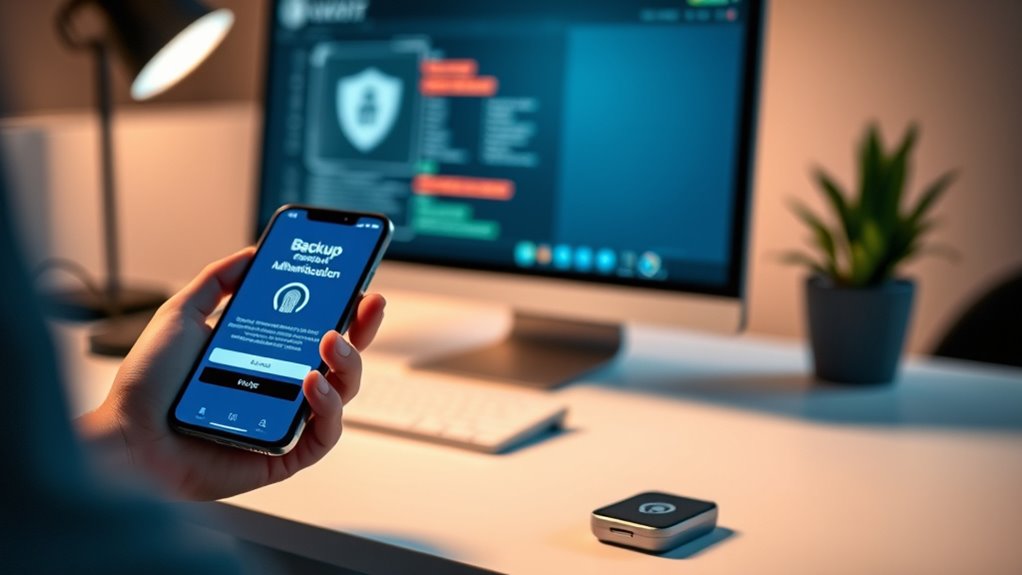
Have you ever wondered what happens if your primary authentication method fails? It’s a common concern, especially as more people rely on multi-factor authentication (MFA) to secure their accounts. When your main method, like a password, becomes inaccessible—perhaps because you forgot it or your device is malfunctioning—you need backup options to regain access smoothly. That’s where backup authentication methods come into play, guaranteeing you’re not locked out when things go wrong.
One of the most familiar fallback options is password recovery. If you forget your password, many systems offer a straightforward way to reset it—usually through a linked email address or phone number. You’ll be prompted to verify your identity via a verification code sent to your registered contact details. Once verified, you can create a new password and regain access. This process is crucial because it prevents lockouts that could otherwise compromise your productivity or access to critical services. However, it’s important to keep your recovery options up-to-date and secure because if someone else gains access to your recovery email or phone, they could potentially hijack your account.
Biometric fallback presents an increasingly popular alternative to traditional password recovery. If your primary MFA method involves biometric factors—such as fingerprint scans or facial recognition—and those methods fail or become unavailable, systems often allow fallback options. These might include answering security questions, entering a one-time passcode sent via SMS, or using backup authentication devices like hardware tokens. Biometric fallback is particularly valued because it offers quick, seamless access without remembering complex passwords, but it also requires robust backup procedures. For example, if your fingerprint isn’t recognized due to dirt or injury, having a secondary method like a PIN or security questions ensures you aren’t permanently locked out. Additionally, integrating automation in business and secure backup methods helps maintain continuous access and protects user data.
Ultimately, the goal of backup authentication methods is to provide a safety net so you don’t lose access entirely. They should be secure yet convenient, balancing ease of use with protection against unauthorized access. Many organizations now implement multi-layered fallback strategies—combining password recovery options with biometric fallback—so that if one method fails, others can seamlessly step in. This layered approach minimizes downtime and maintains security, even when technical issues or unforeseen circumstances arise. As you set up your accounts, it’s wise to review and regularly update these backup options, ensuring they’re both secure and accessible. That way, when your primary authentication method falters, you’re prepared with reliable alternatives that keep your digital life running smoothly.

Yubico – YubiKey 5C NFC – Multi-Factor authentication (MFA) Security Key and passkey, Connect via USB-C or NFC, FIDO Certified – Protect Your Online Accounts
POWERFUL SECURITY KEY: The YubiKey 5C NFC is the most versatile physical passkey, protecting your digital life from…
As an affiliate, we earn on qualifying purchases.
As an affiliate, we earn on qualifying purchases.
Frequently Asked Questions
Can Biometric Backups Be Compromised Easily?
Biometric backups can be compromised, especially due to biometric vulnerabilities like fingerprint or facial recognition spoofing. While convenient, they aren’t foolproof and can be hacked using advanced techniques. Additionally, relying solely on biometric data poses backup password risks if someone gains access to your biometric templates or devices. Always combine biometric methods with strong, unique backup passwords and multi-layered security to better protect your accounts.
Are Hardware Tokens More Secure Than Software-Based Methods?
Hardware tokens are generally more secure than software-based methods because they rely on hardware security, making them harder to hack. Unlike software options, they’re less vulnerable to software vulnerabilities like malware or phishing attacks. When you use a hardware token, you add an extra layer of protection, reducing the risk of unauthorized access. While no method is foolproof, hardware tokens offer a higher level of security for your authentication needs.
What Is the Recovery Time for Backup Authentication Methods?
On average, the recovery process for backup authentication methods takes about 15 to 30 minutes, minimizing downtime impact. Notably, organizations that regularly test their recovery procedures see 50% faster resolution times. Your goal should be to have clear, streamlined steps ready, ensuring minimal disruption. Being prepared means your recovery time stays short, helping you maintain productivity and security even if your primary MFA method fails temporarily.
How Often Should Backup Authentication Methods Be Updated?
You should update your backup authentication methods at least every six months to stay secure. Regular updates ensure your password management practices remain strong, reducing risk if your primary MFA fails. Additionally, keep user education current so everyone understands how to use backup options effectively. This proactive approach helps prevent unauthorized access and keeps your systems protected, even when primary MFA methods encounter issues.
Are There Legal Restrictions on Using Certain Backup Methods?
Yes, there are legal restrictions on using certain backup methods. You need to guarantee your backup compliance by choosing methods that meet data protection laws and privacy regulations. For example, some countries restrict storing biometric data or require encryption standards. Always verify your backup methods align with local legal restrictions to avoid legal penalties and safeguard user information effectively. Staying informed helps you maintain secure, compliant backup authentication practices.
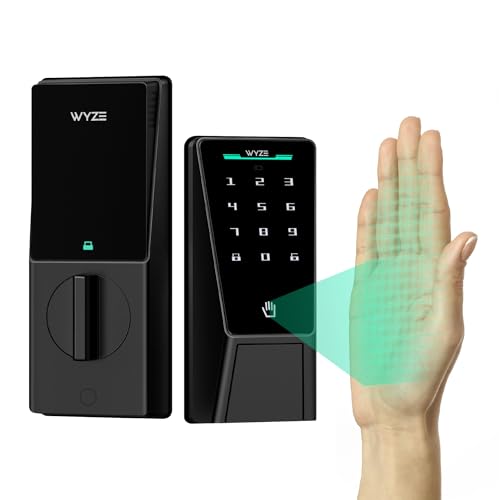
Wyze Palm Lock, Smart Door Lock with Palm Vein Recognition, Keyless Entry Smart Locks for Front Door, Keypad, Auto Lock, Dual Battery, Wi-Fi, Works with Alexa & Google, BHMA, IP53, Mechanical Key
Contactless Palm Vein Recognition — Wyze Palm Lock uses a highly secure biometric technology that reads the unique…
As an affiliate, we earn on qualifying purchases.
As an affiliate, we earn on qualifying purchases.
Conclusion
Having backup authentication methods isn’t just a safety net—it’s a vital part of your security strategy. While many believe MFA is foolproof, experts suggest that even multi-layered systems can fail. Incorporating alternative options like backup codes or biometric verification guarantees you stay protected when MFA falters. Trusting in a layered approach, backed by ongoing research, confirms that diversifying your authentication methods truly keeps your accounts safer in unpredictable situations.

EZITSOL USB Compatible Password Reset Recovery Boot Key Flash Drive | Compatible with Windows XP,Vista,7,8.1,10,11,Server | Remove Reset Recover login Password
1. Remove Password: This USB key is used to reset login passwords for Windows users and is compatible…
As an affiliate, we earn on qualifying purchases.
As an affiliate, we earn on qualifying purchases.

Thetis Pro-C FIDO2 Security Key Passkey Device with USB C & NFC, TOTP/HOTP Authenticator APP, FIDO 2.0 Two Factor Authentication 2FA MFA, Works with Windows/macOS/Linux/Gmail/Facebook/Dropbox/GitHub
FIDO2/Passkey Authentication – Secure, passwordless login with supported platforms. Check if your intended service supports hardware keys before…
As an affiliate, we earn on qualifying purchases.
As an affiliate, we earn on qualifying purchases.