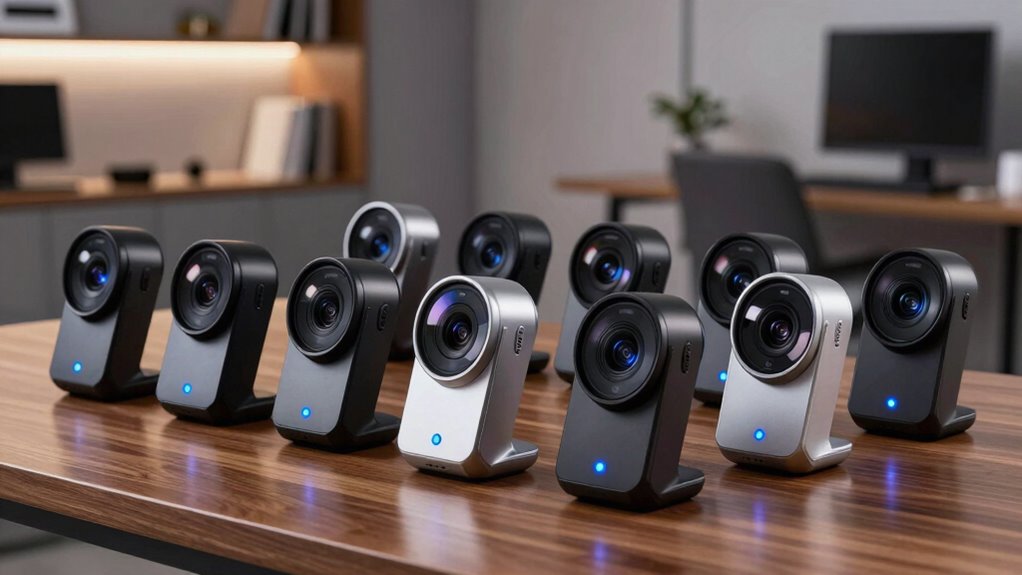

A 1080p 60fps webcam can make movement look smoother on calls, streams, and recordings, but several models in this roundup record 1080p at 30fps instead. My best overall pick is the NexiGo N660P, which specifically lists 1080p at 60fps and adds software controls, autofocus, and a privacy cover. The Logitech StreamCam is another clear 60fps choice, while the EMEET S600 and other 4K models suit buyers who value higher resolution over a simple 1080p target. The main tradeoffs are frame rate, autofocus, sound, and how much control the camera offers. Read on for the full breakdown and help matching a webcam to your setup.

Get privacy and security gear delivered free — and shop member deals
- Fast, free delivery on millions of items
- Access to Prime Big Deal Days deals on October 6–7
- Prime Video, Amazon Music and more included
Complete the kit



Key Takeaways
Only some picks clearly meet the 60fps target: the NexiGo N660P and Logitech StreamCam list 1080p at 60fps; the C920x and many budget models are 30fps options.
Resolution alone does not determine fit: the EMEET S600 and Acer A640 offer 4K, which may help when detail matters, but they are not the most direct choice for a 1080p 60fps request.
Software control separates the N660P and NexiGo N60: those tools may help with framing and image adjustments, while simpler plug-and-play models ask less setup of the buyer.
Logitech’s lineup serves different priorities: StreamCam is the named 60fps option, while C920x, C922x, and Brio 101 are 1080p models whose listed frame-rate claims do not match that target.
Privacy covers and microphones are common, not decisive: compare the camera’s frame-rate and focus claims first, then treat these built-ins as convenience features rather than substitutes for a dedicated mic or lens cover.
| EMEET C960 1080p Webcam with Dual Microphones and Privacy Cover |  | Best for Wide Group Calls | Resolution: 1920 × 1080 (FHD) | Field of view: 90° | Focus: Fixed focus; 11.8–118.1 inches | VIEW ON AMAZON | See Our Full Breakdown |
| Logitech C920x HD Pro Webcam, Full 1080p/30fps Video, Black |  | Best for 1080p Calls and Recording | Resolution: 1080p Full HD | Frame rate: 30 fps | Focus: Autofocus | VIEW ON AMAZON | See Our Full Breakdown |
| NexiGo N660P 1080P 60FPS Webcam with Software Control, Dual Microphones & Privacy Cover, Autofocus, USB Computer Camera |  | Best Overall for 1080p 60fps | Resolution: 1920 × 1080 (Full HD) | Frame rate: 60 fps | Focus: Autofocus | VIEW ON AMAZON | See Our Full Breakdown |
| Shcngqio TWC29 1080P HD Webcam with Noise-Canceling Microphone, Privacy Cover, and Auto Light Correction |  | Best for Basic Plug-and-Play Calls | Resolution: 1080p Full HD | Frame rate: 30 fps | Focus: Fixed focus | VIEW ON AMAZON | See Our Full Breakdown |
| EMEET S600 4K Webcam for Streaming |  | Best Premium 60fps Upgrade | Resolution and frame rate: 4K at 30fps; 1080p at 60fps | Sensor: Sony 1/2.55-inch | Autofocus: PDAF (phase-detection autofocus) | VIEW ON AMAZON | See Our Full Breakdown |
| TRAUSI 1080p Full HD Webcam with Noise-Reducing Microphone and Privacy Cover | 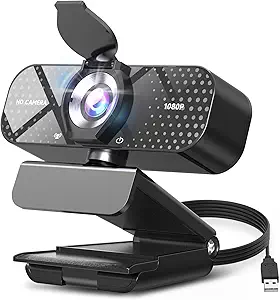 | Best for Simple Setup | Resolution: 1080p Full HD | Frame rate: 30 fps | Lens: Wide-angle | VIEW ON AMAZON | See Our Full Breakdown |
| Logitech Brio 101 Full HD 1080p Webcam, Black |  | Best for Everyday Video Calls | Resolution: Full HD 1080p | Connection: USB-A | Microphone: Built-in | VIEW ON AMAZON | See Our Full Breakdown |
| Logitech StreamCam Full HD 1080p Webcam, 60 fps, Graphite |  | Best for Creator-Friendly 1080p | Resolution: Full HD 1080p | Frame rate: 60 fps | Lens: Premium glass | VIEW ON AMAZON | See Our Full Breakdown |
| 4K Webcam with PDAF Autofocus, Privacy Cover, Dual Microphones, Auto Light Correction, Plug & Play USB Camera for Streaming |  | Best Compact 4K and 60 fps Option | Maximum resolution and frame rate: 4K UHD at 30 fps; 1080p at 60 fps | Sensor: 1/2.5-inch Sony CMOS | Field of view: 79 degrees | VIEW ON AMAZON | See Our Full Breakdown |
| Acer A640 4K Webcam with AI Noise Canceling Microphone |  | Best for Autofocus and Audio Processing | Resolution and frame rate: 4K at 30 fps; 2K or 1080p at 60 fps | Sensor: Sony 1/2.8-inch image sensor | Autofocus: Phase Detection Auto Focus (PDAF) | VIEW ON AMAZON | See Our Full Breakdown |
| Logitech C922x HD Pro Webcam | 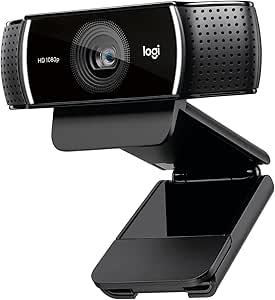 | Best for 60fps Motion | 1080p video: 30 fps | 720p video: 60 fps | Focus: Autofocus | VIEW ON AMAZON | See Our Full Breakdown |
| NexiGo N60 1080P Webcam with Microphone, Software Control & Privacy Cover |  | Best for Simple, Private Calls | Resolution and frame rate: 1920 x 1080 at 30 fps | Sensor: 2MP CMOS | Lens: 3.6mm glass lens, fixed focus | VIEW ON AMAZON | See Our Full Breakdown |
| 1080p 60fps webcam | Resolution | Focus | Connectivity |
|---|---|---|---|
| EMEET C960 1080p Webcam with D | 1920 × 1080 (FHD) | Fixed focus; 11.8–118.1 inches | USB-A; USB-A-to-C adapter included |
| Logitech C920x HD Pro Webcam | 1080p Full HD | Autofocus | — |
| NexiGo N660P 1080P 60FPS Webca | 1920 × 1080 (Full HD) | Autofocus | USB plug and play |
| Shcngqio TWC29 1080P HD Webcam | 1080p Full HD | Fixed focus | USB 2.0/3.0/3.1; OTG |
| EMEET S600 4K Webcam for Strea | — | — | USB 2.0 and 3.0; plug and play |
| TRAUSI 1080p Full HD Webcam wi | 1080p Full HD | — | USB 2.0, 3.0, 3.1, and OTG |
| Logitech Brio 101 Full HD 1080 | Full HD 1080p | — | — |
| Logitech StreamCam Full HD 108 | Full HD 1080p | Smart autofocus | — |
| 4K Webcam with PDAF Autofocus | — | PDAF autofocus | USB plug and play |
| Acer A640 4K Webcam with AI No | — | — | USB; USB-A to C adapter included |
| Logitech C922x HD Pro Webcam | — | Autofocus | — |
| NexiGo N60 1080P Webcam with M | — | — | — |
More Details on Our Top Picks
EMEET C960 1080p Webcam with Dual Microphones and Privacy Cover
I’d choose the EMEET C960 when fitting more than one person into the frame matters more than smooth motion. Its 90° field of view is wider than the adjustable 40°–73° range of the EMEET S600 at 1080p, which can help include a small group or show more of a workspace. The removable privacy cover and two microphones also make it a practical desk camera for routine calls. The tradeoff is its fixed focus and 1080p video without a stated 60fps mode, so it is less suited to close-up demonstrations or fluid streaming than the NexiGo N660P. Automatic light correction can help with changing room light, but the product data says good lighting is still needed for the best image. I’d skip it if autofocus or 60fps is a priority.
Pros:- 90° field of view can fit more people or workspace into a call
- Two built-in omnidirectional microphones provide onboard audio
- Removable privacy cover offers a simple way to block the lens
- USB-A connection includes a USB-A-to-C adapter
Cons:- Fixed focus offers less flexibility than the autofocus on the NexiGo N660P
- No 60fps video mode is listed
- Best image quality depends on having good lighting
Best for: Remote workers and small teams who want a wide frame for seated calls and occasional group meetings
Not ideal for: Streamers who need smooth 60fps motion or presenters who frequently move toward and away from the camera
- Resolution:1920 × 1080 (FHD)
- Field of view:90°
- Focus:Fixed focus; 11.8–118.1 inches
- Microphones:2 built-in omnidirectional
- Connectivity:USB-A; USB-A-to-C adapter included
- Features:Automatic light correction; removable privacy cover; clip base
- Compatibility:Windows 10/11, macOS 10.14+, Android TV 7.0+
- Dimensions:4.88 × 2.65 × 2.04 inches
Our verdict“Choose the C960 for a wide group-call view and built-in privacy cover if fixed focus and the lack of a listed 60fps mode suit your setup.”
Logitech C920x HD Pro Webcam, Full 1080p/30fps Video, Black
The Logitech C920x is the sensible pick for buyers who value autofocus, stereo sound, and established software support more than 60fps. Its 1080p at 30fps is a clear limitation for this roundup: the NexiGo N660P and EMEET S600 both list 1080p at 60fps, which better suits fast movement and smoother streaming. In return, the C920x pairs autofocus with automatic light correction, helping keep a caller sharp as they shift position and supporting a polished look in variable light. Dual stereo microphones and the included XSplit VCam license add useful call and background tools. There is no privacy shutter included, though, and buyers specifically seeking fluid 60fps footage should choose a different model. I see this as a dependable call-first option rather than a motion-focused camera.
Pros:- Autofocus can keep the image sharp as the user moves
- Automatic light correction supports calls in changing room light
- Dual stereo microphones capture audio without a separate mic
- Includes a 3-month XSplit VCam license for background effects
Cons:- Limited to 1080p at 30fps, unlike the NexiGo N660P and EMEET S600
- No privacy shutter is included
Best for: People who prioritize autofocus, stereo audio, and background effects for regular 1080p calls and recordings
Not ideal for: Live streamers who need 1080p 60fps or desk users who require an included privacy cover
- Resolution:1080p Full HD
- Frame rate:30 fps
- Focus:Autofocus
- Microphones:Dual stereo
- Image adjustment:HD lighting adjustment
- Compatibility:Windows 11; Nintendo Switch 2 GameChat
- Included software:3-month XSplit VCam license
- Color:Black
Our verdict“Pick the C920x for autofocus, stereo audio, and background tools when 30fps is sufficient and an included privacy cover is not required.”
NexiGo N660P 1080P 60FPS Webcam with Software Control, Dual Microphones & Privacy Cover, Autofocus, USB Computer Camera
The NexiGo N660P is my strongest fit for the title because it explicitly combines 1080p at 60fps with autofocus, stereo noise-cancelling microphones, and an attached privacy cover. That frame rate makes motion look smoother than on the Logitech C920x or Shcngqio TWC29, both listed at 30fps, while autofocus gives it more flexibility than the fixed-focus EMEET C960. Its plug-and-play setup and broad operating-system support make it easier to place in a mixed-device household or work setup. The tradeoff is that the product data does not mention image stabilization, and it offers no stated 4K mode like the EMEET S600. I’d choose it for straightforward 60fps calls or streams, but buyers who need a documented stabilization feature or 4K capture should compare alternatives.
Pros:- Records Full HD video at a listed 60fps
- Autofocus accommodates changes in distance from the camera
- Dual stereo microphones include noise cancellation
- Attached privacy cover and plug-and-play USB setup simplify everyday use
Cons:- Image stabilization is not listed
- No 4K recording mode is specified
- USB cable length is 6.5 ft, which may limit placement for some desks
Best for: Streamers and video callers who want 1080p 60fps, autofocus, and a privacy cover in a plug-and-play webcam
Not ideal for: Creators who require 4K capture or a stated image stabilization feature
- Resolution:1920 × 1080 (Full HD)
- Frame rate:60 fps
- Focus:Autofocus
- Microphones:Dual stereo omnidirectional with noise cancellation
- Connectivity:USB plug and play
- USB cable length:6.5 ft
- Privacy cover:Included
- Compatibility:Windows, Mac OS, Linux, Chrome OS, Ubuntu, Android
Our verdict“Choose the N660P for a practical 1080p 60fps setup with autofocus and a privacy cover, unless you need 4K or documented stabilization.”
Shcngqio TWC29 1080P HD Webcam with Noise-Canceling Microphone, Privacy Cover, and Auto Light Correction
The Shcngqio TWC29 covers the basics for someone who wants a simple USB webcam: 1080p video, automatic light correction, a noise-canceling microphone, and a sliding privacy cover. Its no-driver setup is appealing for routine calls, but its 30fps limit puts it behind the 60fps NexiGo N660P and EMEET S600 for smoother movement. The supplied data calls the lens wide-angle without giving a field-of-view measurement, so I would not rank it ahead of the EMEET C960 for buyers who specifically need a known wide frame. Fixed focus also makes it less adaptable than autofocus options such as the Logitech C920x. Its straightforward setup is the draw; the tradeoff is less documented flexibility and no listed 60fps mode.
Pros:- 1080p Full HD video for standard calls
- Sliding privacy cover blocks the lens when not in use
- Automatic light correction is included
- USB plug-and-play setup works across USB 2.0, 3.0, and 3.1
Cons:- Limited to 30fps, while the NexiGo N660P supports 60fps
- Fixed focus offers less adaptability than the autofocus Logitech C920x
- Field-of-view angle is not specified in the product data
Best for: Budget-conscious home callers who want a basic 1080p camera with a sliding cover and no-driver setup
Not ideal for: Streamers seeking smooth 60fps video or users who need autofocus and a documented field-of-view angle
- Resolution:1080p Full HD
- Frame rate:30 fps
- Focus:Fixed focus
- Microphone:Built-in noise-canceling
- Privacy cover:Sliding lens cover
- Light correction:Automatic
- Connectivity:USB 2.0/3.0/3.1; OTG
- Cable length:5 ft
Our verdict“Choose the TWC29 for straightforward 1080p calls with a privacy cover, but look to the N660P if smooth 60fps motion matters.”
EMEET S600 4K Webcam for Streaming
The EMEET S600 makes sense for creators who want 1080p 60fps now and the option of 4K at 30fps for higher-detail capture. Its Sony 1/2.55-inch sensor and PDAF autofocus set it apart from the Full HD-only NexiGo N660P, while its adjustable 40°–73° field of view at 1080p lets a solo streamer narrow the frame around their setup. That flexibility comes with setup tradeoffs: the field of view is fixed at 73° in 4K, and full-resolution output depends on compatible software or apps such as OBS or PotPlayer. Advanced customization also requires EMEETLINK. Compared with the N660P, this is the more capable creator camera, but buyers who want a simple 1080p 60fps webcam may not need its extra modes.
Pros:- Supports 1080p at 60fps and 4K at 30fps
- PDAF autofocus is designed for quick focus changes
- Adjustable 40°–73° field of view at 1080p suits different streaming frames
- Built-in privacy cover and noise-canceling microphones
Cons:- Field of view is fixed at 73° when recording in 4K
- Full-resolution output depends on compatible software or apps
- Advanced customization requires EMEETLINK
Best for: Streamers and content creators who want 1080p 60fps, fast autofocus, and the option to record in 4K
Not ideal for: Callers who want a basic plug-and-play 1080p camera without software setup or 4K features
- Resolution and frame rate:4K at 30fps; 1080p at 60fps
- Sensor:Sony 1/2.55-inch
- Autofocus:PDAF (phase-detection autofocus)
- Field of view:40°–73° at 1080p; fixed 73° at 4K
- Microphones:Built-in noise-canceling
- Connectivity:USB 2.0 and 3.0; plug and play
- Privacy cover:Built-in
- Software:EMEETLINK for customization
Our verdict“Choose the S600 if you want 1080p 60fps with a 4K option and adjustable framing, and are comfortable configuring creator software.”
TRAUSI 1080p Full HD Webcam with Noise-Reducing Microphone and Privacy Cover
The TRAUSI is a straightforward pick for calls where 1080p clarity and easy setup matter more than motion smoothness. Its video tops out at 30 fps, so it falls short of the roundup’s 60 fps target; the Logitech StreamCam and Acer A640 are better fits for smoother movement. In exchange, this model pairs automatic light correction with a noise-reducing microphone and sliding privacy cover, covering common desk-call needs without extra drivers. The wide-angle lens may suit shared calls, but the listing gives no field-of-view measurement, making framing less predictable than with the 79-degree 4K Webcam. I’d choose TRAUSI for a basic plug-and-play computer setup, and skip it if 60 fps is a firm requirement.
Pros:- 1080p resolution for clear everyday video calls
- Noise-reducing built-in microphone
- Automatic light correction adapts to changing room light
- Sliding privacy cover and driver-free USB setup
Cons:- Video is limited to 30 fps, below the roundup’s 60 fps goal
- Wide-angle lens has no stated field-of-view measurement
- USB 2.0 connection may limit flexibility compared with newer USB-C options
Best for: People who want a simple 1080p webcam for everyday laptop or desktop calls and value a privacy cover.
Not ideal for: Streamers or presenters who need 60 fps motion, or buyers who want a specified field of view.
- Resolution:1080p Full HD
- Frame rate:30 fps
- Lens:Wide-angle
- Microphone:Built-in noise-reducing
- Lighting:Automatic light correction
- Privacy:Sliding lens cover
- Connectivity:USB 2.0, 3.0, 3.1, and OTG
- Cable length:5 ft
Our verdict“Choose the TRAUSI for uncomplicated 1080p calls with a privacy cover, but look to the StreamCam if you need 60 fps.”
Logitech Brio 101 Full HD 1080p Webcam, Black
The Brio 101 is the uncomplicated call-first option in this group: it combines 1080p video, a built-in microphone, and an integrated shutter in a familiar USB-A setup. RightLight’s brightness boost can help keep a face visible in a dim room, though it does not give the smoother movement of the Logitech StreamCam’s 60 fps capture. Unlike the TRAUSI, Logitech names support for major meeting platforms and Nintendo Switch 2 GameChat, which may appeal to households moving between work calls and casual chat. Its recycled-plastic construction is a practical material detail, not a reason to expect premium imaging controls. I’d pick it for routine calls where simplicity matters; buyers making fast gestures on camera should choose a 60 fps model instead.
Pros:- Full HD 1080p video for everyday calls
- RightLight brightness adjustment helps with dim rooms
- Integrated sliding privacy cover
- USB-A connection and broad video-call platform support
Cons:- Frame rate is not specified in the supplied product data
- No autofocus or framing controls are listed
- USB-A connection may require an adapter on USB-C-only computers
Best for: Remote workers and families who need a dependable 1080p webcam for standard meetings and casual calls.
Not ideal for: Streamers, gamers, or presenters who want 60 fps capture, autofocus, or advanced framing controls.
- Resolution:Full HD 1080p
- Connection:USB-A
- Microphone:Built-in
- Privacy cover:Integrated sliding shutter
- Lighting:RightLight boosts brightness by up to 50%
- Compatibility:Microsoft Teams, Zoom, Google Meet, and Nintendo Switch 2 GameChat
- Recycled plastic:At least 34% post-consumer recycled plastic
Our verdict“Pick the Brio 101 for simple everyday calls and a built-in shutter, but choose the StreamCam for confirmed 60 fps video.”
Logitech StreamCam Full HD 1080p Webcam, 60 fps, Graphite
The StreamCam earns its place by making 1080p at 60 fps its central advantage: motion looks smoother than it does on the 30 fps TRAUSI and Brio 101, which matters for demonstrations, expressive presentations, and streaming. Its premium glass lens, smart autofocus, auto-framing, and exposure adjustments give moving subjects more support than those simpler call-focused models. Landscape or portrait mounting also suits creators who switch between conventional video and vertical formats. The tradeoffs are practical: this model connects over USB-C, and some advanced controls rely on Logitech Capture, so setup may take more attention than a basic plug-and-play camera. I’d choose it for flexible content creation, while buyers who need broader operating-system details or a built-in privacy cover should compare other options.
Pros:- Captures 1080p video at 60 fps for smoother motion
- Smart autofocus helps keep subjects sharp as they move
- Auto-framing and intelligent exposure support changing positions and light
- Supports landscape and portrait mounting
Cons:- Requires USB-C connectivity
- Some advanced controls rely on Logitech Capture software
- Supplied specifications do not list a privacy shutter or microphone details
Best for: Video creators and presenters who want smooth 1080p motion, autofocus, and landscape or portrait framing.
Not ideal for: Buyers with USB-A-only computers and no adapter, or anyone who needs a built-in privacy cover.
- Resolution:Full HD 1080p
- Frame rate:60 fps
- Lens:Premium glass
- Focus:Smart autofocus
- Connection:USB-C
- Mounting:Monitor, laptop, or standard tripod
- Orientation:Landscape or portrait
- Software:Logitech Capture
Our verdict“Choose the StreamCam for creator-friendly 1080p at 60 fps and flexible framing, provided USB-C fits your setup.”
4K Webcam with PDAF Autofocus, Privacy Cover, Dual Microphones, Auto Light Correction, Plug & Play USB Camera for Streaming
This compact webcam is a flexible choice for someone who wants 1080p at 60 fps for movement and 4K at 30 fps when fine detail matters more. Its 1/2.5-inch Sony CMOS sensor and PDAF autofocus set it apart from the 1080p-only TRAUSI, while the StreamCam offers a more creator-oriented mix of auto-framing and portrait mounting. Here, dual noise-cancelling microphones, a built-in privacy cover, and broad OS compatibility make the feature set useful beyond image capture. The fixed 79-degree view keeps framing predictable, but gives no optical zoom to tighten a shot; that can leave less control over background clutter. I’d shortlist it for a compact desk or streaming setup that needs two capture modes, and skip it if adjustable framing is a priority.
Pros:- Offers 1080p at 60 fps and 4K at 30 fps
- PDAF autofocus is designed to lock onto subjects quickly
- Dual noise-cancelling microphones and a built-in privacy cover
- USB plug-and-play support across Windows, macOS, Linux, and Android
Cons:- Fixed 79-degree field of view with no optical zoom
- 4K capture is limited to 30 fps
- No water resistance
Best for: Streamers and hybrid workers who want both 4K detail and 1080p 60 fps in a compact camera with dual microphones.
Not ideal for: Presenters who need optical zoom or adjustable field of view to control their framing.
- Maximum resolution and frame rate:4K UHD at 30 fps; 1080p at 60 fps
- Sensor:1/2.5-inch Sony CMOS
- Field of view:79 degrees
- Focus:PDAF autofocus
- Microphones:Dual noise-cancelling
- Connectivity:USB plug and play
- Maximum aperture:f/1.8
- Compatible operating systems:Windows 7/8/10/11, macOS 10.10+, Linux, Android
Our verdict“Choose this webcam if you want compact 4K and 1080p 60 fps flexibility, but skip it if you need zoom control.”
Acer A640 4K Webcam with AI Noise Canceling Microphone
The Acer A640 brings 1080p at 60 fps together with 4K at 30 fps, so it can handle fluid movement while retaining a higher-resolution option. Its Sony 1/2.8-inch sensor and PDAF autofocus give it a stronger imaging brief than the Brio 101, whose supplied details focus on straightforward 1080p calls. Compared with the 4K Webcam in this roundup, the Acer emphasizes AI noise-canceling audio and includes a USB-A to C adapter, while the other model lists dual microphones and a fixed 79-degree view. The A640’s physical shutter and automatic low-light correction round out a practical desk setup. Its microphone needs to be selected in system and app settings, and there are no built-in speakers, so it suits camera-and-mic use rather than an all-in-one audio station.
Pros:- Captures 1080p at 60 fps and 4K at 30 fps
- Sony 1/2.8-inch sensor with PDAF autofocus
- AI noise-canceling microphone and automatic low-light correction
- Physical privacy shutter and USB-A to C adapter included
Cons:- No built-in speakers
- Microphone must be selected manually in system and app settings
- Supplied data does not specify the field of view
Best for: Remote presenters and streamers who want PDAF autofocus, processed microphone audio, and 1080p 60 fps with an included USB adapter.
Not ideal for: Buyers seeking a webcam with built-in speakers or a microphone that needs no manual device selection.
- Resolution and frame rate:4K at 30 fps; 2K or 1080p at 60 fps
- Sensor:Sony 1/2.8-inch image sensor
- Autofocus:Phase Detection Auto Focus (PDAF)
- Microphone:AI noise-canceling
- Connectivity:USB; USB-A to C adapter included
- Privacy:Physical sliding privacy shutter
- Lighting:Automatic low-light correction
- Speakers:Not included
Our verdict“Choose the Acer A640 for autofocus, noise-canceling audio, and 1080p 60 fps, as long as manual microphone setup is acceptable.”
Logitech C922x HD Pro Webcam
The C922x suits buyers who prioritize smoother motion over Full HD detail: it records 720p at 60 fps, while its 1080p mode is limited to 30 fps. That makes it a closer fit for fast gestures or gameplay than the NexiGo N60, which offers 1080p at 30 fps but no listed 60 fps mode. Autofocus and automatic light correction can help keep the image usable as lighting or subject distance changes, and dual microphones capture stereo sound. The included XSplit VCam license adds background blur or replacement without a physical green screen. The tradeoff is central to this roundup: buyers seeking 1080p at 60 fps will not get that combination here, and there is no privacy shutter. Choose it for smoother 720p video and flexible background effects, not maximum resolution at 60 fps.
Pros:- Offers a 720p 60 fps mode for smoother motion.
- Autofocus and automatic light correction adapt to changing distance and lighting.
- Dual microphones capture stereo audio.
- Three-month XSplit VCam license supports background blur, replacement, or removal.
Cons:- 1080p recording is limited to 30 fps.
- No privacy shutter is included.
Best for: Streamers or presenters who prefer smoother 720p motion and want autofocus plus software background effects.
Not ideal for: Buyers who require 1080p at 60 fps or want a built-in lens cover for privacy.
- 1080p video:30 fps
- 720p video:60 fps
- Focus:Autofocus
- Lighting:Automatic light correction
- Audio:Stereo audio with dual microphones
- Included software:3-month XSplit VCam license
- Privacy shutter:None
- Color:Black
Our verdict“Choose the C922x if smoother 720p video and background effects matter more than 1080p at 60 fps.”
NexiGo N60 1080P Webcam with Microphone, Software Control & Privacy Cover
The N60 is a straightforward choice for calls and classes where 1080p at 30 fps is enough and a physical lens cover matters. Its plug-and-play USB setup and broad listed operating-system compatibility make it easier to move between computers than a camera that depends on more involved setup. Compared with the Logitech C922x, the N60 adds a privacy cover and noise-canceling microphone, while the C922x offers autofocus, stereo microphones, and a 720p 60 fps mode. The N60’s fixed-focus lens is the key compromise: it is intended for a set working distance, so it is less flexible if you frequently move closer to or farther from the camera. Its 30 fps ceiling also means it does not meet a strict 1080p 60fps brief. There is a reported potential audio delay that may require a firmware update, so buyers needing dependable synchronized audio should factor that in.
Pros:- Records Full HD 1080p video at 30 fps.
- Privacy cover blocks the lens when the camera is not in use.
- Plug-and-play USB setup requires no additional drivers.
- Built-in noise-canceling microphone is included.
Cons:- Fixed-focus lens is best suited to a set distance.
- Maximum listed frame rate is 30 fps, below 60 fps.
- Potential audio delay may require a firmware update; it is not compatible with Xbox, PS4, or PS5.
Best for: Students and remote workers who want a simple 1080p call camera with a physical privacy cover and a fixed desk setup.
Not ideal for: Streamers who need 60 fps, frequent autofocus, console compatibility, or highly flexible subject distance.
- Resolution and frame rate:1920 x 1080 at 30 fps
- Sensor:2MP CMOS
- Lens:3.6mm glass lens, fixed focus
- Optimal distance:19.6 inches to 13 feet
- Microphone:Built-in noise-canceling
- Connection:USB 2.0/3.0, plug and play
- Privacy cover:Included
- Compatibility:Windows, Mac OS X, Android, Linux, Chrome OS, Ubuntu
- Not compatible with:Xbox, PS4, PS5
Our verdict“Pick the N60 for uncomplicated 1080p calls and lens privacy if 30 fps and a fixed-focus setup fit your needs.”
How We Picked
I compared the 12 listed models against the specific promise of 1080p at 60fps, then weighed autofocus, software controls, microphone features, privacy covers, and the likely setup burden. A product that explicitly lists 60fps at 1080p ranks ahead for this search than a 30fps camera with otherwise useful features. Higher-resolution 4K webcams remain relevant alternatives, but they serve a different priority and do not automatically satisfy the requested frame rate.
The ranking gives weight to clear, buyer-relevant specifications and practical fit: smooth motion for streaming, simpler operation for calls, and useful controls for users who want to tune the image. Models with limited or ambiguous frame-rate details are positioned as alternatives rather than direct 60fps recommendations. I also account for tradeoffs; built-in microphones and privacy covers add convenience, but they do not erase a frame-rate mismatch or replace dedicated audio equipment.
| 1080p 60fps webcam | Focus | Connectivity |
|---|---|---|
| EMEET C960 1080p Webcam with D | Fixed focus; 11.8–118.1 inches | USB-A; USB-A-to-C adapter included |
| Logitech C920x HD Pro Webcam | Autofocus | — |
| NexiGo N660P 1080P 60FPS Webca | Autofocus | USB plug and play |
| Shcngqio TWC29 1080P HD Webcam | Fixed focus | USB 2.0/3.0/3.1; OTG |
| EMEET S600 4K Webcam for Strea | — | USB 2.0 and 3.0; plug and play |
| TRAUSI 1080p Full HD Webcam wi | — | USB 2.0, 3.0, 3.1, and OTG |
| Logitech Brio 101 Full HD 1080 | — | — |
| Logitech StreamCam Full HD 108 | Smart autofocus | — |
| 4K Webcam with PDAF Autofocus | PDAF autofocus | USB plug and play |
| Acer A640 4K Webcam with AI No | — | USB; USB-A to C adapter included |
| Logitech C922x HD Pro Webcam | Autofocus | — |
| NexiGo N60 1080P Webcam with M | — | — |
Factors to Consider When Choosing 1080p 60fps Webcam
Choose around the work the camera needs to do and the limits of your computer and meeting software. A webcam’s headline resolution and frame rate describe only part of the final image.
Check that 60fps applies at 1080p
Webcam listings may name several resolutions and frame rates, and the highest numbers do not always appear together in the same mode. Look for an explicit pairing of 1920 × 1080 and 60fps rather than assuming a 60fps claim applies at every resolution. Some cameras reach a higher frame rate only at a lower resolution, which can soften detail in a close crop. Your video app may also cap the feed at 30fps, so check its camera settings before buying for smoother motion. For static calls, 30fps can be adequate; for gesture-heavy demos or gameplay streams, the difference is easier to notice. Confirm the exact mode in the manufacturer specifications when the listing is unclear.
Match the frame rate to your computer and apps
A camera’s capability does not guarantee that your computer can capture and send that mode smoothly. Video calls, recording software, USB bandwidth, and lighting all affect the result. If your setup struggles, a nominal 60fps feed can stutter or force compromises elsewhere. Check that the operating system and the apps you use recognize the camera and offer the intended resolution and frame rate. A webcam used for one-to-one calls may not need the same motion handling as a live stream with frequent movement. Buyers with older computers should prioritize dependable operation over a frame-rate figure they cannot use.
Treat autofocus and framing as separate choices
Autofocus helps when you move closer to show an object or shift around during a presentation, but repeated focus changes can distract in a fixed desk setup. Fixed-focus cameras may feel steadier if you sit at a consistent distance, provided that distance suits the lens. Also check the camera’s field of view: a wide frame includes more of a room, while a narrower view keeps attention on your face. Software framing can offer more flexibility, though it may require setup and ongoing adjustments. Think about your seating position and background before paying for features you will rarely use. A quick check of your available mounting position can prevent an otherwise capable webcam from framing you poorly.
Decide how much built-in audio you need
Built-in microphones are useful for quick calls and can reduce desk clutter, but their pickup varies with room echo, keyboard noise, and distance from the camera. Noise-reduction claims do not mean that every voice will sound natural or that background sounds will disappear. For interviews, streaming, or regular recordings, a separate microphone usually gives you more control over voice quality and placement. That choice can also keep your audio consistent if you change webcams later. If you mostly join casual meetings, built-in audio may be enough to get started. Compare microphone convenience with the audio quality your audience or colleagues actually need.
Weigh 4K against the 1080p goal
A 4K webcam can preserve more detail for cropping or recording, but it also asks more of your computer, connection, and workflow. Many calls are delivered at a lower resolution, so the camera’s maximum output may not carry through to the person watching. If your priority is smooth 1080p motion, confirm the available frame rate at that resolution before choosing a 4K model. If you plan to crop a recording or need extra image detail, 4K may be worthwhile even when calls remain lower resolution. Avoid paying attention to resolution alone: frame rate, focus, lighting, and app support all shape what viewers see.
Plan for lighting, mounting, and privacy
Automatic light correction can help balance an uneven scene, but it cannot replace a lamp or fix a bright window behind you. Place a light source in front of your face and check how the camera handles your room before deciding that you need more software controls. Confirm whether the webcam fits your monitor, tripod, or desk position; a poor angle can matter more than an extra image feature. A built-in privacy cover is convenient, but check how it opens and whether it blocks the lens fully when closed. These practical details affect everyday use even when the camera’s headline specifications look suitable. They are especially useful criteria when two options have similar video modes.
Frequently Asked Questions
Which webcams in this roundup specifically list 1080p at 60fps?
The NexiGo N660P and Logitech StreamCam are the clearest matches in this list: both product descriptions specify 1080p at 60fps. The Logitech C920x is explicitly described as 1080p at 30fps, so it is not an equivalent pick for smooth 60fps capture. Check the exact mode in the current manufacturer specifications before buying, since product variants and software settings can differ. Also confirm that your preferred app supports the selected mode.
Is 60fps worth prioritizing for work video calls?
For a mostly stationary face-to-face call, 1080p at 30fps may look perfectly serviceable and can be easier on the computer and connection. Sixty frames per second is more useful when you move frequently, demonstrate objects, or want motion to look smoother in a stream or recording. The person on the other end must also receive a video feed at that frame rate for the benefit to reach them. If your meeting app limits the stream, a 60fps camera may not change the call. Choose based on the actual use, rather than the number alone.
Should I choose a 4K webcam instead of a 1080p 60fps model?
Choose 4K when you expect to crop footage, record detailed video, or need extra resolution for a particular production workflow. Pick a webcam that explicitly supports 1080p at 60fps when smooth motion is the main goal. A 4K headline does not tell you which frame rates are available at 1080p, and your call platform may reduce the outgoing resolution anyway. Consider your computer’s processing capacity and connection before selecting a higher-resolution camera. The right choice depends on whether you value motion or detail more in the footage your audience sees.
Can a webcam’s built-in microphone replace a separate mic for streaming?
It can work for casual streams, but the result depends on room echo, camera placement, and background noise. A camera mounted above a monitor may sit farther from your mouth than a desk microphone, making voice level and clarity harder to control. Noise-reduction features can help in some rooms, but they are not a guarantee of clean audio. If clear speech is central to your stream, a separate mic gives you more control over distance and sound. You can start with the built-in option and add a dedicated mic if audio becomes a limitation.
What should I check if a 60fps webcam only runs at 30fps on my computer?
First, check the camera mode selected in your operating system and in the app itself; some applications use their own resolution and frame-rate settings. Then review the webcam’s connection requirements and use a suitable USB port without a hub if the manufacturer advises it. Close other software using the camera and see whether the computer can handle the chosen mode. The video service may cap frame rate regardless of the webcam’s capability, particularly during ordinary calls. If the feed still stays at 30fps, confirm the specific product’s supported modes with its manufacturer documentation.
Conclusion
For the closest match to the roundup’s goal, I recommend the NexiGo N660P as best overall: it lists 1080p at 60fps and adds autofocus and software controls. The Logitech StreamCam is a strong alternative for buyers who want a named 60fps Logitech option. For best value, compare the N660P with simpler 1080p models and pay for its added controls only if you will use them; the listed information does not establish a price winner. Beginners who want straightforward 1080p calls can look at the Logitech Brio 101 or NexiGo N60, while accepting that the roundup does not identify them as 60fps matches. For a premium resolution-focused setup, consider the EMEET S600 or Acer A640, after checking their supported frame rates at 1080p. Pick the camera whose confirmed video mode, setup demands, and audio plan fit how you actually work.
Fall Picks
fall essentials
As an affiliate, we earn on qualifying purchases.