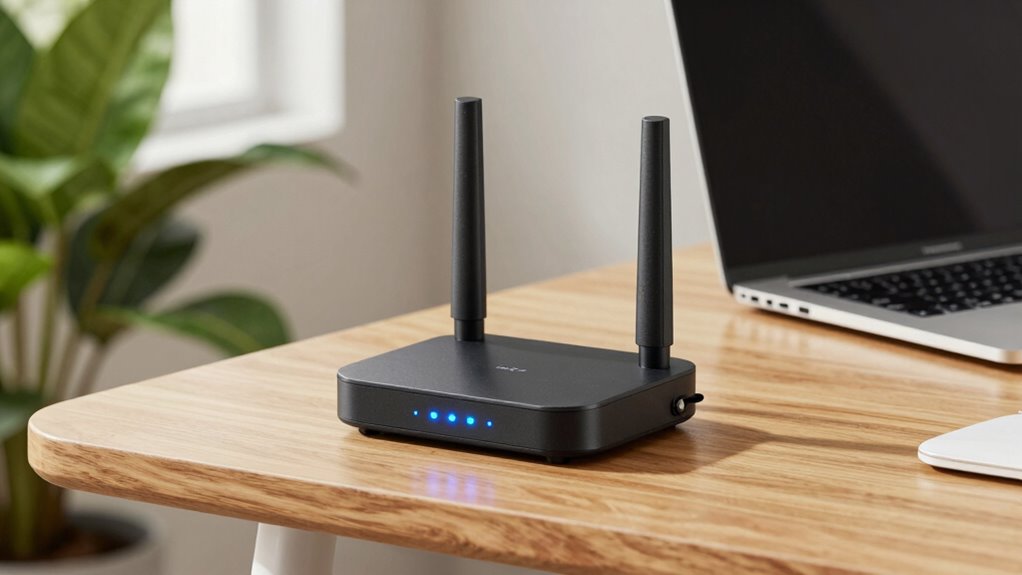

A gigabit Wi-Fi range extender can bring a wired connection to a room where your router’s signal falls short, but its Ethernet port does not make the wireless link to your router gigabit-fast by itself. My best overall pick is the TP-Link RE705X, which pairs Wi-Fi 6 with an AX3000 class rating; the TP-Link RE615X is a more modest Wi-Fi 6 option with gigabit Ethernet, while the TP-Link RE223BE offers Wi-Fi 7 for buyers planning around newer devices. The main tradeoff is between newer wireless standards and higher capacity on one side, and simpler, older AC models that may be enough for basic coverage on the other. Placement and compatibility with your router can matter as much as the extender’s advertised class. Read on for the full comparison and a guide to choosing the right fit.

Get privacy and security gear delivered free with Prime
- Fast, free delivery on millions of items
- Prime Video, Amazon Music and more included
- Member-only deals all year
Key Takeaways
- Wi-Fi generation separates the leading options: the RE223BE is the sole Wi-Fi 7 model, while the RE705X and RE715X bring AX3000 class Wi-Fi 6 to this lineup.
- A gigabit Ethernet port serves wired devices: models such as the RE615X, RE515X, and Tenda AX1500 can connect a nearby device by cable, but actual throughput still depends on the extender’s wireless link to the router.
- AC models fit narrower needs: the RE650, RE450, and RE550 use older Wi-Fi 5 technology, which can suit basic coverage but offers less headroom for newer Wi-Fi 6 devices.
- Model names and class ratings do not settle the choice: the RE500X and RE515X are AX1500 class, while the RE615X is AX1800 class; check the specific port and feature listing for the exact model.
- The RE1750X is marked Renewed: buyers weighing it against new units should account for its renewed condition and the seller’s return and warranty terms.
| TP-Link BE3200 Wi-Fi 7 Dual-Band Range Extender RE223BE with Ethernet Port |  | Best for Wi-Fi 7 Homes | Wi-Fi standard: Wi-Fi 7 | Model: RE223BE | Bands: 2.4 GHz and 5 GHz | VIEW ON AMAZON | See Our Full Breakdown |
| TP-Link RE650 AC2600 Dual-Band Wi-Fi Range Extender |  | Best for Legacy MU-MIMO Setups | Wi-Fi standard: 802.11ac | Maximum data transfer rate: Up to 2600 Mbps | Frequency bands: 2.4 GHz and 5 GHz | VIEW ON AMAZON | See Our Full Breakdown |
| TP-Link RE450 AC1750 Dual-Band Wi-Fi Range Extender |  | Best for Straightforward Placement | Model: RE450 | Wireless standard: 802.11ac | Maximum data transfer rate: 1750 Mbps | VIEW ON AMAZON | See Our Full Breakdown |
| TP-Link RE500X AX1500 Wi-Fi 6 Range Extender |  | Best Entry to Wi-Fi 6 | Model: RE500X | Wi-Fi standard: Wi-Fi 6 | Wireless bands: 2.4 GHz and 5 GHz | VIEW ON AMAZON | See Our Full Breakdown |
| TP-Link RE615X AX1800 Wi-Fi 6 Range Extender with Gigabit Ethernet |  | Best Wi-Fi 6 Value | Model: RE615X | Wi-Fi standard: Wi-Fi 6 | Wireless class: AX1800 | VIEW ON AMAZON | See Our Full Breakdown |
| TP-Link RE1750X AX1750 Wi-Fi 6 Dual-Band Range Extender (Renewed) |  | Best for EasyMesh Upgrades | Wireless standard: 802.11ax (Wi-Fi 6) | Maximum data rate: Up to 1.75 Gbps | Frequency bands: 2.4 GHz and 5 GHz | VIEW ON AMAZON | See Our Full Breakdown |
| TP-Link RE550 AC1900 Dual-Band Wi-Fi Range Extender |  | Best for Broad AC Coverage | Wi-Fi standard: AC1900 | Maximum bandwidth: Up to 1.9 Gbps | Frequency bands: Dual-band | VIEW ON AMAZON | See Our Full Breakdown |
| TP-Link RE220 Dual-Band Wi-Fi Range Extender |  | Best Compact Basic Pick | Wi-Fi bands: 2.4 GHz and 5 GHz | 2.4 GHz speed: Up to 300 Mbps | 5 GHz speed: Up to 433 Mbps | VIEW ON AMAZON | See Our Full Breakdown |
| TP-Link AX3000 Wi-Fi 6 Dual-Band Range Extender (RE715X) |  | Best for High-Capacity Wi-Fi 6 | Wi-Fi standard: Wi-Fi 6 | Total bandwidth: Up to 3000 Mbps | 5 GHz speed: Up to 2404 Mbps | VIEW ON AMAZON | See Our Full Breakdown |
| TP-Link RE705X AX3000 Dual-Band Wi-Fi 6 Range Extender |  | Best for Wide-Channel Wi-Fi 6 | Wireless standard: 802.11ax (Wi-Fi 6) | Frequency bands: 2.4 GHz and 5 GHz | Maximum data rate: Up to 3 Gbps | VIEW ON AMAZON | See Our Full Breakdown |
| Tenda AX1500 WiFi 6 Dual-Band Range Extender with Gigabit Ethernet |  | Best for a Simple Wired Access Point | WiFi standard: WiFi 6 (802.11ax) | Bands: 2.4 GHz and 5 GHz | Maximum data rate: Up to 1,500 Mbps | VIEW ON AMAZON | See Our Full Breakdown |
| TP-Link RE515X AX1500 WiFi 6 Range Extender with Ethernet Port |  | Best for EasyMesh Expansion | WiFi standard: WiFi 6 (AX1500) | Total bandwidth: Up to 1.5 Gbps | 5 GHz speed: Up to 1,201 Mbps | VIEW ON AMAZON | See Our Full Breakdown |
| wifi range extender gigabit | Ethernet | 2.4 GHz speed | 5 GHz speed | Coverage |
|---|---|---|---|---|
| TP-Link BE3200 Wi-Fi 7 Dual-Ba | Ethernet port | — | — | Up to 2,400 sq. ft. |
| TP-Link RE650 AC2600 Dual-Band | 1 Gigabit RJ45 port | Up to 800 Mbps | Up to 1733 Mbps | — |
| TP-Link RE450 AC1750 Dual-Band | 1 Gigabit Ethernet RJ45 port | — | — | Up to 2,000 sq. ft. |
| TP-Link RE500X AX1500 Wi-Fi 6 | Gigabit Ethernet | Up to 300 Mbps | Up to 1201 Mbps | — |
| TP-Link RE615X AX1800 Wi-Fi 6 | Gigabit Ethernet port | Up to 574 Mbps | Up to 1201 Mbps | Up to 2,100 sq. ft. |
| TP-Link RE1750X AX1750 Wi-Fi 6 | Gigabit Ethernet | Up to 574 Mbps | Up to 1201 Mbps | — |
| TP-Link RE550 AC1900 Dual-Band | Gigabit Ethernet | Up to 600 Mbps | Up to 1300 Mbps | Up to 2,100 sq. ft. |
| TP-Link RE220 Dual-Band Wi-Fi | — | Up to 300 Mbps | Up to 433 Mbps | Up to 1,200 sq. ft. |
| TP-Link AX3000 Wi-Fi 6 Dual-Ba | Gigabit | Up to 574 Mbps | Up to 2404 Mbps | Up to 2,400 sq. ft. |
| TP-Link RE705X AX3000 Dual-Ban | RJ45 Gigabit Ethernet | Up to 574 Mbps | Up to 2402 Mbps | — |
| Tenda AX1500 WiFi 6 Dual-Band | Gigabit RJ45 | — | — | Up to 1,500 sq. ft. |
| TP-Link RE515X AX1500 WiFi 6 R | Gigabit | Up to 300 Mbps | Up to 1,201 Mbps | Up to 1,800 sq. ft. |
More Details on Our Top Picks
TP-Link BE3200 Wi-Fi 7 Dual-Band Range Extender RE223BE with Ethernet Port
Wi-Fi 7 support and broad stated coverage make the RE223BE the forward-looking pick here, especially for homes already using a compatible Wi-Fi 7 router. Its four antennas and Beamforming are intended to help reach more rooms, while EasyMesh and adaptive roaming can make movement around a compatible network smoother. Compared with the TP-Link RE615X, it offers a higher stated total bandwidth and Wi-Fi 7 features, but both are dual-band and lack 6 GHz support. The RE223BE is still a coverage extender: it cannot raise the speed supplied by your internet plan, and extender throughput may be substantially lower than the router’s. Choose it for a newer router and up to 64 connected devices; skip it if your setup relies on Deco mesh or you expect a speed upgrade from an extender alone.
Pros:- Wi-Fi 7 features, including Multi-Link Operation with a compatible router
- Four antennas and Beamforming support wider coverage
- Stated support for up to 64 devices
- EasyMesh compatibility and setup through the TP-Link Tether app
Cons:- Dual-band design does not include 6 GHz
- Extends coverage but does not increase the internet plan’s speed
- Not compatible with Deco mesh systems
Best for: Households with a compatible Wi-Fi 7 router that want to extend coverage to more rooms and support many connected devices.
Not ideal for: Deco mesh owners or buyers seeking 6 GHz coverage or a direct increase in internet speed.
- Wi-Fi standard:Wi-Fi 7
- Model:RE223BE
- Bands:2.4 GHz and 5 GHz
- Maximum total bandwidth:3.2 Gbps
- Antennas:4
- Coverage:Up to 2,400 sq. ft.
- Maximum connected devices:64
- Ethernet:Ethernet port
- Mesh compatibility:EasyMesh-compatible; not compatible with Deco mesh systems
Our verdict“Choose the RE223BE to extend a compatible Wi-Fi 7 setup across a larger home, provided dual-band coverage meets your needs.”
TP-Link RE650 AC2600 Dual-Band Wi-Fi Range Extender
The RE650 is the high-throughput Wi-Fi 5 option in this group, with four antennas, MU-MIMO, beamforming, and a Gigabit Ethernet port. Those features suit a household with a compatible router and several active devices, or someone who wants to connect a wired device where Wi-Fi is weak. Compared with the newer TP-Link RE615X, the RE650 has a higher stated maximum data rate, but it uses 802.11ac rather than Wi-Fi 6 and its MU-MIMO benefit depends on router support. The Gigabit port provides a wired link to the extender; it does not turn the extender into a faster internet connection. Choose it when your existing router works well with its features and you value a wired connection. Skip it if you are building around newer Wi-Fi standards.
Pros:- Dual-band 802.11ac with stated speeds up to 2600 Mbps
- Four antennas with MU-MIMO and beamforming
- Gigabit RJ45 port for a wired device
- Compact listed dimensions of 1.6 x 3.4 x 6.4 inches
Cons:- Uses Wi-Fi 5 rather than Wi-Fi 6 or Wi-Fi 7
- MU-MIMO benefits depend on a compatible router
- Extends coverage rather than increasing internet speed
Best for: Households with an 802.11ac router that need to extend dual-band coverage for multiple devices and connect one wired device.
Not ideal for: Buyers upgrading to Wi-Fi 6 or Wi-Fi 7, or anyone expecting an extender to increase their internet plan speed.
- Wi-Fi standard:802.11ac
- Maximum data transfer rate:Up to 2600 Mbps
- Frequency bands:2.4 GHz and 5 GHz
- 2.4 GHz speed:Up to 800 Mbps
- 5 GHz speed:Up to 1733 Mbps
- Antennas:4
- Ethernet:1 Gigabit RJ45 port
- Dimensions:1.6 x 3.4 x 6.4 in
Our verdict“Pick the RE650 if you have a compatible Wi-Fi 5 router and want its multi-device features plus a Gigabit wired connection.”
TP-Link RE450 AC1750 Dual-Band Wi-Fi Range Extender
The RE450 keeps setup and placement practical: its smart signal indicator helps identify a useful outlet location, and three adjustable external antennas let you direct coverage. It also reaches up to 2,000 square feet on paper and includes a Gigabit Ethernet port for a wired device. The TP-Link RE650 lists a higher maximum data rate and adds MU-MIMO, so it is the stronger fit for a compatible router serving multiple active devices. The RE450 instead makes sense for buyers who value placement guidance and broad router compatibility over those extra throughput features. Its Wi-Fi 5 speeds are lower than the Wi-Fi 6 RE500X, and stated coverage depends on the home and router. It extends an existing connection; it does not improve the internet plan’s speed.
Pros:- Smart signal indicator helps with outlet placement
- Three adjustable external antennas
- Stated coverage up to 2,000 square feet and support for 32 devices
- Gigabit Ethernet port for wired devices
Cons:- Wi-Fi 5 with lower stated bandwidth than the RE650
- No stated mesh compatibility
- Extends coverage but does not increase internet speed
Best for: People with a mixed-age router setup who want placement guidance, coverage for several rooms, and a Gigabit port for one wired device.
Not ideal for: Wi-Fi 6 households seeking a newer standard or users who need the higher stated throughput of the RE650.
- Model:RE450
- Wireless standard:802.11ac
- Maximum data transfer rate:1750 Mbps
- Frequency bands:2.4 GHz and 5 GHz
- Coverage:Up to 2,000 sq. ft.
- Supported devices:Up to 32
- Antennas:3 adjustable external antennas
- Ethernet:1 Gigabit Ethernet RJ45 port
Our verdict“Choose the RE450 for guided placement and simple coverage expansion when Wi-Fi 5 performance is sufficient.”
TP-Link RE500X AX1500 Wi-Fi 6 Range Extender
The RE500X brings Wi-Fi 6 and Gigabit Ethernet to a coverage-focused extender without pushing into the higher bandwidth tiers of this lineup. Its 1201 Mbps 5 GHz and 300 Mbps 2.4 GHz limits make it a sensible match for everyday browsing and streaming in rooms where the router’s signal fades. Compared with the TP-Link RE615X, the RE500X has a lower stated 2.4 GHz speed and lacks the listed EasyMesh compatibility and adaptive roaming; the RE615X is better suited to households with more devices or a compatible mesh setup. The RE500X does offer OneMesh compatibility with supported devices and app-based setup. It remains dual-band, does not support Deco mesh, and cannot increase the speed delivered by your internet plan.
Pros:- Dual-band Wi-Fi 6
- Gigabit Ethernet port for a wired connection
- OneMesh compatibility with supported devices
- TP-Link Tether app setup and management
Cons:- No 6 GHz support
- Lower listed 2.4 GHz speed than the RE615X
- Does not increase internet speed and is not compatible with Deco mesh systems
Best for: Wi-Fi 6 router owners who want to fill a dead zone and connect a nearby wired device without needing high device capacity.
Not ideal for: Households seeking EasyMesh roaming, 6 GHz, or the higher 2.4 GHz capacity listed for the RE615X.
- Model:RE500X
- Wi-Fi standard:Wi-Fi 6
- Wireless bands:2.4 GHz and 5 GHz
- Maximum bandwidth:AX1500
- 5 GHz speed:Up to 1201 Mbps
- 2.4 GHz speed:Up to 300 Mbps
- Ethernet:Gigabit Ethernet
- Mesh compatibility:OneMesh-compatible devices
Our verdict“The RE500X suits Wi-Fi 6 owners who need a basic dead-zone fix with a Gigabit port and OneMesh support.”
TP-Link RE615X AX1800 Wi-Fi 6 Range Extender with Gigabit Ethernet
The RE615X is the balanced Wi-Fi 6 choice for buyers who want more than basic dead-zone relief: it lists up to 2,100 square feet of coverage, support for 64 devices, adaptive roaming, EasyMesh compatibility, and a Gigabit Ethernet port. Its two directional antennas are designed to focus the extended signal, while app guidance helps with setup and placement. Compared with the TP-Link RE500X, it offers higher stated 2.4 GHz speed and EasyMesh support, making it a better fit for busy homes using compatible routers. The RE223BE moves up to Wi-Fi 7 and a higher total bandwidth, though it remains dual-band too. The RE615X does not include 6 GHz or work with Deco mesh, and its job is coverage rather than faster internet service.
Pros:- Wi-Fi 6 with stated AX1800 total bandwidth
- Coverage listed up to 2,100 square feet for up to 64 devices
- EasyMesh compatibility and adaptive roaming
- Gigabit Ethernet and Tether app placement guidance
Cons:- Does not support 6 GHz
- Not compatible with Deco mesh systems
- Extends coverage rather than increasing internet speed
Best for: Busy households with a compatible EasyMesh router that want Wi-Fi 6 coverage for many devices and a wired Gigabit connection.
Not ideal for: Deco mesh owners or buyers who need 6 GHz access or expect higher internet speeds from adding an extender.
- Model:RE615X
- Wi-Fi standard:Wi-Fi 6
- Wireless class:AX1800
- Bands:2.4 GHz and 5 GHz
- 5 GHz speed:Up to 1201 Mbps
- 2.4 GHz speed:Up to 574 Mbps
- Coverage:Up to 2,100 sq. ft.
- Supported devices:Up to 64
- Ethernet:Gigabit Ethernet port
Our verdict“Choose the RE615X for a capable Wi-Fi 6 coverage extension with EasyMesh, adaptive roaming, and a Gigabit port.”
TP-Link RE1750X AX1750 Wi-Fi 6 Dual-Band Range Extender (Renewed)
The RE1750X suits buyers who want Wi-Fi 6 coverage extension and a path to EasyMesh smart roaming with a compatible router. Its Gigabit Ethernet port also supports a wired device or access point mode, giving it more flexibility than the entry-level RE220. The stated combined rate reaches 1.75 Gbps, with up to 1201 Mbps on 5 GHz and 574 Mbps on 2.4 GHz; those figures describe link capacity, not extra internet speed. Setup is available through WPS or the Tether app. The main compromise is its renewed condition and 90-day limited warranty, while no coverage distance is specified. Compared with the newer, higher-bandwidth RE715X, this is a less ambitious fit for demanding coverage needs.
Pros:- Wi-Fi 6 dual-band rates up to 1.75 Gbps
- EasyMesh compatibility and smart roaming
- Gigabit Ethernet with access point mode
- WPS and Tether app setup
Cons:- Renewed product with a 90-day limited warranty
- No coverage distance is specified
- Does not directly increase the internet speed from the router
Best for: Buyers with an EasyMesh-compatible router who want Wi-Fi 6 extension, app setup, and a Gigabit Ethernet connection.
Not ideal for: Buyers who want a new unit, a stated coverage area, or higher-capacity performance for many demanding devices.
- Wireless standard:802.11ax (Wi-Fi 6)
- Maximum data rate:Up to 1.75 Gbps
- Frequency bands:2.4 GHz and 5 GHz
- 5 GHz speed:Up to 1201 Mbps
- 2.4 GHz speed:Up to 574 Mbps
- Ethernet:Gigabit Ethernet
- Mesh compatibility:EasyMesh
- Warranty:90-day limited warranty
Our verdict“Choose the RE1750X if EasyMesh and a Gigabit port matter more than a new-unit warranty or a documented coverage area.”
TP-Link RE550 AC1900 Dual-Band Wi-Fi Range Extender
For buyers focused on extending an existing AC network across a larger area, the RE550 offers a stated range of up to 2,100 sq. ft. and three adjustable external antennas. That makes its coverage brief clearer than the RE1750X, which does not specify a distance. The RE550 also has a Gigabit Ethernet port, access point mode, and EasyMesh compatibility with supported routers. Its AC1900 rating and 1,300 Mbps maximum on 5 GHz are not a promise of matching internet throughput at the far end: the extender improves reach, and actual speeds can be much lower. Compared with the Wi-Fi 6 RE715X, it has an older wireless standard and supports up to 32 devices rather than 64. It also does not work with Deco mesh systems.
Pros:- Stated coverage up to 2,100 sq. ft.
- Three adjustable external antennas
- Gigabit Ethernet and access point mode
- EasyMesh compatibility with supported routers
Cons:- AC wireless standard rather than Wi-Fi 6
- Actual speeds may be 50% or less of the current connection speed
- Not compatible with TP-Link Deco mesh systems
Best for: Households with an AC router that need a specified coverage area, adjustable antennas, and a wired Ethernet option.
Not ideal for: Buyers with a Deco mesh system or those seeking Wi-Fi 6 features and greater stated device capacity.
- Wi-Fi standard:AC1900
- Maximum bandwidth:Up to 1.9 Gbps
- Frequency bands:Dual-band
- 5 GHz speed:Up to 1300 Mbps
- 2.4 GHz speed:Up to 600 Mbps
- Coverage:Up to 2,100 sq. ft.
- Antennas:Three adjustable external antennas
- Ethernet:Gigabit Ethernet
- Maximum supported devices:Up to 32
Our verdict“Pick the RE550 for a broad, clearly specified AC coverage extension when Deco compatibility and Wi-Fi 6 are not priorities.”
TP-Link RE220 Dual-Band Wi-Fi Range Extender
The RE220 is the simplest fit here for a modest dead zone where basic dual-band extension is enough. Its stated coverage is up to 1,200 sq. ft., and it supports up to 30 devices, making it a more bounded choice than the RE550’s 2,100 sq. ft. claim. The RE220’s speeds—up to 300 Mbps on 2.4 GHz and 433 Mbps on 5 GHz—sit well below the Wi-Fi 6 RE1750X, so it makes more sense for routine browsing and connected devices than high-throughput work. An Ethernet port and OneMesh support add useful options, though the provided data does not specify the port speed or the exact OneMesh router requirements. This is a basic coverage helper, not a way to raise the speed supplied by the internet plan.
Pros:- Dual-band 2.4 GHz and 5 GHz connectivity
- Stated coverage up to 1,200 sq. ft.
- Supports up to 30 connected devices
- Ethernet port and OneMesh support
Cons:- Lower stated band speeds than the RE1750X and RE550
- Ethernet port speed is not specified
- No coverage benefit beyond the stated 1,200 sq. ft. is described
Best for: People with a small coverage gap and everyday browsing needs who want dual-band extension and OneMesh support.
Not ideal for: Homes seeking Wi-Fi 6, Gigabit Ethernet, or stronger throughput for demanding streaming and file transfers.
- Wi-Fi bands:2.4 GHz and 5 GHz
- 2.4 GHz speed:Up to 300 Mbps
- 5 GHz speed:Up to 433 Mbps
- Coverage:Up to 1,200 sq. ft.
- Device capacity:Up to 30 devices
- Ethernet port:Yes; speed not specified
- Mesh support:OneMesh
Our verdict“Choose the RE220 for a smaller coverage gap and everyday connections if you do not need Wi-Fi 6 or a specified Gigabit port.”
TP-Link AX3000 Wi-Fi 6 Dual-Band Range Extender (RE715X)
The RE715X is the strongest match in this set for a household that wants substantial Wi-Fi 6 capacity across an extended area. Its stated coverage reaches 2,400 sq. ft. and its device limit is 64, both above the RE550’s 2,100 sq. ft. and 32-device figures. Two high-gain directional antennas and Beamforming are intended to focus coverage, while the Gigabit Ethernet port and access point mode support wired setups. Its maximum combined bandwidth is up to 3 Gbps, led by 2,404 Mbps on 5 GHz. Those ratings do not mean the extender can increase the underlying internet speed, and real throughput depends on the router link and placement. EasyMesh works with compatible routers, but this model is not compatible with Deco systems.
Pros:- Wi-Fi 6 combined bandwidth up to 3 Gbps
- Stated coverage up to 2,400 sq. ft. and support for up to 64 devices
- Two directional antennas with Beamforming
- Gigabit Ethernet, access point mode, and EasyMesh support
Cons:- Does not directly increase internet speed
- Actual speeds may be 50% or less of the current connection speed
- Not compatible with TP-Link Deco mesh systems
Best for: Households with many connected devices and an EasyMesh-compatible router that need Wi-Fi 6 coverage across a larger area.
Not ideal for: Buyers with TP-Link Deco mesh or those who need the extender itself to increase internet-plan speed.
- Wi-Fi standard:Wi-Fi 6
- Total bandwidth:Up to 3000 Mbps
- 5 GHz speed:Up to 2404 Mbps
- 2.4 GHz speed:Up to 574 Mbps
- Coverage:Up to 2,400 sq. ft.
- Maximum connected devices:Up to 64
- Antennas:Two high-gain directional antennas
- Ethernet:Gigabit
- Modes:Range extender and access point
Our verdict“Choose the RE715X for the broadest stated Wi-Fi 6 capacity here if your router supports EasyMesh and your network is not Deco.”
TP-Link RE705X AX3000 Dual-Band Wi-Fi 6 Range Extender
The RE705X targets buyers who want Wi-Fi 6 bandwidth and support for 160 MHz channels, which can help compatible devices use wider channels when the network conditions and router allow it. Like the RE715X, it reaches up to 3 Gbps across two bands and includes a Gigabit Ethernet port and access point mode. The RE715X provides a stated 2,400 sq. ft. coverage area and a 64-device limit; those figures are not supplied for the RE705X, so its case rests more on its channel width and stated feature set than on a quantified coverage claim. OneMesh can provide a shared network name with a compatible TP-Link router. Its practical fit is narrower if your router lacks OneMesh or your devices cannot use 160 MHz channels.
Pros:- Wi-Fi 6 dual-band rate up to 3 Gbps
- Supports 160 MHz channels
- Gigabit Ethernet and access point mode
- OneMesh support with compatible TP-Link routers
Cons:- OneMesh features require a compatible TP-Link router
- No coverage area or maximum device count is specified
- The stated range of 150 meters does not describe typical indoor coverage conditions
Best for: Buyers with a compatible TP-Link OneMesh router and Wi-Fi 6 devices who want 160 MHz channel support plus Gigabit Ethernet.
Not ideal for: Shoppers who need a specified coverage area or device limit, or whose router cannot use OneMesh features.
- Wireless standard:802.11ax (Wi-Fi 6)
- Frequency bands:2.4 GHz and 5 GHz
- Maximum data rate:Up to 3 Gbps
- 5 GHz speed:Up to 2402 Mbps
- 2.4 GHz speed:Up to 574 Mbps
- Channel width:160 MHz
- Ethernet:RJ45 Gigabit Ethernet
- Range:150 meters
- Setup and management:TP-Link Tether app for Android and iOS
Our verdict“Choose the RE705X when 160 MHz Wi-Fi 6 support matters more than having a published coverage area or device capacity.”
Tenda AX1500 WiFi 6 Dual-Band Range Extender with Gigabit Ethernet
The Tenda A23 suits buyers who want a compact WiFi 6 extender that can also connect a wired device or serve as an access point. Its Gigabit Ethernet port gives a desktop, TV, or console a wired connection, while access point mode lets it extend a network from an Ethernet cable. Compared with the TP-Link RE515X, it has a smaller stated coverage area and supports fewer devices, but its claimed support for 30+ devices and MU-MIMO/OFDMA still fit many busy homes. The tradeoff is that those capabilities improve coverage and network sharing; they do not raise the speed of the underlying internet connection. Its LED indicators and WPS setup favor straightforward installation, though buyers seeking app-based management or EasyMesh compatibility should look at the RE515X instead.
Pros:- Dual-band WiFi 6 with a maximum stated rate of 1,500 Mbps
- Gigabit Ethernet port supports wired connections
- Access point mode can create WiFi from an Ethernet connection
- MU-MIMO and OFDMA support sharing across 30+ devices
Cons:- Stated coverage of up to 1,500 sq. ft. is less than the RE515X’s 1,800 sq. ft.
- Coverage extension does not increase the internet plan’s speed
- WPS setup and LED indicators offer less app-based management than the RE515X
Best for: People who need a compact extender with a gigabit port for a wired device or an access point connection
Not ideal for: Households seeking app management, EasyMesh expansion, or the larger stated coverage and device capacity of the TP-Link RE515X
- WiFi standard:WiFi 6 (802.11ax)
- Bands:2.4 GHz and 5 GHz
- Maximum data rate:Up to 1,500 Mbps
- Coverage:Up to 1,500 sq. ft.
- Device support:30+ devices
- Ethernet:Gigabit RJ45
- Modes:Range extender and access point
- Antennas:2 × 5 dBi high-gain antennas
Our verdict“Choose the Tenda A23 for a compact WiFi 6 extender with a gigabit port and access point mode, provided its stated coverage and setup options suit your home.”
TP-Link RE515X AX1500 WiFi 6 Range Extender with Ethernet Port
The RE515X is the stronger fit for households planning to expand coverage across a larger area or add compatible TP-Link EasyMesh equipment later. Its stated reach of up to 1,800 sq. ft. and support for up to 64 devices exceed the Tenda A23’s listed 1,500 sq. ft. and 30+ devices. Beamforming antennas help direct wireless coverage, while the gigabit port can connect a wired device or support access point mode. The Tether app adds phone-based setup and management, a practical advantage over the Tenda’s WPS-and-LED approach. The tradeoffs are that coverage depends on the home’s layout and interference, and extender throughput can drop. EasyMesh also depends on using a compatible router, so buyers without one may not benefit from that feature.
Pros:- EasyMesh compatibility supports expansion with compatible routers
- Stated coverage reaches up to 1,800 sq. ft.
- Supports up to 64 devices
- Gigabit Ethernet, access point mode, and Tether app management
Cons:- EasyMesh features depend on a compatible router
- Real coverage can vary with layout and wireless interference
- Extender throughput may decrease, and it cannot increase the internet connection’s speed
Best for: Households with a compatible TP-Link EasyMesh router that want app-managed WiFi 6 coverage for many devices
Not ideal for: Buyers who do not have or plan to use a compatible EasyMesh router, or whose needs fit the smaller Tenda A23
- WiFi standard:WiFi 6 (AX1500)
- Total bandwidth:Up to 1.5 Gbps
- 5 GHz speed:Up to 1,201 Mbps
- 2.4 GHz speed:Up to 300 Mbps
- Coverage:Up to 1,800 sq. ft.
- Device support:Up to 64 devices
- Ethernet:Gigabit
- Modes and mesh:Extender and access point; EasyMesh-compatible routers
- Setup app:TP-Link Tether for Android and iOS
Our verdict“Choose the RE515X if you want app-managed WiFi 6 coverage with a path to EasyMesh expansion and have a compatible router.”

How We Picked
I ranked these extenders around the promise of gigabit connectivity: whether the listing identifies a gigabit Ethernet port, which Wi-Fi generation and class the model uses, and how well those traits fit common home setups. A gigabit port is useful for connecting a TV, desktop, or console by cable, while the wireless connection back to the router remains a separate performance limit.
Newer Wi-Fi 6 and Wi-Fi 7 options rank ahead where their stated standards and class ratings offer more room for current devices, but a higher class does not guarantee a faster real-world connection in every home. I also weighed practical distinctions such as older Wi-Fi 5 support, the Renewed condition of the RE1750X, and whether the product name specifically calls out gigabit Ethernet. Since the supplied product details do not establish comparable measured throughput, coverage, or setup quality, the order reflects stated features and buyer fit rather than performance testing.
| wifi range extender gigabit | Coverage | 2.4 GHz speed |
|---|---|---|
| TP-Link BE3200 Wi-Fi 7 Dual-Ba | Up to 2,400 sq. ft. | — |
| TP-Link RE650 AC2600 Dual-Band | — | Up to 800 Mbps |
| TP-Link RE450 AC1750 Dual-Band | Up to 2,000 sq. ft. | — |
| TP-Link RE500X AX1500 Wi-Fi 6 | — | Up to 300 Mbps |
| TP-Link RE615X AX1800 Wi-Fi 6 | Up to 2,100 sq. ft. | Up to 574 Mbps |
| TP-Link RE1750X AX1750 Wi-Fi 6 | — | Up to 574 Mbps |
| TP-Link RE550 AC1900 Dual-Band | Up to 2,100 sq. ft. | Up to 600 Mbps |
| TP-Link RE220 Dual-Band Wi-Fi | Up to 1,200 sq. ft. | Up to 300 Mbps |
| TP-Link AX3000 Wi-Fi 6 Dual-Ba | Up to 2,400 sq. ft. | Up to 574 Mbps |
| TP-Link RE705X AX3000 Dual-Ban | — | Up to 574 Mbps |
| Tenda AX1500 WiFi 6 Dual-Band | Up to 1,500 sq. ft. | — |
| TP-Link RE515X AX1500 WiFi 6 R | Up to 1,800 sq. ft. | Up to 300 Mbps |
Factors to Consider When Choosing Wifi Range Extender Gigabit
Choose around the connection you need in the room with weak coverage. A port labeled gigabit Ethernet, a high Wi-Fi class, and a newer Wi-Fi generation describe different things; matching each one to your router, devices, and layout helps avoid paying for specs that do not solve the actual problem.
Check the Ethernet Port’s Speed and Purpose
Start with the device you want to connect: a desktop, TV, or console may benefit from a wired link where running cable back to the router is impractical. Confirm that the exact model listing specifies gigabit Ethernet; the phrase “Ethernet port” alone does not state its speed. The port connects a device to the extender, while the extender still relays data wirelessly to the router. That wireless hop can limit the connection even when the cable and port support gigabit speeds. If your main goal is better Wi-Fi for phones and laptops, prioritize wireless compatibility and placement instead of treating the port as a measure of overall speed.
Match the Extender to Your Router and Devices
Wi-Fi 6 or Wi-Fi 7 on an extender does not upgrade an older router; the link between the two still reflects what both devices support. A newer extender may still connect to an older router, but you may not get the benefits associated with the newer standard across that link. Check the router’s generation and your household’s main devices before paying for a newer model. If you plan to replace the router soon, a newer extender could make more sense as part of that upgrade. For a stable older setup with basic demands, an AC model may cover the need without adding a newer standard your network cannot use.
Treat Class Ratings as Capacity Clues, Not Speed Promises
Labels such as AX1500, AX1800, and AX3000 describe a product class, not a guaranteed speed for one device or room. The listed figure combines theoretical rates across bands and conditions that rarely match a home’s actual connection. Walls, distance, interference, router capability, and device limits all affect results. Compare ratings within the same generation and read them alongside the actual Ethernet and band details. If you need a predictable connection for work or gaming, a direct cable or a wired access point may be a better fit than relying on an extender’s class number.
Plan Placement Before You Buy
An extender needs a usable signal from the router so it can pass that connection onward. Placing it in the room with the worst signal can leave it repeating a weak link; a position between the router and the dead zone is usually a better starting point. Outlets, walls, floors, and nearby electronics can narrow your placement choices. Check whether the intended outlet gives the extender room and whether you can reposition it after setup. If the signal has to cross several dense walls or floors, consider whether moving the router or using a mesh system would address the layout more directly.
Decide Whether You Need One Network Name
Some buyers want devices to use a single network name as they move around; others are comfortable choosing between the router and extender networks themselves. Compatibility and setup features vary by model and router, so check the specific listing and instructions for how network names and roaming work. A shared name can make everyday use simpler, but it does not guarantee that every device will switch to the stronger signal at the right moment. If you need uninterrupted movement for calls or video across a large home, a compatible mesh system may provide a smoother handoff. For a stationary TV or desktop, separate network names may matter very little.
Weigh New, Renewed, and Older Models by Need
An older Wi-Fi 5 extender can remain a reasonable fit for a few stationary devices and routine browsing, especially when the router and household devices are also older. Newer Wi-Fi 6 or Wi-Fi 7 models offer a more current match for supported equipment, though they cannot remove limitations in the internet plan, router, or home layout. With the RE1750X labeled Renewed, check what the seller says about condition, warranty, and returns before comparing it with new units. Avoid choosing on a model number alone: verify its Ethernet speed, wireless standard, and support details. Paying for a newer class makes more sense when your router, devices, and use can benefit from it.
Frequently Asked Questions
Does a gigabit Ethernet port mean the extender will deliver gigabit internet?
No. A gigabit Ethernet port describes the wired connection between the extender and a connected device; the extender’s wireless link back to the router can be the limiting step. Your router, internet plan, distance, walls, and interference also affect the result. Use the port as a way to connect a nearby device by cable, not as a promise of gigabit throughput. If consistent high speeds matter, compare the extender’s wireless standard and placement options with a wired access point or direct cable.
Should I choose Wi-Fi 7 or Wi-Fi 6 for an extender?
Choose based on the router and devices that will use the extended network. The RE223BE is the Wi-Fi 7 option in this selection, while several models, including the RE705X and RE615X, use Wi-Fi 6. A Wi-Fi 7 extender paired with an older router cannot make the router’s connection Wi-Fi 7. If your network already supports newer standards or you are planning an upgrade, the newer model may suit that direction; otherwise, a Wi-Fi 6 option may be a closer match. Check the exact specifications of your router and devices before deciding.
Can I use an extender to connect a wired desktop or TV in a room without Ethernet?
Yes, a model with an Ethernet port can provide a cable connection from the extender to a nearby device. That can be useful when you cannot run a cable all the way back to the router. The extender still relies on its wireless connection to the router, so it does not behave like a direct Ethernet run. Confirm that the exact product has a gigabit port if that matters for your device or local network. Place the extender where it still receives a solid router signal, rather than beside the device in a dead zone.
Will a range extender work with a router from another brand?
Many extenders can connect to routers from other manufacturers, but compatibility depends on the specific devices and setup features. Check the product documentation for supported Wi-Fi standards, security modes, and any features that require a matching router brand. Basic wireless compatibility does not necessarily provide seamless roaming or a shared network name. If you want devices to move between access points with minimal interruption, review how the router and extender handle roaming together. For a simple stationary connection, standard compatibility may be enough.
When is a mesh system a better choice than a gigabit range extender?
A mesh system may fit better when you need coverage across several floors or want multiple access points managed as one network. An extender is often simpler when one room or one wired device is the main problem. Mesh can improve roaming and whole-home management, but it also means replacing or adding more network equipment. A gigabit port on an extender does not resolve weak signal between the extender and router, so a difficult layout can still call for another approach. Map the problem areas and consider router placement before choosing either option.
Conclusion
For the strongest mix of current Wi-Fi 6 class and broad appeal in this lineup, I’d start with the TP-Link RE705X as my best overall pick, with the RE715X another AX3000 class choice. The Tenda AX1500 is worth a look for buyers who specifically want a Wi-Fi 6 extender listing that calls out gigabit Ethernet, while the RE615X suits someone seeking a more moderate AX1800 class option with gigabit Ethernet. For beginners, I’d favor the model whose setup and network compatibility are clearest for their router; confirm those details before buying, since the supplied listings do not establish a setup winner. Choose the RE223BE if Wi-Fi 7 aligns with your router or planned upgrade, and consider the RE1750X only if its Renewed status and seller terms fit your needs. If your goal is routine coverage for older devices, an AC model may be enough; if you need a strong connection across multiple floors, assess the layout before relying on any single extender.