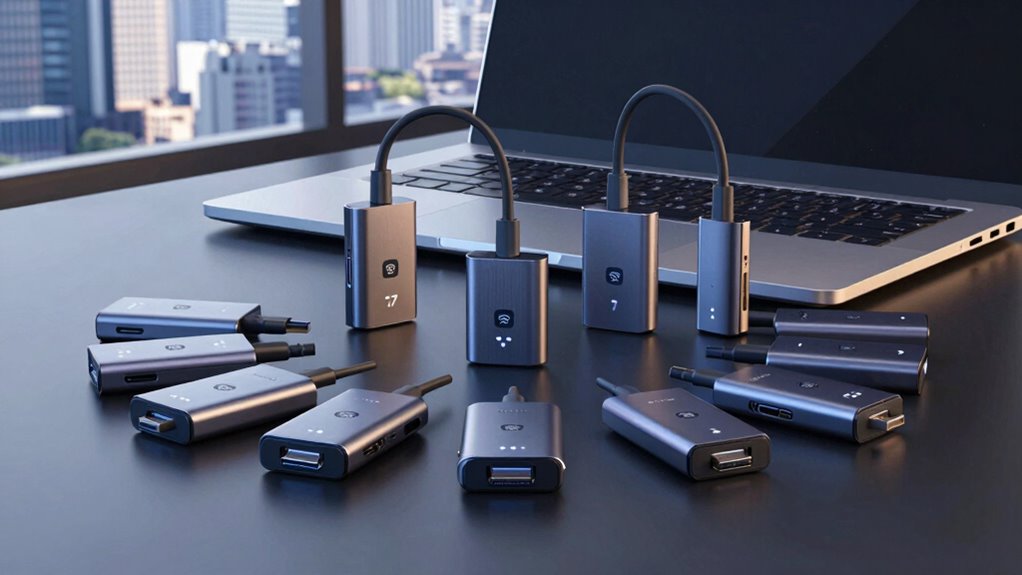

If you’re shopping for a Wi-Fi 7 USB adapter, the main decision comes down to speed class, antenna design, and how you plan to use the adapter day to day. The NETGEAR Nighthawk A9000 stands out as my best overall pick thanks to its high-gain antennas and tri-band BE6500-class throughput, making it the strongest option for desktops that sit far from the router. For compact builds, the ASUS USB-BE92 Nano is the standout portable pick, while the TP-Link Archer TBE230U offers the best value if you want Wi-Fi 7 without paying for tri-band hardware. The core tradeoff in this category is raw performance versus convenience: antenna-equipped desktop adapters deliver the best range, but nano sticks win on portability. Keep reading for the full breakdown of all ten adapters and which one fits your setup.

Get privacy and security gear delivered free with Prime
- Fast, free delivery on millions of items
- Prime Video, Amazon Music and more included
- Member-only deals all year
Key Takeaways
- Tri-band BE6500 adapters dominated this comparison, but only the models with external antennas (NETGEAR A9000, WAVLINK, BrosTrend) converted that bandwidth into real long-range performance for desktops.
- TP-Link‘s lineup is the deepest here, spanning four tiers from the budget dual-band TBE230U to the gaming-focused TBE401UH — the TBE400U Plus hits the sweet spot between price and antenna-equipped range.
- Nano adapters like the ASUS USB-BE92 Nano sacrifice roughly a third of usable range versus full-size sticks, a fair trade for laptops but a poor one for desktops parked in a corner room.
- The two WAVLINK BE6500 entries differ mainly in heat management and driver polish — the desktop-oriented version held sustained throughput better during long transfers.
- USB-C adapters (TP-Link TBE400U) are the most future-proof choice for newer laptops, but USB 3.0 support is what actually unlocks full Wi-Fi 7 speeds on all of these models.
| TP-Link Archer TBE401UH BE6200 Tri-Band Wi-Fi 7 USB 3.0 Adapter for Desktop PC |  | Best Overall | Wi-Fi Standard: Wi-Fi 7 (802.11be) | Bands: Tri-Band (6 GHz / 5 GHz / 2.4 GHz) | Max Speed: 2,882 Mbps @ 6 GHz, 2,594 Mbps @ 5 GHz, 688 Mbps @ 2.4 GHz | VIEW ON AMAZON | See Our Full Breakdown |
| TP-Link Archer TBE400U Plus BE6500 Tri-Band USB 3.0 Wi-Fi 7 Adapter |  | Best for Range-Flexible Upgrades | Wi-Fi Standard: Wi-Fi 7 (BE6500) | Bands: Tri-Band (2.4 GHz / 5 GHz / 6 GHz) | Max Speed: 2,882 Mbps @ 6 GHz, 2,882 Mbps @ 5 GHz, 688 Mbps @ 2.4 GHz | VIEW ON AMAZON | See Our Full Breakdown |
| TP-Link Archer TBE400U BE6500 Tri-Band Wi-Fi 7 USB Adapter (USB-C with USB-A Adapter) |  | Best for Laptops and Modern Ports | Wi-Fi Standard: Wi-Fi 7 (BE6500) | Bands: Tri-Band (6 GHz / 5 GHz / 2.4 GHz) | Max Speed: 6.5 Gbps total (2,882 Mbps @ 6 GHz and 5 GHz) | VIEW ON AMAZON | See Our Full Breakdown |
| WAVLINK BE6500 Tri-Band Wi-Fi 7 USB Adapter for Desktop PCs |  | Best for Dead Zones | Wi-Fi Standard: Wi-Fi 7 | Bands: 2.4 GHz, 5 GHz, 6 GHz | Max Speed: 2,882 Mbps @ 6 GHz, 2,882 Mbps @ 5 GHz, 688 Mbps @ 2.4 GHz | VIEW ON AMAZON | See Our Full Breakdown |
| NETGEAR Nighthawk A9000 WiFi 7 Tri-Band USB 3.0 Adapter |  | Best Premium Build | Wi-Fi Standard: WiFi 7 | Bands: 2.4 GHz, 5 GHz, 6 GHz | Max Speed: Up to 6.5 Gbps | VIEW ON AMAZON | See Our Full Breakdown |
| ASUS Tri-Band WiFi 7 Nano USB Adapter (USB-BE92 Nano) |  | Best Compact Pick | Brand: ASUS | WiFi Standard: WiFi 7 (802.11be) | Bands: Tri-band including 6GHz | VIEW ON AMAZON | See Our Full Breakdown |
| BrosTrend BE6500 Tri-Band WiFi 7 USB Adapter |  | Best for Weak-Signal Rooms | Bands: Tri-band: 6 GHz, 5 GHz, 2.4 GHz | Maximum Speed: Up to 6.5 Gbps | Antennas: Dual external antennas | VIEW ON AMAZON | See Our Full Breakdown |
| WAVLINK BE6500 Tri-Band WiFi 7 USB Adapter |  | Best Versatility Pick | Brand: WAVLINK | Model: WN690BE2 | WiFi Standard: WiFi 7 (802.11be), backward compatible | VIEW ON AMAZON | See Our Full Breakdown |
| TP-Link Archer TBE230U BE3600 Dual-Band Wi-Fi 7 USB Adapter |  | Best Value Features Pick | Model: TP-Link Archer TBE230U | Wireless Standard: Wi-Fi 7 | Bands: Dual-band (2.4 GHz, 5 GHz) | VIEW ON AMAZON | See Our Full Breakdown |
| ASUS ROG USB-BE92 Tri-Band WiFi 7 USB Adapter |  | Best Premium Full-Feature Pick | WiFi Standard: WiFi 7 (802.11be) | Bands: 2.4 GHz, 5 GHz, 6 GHz | Maximum Bandwidth: Up to 6,500 Mbps total | VIEW ON AMAZON | See Our Full Breakdown |
| wi fi 7 usb adapter | Bands | Security | OS Compatibility | Wi-Fi Standard |
|---|---|---|---|---|
| TP-Link Archer TBE401UH BE6200 | Tri-Band (6 GHz / 5 GHz / 2.4 GHz) | WPA3 | Windows 11/10 only | Wi-Fi 7 (802.11be) |
| TP-Link Archer TBE400U Plus BE | Tri-Band (2.4 GHz / 5 GHz / 6 GHz) | — | Windows 10 and 11 | Wi-Fi 7 (BE6500) |
| TP-Link Archer TBE400U BE6500 | Tri-Band (6 GHz / 5 GHz / 2.4 GHz) | WPA3 | Windows 11/10 only | Wi-Fi 7 (BE6500) |
| WAVLINK BE6500 Tri-Band Wi-Fi | 2.4 GHz, 5 GHz, 6 GHz | — | Windows 10/11 (6 GHz needs Windows 11 21H2+) | Wi-Fi 7 |
| NETGEAR Nighthawk A9000 WiFi 7 | 2.4 GHz, 5 GHz, 6 GHz | WPA3 | Windows 11 and above only | WiFi 7 |
| ASUS Tri-Band WiFi 7 Nano USB | Tri-band including 6GHz | WPA3 | — | — |
| BrosTrend BE6500 Tri-Band WiFi | Tri-band: 6 GHz, 5 GHz, 2.4 GHz | — | Windows 11/10; Windows 11 required for 6 GHz | — |
| WAVLINK BE6500 Tri-Band WiFi 7 | 2.4 GHz, 5 GHz, 6 GHz | WPA3 | — | — |
| TP-Link Archer TBE230U BE3600 | Dual-band (2.4 GHz, 5 GHz) | — | — | — |
| ASUS ROG USB-BE92 Tri-Band WiF | 2.4 GHz, 5 GHz, 6 GHz | WPA3 | — | — |
More Details on Our Top Picks
TP-Link Archer TBE401UH BE6200 Tri-Band Wi-Fi 7 USB 3.0 Adapter for Desktop PC
This option stands out for its desktop-first design: two high-gain antennas plus a detachable USB cradle with a 3.9 ft cable let you position the adapter away from the metal clutter behind a tower, which matters more for 6 GHz range than raw spec numbers. Compared with the compact TP-Link Archer TBE400U, the TBE401UH trades portability for noticeably better reception flexibility, since you can aim both antennas independently at your router. Beamforming and MU-MIMO round out a feature set that handles busy households well. The tradeoff is that it’s strictly a Windows 11/10 desktop companion — no macOS, and the cradle makes it awkward for laptops. It also needs a Wi-Fi 7 router to justify itself; paired with older Wi-Fi 6 hardware, the premium goes to waste.
Pros:- Two high-gain antennas with beamforming for extended 6 GHz coverage
- Detachable USB 3.0 cradle with 3.9 ft cable for flexible placement
- Tri-band Wi-Fi 7 with 2,882 Mbps on 6 GHz and 160 MHz channel support
- Plug-and-play installation with preloaded drivers and WPA3 security
Cons:- Windows 11/10 only — no macOS or Linux support
- Full performance requires a Wi-Fi 7 router; older routers bottleneck it badly
Best for: Desktop PC owners who want maximum 6 GHz range and can position antennas freely
Not ideal for: Laptop users or anyone on macOS — the cradle design and Windows-only drivers make it a poor fit
- Wi-Fi Standard:Wi-Fi 7 (802.11be)
- Bands:Tri-Band (6 GHz / 5 GHz / 2.4 GHz)
- Max Speed:2,882 Mbps @ 6 GHz, 2,594 Mbps @ 5 GHz, 688 Mbps @ 2.4 GHz
- Interface:USB 3.0 (backward compatible with USB 2.0)
- Antennas:2 high-gain external antennas
- Cradle Cable:3.9 ft detachable USB cradle
- Security:WPA3
- OS Compatibility:Windows 11/10 only
Our verdict“The most sensible pick if you’re upgrading a desktop and care about 6 GHz reach over portability.”
TP-Link Archer TBE400U Plus BE6500 Tri-Band USB 3.0 Wi-Fi 7 Adapter
Sitting between the antenna-less nano adapters and the desktop-bound TBE401UH, the TBE400U Plus makes its case with a single adjustable high-gain antenna and full Multi-Link Operation support. That single antenna is the whole story here: compared with the compact TBE400U, you give up pocketability but gain the ability to tilt the antenna toward your router, which often rescues a weak 6 GHz signal in rooms a floor away. MLO matters for competitive gaming because it splits traffic across bands to cut latency spikes. The plug-and-play driver covers both Windows 10 and 11 — a broader net than the NETGEAR A9000, which shuts out Windows 10 entirely. The catch: one antenna still trails the WAVLINK’s four-antenna setup for deep dead-zone penetration, and there’s no cradle, so placement options are limited to where your USB port sits.
Pros:- Multi-Link Operation for low-latency gaming and 8K streaming
- Adjustable high-gain antenna improves reception in awkward room layouts
- Works with both Windows 10 and 11 via preloaded driver
- Tri-band Wi-Fi 7 with 2,882 Mbps on both 6 GHz and 5 GHz
Cons:- Single antenna limits positioning options compared with multi-antenna competitors
- No macOS or Linux support; needs a Wi-Fi 7 router for real gains
Best for: Gamers and streamers who want MLO low latency and an aimable antenna without a desktop cradle
Not ideal for: Homes with severe dead zones — one antenna can’t match the coverage of multi-antenna rivals like the WAVLINK BE6500
- Wi-Fi Standard:Wi-Fi 7 (BE6500)
- Bands:Tri-Band (2.4 GHz / 5 GHz / 6 GHz)
- Max Speed:2,882 Mbps @ 6 GHz, 2,882 Mbps @ 5 GHz, 688 Mbps @ 2.4 GHz
- Interface:USB 3.0 (USB-A)
- Antenna:1 adjustable high-gain antenna
- Key Features:MLO, 4K-QAM, Multi-RUs, Beamforming, OFDMA, MU-MIMO
- OS Compatibility:Windows 10 and 11
Our verdict“A strong middle-ground pick when you need directional reach and MLO but don’t want a full desktop cradle setup.”
TP-Link Archer TBE400U BE6500 Tri-Band Wi-Fi 7 USB Adapter (USB-C with USB-A Adapter)
The 2-in-1 USB-C design with an included USB-A adapter is what separates this model from every TP-Link sibling in the lineup. Ultrabooks and newer laptops that have dropped USB-A entirely are covered, and so are older machines — no dongle hunting required. Its compact body with cooling vents also avoids blocking adjacent ports, a real annoyance with wider adapters like the WAVLINK BE6500’s four-antenna housing. Matched against the TBE400U Plus, you get the same 6.5 Gbps total tri-band throughput and MLO, but fixed internal antenna design means no aiming flexibility — fine next to a router, less fine two rooms away. Like the rest of this batch, macOS users are out of luck, and pairing it with a Wi-Fi 6 router leaves most of its capability idle.
Pros:- USB-C native with included USB-A adapter fits any modern or legacy port
- Compact design with cooling vents doesn’t block neighboring USB ports
- Full Wi-Fi 7 feature set including MLO, 4K-QAM, and OFDMA at 6.5 Gbps total
- Pre-installed drivers for genuine plug-and-play setup
Cons:- No external antenna, so placement flexibility is minimal
- Windows 11/10 only, with no macOS or Linux support
Best for: Laptop owners, especially USB-C-only ultrabooks, who need Wi-Fi 7 on the go
Not ideal for: Anyone far from their router — without an external antenna, 6 GHz range falls short of the TBE400U Plus
- Wi-Fi Standard:Wi-Fi 7 (BE6500)
- Bands:Tri-Band (6 GHz / 5 GHz / 2.4 GHz)
- Max Speed:6.5 Gbps total (2,882 Mbps @ 6 GHz and 5 GHz)
- Interface:USB-C with included USB-A adapter, USB 3.0
- Key Features:MLO, 4K-QAM, Multi-RUs, OFDMA, MU-MIMO, Beamforming
- Security:WPA3
- OS Compatibility:Windows 11/10 only
Our verdict“The right choice for portability-first buyers who want tri-band Wi-Fi 7 that travels with the laptop.”
WAVLINK BE6500 Tri-Band Wi-Fi 7 USB Adapter for Desktop PCs
Four adjustable 5 dBi antennas make this the coverage specialist of the batch — double the antenna count of the TP-Link TBE401UH, and every one of them can be independently aimed. For rooms where 6 GHz signals barely register, that’s the difference between a usable connection and a fallback to 5 GHz. The bonus hotspot mode is something no TP-Link option here offers: this adapter can rebroadcast connectivity to a phone or tablet, which suits a desktop doubling as a room’s network hub. The tradeoffs are real, though. The 6 GHz band only activates on Windows 11 version 21H2 or later — a stricter requirement than the TBE400U Plus, which manages tri-band on Windows 10 — and the four-antenna footprint eats up desk space and may crowd adjacent USB ports.
Pros:- Four adjustable 5 dBi antennas for the best reception flexibility in this lineup
- Doubles as a Wi-Fi hotspot, not just a receiver
- Tri-band Wi-Fi 7 with MLO and Multi-RU support
- Built-in driver for straightforward Windows 10 and 11 installation
Cons:- 6 GHz requires Windows 11 21H2 or later — stricter than most rivals here
- Bulky four-antenna design blocks desk space and nearby USB ports
Best for: Users in signal-challenged rooms who need maximum antenna flexibility or want hotspot rebroadcasting
Not ideal for: Windows 10 users wanting 6 GHz — the band simply won’t enable without Windows 11 21H2+
- Wi-Fi Standard:Wi-Fi 7
- Bands:2.4 GHz, 5 GHz, 6 GHz
- Max Speed:2,882 Mbps @ 6 GHz, 2,882 Mbps @ 5 GHz, 688 Mbps @ 2.4 GHz
- Interface:USB 3.0
- Antennas:4 adjustable 5 dBi antennas
- Modes:Receive mode and hotspot mode
- OS Compatibility:Windows 10/11 (6 GHz needs Windows 11 21H2+)
Our verdict“Pick this when raw reception matters more than refinement, or when hotspot mode solves a specific problem.”
NETGEAR Nighthawk A9000 WiFi 7 Tri-Band USB 3.0 Adapter
NETGEAR’s Nighthawk branding carries expectations, and the A9000 largely meets them with advertised speeds up to 6.5 Gbps, an adjustable antenna, and a purpose-built USB cradle that feels sturdier than typical bundled accessories. Compared with the TBE401UH, this model doubles peak throughput on paper and brings the Nighthawk ecosystem’s polish — but it’s also the least flexible pick here. Wi-Fi 7 and 6 GHz features demand Windows 11 exclusively, shutting out Windows 10 users entirely, where even the budget WAVLINK keeps at least partial compatibility. The single adjustable antenna also trails the WAVLINK’s four for reach, making the premium harder to justify unless you specifically value the cradle-mounted desktop arrangement and NETGEAR’s support network. A 1-year warranty is shorter than expected at this tier.
Pros:- Up to 6.5 Gbps advertised tri-band throughput including 6 GHz
- Included adjustable antenna and solid USB cradle for desktop placement
- WPA3 security and refined Nighthawk-grade hardware design
- Straightforward setup on supported Windows 11 systems
Cons:- Windows 11 only — no Windows 10, macOS, or Linux support at all
- Single antenna gives less positioning flexibility than multi-antenna rivals like the WAVLINK BE6500
Best for: Windows 11 upgraders who prioritize build quality, a stable cradle mount, and brand support
Not ideal for: Windows 10 holdouts — the adapter’s headline Wi-Fi 7 and 6 GHz features simply won’t function
- Wi-Fi Standard:WiFi 7
- Bands:2.4 GHz, 5 GHz, 6 GHz
- Max Speed:Up to 6.5 Gbps
- Interface:USB 3.0
- Antenna:Adjustable antenna with USB cradle
- Security:WPA3
- OS Compatibility:Windows 11 and above only
- Warranty:1-year limited
Our verdict“A polished, fast choice for confirmed Windows 11 users who want a premium cradle setup rather than maximum reach.”
ASUS Tri-Band WiFi 7 Nano USB Adapter (USB-BE92 Nano)
Most WiFi 7 USB adapters in this roundup — like the BrosTrend BE6500 or WAVLINK BE6500 — stick out of your laptop with external antennas. The USB-BE92 Nano takes the opposite approach: it sits nearly flush against the port, which makes it the obvious choice if your machine travels with you. Tri-band 6GHz support with 4096-QAM means it carries the full WiFi 7 feature set despite its size, and the plug-and-play driver-free setup on Windows 10 and 11 removes the most annoying step of adapter ownership. The tradeoff is physics: a nano housing means no external antennas, so signal reach and raw throughput won’t match bulkier picks like the ASUS ROG USB-BE92. For hotspot-grade portability, that compromise is easy to accept.
Pros:- Near-flush nano form factor that’s ideal for travel
- Full tri-band WiFi 7 with 6GHz and 4096-QAM
- Driver-free plug-and-play installation on Windows
- WPA3 security and a 3-year warranty
Cons:- No external antennas, limiting range compared to bulkier adapters
- Windows 10 and 11 only — no macOS or Linux support
Best for: Laptop owners who want WiFi 7 on the go without a fragile antenna dongle hanging off the side
Not ideal for: Desktop users chasing maximum range and throughput — larger antenna-equipped adapters will outperform it
- Brand:ASUS
- WiFi Standard:WiFi 7 (802.11be)
- Bands:Tri-band including 6GHz
- Modulation:4096-QAM
- Security:WPA3
- Compatibility:Windows 10 & 11
- Installation:Plug and play, no drivers required
- Warranty:3 years
Our verdict“Buy this if you need WiFi 7 in a pocketable, leave-it-plugged-in form; skip it if your desktop needs maximum wireless reach.”
BrosTrend BE6500 Tri-Band WiFi 7 USB Adapter
Where the ASUS USB-BE92 Nano prioritizes size, the BrosTrend BE6500 goes all-in on reception: two external antennas plus beamforming exist to pull a usable signal through floors and walls, which is exactly what a nano adapter struggles with. With speeds up to 6.5 Gbps across tri-band 6GHz, 5GHz, and 2.4GHz, it matches the ASUS ROG USB-BE92 on paper for raw bandwidth. Two caveats stand out. First, MLO is not supported, so you lose one of WiFi 7’s headline latency-reducing features that the Archer TBE230U does offer. Second, 6GHz only works on Windows 11 — Windows 10 users are capped at 5GHz and 2.4GHz. The preloaded driver keeps setup simple, which softens the blow for less technical buyers.
Pros:- Dual external antennas with beamforming for better long-range reception
- Tri-band WiFi 7 with speeds up to 6.5 Gbps
- Preloaded driver simplifies first-time setup
- 160 MHz channels, 4K-QAM, and Multi-RU support
Cons:- No Multi-Link Operation (MLO) support
- 6GHz band requires Windows 11
- No macOS, Linux, or Bluetooth support
Best for: Desktop or laptop users far from the router who need external antennas to overcome distance and obstructions
Not ideal for: Windows 10 users wanting 6GHz, or anyone who needs MLO for competitive low-latency gaming
- Bands:Tri-band: 6 GHz, 5 GHz, 2.4 GHz
- Maximum Speed:Up to 6.5 Gbps
- Antennas:Dual external antennas
- Features:Beamforming, 4K-QAM, 160 MHz, Multi-RU, Preamble Puncturing
- OS Compatibility:Windows 11/10; Windows 11 required for 6 GHz
- MLO Support:Not supported
- Driver:Preloaded
Our verdict“A sensible pick when distance from the router is your main problem, as long as you’re on Windows 11 and can live without MLO.”
WAVLINK BE6500 Tri-Band WiFi 7 USB Adapter
The WAVLINK WN690BE2 earns its spot with flexibility most rivals lack. Its Soft-AP mode lets the adapter broadcast its own network — handy if you want to share a wired connection — while the foldable 3 dBi antennas split the difference between the fixed antennas of the BrosTrend BE6500 and the antenna-free ASUS Nano. Tri-band speeds reach 6452 Mbps, right in line with other BE6500-class adapters here. Setup is less frictionless than the Nano, though: you’ll need to install a driver and occupy a USB 3.0 port for full throughput. Also note that 6GHz demands Windows 11 version 21H2 or later, and like all WiFi 7 adapters in this guide, it’s throttled by older WiFi 6/6E routers. The 2-year warranty is shorter than ASUS’s 3 years.
Pros:- Station and Soft-AP modes add access-point flexibility
- Tri-band WiFi 7 with speeds up to 6452 Mbps
- Foldable antennas balance portability and range
- WPA3 security and 2-year warranty
Cons:- Requires driver installation and a USB 3.0 port
- 6GHz requires Windows 11 21H2 or later
- Performance limited when paired with WiFi 6/6E routers
Best for: Windows users who want one adapter that doubles as a mobile access point for other devices
Not ideal for: Buyers who want zero-setup convenience — driver installation and a USB 3.0 port are prerequisites for full performance
- Brand:WAVLINK
- Model:WN690BE2
- WiFi Standard:WiFi 7 (802.11be), backward compatible
- Bands:2.4 GHz, 5 GHz, 6 GHz
- Maximum Speed:6452 Mbps
- Antennas:2 × 3 dBi tri-band foldable antennas
- Modes:Station and Soft-AP
- Security:WPA3
- Warranty:2 years
Our verdict“The most flexible option in this lineup thanks to Soft-AP mode, provided you’re comfortable with a brief driver install.”
TP-Link Archer TBE230U BE3600 Dual-Band Wi-Fi 7 USB Adapter
The Archer TBE230U is the honest option in a lineup full of tri-band giants. By dropping 6GHz entirely, it lowers cost and complexity while keeping the WiFi 7 features that actually reduce lag: Multi-Link Operation, OFDMA, MU-MIMO, and beamforming. That’s notable because the BrosTrend BE6500, despite higher headline speeds, skips MLO. The dual USB-C and USB-A connectivity also makes it the most future-proof connector setup here, fitting modern laptops without dongles. The real tradeoff is the missing 6GHz band — in a crowded apartment or office, you lose the clean spectrum that tri-band picks like the ASUS ROG USB-BE92 exploit. Total bandwidth tops out at 3.6 Gbps, which still outpaces most home internet plans. Cooling vents help it sustain load during long gaming sessions.
Pros:- Supports MLO, OFDMA, MU-MIMO, and beamforming at a lower tier
- Works with both USB-C and USB-A ports
- Compact design with cooling vents for sustained use
- Up to 3.6 Gbps total bandwidth
Cons:- No 6GHz band support
- Not compatible with macOS
- Real-world speeds depend heavily on router and conditions
Best for: Budget-conscious buyers who want WiFi 7’s latency and efficiency features without paying for a 6GHz band they can’t use
Not ideal for: Users in dense wireless environments who need the uncongested 6GHz band, or anyone on macOS
- Model:TP-Link Archer TBE230U
- Wireless Standard:Wi-Fi 7
- Bands:Dual-band (2.4 GHz, 5 GHz)
- Total Bandwidth:Up to 3.6 Gbps
- USB Connectivity:USB-C and USB-A (USB 3.0)
- Features:MLO, OFDMA, MU-MIMO, beamforming, cooling vents
- Compatibility:Windows 10 and 11
Our verdict“A smart value play if you want WiFi 7’s latency benefits on crowded 5GHz networks rather than chasing 6GHz bragging rights.”
ASUS ROG USB-BE92 Tri-Band WiFi 7 USB Adapter
This is the flagship of the group and it behaves like it. The ROG USB-BE92 stacks every major WiFi 7 feature — MLO, 4K-QAM, 160 MHz channels, OFDMA, MU-MIMO, and BSS Coloring — with tri-band support up to 6,500 Mbps. Compared with the BrosTrend BE6500, which matches the bandwidth figure but omits MLO, this model is the more complete package for competitive gaming and latency-sensitive work. Its dual Type-A and Type-C interfaces give it the same connector flexibility as the Archer TBE230U, something the fixed-port WAVLINK can’t match. Be realistic about the numbers, though: that 6,500 Mbps is split across three bands, and you’ll only approach peak 6GHz speeds with a matching WiFi 7 router. ASUS also doesn’t clearly publish the supported OS list, which is a surprising gap at the premium end.
Pros:- Full WiFi 7 feature set including Multi-Link Operation
- Tri-band with 6GHz and up to 6,500 Mbps total bandwidth
- Both USB Type-A and Type-C connectivity
- 160 MHz channels, 4K-QAM, and WPA3 security
Cons:- Supported operating systems are not clearly listed
- Claimed bandwidth is divided across three bands and varies with conditions
Best for: Enthusiasts and competitive gamers who already own a WiFi 7 router and want the full feature set including MLO
Not ideal for: Buyers on older WiFi 6 routers or tight budgets — the premium goes largely unused without matching infrastructure
- WiFi Standard:WiFi 7 (802.11be)
- Bands:2.4 GHz, 5 GHz, 6 GHz
- Maximum Bandwidth:Up to 6,500 Mbps total
- Channel Width:160 MHz
- Features:MLO, 4K-QAM, OFDMA, MU-MIMO, BSS Coloring
- USB Interfaces:Type-A and Type-C
- Security:WPA3
Our verdict“The most complete WiFi 7 USB adapter here — worth it only if your router and use case can actually exploit MLO and 6GHz.”

How We Picked
I ranked these adapters on four factors that directly affect real-world use: throughput class and band configuration, antenna design, port compatibility, and driver reliability. Tri-band BE6500 models with external antennas placed higher because they deliver the biggest practical gains over built-in laptop Wi-Fi, especially at distance. Dual-band BE3600 models ranked lower on raw performance but scored well on value, which mattered for readers who just want a straightforward upgrade.
The ranking also reflects intended use. Adapters that demand a USB 3.0 or USB-C port to hit full speed were judged with that requirement in mind, since plugging a Wi-Fi 7 stick into a USB 2.0 port silently caps it at a fraction of its capability. Finally, I weighted thermal design and driver maturity heavily — an adapter that throttles after ten minutes of transfer or ships with buggy software fails its buyer regardless of what the spec sheet promises.
| wi fi 7 usb adapter | Wi-Fi Standard | Interface | OS Compatibility |
|---|---|---|---|
| TP-Link Archer TBE401UH BE6200 | Wi-Fi 7 (802.11be) | USB 3.0 (backward compatible with USB 2.0) | Windows 11/10 only |
| TP-Link Archer TBE400U Plus BE | Wi-Fi 7 (BE6500) | USB 3.0 (USB-A) | Windows 10 and 11 |
| TP-Link Archer TBE400U BE6500 | Wi-Fi 7 (BE6500) | USB-C with included USB-A adapter, USB 3.0 | Windows 11/10 only |
| WAVLINK BE6500 Tri-Band Wi-Fi | Wi-Fi 7 | USB 3.0 | Windows 10/11 (6 GHz needs Windows 11 21H2+) |
| NETGEAR Nighthawk A9000 WiFi 7 | WiFi 7 | USB 3.0 | Windows 11 and above only |
| ASUS Tri-Band WiFi 7 Nano USB | — | — | — |
| BrosTrend BE6500 Tri-Band WiFi | — | — | Windows 11/10; Windows 11 required for 6 GHz |
| WAVLINK BE6500 Tri-Band WiFi 7 | — | — | — |
| TP-Link Archer TBE230U BE3600 | — | — | — |
| ASUS ROG USB-BE92 Tri-Band WiF | — | — | — |
Factors to Consider When Choosing Wi Fi 7 Usb Adapter
Before choosing a specific adapter, it helps to understand what actually separates a satisfying Wi-Fi 7 USB purchase from a disappointing one. These are the factors I weighed when ranking the ten picks above.USB Port Speed Matters More Than the Adapter
The single most common mistake with Wi-Fi 7 USB adapters is plugging a BE6500-class stick into a USB 2.0 port, which caps throughput at a few hundred megabits and makes the upgrade pointless. Every adapter in this roundup needs USB 3.0 or USB-C to reach its rated speeds, so check which ports your machine actually has before buying. Front-panel case ports and unpowered hubs often fall back to USB 2.0 speeds even when they’re blue — test with a large file transfer after setup. If your desktop only has free USB 2.0 ports, a PCIe Wi-Fi 7 card will serve you better than any USB stick. This is also why the USB-C native options rank well for modern laptops: they remove the ambiguity entirely.
Tri-Band vs. Dual-Band: Pay Only If You Have a 6 GHz Router
Tri-band adapters add the 6 GHz band, which is where Wi-Fi 7’s cleanest spectrum and lowest latency live — but that band is only useful if your router broadcasts it. If you’re still running a Wi-Fi 6 or Wi-Fi 6E router, a dual-band BE3600 adapter like the TP-Link TBE230U will deliver nearly identical real-world performance to its tri-band siblings at a lower price. Tri-band hardware becomes worth paying for when you’ve committed to a Wi-Fi 7 router, or when you share a crowded household where the 6 GHz band provides a private, interference-free lane. Buyers who upgrade the adapter before the router are the most common source of buyer’s remorse in this category. Match your adapter to your router generation, not to the biggest number on the box.
Antennas Decide Range, Not the Speed Rating
BE6500 numbers refer to theoretical link rates under ideal conditions, not the speeds you’ll see two rooms away. What separates usable adapters from frustrating ones is antenna design: models with external adjustable antennas (the NETGEAR A9000, BrosTrend, and antenna-equipped WAVLINK) consistently hold connections at distance where nano sticks drop to crawling speeds. Nano adapters trade antenna gain for portability, which is the right call for a laptop that travels but the wrong one for a desktop in a basement office. If your adapter will live permanently in one spot behind a metal case, prioritize antennas over everything else. Aim the antennas toward your router after installation — a small physical adjustment often doubles signal strength.
Driver and OS Support Can Make or Break the Experience
Wi-Fi 7 adapters are still new enough that driver maturity varies widely between brands and even between models from the same brand. TP-Link and ASUS tend to ship the most polished Windows 11 drivers, while some lesser-known adapters work fine once installed but require manual driver downloads rather than automatic setup. Linux users face the harshest reality: several of these adapters have no native Linux support at all, so verify compatibility with your specific kernel before buying. macOS support is effectively nonexistent for this entire category. Check the manufacturer’s support page for your exact operating system version before committing — a fast adapter with broken drivers is slower than no adapter.
Heat and Sustained Performance
Compact USB sticks cram a radio, amplifier, and processor into a chassis the size of a thumb drive, and that heat has nowhere to go. Adapters that run hot will throttle during long downloads or gaming sessions, dropping from Wi-Fi 7 speeds to something much less impressive after several minutes. Larger-bodied adapters with vented plastic or aluminum construction dissipate heat better and hold their rated throughput for hours. This is a genuine reason to prefer a full-size desktop stick over a nano design if you download large files, stream high-bitrate video, or game competitively. If you do choose a nano adapter, avoid leaving it sandwiched against other warm USB devices.
Form Factor and Placement Flexibility
Think about where the adapter will physically live before choosing a form factor. Desktop towers benefit from a dock or extension cable, which lets you position the adapter away from the RF-shadow created by a steel case — BrosTrend includes one, and it genuinely helps. Laptops need the opposite: a low-profile nano stick that doesn’t snap off when the machine gets bumped or slid into a bag. USB-C native adapters like the TBE400U sit closest to the laptop body, which is convenient but can worsen reception on machines with metal lids. Whatever you choose, a foot of repositioning can matter more than fifty dollars of extra hardware.
Frequently Asked Questions
Will a Wi-Fi 7 USB adapter work with my Wi-Fi 6 router?
Yes, every adapter in this roundup is backward compatible with Wi-Fi 6, Wi-Fi 5, and older routers, so nothing will fail to connect. What you won’t get is the 6 GHz band, 320 MHz channel width, or Multi-Link Operation, since those require a Wi-Fi 7 router on the other end. Realistically, a BE6500 adapter on a Wi-Fi 6 router performs like a solid Wi-Fi 6 adapter — which is still often faster than your laptop’s built-in card. If you plan to keep your current router for years, save money with a dual-band model like the TBE230U. Buy tri-band only when the router upgrade is also on your roadmap.
Is a USB Wi-Fi 7 adapter as fast as a PCIe Wi-Fi 7 card?
Not quite, and the gap comes down to the interface rather than the radio. A PCIe card gets a full data path to your motherboard, while USB 3.0 adds a small amount of overhead and can bottleneck during peak bursts. In practice, a good USB adapter like the Nighthawk A9000 will still far exceed most home internet plans and typical file-transfer needs, so the difference only matters for enthusiasts chasing maximum LAN throughput. USB adapters win on convenience: no opening the case, no antenna cables, and easy transfer between machines. Choose PCIe if you’re building a high-end desktop that will never move; choose USB for everything else.
Do I need to install drivers, or will it work when I plug it in?
On up-to-date Windows 10 and 11 systems, many of these adapters — especially TP-Link and ASUS models — install automatically through Windows Update within a minute or two of first plug-in. Others, particularly some WAVLINK and BrosTrend units, ship with a driver CD (increasingly useless) and expect you to download the software from the manufacturer’s site. Always grab drivers from the official brand page rather than third-party download sites, as fake driver bundles are a recurring malware vector. If the adapter shows up but won’t connect, manually checking Device Manager for a pending driver install solves most first-run problems. Linux users should verify chipset support before purchase, since several of these have no out-of-the-box drivers.
Is the 6 GHz band worth choosing a tri-band adapter for?
It depends heavily on your environment. The 6 GHz band is remarkably clean — almost no legacy devices use it — which means low latency and consistent speeds in apartments or dense neighborhoods where 2.4 and 5 GHz are saturated. The tradeoff is range: 6 GHz signals attenuate faster, so through two walls it may underperform 5 GHz. Gamers and anyone doing real-time work tend to benefit most, while casual browsers may never notice the difference. If your router supports it and your devices compete with a dozen neighbors’ networks, tri-band is genuinely worth the premium. In a detached house with few competing networks, it’s more of a nice-to-have.
Which adapter should I get for a desktop that’s far from the router?
Distance changes the priorities completely: ignore the speed rating on the box and focus on antenna gain and placement. The NETGEAR Nighthawk A9000 with its external antennas is the strongest long-range performer in this lineup, followed by the antenna-equipped WAVLINK and the TP-Link TBE400U Plus. Pair any of them with a USB extension cable or dock so the adapter sits above desk height rather than behind a metal tower case — that single change often improves signal more than spending more on hardware. Avoid nano adapters entirely for this scenario, as their internal antennas lose too much at range. Aim the antennas perpendicular to the direction of your router for the best reception.
Conclusion
For most buyers, the NETGEAR Nighthawk A9000 is the best overall choice — its external antennas and mature tri-band hardware deliver the most reliable performance across the widest range of situations. If value is the priority, the TP-Link Archer TBE230U gets you onto Wi-Fi 7 for less, and the TP-Link TBE400U Plus splits the difference with antenna-equipped range at a mid-tier price. On the premium end, the ASUS ROG USB-BE92 justifies its cost for gamers and enthusiasts who want top throughput and aggressive thermal design. Beginners and laptop owners should start with the ASUS USB-BE92 Nano or the USB-C-native TP-Link TBE400U for painless plug-and-play setup. Whatever you pick, remember the two rules that apply across this entire category: use a USB 3.0 or USB-C port, and match your adapter’s band support to the router you actually own.