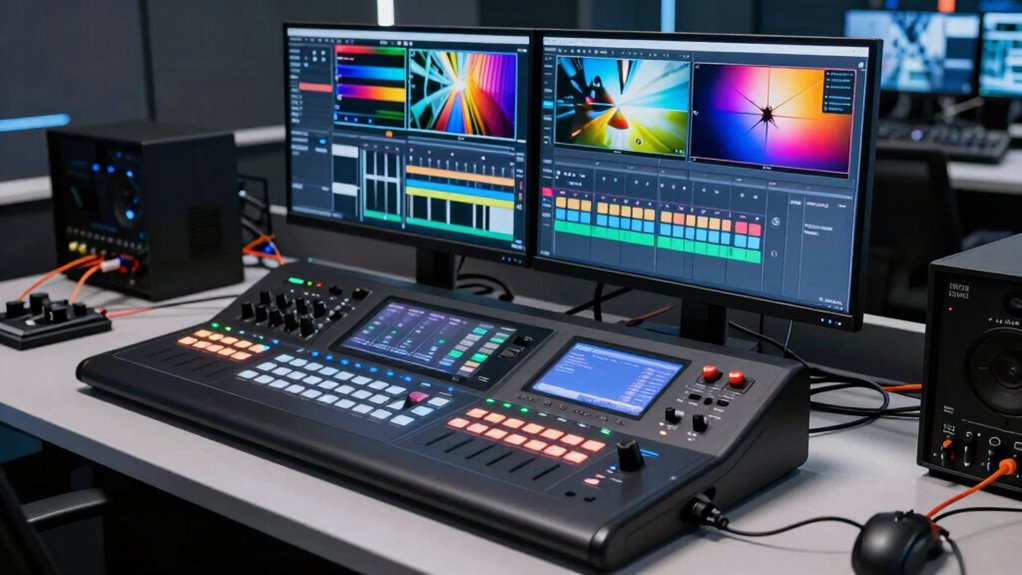

When selecting a video switcher for live streaming, it’s essential to match the device’s capabilities with your streaming needs. The Blackmagic Design ATEM Mini Pro stands out as the best overall choice, offering a solid mix of affordability and professional features. For those seeking more advanced control, the Blackmagic ATEM Mini Extreme provides expanded inputs and multi-view options, while the Osee GoStream Duet Kit delivers a portable all-in-one solution. The main tradeoffs involve balancing ease of use, input/output options, and budget. Keep reading for a detailed comparison to find the perfect fit for your live stream setup.

Get privacy and security gear delivered free with Prime
- Fast, free delivery on millions of items
- Prime Video, Amazon Music and more included
- Member-only deals all year
Key Takeaways
- The top picks differentiate primarily by input/output capacity and ease of use, catering to both beginners and professional broadcasters.
- Most high-end switchers include multi-view and streaming integration, but they increase complexity and cost.
- Portability varies widely; some units are designed for on-the-go streaming, while others suit fixed studio setups.
- Compatibility with streaming platforms and support for multiple formats (SDI, HDMI, NDI) are key factors for broader use cases.
- Tradeoffs often involve choosing between simple plug-and-play devices and feature-rich models with a steeper learning curve.


More Details on Our Top Picks
Blackmagic Design ATEM Mini Pro HDMI Live Stream Switcher Bundle
The Blackmagic Design ATEM Mini Pro stands out for its comprehensive feature set, combining multiple HDMI inputs with built-in streaming and recording capabilities. Unlike the ATEM Mini Extreme, it offers a simpler, more accessible setup, making it ideal for small to medium productions. The bundle’s inclusion of cables and accessories reduces additional costs, but its complex configuration may challenge less technical users. While it excels in ease of use for straightforward live streams, it’s limited to HDMI sources, which could be restrictive for setups requiring SDI or other connections.
Pros:- Supports multiple HDMI inputs with advanced transition effects
- Built-in streaming and recording features simplify workflow
- Includes essential cables and accessories for quick setup
Cons:- Complex setup for users unfamiliar with live switchers
- Limited to HDMI inputs, may require adapters for other connections
Best for: Small production teams or educators seeking an all-in-one live streaming solution with minimal external hardware
Not ideal for: Large studios or professionals needing extensive inputs and advanced effects without external streaming devices
- Connector Type:HDMI
- Used on:Camera
- Number of Ports:6
- Audio Output Mode:Stereo
- Color:Black
Our verdict“This pick is best for small to medium productions that need an integrated, easy-to-operate live streaming switcher.”
Blackmagic Design ATEM Mini Extreme HDMI Live Stream Switcher
Compared with the ATEM Mini Pro, the ATEM Mini Extreme offers eight HDMI inputs and multiple chroma keyers, making it suitable for larger, more complex live broadcasts. Its extensive input options and format conversion support provide greater flexibility but come at the cost of a more complicated setup that may intimidate beginners. Unlike the Mini Pro, it lacks built-in streaming, requiring an external device for broadcasting, which could add to the overall complexity. This makes it ideal for professional producers who need multiple sources and advanced effects but are comfortable managing additional hardware.
Pros:- Supports 8 HDMI inputs with re-sync and format conversion
- Includes 4 chroma keyers for advanced visual effects
- High-quality switching suited for professional broadcasts
Cons:- No built-in streaming capabilities; requires external hardware
- Setup complexity may be overwhelming for novices
Best for: Professional broadcasters or large event producers needing multiple high-quality HDMI sources and advanced effects
Not ideal for: Casual streamers or small setups lacking the technical know-how to handle complex equipment
- Total Video Inputs:8 HDMI
- Total Outputs:2 HDMI
- HDMI Type:Type A
- Video Input Re-Sync:On all 8 HDMI inputs
- Color:Black
- Dimensions:1.56″D x 5.37″W x 14.56″H
Our verdict“This switcher is ideal for high-end productions requiring multiple sources and advanced effects, but less so for those seeking an all-in-one solution.”
Stream 1 Live Streaming Switcher with 4 HDMI Inputs and PTZ Control
The Stream 1 Live Streaming Switcher offers a versatile mix of inputs, including 4 HDMI and 1 AUX, along with integrated PTZ control for multiple cameras, making it a strong contender for virtual studio setups. Unlike the Osee GoStream Duet 8 ISO, it offers built-in PTZ management, streamlining camera operations. Its support for 4K input enhances video quality, but the setup can be complicated for users unfamiliar with professional streaming gear. Without a dedicated display, control may rely heavily on external monitors, which adds to setup complexity. It’s a solid choice for those needing camera automation combined with live switching.
Pros:- Multiple HDMI and AUX inputs for flexible source management
- Built-in PTZ control supports up to 4 cameras
- Supports 4K input and professional virtual studio features
Cons:- Complex configuration may challenge beginners
- No dedicated display for control, relies on external monitor
Best for: Content creators or broadcasters using PTZ cameras in virtual studio or lecture environments
Not ideal for: Casual streamers or those with simple camera setups who do not need PTZ control
- HDMI Inputs:4
- AUX Inputs:1
- Supports 4K Input:Yes
- PTZ Control:Yes, up to 4 cameras
- Protocols Supported:VISCA, RTMPS
- Recording:Yes, Full HD
Our verdict“This switcher suits users needing integrated PTZ camera control and 4K support in a professional streaming environment.”
Osee GoStream Duet 8 ISO Live Streaming Video Switcher, 4 HDMI & 4 SDI, 4K In / 1080p Out, SRT/RTMP/NDI HX, Dual XLR Audio, Triple Streaming & Multi-view
The Osee GoStream Duet 8 ISO is designed for demanding professional environments, offering 8 hybrid inputs supporting both HDMI and SDI sources. Compared to the simpler ATEM Mini Pro, it provides independent ISO recording and supports multiple streaming protocols including SRT and NDI HX, making it highly versatile. Its dual XLR audio inputs facilitate high-quality sound, but the device lacks a built-in display, relying on external monitors for control, which can complicate setup. Its broad input compatibility and multi-platform streaming make it well-suited for live events, education, and corporate AV but may be overkill for small-scale streaming projects.
Pros:- Supports multiple professional video sources with HDMI and SDI
- Independent ISO recording for post-production editing
- Supports SRT, RTMP, and NDI HX protocols for flexible streaming
Cons:- Complex setup that demands technical knowledge
- No built-in display for easy control
Best for: Large-scale productions or corporate AV teams requiring multi-source inputs and professional audio-video integration
Not ideal for: Casual users or small live streams with limited technical support, due to setup complexity
- Inputs:4 HDMI, 4 SDI
- Output Resolution:4K In / 1080p Out
- Recording:8-Channel ISO Recording
- Streaming Protocols:SRT, RTMP, NDI HX
- Audio Connectivity:2 XLR, 2 3.5mm jacks
- Control:Onboard menu, Stream Deck compatible
Our verdict“This switcher excels in multi-source, multi-platform streaming environments where professional video and audio quality are priorities.”
Live Streaming Video Mixer, 4 HDMI 4 Channel Input, 2 Output HDMI Switcher, Support 1080P@60Hz, HDCP 1.4, Digital Audio Mixer
The Live Streaming Video Mixer offers a straightforward solution with 4 HDMI inputs and dual outputs, supporting high-definition 1080p at 60Hz. Unlike the more feature-rich options like the ATEM Mini Extreme, it emphasizes simplicity and affordability, making it suitable for entry-level streamers. Its built-in digital audio mixer adds value, but limited to HDMI sources and outputs may restrict connectivity options for more complex setups. It’s an attractive choice for those needing reliable HD switching without the bells and whistles of professional gear.
Pros:- Supports high-resolution 1080p@60Hz and 4K/30Hz input
- Includes multiple switching modes like PiP and dual-screen display
- Built-in digital audio mixer for synchronized sound
Cons:- Limited to HDMI sources, may need adapters for other devices
- Lack of portability or compact design details
Best for: Beginners or small-scale streamers seeking a cost-effective, easy-to-use switcher
Not ideal for: Advanced producers or teams requiring multiple SDI inputs, 4K support, or extensive effects
- Inputs:4 HDMI
- Outputs:2 HDMI
- Supported Resolution:1920×1080@60Hz
- Maximum Resolution:4K/30Hz
- HDCP Support:1.4
- Audio:Digital audio mixer
Our verdict“This device is best suited for entry-level streamers who prioritize affordability and simple operation over advanced features.”
FEELWORLD LIVEPRO L1 V1 4X HDMI & SDI Multi Camera Video Mixer Switcher
The FEELWORLD LIVEPRO L1 V1 stands out for its combination of multiple HDMI inputs and SDI support in a compact form, making it ideal for mobile or small studio productions. Compared with the Mixer Plus, it offers a more streamlined interface but falls short with only 1080p resolution, limiting future-proofing for higher-quality streams. Its lightweight design and USB streaming make it perfect for solo operators who need versatility without bulk. However, the need for an external power supply and a steeper learning curve for its interface mean it’s less suited for beginners or quick setups. This switcher is best for live streamers who prioritize portability and multi-format support over advanced features like 4K or integrated multi-view monitoring.
Pros:- Supports multiple high-quality HDMI inputs and SDI for versatile camera setups
- Real-time switching with live effects enhances production value
- Compact and lightweight for portable use
Cons:- Limited to 1080p resolution, not suitable for 4K workflows
- Requires external power, adding setup complexity
- Interface may be complex for new users
Best for: Solo content creators or small production teams requiring portable multi-camera switching at 1080p.
Not ideal for: Larger studios or users seeking 4K support or an all-in-one, easy-to-use interface without external power needs.
- Number of HDMI Inputs:4
- HDMI Output:1
- SDI Input:1
- Display Screen:2-inch LCD
- Video Resolution Support:1080p
- Connectivity:USB 3.0, LAN
Our verdict“This switcher suits mobile or small-scale productions where portability and format flexibility matter more than 4K resolution or all-in-one simplicity.”
Mixer Plus Compact Video Switcher 4 HDMI with 4-Inch Built-in Screen for Live Streaming
The Mixer Plus excels as a portable, feature-rich switcher with a built-in 4-inch display, making it suitable for field broadcasters or event producers needing quick setup. Compared to the FEELWORLD LIVEPRO L1 V1, it offers a larger screen and more advanced broadcast tools like scene presets and multi-view monitoring, but at the cost of a slightly bulkier form factor. Its support for PTZ control and customizable effects provides a higher level of control for professional workflows. Nonetheless, its complexity can be daunting for beginners, and the limited number of HDMI inputs suits smaller setups. This pick is perfect for professionals who want multi-camera control in a portable package, but not for those needing 4K or extensive customization without technical expertise.
Pros:- Large built-in 4-inch screen for on-the-fly monitoring
- Supports seamless multi-camera switching with customizable effects
- Includes professional features like PTZ control and scene presets
Cons:- Requires some technical knowledge to operate advanced features
- Limited to 4 HDMI inputs, not suitable for extensive setups
- No mention of 4K support
Best for: Mobile broadcasters or event teams needing advanced features with a portable form factor.
Not ideal for: Beginners or users with larger multi-camera setups requiring more than 4 HDMI inputs or 4K support.
- Number of HDMI Inputs:4
- Built-in Screen Size:4 inches
- Supports PTZ Camera Control:Yes
- Transition Effects:30 customizable
- Scene Presets:4
- Multi View Monitoring:Yes
Our verdict“This switcher is best for mobile professionals who need a powerful, portable switcher with advanced broadcast features in a manageable size.”
Osee GoStream Deck Pro HDMI Live Stream Switcher, Video Mixer with 6 HDMI, 2 USB, 8 Macro Buttons, MultiSource, T-Bar, Phone Out, UVC & NDI
The Osee GoStream Deck Pro brings a high level of customization with multiple HDMI and USB inputs, macro buttons, and multi-source switching, making it ideal for professional broadcasters or streaming teams. Its extensive connectivity surpasses many competitors like the Blackmagic ATEM Mini Extreme in multi-source flexibility, yet the complexity of setup and operation can be overwhelming for newcomers. The inclusion of 8 macro buttons and T-Bar controls streamlines complex workflows, but the need for firmware updates and additional accessories like SD cards can be a minor hassle. This pick is tailored to experienced users who require multi-source versatility, macro automation, and advanced control over their live stream, but not suited for casual or solo streaming setups.
Pros:- Multiple HDMI and USB ports for extensive device connectivity
- Custom macro buttons for workflow automation
- Supports multi-source streaming and transition effects
Cons:- Setup can be complex for less experienced users
- SD card not included, requiring additional purchase
- Firmware updates may be necessary for optimal performance
Best for: Experienced streamers or production teams managing multiple video sources and requiring macro automation.
Not ideal for: Beginners or small-scale streamers seeking simple plug-and-play solutions with minimal setup.
- HDMI Inputs:4
- HDMI Outputs:2
- USB Ports:2
- Macro Buttons:8
- T-Bar:Yes
- Ethernet:Yes
Our verdict“This switcher is best for seasoned professionals demanding multi-source control, macro automation, and extensive connectivity in a single device.”
Osee GoStream Duet Kit All-in-One Pro Live Streaming Multi-Camera Video Mixer Switcher Recorder with 14-Inch Monitor
The Osee GoStream Duet Kit offers a comprehensive package with a 14-inch monitor, multiple input/output options, and recording capabilities, making it suitable for on-location productions or independent creators needing an all-in-one solution. Unlike the FEELWORLD LIVEPRO L1 V1, it combines switcher, recorder, and monitor into a single portable setup, but the setup process can be complex due to its multiple connection options. Its portability and support for various power sources make it versatile, yet limited detailed specs and lack of explicit pricing might cause hesitations for budget-conscious buyers. This choice fits those seeking a complete, transportable live streaming kit, but not for those who need high-end broadcast features or simple plug-and-play operation.
Pros:- Portable, lightweight design with multiple connection ports
- Includes a large 14-inch monitor for easy control
- Supports various power sources including USB power banks
Cons:- Setup can be complex for non-technical users
- Limited detailed technical data available
- No explicit price or user ratings included
Best for: On-the-go live streamers or small production teams needing an all-in-one portable setup.
Not ideal for: Large studios or users requiring high-resolution 4K output or extensive technical customization.
- Connector Type:HDMI, USB Type-C
- Display Size:14 inches
- Number of Ports:8
- Compatible Devices:Camera, Monitor
- Weight:about 5kg
- Color:Black
Our verdict“This all-in-one kit is ideal for portable productions where convenience and integrated controls outweigh the need for high-end broadcast features.”
Blackmagic Design ATEM Mini Extreme ISO G2 Switcher
The Blackmagic ATEM Mini Extreme ISO G2 delivers a robust platform with 8 HDMI inputs, multiple outputs, and comprehensive recording options, making it the go-to choice for serious broadcasters and live event producers. Its ability to record each input separately for post-editing sets it apart from simpler switchers like the FEELWORLD LIVEPRO L1 V1, which only streams live. The included multi-layer compositing, chroma keying, and the built-in streaming engine provide a level of control that justifies its higher price point, though this complexity demands advanced technical skills. For casual streamers or small teams, this device’s learning curve and cost can be a barrier, but in professional environments, it offers unmatched flexibility and quality.
Pros:- Supports up to 8 HDMI inputs with multi-layer effects
- Records all inputs individually for post-production editing
- Built-in streaming and advanced effects like chroma keying
Cons:- Steep learning curve for new users
- High cost compared to simpler switchers
- Requires compatible media cards for recording
Best for: Professional broadcasters, live event producers, and streaming studios needing advanced effects, multi-layer editing, and recording.
Not ideal for: Entry-level streamers or small hobbyists seeking an affordable, simple plug-and-play switcher.
- Inputs:8 HDMI
- Outputs:4 HDMI, USB webcam, Thunderbolt
- Recording Media:CFexpress card
- Supported Layers:Up to 9
- Keyers:4 upstream, 2 downstream
- Audio:Fairlight multichannel mixing
Our verdict“This switcher is tailored for professional users demanding high-quality production, advanced editing, and multi-layer compositing, with a tradeoff in complexity and price.”
Roland V-8HD HD Video Switcher for Live Events and Streaming
The Roland V-8HD stands out for its ability to handle a broad range of live streaming and event scenarios thanks to support for up to eight HDMI sources, which surpasses the four inputs of the Mini Video Mixer Switcher with 4 HDMI Inputs. Its advanced effects and keying engine enable more polished productions, though it requires an external display for full multi-viewer functionality, adding complexity. Compared to the Mini V3, it offers a more comprehensive audio mixer with 18 channels, making it suitable for larger setups. However, it lacks details on software updates, which could impact long-term reliability. This pick is ideal for live event producers needing seamless multi-source management with professional effects, but it might be overkill for simple solo streaming setups.
Pros:- Supports seamless mixing of up to eight HDMI sources, ideal for complex setups
- Includes advanced effects and keying for professional production quality
- Built-in multi-viewer simplifies monitoring multiple feeds simultaneously
- Compact and lightweight, suitable for mobile or space-constrained environments
Cons:- Requires external display support for full multi-viewer functionality, adding setup complexity
- Limited details on firmware updates and ongoing support may affect longevity
Best for: Producers managing multi-camera live events or corporate presentations requiring high flexibility and multiple inputs
Not ideal for: Solo streamers or small-scale content creators who need a simple, budget-friendly switcher
- Number of HDMI sources:8
- Effects layers:5
- Output formats:23.98Hz, 24Hz, 25Hz, 29.97Hz, 30Hz
- Still store slots:8
- Supported image formats:BMP, JPEG, PNG
- Audio channels:18
Our verdict“This switcher is perfect for professionals needing extensive input options and advanced features in a portable form factor.”
Mini Video Mixer Switcher with 4 HDMI Inputs, 2K Output, Live Streaming Support
The Mini V2 offers an accessible entry point into live streaming with four HDMI inputs supporting 2K resolution, making it suitable for solo creators or small teams. Its built-in 14 transition effects and nine picture-in-picture layouts streamline production without needing complicated external software, unlike larger professional switchers. The USB output doubles as a webcam, simplifying streaming to platforms like Twitch or YouTube, but it’s limited to HDMI inputs only, which may restrict future scalability. Compared to the Roland V-8HD, it lacks multi-source capacity and advanced effects, but its simplicity and affordability make it appealing for those starting out. This device fits well for streamers who prioritize straightforward operation and decent quality over extensive features.
Pros:- Supports multiple HDMI inputs with 2K resolution for quality streams
- Built-in transition effects and picture-in-picture layouts for professional visuals
- USB webcam functionality enables direct streaming from a simple device
- LAN remote control offers flexible operation
Cons:- Limited to HDMI inputs, lacking support for SDI or other formats
- No built-in recording; external devices needed for archiving footage
Best for: Solo streamers or small creators seeking an easy-to-use switcher with professional-looking layouts
Not ideal for: Multi-camera productions or large events requiring more than four inputs and advanced effects
- Number of HDMI Inputs:4
- Output Resolution:2K
- Output Type:HDMI
- USB Output:Yes
- Built-in Transition Effects:14
- Picture-in-Picture Layouts:9
Our verdict“This switcher is ideal for solo streamers and small setups that need quick, effective production tools without complexity.”
Mini V3 Video Switcher with 4K HDMI, Touch Screen, Multi-Cam Streaming, Dual HDMI Output, Recording & PTZ Control
The Mini V3 elevates portable live streaming with 4K HDMI inputs and dual outputs, making it well-suited for multi-camera setups that require high resolution. Its 2.1-inch touch screen simplifies control, and support for recording on up to 2TB USB drives offers a significant advantage over simpler switchers. Unlike the Roland V-8HD, it leans toward a more compact and user-friendly design, but it requires a TAO Cloud subscription for advanced features like customization and remote control. Its setup involves multiple steps and a stable internet connection, which could be cumbersome for some users. This switcher is best for content creators with multi-camera needs who want a mix of portability and professional features, but it might be overkill for basic streaming tasks.
Pros:- Supports 4K HDMI inputs and dual outputs for high-quality multi-camera production
- Touch screen interface simplifies operation and adjustments
- Supports recording up to 2TB via USB, perfect for archiving or post-production
- Includes PTZ control, chroma key, and overlays for professional workflows
Cons:- Requires TAO Cloud subscription for full feature access, adding ongoing costs
- Setup process can be complex, especially for non-technical users
Best for: Multi-camera content creators needing high resolution, recording, and touchscreen control
Not ideal for: Beginners or those without reliable internet, as setup and subscriptions are necessary
- Video Inputs:4 HDMI
- Video Outputs:2 HDMI
- Screen Size:2.1 inches
- Recording Capacity:Up to 2TB USB drive
- Features:PTZ control, chroma key, overlays
Our verdict“This switcher suits multi-camera professionals seeking high resolution, recording, and intuitive control, despite requiring a learning curve.”
Osee GoStream Deck HDMI Pro Live Streaming Multi Camera Video Mixer Switcher with NDI
The Osee GoStream Deck HDMI Pro offers extensive input options, supporting multiple HDMI, USB, and Ethernet connections, making it suitable for complex multi-platform broadcasts. Its support for NDI HX and multiple control methods—including software and built-in GUI—provides tremendous flexibility, especially for professional productions. Compared with the Mini V3, it supports more diverse sources, but the setup can be complex and may require technical expertise. The price isn’t specified, which could be a barrier for budget-conscious users. This switcher is well-suited for broadcasters needing multi-source flexibility and multi-platform streaming, though it demands a steep learning curve and technical knowledge.
Pros:- Supports wide range of input sources including SDI, HDMI, USB-C, and NDI HX
- Multiple control options for maximum flexibility
- Allows streaming to multiple platforms simultaneously
- Includes auto-switching and graphics overlay features
Cons:- Requires firmware update to unlock free NDI HX license, adding setup steps
- Complex configuration process may challenge beginners
Best for: Professional broadcasters or production teams managing multi-platform, multi-source live streams
Not ideal for: Casual streamers or those with limited technical experience due to its complex setup
- Inputs:4 SDI, 4 HDMI, USB-C, NDI HX
- Control methods:Built-in GUI, software (Mac & Win), Bitfocus Companion
- Key effects:Multisource, Luma, Chroma, Pattern, PIP, DSK
- Transitions:MIX, DIP, WIPE, T-Bar
- Streaming capabilities:Up to 3 platforms simultaneously
Our verdict“This switcher is best for advanced users needing extensive source support and multi-platform streaming capabilities despite its complexity.”
Osee GoStream Duet Multiple Camera SDI and HDMI Live Stream Video Mixer Switcher
The Osee GoStream Duet distinguishes itself with support for SDI, HDMI, USB-C, and NDI HX inputs, making it suitable for high-end live broadcasts that demand multi-format compatibility. Its ability to stream to three platforms simultaneously and control via GUI, software, or Bitfocus Companion offers unmatched versatility. Compared to the HDMI-only options, this model caters to professional production environments where multiple input formats are critical. The setup complexity and need for firmware updates to unlock full features may challenge less experienced operators. This switcher is tailored for broadcasters or live event producers who require extensive input options and multi-platform streaming, but it may be overwhelming for beginners.
Pros:- Supports wide range of input sources including SDI, HDMI, USB-C, and NDI HX
- Multiple control options enable flexible operation in complex setups
- Streams simultaneously to multiple platforms for broad audience reach
- Includes key effects such as Chroma and PIP transitions
Cons:- Requires firmware update to enable free NDI HX license, adding a step
- Setup can be complex, demanding technical understanding
Best for: Professional live event producers and broadcasters needing multi-format inputs and multi-streaming
Not ideal for: Casual streamers or small content creators without technical resources
- Inputs:4 SDI, 4 HDMI, USB-C, NDI HX
- Control methods:GUI, software, Bitfocus Companion
- Key effects:Chroma, Luma, PIP
- Transitions:MIX, DIP, WIPE
- Streaming capabilities:Triple platform
Our verdict“This switcher is best suited for high-end live production teams needing diverse inputs and multi-platform streaming, despite its setup complexity.”

How We Picked
The products in this roundup were evaluated based on a combination of performance, usability, build quality, and value for money. We prioritized devices that offer reliable video switching, flexible input/output options, and ease of integration with popular streaming platforms. Additional considerations included compatibility with various camera types (HDMI, SDI, NDI), control interfaces, and multi-view features. The ranking reflects a balance between professional-grade capabilities and accessible features suitable for different user levels, from hobbyists to large-scale productions.Factors to Consider When Choosing Video Switcher For Live Streaming
Choosing the right video switcher for live streaming depends on your specific needs, budget, and technical expertise. Here are some key factors to consider that can help you make an informed decision beyond just features.Input and Output Options
Assess the types and number of inputs your cameras and devices require. HDMI is common, but SDI offers more robustness for longer cable runs, and NDI enables IP-based connectivity for more scalable setups. Think about future expansion, ensuring your switcher can accommodate additional sources without requiring an immediate upgrade. Also, consider the number of outputs needed for multiview, recording, or external monitors, as this impacts your overall setup flexibility.
Ease of Use and Control Interface
For quick, reliable operation, a user-friendly interface is critical. Physical buttons, touchscreens, or software control panels serve different user preferences. Beginners might prefer switchers with simple layouts and minimal setup, while professionals may favor extensive customization options and programmable macros. Remember, a complex interface can slow down live production, so match the control method to your technical skill level.
Streaming and Integration Features
Check whether the switcher supports direct streaming to platforms like YouTube, Facebook, or Twitch, or if it requires an external encoder. Multi-platform streaming capabilities save time and reduce equipment needs. Also, consider compatibility with protocols such as RTMP, SRT, or NDI, which expand your options for remote or multi-camera production. These features can significantly streamline your workflow, especially for multi-camera or remote setups.
Build Quality and Reliability
Live streaming demands dependable hardware that can handle prolonged use without overheating or crashing. Look for switchers with robust construction, quality connectors, and proven stability. Portability might matter if you’re mobile, but for studio use, rack-mountable or fixed setups tend to offer better durability. Investing in a reliable device reduces the risk of technical failures during crucial broadcasts.
Budget and Future Proofing
While it’s tempting to choose the most affordable option, consider how well the switcher meets your current and future needs. Cheaper models may lack essential features or have limited input capacity, forcing an upgrade sooner. Conversely, high-end models provide extensive features but at a higher cost, which may be unnecessary for smaller productions. Aim for a balance—buy what you need now with an eye on potential growth.
Frequently Asked Questions
Can I use a consumer-grade switcher for professional live streaming?
Consumer-grade switchers are generally designed for casual or amateur use and may lack the durability, input/output options, or advanced features required for professional broadcasts. While they can work for small, informal streams, they often struggle with higher resolutions, multiple sources, or extended operation. For professional-quality streaming, investing in a dedicated, pro-level switcher ensures reliability, better hardware, and more control over your production quality.
What is the difference between HDMI and SDI switchers?
HDMI switchers are more common and suitable for most consumer and prosumer setups, offering easy connection to cameras, computers, and monitors. SDI switchers, on the other hand, are designed for longer cable runs and professional environments, providing a more stable and noise-resistant signal. The choice depends on your setup: HDMI is simpler and more affordable for small-scale productions, while SDI offers greater reliability and scalability for larger or fixed installations.
Do I need a switcher with NDI support?
NDI support allows your switcher to connect over IP networks, enabling flexible, scalable, and remote production workflows. If you plan to integrate multiple cameras or sources that support NDI, or want to avoid extensive cabling, choosing a switcher with NDI support can simplify your setup. However, NDI equipment may require more network management skills and higher initial investment, making it better suited for advanced users or larger productions.
How many input channels do I need for a typical live stream?
The number of inputs depends on your broadcast scale. For simple streams with a single camera and a screen share, 2-4 inputs are sufficient. For multi-camera productions or events with multiple sources, 6 or more inputs provide greater flexibility. It’s wise to anticipate future needs; opting for a switcher with extra inputs can save costs and hassle later, especially if you plan to expand your setup.
Should I prioritize features or ease of use when choosing a switcher?
This depends on your experience level and production complexity. Beginners benefit from straightforward, easy-to-operate devices that minimize setup time and reduce errors. Experienced users may prefer feature-rich switchers with extensive customization, multi-view, and automation capabilities. Striking a balance is key—look for a device that offers essential features but remains manageable for your skill level to ensure smooth live streaming without technical hiccups.
Conclusion
For most users, the Blackmagic Design ATEM Mini Pro offers the best balance of features, affordability, and ease of use, making it ideal for prosumers and small studios. Those seeking a higher level of control and multi-source capacity should consider the Blackmagic ATEM Mini Extreme. Beginners or casual streamers will find the Mixer Plus Compact Video Switcher or similar simple devices more suitable, while large-scale productions or professional broadcasters should look at premium options like the Roland V-8HD. Your choice ultimately hinges on your current needs and future growth plans—matching the right switcher to your technical skill and production scope is key for successful live streaming.
Halloween Picks

JOYIN 5-Foot Halloween Animatronic Drinking Skeleton

10 ft Halloween Inflatable Archway with Built-in LEDs

ELAMAS 11ft Animatronic Flying Witch Halloween Decoration
As an affiliate, we earn on qualifying purchases.