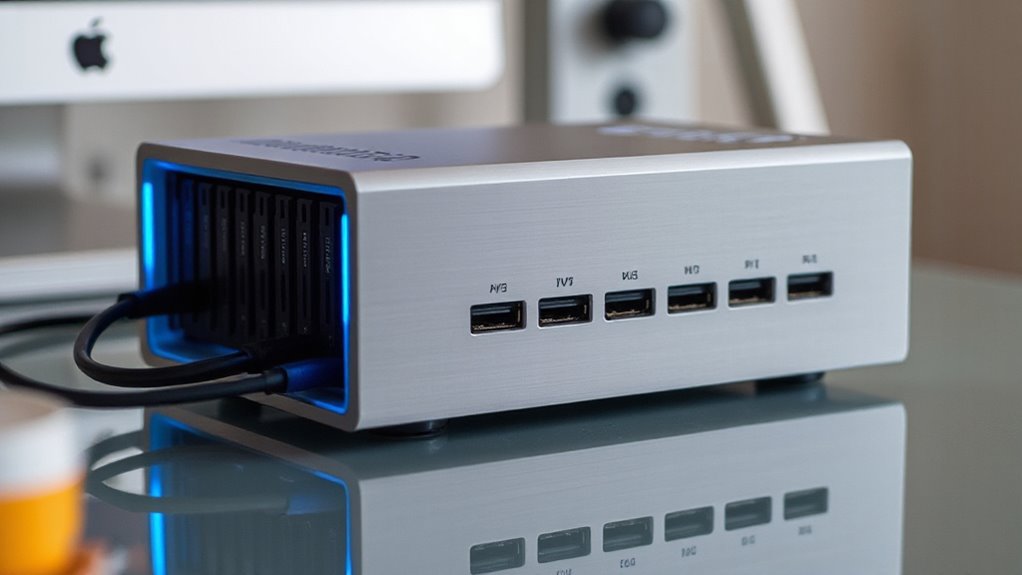

If you’re looking for a Thunderbolt raid enclosure, you’re likely after fast data transfer, high capacity, and reliable performance for professional workflows. The OWC ThunderBay 8 stands out as the best overall thanks to its robust capacity and versatility. For those prioritizing speed with NVMe drives, the OWC Express 4M2 makes a compelling case. Meanwhile, the ACASIS 40Gbps 4-Bay offers excellent RAID flexibility at a more approachable price. However, tradeoffs often involve balancing speed, capacity, and cost, making the right choice highly dependent on your specific needs. Continue reading for a detailed breakdown of these options and what sets them apart.
Listen free for 30 days with Audible
Thousands of audiobooks and originals — cancel anytime.
Start your free trialAs an affiliate, we earn on qualifying purchases.
Key Takeaways
- The top picks balance between raw speed, capacity, and ease of use, with the OWC ThunderBay 8 leading in capacity and expandability.
- NVMe-based enclosures like the OWC Express 4M2 offer faster speeds but come with higher cost and complexity.
- RAID flexibility varies significantly; options like ACASIS and JEYI provide more configurations but may require more setup.
- Build quality and cooling are critical for sustained performance, especially in multi-bay and high-capacity enclosures.
- Price differences reflect not just capacity but also features like software RAID, hardware controllers, and design quality.
| OWC ThunderBay 4TB Thunderbolt 4 Storage Enclosure |  | Best Overall for Versatile High-Speed Storage | Hardware Interface: Thunderbolt 4 | Memory Storage Capacity: 16 TB | Supported Devices: Desktop, Laptop, Mac and Windows with Thunderbolt | VIEW ON AMAZON | See Our Full Breakdown |
| ACASIS 40Gbps 4-Bay Hard Drive Enclosure with RAID, USB4, Thunderbolt 3/4/5 Compatibility |  | Best for Creative Professionals Needing 8K Video Output | Max SATA Drive Capacity: 30TB | Max NVMe SSD Capacity: 8TB | Transfer Speed: Up to 40Gbps | VIEW ON AMAZON | See Our Full Breakdown |
| OWC Express 4M2 USB4 40Gb/s Four Slot NVMe M.2 SSD Enclosure |  | Best for High-Performance NVMe Users | Digital Storage Capacity: 64 TB | Hard Disk Interface: PCIE x 4 | Connectivity Technology: USB-C | VIEW ON AMAZON | See Our Full Breakdown |
| JEYI 4-Bay NVMe RAID Enclosure with Turbo Fan, Thunderbolt 4/3, Supports Up to 32TB |  | Best for Professional Data Security and Cooling | Supported Interfaces: Thunderbolt 4/3, USB4 | Max Transfer Rate: 40Gbps | RAID Modes: RAID 0, 1, 5, JBOD | VIEW ON AMAZON | See Our Full Breakdown |
| OWC ThunderBay 8-Bay Thunderbolt Storage Enclosure with SoftRAID |  | Best for Large-Scale RAID Storage and Flexibility | Hardware Interface: Thunderbolt, USB Type C | Hardware Platform: Mac, Windows | Hard Disk Form Factor: 3.5 inches | VIEW ON AMAZON | See Our Full Breakdown |
| OWC ThunderBay 8 Eight-Bay Thunderbolt External Storage Enclosure |  | Best Overall for Massive, High-Speed Storage Expansion | Drive Bays: 8 | Supported Drives: 2.5-inch or 3.5-inch SATA SSDs/HDDs | Data Transfer Speed: up to 2586MB/s | VIEW ON AMAZON | See Our Full Breakdown |
| OWC ThunderBay 4 Thunderbolt 3 Storage Enclosure with SoftRAID |  | Best for Flexible RAID Configurations in a 4-Bay Setup | Drive Bays: 4 | Interface: Thunderbolt 3 | Max Speed: 1527MB/s | VIEW ON AMAZON | See Our Full Breakdown |
| OWC ThunderBay 4 16TB Thunderbolt RAID Storage Solution | | Best for High-Speed, Large-Capacity RAID Storage | Hardware Interface: Thunderbolt | Memory Storage Capacity: 16 TB | Supported Devices: Mac and Windows with Thunderbolt | VIEW ON AMAZON | See Our Full Breakdown |
| OWC Gemini 0TB Thunderbolt 3 Dock with Dual-Drive RAID Enclosure |  | Best for Versatile Connectivity and Multi-Drive RAID Flexibility | Host Port: Thunderbolt 3 (USB-C) up to 40 Gb/s | Additional Ports: Thunderbolt 3, USB 3.2 Gen 2, HDMI, 2.5GbE, SD 4.0/UHS-II | Drive Bays: 2 (supports SATA, NVMe, U.2) | VIEW ON AMAZON | See Our Full Breakdown |
More Details on Our Top Picks
OWC ThunderBay 4TB Thunderbolt 4 Storage Enclosure
The OWC ThunderBay stands out for its robust support of four drives, flexible RAID options, and impressive data transfer speeds up to 1527MB/s. Its aluminum chassis ensures both durability and quiet operation, making it ideal for professional workflows. Compared with the ACASIS 40Gbps Enclosure, which offers faster theoretical speeds and more advanced features like 8K video output, the ThunderBay’s strength lies in its proven reliability and compatibility with both Mac and Windows. However, its reliance on Thunderbolt 4 ports limits use with older systems, and it requires separate drive purchases, adding to the overall cost. This enclosure suits users needing a dependable, multi-drive setup for demanding data tasks.
Pros:- Supports up to four drives with flexible RAID options
- High data transfer speeds up to 1527MB/s
- Durable aluminum chassis for heat dissipation and quiet operation
- Compatible with both Mac and Windows systems
Cons:- Requires Thunderbolt 4 port, limiting compatibility with older systems
- No included drives, increasing initial cost
- Relatively large size for desktop environments
Best for: Creative professionals and power users seeking a reliable, multi-drive Thunderbolt enclosure compatible with both Mac and Windows.
Not ideal for: Owners of older systems or those seeking ultra-compact solutions, as its size and Thunderbolt 4 requirement limit portability and compatibility.
- Hardware Interface:Thunderbolt 4
- Memory Storage Capacity:16 TB
- Supported Devices:Desktop, Laptop, Mac and Windows with Thunderbolt
- Hard Disk Form Factor:2.5 inches
- Supported Devices Quantity:4
- Data Transfer Rate:1550 megabits_per_second
Our verdict“This enclosure is best suited for users needing reliable, multi-drive Thunderbolt storage with versatile RAID support and high speed.”
ACASIS 40Gbps 4-Bay Hard Drive Enclosure with RAID, USB4, Thunderbolt 3/4/5 Compatibility
The ACASIS 40Gbps Enclosure supports both SATA HDDs and NVMe SSDs, offering a high-speed interface up to 40Gbps and 8K@60Hz video output. Its versatility makes it ideal for video editors and data pros who need large storage with fast transfer rates. Unlike the OWC ThunderBay, which focuses on RAID flexibility for multiple drives, ACASIS emphasizes maximum bandwidth and video capabilities, though full 40Gbps performance requires compatible ports and RAID setup. Its large size and complex configuration can be daunting for beginners, but it delivers exceptional performance for demanding workflows. This product is perfect for professionals who need both speed and high-resolution video output in a single enclosure.
Pros:- Supports high-speed RAID configurations for performance and redundancy
- Compatible with SATA HDDs and NVMe SSDs for flexible storage options
- Delivers 8K video output, suitable for professional editing
- Premium aluminum case offers stability and heat management
Cons:- Full 40Gbps speed needs compatible ports and RAID configuration
- Setup complexity may challenge less experienced users
- Large form factor may not fit in small workspaces
Best for: Creative professionals working with 8K video editing requiring high-speed RAID and versatile drive compatibility.
Not ideal for: Casual users or those with limited space, due to its large size and complex setup process.
- Max SATA Drive Capacity:30TB
- Max NVMe SSD Capacity:8TB
- Transfer Speed:Up to 40Gbps
- Video Output:8K@60Hz
- Power Supply:96W
- Interface:USB4, Thunderbolt 3/4/5
Our verdict“This enclosure is ideal for demanding creative workflows that benefit from maximum speed and video output capabilities, but requires technical familiarity.”
OWC Express 4M2 USB4 40Gb/s Four Slot NVMe M.2 SSD Enclosure
The OWC Express 4M2 offers exceptional speeds up to 3200MB/s for four NVMe M.2 drives, making it a top choice for data-intensive tasks. Its compatibility with USB4, Thunderbolt, and USB-C provides broad flexibility across devices, while the aircraft-grade aluminum case ensures durability and efficient heat dissipation. Compared to larger multi-bay enclosures like the ThunderBay 4, the Express 4M2 focuses on maximum NVMe speed for professionals handling large files or requiring fast backups. The main tradeoff involves the need for compatible NVMe drives and a higher price point, making it more suitable for advanced users comfortable with RAID and drive management. It excels in environments where raw NVMe speed is critical.
Pros:- Supports high-speed data transfer up to 3200MB/s
- Compatible with USB4, Thunderbolt, and USB-C for broad device support
- Aircraft-grade aluminum case for durability and heat management
- Supports RAID configurations for data flexibility
Cons:- Requires compatible NVMe M.2 SSDs for optimal performance
- Higher cost compared to basic enclosures
- Designed for advanced users familiar with RAID setup
Best for: Power users needing ultra-fast NVMe SSD performance on Mac and Windows systems.
Not ideal for: Entry-level users or those with older hardware, due to its price and RAID setup complexity.
- Digital Storage Capacity:64 TB
- Hard Disk Interface:PCIE x 4
- Connectivity Technology:USB-C
- Read Speed:3200 MB/s
- Media Speed:3200 MB/s
- Data Transfer Rate:3200 MB/s
Our verdict“This enclosure is best suited for users demanding maximum NVMe SSD speed and flexibility, with a focus on professional-grade performance.”
JEYI 4-Bay NVMe RAID Enclosure with Turbo Fan, Thunderbolt 4/3, Supports Up to 32TB
The JEYI 4-Bay RAID Enclosure combines high transfer rates up to 40Gbps with robust cooling via a turbo fan, making it ideal for sustained data operations. Its support for multiple RAID modes, including RAID 5, offers strong data security, surpassing simpler setups like the OWC ThunderBay 4. The large capacity of 32TB suits professionals with extensive storage needs. However, AMD system compatibility may require additional verification, and the setup process could be complex for less tech-savvy users. Designed for demanding environments, this enclosure balances speed, capacity, and thermal management for intensive workflows, especially where long-term stability is key.
Pros:- Supports ultra-fast transfer up to 40Gbps
- Flexible RAID modes including RAID 5 for data security
- Efficient cooling system with turbo fan and thermal pads
- Supports up to 32TB total capacity
Cons:- AMD compatibility may be limited or require extra steps
- RAID setup can be complex for beginners
- Requires compatible Thunderbolt or USB4 ports for full performance
Best for: Advanced professionals needing large, secure storage with efficient cooling for continuous operation.
Not ideal for: Casual users or those with limited technical experience due to setup complexity.
- Supported Interfaces:Thunderbolt 4/3, USB4
- Max Transfer Rate:40Gbps
- RAID Modes:RAID 0, 1, 5, JBOD
- Cooling:Turbo fan, thermal pads
- Capacity per SSD:8TB
- Total Capacity:32TB
Our verdict“This enclosure is best for professionals needing large, secure, and cooled NVMe storage with maximum speed, but demands technical setup knowledge.”
OWC ThunderBay 8-Bay Thunderbolt Storage Enclosure with SoftRAID
The OWC ThunderBay 8 excels in handling extensive storage needs with support for eight drives, delivering data transfer speeds up to 2586MB/s. Its inclusion of SoftRAID provides advanced RAID management, making it ideal for media professionals and data centers. Compared to the ThunderBay 4, which supports four drives, the 8-bay version offers greater scalability, though its size and weight are less suited for portability. The reliance on Thunderbolt 3 ports may limit older system compatibility, and its premium pricing reflects its enterprise focus. Overall, this enclosure is tailored for environments where large capacity and flexible RAID configurations are critical.
Pros:- Supports up to eight drives for massive storage capacity
- Fast transfer speeds up to 2586MB/s
- Includes SoftRAID for advanced RAID management
- Compatible with Mac and Windows
Cons:- Requires Thunderbolt 3, limiting compatibility with older systems
- Heavy and large, less portable
- Higher price point suitable for professional budgets
Best for: Media professionals and enterprise users requiring extensive, flexible RAID storage with high data throughput.
Not ideal for: Casual users or those with limited space, since its size and cost are significant factors.
- Hardware Interface:Thunderbolt, USB Type C
- Hardware Platform:Mac, Windows
- Hard Disk Form Factor:3.5 inches
- Supported Devices Quantity:8
- Data Transfer Rate:2586 megabytes_per_second
- Warranty:Up to 1 Year OWC Limited Warranty
Our verdict“This is best for demanding storage environments needing high capacity and flexible RAID options, with less emphasis on portability.”
OWC ThunderBay 8 Eight-Bay Thunderbolt External Storage Enclosure
The OWC ThunderBay 8 stands out for its ability to support up to eight drives, making it ideal for users who need extensive storage capacity in a single enclosure. Its impressive data transfer speeds of up to 2586MB/s surpass most 4- or 6-bay options, including the OWC ThunderBay 4, which offers fewer drives but at slightly lower speeds. The daisy-chaining capability allows for scalable setups, but the reliance on Thunderbolt 3 ports means it’s incompatible with older systems lacking this interface. Its high cost reflects its capacity and performance, which might be excessive for casual users. Lack of RAID support or hardware encryption could be limitations for security-minded professionals. This enclosure is best suited for large media workflows or enterprise environments where speed and capacity are paramount. It offers support for both 2.5-inch and 3.5-inch SATA drives, making it flexible for various drive types.Pros:- Supports up to eight drives for massive storage capacity
- High-speed Thunderbolt 3 connectivity up to 2586MB/s
- Daisy-chain capability for expanding or connecting additional devices
- Easy plug-and-play setup with included cable
Cons:- Requires Thunderbolt 3 ports, limiting older system compatibility
- No integrated RAID or drive encryption features
- High price point for the capacity offered
Best for: Content creators or data professionals needing large-scale, high-throughput storage for editing or backups.
Not ideal for: Casual users or those with older computers lacking Thunderbolt 3, as compatibility would be limited.
- Drive Bays:8
- Supported Drives:2.5-inch or 3.5-inch SATA SSDs/HDDs
- Data Transfer Speed:up to 2586MB/s
- Ports:Dual Thunderbolt 3
- Compatibility:Mac and Windows
- Warranty:Up to 1 Year OWC Limited Warranty
Our verdict“This enclosure makes the most sense for professionals who need large, fast storage arrays with maximum expandability.”
OWC ThunderBay 4 Thunderbolt 3 Storage Enclosure with SoftRAID
The OWC ThunderBay 4 offers a balanced choice for users needing a four-drive enclosure with advanced RAID options, supporting speeds up to 1527MB/s. Compared with the ThunderBay 8, this model sacrifices capacity for a more manageable size and lower cost, making it suitable for smaller workflows. Its support for enterprise-grade SoftRAID software, including configurations like 0, 1, 4, 5, and 10, provides extensive flexibility for data redundancy and performance tuning. However, optimal speeds depend on Thunderbolt 3 ports, and the subscription fee for SoftRAID after three years could be a deterrent for budget-conscious buyers. The enclosure’s compatibility with 3.5-inch or 2.5-inch drives makes it versatile, but the need for software setup may challenge less technical users. This product is well suited for creative professionals managing moderate-sized projects with demanding RAID needs.Pros:- Supports up to four drives for versatile storage configurations
- High data transfer speeds up to 1527MB/s
- Configurable RAID options via SoftRAID software
- Compatible with both 2.5-inch and 3.5-inch drives
Cons:- Requires Thunderbolt 3 port for best performance
- Subscription fee needed for SoftRAID after 3 years
- Setup may be complex for non-technical users
Best for: Video editors or small post-production teams needing flexible RAID options and reliable performance.
Not ideal for: Users seeking large-scale storage or maximum speed, who should consider the ThunderBay 8 instead.
- Drive Bays:4
- Interface:Thunderbolt 3
- Max Speed:1527MB/s
- Drive Compatibility:3.5-inch or 2.5-inch SATA drives
- RAID Support:0/1/4/5/10
- Includes SoftRAID:Yes (3-year subscription)
Our verdict“This enclosure is ideal for professionals needing flexible RAID setups in a compact, high-speed package.”
OWC ThunderBay 4 16TB Thunderbolt RAID Storage Solution
The ThunderBay 4 16TB delivers substantial storage capacity with real-world speeds exceeding 1000MB/s, making it suitable for demanding media workflows. Its support for multiple RAID configurations, including 0, 1, 4, 5, and 10, offers tailored data protection and performance options. Compared to the ThunderBay 8, it’s less expansive but more accessible for users who need high-speed RAID storage in a more portable form. Its compatibility with both Mac and Windows through Thunderbolt 3 adds flexibility, but the device’s weight of 5.7kg and the need for additional software setup could be drawbacks for mobile users. The included SoftRAID software, with a three-year license, enhances management but adds to the overall cost. This model is ideal for professionals managing large projects that demand fast, reliable RAID arrays with high capacity.Pros:- Supports multiple RAID configurations with SoftRAID
- Over 1000MB/s real-world transfer speeds
- Supports up to 16TB capacity with four drives
- Compatible with Mac and Windows via Thunderbolt 3
Cons:- Heavy at 5.7 kg, less portable
- Requires Thunderbolt 3 for optimal performance
- Premium software may involve additional costs
Best for: Media professionals and small studios needing high-capacity RAID storage with robust speed.
Not ideal for: Users requiring lightweight solutions or those on tight budgets, as the device is relatively heavy and software costs extra.
- Hardware Interface:Thunderbolt
- Memory Storage Capacity:16 TB
- Supported Devices:Mac and Windows with Thunderbolt
- Hard Disk Form Factor:2.5 inches
- Data Transfer Rate:1141MB/s
- Warranty:3-year SoftRAID subscription
Our verdict“This enclosure is for users who need a high-capacity, high-speed RAID solution in a durable, versatile package.”
OWC Gemini 0TB Thunderbolt 3 Dock with Dual-Drive RAID Enclosure
The OWC Gemini combines a Thunderbolt 3 dock with a dual-drive RAID enclosure, supporting SATA, NVMe, and U.2 drives. Its broad port array—including HDMI, 2.5GbE, SD card reader, and multiple USB ports—makes it ideal for professionals who need both storage and extensive connectivity in one device. Compared with the more storage-focused ThunderBay models, the Gemini offers a unique combination of peripherals and RAID functionality, though its setup can be complex and may intimidate less experienced users. The absence of included drives means extra investment, and its premium price reflects its versatility. It can support hardware and software RAID, making it suitable for demanding workflows that also require high-quality external connections, especially in professional or broadcast environments.Pros:- Supports a wide variety of drives including SATA, NVMe, and U.2
- Multiple high-speed ports including HDMI, 2.5GbE, and SD card reader
- Supports hardware and software RAID configurations
- Daisy-chaining capability for expanded connectivity
Cons:- Setup can be complex and may require technical expertise
- No drives included, additional purchase needed
- Premium price point
Best for: Power users requiring integrated connectivity, RAID flexibility, and multiple device support in a single compact unit.
Not ideal for: Users seeking a straightforward external storage solution or those with limited technical knowledge, due to complex setup and multiple features.
- Host Port:Thunderbolt 3 (USB-C) up to 40 Gb/s
- Additional Ports:Thunderbolt 3, USB 3.2 Gen 2, HDMI, 2.5GbE, SD 4.0/UHS-II
- Drive Bays:2 (supports SATA, NVMe, U.2)
- RAID Support:Hardware RAID, Software RAID, RAID 0/1
- Power Delivery:Up to 27W
- Warranty:3 years
Our verdict“This dock is tailored for professionals needing versatile connectivity and RAID options in a compact form, with more complexity than typical RAID enclosures.”

How We Picked
These products were selected based on a combination of performance, build quality, versatility, and value. Priority was given to enclosures that reliably support Thunderbolt 3, 4, or latest standards, ensuring fast data transfer. We evaluated ease of setup, expandability, and the quality of included features like cooling and RAID options. Cost was also a factor, aiming to highlight options for different budgets and use cases. The ranking reflects how well each unit balances these aspects for professional and demanding consumer needs.Factors to Consider When Choosing Thunderbolt Raid Enclosure
Choosing the right Thunderbolt raid enclosure involves understanding several key factors that impact performance, reliability, and usability. Beyond raw speed, consider how much capacity you need, the level of RAID flexibility required, and compatibility with your existing hardware. Ensuring proper cooling and build quality prevents overheating during intensive workloads. Additionally, evaluate the software support and ease of setup, especially if you’re not an advanced user. Being aware of common tradeoffs helps in selecting an enclosure that aligns with your workflow and budget.Performance and Speed
Speed is often the main reason for choosing a Thunderbolt enclosure, especially for editing 4K videos or large data transfers. Look for units that support Thunderbolt 3 or 4, which offer up to 40Gbps, and consider whether they use dedicated hardware controllers for consistent performance. NVMe SSD enclosures provide faster access times but tend to be more expensive and complex to set up. Balance your speed needs with your capacity requirements to avoid bottlenecks or overspending.
Capacity and Expandability
Capacity depends on your storage needs—single drives are simple but limited, while multi-bay enclosures can scale up significantly. Consider whether you need a fixed capacity or the ability to expand over time. Enclosures like the OWC ThunderBay 8 offer substantial raw capacity, suitable for large media libraries. However, more bays often mean higher cost and increased complexity. Think about future growth and whether the enclosure supports adding drives easily or requires disassembly.
RAID and Data Management
RAID support varies widely—from simple JBOD to complex configurations like RAID 5 or 10. Decide how critical data redundancy and performance are for your workflow. Hardware RAID controllers tend to be more reliable and easier to manage, but software solutions like SoftRAID provide more flexibility and lower cost. Be aware that some enclosures support multiple RAID modes, offering more versatility, but may require more setup knowledge.
Build Quality and Cooling
High-performance drives generate heat, making cooling a key aspect of enclosure design. Metal enclosures with good ventilation and active cooling fans help maintain consistent performance and prolong drive lifespan. Cheap plastic units or poorly ventilated cases risk overheating, especially in multi-bay setups. Consider the enclosure’s construction and whether it has features like fan control or temperature sensors, which prevent thermal throttling during extended use.
Compatibility and Ease of Use
Compatibility with your existing hardware and software is essential. Ensure the enclosure supports your Thunderbolt version and is compatible with your operating system. Ease of setup varies; some units come with user-friendly management software, while others require manual configuration. For less tech-savvy users, preferring enclosures with plug-and-play features reduces frustration. Also verify if the enclosure supports hot-swapping if you need quick drive changes.
Price and Value
Prices range from affordable multi-bay units to premium, feature-rich enclosures. Cheaper options may cut corners on build quality or RAID features, while more expensive models justify their cost with better cooling, faster controllers, and additional features. Balance your budget with your performance and capacity needs. Sometimes, investing in a slightly higher-priced unit results in better reliability and future-proofing, ultimately saving money over time.
Frequently Asked Questions
Can I upgrade drives in my Thunderbolt raid enclosure later?
Yes, many Thunderbolt raid enclosures support drive upgrades, especially those designed with hot-swappable bays. This flexibility allows you to replace or add drives over time without disassembling the entire unit. However, compatibility depends on the enclosure’s design and supported drive sizes; always check manufacturer guidance to ensure seamless upgrades. Upgrading drives can extend the lifespan of your enclosure and help you scale storage as needed.
Is Thunderbolt 4 necessary, or will Thunderbolt 3 suffice?
Thunderbolt 4 offers full backward compatibility with Thunderbolt 3 and provides additional features like better daisy-chaining and more stringent standards for compatibility and power delivery. For most users, Thunderbolt 3 provides sufficient bandwidth (up to 40Gbps) for raid enclosures, especially if you’re not planning to connect multiple high-bandwidth devices simultaneously. However, if you want the latest features and maximum future-proofing, opting for Thunderbolt 4 is a wise choice.
How important is cooling in a Thunderbolt raid enclosure?
Cooling is vital for maintaining consistent performance and preventing drive failure, especially in multi-bay or high-capacity enclosures. Overheating can cause thermal throttling, reducing transfer speeds and risking data integrity. Look for enclosures with good ventilation, heat sinks, or active cooling fans. If you plan to run intensive workloads for extended periods, investing in a well-cooled enclosure becomes even more critical.
Do I need software RAID, or is hardware RAID better?
Hardware RAID tends to be more reliable and easier to manage, often with dedicated controllers that handle data redundancy and performance without taxing your CPU. Software RAID, like SoftRAID, offers more flexibility and can be less expensive but may require more setup and be slightly less performant under heavy workloads. Your choice depends on your comfort with setup complexity and whether you prioritize reliability or flexibility.
Are multi-bay enclosures suitable for everyday use or just professional workflows?
Multi-bay enclosures are ideal for professional workflows needing large storage pools and redundancy, such as video editing or server backups. For everyday use, they might be overkill unless you require extensive media libraries or frequent data transfers. These units tend to be more complex and costly but provide significant scalability and data protection options that are beneficial for demanding users.
Conclusion
For most users seeking a reliable, high-performance Thunderbolt raid enclosure, the OWC ThunderBay 8 offers outstanding capacity and expandability, making it the best overall choice. If speed is your priority, especially with NVMe drives, the OWC Express 4M2 is hard to beat. Budget-conscious buyers or those new to RAID should consider simpler models like the ACASIS 40Gbps 4-Bay, which balances features with affordability. Power users and professionals needing maximum scalability will find the multi-bay options like the ThunderBay 8 most suitable. Ultimately, selecting the right enclosure depends on your specific needs for speed, capacity, and ease of use.
As an affiliate, we earn on qualifying purchases.Fall Picks
fall essentials