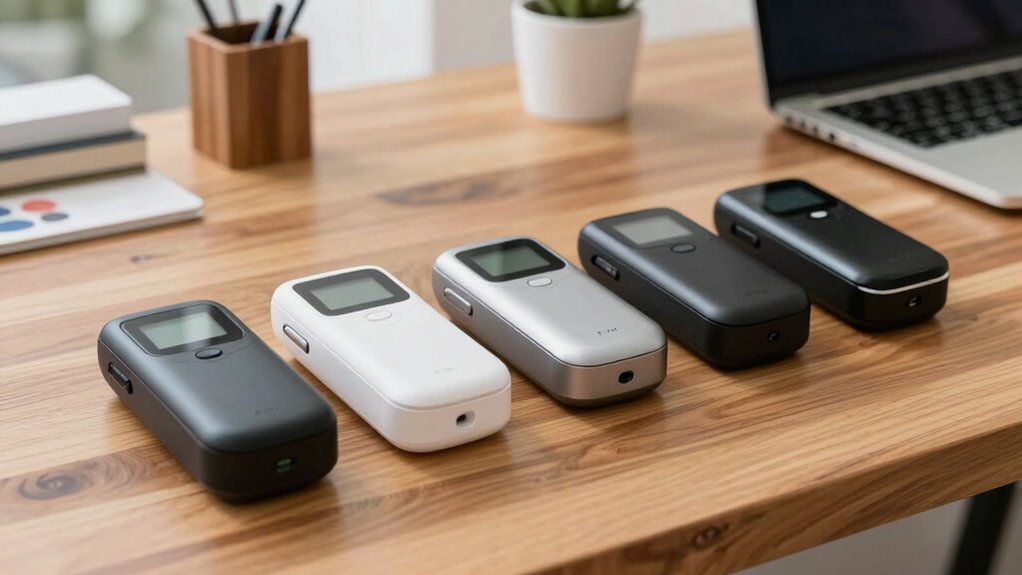

Finding a reliable portable receipt scanner for small business use can be a game-changer for maintaining organized finances on the go. The Epson RapidReceipt RR-70W stands out as the best overall choice thanks to its fast scanning speed and wireless connectivity. For those prioritizing lightweight design and compatibility with multiple devices, the Epson ES-50 and Canon imageFORMULA R10 are excellent options. The main tradeoffs in this category revolve around balancing portability, scanning quality, and price. Continue reading for a detailed comparison to help you identify the right fit for your business needs.

Get privacy and security gear delivered free with Prime
- Fast, free delivery on millions of items
- Prime Video, Amazon Music and more included
- Member-only deals all year
Key Takeaways
- The most versatile models combine wireless connectivity with compact size, making mobile scanning effortless.
- Higher-end options like the Canon R10 offer duplex scanning and faster speeds but come at a premium price.
- Budget-friendly scanners often compromise on speed or features, making them suitable for light, infrequent use.
- Build quality and compatibility with various devices can vary widely, impacting long-term value.
- Choosing a scanner with easy-to-use software can significantly reduce setup time and frustration.
| Epson RapidReceipt RR-70W Compact Mobile Document Scanner |  | Best Overall for Small Business Receipt Management | Technology: ScanSmart AI PRO | Connectivity: USB, Battery-powered, Wireless | Scan Speed: 15 pages per minute | VIEW ON AMAZON | See Our Full Breakdown |
| Epson WorkForce ES-50 Compact & Lightweight Mobile Document Scanner for PC and Mac |  | Best for Quick Single-Page Scanning on the Go | Compatibility: Windows and Mac | Scanning Speed: 5.5 seconds per page | Maximum Document Size: 8.5 x 72 inches | VIEW ON AMAZON | See Our Full Breakdown |
| Epson DS-70 Portable Document Scanner |  | Best for Versatile Mobile Scanning of Multiple Document Types | Scanning Speed: 5.5 seconds per page | Maximum Document Size: 8.5″ x 72″ | Warranty: 3-year limited | VIEW ON AMAZON | See Our Full Breakdown |
| Epson RapidReceipt RR-60 Compact Mobile Document Scanner |  | Best for Automated Receipt Organization and Cloud Integration | Scan Speed: 10 pages per minute | Weight: Under 10 oz | Maximum Document Length: 72 inches | VIEW ON AMAZON | See Our Full Breakdown |
| Brother DS-640 Compact Mobile Document Scanner |  | Best for Multi-Platform Compatibility and High-Speed Batch Scanning | Scan Speed: 16 ppm | Weight: 1.5 lbs | Document Length: up to 72 inches | VIEW ON AMAZON | See Our Full Breakdown |
| HP Small USB Document & Photo Scanner Model HPPS100 for Portable Digital Scanning |  | Best Compact & High-Resolution Portable Scanner | Scanner Type: Document, Business Card, Photo, Receipt | Connection Type: USB | Resolution: 300 dpi | VIEW ON AMAZON | See Our Full Breakdown |
| Canon imageFORMULA R10 Portable Document Scanner, USB Powered, Duplex Scanning, Document Feeder, White |  | Best for Fast Duplex Scanning with Larger Document Capacity | Power Consumption: 2.5W or less | Suggested Daily Volume: 500 scans | Media Types: Receipts, business cards, reports, legal documents, plastic or embossed cards | VIEW ON AMAZON | See Our Full Breakdown |
| portable receipt scanner for small business | Connectivity |
|---|---|
| Epson RapidReceipt RR-70W Comp | USB, Battery-powered, Wireless |
| Epson WorkForce ES-50 Compact | USB 2.0 |
| Epson DS-70 Portable Document | USB |
| Epson RapidReceipt RR-60 Compa | — |
| Brother DS-640 Compact Mobile | Micro USB 3.0 |
| HP Small USB Document & Photo | — |
| Canon imageFORMULA R10 Portabl | USB |
More Details on Our Top Picks
Epson RapidReceipt RR-70W Compact Mobile Document Scanner
The Epson RapidReceipt RR-70W stands out for its AI-powered data extraction and wireless capabilities, making it ideal for small businesses that need quick, organized receipt digitization on the go. Unlike the Epson DS-70, which is slightly more versatile but less focused on mobile use, the RR-70W emphasizes effortless cloud integration and searchable PDFs. Its lightweight design under 11 oz makes it easy to carry, though the battery life details are unclear, which might be a concern for extended use. The AI features streamline data entry, saving time compared to manual input, but it’s primarily designed for receipt and small document scanning, not high-volume tasks. Overall, this model makes the most sense for entrepreneurs who prioritize speed and cloud connectivity over extensive hardware features.
Pros:- Lightweight and portable for mobile use
- Fast scanning speed of 15 pages per minute
- Wireless scanning directly to cloud services
Cons:- Limited to small business and receipt scanning functions
- Battery life details are not specified, which could affect portability
Best for: Small business owners who need quick, wireless receipt scanning with cloud integration
Not ideal for: Businesses requiring high-volume scanning or multi-page document handling, as it’s limited to small, individual documents
- Technology:ScanSmart AI PRO
- Connectivity:USB, Battery-powered, Wireless
- Scan Speed:15 pages per minute
- Weight:Under 11 oz
- Maximum Document Size:8.5 x 72 inches
- Software Compatibility:Windows, Mac
Our verdict“This scanner is perfect for small business owners who value quick, wireless, and searchable receipt digitization on the move.”
Epson WorkForce ES-50 Compact & Lightweight Mobile Document Scanner for PC and Mac
The Epson WorkForce ES-50 excels in rapid single-page scans, making it ideal for busy small business owners who need to digitize receipts or IDs quickly. Compared with the Epson RR-70W, which offers wireless and cloud features, the ES-50 relies solely on USB, but it compensates with a very fast 5.5-second scan time for each page. Its lightweight, no-external-power design enhances portability, but its single-sheet feeding limits efficiency for multi-page documents, making it less suitable for bulk scanning. OCR software included allows for searchable PDFs, yet the manual feeding process can slow down workflow for larger batches. In essence, this pick suits those needing quick, reliable scans of individual documents without extra bells and whistles.
Pros:- Extremely compact and lightweight for portability
- Fast 5.5-second scan time per page
- Includes OCR software for searchable PDFs
Cons:- Limited to single-sheet scanning, reducing efficiency for batches
- Requires USB connection, which may limit mobility
Best for: Freelancers or small business owners who frequently scan individual receipts or IDs on the go
Not ideal for: Businesses that require high-volume or multi-page batch scanning, due to its single-sheet feed limitation
- Compatibility:Windows and Mac
- Scanning Speed:5.5 seconds per page
- Maximum Document Size:8.5 x 72 inches
- Connectivity:USB 2.0
- Power:USB powered
- Includes:OCR software, Twain driver
Our verdict“This scanner is ideal for users needing quick, on-the-spot scans of individual documents during mobile workflows.”
Epson DS-70 Portable Document Scanner
The Epson DS-70 provides a versatile solution for mobile professionals needing to scan a variety of documents, including business cards and receipts, at a quick 5.5 seconds per page. Unlike the Brother DS-640, which supports more OS options and longer documents, the DS-70 focuses on ease of use and speed with its included OCR software and 3-year limited warranty. Its compact, lightweight design makes it suitable for on-the-go use, but it’s limited to single-sheet scanning, which can slow down larger tasks. This model suits users who want a portable scanner that handles diverse document types with speed and reliability but don’t require high-volume capacity.
Pros:- Fast 5.5-second scan speed
- Supports multiple document types, including cards
- Includes OCR and a 3-year warranty
Cons:- Limited to single-sheet scanning, less efficient for batch tasks
- Designed primarily for mobile use, not high-volume scanning
Best for: Mobile entrepreneurs and freelancers who need quick scans of various document types, including business cards
Not ideal for: High-volume or multi-page batch processing, as it only handles single sheets efficiently
- Scanning Speed:5.5 seconds per page
- Maximum Document Size:8.5″ x 72″
- Warranty:3-year limited
- Includes Software:OCR and document management
- Connectivity:USB
Our verdict“This scanner fits mobile professionals seeking quick, versatile scans of different document types with reliable speed and software support.”
Epson RapidReceipt RR-60 Compact Mobile Document Scanner
The Epson RapidReceipt RR-60 is tailored for small businesses that need efficient, organized receipt scanning with cloud compatibility. Its 10 pages per minute speed and automatic file naming and categorization boost productivity, especially compared to the slower Brother DS-640. Its USB-powered design keeps it lightweight and portable, but the lack of wireless connectivity may limit its use in certain mobile contexts. While it handles receipts and small documents well, it’s less suitable for larger or multi-page documents. This device is ideal for those who want an easy-to-use, quick solution that integrates seamlessly with financial software and cloud storage for streamlined bookkeeping.
Pros:- Fast 10 pages per minute
- Automatic file naming and categorization
- Supports cloud storage and financial software integration
Cons:- No wireless connectivity, limiting mobility
- Limited to small documents and receipts
Best for: Small business owners focused on organized receipt management and cloud storage integration
Not ideal for: Users requiring wireless connectivity or high-volume batch scanning, as it’s limited to USB connection and small documents
- Scan Speed:10 pages per minute
- Weight:Under 10 oz
- Maximum Document Length:72 inches
- Compatibility:PC and Mac
- Power:USB-powered
Our verdict“This scanner is perfect for small businesses that prioritize organized, cloud-ready receipt management with fast, automatic processing.”
Brother DS-640 Compact Mobile Document Scanner
The Brother DS-640 offers a robust portable scanning solution with a high speed of 16 pages per minute, making it suitable for small businesses that handle a variety of document types, including ID cards and long receipts. Its support for Windows, Mac, and Linux, along with image optimization and OCR software, provides flexibility for diverse workflows. Unlike the Epson RR-70W, which emphasizes wireless cloud connectivity, the DS-640 relies solely on a micro USB connection, which may limit mobility in some scenarios. Its larger size at 11.8 inches makes it less convenient for pocket-sized portability but compensates with multi-platform support and speed. This model is well-suited for businesses that need a portable, fast, and versatile scanner across different OS environments.
Pros:- Fast scanning at 16 ppm
- Supports multiple operating systems including Linux
- Includes OCR and image optimization software
Cons:- Requires software download for full features
- No wireless or Wi-Fi connectivity
Best for: Small businesses needing a multi-OS compatible, high-speed portable scanner handling various document types
Not ideal for: Those primarily seeking wireless or battery-powered scanners, as it requires a wired connection and is slightly bulkier
- Scan Speed:16 ppm
- Weight:1.5 lbs
- Document Length:up to 72 inches
- Supported OS:Windows, Mac, Linux
- Connectivity:Micro USB 3.0
Our verdict“This scanner suits tech-savvy small businesses seeking fast, multi-platform portable scanning with versatile document support.”
HP Small USB Document & Photo Scanner Model HPPS100 for Portable Digital Scanning
The HPPS100 stands out for its ultra-lightweight and compact design, making it ideal for small business owners who need quick, high-quality scans on the fly. Compared with the Canon R10, it offers a higher resolution of 1200 dpi, ensuring clearer images of receipts and photos. However, its limited capacity of just 10 sheets and single-sided scanning mean it’s better suited for occasional use rather than high-volume tasks. The USB-only connection keeps it simple but might be restrictive for those wanting wireless flexibility. This scanner is perfect for mobile entrepreneurs who prioritize portability and image clarity over volume capacity.Pros:- Extremely portable and lightweight for travel or mobile use
- High-resolution 1200 dpi scans produce sharp images
- Easy to operate with auto-scan and image cleanup features
Cons:- Limited to only 10 sheets per batch, not suitable for high-volume scanning
- Only supports simplex (single-sided) scanning, which can slow down workflows for double-sided documents
- Relies solely on USB connection, lacking wireless options for convenience
Best for: Small business owners or freelancers who need a portable, high-quality scanner for occasional receipt and document digitization
Not ideal for: Businesses requiring frequent scanning of large batches or duplex scanning, as its sheet capacity and single-sided only feature limit productivity
- Scanner Type:Document, Business Card, Photo, Receipt
- Connection Type:USB
- Resolution:300 dpi
- Color Depth:24 bits
- Sheet Capacity:10
- Item Dimensions:2″D x 11.6″W x 1.4″H
- Item Weight:3 ounces
- Minimum System Requirements:Windows 7
Our verdict“This scanner makes the most sense for small business owners or mobile professionals who need high-quality scans in a compact form, but it’s less suited for high-volume or duplex tasks.”
Canon imageFORMULA R10 Portable Document Scanner, USB Powered, Duplex Scanning, Document Feeder, White
The Canon R10 offers a significant edge over the HPPS100 for users who need faster, duplex scanning, with a capacity of 20 sheets and a scan speed of 12 pages per minute. Its automatic document feeder makes batch processing more efficient, especially for small businesses managing regular receipt or report scans. Unlike the HPPS100, it supports both Windows and Mac, and includes software for organizing scans, which helps streamline workflows. However, it’s not suitable for scanning photos on glossy paper or high-volume photo archiving, and its limited compatibility with high-volume needs makes it less ideal for heavy-duty scanning. This model suits small businesses with moderate daily scanning needs that benefit from speed and duplex functionality without sacrificing portability.Pros:- Lightweight and portable for mobile use
- Fast duplex scanning at 12 pages per minute, improving efficiency
- Includes built-in software for easy editing and organization
- Supports both Windows and Mac platforms
Cons:- Limited to 20 sheets in the automatic feeder, less suited for very high-volume tasks
- No wireless connectivity, requiring a wired USB connection
- Not designed for glossy or photographic media, limiting versatility for photos
Best for: Small business owners or remote workers who require fast, duplex scanning with a moderate sheet capacity and software support
Not ideal for: Photographers or businesses that need to scan high volumes of photos or require wireless connectivity, as it’s primarily designed for document and receipt scans with a wired connection
- Power Consumption:2.5W or less
- Suggested Daily Volume:500 scans
- Media Types:Receipts, business cards, reports, legal documents, plastic or embossed cards
- Scanning Speed:12 pages per minute
- Automatic Document Feeder:20 sheets
- Compatibility:Windows and Mac
- Connectivity:USB
- Energy Certification:ENERGY STAR Certified
Our verdict“This scanner is best for small business owners who value speed, duplex capability, and software integration over photo scanning or wireless flexibility.”

How We Picked
These products were selected based on their portability, scanning speed, compatibility, build quality, and ease of use. We prioritized models that are lightweight and designed specifically for mobile use, ensuring they are practical for small business owners on the move. Our ranking considers value for money, reliability, and feature sets that support efficient receipt and document management. Each product was evaluated for its ability to balance portability with scanning performance, helping small business owners find the right tool for their workflow.| portable receipt scanner for small business | Connectivity |
|---|---|
| Epson RapidReceipt RR-70W Comp | USB, Battery-powered, Wireless |
| Epson WorkForce ES-50 Compact | USB 2.0 |
| Epson DS-70 Portable Document | USB |
| Epson RapidReceipt RR-60 Compa | — |
| Brother DS-640 Compact Mobile | Micro USB 3.0 |
| HP Small USB Document & Photo | — |
| Canon imageFORMULA R10 Portabl | USB |
Factors to Consider When Choosing Portable Receipt Scanner For Small Business
Choosing the right portable receipt scanner involves understanding several key factors that impact usability, durability, and value. Small business owners should consider how often they’ll use the scanner, the types of documents they need to scan, and their preferred connectivity options. Recognizing potential tradeoffs—such as size versus speed or price versus features—can help prevent buyer’s remorse. This guide highlights critical considerations to help you make a confident decision.Portability and Size
Size and weight are paramount when selecting a portable scanner. A device that is too bulky or heavy can diminish the convenience of mobile scanning. Look for models that are slim and lightweight, ideally fitting into a bag or even large pocket. However, extremely compact devices may sacrifice some features or scanning speed, so consider your typical use case—occasional scans versus daily, high-volume needs.
Connectivity Options
Wireless connectivity such as Wi-Fi or Bluetooth adds flexibility, allowing you to scan directly to mobile devices or cloud storage without cables. USB connections are more straightforward but less convenient for on-the-go use. Consider what devices you primarily use—smartphones, tablets, or laptops—and choose a scanner that seamlessly integrates with your existing workflow. A device with multiple connectivity options offers more versatility but may come at a higher cost.
Scanning Speed and Duplex Capability
For small business owners, speed can make a noticeable difference, especially if scanning multiple receipts or documents regularly. Look for models that can handle at least 10 pages per minute if high volume is expected. Duplex scanning (double-sided) can save time, but not all portable models support it. Weigh the importance of speed and duplexing against size and price—sometimes a slightly larger scanner offers significant efficiency gains.
Software Compatibility and Ease of Use
The quality of scanning software impacts how easily you can organize, save, and share receipts. User-friendly, compatible apps on iOS and Android can streamline your workflow. Some models come with dedicated apps, while others rely on third-party software. Be cautious of complex interfaces that may slow you down or require a steep learning curve, especially if you plan to use the scanner frequently.
Build Quality and Durability
Portability often involves exposure to rougher handling, so durability matters. Look for devices with sturdy construction, protective covers, and reliable mechanical components. Cheaper options may be more fragile, leading to potential breakdowns or malfunctions over time. Investing in a well-built model can be more cost-effective in the long run, especially if you depend on it daily for your small business operations.
Frequently Asked Questions
Will a portable receipt scanner be enough for high-volume scanning needs?
While portable receipt scanners are designed for convenience and mobility, they may not handle high-volume scanning as efficiently as larger, desktop models. If your business requires scanning hundreds of documents daily, consider a model with faster speeds and duplex capabilities. However, for occasional or moderate use, a portable scanner can strike a good balance between convenience and performance.
Can I use a portable receipt scanner with both Windows and Mac devices?
Most modern portable scanners are compatible with both Windows and Mac systems, often through dedicated drivers or compatible apps. It’s important to verify the specific model’s compatibility before purchasing, especially if you use a less common operating system or need seamless integration with cloud services. Compatibility can sometimes influence software usability and overall ease of integration into your workflow.
How important is battery life for a portable receipt scanner?
Battery life is a key factor if you plan to scan on the go without easy access to power outlets. Longer battery life allows for more scans before needing a recharge, reducing interruptions during busy days. Some models also support pass-through charging, which can be helpful. Always check real-world battery performance, as advertised times may vary depending on usage and environment.
Are wireless scanners more secure than wired ones?
Wireless scanners offer great convenience but can be more vulnerable to security issues if not properly protected. Ensure your device supports secure protocols like WPA2 or WPA3 and uses encrypted connections. Wired scanners eliminate many wireless security concerns but sacrifice some mobility. For sensitive business data, choosing a scanner with robust security features is advisable regardless of connection type.
What should I prioritize: speed or portability?
This depends on your typical workload. If you regularly scan large numbers of receipts, a faster scanner with duplex capabilities makes sense, even if it’s slightly larger. Conversely, if you prioritize ease of carrying and quick setup, a smaller, slower device could suffice. Assess your volume and mobility needs carefully to find the right balance, bearing in mind that some models offer both speed and portability at a premium price.
Conclusion
For small business owners who prioritize overall reliability and ease of use, the Epson RapidReceipt RR-70W is the best choice. If you need a budget-friendly, lightweight option for occasional scanning, the Epson ES-50 offers great value. Those seeking premium features like duplex scanning and faster speeds should consider the Canon imageFORMULA R10. Beginners or less tech-savvy users will benefit from models with intuitive software, while businesses with higher volume needs should look for durable, high-speed options. Carefully consider your daily workflow and scanning frequency to select the best fit.
Fall Picks
fall essentials
As an affiliate, we earn on qualifying purchases.