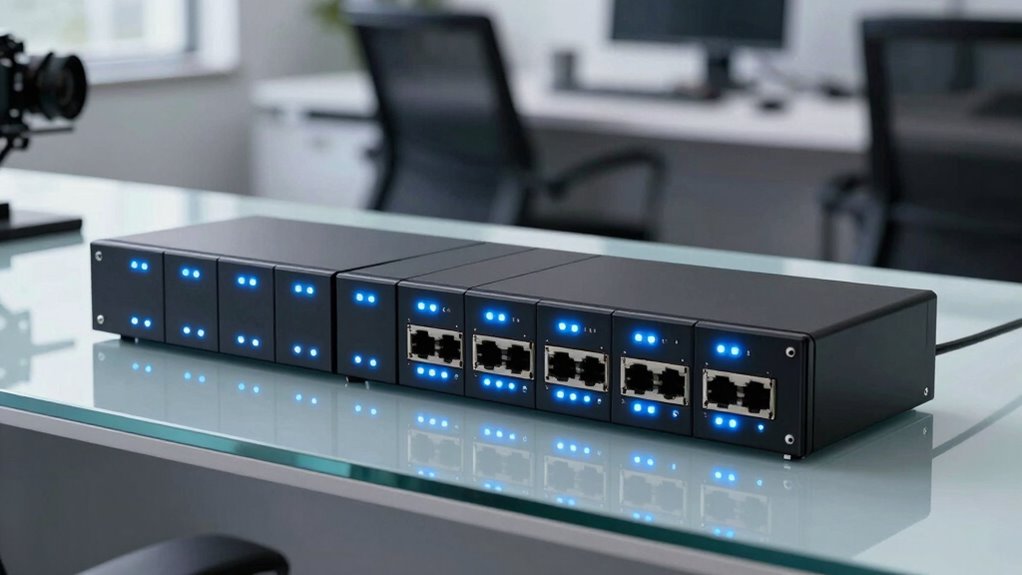

When searching for a silent managed switch for office, the main goal is to find a device that operates quietly without sacrificing network performance or management features. The TP-Link TL-SG105E stands out as the best overall choice, offering reliable performance with minimal noise. For those needing PoE capabilities, the TP-Link TL-SG108PE V3 provides quiet operation alongside power options, but it might be overkill for small setups. The tradeoffs in this category often involve balancing noise levels against features like port count, PoE support, and manageability. Continue reading for a detailed breakdown of the top options to help you pick the best fit for your office environment.

Get privacy and security gear delivered free with Prime
- Fast, free delivery on millions of items
- Prime Video, Amazon Music and more included
- Member-only deals all year
Key Takeaways
- Silent operation is achievable across various port counts, but models with PoE tend to generate more noise due to power components.
- Managed switches with fanless designs remain the quietest, especially in small to medium office setups.
- Higher port switches often introduce more noise and complexity, making simpler models better for quiet environments.
- PoE support adds convenience but can increase noise levels; evaluate your power needs carefully.
- Build quality and thermal design significantly affect noise, with metal enclosures generally better at dissipating heat quietly.
| TP-Link 5-Port Gigabit Ethernet Easy Smart Switch (TL-SG105E) |  | Best Overall for Small Offices Needing Simple Management | Number of Ports: 5 | Compatible Devices: Desktop | Voltage: 220 volts | VIEW ON AMAZON | See Our Full Breakdown |
| TP-Link 8 Port Gigabit Switch – Managed, Plug & Play, Desktop/Wall-Mount, Metal with Shielded Ports |  | Best for Growing Small Networks Needing Flexibility | Number of Ports: 8 | Management: Smart Managed | Mounting Options: Desktop and Wall-Mount | VIEW ON AMAZON | See Our Full Breakdown |
| TP-Link TL-SG208E 8-Port Gigabit Managed Switch with VLAN and Omada Management |  | Best for Small Business and Surveillance Networks | Number of Ports: 8 | Compatible Devices: Camera, Desktop, Laptop, Printer | Upper Temperature Rating: 40 °C | VIEW ON AMAZON | See Our Full Breakdown |
| TP-Link TL-SG1024DE 24-Port Gigabit Easy Smart Managed Ethernet Switch |  | Best for Larger Small Networks Needing Expandability | Number of Ports: 24 | Port Type: Gigabit Ethernet | Management: Smart Managed | VIEW ON AMAZON | See Our Full Breakdown |
| NETGEAR 8-Port Gigabit Ethernet Easy Smart Managed Network Switch (GS108E) |  | Best Compact Silent Switch for Small Business Environments | Ports: 8 | Mounting options: Desktop or wall-mount | Design: Compact metal, fanless | VIEW ON AMAZON | See Our Full Breakdown |
| TP-Link TL-SG108PE V3 8-Port Gigabit PoE Switch, 4 PoE+ Ports, Managed, Fanless, Metal Design |  | Best Overall Silent Managed Switch for Office | Number of Ports: 8 | PoE Ports: 4 PoE+ ports | PoE Power per Port: 15.4W | VIEW ON AMAZON | See Our Full Breakdown |
| NETGEAR 5-Port Gigabit Ethernet Easy Smart Managed Network Switch (GS305E) |  | Best Compact Silent Managed Switch for Small Networks | Number of Ports: 5 | Port Speed: 1.0Gbps | Mounting Options: Desktop or wall-mount | VIEW ON AMAZON | See Our Full Breakdown |
| TP-Link TL-SG1016PE 16-Port Gigabit PoE Switch, 8 PoE+ Ports @150W, Managed, Plug & Play |  | Best High-Capacity PoE Managed Switch for Office | Number of Ports: 16 | PoE Ports: 8 PoE+ ports | PoE Power Budget: 150W | VIEW ON AMAZON | See Our Full Breakdown |
| NETGEAR 8 Port PoE Gigabit Ethernet Easy Smart Managed Switch (GS308EP) |  | Best Flexible PoE Switch for Small Business | Number of Ports: 8 | PoE Ports: 8 PoE+ | Power Budget: 62W | VIEW ON AMAZON | See Our Full Breakdown |
| NETGEAR 8-Port Gigabit Ethernet Easy Smart Managed Network Switch (GS308E) |  | Best Home/Small Office Silent Managed Switch | Number of Ports: 8 | Port Speed: Gigabit Ethernet | Management: Web GUI, Managed | VIEW ON AMAZON | See Our Full Breakdown |
| silent managed switch for office | Number of Ports | Management | Mounting Options |
|---|---|---|---|
| TP-Link 5-Port Gigabit Etherne | 5 | — | — |
| TP-Link 8 Port Gigabit Switch | 8 | Smart Managed | Desktop and Wall-Mount |
| TP-Link TL-SG208E 8-Port Gigab | 8 | — | — |
| TP-Link TL-SG1024DE 24-Port Gi | 24 | Smart Managed | — |
| NETGEAR 8-Port Gigabit Etherne | — | VLAN, QoS, port monitoring | Desktop or wall-mount |
| TP-Link TL-SG108PE V3 8-Port G | 8 | Smart managed | — |
| NETGEAR 5-Port Gigabit Etherne | 5 | — | Desktop or wall-mount |
| TP-Link TL-SG1016PE 16-Port Gi | 16 | Smart managed | — |
| NETGEAR 8 Port PoE Gigabit Eth | 8 | Smart managed | Desktop or wall |
| NETGEAR 8-Port Gigabit Etherne | 8 | Web GUI, Managed | Desktop or Wall |
More Details on Our Top Picks
TP-Link 5-Port Gigabit Ethernet Easy Smart Switch (TL-SG105E)
The TP-Link TL-SG105E stands out as the most balanced option for small office environments. Its straightforward plug-and-play setup simplifies deployment, while features like VLAN and QoS provide essential management without overcomplicating things. Compared to the NETGEAR GS108E, it offers similar management features but with a slightly more durable metal design. The main tradeoff is its limited port count—only 5—which may not suffice for growing teams. Its energy-efficient tech helps cut power costs, making it ideal for small setups, but it’s not suited for larger networks or enterprise-grade needs. This switch makes the most sense for small offices prioritizing ease of use and reliable performance.
Pros:- Easy plug-and-play setup, ideal for quick deployment
- Supports essential network management like VLAN and QoS
- Energy-efficient technology reduces power consumption
- Sturdy metal design enhances durability
Cons:- Limited to small and medium networks due to only 5 ports
- No advanced enterprise management features
- Requires 220V power supply, less adaptable for regions with different voltages
Best for: Small office teams needing reliable, easy-to-manage network expansion
Not ideal for: Larger offices or networks requiring more ports and advanced features
- Number of Ports:5
- Compatible Devices:Desktop
- Voltage:220 volts
- Interface:5 10/100/1000Mbps RJ45 Ports
- Data Transfer Rate:1 gigabit per second
- Warranty:Limited Lifetime Replacement
Our verdict“This switch is perfect for small offices seeking straightforward, silent network management without excess complexity.”
TP-Link 8 Port Gigabit Switch – Managed, Plug & Play, Desktop/Wall-Mount, Metal with Shielded Ports
The TP-Link TL-SG108E balances performance with flexibility, offering 8 ports and a smart managed setup. Its support for VLAN, QoS, and IGMP Snooping makes it suitable for small networks that want more control than the TL-SG105E can provide. Compared with the NETGEAR GS108E, it includes support for link aggregation, which can help optimize bandwidth in busy environments. However, with 8 ports, it’s still limited for larger enterprise networks, and management features might require some familiarity with networking concepts. Its sturdy metal construction and flexible installation options make it a versatile choice for offices that want better performance without complexity. This switch is ideal for those expanding their network and needing a bit more management capability.
Pros:- Supports VLAN, QoS, IGMP Snooping, and Link Aggregation for flexible management
- Plug-and-play setup simplifies installation
- Flexible mounting options for desktop or wall-mount placement
- Durable metal construction enhances longevity
Cons:- Limited to 8 ports, restricting scalability for larger networks
- Management features may be complex for non-technical users
- No PoE support, limiting use with powered devices
Best for: Small to medium-sized offices planning moderate network growth
Not ideal for: Large enterprises or users needing PoE support or very advanced features
- Number of Ports:8
- Management:Smart Managed
- Mounting Options:Desktop and Wall-Mount
- Material:Sturdy Metal
- Supported Features:QoS, VLAN, IGMP, LAG
- VLAN Support:Up to 32 VLANs
Our verdict“This switch suits offices that need a manageable, expandable network with a bit more control than entry-level models offer.”
TP-Link TL-SG208E 8-Port Gigabit Managed Switch with VLAN and Omada Management
The TP-Link TL-SG208E offers advanced management for small business networks, especially those integrating surveillance. Its support for VLAN, IGMP snooping, and loop prevention provides robust control, while Omada SDN integration simplifies centralized management. Compared to the TL-SG108E, it adds centralized control features suitable for surveillance or multi-device setups. Its fanless, silent operation makes it perfect for quiet office environments. A minor drawback is that it’s tailored more toward small business and surveillance use, which might overstate its value for simple office setups. Configuration requires some network knowledge, which could be a barrier for non-technical users. It’s best suited for offices that want enterprise-like control without noise or clutter.
Pros:- Centralized management via Omada SDN Controller and App
- Supports VLAN, IGMP snooping, and loop prevention
- Fanless design ensures silent operation
- Reliable gigabit connectivity with 8 ports
Cons:- More suited for small business or surveillance networks, not basic office needs
- Requires some network knowledge for optimal setup
- No PoE support, limiting device integration
Best for: Small offices with surveillance needs or requiring centralized network management
Not ideal for: Basic home offices or users without network management experience
- Number of Ports:8
- Compatible Devices:Camera, Desktop, Laptop, Printer
- Upper Temperature Rating:40 °C
- Interface:RJ45
- Data Transfer Rate:1 gigabit per second
- Color:Black
Our verdict“This switch fits offices that need silent, centralized management for small-scale, security-focused networks.”
TP-Link TL-SG1024DE 24-Port Gigabit Easy Smart Managed Ethernet Switch
The TP-Link TL-SG1024DE provides a significant port upgrade with 24 gigabit ports, ideal for expanding small to medium networks. Its plug-and-play setup combined with VLAN, QoS, and network diagnostics offers comprehensive management for larger offices. Unlike the 8-port models, it’s designed for environments where more devices need to connect seamlessly. Its sturdy metal chassis ensures durability, though the lack of PoE support limits its use for powered devices. Without a built-in fan, it’s a silent performer but also means it might run hotter under heavy loads. This switch is best for offices needing to connect multiple devices without the complexity of enterprise solutions, but it’s less suited for very large or power-sensitive setups.
Pros:- Supports VLAN, QoS, IGMP, and network diagnostics
- Easy plug-and-play installation
- Sturdy metal design for durability
- Supports jumbo frames for efficient data transfer
Cons:- No PoE support for powered devices
- Limited cooling options, potential heat buildup
- Designed primarily for desktop or rackmount use, with no additional accessories included
Best for: Offices requiring extensive device connectivity with manageable management features
Not ideal for: Very small setups or users needing PoE capabilities for powered devices
- Number of Ports:24
- Port Type:Gigabit Ethernet
- Management:Smart Managed
- Form Factor:Desktop/Rackmount
- Material:Sturdy Metal
- Supported Features:QoS, VLAN, IGMP, LAG
- Jumbo Frame:9K
Our verdict“This switch is tailored for larger small networks that need robust management and high port density without enterprise-level complexity.”
NETGEAR 8-Port Gigabit Ethernet Easy Smart Managed Network Switch (GS108E)
The NETGEAR GS108E emphasizes compactness and silent operation, making it ideal for small businesses where space and noise are concerns. Its fanless, metal design guarantees silent performance, while VLAN, QoS, and port monitoring provide essential management features. Compared to the TP-Link TL-SG108E, it offers a similar feature set but with a more compact form factor and intuitive management interface. Its regional compatibility limitation with U.S. & Canada could be a drawback for international setups. While management features are straightforward, they lack the depth needed for complex networks. This switch makes sense for small offices that want a reliable, silent, and easy-to-manage network device without fussing over advanced configuration.
Pros:- Fanless, silent operation ideal for quiet office environments
- Compact metal design for space-saving installation
- Supports VLAN, QoS, and port monitoring
- Flexible mounting options
Cons:- Limited to regional compatibility in U.S. & Canada
- Basic management features may not suffice for complex networks
- Lacks PoE support for powered devices
Best for: Small offices needing a compact, silent, and easy-to-manage switch
Not ideal for: Larger networks or offices needing advanced management features beyond basics
- Ports:8
- Mounting options:Desktop or wall-mount
- Design:Compact metal, fanless
- Energy efficiency:IEEE 802.3az
- Management:VLAN, QoS, port monitoring
Our verdict“This switch suits small offices prioritizing silence, simplicity, and space efficiency over extensive management features.”
TP-Link TL-SG108PE V3 8-Port Gigabit PoE Switch, 4 PoE+ Ports, Managed, Fanless, Metal Design
This switch stands out for its balanced combination of manageability, robust build, and silent operation, making it ideal for small to medium office environments. Compared with the NETGEAR GS308EP, it offers PoE support on 4 ports, which is suitable for powering phones or cameras, but the total PoE budget of 57W could limit high-power device deployment. Its fanless, metal design ensures silent operation, and VLAN, QoS, and IGMP snooping features provide essential network control. However, it lacks remote management capabilities, which might be a downside for larger or more complex setups. This pick makes the most sense for offices that need reliable, silent PoE switching without extensive remote features.
Pros:- Fanless, silent operation for noise-sensitive spaces
- Supports VLAN, QoS, and IGMP snooping for network control
- Sturdy metal construction for durability
- Easy plug-and-play setup
Cons:- PoE power per port limited to 15.4W, insufficient for high-power devices
- No remote management features
Best for: Small to medium office environments needing PoE with silent operation and basic management
Not ideal for: Large enterprise networks or setups requiring remote management and high PoE power per port
- Number of Ports:8
- PoE Ports:4 PoE+ ports
- PoE Power per Port:15.4W
- Total PoE Budget:57W
- Management:Smart managed
- Design:Sturdy metal, fanless
Our verdict“This switch is perfect for small offices prioritizing silent performance and basic PoE management without remote access needs.”
NETGEAR 5-Port Gigabit Ethernet Easy Smart Managed Network Switch (GS305E)
The NETGEAR GS305E is a compact, fanless switch ideal for small setups, especially where space is limited. It excels in ease of use, with an intuitive management interface that simplifies VLAN and QoS configurations. Compared with the larger TP-Link TL-SG1016PE, it offers fewer ports but is more suitable for small offices or home use, with the benefit of silent energy-efficient operation. Its limited management features, however, may not suffice for expanding networks or those needing advanced controls. This model makes the most sense for users who want a straightforward, quiet network switch for basic management and small-scale deployment.
Pros:- Silent, energy-efficient operation
- Easy to configure with intuitive management interface
- Flexible desktop or wall-mount installation
- Compact size fits small spaces
Cons:- Limited to 5 ports, not future-proof for growth
- Basic management features may be insufficient for complex setups
Best for: Small offices or home networks needing a compact, silent managed switch
Not ideal for: Larger networks or users requiring advanced management features or PoE support
- Number of Ports:5
- Port Speed:1.0Gbps
- Mounting Options:Desktop or wall-mount
- Operation Mode:Fanless, energy-efficient
- Compatibility:U.S. & CA
Our verdict“Ideal for small, noise-sensitive environments needing simple, silent network management.”
TP-Link TL-SG1016PE 16-Port Gigabit PoE Switch, 8 PoE+ Ports @150W, Managed, Plug & Play
This switch makes the most sense for larger offices or environments requiring extensive PoE. Its 16 ports, including 8 PoE+ ports supporting up to 150W total, offer ample capacity for powering multiple devices like cameras, phones, or access points. Compared with the NETGEAR GS308EP, it provides more ports and higher total PoE power, but management complexity increases, which might challenge beginners. Its plug-and-play setup simplifies deployment, yet users should be aware of its limited PoE power per port, which may restrict high-power device support. This switch suits offices needing high port density and PoE flexibility without advanced routing features.
Pros:- Supports VLAN and QoS for secure, high-quality traffic
- Easy setup with plug-and-play design
- Supports automatic PoE device recovery
- High port count for expanding networks
Cons:- Limited PoE power per port for high-power devices
- Management features can be complex for novices
Best for: Medium to large offices needing extensive PoE support and high port density
Not ideal for: Small offices or users seeking simple, unmanaged switches
- Number of Ports:16
- PoE Ports:8 PoE+ ports
- PoE Power Budget:150W
- Speed:Gigabit Ethernet
- Management:Smart managed
- Plug and Play:Yes
Our verdict“Best suited for offices with substantial PoE needs and a requirement for many ports, despite management complexity.”
NETGEAR 8 Port PoE Gigabit Ethernet Easy Smart Managed Switch (GS308EP)
The NETGEAR GS308EP offers a compact, silent solution for small businesses needing PoE on all ports. Its 8 PoE+ ports with a 62W budget support small-scale deployment of IP cameras, phones, or access points. Compared to the GS308E, it provides PoE support across all ports, which enhances flexibility but limits total power. Its energy-efficient, fanless design guarantees silent operation, while VLAN, QoS, and port monitoring features provide essential management tools. However, it’s best suited for small networks with modest PoE requirements, as it lacks advanced Layer 3 features. This switch works well for small business environments that prioritize silence, ease, and PoE flexibility.
Pros:- Fanless, silent operation
- PoE support on all 8 ports
- Supports VLAN, QoS, port monitoring
- Flexible desktop or wall mounting
Cons:- Limited total PoE power of 62W for high-power devices
- No advanced Layer 3 routing features
Best for: Small businesses needing PoE on all ports with silent operation
Not ideal for: Larger networks or setups with high PoE power demands
- Number of Ports:8
- PoE Ports:8 PoE+
- Power Budget:62W
- Data Transfer Rate:16Gbps
- Management:Smart managed
- Mounting Options:Desktop or wall
Our verdict“Ideal for small businesses prioritizing silent, flexible PoE deployment on all ports without complex management needs.”
NETGEAR 8-Port Gigabit Ethernet Easy Smart Managed Network Switch (GS308E)
The NETGEAR GS308E stands out as a solid choice for home or small office setups, combining simple web management with a silent, durable metal case. Its 8 ports support VLAN, QoS, and security features suitable for managing traffic efficiently. Compared with the GS308EP, it lacks PoE support but offers straightforward plug-and-play setup that appeals to non-technical users. Its fanless design ensures silent operation, and the support for up to 64 VLANs adds network segmentation options. The main limitation is its port count, making it less suitable for larger networks. This model makes sense for users who want a reliable, silent, manageable switch at home or in small offices with no PoE needs.
Pros:- Silent, fanless design
- Easy web-based management
- Supports VLANs and QoS for traffic control
- Durable metal housing
Cons:- No PoE support
- Limited to 8 ports, not scalable for larger needs
Best for: Home users or small offices needing simple, silent, manageable switching
Not ideal for: Offices requiring PoE or high port density
- Number of Ports:8
- Port Speed:Gigabit Ethernet
- Management:Web GUI, Managed
- VLAN Support:Up to 64 VLANs
- Operation Mode:Fanless, silent
- Mounting Options:Desktop or Wall
Our verdict“This switch is perfect for home or small office users seeking a silent, straightforward managed switch without PoE requirements.”
How We Picked
These switches were evaluated based on a combination of noise levels, build quality, and management features. Priority was given to fanless designs, as fans are the primary source of noise, especially in office environments where silence is key. We also considered port count, PoE support, and ease of use, ensuring the options suit a range of office sizes and technical expertise. The ranking reflects a balance between performance, noise levels, and value, with the top picks offering the best combination of silent operation and reliable network management.
| silent managed switch for office | Management | Mounting Options |
|---|---|---|
| TP-Link 5-Port Gigabit Etherne | — | — |
| TP-Link 8 Port Gigabit Switch | Smart Managed | Desktop and Wall-Mount |
| TP-Link TL-SG208E 8-Port Gigab | — | — |
| TP-Link TL-SG1024DE 24-Port Gi | Smart Managed | — |
| NETGEAR 8-Port Gigabit Etherne | VLAN, QoS, port monitoring | Desktop or wall-mount |
| TP-Link TL-SG108PE V3 8-Port G | Smart managed | — |
| NETGEAR 5-Port Gigabit Etherne | — | Desktop or wall-mount |
| TP-Link TL-SG1016PE 16-Port Gi | Smart managed | — |
| NETGEAR 8 Port PoE Gigabit Eth | Smart managed | Desktop or wall |
| NETGEAR 8-Port Gigabit Etherne | Web GUI, Managed | Desktop or Wall |
Factors to Consider When Choosing Silent Managed Switch For Office
Selecting the right silent managed switch involves understanding several key factors that impact both performance and noise. Beyond basic features, many buyers overlook thermal design and build quality, which directly influence operating noise. Carefully consider your office size, network needs, and whether PoE is necessary, as these influence both functionality and quietness. Making the wrong choice can lead to increased noise, higher costs, or inadequate network performance, so weighing these factors carefully ensures your investment is well-spent.
Noise Levels and Fanless Designs
In quiet office settings, fan noise can be disruptive, making fanless models highly desirable. Fanless switches rely on passive cooling, which requires good thermal design and sufficient heat dissipation. While these models tend to be less powerful in terms of cooling capacity, they are perfect for small-to-medium office environments that do not generate excessive heat. Be cautious, however, as poorly designed fanless switches might overheat, leading to performance issues or reduced lifespan.
Port Count and Network Complexity
The number of ports you need directly impacts your choice. Smaller offices typically do well with 5 to 8 ports, which are easier to keep quiet and manage. Larger switches with 16 or more ports tend to produce more heat and noise, often requiring active cooling solutions. Consider future growth and whether a switch with more ports might be worth the higher noise and complexity, or if a smaller, simpler model will meet your current needs without unnecessary noise.
PoE Support and Power Needs
Power over Ethernet (PoE) adds convenience by powering devices directly through network cables, but it can increase the switch’s noise due to additional power components. For offices with PoE devices like VoIP phones or security cameras, a PoE-capable switch is essential. However, if PoE isn’t needed, opting for a non-PoE model can reduce complexity and noise. Always balance your power requirements with your noise and thermal management needs.
Build Quality and Thermal Management
Switches with a sturdy metal enclosure typically dissipate heat more efficiently and operate more quietly. Cheaper plastic models might overheat, especially if they have many ports or PoE capabilities, leading to fan activation or thermal throttling. Investing in well-built models ensures quieter operation and longer device lifespan, especially in environments where noise reduction is a priority.
Ease of Management and Future Scalability
Managed switches offer advantages like VLANs and network monitoring, but they vary in complexity. For small offices or users unfamiliar with network management, plug-and-play or simple web interfaces are preferable to avoid noise from active cooling or hardware conflicts. For larger setups, investing in a switch with more advanced management features and scalability options justifies potential tradeoffs in noise and complexity.
Frequently Asked Questions
Can a fanless switch handle high network traffic in an office?
Fanless switches are designed primarily for low to moderate network loads where heat generation is minimal. In environments with high traffic or multiple PoE devices, passive cooling might not suffice, risking overheating and performance degradation. For such scenarios, a switch with a fan or better thermal design is advisable, even if it produces some noise. Carefully assess your network load before choosing a fanless model for high-traffic offices.
Is PoE support worth it if I want a silent switch?
PoE support offers great convenience for powering devices directly through Ethernet cables, reducing clutter and the need for additional power adapters. However, PoE components generate extra heat, which can lead to increased noise from active cooling if the switch isn’t passively cooled. If your office devices require PoE, look for models with good thermal design and possibly fanless PoE options. Otherwise, non-PoE switches tend to operate more quietly.
How important is build quality for noise reduction?
Build quality significantly impacts a switch’s thermal management and noise levels. Metal enclosures are generally better at dissipating heat quietly compared to plastic ones, which can trap heat and cause fans to activate or components to overheat. Investing in a well-constructed switch ensures quieter operation and greater longevity, especially in environments where silence is a priority.
Should I prioritize managed or unmanaged switches for a quiet office?
Managed switches offer more control, security, and scalability, which can be essential for growing offices. However, managed models often include active components that generate noise, especially if they have fans. For small or less complex setups, unmanaged or simple managed switches with fanless designs tend to be quieter and easier to maintain. Consider your network needs alongside noise preferences to choose appropriately.
What is the main tradeoff when choosing a silent switch with many ports?
Switches with a high number of ports often require more power and thermal management, which can lead to increased noise and heat. Passive cooling becomes more challenging as device complexity and heat output rise, sometimes necessitating active cooling solutions that generate noise. If silence is a priority, limiting port count to what’s necessary can help maintain a quieter environment without sacrificing performance.
Conclusion
For small offices or environments where silence is essential, the TP-Link TL-SG105E makes an excellent overall choice, combining quiet operation with reliable management features. If you need PoE support and a quiet setup, the TP-Link TL-SG108PE V3 offers a strong balance of power and silence, though it’s best suited for offices with PoE needs. Larger or more complex networks might justify investing in higher-port, managed switches like the TP-Link TL-SG1024DE, but be prepared for increased noise. Beginners should look for simple, fanless models, while tech-savvy users might prioritize advanced features and scalability. Ultimately, your choice hinges on balancing performance, noise, and future growth expectations.