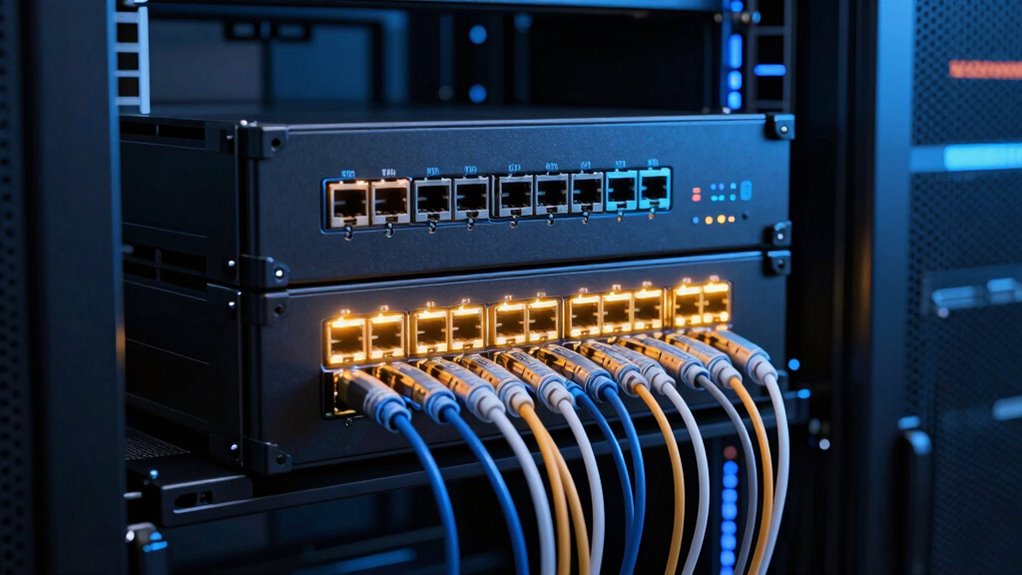
Buying a 100GbE switch in 2026 means deciding what kind of network you are actually building, because these four options serve very different masters. If you want the cleanest blend of 100GbE uplinks and 25GbE server ports under a friendly web interface, the QNAP QSW-M7308R-4X is the pick I would point most people toward. If you need raw port density for a data-center rack, the renewed Cisco Nexus N9K-C9236C delivers 36 QSFP28 ports at a fraction of new-hardware cost. And if your priority is an open, scriptable fabric, the two Mellanox SN2010 variants bring ONIE boot, Cumulus Linux support, and splittable 100GbE ports in a compact half-width chassis.

Get privacy and security gear delivered free with Prime
- Fast, free delivery on millions of items
- Prime Video, Amazon Music and more included
- Member-only deals all year
The core tradeoffs in this category come down to port count versus management style, new hardware versus renewed, and whether you want a browser GUI or a full Layer 3 operating system you configure from a terminal. None of these switches does everything, and I have ordered them below by how well each one balances capability against what a real buyer will realistically run into.
Key Takeaways
- The QNAP QSW-M7308R-4X offers the best balance of 100GbE uplinks, 25GbE server ports, and a web GUI that non-network-engineers can actually operate.
- The renewed Cisco Nexus N9K-C9236C wins on raw 100GbE port density with 36 QSFP ports, but the 90-day warranty and renewed condition shift the risk onto the buyer.
- The two Mellanox SN2010 models are nearly identical hardware, but the CB2F variant supports ONIE, Cumulus Linux, and dual power supplies, making it the better open-networking choice.
- Splittable 100GbE ports on the SN2010 let one QSFP28 port serve multiple 25GbE devices, which stretches a small port budget considerably.
- These are specialized switches: every option here is overkill for a standard home network, so match the switch to your actual server or storage fleet.
| QNAP QSW-M7308R-4X-US 12-Port Layer 2 Managed Switch |  | Best Overall | Model: QSW-M7308R-4X-US | Ports: 4 x 100GbE QSFP28, 8 x 25GbE SFP28 | Non-blocking throughput: 600 Gbps | VIEW ON AMAZON | See Our Full Breakdown |
| Cisco Nexus N9K-C9236C 36-Port QSFP 100GbE Layer 3 Switch (Renewed) |  | Best for Data Center Density | Brand: Cisco | Model: N9K-C9236C | Ports: 36 x QSFP 100GbE | VIEW ON AMAZON | See Our Full Breakdown |
| Mellanox SN2010 10/25GbE and 40/100GbE Managed Ethernet Switch |  | Best for Converged Storage Fabrics | Model: SN2010 (MSN2010-CB2R) | Ports: 18 x 10/25GbE, 4 x splittable 40/100GbE | Switch type: Managed | VIEW ON AMAZON | See Our Full Breakdown |
| NVIDIA Mellanox MSN2010-CB2F Spectrum 25GbE/100GbE Ethernet Switch, 18 SFP28 + 4 QSFP28 Ports, 1U |  | Best for Open Networking | Model: MSN2010-CB2F (SN2010) | Ports: 18 x SFP28 (10/25GbE), 4 x QSFP28 (40/100GbE, splittable) | Switch type: Layer 3 managed | VIEW ON AMAZON | See Our Full Breakdown |
| 100gbe switch | Model | Ports | Form factor | Switch type |
|---|---|---|---|---|
| QNAP QSW-M7308R-4X-US 12-Port | QSW-M7308R-4X-US | 4 x 100GbE QSFP28, 8 x 25GbE SFP28 | Half-width rackmount | — |
| Cisco Nexus N9K-C9236C 36-Port | N9K-C9236C | 36 x QSFP 100GbE | — | Fixed, managed, Layer 3 |
| Mellanox SN2010 10/25GbE and 4 | SN2010 (MSN2010-CB2R) | 18 x 10/25GbE, 4 x splittable 40/100GbE | 1U top-of-rack | Managed |
| NVIDIA Mellanox MSN2010-CB2F S | MSN2010-CB2F (SN2010) | 18 x SFP28 (10/25GbE), 4 x QSFP28 (40/100GbE, splittable) | 1U half-width, short depth, P2C airflow | Layer 3 managed |
More Details on Our Top Picks
QNAP QSW-M7308R-4X-US 12-Port Layer 2 Managed Switch
This option stands out for solving the most common 100GbE buyer problem: you rarely need many 100GbE ports, but you almost always need several fast downstream links. The four QSFP28 ports handle uplinks or a couple of hyper-fast hosts, while the eight SFP28 ports at 25GbE feed servers and workstations at a speed that matches what modern NICs actually support. The 600 Gbps non-blocking throughput means every port can run flat out simultaneously without oversubscription.
What separates this model from the Cisco and Mellanox entries is accessibility. QNAP’s QSS web GUI handles LACP, VLANs, ACLs, and LLDP through a browser, which matters if you do not want to learn an enterprise CLI. Compared with the Cisco Nexus, you give up Layer 3 routing and enormous port density, but most buyers building a storage or virtualization backbone will never miss them. The tradeoff is real, though: this is a Layer 2 switch, so if your design depends on inter-VLAN routing on the switch itself, this pick makes less sense for you.
Pros:- Balanced mix of four 100GbE QSFP28 and eight 25GbE SFP28 ports
- Web GUI makes Layer 2 configuration approachable for non-engineers
- 600 Gbps non-blocking throughput with no oversubscription
- FEC and IEEE 802.3ap auto-negotiation improve compatibility with mixed NIC vendors
Cons:- Layer 2 only, with no routing capability on the switch
- Only four 100GbE ports limits pure high-speed topologies
- Requires matching 25/100GbE NICs and cabling to justify its capacity
Best for: Homelab builders, small clusters, and storage networks that want 100GbE uplinks with 25GbE server ports under an easy web interface
Not ideal for: Buyers who need Layer 3 routing on-switch or more than four 100GbE ports
- Model:QSW-M7308R-4X-US
- Ports:4 x 100GbE QSFP28, 8 x 25GbE SFP28
- Non-blocking throughput:600 Gbps
- Switching capacity:1200 Gbps
- Management:Layer 2, QNAP QSS web GUI
- Key features:LACP, VLAN, ACL, LLDP, FEC, 802.3ap auto-negotiation
- Form factor:Half-width rackmount
Our verdict“The most sensible all-around 100GbE entry point for anyone who wants serious speed without an enterprise networking certification.”
Cisco Nexus N9K-C9236C 36-Port QSFP 100GbE Layer 3 Switch (Renewed)
When port count is the whole game, this model plays it alone: 36 QSFP100 ports means you can build a spine, a leaf, or a full server-fabric backbone on a single box. This is a true Layer 3 managed switch from Cisco’s Nexus data-center line, so it handles routing protocols, VXLAN, and the kind of features that the Layer 2 QNAP simply cannot touch. For a growing lab or a small business rack that will keep filling with 100GbE-capable hardware, the headroom here is unmatched by anything else in this lineup.
The catch is spelled out plainly in the listing: this is a renewed unit with a 90-day limited warranty. Compared with the NVIDIA Mellanox CB2F’s one-year manufacturer coverage, you are accepting more risk in exchange for dramatically more ports per dollar. It is also a deep, power-hungry, fan-loud enterprise chassis, which makes it a poor fit next to a desk. This pick makes the most sense for a buyer who already knows NX-OS or has a concrete need for dozens of 100GbE links, not someone upgrading from a gigabit unmanaged switch.
Pros:- 36 QSFP ports of 100GbE on a single chassis
- Full Layer 3 managed switching with Cisco Nexus feature depth
- Substantial cost savings compared with new equivalent hardware
- Rugged metal enterprise build for server, storage, and workstation fabrics
Cons:- Renewed condition with only a 90-day limited warranty
- Large, loud, and power-hungry for anything outside a proper rack
- Steep configuration learning curve compared with QNAP’s web GUI
Best for: Data-center operators and advanced labs needing maximum 100GbE port density and Layer 3 routing on a budget
Not ideal for: Quiet office environments and buyers who want new hardware with long warranty coverage
- Brand:Cisco
- Model:N9K-C9236C
- Ports:36 x QSFP 100GbE
- Data transfer rate:100 Gbps per port
- Switch type:Fixed, managed, Layer 3
- Condition:Renewed
- Warranty:90 days limited
- Case:Metal
Our verdict“Unbeatable 100GbE density per dollar if you accept renewed-condition risk and enterprise-level complexity.”
Mellanox SN2010 10/25GbE and 40/100GbE Managed Ethernet Switch
The SN2010 takes a different shape from everything else here: instead of maximizing 100GbE ports, it pairs 18 ports of 10/25GbE with four splittable 40/100GbE ports. That split is genuinely useful, because each QSFP port can be broken out into multiple lower-speed links, letting a small box serve many hosts from few high-speed ports. Designed as a top-of-rack switch for converged and storage deployments, it fits scenarios like a Ceph or NFS cluster where lots of nodes talk fast but only a few links need to hit 100GbE.
Compared with the QNAP, you trade the friendly GUI and eight native 25GbE ports for a more storage-fabric-oriented architecture and Mellanox’s data-center pedigree. Compared with the nearly identical NVIDIA CB2F variant below, this listing carries less clarity around OS support and power redundancy, which matters if you plan to run Cumulus Linux or need dual supplies. It is the better fit when you find it at the right price for a pure East-West storage network, but read the seller details carefully before committing.
Pros:- 18 x 10/25GbE ports plus 4 splittable 40/100GbE ports
- Purpose-built for top-of-rack, converged, and storage networking
- Up to 1.7 TB/s aggregate throughput headroom
- Breakout flexibility stretches a small port budget across many devices
Cons:- Only four 100GbE-capable ports for high-speed uplinks
- OS support and configuration details vary by seller listing
- Enterprise hardware may be overkill for general small-office networking
Best for: Storage clusters and converged deployments needing many 25GbE node links with a few 100GbE uplinks
Not ideal for: Buyers who want a polished web GUI or guaranteed ONIE/Linux support out of the box
- Model:SN2010 (MSN2010-CB2R)
- Ports:18 x 10/25GbE, 4 x splittable 40/100GbE
- Switch type:Managed
- Interfaces:SFP28, QSFP28
- Aggregate throughput:Up to 1.7 TB/s
- Form factor:1U top-of-rack
- Case:Metal, 12.2 lb
Our verdict“A focused storage-fabric workhorse whose breakout ports punch far above its compact footprint.”
NVIDIA Mellanox MSN2010-CB2F Spectrum 25GbE/100GbE Ethernet Switch, 18 SFP28 + 4 QSFP28 Ports, 1U
This is the SN2010 as it was meant to be run. The CB2F variant is an ONIE-bootable open switch, which means you install the network OS of your choice: Cumulus Linux, Onyx, or an open-source alternative. For anyone who wants to automate the network with Ansible or treat the switch like any other Linux host, this is the option that makes the most sense. The hardware matches its sibling — 18 SFP28 ports, four splittable QSFP28 ports, 1.7 Tb/s aggregate throughput — but the dual built-in AC power supplies and one-year manufacturer warranty give it a clear reliability edge over both the renewed Cisco and the other SN2010 listing.
The half-width, short-depth 1U chassis with modest power draw also makes this the easiest enterprise-grade option here to physically place, whether paired in a rack or tucked into a deep shelf. The tradeoffs mirror its sibling: only four 100GbE-capable ports, and it remains specialized data-center hardware. Compared with the QNAP, you give up the approachable GUI in favor of terminal-driven control, so the right choice between them is really a question of who administers the network and how.
Pros:- ONIE-bootable with support for Cumulus Linux, Onyx, and open-source OSes
- Dual built-in AC power supplies plus a one-year manufacturer warranty
- Compact half-width, short-depth 1U design with low power consumption
- Layer 3 switching with low-latency line-rate performance at all packet sizes
Cons:- Only four QSFP28 ports for 100GbE connectivity
- Requires CLI and Linux familiarity to take full advantage
- Overkill for general home or small-office networking
Best for: Network engineers and automation-focused builders who want an ONIE platform with Linux-based network OS freedom
Not ideal for: Casual users wanting plug-and-play setup or more than four high-speed uplinks
- Model:MSN2010-CB2F (SN2010)
- Ports:18 x SFP28 (10/25GbE), 4 x QSFP28 (40/100GbE, splittable)
- Switch type:Layer 3 managed
- Throughput:Up to 1.7 Tb/s
- OS support:Onyx, Cumulus Linux, ONIE, open-source
- Power supplies:2x AC built-in
- Form factor:1U half-width, short depth, P2C airflow
- Warranty:1 year manufacturer
Our verdict“The best open-networking platform here, rewarding skilled operators with OS freedom and dual-supply reliability in a tiny chassis.”

How We Picked
Because 100GbE hardware is expensive and unforgiving, I judged these four switches on the criteria that actually decide a purchase at this tier. Port mix and flexibility came first: a switch with four 100GbE ports plus many 25GbE ports serves a homelab or small cluster very differently than a 36-port 100GbE monster, and I weighted each model against the workloads it targets rather than against each other indiscriminately.
Management ecosystem was the second filter. QNAP’s QSS web GUI, Cisco’s NX-OS heritage, and Mellanox’s ONIE-based openness appeal to entirely different skill levels, so I factored in who can realistically run each platform day to day. Third, I weighed throughput claims against realistic use, since aggregate capacity numbers only matter when the port layout lets you use them. Finally, I considered condition, warranty, and physical requirements, because a renewed enterprise switch with a 90-day warranty and loud fans is a genuine risk that a buyer deserves to understand before clicking buy.
| 100gbe switch | Model | Switch type | Case |
|---|---|---|---|
| QNAP QSW-M7308R-4X-US 12-Port | QSW-M7308R-4X-US | — | — |
| Cisco Nexus N9K-C9236C 36-Port | N9K-C9236C | Fixed, managed, Layer 3 | Metal |
| Mellanox SN2010 10/25GbE and 4 | SN2010 (MSN2010-CB2R) | Managed | Metal, 12.2 lb |
| NVIDIA Mellanox MSN2010-CB2F S | MSN2010-CB2F (SN2010) | Layer 3 managed | — |
Factors to Consider When Choosing 100gbe Switch
Choosing a 100GbE switch comes down to four questions, and answering them honestly will narrow this lineup to a single pick quickly.Port Layout Matters More Than Port Count
A 36-port 100GbE switch sounds superior until you realize most of your machines top out at 25GbE. Match the mix to your fleet: QSFP28-heavy switches suit uplink-heavy or fabric designs, while SFP28-heavy models like the SN2010 pair better with many modest hosts. Breakout support on splittable QSFP ports adds a middle path, converting one 100GbE port into several 25GbE links.
Layer 2 Versus Layer 3
If your switch just moves frames between VLANs, Layer 2 is enough and the QNAP’s simpler management is a genuine advantage. If the switch must route between subnets or participate in a routed fabric, you need the Layer 3 capability of the Cisco Nexus or the NVIDIA SN2010. Buying Layer 3 you will not use adds complexity with no payoff.
Operating System and Management Style
QNAP’s web GUI, Cisco’s NX-OS, and ONIE-based Linux each demand different skills. Be honest about who will administer the box: a GUI-driven switch an enthusiast can maintain often beats a more powerful CLI switch that sits half-configured. ONIE openness is only a benefit if someone on your team wants it.
Condition, Warranty, and Environment
Renewed enterprise gear carries real risk, and a 90-day warranty on a complex chassis leaves little cushion if a power supply or ASIC fails. Also weigh noise, depth, and power draw: the short half-width SN2010 chassis fits places the deep Cisco Nexus simply cannot. Physical fit is as much a buying criterion as throughput.
Frequently Asked Questions
Do I actually need a 100GbE switch, or is 25GbE enough?
Most individual machines cannot saturate a 100GbE link, so the real case for 100GbE is aggregation: a storage server, a virtualization host, or an uplink that carries traffic from many 25GbE endpoints at once. If your heaviest device has a 25GbE NIC and your traffic patterns are point-to-point, a 25GbE-focused switch like the SN2010’s eighteen SFP28 ports will serve you at lower cost and complexity. I would reserve true 100GbE density, like the Cisco’s 36 ports, for fabrics where multiple high-speed flows genuinely converge.
What does ‘splittable’ or ‘breakout’ mean on a 100GbE port?
A splittable QSFP28 port can be divided with a breakout cable into multiple lower-speed links, typically four 25GbE connections from a single 100GbE port. This is why the SN2010’s four QSFP28 ports can serve far more than four devices. For a homelab or small cluster, breakout is one of the most cost-effective tricks in high-speed networking, because 25GbE optics and DACs are dramatically cheaper per link than 100GbE ones, and you keep the option to run full 100GbE on any port you leave unsplit.
Is buying a renewed enterprise switch like the Cisco Nexus a good idea?
It can be, if you go in with clear eyes. The appeal is enormous capability per dollar, and data-center hardware is built to run for a decade or more. The risks are the short 90-day warranty, the possibility of worn fans or power supplies, and no recourse if the unit fails in month seven. I would only recommend renewed enterprise gear to buyers who can test it thoroughly on arrival, have spares or a fallback plan, and are comfortable with enterprise configuration. Everyone else should favor new hardware like the QNAP or the NVIDIA switch with fuller manufacturer coverage.
What is ONIE and why does it matter on a switch?
ONIE, the Open Network Install Environment, is a small bootloader that lets you install your choice of network operating system on bare-metal switch hardware, rather than being locked to whatever OS the vendor shipped. On the NVIDIA SN2010 CB2F, that means you can run Cumulus Linux, Onyx, or open-source alternatives. This matters if you want to automate configuration, integrate the switch into existing tooling, or avoid vendor lock-in. If you would rather log into a web page and click through settings, ONIE is a feature you will never touch, and the QNAP is the better fit.
What cables and optics do I need for a 100GbE setup?
For short runs inside a rack, QSFP28 DAC cables are the cheapest and most reliable option, typically fine up to about three meters. Longer runs require QSFP28 transceivers with fiber, either single-mode for distance or multimode for within a room, and matching optics on both ends. Costs add up quickly, so budget for cabling before buying the switch: four 100GbE fiber links can cost more than a modest 25GbE switch. Also confirm airflow direction and connector types, since mismatched optics or blocked ventilation cause failures that look like switch problems.
Conclusion
After comparing all four, my recommendations split cleanly by buyer type. For the homelab builder or small-cluster operator who wants 100GbE speed with a manageable learning curve, the QNAP QSW-M7308R-4X is the clear choice — the port mix matches how real small networks grow, and the web GUI keeps day-to-day administration sane. For the network engineer building out serious density, the renewed Cisco Nexus N9K-C9236C delivers Layer 3 capability and 36 100GbE ports that nothing else here approaches, provided the renewed condition and 90-day warranty fit your risk tolerance.
The storage-fabric builder running a clustered filesystem with many 25GbE nodes gets the best value from the Mellanox SN2010, whose breakout ports stretch a small switch across a whole cluster. And for the automation-minded operator who wants OS freedom, dual power supplies, and a compact chassis, the NVIDIA SN2010 CB2F is the strongest open-networking platform in this lineup. Whatever you pick, let the port layout and your own management skills make the decision — at this speed tier, the wrong switch is not slow, it is simply unusable.
Halloween Picks
halloween
As an affiliate, we earn on qualifying purchases.