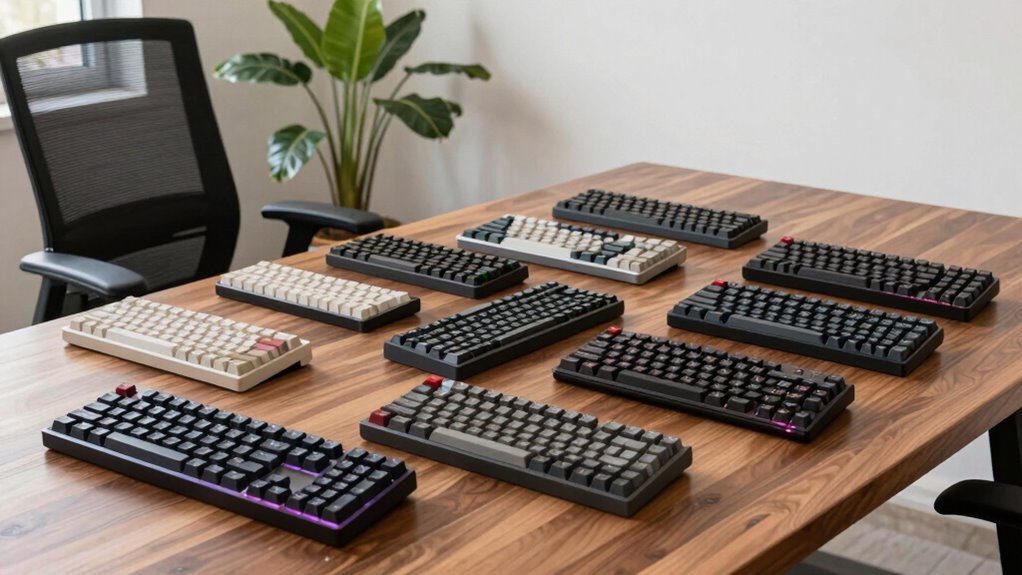

Finding a quiet mechanical keyboard for office work can be challenging, as many models prioritize gaming features or flashy designs over noise reduction. The best choices balance quiet operation with reliable performance, so you can type comfortably without disturbing colleagues. The Logitech MX Mechanical Wireless stands out for its seamless integration and solid build, making it the top overall pick. Meanwhile, the Cherry KC 200 offers excellent silence with its red switches, ideal for focused work. The main tradeoffs involve balancing noise levels, typing feel, and connectivity options—more budget-friendly models may compromise on build quality, while premium choices tend to be more expensive. Keep reading for a detailed breakdown of the best quiet mechanical keyboards for your office setup.

Get privacy and security gear delivered free with Prime
- Fast, free delivery on millions of items
- Prime Video, Amazon Music and more included
- Member-only deals all year
Key Takeaways
- Wireless options like the Logitech MX Mechanical offer greater flexibility but may come at a premium price.
- Silent red switches are the most common choice for noise reduction without sacrificing typing feel.
- Full-size keyboards with dedicated numeric keypads tend to be larger but improve workflow for data entry tasks.
- Hot-swappable switches provide customization but often increase initial cost.
- Build quality and key stability vary significantly, impacting long-term durability and user experience.
| Logitech MX Mechanical Wireless Illuminated Performance Keyboard |  | Best Overall for Versatile Quiet Office Use | Switch Type: Tactile Quiet switches | Backlit Keys: Yes, auto-adjusting | Connectivity: Bluetooth, USB-C, Logi Bolt receiver | VIEW ON AMAZON | See Our Full Breakdown |
| Cherry KC 200 MX Wired Mechanical Office Keyboard with Silent Red Switches |  | Best Value for Quiet, Durable Wired Performance | Switch Type: Cherry MX2A Silent Red | Connection: USB-A | Material: Anodized aluminum surface | VIEW ON AMAZON | See Our Full Breakdown |
| Redragon K668 108-Key Hot-Swap Wired RGB Gaming Keyboard with Extra Hotkeys |  | Best for Customization and Gaming-Inspired Quiet Office Use | Number of Keys: 108 | Hotkeys: 4 extra hotkeys for mute, calculator, screen lock, desktop | Switch Compatibility: 3-pin and 5-pin hot-swappable sockets | VIEW ON AMAZON | See Our Full Breakdown |
| Cherry Stream Wired Slim Whisper Quiet Keyboard with Numeric Keypad |  | Best Slim, Quiet, Wired Keyboard for Office and Home | Connectivity: Wired USB-A | Switch Type: CHERRY SX Scissor Switches | Design: Slim, Black | VIEW ON AMAZON | See Our Full Breakdown |
| AULA F99 Wireless Mechanical Keyboard, Tri-Mode BT5.0/2.4GHz/USB-C, Hot Swappable, RGB Backlit, 96% Layout for PC/Tablet/Console |  | Best for Multi-Device, Versatile Quiet Office and Gaming Hybrid | Connection Modes: BT5.0, 2.4GHz, USB-C | Number of Devices Supported: Up to 5 | Switch Type: Pre-lubed linear, hot-swappable | VIEW ON AMAZON | See Our Full Breakdown |
| AUSDOM Wireless Mechanical Silent Office Keyboard with Low-Profile Linear Switches and Backlit Illumination |  | Best Overall for Wireless Quiet Office Use | Switch Type: Low-profile Silent Linear Switches | Connectivity: Bluetooth 5.0, 2.4GHz wireless, USB-C wired | Number of Devices: Up to 5 | VIEW ON AMAZON | See Our Full Breakdown |
| X9 Slim Mechanical Keyboard Wireless – Low Profile Red Switches, Triple Mode (Bluetooth + 2.4GHz + USB), Full Size 107-Key with Number Pad, Backlit, Rechargeable |  | Best for Versatile, Laptop-Feel Mechanical Typing | Switch Type: Red, low profile | Connection Modes: Bluetooth, 2.4GHz wireless, USB | Number of Keys: 107 | VIEW ON AMAZON | See Our Full Breakdown |
| Keychron K8 Wireless Mechanical Keyboard – Silent Red Switch, TKL 87 Keys, White LED Backlight, Bluetooth & USB-C Wired, Mac & Windows Compatible |  | Best Compact Wireless TKL for Quiet Office Environments | Layout: Tenkeyless (TKL) 87 Keys | Switch Type: Silent Red | Backlight: White LED | VIEW ON AMAZON | See Our Full Breakdown |
| SOLAKAKA KI99 Pro Wireless Mechanical Keyboard with RGB Backlit and Hot Swappable Switches |  | Best for Customization and Compact Office Gaming | Connection Modes: Bluetooth 5.0, 2.4G, Type-C | Battery Capacity: 10,000mAh | Layout: 96% | VIEW ON AMAZON | See Our Full Breakdown |
| Logitech MX Mechanical Full-Size Wireless Mechanical Keyboard |  | Best for Seamless Multi-Device Office Efficiency | Switch Type: Tactile Quiet | Backlit Keys: Yes, auto-adjusting | Connectivity: Bluetooth LE, USB-C, Logi Bolt | VIEW ON AMAZON | See Our Full Breakdown |
| quiet mechanical keyboard for office | Switch Type | Connectivity |
|---|---|---|
| Logitech MX Mechanical Wireles | Tactile Quiet switches | Bluetooth, USB-C, Logi Bolt receiver |
| Cherry KC 200 MX Wired Mechani | Cherry MX2A Silent Red | — |
| Redragon K668 108-Key Hot-Swap | — | — |
| Cherry Stream Wired Slim Whisp | CHERRY SX Scissor Switches | Wired USB-A |
| AULA F99 Wireless Mechanical K | Pre-lubed linear, hot-swappable | — |
| AUSDOM Wireless Mechanical Sil | Low-profile Silent Linear Switches | Bluetooth 5.0, 2.4GHz wireless, USB-C wired |
| X9 Slim Mechanical Keyboard Wi | Red, low profile | — |
| Keychron K8 Wireless Mechanica | Silent Red | Bluetooth 5.1, USB-C wired |
| SOLAKAKA KI99 Pro Wireless Mec | Silent, hot-swappable | — |
| Logitech MX Mechanical Full-Si | Tactile Quiet | Bluetooth LE, USB-C, Logi Bolt |
More Details on Our Top Picks
Logitech MX Mechanical Wireless Illuminated Performance Keyboard
The Logitech MX Mechanical stands out for its seamless multi-device pairing and automatic backlit keys that adapt to lighting conditions, making it a strong choice for professionals juggling multiple systems. Its tactile quiet switches provide a smooth, responsive feel, though the premium price tag may deter budget-conscious buyers. Compared with the Cherry KC 200, it offers wireless convenience and multi-OS support but sacrifices some durability and raw build quality. This model is ideal for users who need flexibility across devices without compromising on quiet typing. The long battery life and quick USB-C charging add to its appeal, but reliance on Bluetooth or Logi Bolt receiver could be a limitation for some setups.
Pros:- Quiet, tactile typing experience
- Multi-device and multi-OS compatibility
- Smart, auto-adjusting backlit keys
- Extended battery life with quick charging
Cons:- Premium price may be high for some users
- Requires Bluetooth or Logi Bolt receiver for full functionality
Best for: Professionals working across multiple devices and operating systems who want a sleek, quiet wireless keyboard.
Not ideal for: Users on a tight budget or those seeking a wired-only setup with minimal tech requirements.
- Switch Type:Tactile Quiet switches
- Backlit Keys:Yes, auto-adjusting
- Connectivity:Bluetooth, USB-C, Logi Bolt receiver
- Device Compatibility:macOS, Windows, Linux, iOS, Android
- Battery Life:Up to 15 days with backlighting, 10 months with backlighting off
Our verdict“This keyboard suits multitasking professionals valuing wireless convenience and quiet operation, despite its higher cost.”
Cherry KC 200 MX Wired Mechanical Office Keyboard with Silent Red Switches
The Cherry KC 200 excels at providing a durable, smooth, and quiet typing experience thanks to its Cherry MX2A Silent Red switches, which are a step above many membrane or linear switches for noise reduction. Its solid anodized aluminum surface ensures longevity, making it suitable for daily office routines. While it offers excellent build quality and useful features like full N-key rollover and status LEDs, it lacks wireless options and comes at a higher price point compared to basic membrane keyboards. Compared with the Logitech MX Mechanical, it’s more durable but less flexible due to wired-only connectivity. This keyboard is perfect for users who prioritize a quiet, reliable, and sturdy wired keyboard in a professional environment.
Pros:- Quiet, smooth Cherry MX2A Silent Red switches
- High-quality, durable construction with anodized aluminum
- Useful features like full N-key rollover and status LEDs
- Abrasion-resistant laser-etched keycaps
Cons:- Limited color options (Black/Bronze only)
- No wireless connectivity
Best for: Office workers needing a durable, quiet, wired keyboard with a professional look.
Not ideal for: Remote workers or those needing wireless flexibility in their setup.
- Switch Type:Cherry MX2A Silent Red
- Connection:USB-A
- Material:Anodized aluminum surface
- Key Features:White status LEDs, 4 quick access keys, full N-key rollover
- Keycap Material:Laser-etched, abrasion-resistant
- Feet:Non-slip fold-out
Our verdict“Ideal for those who want a robust, quiet wired keyboard that withstands daily office use with a premium feel.”
Redragon K668 108-Key Hot-Swap Wired RGB Gaming Keyboard with Extra Hotkeys
The Redragon K668 offers a full-size wired layout with hot-swappable switches, making it appealing for those who want to customize their typing feel without noise. Its anti-ghosting and ergonomic adjustable feet cater to intensive typing sessions, while the vibrant RGB lighting and dedicated hotkeys add a gaming flair. However, the stock linear switches tend to be louder than other quiet options, and the software for deep customization can be complex for newcomers. Compared with the AULA F99, it’s less feature-rich in connectivity options but offers a more traditional wired setup. This keyboard fits users who enjoy customizing switches and lighting but don’t mind the potential for more noise out of the box.
Pros:- Hot-swappable switches for easy customization
- Vibrant RGB lighting with multiple modes
- Dedicated shortcut keys for common functions
- Ergonomic design with adjustable feet
Cons:- Stock switches are linear and may be louder than expected
- Requires software for full customization which can be complex
Best for: Gamers or tech enthusiasts seeking a customizable, quietish mechanical keyboard for office use.
Not ideal for: Office workers who prefer plug-and-play simplicity or need a silent typing experience without noise distractions.
- Number of Keys:108
- Hotkeys:4 extra hotkeys for mute, calculator, screen lock, desktop
- Switch Compatibility:3-pin and 5-pin hot-swappable sockets
- Lighting:RGB with 19 preset modes
- Features:Anti-ghosting, noise dampening, ergonomic adjustable feet
- Keycap Sets:Two sets of mixed color keycaps
Our verdict“Best suited for users who love tinkering with their keyboard setup and want a customizable quiet office option with flair, despite some noise potential.”
Cherry Stream Wired Slim Whisper Quiet Keyboard with Numeric Keypad
The Cherry Stream offers a slim profile combined with whisper-quiet CHERRY SX scissor switches, making it a prime choice for those who want a sleek, unobtrusive keyboard that still delivers reliable performance. Its inclusion of a numeric keypad and multimedia keys enhances productivity, especially for data entry or administrative tasks. While it’s a wired-only model, its stable design and abrasion-resistant keys ensure longevity. Compared with the Logitech MX Mechanical, it’s less feature-rich in connectivity but provides a more traditional, slim form factor for space-constrained desks. This keyboard is well-suited to users who favor a quiet, minimalist design without sacrificing functionality.
Pros:- Quiet, reliable typing with CHERRY SX scissor switches
- Slim, space-saving design
- Includes numeric keypad and multimedia keys
- Stable with rubber feet and metal plate
Cons:- No wireless option available
- No backlit keys
Best for: Office workers who need a slim, quiet, wired keyboard with numeric keypad and multimedia controls.
Not ideal for: Remote workers seeking wireless flexibility or users preferring backlit keys for low-light environments.
- Connectivity:Wired USB-A
- Switch Type:CHERRY SX Scissor Switches
- Design:Slim, Black
- Keys:104 keys including multimedia
- Additional Features:Numeric keypad, 3 status LEDs, fold-out feet
- Stability:Rubber feet, metal plate
Our verdict“This keyboard makes sense for users prioritizing a slim, quiet, wired setup with added numeric and media functionality for everyday office tasks.”
AULA F99 Wireless Mechanical Keyboard, Tri-Mode BT5.0/2.4GHz/USB-C, Hot Swappable, RGB Backlit, 96% Layout for PC/Tablet/Console
The AULA F99 stands out for its tri-mode connectivity, supporting Bluetooth 5.0, 2.4GHz, and USB-C, making it highly versatile for various devices. Its hot-swappable linear switches and customizable RGB lighting appeal to users wanting a personalized feel, whether for work or casual gaming. The compact 96% layout maximizes desk space without sacrificing key functions, and its large 8000mAh battery supports extended use. Compared with the Redragon K668, it offers broader multi-device support and a more compact form factor, though it may require drivers for macro and lighting customization, which could intimidate less tech-savvy users. This keyboard suits those who need flexibility across multiple devices and enjoy customizing their setup.
Pros:- Supports up to five devices via multiple connection modes
- Hot-swappable switches for customization
- Large 8000mAh battery for extended use
- Compact 96% layout saves space
Cons:- Driver needed for macro and lighting customization
- Somewhat complex setup for beginners
Best for: Power users or gamers needing a multi-device, quiet, and customizable keyboard for office, tablet, or console use.
Not ideal for: Beginners or those seeking a plug-and-play experience with minimal configuration, as some features require drivers.
- Connection Modes:BT5.0, 2.4GHz, USB-C
- Number of Devices Supported:Up to 5
- Switch Type:Pre-lubed linear, hot-swappable
- Lighting:RGB with 16 effects
- Key Layout:96% compact
- Battery Capacity:8000mAh
Our verdict“This keyboard fits users who want multi-device flexibility, customization, and a quiet, space-efficient design for demanding office or gaming use, despite some complexity.”
AUSDOM Wireless Mechanical Silent Office Keyboard with Low-Profile Linear Switches and Backlit Illumination
This keyboard stands out for its seamless combination of silent operation and wireless flexibility. Unlike the Logitech MX Mechanical, which offers tactile switches and a larger footprint, the AUSDOM focuses on low-profile silent switches that are less intrusive for shared workspaces. Its support for multiple devices, including Bluetooth, 2.4GHz, and USB-C, makes it highly versatile for multitasking across different systems. The customizable backlit effects and long battery life add to its appeal, though users should be prepared for the slight complexity of switch swapping, which might be intimidating for beginners. The white backlight is limited to preset effects, which could disappoint those wanting more color options. Overall, it’s a strong pick for professionals who need a quiet, portable keyboard with extensive connectivity options.
Pros:- Quiet and responsive typing with silent linear switches
- Supports multiple devices with simple switching
- Customizable backlit effects for a personalized ambiance
Cons:- Switch replacement requires tools and may be complex for some users
- Limited to white backlighting effects
Best for: Remote workers and multitaskers who prioritize wireless flexibility and long-lasting quiet operation
Not ideal for: Users who prefer customizable RGB lighting or waterproof features, as this model offers only white effects and lacks water resistance
- Switch Type:Low-profile Silent Linear Switches
- Connectivity:Bluetooth 5.0, 2.4GHz wireless, USB-C wired
- Number of Devices:Up to 5
- Backlight:20 preset white lighting effects
- Battery Life:Up to 100 hours (without backlight)
- Compatibility:Windows XP/7/8/10, Mac, Android, iOS
Our verdict“This model is best suited for professionals who need a reliable, quiet, and portable wireless keyboard with multi-device support.”
X9 Slim Mechanical Keyboard Wireless – Low Profile Red Switches, Triple Mode (Bluetooth + 2.4GHz + USB), Full Size 107-Key with Number Pad, Backlit, Rechargeable
The X9 Slim excels at delivering a quiet, smooth keystroke experience akin to a high-end laptop keyboard, making it ideal for those who find traditional mechanical switches too loud or bulky. Compared with the Keychron K8, which offers a TKL layout, the X9’s full-size design caters to users needing a dedicated number pad for data entry or extensive spreadsheets. Its multiple connection modes—including Bluetooth, 2.4GHz, and wired—support flexible device switching, although details on battery life remain vague, which might be a concern for heavy users. The aluminum build provides durability, but the backlit levels are somewhat limited, and there’s no software for key customization. This pick makes the most sense for professionals who want a full-size, quiet mechanical keyboard that can easily switch between devices without compromising on portability.
Pros:- Quiet, smooth keystrokes similar to a laptop keyboard
- Multiple connection options for versatile device pairing
- Full-size layout with a dedicated number pad
Cons:- Battery life details are not clearly specified
- Limited backlight brightness control
Best for: Office workers requiring a full-size, quiet, multi-device keyboard with a laptop-like feel
Not ideal for: Gamers or users who want extensive RGB customization or software programmability, as these are limited on this model
- Switch Type:Red, low profile
- Connection Modes:Bluetooth, 2.4GHz wireless, USB
- Number of Keys:107
- Backlight:White, 3 brightness levels
- Battery Capacity:2000mAh
- Build Material:Aluminum
Our verdict“This keyboard is ideal for users needing a full-size, quiet, multi-device setup with a sleek, portable design.”
Keychron K8 Wireless Mechanical Keyboard – Silent Red Switch, TKL 87 Keys, White LED Backlight, Bluetooth & USB-C Wired, Mac & Windows Compatible
The Keychron K8 shines as a compact, wireless solution for those who prefer a tenkeyless layout without sacrificing quiet operation. Its Silent Red switches provide a smooth, almost laptop-like experience, making it suitable for office settings where noise reduction matters. When compared to the AUSDOM, which emphasizes multi-device support with more connectivity options, the K8 is more streamlined but less flexible in device count. The white LED backlight with shine-through keycaps enhances visibility in dim environments, though it offers fewer customization options than RGB models. Its compatibility with Mac and Windows, along with Bluetooth 5.1, makes it versatile for dual-system users. This option is best for professionals who want a compact, quiet, and reliable wireless keyboard for daily work or light gaming.
Pros:- Quiet, smooth typing with pre-lubed switches
- Dual connectivity via Bluetooth and wired
- Backlit keys improve low-light usability
Cons:- Limited to 87 keys, which might be insufficient for some users
- Lack of software-based customization for macros or key remaps
Best for: Office professionals and remote workers seeking a compact, silent, versatile wireless keyboard
Not ideal for: Gamers or users needing full-size keyboards with dedicated function keys or extensive customization options
- Layout:Tenkeyless (TKL) 87 Keys
- Switch Type:Silent Red
- Backlight:White LED
- Connectivity:Bluetooth 5.1, USB-C wired
- Compatibility:Mac and Windows
Our verdict“This keyboard is perfect for space-conscious users who want a quiet, wireless typing experience with reliable Mac and Windows compatibility.”
SOLAKAKA KI99 Pro Wireless Mechanical Keyboard with RGB Backlit and Hot Swappable Switches
The SOLAKAKA KI99 Pro offers extensive customization with hot-swappable switches and vibrant RGB lighting, making it appealing to users who want a personalized experience. Its compact 96% layout saves desk space while maintaining most keys, unlike full-size models like the Logitech MX. This keyboard supports multiple connection modes including Bluetooth and 2.4G, with a substantial 10,000mAh battery that can last days without charging. The gasket structure and PBT keycaps contribute to quieter, durable typing, but the need for software for full RGB and macro customization could be a hurdle for some. The included control knob adds functionality but may be superfluous for basic office tasks. This model is ideal for those who want a sleek, customizable keyboard for both work and gaming, with a focus on aesthetic and tactile personalization.
Pros:- Supports multiple connection modes including Bluetooth and 2.4G
- Hot-swappable switches for easy customization
- Large 10,000mAh battery provides extended use
Cons:- Requires software for full RGB and macro customization
- The control knob may be unnecessary for basic users
Best for: Power users and enthusiasts seeking a compact, customizable, and multi-mode wireless keyboard for office and gaming
Not ideal for: Users who prefer plug-and-play simplicity without needing software or extensive customization features
- Connection Modes:Bluetooth 5.0, 2.4G, Type-C
- Battery Capacity:10,000mAh
- Layout:96%
- Switch Type:Silent, hot-swappable
- Lighting:Full RGB, side light bars
- Additional Features:Control knob, customizable software
Our verdict“This keyboard suits tech-savvy users wanting a customizable, space-efficient wireless option with advanced features.”
Logitech MX Mechanical Full-Size Wireless Mechanical Keyboard
The Logitech MX Mechanical offers a full-size, sturdy build with tactile quiet switches that are well-suited for office environments. Its auto-adjusting backlit keys provide a polished look, especially compared to smaller, more compact options like the Keychron K8. The multi-device switching via Bluetooth LE or Logi Bolt makes it a favorite for users who manage multiple systems, although the bulkier size might be a drawback for those with limited desk space or who prefer portability. The rechargeable battery lasts up to 15 days with backlight use, which is decent but less than some ultra-long-lasting models. It’s less customizable than RGB gaming keyboards but excels in reliability and seamless connectivity. This keyboard is most fitting for professionals needing a durable, multi-device, quiet mechanical keyboard that fits into a traditional office setup.
Pros:- Quiet, tactile switches ideal for office settings
- Supports multiple devices with easy switching
- Auto-adjusting backlit keys for visibility
Cons:- Bulky design may not suit small desks
- Limited customization options without software
Best for: Corporate users and multi-device professionals who want a reliable, full-size wireless keyboard with tactile feedback
Not ideal for: Those seeking lightweight, ultra-compact options or extensive RGB lighting and macros
- Switch Type:Tactile Quiet
- Backlit Keys:Yes, auto-adjusting
- Connectivity:Bluetooth LE, USB-C, Logi Bolt
- Battery Life:Up to 15 days with backlight
- Compatibility:Windows, macOS, ChromeOS, iPadOS
- Material:Metal top plate
Our verdict“This keyboard is best for users who prioritize durability, multi-device support, and quiet, tactile typing in a full-size format.”

How We Picked
The products in this roundup were chosen based on a combination of factors that matter most for office environments. Priority was given to noise levels, typing comfort, build quality, and connectivity options—wireless versus wired. We also considered value for money, ease of use, and versatility across different devices, including PCs, tablets, and Macs. The ranking reflects a balance between performance, durability, and price, aiming to help a wide range of office users find the best fit. Ultimately, products that excelled in quiet operation while maintaining a high standard of typing feel and reliable connectivity earned higher positions.| quiet mechanical keyboard for office | Connectivity |
|---|---|
| Logitech MX Mechanical Wireles | Bluetooth, USB-C, Logi Bolt receiver |
| Cherry KC 200 MX Wired Mechani | — |
| Redragon K668 108-Key Hot-Swap | — |
| Cherry Stream Wired Slim Whisp | Wired USB-A |
| AULA F99 Wireless Mechanical K | — |
| AUSDOM Wireless Mechanical Sil | Bluetooth 5.0, 2.4GHz wireless, USB-C wired |
| X9 Slim Mechanical Keyboard Wi | — |
| Keychron K8 Wireless Mechanica | Bluetooth 5.1, USB-C wired |
| SOLAKAKA KI99 Pro Wireless Mec | — |
| Logitech MX Mechanical Full-Si | Bluetooth LE, USB-C, Logi Bolt |
Factors to Consider When Choosing Quiet Mechanical Keyboard For Office
Selecting the right quiet mechanical keyboard for office use involves weighing several important factors. Not all silent switches are equally quiet—some may still produce faint sounds that could be distracting in shared spaces. Build quality and key stability influence typing comfort and long-term durability, especially for all-day use. Connectivity options, whether wired or wireless, impact desk clutter and flexibility. Price is also a consideration, with premium models offering better noise reduction and features, but at a higher cost. Understanding these factors helps ensure you choose a keyboard that enhances your productivity without creating unnecessary noise or discomfort.Switch Type and Noise Levels
The core of quiet mechanical keyboards lies in their switches. Red linear switches are most common for silent operation, offering smooth keystrokes without tactile bumps or clicks. However, some switches labeled as ‘silent’ still produce faint sounds, so testing or reading user reviews can be helpful. If noise is your primary concern, look for keyboards with sound-dampening features or rubberized pads. Remember, switches also influence typing feel—so consider whether you prefer a lighter touch or more resistance, even if it affects noise levels slightly.
Connectivity Options
Deciding between wired and wireless keyboards depends on your workspace needs. Wireless models like Bluetooth or 2.4GHz options reduce cable clutter and increase flexibility, but may introduce latency or connectivity issues if not well-implemented. Wired keyboards tend to be more reliable and usually offer faster response times, which can be important for intensive typing tasks. Consider your device ecosystem as well—many wireless models support multiple devices, boosting productivity across different platforms. Keep in mind that wireless keyboards often require charging or batteries, adding a layer of maintenance.
Build Quality and Durability
For office use, a sturdy build can significantly extend the lifespan of your keyboard. Look for keyboards with high-quality plastic or metal tops, as well as stable key mechanisms that won’t wobble or loosen over time. Some models feature hot-swappable switches, allowing customization and easier repairs, but they often come at a higher initial cost. Key stability affects not just feel but also typing accuracy, especially during long work sessions. Avoid cheaply made options that may develop rattles or key chatter after months of use.
Size and Layout
Full-size keyboards with numeric keypads are common in office environments, especially for data entry or accounting tasks, but they take up more space. Tenkeyless (TKL) models omit the numpad, saving desk space while maintaining essential functionality. Compact layouts are ideal for smaller desks or those who prefer minimal clutter, but they may sacrifice some keys you frequently use. Think about your workspace and workflow—if you need a dedicated numpad, prioritize full-sized models; if you prefer a cleaner setup, TKL options can be more suitable.
Additional Features and Price
Extra features like RGB backlighting, programmable keys, or custom keycaps can enhance your experience but often increase the cost. For most office environments, simple backlit keys for low-light visibility are enough, and RGB lighting might be distracting or unnecessary. Consider your budget and whether additional features align with your work needs. Investing in a higher-priced model with better noise reduction, build quality, and connectivity can pay off in long-term durability and comfort, especially if you type all day.
Frequently Asked Questions
Are mechanical keyboards with silent switches really quiet enough for an open-plan office?
Most mechanical keyboards with silent or red linear switches significantly reduce noise compared to traditional clicky switches, making them suitable for shared spaces. However, some residual sound from key bottoming out may still be audible, especially on hard surfaces. Using O-rings or dampening mats can further reduce noise, creating a more unobtrusive typing environment. Ultimately, while they are quieter, they might not be completely silent, so consider testing or reading reviews if noise sensitivity is critical in your workspace.
Is a wireless mechanical keyboard durable enough for regular daily use?
Wireless mechanical keyboards have improved greatly in durability, offering reliable connectivity and long-lasting batteries. High-quality models use sturdy materials and robust switches designed for frequent use, comparable to wired options. However, they may require periodic charging or battery replacement, which adds a maintenance step. If your work involves intensive typing or long hours, investing in a well-built wireless keyboard with good battery life can provide both convenience and longevity.
How important is switch type when selecting a quiet office keyboard?
Switch type is fundamental to both noise level and typing feel. Silent red or linear switches are generally quieter because they lack tactile bumps and clicking sounds. Choosing the right switch depends on your preference for feel—linear switches offer smooth keystrokes, while some might prefer a slightly more tactile response even if it produces minimal noise. Testing different switches before purchase, if possible, can help you find a balance between quiet operation and typing comfort suitable for office work.
Should I prioritize a full-size keyboard or a tenkeyless model for office use?
The choice depends on your desk space and workflow needs. Full-size keyboards with numpads are ideal if you frequently input numerical data or need dedicated keys for specific tasks. However, they take up more space, which can clutter a smaller desk. Tenkeyless models save desk real estate and are more portable, but they omit the numeric keypad. If your work doesn’t rely heavily on number entry, a TKL model can streamline your workspace while providing all essential keys.
What is the best way to ensure my keyboard remains quiet over time?
Maintaining a quiet mechanical keyboard involves cleaning and periodic checks. Using keycap pullers and compressed air can remove dust and debris that cause noise or sticky keys. Applying O-rings or dampening pads underneath keycaps can further minimize sound and impact noise. Avoiding excessive force when bottoming out keys and replacing worn switches or stabilizers as needed can prolong quiet operation. Regular maintenance helps keep your keyboard functioning smoothly and quietly for years.
Conclusion
For most office workers seeking a balance of quiet operation and reliable typing, the Logitech MX Mechanical Wireless stands out as the best overall choice thanks to its seamless connectivity and solid build. Budget-conscious users will appreciate the Cherry KC 200 for its effective silence and straightforward design. Those who want premium features and customization might consider models like the SOLAKAKA KI99 Pro with hot-swappable switches. Beginners or those with limited space should look at tenkeyless options like the Keychron K8, while professionals requiring maximum efficiency may prefer full-size models. Ultimately, your ideal keyboard depends on your specific workspace and typing preferences, but this roundup offers solid options for every office need.