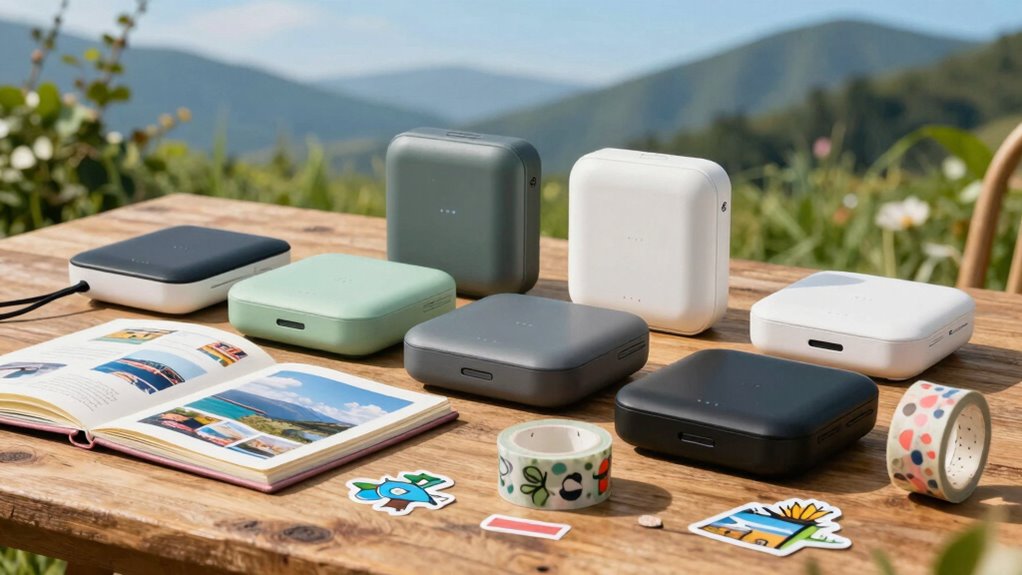

For a travel scrapbook, a portable printer needs to fit the way you collect memories: tiny peel-and-stick photos for quick journaling, or larger prints that can carry a whole page. I’d start with the KODAK Mini 2 Retro for compact, laminated prints, the Canon IVY 2 for ink-free stickers, or the KODAK Dock Plus if 4×6 photos matter more than packing light. Their tradeoffs are clear: dye-sublimation prints have a protective finish but need cartridges, ZINK models skip ink but depend on specialty paper, and the Dock Plus needs an outlet. The right choice comes down to scrapbook format, supply routine, and how much printing you plan to do away from a desk.

Get privacy and security gear delivered free with Prime
- Fast, free delivery on millions of items
- Prime Video, Amazon Music and more included
- Member-only deals all year
Key Takeaways
- KODAK Mini 2 Retro balances pocketable size with a laminated finish, but its 2.1×3.4-inch prints leave limited room for a full scrapbook image.
- Canon IVY 2 and KODAK Step make direct page placement simple with sticky-back ZINK prints; the Canon emphasizes peel-and-stick use while the Step adds NFC connectivity.
- KODAK Dock Plus is the only option here for 4×6 prints, giving scrapbook pages more visual weight at the cost of portability and outlet dependence.
- Nelko PP01 offers an ink cartridge workflow and app edits, but it is heavier than the listed Mini 2 and can clog if left unused for long periods.
- All five printers rely on a phone app or wireless connection, so check phone compatibility and plan for each model’s paper or cartridge supplies before traveling.
| KODAK Mini 2 Retro 2×3 Portable Photo Printer, White, 38 Sheets |  | Best Overall for Durable Pocket Prints | Print technology: 4PASS dye sublimation | Print size: 2.1×3.4 inches | Connectivity: Bluetooth | VIEW ON AMAZON | See Our Full Breakdown |
| Canon Ivy 2 Mini Photo Printer for iOS & Android, Sticky-Back Prints – Blush Pink |  | Best for Stick-Down Scrapbooking | Print technology: ZINK, dye crystals embedded in paper | Print backing: Peel-and-stick | Connectivity: Bluetooth 5.0 | VIEW ON AMAZON | See Our Full Breakdown |
| KODAK Step Instant Smartphone Photo Printer, White |  | Best Value for Adhesive Snapshots | Print technology: ZINK zero-ink | Print size: 2×3 inches | Connectivity: Bluetooth and NFC | VIEW ON AMAZON | See Our Full Breakdown |
| Nelko PP01 Portable Photo Printer, 2×3 Inches, White |  | Best for App-Edited Keepsakes | Print technology: Inkjet | Print size: 2×3 inches | Resolution: 600 DPI | VIEW ON AMAZON | See Our Full Breakdown |
| KODAK Dock Plus 4PASS 4×6 Photo Printer with Smartphone Dock |  | Best for Large Scrapbook Photos | Print size: 4×6 inches | Printing technology: 4PASS dye sublimation | Print time: Approximately 55 seconds | VIEW ON AMAZON | See Our Full Breakdown |
| portable photo printer for travel scrapbook | Connectivity | Compatibility | Print technology | Print size |
|---|---|---|---|---|
| KODAK Mini 2 Retro 2×3 Portabl | Bluetooth | Smartphones; iOS and Android | 4PASS dye sublimation | 2.1×3.4 inches |
| Canon Ivy 2 Mini Photo Printer | Bluetooth 5.0 | iOS and Android | ZINK, dye crystals embedded in paper | — |
| KODAK Step Instant Smartphone | Bluetooth and NFC | iOS and Android | ZINK zero-ink | 2×3 inches |
| Nelko PP01 Portable Photo Prin | Bluetooth | iOS and Android | Inkjet | 2×3 inches |
| KODAK Dock Plus 4PASS 4×6 Phot | Bluetooth | iOS and Android smartphones | — | 4×6 inches |
More Details on Our Top Picks
KODAK Mini 2 Retro 2×3 Portable Photo Printer, White, 38 Sheets
The KODAK Mini 2 Retro is my best all-around fit for a traveler who wants finished photos that can handle being carried in a journal or bag. Its 4PASS dye-sublimation process adds a protective laminate, designed to resist fingerprints, water, and fading. That finish makes it more suited to scrapbook pages that get handled repeatedly than a basic small print without a stated protective layer. It is compact at 255 g, pairs with a phone over Bluetooth, and the included bundle has cartridges and 38 sheets to get started.
The limitation is the image footprint: at 2.1×3.4 inches, it gives less visual space than the Dock Plus’s 4×6 output and may feel cramped for a page built around a single destination photo. Compared with the Canon IVY 2 and KODAK Step, its appeal is the laminated dye-sublimation finish rather than the peel-and-stick workflow. I’d choose it for small captioned snapshots and favor the Canon or Step if sticking prints straight onto a page is the priority. Replacement paper and cartridges also mean planning supplies, while ZINK users instead replenish compatible paper.
Pros:- Compact 255 g design suited to travel bags
- 4PASS laminated prints are designed to resist water, fingerprints, and fading
- Bluetooth printing from compatible iOS and Android phones through the app
- Starter bundle includes four cartridges and 38 sheets
Cons:- Small 2.1×3.4-inch output limits image space on a scrapbook page
- Replacement cartridges and photo paper are required
- Phone, Bluetooth, and app are needed for printing
Best for: Travel scrapbookers who want compact photos with a protective laminated finish and are comfortable carrying replacement cartridges and paper.
Not ideal for: People who want larger page-filling images, a stated peel-and-stick back, or a printer that avoids a cartridge supply system.
- Print technology:4PASS dye sublimation
- Print size:2.1×3.4 inches
- Connectivity:Bluetooth
- Compatibility:Smartphones; iOS and Android
- Printer weight:255 g
- Printer dimensions:3×5×1 inches
- Resolution:291×300
- Included supplies:Four cartridges and 38 sheets
Our verdict“I’d pick the Mini 2 Retro for the strongest blend of travel size and protected small prints, provided its compact format suits your pages.”
Canon Ivy 2 Mini Photo Printer for iOS & Android, Sticky-Back Prints – Blush Pink
The Canon IVY 2 puts page assembly first. Its peel-and-stick ZINK prints can go straight onto a travel journal page, so there’s no separate adhesive step when you’re sorting photos on the move. ZINK technology needs no ink cartridges: the dye-based crystals are embedded in compatible paper. For a scrapbooker who wants to print, place, and caption a picture quickly, that is a more direct workflow than the Mini 2 Retro’s cartridge-based dye sublimation.
Canon describes optimized skin tones, contrast, and sharpness, and the IVY 2 connects over Bluetooth 5.0 through the Canon Mini Print app. The product details don’t specify a print dimension, so I wouldn’t choose it on the assumption that it matches the 2×3-inch format of the KODAK Step or Nelko PP01. Its tradeoff is supply dependence: no ink does not mean no replenishment, since it requires ZINK-compatible paper. Compared with the Step, the IVY 2 is the clearer fit when peel-and-stick use and the listed image tuning are the priorities; the Step is the one with NFC and stated battery capacity information.
Pros:- Peel-and-stick backs make page placement straightforward
- ZINK technology does not use ink cartridges
- Bluetooth 5.0 connection for compatible iOS and Android devices
- App supports photo customization and the print process is tuned for skin tones, contrast, and sharpness
Cons:- Requires compatible ZINK paper as an ongoing supply
- Print dimensions are not stated in the supplied product details
- Small mini-photo format won’t fill a large scrapbook space
Best for: Scrapbookers who want an ink-free printer and adhesive-backed snapshots for direct placement on journal pages.
Not ideal for: Buyers who need a clearly specified print size, larger photos, or want to avoid buying compatible specialty paper.
- Print technology:ZINK, dye crystals embedded in paper
- Print backing:Peel-and-stick
- Connectivity:Bluetooth 5.0
- Compatibility:iOS and Android
- App:Canon Mini Print
- Color:Blush Pink
Our verdict“I’d choose the IVY 2 when easy adhesive placement matters more than having a stated print size or a larger image.”
KODAK Step Instant Smartphone Photo Printer, White
The KODAK Step is a practical choice for scrapbookers who want a defined 2×3-inch print with a sticky back and no ink cartridges. Its ZINK paper combines the image and adhesive backing, making it easy to place a photo directly beside a handwritten note. Bluetooth and NFC give it two stated ways to connect with compatible phones, and the app adds filters, frames, stickers, and text. That combination makes it a more explicitly scrapbook-oriented option than the Mini 2 Retro, whose prints are laminated but not described as adhesive-backed.
The Step’s rechargeable lithium-ion battery is listed for up to 25 prints per charge, which is useful for a batch of vacation photos but less reassuring for a long trip without charging access. Unlike the Canon IVY 2, the Step clearly specifies 2×3-inch output and includes NFC, but both share the ZINK-paper replenishment tradeoff. Its small prints are easy to arrange in a compact journal; they won’t provide the visual impact of the Dock Plus’s 4×6 photos. A starter pack of paper is included, but travelers should plan for additional compatible sheets after it runs out.
Pros:- 2×3-inch sticky-back prints fit compact journal layouts
- Ink-free ZINK process avoids cartridges
- Bluetooth and NFC connectivity for iOS and Android
- App offers filters, frames, stickers, and text
Cons:- Battery is specified for up to 25 prints per charge
- Requires compatible ZINK photo paper
- Small prints provide less detail and page coverage than 4×6 output
Best for: Travel scrapbookers who want familiar 2×3-inch sticky-back prints, app decorations, and a rechargeable portable setup.
Not ideal for: People planning large print batches without charging access or seeking the Mini 2’s stated laminated finish or Dock Plus-sized pictures.
- Print technology:ZINK zero-ink
- Print size:2×3 inches
- Connectivity:Bluetooth and NFC
- Compatibility:iOS and Android
- Battery:Rechargeable lithium-ion
- Prints per charge:Up to 25
- Included accessory:Micro USB charging cable
- Starter supplies:Starter pack of ZINK photo paper
Our verdict“I’d take the Step for a portable, adhesive-first scrapbook workflow when 2×3-inch photos and a limited print run per charge are acceptable.”
Nelko PP01 Portable Photo Printer, 2×3 Inches, White
The Nelko PP01 stands apart from the two ZINK models: its listing describes an inkjet printer with a cartridge yield of up to 80 photos, paired with 2×3-inch sticky-back paper. For scrapbookers who enjoy making collages or adding filters and stickers before printing, its app includes AI image editing alongside more familiar editing tools. The specified 600 DPI resolution and smudge-proof, water-resistant, tear-resistant paper make it a feature-rich option for small photos that will be handled and arranged on the road.
Its stated drawbacks deserve attention. At 308 g, it is heavier than the Mini 2 Retro, and it prints in under 90 seconds—slower than the roughly 55-second times specified for the KODAK dye-sublimation models. The product description also warns that the cartridge may clog if the printer sits idle for long periods, making it a weaker match for travelers who only print occasionally. Compared with the Step and IVY 2, the PP01 adds cartridge-based printing and a broader set of app edits; those simpler ZINK choices avoid the stated idle-clogging issue, though their compatible paper still needs replenishing.
Pros:- 600 DPI resolution is specified for detailed 2×3-inch prints
- Sticky-backed paper supports direct page placement
- App includes filters, stickers, collages, and AI editing
- Cartridge yield is listed as up to 80 photos
Cons:- Cartridge may clog after long idle periods
- At 308 g, it is heavier than the Mini 2 Retro
- Print time is under 90 seconds, and power adapter is not included
Best for: Frequent scrapbook makers who want 2×3-inch adhesive photos, high stated resolution, and extensive app editing.
Not ideal for: Occasional printers who may leave a cartridge idle, or travelers looking for the lightest printer and fastest stated output.
- Print technology:Inkjet
- Print size:2×3 inches
- Resolution:600 DPI
- Connectivity:Bluetooth
- Compatibility:iOS and Android
- Weight:308 g
- Cartridge yield:Up to 80 photos
- Print time:Under 90 seconds
- Power:USB cable included; adapter not included
Our verdict“I’d choose the PP01 for app-led creative edits and regular print sessions, while infrequent travelers should favor a less maintenance-sensitive option.”
KODAK Dock Plus 4PASS 4×6 Photo Printer with Smartphone Dock
The KODAK Dock Plus earns a place for one reason the pocket printers can’t match: 4×6-inch photos. That size can anchor a scrapbook page or preserve a scenic image with more room for detail than the Mini 2 Retro, IVY 2, Step, or PP01 formats. Its 4PASS dye-sublimation process applies a protective finish designed to resist fingerprints, water, and fading, and the stated print time is about 55 seconds. The integrated dock also charges a connected phone while printing, which can be handy when making a batch at a hotel or other powered stop.
This is the least spontaneous travel choice in the group. It needs an AC power outlet, so it is suited to a base camp or lodging rather than printing during a walking day. The phone dock and larger format add practical value at a desk, while the Mini 2 Retro is far easier to carry and use away from a wall socket. Compared with the adhesive-first IVY 2 and Step, Dock Plus prints give more control over page layout but don’t offer a stated peel-and-stick backing. Choose it for pages that need larger finished photos, and skip it if lightweight, battery-powered printing is your main travel goal.
Pros:- 4×6-inch output gives photos more space on a scrapbook page
- 4PASS process adds a finish designed to resist water, fingerprints, and fading
- Phone dock charges a connected smartphone during printing
- Bluetooth printing from compatible iOS and Android devices
Cons:- Requires an AC outlet, limiting use away from lodging or a powered workspace
- Much less suited to pocket carry than the small-format printers
- No sticky backing is specified, so page placement may need separate adhesive
Best for: Scrapbookers who want larger, protective-finish 4×6 prints from a phone while printing near an AC outlet.
Not ideal for: People who need a pocketable, battery-powered printer for use throughout the day or want sticky-backed mini prints.
- Print size:4×6 inches
- Printing technology:4PASS dye sublimation
- Print time:Approximately 55 seconds
- Connectivity:Bluetooth
- Compatibility:iOS and Android smartphones
- App:KODAK Photo Printer
- Docking station:Integrated phone dock with charging
- Power:AC power outlet
Our verdict“I’d pick the Dock Plus when larger keepsake photos matter more than printing anywhere, since its outlet requirement defines the travel routine.”
How We Picked
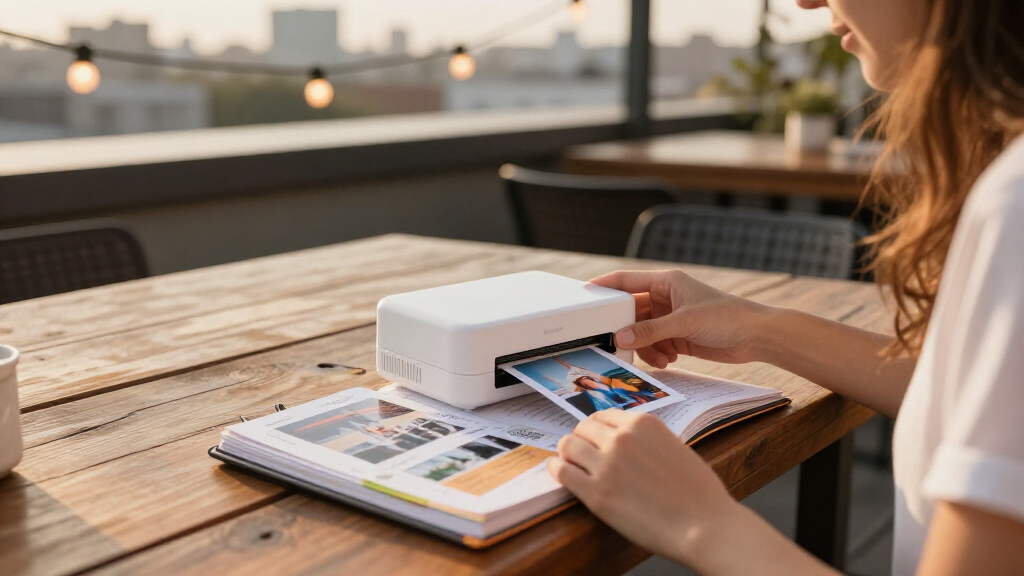
I ranked these printers by how well their stated features suit a travel scrapbook, rather than by treating every portable printer as interchangeable. The main factors are print size and page fit, carry and power needs, how prints attach to paper, and the finish and supply system. A scrapbooker who wants to stick snapshots directly into a journal has different needs from someone who builds pages around larger landscape prints.
I gave extra weight to practical travel distinctions: pocketable designs, rechargeable operation where specified, wireless phone printing, protective finishes, and whether the supplied description identifies sticky backing. I also considered the ongoing routine each technology implies. Dye sublimation uses cartridges and paper and can add a laminated layer; ZINK puts dye crystals in compatible paper; the Nelko listing describes an ink cartridge and paper system. Since the Dock Plus requires AC power, its larger 4×6 output serves a different role from the handheld options. Where product details don’t state a feature, I avoid assuming it.
The order reflects usefulness for a broad range of scrapbook trips first, followed by more specialized needs. The Mini 2 takes the lead for its combination of small size and protective print finish. The IVY 2 and Step suit adhesive-first scrapbooking, with different connectivity and use emphasis. The Nelko PP01 offers a distinct cartridge approach and app tools but has a stated idle-clogging drawback. The Dock Plus ranks for its large prints, while its outlet requirement makes it less suited to printing throughout a day of travel.
| portable photo printer for travel scrapbook | Connectivity | Compatibility |
|---|---|---|
| KODAK Mini 2 Retro 2×3 Portabl | Bluetooth | Smartphones; iOS and Android |
| Canon Ivy 2 Mini Photo Printer | Bluetooth 5.0 | iOS and Android |
| KODAK Step Instant Smartphone | Bluetooth and NFC | iOS and Android |
| Nelko PP01 Portable Photo Prin | Bluetooth | iOS and Android |
| KODAK Dock Plus 4PASS 4×6 Phot | Bluetooth | iOS and Android smartphones |
Factors to Consider When Choosing Portable Photo Printer For Travel Scrapbooks
I’d match the printer to the way you want to build pages, then check the supply and power routine that will travel with it.Choose the print size around your scrapbook layout
Small prints are easier to scatter around notes, map snippets, and ticket stubs. The Mini 2 Retro’s 2.1×3.4-inch format and the Step and PP01’s 2×3-inch format suit compact journals, though the IVY 2 details here don’t state a dimension. For a page built around one scenic image, the Dock Plus’s 4×6 output offers substantially more space. Think about the page before choosing: several little snapshots tell a trip as a sequence, while one larger picture can anchor a spread.
Decide whether you want a sticky back or a finished print
Sticky backs simplify placement: the Canon IVY 2, KODAK Step, and Nelko PP01 are described with adhesive-backed prints. That can save carrying a separate adhesive, though it leaves less flexibility if you want to rearrange a page later. The Mini 2 Retro and Dock Plus instead emphasize a protective dye-sublimation finish; the provided details don’t describe their prints as stickers. If loose placement and precise layouts matter, plan for a separate way to attach those photos.
Understand the supply routine
ZINK skips ink cartridges by putting dye crystals in compatible paper, as used by the IVY 2 and Step. You still need the right paper when the included starter supply is gone. The Mini 2 Retro’s 4PASS process uses cartridges and paper, while the PP01 lists an ink cartridge yield of up to 80 photos and warns that a cartridge may clog after long idle periods. Pick a system you are likely to maintain: a long gap between trips may make the PP01’s idle warning especially relevant.
Match portability and power to the trip
Battery details are not equal across these listings. The Step specifies a rechargeable battery for up to 25 prints per charge, and the Mini 2 Retro is listed at 255 g. The PP01 weighs 308 g and includes a USB cable but no power adapter. The Dock Plus requires an AC outlet, making it best for an evening printing session rather than a day on the move. For the IVY 2, the supplied information specifies Bluetooth but does not state battery capacity or weight, so check those details if packing size is decisive.
Check the phone and app workflow before leaving
All five options depend on a compatible smartphone workflow: Bluetooth is listed throughout, and the Step also offers NFC. The KODAK and Canon models use their respective print apps; the PP01 uses the Nelko app with filters, stickers, collages, and AI editing. Decide whether you want to make edits on your phone before printing or keep decoration simple with handwritten captions. Also verify that your phone’s operating system supports the specific app before a trip, since app access is central to printing on these models.
Frequently Asked Questions
Which printer is the best overall for travel scrapbooks?
I’d choose the KODAK Mini 2 Retro for the broadest balance of carry size and print protection: it weighs 255 g and uses a 4PASS process with a laminate designed to resist fingerprints, water, and fading. Its 2.1×3.4-inch photos are small, though, and it requires cartridges and paper. If direct sticky placement is more important, the Step or IVY 2 will fit that workflow better.
Which of these printers makes sticky-back photos?
The Canon IVY 2 and KODAK Step use ZINK paper and are described with peel-and-stick backs; the Nelko PP01 also lists sticky-backed paper. That makes each convenient for placing a photo directly into a scrapbook. The Mini 2 Retro and Dock Plus emphasize laminated dye-sublimation prints, and their supplied descriptions don’t state that the prints have adhesive backing.
Which printer can make the largest scrapbook photos?
The KODAK Dock Plus is the clear choice for size because it prints 4×6-inch photos; the other stated sizes here are small formats around 2×3 inches. Larger prints can anchor a page, but the Dock Plus needs an AC outlet. I’d pick it for printing near lodging or a powered workspace rather than carrying it around for spontaneous prints.
Do ink-free photo printers still need supplies?
Yes. The Canon IVY 2 and KODAK Step use ZINK technology, which removes ink cartridges by embedding dye crystals in compatible paper. You still need to replenish that paper. The Mini 2 Retro uses cartridges and paper, and the Nelko PP01 lists an ink cartridge system. Each format has an ongoing supply routine, so pack enough for the number of pages you expect to make.
Which printer is best for occasional trips?
For occasional use, I’d be cautious about the Nelko PP01 because its description warns that the cartridge may clog if the printer sits idle for a long time. The Mini 2 Retro or a ZINK model may be a more straightforward fit, depending on whether you prefer a laminated finish or sticky-backed photos. Check the supplies and charging needs before traveling; the Step lists up to 25 prints per charge, and the Dock Plus requires an AC outlet.
Conclusion
For most travel scrapbookers, I’d start with the KODAK Mini 2 Retro if compact, laminated snapshots suit the page and carrying cartridges is acceptable. Choose the Canon IVY 2 or KODAK Step when direct sticky placement is the priority; the Step has a clearly stated 2×3-inch format and NFC, while the IVY 2 highlights Bluetooth 5.0 and print tuning. The Nelko PP01 fits frequent makers who want extensive app editing and can keep the printer in regular use. For larger keepsake photos at a powered stop, the KODAK Dock Plus is the specialist pick. The best match depends on the pages you want to make and the supplies and power you’re willing to carry.
Halloween Picks
halloween
As an affiliate, we earn on qualifying purchases.