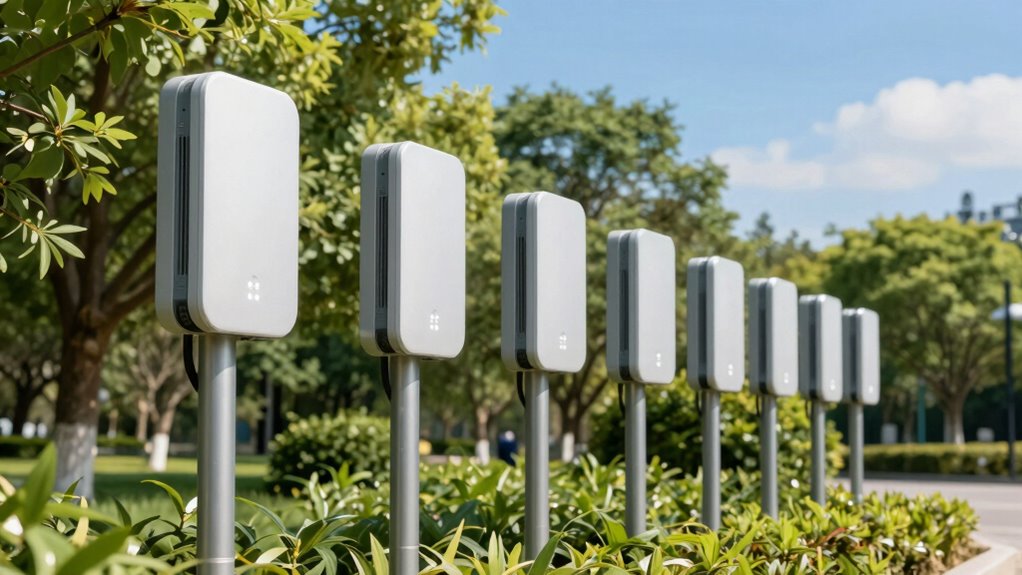
An outdoor PoE access point can extend a wired network to a yard, workshop, or other exposed area, with one Ethernet cable carrying both data and power. I rank the TP-Link Omada EAP650-Outdoor as the best overall for its Wi-Fi 6 capability and managed-network fit; the Zyxel NWA55AXE is a strong alternative for buyers who value business-oriented management, while the TP-Link Deco X50-Outdoor suits mesh households. The main tradeoffs are Wi-Fi generation, coverage design, weather protection, and whether a model needs a separate controller or injector. A fast access point also cannot overcome a weak wired connection, poor placement, or an incompatible PoE source. Read on for the full comparison and guidance on choosing the right model for your property.

Get privacy and security gear delivered free with Prime
- Fast, free delivery on millions of items
- Prime Video, Amazon Music and more included
- Member-only deals all year
Key Takeaways
- Wi-Fi 6 is the clearest dividing line: models such as the EAP650-Outdoor, NWA55AXE, and AX3000 options are better candidates for busy networks than the Wi-Fi 5 and N300 picks, provided clients can use the newer standard.
- The EAP650-Outdoor leads as a managed-network all-rounder: it combines outdoor placement with Omada integration, while the Deco X50-Outdoor makes more sense for a mesh-centered home setup.
- PoE compatibility deserves a check before purchase: access point, injector, and switch requirements can vary, so matching the power standard matters as much as choosing a radio.
- Weather protection and mounting shape the real coverage: IP-rated housings and placement options matter for exposed walls and poles, but they do not guarantee signal through walls or across every property.
- Older AC and N300 models still have a narrow role: they may fit a basic coverage extension or a legacy network, but buyers seeking capacity for many modern devices should compare Wi-Fi 6 models first.
| TP-Link Omada EAP650-Outdoor AX3000 Wi-Fi 6 Outdoor Access Point |  | Best Overall | Model: EAP650-Outdoor | Wi-Fi standard: Wi-Fi 6 (802.11ax) | Maximum data rate: Up to 2976 Mbps | VIEW ON AMAZON | See Our Full Breakdown |
| TP-Link Festa F52-Outdoor AC1200 Wireless Dual Band Outdoor Access Point |  | Best for Simple Cloud Management | Model: Festa F52-Outdoor | Wi-Fi standard: 802.11ac Wave 2 | Maximum data rate: Up to 1200 Mbps | VIEW ON AMAZON | See Our Full Breakdown |
| TP-Link EAP110-Outdoor V3 Omada N300 Wireless Outdoor Access Point |  | Best for Basic 2.4 GHz Coverage | Model: EAP110-Outdoor V3 | Wireless standard: 802.11b/g/n | Maximum data rate: Up to 300 Mbps | VIEW ON AMAZON | See Our Full Breakdown |
| WONLINK AC1200 Outdoor WiFi Extender and Access Point |  | Best for Flexible Operating Modes | Model: WL-AP7202 | Wi-Fi standard: Wi-Fi 5 (802.11ac) | Maximum data rate: Up to 1200 Mbps | VIEW ON AMAZON | See Our Full Breakdown |
| BrosTrend AX3000 WiFi 6 Outdoor Access Point |  | Best for High Client Capacity | Wi-Fi standard: Wi-Fi 6 (802.11ax) | Maximum data rate: Up to 3000 Mbps | 5 GHz rate: Up to 2402 Mbps | VIEW ON AMAZON | See Our Full Breakdown |
| Zyxel NWA55AXE WiFi 6 Outdoor Access Point |  | Best for Building-to-Building Links | Wi-Fi standard: WiFi 6 (802.11ax) | Frequency bands: 2.4 GHz and 5 GHz | Maximum data rate: 1,800 Mbps | VIEW ON AMAZON | See Our Full Breakdown |
| Tenda AC1200 Outdoor WiFi Extender and Gigabit Access Point (OAP1200) |  | Best for Long Yard Coverage | Wireless standard: 802.11ac (WiFi 5) | Maximum speed: AC1200: 867 Mbps on 5 GHz and 300 Mbps on 2.4 GHz | Advertised coverage: Up to 200 meters | VIEW ON AMAZON | See Our Full Breakdown |
| Adalov AX3000 Outdoor WiFi 6 Access Point |  | Best for High Device Capacity | Wi-Fi standard: WiFi 6 | Maximum speed: AX3000: up to 2,402 Mbps on 5 GHz and 573 Mbps on 2.4 GHz | Weather protection: IP67 | VIEW ON AMAZON | See Our Full Breakdown |
| WAVLINK AX1800 Outdoor WiFi 6 Extender, IP67 Weatherproof |  | Best for Flexible Network Modes | Wireless standard: 802.11ax (WiFi 6) | Maximum data rate: 1,800 Mbps: 1,201 Mbps on 5 GHz and 574 Mbps on 2.4 GHz | Weather resistance: IP67 | VIEW ON AMAZON | See Our Full Breakdown |
| TP-Link Omada EAP225-Outdoor AC1200 Wireless Access Point with PoE Injector |  | Best for Omada Network Owners | Wi-Fi standard: 802.11ac Wave 2 | Maximum speed: Up to 1,200 Mbps dual-band | Weather protection: IP65 | VIEW ON AMAZON | See Our Full Breakdown |
| Cudy AP1300 Outdoor AC1200 Wi-Fi 5 Gigabit Access Point |  | Best for VPN Flexibility | Wi-Fi standard: Wi-Fi 5 (802.11ac) | Wireless speed: Up to 1200 Mbps: 867 Mbps on 5 GHz and 300 Mbps on 2.4 GHz | Ethernet: 1 Gigabit PoE-in port | VIEW ON AMAZON | See Our Full Breakdown |
| Cudy AX3000 Wi-Fi 6 Outdoor Access Point |  | Best for a Faster Wired Uplink | Wi-Fi standard: Wi-Fi 6, AX3000 | 5 GHz speed: Up to 2402 Mbps | 2.4 GHz speed: Up to 574 Mbps | VIEW ON AMAZON | See Our Full Breakdown |
| BrosTrend AC1200 Outdoor WiFi Access Point |  | Best for Long Open-Area Links | Wi-Fi standard: 802.11ac Wave 2 | Wireless speed: Up to 1200 Mbps: 867 Mbps on 5 GHz and 300 Mbps on 2.4 GHz | Coverage range: Up to 656 feet | VIEW ON AMAZON | See Our Full Breakdown |
| EnGenius ENH1350EXT AC1300 Outdoor Wi-Fi 5 Access Point |  | Best for Harsh Outdoor Exposure | Wi-Fi standard: Wi-Fi 5 (802.11ac Wave 2) | Maximum data rate: Up to 867 Mbps on 5 GHz and 400 Mbps on 2.4 GHz | Weather protection: IP67 | VIEW ON AMAZON | See Our Full Breakdown |
| TP-Link Deco X50-Outdoor AX3000 Dual-Band Wi-Fi 6 Mesh Access Point | 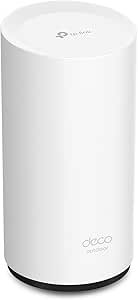 | Best for Deco Mesh Homes | Wi-Fi standard: Wi-Fi 6, AX3000 class | Frequency bands: Dual-band | Ethernet ports: 2 Gigabit ports with PoE | VIEW ON AMAZON | See Our Full Breakdown |
| outdoor poe access point | Wi-Fi standard | Weather protection | Power | Maximum data rate |
|---|---|---|---|---|
| TP-Link Omada EAP650-Outdoor A | Wi-Fi 6 (802.11ax) | IP67 | PoE; injector included | Up to 2976 Mbps |
| TP-Link Festa F52-Outdoor AC12 | 802.11ac Wave 2 | — | — | Up to 1200 Mbps |
| TP-Link EAP110-Outdoor V3 Omad | — | IP65 | Passive PoE; injector included | Up to 300 Mbps |
| WONLINK AC1200 Outdoor WiFi Ex | Wi-Fi 5 (802.11ac) | IP66 | — | Up to 1200 Mbps |
| BrosTrend AX3000 WiFi 6 Outdoo | Wi-Fi 6 (802.11ax) | IP65 | — | Up to 3000 Mbps |
| Zyxel NWA55AXE WiFi 6 Outdoor | WiFi 6 (802.11ax) | — | PoE+ | 1,800 Mbps |
| Tenda AC1200 Outdoor WiFi Exte | — | IP65 | Passive PoE injector included or 24V DC | — |
| Adalov AX3000 Outdoor WiFi 6 A | WiFi 6 | IP67 | IEEE 802.3af/802.3at 48 V PoE or passive PoE | — |
| WAVLINK AX1800 Outdoor WiFi 6 | — | — | 802.3af/at active PoE or passive PoE; included 54 V/0.3 A passive adapter | 1,800 Mbps: 1,201 Mbps on 5 GHz and 574 Mbps on 2.4 GHz |
| TP-Link Omada EAP225-Outdoor A | 802.11ac Wave 2 | IP65 | 802.3af/at PoE or passive PoE | — |
| Cudy AP1300 Outdoor AC1200 Wi- | Wi-Fi 5 (802.11ac) | IP65 | 802.3at/af PoE, passive PoE, or included DC adapter | — |
| Cudy AX3000 Wi-Fi 6 Outdoor Ac | Wi-Fi 6, AX3000 | IP65 | PoE; injector included | — |
| BrosTrend AC1200 Outdoor WiFi | 802.11ac Wave 2 | IP65 | — | — |
| EnGenius ENH1350EXT AC1300 Out | Wi-Fi 5 (802.11ac Wave 2) | IP67 | — | Up to 867 Mbps on 5 GHz and 400 Mbps on 2.4 GHz |
| TP-Link Deco X50-Outdoor AX300 | Wi-Fi 6, AX3000 class | Waterproof and dustproof | — | — |
More Details on Our Top Picks
TP-Link Omada EAP650-Outdoor AX3000 Wi-Fi 6 Outdoor Access Point
The EAP650-Outdoor is my strongest all-around pick for extending a managed Wi-Fi network into a yard, patio, or work area. Its Wi-Fi 6 dual-band radio offers far more capacity than the single-band EAP110-Outdoor, while the IP67 enclosure gives it a higher stated weather-protection rating than the IP65 BrosTrend AX3000. Omada management, mesh, and roaming features can make a multi-access-point setup easier to coordinate. Those benefits depend on using the Omada platform, though, so this is less appealing if you want a simple independent access point with no controller setup. It also has one Gigabit Ethernet port, so the wired connection sets a practical ceiling regardless of the advertised wireless rate. Choose it for a durable, expandable outdoor network; skip it if you do not want to use Omada.
Pros:- Wi-Fi 6 dual-band connectivity with a stated maximum rate of 2976 Mbps
- IP67 weatherproof enclosure
- Omada SDN, cloud, and app management options
- Supports mesh Wi-Fi and seamless roaming within the Omada setup
Cons:- Some mesh and roaming functions require an Omada SDN controller
- One Gigabit Ethernet port limits wired connections at the device
- Cloud controller plan details may require checking with TP-Link
Best for: Homeowners or small businesses already using Omada who need Wi-Fi 6 coverage outside and may add managed access points later
Not ideal for: Buyers who want a standalone access point without controller setup, or who need multiple Ethernet ports at the mounting location
- Model:EAP650-Outdoor
- Wi-Fi standard:Wi-Fi 6 (802.11ax)
- Maximum data rate:Up to 2976 Mbps
- Bands:Dual-band
- Weather protection:IP67
- Power:PoE; injector included
- Management:Omada SDN, cloud, and app
- Ethernet:1 Gigabit Ethernet port
- Security:WPA3
Our verdict“Choose the EAP650-Outdoor for robust Wi-Fi 6 coverage with Omada management, provided you are comfortable with its controller ecosystem.”
TP-Link Festa F52-Outdoor AC1200 Wireless Dual Band Outdoor Access Point
The Festa F52-Outdoor suits buyers who want centralized control without building an Omada setup. Its Festa Cloud and app support zero-touch provisioning and a self-organizing network, while the EAP650-Outdoor offers a faster Wi-Fi 6 platform for buyers willing to use Omada. This Festa model is Wi-Fi 5 with a stated maximum of 1200 Mbps, so it makes more sense for routine browsing and outdoor device coverage than for a busy area where newer clients need more capacity. The reported long coverage figures may appeal for open spaces, but actual reach depends on placement and obstacles. A key limitation is its reliance on Festa Cloud: it does not support standalone mode and is incompatible with Omada controllers. Pick it when Festa’s management model fits your network.
Pros:- Free Festa Cloud management through web and app
- Zero-touch provisioning and self-organizing network support
- Supports 802.3af PoE or 24V passive PoE
- Dual-band 802.11ac Wave 2 connectivity
Cons:- Requires Festa Cloud management and does not support standalone mode
- Incompatible with TP-Link Omada controllers
- Wi-Fi 5 and a 1200 Mbps stated maximum rate offer less capacity than the EAP650-Outdoor
Best for: Small property owners who want app-based centralized management for one or more outdoor access points and do not use Omada
Not ideal for: Buyers who need offline standalone operation, an Omada-managed network, or Wi-Fi 6 capacity
- Model:Festa F52-Outdoor
- Wi-Fi standard:802.11ac Wave 2
- Maximum data rate:Up to 1200 Mbps
- Bands:2.4 GHz and 5 GHz
- Reported coverage:200 m+ at 2.4 GHz; 300 m+ at 5 GHz
- Power options:802.3af PoE or 24V passive PoE
- Management:Festa Cloud and Festa app
- Warranty:3 years
Our verdict“Choose the F52-Outdoor if you want Festa-managed Wi-Fi 5 outside and are comfortable depending on its cloud platform.”
TP-Link EAP110-Outdoor V3 Omada N300 Wireless Outdoor Access Point
The EAP110-Outdoor V3 is a straightforward option for extending basic connectivity to outdoor devices that only need 2.4 GHz. Its IP65 housing and included passive PoE injector support a simple outdoor installation, while Omada Controller management can help when this unit is part of a larger managed network. Compared with the dual-band Festa F52-Outdoor, however, it gives up 5 GHz and has a much lower stated wireless rate. Its 10/100 Mbps Ethernet port also restricts the wired link, making it a poor fit for faster broadband or bandwidth-heavy outdoor use. Security features include 802.1X and rogue access point detection, but the older Wi-Fi standard limits its appeal for newer clients. I’d reserve it for modest coverage needs where cost and basic management matter more than speed.
Pros:- IP65-rated dustproof and weatherproof construction
- Passive PoE injector included
- Omada Controller and app management support
- Enterprise security options include 802.1X and rogue AP detection
Cons:- Single-band 2.4 GHz only, with no 5 GHz option
- 10/100 Mbps Ethernet port can bottleneck the wired link
- Older 802.11b/g/n standard has less capacity than the Festa F52-Outdoor
Best for: Owners of small outbuildings or gardens with legacy 2.4 GHz devices and modest bandwidth needs
Not ideal for: Households that need 5 GHz, high throughput, or a fast wired backhaul for outdoor streaming and work
- Model:EAP110-Outdoor V3
- Wireless standard:802.11b/g/n
- Maximum data rate:Up to 300 Mbps
- Band:2.4 GHz
- Antenna:5 dBi external omni
- Weather protection:IP65
- Power:Passive PoE; injector included
- Ethernet:1 x 10/100 Mbps LAN
- Security:WPA/WPA2-Enterprise, 802.1X, rogue AP detection
Our verdict“Choose the EAP110-Outdoor V3 for basic managed 2.4 GHz coverage, but avoid it when speed or dual-band access matters.”
WONLINK AC1200 Outdoor WiFi Extender and Access Point
The WONLINK WL-AP7202 is the most flexible fit here for buyers who want one outdoor unit to serve different network roles. It offers Bridge, AP, Router, and Repeater modes, two Gigabit Ethernet ports, and 802.3af/at PoE support. That gives it more port and mode flexibility than the single-port EAP650-Outdoor, though the TP-Link delivers Wi-Fi 6 and a higher stated maximum rate. WONLINK’s IP66 rating is suited to outdoor placement, but its listing describes coverage and speed as dependent on conditions; treat the 650-foot figure as a claim, not a guaranteed result. Its Wi-Fi 5 radio and WPA-PSK security listing are less compelling for a new, security-conscious network than the Wi-Fi 6 alternatives. Choose this when flexible modes and ports matter more than current-generation wireless features.
Pros:- Four operating modes: Bridge, AP, Router, and Repeater
- Two Gigabit Ethernet ports
- 802.3af/at PoE support
- IP66 weather resistance with dual-band Wi-Fi 5
Cons:- Wi-Fi 5 offers less capacity than the Wi-Fi 6 EAP650-Outdoor and BrosTrend AX3000
- Listing specifies WPA-PSK security
- Actual coverage and throughput vary with placement and surroundings
Best for: DIY network owners who may need to switch between access point, bridge, router, or repeater operation and want two wired ports
Not ideal for: Buyers prioritizing Wi-Fi 6, a managed enterprise ecosystem, or stronger listed security options
- Model:WL-AP7202
- Wi-Fi standard:Wi-Fi 5 (802.11ac)
- Maximum data rate:Up to 1200 Mbps
- Bands:2.4 GHz and 5 GHz
- Weather protection:IP66
- Antennas:2 fixed 5 dBi antennas
- Ethernet:2 Gigabit ports
- PoE:802.3af/at
- Operating modes:Bridge, AP, Router, Repeater
Our verdict“Choose the WONLINK when multiple operating modes and two Gigabit ports are more useful than Wi-Fi 6 or managed controls.”
BrosTrend AX3000 WiFi 6 Outdoor Access Point
The BrosTrend AX3000 targets outdoor spaces where several devices may connect at once, with stated support for up to 80 devices and Wi-Fi 6 dual-band service. Like the TP-Link EAP650-Outdoor, it advertises roughly AX3000-class throughput, but BrosTrend lists one Gigabit port and IP65 protection, while TP-Link specifies IP67 and adds Omada management. BrosTrend’s single wired uplink is part of its intended setup: connect it to a router by Ethernet, then use PoE to power the access point. That suits a fixed installation for a yard, barn, or garage, but not someone seeking a wireless mesh-style link or extra ports outdoors. Its operating range and client capacity are stated specifications, not a guarantee of real-world performance. Pick it for a wired Wi-Fi 6 extension with many potential clients.
Pros:- Wi-Fi 6 dual-band service with up to 3000 Mbps stated data rate
- Listed capacity of up to 80 devices
- IP65 waterproof and dustproof protection
- Supports WPA3-SAE as well as WPA-PSK and WPA2-PSK
Cons:- Requires a wired Ethernet connection to the router
- Only one Gigabit Ethernet port
- IP65 rating is below the EAP650-Outdoor’s stated IP67 protection
Best for: Owners of barns, workshops, or large patios who can run Ethernet and want Wi-Fi 6 for many connected devices
Not ideal for: Buyers who cannot provide a wired router connection, need multiple Ethernet ports, or want Omada-style centralized management
- Wi-Fi standard:Wi-Fi 6 (802.11ax)
- Maximum data rate:Up to 3000 Mbps
- 5 GHz rate:Up to 2402 Mbps
- 2.4 GHz rate:Up to 574 Mbps
- Antennas:2 high-gain 5 dBi antennas
- Ethernet:1 Gigabit port
- Device capacity:Up to 80 devices
- Weather protection:IP65
- Operating temperature:-22 °F to 140 °F
Our verdict“Choose the BrosTrend AX3000 for a wired outdoor Wi-Fi 6 extension with many potential clients, if one Ethernet port is enough.”
Zyxel NWA55AXE WiFi 6 Outdoor Access Point
ZyMesh bridging gives the Zyxel NWA55AXE a clear role for buyers extending a network between buildings without running a cable. Its WiFi 6 dual-band radios and WPA3 security make it a more modern choice than the WiFi 5 TP-Link Omada EAP225-Outdoor, while local web and Nebula cloud management offer flexibility for different setups. The IP55 enclosure is suitable for outdoor placement, though it has a lower stated weather-resistance rating than the IP65-rated TP-Link. The listed maximum of 1,800 Mbps is shared across the radios, so it should not be read as a single-client speed. Installation also depends on a PoE+ source, and the single Gigabit port sets a wired link ceiling. I’d choose it for wireless building links and managed WiFi 6, rather than maximum weather protection.
Pros:- WiFi 6 dual-band connectivity with a stated maximum rate of 1,800 Mbps
- ZyMesh supports wireless bridging between buildings
- Local web interface and Nebula cloud management
- WPA3 security and 802.11r/k/v roaming support
Cons:- IP55 rating is below the IP65 rating of the TP-Link Omada EAP225-Outdoor
- The maximum wireless rate is shared across the dual radios
- Requires a PoE+ power source
Best for: Homeowners or small businesses extending a managed WiFi 6 network between buildings with ZyMesh.
Not ideal for: Installers who need an IP65 or IP67 enclosure, or sites without a PoE+ power source.
- Wi-Fi standard:WiFi 6 (802.11ax)
- Frequency bands:2.4 GHz and 5 GHz
- Maximum data rate:1,800 Mbps
- Weather resistance:IP55
- Ethernet:1 × Gigabit Ethernet port
- Power:PoE+
- Security:WPA3
- Management:Local web UI or Nebula Control Center
Our verdict“Choose the NWA55AXE for outdoor WiFi 6 and ZyMesh building links when IP55 protection and PoE+ fit your installation.”
Tenda AC1200 Outdoor WiFi Extender and Gigabit Access Point (OAP1200)
The Tenda OAP1200 puts weather protection and broad advertised reach ahead of newer WiFi features. Its IP65 enclosure, lightning and ESD protection, and stated operating range from -22°F to 122°F suit exposed placements, while the advertised 200-meter range targets yards and larger properties. Compared with the WiFi 6 Zyxel NWA55AXE, this is a WiFi 5 option with lower listed radio rates, but it includes a passive PoE injector and can also use 24V DC. Its cloud, app, and local web management options add flexibility. The fixed omnidirectional antennas simplify setup but limit antenna changes, and its WPA2-era security options may not suit buyers seeking WPA3. Treat the coverage figure as a line-of-sight claim, not a guarantee through walls or landscaping.
Pros:- IP65 enclosure with stated -22°F to 122°F operating range
- 6 kV lightning and 15 kV ESD protection
- Passive PoE injector included, with 24V DC as another power option
- Local, app-based, and cloud management options
Cons:- WiFi 5 with lower listed maximum rates than the Zyxel NWA55AXE
- Fixed antennas limit coverage customization
- Listed security protocols do not include WPA3
Best for: Property owners seeking a weather-resistant access point for open yards, patios, or outbuildings, with the included passive PoE injector.
Not ideal for: Buyers who need WiFi 6, WPA3, or detachable antennas to tailor coverage.
- Wireless standard:802.11ac (WiFi 5)
- Maximum speed:AC1200: 867 Mbps on 5 GHz and 300 Mbps on 2.4 GHz
- Advertised coverage:Up to 200 meters
- Weather protection:IP65
- Antennas:2 × 5 dBi omnidirectional
- Surge and ESD protection:6 kV lightning, 15 kV ESD
- Power:Passive PoE injector included or 24V DC
- Management:CloudFi app, cloud platform, or local web interface
Our verdict“Pick the Tenda OAP1200 for a tough WiFi 5 installation across open outdoor space if its fixed antennas and WPA2 options meet your needs.”
Adalov AX3000 Outdoor WiFi 6 Access Point
The Adalov AX3000 is aimed at installations where a large device count and a sealed outdoor enclosure matter. It lists support for more than 200 devices, WiFi 6, and five 8 dBi omnidirectional antennas, a combination suited to spreading coverage across a broad property. Its IP67 rating exceeds the IP55 protection of the Zyxel NWA55AXE, and it offers both access point and repeater modes. The tradeoff is that the Adalov’s 200–300 meter coverage and AX3000 rates are advertised figures; actual reach and throughput depend on placement, interference, and client equipment. Unlike the Zyxel, the supplied data does not list WPA3 or a named cloud-management platform. Its PoE support spans active 802.3af/at and passive power, but buyers need compatible equipment or an adapter.
Pros:- WiFi 6 dual-band specification with up to 2,402 Mbps on 5 GHz
- IP67-rated enclosure
- Five 8 dBi omnidirectional antennas
- Access point and repeater operating modes
Cons:- Advertised 200–300 meter coverage can vary substantially by site
- PoE installation requires compatible power equipment or an adapter
- Provided product data does not specify WPA3 or a central management platform
Best for: Owners of large properties or outdoor venues who expect many connected devices and need IP67 protection.
Not ideal for: Buyers who require a named central management platform, specified WPA3 security, or independently verified long-range performance.
- Wi-Fi standard:WiFi 6
- Maximum speed:AX3000: up to 2,402 Mbps on 5 GHz and 573 Mbps on 2.4 GHz
- Weather protection:IP67
- Antennas:Five 8 dBi fiberglass omnidirectional antennas
- Advertised coverage:Up to 200–300 meters
- Device capacity:More than 200 devices
- Operating modes:Access Point and Repeater
- Power:IEEE 802.3af/802.3at 48 V PoE or passive PoE
Our verdict“Choose the Adalov for a high-capacity outdoor WiFi 6 deployment where IP67 protection matters and you can supply compatible PoE.”
WAVLINK AX1800 Outdoor WiFi 6 Extender, IP67 Weatherproof
With five operating modes and detachable antennas, the WAVLINK AX1800 suits buyers who want to adapt one outdoor unit to different network layouts. Its IP67 housing and support for active or passive PoE make placement practical, while WiFi 6, MU-MIMO, and OFDMA provide a newer wireless feature set than the WiFi 5 TP-Link Omada EAP225-Outdoor. WAVLINK lists up to 1,800 Mbps and 256 connected devices, but those figures do not establish real-world throughput or coverage; its 200–300 meter claim is specifically for line-of-sight conditions. Mesh mode is limited to WAVLINK products, which narrows its use in mixed-brand systems. The included passive PoE adapter must stay indoors, so installation needs a protected location for that component.
Pros:- IP67-rated enclosure and detachable 8 dBi antennas
- Supports active 802.3af/at PoE and passive PoE
- Five modes: Mesh, AP, Router, Repeater, and AP+Repeater
- WiFi 6 features include MU-MIMO and OFDMA
Cons:- Mesh mode is limited to WAVLINK series products
- Included PoE adapter is not waterproof and must remain indoors
- 200–300 meter coverage claim applies to line-of-sight conditions
Best for: DIY network builders who want an IP67 outdoor unit that can switch among AP, repeater, router, and WAVLINK mesh roles.
Not ideal for: Buyers building mesh across different brands or without a dry indoor spot for the PoE adapter.
- Wireless standard:802.11ax (WiFi 6)
- Maximum data rate:1,800 Mbps: 1,201 Mbps on 5 GHz and 574 Mbps on 2.4 GHz
- Weather resistance:IP67
- Antennas:4 detachable 8 dBi fiberglass omnidirectional antennas
- Advertised coverage:Up to 200–300 m radius in line-of-sight conditions
- Maximum connected devices:256
- Operating modes:Mesh, AP, Router, Repeater, AP+Repeater
- Power:802.3af/at active PoE or passive PoE; included 54 V/0.3 A passive adapter
Our verdict“Pick the WAVLINK when flexible operating modes and IP67 protection matter, provided you can keep its adapter indoors and accept brand-limited mesh.”
TP-Link Omada EAP225-Outdoor AC1200 Wireless Access Point with PoE Injector
The EAP225-Outdoor makes the most sense when a buyer already runs TP-Link Omada SDN and wants outdoor coverage under the same management system. It brings controller-based management, roaming, and mesh features to a WiFi 5 access point, while flexible 802.3af/at or passive PoE eases integration with existing power equipment. Against the WiFi 6 Zyxel NWA55AXE, its AC1200 wireless standard is older and the listed speed is lower; in return, Omada users get a more natural fit with their current controller setup. The IP65 enclosure and broad stated operating temperature suit varied outdoor placements. Full management features depend on Omada controllers, though, and SDN access points are not compatible with non-SDN controllers. Choose it for ecosystem fit, not a standalone WiFi 6 upgrade.
Pros:- Omada SDN support for centralized hardware, software, or cloud management
- IP65 weatherproof enclosure
- Supports 802.3af/at PoE and passive PoE
- MU-MIMO, beamforming, band steering, mesh, and seamless roaming
Cons:- WiFi 5 is older than the WiFi 6 Zyxel NWA55AXE
- Full management features require an Omada SDN controller
- Not compatible with non-SDN controllers
Best for: Small businesses and homes already managing TP-Link Omada access points through an Omada controller.
Not ideal for: Buyers seeking WiFi 6 performance or a controller-independent setup with full centralized features.
- Wi-Fi standard:802.11ac Wave 2
- Maximum speed:Up to 1,200 Mbps dual-band
- Weather protection:IP65
- Power:802.3af/at PoE or passive PoE
- Management:Omada SDN hardware, software, or cloud controller
- Operating temperature:-30°C to 70°C
- Listed antenna range:200m+ on 2.4 GHz; 300m+ on 5 GHz
- Wireless features:MU-MIMO, beamforming, band steering, mesh WiFi, seamless roaming
Our verdict“Choose the EAP225-Outdoor when Omada integration is your priority and WiFi 5 meets your outdoor network needs.”
Cudy AP1300 Outdoor AC1200 Wi-Fi 5 Gigabit Access Point
The Cudy AP1300 is a good fit when an outdoor access point needs to do more than provide Wi-Fi: it supports WireGuard, OpenVPN, IPsec, and other VPN protocols, plus mesh networking and fast roaming. Its IP65 enclosure and included pole and wall mount kit suit exposed home or small-site installations. Compared with the newer Cudy AX3000, though, this is a Wi-Fi 5 model with a Gigabit uplink, so it gives up Wi-Fi 6 capacity and the faster 2.5GbE connection. The tradeoff is a feature-rich option for existing Gigabit networks, with setup that may take networking experience. A single Ethernet port also leaves little room for wired devices at the mounting point.
Pros:- IP65-rated enclosure for outdoor exposure
- Supports mesh networking and fast roaming
- Broad VPN protocol support and OpenWRT-ready firmware
- PoE options and pole and wall mounting hardware included
Cons:- Wi-Fi 5 and Gigabit Ethernet limit future network capacity compared with the Cudy AX3000
- Only one Ethernet port
- Advanced configuration may require networking experience
Best for: Home network owners who want outdoor mesh coverage and flexible VPN options on an existing Gigabit setup
Not ideal for: Buyers planning for Wi-Fi 6, a 2.5GbE uplink, or plug-and-play setup without network configuration
- Wi-Fi standard:Wi-Fi 5 (802.11ac)
- Wireless speed:Up to 1200 Mbps: 867 Mbps on 5 GHz and 300 Mbps on 2.4 GHz
- Ethernet:1 Gigabit PoE-in port
- Weather protection:IP65
- Operating temperature:-40 to 65°C
- Power:802.3at/af PoE, passive PoE, or included DC adapter
- Mounting:Pole and wall mount kit included
Our verdict“Choose the AP1300 for VPN and roaming flexibility on a Gigabit outdoor network; choose the Cudy AX3000 for Wi-Fi 6 and a faster uplink.”
Cudy AX3000 Wi-Fi 6 Outdoor Access Point
With Wi-Fi 6 and a 2.5GbE port, the Cudy AX3000 is the capacity-focused choice in this batch. Its OFDMA and MU-MIMO features are designed to handle multiple connected clients more efficiently, while the 160 MHz channel option can support higher peak wireless rates when client devices and the environment allow it. Against the Cudy AP1300, it offers a newer wireless standard and a faster uplink; against the Deco X50-Outdoor, it has more explicit VLAN, captive portal, and controller features. Those capabilities suit managed networks, but the description does not specify coverage or installation hardware. Some custom firmware features also require a separate download and flash, adding setup work.
Pros:- Wi-Fi 6 with OFDMA and MU-MIMO for handling multiple clients
- 2.5GbE port provides a faster uplink than the Gigabit Cudy AP1300
- IP65 enclosure with 6 kV port surge protection
- Supports VLANs, multi-SSID, client isolation, and captive portals
Cons:- Coverage and installation hardware are not specified in the product data
- Custom firmware features require downloading and flashing firmware
- Management features may take more setup than the Deco X50-Outdoor app
Best for: Small businesses and technically confident home network owners who need Wi-Fi 6, VLAN controls, and a 2.5GbE outdoor uplink
Not ideal for: Buyers who want clearly specified coverage, included mounting hardware, or a straightforward mesh app setup
- Wi-Fi standard:Wi-Fi 6, AX3000
- 5 GHz speed:Up to 2402 Mbps
- 2.4 GHz speed:Up to 574 Mbps
- Ethernet:2.5GbE port
- Weather protection:IP65
- Surge protection:6 kV port surge protection
- Power:PoE; injector included
- Management:C200P controller or standalone web GUI
Our verdict“Pick the Cudy AX3000 for a managed outdoor Wi-Fi 6 network with a 2.5GbE uplink, provided you are prepared to handle setup and mounting details.”
BrosTrend AC1200 Outdoor WiFi Access Point
The BrosTrend AC1200 is the distance-oriented Wi-Fi 5 pick here, with a stated range of up to 656 feet, two 5 dBi omnidirectional antennas, and beamforming. Those details make it a plausible match for extending a network across an open yard or outbuilding, where placement and line of sight matter. Compared with the Cudy AP1300, its headline advantage is the specified range and included passive PoE supply; the Cudy adds mesh, roaming, and broader VPN support. The BrosTrend’s IP65 housing and surge protection suit outdoor mounting, but its one Gigabit port and 60-device limit constrain busier sites. The listed WPA-PSK/WPA2-PSK security and need for suitable outdoor Ethernet cable also make installation planning part of the purchase.
Pros:- Specified coverage range of up to 656 feet
- Two 5 dBi omnidirectional antennas with beamforming
- IP65 housing with 6 kV lightning and 8 kV ESD protection
- Passive PoE supply included, with support for 802.3af/at/bt PoE switches
Cons:- Wi-Fi 5 and one Gigabit port offer less capacity than the Cudy AX3000
- Maximum of 60 devices
- Outdoor-rated Ethernet cabling is needed for an outdoor run
Best for: Property owners extending Wi-Fi toward a detached garage, garden workspace, or other open area with a clear signal path
Not ideal for: Busy venues needing more than 60 connected devices, newer Wi-Fi 6 capacity, or advanced VPN and mesh features
- Wi-Fi standard:802.11ac Wave 2
- Wireless speed:Up to 1200 Mbps: 867 Mbps on 5 GHz and 300 Mbps on 2.4 GHz
- Coverage range:Up to 656 feet
- Ethernet:1 Gigabit Ethernet port
- Weather protection:IP65
- Surge and ESD protection:6 kV lightning and 8 kV ESD
- Antennas:2 × 5 dBi omnidirectional
- Maximum devices:60
Our verdict“Choose the BrosTrend AC1200 when a stated long-range link and included passive PoE matter more than Wi-Fi 6 or advanced network controls.”
EnGenius ENH1350EXT AC1300 Outdoor Wi-Fi 5 Access Point
The EnGenius ENH1350EXT earns its place through its IP67-rated housing, the strongest stated water and dust protection in this five-product batch. Four detachable antennas and support for Access Point, Client Bridge, and WDS modes also give it more placement flexibility than the single-mode outdoor extender in a basic setup. Compared with the Cudy AP1300, it offers a higher 2.4 GHz rated speed and a more protective enclosure, while the Cudy has broader VPN support and mesh features. This is still a Wi-Fi 5 access point with a Gigabit LAN port, so it trails the Cudy AX3000 and Deco X50-Outdoor for Wi-Fi generation. Its included injector and mounting hardware reduce accessory planning, but the supplied security details stop at WPA2.
Pros:- IP67-rated waterproof and dustproof housing
- Four detachable 5 dBi antennas
- Access Point, Client Bridge, and WDS operating modes
- PoE injector, power adapter, and mounting hardware included
Cons:- Wi-Fi 5 is an older generation than the Cudy AX3000 and Deco X50-Outdoor
- LAN port is limited to Gigabit speed
- Product data lists WPA2 security but not newer security protocols
Best for: Installers needing a weather-resistant Wi-Fi 5 access point with bridge modes and included PoE accessories
Not ideal for: Buyers prioritizing Wi-Fi 6, multi-gigabit Ethernet, or newer security options
- Wi-Fi standard:Wi-Fi 5 (802.11ac Wave 2)
- Maximum data rate:Up to 867 Mbps on 5 GHz and 400 Mbps on 2.4 GHz
- Weather protection:IP67
- Antennas:4 detachable 5 dBi SMA antennas
- Operating modes:Access Point, Client Bridge, WDS
- LAN port:1000 Mbps
- Included accessories:PoE injector, power adapter, power cord, and mounting hardware
Our verdict“Choose the ENH1350EXT for stronger stated weather protection and bridge flexibility when Wi-Fi 5 performance is sufficient.”
TP-Link Deco X50-Outdoor AX3000 Dual-Band Wi-Fi 6 Mesh Access Point
The Deco X50-Outdoor makes the most sense for households already using TP-Link Deco: it extends that mesh outdoors and keeps setup and management within the Deco app. Wi-Fi 6 and AX3000 class give it a newer wireless foundation than the EnGenius ENH1350EXT or Cudy AP1300, and its two Gigabit ports allow a wired device alongside the network connection. It also accepts either 802.3at PoE or AC power, which can help when the mounting spot lacks a nearby outlet but has an Ethernet run. Its main limitation is ecosystem fit: unlike the Cudy AX3000’s standalone web GUI option, this model is tied to Deco systems. The product data also does not give an IP rating or include specific mounting hardware.
Pros:- Extends compatible TP-Link Deco mesh networks outdoors
- Wi-Fi 6 AX3000 class
- Supports 802.3at PoE or AC power
- Two Gigabit Ethernet ports
Cons:- Mesh compatibility is limited to TP-Link Deco systems
- Product data describes it as weatherproof but does not specify an IP rating
- Suitable mounting and outdoor cabling may need to be sourced separately
Best for: Deco mesh owners who want app-managed Wi-Fi 6 coverage on a patio, in a backyard, or near a guest house
Not ideal for: Buyers using another mesh brand or needing a specified IP rating, included mounting kit, or multi-gigabit uplink
- Wi-Fi standard:Wi-Fi 6, AX3000 class
- Frequency bands:Dual-band
- Ethernet ports:2 Gigabit ports with PoE
- PoE standard:IEEE 802.3at
- Power input:IEEE 802.3at PoE or 100–240 V AC
- Weather protection:Waterproof and dustproof
- Features:Access point mode, guest mode, QoS
- Compatibility:TP-Link Deco mesh systems
Our verdict“Choose the Deco X50-Outdoor if your home already runs Deco and you want app-managed Wi-Fi 6 outside without adopting another network system.”

How We Picked
I ranked these 15 products around their suitability as outdoor PoE access points, weighing wireless generation and capacity alongside weather protection, wired connectivity, installation needs, and network management. I gave stronger placement to models that appear suited to dependable, flexible outdoor deployment and that offer a useful path for managing more than one access point. Wi-Fi 6 matters most for busy environments and newer devices; it does not automatically make a model the right choice for a simple yard connection.
The ordering also reflects setup fit and tradeoffs. Managed Omada and business-oriented options rank well for buyers building a coordinated network, while mesh and extender-style products serve households that prioritize simpler integration. Older Wi-Fi 5 and N300 choices sit lower because their capacity and longevity are more limited, though they can still suit modest needs. Buyers should verify the exact PoE standard, included power equipment, environmental rating, and management requirements for the configuration they plan to install.
| outdoor poe access point | Weather protection |
|---|---|
| TP-Link Omada EAP650-Outdoor A | IP67 |
| TP-Link Festa F52-Outdoor AC12 | — |
| TP-Link EAP110-Outdoor V3 Omad | IP65 |
| WONLINK AC1200 Outdoor WiFi Ex | IP66 |
| BrosTrend AX3000 WiFi 6 Outdoo | IP65 |
| Zyxel NWA55AXE WiFi 6 Outdoor | — |
| Tenda AC1200 Outdoor WiFi Exte | IP65 |
| Adalov AX3000 Outdoor WiFi 6 A | IP67 |
| WAVLINK AX1800 Outdoor WiFi 6 | — |
| TP-Link Omada EAP225-Outdoor A | IP65 |
| Cudy AP1300 Outdoor AC1200 Wi- | IP65 |
| Cudy AX3000 Wi-Fi 6 Outdoor Ac | IP65 |
| BrosTrend AC1200 Outdoor WiFi | IP65 |
| EnGenius ENH1350EXT AC1300 Out | IP67 |
| TP-Link Deco X50-Outdoor AX300 | Waterproof and dustproof |
Factors to Consider When Choosing Outdoor Poe Access Point
Before choosing a model, I would map the network path from the router or switch to the outdoor mounting point. The radio specification is only one part of the decision: power compatibility, placement, client devices, and how you want to manage the network can change which access point makes sense.
Match the Wi-Fi generation to your devices and workload
Wi-Fi 6 models can handle busy networks more effectively when several compatible devices are active, which makes them appealing for cameras, phones, and laptops sharing an outdoor area. Wi-Fi 5 can still work well for a modest number of clients or a connection mainly used for browsing and basic streaming. Older N300 designs are a narrower fit, especially if multiple devices need bandwidth at once. Count the devices that will connect at peak use rather than choosing by the largest advertised speed figure. A newer access point cannot make an older client support Wi-Fi 6. For a property-wide network, also check whether your indoor access points use the same system and can be managed together.
Check PoE standards and what comes in the box
PoE saves a separate power run, but access points and switches do not all use the same power standard or draw the same amount. Confirm the device’s supported PoE input and compare it with the switch or injector you own. Some listings include an injector, while others expect power to come from a compatible switch or a separately sourced adapter. If the cable run is long, account for cable quality and the limits of the power source, not only the access point. A mismatch can leave the unit unpowered or lead to an unreliable installation. Keep power planning separate from data-speed planning: gigabit Ethernet does not by itself confirm PoE compatibility.
Plan coverage from the mounting point outward
Think about where users will stand and which surfaces the signal must cross before selecting a unit. An access point mounted outside a building can serve a yard well, but walls, metal siding, trees, and elevation can reduce usable signal. A device with a directional or adaptable mounting design may suit a focused area better than one intended to spread coverage broadly. Avoid placing the unit behind dense materials or inside a sheltered space that blocks the intended coverage. If you need Wi-Fi on both sides of a building, one outdoor unit may not provide the same experience everywhere. Sketch the coverage area and cable route first, then choose placement and quantity to match it.
Read weather protection as an installation requirement
An outdoor rating helps indicate how a housing handles dust and water exposure, but it does not remove the need for sensible installation. Check the stated environmental rating and temperature range against the location, especially for direct sun, wind-driven rain, and seasonal cold. Mount the unit according to its instructions and protect cable entries from water intrusion. A shaded position may extend equipment life, but it should not block the signal path. Consider how you will inspect connectors and clean the housing over time. Choosing a model for a sheltered eave is different from installing one on an exposed pole.
Choose between standalone, managed, and mesh operation
Standalone access points can keep a small installation simple, while controller-based systems give administrators a common place to configure multiple devices and review network behavior. That added coordination can be useful across a home, business, or multi-building property, but it may mean learning another interface or providing a controller. Mesh-focused devices fit households already using the matching mesh family and can simplify roaming across compatible nodes. Mixing ecosystems may reduce those management benefits even when basic Wi-Fi still works. Before buying, decide whether you want one independently configured radio or a network that shares settings across several access points. The least complicated choice is usually the one that fits the system already in place.
Spend for the bottleneck you actually have
Paying for a newer radio is useful when device count, congestion, or client capability can make use of it. If the bottleneck is a slow internet plan, a long or poor-quality Ethernet run, or a placement blocked by masonry, a more advanced access point may not solve the main problem. Business buyers may gain more from centralized management and consistent deployment than from a single headline speed. For one low-traffic outbuilding, a simpler model may cover the practical need. Check the wired uplink, switch capacity, and backhaul arrangement before deciding where to spend. Choose the upgrade that improves the weakest link in the outdoor connection.
Frequently Asked Questions
Can I power any outdoor access point from my existing PoE switch?
No. Check the access point’s supported PoE input and compare it with the switch’s output standard and available power budget. A switch can have PoE ports and still be incompatible with a particular unit. If a model includes an injector, confirm whether it is required or simply one supported power option. Also account for the power draw of other connected devices. Verify these details before mounting the unit, when access to the cable and power source is still easy.
Will an outdoor access point extend Wi-Fi through my home’s exterior wall?
It can provide signal outside the wall, but the strength depends on the wall material, mounting position, distance, and interference. Masonry, foil-backed insulation, and metal cladding can weaken the signal sharply. A wired Ethernet connection to an outdoor access point avoids relying on a wireless link from an indoor router, though the cable still needs a suitable route. Place the unit near the area where coverage is needed and test client reception there. For coverage inside multiple rooms, an indoor access point may be a better addition.
Should I choose Wi-Fi 6 if most of my devices are older?
Wi-Fi 6 access points remain compatible with older Wi-Fi clients, so you do not need to replace every device at once. Older clients will connect using the standards they support and will not receive Wi-Fi 6-specific benefits. A newer model may still be a sensible choice if you expect to add modern devices or have many clients competing for airtime. For a lightly used area with older equipment, an AC model may already meet the need. Compare the cost and management fit against the expected lifespan of the installation.
Is an outdoor access point better than a Wi-Fi extender for a detached garage?
A wired outdoor access point is usually a stronger choice when you can run Ethernet to the garage, since it avoids depending on a weak wireless backhaul. An extender can be easier to place when no cable route is available, but its connection to the main network may be limited by distance and obstructions. Check whether the extender supports outdoor installation and whether its power arrangement fits the location. A point-to-point wireless bridge may suit a detached building when the buildings have a clear path and need a dedicated link. The best option depends on cable access, building layout, and the bandwidth you need at the far end.
Do I need a controller to manage multiple outdoor access points?
Not always; some products can be configured individually, while others are designed to work with a controller or a broader mesh system. A controller can make shared settings, updates, and oversight easier when several access points serve one property. For a single unit, that added system may be unnecessary. Check whether the controller is built into another network device, available as software, or a separate purchase. Keeping outdoor and indoor units in one ecosystem can simplify administration, but compatibility should be confirmed before expanding an existing network.
Conclusion
For most buyers building an outdoor wired network, I would start with the TP-Link Omada EAP650-Outdoor as the best overall because it pairs Wi-Fi 6 with a managed-network direction. The TP-Link Festa F52-Outdoor is a value-minded alternative for a simpler AC-class deployment, while the TP-Link Deco X50-Outdoor is the better premium fit for households already invested in Deco mesh. Beginners should favor the option that matches their current router or mesh system and includes clear power requirements, rather than buying the highest specification in isolation. For business-style centralized management, compare the Zyxel NWA55AXE with Omada; for a basic legacy setup, the EAP110-Outdoor is a more limited but straightforward candidate. Before ordering, confirm PoE compatibility, coverage placement, and the environmental rating against your installation site.