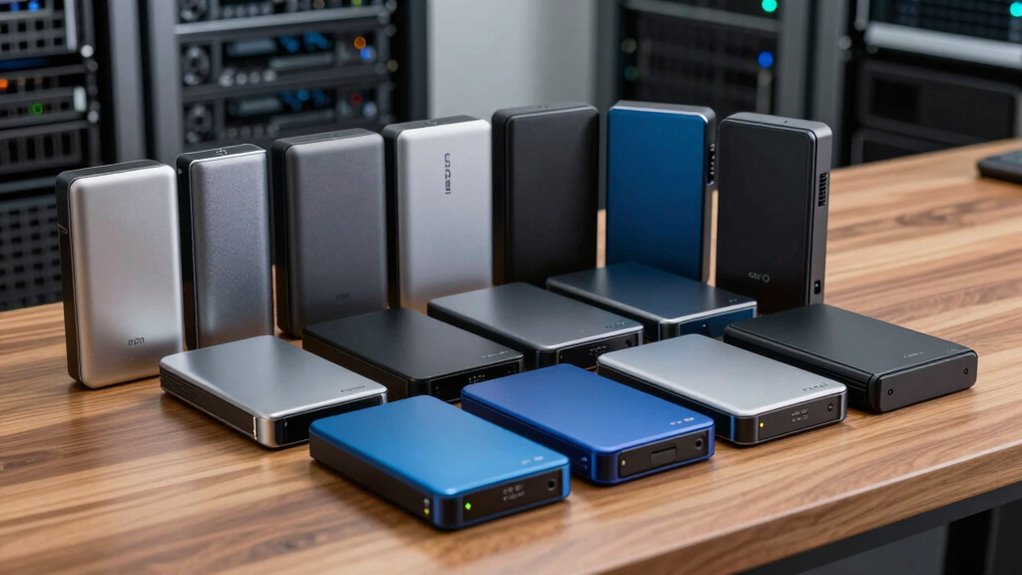
For an offsite backup hard drive, I’d start with the WD 12TB My Book as the best overall fit: its desktop capacity suits a large home archive, though it needs a fixed spot and its own power. The WD 5TB Elements Portable is a simpler choice for carrying a backup elsewhere, while the SanDisk 2TB Extreme Portable SSD favors compact, fast file transfers over maximum capacity. The main tradeoff is between desktop drives that hold more and portable drives that are easier to store away from your computer. Capacity, physical durability, and how often you plan to rotate the drive all affect the right choice. Read on for how the 15 options compare and which one fits your backup routine.

Get privacy and security gear delivered free with Prime
- Fast, free delivery on millions of items
- Prime Video, Amazon Music and more included
- Member-only deals all year
Key Takeaways
- WD 12TB My Book takes the overall spot because it balances substantial desktop capacity with a straightforward role as a home archive; its size and external power make it less suited to frequent travel.
- The two 22TB desktop options, WD My Book 22TB and Seagate Expansion 22TB, are the capacity leaders, but both demand a permanent location and careful offsite handling.
- The WD 5TB Elements Portable offers a practical middle ground for carrying a large backup, while the 4TB and 6TB Elements and My Passport models give buyers several capacity steps.
- The SanDisk 2TB Extreme Portable SSD stands apart for a compact solid-state format; its lower capacity makes it a better fit for selected files than a very large media archive.
- The lineup is weighted toward WD drives, so differences in capacity, desktop versus portable design, and SSD versus HDD matter more here than brand variety.
| WD 12TB My Book Desktop External Hard Drive |  | Best Overall for Secure Desktop Backups | Capacity: 12TB | Interface: USB 3.0 (SuperSpeed 5 Gbps) | Compatibility: USB 2.0 compatible | VIEW ON AMAZON | See Our Full Breakdown |
| Seagate Backup Plus Hub 8TB Desktop External Hard Drive |  | Best for Straightforward Desktop Backups | Capacity: 8TB | Interface: USB 3.0 | Form factor: 3.5-inch desktop drive | VIEW ON AMAZON | See Our Full Breakdown |
| WD 4TB My Passport Portable External Hard Drive |  | Best for Portable Encrypted Backups | Capacity: 4TB | Interface: USB 3.1/USB 3.0 | Color: Black | VIEW ON AMAZON | See Our Full Breakdown |
| WD My Book 22TB External Hard Drive |  | Best for Maximum Capacity | Capacity: 22TB | Interface: USB 3.0 | Encryption: 256-bit AES hardware encryption | VIEW ON AMAZON | See Our Full Breakdown |
| YOTUO 500GB Portable External Hard Drive with Silicone Sleeve |  | Best Compact Option for Small Backups | Capacity: 500GB | Interface: USB 3.0 and USB-C | Transfer speed: Up to 5 Gbps | VIEW ON AMAZON | See Our Full Breakdown |
| Western Digital WD 5TB Elements Portable External Hard Drive |  | Best Value for Portable Capacity | Capacity: 5 TB | Interface: USB 3.2 Gen 1 / USB 3.0 / USB 2.0 | Form factor: 2.5-inch | VIEW ON AMAZON | See Our Full Breakdown |
| Seagate Expansion 22TB External Hard Drive HDD (STKP22000400) |  | Best for Large Archive Rotations | Capacity: 22 TB | Interface: USB 3.0 | Model number: STKP22000400 | VIEW ON AMAZON | See Our Full Breakdown |
| WD 2TB My Passport Portable External Hard Drive, Black |  | Best for Beginners Who Want Built-In Security | Capacity: 2 TB | Color: Black | Interface: USB 3.1 / USB 3.0 / USB 2.0 | VIEW ON AMAZON | See Our Full Breakdown |
| WD 1TB My Passport Portable External Hard Drive | | Best for Small, Sensitive File Sets | Capacity: 1 TB | Color: Black | Interface: USB 3.1 / USB 3.0 | VIEW ON AMAZON | See Our Full Breakdown |
| WD 6TB Elements Portable External Hard Drive (WDBHJS0060BBK-WESN) |  | Best Portable Pick for Large Archives | Capacity: 6 TB | Interface: USB 3.2 Gen 1 / USB 3.0 | Form factor: 2.5 inches | VIEW ON AMAZON | See Our Full Breakdown |
| Maxone 1TB Ultra Slim Portable External Hard Drive |  | Best Compact Pick | Capacity: 1 TB | Interface: USB 3.0, backward compatible with USB 2.0 | Form factor: 2.5 inches | VIEW ON AMAZON | See Our Full Breakdown |
| WD 5TB My Passport Portable External Hard Drive |  | Best Secure Mid-Capacity Pick | Capacity: 5TB | Interface: USB 3.1 / USB 3.0 | Color: Black | VIEW ON AMAZON | See Our Full Breakdown |
| SanDisk 2TB Extreme Portable SSD |  | Best Rugged SSD Pick | Capacity: 2TB | Read speed: Up to 1050MB/s | Write speed: Up to 1000MB/s | VIEW ON AMAZON | See Our Full Breakdown |
| WD 6TB My Passport Portable External Hard Drive |  | Best High-Capacity Secure Portable Pick | Capacity: 6TB | Form factor: 2.5-inch | Interface: USB 3.1 / USB 3.0 | VIEW ON AMAZON | See Our Full Breakdown |
| WD 4TB Elements Portable External Hard Drive | | Best Simple Cross-Platform Pick | Capacity: 4TB | Interface: USB 3.2 Gen 1 / USB 3.0 | Compatibility: Windows, Mac | VIEW ON AMAZON | See Our Full Breakdown |
| offsite backup hard drive | Capacity | Interface | Form factor | Color |
|---|---|---|---|---|
| WD 12TB My Book Desktop Extern | 12TB | USB 3.0 (SuperSpeed 5 Gbps) | Desktop external hard drive | — |
| Seagate Backup Plus Hub 8TB De | 8TB | USB 3.0 | 3.5-inch desktop drive | Black |
| WD 4TB My Passport Portable Ex | 4TB | USB 3.1/USB 3.0 | Portable external hard drive | Black |
| WD My Book 22TB External Hard | 22TB | USB 3.0 | Desktop external hard drive | Black |
| YOTUO 500GB Portable External | 500GB | USB 3.0 and USB-C | — | Black |
| Western Digital WD 5TB Element | 5 TB | USB 3.2 Gen 1 / USB 3.0 / USB 2.0 | 2.5-inch | Black |
| Seagate Expansion 22TB Externa | 22 TB | USB 3.0 | Desktop | — |
| WD 2TB My Passport Portable Ex | 2 TB | USB 3.1 / USB 3.0 / USB 2.0 | 2.5 inches | Black |
| WD 1TB My Passport Portable Ex | 1 TB | USB 3.1 / USB 3.0 | — | Black |
| WD 6TB Elements Portable Exter | 6 TB | USB 3.2 Gen 1 / USB 3.0 | 2.5 inches | Black |
| Maxone 1TB Ultra Slim Portable | 1 TB | USB 3.0, backward compatible with USB 2.0 | 2.5 inches | — |
| WD 5TB My Passport Portable Ex | 5TB | USB 3.1 / USB 3.0 | — | Black |
| SanDisk 2TB Extreme Portable S | 2TB | USB-C, USB 3.2 Gen 2 | — | — |
| WD 6TB My Passport Portable Ex | 6TB | USB 3.1 / USB 3.0 | 2.5-inch | Black |
| WD 4TB Elements Portable Exter | 4TB | USB 3.2 Gen 1 / USB 3.0 | — | — |
More Details on Our Top Picks
WD 12TB My Book Desktop External Hard Drive
The 12TB My Book balances large backup capacity with 256-bit AES hardware encryption, making it a strong fit for a drive that will stay connected to a home or office computer. It holds more than the Seagate Backup Plus Hub 8TB, while its included software supports automatic backups and device management. That extra space can help when several computers or a growing media archive share one destination. The tradeoff is its desktop setup: it needs external power, so it is less convenient to move offsite than the WD 4TB My Passport. WD’s backup software also requires download and installation, and account registration may be needed. I’d choose it when capacity and encryption matter more than portability.
Pros:- 12TB capacity accommodates large file collections and multiple backups.
- 256-bit AES hardware encryption and password protection add a security layer.
- Backup and device management software is included.
- USB 3.0 supports transfers up to 5 Gbps.
Cons:- Desktop use requires an external power connection.
- Backup software requires download and installation, and may require account registration.
- Usable storage is lower than the advertised capacity.
Best for: Home office users and small teams who need a high-capacity, encrypted backup drive that can stay plugged in.
Not ideal for: People who regularly carry their backup between locations or need a compact, bus-powered drive.
- Capacity:12TB
- Interface:USB 3.0 (SuperSpeed 5 Gbps)
- Compatibility:USB 2.0 compatible
- Security:256-bit AES hardware encryption and password protection
- Model number:WDBBGB0120HBK-NESN
- Form factor:Desktop external hard drive
Our verdict“Choose the 12TB My Book for a secure, high-capacity backup that will stay at a desk rather than travel.”
Seagate Backup Plus Hub 8TB Desktop External Hard Drive
The Backup Plus Hub 8TB is a practical pick for buyers who want substantial backup space and a simple USB-connected desktop drive. Its listed transfer speed of up to 120 MB/s suits routine file copies, while the included backup and recovery software can help automate protection. Compared with the WD 12TB My Book, it offers less room and the supplied product data does not specify hardware encryption, so it is a less compelling choice for sensitive archives. Its appeal is a more straightforward backup setup and enough capacity for many household or work files. The 3.5-inch design needs external power and weighs 1.9 pounds, which makes it a poor offsite companion if you frequently move the drive between locations.
Pros:- 8TB capacity handles substantial document, photo, and video backups.
- Included backup and recovery software supports automated protection.
- USB 3.0 connection is suited to routine file transfers.
- Plug-and-play connectivity keeps setup simple.
Cons:- External power is required, and the 3.5-inch form factor limits portability.
- Its 8TB capacity is below the WD 12TB and 22TB desktop options.
- Hardware encryption is not specified in the supplied product data.
Best for: Users who want an 8TB desktop destination for scheduled household or office backups and do not need a travel drive.
Not ideal for: People who need a portable offsite drive, hardware encryption, or more room for very large archives.
- Capacity:8TB
- Interface:USB 3.0
- Form factor:3.5-inch desktop drive
- Listed read speed:Up to 120 MB/s
- Weight:1.9 pounds
- Color:Black
- Model name:STEL8000401
Our verdict“Pick the Backup Plus Hub if you want a simple, large desktop backup destination and rarely take the drive offsite.”
WD 4TB My Passport Portable External Hard Drive
For buyers who need their backup to travel, the 4TB My Passport makes more sense than the desktop WD My Book 22TB. Its portable design can go between home, office, and another storage location without the desktop drive’s external power supply. It also combines password protection and hardware encryption with backup software that includes ransomware defense, giving mobile users security features the supplied specs for the Seagate Backup Plus Hub do not list. The tradeoff is capacity: 4TB is a smaller archive target than the My Book models, so large media collections may outgrow it sooner. Full security features depend on specific software, and the USB 3.0/3.1 interface lacks the newer USB-C standard. Its three-year limited warranty adds a defined coverage period.
Pros:- Portable 4TB capacity suits travel backups and sizeable personal libraries.
- Hardware encryption and password protection support data security.
- Backup software includes ransomware defense capabilities.
- Three-year limited warranty.
Cons:- Full security features depend on installing specific software.
- USB 3.0/3.1 connectivity is older than newer USB-C options.
- Offers much less storage than the 12TB and 22TB My Book desktop drives.
Best for: Photographers, remote workers, and students who need a portable drive for encrypted backups across locations.
Not ideal for: People building a very large, always-connected archive or looking for a native USB-C connection.
- Capacity:4TB
- Interface:USB 3.1/USB 3.0
- Color:Black
- Warranty:3-year limited
- Security:Password protection and hardware encryption
- Model:WDBPKJ0040BBK-WESN
- Form factor:Portable external hard drive
Our verdict“Choose the 4TB My Passport when your offsite backup needs to travel and encryption matters more than maximum capacity.”
WD My Book 22TB External Hard Drive
When a backup target needs to hold an extensive archive, the 22TB My Book offers the most capacity among the five picks here. That headroom can reduce the need to split a large collection across drives, and its 256-bit AES hardware encryption and password protection suit sensitive files. Compared with the 12TB WD My Book, it gives substantially more space while keeping the same desktop-oriented USB 3.0 approach. The Seagate Backup Plus Hub 8TB is a smaller alternative for buyers who do not need such a large archive. The cost of this capacity in practical terms is a fixed installation: the drive needs its included power supply and is not convenient to carry for regular offsite rotation. Backup software is included, but the drive’s desktop format still dictates where it fits best.
Pros:- 22TB capacity accommodates very large archives.
- 256-bit AES hardware encryption and password protection are specified.
- Automatic backup and device management software is included.
- PC and Mac compatibility is specified.
Cons:- Requires the included external power supply.
- Desktop form factor makes routine offsite transport inconvenient.
- USB 3.0 connectivity is not a newer USB-C interface.
Best for: Video professionals, small businesses, and home archivists who need one large encrypted desktop backup target.
Not ideal for: Anyone who needs to carry backups regularly, or whose data set fits comfortably on a smaller portable drive.
- Capacity:22TB
- Interface:USB 3.0
- Encryption:256-bit AES hardware encryption
- Compatibility:PC and Mac
- Color:Black
- Included accessories:USB 3.0 cable, power supply, software, quick installation guide
- Form factor:Desktop external hard drive
Our verdict“Choose the 22TB My Book if your priority is keeping an exceptionally large, encrypted archive on a desktop drive.”
YOTUO 500GB Portable External Hard Drive with Silicone Sleeve
The YOTUO 500GB is the most travel-friendly choice in this group by weight, with a silicone sleeve intended to absorb shocks and a listed weight of 0.16 kg. Its USB 3.0 and USB-C connections and broad computer and console compatibility make it flexible for moving a modest set of files. Compared with the WD 4TB My Passport, it offers far less room and the supplied details do not list hardware encryption or backup software, so it is a weaker main drive for a growing offsite archive. The capacity is better suited to a focused set of documents or selected media than a whole computer backup. It also cannot run or store PS5 and Xbox Series X/S games directly, despite its compatibility listing.
Pros:- Lightweight 0.16 kg portable design.
- Silicone sleeve is designed to absorb shocks and protect the drive.
- USB 3.0 and USB-C connectivity.
- Compatibility includes PC, Mac, Linux, and multiple console generations.
Cons:- 500GB capacity is limited for full-system backups or large media collections.
- Supplied product data does not list hardware encryption or backup software.
- Cannot run or store PS5 and Xbox Series X/S games directly.
Best for: Travelers who want a lightweight secondary copy of selected documents or media and value a protective sleeve.
Not ideal for: Anyone backing up a full computer, a large media library, or files that require listed hardware encryption.
- Capacity:500GB
- Interface:USB 3.0 and USB-C
- Transfer speed:Up to 5 Gbps
- Weight:0.16 kg
- Color:Black
- Compatibility:PC, Mac, Linux, PS4, PS5, Xbox One, Xbox Series X/S
- Protective feature:Silicone sleeve
Our verdict“Pick the YOTUO for a small, lightweight secondary copy of selected files, not as the sole backup for a large archive.”
Western Digital WD 5TB Elements Portable External Hard Drive
The WD 5TB Elements Portable suits buyers who want a large local copy of their files in a drive they can carry between locations. Its 2.5-inch form and plug-and-play setup make it simpler to move than desktop options such as the Seagate Expansion 22TB, which needs its own power adapter but holds far more data. For an offsite routine, the 5TB capacity can cover a substantial photo or document archive without tying the drive to one desk.
The tradeoff is a more basic feature set: there is no listed hardware encryption, and the stated 50 MB/s read speed is modest for moving large archives. I would choose it for straightforward capacity and portability, while buyers who prioritize access controls should look at the WD My Passport 2TB. Keep a separate backup copy; portability alone does not protect against loss or drive failure.
Pros:- 5TB capacity in a portable 2.5-inch drive
- USB 3.2 Gen 1 supports faster transfers than USB 2.0
- Plug-and-play setup for Windows and Mac
- Compact alternative to powered desktop drives
Cons:- No password protection or hardware encryption is listed
- Stated 50 MB/s read speed is modest for large restores
- Portable size makes it easier to misplace or damage during transport
Best for: People who rotate a large photo or video backup between home and an office or relative’s home and prefer simple plug-and-play use.
Not ideal for: Buyers who need built-in encryption, frequent high-speed transfers, or a desktop drive that stays connected at one backup location.
- Capacity:5 TB
- Interface:USB 3.2 Gen 1 / USB 3.0 / USB 2.0
- Form factor:2.5-inch
- Color:Black
- Compatibility:Windows, Mac, Xbox 360, PlayStation 4
- Read speed:50 MB/s
- Installation:External
Our verdict“Choose this for a portable, high-capacity backup copy if basic security and moderate transfer speed meet your needs.”
Seagate Expansion 22TB External Hard Drive HDD (STKP22000400)
If an offsite copy needs to hold years of large projects, video files, or several computers’ archives, the Seagate Expansion 22TB offers the most capacity in this batch. It can consolidate backups that would otherwise be split across several portable drives. Compared with the WD 5TB Elements Portable, this is a much less convenient travel companion, but its desktop format gives capacity priority over easy carrying.
USB 3.0 and automatic recognition keep setup simple for Windows and Mac, while the included Rescue Data Recovery Services add a recovery service benefit. That service is not a substitute for another copy of important files. The separate power adapter also means the drive needs a suitable outlet at the offsite location, and Mac users must reformat it for Time Machine. This pick fits a planned rotation between fixed locations better than frequent everyday transport.
Pros:- 22TB capacity can consolidate multiple large backup sets
- USB 3.0 connection and plug-and-play recognition simplify setup
- Rescue Data Recovery Services are included
- Works with Windows and Mac, with reformatting needed for Time Machine
Cons:- Requires a separate power adapter and outlet
- Desktop form is less convenient to carry offsite than a portable drive
- Time Machine use requires reformatting
Best for: Videographers, small teams, or households rotating a very large archive between two locations with reliable power at each site.
Not ideal for: Travelers who need a bus-powered drive, Mac users who want immediate Time Machine setup, or anyone without a stable place to store the desktop unit.
- Capacity:22 TB
- Interface:USB 3.0
- Model number:STKP22000400
- Compatibility:Windows and Mac
- Time Machine:Reformatting required
- Included service:Rescue Data Recovery Services
- Form factor:Desktop
- Power:Separate power adapter required
Our verdict“Pick this when maximum archive capacity matters more than portability and both rotation locations have power.”
WD 2TB My Passport Portable External Hard Drive, Black
The WD 2TB My Passport is the easiest fit here for someone building an offsite backup habit who also wants protection for a drive that may leave home. Its password protection and hardware encryption help limit access if the portable unit is lost, and the backup software includes ransomware defense. Those features make it a more security-focused choice than the WD 5TB Elements Portable, which offers more capacity but no listed encryption.
The compromise is space: 2TB can fill quickly with video or multiple computers’ backups, so it is better for a focused set of personal files than a broad household archive. Software features require download and installation, and registration may be required. With USB 3.1/3.0/2.0 compatibility and a 3-year limited warranty, it favors guided setup and file security over the raw capacity of the Elements drives.
Pros:- Password protection and hardware encryption are included
- Backup software includes ransomware defense
- Compact 2.5-inch portable form
- 3-year limited warranty
Cons:- 2TB capacity is less suitable for large media collections
- Backup software must be downloaded and installed
- Software features may require account registration
Best for: A first-time backup user carrying personal documents and photos who wants password protection and hardware encryption on the drive.
Not ideal for: People backing up large video libraries or multiple computers, since 2TB may constrain the archive.
- Capacity:2 TB
- Color:Black
- Interface:USB 3.1 / USB 3.0 / USB 2.0
- Form factor:2.5 inches
- Enclosure material:Aluminum
- Security:Password protection and hardware encryption
- Warranty:3-year limited warranty
- Compatible devices:Desktop, laptop, tablet, PC
Our verdict“Choose this for a portable, security-minded backup of personal files if 2TB is enough for your archive.”
WD 1TB My Passport Portable External Hard Drive
For a modest set of sensitive documents and personal photos, the WD 1TB My Passport combines portability with password protection and hardware encryption. That makes it more appropriate for a drive carried to an offsite location than the WD 6TB Elements Portable, which offers far more room but lists no equivalent security features. The included backup software with ransomware defense may also help a less experienced user establish a routine, though the product data does not specify how much setup that routine needs.
Its clear limit is capacity. One terabyte leaves less room for growing photo libraries, video, or backups from several devices than the 2TB My Passport, and the USB 3.1/3.0 connection lacks a listed USB-C option. The 3-year limited warranty is useful coverage, but it does not replace keeping another copy of irreplaceable files.
Pros:- Hardware encryption and password protection
- Backup software includes ransomware defense
- Slim portable design suits offsite rotation
- 3-year limited warranty
Cons:- 1TB capacity can constrain a growing archive
- USB 3.1/3.0 interface has no USB-C connection listed
- Software features may require setup beyond basic file copying
Best for: Individuals who need an encrypted offsite copy of a small set of work documents, scans, and personal photos.
Not ideal for: Families, video creators, or multi-computer households whose backup archive is likely to exceed 1TB.
- Capacity:1 TB
- Color:Black
- Interface:USB 3.1 / USB 3.0
- Warranty:3-year limited
- Model:WDBYVG0010BBK-WESN
- Security:Password protection and hardware encryption
- Backup software:Includes ransomware defense
Our verdict“Choose this for a small, sensitive file set that benefits from encryption and is easy to carry offsite.”
WD 6TB Elements Portable External Hard Drive (WDBHJS0060BBK-WESN)
The WD 6TB Elements Portable is the capacity leader among the portable drives in this batch, making it a practical candidate for an offsite copy of a large photo or document archive. Its 2.5-inch form and plug-and-play setup suit rotation between locations more easily than the Seagate Expansion 22TB, which offers much more space but needs a power adapter and a desktop spot. USB 3.2 Gen 1 provides a familiar connection for Windows and Mac systems.
The tradeoff is a basic design: there is no listed password protection or hardware encryption, and its plastic enclosure may be less reassuring for frequent travel than a sturdier case. The supplied speed data conflicts, listing up to 1050 MB/s alongside typical HDD speeds of about 100–150 MB/s and a 50–150 MB/s media range, so I would not choose it on the headline figure. It makes more sense for capacity-first backups than protected or speed-critical workflows.
Pros:- 6TB capacity in a portable 2.5-inch form
- Plug-and-play setup for Windows and Mac
- USB 3.2 Gen 1 / USB 3.0 interface
- More portable than desktop drives that require separate power
Cons:- No password protection or hardware encryption is listed
- Plastic enclosure may be less reassuring for frequent transport
- Provided read-speed figures conflict, making performance difficult to judge
Best for: People who need to carry a large backup archive between locations and want more capacity than the 5TB portable option.
Not ideal for: Buyers who need hardware encryption, rugged protection, or dependable high-speed performance figures for frequent large restores.
- Capacity:6 TB
- Interface:USB 3.2 Gen 1 / USB 3.0
- Form factor:2.5 inches
- Color:Black
- Enclosure material:Plastic
- Compatibility:Windows, Mac, desktop, laptop, tablet
- Model number:WDBHJS0060BBK-WESN
- Read speed:Product data lists up to 1050 MB/s; also notes typical HDD speeds of about 100–150 MB/s and a 50–150 MB/s media range
Our verdict“Choose this for a large portable archive when capacity matters more than encryption or clearly specified transfer speed.”
Maxone 1TB Ultra Slim Portable External Hard Drive
The Maxone 1TB suits a backup copy you can slip into a small bag or keep beside a laptop: its 0.4-inch aluminum enclosure is slimmer than the plastic-bodied WD Elements Portable 4TB. USB-powered, plug-and-play setup also avoids carrying a separate power adapter. Its 1TB capacity, however, leaves less room for growing photo or video libraries than the WD 5TB My Passport or WD Elements 4TB. As a mechanical drive, it cannot match the SanDisk Extreme Portable SSD’s speed or resistance to drops, so I would treat it as a compact extra copy rather than a drive to handle roughly. The listed compatibility focuses on Windows and PlayStation 4, with no native Mac support specified; Mac users should check their setup before relying on it.
Pros:- Slim 0.4-inch aluminum enclosure
- USB-powered plug-and-play operation
- USB 3.0 interface with stated transfer rate up to 5 Gbit/s
- Three-year manufacturer warranty
Cons:- 1TB capacity is limited beside the 4TB WD Elements Portable
- Mechanical drive is slower and more vulnerable to drops than the SanDisk Extreme Portable SSD
- Native Mac compatibility is not listed
Best for: Windows laptop owners who want a slim, USB-powered 1TB drive for a small offsite file copy.
Not ideal for: Mac users or people backing up large photo and video collections who need confirmed Mac support or more capacity.
- Capacity:1 TB
- Interface:USB 3.0, backward compatible with USB 2.0
- Form factor:2.5 inches
- Rotational speed:5400 rpm
- Maximum transfer rate:5 Gbit/s
- Thickness:0.4 inches
- Enclosure:Aluminum, charcoal grey
- Compatibility:Windows 7/8/10, PC, laptop, PlayStation 4
- Warranty:3 years
Our verdict“Choose the Maxone if a slim metal body and a small Windows backup copy matter more than capacity or SSD-level durability.”
WD 5TB My Passport Portable External Hard Drive
The WD 5TB My Passport balances room for a substantial file archive with security features that are useful when a backup travels offsite. Its password protection and hardware encryption add a layer of protection if the drive is lost, while included device software offers ransomware defense. Compared with the WD 4TB Elements Portable, it adds security tools and another terabyte, though the Elements has listed Windows and Mac compatibility and simple plug-and-play use. The SanDisk Extreme Portable SSD is a better fit for fast transfers and rough handling, but its 2TB capacity is much lower. My main reservation is that the supplied details do not specify supported operating systems or a transfer rate, so buyers should confirm software compatibility and backup workflow before depending on those features.
Pros:- 5TB capacity in a portable enclosure
- Password protection and hardware encryption
- Device management software with ransomware defense
- Three-year limited warranty
Cons:- Mechanical drive is less suited to rough handling than the SanDisk Extreme Portable SSD
- Listed details do not specify supported operating systems
- No transfer speed is provided in the product information
Best for: People who carry a sizable file archive between locations and want encryption and ransomware defense alongside portable storage.
Not ideal for: Buyers who need confirmed Mac support, straightforward software-free setup, or SSD speed and drop resistance.
- Capacity:5TB
- Interface:USB 3.1 / USB 3.0
- Color:Black
- Model:WDBPKJ0050BBK-WESN
- Security:Password protection and hardware encryption
- Software:Device management software with ransomware defense
- Warranty:3-year limited
Our verdict“Pick the WD 5TB My Passport if portable capacity and built-in security tools matter more than rugged SSD performance.”
SanDisk 2TB Extreme Portable SSD
For an offsite copy that may travel in a backpack, the SanDisk Extreme Portable SSD trades hard-drive capacity for speed and better protection against everyday knocks. Its IP65 water and dust resistance and 3-meter drop protection make it a stronger travel companion than the mechanical WD 5TB My Passport, while NVMe read and write speeds can shorten large file transfers when the host supports them. It also includes 256-bit AES hardware encryption and password protection. Capacity is the clear compromise: at 2TB, it holds less than the 4TB WD Elements Portable and far less than the 6TB WD My Passport. I would choose it for a mobile working set or a smaller offsite copy, not as the sole home for a large media archive. Full speed also depends on a compatible USB-C connection.
Pros:- NVMe read speeds up to 1050MB/s and write speeds up to 1000MB/s
- IP65 water and dust resistance
- Rated for drops up to 3 meters
- 256-bit AES hardware encryption and password protection
Cons:- 2TB capacity is below the WD 4TB Elements and WD 6TB My Passport
- Maximum performance depends on the host device and compatible USB-C port
- Higher speed does not replace keeping a second independent backup copy
Best for: Photographers and mobile workers who carry backups through variable conditions and value transfer speed and drop protection.
Not ideal for: People who need several terabytes for a large archive or whose computers lack compatible USB-C connectivity.
- Capacity:2TB
- Read speed:Up to 1050MB/s
- Write speed:Up to 1000MB/s
- Interface:USB-C, USB 3.2 Gen 2
- Durability:IP65 water and dust resistance; 3-meter drop protection
- Encryption:256-bit AES hardware encryption
- Model:SDSSDE61-2T00-G25
- Non-operating temperature:-20°C to 85°C
Our verdict“Choose this SSD when a portable offsite backup needs speed and physical protection more than maximum capacity.”
WD 6TB My Passport Portable External Hard Drive
The WD 6TB My Passport is the capacity-first choice here for keeping a large portable archive offsite. It offers more room than the WD 5TB My Passport and WD Elements 4TB while retaining a 2.5-inch portable form and adding hardware encryption, password protection, and ransomware defense. That security package makes it a more feature-rich archive option than the WD Elements, whose listed appeal is simpler plug-and-play use. The tradeoff is familiar for a mechanical drive: it is more vulnerable to physical shocks than the SanDisk Extreme Portable SSD, and the USB 3.0/3.1 interface does not offer that SSD’s stated transfer speeds. I would favor it for a protected, mostly stationary travel archive, but I would not carry it loose where drops are likely. The supplied specifications do not state a warranty or host compatibility.
Pros:- 6TB capacity in a 2.5-inch portable form
- Hardware encryption and password protection
- Included backup software with ransomware defense
- Slim design suited to carrying between locations
Cons:- Mechanical drive is more vulnerable to impact than the SanDisk Extreme Portable SSD
- USB 3.0/3.1 interface lacks the SSD’s stated high transfer speeds
- Provided specifications do not list warranty or compatibility details
Best for: Traveling professionals with large photo, video, or document archives who want portable capacity plus encryption features.
Not ideal for: People who often work in rough conditions, need SSD transfer speeds, or require confirmed compatibility and warranty details before buying.
- Capacity:6TB
- Form factor:2.5-inch
- Interface:USB 3.1 / USB 3.0
- Color:Black
- Security features:Password protection, hardware encryption, ransomware defense
- Backup software:Included
- Model:WDBR9S0060BBK-WESN
Our verdict“Choose the WD 6TB My Passport for a large, security-featured portable archive if you can protect it from knocks.”
WD 4TB Elements Portable External Hard Drive
The WD Elements Portable 4TB makes sense when the goal is a straightforward offsite copy with enough room for a growing collection, without extra security software to configure. Its plug-and-play setup and listed Windows and Mac compatibility give it a simpler starting point than the WD 5TB My Passport, which bundles encryption and ransomware defense. Mac users may need to reformat it for their preferred workflow, and the plastic enclosure is less reassuring for travel than the Maxone’s aluminum body or the SanDisk SSD’s rated drop protection. At 4TB, it also sits below both WD My Passport capacities in this group. I would choose it for routine file storage and transport between compatible computers, while buyers carrying sensitive data or large archives may prefer the My Passport models’ added capacity and security features.
Pros:- 4TB capacity in a compact portable form
- Plug-and-play setup without software installation
- Listed compatibility with Windows and Mac
- USB 3.2 Gen 1 interface
Cons:- Mac users may need to reformat for their preferred use
- Plastic enclosure feels less robust than the Maxone’s aluminum body
- No included encryption or ransomware defense is listed
Best for: Windows and Mac households wanting a simple 4TB portable drive for documents, music, photos, and routine offsite copies.
Not ideal for: People who need built-in encryption, high drop resistance, or Mac-ready formatting without setup.
- Capacity:4TB
- Interface:USB 3.2 Gen 1 / USB 3.0
- Compatibility:Windows, Mac
- Setup:Plug-and-play
- Model:WDBU6Y0040BBK-WESN
- Enclosure:Compact, lightweight plastic enclosure
Our verdict“Pick the WD Elements 4TB for uncomplicated portable storage across Windows and Mac when built-in security features are not a priority.”

How We Picked
I ranked these drives for the particular job of keeping a copy away from a computer or home workspace. The main factors were capacity for the intended backup, ease of moving and storing the drive, and the practical demands of its form factor, such as a desktop drive’s need for a power connection. I also weighed how clearly each model suits a distinct buyer, from someone starting with a modest file set to someone archiving large collections. This comparison uses the supplied product names and stated form factors; it does not assume unprovided transfer speeds, ruggedness certifications, backup software features, or test results.
The 12TB WD My Book ranks first as a balanced desktop archive option. The 22TB desktop models rank higher for maximum capacity, but their bulk and power needs make them a narrower choice for offsite rotation. Portable HDDs rank well when mobility and useful capacity matter more than solid-state speed or added impact resistance; the SanDisk Extreme Portable SSD earns a distinct role for a compact SSD format, though it holds less than the largest drives. Lower-capacity and slim drives suit lighter backup sets, but offer less room to grow.
Factors to Consider When Choosing Offsite Backup Hard Drive
Choosing an offsite drive involves more than matching its capacity to today’s files. I’d plan how the backup will be created, stored, transported, and refreshed, since those habits determine whether a drive becomes a useful second copy or sits untouched.
Size the drive for the backup you will actually keep
Start by estimating the size of the folders you plan to protect, then leave room for growth and older versions if your backup method keeps them. A drive that exactly matches the current data can fill sooner than expected, especially when photos, video, or project files accumulate. Buying far more capacity than you can use can also make the backup harder to rotate and store. Think about whether this drive will hold a full system copy, selected folders, or an archive; those jobs have different capacity needs. The 1TB and 2TB portable models suit smaller collections, while a large archive may point toward a 12TB or 22TB desktop option. Check the backup software’s retention settings too, because version history can consume space beyond the files’ present size.
Choose a form factor that matches your offsite routine
A desktop drive can offer much more room, but it takes a power outlet and a stable place to sit during backups. That can work well if you copy data at home, then transport the drive occasionally, but it is less convenient for frequent handoffs. Portable HDDs draw power through their connection and are easier to tuck into a bag or drawer. A compact SSD can be easier to carry and has no spinning disk, though the models in this lineup offer less maximum capacity than the desktop HDDs. Before choosing, picture the full routine: connecting it, waiting for the backup, disconnecting it safely, and storing it somewhere separate. The easiest drive to rotate is often more useful than a larger one that rarely leaves the desk.
Treat physical protection and storage as part of the purchase
Offsite storage exposes a drive to handling, temperature changes, and accidental knocks that may not happen beside a computer. A silicone sleeve, such as the one named for the YOTUO portable drive, can help guard against scuffs, but the listing alone does not establish drop or water resistance. Likewise, a portable SSD’s rugged-sounding product name should not replace checking the maker’s specific protection claims. Keep the drive in a padded case, avoid moving an HDD while it is active, and store it away from moisture and heat. If the drive will travel regularly, consider whether the extra protection and compactness justify choosing less capacity. A second copy stored carefully is more useful than a nominally portable drive left loose in a bag.
Plan a rotation and connection schedule
An offsite copy only helps when it is recent enough to restore the files you care about. Decide how often your data changes and set a repeating reminder to update and rotate the drive. If you need continuous or frequent backups, a single drive that travels offsite may leave gaps while it is away; a second drive can keep one copy available while the other is stored elsewhere. Confirm that the drive’s connection works with your computer and that any needed adapter is available at both locations. After each backup, check that the files can be read and disconnect the drive safely. A simple schedule you can maintain beats an elaborate plan that slips.
Separate backup from security and disaster recovery
Putting a drive offsite helps protect against some local events, but it does not automatically protect the data from theft, accidental deletion, or damage to the drive itself. Consider encrypting sensitive files, especially if the drive will be kept outside your home or carried by someone else. Keep the recovery key somewhere separate from the drive so you can still access the backup if the device is lost. For important data, one offsite drive should not be the only backup copy; a separate copy reduces the chance that one failure takes everything with it. Also check whether your backup software can restore individual files as well as a full computer image. Security and recovery planning deserve attention regardless of whether you choose an HDD or SSD.
Frequently Asked Questions
Is a 22TB desktop drive a sensible choice if I need to take backups offsite?
It can make sense when you need to carry a very large archive only occasionally and have a safe place to store the drive at each end. Both 22TB options are desktop HDDs, so plan for external power and careful handling during transport. If you update the backup often or carry it regularly, a smaller portable drive may be easier to keep in rotation. You can also split the job between a large home archive and a portable copy of your most important files. Choose the 22TB class for capacity needs, not simply because a larger number sounds safer.
Should I pick a portable SSD or a portable HDD for an offsite copy?
A portable SSD is a good fit when compact size, quick file access, and resistance to moving parts matter to your routine. A portable HDD usually gives you more capacity for a broad archive, which can matter more than speed when a backup runs periodically. The SanDisk 2TB Extreme Portable SSD is the lineup’s SSD option, while WD’s portable HDDs span several capacity levels. Neither format removes the need for another copy or careful storage. Match the choice to the amount of data and how frequently the drive will travel.
How much capacity should I leave free on an offsite backup drive?
There is no single percentage that fits every backup method, since a plain file copy and a versioned backup use space differently. First total the data you intend to protect, then account for likely growth and any older file versions you want to retain. If your backup software can prune older versions automatically, review its settings before assuming the drive has enough room. A drive that is nearly full can force you to remove history or skip new files. Check capacity after the first full backup and again after several scheduled updates to see how quickly space is being used.
Can I leave an offsite backup drive plugged in all the time?
You can, but a drive that remains connected may be exposed to the same computer problems, mistakes, or malicious software as the main files. The purpose of an offsite copy is partly to keep it separate, so a drive stored elsewhere between scheduled updates can provide more separation. If you need frequent automated backups, consider keeping a connected backup for convenience and rotating another copy offsite. Disconnect the drive safely before storing it, and check that backups have completed. Your schedule should balance how current the backup needs to be against how much separation you want.
Is one offsite hard drive enough to protect important files?
One drive creates a useful additional copy, but it can fail, be lost, or become inaccessible at the same time you need it. For irreplaceable files, keep another copy on a separate device or backup service and make sure the copies do not all stay in one place. Encrypt data that would be sensitive if the offsite drive were misplaced, and keep recovery credentials separately. Test a small restore now and then so you know the backup contains readable files. The right number of copies depends on how much data loss you can accept and how often the files change.
Conclusion
For most buyers building a substantial home archive, I’d choose the WD 12TB My Book as best overall, provided a desktop drive and power connection suit the storage routine. The WD 5TB Elements Portable is my best value-style fit for someone who wants useful capacity in a drive that is easier to take elsewhere. Beginners with a smaller backup set can start with a 1TB or 2TB WD My Passport and a simple recurring backup schedule. For maximum desktop capacity, compare the WD My Book 22TB and Seagate Expansion 22TB; for a compact SSD format, choose the SanDisk Extreme Portable SSD if its 2TB capacity fits. Pick according to what you need to protect and how regularly you will move the drive offsite.