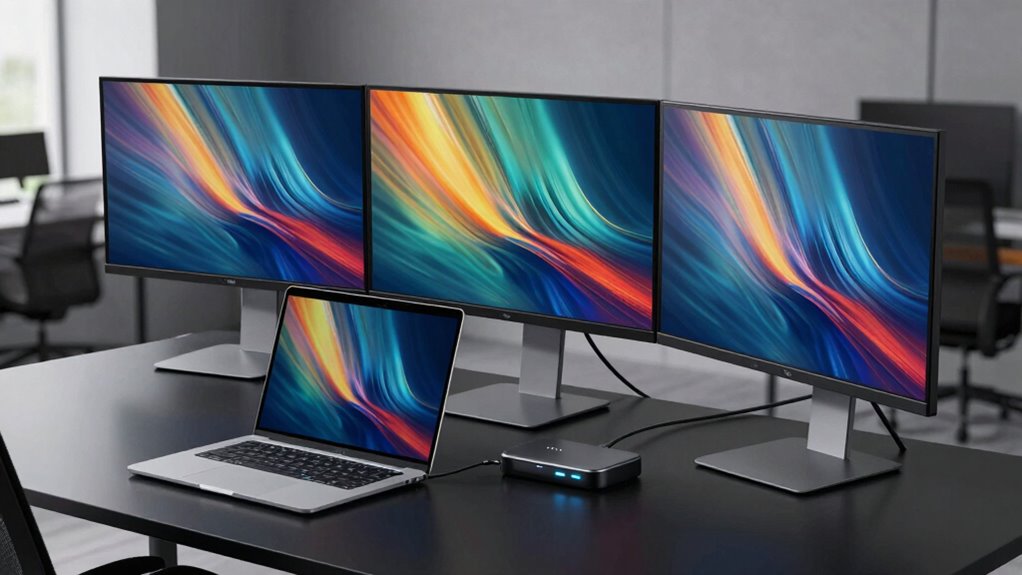

A laptop docking station for three monitors can expand your workspace, but the right pick depends on your laptop’s display support, the dock’s connection method, and the resolutions you need. The Plugable UD-MSTH3 is my best overall choice for buyers who want a broad set of connections and triple-display support. For a feature-packed alternative, the TobenONE 18-in-1 offers three 4K HDMI outputs, while the HoDo 8-in-1 suits setups that need a mix of HDMI, DisplayPort, and VGA. The main tradeoffs are native compatibility versus DisplayLink software, port variety versus desk space, and the dock’s power delivery versus your laptop’s charging needs. Read on for the full comparison and advice on matching a dock to your computer and monitors.

Get privacy and security gear delivered free with Prime
- Fast, free delivery on millions of items
- Prime Video, Amazon Music and more included
- Member-only deals all year
Key Takeaways
- The Plugable UD-MSTH3 leads on all-around flexibility: its 15-in-1 layout and triple-display design make it a stronger general-purpose choice than simpler docks with fewer connection options.
- TobenONE’s 18-in-1 model emphasizes port count and three 4K HDMI outputs: that makes it a better fit for HDMI-heavy desks than a compact dock, though buyers should check the laptop and display configuration requirements.
- Plugable’s lineup gives buyers distinct choices: the UD-MSTH3 prioritizes a 15-in-1 connection set, while its 13-in-1 model highlights 100W charging.
- Not every three-monitor setup needs three HDMI sockets: the HoDo 8-in-1 combines dual HDMI with DisplayPort and VGA, giving older or mixed-display desks more connection options.
- Several Selore and Acer models have overlapping port counts and triple-display claims: compare the exact output mix, charging support, and laptop compatibility before choosing by brand or the number of ports alone.
| TobenONE 14-in-1 USB-C Laptop Docking Station with Triple HDMI |  | Best for Compact Setups | Display outputs: 3 × HDMI | Display support: Up to three 4K displays | USB ports: 6; data transfer up to 5 Gbps | VIEW ON AMAZON | See Our Full Breakdown |
| Selore 13-in-1 USB-C Docking Station with 3 HDMI Ports |  | Best for Fast USB Data | Display outputs: 3 × HDMI | Display support: Up to 3 extended displays on compatible Windows laptops | HDMI resolution: Up to 4K at 60Hz | VIEW ON AMAZON | See Our Full Breakdown |
| Plugable UD-MSTH3 15-in-1 USB-C Triple Display Docking Station |  | Best for Clearly Specified Display Modes | Model: UD-MSTH3 | Display outputs: 3 × HDMI | Display support: Dual 4K at 60Hz, or 1 × 4K at 60Hz plus 2 × 1080p at 60Hz | VIEW ON AMAZON | See Our Full Breakdown |
| Selore USB-C Docking Station with Triple Display Support |  | Best for Mixed Monitor Connections | Display outputs: 2 × HDMI, 1 × DisplayPort, 1 × VGA | Windows display support: Up to three independent 4K displays | DisplayPort output: Up to 8K at 30Hz | VIEW ON AMAZON | See Our Full Breakdown |
| Acer 13-in-1 USB-C Docking Station with Triple Display Support |  | Best for Included Laptop Charging | Display outputs: 2 × HDMI, 1 × DisplayPort 1.4 | Display support: Up to 3 independent displays on compatible Windows laptops; macOS supports mirroring only | Maximum resolution: Triple 4K at 30Hz with DSC on compatible Windows laptops | VIEW ON AMAZON | See Our Full Breakdown |
| TobenONE 18-in-1 Laptop Docking Station with Triple 4K HDMI |  | Best for Peripheral-Heavy Setups | Total ports: 18 | USB ports: 9 | Video outputs: 3 HDMI | VIEW ON AMAZON | See Our Full Breakdown |
| Selore 16-in-1 USB-C Docking Station with Triple HDMI | 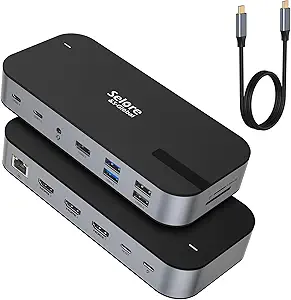 | Best for Mixed-Speed Display Needs | Total ports: 16 | HDMI outputs: 3 | Display support: One HDMI up to 4K at 60 Hz; three monitors up to 4K at 30 Hz | VIEW ON AMAZON | See Our Full Breakdown |
| Acer 11-in-1 USB-C Docking Station for Three Monitors |  | Best for High-Resolution Mixed Displays | Total ports: 11 | Video outputs: 2 HDMI and 1 DisplayPort | Triple-display support: Up to 4K at 60 Hz + 4K at 60 Hz + 1080p at 60 Hz | VIEW ON AMAZON | See Our Full Breakdown |
| HoDo 8-in-1 USB-C Docking Station with Dual HDMI, DisplayPort, and VGA |  | Best for Older Monitor Connections | Total ports: 8 | Video outputs: 2 HDMI, 1 DisplayPort, and 1 VGA | HDMI resolution: Up to 4K at 60 Hz and 4K at 30 Hz | VIEW ON AMAZON | See Our Full Breakdown |
| Plugable USB-C Triple Display Docking Station with 100W Power Delivery |  | Best for Broad OS Compatibility | Total ports: 9 | Display outputs: 3 HDMI | Display support: Up to 1× 4K at 30 Hz and 2× 1080p at 60 Hz | VIEW ON AMAZON | See Our Full Breakdown |
| Selore 17-in-1 Laptop Docking Station with Triple 4K Display Support |  | Best for Port Variety | Total ports: 17 | Video ports: 3 HDMI and 2 DisplayPort | Windows display support: Up to 3 extended displays via MST | VIEW ON AMAZON | See Our Full Breakdown |
| Plugable 13-in-1 USB-C Triple Monitor Docking Station with 100W Charging |  | Best for Charging a Laptop and Phone | Ports: 13 | Video outputs: 3 HDMI | Display support: Up to 3 extended displays | VIEW ON AMAZON | See Our Full Breakdown |
| Anker Nano 13-in-1 Laptop Docking Station with Detachable 6-in-1 USB-C Hub |  | Best for Desktop and Travel | Ports: 13-in-1 dock with detachable 6-in-1 USB-C hub | Video outputs: 2 HDMI and 1 DisplayPort | Triple-display resolution: Up to 1080p at 60Hz | VIEW ON AMAZON | See Our Full Breakdown |
| Acer 13-in-1 USB-C Docking Station with Triple HDMI |  | Best for an HDMI-Only Desk | Video outputs: 3 HDMI | Typical triple-display mode: 4K at 60Hz + 4K at 60Hz + 1080p at 60Hz | USB-C ports: 2 at 10Gbps | VIEW ON AMAZON | See Our Full Breakdown |
| laptop docking station for 3 monitor | USB ports | Display support | Compatibility |
|---|---|---|---|
| TobenONE 14-in-1 USB-C Laptop | 6; data transfer up to 5 Gbps | Up to three 4K displays | Full-featured USB-C, USB4, Thunderbolt 3 and Thunderbolt 4; Windows and ChromeOS |
| Selore 13-in-1 USB-C Docking S | 2 × USB-C 3.1, 1 × USB-A 3.1, 2 × USB-A 2.0 | Up to 3 extended displays on compatible Windows laptops | Windows laptops with DisplayPort Alt Mode or Thunderbolt 3/4; macOS supports up to 2 displays |
| Plugable UD-MSTH3 15-in-1 USB- | 2 × 10Gbps USB-C, 1 × 10Gbps USB-A, 2 × 5Gbps USB-A, 1 × USB 2.0 | Dual 4K at 60Hz, or 1 × 4K at 60Hz plus 2 × 1080p at 60Hz | Windows 11 or newer and ChromeOS; USB-C video-enabled, USB4, and Thunderbolt laptops; not recommended for Mac or ARM-based systems |
| Selore USB-C Docking Station w | 2 × USB-A 3.0, 1 × USB-C 3.0 | — | Thunderbolt 3/4/5 or full-featured USB-C with DisplayPort Alt Mode; Windows 10 and macOS 14 Sonoma |
| Acer 13-in-1 USB-C Docking Sta | 1 × USB-C data, 3 × USB-A, 1 additional USB-C data | Up to 3 independent displays on compatible Windows laptops; macOS supports mirroring only | — |
| TobenONE 18-in-1 Laptop Dockin | 9 | — | Windows and Chrome OS laptops with full-featured USB-C |
| Selore 16-in-1 USB-C Docking S | 1 USB-A 3.1, 2 USB-C 3.1, 2 USB-A 3.0, and 2 USB-A 2.0 | One HDMI up to 4K at 60 Hz; three monitors up to 4K at 30 Hz | — |
| Acer 11-in-1 USB-C Docking Sta | — | — | Thunderbolt 3/4/5 or full-featured USB-C with DisplayPort Alt Mode |
| HoDo 8-in-1 USB-C Docking Stat | 3 USB 2.0, up to 480 Mbps | — | — |
| Plugable USB-C Triple Display | 6 USB 3.0 | Up to 1× 4K at 30 Hz and 2× 1080p at 60 Hz | — |
| Selore 17-in-1 Laptop Docking | — | — | — |
| Plugable 13-in-1 USB-C Triple | — | Up to 3 extended displays | Windows 10+, macOS 11+, and ChromeOS; USB-C, USB4, or Thunderbolt |
| Anker Nano 13-in-1 Laptop Dock | — | — | — |
| Acer 13-in-1 USB-C Docking Sta | — | — | — |
More Details on Our Top Picks
TobenONE 14-in-1 USB-C Laptop Docking Station with Triple HDMI
Three HDMI outputs in a compact dock make this TobenONE a fit for a Windows or ChromeOS desk that needs several displays without a mix of adapters. It also has six USB ports, card readers, Gigabit Ethernet, and 100W pass-through charging, so one laptop connection can handle everyday peripherals and networking. Compared with the Plugable UD-MSTH3, this model offers a higher stated maximum of three 4K displays, while Plugable specifies dual 4K at 60Hz or a mixed 4K and 1080p setup and adds faster 2.5Gbps Ethernet. The tradeoff is that TobenONE’s display details are less specific, and its full triple-display use depends on a compatible USB-C port. Mac users should choose another option: this model is not recommended for them. The one-key screen lock and compact design are useful touches, but the dock suits buyers who have already checked their laptop’s video support.
Pros:- Three HDMI ports support up to three 4K displays
- Six USB ports reduce the need for a separate hub
- 100W pass-through charging, Gigabit Ethernet, and card readers are built in
- Compact design includes a one-key screen lock
Cons:- Not recommended for Mac users
- Triple-display use requires a full-featured USB-C connection
- Maximum display refresh rates are not specified
Best for: Windows or ChromeOS laptop owners building a compact desk with three monitors, several USB peripherals, and pass-through charging
Not ideal for: Mac users and laptop owners whose USB-C port lacks video support or whose display needs require clearly specified refresh rates
- Display outputs:3 × HDMI
- Display support:Up to three 4K displays
- USB ports:6; data transfer up to 5 Gbps
- Power delivery:100W pass-through charging
- Ethernet:Gigabit
- Card readers:SD and MicroSD
- Compatibility:Full-featured USB-C, USB4, Thunderbolt 3 and Thunderbolt 4; Windows and ChromeOS
- Additional features:3.5 mm audio jack; one-key screen lock
Our verdict“Choose this compact TobenONE for a compatible Windows or ChromeOS laptop when three HDMI displays and six USB ports matter more than detailed refresh-rate specifications.”
Selore 13-in-1 USB-C Docking Station with 3 HDMI Ports
Up to 10 Gbps USB data gives this Selore a useful edge for buyers who move files from fast external storage while running three monitors. It supports up to three extended displays on compatible Windows laptops, with HDMI output up to 4K at 60Hz, and includes card readers, Gigabit Ethernet, and up to 100W pass-through charging. Compared with the TobenONE 14-in-1, Selore specifies 4K at 60Hz and faster data on its USB 3.1 ports; TobenONE lists more USB ports and states support for up to three 4K displays without a refresh-rate figure. The limit is host compatibility: triple displays require DisplayPort Alt Mode or Thunderbolt 3/4. macOS does not support triple extended displays on this dock, so it is a poor fit for a Mac-based three-screen workspace. Plug-and-play setup keeps installation simple once the laptop connection is confirmed.
Pros:- Three HDMI outputs support up to three extended displays on compatible Windows laptops
- HDMI output is specified up to 4K at 60Hz
- USB 3.1 ports transfer data up to 10 Gbps
- Includes Gigabit Ethernet, card readers, and up to 100W pass-through charging
Cons:- Triple-display operation depends on DisplayPort Alt Mode or Thunderbolt 3/4
- macOS does not support three extended displays
- Only three of the listed USB ports are USB 3.1 high-speed ports
Best for: Windows laptop users with DisplayPort Alt Mode or Thunderbolt who regularly transfer files and want three extended displays
Not ideal for: Mac users seeking three independent external screens, or owners of USB-C laptops without video output
- Display outputs:3 × HDMI
- Display support:Up to 3 extended displays on compatible Windows laptops
- HDMI resolution:Up to 4K at 60Hz
- USB ports:2 × USB-C 3.1, 1 × USB-A 3.1, 2 × USB-A 2.0
- USB data transfer:Up to 10 Gbps via USB 3.1 ports
- Power delivery:Up to 100W PD 3.0 pass-through
- Networking and readers:Gigabit Ethernet, SD, and microSD
- Compatibility:Windows laptops with DisplayPort Alt Mode or Thunderbolt 3/4; macOS supports up to 2 displays
- Setup:Plug and play; no drivers required
Our verdict“Pick this Selore if your compatible Windows laptop needs three extended HDMI screens and faster USB file transfers.”
Plugable UD-MSTH3 15-in-1 USB-C Triple Display Docking Station
Clear display-mode limits make the Plugable UD-MSTH3 easier to match to a known monitor setup: it supports dual 4K at 60Hz, or three screens with one 4K at 60Hz and two at 1080p at 60Hz. That detail is more useful for planning than the broader three-4K claim on the TobenONE 14-in-1, though TobenONE may suit buyers who prioritize a compact dock and its six USB ports. Plugable brings a different strength: 2.5Gbps Ethernet, two 10Gbps USB-C ports, 100W host charging, and a dedicated 30W USB-C charging port for another device. The cost in flexibility is platform and resolution: it is not recommended for Mac or ARM-based systems, and three-display use does not mean three 4K screens. This is a workstation-oriented choice for compatible Windows or ChromeOS laptops where predictable display combinations and fast wired networking matter.
Pros:- Specifies dual 4K at 60Hz or one 4K plus two 1080p displays at 60Hz
- 2.5Gbps Ethernet is faster than the Gigabit Ethernet on the Selore 13-in-1
- Includes 100W host charging and a dedicated 30W USB-C charging port
- Two 10Gbps USB-C ports plus card readers and audio support a workstation setup
Cons:- Not recommended for Mac or ARM-based systems
- Triple-display mode is limited to one 4K screen and two 1080p screens
- Display support depends on the laptop’s capabilities
Best for: Windows or ChromeOS workstation users who want specified refresh rates, fast Ethernet, and a defined three-screen resolution mix
Not ideal for: Mac or ARM-based laptop owners, and anyone who needs three 4K displays simultaneously
- Model:UD-MSTH3
- Display outputs:3 × HDMI
- Display support:Dual 4K at 60Hz, or 1 × 4K at 60Hz plus 2 × 1080p at 60Hz
- Host charging:100W
- Dedicated USB-C charging:30W, charge-only
- USB ports:2 × 10Gbps USB-C, 1 × 10Gbps USB-A, 2 × 5Gbps USB-A, 1 × USB 2.0
- Ethernet:2.5Gbps
- Card readers and audio:SD and microSD readers; 3.5 mm jack
- Compatibility:Windows 11 or newer and ChromeOS; USB-C video-enabled, USB4, and Thunderbolt laptops; not recommended for Mac or ARM-based systems
Our verdict“Choose the Plugable if you use a supported Windows or ChromeOS system and value defined display modes and 2.5Gbps Ethernet over three 4K screens.”
Selore USB-C Docking Station with Triple Display Support
HDMI, DisplayPort, and VGA outputs make this Selore a practical match for desks with a mix of newer and older monitors. On compatible Windows laptops it supports up to three independent 4K displays, while macOS only mirrors external screens. Compared with the Selore 13-in-1 with 3 HDMI ports, this model trades an all-HDMI layout for more connection types, including VGA; the 13-in-1 instead specifies 4K at 60Hz over HDMI and faster USB 3.1 data ports. This dock’s 8K DisplayPort figure applies to that output and should not be read as triple-display performance. Its aluminum chassis weighs 90 g, and it supplies up to 85W to the laptop from a 100W PD input. Buyers should also account for the modest USB selection and 5 Gbps data ceiling. Choose it when legacy display compatibility matters more than a larger high-speed peripheral hub.
Pros:- Combines HDMI, DisplayPort, and VGA for mixed monitor connections
- Supports up to three independent 4K displays on Windows
- Aluminum chassis weighs 90 g
- Provides up to 85W laptop charging and Gigabit Ethernet
Cons:- macOS supports mirrored displays only
- USB data transfer is limited to 5 Gbps
- The 8K DisplayPort specification does not describe triple-display performance
Best for: Windows laptop owners connecting a mix of HDMI, DisplayPort, and VGA monitors who want a lightweight aluminum adapter
Not ideal for: Mac users who need independent screens, or buyers who need several high-speed USB ports or laptop charging above 85W
- Display outputs:2 × HDMI, 1 × DisplayPort, 1 × VGA
- Windows display support:Up to three independent 4K displays
- DisplayPort output:Up to 8K at 30Hz
- USB ports:2 × USB-A 3.0, 1 × USB-C 3.0
- Data transfer:Up to 5 Gbps
- Power delivery:100W input; up to 85W output to laptop
- Ethernet:Gigabit, 1 Gbps
- Compatibility:Thunderbolt 3/4/5 or full-featured USB-C with DisplayPort Alt Mode; Windows 10 and macOS 14 Sonoma
- Build and warranty:Aluminum, dark gray, 90 g; 18-month warranty
Our verdict“Choose this Selore for a compatible Windows laptop when connecting varied monitor inputs matters more than fast USB data or a larger port selection.”
Acer 13-in-1 USB-C Docking Station with Triple Display Support
An included 110W power adapter and up to 100W laptop charging make this Acer a straightforward desk setup for buyers who want charging handled by the dock. Its mix of HDMI and DisplayPort outputs, USB ports, Ethernet, audio, and SD and microSD readers covers common monitor and peripheral needs. On compatible Windows laptops with DSC, it can drive three independent 4K displays at 30Hz; that is a different fit from the Plugable UD-MSTH3, which specifies a 60Hz triple-screen mode but limits that configuration to one 4K and two 1080p displays. Acer’s maximum is resolution-heavy but refresh-light, so fast-moving work may suit Plugable better. macOS mirrors displays only, and Windows triple 4K depends on DSC support, so buyers need to check their laptop before choosing it. Simultaneous SD and microSD reading is handy for camera workflows.
Pros:- Includes a 110W adapter and delivers up to 100W laptop charging
- Supports three independent displays on compatible Windows laptops
- HDMI and DisplayPort provide a mix of monitor connection options
- SD and microSD readers can read and write simultaneously
Cons:- Triple 4K output is limited to 30Hz and requires DSC support
- macOS supports mirroring only
- The additional rear USB-C port supports data only
Best for: Windows laptop users with DSC support who want a powered multi-monitor desk dock and simultaneous SD and microSD card access
Not ideal for: Mac users needing extended displays, or buyers who need three 4K screens at 60Hz
- Display outputs:2 × HDMI, 1 × DisplayPort 1.4
- Display support:Up to 3 independent displays on compatible Windows laptops; macOS supports mirroring only
- Maximum resolution:Triple 4K at 30Hz with DSC on compatible Windows laptops
- USB ports:1 × USB-C data, 3 × USB-A, 1 additional USB-C data
- Power adapter:110W included
- Laptop charging:Up to 100W USB-C PD
- Networking:Gigabit Ethernet
- Card readers and audio:SD and microSD readers with simultaneous read/write; 3.5 mm audio
- Build and accessories:Aluminum; USB 4.0 USB-C cable, user manual, and quick guide
Our verdict“Pick the Acer if your Windows laptop supports DSC and you want included power and three 4K outputs at 30Hz for a mostly static work setup.”
TobenONE 18-in-1 Laptop Docking Station with Triple 4K HDMI
The TobenONE 18-in-1 is a strong fit when three 4K screens are only part of a desk crowded with accessories. Its nine USB ports, Ethernet, SD and microSD readers reduce the need for extra hubs, while triple 4K at 60 Hz gives it a sharper multi-screen ceiling than the Selore 16-in-1, which drops to 30 Hz across three displays. That advantage depends on a compatible Windows or Chrome OS laptop with full-featured USB-C; Mac is not recommended. The dock can deliver up to 100 W, but the power adapter is not included, so buyers need to supply a suitable one. I’d choose it for a fixed workstation with many peripherals, and skip it if Mac compatibility or an included power supply is a priority.
Pros:- Supports up to three 4K displays at 60 Hz
- Nine USB ports accommodate many peripherals
- Includes Ethernet, SD, and microSD connections
- Provides up to 100 W power delivery
Cons:- Power adapter is not included
- Not recommended for Mac computers
- Requires a full-featured USB-C port
Best for: Windows or Chrome OS laptop users running three 4K monitors alongside several USB accessories and memory cards
Not ideal for: Mac users, or buyers who need a dock with its power adapter included
- Total ports:18
- USB ports:9
- Video outputs:3 HDMI
- Triple-display support:Up to 4K at 60 Hz
- Power delivery:Up to 100 W
- Additional connections:RJ45 Ethernet, SD, microSD, and audio
- Compatibility:Windows and Chrome OS laptops with full-featured USB-C
- Power adapter:Not included; a supply over 65 W is recommended
Our verdict“Choose this TobenONE if your compatible Windows or Chrome OS laptop needs three 4K screens and connections for a large collection of peripherals.”
Selore 16-in-1 USB-C Docking Station with Triple HDMI
The Selore 16-in-1 suits people who want three HDMI connections plus a broad mix of desk ports, but its display modes call for a clear choice: one HDMI screen can reach 4K at 60 Hz, while three-screen use is capped at 4K at 30 Hz. That makes it less suited to fast, high-resolution triple-screen work than the TobenONE 18-in-1, which supports triple 4K at 60 Hz. Selore adds useful flexibility with USB ports rated up to 10 Gbps, SD and microSD readers, Gigabit Ethernet, and audio. On macOS, external screens mirror rather than extend, so this is a better match for compatible Windows setups. It also needs a separate 87 W-or-higher charger for full functionality.
Pros:- Three HDMI outputs support up to three monitors
- One HDMI connection supports up to 4K at 60 Hz
- Includes SD and microSD readers, Gigabit Ethernet, and audio
- USB ports include connections rated up to 10 Gbps
Cons:- Triple-display mode is limited to 4K at 30 Hz
- macOS mirrors external displays instead of extending them
- 87 W-or-higher power adapter is recommended and not included
Best for: USB-C or Thunderbolt 3 laptop owners who need three HDMI connections, card readers, and varied USB ports for everyday office work
Not ideal for: Mac users who need separate extended desktops, or buyers who expect three 4K screens at 60 Hz
- Total ports:16
- HDMI outputs:3
- Display support:One HDMI up to 4K at 60 Hz; three monitors up to 4K at 30 Hz
- USB ports:1 USB-A 3.1, 2 USB-C 3.1, 2 USB-A 3.0, and 2 USB-A 2.0
- Power delivery:Up to 100 W
- Card slots:SD and microSD
- Ethernet and audio:1 Gbps Ethernet; 3.5 mm audio and microphone jack
- Host compatibility:USB-C or Thunderbolt 3 with DisplayPort Alternate Mode
- Charger requirement:87 W or higher recommended; not included
Our verdict“Pick the Selore when you value its wide selection of desk connections more than 60 Hz performance across all three monitors.”
Acer 11-in-1 USB-C Docking Station for Three Monitors
Acer’s 11-in-1 dock is the more considered choice for a three-screen setup that mixes demanding and standard displays. Its specified triple configuration reaches 4K at 60 Hz + 4K at 60 Hz + 1080p at 60 Hz, making the display limits clearer than the Selore 16-in-1’s 4K-at-30-Hz ceiling across three monitors. The two HDMI ports and DisplayPort also suit desks with different monitor inputs. Up to 85 W reaches the laptop, and the dock adds Ethernet, USB-C, USB-A, and card readers. The tradeoff is setup overhead: neither power adapter nor cable is included, and macOS mirrors the same content across external displays. A compatible Thunderbolt or full-featured USB-C connection is required.
Pros:- Supports two 4K 60 Hz displays plus a 1080p 60 Hz third display
- Combines two HDMI ports with DisplayPort
- Delivers up to 85 W of laptop charging
- Includes Gigabit Ethernet, SD, and microSD
Cons:- Power adapter and cable are not included
- macOS mirrors content across external displays
- Requires Thunderbolt 3/4/5 or full-featured USB-C with DisplayPort Alt Mode
Best for: Laptop users with two 4K monitors and a third 1080p display who want both HDMI and DisplayPort connections
Not ideal for: Mac users who need independent extended desktops, or anyone seeking a ready-to-connect kit with adapter and cable included
- Total ports:11
- Video outputs:2 HDMI and 1 DisplayPort
- Triple-display support:Up to 4K at 60 Hz + 4K at 60 Hz + 1080p at 60 Hz
- Maximum single-display resolution:8K at 30 Hz via DisplayPort or 4K at 60 Hz via HDMI
- Laptop charging output:Up to 85 W
- USB data rates:USB-C up to 10 Gbps; USB-A up to 5 Gbps
- Other connections:Gigabit Ethernet, SD, and microSD
- Compatibility:Thunderbolt 3/4/5 or full-featured USB-C with DisplayPort Alt Mode
- Included power accessories:Power adapter and cable not included
Our verdict“Choose Acer if your three-monitor desk uses two 4K screens and one 1080p screen and you can provide the missing power adapter and cable.”
HoDo 8-in-1 USB-C Docking Station with Dual HDMI, DisplayPort, and VGA
The HoDo 8-in-1 earns its place through connection variety: two HDMI ports, DisplayPort, and VGA let it serve a desk where monitors use different inputs, including an older VGA screen. That makes it a more adaptable match for mixed-age hardware than the Acer 11-in-1, whose video connections are HDMI and DisplayPort only. The cost of that flexibility is modest peripheral bandwidth: its three USB ports are USB 2.0, capped at 480 Mbps, so fast storage and frequent large transfers are a poor fit. It supports up to three external displays on compatible systems and can pass up to 87 W to a laptop. Mac users get mirrored screens, and using VGA limits all displays to 1080p.
Pros:- Offers HDMI, DisplayPort, and VGA video outputs
- Supports up to three external displays on compatible systems
- Provides up to 87 W of laptop charging
- Can connect to a monitor with a VGA input
Cons:- Three USB ports are limited to USB 2.0 speeds
- VGA connection limits all displays to 1080p
- macOS external displays show the same screen
Best for: People connecting up to three monitors with mixed HDMI, DisplayPort, and legacy VGA inputs
Not ideal for: Users who need fast USB data transfers, independent extended displays on macOS, or more than 1080p when VGA is connected
- Total ports:8
- Video outputs:2 HDMI, 1 DisplayPort, and 1 VGA
- HDMI resolution:Up to 4K at 60 Hz and 4K at 30 Hz
- DisplayPort resolution:Up to 4K at 60 Hz
- VGA resolution:Up to 1080p
- USB ports:3 USB 2.0, up to 480 Mbps
- Laptop charging output:Up to 87 W
- Host compatibility:USB-C with DisplayPort Alternate Mode
- Power adapter:Not included
Our verdict“Choose HoDo for a three-monitor setup that includes older VGA hardware, provided USB speed and macOS extended display support are not priorities.”
Plugable USB-C Triple Display Docking Station with 100W Power Delivery
The Plugable USB-C Triple Display Docking Station is the most broadly compatible pick here for buyers willing to install a macOS driver: it lists support for Windows, macOS, and ChromeOS, while the TobenONE 18-in-1 is aimed at Windows and Chrome OS and advises against Mac use. Its three HDMI outputs simplify matching a desk of HDMI monitors, and six USB 3.0 ports provide more useful peripheral bandwidth than the HoDo’s USB 2.0 connections. There is a display tradeoff: the stated arrangement is one 4K screen at 30 Hz plus two 1080p screens at 60 Hz, so it is less suited to three high-resolution displays than the Acer 11-in-1. Linux and HDCP are unsupported, and macOS requires driver installation.
Pros:- Connects up to three HDMI displays
- Provides up to 100 W host charging
- Six USB 3.0 ports support a useful range of peripherals
- Supports Windows, macOS, and ChromeOS
Cons:- Display arrangement is limited to one 4K 30 Hz screen and two 1080p 60 Hz screens
- Requires driver installation on macOS
- Does not support Linux or HDCP
Best for: Windows, macOS, or ChromeOS laptop users with three HDMI monitors who want multiple USB 3.0 connections and up to 100 W host charging
Not ideal for: Linux users, people who need HDCP support, or buyers seeking three 4K displays at 60 Hz
- Total ports:9
- Display outputs:3 HDMI
- Display support:Up to 1× 4K at 30 Hz and 2× 1080p at 60 Hz
- USB ports:6 USB 3.0
- Power delivery:Up to 100 W
- Network:Gigabit Ethernet
- Compatible operating systems:Windows 10/11, macOS 11 or later, and ChromeOS 100 or later
- macOS requirement:Driver installation required
- Unsupported:Linux and HDCP
Our verdict“Pick Plugable if you need three HDMI outputs and support for Windows, macOS, or ChromeOS, and its stated resolution mix fits your monitors.”
Selore 17-in-1 Laptop Docking Station with Triple 4K Display Support
For a desk that needs many connection types alongside three monitors, I’d put this Selore ahead of the simpler Acer 13-in-1 USB-C Docking Station with Triple HDMI. Its 17 ports include both HDMI and DisplayPort, plus card readers, Ethernet, and USB data connections, so it can serve photographers or office users with mixed peripherals. On compatible Windows laptops, MST supports three extended displays; the third is limited to 4K at 30Hz, while the first two can reach 4K at 60Hz. That tradeoff matters for fast motion or cursor work on the third screen. Mac users get mirroring or one extended display, not three independent screens. I’d also factor in the separately sold power adapter when choosing it.
Pros:- 17 ports include three HDMI and two DisplayPort connections
- Supports three extended displays on compatible Windows laptops
- Gigabit Ethernet and SD and microSD readers expand desk connectivity
- Passes through approximately 85W to charge a laptop
Cons:- Power adapter is sold separately
- macOS supports mirroring or only one extended display
- Third display is limited to 4K at 30Hz in listed configurations
Best for: Windows laptop users who need three extended monitors plus a broad mix of HDMI, DisplayPort, USB, and card-reader connections.
Not ideal for: Mac users seeking three independent extended displays, or buyers who want a ready-to-use dock with its power adapter included.
- Total ports:17
- Video ports:3 HDMI and 2 DisplayPort
- Windows display support:Up to 3 extended displays via MST
- Maximum display resolution:First two displays up to 4K at 60Hz; third up to 4K at 30Hz
- Laptop charging output:Approximately 85W
- USB data transfer:Up to 10Gbps
- Other connections:Gigabit Ethernet, SD 3.0, and microSD 3.0
- Power adapter:Sold separately; 87W or higher charger recommended
Our verdict“Choose this Selore for a Windows workstation that needs varied ports and three extended screens, provided you can supply a compatible power adapter.”
Plugable 13-in-1 USB-C Triple Monitor Docking Station with 100W Charging
I’d choose this Plugable when charging is as important as connecting three displays. It supplies up to 100W to the laptop and up to 20W through its front USB-C port for a phone or accessory, with the power adapter included. Compared with the Anker Nano 13-in-1, it has three HDMI outputs rather than two HDMI plus DisplayPort, which may simplify a setup built around HDMI monitors. Its display limits are less even: the first HDMI output reaches 4K at 30Hz, while the other two top out at 1920 by 1200 at 60Hz. macOS needs DisplayLink Manager for multi-monitor support, and protected-content playback is unsupported. I’d favor it for a mixed-device charging desk, not a high-resolution three-screen setup.
Pros:- Supports up to three extended HDMI displays
- Provides up to 100W laptop charging and 20W device charging
- Includes a power adapter and AC cord
- Adds Gigabit Ethernet, SD reader, USB ports, and audio connections
Cons:- Only the first HDMI output supports 4K, at 30Hz
- The other two display outputs are limited to 1920 by 1200 at 60Hz
- macOS multi-monitor use requires DisplayLink Manager and HDCP playback is unsupported
Best for: Hybrid workers who want three HDMI outputs, included power, and separate charging for a laptop and phone at the desk.
Not ideal for: Buyers who need three 4K displays, want protected-content playback, or prefer to avoid DisplayLink software on macOS.
- Ports:13
- Video outputs:3 HDMI
- Display support:Up to 3 extended displays
- Display resolution:HDMI 1 up to 4K at 30Hz; HDMI 2 and 3 up to 1920 by 1200 at 60Hz
- Laptop charging:Up to 100W
- Device charging:Up to 20W via front USB-C
- Other connections:4 USB-A, SD reader, Gigabit Ethernet, audio in/out
- Compatibility:Windows 10+, macOS 11+, and ChromeOS; USB-C, USB4, or Thunderbolt
- Included:1 m USB-C host cable and power adapter with AC cord
Our verdict“Pick this Plugable if included power and phone charging matter more than matching high resolutions across all three HDMI screens.”
Anker Nano 13-in-1 Laptop Docking Station with Detachable 6-in-1 USB-C Hub
The Anker Nano’s detachable 6-in-1 hub gives it a useful role beyond a fixed three-monitor desk: leave the 13-in-1 dock in place, then take the smaller hub with a laptop. For comparison, the Acer 13-in-1 USB-C Docking Station with Triple HDMI is a more straightforward stationary option, while this Anker trades some multi-screen resolution for portability. Its three-display mode tops out at 1080p at 60Hz; one display can reach 4K at 60Hz, and two can reach 2K at 60Hz. That’s a practical fit for productivity screens, but a poor match for buyers expecting three crisp 4K panels. Windows compatibility is described for most USB-C laptops, while macOS mirrors across multiple external displays. The included 140W adapter supports up to 100W laptop charging.
Pros:- Detachable 6-in-1 hub can travel separately from the desktop dock
- Connects up to three external displays on supported systems
- Supports up to 100W laptop charging
- Includes a 140W power adapter and USB-C cable
Cons:- Triple-display mode is limited to 1080p at 60Hz
- macOS mirrors content across multiple external displays
- Compatibility is specified for most Windows USB-C laptops
Best for: Windows laptop owners who split time between a portable work setup and a desk with three productivity displays.
Not ideal for: Mac users who need separate extended desktops, or anyone seeking high resolution across three monitors.
- Ports:13-in-1 dock with detachable 6-in-1 USB-C hub
- Video outputs:2 HDMI and 1 DisplayPort
- Triple-display resolution:Up to 1080p at 60Hz
- Single-display resolution:Up to 4K at 60Hz
- Laptop charging:Up to 100W Power Delivery
- Maximum data transfer:Up to 10Gbps
- Other connections:Gigabit Ethernet, SD and TF slots, 3.5mm audio
- Included power adapter:140W
- Warranty:18 months
Our verdict“Choose the Anker Nano if you need one dock for a three-screen Windows desk and a hub you can take on the road.”
Acer 13-in-1 USB-C Docking Station with Triple HDMI
If all three monitors use HDMI, this Acer keeps the video setup simple with three HDMI ports and a stated triple-display mode of two 4K at 60Hz screens plus one 1080p at 60Hz screen. Its USB-C, USB-A, Gigabit Ethernet, and SD and microSD connections cover common desk needs. Compared with the Selore 17-in-1, it has fewer ports and no DisplayPort outputs, but it avoids asking buyers to choose among multiple video connector types. The main caveats are setup requirements and charging: the laptop must support DisplayPort Alt Mode and PD charging, and neither charger nor cable is included. macOS mirrors the same content across external monitors, so I’d reserve this pick for compatible Windows users who want independent screens.
Pros:- Three HDMI ports support a triple-display setup
- Listed triple-display mode combines two 4K at 60Hz screens with one 1080p at 60Hz screen
- Includes Gigabit Ethernet and SD and microSD card slots
- Provides up to 85W laptop charging
Cons:- Charger and cable are not included
- Laptop must support DisplayPort Alt Mode and PD charging
- macOS mirrors the same content across external monitors
Best for: Windows laptop users with three HDMI monitors who want a direct connection layout and need common USB, network, and card-reader ports.
Not ideal for: Mac users who need separate content on each external monitor, or buyers whose laptop lacks DisplayPort Alt Mode and PD charging support.
- Video outputs:3 HDMI
- Typical triple-display mode:4K at 60Hz + 4K at 60Hz + 1080p at 60Hz
- USB-C ports:2 at 10Gbps
- USB-A ports:1 at 10Gbps, 2 at 5Gbps, 1 at 480Mbps
- Ethernet:Gigabit, 1000Mbps
- Card slots:SD and microSD, up to 104Mbps
- Power input:Up to 100W
- Laptop power output:Up to 85W
- Compatibility requirement:Windows and macOS devices with DisplayPort Alt Mode; PD charging support required for laptop charging
Our verdict“This Acer suits a compatible Windows laptop and an all-HDMI monitor desk, as long as you already have the required charger and cable.”

How We Picked
I ranked these docks by how well their stated features serve a real three-monitor laptop setup: display outputs and supported configurations, connection variety, power delivery, and the usefulness of the extra ports. A triple-display label by itself is not enough; the laptop’s USB-C or Thunderbolt capabilities and the dock’s display technology determine whether three independent screens will work as expected. Buyers should confirm supported operating systems, resolutions, refresh rates, and any software requirements for the exact laptop and monitor combination.
The order favors docks with a clear role and a useful balance of display support and everyday connectivity. I placed broad, versatile options ahead of models whose main distinction is a high port count, while giving specialized picks credit for mixed output types, charging, or a more focused setup. Where several models advertise similar triple-display capability, the deciding factors are their specific output mix and the information a buyer needs to check before purchase. Every pick has a tradeoff, so the best choice depends on the desk and laptop rather than the largest number in a product name.
Factors to Consider When Choosing Laptop Docking Station For 3 Monitors
Before choosing a dock, map out how your laptop communicates with external displays and what each monitor accepts. Three video outputs do not guarantee three independent screens; the host computer, operating system, port arrangement, and display technology all matter. These checks can prevent compatibility surprises and help you avoid paying for ports your desk will not use.
Check Whether Your Laptop Can Run Three External Displays
Start with your laptop’s specifications, not the dock’s product title. Some computers can drive only one or two external screens over USB-C, while others support more through Thunderbolt or a compatible display technology. Look for the maximum number of external displays at your intended resolution and whether the laptop counts its built-in screen toward that limit. Operating system support can also change what is possible, especially when a dock relies on DisplayLink software. If this information is unclear, confirm it with the laptop maker before buying; otherwise, a dock may mirror screens or leave an output inactive.
Match the Dock’s Display Technology to Your Computer
USB-C video output commonly uses DisplayPort Alt Mode, while some multi-monitor docks use DisplayLink and require a software driver. These approaches have different setup and compatibility requirements, so find out which one a dock uses and whether your work computer allows its software to be installed. DisplayLink can add flexibility on some systems, but it may be less suitable for protected video, graphics-intensive work, or managed computers with installation restrictions. Native video support can simplify setup, but it still depends on the laptop’s display limits. Check the manufacturer’s operating system and driver notes before treating a port count as a promise of three screens.
Plan Resolutions and Refresh Rates Across All Three Monitors
A dock’s headline resolution may describe one display at a time rather than three displays running together. Check the supported resolution and refresh rate for the full combination you plan to use, since bandwidth is shared across outputs. Three office monitors at standard resolution place different demands on a connection than three high-resolution displays at high refresh rates. Adapters and cable length can affect results as well, particularly when converting between HDMI and DisplayPort. Write down each monitor’s input and target resolution before comparing docks, then verify that exact arrangement in the dock’s specifications.
Choose Outputs for the Monitors You Already Own
Count the inputs on your monitors and match them to the dock’s actual ports. A desk built around HDMI displays may favor a dock with several HDMI outputs, while a mixed setup may benefit from DisplayPort or VGA alongside HDMI. Adapters can fill a gap, but they add cost, occupy space, and can introduce limits on resolution or refresh rate. Also check whether ports are independent outputs or share a display path that restricts simultaneous use. Planning around the monitors you have is usually more useful than choosing the dock with the most video sockets.
Size Power Delivery to Your Laptop’s Charger
Power delivery describes how much charging power a dock can send to a connected laptop; it does not mean every dock replaces every charger. Compare the dock’s output with the wattage your laptop needs, especially if the laptop draws more power under heavy workloads. A dock with lower output may still connect the displays and peripherals, but the laptop could charge slowly or continue using its own power adapter. Check whether the advertised delivery figure is the amount available to the laptop after the dock’s own needs. This check matters most for performance laptops and setups where you want a single cable for both data and charging.
Decide Which Extra Ports You Will Use Every Day
USB ports, wired networking, audio, card readers, and detachable hubs can make a dock more useful, but each extra feature adds to its size and setup needs. List the accessories you intend to leave connected, then see whether the dock has enough of the right port types in reachable positions. A compact option can suit a light desk or occasional travel, while a larger dock may be easier to use as a permanent hub. Consider whether you need ports at the front for frequently swapped devices or prefer a cleaner cable layout. Buying around regular use helps you avoid paying in desk space for connections that will sit empty.
Frequently Asked Questions
Will any USB-C laptop run three monitors through one dock?
No. USB-C describes the connector, but laptops differ in video support, bandwidth, and the number of external screens they can drive. Some docks also use DisplayLink software, which has its own operating system and installation requirements. Check your laptop’s specifications and the dock’s compatibility notes for three independent displays at your planned resolution. If your work computer is managed, ask whether you can install the required driver before choosing a dock that depends on it.
Can I connect three monitors if the dock has three video ports?
Not necessarily. A dock may have three video connectors but still be limited by the host laptop, shared bandwidth, or a supported combination of outputs. Some ports may not work simultaneously, and some setups may mirror displays instead of extending the desktop. Confirm the dock’s simultaneous-display configurations and the laptop’s external display limit. Check the resolution and refresh rate listed for all screens running together, rather than relying on a single-screen maximum.
Should I choose a dock with DisplayLink or native USB-C video?
Choose based on your laptop, software restrictions, and workload. Native USB-C video can be straightforward when the computer supports the required number of external displays, but the laptop still sets the limit. DisplayLink can provide another route to multiple screens on compatible systems, though it depends on software and may not suit every graphics or protected-video task. Compare operating system support and driver requirements before buying. For a company laptop, verify that installing dock software is allowed.
Do I need a 100W dock to charge my laptop while using three monitors?
No; the right charging output depends on your laptop’s power needs. A dock may run the monitors and peripherals even if its charging output falls short of the laptop’s usual adapter. In that case, charging could be slower or the laptop may still need its own charger during demanding work. Compare the laptop’s required wattage with the power the dock actually delivers to the computer. Treat charging and display support as separate compatibility checks.
What should I check if my three-monitor setup only extends to two screens?
First confirm that the laptop supports three external displays in the operating mode you are using. Then check whether the dock requires a driver, whether that driver is installed, and whether your operating system supports the dock’s display method. Review the dock’s output combinations; two ports may share a connection or have restrictions when used together. Test direct, compatible cables and verify each monitor’s selected input. If the problem persists, compare your exact laptop model and display arrangement with the dock maker’s compatibility guidance.
Conclusion
For the broadest all-around fit, I’d start with the Plugable UD-MSTH3, whose 15-in-1 layout gives buyers a flexible mix of connections for a multi-monitor desk. The HoDo 8-in-1 is my value-oriented choice for a more modest setup that needs HDMI, DisplayPort, and VGA in one dock, while the TobenONE 18-in-1 is the premium feature pick for shoppers drawn to three 4K HDMI outputs and a wide port selection. Beginners should favor whichever dock has clear compatibility guidance for their exact laptop and does not require software they cannot install; the more familiar-looking port layout alone is not enough. For HDMI-only desks, compare the triple-HDMI Selore, TobenONE, and Acer options by their supported display configurations, while mixed or older monitors make the HoDo’s range of output types more appealing. Confirm laptop support, simultaneous resolutions, and charging needs before settling on a model.