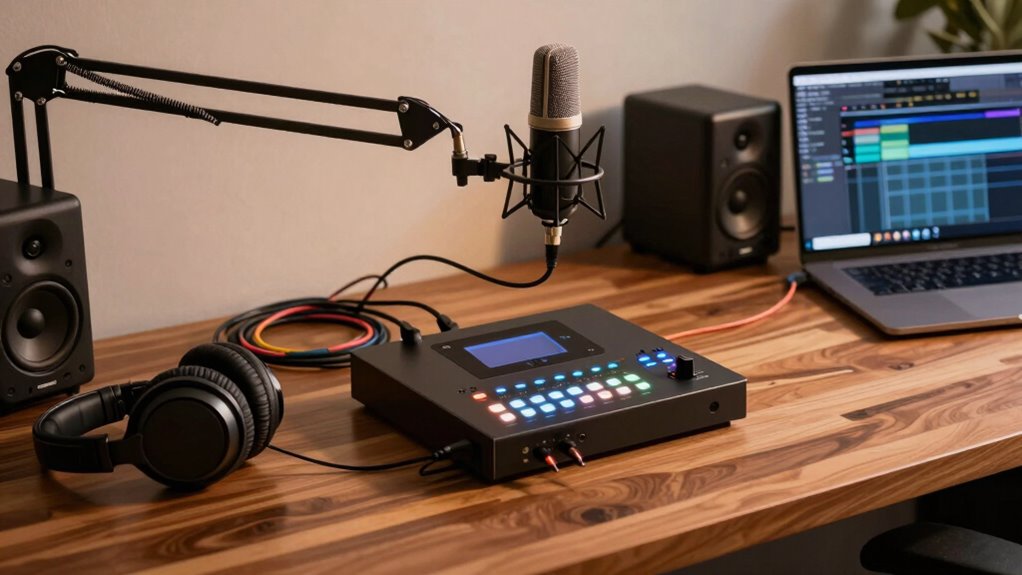
Finding the ideal audio interface for creators involves balancing sound quality, ease of use, and affordability. The Focusrite Scarlett 4i4 stands out as the best overall for its versatile inputs and reliable performance. For those on a budget, the M-Audio M-Track Solo offers solid features at a lower price, while the Universal Audio Volt 276 caters to professionals seeking premium sound. Most creators face the tradeoff between simplicity and advanced features, making it essential to understand your specific needs before choosing. Continue reading for an in-depth breakdown of each option tailored to different creator profiles.
Key Takeaways
- The top picks balance sound quality, ease of use, and value for different creator needs.
- Universal Audio and Focusrite lead with professional-grade features and reliable performance.
- Budget options like M-Audio offer decent quality but may lack advanced features of premium models.
- Compatibility and input options vary, so matching your gear setup is critical.
- Features like phantom power and multi-input configurations significantly influence choice for specific recording setups.
| USB C Audio Interface for Recording, Streaming, Podcasting with XLR, Line Input, 24bit/48kHz, 48V Phantom Power, 2-channel, Silver |  | Best for Portable High-Quality Streaming and Podcasting | Compatible Devices: Computer, PC, Laptop, Mac, Macbook Pro, IOS, iPhone, iPad, Android | Supported Software: Any Digital Audio Workstation compatible with Windows / Mac OS | Connectivity Technology: AUX, USB | VIEW ON AMAZON | See Our Full Breakdown |
| M-Audio M-Track Solo USB Audio Interface |  | Best for Budget-Conscious Portable Recording | Audio Resolution: 48kHz | Inputs: 1 combo XLR/Line with phantom power, 1 Line/Instrument | Outputs: Stereo RCA, 1/8″ headphone | VIEW ON AMAZON | See Our Full Breakdown |
| Focusrite Scarlett 4i4 4th Gen USB Audio Interface |  | Best for Versatile Studio-Quality Production | Inputs: 4 (2 Mic Preamps, 2 Hi-Z, 4 Line Inputs) | Outputs: 4 Line Outputs | MIDI I/O: Yes | VIEW ON AMAZON | See Our Full Breakdown |
| Focusrite Scarlett 2i2 4th Gen USB Audio Interface for Recording, Songwriting, Streaming, and Podcasting |  | Best for Solo Creators Seeking High-Quality Sound | Inputs: 2 Mic Preamps, 2 Hi-Z Instrument Inputs | Sample Rate: 24-Bit/192kHz | Dynamic Range: 120dB | VIEW ON AMAZON | See Our Full Breakdown |
| Focusrite Scarlett Solo 4th Gen USB Audio Interface |  | Best for Compact Personal Recording and Guitar/Vocal Artists | XLR Mic Preamp: 1 | Hi-Z Instrument Input: 1 | Bit Depth / Sample Rate: 24-Bit/192kHz | VIEW ON AMAZON | See Our Full Breakdown |
| MAONO P2 Hybrid USB Audio Interface Dual XLR for PC, Phone, iPad, Guitar |  | Best for Versatile Device Compatibility and Advanced Routing | Connectivity: Dual USB-C and USB-A ports with MFi certification | Microphone Compatibility: Most condenser and dynamic microphones | Audio Quality: 24-bit/192kHz | VIEW ON AMAZON | See Our Full Breakdown |
| MAONO P1 USB Audio Interface with 70dB Gain for PC, Phone, iPad & Guitar |  | Best for High-Gain Versatility and Easy Setup | Compatible Devices: Guitar, Laptop, Microphone, Smartphone, Tablet | Supported Software: Pro Tools, Ableton Live, Studio One, Logic Pro, Cubase, GarageBand, OBS Studio, TikTok, Twitch | Connectivity Technology: USB | VIEW ON AMAZON | See Our Full Breakdown |
| Focusrite Scarlett Solo 3rd Gen USB Audio Interface for Guitarists, Vocalists, Podcasters, and Producers |  | Best for Simplicity and Professional Sound for Solo Creators | Number of Inputs: 2 | Mic Preamp: 1 XLR | Instrument Input: 1 Hi-Z | VIEW ON AMAZON | See Our Full Breakdown |
| Audio Interface, 2X2 24-bit/192kHz Studio Quality USB C Recording Interface for PC/Mac/iOS |  | Best for Compact, High-Resolution Recording on the Go | Resolution: 24-bit/192kHz | Inputs: 2 XLR/TRS combo | Connectivity: USB C | VIEW ON AMAZON | See Our Full Breakdown |
| Universal Audio Volt 276 USB Audio Interface |  | Best for Vintage Preamps and Studio-Grade Sound | Preamp Type: UA 610 preamps | Features: Vintage mode, analog compressor based on 1176, support for UAD plug-ins | Compatibility: MacOS, Windows, iPad, iPhone (iOS 14+) | VIEW ON AMAZON | See Our Full Breakdown |
| PreSonus AudioBox Go Creator Complete Studio Bundle |  | Best for Mobile Creators Seeking an All-in-One Portable Studio | Audio Interface: USB-C, 24-bit/96 kHz | Microphone: PreSonus M7 cardioid condenser | Headphones: PreSonus HD7 professional monitoring | VIEW ON AMAZON | See Our Full Breakdown |
| Focusrite Vocaster One Podcasting Interface for Recording Solo Creators |  | Best for Solo Podcasters Who Want Broadcast-Quality Sound with Ease | Gain: 70dB+ | Connectivity: USB, TRRS, TRS | Features: Auto Gain, Enhance Presets, Mute, Stereo Loopback | VIEW ON AMAZON | See Our Full Breakdown |
| M-AUDIO M-Track Duo USB Audio Interface |  | Best for Budget-Conscious Creators Requiring Versatile Inputs | Inputs: 2 combo XLR/Line/Instrument | Sample Rate: 48kHz | Outputs: Stereo and headphone outputs | VIEW ON AMAZON | See Our Full Breakdown |
More Details on Our Top Picks
USB C Audio Interface for Recording, Streaming, Podcasting with XLR, Line Input, 24bit/48kHz, 48V Phantom Power, 2-channel, Silver
This USB C audio interface stands out for its combination of portability and professional features, making it ideal for creators who need clear, high-fidelity sound on the go. Unlike the M-Audio M-Track Solo, which also offers 48kHz resolution, this model provides multiple monitoring modes and a compact design that fits easily into a mobile setup. Its support for 48V phantom power ensures compatibility with condenser mics, but it’s limited to just 2 channels, which could restrict multi-mic recordings. The minimal control interface simplifies setup but may feel sparse for advanced users. Compared to the Focusrite Scarlett 2i2, its portability is a plus, but the Scarlett offers more inputs and software options for studio use. Overall, this pick makes the most sense for creators prioritizing mobility without sacrificing essential audio quality, but it’s less suited for complex multi-mic projects.
Pros:- High-quality 24-bit/48kHz audio for clear recordings
- Multiple monitoring modes for versatile use
- Supports professional 48V phantom power for condenser microphones
- Compact, lightweight design with plug-and-play setup
Cons:- Requires third-party ASIO driver for optimal DAW compatibility
- Limited to 2 channels, restricting multi-mic recordings
- Some users may find the control interface minimal
Best for: Creators who need a portable, high-quality interface for streaming, podcasting, or recording on their laptop or mobile device
Not ideal for: Producers working on multi-mic recording setups or studio engineers needing extensive I/O options
- Compatible Devices:Computer, PC, Laptop, Mac, Macbook Pro, IOS, iPhone, iPad, Android
- Supported Software:Any Digital Audio Workstation compatible with Windows / Mac OS
- Connectivity Technology:AUX, USB
- Number of Channels:2
- Frequency Response:48 KHz
- Operating System:Windows 7 and above, Mac OSX 10.11 and above, Android IOS 10.0 or above
- Audio Input:Microphone
- Maximum Sample Rate:48 KHz
- Item Dimensions:4.53″D x 5.51″W x 1.77″H
Our verdict“This interface is perfect for creators needing portable, high-quality audio for streaming or podcasting on the go.”
M-Audio M-Track Solo USB Audio Interface
The M-Audio M-Track Solo is an excellent entry-level interface, especially for creators who prioritize simplicity and affordability. It offers 48kHz resolution, matching many more expensive models like the Focusrite Scarlett Solo, but with fewer inputs—just one combo XLR/Line and one instrument line. This makes it ideal for solo vocalists, podcasters, or guitarists who don’t need multi-mic setups. Its zero-latency monitoring and stereo RCA outputs support straightforward recording sessions, yet its single-channel limitation means it’s less suited for multi-instrument projects or complex arrangements. Compared to the Focusrite Scarlett 2i2, it’s more portable and less feature-rich, which can be a pro or con depending on your needs. For creators seeking reliable, simple recording without extra bells and whistles, this model delivers solid value, but it’s not designed for multi-channel workflows.
Pros:- 48kHz high-quality audio resolution for clear recordings
- Versatile combo XLR/Line input with phantom power
- Zero-latency direct monitoring
- Compact, USB-powered design for portability
Cons:- Limited to 1 input and 1 output, restricting multi-mic setups
- Requires compatible headphones or speakers for best sound quality
- Software bundle may require registration for full access
Best for: Beginners or solo creators who want a straightforward, portable interface for vocals, guitar, or streaming
Not ideal for: Multi-instrument producers or those needing multiple inputs for complex recording sessions
- Audio Resolution:48kHz
- Inputs:1 combo XLR/Line with phantom power, 1 Line/Instrument
- Outputs:Stereo RCA, 1/8″ headphone
- Power:USB powered
- Software Included:MPC Beats, ProTools First | M-Audio Edition
- Compatibility:Windows 7-10, Mac OS High Sierra to Big Sur, iOS
Our verdict“A solid choice for solo creators seeking an easy, portable interface for straightforward recording tasks.”
Focusrite Scarlett 4i4 4th Gen USB Audio Interface
The Focusrite Scarlett 4i4 4th Gen excels in flexibility, making it suitable for musicians, producers, and content creators who need multiple inputs and high-fidelity sound. Its 24-bit/192kHz resolution surpasses the 48kHz options of the M-Audio and smaller Scarlett models, delivering more detailed recordings. It features four inputs—two mic preamps, two Hi-Z inputs, and four line outputs—plus MIDI I/O, which is valuable for integrating synths or controllers. While this offers broader creative possibilities compared to the Scarlett Solo, its more complex setup could overwhelm beginners. The included software bundle, including Ableton Live Lite and Pro Tools, adds value but requires some learning. Compared to the Scarlett 2i2, the 4i4’s extra I/O makes it better suited for multi-instrument or multi-mic setups, though it comes with a higher price tag.
Pros:- Studio-quality 120dB dynamic range for detailed recordings
- Multiple input and output options for complex setups
- Includes comprehensive software bundle for production workflows
- High-resolution 24-bit/192kHz audio performance
Cons:- Setup and configuration can be complex for newcomers
- No Thunderbolt connection options
- Higher cost compared to simpler interfaces
Best for: Intermediate to advanced creators who need multiple inputs, MIDI integration, and studio-grade sound quality
Not ideal for: Beginners or creators with simple recording needs who prefer plug-and-play solutions
- Inputs:4 (2 Mic Preamps, 2 Hi-Z, 4 Line Inputs)
- Outputs:4 Line Outputs
- MIDI I/O:Yes
- Sample Rate:24-Bit/192kHz
- Dynamic Range:120dB
- Included Software:Pro Tools Intro+, Ableton Live Lite, Cubase LE, Hitmaker Expansion
Our verdict“Ideal for creators needing extensive I/O options and professional studio-quality sound for multi-instrument or multi-mic projects.”
Focusrite Scarlett 2i2 4th Gen USB Audio Interface for Recording, Songwriting, Streaming, and Podcasting
The Scarlett 2i2 4th Gen offers a balanced mix of high-fidelity audio and user-friendly features, making it a favorite for solo musicians, streamers, and podcasters. Its 24-bit/192kHz resolution and 120dB dynamic range deliver professional sound, similar to the Scarlett Solo but with two inputs for more flexibility. Features like Auto Gain and Clip Safe technology help prevent levels from clipping, simplifying the recording process. Its included software, such as Ableton Live Lite and Pro Tools, supports seamless music production. While it excels in single or dual-mic setups, it lacks the expanded I/O needed for complex multi-mic or multi-instrument recording. Compared with the Scarlett Solo, this model adds an extra input but remains straightforward enough for most solo creators, making it a versatile choice for home studios and streaming setups.
Pros:- High-fidelity 24-bit/192kHz sound with 120dB dynamic range
- Auto Gain and Clip Safe features for easy level management
- Includes essential recording software and plugins
- Compact, durable design suitable for mobile use
Cons:- Limited to two inputs, less flexible for multi-mic recording
- Requires familiarity with recording software for best results
- No built-in effects or advanced processing
Best for: Solo musicians, podcasters, and streamers wanting high-quality sound with simple operation
Not ideal for: Producers or bands needing multiple inputs for complex recording setups
- Inputs:2 Mic Preamps, 2 Hi-Z Instrument Inputs
- Sample Rate:24-Bit/192kHz
- Dynamic Range:120dB
- Features:Auto Gain, Clip Safe
- Included Software:Pro Tools Intro+, Ableton Live Lite, Cubase LE
Our verdict“This interface delivers professional-grade sound for solo creators who value simplicity and quality in a compact form.”
Focusrite Scarlett Solo 4th Gen USB Audio Interface
The Scarlett Solo 4th Gen is designed for solo performers and guitarists who prioritize quality in a simple, portable device. Its 24-bit/192kHz resolution and 120dB dynamic range match higher-end models like the Scarlett 2i2, but with fewer inputs—one XLR mic preamp and one instrument input. Its Air mode enhances vocals and guitar tones, giving recordings a richer, more professional sound. While its small size makes it perfect for mobile use or limited space, this simplicity means it’s less suited for multi-mic setups or band recordings. The included software and plugins support basic production, but users need to be comfortable setting levels manually. Compared with the Scarlett 2i2, its minimal I/O makes it ideal for single-instrument or vocal-focused recordings, but it falls short for larger projects requiring multiple inputs.
Pros:- High-quality 120dB dynamic range and 24-bit/192kHz resolution
- Enhanced Air mode for richer vocals and guitar tones
- Compact and portable design for mobile recording
- Includes professional-grade recording software
Cons:- Limited to one microphone and one instrument input
- No multiple I/O options for multi-mic recording
- Requires some technical knowledge to optimize settings
Best for: Guitarists, vocalists, and solo producers needing high-quality sound in a compact package
Not ideal for: Bands or producers working on multi-mic recordings or multi-instrument arrangements
- XLR Mic Preamp:1
- Hi-Z Instrument Input:1
- Bit Depth / Sample Rate:24-Bit/192kHz
- Dynamic Range:120dB
- Features:Air Mode
- Included Software:Pro Tools First+, Ableton Live Lite, Cubase LE
Our verdict“This interface is perfect for guitarists and vocalists seeking a portable, high-quality recording solution for solo projects.”
MAONO P2 Hybrid USB Audio Interface Dual XLR for PC, Phone, iPad, Guitar
The MAONO P2 stands out for supporting simultaneous connections to both computers and mobile devices, making it ideal for creators who work across multiple platforms. Its dual XLR inputs and 24-bit/192kHz audio quality deliver professional sound, comparable to the Focusrite Scarlett Solo but with more flexible routing options. Unlike the Scarlett Solo, the P2’s advanced software and real-time effects appeal to producers seeking more control. However, its setup can be complex for beginners, and it lacks built-in preamp indicators or phantom power controls, which might concern those with condenser mics. The aluminum-alloy housing adds durability, and the low-latency monitoring helps streamline workflow for live streaming and podcasting.
Pros:- Supports simultaneous connection to computer and mobile devices
- High-quality audio with low latency and real-time monitoring
- Includes advanced routing and VST effects software
- Durable, portable aluminum design
Cons:- Requires some technical setup for newcomers
- Limited to XLR microphones, may need adapters for other mics
- No built-in preamp or phantom power indication
Best for: Creators needing flexible device connectivity, especially podcasters and streamers working across PC, mobile, and camera setups.
Not ideal for: Beginners who prefer plug-and-play simplicity or those with only basic microphone needs, since initial setup may be intimidating.
- Connectivity:Dual USB-C and USB-A ports with MFi certification
- Microphone Compatibility:Most condenser and dynamic microphones
- Audio Quality:24-bit/192kHz
- Inputs:Dual XLR
- Outputs:Headphone and monitor outputs
- Build Material:Aluminum-alloy housing
Our verdict“This interface suits creators seeking robust connectivity options and professional-grade audio in a portable form, but may challenge beginners with setup complexity.”
MAONO P1 USB Audio Interface with 70dB Gain for PC, Phone, iPad & Guitar
The MAONO P1 excels in delivering high gain—up to 70dB—which makes it a strong contender for creators using dynamic mics or instruments that need extra boost. Compared with the Focusrite Scarlett Solo, the P1 offers more flexible gain, making it better suited for louder sources or less sensitive mics. Its auto-gain feature and straightforward controls simplify setup, especially for those new to audio interfaces. However, it’s limited to just 2 channels, which could be restrictive for larger multi-mic recordings, and it doesn’t include a microphone or accessories, requiring additional purchases. Its rugged zinc-alloy housing ensures durability for on-the-go creators, making it a good pick for streamers and podcasters who prioritize high gain and ease of use.
Pros:- High maximum gain of 70dB suits dynamic mics and instruments
- Auto-gain simplifies recording for beginners
- Durable zinc-alloy housing for portability
- Supports high-resolution 24-bit/192kHz audio
Cons:- Limited to two channels, restricting multi-mic use
- No included microphone or accessories
- Complex software routing may require setup time for less experienced users
Best for: Podcasters and streamers who need high gain and quick setup without complex routing, especially on mobile or small setups.
Not ideal for: Users planning multi-mic setups or professional recording environments needing more I/O options, as it only supports two channels.
- Compatible Devices:Guitar, Laptop, Microphone, Smartphone, Tablet
- Supported Software:Pro Tools, Ableton Live, Studio One, Logic Pro, Cubase, GarageBand, OBS Studio, TikTok, Twitch
- Connectivity Technology:USB
- Number of Channels:2
- Maximum Sample Rate:192 KHz
- Item Dimensions:5.9″D x 5.98″W x 3.46″H
Our verdict“This interface provides excellent gain and easy operation for solo creators but isn’t suitable for multi-mic setups or extensive recording projects.”
Focusrite Scarlett Solo 3rd Gen USB Audio Interface for Guitarists, Vocalists, Podcasters, and Producers
The Focusrite Scarlett Solo 3rd Gen is a staple for solo artists and podcasters who want high-quality sound without complexity. Its high-resolution 24-bit/192kHz converters and the unique Air mode add brightness and clarity to vocals and acoustic instruments, making it a go-to for singer-songwriters. Compared with the Universal Audio Volt 276, the Scarlett Solo’s simplicity and compact design make it more accessible for beginners and mobile creators. The main tradeoff is its limited two-input setup, which isn’t ideal for multi-instrument or multi-mic recordings, and it relies solely on USB power, which might be less flexible for some portable setups. Nevertheless, its included software bundle provides immediate options for music production.
Pros:- High-quality 24-bit/192kHz audio with clear, detailed sound
- Unique Air mode enhances vocal and acoustic recordings
- Includes useful software bundle for immediate music creation
- Compact and durable design ideal for travel
Cons:- Limited to two inputs, not suitable for multi-mic setups
- Requires USB connection, which may limit flexibility for some setups
- Software bundle can be overwhelming for beginners
Best for: Solo musicians, vocalists, and podcasters seeking straightforward, high-quality recordings with minimal fuss.
Not ideal for: Producers or creators needing multiple mic or instrument inputs for complex recordings, as it only offers one XLR and one instrument input.
- Number of Inputs:2
- Mic Preamp:1 XLR
- Instrument Input:1 Hi-Z
- Sample Rate:192kHz
- Bit Depth:24-bit
- Compatibility:macOS, Windows, iPadOS
Our verdict“This interface excels for solo creators prioritizing quality and simplicity but falls short for multi-mic or multi-instrument recordings.”
Audio Interface, 2X2 24-bit/192kHz Studio Quality USB C Recording Interface for PC/Mac/iOS
The 2X2 USB C Studio Interface offers a sleek, minimalistic design paired with professional-grade 24-bit/192kHz recording quality. Its plug-and-play USB C connection makes it ideal for Mac, PC, and iOS users who need quick, reliable setup. Compared with the MAONO P2, it’s more compact and straightforward but lacks the extensive routing and software features, making it better suited for straightforward recording rather than complex live routing. Its two combo inputs with phantom power are versatile enough for most basic recording needs, though it’s limited to two channels, which might be restrictive for multi-mic setups. The illuminated controls are a nice touch for low-light environments, but the minimal design might feel too sparse for some users who prefer more physical controls.
Pros:- High-resolution 24-bit/192kHz audio quality
- Plug-and-play USB C connectivity with no drivers needed
- Illuminated controls for easy operation in dim environments
- Versatile combo inputs with phantom power
Cons:- Limited to two channels, restricting multi-mic setups
- Minimal controls without advanced routing features
- No external power option, reliant on bus power
Best for: Mobile creators and travel musicians who want high-quality, easy-to-use audio capture without bulk or complex setups.
Not ideal for: Producers needing multiple inputs or advanced routing capabilities, as it’s designed for simplicity and portability.
- Resolution:24-bit/192kHz
- Inputs:2 XLR/TRS combo
- Connectivity:USB C
- Phantom Power:48V
- Monitoring:Zero-latency direct monitor
- Headphone Jack:3.5mm
Our verdict“This compact interface provides professional sound quality for mobile and quick setups, but isn’t built for complex multi-mic recording environments.”
Universal Audio Volt 276 USB Audio Interface
The Universal Audio Volt 276 targets creators who value the warmth of vintage sound with modern flexibility. Its UA 610 preamps and built-in analog compressor based on the 1176 give recordings a distinctive character that’s hard to match. Compared to the Focusrite Scarlett Solo, the Volt 276 offers a more boutique, studio-quality tone, but at the cost of needing an external power supply and using an Apple Lightning to USB Camera Adapter for iPads. Its support for UAD plug-ins and industry-standard preamps makes it ideal for producers wanting a professional, polished sound. The main drawback is its higher complexity and setup requirements, which might be a barrier for beginners or those seeking a portable, all-in-one device. Still, for studio-quality work, it’s an impressive option.
Pros:- Vintage UA 610 preamps deliver warm, rich recordings
- Built-in analog compressor for professional dynamics control
- Supports UAD plug-ins for advanced processing
- Compatible with multiple platforms including iOS devices
Cons:- Requires external power supply, reducing portability
- Needs an Apple Lightning to USB Camera Adapter for iPads
- Higher complexity and cost compared to entry-level interfaces
Best for: Producers and artists seeking vintage warmth and high-end preamps in a portable, mobile-ready interface, especially those using Mac or iOS devices.
Not ideal for: Casual creators or those on a tight budget, since it requires external power and additional adapters, plus lacks the straightforward simplicity of smaller interfaces.
- Preamp Type:UA 610 preamps
- Features:Vintage mode, analog compressor based on 1176, support for UAD plug-ins
- Compatibility:MacOS, Windows, iPad, iPhone (iOS 14+)
- Power Requirements:External Volt power supply, Apple Lightning to USB Camera Adapter
Our verdict“This interface is best for creators who prioritize studio-grade warmth and vintage character, accepting extra setup complexity and cost for superior sound.”
PreSonus AudioBox Go Creator Complete Studio Bundle
This bundle stands out for creators who need a complete portable setup without sacrificing audio quality. Compared with the Focusrite Vocaster One, it offers a more comprehensive package that includes a microphone, headphones, and software, making it ideal for musicians, podcasters, and content creators on the move. Its compact design and 24-bit/96 kHz resolution translate into crisp, professional sound in portable form. However, it’s primarily suited for basic recording tasks and may fall short for those needing advanced features or higher sample rates. The included Studio One 6 Artist Edition simplifies setup but limits flexibility for more complex production workflows.
Pros:- Compact and lightweight for portability
- Includes condenser microphone and professional headphones
- Offers 24-bit/96 kHz audio quality for clear recordings
- Bundled with user-friendly software
Cons:- Limited to basic recording features; lacks advanced controls
- May require additional gear for complex projects
Best for: Mobile creators, musicians, and podcasters who want an all-in-one portable recording solution.
Not ideal for: Studio-focused producers or high-end recording engineers needing advanced connectivity or higher sample rates.
- Audio Interface:USB-C, 24-bit/96 kHz
- Microphone:PreSonus M7 cardioid condenser
- Headphones:PreSonus HD7 professional monitoring
- Included Software:Studio One 6 Artist Edition
- Size:Compact portable design
- Power:Bus-powered via USB-C
Our verdict“This bundle is ideal for creators who prioritize portability and a complete starter setup, but not for those seeking advanced recording capabilities.”
Focusrite Vocaster One Podcasting Interface for Recording Solo Creators
This interface excels for solo creators focused on podcasting, offering broadcast-quality sound with minimal setup. Its high gain (over 70dB) and auto gain features help users quickly achieve professional-sounding results, similar to the Focusrite Scarlett 2i2 but tailored specifically for voice. Unlike the PreSonus AudioBox Go, it does not include a microphone or headphones, which means additional gear is necessary. Its multiple connectivity options—USB, TRRS, and TRS—make it versatile for streaming from different devices. However, it’s limited to solo work and lacks advanced features like multitrack recording, making it less ideal for multi-mic setups or music production.
Pros:- Broadcast-quality sound with minimal configuration
- Auto Gain and preset voice enhancement simplify setup
- Multiple connectivity options for diverse devices
- Compact and portable for on-the-go recording
Cons:- Limited to solo recording scenarios
- No included microphone, requiring separate purchase
- Lacks multi-channel recording features
Best for: Solo podcasters or live streamers seeking simple, high-quality voice recording with quick setup.
Not ideal for: Artists or producers needing multi-input recording or higher sample rates for music production.
- Gain:70dB+
- Connectivity:USB, TRRS, TRS
- Features:Auto Gain, Enhance Presets, Mute, Stereo Loopback
- Power:Bus-powered via USB
- Size:Compact
- Intended Use:Solo podcasting and streaming
Our verdict“This interface is perfect for solo creators who want quick, professional voice recording without fuss, but not suited for complex multi-mic setups.”
M-AUDIO M-Track Duo USB Audio Interface
Compared with the Focusrite Vocaster One, the M-Audio M-Track Duo offers greater input versatility, including dual combo XLR/Line/Instrument inputs with phantom power, making it suitable for musicians or podcasters who record multiple sources. Its 48kHz sample rate may be a limitation for those needing higher fidelity but is sufficient for most streaming and basic recording tasks. It includes MPC Beats software, providing a straightforward entry point into music production. However, its lower maximum sample rate and limited connectivity options mean it doesn’t match the high-end clarity or expandability of more premium interfaces like the Focusrite Scarlett series. It’s a reliable choice for budget-conscious creators, but with some compromises on audio fidelity and features.
Pros:- Dual combo XLR/Line/Instrument inputs with phantom power
- Includes MPC Beats software for music creation
- Supports 48kHz audio for decent quality
- Portable and easy to set up
Cons:- Limited to 48kHz, not suitable for high-end recording
- Lacks additional connectivity options like MIDI or ADAT
- Basic build quality compared to higher-end models
Best for: Beginners or hobbyists seeking a versatile, affordable interface for recording multiple sources.
Not ideal for: Professional musicians or producers needing high sample rates or advanced connectivity options.
- Inputs:2 combo XLR/Line/Instrument
- Sample Rate:48kHz
- Outputs:Stereo and headphone outputs
- Phantom Power:Yes
- Included Software:MPC Beats
- Size:Compact and portable
Our verdict“This interface is well-suited for beginners needing flexible inputs at an affordable price, but may not meet the demands of high-fidelity recording professionals.”

How We Picked
Products were evaluated based on performance, build quality, ease of use, compatibility with popular recording software, and value for money. We prioritized interfaces that offer reliable audio fidelity, durable construction, and straightforward operation for creators of all levels. The ranking also considers input/output flexibility, portability, and additional features like phantom power or bundled software. Our goal was to highlight options that cater to different creator profiles, from beginners to professionals, ensuring each recommendation provides meaningful advantages and tradeoffs.Factors to Consider When Choosing Audio Interface For Creators
Choosing the right audio interface involves several key factors beyond just brand reputation. Understanding your specific needs, such as the number of inputs, compatibility, and portability, can help you avoid overspending or missing essential features. Here are the main considerations to keep in mind when selecting an interface for your creative work.Number of Inputs and Outputs
Consider how many instruments, microphones, or other sources you’ll need to connect at once. If you record multiple sources simultaneously, a model with multiple XLR or line inputs is essential. For solo creators, a simple 2-in/2-out setup may suffice, but expanding your setup later could make a higher-input model more cost-effective upfront. Remember that more inputs often mean higher cost and complexity, so match the interface to your current and near-future needs to avoid unnecessary expense.
Compatibility and Connectivity
Ensure the interface supports your device ecosystem—whether it’s Mac, Windows, iOS, or Android. USB-C is increasingly common and provides faster, more reliable connections, but some models still rely on USB-A or Thunderbolt. Check if your computer or mobile device has the port type required. Compatibility issues can cause headaches, so selecting an interface with broad support and driver stability can save time and frustration.
Sound Quality and Conversion
High-quality AD/DA conversion impacts your recordings’ clarity. Look for interfaces offering at least 24-bit/96kHz or higher for professional-sounding results. Cheaper models might save money upfront but can introduce noise or lower fidelity, which affects your final mix. For serious creators, investing in a model with higher sample rates and better circuitry ensures your recordings remain clear and detailed.
Portability and Size
If you record on the go or at multiple locations, a compact, bus-powered interface reduces setup hassle. Larger, more feature-rich models are better suited for studio environments where space is less constrained. Consider your workflow—lighter models might sacrifice some inputs or features but offer greater mobility, while larger units provide more connectivity for complex setups.
Additional Features and Software
Features like phantom power, direct monitoring, MIDI support, and bundled software can influence your choice. Phantom power is essential if you use condenser mics. Direct monitoring helps avoid latency issues during recording, and bundled software can add value, especially for beginners. However, extra features often come at a higher cost, so prioritize what aligns with your recording needs and budget.
Frequently Asked Questions
Do I need a high-end audio interface for beginner recording?
Generally, beginners don’t need the most expensive models. A basic interface with 2 inputs and decent preamps can deliver excellent sound quality for starting out. Investing in a higher-end model becomes more worthwhile as your skills and recording demands increase, especially if you want more inputs, better fidelity, or additional features like MIDI or multiple outputs. For now, focus on ease of use and compatibility to avoid unnecessary complexity.
Can I use a portable audio interface for live streaming?
Yes, many portable interfaces are designed with streaming in mind, offering simple USB connections and direct monitoring. Look for models that support plug-and-play operation, low latency, and compatibility with your streaming software. Keep in mind that portability may mean fewer inputs or features, so match the device to your setup’s complexity. A compact, bus-powered interface often works best for on-the-go streaming setups.
Is phantom power necessary for all microphones?
Phantom power is essential for condenser microphones, which require power to operate. Dynamic microphones do not need phantom power, so if you primarily use dynamic mics or instrument inputs, you can skip interfaces with this feature. If you plan to record vocals or studio-quality mics, choosing an interface with phantom power ensures compatibility and flexibility.
Should I prioritize audio quality over features like multiple inputs?
While high audio quality is fundamental, having enough inputs for your current setup is equally important. If you need to record multiple sources simultaneously, prioritize an interface with sufficient inputs. However, if your primary focus is pristine sound for a single microphone or instrument, a simpler, high-quality interface may serve you better. Balance your immediate needs with potential future expansion.
How important is software bundled with an audio interface?
Bundled software can add value, especially for beginners or those on a tight budget. It can include DAWs, plugins, or recording tools that help you get started without extra cost. However, the quality and relevance of bundled software vary; some brands offer limited or generic options. Focus first on the hardware features, then consider software as an added bonus, ensuring it aligns with your workflow.
Conclusion
For general creators seeking a reliable, versatile solution, the Focusrite Scarlett 4i4 offers a balanced mix of features and affordability. Beginners or those on a tight budget will find the M-Audio M-Track Solo a suitable entry point, while professionals looking for top-tier sound quality should consider the Universal Audio Volt 276. Creators with specific needs, like podcasting or portable recording, should prioritize models like the Focusrite Vocaster One or compact interfaces. Your choice ultimately depends on your current setup, future goals, and budget—match the right features to your workflow for the best results.