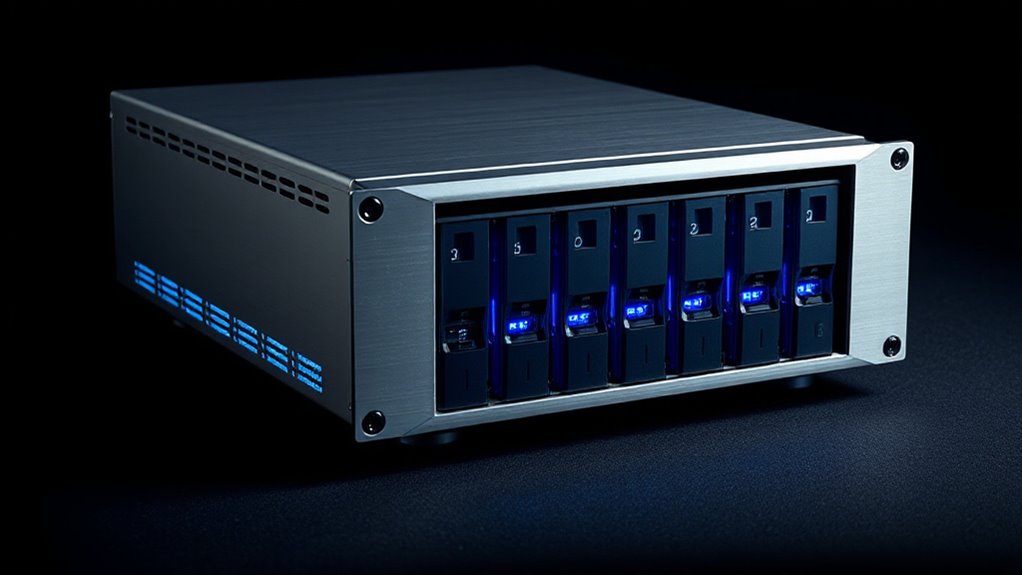

When searching for an 8 bay raid enclosure, the main challenge is balancing capacity, performance, and ease of use. The best overall pick is the Highpoint RocketStor 6628A, thanks to its robust hardware RAID capabilities and Thunderbolt 3 support. For those prioritizing affordability, the Yottamaster 5 Bay RAID offers solid features at a lower price point, though it supports fewer bays and RAID options. Meanwhile, the CENMATE Aluminum 10 Bay stands out for its large capacity and cooling features, but it comes with a higher price tag. Buyers face tradeoffs between expandability, performance, and budget, so continue reading for a detailed breakdown of each option to find the best fit for your needs.

Get privacy and security gear delivered free with Prime
- Fast, free delivery on millions of items
- Prime Video, Amazon Music and more included
- Member-only deals all year
Key Takeaways
- The highest-capacity enclosures often come with added cooling and robust RAID options, but at a premium price.
- Thunderbolt 3 enclosures provide the fastest data transfer speeds, ideal for video editing and large backups.
- Cooling fans are critical for maintaining performance in high-capacity enclosures, especially during prolonged use.
- Many enclosures support hot-swappable drives, simplifying maintenance but sometimes sacrificing RAID flexibility.
- Size and connectivity options vary widely; consider your existing setup and future expansion plans when choosing.


More Details on Our Top Picks
CENMATE Aluminum 8 Bay Hard Drive RAID Enclosure with Cooling Fan for 2.5“/3.5″ SATA HDD/SSD with USB A/C 3.0, Tool-Free HDD Enclosure, 8 Modes
This CENMATE enclosure distinguishes itself with a wide array of RAID modes, making it suitable for both personal and enterprise storage needs. Compared to the Highpoint RocketStor 6628A, it offers more RAID configurations, though it lacks the high-speed Thunderbolt support. Its aluminum construction and dual fans help maintain thermal stability, but the fan noise around 45 decibels could bother sensitive users. The device is compatible with Windows, Mac, and Linux, providing broad OS support, but setting up RAID modes requires manual hardware toggling, which carries a risk of data loss if done improperly. This pick works best for users who need flexible RAID options without high-speed Thunderbolt connectivity, and who are comfortable with manual configuration. However, it’s less ideal for those seeking plug-and-play simplicity or noise-sensitive environments.
Pros:- Supports 8 RAID modes for flexible configurations
- Supports drives up to 160TB total capacity
- Built-in aluminum alloy cooling with dual fans
Cons:- Fan noise can reach 50 decibels, disruptive for quiet spaces
- Manual RAID mode switching risks data loss if not done carefully
- No Thunderbolt or high-speed interface support
Best for: tech-savvy professionals and small business users needing multiple RAID configurations
Not ideal for: users prioritizing silent operation or plug-and-play setup without manual intervention
- Supported Drive Capacity:160 TB
- RAID Modes:8
- Connectivity:USB 3.0
- Enclosure Material:Aluminum
- Fan Type:Dual built-in fans
- Supported OS:Windows, Mac, Linux
Our verdict“This enclosure suits those seeking diverse RAID options with reliable cooling, but not ideal for noise-sensitive or plug-and-play users.”
Highpoint RocketStor 6628A 8-Bay Thunderbolt 3 Hardware RAID Enclosure
This Thunderbolt 3 enclosure excels in delivering blazing-fast data transfer speeds of up to 2,700MB/s, ideal for professional video editing and large-data workflows. Unlike the CENMATE unit, it offers Thunderbolt 3 connectivity supporting up to 40Gb/s, but this means it requires compatible Thunderbolt 3 ports, limiting its use with older systems. It supports up to 8 drives of 10TB or larger, making it suitable for users with high-capacity needs. However, its cost is significantly higher, making it less attractive for casual users or those without Thunderbolt 3 compatibility. The enclosure’s hardware RAID support ensures performance and data integrity, but it supports only hardware RAID modes, which may limit flexibility for some advanced users. This product is best for creative professionals who demand maximum throughput and have compatible systems, but it’s less suitable for budget-conscious buyers.
Pros:- Supports up to 8 large drives with 40Gb/s bandwidth
- Performance up to 2,700MB/s for intensive workflows
- Dual Thunderbolt USB-C ports for daisy chaining
Cons:- Requires Thunderbolt 3 ports, limiting compatibility
- High price point for casual or home users
- Limited to hardware RAID configurations only
Best for: professional video editors and high-speed data professionals with Thunderbolt 3 systems
Not ideal for: users with older or non-Thunderbolt 3-compatible computers or seeking budget options
- Generation:3rd Gen
- Ports:2x Thunderbolt USB-C
- Speed:40Gb/s
- Performance:up to 2,700MB/s
- Drive Capacity:up to 8x 10TB
Our verdict“This enclosure delivers unmatched Thunderbolt 3 performance for compatible systems, but isn’t suitable for those without Thunderbolt 3 ports or on a budget.”
USB4 40Gbps 8-Bay Hard Drive Enclosure, Supports 8× 2.5″ & 3.5″ SATA HDD/SSD Storage Up to 192TB, Hot-Swappable USB-C DAS for Backup, Archive, Video Editing & Business Data Storage
This enclosure offers ultra-fast 40Gbps USB4 support, making it ideal for data-intensive tasks like video editing, backup, and archiving. Compared with the OWC ThunderBay 8, it provides similar high-speed transfer but emphasizes hot-swappable trays and thermal management, which simplifies drive swaps and helps with thermal stability. It supports drives up to 24TB each, totaling a maximum of 192TB, but does not include RAID capabilities, limiting its flexibility for data redundancy. Its compatibility with Thunderbolt 3/4 and USB4 broadens connection options, but it requires specific ports, leaving out older systems. The fan control with three adjustable levels enhances thermal performance but adds complexity. This makes it a solid choice for professionals who need rapid, reliable access and quick drive swapping, but less so for users seeking RAID or NAS features.
Pros:- Supports up to 8 drives with high capacity per drive
- Ultra-fast 40Gbps transfer speeds
- Hot-swappable trays for easy drive management
Cons:- No RAID or redundancy support, risking data loss
- Requires compatible Thunderbolt 3/4 or USB4 ports
- Maximum drive capacity per bay limited to 24TB
Best for: video editors and data professionals needing fast, hot-swappable storage
Not ideal for: users looking for RAID support or those with older system interfaces
- Max Drive Capacity:24TB per drive
- Total Capacity:up to 192TB
- Connection Speed:40Gbps
- Fan Control:Auto and 3 manual levels
- Supported Protocols:Thunderbolt 3/4, USB4
Our verdict“This enclosure excels in rapid USB4 data transfer and drive swapping but lacks RAID for redundancy, making it ideal for high-speed workflows that prioritize flexibility over data protection.”
OWC ThunderBay 8 Eight-Bay Thunderbolt 3 External Storage Enclosure
The OWC ThunderBay 8 is designed for high-performance Mac workflows, supporting up to eight SATA drives with speeds up to 2586MB/s. Its dual Thunderbolt 3 ports enable daisy chaining, which is ideal for expanding storage in professional environments. Compared to the Highpoint RocketStor 6628A, it offers superior speed and seamless Mac compatibility, but at a significantly higher price. It’s easy to swap drives thanks to thumb screw trays, and plug-and-play setup ensures minimal fuss, yet it requires Thunderbolt 3 ports, limiting compatibility with older systems. Additionally, no included drives means additional investment, and the one-year warranty might be limiting for some users. This enclosure makes the most sense for Mac users needing fast, reliable, and expandable storage, but less for Windows users or budget buyers.
Pros:- Supports up to 8 drives with speeds up to 2586MB/s
- Daisy chain support for multiple devices
- Easy drive access with thumb screw trays
Cons:- Requires Thunderbolt 3 ports, limiting compatibility
- High price for the target user
- No included drives, additional purchase needed
Best for: Mac professionals who need fast, expandable storage with daisy chaining
Not ideal for: Windows users or those seeking cost-effective or RAID-supported solutions
- Drive Bays:8
- Supported Drives:SATA SSD/HDD
- Max Speed:2586MB/s
- Ports:Dual Thunderbolt 3
- Warranty:Up to 1 year
Our verdict“This enclosure is tailored for Mac users demanding high-speed, expandable storage, though its cost and port dependency limit its audience.”
CENMATE Aluminum 4 Bay Hard Drive RAID Enclosure with Cooling Fan for 2.5/3.5″ SATA HDD/SSD, Supports 80TB, 8 RAID Modes, USB 3.0 + eSATA
While this CENMATE 4-bay enclosure offers a compact solution with support for up to 80TB, it shares the same robust aluminum construction and RAID versatility seen in the 8-bay model, but on a smaller scale. Compared to the OWC ThunderBay 8, it does not support Thunderbolt, limiting speed to USB 3.0 and eSATA, which may be a drawback for high-speed workflows. Its built-in cooling fans help prevent overheating during intensive use, but the fan noise at around 45 decibels could be disruptive in quiet environments. RAID mode switching requires manual hardware adjustment, which could risk data loss if not carefully executed. This unit is well-suited for users needing reliable RAID options in a smaller footprint, but not for those demanding Thunderbolt or NAS functionality.
Pros:- Supports up to 80TB total capacity
- Supports 8 RAID modes for flexible configurations
- Built-in aluminum cooling fans
Cons:- Fan noise around 45 decibels may be loud
- Manual RAID switching risks data loss
- Limited to USB 3.0 and eSATA, no Thunderbolt
Best for: small business or advanced home users needing RAID options with effective cooling
Not ideal for: users requiring Thunderbolt support or silent operation
- Supported Drive Capacity:80 TB
- RAID Modes:8
- Connection:USB 3.0, eSATA
- Fan Type:Built-in aluminum fans
- Drive Bays:4
Our verdict“This compact RAID enclosure offers reliable cooling and versatility but falls short in high-speed connectivity and silent operation for demanding professional environments.”
ORICO 4 Bay RAID Hard Drive Enclosure with 8 RAID Modes for 3.5-inch HDDs, Supports up to 88TB
This ORICO 4-bay enclosure stands out for offering a wide range of RAID configurations, including RAID 0, 1, 3, 5, 10, JBOD, CLONE, and CLEAR—making it ideal for users needing tailored data management. Compared with the CENMATE 8 Bay, it supports fewer drives but offers more RAID options, which is perfect for those prioritizing flexible security over sheer capacity. Its aluminum alloy body ensures effective heat dissipation, and the trayless, lockable design simplifies disk swaps. However, it requires an external 150W power supply and supports only 3.5-inch SATA disks, limiting versatility for smaller drives. The absence of built-in management software might be a drawback for users seeking more control.
BestFor: Small to medium business users or prosumers needing customizable RAID setups and high storage capacity.
NotIdealFor: Casual users or those seeking a compact, all-in-one solution with software management.
Pros: 8 RAID modes for flexible data setups; supports up to 88TB of storage; aluminum body for heat management; trayless and lockable for easy disk handling.
Cons: External power supply needed; limited to 3.5-inch drives; no RAID management software included.
Verdict: This enclosure offers excellent flexibility for users who want high capacity and multiple RAID options in a robust, heat-efficient design.Pros:- Supports multiple RAID configurations for tailored data management
- High storage capacity up to 88TB suitable for large data needs
- Efficient heat dissipation with aluminum alloy and cooling fan
- Trayless design with safety lock for easy disk handling
Cons:- Requires external power supply, adding bulk
- Limited to 3.5-inch SATA disks only
- No included software for RAID management
Best for: Small to medium business users or prosumers needing customizable RAID configurations and high storage capacity.
Not ideal for: Casual users or those seeking a compact, software-managed all-in-one enclosure.
Our verdict“Best suited for users who need versatile RAID options and large storage in a sturdy, heat-efficient enclosure.”
CENMATE Aluminum 10 Bay Hard Drive RAID Enclosure with Cooling Fan for 2.5/3.5″ SATA HDD/SSD, Supports 160TB, 8 RAID Modes, USB 3.0 + eSATA
This CENMATE 10-bay enclosure appeals through its support for both 2.5 and 3.5-inch drives, offering a maximum capacity of 160TB, ideal for users with extensive storage needs. Unlike the ORICO model, it accommodates more drives, making it the better choice for data centers or large-scale backups, though it lacks RAID options and relies solely on hardware configurations. Its aluminum shell and dual cooling fans help manage heat during prolonged operation, but its setup complexity and noise levels around 40-50 decibels may be problematic for sensitive environments. The enclosure is compatible with Windows, Mac, and Linux, but requires separate drives, increasing overall cost.
BestFor: Enterprise or professional users requiring large, flexible storage expansion with high compatibility.
NotIdealFor: Casual or home users looking for plug-and-play simplicity or software RAID management.
Pros: Supports up to 160TB capacity; supports both 2.5″ and 3.5″ drives; aluminum enclosure with dual fans for heat management; high compatibility across platforms.
Cons: No RAID modes—only hardware configuration; noisy operation; needs separate drives, increasing total cost.
Verdict: This enclosure excels for large-scale storage needs where capacity and compatibility outweigh ease of use and noise considerations.Pros:- Supports up to 160TB of total storage capacity
- Compatible with multiple drive sizes (2.5″ and 3.5″)
- Aluminum construction and dual fans for effective heat dissipation
- Supports multiple OS including Windows, Mac, and Linux
Cons:- No software RAID management—hardware only
- Relatively noisy operation
- Requires separate drives, increasing overall cost
Best for: Enterprise or professional users needing large, flexible storage expansion across multiple platforms.
Not ideal for: Home or casual users seeking simple, quiet, plug-and-play storage solutions.
Our verdict“Ideal for power users who need maximum capacity and cross-platform compatibility, accepting noise and setup complexity.”
CENMATE Aluminum 8 Bay Hard Drive Enclosure with Cooling Fan for 2.5“/3.5″ SATA HDD/SSD with USB A/C 3.0, Support Hot Swappable, Tool-Free HDD Enclosure, DAS(NO RAID/NAS)
This CENMATE 8-bay enclosure is designed for quick, tool-free drive swaps and hot-plugging, making it well-suited for users who prioritize ease of access over RAID flexibility. Unlike the ORICO or Yottamaster options, it does not support RAID, focusing instead on simple DAS (Direct Attached Storage) functionality. Its aluminum body and built-in fans help keep drives cool, but it lacks advanced RAID modes or software management, which means data security and redundancy are user-managed. Its compatibility with both SATA SSDs and HDDs supports versatile use, but the lack of RAID limits its appeal for those seeking data redundancy. Noise levels are around 40-50 decibels, which might be a concern in quiet environments.
BestFor: Professionals or creatives needing frequent drive swaps and easy access, without the complexity of RAID.
NotIdealFor: Users needing integrated RAID or network sharing capabilities.
Pros: Hot-swappable, tool-free drive access; supports both HDDs and SSDs; aluminum build for heat dissipation; supports up to 8 drives.
Cons: No RAID support; limited to direct DAS use; higher noise level for sensitive environments.
Verdict: Perfect for users who need fast, easy drive swaps in a robust enclosure, but not for those requiring data redundancy or RAID.Pros:- Hot-swappable and tool-free drive access
- Supports both 2.5″ and 3.5″ SATA drives
- Aluminum body and built-in fan for effective cooling
- Supports up to 8 drives for easy expansion
Cons:- No RAID or data redundancy support
- Limited to direct DAS use only
- Noise levels around 40-50 decibels may be disruptive
Best for: Creative professionals or technicians needing quick, tool-free drive access without RAID complexity.
Not ideal for: Users seeking integrated RAID redundancy or network sharing features.
Our verdict“Best suited for professionals needing quick, tool-free drive swaps without RAID or network features.”
QNAP TL-D800C 8-Bay Desktop JBOD Storage Enclosure with USB 3.2 Gen 2 Type-C
The QNAP TL-D800C is tailored for users needing raw storage expansion via JBOD, supporting 8 drives with a maximum capacity of 8 x 20TB drives. Compared to the other enclosures, it does not offer RAID options, focusing solely on direct drive expansion, which makes it suitable for those who prefer managing data at the drive level. Its USB 3.2 Gen 2 Type-C connection provides fast data transfer, while its 250W power supply ensures stable operation. This device is ideal for integrating with QNAP NAS or expanding server storage but isn’t suited for users requiring redundancy or RAID configurations. The absence of RAID means data security depends on external backups.
BestFor: Power users or system administrators looking to expand storage capacity via JBOD for large data pools.
NotIdealFor: Users wanting RAID redundancy or simple backup solutions.
Pros: Supports 8 drives up to 8 x 20TB; fast USB 3.2 Gen 2 Type-C interface; high compatibility with NAS and servers; stable 250W power supply.
Cons: No RAID or redundancy options; requires separate drives; designed specifically for JBOD only.
Verdict: This JBOD enclosure is perfect for expanding storage pools when redundancy is managed externally, not for data protection within the enclosure itself.Pros:- Supports 8 drives with high capacity potential
- Fast data transfer via USB 3.2 Gen 2 Type-C
- Compatible with NAS, Windows, and other systems
- Stable 250W power supply
Cons:- No RAID or redundancy support
- Requires separate drives for operation
- Designed solely for JBOD expansion
Best for: Advanced users or IT professionals expanding storage capacity via JBOD without requiring RAID redundancy.
Not ideal for: Casual users or those seeking integrated RAID or data protection features.
Our verdict“Ideal for capacity-focused users comfortable managing data outside the enclosure without RAID benefits.”
OWC ThunderBay 8-Bay Thunderbolt Storage Enclosure with SoftRAID
The OWC ThunderBay stands out for its exceptional data transfer speeds of up to 2586MB/s, making it ideal for demanding workflows like video editing and large-scale data processing. Compared with the SABRENT 5-Bay USB-C Enclosure, it offers superior RAID flexibility and faster transfer rates, but it comes with a higher price tag and requires Thunderbolt 3 ports, limiting compatibility. The included SoftRAID software adds advanced management options that appeal to power users, though it may be overkill for casual users. Its robust aluminum build and support for eight drives make it a reliable workhorse, but its size and weight reduce portability.
Pros:- Supports up to eight drives with flexible RAID configurations
- High data transfer speed of up to 2586MB/s
- Includes SoftRAID software for advanced RAID management
- Dual Thunderbolt 3 ports for daisy chaining
Cons:- Requires compatible Thunderbolt 3 ports, limiting device compatibility
- Heavy and large, less portable
- Premium price point
Best for: Creative professionals and enterprise users who need maximum speed and RAID flexibility on compatible devices
Not ideal for: Casual users or those with older computers lacking Thunderbolt 3 ports, due to high cost and compatibility constraints
- Hardware Interface:Thunderbolt, USB Type C
- Hardware Platform:Mac, Windows
- Hard Disk Form Factor:3.5 inches
- Supported Devices Quantity:8
- Data Transfer Rate:2586 megabytes_per_second
- Enclosure Material:Aluminum
Our verdict“This enclosure provides unmatched performance for users who need fast, reliable, multi-drive storage on compatible Mac or Windows systems.”
SABRENT 5-Bay USB-C 10Gbps 3.5in Hard Drive Enclosure & DAS Dock (DS-SC5B)
The SABRENT DS-SC5B provides a practical solution for users needing dependable multi-drive access without the complexity of hardware RAID. Its independent drive connections allow for straightforward management of each disk, unlike the OWC ThunderBay which relies on software RAID and high-speed interface. The tool-free hot-swappable trays and quiet PWM cooling system enhance usability, especially for those frequently swapping drives. However, it caps total capacity at 100TB and does not support hardware RAID, making it less suited for those needing integrated redundancy or maximum speed. Its daisy-chain capability offers expansion, but only as a direct attached solution, not as a networked device.
Pros:- Independent drive connections for reliable multi-drive management
- Quiet PWM cooling system
- Tool-free, hot-swappable trays
- Daisy-chain expansion capability
Cons:- Limited to 100TB total capacity
- No hardware RAID support
- Daisy-chain is only for direct attached storage, not networked
Best for: Small business or enthusiast users seeking dependable multi-drive storage with easy maintenance and expansion
Not ideal for: Power users requiring hardware RAID or ultra-fast transfer speeds, as it lacks RAID support and maxes out at 100TB
- Number of Bays:5
- Supported Drives:3.5-inch SATA HDDs/SSDs
- Maximum Capacity:100TB
- Interface:USB-C 10Gbps, USB 3.1 Gen 2
- Cooling:120mm PWM fan
- Drive Hot-Swap:Yes
Our verdict“This enclosure suits users who prioritize straightforward, expandable storage with reliable drive access over speed and integrated redundancy.”
CENMATE Aluminum 8 Bay 10Gbps Hard Drive Enclosure with Cooling Fan for 2.5“/3.5″ SATA HDD/SSD with USB A/C 3.2 Gen 2, Support Hot Swappable, Tool-Free HDD Enclosure, DAS(NO RAID/NAS)
The CENMATE 8-Bay Enclosure offers considerable capacity up to 160TB, with USB 3.2 Gen 2 speeds up to 10Gbps and hot-swappable drives for user-friendly maintenance. Its aluminum construction and dual cooling fans help manage heat during extended use, making it a solid choice for personal or small business storage needs. Unlike the OWC ThunderBay, it doesn’t support hardware RAID or network sharing, limiting its use to direct connection only. While it provides extensive capacity and easy drive swapping, its lack of RAID options means data redundancy must be managed separately, and noise levels from the fans could be noticeable for sensitive environments.
Pros:- Supports up to 160TB total capacity
- Hot-swappable drives for easy maintenance
- Built-in cooling fans and aluminum chassis for heat management
- Supports USB 3.2 Gen 2 speeds up to 10Gbps
Cons:- No hardware RAID support, so no redundancy
- Fan noise around 40-50 decibels may be disruptive
- Limited to direct attached connection, no network sharing
Best for: Individuals or small teams seeking large-capacity, easy-to-use external storage without complex RAID setup
Not ideal for: Power users needing hardware RAID or networked access, due to its direct connect and no RAID support
- Max Capacity:160TB
- Interface:USB A/C 3.2 Gen 2
- Cooling:Dual 2.9 inch fans
- Hot Swappable:Yes
- Material:Aluminum
- Drive Support:2.5”/3.5” SATA HDD/SSD
Our verdict“This enclosure is ideal for users who need large, expandable storage with simple hot-swapping but do not require RAID or network features.”

How We Picked
I evaluated these 8 bay raid enclosures based on several key factors relevant to buyers: performance, build quality, expandability, ease of use, and value. Enclosures with reliable cooling, robust RAID support, and fast data transfer options ranked higher, as they meet the needs of professional users and enthusiasts. I also considered compatibility with common interfaces like USB-C, Thunderbolt, and eSATA, along with the flexibility of hot-swapping drives. Price-to-performance ratios influenced the rankings, ensuring options cater to different budgets while maintaining core functionality. Products were compared directly on these criteria to reflect real-world usability and longevity.Factors to Consider When Choosing 8 Bay Raid Enclosure
Choosing the right 8 bay raid enclosure depends on your specific storage needs, budget, and technical expertise. Beyond basic features, understanding key factors like performance, cooling, and connectivity can help you avoid costly mistakes. A well-chosen enclosure will balance capacity, speed, and ease of maintenance, supporting your workflow without becoming a bottleneck or overheating during intensive tasks.Performance and Transfer Speeds
Speed is vital if you work with large files, such as 4K video or extensive backups. Enclosures supporting Thunderbolt 3 or USB 3.2 Gen 2 typically offer the fastest data transfer rates, making them a good choice for professionals. However, hardware RAID support can also influence performance, allowing you to optimize for speed or redundancy based on your needs. Be cautious of enclosures that only support basic connectivity if speed is a priority.
Cooling and Thermal Management
High-capacity enclosures generate significant heat, which can throttle performance or reduce drive lifespan. Enclosures equipped with cooling fans or well-ventilated designs maintain optimal temperatures during prolonged use. However, added cooling solutions can increase noise and size. Think about your environment—if noise is a concern, look for fanless models with good airflow, but note that these might run hotter under heavy loads.
Connectivity Options and Compatibility
Check the interface compatibility with your existing setup—USB-C, Thunderbolt 3, or eSATA. Thunderbolt enclosures provide the highest speed but come at a higher cost and may require specific hardware. USB interfaces are more common and versatile, broadly compatible with most computers. Additionally, consider whether the enclosure supports hot-swapping, which simplifies drive replacement, especially in a professional environment.
RAID Support and Expandability
Not all enclosures support the same RAID levels; some only offer JBOD or simple configurations, while others support RAID 0, 1, 5, 10, and more. Your choice depends on whether you prioritize speed, redundancy, or a mix of both. Larger enclosures with more bays often support multiple RAID modes, but this can add complexity. Think about future expansion—if you plan to upgrade or add drives later, choose a model offering flexible RAID options.
Ease of Use and Maintenance
Features like tool-free drive installation and hot-swappable bays simplify maintenance, especially if you frequently swap drives. Some models include display indicators or software for monitoring drive health, which can prevent unexpected failures. However, more complex RAID configurations may require additional setup time and technical knowledge. Balance ease of use with your technical comfort level and the importance of quick maintenance.
Frequently Asked Questions
Can I use a 8 bay raid enclosure with different types of drives?
Most 8 bay raid enclosures support standard 2.5″ and 3.5″ SATA drives, making it flexible to mix drive types based on capacity and performance needs. However, mixing different drive sizes can impact RAID configurations, especially with RAID 5 or 10, where drives are required to be of similar capacity for optimal use. Confirming drive compatibility with the enclosure’s specifications helps avoid issues related to power, size, or interface mismatches.
Is a hardware RAID enclosure better than software RAID?
Hardware RAID enclosures generally offer better performance and reliability, as they manage RAID functions independently of your computer’s CPU and software. They often include dedicated controllers that handle drive operations more efficiently, leading to faster data transfers and easier setup. Software RAID, on the other hand, relies on your computer’s resources and may be more flexible but can introduce performance bottlenecks, especially under high load.
What’s the main difference between Thunderbolt and USB-C enclosures?
Thunderbolt enclosures provide significantly faster data transfer speeds, which is crucial for data-intensive tasks like 4K video editing or large backups. They also tend to support more advanced features like daisy chaining and higher power delivery. USB-C enclosures are more widely compatible with various devices and tend to be more affordable, but their maximum speeds are generally lower than Thunderbolt. Your choice depends on whether speed or compatibility is more important for your workflow.
Are cooling fans necessary for 8 bay enclosures?
Cooling fans help maintain optimal temperatures in high-capacity enclosures, especially during extended use or intensive workloads. Without proper cooling, drives may overheat, leading to performance drops or hardware failure. While some enclosures achieve good airflow passively, fans are recommended in environments where the enclosure will be heavily used or packed with high-capacity drives, offering peace of mind for long-term reliability.
How important is RAID flexibility in choosing an enclosure?
RAID flexibility allows you to tailor your storage setup according to your needs, balancing speed, redundancy, or capacity. Enclosures supporting multiple RAID modes provide more options for future upgrades or changing workflows. If you anticipate needing different RAID configurations over time, choosing a model with versatile RAID support can save you money and hassle later, rather than replacing the entire enclosure.
Conclusion
For buyers seeking the best overall performance and reliability, the Highpoint RocketStor 6628A stands out, especially for professional workflows. Those on a budget or needing a straightforward solution should consider the Yottamaster 5 Bay RAID for solid value. If capacity and thermal management are your priorities, the CENMATE 10 Bay offers excellent expandability despite its higher cost. Beginners or casual users will find the SABRENT 5-Bay USB-C simple and affordable. Ultimately, your choice hinges on balancing capacity, speed, ease of use, and budget to match your specific needs.