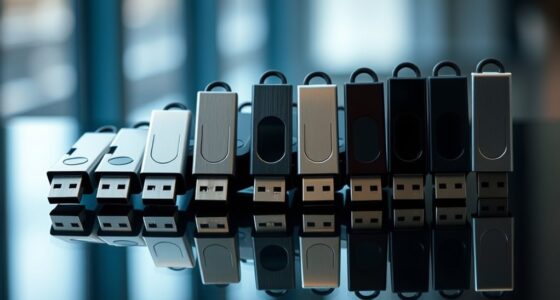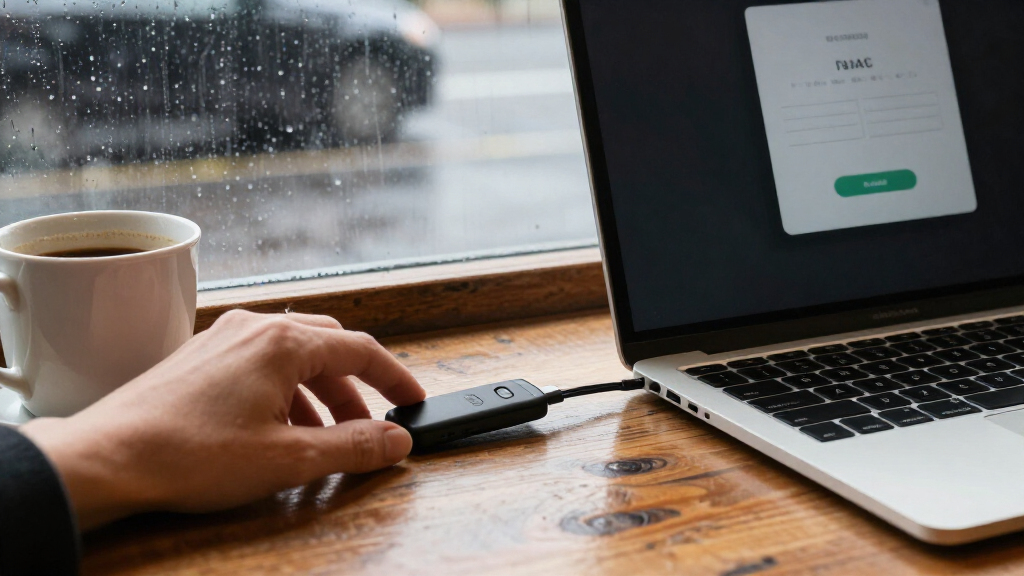

Hardware security keys for two-factor authentication add a physical check to supported account logins, but the right choice depends on your devices, services, and backup plan. I name the Yubico YubiKey 5 NFC my best overall pick for its USB-A and NFC connections, while the YubiKey 5C NFC stands out for USB-C devices and the Thetis Pro for buyers who want several connection options. The main tradeoffs are device compatibility, account support, and whether you need advanced features beyond FIDO2 sign-in. A key that fits your phone may still lack a connector for your computer, and not every service supports every authentication method. Read on for the full comparison and help matching a key to your setup.

Get privacy and security gear delivered free with Prime
- Fast, free delivery on millions of items
- Prime Video, Amazon Music and more included
- Member-only deals all year
Key Takeaways
- The YubiKey 5 NFC is my best overall fit for buyers who want USB-A computer access alongside NFC phone support in one key.
- USB-C and NFC models solve a different compatibility problem: the YubiKey 5C NFC and Yubico Security Key C NFC suit newer devices, but do not provide USB-A on the key itself.
- The YubiKey 5 series offers a broader feature set than the simpler Yubico Security Key models, making it a better match for buyers who need more than FIDO sign-in.
- Connector bundles and two-packs address coverage, not account support; check the services you use before assuming an extra connector or key will work for every login.
- Specialized options have narrower audiences: the YubiKey 5Ci targets Lightning and USB-C devices, the 5C FIPS targets specific compliance needs, and the Thetis Nano-A favors a compact USB-A form.
| Yubico YubiKey 5 NFC Security Key |  | Best Overall for USB-A Setups | Brand: Yubico | Model: YubiKey 5 NFC | Model number: Y-237 | VIEW LATEST PRICE | See Our Full Breakdown |
| Yubico YubiKey 5C NFC Security Key |  | Best for USB-C Devices | Brand: Yubico | Model: YubiKey 5C NFC | Connectivity: USB-C, NFC | VIEW LATEST PRICE | See Our Full Breakdown |
| YubiKey 5 NFC Bundle (USB-A + USB-C) – Multi-Factor Authentication Security Key |  | Best Two-Key Backup Bundle | Model: YubiKey 5 NFC | Unit count: 2 | Connectivity described: USB-A, USB-C, NFC | VIEW LATEST PRICE | See Our Full Breakdown |
| Thetis Pro FIDO2 Security Key with USB-A, USB-C, and NFC |  | Best for Mixed-Port Devices | Brand: Thetis | Model: Thetis PRO FIDO2 Key (flip-x) | Authentication: FIDO2, NFC | VIEW LATEST PRICE | See Our Full Breakdown |
| Thetis Pro for Business FIDO2 Security Key L1 MFA & NFC Passkey Access – Dual USB‑A + USB‑C |  | Best for Business MFA Flexibility | Connectivity: USB-A, USB-C, NFC | Authentication: FIDO2 passkeys, TOTP/HOTP | Compatible devices: USB-A and USB-C computers; NFC-capable mobile devices | VIEW LATEST PRICE | See Our Full Breakdown |
| SecuX PUFido USB-C Security Key with PUF Technology, FIDO2/U2F Certified |  | Best for Hardware-Rooted Key Protection | Authentication standards: FIDO2, U2F | Hardware interface: USB Type-C | Connectivity: USB | VIEW LATEST PRICE | See Our Full Breakdown |
| YubiKey 5C FIPS |  | Best for FIPS-Validated Environments | Manufacturer: Yubico | Model number: 5060408464267 | Connector: USB-C | VIEW LATEST PRICE | See Our Full Breakdown |
| FIDO2 Security Key NFC Smart Card for 2FA MFA Passwordless Login |  | Best Smart-Card Form Factor | Authentication certification: FIDO2 v2.1, CTAP Level 1 | Secure element: NXP JCOP 4.5, Common Criteria EAL6+ (augmented) | Interfaces: NFC (ISO 14443), contact (ISO 7816) | VIEW LATEST PRICE | See Our Full Breakdown |
| Yubico YubiKey 5C USB-C Security Key |  | Best for Broad Protocol Support | Connector: USB-C | Supported protocols: FIDO2/WebAuthn, FIDO U2F, Yubico OTP, OATH-TOTP/HOTP, PIV, OpenPGP | Supported systems: Windows, macOS, ChromeOS, Linux | VIEW LATEST PRICE | See Our Full Breakdown |
| Yubico Security Key C NFC, USB-C and NFC, FIDO Certified, 2-Pack |  | Best Two-Key Backup Set | Pack count: 2 | Model: Security Key C NFC | Connectivity: USB-C, NFC | VIEW LATEST PRICE | See Our Full Breakdown |
| YubiKey 5Ci Multi-Factor Authentication Security Key for iPhone, Android, PC – Dual Lightning & USB-C Connectors, FIDO Certified |  | Best for iPhone and USB-C Flexibility | Brand: Yubico | Model: 100930 | Connectors: Lightning and USB-C | VIEW LATEST PRICE | See Our Full Breakdown |
| Yubico Security Key C NFC, USB-C and FIDO Certified | | Best for USB-C Phones and Laptops | Brand: Yubico | Model: 100957 | Connection: USB-C and NFC | VIEW LATEST PRICE | See Our Full Breakdown |
| Yubico Security Key NFC, USB-A and NFC FIDO2 Security Key | | Best for USB-A Computers | Connectivity: USB-A and NFC | Protocols: FIDO2/WebAuthn and FIDO U2F | Passkey slots: 100 | VIEW LATEST PRICE | See Our Full Breakdown |
| Yubico Security Key NFC Bundle (USB‑A & USB‑C) – Multi‑Factor Authentication (FIDO Certified) |  | Best Backup Bundle | Brand: Yubico | Model name: Security Key NFC | Number of items: 2 | VIEW LATEST PRICE | See Our Full Breakdown |
| Thetis Nano-A FIDO2 USB-A Security Key |  | Best Compact Key with TOTP | Connector: USB-A | Standards: FIDO, FIDO2.0, WebAuthn, CTAP2 | FIDO2 passkey slots: 200 | VIEW LATEST PRICE | See Our Full Breakdown |
| hardware security keys for two factor authentication | Dimensions |
|---|---|
| Yubico YubiKey 5 NFC Security | 0.71 × 1.77 × 0.13 inches |
| Yubico YubiKey 5C NFC Security | 0.15 × 0.7 × 1.77 inches |
| YubiKey 5 NFC Bundle | — |
| Thetis Pro FIDO2 Security Key | 2.9 × 0.72 × 0.5 inches |
| Thetis Pro for Business FIDO2 | 2.9 × 0.72 × 0.5 inches |
| SecuX PUFido USB-C Security Ke | — |
| YubiKey 5C FIPS | — |
| FIDO2 Security Key NFC Smart C | 3.37 x 2.13 x 0.03 inches |
| Yubico YubiKey 5C USB-C Securi | 0.49 x 1.16 x 0.2 inches |
| Yubico Security Key C NFC | — |
| YubiKey 5Ci Multi-Factor Authe | 0.2 x 1.6 x 0.5 inches |
| Yubico Security Key C NFC | 0.1 x 1.8 x 0.7 inches |
| Yubico Security Key NFC | — |
| Yubico Security Key NFC Bundle | — |
| Thetis Nano-A FIDO2 USB-A Secu | — |
More Details on Our Top Picks
Yubico YubiKey 5 NFC Security Key
The YubiKey 5 NFC is my best all-around pick for buyers whose computers still have USB-A ports and who also want a straightforward way to authenticate on NFC-capable phones. Its support for FIDO2/WebAuthn and U2F covers phishing-resistant sign-in where services offer it, while OTP, smart-card, and OpenPGP support extend its use beyond basic two-factor login. Compared with the USB-C YubiKey 5C NFC, this model better fits older laptops but is less convenient on newer USB-C-only devices unless you use an adapter. It needs no battery or internet connection, but losing your only registered key can complicate account recovery. I’d set up a spare key or another recovery method before relying on it for important accounts.
Pros:- Combines USB-A and NFC authentication
- Supports FIDO2/WebAuthn, U2F, OTP, PIV, and OpenPGP
- Works without batteries or an internet connection
- Small, lightweight form factor
Cons:- USB-A may require an adapter on newer USB-C-only devices
- A backup key or recovery method is advisable to reduce lockout risk
Best for: People using USB-A computers who want one key for compatible web accounts and NFC-capable mobile devices.
Not ideal for: Owners of USB-C-only computers who want a direct plug-in connection; the YubiKey 5C NFC is a better connector match.
- Brand:Yubico
- Model:YubiKey 5 NFC
- Model number:Y-237
- Connectivity:USB-A, NFC
- Supported protocols:FIDO2/WebAuthn, FIDO U2F, Yubico OTP, OATH-TOTP/HOTP, PIV, OpenPGP
- Weight:0.1 ounces
- Dimensions:0.71 × 1.77 × 0.13 inches
- Firmware:5.7
Our verdict“Choose this YubiKey if your everyday computer has USB-A and you want broad protocol support plus NFC for mobile sign-in.”
Yubico YubiKey 5C NFC Security Key
For a laptop-and-phone setup centered on USB-C, the YubiKey 5C NFC offers the same broad authentication approach as the USB-A YubiKey 5 NFC, but with a connector that fits many newer computers directly. USB-C plus NFC gives buyers two ways to use the key, while FIDO2/WebAuthn and U2F support phishing-resistant sign-in on compatible services. Its additional OTP, PIV, and OpenPGP protocols also make it more adaptable than a basic FIDO-only key. The tradeoff is that USB-C compatibility is not universal across older computers, and account recovery still depends on having a backup or another sign-in option. Compared with the two-key YubiKey 5 NFC bundle, this is a simpler single-key choice, not a ready-made spare-key setup.
Pros:- USB-C and NFC support cover many computer and mobile login situations
- Supports FIDO2/WebAuthn, U2F, OTP, PIV, and OpenPGP
- No battery, internet connection, or extra service fee is required
- Water- and crush-resistant construction is listed
Cons:- USB-C does not directly fit USB-A-only computers
- A single key leaves buyers responsible for arranging a backup or account recovery plan
Best for: USB-C laptop owners who want one security key for compatible online accounts and NFC-enabled mobile devices.
Not ideal for: People who need a USB-A connector out of the box or want a second key included for backup.
- Brand:Yubico
- Model:YubiKey 5C NFC
- Connectivity:USB-C, NFC
- Supported protocols:FIDO2/WebAuthn, FIDO U2F, Yubico OTP, OATH-TOTP/HOTP, PIV smart card, OpenPGP
- Passkey slots:100
- Dimensions:0.15 × 0.7 × 1.77 inches
- Water resistance:Yes
- Crush resistance:Yes
Our verdict“Pick the YubiKey 5C NFC if your main computer uses USB-C and you want broad protocol support with NFC for mobile authentication.”
YubiKey 5 NFC Bundle (USB-A + USB-C) – Multi-Factor Authentication Security Key
The strongest reason to choose this listing is that it includes two keys, making it easier to register a backup before a lost or damaged key becomes an account-access problem. Its described USB-A, USB-C, and NFC compatibility also gives the bundle broader device reach than either single YubiKey 5 NFC model. Protocol support includes FIDO2/WebAuthn, U2F, OTP, PIV, and OpenPGP, so it suits buyers who need more than one authentication method. Compared with the single YubiKey 5C NFC, the bundle is better positioned for redundancy and mixed-device households, though the product data does not identify which connector belongs to each included key. Confirm the exact contents and compatibility before ordering; this listing’s interface details are less specific than the individual models.
Pros:- Includes two keys, supporting a practical backup-key setup
- Described as working with USB-A, USB-C, and NFC devices
- Supports FIDO2/WebAuthn, U2F, OTP, PIV, and OpenPGP
- No battery or internet connection is required
Cons:- The supplied data does not clarify which connector types are on each key
- Authentication requires physical access to a compatible USB port or NFC reader
- No Bluetooth option is listed for devices without USB or NFC
Best for: People securing several important accounts who want a second key for backup, or households with a mix of USB-A, USB-C, and NFC-capable devices.
Not ideal for: Buyers who need a clearly specified single connector configuration or who cannot use USB or NFC on their devices.
- Model:YubiKey 5 NFC
- Unit count:2
- Connectivity described:USB-A, USB-C, NFC
- Supported protocols:FIDO2/WebAuthn, U2F, OTP, OATH-TOTP/HOTP, PIV smart card, OpenPGP
- Compatible devices:Computers, smartphones, and tablets
- Compatible operating systems:Windows, macOS, Linux, iOS, Android
- Build features:Waterproof, shockproof, crush-resistant
Our verdict“Choose this bundle if backup-key redundancy matters most and you can confirm that its connector arrangement suits your devices.”
Thetis Pro FIDO2 Security Key with USB-A, USB-C, and NFC
The Thetis Pro FIDO2 Key stands out for buyers who move between computers with different USB ports: it lists both USB-A and USB-C, alongside NFC for mobile authentication. Its rotating metal cover helps shield the connector when the key is carried, and the key requires no battery or network connection. Compared with the YubiKey 5C NFC, its dual-connector design may fit a wider mix of computers without an adapter, but its listed authentication support is narrower: the product data specifies FIDO2 and NFC rather than the broader OTP, PIV, and OpenPGP set on the YubiKeys. Compatibility also needs closer checking. NFC is mobile-only, ID Austria is unsupported, and Windows Hello requires a supported Windows Enterprise edition.
Pros:- Lists both USB-A and USB-C connectors plus NFC for mobile use
- Rotating metal cover protects the key while carried
- Requires no battery or network connection
- Described as water- and crush-resistant
Cons:- NFC does not work on macOS or Windows
- Windows Hello support is limited to compatible Windows Enterprise editions
- Listed protocol support is narrower than the YubiKey 5 NFC models
Best for: People who alternate between USB-A and USB-C computers and mainly need FIDO2 sign-in, plus NFC authentication on mobile devices.
Not ideal for: Users who need NFC on Windows or macOS, support for ID Austria, or Windows Hello on a standard Windows edition.
- Brand:Thetis
- Model:Thetis PRO FIDO2 Key (flip-x)
- Authentication:FIDO2, NFC
- Connectors:USB-A, USB-C
- NFC support:Mobile authentication only
- Compatible operating systems:Windows, macOS, Linux, Chrome OS
- Dimensions:2.9 × 0.72 × 0.5 inches
- Weight:1 ounce
- Power:No battery required
Our verdict“Choose the Thetis Pro if dual USB connectors matter more than broad protocol support and you can work within its NFC and Windows Hello limits.”
Thetis Pro for Business FIDO2 Security Key L1 MFA & NFC Passkey Access – Dual USB‑A + USB‑C
This business-oriented Thetis listing pairs FIDO2 passkeys with TOTP/HOTP authentication, giving teams a wider set of sign-in methods than the FIDO2-focused Thetis Pro flip-x. Its USB-A and USB-C connectors suit mixed computer fleets, while NFC adds a mobile route for compatible devices. A rotating metal cover is intended to protect the key in everyday carry, and a manager app is listed for PIN setup. Compared with the YubiKey 5 NFC, the stated feature set is more focused on passkeys and OTP rather than PIV and OpenPGP support. Check platform requirements before deployment: NFC is mobile-only, regional ID support is limited, and Windows Hello is restricted to compatible Enterprise editions. The supplied data also gives no certification details beyond FIDO2 references.
Pros:- Dual USB-A and USB-C connectors support mixed computer fleets
- Lists both FIDO2 passkeys and TOTP/HOTP authentication
- NFC provides a mobile authentication option
- Rotating metal cover and no-battery design suit portable use
Cons:- NFC is not supported on macOS or standard Windows use
- Windows Hello is limited to compatible Enterprise editions
- Listed protocol range is narrower than the YubiKey 5 NFC models
Best for: Small businesses or IT teams that need USB-A and USB-C compatibility with FIDO2 passkeys and TOTP/HOTP options for supported platforms.
Not ideal for: Organizations relying on Windows Hello outside compatible Enterprise editions, desktop NFC authentication, or regional ID services such as ID Austria.
- Connectivity:USB-A, USB-C, NFC
- Authentication:FIDO2 passkeys, TOTP/HOTP
- Compatible devices:USB-A and USB-C computers; NFC-capable mobile devices
- Compatible platforms:FIDO2 and U2F-supported online platforms
- Additional feature:Manager app for PIN setup
- Dimensions:2.9 × 0.72 × 0.5 inches
- Read speed:480 bytes/second
- Write speed:480 bytes/second
Our verdict“Pick this Thetis model for business setups that need dual USB connectors and both passkey and OTP options, provided its platform limits fit.”
SecuX PUFido USB-C Security Key with PUF Technology, FIDO2/U2F Certified
The PUFido suits buyers who want a USB-C FIDO2/U2F key with an added hardware-rooted security approach. Its PUF technology is designed to make the key’s security identity difficult to clone, while FIDO2 supports phishing-resistant sign-in on compatible services. Compared with the YubiKey 5C, this model emphasizes PUF protection rather than a broader set of authentication protocols such as OTP, smart card, and OpenPGP. Its compact form is easy to carry, and listed compatibility spans desktop and mobile platforms, though actual use depends on the device having a suitable USB-C connection. That connector requirement limits flexibility with USB-A-only equipment. I’d also plan for a registered backup key: losing the sole key can complicate account recovery.
Pros:- PUF technology adds hardware-rooted protection designed to resist cloning
- FIDO2/U2F support enables phishing-resistant authentication on compatible services
- Compact USB-C format is easy to carry on a keychain
- Listed compatibility covers Windows, macOS, Linux, iOS, and Android
Cons:- USB-C-only connectivity can exclude older USB-A devices without an adapter
- A backup key is advisable to reduce the risk of account lockout if this key is lost
Best for: People who want a compact USB-C FIDO2 key with PUF-based hardware protection for compatible accounts
Not ideal for: Users with USB-A-only devices or anyone who needs a single key to cover services requiring OTP, smart-card, or OpenPGP features
- Authentication standards:FIDO2, U2F
- Hardware interface:USB Type-C
- Connectivity:USB
- Security technology:PUF
- Compatible platforms:Windows, macOS, Linux, iOS, Android
- Color:Black
- Warranty:1 year
Our verdict“Choose the PUFido if PUF-based protection and USB-C FIDO2 sign-in matter more to you than the YubiKey 5C’s wider protocol support.”
YubiKey 5C FIPS
For organizations that require FIPS-validated security, the 5C FIPS has a more specific purpose than general-purpose keys in this lineup. Its USB-C connection fits many current laptops and mobile devices, and its compact, solid-state design avoids moving parts. Compared with the standard YubiKey 5C, the distinguishing reason to choose this model is its stated FIPS validation, not a broader connector selection or a smaller feature set. That distinction can matter for regulated or managed deployments, but it may add little for a personal account that only needs FIDO2 sign-in. The supplied product data does not list supported protocols or operating systems, so I would verify service requirements before deployment. USB-A-only systems also need an adapter.
Pros:- FIPS-validated security is suited to environments with formal compliance requirements
- USB-C connector fits many current computers and mobile devices
- Compact construction has no moving parts
- Designed for setup with popular compatible services
Cons:- FIPS-focused certification may offer little practical benefit for ordinary personal account protection
- USB-C connection requires an adapter for USB-A-only devices
- The supplied product details do not specify supported authentication protocols
Best for: Government, enterprise, and regulated-workplace users whose security requirements call for a FIPS-validated USB-C authentication key
Not ideal for: Personal users who only need standard FIDO sign-in, or teams with USB-A-only equipment and no adapters
- Manufacturer:Yubico
- Model number:5060408464267
- Connector:USB-C
- Security validation:FIPS
- Package dimensions:3.94 x 0.79 x 0.39 inches
- Listed item weight:2.2 pounds
- Date first available:March 31, 2026
Our verdict“Pick the YubiKey 5C FIPS when a workplace requires FIPS validation; for ordinary FIDO sign-in, the standard YubiKey 5C may be a more fitting choice.”
FIDO2 Security Key NFC Smart Card for 2FA MFA Passwordless Login
The Cryptnox stands apart from the USB-stick keys here: it is a battery-free ID-1 smart card that can authenticate through NFC or a contact interface. That shape may be more natural for someone who already carries an ID card, and its EAL6+ augmented secure element and FIDO2 certification make it a strong fit for compatible phishing-resistant sign-in. Compared with the USB-C-only SecuX PUFido, the Cryptnox offers NFC and contact options rather than relying on a single plug-in connector. The tradeoff is that card form does not suit every wallet or reader, and the product requires an NFC-capable device or compatible contact reader. I’d check the devices and services in your routine before choosing it over a compact USB key.
Pros:- FIDO2 and WebAuthn support works with many listed major services
- NFC and contact interfaces provide two ways to use the card
- Battery-free design needs no charging
- EAL6+ augmented secure-element rating and two-year limited warranty
Cons:- ID-1 card shape may not fit every wallet or existing reader
- Use requires NFC-capable hardware or a compatible contact reader
- Unlike USB-C keys such as the SecuX PUFido, it cannot plug directly into a USB port
Best for: People who prefer a slim card they can carry with an ID and who have NFC-enabled devices or a compatible contact reader
Not ideal for: Buyers who want a keychain-style device, lack NFC or a contact reader, or need a USB plug for direct connection
- Authentication certification:FIDO2 v2.1, CTAP Level 1
- Secure element:NXP JCOP 4.5, Common Criteria EAL6+ (augmented)
- Interfaces:NFC (ISO 14443), contact (ISO 7816)
- Compatible devices:Android, Windows, iOS, macOS
- Dimensions:3.37 x 2.13 x 0.03 inches
- Weight:5 g
- Warranty:2-year limited warranty
Our verdict“Choose Cryptnox if you want FIDO2 authentication in a battery-free smart-card format and your devices support NFC or contact reading.”
Yubico YubiKey 5C USB-C Security Key
The YubiKey 5C is the most versatile single USB-C option in this group for buyers whose needs go beyond FIDO sign-in. Alongside FIDO2/WebAuthn and U2F, it lists OTP, OATH, PIV smart-card, and OpenPGP support, giving it more authentication paths than the FIDO-focused Yubico Security Key C NFC 2-Pack. That breadth makes the 5C a better match for mixed personal or technical workflows, while its small, waterproof, crush-resistant build suits everyday carry. The tradeoff is that it has no NFC connection, so phones or computers without a suitable USB-C port may need another setup. A backup key is sensible for account recovery; buyers who only need FIDO2 may prefer a simpler key.
Pros:- Supports FIDO2/WebAuthn and U2F alongside OTP, OATH, PIV, and OpenPGP
- Works with Windows, macOS, ChromeOS, and Linux
- Waterproof and crush-resistant construction
- Requires no battery or internet connection for authentication
Cons:- USB-C-only connection lacks the NFC option found on the Yubico Security Key C NFC 2-Pack
- A spare key is recommended to lower the risk of account lockout
- The broader protocol set may be unnecessary for buyers who only need FIDO authentication
Best for: Technically minded users who need one USB-C key for FIDO sign-in plus OTP, smart-card, or OpenPGP workflows
Not ideal for: People who need NFC for phone sign-in, use USB-A-only devices, or only want a basic FIDO2 key
- Connector:USB-C
- Supported protocols:FIDO2/WebAuthn, FIDO U2F, Yubico OTP, OATH-TOTP/HOTP, PIV, OpenPGP
- Supported systems:Windows, macOS, ChromeOS, Linux
- Dimensions:0.49 x 1.16 x 0.2 inches
- Weight:0.2 ounces
- Firmware:5.7
- Durability:Waterproof and crush-resistant
Our verdict“Choose the YubiKey 5C if you need a durable USB-C key with several authentication protocols, rather than FIDO-only sign-in.”
Yubico Security Key C NFC, USB-C and NFC, FIDO Certified, 2-Pack
This two-pack addresses a common weakness in hardware-key setups: having only one registered key. Keeping one key in daily use and enrolling the second as a backup can make recovery more practical than relying on an account’s fallback methods. Both keys support USB-C and NFC authentication with FIDO2/WebAuthn and U2F, so they cover compatible computer and phone sign-ins without batteries or an internet connection. Compared with the YubiKey 5C, this set prioritizes a spare and NFC convenience over a wider protocol range; it does not support one-time passwords. That makes it a focused choice for FIDO-based accounts, not for users who need OTP, PIV, or OpenPGP on the key. Confirm your services support FIDO before choosing this simpler set.
Pros:- Two keys make it practical to register a spare for account recovery
- USB-C and NFC support flexible sign-in across compatible devices
- FIDO2/WebAuthn and U2F provide phishing-resistant authentication
- Waterproof, crush-resistant design requires no battery or internet connection
Cons:- Does not support one-time passwords, unlike the YubiKey 5C
- FIDO2/U2F-focused protocol support may not suit users who need smart-card or OpenPGP functions
- Use depends on a USB-C port or NFC-capable device
Best for: People setting up FIDO2/U2F on several accounts who want a second enrolled key for backup and USB-C or NFC access
Not ideal for: Users who require one-time passwords, PIV, or OpenPGP, or whose devices lack USB-C and NFC
- Pack count:2
- Model:Security Key C NFC
- Connectivity:USB-C, NFC
- Authentication standards:FIDO2/WebAuthn, FIDO U2F
- One-time password support:No
- Item weight:20 g
- Warranty:1 year
- Manufacturing:Manufactured in Sweden; programmed in the USA
Our verdict“Choose this two-pack if you want a spare FIDO key and NFC flexibility, but pick the YubiKey 5C for broader protocol support.”
YubiKey 5Ci Multi-Factor Authentication Security Key for iPhone, Android, PC – Dual Lightning & USB-C Connectors, FIDO Certified
The YubiKey 5Ci is the clearest choice here for someone who needs one key to connect directly to an iPhone with Lightning and to newer USB-C devices. That flexibility sets it apart from the Yubico Security Key C NFC, which adds phone-friendly NFC but lacks the 5Ci’s broad protocol support. The 5Ci supports FIDO2/WebAuthn, U2F, OTP, smart card, and OpenPGP, so it can serve more than a basic passkey or second-factor role. Its battery-free, waterproof, crush-resistant design also suits daily carry. The tradeoff is that its connector mix is less useful for USB-A-only computers, and the listed package contains a single key. Buyers who want a spare should plan for a separate backup rather than relying on this one device.
Pros:- Lightning and USB-C connectors cover many iPhones and newer computers directly.
- Supports FIDO2/WebAuthn, U2F, OTP, smart card, and OpenPGP.
- Operates without batteries or an internet connection.
- Waterproof and crush-resistant construction supports everyday carry.
Cons:- Does not provide USB-A connectivity for older computers.
- Only one key is included, leaving backup planning to the buyer.
- Its wider protocol set may be unnecessary for buyers who only need FIDO sign-in.
Best for: iPhone owners who also use USB-C computers and want one key for phishing-resistant sign-in plus additional authentication protocols.
Not ideal for: People who mainly use USB-A computers or want a ready-made spare key; the 5Ci has Lightning and USB-C connectors and this listing is for one key.
- Brand:Yubico
- Model:100930
- Connectors:Lightning and USB-C
- Protocols:FIDO2/WebAuthn, U2F, OTP, smart card, OpenPGP
- Operating system compatibility:Android, iOS, macOS, Windows
- Weight:0.16 ounces
- Dimensions:0.2 x 1.6 x 0.5 inches
- Color:Black
Our verdict“Choose the YubiKey 5Ci if direct Lightning and USB-C connections and broad protocol support matter more than NFC or an included spare.”
Yubico Security Key C NFC, USB-C and FIDO Certified
For buyers whose devices already use USB-C, the Yubico Security Key C NFC keeps two-factor sign-in simple: plug it into a compatible port or tap an NFC-enabled device. That makes it a more streamlined FIDO-focused pick than the YubiKey 5Ci, which supports a wider set of protocols but relies on Lightning and USB-C rather than NFC. This key supports FIDO2/WebAuthn and FIDO U2F, giving compatible accounts phishing-resistant authentication without batteries or a network connection. Its waterproof, crush-resistant build is practical for a key carried between devices. The limitation is its narrow feature set: it does not support OTP or the Yubico Authenticator app. Choose it for straightforward FIDO sign-in, not as a multi-protocol replacement for the 5Ci.
Pros:- Offers both USB-C and NFC authentication.
- Supports phishing-resistant FIDO2/WebAuthn and FIDO U2F sign-in.
- Waterproof and crush-resistant construction.
- Works with services including Google, Microsoft, and Apple.
Cons:- Does not support one-time passwords.
- Not compatible with the Yubico Authenticator app.
- USB-C connector does not directly fit USB-A-only computers.
Best for: People with USB-C laptops and NFC-capable phones who want a durable, uncomplicated FIDO key for supported accounts.
Not ideal for: Buyers who need OTP codes, the Yubico Authenticator app, or support for older USB-A devices.
- Brand:Yubico
- Model:100957
- Connection:USB-C and NFC
- Authentication standards:FIDO2/WebAuthn and FIDO U2F
- One-time password support:No
- Firmware:5.7
- Weight:0.16 ounces
- Dimensions:0.1 x 1.8 x 0.7 inches
Our verdict“Pick this model for durable, FIDO-focused authentication across USB-C devices and NFC phones, but skip it if you need OTP features.”
Yubico Security Key NFC, USB-A and NFC FIDO2 Security Key
The Yubico Security Key NFC suits people whose main computer still has USB-A ports but who also want to authenticate by tapping an NFC-enabled phone or tablet. It shares the FIDO-focused approach of the Yubico Security Key C NFC, while its USB-A connector is the better fit for older desktops and laptops. FIDO2/WebAuthn and FIDO U2F cover phishing-resistant sign-in on compatible services, and the key needs neither batteries nor internet access. Its water-resistant, crush-resistant construction helps it handle regular carry. The boundaries are clear: it does not generate OTP codes or work with the Yubico Authenticator app, and USB-A is less convenient on newer USB-C-only computers. This is a practical connector match, not a feature-rich alternative to the YubiKey 5Ci.
Pros:- Combines a USB-A connector with NFC authentication.
- Supports FIDO2/WebAuthn and FIDO U2F for compatible accounts.
- Works without batteries or an internet connection.
- Water-resistant and crush-resistant construction.
Cons:- Does not support one-time passwords.
- Not compatible with the Yubico Authenticator app.
- USB-A may require an adapter for USB-C-only computers.
Best for: People who use USB-A computers as their primary sign-in device and want NFC access from compatible mobile devices.
Not ideal for: USB-C-only device owners or buyers who need OTP generation, Yubico Authenticator support, or protocols beyond FIDO sign-in.
- Connectivity:USB-A and NFC
- Protocols:FIDO2/WebAuthn and FIDO U2F
- Passkey slots:100
- Memory storage capacity:1 GB
- Water resistance:Yes
- Crush resistance:Yes
- Color:Black
- Compatibility:Desktop, laptop, mobile, and tablet; NFC-enabled devices
Our verdict“Choose this key if USB-A is still your main computer connection and you want NFC as a convenient mobile option.”
Yubico Security Key NFC Bundle (USB‑A & USB‑C) – Multi‑Factor Authentication (FIDO Certified)
This bundle’s main advantage is straightforward: it includes two keys, making it easier to keep a spare available if the everyday key is lost or unavailable. The pair covers USB-A and USB-C computer connections, while NFC supports compatible phones. Compared with the single Yubico Security Key NFC, the included backup can reduce the chance that a misplaced key blocks account access; compared with the YubiKey 5Ci, this bundle emphasizes connector coverage and redundancy rather than a broad protocol set. It uses FIDO2/WebAuthn for phishing-resistant sign-in and needs no batteries or internet connection. The tradeoff is its FIDO-focused feature set: OTP generation and the Yubico Authenticator app are not supported. Check that your accounts accept FIDO keys before relying on it.
Pros:- Includes two keys, allowing one to serve as a backup.
- Covers USB-A, USB-C, and NFC connections across compatible devices.
- Supports FIDO2/WebAuthn phishing-resistant authentication.
- Waterproof and crush-resistant design; no batteries or internet required.
Cons:- Does not support one-time password generation.
- Not compatible with the Yubico Authenticator app.
- FIDO-focused support is narrower than the protocol range of the YubiKey 5Ci.
Best for: People securing important accounts across USB-A and USB-C computers who want a separate spare key from the start.
Not ideal for: Buyers who need OTP codes, Yubico Authenticator support, or an individual key with broader protocols such as smart card and OpenPGP.
- Brand:Yubico
- Model name:Security Key NFC
- Number of items:2
- USB types:Type A and Type C
- Connectivity:USB and NFC
- Compatible devices:Computers with USB; NFC-enabled phones
- Firmware version:5.7
- Build features:Waterproof and crush-resistant
Our verdict“Choose this bundle if connector variety and having a ready spare matter more than OTP or advanced authentication protocols.”
Thetis Nano-A FIDO2 USB-A Security Key
The Thetis Nano-A is the standout choice for buyers who want a small USB-A key that combines FIDO2 passkeys with stored TOTP credentials. Its listed 200 FIDO2 passkey slots and 50 OATH-TOTP slots give it a different role from the FIDO-only Yubico Security Key NFC, which adds NFC but does not support OTP. That broader authentication mix can suit people managing accounts that have not all adopted FIDO sign-in. The compact body is easy to carry, and compatibility spans PC, Mac, Android, and supported services. The tradeoff is connection flexibility: it is USB-A, without the USB-C or NFC options found on several Yubico picks in this lineup. TOTP support also does not remove the need to confirm that each service and setup works with the key.
Pros:- Supports FIDO2 passkeys and passwordless sign-in on compatible services.
- Includes 200 FIDO2 passkey slots and 50 OATH-TOTP slots.
- Compact dimensions suit keychain carry.
- Listed compatibility includes PC, Mac, and Android.
Cons:- USB-A connector may need an adapter for newer USB-C-only devices.
- No NFC connection is listed for tap-based phone authentication.
- Passkey and TOTP use depend on service compatibility.
Best for: USB-A users who want a compact key for FIDO2 passkeys and OATH-TOTP authentication across compatible services.
Not ideal for: People who rely on USB-C-only devices or want NFC tap authentication without an adapter or other compatible setup.
- Connector:USB-A
- Standards:FIDO, FIDO2.0, WebAuthn, CTAP2
- FIDO2 passkey slots:200
- OATH-TOTP slots:50
- Size:0.75 × 0.74 × 0.25 inches
- Compatibility:PC, Mac, Android, and compatible services
Our verdict“Pick the Thetis Nano-A if you want a compact USB-A key with both FIDO2 passkey and TOTP support, and do not need NFC.”

How We Picked
I compared these 15 keys on the factors that affect day-to-day two-factor authentication: supported authentication standards, device connections, and practical account coverage. I gave priority to options that clearly fit common computer and phone setups, while distinguishing keys with NFC or multiple connectors from USB-only choices. I also weighed whether a product is a straightforward FIDO security key or part of a broader feature family, since extra capabilities can help some buyers but add complexity for people who only need security-key sign-in.
The ranking reflects versatility for typical users first, followed by fit for specific devices or requirements. That puts the YubiKey 5 NFC ahead for mixed USB-A and NFC use, while USB-C models rank higher for newer-device setups and specialist models serve narrower needs. I treated bundles as a way to cover more devices or keep a spare, not as a substitute for checking service compatibility. Product names and listed features guide this comparison; I do not claim hands-on testing or independent verification of certifications.
Factors to Consider When Choosing Hardware Security Keys For Two Factor Authentication
Before choosing a key, I would map how you sign in across your computer, phone, and most important accounts. A connector that suits one device does not automatically suit another, and account providers can differ in which security-key methods they accept. These broader checks can prevent a key that looks versatile on paper from becoming awkward in everyday use.
Match the connector to every device you use
Start with the ports and wireless options on the devices where you actually approve logins, not just your main computer. USB-A fits many older computers, USB-C is common on newer laptops and phones, and NFC can let a compatible phone read a key without a plug-in connection. A mixed-device household may benefit more from USB-A plus NFC or a USB-A-and-USB-C bundle than from a single connector. Check phone operating-system and account-provider instructions before buying, since NFC support and connection steps can vary. A frequent mistake is choosing a key for a laptop and only later discovering that phone sign-ins require a different connection method.
Confirm account support before choosing a feature set
Security keys work only with services that support the relevant sign-in method, so make a short list of the accounts you want to protect. FIDO2 and FIDO U2F support can differ across services, and some accounts may offer a key for two-factor authentication while others use it for passwordless sign-in. The YubiKey 5 family is aimed at buyers who may need capabilities beyond basic FIDO sign-in, while simpler security-key models can be a better match for a narrower use case. Do not assume that a longer list of standards means every service will use every feature. Check each provider’s current setup guidance before deciding that a particular key can replace your existing verification method.
Plan for a lost or damaged key
A hardware key can make account access harder for an attacker, but it also gives you a physical item to keep track of. For important accounts, think through recovery before enrolling your first key: add a second key where supported, save recovery codes securely, and follow the provider’s account-recovery instructions. A two-pack or connector bundle can help with backup planning, but only if you register the spare and store it separately. Leaving both keys on the same key ring defeats much of the benefit of having a backup. Also check whether you can register more than one key with each account you rely on.
Pay for specialized features only when you need them
More features are useful when they solve a real requirement, such as support for a particular connector, an organization’s compliance rules, or authentication methods beyond basic security-key login. They can be unnecessary baggage if your only goal is FIDO-based sign-in for a small set of accounts. A FIPS-labeled option may suit a buyer whose workplace specifies that requirement, but the label alone does not guarantee that it meets every organization’s policy. Likewise, a Lightning-and-USB-C key addresses a specific Apple-device connection need rather than serving as a universal upgrade. Match the feature list to a written requirement instead of treating more specifications as automatically better.
Choose between one versatile key and a simpler dedicated key
A broadly compatible key can simplify a mix of computer and phone logins, while a compact or single-connector model may be easier to carry and use in a fixed setup. The tradeoff is that a narrower key can leave you dependent on an adapter or a second device when your routine changes. Before buying, consider where the key will live, how often you will carry it, and whether it needs to work across work and personal devices. A small USB-A key can suit a laptop user who rarely authenticates on a phone, but it is a weaker match for someone whose daily logins happen across several device types. Choose the least complicated setup that still covers the accounts and hardware you depend on.
Frequently Asked Questions
Should I choose a USB-A, USB-C, or NFC security key?
Choose by the devices you use to approve logins, rather than by connector popularity. USB-A suits computers with older ports, while USB-C fits compatible newer devices; NFC can add a convenient phone sign-in route when both the phone and service support it. If you regularly use more than one type of device, a key with multiple connection options can reduce reliance on adapters. Before buying, check the sign-in instructions for your key accounts and confirm that they support the connection you plan to use. A connector does not add account compatibility by itself.
Can one security key work with all my online accounts?
No single key works with every account automatically. Each service must support security-key authentication, and its options may vary between two-factor sign-in and passwordless login. Even when a key supports several standards, a particular provider may accept only some of them. Check the security settings for your most important accounts and list the supported methods before choosing a model. If one service does not accept a key, keep using its available recovery or verification options rather than assuming the key will cover it.
Do I need to buy two keys?
A spare is a sensible choice if losing access to important accounts would cause serious disruption, but it only helps if you register it before you need it. Store the spare somewhere separate from your everyday key, and keep recovery codes according to each service’s instructions. Some services limit the number or type of keys you can register, so check those rules first. A bundle can make it easier to cover separate devices or keep a backup, but it does not remove the need for account-by-account setup. If you buy only one key, review the recovery process for every account where you enroll it.
Is a FIPS security key the right choice for personal accounts?
For ordinary personal use, a FIPS-labeled model is not automatically a better fit than a key that matches your devices and supported services. It makes the most sense when an employer, regulator, or system administrator requires a specific certification or model. Check the exact policy rather than relying on the label alone, since organizations can set requirements beyond a product’s certification. If you have no such requirement, connection type, account support, and backup planning are usually more direct selection criteria. A specialized model may add little value if its distinguishing feature does not meet a need you have.
Will a security key replace my password and authenticator app?
That depends on the service and how you configure the key. Some services let a security key act as a second factor alongside a password; others support passwordless sign-in or offer the key as one option among several. You may still need a password, recovery code, or another method for account recovery and services that do not support keys. Keep an alternate recovery route until you have confirmed that your key works for every intended account. Do not remove existing methods until the service’s setup process confirms the change and you understand how to regain access.
Conclusion
For most mixed-device users, I recommend the Yubico YubiKey 5 NFC as best overall because it pairs USB-A with NFC. For a simpler, focused pick, the Yubico Security Key NFC is my best-value direction when USB-A and NFC meet your needs; choose a USB-C version instead if your devices call for it. Beginners should start by matching one key to their main computer and phone, then set up a spare or recovery method for important accounts. For a premium feature set, the YubiKey 5C FIPS is a specialist choice when its compliance focus and USB-C format fit an actual requirement. For specific needs, consider the YubiKey 5Ci for Lightning and USB-C devices, the Thetis Pro for multiple connector options, or the Thetis Nano-A for a compact USB-A setup. My final advice is to check account support and plan recovery before settling on any model.
Halloween Picks
halloween
As an affiliate, we earn on qualifying purchases.