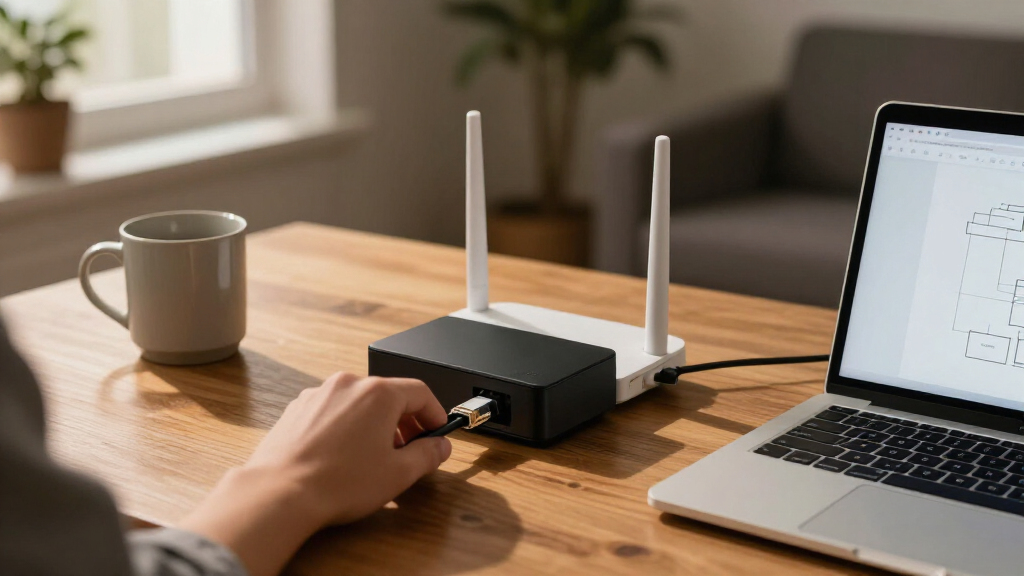

For most homes, I’d start with the Protectli Vault FW4B as the best overall pick: its four ports and preinstalled storage offer a practical base for a custom firewall setup. The Firewalla Purple SE suits buyers who want a more approachable security appliance, while the Netgate 1100 is a compact choice for people drawn to pfSense+. The main tradeoff is between simple management and flexibility: dedicated gateways are easier to operate, while mini PCs can offer more control but require more setup and upkeep. Port speed, security subscriptions, and the work needed to maintain the software also separate these options. Read on for the full comparison and a guide to choosing a firewall that fits your home network.

Get privacy and security gear delivered free with Prime
- Fast, free delivery on millions of items
- Prime Video, Amazon Music and more included
- Member-only deals all year
Key Takeaways
- The Protectli Vault FW4B is the most balanced starting point in this lineup: it has four Ethernet ports and comes with RAM and storage, but buyers still need to choose and manage their firewall software.
- Firewalla Purple SE and Netgate 1100 serve different skill levels. Firewalla is the more approachable security appliance, while Netgate appeals to owners who want the pfSense+ ecosystem in a compact gateway.
- Multi-gig ports are concentrated in fanless mini PCs. The VNOPN, Glovary, SJRC, J4105, and N100 models fit faster wired networks, but their mini-PC format can mean more software setup than a dedicated gateway.
- Subscription-backed appliances shift the maintenance burden. The Zyxel USG FLEX 200H and Fortinet FortiGate-40F pair hardware with security services, so buyers should check ongoing service requirements before choosing one for home use.
- The fastest or most feature-rich device is not automatically the best home firewall. A 10Gbps router such as the Alta Labs Route10, a VPN router such as the TP-Link ER7206, and a customizable firewall PC address different needs rather than replacing one another.
- Older or less clearly specified mini-PC platforms need extra scrutiny. Compare CPU generation, port type, storage, and software support instead of choosing by port count alone.
| Protectli Vault FW4B 4-Port Firewall Mini PC |  | Best for Flexible Open-Source Builds | Processor: Intel Celeron J3160 quad-core, up to 2.2GHz | Memory: 8GB DDR3L RAM | Storage: 120GB mSATA SSD | VIEW LATEST PRICE | See Our Full Breakdown |
| EGSMTPC M3 J1900L4 i210 Fanless Firewall Mini PC |  | Best for a Simpler Starter Setup | Processor: Intel Celeron J1900 quad-core, up to 2.0GHz | Memory: 4GB DDR3L RAM | Storage: 64GB mSATA SSD | VIEW LATEST PRICE | See Our Full Breakdown |
| Zyxel USG FLEX 200H Firewall with 1-Year Gold Security Pack |  | Best for Managed, Feature-Rich Security | Ports: 6 x 1G RJ-45 and 2 x 2.5G RJ-45 | SPI firewall throughput: 6,500 Mbps | IPS throughput: 2,500 Mbps | VIEW LATEST PRICE | See Our Full Breakdown |
| SonicWall TZ380 Network Security Firewall Appliance |  | Best for Straightforward Port Capacity | Ports: 8 | Ethernet: Gigabit Ethernet | Installation: Desktop | VIEW LATEST PRICE | See Our Full Breakdown |
| VNOPN Fanless Firewall Mini PC, Intel Pentium J3710 |  | Best for Multi-Gigabit Home Networks | Processor: Intel Pentium J3710, 4 cores/4 threads, up to 2.64GHz | Memory: 8GB DDR3 RAM | Storage: 128GB mSATA SSD; supports up to 512GB mSATA | VIEW LATEST PRICE | See Our Full Breakdown |
| Glovary J6413 Fanless Mini PC Firewall Appliance, 8GB RAM, 128GB SSD, 4×2.5GbE LAN |  | Best Quiet Multi-Gig Home Firewall | Processor: Intel Celeron J6413, 4 cores/4 threads, up to 3.0GHz | Installed memory: 8GB DDR4 SO-DIMM, 2400MHz | Maximum memory: 64GB | VIEW LATEST PRICE | See Our Full Breakdown |
| Fortinet FortiGate-40F Firewall Appliance, 5 Gigabit Ethernet RJ45 Ports |  | Best Managed Security Platform | Model: Fortinet FG-40F | Ports: 5 Gigabit Ethernet RJ45: 1 WAN and 4 internal | IPS throughput: Up to 1Gbps | VIEW LATEST PRICE | See Our Full Breakdown |
| TP-Link ER7206 Multi-WAN Gigabit VPN Router |  | Best for Multi-WAN Home Networks | Connectivity: Wired Ethernet | Ports: 1 Gigabit SFP WAN, 1 Gigabit WAN, 2 Gigabit WAN/LAN, 1 Gigabit LAN | Maximum WAN ports: 4 | VIEW LATEST PRICE | See Our Full Breakdown |
| SJRC Fanless Firewall Mini PC, Core i3-8130U, 6×2.5GbE, 8GB DDR3L RAM, 128GB NVMe SSD |  | Best for Multi-Segment 2.5GbE Routing | Processor: Intel Core i3-8130U, 2 cores/4 threads, up to 3.40GHz | Memory: 8GB DDR3L SO-DIMM, 1600MHz; supports up to 16GB | Storage: 128GB SSD | VIEW LATEST PRICE | See Our Full Breakdown |
| Alta Labs Route10 10Gbps Multi-WAN Wired Router |  | Best Premium Multi-Gig Router | Processor: Quad-core Qualcomm | Ports: 2 × 10Gbps SFP+ and 4 × 2.5Gbps | Maximum data transfer rate: 10Gbps | VIEW LATEST PRICE | See Our Full Breakdown |
| SonicWall TZ280 Next-Gen Firewall Appliance (Hardware Only) |  | Best for Small Offices with Managed Security Needs | Firewall throughput: Up to 2.5 Gbps | Threat prevention throughput: 1 Gbps | IPSec VPN throughput: 1.2 Gbps | VIEW LATEST PRICE | See Our Full Breakdown |
| Firewalla Purple SE Cybersecurity Firewall |  | Best for App-Led Home Protection | Model: Purple SE | IPS throughput: Up to 500 Mbps | Memory: 3 GB RAM | VIEW LATEST PRICE | See Our Full Breakdown |
| Netgate 1100 pfSense+ Security Gateway |  | Best Compact pfSense Gateway | Processor: Dual-core ARM Cortex-A53, 1.2 GHz | Ports: 3 switched 1GbE ports | Firewall throughput: More than 650 Mbps | VIEW LATEST PRICE | See Our Full Breakdown |
| Fanless Firewall Mini PC with Intel J4105, 4 Intel 2.5GbE Ports, 8GB DDR4 RAM and 240GB mSATA SSD |  | Best for a Ready-to-Configure 2.5GbE Build | Processor: Intel J4105, 4 cores and 4 threads, up to 2.5 GHz | Memory: 8GB DDR4, supports up to 16GB | Storage: 240GB mSATA SSD, supports up to 512GB | VIEW LATEST PRICE | See Our Full Breakdown |
| Fanless N100 Mini PC Firewall, 4×2.5GbE LAN, 8GB RAM, 128GB SSD |  | Best Compact Multi-Gigabit Homelab Firewall | Processor: Intel N100, quad-core, up to 3.4 GHz | Memory: 8GB RAM | Storage: 128GB SSD | VIEW LATEST PRICE | See Our Full Breakdown |
| firewall appliances for home network | Processor | Memory | Operating system |
|---|---|---|---|
| Protectli Vault FW4B 4-Port Fi | Intel Celeron J3160 quad-core, up to 2.2GHz | 8GB DDR3L RAM | None pre-installed; OS agnostic |
| EGSMTPC M3 J1900L4 i210 Fanles | Intel Celeron J1900 quad-core, up to 2.0GHz | 4GB DDR3L RAM | pfSense pre-installed |
| Zyxel USG FLEX 200H Firewall w | — | — | — |
| SonicWall TZ380 Network Securi | — | — | — |
| VNOPN Fanless Firewall Mini PC | Intel Pentium J3710, 4 cores/4 threads, up to 2.64GHz | 8GB DDR3 RAM | — |
| Glovary J6413 Fanless Mini PC | Intel Celeron J6413, 4 cores/4 threads, up to 3.0GHz | — | — |
| Fortinet FortiGate-40F Firewal | — | — | FortiOS |
| TP-Link ER7206 Multi-WAN Gigab | — | 512MB RAM | Linux |
| SJRC Fanless Firewall Mini PC | Intel Core i3-8130U, 2 cores/4 threads, up to 3.40GHz | 8GB DDR3L SO-DIMM, 1600MHz; supports up to 16GB | — |
| Alta Labs Route10 10Gbps Multi | Quad-core Qualcomm | — | Proprietary OS |
| SonicWall TZ280 Next-Gen Firew | — | — | SonicOS 8 |
| Firewalla Purple SE Cybersecur | — | 3 GB RAM | Linux |
| Netgate 1100 pfSense+ Security | Dual-core ARM Cortex-A53, 1.2 GHz | — | FreeBSD with pfSense+ |
| Fanless Firewall Mini PC with | Intel J4105, 4 cores and 4 threads, up to 2.5 GHz | 8GB DDR4, supports up to 16GB | — |
| Fanless N100 Mini PC Firewall | Intel N100, quad-core, up to 3.4 GHz | 8GB RAM | — |
More Details on Our Top Picks
Protectli Vault FW4B 4-Port Firewall Mini PC
The Protectli Vault FW4B is a strong fit for home-network owners who want to choose and manage their own firewall software. Its four Intel Gigabit Ethernet ports give you room to separate a WAN connection, trusted devices, and a guest or lab network, while fanless cooling keeps it quiet near living spaces. The J3160 includes AES-NI support, and the supplied RAM and SSD give a DIY setup a useful starting point. Compared with the EGSMTPC M3 J1900L4, this model has twice the listed memory and storage, but it does not arrive with pfSense installed. That flexibility comes with setup work: you must install an operating system yourself, and Coreboot is also a user-installed option. Choose it for hands-on control, not an appliance-style plug-in experience.
Pros:- Four Intel Gigabit Ethernet ports support separate home-network segments.
- Fanless design runs silently in a living space or home office.
- 8GB RAM and a 120GB SSD provide more headroom than the EGSMTPC M3 J1900L4 configuration.
- AES-NI support and compatibility with several open-source firewall platforms suit DIY builds.
Cons:- No operating system is pre-installed, so setup takes more effort than on the EGSMTPC M3.
- Coreboot BIOS must be installed by the user if that firmware is desired.
Best for: Home-network tinkerers who want four Gigabit ports and enough memory and storage for a self-installed firewall platform.
Not ideal for: Buyers who want a ready-to-configure firewall out of the box or who do not want to handle OS installation.
- Processor:Intel Celeron J3160 quad-core, up to 2.2GHz
- Memory:8GB DDR3L RAM
- Storage:120GB mSATA SSD
- Ethernet:4 Intel Gigabit Ethernet ports
- Cooling:Fanless convection cooling
- Operating system:None pre-installed; OS agnostic
- Dimensions:4.5 x 4.3 x 1.5 inches
Our verdict“Choose the FW4B if you want a quiet, four-port base for your own firewall software and are comfortable installing it yourself.”
EGSMTPC M3 J1900L4 i210 Fanless Firewall Mini PC
The EGSMTPC M3 J1900L4 suits buyers who want a compact four-port appliance with pfSense pre-installed, rather than starting from a blank drive. Its Intel i210 Gigabit ports can support basic WAN and LAN separation, with additional ports available for a guest network or a small home lab. The fanless enclosure is a practical choice for an always-on device near a router or in a quiet office. Compared with the Protectli Vault FW4B, the M3 makes the initial software step easier, but its 4GB of RAM and 64GB SSD leave less room for add-ons and heavier workloads. Installation is not the same as a finished network configuration: firewall rules and network settings still require user attention. It is a modest, direct option for routine home routing, not an expansive platform for demanding services.
Pros:- pfSense comes pre-installed, reducing the initial setup steps compared with the Protectli Vault FW4B.
- Four Intel i210 Gigabit ports allow basic network segmentation.
- Fanless construction supports quiet, continuous operation.
- Compatibility with OPNsense, VyOS, Linux, and Windows 10 allows other software choices.
Cons:- 4GB RAM can constrain add-ons and more demanding firewall workloads.
- 64GB storage provides less space for logs and extra software than the Protectli Vault FW4B.
- Firewall rules and network configuration still need to be completed by the user.
Best for: First-time DIY firewall owners who want pfSense already installed and need basic multi-port routing for a home network.
Not ideal for: Home-lab users planning multiple resource-intensive services, since its 4GB RAM and 64GB SSD offer limited capacity.
- Processor:Intel Celeron J1900 quad-core, up to 2.0GHz
- Memory:4GB DDR3L RAM
- Storage:64GB mSATA SSD
- Network ports:4 Intel i210 Gigabit Ethernet ports
- Operating system:pfSense pre-installed
- Compatible systems:Windows 10, Linux, pfSense, OPNsense, and VyOS
- Form factor:Fanless mini PC
Our verdict“Pick the M3 if you want a quiet four-port firewall with pfSense installed and expect to run a relatively straightforward home setup.”
Zyxel USG FLEX 200H Firewall with 1-Year Gold Security Pack
The Zyxel USG FLEX 200H is the most service-oriented choice in this group: its included one-year Gold Security Pack bundles features such as IPS, web filtering, anti-malware, and sandboxing, rather than leaving every capability to a DIY software build. Multi-gigabit ports and Nebula management suit a household with several VLANs, remote access needs, or a home office managed alongside the rest of the network. It is a different proposition from the Protectli Vault FW4B and VNOPN J3710, which are compact platforms for users choosing their own firewall software. The Zyxel brings a more integrated security and management approach, but the included security subscription lasts only one year. Its stated capacity of up to 100 users and rack-mountable design may also be more appliance than a typical household needs. Choose it for managed controls and bundled services, not minimal home routing.
Pros:- One-year Gold Security Pack includes IPS, web filtering, anti-malware, and sandboxing.
- Two 2.5G RJ-45 ports support faster-than-Gigabit network links.
- Nebula management and multiple VPN options suit a managed home-office network.
- Fanless, rack-mountable design supports quiet placement in a structured network area.
Cons:- Gold Security Pack is included for only one year.
- Its business-oriented feature set may be excessive for a basic household network.
- Rack-mountable appliance format is less compact than the mini-PC options in this roundup.
Best for: Home-office owners or technically capable households that want centrally managed security services, VLAN support, and VPN options in one appliance.
Not ideal for: Households seeking a low-complexity, minimal firewall or buyers unwilling to plan for security-service coverage after the included year.
- Ports:6 x 1G RJ-45 and 2 x 2.5G RJ-45
- SPI firewall throughput:6,500 Mbps
- IPS throughput:2,500 Mbps
- VPN throughput:1,200 Mbps
- Maximum users:100
- VLAN capacity:32 VLANs
- Management:Zyxel Nebula
- Security subscription:1-year Gold Security Pack
Our verdict“Choose the USG FLEX 200H if managed security services and network controls matter more to your home setup than a small, DIY firewall platform.”
SonicWall TZ380 Network Security Firewall Appliance
The SonicWall TZ380 may suit a home network that needs a desktop firewall with eight Gigabit Ethernet ports and intrusion-prevention capability. That port count can simplify wired connections for several network segments or devices, compared with the four-port Protectli Vault FW4B and EGSMTPC M3. The supplied information, though, says much less about the TZ380’s management, subscriptions, throughput, or home-oriented setup than it does for the Zyxel USG FLEX 200H. That makes it difficult to judge how well its security functions fit a particular household. The listed MD5 hash algorithm is dated and should not be treated as a reason to choose the appliance; buyers should verify the security configuration and current documentation before relying on it. This is a narrow pick for buyers prioritizing port count and intrusion prevention, not the clearest all-around home option.
Pros:- Eight ports offer more wired connection capacity than the four-port Protectli Vault FW4B.
- Gigabit Ethernet supports standard wired home-network links.
- Intrusion prevention is listed as a security capability.
- Desktop installation avoids needing a rack.
Cons:- The supplied product information does not specify throughput or detailed management features.
- The listed MD5 hash algorithm is outdated and warrants careful review of the appliance’s security documentation.
Best for: A technically experienced household that needs a desktop appliance with eight Gigabit ports and intrusion-prevention support.
Not ideal for: Buyers who need clear information about throughput, management, included security services, or an easy home setup before choosing.
- Ports:8
- Ethernet:Gigabit Ethernet
- Installation:Desktop
- Security:Firewall and intrusion prevention
- Listed hash algorithm:MD5, 128-bit
Our verdict“Consider the TZ380 only if its eight-port desktop layout and intrusion prevention match your needs and you can verify its security and management details first.”
VNOPN Fanless Firewall Mini PC, Intel Pentium J3710
The VNOPN J3710 is the clearest fit here for a home network moving beyond Gigabit Ethernet: its four Intel i226-v ports support 2.5GbE, giving faster wired links more room than the Gigabit ports on the Protectli Vault FW4B and EGSMTPC M3. The 8GB RAM and 128GB SSD also make it a more capable starting point for a self-managed firewall than the M3’s 4GB and 64GB, while passive cooling and listed 6-watt consumption suit an always-on installation. It supports pfSense, OPNsense, Ubuntu, and Proxmox VE, so it can serve as a firewall or a small home-lab host. The tradeoff is that no pre-installed firewall OS is specified, and 8GB RAM may limit virtualization plans. Its mSATA-only storage support also rules out HDD expansion.
Pros:- Four Intel i226-v 2.5GbE ports support faster wired links than the Gigabit-only Protectli Vault FW4B.
- 8GB RAM and a 128GB SSD provide more starting capacity than the EGSMTPC M3.
- Fanless cooling and listed 6-watt power consumption suit continuous, quiet operation.
- Compatibility with pfSense, OPNsense, Ubuntu, and Proxmox VE allows several uses.
Cons:- No pre-installed operating system is specified, so buyers should expect to install and configure their software.
- 8GB RAM can constrain heavier virtualization or multiple demanding services.
- Storage is mSATA-based and does not support HDD storage.
Best for: Home-network builders with 2.5GbE-capable gear who want a quiet firewall platform that can also support light home-lab use.
Not ideal for: Buyers who want a turnkey firewall installation, plan heavier virtualization workloads, or need HDD storage.
- Processor:Intel Pentium J3710, 4 cores/4 threads, up to 2.64GHz
- Memory:8GB DDR3 RAM
- Storage:128GB mSATA SSD; supports up to 512GB mSATA
- Network ports:4 Intel i226-v 2.5GbE LAN ports
- Power consumption:6 watts
- Cooling:Fanless passive cooling
- Operating system compatibility:pfSense, OPNsense, Ubuntu, and Proxmox VE
- Dimensions:5.27 x 4.98 x 1.43 inches
Our verdict“Choose the VNOPN if you need four 2.5GbE ports and want a quiet, self-managed firewall that can also handle modest home-lab tasks.”
Glovary J6413 Fanless Mini PC Firewall Appliance, 8GB RAM, 128GB SSD, 4×2.5GbE LAN
I’d pick the Glovary when a home network needs four 2.5GbE interfaces and quiet, flexible hardware for a firewall such as OPNsense. Its fanless design suits a living area or office, while the 8GB of installed memory and 128GB SSD provide a starting point that can be expanded as needs change. Compared with the SJRC six-port appliance, Glovary offers fewer network ports but supports much more memory and multiple storage devices, making it more adaptable for a home lab. The tradeoff is that its Celeron J6413 and Gigabit-class alternatives are better fits for modest routing needs than for buyers chasing maximum throughput. I’d also factor in the work of installing and managing firewall software; this is configurable hardware, not a turnkey consumer router.
Pros:- Four 2.5GbE ports allow multiple fast wired network segments.
- Fanless aluminum construction avoids fan noise in a home office.
- Memory can be expanded up to 64GB and storage has several upgrade paths.
- Supports OPNsense, Proxmox, and ESXi for flexible firewall or lab deployments.
Cons:- The included 8GB RAM may constrain heavier virtualization or security workloads until upgraded.
- Requires the buyer to choose, install, and maintain compatible firewall software.
- No Wi-Fi is listed, so wireless coverage requires separate access points.
Best for: Home-network hobbyists who want silent 2.5GbE routing, separate LAN segments, and room to expand memory or storage.
Not ideal for: Buyers who want a ready-to-use firewall with vendor-managed security, built-in Wi-Fi, or minimal setup.
- Processor:Intel Celeron J6413, 4 cores/4 threads, up to 3.0GHz
- Installed memory:8GB DDR4 SO-DIMM, 2400MHz
- Maximum memory:64GB
- Storage:128GB SSD
- Network:4 × i226V 2.5GbE LAN
- Storage expansion:2 × M.2 2280 NVMe slots and 2 × SATA 3.0 slots
- Cooling:Fanless
- Dimensions and weight:17.7 × 12.5 × 5.5cm; 1.2kg
- Operating system support:OPNsense, Proxmox, ESXi
Our verdict“Choose the Glovary if you want a quiet, expandable 2.5GbE firewall platform and are comfortable configuring the software yourself.”
Fortinet FortiGate-40F Firewall Appliance, 5 Gigabit Ethernet RJ45 Ports
The FortiGate-40F is the pick here for a household that wants a dedicated security appliance rather than a general-purpose mini PC. FortiOS, FortiGuard threat protection, and centralized management give it a more vendor-led approach than the Glovary J6413 or SJRC, both of which depend on the buyer selecting and maintaining firewall software. Its five Gigabit Ethernet ports suit a conventional wired home network, and the listed throughput figures provide a useful frame for small-network traffic. The key tradeoff is ongoing service access: this unit is sold without a subscription, so buyers should check what features and updates are available under their intended licensing arrangement. It also lacks Wi-Fi and has only Gigabit ports, making it a weaker fit than the Alta Labs Route10 or multi-gig mini PCs for faster wired networks.
Pros:- FortiOS provides a dedicated firewall and security-management environment.
- FortiGuard threat-protection features target users who prefer a vendor security platform.
- Five Gigabit Ethernet ports support a straightforward wired home layout.
- Fanless desktop construction supports quiet placement.
Cons:- No subscription is included, so buyers must check licensing and feature availability.
- Gigabit ports are less suited to multi-gig internet and LAN connections than the Glovary or Alta Labs options.
- No Wi-Fi is provided, requiring separate wireless equipment.
Best for: Home users or remote workers who want a purpose-built Fortinet firewall and are prepared to manage its licensing and subscription needs.
Not ideal for: Multi-gig households, buyers seeking an all-in-one Wi-Fi router, or anyone who wants security services included without checking subscription requirements.
- Model:Fortinet FG-40F
- Ports:5 Gigabit Ethernet RJ45: 1 WAN and 4 internal
- IPS throughput:Up to 1Gbps
- Threat protection throughput:Up to 600Mbps
- Form factor:Fanless desktop
- Operating system:FortiOS
- Power:12V DC
- Weight:1.58kg
- Included subscription:No
Our verdict“Choose the FortiGate-40F if vendor-managed firewall security matters more to you than multi-gig ports or an included Wi-Fi network.”
TP-Link ER7206 Multi-WAN Gigabit VPN Router
I’d choose the ER7206 for a wired home that needs to combine or switch between several internet connections, rather than for a household prioritizing multi-gig LAN speeds. Its up to four WAN connections, VPN support, and Omada SDN integration make it more focused on link management and remote administration than the FortiGate-40F’s dedicated security platform. It also provides a managed-router path without requiring a mini PC setup like the Glovary J6413. The tradeoff is clear: all listed Ethernet ports are Gigabit, and this router does not provide Wi-Fi. Omada cloud management may also involve service-plan details to verify. The listed maximum client and associated-device figures don’t change its core role: it makes most sense when WAN flexibility and controller integration matter more than faster-than-Gigabit wired connections.
Pros:- Configurable ports support up to four WAN connections for failover or bandwidth management.
- Omada SDN integration and app-based cloud access support remote administration.
- Multiple VPN protocols suit home-to-site connections and remote access setups.
- Advanced firewall and filtering features add control beyond basic routing.
Cons:- Gigabit Ethernet limits wired link speeds compared with the Glovary and Alta Labs Route10.
- No wireless access point is built in, so Wi-Fi needs separate hardware.
- Some cloud-controller features may depend on plan details that buyers should verify.
Best for: Homes with two or more internet connections, wired network equipment, and an interest in Omada-based remote management or VPN links.
Not ideal for: Households seeking built-in Wi-Fi, multi-gig Ethernet, or a simple single-WAN router with little network administration.
- Connectivity:Wired Ethernet
- Ports:1 Gigabit SFP WAN, 1 Gigabit WAN, 2 Gigabit WAN/LAN, 1 Gigabit LAN
- Maximum WAN ports:4
- VPN connections:Up to 100 IPsec, 50 OpenVPN, 50 L2TP, and 50 PPTP
- Maximum clients:Up to 700
- Data transfer rate:1Gbps
- Memory:512MB RAM
- Management:Omada SDN, cloud access, and app
- Operating system:Linux
Our verdict“Choose the ER7206 if multiple WAN links and Omada management are your priorities and Gigabit wired speeds are sufficient.”
SJRC Fanless Firewall Mini PC, Core i3-8130U, 6×2.5GbE, 8GB DDR3L RAM, 128GB NVMe SSD
The SJRC stands out for homes that need six 2.5GbE ports to divide wired devices across several networks without adding a separate switch for every segment. That gives it two more multi-gig interfaces than the Glovary J6413, while its Core i3-8130U and AES-NI support make it a capable base for firewall and VPN duties. Its fanless aluminum chassis also fits a quiet home setup. The tradeoff is less upgrade headroom: memory tops out at 16GB, far below the Glovary’s 64GB ceiling, and optional cellular or WLAN modules add separate hardware decisions. Unlike the managed TP-Link ER7206, this mini PC asks the owner to choose and maintain the firewall software. I’d shortlist it for port density, not for turnkey convenience or future memory-intensive virtualization.
Pros:- Six 2.5GbE ports give more room for separate wired zones than the Glovary J6413.
- AES-NI support is relevant for VPN encryption workloads.
- Fanless aluminum construction supports silent placement.
- M.2, SATA, WLAN, and cellular expansion options allow some configuration flexibility.
Cons:- Memory capacity is limited to 16GB, restricting heavier homelab expansion.
- Optional cellular and WLAN modules are sold separately.
- Requires the owner to install and maintain firewall software.
Best for: Homelab owners and advanced home users who need six multi-gig interfaces for VLANs, isolated devices, or several wired network zones.
Not ideal for: Beginners who want a managed router, users planning memory-heavy virtualization, or buyers expecting Wi-Fi or cellular modules in the box.
- Processor:Intel Core i3-8130U, 2 cores/4 threads, up to 3.40GHz
- Memory:8GB DDR3L SO-DIMM, 1600MHz; supports up to 16GB
- Storage:128GB SSD
- Ethernet:6 × i226-V 2.5GbE ports
- Expansion:M.2 B-Key with Nano SIM; M.2 E-Key 2230 for WLAN
- Video outputs:HDMI 1.4 and DisplayPort
- Other ports:3 × USB 3.0, USB-C, RS232 COM
- Cooling:Fanless aluminum chassis; optional fan header
- Dimensions and weight:6.42 × 4.92 × 2.17 inches; 2.7 pounds
Our verdict“Choose the SJRC if your home firewall needs six 2.5GbE connections and you value port density over extensive RAM upgrades.”
Alta Labs Route10 10Gbps Multi-WAN Wired Router
The Route10 is the strongest fit in this group for a home built around 10Gbps-capable wired links and a multi-gig switch or access-point setup. Its two 10Gbps SFP+ ports and four 2.5Gbps ports give it a higher-speed network role than the Gigabit-only TP-Link ER7206 or FortiGate-40F. Multi-WAN failover and load balancing, VLANs, VPN, and real-time monitoring also suit owners who want active control over traffic and connectivity. The PoE+ output up to 40W can simplify power for compatible network devices, though buyers should check device requirements. This is not an all-in-one home gateway: it has no Wi-Fi, and its proprietary operating system offers less software choice than the Glovary or SJRC mini PCs. It makes sense when wired performance matters enough to build around it.
Pros:- Two 10Gbps SFP+ ports and four 2.5Gbps ports support fast wired network designs.
- Multi-WAN failover and load balancing help manage more than one internet connection.
- VPN, VLAN, QoS, and firewall controls support segmented and managed home networks.
- PoE+ output up to 40W can power compatible network devices.
Cons:- No Wi-Fi is included, so wireless access points are a separate requirement.
- Proprietary operating system provides less flexibility than the Glovary or SJRC mini PC platforms.
- Its faster ports are most useful when the rest of the home network also supports multi-gig or SFP+.
Best for: Multi-gig home-network builders with fast wired internet, SFP+ equipment, multiple WAN links, and separate Wi-Fi access points.
Not ideal for: Buyers who need built-in wireless, prefer open firewall software, or have a basic Gigabit network without multi-WAN needs.
- Processor:Quad-core Qualcomm
- Ports:2 × 10Gbps SFP+ and 4 × 2.5Gbps
- Maximum data transfer rate:10Gbps
- WAN features:Multi-WAN, failover, and load balancing
- VPN protocols:IPsec and WireGuard
- Network features:VLAN, QoS, NAT port forwarding, firewall, and DHCP
- PoE:PoE+ output, up to 40W
- Operating system:Proprietary OS
- Connectivity:Wired Ethernet
Our verdict“Choose the Route10 if you’re building a fast, wired multi-gig home network and can supply separate access points for Wi-Fi.”
SonicWall TZ280 Next-Gen Firewall Appliance (Hardware Only)
The TZ280 fits a home network that needs business-grade inspection and VPN capacity, especially when several wired devices or a small home office share the gateway. Its listed 2.5 Gbps firewall throughput and eight 1GbE ports offer more built-in connections than the three-port Netgate 1100, while SFP ports add options for compatible fiber links. SonicOS 8 also supports IPSec VPN, SSL decryption, and Zero-Trust Network Access, features aimed at buyers who want centralized policy controls rather than a basic consumer router.
The main catch is the purchase model: this is hardware only. Threat-prevention services, firmware updates, and support require separate subscriptions, so it is less turnkey than the Firewalla Purple SE. I would shortlist it for a technically managed home or small office, not for someone seeking protection that is ready to run without ongoing service planning.
Pros:- Listed firewall inspection throughput of up to 2.5 Gbps
- Eight 1GbE ports plus two 1G SFP ports provide flexible wired connections
- Supports IPSec VPN, SSL decryption, and Zero-Trust Network Access
- Can be managed on-box or through cloud Network Security Manager
Cons:- Hardware-only package excludes security services, firmware updates, and support
- Full protection features require separately purchased subscriptions
- Business-oriented feature set may take more configuration than a home-focused firewall
Best for: Home-office owners or technically managed households that need multiple wired ports, VPN features, and SonicWall policy management.
Not ideal for: Buyers who want a complete, subscription-included home firewall or prefer a simple app-led setup without managing service renewals.
- Firewall throughput:Up to 2.5 Gbps
- Threat prevention throughput:1 Gbps
- IPSec VPN throughput:1.2 Gbps
- Ports:8 × 1GbE RJ45, 2 × 1G SFP
- Operating system:SonicOS 8
- Form factor:Desktop
- Weight:1.8 lb
- Connectivity:Ethernet, USB
Our verdict“Choose the TZ280 if your home office needs SonicWall’s wired capacity and security controls and you are prepared to buy and manage its service subscriptions.”
Firewalla Purple SE Cybersecurity Firewall
The Purple SE is the clearest fit here for households that want threat blocking, parental controls, and network visibility without assembling a firewall from separate software and hardware. Its app-based setup and activity monitoring make it more approachable than the pfSense+ Netgate 1100, while router and transparent bridge modes let it work with different network layouts. Content filtering and bandwidth monitoring also turn security into useful household controls, rather than leaving the buyer to build those policies from scratch.
Its boundary is throughput: IPS is rated up to 500 Mbps, which can constrain faster internet plans when inspection is active. Router mode also needs a modem and separate Wi-Fi access points, so it is not an all-in-one wireless router. I would favor it over the TZ280 for simpler home management, but not for a fast, highly customized network.
Pros:- Includes intrusion prevention and threat blocking
- Parental controls and content filtering suit shared household networks
- Network activity and bandwidth monitoring help identify device usage
- Supports router and transparent bridge modes
Cons:- IPS throughput is limited to up to 500 Mbps
- Router mode requires a modem and separate Wi-Fi access points
- Compatibility in Simple Mode varies by existing router
Best for: Families who want app-managed threat blocking, parental controls, and device activity monitoring on a moderate-speed home connection.
Not ideal for: Households with internet service above the listed 500 Mbps IPS capacity, or buyers expecting built-in Wi-Fi access points in router mode.
- Model:Purple SE
- IPS throughput:Up to 500 Mbps
- Memory:3 GB RAM
- Connectivity:Ethernet, Wi-Fi
- Wi-Fi generation:Wi-Fi 5
- Operating system:Linux
- Operating modes:Router or transparent bridge
- Setup:Firewalla app required
Our verdict“Pick the Purple SE for a household that values accessible app controls and monitoring more than high-throughput inspection or an all-in-one Wi-Fi setup.”
Netgate 1100 pfSense+ Security Gateway
The Netgate 1100 makes sense for buyers who want a small, silent gateway with pfSense+ already installed, rather than starting with an unconfigured mini PC. Lifetime software updates and TAC Lite support give it a more guided ownership path than the four-port Intel J4105 firewall mini PC, whose buyer must choose and configure an operating system. Its three switched Gigabit ports can serve a modest wired home network, and the compact design suits a desk or wiring shelf where fan noise matters.
That simplicity comes with a firm ceiling: it has 1 GB of RAM and only three 1GbE ports, so it is less suited to expansion or demanding add-ons than either 2.5GbE mini PC in this batch. It is wired-only, too, and its listed firewall throughput is above 650 Mbps. I would choose it for a straightforward pfSense setup, not as a growth platform for a larger homelab.
Pros:- Preloaded with pfSense+ and includes lifetime software updates
- Three configurable switched 1GbE ports
- Compact, silent design with low power draw
- TAC Lite technical support and a one-year hardware warranty are included
Cons:- Only 1 GB of installed RAM limits headroom for demanding add-ons
- Three 1GbE ports and wired-only operation restrict network expansion
- Listed firewall throughput is above 650 Mbps, below the multi-gigabit mini PCs’ port capacity
Best for: Home-network tinkerers who want a compact, quiet pfSense appliance with software updates and basic technical support included.
Not ideal for: Users planning multi-gigabit links, extensive add-ons, wireless connectivity, or significant homelab expansion.
- Processor:Dual-core ARM Cortex-A53, 1.2 GHz
- Ports:3 switched 1GbE ports
- Firewall throughput:More than 650 Mbps
- Data transfer rate:940 Mbps
- Installed memory:1 GB RAM
- Operating system:FreeBSD with pfSense+
- Warranty:1 year hardware warranty
- Voltage:12 V
Our verdict“Choose the Netgate 1100 for a quiet, supported pfSense gateway on a modest wired network, but skip it if you need multi-gigabit ports or room to grow.”
Fanless Firewall Mini PC with Intel J4105, 4 Intel 2.5GbE Ports, 8GB DDR4 RAM and 240GB mSATA SSD
This J4105 mini PC is a strong pick for buyers who want to choose their own firewall software but would rather start with RAM, SSD storage, and four 2.5GbE ports already installed. That makes it a more self-contained starting point than the Netgate 1100, whose three ports are limited to 1GbE and whose pfSense+ setup is less open-ended. With listed support for pfSense, Ubuntu, and other open-source systems, it can be shaped around a home network’s routing and security needs instead of locking the buyer into one appliance interface.
The tradeoff is that this flexibility shifts setup and software choices to the owner; the product data does not specify an included firewall OS or managed security service. Its fanless 10W design suits quiet spaces, though the listed dimensions and weight conflict across the supplied specifications. Compared with the N100 mini PC, it offers more SSD capacity but an older J4105 processor.
Pros:- Four Intel 2.5GbE LAN ports support multi-gigabit wired layouts
- Ships with 8GB DDR4 RAM and a 240GB mSATA SSD
- Fanless aluminum case is designed for silent operation
- Supports pfSense, Ubuntu, and other open-source operating systems
Cons:- Firewall operating system and configuration are left to the buyer
- Does not support a hard disk drive
- Published dimensions and weight are inconsistent
Best for: Hands-on home-network builders who want four 2.5GbE interfaces, preinstalled memory and storage, and freedom to install a preferred firewall OS.
Not ideal for: Buyers seeking a ready-to-use managed firewall, guaranteed consistent size and weight details, or a conventional hard-drive bay.
- Processor:Intel J4105, 4 cores and 4 threads, up to 2.5 GHz
- Memory:8GB DDR4, supports up to 16GB
- Storage:240GB mSATA SSD, supports up to 512GB
- Network ports:4 Intel 2.5GbE LAN ports
- Other ports:2 × USB 3.0, VGA, HDMI, DC
- Cooling:Fanless aluminum case
- Power consumption:10 W
- Operating system support:pfSense, Ubuntu, and other open-source operating systems
Our verdict“Choose this J4105 appliance if you want a quiet, storage-equipped 2.5GbE platform for your own firewall setup and can handle the configuration yourself.”
Fanless N100 Mini PC Firewall, 4×2.5GbE LAN, 8GB RAM, 128GB SSD
The N100 mini PC is the most flexible option here for a home network that may grow into a multi-gigabit firewall and homelab host. Four 2.5GbE ports allow separate network segments or faster wired links, while compatibility with OPNsense, OpenWrt, Debian, Ubuntu, and other systems gives the buyer room to select a preferred stack. Compared with the J4105 mini PC, it pairs a newer listed Intel N100 processor with expandable M.2 and TF-card storage; compared with the Netgate 1100, it gives up a preloaded pfSense appliance experience in exchange for more ports and operating-system choice.
It remains a bare platform rather than a turnkey security service, so installation and firewall configuration fall to the owner. 8GB RAM and no SR-IOV also make it a less convincing choice for heavy virtualization than for routing and firewall duties. Its passive cooling keeps operation quiet, but buyers should plan workloads around the supplied memory.
Pros:- Four 2.5GbE LAN ports support fast wired links and network segmentation
- Intel N100 quad-core processor is specified up to 3.4 GHz
- Fanless passive cooling supports silent operation
- M.2 and TF-card expansion plus broad operating-system compatibility
Cons:- Firewall software and setup are not presented as a managed, ready-to-run service
- 8GB RAM may constrain demanding virtualization workloads
- SR-IOV is not available
Best for: Experienced home-network builders who want four 2.5GbE ports, broad OS compatibility, and a compact base for firewall or light homelab use.
Not ideal for: Buyers who want a preconfigured, managed firewall or plan to run memory-heavy virtual machines and workloads that depend on SR-IOV.
- Processor:Intel N100, quad-core, up to 3.4 GHz
- Memory:8GB RAM
- Storage:128GB SSD
- Network:4 × 2.5GbE LAN, RTL8125BG
- Video output:2 × HDMI 2.0, up to 4K at 60Hz
- Expansion:M.2 NVMe/SATA slot; TF card slot supports up to 512GB
- Cooling:Fanless passive cooling
- Dimensions and weight:162 × 118.5 × 30 mm; 0.5 kg
- Operating system compatibility:Windows 11, OpenWrt, OPNsense, Debian, Ubuntu, Proxmox, and others
Our verdict“Pick the N100 mini PC for a quiet, expandable 2.5GbE firewall platform if you are comfortable installing and maintaining its software yourself.”
How We Picked
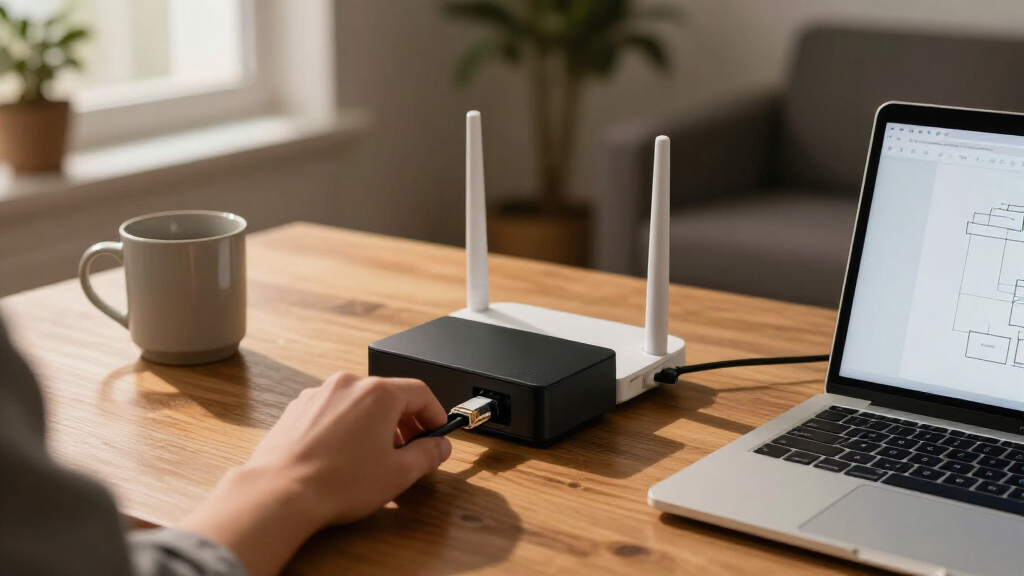
I ranked these firewall appliances for home networks by how well they match common household needs: protecting multiple devices, supporting the home’s internet and local network speeds, and staying manageable after setup. I weighed the included hardware and ports, the likely learning and maintenance burden, the role of any bundled security services, and whether each model has a clear use case. A product’s category matters: an appliance with a guided management experience is not directly interchangeable with a bare mini PC intended for firewall software.
The order favors balanced home fit and clear buyer value over raw specifications. That puts flexible but approachable options ahead of specialist appliances, while devices with higher-speed ports, business-focused service models, or do-it-yourself software appeal to narrower groups. The products listed here cover several different roles, so buyers should confirm software compatibility, licensing, support, and the exact included hardware before purchase; those details can vary by configuration or seller.
Factors to Consider When Choosing Firewall Appliances For Home Networks
Before choosing a firewall, I’d map the job it needs to do—not just the number of ports on its case. A home gateway can be a simple managed appliance, a security service with ongoing features, or a small PC that runs software you select. These options differ in setup effort, network layout, long-term care, and how much control you get.
Match the firewall to your internet speed and wired network
Start with the speed of your internet plan and the fastest links between devices, switches, and access points. A firewall with gigabit ports may become a bottleneck on a faster connection, while multi-gig ports offer little benefit if the modem, switch, and client devices cannot use them. Also check whether advertised port speeds apply to every port and whether routing or security features can operate at the speeds you need. A common mistake is to focus on the WAN port and overlook the LAN side, where traffic between network segments may also pass. If your home is all gigabit today, buying for a realistic upgrade path can make more sense than paying for unused 2.5GbE or 10Gbps capability.
Decide how much setup and ongoing maintenance you want
A dedicated security gateway generally offers a defined management path, while a mini PC gives you more choice over the firewall operating system and configuration. That flexibility can be useful for custom rules, VLANs, or learning, but it also makes software selection, updates, backups, and troubleshooting your responsibility. Before choosing a mini PC, confirm that the intended operating system supports its network adapters and that the vendor provides enough hardware details to check compatibility. Do not assume a device is ready to protect a network just because it is sold as a firewall appliance; some models are hardware platforms without a preconfigured firewall environment. If you do not want to maintain another system, favor a clearer setup process over extra ports or processing headroom.
Read security-service and license terms before buying
Some appliances pair their hardware with subscriptions for security services, support, or feature updates. Check what is included, how long coverage lasts, and which functions stop or change when the service period ends. A bundled plan may reduce setup work and bring security features under one management interface, but it can add recurring expense and dependency on the vendor’s service model. Hardware-only listings require a separate look at software licensing and support, so compare the complete ownership picture rather than the box alone. For a home network, a business-oriented feature set can be useful, but it is not a benefit if its licensing and administration exceed what you need.
Plan ports around network segments, not just device count
Count the connections needed for the modem or ONT, internal LAN, guest network, smart-home devices, and any isolated work or lab environment. A firewall with several physical ports can make separate zones easier to wire, but many homes can create those zones with VLAN-capable switches and access points instead. Physical separation and VLANs are different approaches, each with setup and hardware requirements; neither works as intended unless the connected equipment supports the chosen layout. Leave room for growth, but avoid buying a large port count without a plan for using it. Also check whether the appliance’s management interface makes it practical to maintain the extra network segments.
Treat fanless design as a tradeoff, not a performance guarantee
Fanless mini PCs can run quietly in a living space, which is appealing when the network cabinet sits near people. Their cooling depends on the case and surrounding airflow, so placement still matters, especially under sustained traffic or in a warm cupboard. Look beyond a processor label: generation, memory, storage type, and network-controller support affect responsiveness and compatibility. A newer low-power processor may be a better fit than an older chip with a higher-sounding model designation, but the actual firewall workload and software support matter too. Check power supply details, case ventilation, and upgrade options before treating a small appliance as set-and-forget hardware.
Compare total ownership effort, not only the hardware list
A firewall’s real cost to own includes more than its initial hardware configuration: factor in any required service plan, replacement storage, software updates, and the time needed to learn the interface. A managed product may be easier to support but offer less freedom than a mini PC running your preferred software. Conversely, DIY flexibility can save you from a fixed feature set while creating more work when an update or network change causes trouble. Keep a backup of configuration settings and decide how you will restore service if the appliance fails. For a household that depends on uninterrupted connectivity, straightforward recovery can matter more than a marginal bump in throughput.
Frequently Asked Questions
Should I choose a dedicated firewall appliance or a mini PC?
I’d choose a dedicated appliance if I want a defined management experience and less responsibility for selecting compatible hardware and software. A mini PC makes more sense if I want to choose the firewall operating system, tune network rules, or use the system for a more tailored setup. The tradeoff is that flexibility brings setup and maintenance work, including updates and backups. Before buying a mini PC, verify its network-controller support and confirm whether the firewall software is included. If I need the network working with minimal configuration, I would favor a product with a clear appliance-style setup.
Do I need 2.5GbE or 10Gbps ports for a home firewall?
Not unless my internet connection or internal network can make use of them. I’d check the modem or ONT, switches, and the devices that handle large transfers before paying for faster ports. A faster port on the firewall cannot increase the speed of a slower link elsewhere in the network. Multi-gig can be useful for a fast internet plan, a home server, or frequent large file transfers, but it adds little to an all-gigabit setup. I’d also confirm the appliance can route traffic at the desired speed with the security features I plan to enable.
Are bundled security subscriptions worth it for a home network?
They can be a good fit if I want vendor-managed security features and a supported appliance experience, but I’d read the service terms before choosing. I would check which features are included, how long the bundle lasts, and what happens when it expires. A subscription can simplify access to security services, yet it may create a recurring obligation that a self-managed setup avoids. Hardware-only products may require separate software or support arrangements, so the absence of a bundle does not automatically mean lower ownership effort. I’d choose based on the features I will use and the work I am willing to manage.
Can a firewall appliance replace my Wi-Fi router?
Some appliances can route traffic, but many are wired gateways rather than complete Wi-Fi systems. I’d check whether the product includes wireless hardware and whether it can handle the routing and access-point roles I need. A common arrangement is to use the firewall as the network gateway and keep separate access points for Wi-Fi coverage. This can offer more choice in wireless placement, but it adds another device and may require extra configuration. Before replacing an existing router, confirm how the firewall will connect to the modem, switch, and wireless equipment.
What should I check before buying a firewall mini PC for pfSense or similar software?
I’d verify that the intended firewall operating system supports the mini PC’s network adapters, storage, and boot method rather than relying on the product title. Check whether RAM and storage are included, what type of Ethernet ports it has, and whether the listing identifies the network-controller models. I’d also look for a reliable way to update the software and back up its configuration. A fanless case can be quiet, but it still needs suitable airflow and a stable power supply. If any hardware details are unclear, I’d prefer a model with more complete specifications or a dedicated appliance with a clearer support path.
Conclusion
For a flexible all-around home setup, I’d choose the Protectli Vault FW4B as best overall, with the understanding that it is a hardware platform whose software and upkeep need planning. For best value, the TP-Link ER7206 suits households seeking wired routing and VPN features without building a custom firewall PC; it is not a substitute for every dedicated security appliance. The Firewalla Purple SE is my pick for beginners who want a more approachable security-focused experience, while the Zyxel USG FLEX 200H is a stronger fit for buyers seeking a premium, service-backed gateway and willing to check its licensing terms. For specific needs, I’d look at the Alta Labs Route10 for a 10Gbps-oriented wired network and at the multi-gig mini PCs for hands-on users who need several faster ports. If I want a compact pfSense+ gateway, the Netgate 1100 is the more direct fit. My final choice would follow the network speed, management effort, and support model I actually need—not the longest feature list.
Evergreen bestsellers Picks

Dyson Airwrap i.d. Multi-Styler for Straight and Wavy Hair

TCL QM64L 85-Inch QD-Mini LED 4K Smart Fire TV

Vitamix Propel Series 750 Professional-Grade Blender, 4 Programs, Black
As an affiliate, we earn on qualifying purchases.