Combining multi-factor authentication (MFA) with a VPN boosts your remote access security by adding multiple verification steps, such as biometric methods, to protect sensitive data from hackers. MFA verifies your identity through credentials, while VPN encrypts your internet traffic, making it harder for outsiders to intercept your information. Using both creates a layered defense against unauthorized access. To understand how this integrated approach adapts to different security needs and improves your protection, keep exploring more insights.
Key Takeaways
- Combining MFA with VPN creates multiple security layers, significantly reducing unauthorized access risks.
- Biometric authentication enhances user convenience and strengthens verification during remote VPN connections.
- Risk-based access models adapt MFA and biometric requirements based on login context, improving security and user experience.
- VPN encrypts data in transit, while MFA verifies user identity, together safeguarding sensitive information during remote work.
- Layered security approaches using MFA and VPN help organizations proactively respond to suspicious activities and potential threats.
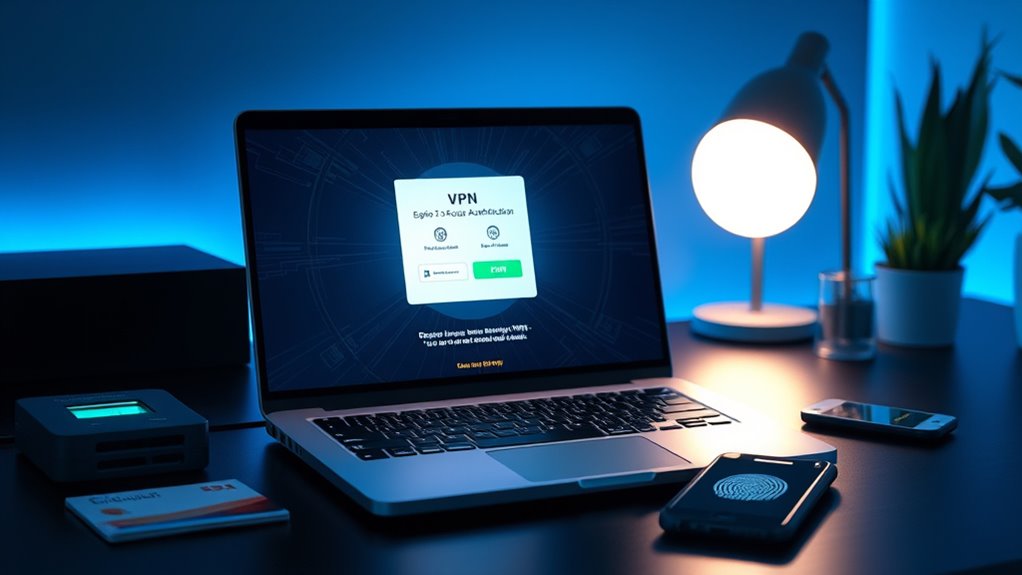
In today’s digital landscape, securing remote access is more critical than ever, and combining multi-factor authentication (MFA) with virtual private networks (VPNs) offers a powerful way to strengthen your defenses. When you implement MFA alongside a VPN, you add multiple layers of security that make it considerably harder for unauthorized users to gain access. One of the most effective methods in this process is biometric authentication, which uses unique physical characteristics like fingerprints or facial recognition to verify identities. This form of authentication is not only convenient but also difficult to forge, making it an ideal component of your overall security strategy.
Biometric authentication enhances the strength of risk-based access models. Instead of relying solely on static passwords, your system can evaluate the risk level of each login attempt based on various factors such as location, device, or network. If something seems suspicious—like an attempt from an unfamiliar device or an unusual location—the system can escalate security measures or deny access altogether. By integrating biometric authentication into this risk-based framework, you ensure that only genuinely authorized users can access sensitive data, even when working remotely.
Biometric authentication strengthens risk-based access by evaluating login context for smarter security decisions.
When you combine MFA with a VPN, you’re creating a layered approach that addresses different attack vectors. The VPN encrypts your internet traffic, shielding your data from eavesdroppers and man-in-the-middle attacks. Meanwhile, MFA, especially when it incorporates biometric authentication, verifies your identity at multiple checkpoints before granting access. This means that even if an attacker manages to compromise a password, they would still need to bypass the biometric verification, which is much more challenging. The combination of these technologies effectively reduces the risk of breaches and unauthorized access.
Furthermore, risk-based access allows you to tailor security requirements dynamically. For instance, if your system detects a login attempt from a trusted device and location, it may only require a simple MFA factor. Conversely, if the attempt seems risky—say, from an unfamiliar IP address or device—the system can prompt for additional authentication, such as biometric verification. This adaptability not only improves security but also enhances user experience by reducing friction when the context is safe.
In essence, by integrating biometric authentication and risk-based access into your MFA and VPN setup, you develop a smarter, more responsive security framework. It adapts to threats in real-time, minimizes the chances of unauthorized access, and provides you with greater confidence when working remotely. This layered approach is essential for protecting sensitive information and maintaining trust in your digital environment. Additionally, understanding the benefits of eye patches can be useful for personal care routines, especially when considering their effects on skin hydration and appearance.

Fingerprint Reader Biometric Authentication – DigitalPersona URU4500 USB – Fingerprint Scanner – Original HID Brand
New replacement old Red Logo Digital persona URU4500, HID , USB reader. Original HID Brand
As an affiliate, we earn on qualifying purchases.
As an affiliate, we earn on qualifying purchases.
Frequently Asked Questions
How Does MFA Improve VPN Security Against Emerging Cyber Threats?
Multi-factor authentication substantially boosts your VPN security by adding an extra layer of cyber threat mitigation. It requires you to verify your identity with multiple factors, making it harder for attackers to access your network. Even if your password is compromised, MFA prevents unauthorized entry. This proactive approach helps you stay ahead of emerging cyber threats, ensuring your remote access remains secure and your sensitive data protected from increasingly sophisticated attacks.
What Are the Potential Challenges in Integrating MFA With Existing VPNS?
You might face challenges integrating MFA with existing VPNs, especially during user onboarding and credential synchronization. The juxtaposition of seamless access and complex setup can cause delays and user frustration. Compatibility issues between MFA solutions and your current VPN infrastructure may require network adjustments. Ensuring smooth credential synchronization is vital, but it can be complicated with diverse authentication methods, potentially impacting user experience and security consistency.
How Does MFA Impact User Experience During Remote Access?
MFA enhances user authentication, but it can impact your user convenience during remote access. You might experience extra steps, like entering a code or using an authenticator app, which could slow down your login process. However, these measures profoundly boost security. To minimize inconvenience, choose seamless MFA methods, such as push notifications, so your remote access remains secure without frustrating delays.
Are There Specific Industries That Benefit Most From Combining MFA With VPN?
You’ll find industries like healthcare and finance benefit most from combining MFA with VPN. Healthcare must meet strict compliance standards like HIPAA, ensuring patient data stays secure. Financial institutions face rigorous regulations like GDPR and PCI-DSS, which demand strong authentication. Using MFA with VPN in these sectors helps protect sensitive information, reduces fraud risk, and maintains regulatory compliance, giving you confidence that remote access stays secure without sacrificing productivity.
What Are the Best Practices for Managing MFA Credentials for Remote Users?
You should implement strict credential management by regularly updating and rotating MFA credentials, ensuring only authorized users gain access. Use automated user provisioning to streamline onboarding and offboarding, reducing risks of outdated or compromised accounts. Enforce multi-factor authentication policies consistently, and monitor login activities for suspicious behavior. Educate users on best practices for credential security, like avoiding shared passwords and recognizing phishing attempts, to keep your remote access secure and resilient.

Data Center Security: Protecting Your Infrastructure
As an affiliate, we earn on qualifying purchases.
As an affiliate, we earn on qualifying purchases.
Conclusion
By blending multi-factor authentication with a VPN, you bolster your barrier against breaches and bolster your security stance. This seamless synergy safeguards sensitive data, strengthens your system’s shield, and simplifies secure access. Implementing these measures creates a fortress of fidelity, fostering confidence and control. Remember, reinforcing your remote access with rigorous routines and reliable protocols keeps your digital domain safe, sound, and secure—setting the stage for steadfast security in every session.
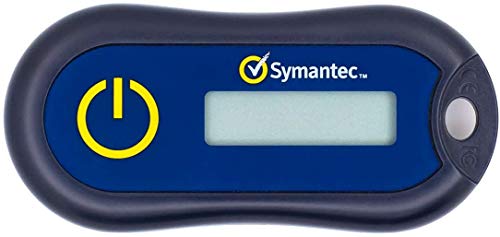
Symantec VIP Hardware Authenticator – OTP One Time Password Display Token – Two Factor Authentication – Time Based TOTP – Key Chain Size
Standard OATH compliant TOTP token (time based)
As an affiliate, we earn on qualifying purchases.
As an affiliate, we earn on qualifying purchases.

Primes Lab Stealth Remote Access Solution, A Self-Hosted VPN
It is tracking-free for secure Remote Desktop (RDP), secure Network Attached Storage (NAS), secure Site-to-Site VPN, and Bitcoin…
As an affiliate, we earn on qualifying purchases.
As an affiliate, we earn on qualifying purchases.