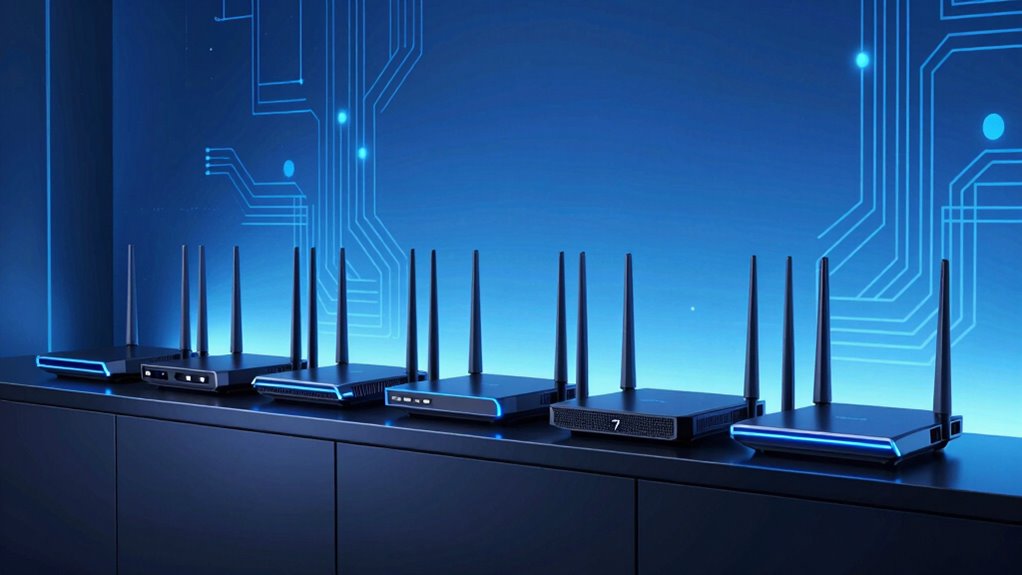

Searching for the best Wi Fi 7 router in 2026? The category offers high-speed, advanced connectivity options, with models like the TP-Link Archer BE12000 standing out for their impressive multi-gigabit speeds and extensive coverage. The ASUS RT-BE92U is a strong choice for users seeking mesh flexibility and multiple WAN ports, while the eero 7 offers simple setup for those prioritizing ease of use. However, these routers come with tradeoffs such as higher cost, complexity, or over-specification for average users. Keep reading for a detailed comparison that helps you find the right balance between speed, features, and budget.

Get privacy and security gear delivered free with Prime
- Fast, free delivery on millions of items
- Prime Video, Amazon Music and more included
- Member-only deals all year
Key Takeaways
- The top routers deliver multi-gigabit speeds with Wi Fi 7’s advanced features, but price varies widely based on additional capabilities.
- Tri-band models generally outperform dual-band options in crowded environments, yet they tend to cost more and consume more power.
- Mesh systems like the Deco 7 provide excellent coverage and simple expansion, ideal for larger homes, but may lack the raw speed of high-end routers.
- A higher port count and multi-WAN support are essential for demanding setups, especially for small businesses or tech enthusiasts.
- Security features like HomeShield add value but often come at a premium, making it important to weigh security needs against cost.
| TP-Link Archer BE12000 Tri-Band Wi-Fi 7 Router with 6GHz Band and 10G Connectivity |  | Best Overall for Large Homes and Power Users | Wi-Fi Bands: Tri-band (6 GHz, 5 GHz, 2.4 GHz) | Max Speed: up to 5,765 Mbps (6 GHz), 5,765 Mbps (5 GHz), 688 Mbps (2.4 GHz) | Ports: 1x 10 Gbps WAN/LAN, 2.5 Gbps WAN/LAN, 3x 1 Gbps LAN, USB 3.0 | VIEW ON AMAZON | See Our Full Breakdown |
| TP-Link Archer BE9700 WiFi 7 Tri-Band Router |  | Best for High-Speed Demanding Applications in Large Homes | WiFi Speed: up to 9.7Gbps | Bands: Tri-band (6 GHz, 5 GHz, 2.4 GHz) | Ports: 1 × 10G WAN, 4 × 2.5G LAN, USB 3.0 | VIEW ON AMAZON | See Our Full Breakdown |
| TP-Link Dual-Band Wi-Fi 7 Router Archer BE230 |  | Best for Seamless Mesh and Security in Home Networks | Wi-Fi Technology: Wi-Fi 7 | Speed: up to 3.6 Gbps | Bands: Dual-band | VIEW ON AMAZON | See Our Full Breakdown |
| TP-Link BE6500 Dual-Band WiFi 7 Router (BE400) |  | Best for Multi-Device Reliable Home Coverage | Wi-Fi Technology: Wi-Fi 7 | Total Bandwidth: 6.5 Gbps | Coverage: up to 2,400 sq. ft. | VIEW ON AMAZON | See Our Full Breakdown |
| ASUS RT-BE92U WiFi 7 Router – Tri-Band (6GHz), 9.7 Gbps, x2 WAN, Mesh, Includes RJ-45 Cable and Power Adapter |  | Best for Future-Proof Smart Home and Office Networks | WiFi Standard: WiFi 7 (802.11be) | Maximum Speed: 9.7 Gbps | Frequency Bands: Tri-band (6 GHz, 5 GHz, 2.4 GHz) | VIEW ON AMAZON | See Our Full Breakdown |
| NETGEAR Nighthawk Dual-Band WiFi 7 Router (RS140) |  | Best Overall for High-Speed Gaming and Streaming | WiFi Speed: up to 5.0 Gbps | Coverage: up to 2,250 sq. ft. | Device Capacity: 80 devices | VIEW ON AMAZON | See Our Full Breakdown |
| eero 7 Dual-Band Mesh Wi-Fi 7 Router (Newest Model) |  | Best for Easy Expansion and Whole-Home Coverage | Wi-Fi Standard: Wi-Fi 7 | Coverage: up to 2,000 sq. ft. | Device Support: over 120 devices | VIEW ON AMAZON | See Our Full Breakdown |
| TP-Link Tri-Band WiFi 7 Router (Archer BE550) BE9300 |  | Best for High-Speed Gaming and Streaming with Advanced Features | WiFi Technology: WiFi 7 | Speed: up to 9.2 Gbps | Bands: Tri-band | VIEW ON AMAZON | See Our Full Breakdown |
| Deco 7 Dual-Band WiFi 7 Mesh System 3-Pack (BE5000, BE25) |  | Best for Large Coverage and Seamless Mesh Connectivity | Wi-Fi Standard: Wi-Fi 7 | Coverage: 6,600 sq. ft. | Number of Units: 3 | VIEW ON AMAZON | See Our Full Breakdown |
| ASUS RT-BE58U WiFi 7 Router – Dual-WAN, 3.6 Gbps, Mesh + VPN Compatible |  | Best for Versatile Connectivity and Advanced Security | Wi-Fi Standard: WiFi 7 (802.11be) | Speed: up to 3.6 Gbps | Bands: Dual-band | VIEW ON AMAZON | See Our Full Breakdown |
| TP-Link Tri-Band BE19000 WiFi 7 Router (Archer BE800) |  | Best Overall for High-End Home Networks | Wi-Fi Technology: Wi-Fi 7 | Speed: 19 Gbps | Bands: Tri-band | VIEW ON AMAZON | See Our Full Breakdown |
| NETGEAR Nighthawk Dual-Band WiFi 7 Router (RS90) |  | Best for Fast Streaming and Gaming on a Budget | WiFi Speed: up to 3.6 Gbps | Bands: Dual-Band (2.4 GHz + 5 GHz) | Processor: Quad-core 2.0 GHz | VIEW ON AMAZON | See Our Full Breakdown |
| TP-Link Tri-Band WiFi 7 Router (Archer BE600) with 10G Port and HomeShield Security |  | Best for Large Homes and Heavy Device Load | WiFi Technology: WiFi 7 | Max Speed: up to 5,765 Mbps | Coverage: up to 2,600 sq. ft. | VIEW ON AMAZON | See Our Full Breakdown |
| wi fi 7 router | Ports | Coverage |
|---|---|---|
| TP-Link Archer BE12000 Tri-Ban | 1x 10 Gbps WAN/LAN, 2.5 Gbps WAN/LAN, 3x 1 Gbps LAN, USB 3.0 | Up to 3,000 sq. ft. |
| TP-Link Archer BE9700 WiFi 7 T | 1 × 10G WAN, 4 × 2.5G LAN, USB 3.0 | Up to 2,000 sq ft |
| TP-Link Dual-Band Wi-Fi 7 Rout | 1×2.5G WAN/LAN, 3×1G LAN | up to 2,000 sq. ft. |
| TP-Link BE6500 Dual-Band WiFi | 1x 2.5 Gbps WAN/LAN, 1x 2.5 Gbps LAN, 3x 1 Gbps LAN | up to 2,400 sq. ft. |
| ASUS RT-BE92U WiFi 7 Router | 5 LAN ports | — |
| NETGEAR Nighthawk Dual-Band Wi | — | up to 2,250 sq. ft. |
| eero 7 Dual-Band Mesh Wi-Fi 7 | — | up to 2,000 sq. ft. |
| TP-Link Tri-Band WiFi 7 Router | 1 x 2.5G WAN, 4 x 2.5G LAN | — |
| Deco 7 Dual-Band WiFi 7 Mesh S | 2 x 2.5 Gbps Ethernet per unit | 6,600 sq. ft. |
| ASUS RT-BE58U WiFi 7 Router | — | — |
| TP-Link Tri-Band BE19000 WiFi | 2×10G, 4×2.5G, USB 3.0 | — |
| NETGEAR Nighthawk Dual-Band Wi | — | up to 2,000 sq. ft. |
| TP-Link Tri-Band WiFi 7 Router | 1x 10 Gbps WAN/LAN, 1x 2.5 Gbps WAN/LAN, 3x 2.5 Gbps LAN | up to 2,600 sq. ft. |
More Details on Our Top Picks
TP-Link Archer BE12000 Tri-Band Wi-Fi 7 Router with 6GHz Band and 10G Connectivity
The TP-Link Archer BE12000 stands out for its comprehensive tri-band support, including the cutting-edge 6GHz band, making it ideal for large households with demanding bandwidth needs. Compared to the ASUS RT-BE92U, it offers more coverage and higher maximum speeds, but it requires a separate modem and might be complex for non-technical users to fully optimize. Its six high-gain antennas and extensive port options ensure reliable, multi-device connectivity across a large area. The security suite with WPA3 adds peace of mind for security-conscious users. While setup can be intimidating for beginners, this router excels in delivering ultra-fast, stable connections for gaming, streaming, and smart home devices in expansive spaces.
Pros:- Supports the latest Wi-Fi 7 tri-band technology for maximum speeds
- Excellent coverage up to 3,000 sq. ft. with six antennas
- Multiple high-speed ports including 10 Gbps WAN and USB 3.0
Cons:- Requires a separate modem, adding to setup complexity
- May be overwhelming for users unfamiliar with advanced networking
Best for: Tech-savvy households with large homes and multiple demanding devices
Not ideal for: Casual users or small apartments where complex setup and extensive coverage are unnecessary
- Wi-Fi Bands:Tri-band (6 GHz, 5 GHz, 2.4 GHz)
- Max Speed:up to 5,765 Mbps (6 GHz), 5,765 Mbps (5 GHz), 688 Mbps (2.4 GHz)
- Ports:1x 10 Gbps WAN/LAN, 2.5 Gbps WAN/LAN, 3x 1 Gbps LAN, USB 3.0
- Coverage:Up to 3,000 sq. ft.
- Antennas:6 high-gain antennas
- Compatibility:Compatible with Alexa and Google Assistant
Our verdict“This router is best suited for power users seeking top-tier performance and coverage in large homes.”
TP-Link Archer BE9700 WiFi 7 Tri-Band Router
The TP-Link Archer BE9700 is designed for users who require extreme speeds, boasting up to 9.7 Gbps across tri-band frequencies, making it a top choice over the TP-Link BE12000 for those prioritizing raw performance. Its six antennas and Beamforming ensure solid coverage up to 2,000 sq. ft., but its advanced features and multiple ports come with a higher price tag. The setup may be complex for less experienced users, and full benefit depends on compatible devices capable of Wi-Fi 7 speeds. This router is perfect for gamers, streamers, and tech enthusiasts wanting ultra-fast internet with extensive security options, yet it may be overkill for typical browsing or smaller households.
Pros:- Exceptional tri-band Wi-Fi 7 speeds up to 9.7 Gbps
- Six antennas and Beamforming for reliable coverage
- Multiple gigabit ports and USB 3.0 for fast data sharing
Cons:- Higher price point compared to less feature-rich routers
- Complex setup requiring some networking knowledge
Best for: High-demand users seeking maximum speed and extensive security in large or tech-heavy homes
Not ideal for: Basic users or households with minimal internet needs, due to its complexity and cost
- WiFi Speed:up to 9.7Gbps
- Bands:Tri-band (6 GHz, 5 GHz, 2.4 GHz)
- Ports:1 × 10G WAN, 4 × 2.5G LAN, USB 3.0
- Coverage:Up to 2,000 sq ft
- Antennas:6 internal antennas
- Compatibility:Works with all WiFi generations, major ISPs
Our verdict“Ideal for users demanding the fastest speeds and top security in large or tech-intensive homes.”
TP-Link Dual-Band Wi-Fi 7 Router Archer BE230
The TP-Link Archer BE230 offers dual-band Wi-Fi 7 speeds up to 3.6 Gbps, making it a practical choice for users who want solid performance without the complexity of tri-band setups. Its dual antennas and Multi-Link Operation technology allow for seamless mesh integration, a feature less emphasized in the BE12000. While it doesn’t match the raw speeds of higher-end routers, it provides reliable, low-latency connections for everyday tasks, streaming, and light gaming. Its security features, including VPN and parental controls, make it suitable for family environments. However, performance varies with obstacles, and it lacks Wi-Fi 7’s full potential if used with older devices or in environments with interference.
Pros:- Supports Wi-Fi 7 with speeds up to 3.6 Gbps
- Mesh support for whole-home coverage
- Strong security features including VPN and parental controls
Cons:- Performance can be affected by environment and obstacles
- Limited speed compared to tri-band high-end routers
Best for: Families wanting reliable mesh coverage and security with manageable setup
Not ideal for: Power users needing ultra-high speeds or extensive port options
- Wi-Fi Technology:Wi-Fi 7
- Speed:up to 3.6 Gbps
- Bands:Dual-band
- Ports:1×2.5G WAN/LAN, 3×1G LAN
- Coverage:up to 2,000 sq. ft.
- Security:HomeShield, VPN, parental controls
Our verdict“A solid choice for families seeking reliable mesh coverage and security without overwhelming complexity.”
TP-Link BE6500 Dual-Band WiFi 7 Router (BE400)
The TP-Link BE6500 provides a balanced approach with dual-band Wi-Fi 7, supporting speeds up to 6.5 Gbps and coverage up to 2,400 sq. ft., making it suitable for households with many devices. Its support for multi-gig bandwidth and extensive device capacity—up to 90 devices—sets it apart from more basic models like the BE230. The setup is straightforward via the Tether app, and its security features with HomeShield add a layer of protection. However, its premium price might be a barrier for casual users, and some advanced features could be overwhelming for those not familiar with networking intricacies. This model offers a good mix of speed, capacity, and ease of use for busy homes.
Pros:- Supports Wi-Fi 7 with up to 6.5 Gbps bandwidth
- High device capacity with up to 90 devices
- Easy to set up and manage via app
Cons:- Premium price for basic home use
- Advanced features may be complex for non-technical users
Best for: Families or small offices with many connected devices needing stable, fast coverage
Not ideal for: Users with minimal devices or those on a strict budget, due to its higher cost
- Wi-Fi Technology:Wi-Fi 7
- Total Bandwidth:6.5 Gbps
- Coverage:up to 2,400 sq. ft.
- Device Capacity:up to 90 devices
- Ports:1x 2.5 Gbps WAN/LAN, 1x 2.5 Gbps LAN, 3x 1 Gbps LAN
- Security:HomeShield, VPN support
Our verdict“A smart choice for busy households with multiple devices seeking reliable and fast Wi-Fi coverage.”
ASUS RT-BE92U WiFi 7 Router – Tri-Band (6GHz), 9.7 Gbps, x2 WAN, Mesh, Includes RJ-45 Cable and Power Adapter
The ASUS RT-BE92U offers impressive speeds up to 9.7 Gbps with tri-band support, making it a compelling option for tech enthusiasts and small office setups. Its multi-link operation and AI Mesh integration allow for flexible, stable mesh networks that can expand easily. Multiple WAN options, including AI detection and wired capacity, make it adaptable for various configurations. While its large size and complex features might be daunting for typical home users, it caters well to those who want a future-proof, high-speed network with advanced security like AiProtection Pro. This router balances high performance with extensive connectivity options, but setup might demand some technical expertise.
Pros:- High speeds up to 9.7 Gbps with tri-band Wi-Fi 7
- Supports multi-link operation and AI Mesh for seamless coverage
- Versatile WAN and wired options for diverse setups
Cons:- Complex setup requiring technical knowledge
- Large footprint may be unsuitable for small spaces
Best for: Small offices or tech-savvy homes requiring high-speed, flexible mesh networks
Not ideal for: Basic home users or those seeking plug-and-play simplicity
- WiFi Standard:WiFi 7 (802.11be)
- Maximum Speed:9.7 Gbps
- Frequency Bands:Tri-band (6 GHz, 5 GHz, 2.4 GHz)
- Ports:5 LAN ports
- Security:AiProtection Pro, VPN, WPA3
- Included Accessories:RJ-45 cable, power adapter
Our verdict“Perfect for advanced users needing a high-speed, expandable network with flexible configurations.”
NETGEAR Nighthawk Dual-Band WiFi 7 Router (RS140)
The NETGEAR Nighthawk RS140 stands out for delivering reliable WiFi 7 speeds up to 5.0 Gbps, making it an excellent choice for gamers and streamers who need fast, stable connections. Its coverage of 2,250 sq. ft. and capacity for up to 80 devices mean it can handle busy households with multiple connected gadgets. Compared with the eero 7, this router offers higher speed potential but lacks built-in modem capabilities, requiring a separate modem. While it excels in raw performance, its limited to router functions, which could be a drawback for those seeking an all-in-one solution. Tradeoffs include needing a compatible modem and the absence of tri-band support.
Pros:- Fast WiFi 7 speeds up to 5.0 Gbps for gaming and streaming
- Wide coverage of up to 2,250 sq. ft.
- Supports up to 80 devices simultaneously
Cons:- Requires a separate modem for internet connection
- Limited to router functionality only
Best for: High-demand households with multiple devices, especially gamers and streamers needing maximum speed and coverage.
Not ideal for: Users wanting an all-in-one modem-router setup or simpler, plug-and-play solutions.
- WiFi Speed:up to 5.0 Gbps
- Coverage:up to 2,250 sq. ft.
- Device Capacity:80 devices
- Internet Port:2.5 Gigabit
Our verdict“A powerful choice for users prioritizing fast, extensive WiFi coverage for demanding online activities.”
eero 7 Dual-Band Mesh Wi-Fi 7 Router (Newest Model)
The eero 7 makes a compelling case for those seeking reliable Wi-Fi 7 coverage with minimal hassle. It supports internet plans up to 2.5 Gbps and connects over 120 devices, making it suitable for large households or small offices. Compared with the TP-Link Archer BE550, it emphasizes ease of use and expandability, though it offers only dual-band Wi-Fi, which may limit peak speeds slightly. Its compatibility with previous eero models allows for seamless mesh expansion, but some users may find the need for a compatible plan a limitation. While it’s user-friendly, advanced features may require a subscription, which adds to ongoing costs.
Pros:- Supports Wi-Fi 7 for future-proof connectivity
- Easy to expand with additional eero units
- Supports over 120 devices with reliable performance
Cons:- Limited to dual-band Wi-Fi, not tri-band
- Advanced features may require subscription
Best for: Homeowners looking for simple, expandable Wi-Fi coverage without technical complexity.
Not ideal for: Tech enthusiasts seeking tri-band speeds or maximum network customization.
- Wi-Fi Standard:Wi-Fi 7
- Coverage:up to 2,000 sq. ft.
- Device Support:over 120 devices
- Supported Channels:2.4 GHz & 5 GHz
- Ethernet Ports:2 x 2.5 GbE
Our verdict“Ideal for users wanting straightforward, expandable Wi-Fi coverage for large or multi-story homes.”
TP-Link Tri-Band WiFi 7 Router (Archer BE550) BE9300
The TP-Link Archer BE550 offers impressive speeds up to 9.2 Gbps across three bands, making it a strong contender for high-bandwidth activities like gaming and 4K streaming. Its six antennas and beamforming technology help optimize coverage and signal stability, even in larger homes of up to 2,000 sq. ft. Compared with the Deco 7 Mesh System, this router provides dedicated tri-band performance, but its setup is more complex, which might intimidate non-technical users. It features full 2.5G ports, VPN, and HomeShield security, but the numerous features may be overkill for casual users. Tradeoffs involve complexity versus performance and a higher price point.
Pros:- Tri-band speeds up to 9.2 Gbps for demanding tasks
- Full 2.5G ports for fast wired connections
- Supports EasyMesh expansion
Cons:- Complex setup process for non-technical users
- Premium features may be unnecessary for basic needs
Best for: Tech-savvy users who want maximum speed and security features for gaming and streaming.
Not ideal for: Users seeking simple plug-and-play Wi-Fi solutions or basic internet access.
- WiFi Technology:WiFi 7
- Speed:up to 9.2 Gbps
- Bands:Tri-band
- Number of Antennas:6
- Ports:1 x 2.5G WAN, 4 x 2.5G LAN
Our verdict“Perfect for advanced users requiring blazing-fast speeds and robust security, willing to handle a more involved setup.”
Deco 7 Dual-Band WiFi 7 Mesh System 3-Pack (BE5000, BE25)
The Deco 7 Mesh System excels in covering expansive homes, offering up to 6,600 sq. ft. of reliable WiFi 7 coverage. Supporting over 150 devices, it’s designed for smart homes with many connected gadgets. Its AI-Roaming ensures seamless handoff between units, outperforming single routers like the ASUS RT-BE58U in large spaces. However, setting up multiple units and managing the system could be daunting for less tech-savvy users. It also requires a separate modem, adding to the complexity. Its mesh design is a clear advantage for extensive properties, but the cost may be prohibitive for smaller setups. Tradeoffs include managing multiple units versus broad coverage and device support.
Pros:- Extensive coverage up to 6,600 sq. ft.
- Supports over 150 devices simultaneously
- AI-Roaming for seamless connectivity
Cons:- Requires a separate modem
- Setup and management can be complex
Best for: Large households or small offices needing extensive coverage and device support.
Not ideal for: Users with small apartments or those seeking simple, single-router solutions.
- Wi-Fi Standard:Wi-Fi 7
- Coverage:6,600 sq. ft.
- Number of Units:3
- Ports:2 x 2.5 Gbps Ethernet per unit
- Supported Devices:over 150
Our verdict“Ideal for large spaces needing seamless, extensive WiFi coverage with many connected devices.”
ASUS RT-BE58U WiFi 7 Router – Dual-WAN, 3.6 Gbps, Mesh + VPN Compatible
The ASUS RT-BE58U offers dual-band WiFi 7 speeds up to 3.6 Gbps, making it suitable for users who need robust performance with flexible WAN options. Its support for mesh networking and dual-WAN configuration provides expanded coverage and redundancy, giving it an edge over simpler routers like the NETGEAR RS140. The inclusion of VPN support and AiProtection Pro enhances security for privacy-conscious users. However, its setup can be complex for those unfamiliar with networking, and the price may be high relative to its feature set for casual users. It’s best suited to users who value security and flexibility over plug-and-play simplicity. Tradeoffs include complexity versus versatile connectivity.
Pros:- Dual-band speeds up to 3.6 Gbps
- Supports mesh networking and dual-WAN
- Enhanced security with AiProtection Pro and VPN
Cons:- Setup can be complex for non-technical users
- Premium price may be high for basic needs
Best for: Power users needing dual-WAN redundancy, VPN capabilities, and mesh support for security-focused environments.
Not ideal for: Basic users seeking a straightforward, easy-to-install Wi-Fi 7 router.
- Wi-Fi Standard:WiFi 7 (802.11be)
- Speed:up to 3.6 Gbps
- Bands:Dual-band
- WAN Ports:2.5G port, USB for 4G/5G tethering
- Features:Mesh, VPN, AiProtection
Our verdict“Suitable for tech-savvy users requiring flexible, secure, and multi-WAN Wi-Fi 7 solutions.”
TP-Link Tri-Band BE19000 WiFi 7 Router (Archer BE800)
The TP-Link Archer BE800 stands out for its impressive tri-band speeds reaching up to 19 Gbps, making it ideal for demanding households with multiple high-bandwidth devices. Compared to the NETGEAR Nighthawk RS90, which offers more modest speeds suitable for gaming and streaming, the BE800’s advanced features and higher throughput come with a higher price and complexity. Its extensive port selection, including 10G ports, supports future-proof wired connections, while the LED screen adds a layer of convenience for monitoring network status. However, its feature set can be overwhelming for casual users, and it requires a compatible modem for most ISPs. For those seeking a premium, all-in-one solution for large, tech-savvy homes, this router offers unmatched speed and versatility, albeit at a premium price.
Pros:- Exceptional tri-band Wi-Fi 7 performance with speeds up to 19 Gbps
- Multiple high-speed ports including 10G and 2.5G for wired devices
- Supports whole-home mesh with EasyMesh compatibility
- User-friendly setup via the Tether app
Cons:- Complex features may be intimidating for non-technical users
- Requires a separate modem for most internet providers
- Higher price point compared to more basic routers
Best for: Tech enthusiasts and large households with multiple demanding devices that need top-tier performance
Not ideal for: Casual users or those with simple internet needs who prefer straightforward setup and use
- Wi-Fi Technology:Wi-Fi 7
- Speed:19 Gbps
- Bands:Tri-band
- Ports:2×10G, 4×2.5G, USB 3.0
- Antennas:8 high-performance antennas
- Security:HomeShield, WPA3
- Mesh Compatibility:EasyMesh
- VPN Support:Yes
Our verdict“This router is best suited for users who need maximum speed and advanced features for large, demanding homes willing to invest in cutting-edge technology.”
NETGEAR Nighthawk Dual-Band WiFi 7 Router (RS90)
The NETGEAR Nighthawk RS90 offers reliable dual-band WiFi 7 speeds up to 3.6 Gbps, making it a strong choice for gamers and streamers who don’t need the extensive capacity of tri-band systems. Compared with the TP-Link BE600, which supports higher speeds on the 6 GHz band, the RS90’s dual-band setup simplifies compatibility and setup, though it limits overall throughput. Its 2.5 Gbps WAN port and four LAN ports support fast wired connections, while security features like WPA3 and NETGEAR Armor provide peace of mind. However, it requires a separate modem, which adds complexity for some users, and coverage may vary based on home size. This pick makes the most sense for households seeking solid WiFi 7 performance without the cost or complexity of tri-band models.
Pros:- Reliable WiFi 7 speeds up to 3.6 Gbps for fast streaming and gaming
- Easy setup via app or web interface
- Strong security with WPA3 and NETGEAR Armor
- Multiple Ethernet ports for wired devices
Cons:- Requires a separate modem, adding extra setup steps
- Coverage might be limited in larger or complex homes
- Limited to dual-band, which may bottleneck in busy networks
Best for: Gamers, streamers, and small families needing fast WiFi 7 without extensive extra features
Not ideal for: Large homes or users with many devices requiring broader coverage and higher speeds
- WiFi Speed:up to 3.6 Gbps
- Bands:Dual-Band (2.4 GHz + 5 GHz)
- Processor:Quad-core 2.0 GHz
- Coverage:up to 2,000 sq. ft.
- WAN Port:2.5 Gigabit Ethernet
- LAN Ports:4 Gigabit Ethernet
- Security:WPA3, NETGEAR Armor
- Compatibility:Works with most ISPs, requires modem
Our verdict“This router is best suited for users seeking high-speed WiFi 7 performance in a straightforward setup, ideal for smaller households or gaming enthusiasts.”
TP-Link Tri-Band WiFi 7 Router (Archer BE600) with 10G Port and HomeShield Security
The TP-Link Archer BE600 excels at delivering high-speed connectivity across large homes, supporting speeds up to 5,765 Mbps on the 6 GHz band, with coverage up to 2,600 sq. ft. and support for up to 120 devices. Compared to the Archer BE800, which offers even higher speeds, the BE600 emphasizes broader coverage and more wired port options, including a 10G port for future-proof wired connections. Its security features, including HomeShield and VPN support, add layers of protection for busy networks. However, its setup can be complex for non-technical users, and the higher price might be a barrier for budget-conscious buyers. This router is ideal for large households or small offices where high-speed WiFi 7 and extensive device support are critical, but it requires compatible WiFi 7 devices to realize full performance.
Pros:- Supports WiFi 7 speeds up to 5,765 Mbps for demanding applications
- Wide coverage up to 2,600 sq. ft. suitable for large homes
- Multiple gigabit ports, including a 10G port, for wired connections
- Advanced security with HomeShield and VPN support
Cons:- Setup can be challenging for non-technical users
- High price point might be prohibitive for some budgets
- Requires compatible WiFi 7 devices for maximum speed
Best for: Large households or small offices needing robust WiFi 7 coverage and multiple wired connections
Not ideal for: Users with small homes or simple internet needs who won’t utilize the extensive features
- WiFi Technology:WiFi 7
- Max Speed:up to 5,765 Mbps
- Coverage:up to 2,600 sq. ft.
- Devices Supported:up to 120
- Ports:1x 10 Gbps WAN/LAN, 1x 2.5 Gbps WAN/LAN, 3x 2.5 Gbps LAN
- Security:TP-Link HomeShield, VPN support
- Antennas:6
- Channel Bandwidth:up to 320 MHz
Our verdict“This router is best for large homes or small offices that need high-speed, wide coverage and multiple wired options, despite its complexity and cost.”
How We Picked
The routers included in this roundup were evaluated primarily on performance, coverage, and feature set relevant to Wi Fi 7’s capabilities. We prioritized models with multi-gigabit speeds, advanced routing features, and ease of setup, ensuring they offer reliable, high-speed connections suitable for modern households and small offices. Cost was balanced against value, considering whether extra features justified higher prices. The ranking reflects a combination of technical specs, user flexibility, and overall build quality, helping buyers find options for various budgets and needs.Factors to Consider When Choosing Wi Fi 7 Router
Choosing a Wi Fi 7 router involves more than just looking at speed ratings. It’s important to consider factors like coverage area, device compatibility, security, and future-proofing to make an informed investment. Here are key aspects to keep in mind beyond the specs listed in product reviews:Coverage and Scalability
Think about the size of your home or office. High-performance routers with multiple bands and mesh support can blanket larger spaces, but they often come at a higher price. For smaller areas, a dual-band model might suffice, saving you money. Consider whether you might need to expand coverage later, and if so, choose a system that supports easy mesh expansion to avoid replacing your entire setup down the line.
Speed and Device Compatibility
While Wi Fi 7 offers impressive maximum speeds, actual performance depends on your internet plan and connected devices. Ensure your devices support Wi Fi 7 or are future-proofed for upcoming hardware. Avoid overpaying for ultra-high speeds if your current internet plan or devices can’t utilize them, but also recognize that investing in faster routers can extend their usefulness as your network demands grow.
Security and Management Features
Security features like WPA3, built-in firewalls, and parental controls are increasingly important. Some routers include advanced security suites like HomeShield, which can add to the cost but provide peace of mind. Consider how much control you want over your network—easy-to-use apps and management tools can simplify maintenance, especially for non-technical users. Weigh the security features against your actual needs to avoid paying for extras you won’t use.
Connectivity and Ports
Check the number and types of ports available—multi-gig ports, USB connections, or multi-WAN support can be crucial for certain setups. If you run a small business or need to connect multiple wired devices, prioritize routers with ample and versatile port options. For casual use, fewer ports may be sufficient, but opting for more can future-proof your investment.
Ease of Setup and User Interface
Some routers offer straightforward setup with mobile apps, while others require more manual configuration. Consider your comfort level with networking technology. A user-friendly interface can significantly reduce setup time and troubleshooting, especially for less tech-savvy users. Additionally, firmware updates and customer support quality are worth considering to ensure your network remains secure and up-to-date.
Frequently Asked Questions
Do I need a Wi Fi 7 router if I already have Wi Fi 6?
While Wi Fi 6 routers are capable and currently sufficient for many households, Wi Fi 7 introduces higher speeds, lower latency, and better performance in congested environments. If your internet plan supports gigabit speeds and you own or plan to buy Wi Fi 7-compatible devices, upgrading can future-proof your network. However, if your current setup meets your needs, a Wi Fi 6 router might still serve you well for the time being.
Will upgrading to a Wi Fi 7 router improve my gaming experience?
Yes, Wi Fi 7 can reduce latency and improve connection stability, which benefits online gaming. The increased bandwidth also helps with streaming high-quality game content or multiplayer experiences. Keep in mind, though, that your gaming devices need to support Wi Fi 7 to realize these benefits fully. For most gamers, a high-quality Wi Fi 7 router is a worthwhile upgrade if they seek smoother, more reliable online play.
Is a mesh Wi Fi 7 system better than a traditional router?
Mesh systems like the Deco 7 excel in providing consistent coverage across large or multi-story homes, often at a lower complexity level for setup. They are ideal if you experience dead zones or have a large space to cover. However, high-end traditional routers with multiple bands and advanced features can deliver superior raw speeds and more control for demanding setups. The choice depends on your layout and whether coverage or speed is your priority.
How much should I expect to spend on a good Wi Fi 7 router?
Prices for Wi Fi 7 routers vary significantly, starting around $200 for mid-range models and exceeding $600 for premium, feature-rich options. Consider your actual needs—if you require extensive coverage or advanced features, investing in a higher-end model makes sense. For casual use or smaller spaces, more affordable options can still provide excellent performance without overspending.
Are Wi Fi 7 routers compatible with existing Wi Fi 6 or Wi Fi 5 devices?
Yes, Wi Fi 7 routers are backward compatible with Wi Fi 6 and Wi Fi 5 devices, so you won’t need to replace all your hardware immediately. You can gradually upgrade your devices over time while still benefiting from the improved capabilities of your Wi Fi 7 router. This compatibility helps justify a higher investment, as it future-proofs your network without rendering your existing devices obsolete.
Conclusion
For users seeking the best overall performance and future-proofing, the TP-Link Archer BE12000 stands out with its tri-band support and multi-gig connectivity. Budget-conscious shoppers or those with smaller homes might favor the TP-Link BE6500 or the eero 7 for their simplicity and coverage. Tech enthusiasts or small businesses will appreciate models like the ASUS RT-BE92U for their advanced features and expandability. Beginners and casual users should consider mesh options for ease of use, while power users might prioritize high port counts and multi-gig ports for demanding setups. Your ideal choice depends on your specific network size, device needs, and budget constraints.